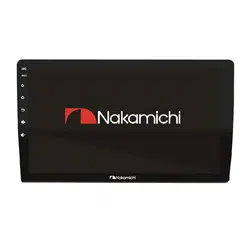
NAM5510

14
4
360 panoramic view
Supports 4G LTE network
M
P
4
64
P
12.0
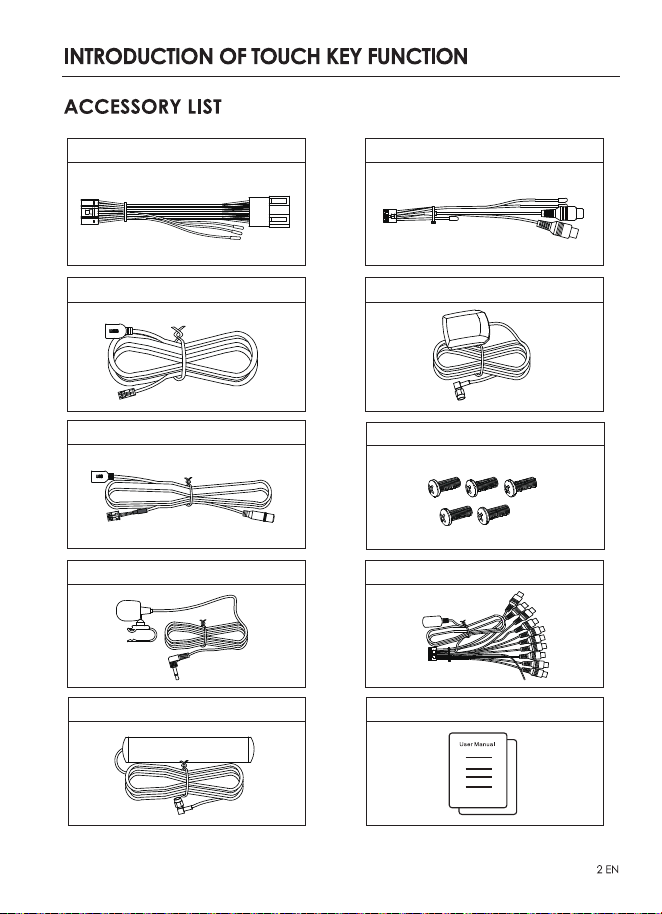
4P-USB Wire x1
6P-USB Wire x1
3.5mm Micphone Wire×1
20P-RCA Wire x1
GPS Antenna×1
Power Cable x1 Rear View Interface Wire x1
Installation Screw x5
4G LTE antenna x2
User Manual x1
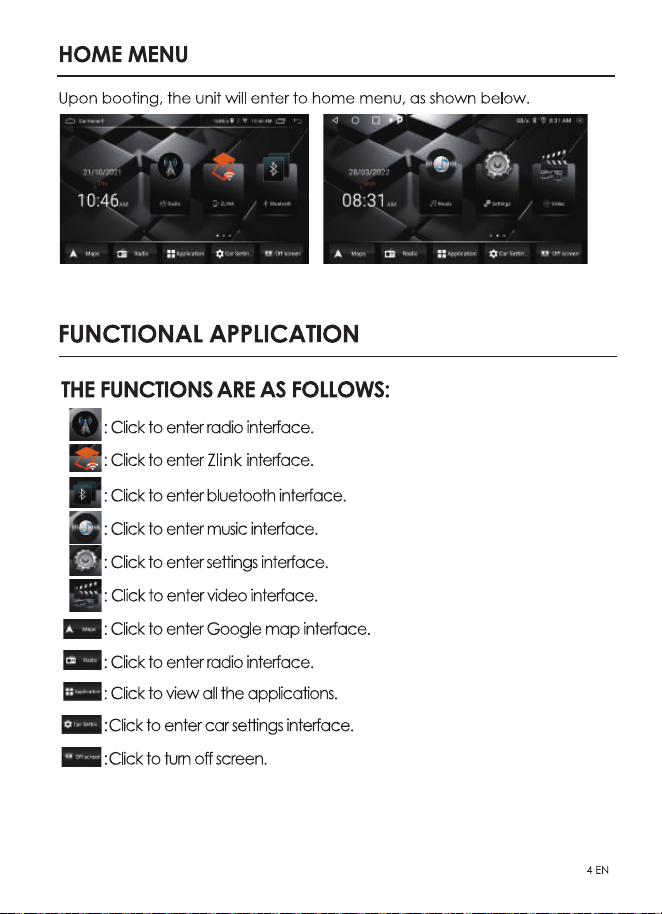
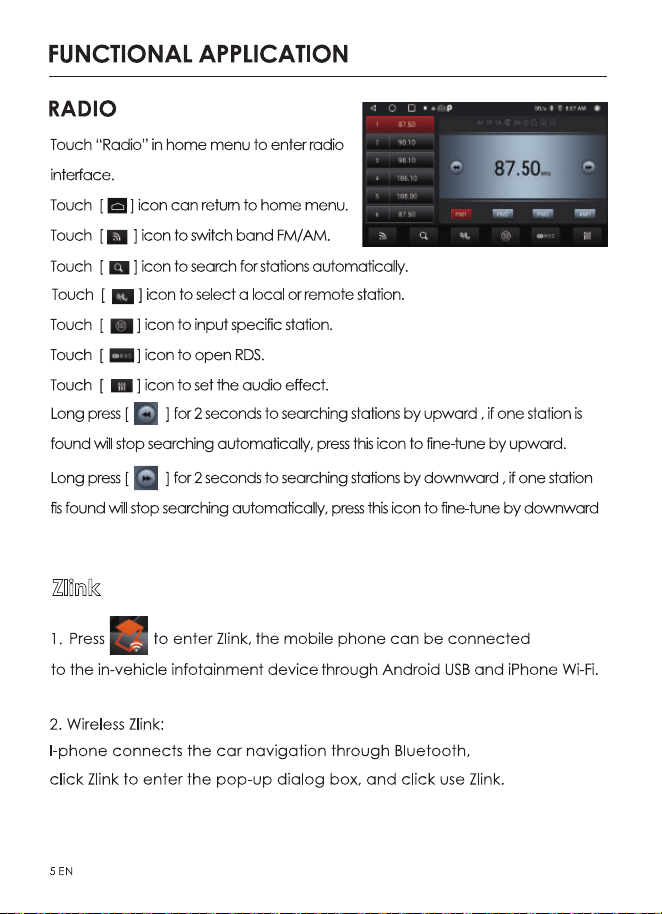
Zlink
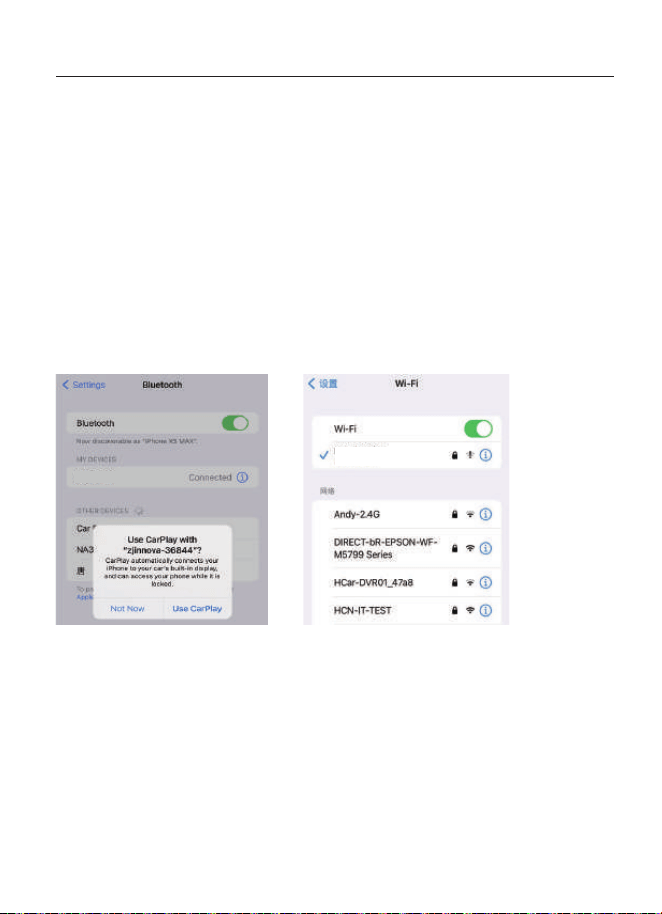
1. Turn on the bluetooth of the mobile phone to connect the Bluetooth of
the head unit (NAM5510). After the bluetooth connection of the car, the
ZLink connection interface will pop up automatically.
Zlink:
(Connection instructions for some iOS mobile phones)
2. Confirm using CarPlay on mobile.
3. If the above steps cannot be connected, you need to connect the mobile
phone WiFi hotspot.
FUNCTIONAL APPLICATION
Nakamichi_5627
6EN
NAM5510
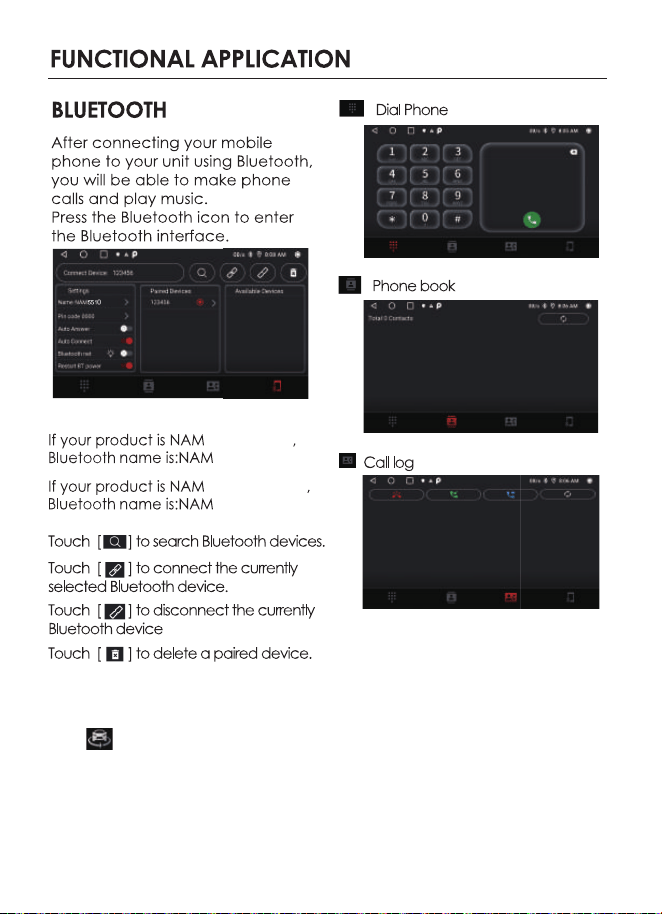
360 PANORAMIC VIEW
-A9/AX
-A9Z/AXZ
Press or Front camera icon to enter 360 panoramic view.
The left side of the 360
panoranic display interface is a panoramic bird's-eye view,
the current camera display screen is on the right side, and the shortcut and setting
switches are at the bottom. The panoramic view function is automatically activated
when the head unit is turned on.
7EN
5510
5510
5510
5510
551
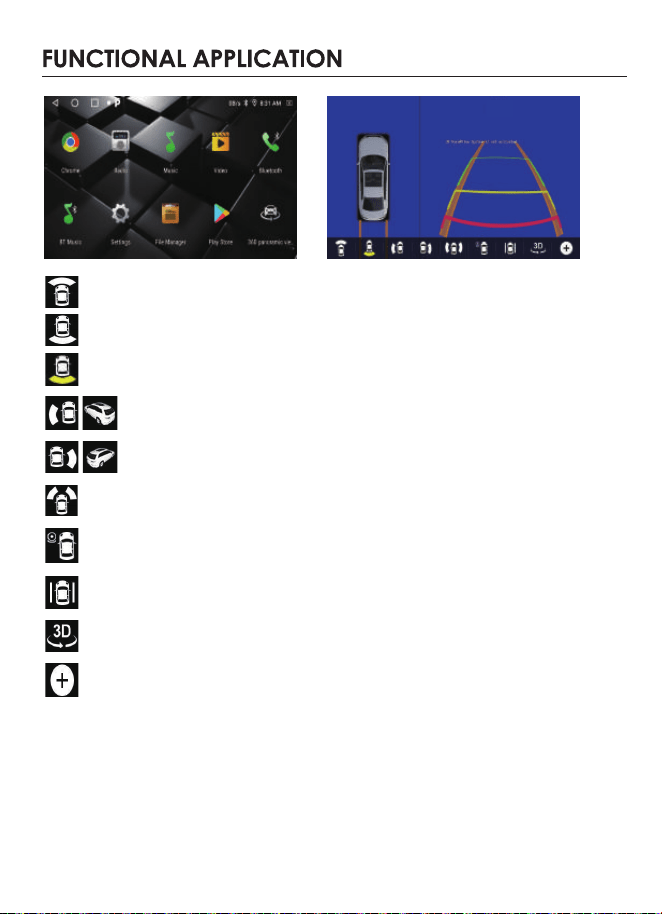
Front View, press it to display the front of the vehicle
Rear view, press it to display the rear of the vehicle
Yellow highlighted at the bottom of icon indicates that the View mode is selected currently.
Left view, press it once to display the left side flat view of the
vehicle, press again
to display the left side 3D view
Right view, press it once to display the right side flat view of the vehicle,
press it again to display the right side 3D view
In road edge mode, press the left and right cameras to view the surroundings that
Streaming media mode. After pressing, there is a full-screen view of the front, rear,
left and right images that can be selected at the left side
In limited width mode, after pressing, the bird's-eye view will be displayed in the middle,
and the left and right camera images will be displayed on the left and right sides.
Panoramic 3D mode, press to enter the full-screen 3D picture
Press it to enter the brightness, recording video list and panorama setting interface,
user can choose if show 360 panorama and set the duration of the panorama
display in the general settings of this icon.
near the front and rear tyres.
8EN
Remark: The user can choose the camera (one of the three cameras of single rear view /
front and rear view / 360 panoramic view) to install according to the needs, please consult
the local dealer for the specific installation method.
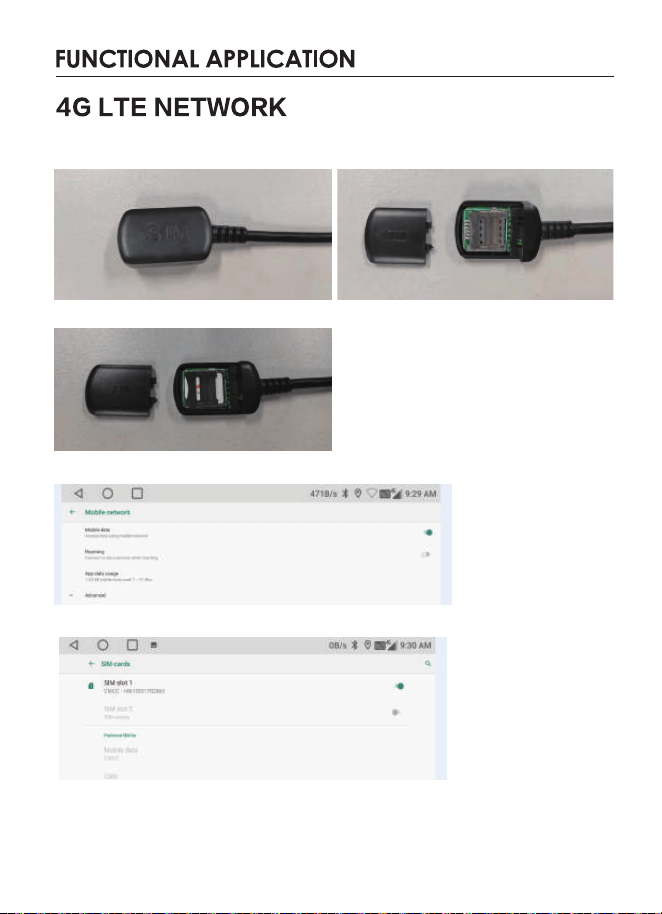
1.Install the 4G antenna (refer to the wiring diagram) and fix it in an
appropriate position in the car.
Install mobile SIM card 1
2.Enable the mobile data function
The following figure shows SIM card slot 1
At this point, the system will automatically start to search for 4G signal, and
display the 4GLTE signal icon in the upper right corner of the display screen,
and you can use the product to browse web pages or related apps.
9EN
10EN
11EN
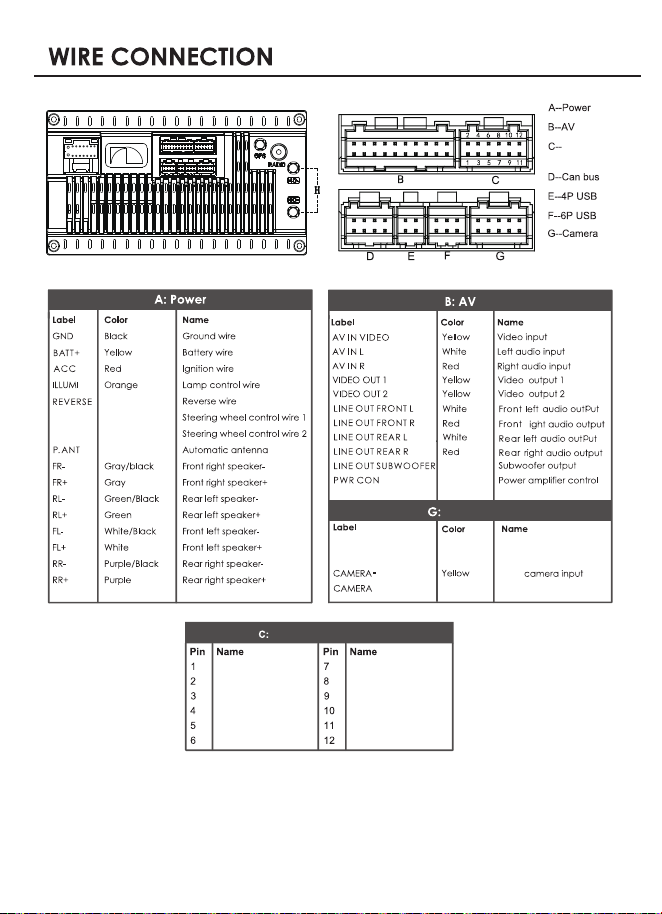
F
Power-F
CAMERA-R
PARKING
Front
Red Front camera Power
Yellow
Brown
Reverse camera input
Brake control
RIGHT_TURN_IN
FRONT_AHD_IN
RIGHT_AHD_IN
LEFT_TURN_IN
D_GND
D_GND
D_GND
D_GND
REAR_AHD_IN
LEFT_AHD_IN
360_POWER_5V 360_POWER_5V
360 Panoramic View
SIM DATA CABLE
Black
4G LTE card slot
r
12EN
Blue/White
Green
KEY1
KEY2
Pink
Orange/Black
Blue
Camera
Brown/Black
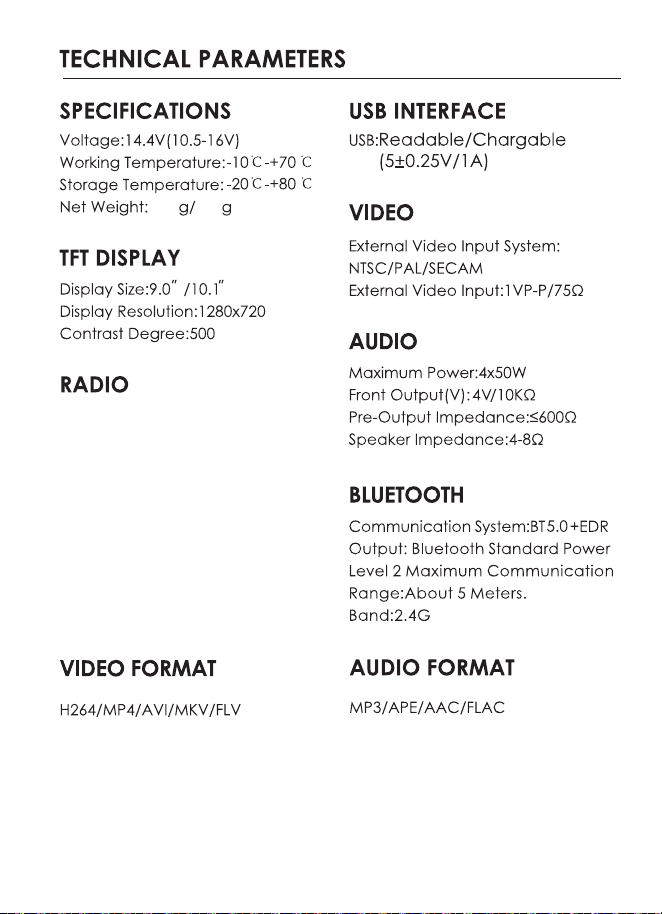
North America :
FM Frequency Range:87.5-107.9MHZ
AM Frequency Range:530-1710KHZ
Europe:
FM Frequency Range:87.5-108MHZ
AM Frequency Range:522-1620KHZ
Latin America:
FM Frequency Range:87.5-108MHZ
AM Frequency Range:520-1620KHZ
13EN
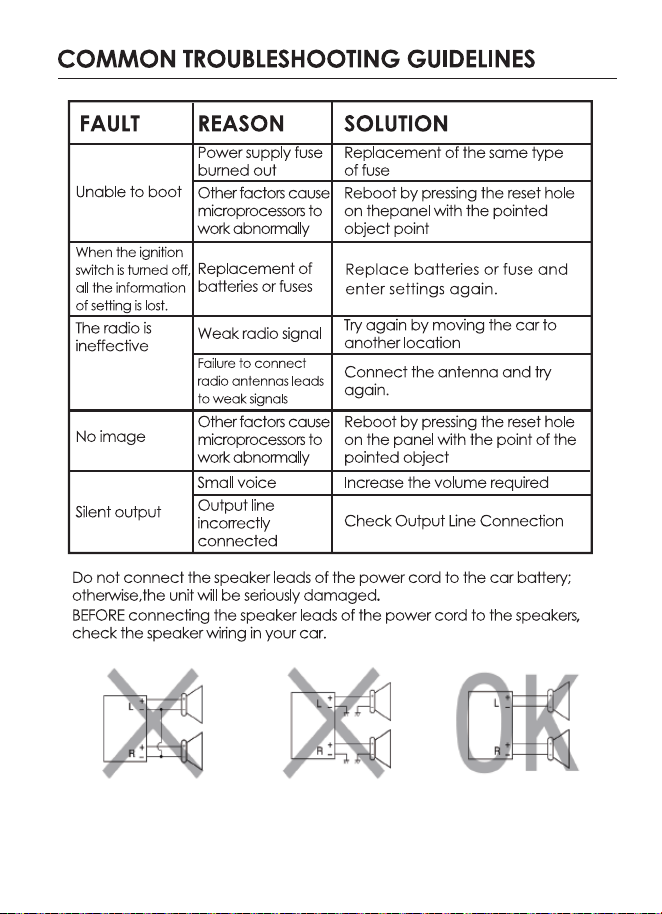
985845
14EN

WWW.NAKAMICHICARAUDIO.COM
INSTRUCTIONS, SOFTWARE DOWNLOADS, AND WARRANTY REGISTRATION.
nakamichi.global
nakamichi.caraudio
CONNECT WITH US ONLINE TO EXPLORE NAKAMICHI’S COMPLETE RANGE,
Nakamichi Corp, Japan. Made in China |
中國製造
共 20P
2022.7.30
陈瑞琴
23CHZ054-IM-V1.1
