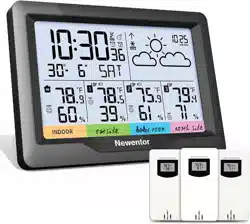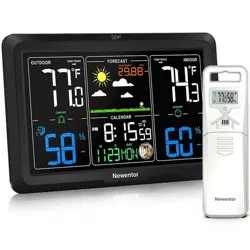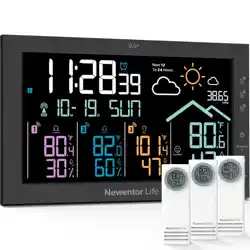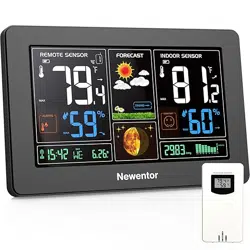
(Save the Instructions For Future Reference)
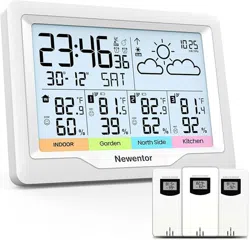
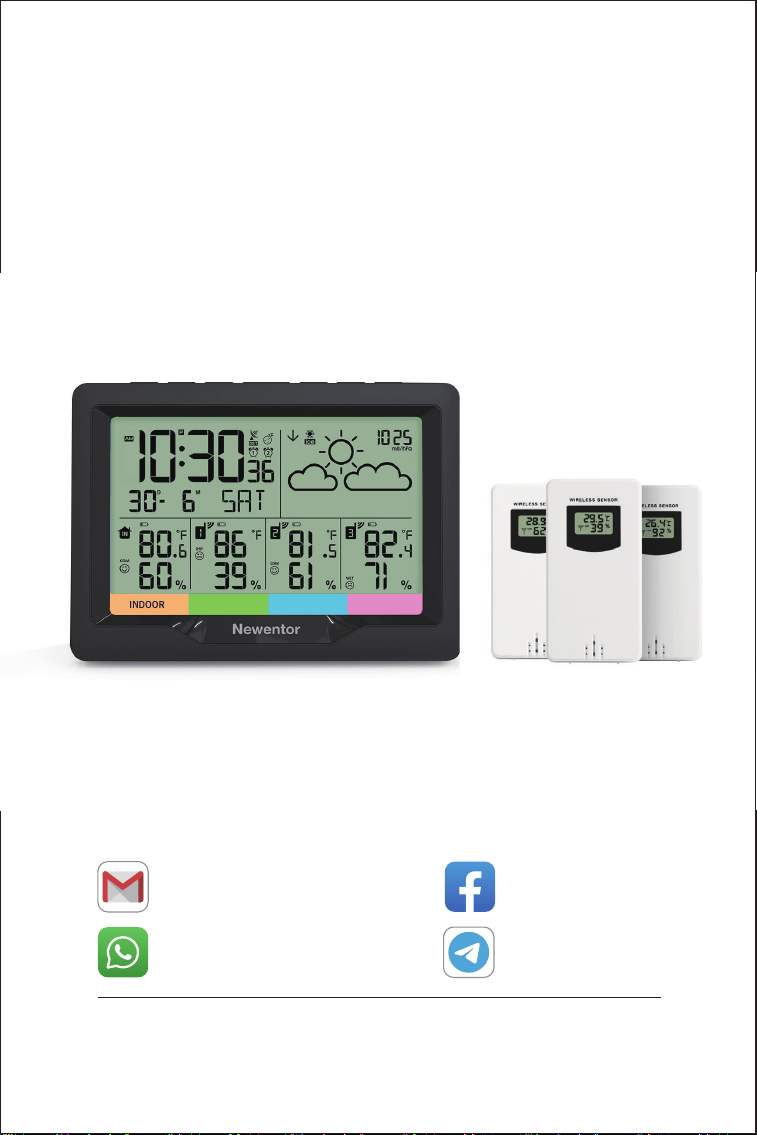
Weather Station
+8613410031201
WhatsApp
Email
Search: Newentor
Facebook
NEWENTOR
Telegram
Weather station is a functional product, if you have any questions
of using it, contact us through above ways to get support.

1
1. WEATHER STATION FEATURES
1.1 Pakage List ······················································· 2
1.2 Appearance Description ·········································· 3
1.3 Button Function ·················································· 5
2. INITIAL OPERATION ········································ 6
3. TIME SETTING
3.1 Set Time Manually ················································ 7
3.2 Set Time Automatically ··········································· 8
4. ALARM CLOCKS
4.1 Setting the Daily Alarms ··········································· 9
4.2 Switching OFF the Alarm Signal ··································· 9
4.3 Snooze Function ················································ 10
5. QUERY MAXIMUM/MINIMUM NUMERICAL VALUE ·· 10
6. °C/°F UNIT TRANSFER ···································· 10
7. ICE ALERT ··················································· 11
8. WEATHER FORECAST FUNCTION ···················· 11
9. COMFORT LEVEL ········································· 12
10. BAROMETRIC PRESSURE TREND DISPLAY ····· 12
11. BACKGROUND LIGHTING ······························ 12
12. LOW BATTERY INDICATE ······························ 13
13. PRODUCT SPECIFICATION ····························· 13
TABLE OF CONTENTS
2
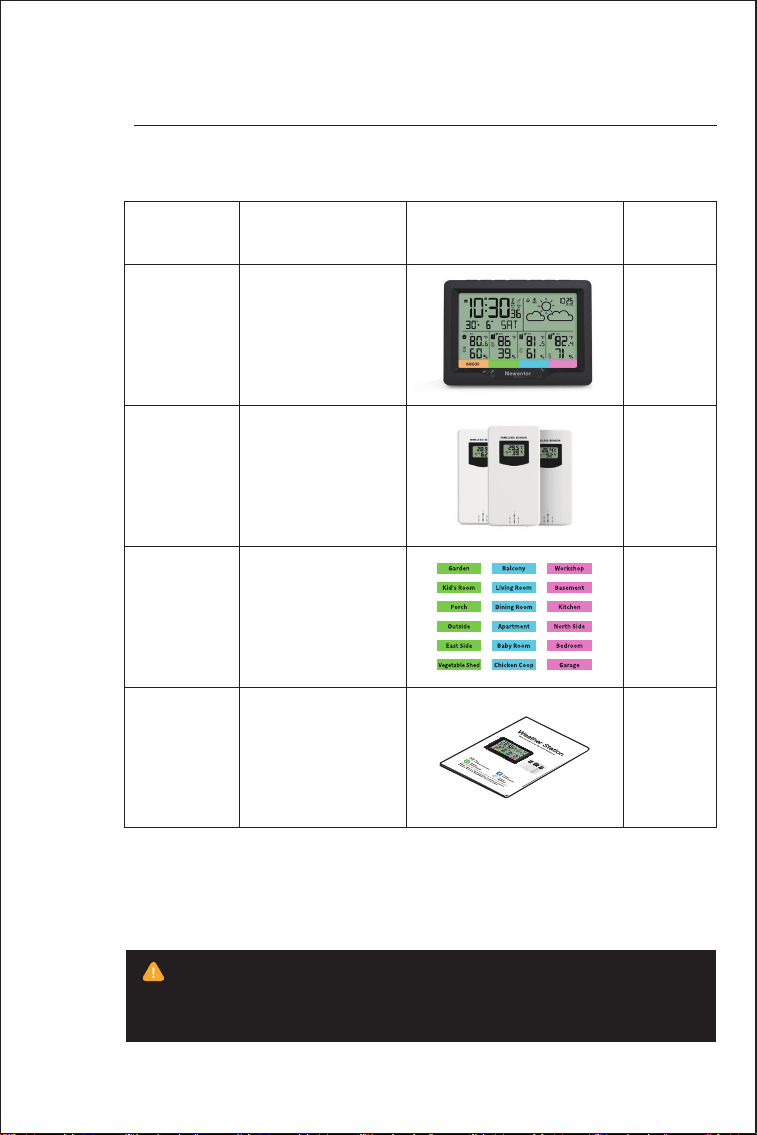
1.1 Pakage List
01
WEATHER
STATION FEATURES
ITEM NO
1
2
3
4
1
3
18
1
PART NAME FIGURE QTY
Weather Station
Outside Sensor
Stickers
User Manual
The device will consume a lot of battery power when the backlight
is on. Like most other black-and-white screen devices, to extend
battery life, its' backlight will turn off after 15 seconds.
3
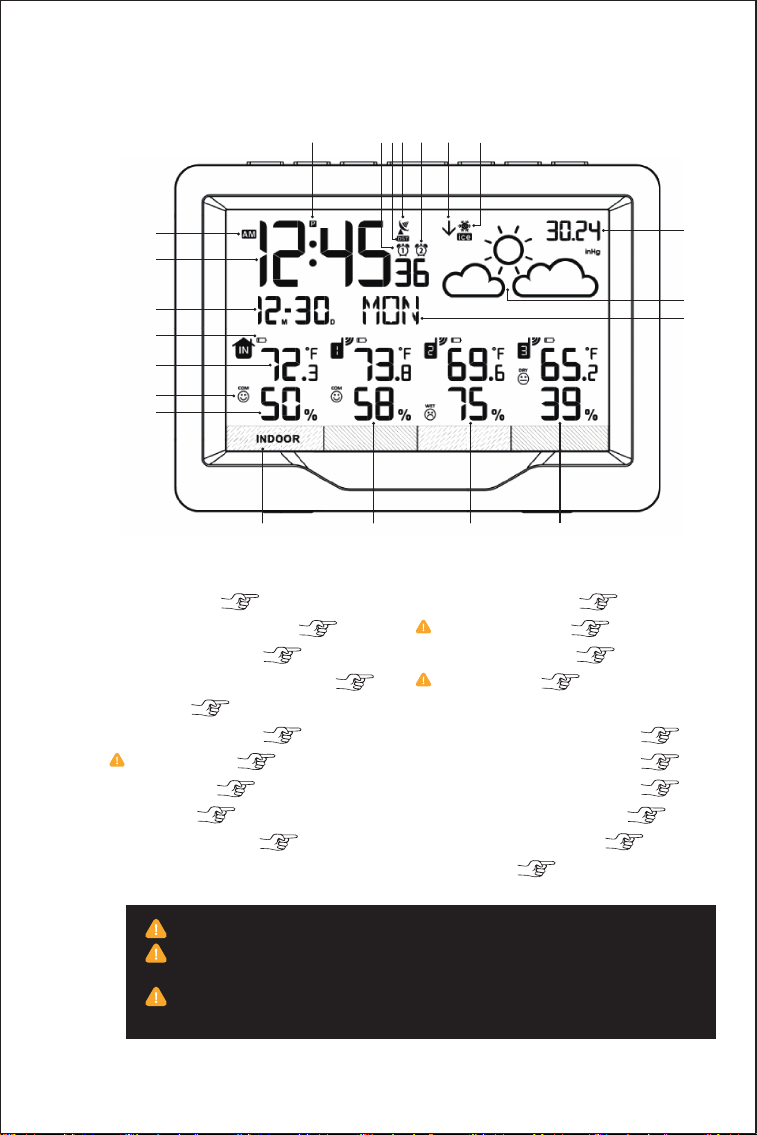
1.2 Appearance Description
156 3 247
15
19
16 17 18
21
20
8
9
10
11
12
13
14
1. Ice alert ( 11th)
2. Air pressure Trend ( 12th)
3. Alarm clock 2 ( 9th)
4. WWVB searching signal ( 8th)
5. DST ( 7th)
6. Alarm clock 1 ( 9th)
7. Time zone ( 7th)
8. AM/PM ( 7th)
9. Time ( 7th)
10. Date/Month ( 7th)
11. Battery signal ( 13th)
12. Temperature ( 13th)
13. Comfort level ( 12th)
14. Humidity ( 13th)
15. Remote sensor location label
16. Remote sensor 1 data ( 6th)
17. Remote sensor 2 data ( 6th)
18. Remote sensor 3 data ( 6th)
19. Current Air pressure ( 7th)
20. Weather forecast ( 11th)
21. Week ( 7th)
7.Choose correct time zone ( P, M, C, E) to set time correctly.
12.There is 1℃ deviation when temperature is 0℃~40℃, while 2
℃ in -9.9℃~0℃ or 40℃~50℃.
14.There is 5% deviation when humidity is 40%~80%, while
8% deviation in 20%~40% or 80%~95%.
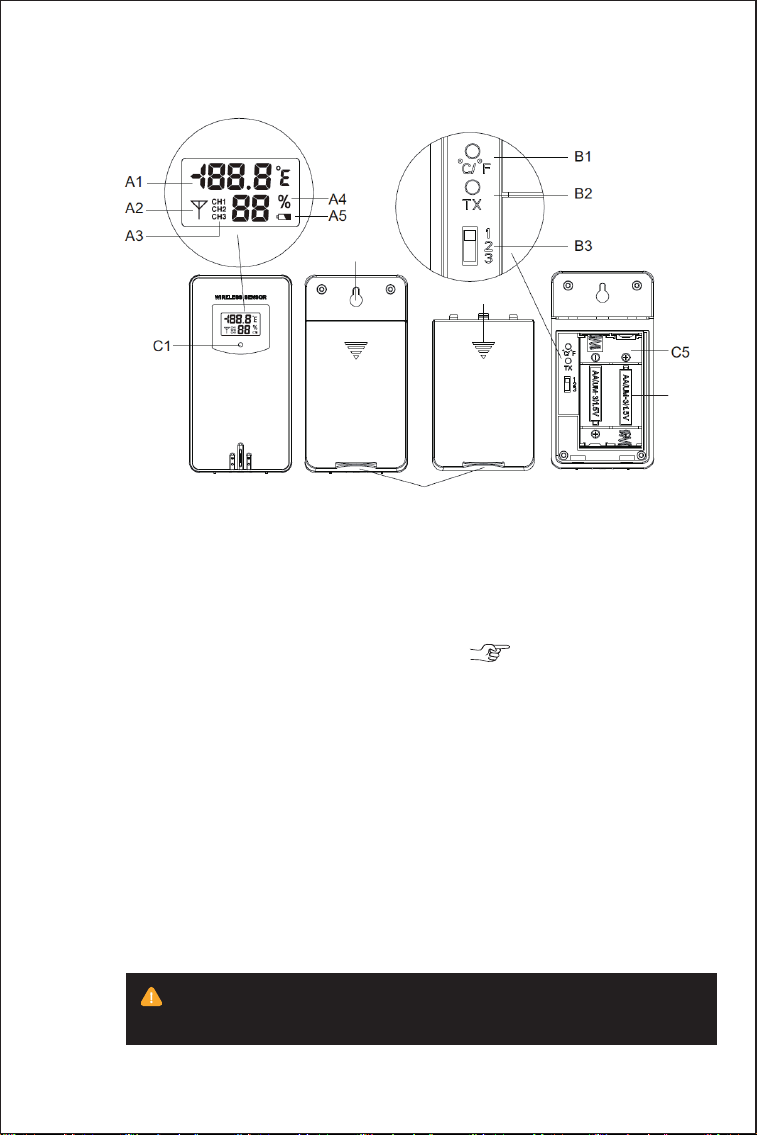
54
A1: Remote sensor temperature
A2: Emission symbols
A3: Channel number
A4: Remote sensor humidity
A5: Remote sensor low battery indicate( 12th)
B1: °C /°F unit transfer button
B2: Manual transmitter button
B3: Channel switch
C1: Transmit indicating lamp
C2: Wall mounting hole
C3: Stand cover
C4: Battery compartment cover
C5: Battery compartment
C6: Remote sensor battery
C2
C4
C3
To make sure your remote sensor more accurate, put it away from
direct rain, sunny or close to the place where will affect the sense result.
C6
5
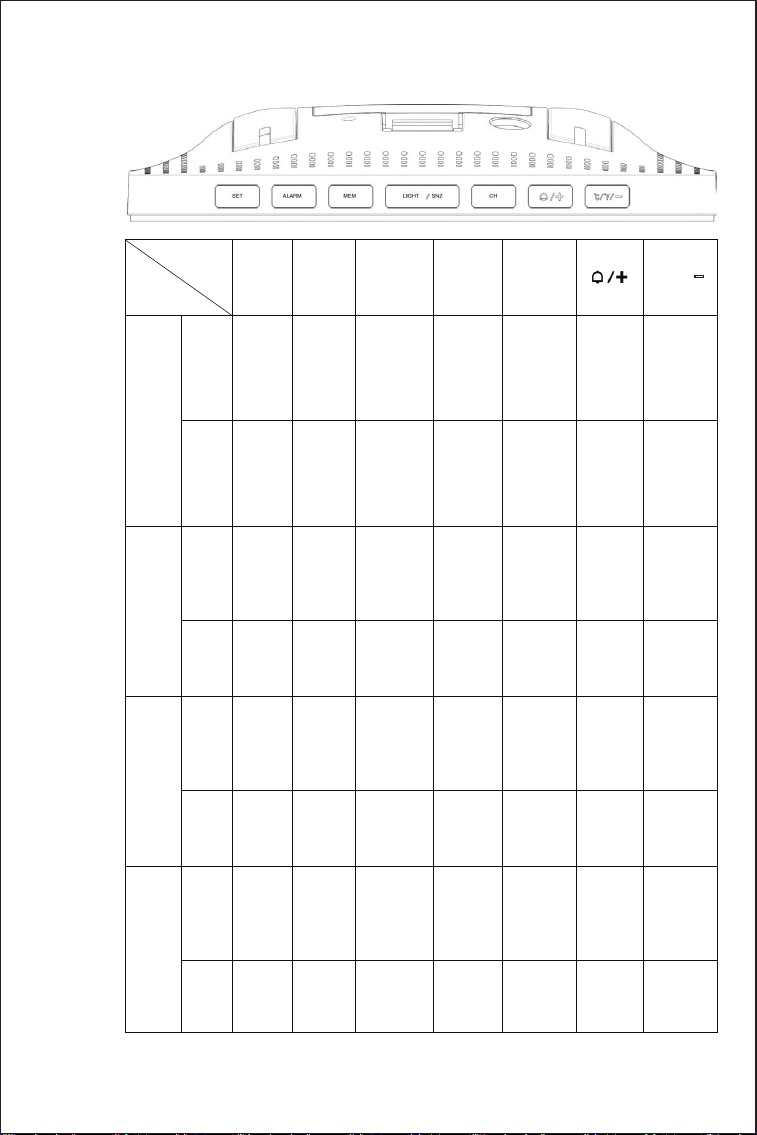
1.3 Button Function
Button
Function
Normal
Mode
SET ALARM MEN
LIGHT
/SNZ
CH
°C/°F/-
Hold
Press
Time
Setting
Hold
Press
Alarm
Setting
Hold
Press
Alarm
Clock
Goes
Off
Hold
Press
Time
Setting
/
Confirm
and go
next
steps
Alarm
time
display
Set
Alarm
time
MAX/MIN
tempera-
ture &
humidity
Re-record
MAX/MIN
tempera-
ture &
humidity
Wake up
backlight
for 15s
Wake up
backlight
for 15s
/
/
/
/
/ / / / / / /
/ / / /
/ //
/ / / /
/ / /
Increase Decrease
Increase Decrease
Select
channel
Channel
searching
/
Turn
on/off
alarm
1/2
Turn
off the
alarm
Turn
off the
alarm
Turn
off the
alarm
Turn
off the
alarm
Turn
off the
alarm
Turn
off the
alarm
Snooze
mode
Increase
Contin-
uously
Increase
Contin-
uously
Increase
Continu-
ously
Increase
Continu-
ously
°C/°F
Switch
Start/-
cancel
WWVB
searching
Confirm
and go
next
steps
6
02
INITIAL
OPERATION
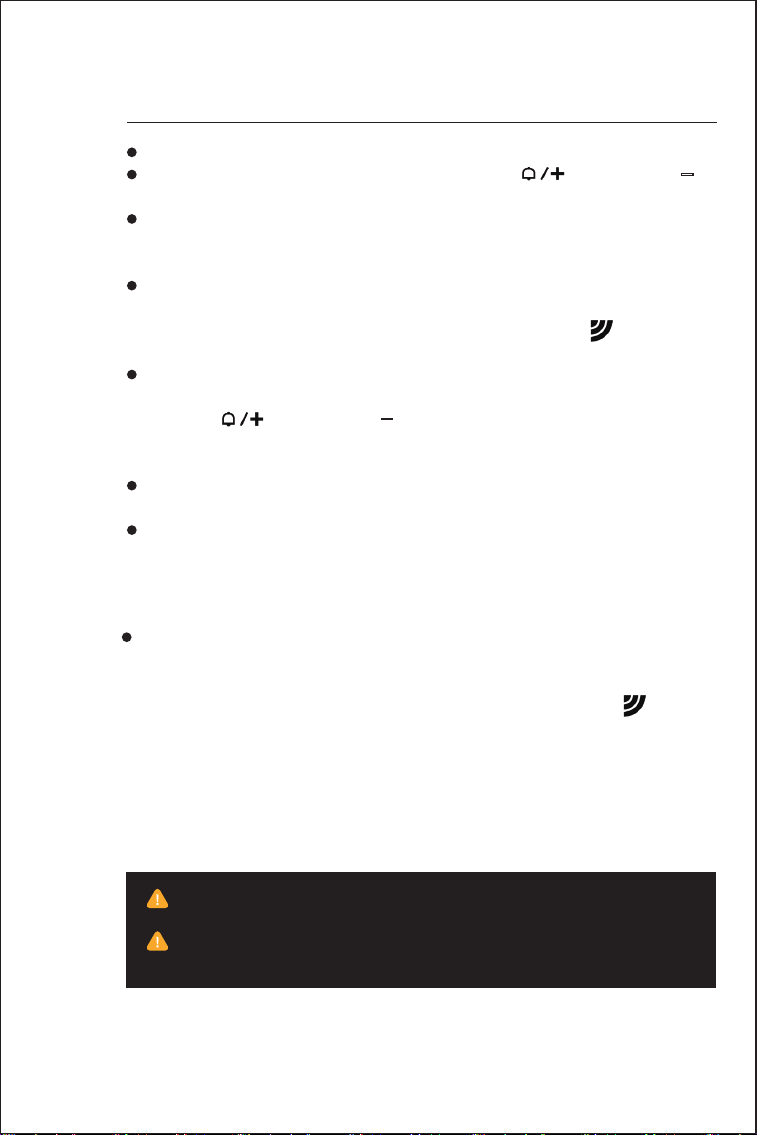
· Open the Weather Station battery compartment cover.
· Insert 2 x AA batteries observing polarity [【 】and【°C/°F/-】
marks].
· When you insert the batteries, all icons on the LCD will light up for
3 seconds, and you will hear a beep tone, then detect indoor
temperature & humidity.
· The Weather Station will start to make a connection to the outdoor
remote sensor. This process lasts for a maximum of 3 minutes and
will displayed by a flashing reception antenna symbol in the
“OUTDOOR” display area on the receiver.
· Open the remote sensor battery compartment cover, push the
channel switch to the “1” position, insert 2 x AA batteries observing
polarity [【 】and【°C/°F/-】marks], press “TX” button of remote
sensor at the same time to connect main unit, close the battery
cover.
· According to the same method, push the channel of remote sensor
switch to the “2” or “3” position to connect main unit.
· After receiver has created 3 remote sensor connections, it will enter
the Radio control receive mode.
·
If the Weather Station failed to receive transmission from outdoor
remote sensor (“- -.-”display on the LCD),press the 【CH】button to
select the channel, the number of selected channel will flash, then
press and hold the 【CH】 button for 3 seconds, RF icon will be
flashing,the weather station will reconnect the launch signal of the
channel.
F.Y.I
There is 1℃ deviation when temperature is 0℃~40℃, while 2℃ in
-40℃~0℃ or 40℃~70℃.
There is 5% deviation when humidity is 40%~80%, while 8%
deviation in 20%~40% or 80%~95%.
7
03
3.1 Set Time Manually
TIME
SETTING
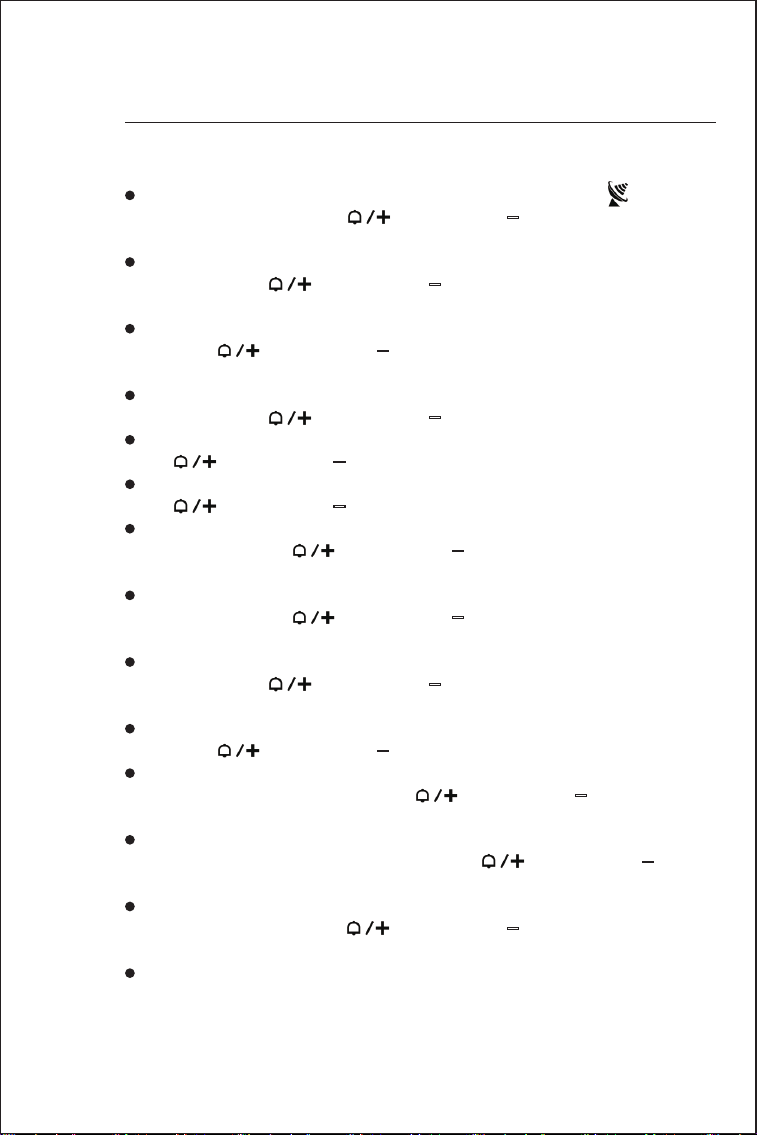
· Press and hold the【SET】button for 2 seconds, the “ ON/OFF ”
starts to flash. Now use【 】and【°C/°F/-】buttons to set the
radio control function ON or OFF.
· Press【SET】button to confirm your setting, the 12/24HR start to
flash. Now use【 】and【°C/°F/-】buttons to set the 12/24 hour
mode you need.
· Press【SET】to confirm your setting, the Time Zone start to flash,
Now use【 】and【°C/°F/-】buttons set a correct time zone
(P/M/C/E).
· Press【SET】to confirm your setting, the “DST ON/OFF” start to
flash, Now use【 】and【°C/°F/-】buttons set the DST ON or OFF.
· Press【SET】to confirm your setting, the Hour starts to flash. Now
use【 】and【°C/°F/-】buttons to set the correct hour.
· Press【SET】to confirm your setting, the Minute starts to flash. Now
use【 】and【°C/°F/-】buttons to set the correct minute.
· Press【SET】to confirm your setting, the Month and Date icon starts
to flash. Now use【 】and【°C/°F/-】buttons to select date
display on Month/Date or Date/Month.
· Press【SET】to confirm your setting, the Year is display and starts
to flash. Now use【 】and【°C/°F/-】buttons to set the correct
year.
· Press【SET】button to confirm your setting, the Month starts to
flash. Now use【 】and【°C/°F/-】buttons to set the correct
month.
· Press【SET】button to confirm your setting, the Date starts to flash.
Now use【 】and【°C/°F/-】buttons to set the correct date.
· Press【SET】button to confirm your setting, the Weather forecast
Pattern starts to flash. Now use【 】and【°C/°F/-】buttons to
select the current weather pattern.
· Press【SET】button to confirm your setting, the Air Pressure Unit
will display and starts to flash. Now use【 】and【°C/°F/-】
buttons to choose the air pressure unit you need.
· Press【SET】button to confirm your setting, the Air Pressure Value
starts to flash. Now use【 】and【°C/°F/-】buttons set to local
standard pressure value.
· Press【SET】button to confirm your setting and to end the setting
procedures, then it will return to the normal mode.

8
3.2 Set Time Automatically
· The clock will automatically search the WWVB signal after 3 minutes
of any restart or changing of new fresh batteries. Before searching
WWVB, please set a correct Time Zone according to your location.
When searching for WWVB, the radio mast icon will flash.
· At 1:00 /2:00 / 3:00 AM, the clock automatically carries out the
synchronization procedure with the WWVB signal to correct any
deviations to the exact time. If fail, the radio mast icon will disappear,
the system will automatically attempt another synchronization at the
next full one hour. This procedure will be repeated automatically up to
total 5 times.
· To start manual WWVB signal reception, choose a correct Time
Zone first, then leave it alone until it return to the normal mode. Press
【°C/°F/-】button for 3 seconds to start searching WWVB, the time
and date will be set correctly after searching. If no signals received
within 7 minutes, the WWVB signal search will stop (the radio mast
icon disappears) and start again at the next full one hour.
· During RC reception,Press【°C/°F/-】button can stop searching
WWVB signal.
F.Y.I.
· A flashing radio mast icon indicates that the WWVB signal reception
has started.
· A continuously displayed radio mast icon indicates that the WWVB
signal was received successfully.
· We recommend Placing weather station at a minimum distance of
2.5 meters (8.2Feet) to all sources of interference, such as televisions
or computer monitors or switching power adapter.
· Radio reception is weaker in rooms with concrete walls (e.g.: in
cellars) and in offices. In such extreme circumstances, place the
weather station close to the window.
· During the RCreceive mode,onlythe【Light/SNZ】and【°C/°F/-】
buttonshave a function,other buttons are not functional. If you want
tocarry out other functionsof operation,please press【°C/°F/-】
buttonto exit the RCreceiving mode.
F.Y.I.
· If there is no valid operation within 20 seconds, it will automatically
return to normal time mode from the set mode.
· When adjusting the value, press and hold the【 】or【°C/°F/-】
key to adjust continuously and quickly.
9
4.1 Setting the Daily Alarms
4.2 Switching OFF the Alarm Signal
· When the alarm is ringing, press any button except the【Light/SNZ】
button to stop the alarm signal. It is not necessary to reactivate the
alarm. It will ring again this time next day.
04
ALARM
CLOCKS
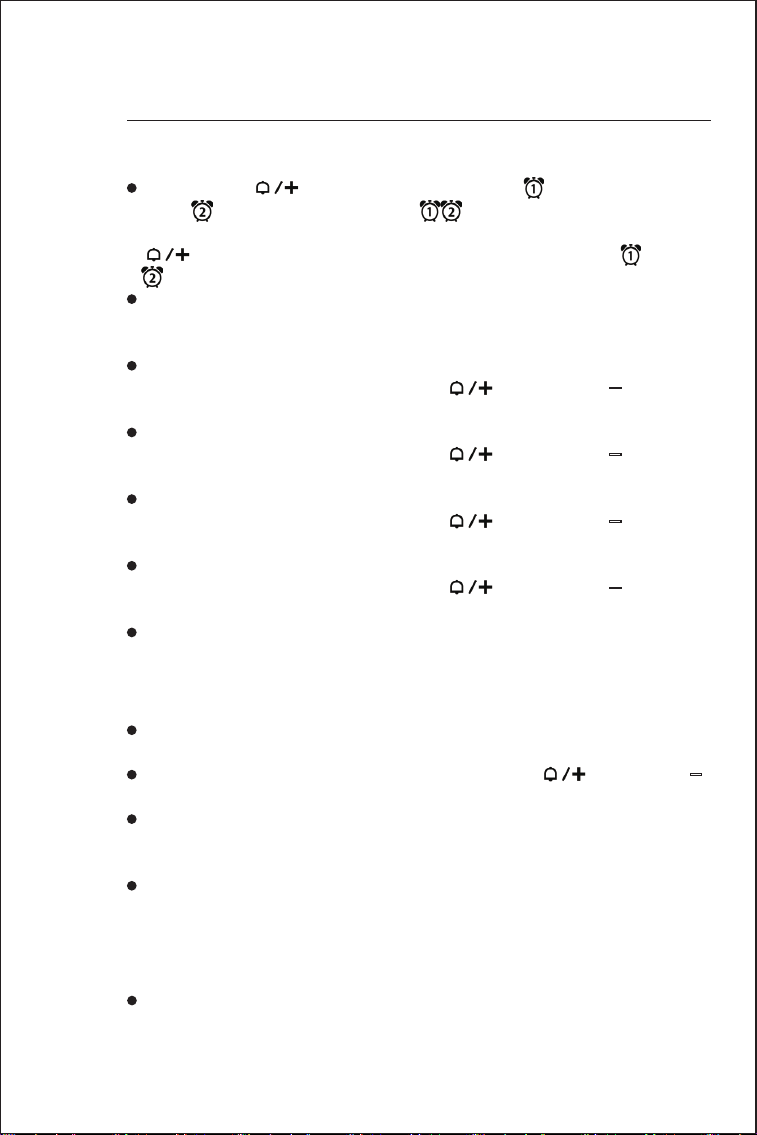
· Press once【 】button, LCD will display , press again to
display , press again to display , each to represent Alarm1ON
(Alarm2 OFF), Alarm2 ON (Alarm1 OFF), Alarm1&Alarm2 ON. Press
【 】button again to Alarm1 and Alarm2 all OFF (no“ ”and
“ ”display).
· Press once【ALARM】button, LCD display alarm1 time, press
【ALARM】button again, LCD display alarm2 time, press【ALARM】
button again, return to time display.
· Press and hold ALARM button for 3 seconds, until the Hour of the
Alarm1 time starts to flash. Use the【 】and【°C/°F/-】buttons
to set the required hour.
· Press【ALARM】button to confirm your setting, the Minute of the
Alarm1 time starts to flash. Use the【 】and【°C/°F/-】buttons
to set the required minute.
· Press【ALARM】button to confirm your setting, the Hour of the
Alarm2 time starts to flash. Use the【 】and【°C/°F/-】buttons
to set the required hour.
· Press【ALARM】button to confirm your setting, the Minute of the
Alarm2 time starts to flash. Use the【 】and【°C/°F/-】buttons
to set the required Minute.
· Press【ALARM】button to confirm your setting and end the setting
procedure.
F.Y.I.
· If there is no valid operation within 20 seconds, it will automatically
return to normal time mode from the alarm time setting mode.
· When adjusting the value, press and hold the【 】or【°C/°F/-】
key to adjust continuously and quickly.
· The alarm will sound for 2 minutes if you do not deactivate it by
pressing any button. In this case the alarm will be repeated automati-
cally after 24 hours.
· Rising alarm sound (crescendo) changes the volume 4 times whilst
the alarm signal is heard.

10
4.3 Snooze Function
· When the alarm is ringing, press the【Light/SNZ】button the alarm
mode will to get to snooze mode. The alarm signal sounds again after
8 minutes.
·
When the temperature / humidity are shown in the LCD, the
weather station begins to record temperature/humidity maximum and
minimum numerical value.
· Press【MEM】button, the LCD will display the maximum value of
temperature/ humidity. Press【MEM】button again, the LCD will
display the minimum value of temperature/humidity.
· At the same time, there are “MAX” or “MIN” displayed on the LCD.
· The temperature/humidity maximum/minimum value will re-record
when press and hold【MEM】button 3 seconds.
· The memory value of the day will be automatically cleared at every
0:00 am.
F.Y.I.
· If the temperature reading is below the measuring range, the LL.L
will be displayed. If the temperature reading is above the measuring
range, the HH.H will be displayed.
05
Query Maximum/minimum
numerical value
· Press the【°C/°F/-】button to select ℃ or ℉ units.
06
°C /°F UNIT
TRANSFER
11
08
WEATHER
FORECAST FUNCTION
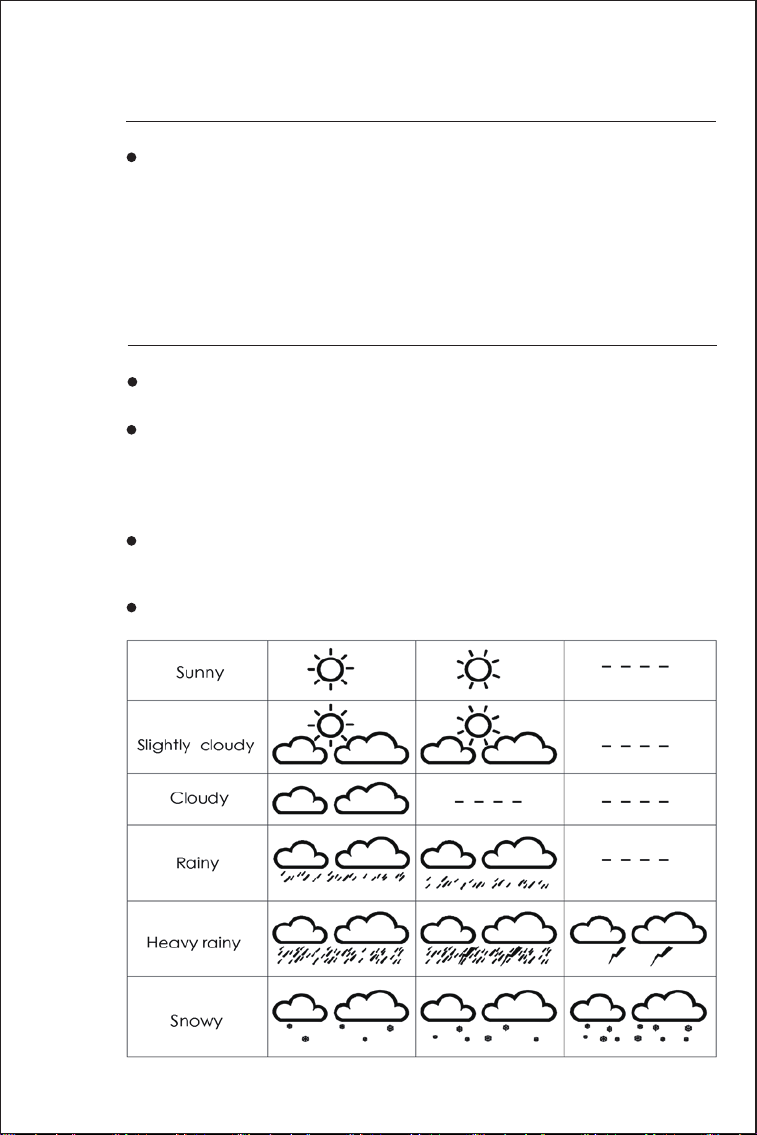
· The ice alert symbol will appear and flash when the outdoor
temperature at –1℃ to + 3℃ or +30.2℉ to + 37.4℉.
07
ICE
ALERT
· Please take the weather forecast from your local weather forecast-
ing service into account as well as the forecast from your weather
station. If there are discrepancies between the information from your
device and from the local weather forecasting service, please take
the advice of the latter as authoritative.
· The weather forecast is calculated from evaluation of fluctuations in
the barometric pressure and may deviate from the actual weather
conditions.
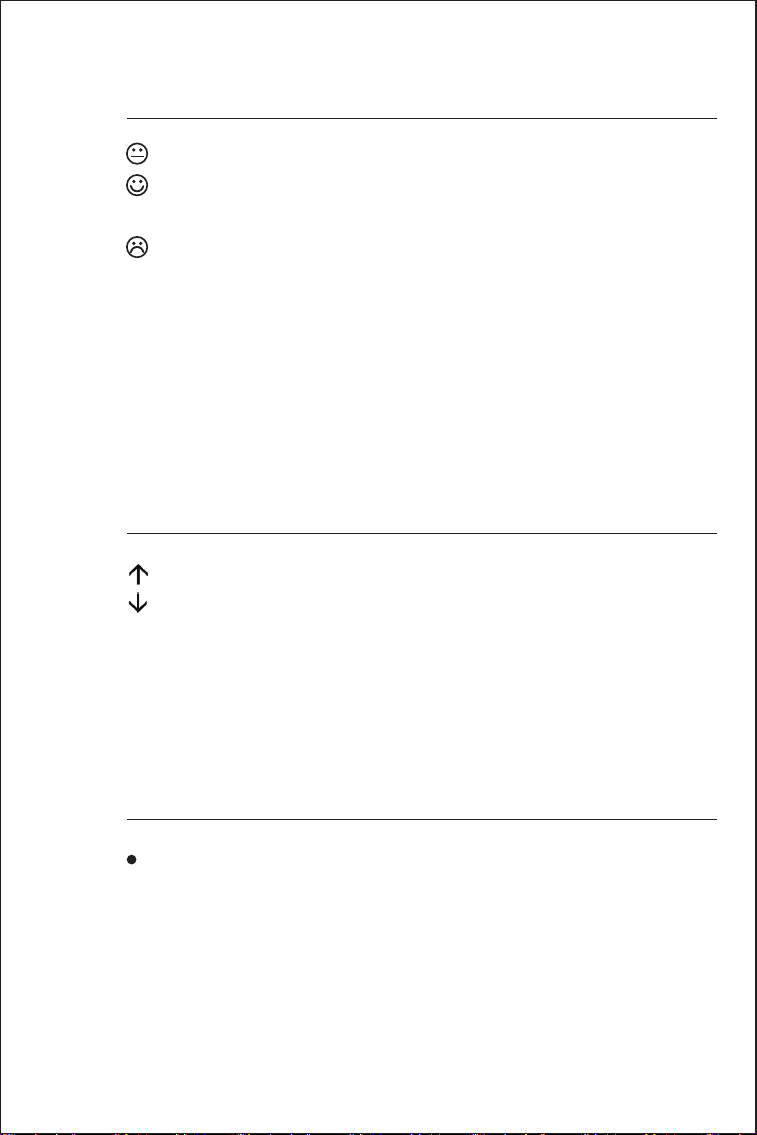
· The weather station displays the following weather symbols:
· The weather symbols indicate the weather fluctuation over the
next 6-12 hours, not the current weather.
12
09
COMFORT
LEVEL
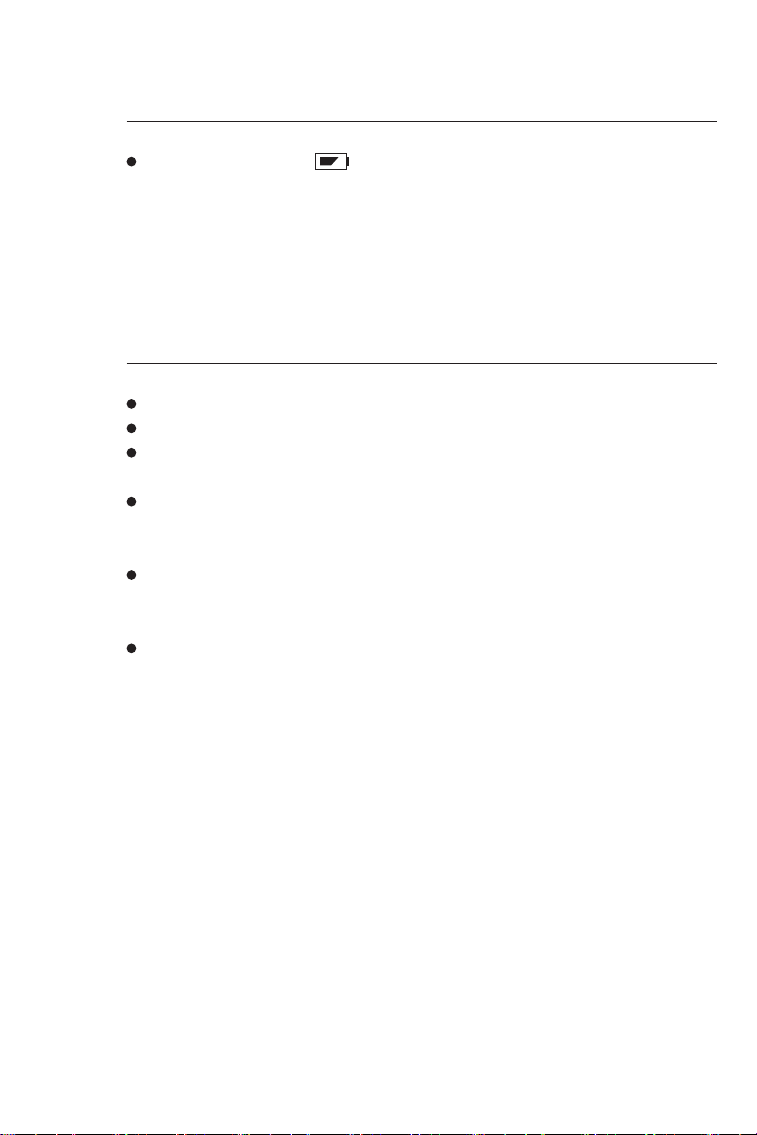
The temperature and humidity is dry (When the humidity is below 40%).
The temperature and humidity is comfort (When the temperature in
20~28℃ and the humidity is 40~70%).
The temperature and humidity is wet (When the humidity is above 70%).
F.Y.I.
When the temperature is not 20~28℃ and the humidity is 40~70%, the
comfort level icon will not be displayed.
10
BAROMETRIC PRESSURE
TREND DISPLAY
The barometric pressure is rising more than 2 hPa.
The barometric pressure is dropping more than 2 hPa.
If there is no arrow trend, it means the barometric pressure does not
change more than 2 hPa in 1 hour.
11
BACKGROUND
LIGHTING
· Press the【Light/SNZ】button, the backlight will light up for 15
seconds.
13
12
LOW BATTERY
INDICATE
· If the battery icon “ ” appears , the batteries in the outdoor
sensor should be replaced as soon as possible.
13
PRODUCT
SPECIFICATION
· LCD screen size: 5.2 inches x 3.5 inches
· Perpetual Calendar up to year 2099
· Humidity: Indoor & Outdoor measurement range: 20%RH~95%RH
(5% deviation)
· Temperature measurement range(1°C deviation):
--Indoor: -9.9°C(14.2°F)~50°C(122°F)
--Outdoor: -25°C(-13°F)~50°C(122°F)
· Wireless Outdoor Sensor:
--433.92MHz RF transmitting frequency
--60m/200ft transmission rang in an open area
· Power Supply:
--Weather Station: Battery: 2 x LR06AA (Not including)
--Wireless Outdoor Sensor: 2 x LR06AA (Not including)