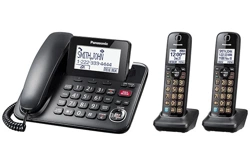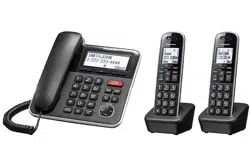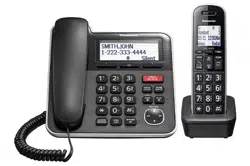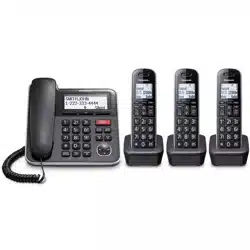
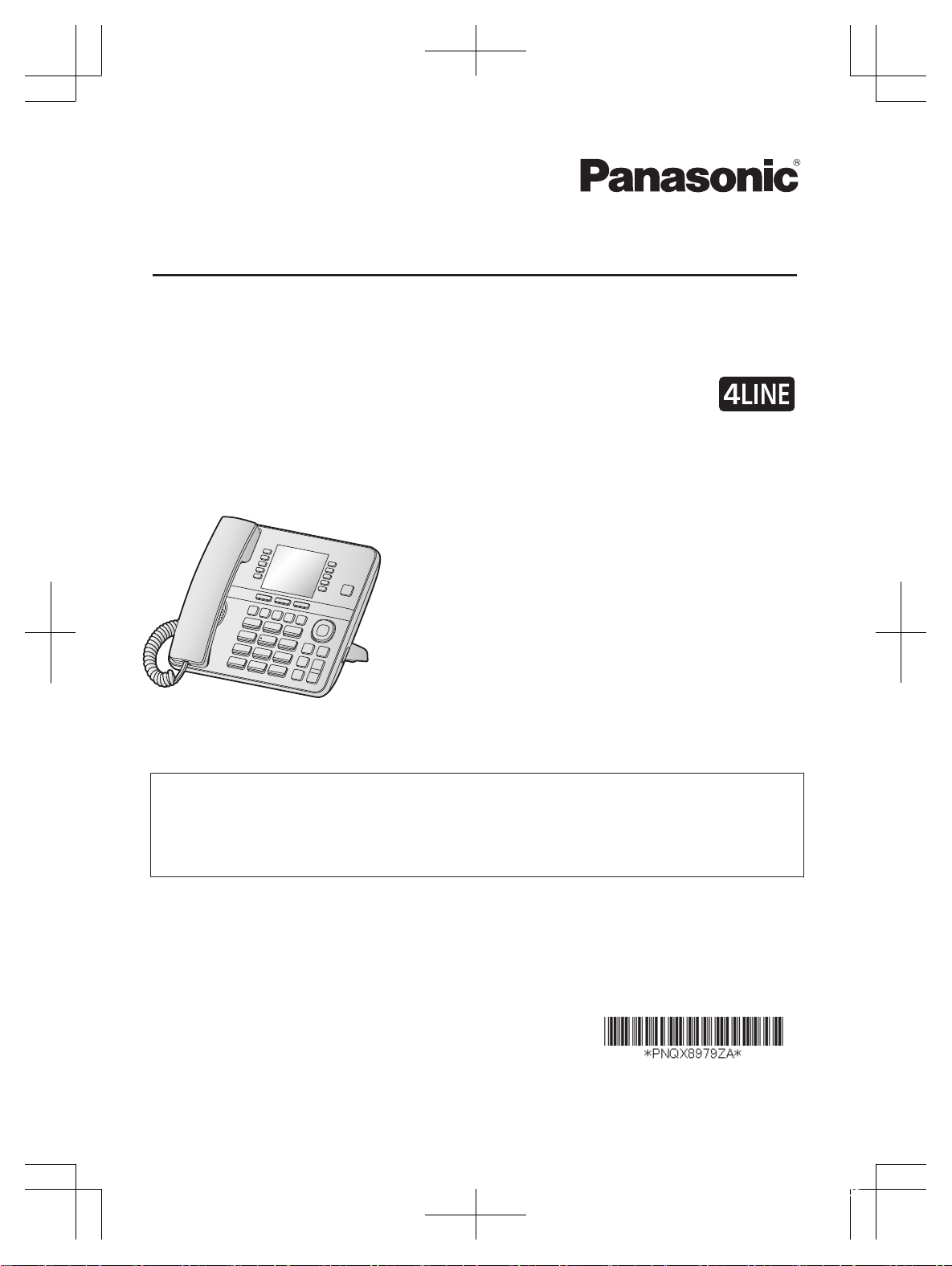
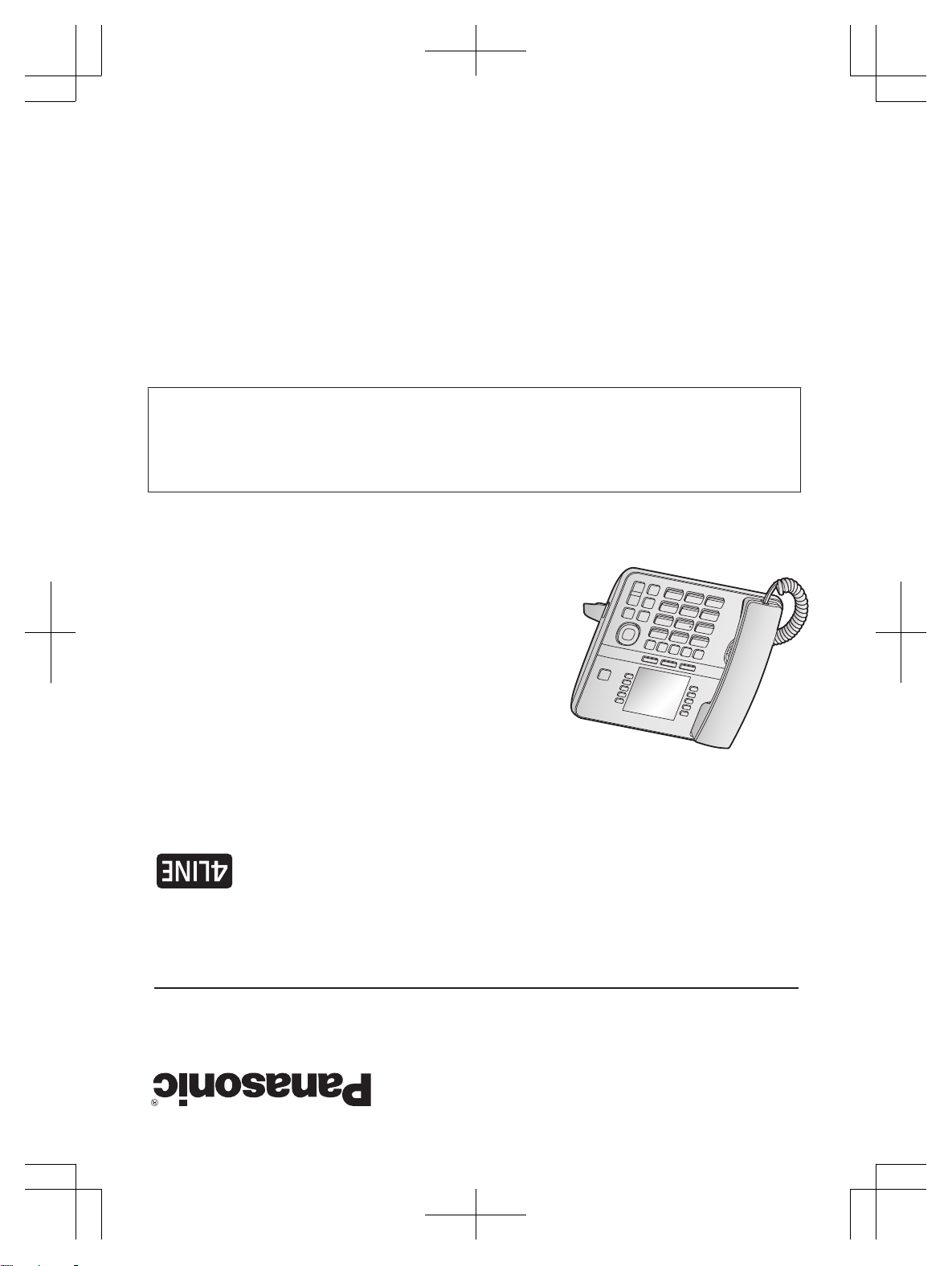
Installation Manual
4-Line Phone Home Office | Small Business
Additional Desk Phone
Model No.
KX-TGWA40
Thank you for purchasing a Panasonic product.
This unit is an additional desk phone compatible with KX-TGW420.
(The corresponding models are subject to change without notice.)
You
must register this desk phone with your base unit (KX-TGW420) before it can be used.
This installation manual describes only the steps needed to register and begin using the
desk phone. Please read the base unit’s operating instructions for further details.
Please read this installation manual before using the unit and save it for future reference.
For
assistance, visit our Web site: http://shop.panasonic.com/support for customers in the
U.S.A.
Printed in Malaysia
PNQX8979ZA
PP1119MU0
TGWA40_(en)_OI_1213_ver005.pdf 1 2019/12/13 11:11:06
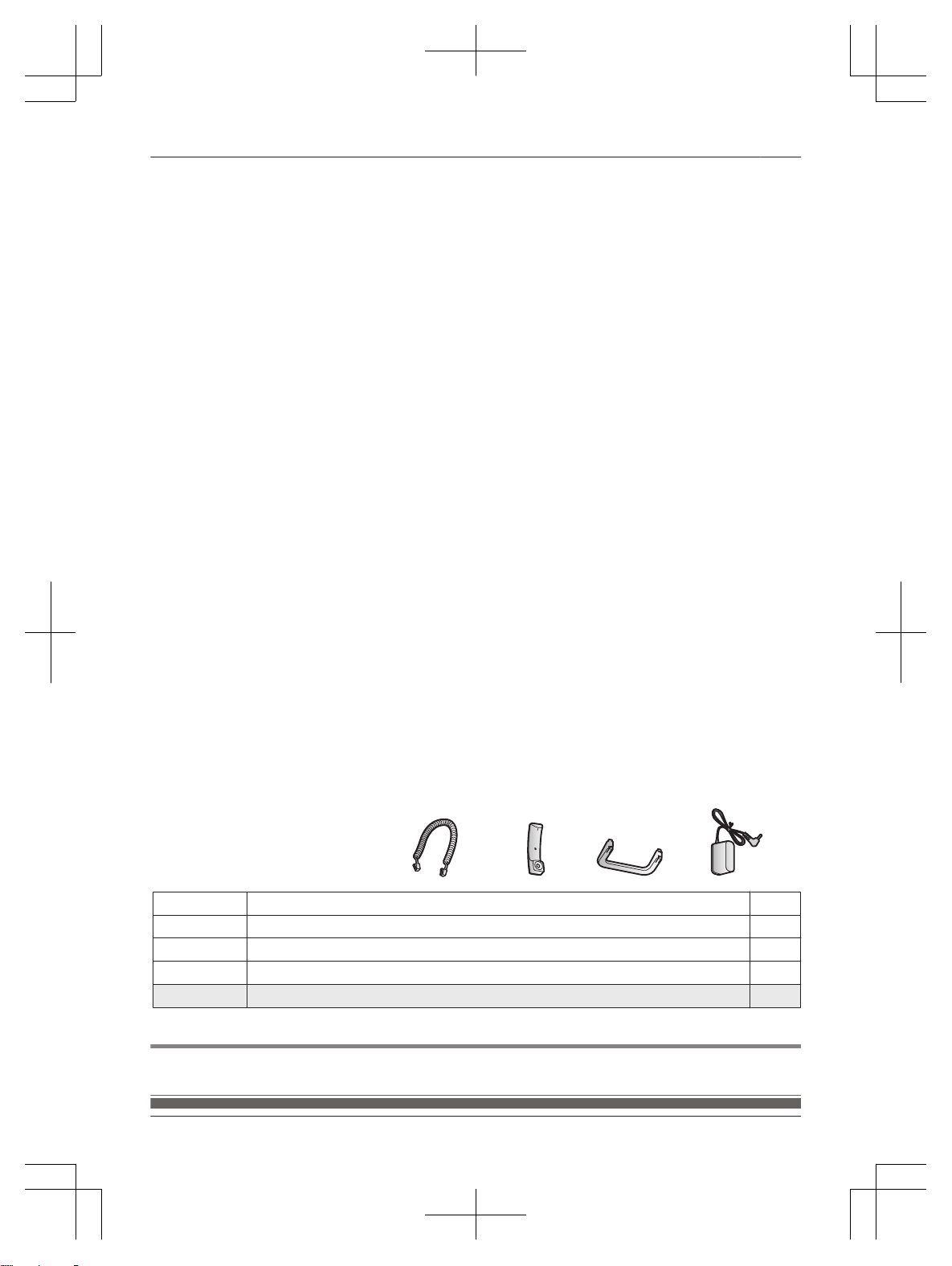
Accessory information
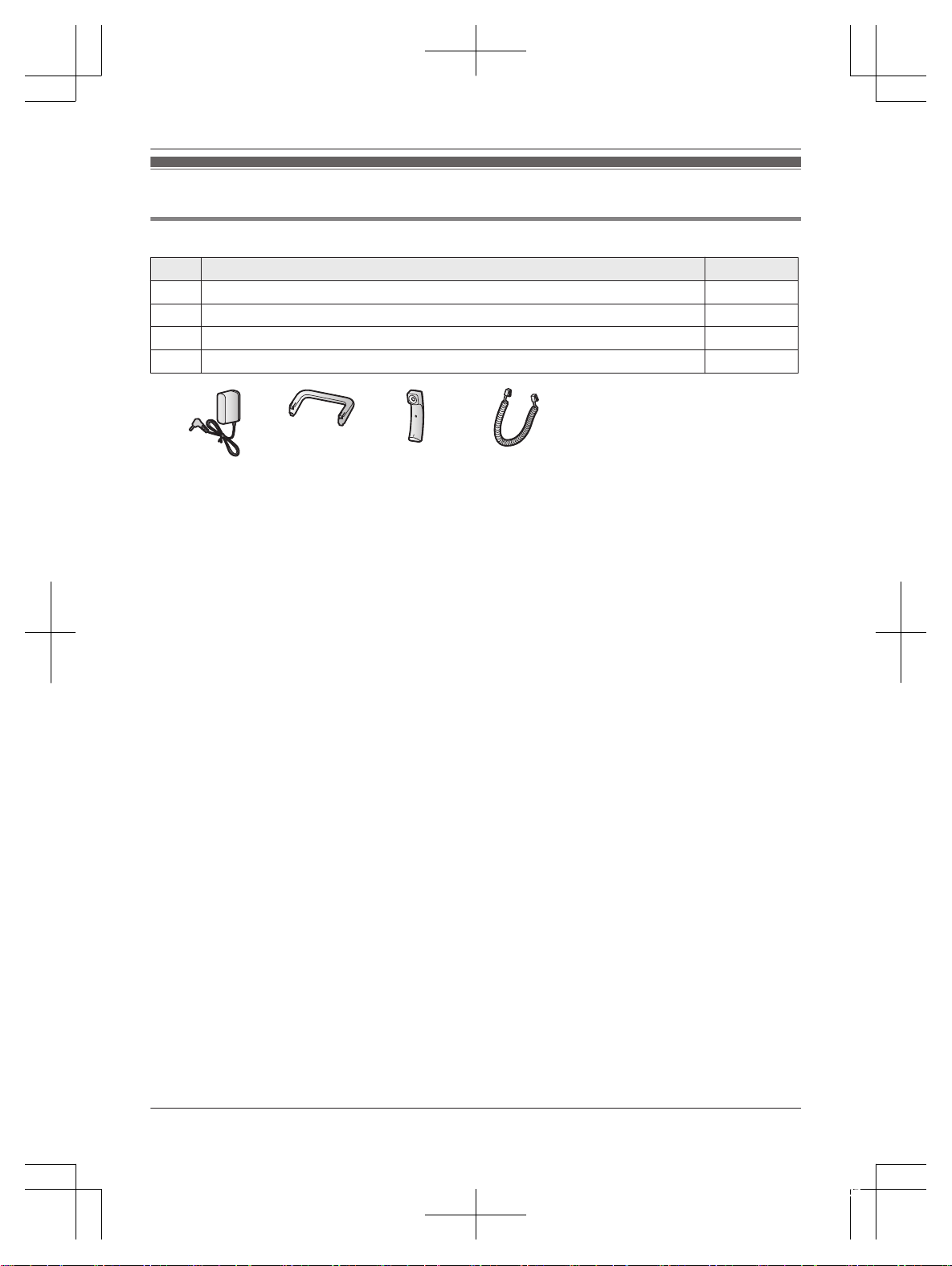
Supplied accessories
No. Accessory item/Part number Quantity
A AC adaptor/PNLV254-0Z 1
B Desk stand/PNKL1080Z1 1
C Corded handset/PNLXU1017Z 1
D Corded handset cord/PQJA212V 1
A B C D
Note:
R P
lease read the base unit’s operating instructions for additional/replacement accessories.
R Please read “Graphical symbols for use on equipment and their descriptions” of the base unit’s
operating instructions.
2
For assistance, please visit http://shop.panasonic.com/support
Introduction
TGWA40_(en)_OI_1213_ver005.pdf 2 2019/12/13 11:11:07
For your safety
T
o prevent severe injury and loss of life/property, read this
section carefully before using the product to ensure
proper and safe operation of your product.
WARNING
Power connection
R U
se only the power source marked on the product.
R Do not overload power outlets and extension cords.
This can result in the risk of fire or electric shock.
R Completely insert the AC adaptor/power plug into the
power outlet. Failure to do so may cause electric shock
and/or excessive heat resulting in a fire.
R Regularly remove any dust, etc. from the AC adaptor/
power plug by pulling it from the power outlet, then
wiping with a dry cloth. Accumulated dust may cause
an insulation defect from moisture, etc. resulting in a
fire.
R Unplug the product from power outlets if it emits
smoke, an abnormal smell, or makes an unusual noise.
These conditions can cause fire or electric shock.
Confirm that smoke has stopped emitting and contact
us at http://shop.panasonic.com/support
R Unplug from power outlets and never touch the inside
of the product if its casing has been broken open.
R Never touch the plug with wet hands. Danger of
electric shock exists.
Installation
R T
o prevent the risk of fire or electrical shock, do not
expose the product to rain or any type of moisture.
R Do not place or use this product near automatically
controlled devices such as automatic doors and fire
alarms. Radio waves emitted from this product may
cause such devices to malfunction resulting in an
accident.
CAUTION
Installation and location
R T
he AC adaptor is used as the main disconnect device.
Ensure that the AC outlet is installed near the product
and is easily accessible.
Note when using Alkaline batteries for power back-up
R T
he batteries should be used correctly, otherwise the
unit may be damaged due to battery leakage.
R Do not charge, short-circuit, disassemble, or heat the
batteries.
R Do not dispose of batteries in a fire.
R Remove all the batteries when replacing.
R Do not mix old, new or different types of batteries.
R It is recommended that batteries are replaced annually.
R It is recommended that batteries are replaced after a
power outage.
Important safety instructions
W
hen using your product, basic safety precautions should
always be followed to reduce the risk of fire, electric
shock, and injury to persons, including the following:
1. Do not use this product near water for example, near
a bathtub, washbowl, kitchen sink, or laundry tub, in a
wet basement or near a swimming pool.
2. Do not use the telephone to report a gas leak in the
vicinity of the leak.
3. Use only the power cord and batteries indicated in this
manual. Do not dispose of batteries in a fire. They
may explode. Check with local codes for possible
special disposal instructions.
SAVE THESE INSTRUCTIONS
Other information
R O
perating the product near electrical appliances may
cause interference. Move away from the electrical
appliances.
CAUTION: Risk of explosion if battery is replaced by an
incorrect type. Dispose of used batteries according to the
instructions.
Routine care
R Wipe the outer surface of the product with a soft
moist cloth.
R Do not use benzine, thinner, or any abrasive powder.
Notice for product disposal, transfer, or return
R T
his product can store your private/confidential
information. To protect your privacy/confidentiality, we
recommend that you erase information such as
phonebook or caller list entries from the memory
before you dispose of, transfer, or return the product.
Notice
For assistance, please visit http://shop.panasonic.com/support
3
Important Information
TGWA40_(en)_OI_1213_ver005.pdf 3 2019/12/13 11:11:07
Specifications
R F
requency range:
1.92 GHz to 1.93 GHz
R RF transmission power:
112 mW (max.)
R Power source:
120 V AC, 60 Hz
R Power consumption:
Standby: 1.0 W
Maximum: 3.0 W
R Operating conditions:
0 °C – 40 °C (32 °F – 104 °F), 20 % – 80 % relative air
humidity (dry)
4
For assistance, please visit http://shop.panasonic.com/support
Important Information
TGWA40_(en)_OI_1213_ver005.pdf 4 2019/12/13 11:11:07
Setting up
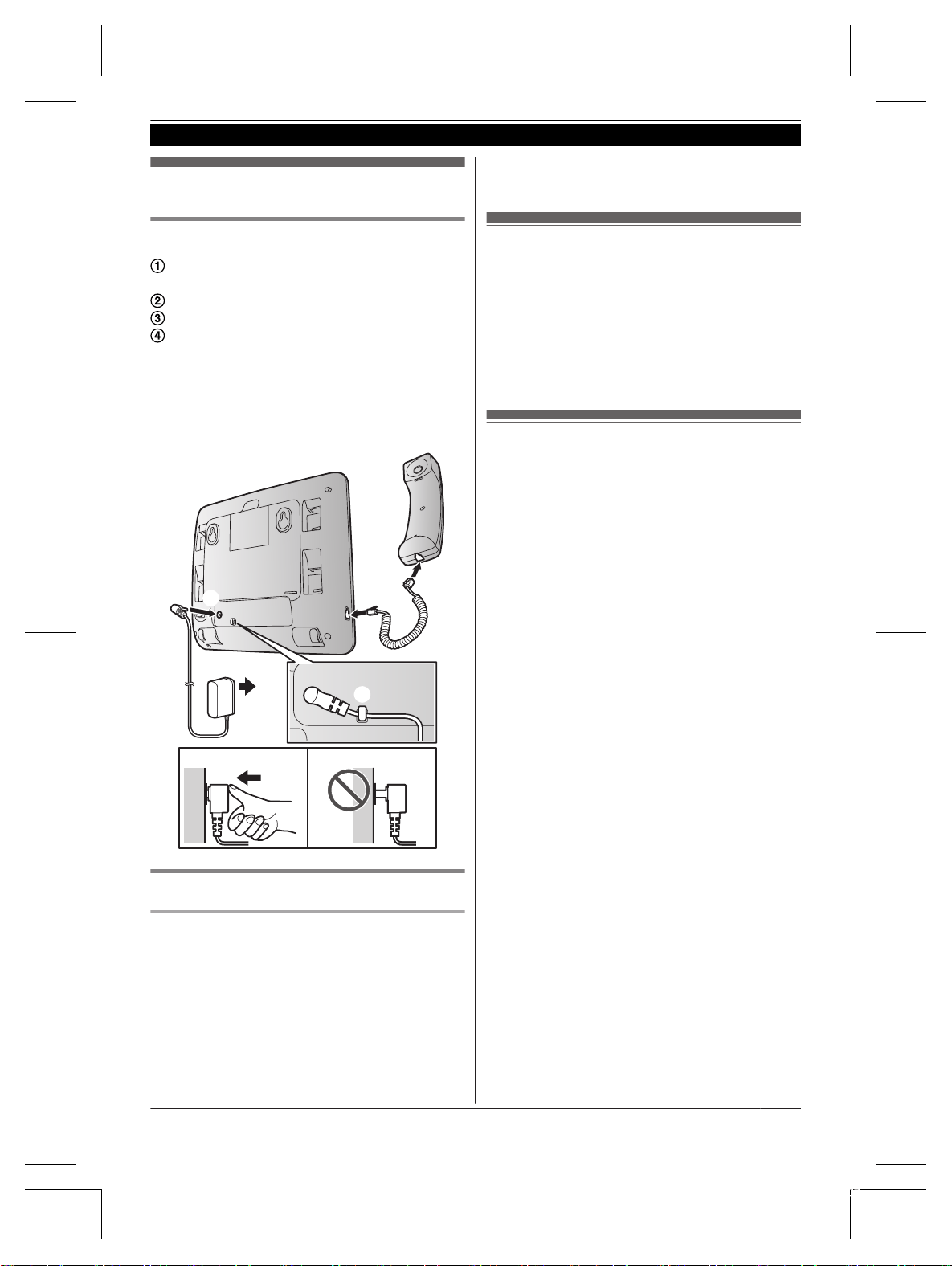
Connection
Connect the AC adaptor to the unit by
p
ressing the plug firmly.
Connect the AC adaptor to the power outlet.
Fasten the AC adaptor cord by hooking it.
Connect the corded handset cord to the
c
orded handset and the desk phone until you
hear a click.
Note:
R Use only the supplied AC adaptor
KSAS0050750080VUD.
1
2
4
4
3
1
Note when setting up
Note for connections
R The AC adaptor must remain connected at all
times. (It is normal for the adaptor to feel warm
during use.)
R The AC adaptor should be connected to a
vertically oriented or floor-mounted AC outlet.
Do not connect the AC adaptor to a horizontally
oriented AC outlet that faces the floor, such as
an AC outlet installed on a ceiling or under a
table, as the weight of the adaptor may cause it
t
o become disconnected.
Registering a unit to the
b
ase unit
1 KX-TGWA40:
Press MRegN
2 KX-TGW420:
Press and hold MSpd DialN, then wait until a
long beep sounds.
Language setting
Y
ou can select either “English”, “Español”,
“Français” or “Português” as the display
language. The default setting is “English”.
1 MMenuN
2 MbN: “Phone Settings” a MSelectN
3 MbN: “Language” a MSelectN
4 MbN: Select the desired setting. a MSelectN
5 Press MBackN or MHomeN repeatedly to return
to standby mode.
For assistance, please visit http://shop.panasonic.com/support
5
Getting Started
TGWA40_(en)_OI_1213_ver005.pdf 5 2019/12/13 11:11:07
Feature differences
Feature differences between
K
X-TGW420 and KX-TGWA40
Following functions cannot be programmed by
KX-TGWA40.
– Date and Time
– Flash Length
– Tone/Pulse Dial
– Message Length
– Message Interrupt
– Digital Receptionist
– Music on Hold
– Refresh List
Some functions or operation is different between
KX-TGW420 and KX-TGWA40.
– Alkaline battery performance during power
back-up operation
– Answering system
Alkaline battery performance during
p
ower back-up operation
Operation Operating time
In continuous use
12 hours max.
*
1
Not in use (standby)
24 hours max.
*
1
*1 When using Panasonic alkaline batteries AAA
(
LR3) size.
Value at an environmental temperature of 25
°C.
Note:
R Actual battery performance depends on
usageand ambient environment.
Answering system
A
fter registering the desk phone to KX-TGW420,
the answering system can answer and record calls
for you in the general mailbox when you are
unavailable to answer the phone. If the Digital
Receptionist System is turned on with
KX-TGW420, the unit allows you to receive and
deliver the callers messages using each personal
mailbox. The mailbox numbers are same as the
unit’s extension numbers.
You can program the answering system setting for
your personal mailbox. Some LCD indication are
different for KX-TGW420 and KX-TGWA40.
KX-TGW420 KX-TGWA40
General MB: On/
O
ff
Personal MB: On/
Off
General Greeting Personal
G
reeting
Listening to messages
Y
ou can listen the messages both your personal
mailbox and general mailbox by the following
procedure.
1 M
N
2
n W
hen you listen the message in your
personal mailbox:
MbN: “Play Messages” a MSelectN
n When you listen the message in the
general mailbox:
MbN: “Access General MB” a MSelectN
R The unit plays back the messages from the
recent message to the oldest.
3 When finished, press MStopN.
6
Feature differences
TGWA40_(en)_OI_1213_ver005.pdf 6 2019/12/13 11:11:07

FCC and other information
T
his equipment is hearing aid compatible as defined by the FCC in 47 CFR Section 68.316.
When you hold the phone to your ear, noise might be heard in your Hearing Aid. Some Hearing Aids are
not adequately shielded from external RF (radio frequency) energy. If noise occurs, use an optional
headset accessory or the speakerphone option (if applicable) when using this phone. Consult with your
audiologist or Hearing Aid manufacturer about the availability of Hearing Aids which provide adequate
shielding to RF energy commonly emitted by digital devices.
WHEN PROGRAMMING EMERGENCY NUMBERS AND(OR) MAKING TEST CALLS TO
EMERGENCY NUMBERS:
1) Remain on the line and briefly explain to the dispatcher the reason for the call.
2) Perform such activities in the off-peak hours, such as early morning or late evenings.
This device complies with Part 15 of the FCC Rules. Operation is subject to the following two conditions:
(1) This device may not cause harmful interference, and (2) this device must accept any interference
received, including interference that may cause undesired operation.
Privacy of communications may not be ensured when using this phone.
CAUTION:
Any changes or modifications not expressly approved by the party responsible for compliance could void
the user’s authority to operate this device.
NOTE:
This equipment has been tested and found to comply with the limits for a Class B digital device, pursuant
to Part 15 of the FCC Rules. These limits are designed to provide reasonable protection against harmful
interference in a residential installation. This equipment generates, uses, and can radiate radio frequency
energy and, if not installed and used in accordance with the instructions, may cause harmful interference
to radio communications. However, there is no guarantee that interference will not occur in a particular
installation. If this equipment does cause harmful interference to radio or television reception, which can
be determined by turning the equipment off and on, the user is encouraged to try to correct the
interference by one or more of the following measures:
– Reorient or relocate the receiving antenna.
– Increase the separation between the equipment and receiver.
– Connect the equipment into an outlet on a circuit different from that to which the receiver is connected.
– Consult the dealer or an experienced radio/TV technician for help.
FCC RF Exposure Warning:
R This product complies with FCC radiation exposure limits set forth for an uncontrolled environment.
R This product may not be collocated or operated in conjunction with any other antenna or transmitter.
Notice:
R FCC ID can be found inside the battery compartment or on the bottom of the unit.
For assistance, please visit http://shop.panasonic.com/support
7
Useful Information
TGWA40_(en)_OI_1213_ver005.pdf 7 2019/12/13 11:11:07
Customer services
Accessories!
hp://shop.panasonic.com/support
Customer Services Directory
Shop
for all your Panasonic gear
Go to
Get everything you need to get the most out of
your Panasonic products
Accessories & Parts for your Camera, Phone, A/V
products, TV, Computers & Networking, Personal
Care, Home Appliances, Headphones, Baeries,
Backup Chargers & more…
For Product Informa!on, Opera!ng Assistance,
Parts, Owner’s Manuals, Dealer and Service info
go to hp://shop.panasonic.com/support
For the hearing or speech impaired TTY: 1- 877-833-8855
As of June 2015
8
For assistance, please visit http://shop.panasonic.com/support
Appendix
TGWA40_(en)_OI_1213_ver005.pdf 8 2019/12/13 11:11:07
Limited Warranty (ONLY FOR U.S.A.)
Limited Warranty Coverage (For USA Only)
Labor
One (1) Year
Parts
One (1) Year
To submit a new repair request and for quick repair status visit our Web Site at
http://shop.panasonic.com/support
Panasonic Products Limited Warranty
Online Repair Request
Mail-In Service--Online Repair Request
If your product does not work properly because of a defect in materials or workmanship,
Panasonic Corporation of North America (referred to as “the warrantor”) will, for the length
of the period indicated on the chart below, which starts with the date of original purchase
(“warranty period”), at its option either (a) repair your product with new or refurbished parts,
(b) replace it with a new or a refurbished equivalent value product, or (c) refund your
purchase price. The decision to repair, replace or refund will be made by the warrantor.
During the “Labor” warranty period there will be no charge for labor. During the “Parts”
warranty period, there will be no charge for parts. This Limited Warranty excludes both
parts and labor for non-rechargeable batteries, antennas, and cosmetic parts (cabinet).
This warranty only applies to products purchased and serviced in the United States.
This warranty is extended only to the original purchaser of a new product which was
not sold “as is”.
Telephone
When shipping the unit, carefully pack, include all supplied accessories listed in the
Owner’s Manual, and send it prepaid, adequately insured and packed well in a carton box.
When shipping Lithium Ion batteries please visit our Web Site at
http://shop.panasonic.com/support as Panasonic is committed to providing the most up to
date information. Include a letter detailing the complaint, a return address and provide a
daytime phone number where you can be reached. A valid registered receipt is required
under the Limited Warranty.
IF REPAIR IS NEEDED DURING THE WARRANTY PERIOD, THE PURCHASER WILL
BE REQUIRED TO FURNISH A SALES RECEIPT/PROOF OF PURCHASE INDICATING
DATE OF PURCHASE, AMOUNT PAID AND PLACE OF PURCHASE. CUSTOMER WILL
BE CHARGED FOR THE REPAIR OF ANY UNIT RECEIVED WITHOUT SUCH PROOF
OF PURCHASE.
Product or Part Name
For assistance, please visit http://shop.panasonic.com/support
9
Appendix
TGWA40_(en)_OI_1213_ver005.pdf 9 2019/12/13 11:11:07

Limited Warranty Limits and Exclusions
(As examples, this excludes damages for lost time, travel to and from the servicer,
loss of or damage to media or images, data or other memory or recorded content.
The items listed are not exclusive, but for illustration only.)
This warranty ONLY COVERS failures due to defects in materials or workmanship,
and DOES NOT COVER normal wear and tear or cosmetic damage. The warranty
ALSO DOES NOT COVER damages which occurred in shipment, or failures which
are caused by products not supplied by the warrantor, or failures which result from
accidents, misuse, abuse, neglect, mishandling, misapplication, alteration, faulty
installation, set-up adjustments, misadjustment of consumer controls, improper
maintenance, power line surge, lightning damage, modification, introduction of sand,
humidity or liquids, or rental use of the product, or service by anyone other than a
Factory Service Center or other Authorized Servicer, or damage that is attributable to
acts of God.
THERE ARE NO EXPRESS WARRANTIES EXCEPT AS LISTED UNDER
“LIMITED WARRANTY COVERAGE”.
THE WARRANTOR IS NOT LIABLE FOR INCIDENTAL OR CONSEQUENTIAL
DAMAGES RESULTING FROM THE USE OF THIS PRODUCT, OR ARISING OUT
OF ANY BREACH OF THIS WARRANTY.
ALL EXPRESS AND IMPLIED WARRANTIES, INCLUDING THE WARRANTY OF
MERCHANTABILITY, ARE LIMITED TO THE PERIOD OF THE LIMITED WARRANTY.
PARTS AND SERVICE, WHICH ARE NOT COVERED BY THIS LIMITED WARRANTY,
ARE YOUR RESPONSIBILITY.
Some states do not allow the exclusion or limitation of incidental or consequential damages,
or limitations on how long an implied warranty lasts, so the exclusions may not apply to you.
This warranty gives you specific legal rights and you may also have other rights which vary
from state to state. If a problem with this product develops during or after the warranty period,
you may contact your dealer or Service Center. If the problem is not handled to your
satisfaction, then write to:
Consumer Affairs Department
Panasonic Corporation of North America
661 Independence Pkwy
Chesapeake, VA 23320
As of November 2019
10
For assistance, please visit http://shop.panasonic.com/support
Appendix
TGWA40_(en)_OI_1213_ver005.pdf 10 2019/12/13 11:11:07
1 Reconnect AC adaptor to the desk phone.
2 Check if telephone line cord is connected to the base unit.
Visit our Web site: http://shop.panasonic.com/support
L
F
AQ and troubleshooting hints are available.
If your product is not working properly. . .
IMPORTANT!
3 Read troubleshooting page in the base unit’
s Operating
Instructions.
For your future reference
W
e recommend keeping a record of the following information to assist with any repair under warranty.
Serial No. Date of purchase
(found on the bottom of the unit)
Name and address of dealer
Attach your purchase receipt here.
Two Riverfront Plaza, Newark, NJ 07102-5490
© Panasonic Corporation 2019
For assistance, please visit http://shop.panasonic.com/support
11
Appendix
TGWA40_(en)_OI_1213_ver005.pdf 11 2019/12/13 11:11:07

12
Notes
TGWA40_(en)_OI_1213_ver005.pdf 12 2019/12/13 11:11:07

4
Notas
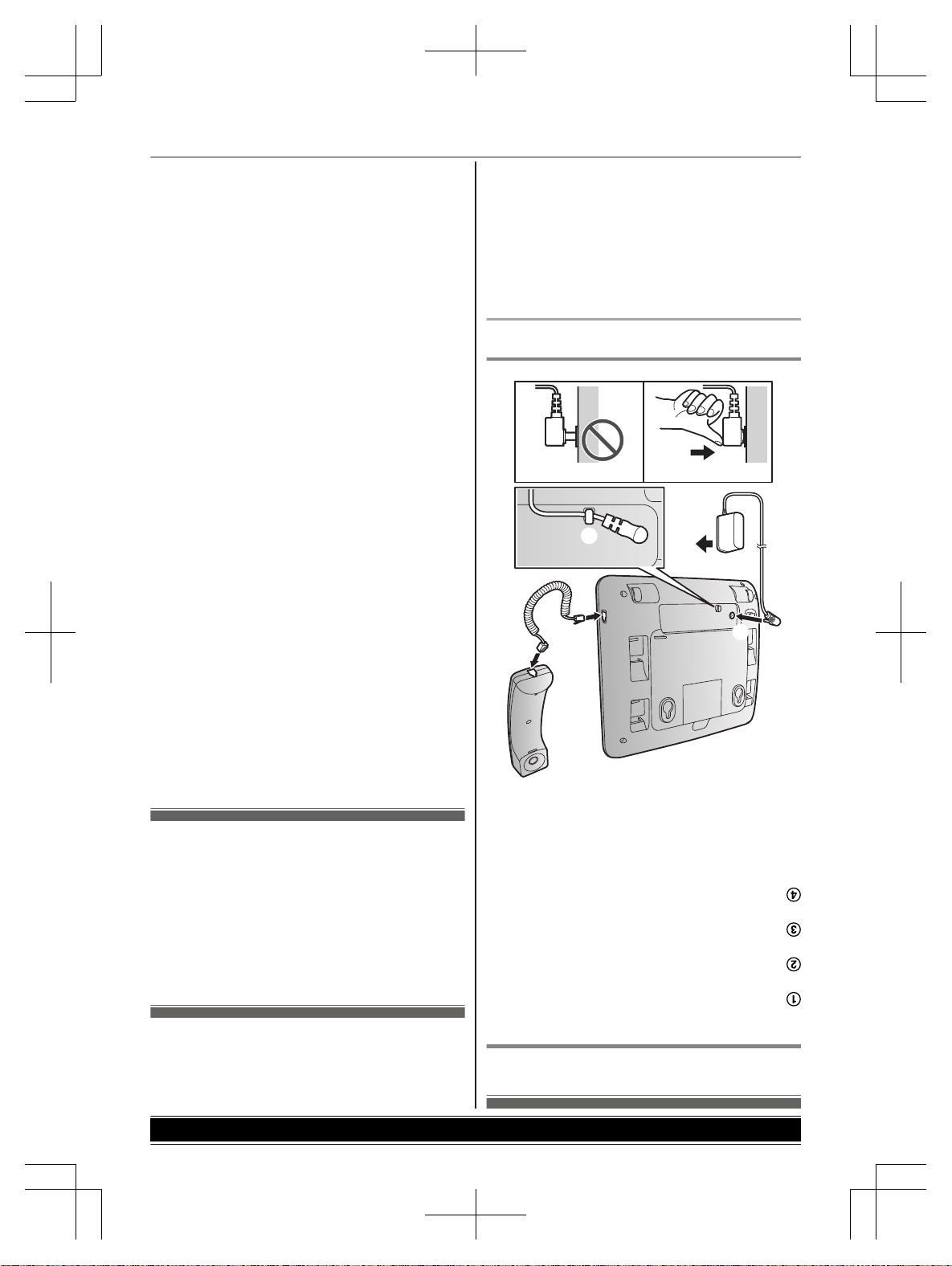
Instalación
Conexión
Conecte el cable del adaptador de corriente
oprimiendo firmemente el enchufe.
Conecte el adaptador de corriente a la toma de
corriente.
Enganche el cable del adaptador de corriente para
sujetarlo.
Conecte el cable del auricular alámbrico al auricular
alámbrico y al teléfono de escritorio hasta que
escuche un clic.
Nota:
R Use solo el adaptador de corriente
KSAS0050750080VUD que se suministra.
1
2
4
4
3
1
Nota durante la instalación
Nota acerca de las conexiones
R El adaptador de corriente debe permanecer
conectado en todo momento (es normal que el
adaptador se caliente durante su uso).
R El adaptador de corriente debe estar conectado a un
enchufe de corriente orientado verticalmente o en
una toma de corriente alterna colocada en el piso. No
conecte el adaptador de corriente a una toma de
corriente con orientación horizontal que mire hacia
abajo, como una toma de corriente instalada en el
techo o bajo una mesa, ya que el peso del adaptador
puede hacer que se desconecte.
Cómo registrar una unidad en
la unidad base
1 KX-TGWA40:
Oprima MRegN
2 KX-TGW420:
Oprima y mantenga oprimido MMarc rápN, y
después espere a que se emita un pitido largo.
Configuración de idiomas
Puede seleccionar “English”, “Español”,
“Français” o “Português” como idioma de la
pantalla. La configuración predeterminada es de
“English”.
1 MMenuN
2 MbN: “Phone Settings” (“Ajustes tel”) a
MSelectN
3 MbN: “Language” (“Idioma”) a MSelectN
4 MbN: seleccione la configuración deseada. a
MSelectN
5 Oprima MVolvN o MInicN repetidamente para volver
al modo en espera.
3
Pasos iniciales
Información de los accesorios
Accesorios que se suministran
Nº Accesorio/Pieza número Cantidad
A Adaptador de corriente/PNLV254-0Z 1
B Soporte de escritorio/PNKL1080Z1 1
C Auricular alámbrico/PNLXU1017Z 1
D Cable del auricular alámbrico/PQJA212V 1
A B C D
Nota:
R Lea las instrucciones de operación de la unidad base para obtener información sobre accesorios adicionales o de
repuesto.
R Lea la sección “Símbolos gráficos para utilizar en el equipo y sus descripciones” de las instrucciones de operación
de la unidad base.
2
Introducción
Manual de instalación
Teléfono de 4 líneas Oficina en casa | Pequeños negocios
Teléfono de escritorio adicional
Modelo Nº
KX-TGWA40
Gracias por adquirir un producto Panasonic.
Esta unidad es un teléfono de escritorio adicional compatible con KX-TGW420.
(Los modelos correspondientes están sujetos a cambio sin previo aviso.)
Debe registrar el teléfono de escritorio en su unidad base (KX-TGW420) antes de poder usarlo. Este
manual de instalación solo describe los pasos necesarios para registrar y comenzar a usar el teléfono
de escritorio. Lea las instrucciones de operación de la unidad base para obtener más detalles.
Lea este manual de instalación antes de usar la unidad y guárdelo para consultarlo en el futuro.
Para obtener ayuda, visite nuestro sitio web: http://shop.panasonic.com/support para clientes en los
EE. UU. (solo en inglés).