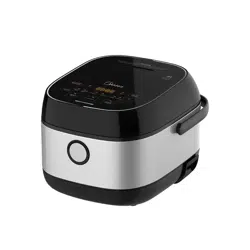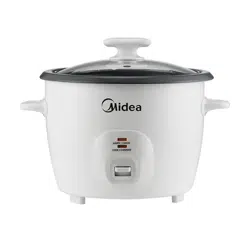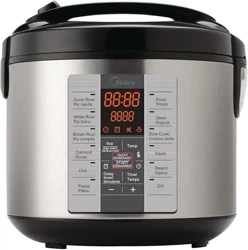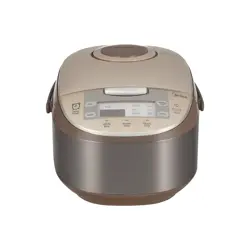
.
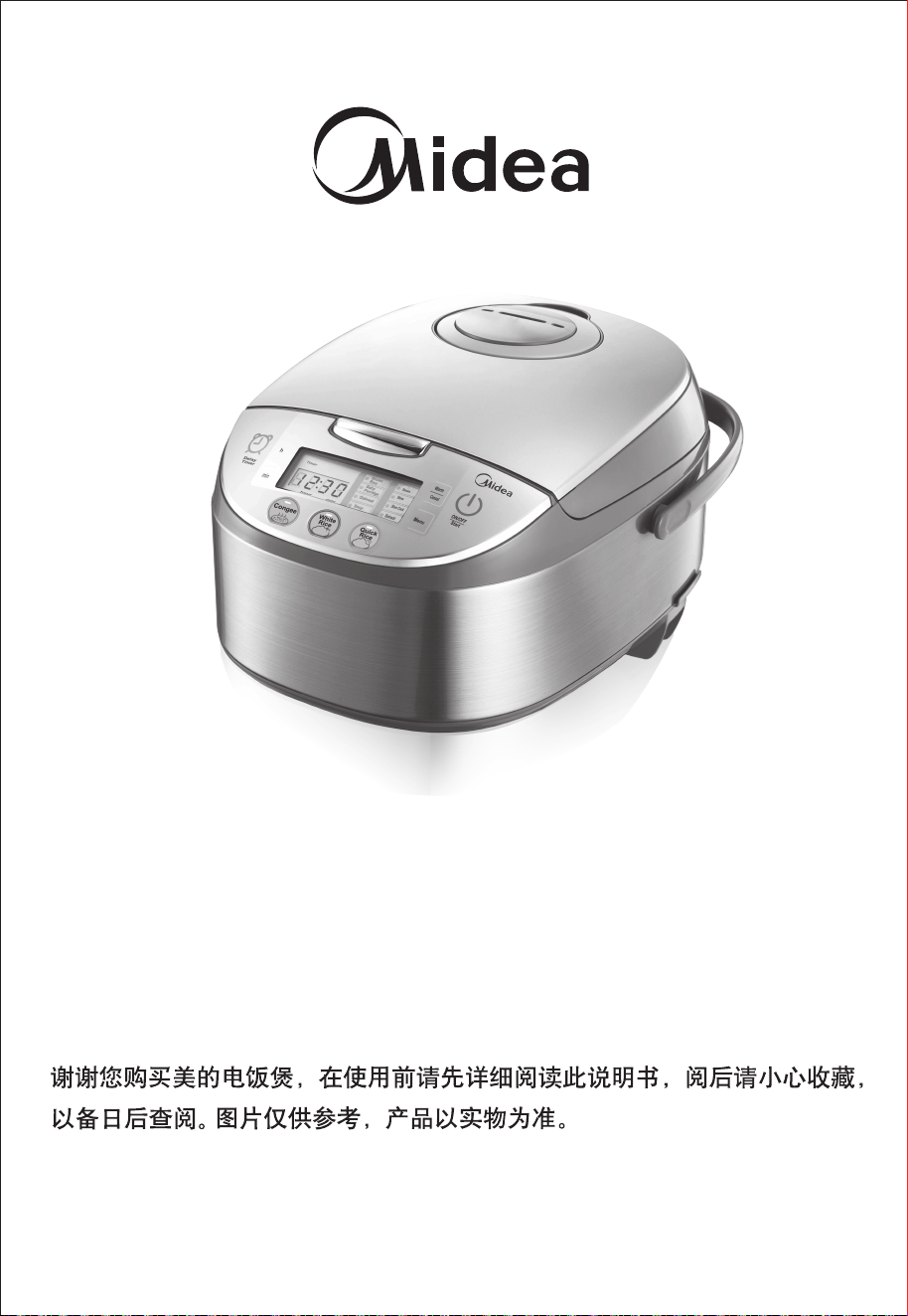
Thank you for purchasing the Midea Electric Rice Cooker.
Please read the Operation Instructions carefully before using
and keep it cautiously after reading for future reference.
Pictures are for reference only, subject to our available
products.
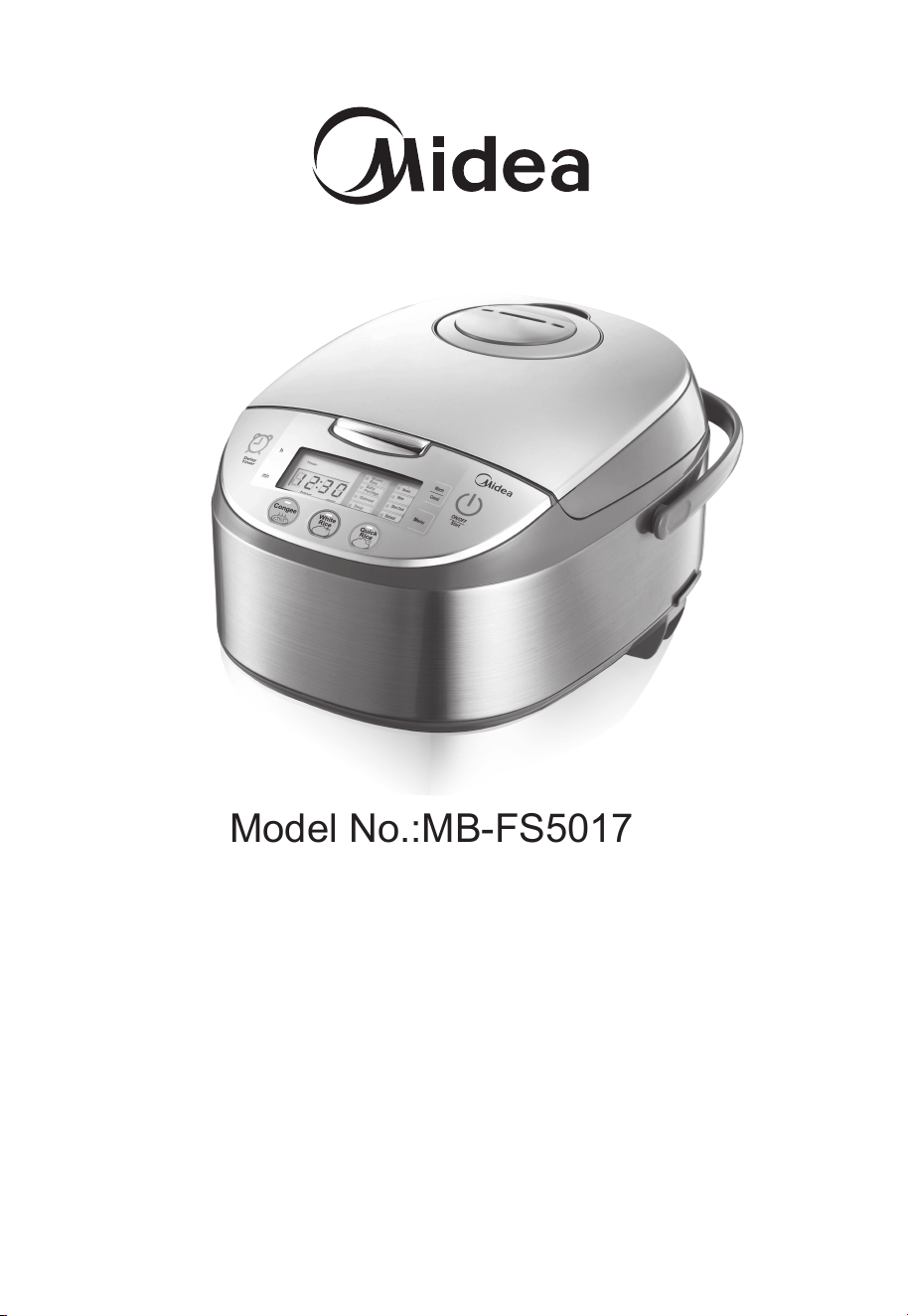
Model No.:MB-FS5017

1. Important: Read all instructions carefully before first use.
2. Do not touch hot surfaces. Use the handles or knobs.
3. Use only on a level, dry and heat-resistant surface.
4. To protect against fire, electric shock and injury to persons, do not
immerse cord, plug or the appliance in water or any other liquid.
See instructions for cleaning.
5. Close supervision is necessary when the appliance is used by or
near children.
6. Unplug from outlet when not in use and before cleaning. Allow unit
to cool before putting on or taking off parts and before cleaning the
appliance.
7. Do not operate any appliance with a damaged cord or plug or after
the appliance malfunctions or has been damaged in any manner.
Contact Midea customer service for examination, repair or adjustment.
8. The use of accessory attachments not recommended by Midea
Housewares may result in fire, electrical shock or injury.
9. Do not use outdoors.
10. Do not touch hot surfaces or let the cord hang over the edge of a counter
or table.
11. Do not place on or near a hot gas or electric burner or in a heated
oven.
12. Do not use the appliance for other than its intended use.
13. Extreme caution must be used when moving the appliance containing rice,
hot oil or other liquids.
14. Do not touch, cover or obstruct the steam vent on
the top of the rice cooker as it is extremely hot and may cause scalding.
15. Use only with a 120V AC power outlet.
16. Always unplug from the base of the wall outlet. Never pull on the cord.
17. The rice cooker should be operated on a separate electrical circuit from
other operating appliances. If the electrical circuit is overloaded with other
appliances, the appliance may not operate properly.
18. Always make sure the outside of the inner cooking pot is dry prior to use. If
the inner pot is returned to the cooker when wet, it may damage or cause
the product to malfunction.
IMPORTANT SAFEGUARDS
Basic safety precautions should always be followed when
using electrical appliances, including the following:
2
19. Use extreme caution when opening the lid during or after cooking. Hot
steam will escape and may cause scalding.
20. Rice should not be left in the inner cooking pot with the Keep-Warm
function on for more than 12 hours.
21. To prevent damage or deformation, do not use the inner cooking pot on a
stovetop or burner.
22. To disconnect, turn any control to OFF, then remove the plug from the wall
outlet.
23. CAUTION: To reduce the risk of electrical shock, cook only in the
removable inner cooking pot provided.
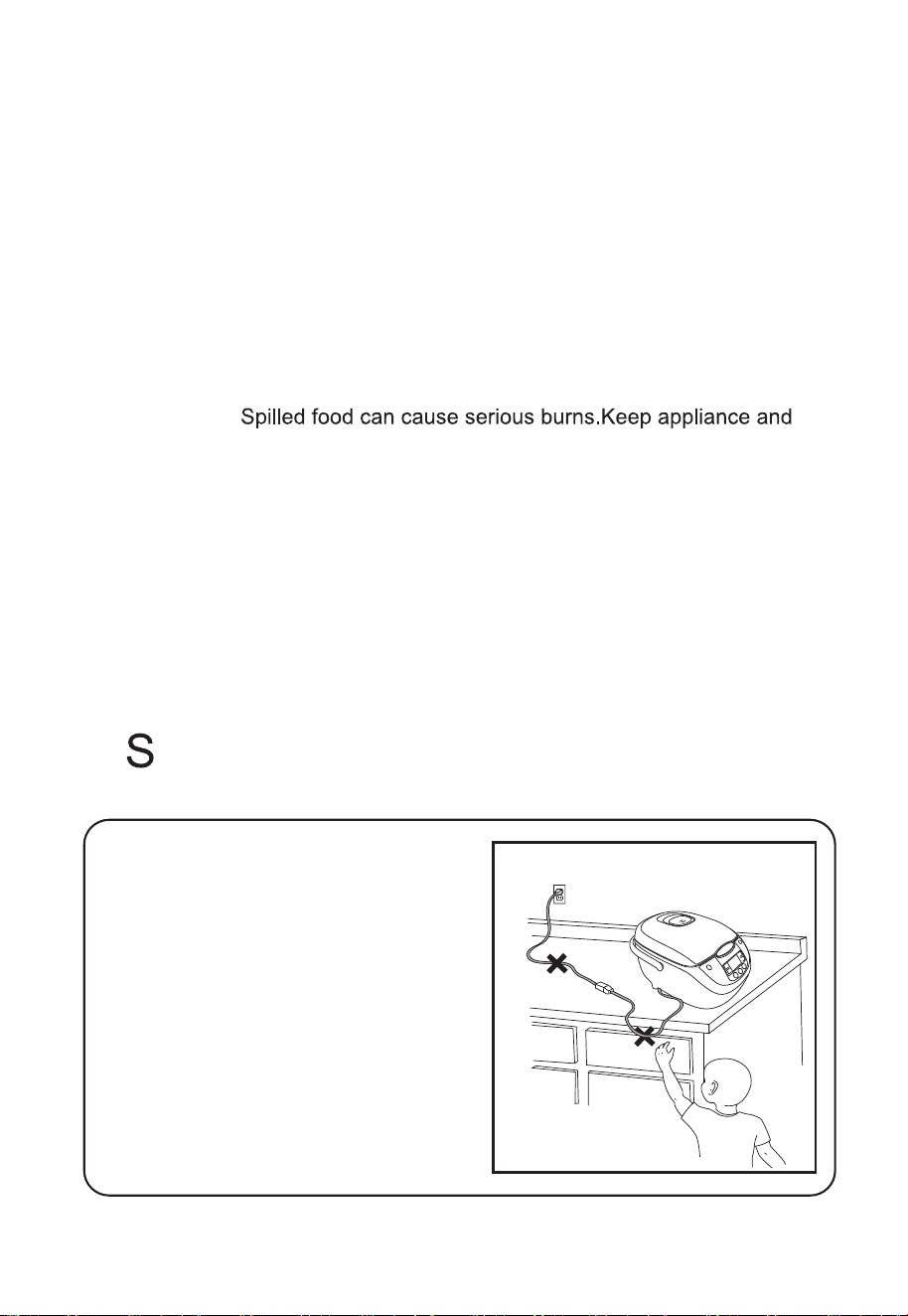
DO NOT DRAPE CORD!
KEEP AWAY
FROM CHILDREN!
AVE THESE INSTRUCTIONS
Short Cord Instructions
A short power-supply cord is used to
reduce the risk resulting from it being
grabbed by children, becoming
entangled in, or tripping over a longer
cord.
3
24. Intended for countertop use only.
25. WARNING:
cord away from children.Never drape cord over edge of counter,never
use outlet below counter,and never use with an extension cord.
THIS APPLIANCE IS FOR
HOUSEHOLD USE ONLY.
26. Household Use Only.
27. Do Not Immerse In Water.
28. Do not use the handle to move the cooker when any food is in it.

Polarized Plug
This appliance has a polarized plug (one blade is wider than the other); follow the
instructions below:
To reduce the risk of electric shock, this plug is intended to fit into a polarized
outlet only one way If the plug does not fit fully into the outlet, reverse the plug.
If it still does not fit, contact a qualified electrician. Do not attempt to modify the
plug in any way.
If the supply cord is damaged, it must be replaced by the manufacturer, its service
agent or a similarly qualified person in order to avoid hazard.
4
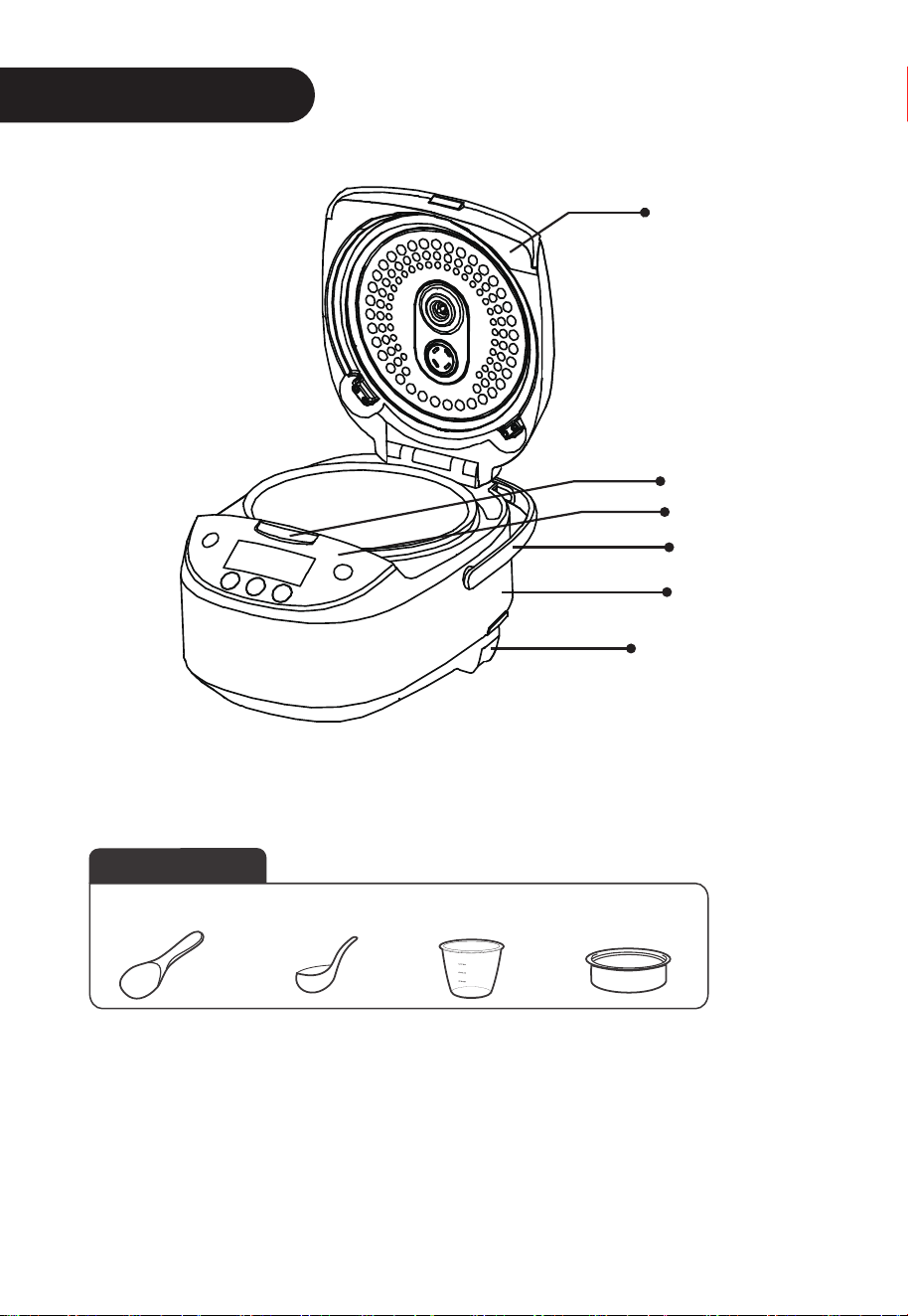
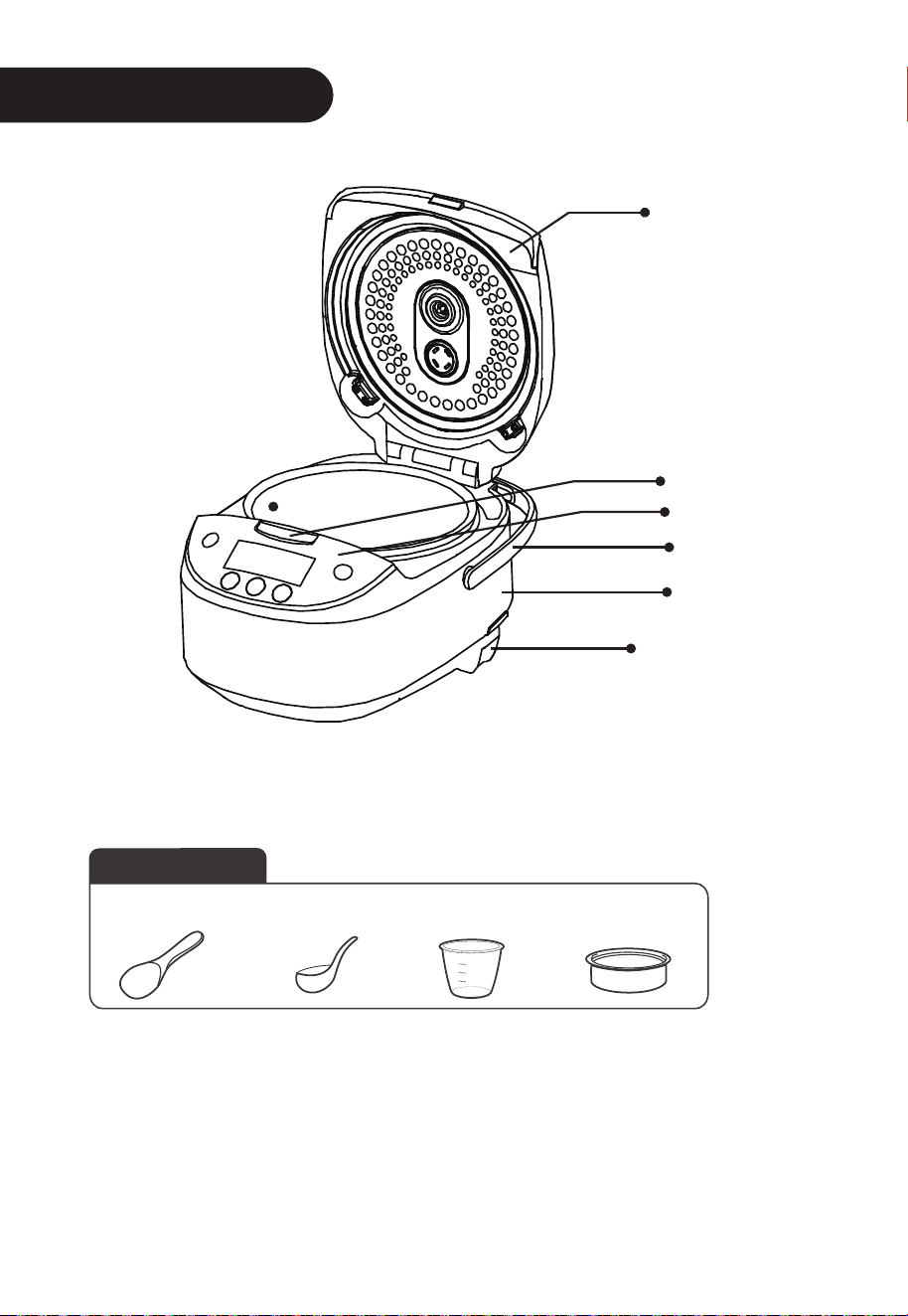
Product Instructions
Accessories
Scoop
Spoon
Measuring
cup
Steamer
5
Power Cord
Control panel
Handle
Main unit
Uncovering
button
Cover
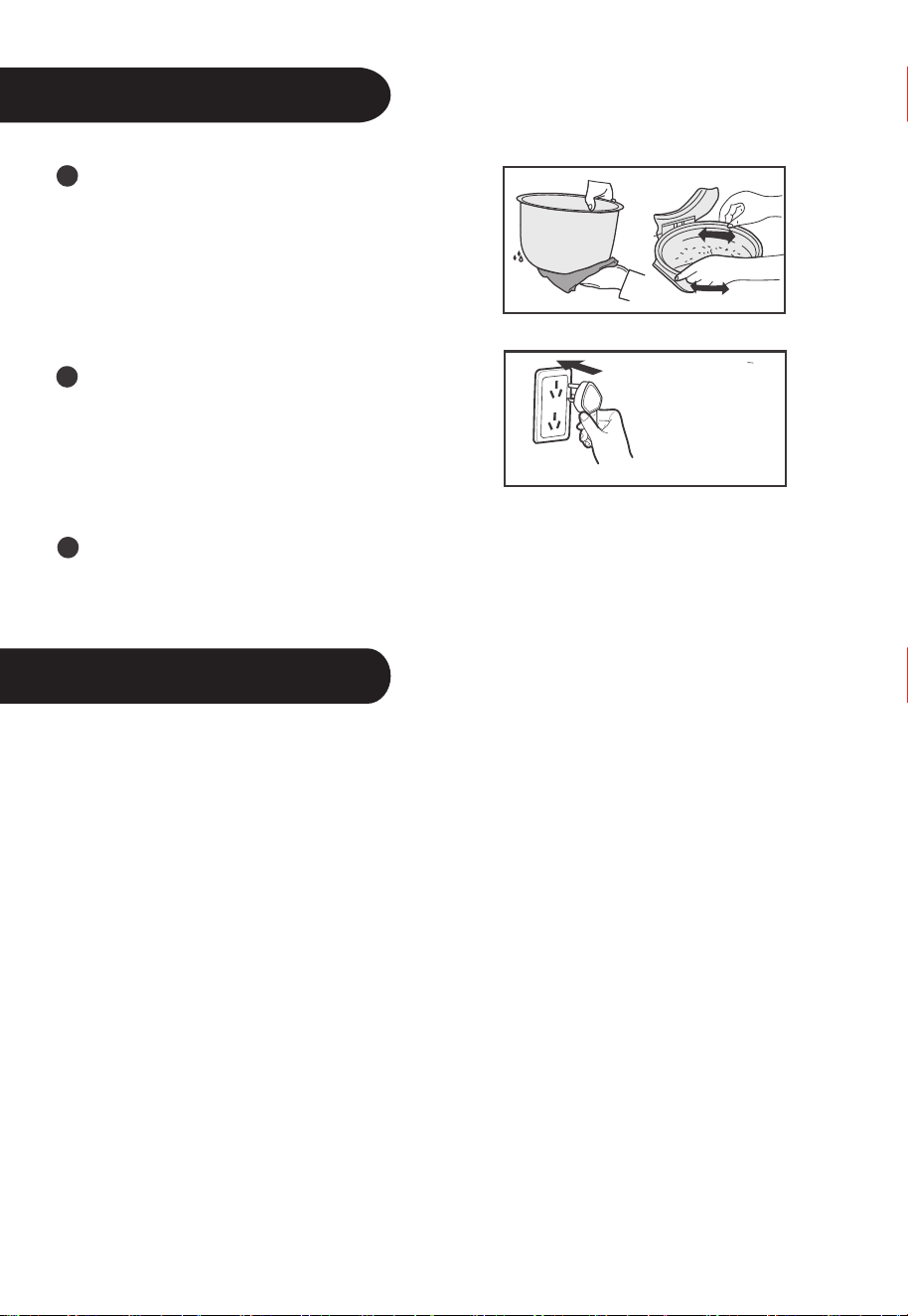
Usage Instructions
Use of the Functional Buttons
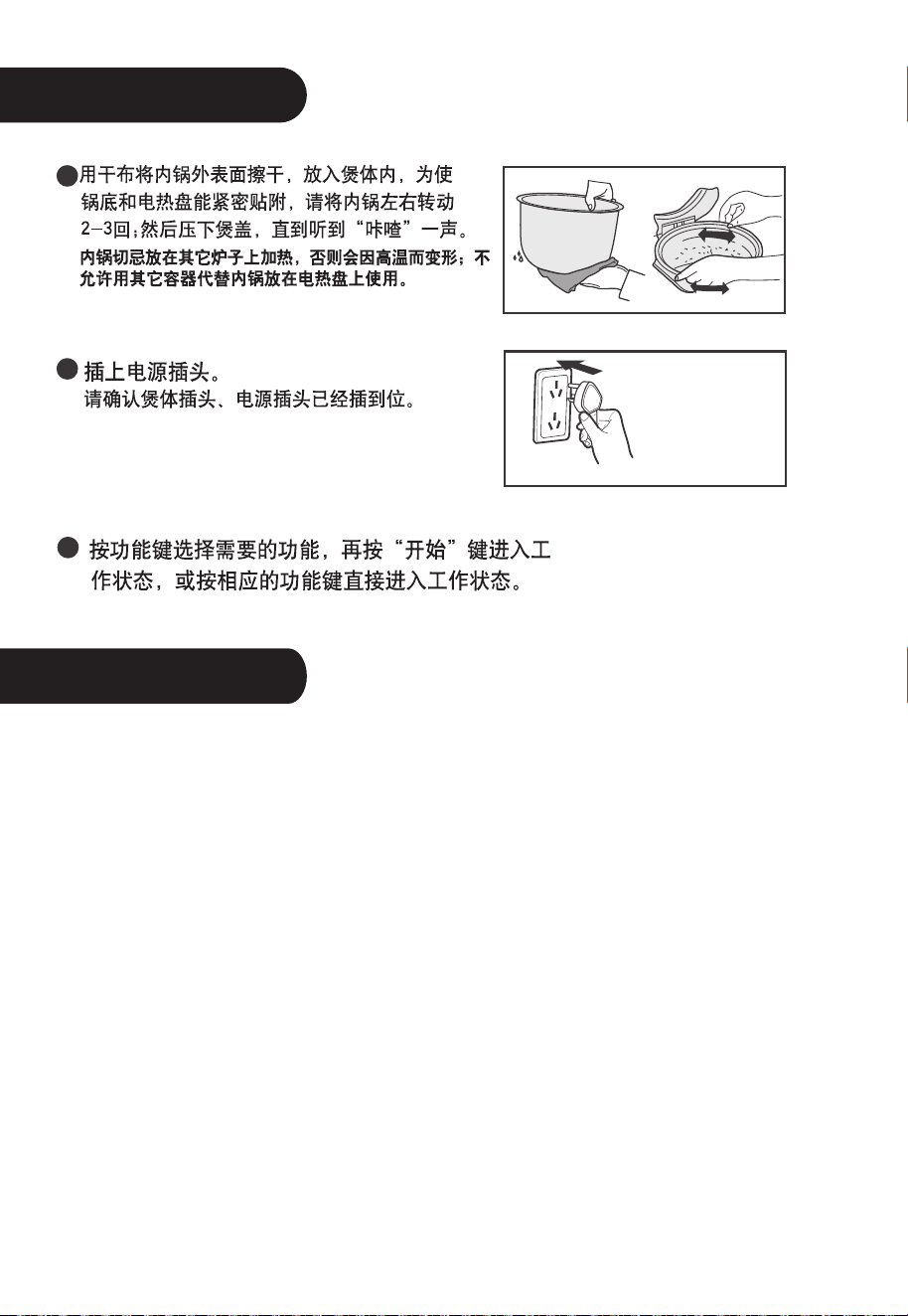
Dry the external surface of the inner
pot with fabric, put it into the cooker,
please turn the inner pot for 2-3 times
to make it perfectly contact the heating
tray; then press the cooker cover till it
makes “Click” sound.
Power socket
Avoid heating the inner pot on other
stoves, otherwise, it may cause distortion
under high temperature; it is not allowed
to substitute the inner pot with other
containers on the heating tray.
Press the function button to select the desired function, then press the
“Start” button to enter into the working state, or press corresponding
function button to directly enter into the working state.
LED
Supply power, press “on / off start” button, the cooker switch on and standby LED
Warm/Cancel button
1. Under the Standby state, press the “Warm/Cancel” button to enter into WARM.
As shown in Drawing
2. Under the Working state: press the “Warm/Cancel” button to exit the work state
and return the Standby state.
3. After cooking, the cooker will automatically enter into the WARM state, during
the WARM process, the time displays from 0-12h, if it exceeds 12h, LED
displays “----”, and the cooker keeps WARM, the suggested WARM time is
less than 5h for avoiding rice color or taste changing.
ON/OFF Start button
Plug in the power, press “on / off start” button, the cooker switch on and standby.
Under the standby state, press "on / off start” button the cooker switch off. On
standby state, choose the functions and press the "on / off start " button to enter
the working process of the function.)
6
displays “----”, “Start” indicator flashes, the electric rice cooker keeps at the Standby
state.

Use of the Functional Buttons
Menu button
Under the Standby state , press the “Menu” button to select the function.
The function is circulated as: Brown Rice - Baby Porridge - Oatmeal - Soup
-Steam - Stew- Slow Cook - Reheat.
Quick Cook button
, press the “Quick Cook” button, “Quick Cook” indicator
press the “Start” button to enter into the “Quick Cook” work program.
White Cook button
, press the “White Cook” button, “White Cook” indicator
press the “Start” button to enter into the “White Cook” work program.
Congee button
Supply power, press the “Congee” button, “Congee” indicator lights on, the LED
flashes and displays “2:00”, and then press the “Start” button to enter into the
“White Cook” work program.
Delay Timer button
Select the reserving function, press the “Delay Timer” button, “Delay
Timer” indicator lights on, after setting the time, press the “Start” button. The set
reserving time is the time to stop reserving.
h and min buttons
Press the “h” or “min” button to adjust the clock.
Select the reserving set state, press the “h” or “min” button to set the time of
stopping reserving.
Press “h” once to increase 1h, press “min” once to increase 10min.
7
Under the Standby state
lights on,
lights on,
Under the Standby state
Usage Instructions
Usage Instructions
8
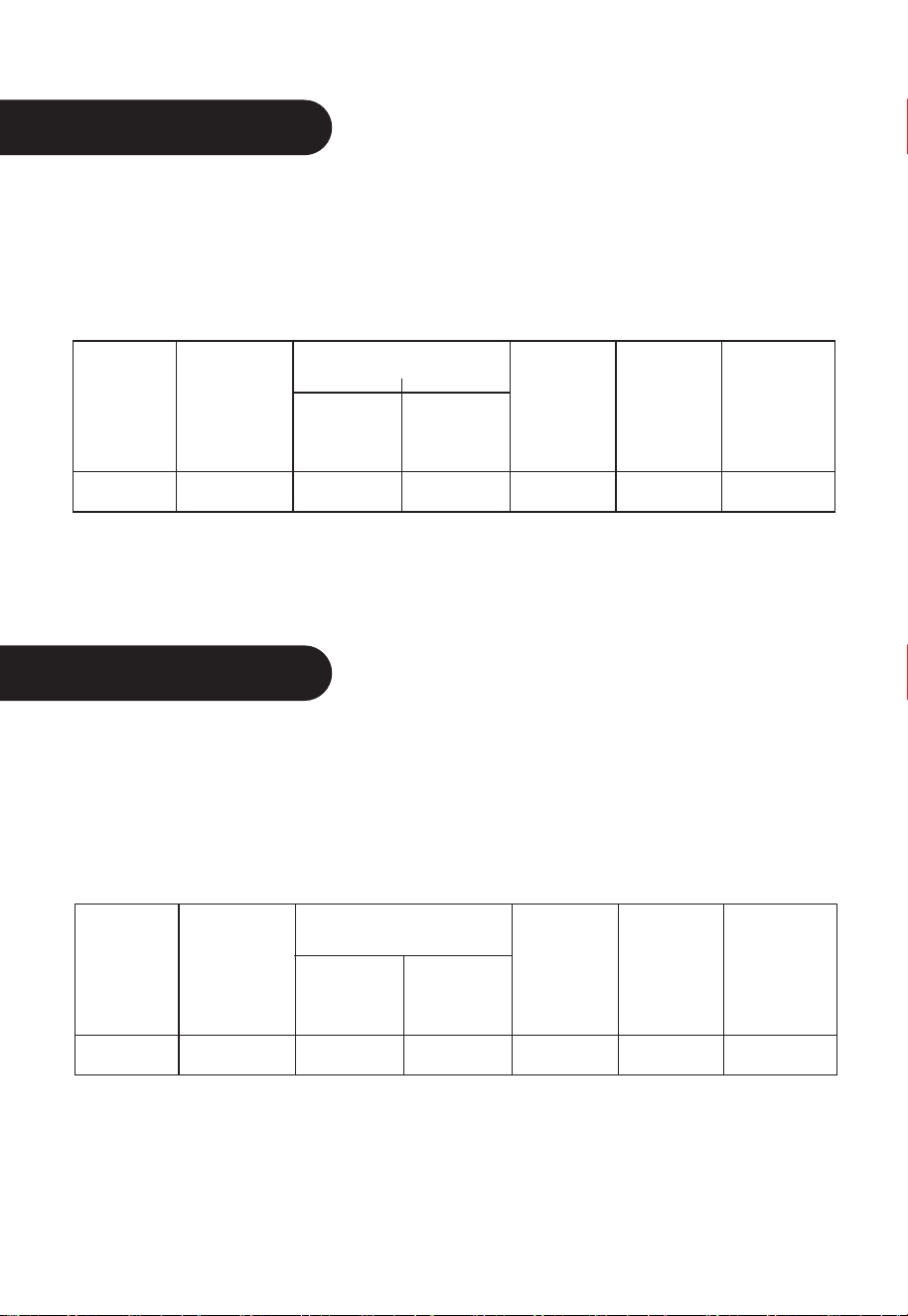
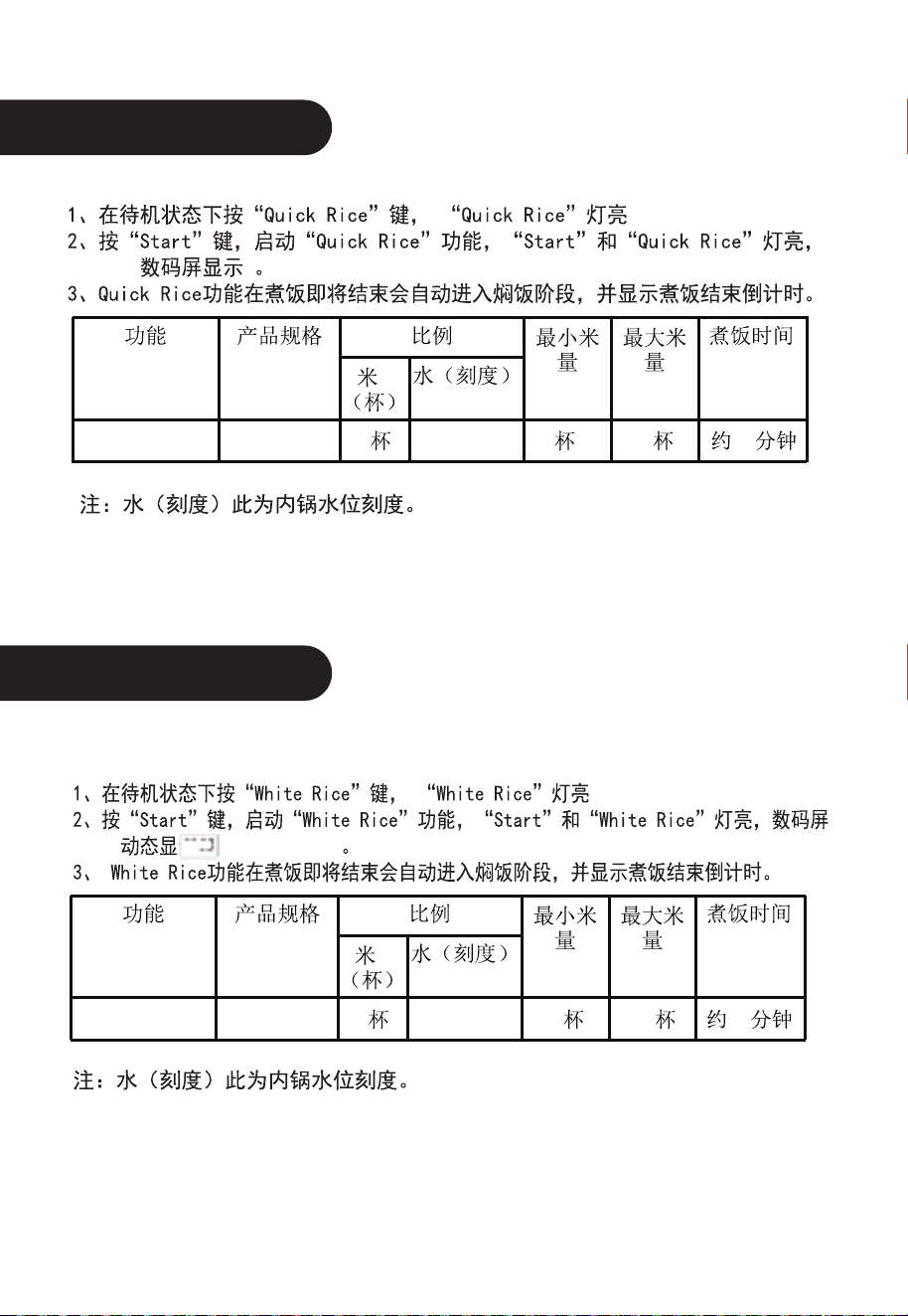
Quick Rice
1. Under the Standby state, press the “Quick Rice” button, “Quick Rice” indicator lights on.
2. Press the “Start” button to start the “Quick Rice” function, the “Start” and “Quick Rice”
indicators light on, LED displays .
3. Quick Rice function will automatically enter into rice stewing stage when finishing cooking,
and then start countdown of rice cooking.
Note: Water (Mark) is the water level mark on the inner pot.
Function
Quick Rice MB-FS5017
Specification
Proportion
Rice
(Cup)
2
2 cups
10 cups
About 45min
2
Water
(Mark)
Cooking
Time
Min Rice
Amount
Max Rice
Amount
Function
Specification
Proportion
Rice
(Cup)
White Rice
MB-FS5017
2
2 cups 10 cups About 55min
2
Water
(Mark)
Cooking
Time
Min Rice
Amount
Max Rice
Amount
White Rice
1. Under the Standby state, press the “White Rice” button, “White Rice” indicator lights on.
2. Press the “Start” button to start the “White Rice” function, the “Start” and “White Rice”
indicators light on, LED displays .
3. White Rice function will automatically enter into rice stewing stage when finishing cooking,
and then start countdown of rice cooking.
Note: Water (Mark) is the water level mark on the inner pot.
Usage Instructions
Usage Instructions
9
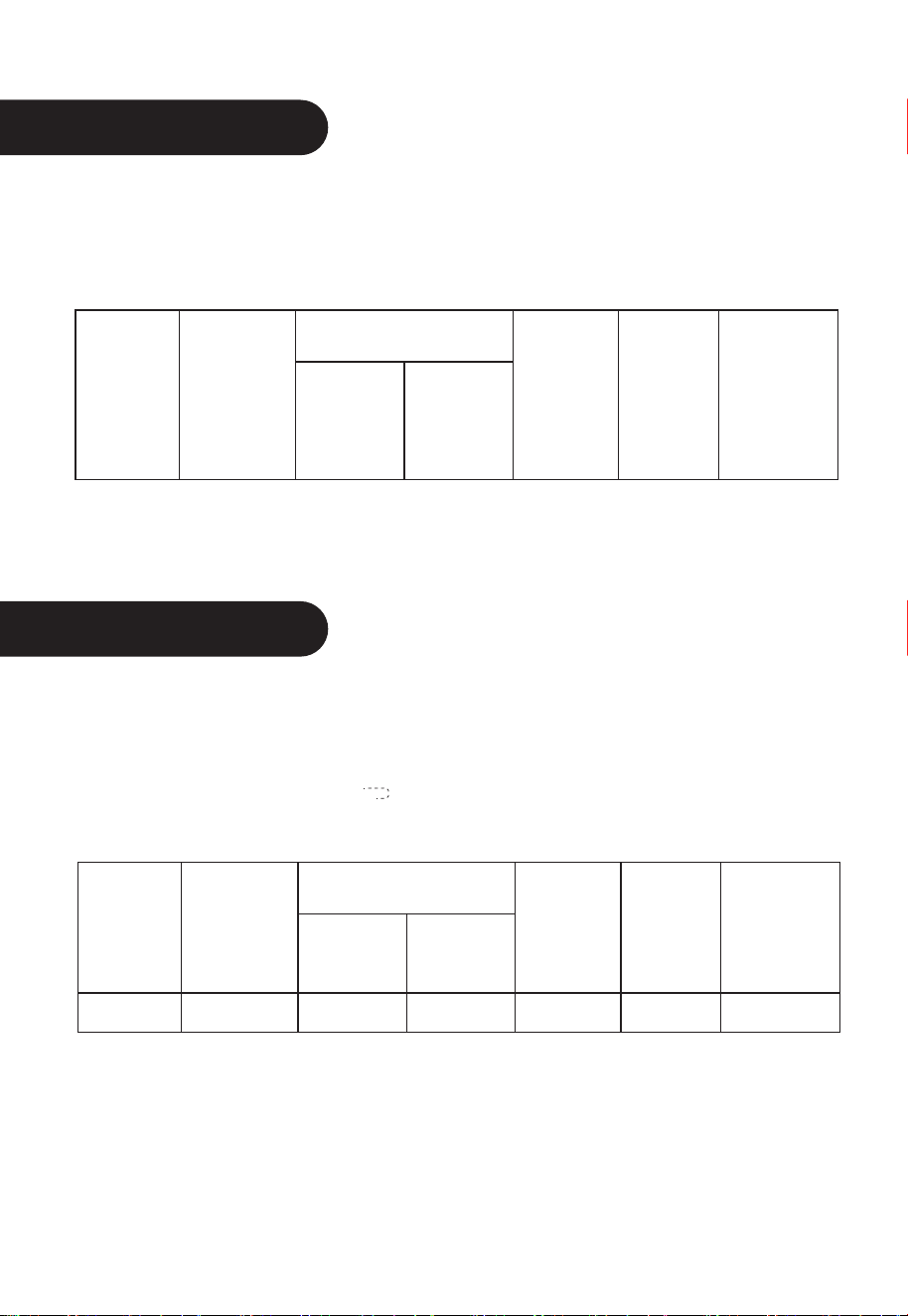
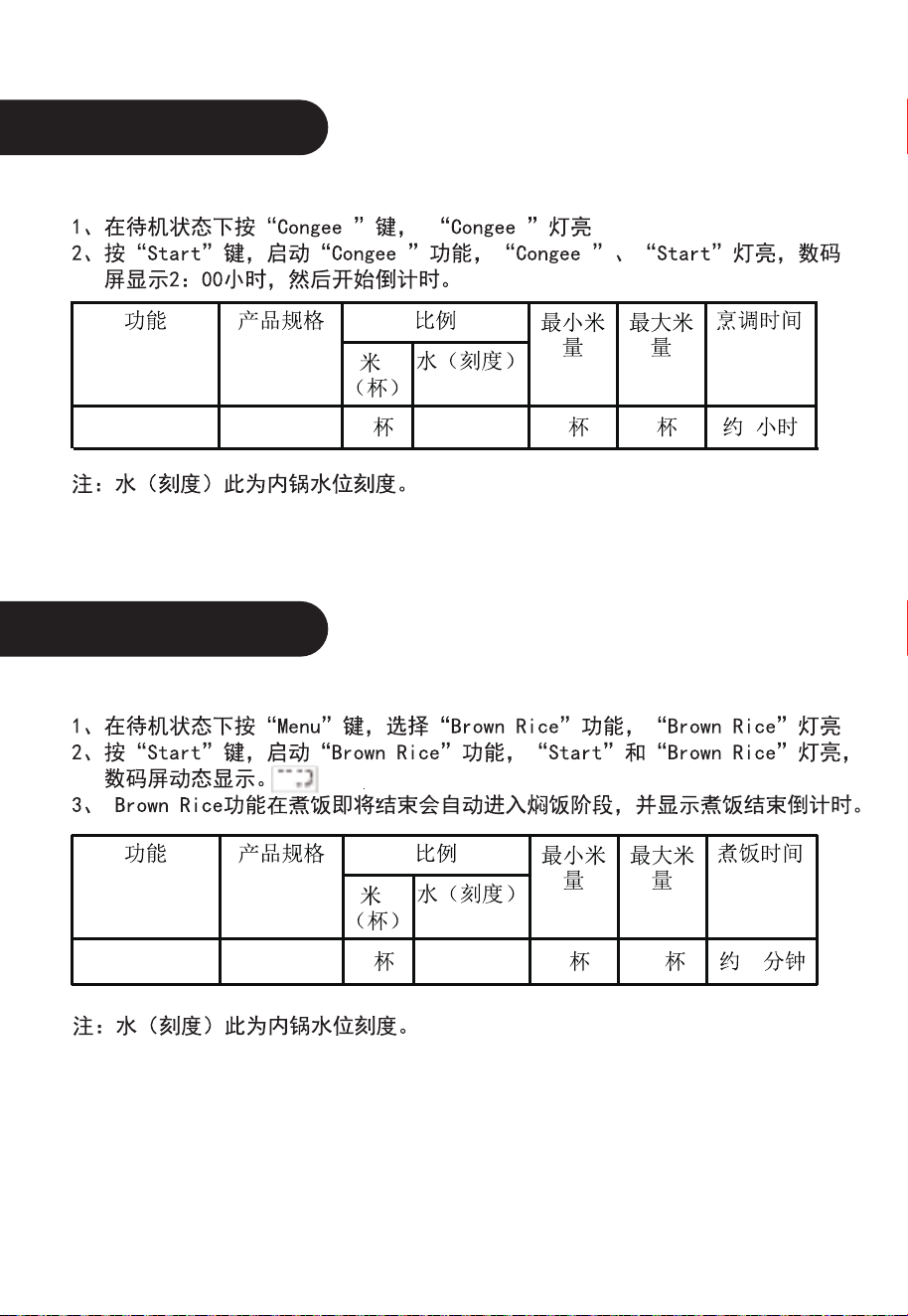
Congee
1. Under the Standby state, press the “Congee” button, “Congee” indicator lights on.
2. Press the “Start” button to start the “Congee” function, the “Start” and “Congee” indicators
light on, LED displays 2:00 hour, and then starts countdown.
Note: Water (Mark) is the water level mark on the inner pot.
Brown Rice
1. Under the Standby state, press the “Menu” button and select “Brown Rice” function,
“Brown Rice” indicator lights on.
2. Press the “Start” button to start the “Brown Rice” function, the “Start” and “Brown Rice”
indicators light on, LED displays .
3. Brown Rice function will automatically enter into rice stewing stage when finishing cooking,
and then start countdown of rice cooking.
Note: Water (Mark) is the water level mark on the inner pot.
Function
Specification
Proportion
Rice
(Cup)
Congee MB-FS5017
2
2 cups 2 cups About 2 hours
2
Water
(Mark)
Cooking
Time
Min Rice
Amount
Max Rice
Amount
Function
Brown Rice
Specification
Proportion
Rice
(Cup)
80
min
MB-FS5017
2
2 cups 10cups About
2
Water
(Mark)
Cooking
Time
Min Rice
Amount
Max Rice
Amount

Usage Instructions
Usage Instructions
10
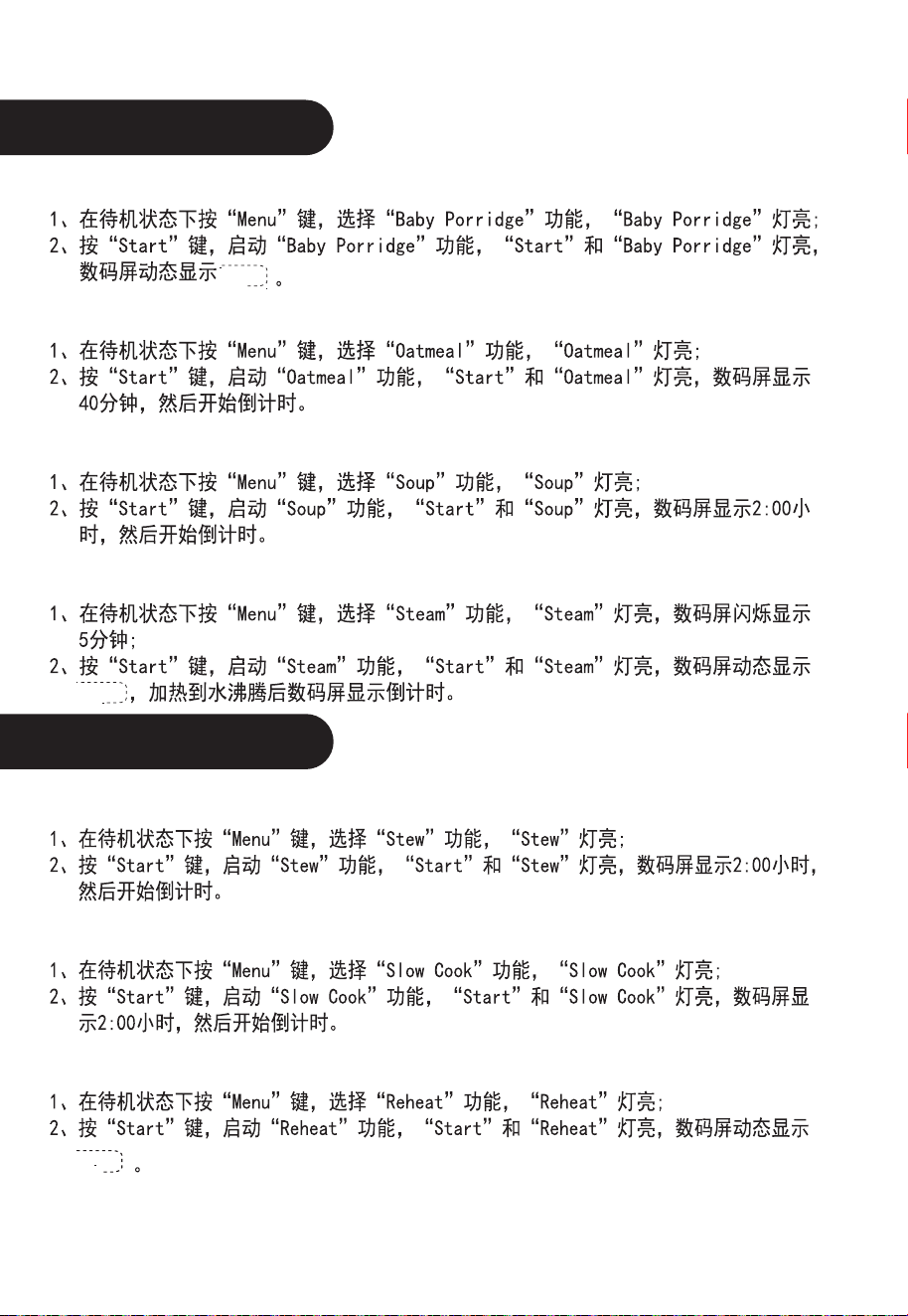
Baby Porridge
1. Under the Standby state, press the “Menu” button and select “Baby Porridge” function,
the “Baby Porridge” indicator lights on.
2. Press the “Start” button to start the “Baby Porridge” function, the “Start” and “Baby Porridge”
indicators light on, LED displays .
Oatmeal
1. Under the Standby state, press the “Menu” button and select “Oatmeal” function, the
“Oatmeal” indicator lights on.
2. Press the “Start” button to start the “Oatmeal” function, the “Start” and “Oatmeal” indicators
light on, LED displays 40 minutes, and then starts countdown.
Soup
1. Under the Standby state, press the “Menu” button and select “Soup” function, the “Soup” indicator
lights on.
2. Press the “Start” button to start the “Soup” function, the “Start” and “Soup” indicators light on,
LED displays 2:00 hours, and then starts countdown.
Steam
1. Under the Standby state, press the “Menu” button and select “Steam” function, the “Steam”
indicator lights on. LED min flashes 5.
2. Press the “Start” button to start the “Steam” function, the “Start” and “Steam” indicators light
on, LED displays , and then starts countdown. After boiling the water, LED displays the
countdown time.
Stew
1. Under the Standby state, press the “Menu” button and select “Stew” function, the “Stew”
indicator lights on.
2. Press the “Start” button to start the “Stew” function, the “Start” and “Stew” indicators light on,
LED displays 2:00 hours, and then starts countdown.
Slow Cook
1. Under the Standby state, press the “Menu” button and select “Slow Cook” function, the
“Slow Cook” indicator lights on.
2. Press the “Start” button to start the “Slow Cook” function, the “Start” and “Slow Cook” indicators
light on, LED displays 2:00 hours, and then starts countdown.
Reheat
1. Under the Standby state, press the “Menu” button and select “Reheat” function, the “Reheat”
indicator lights on.
2. Press the “Start” button to start the “Reheat” function, the “Start” and “Reheat” indicators light on,
LED displays .

11
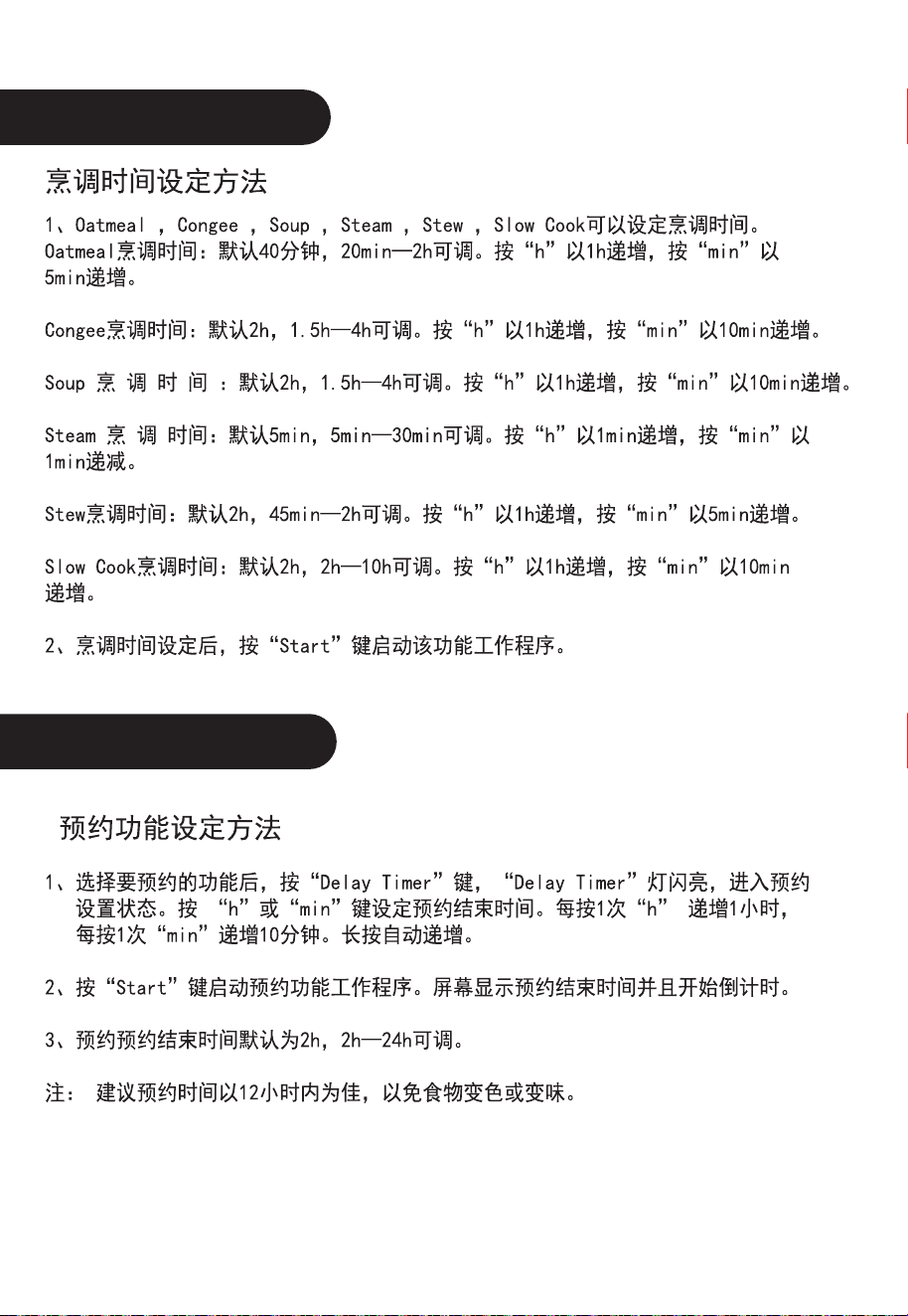
Set the cooking time
1. Set the time for cooking Oatmeal, Congee, Soup, Steam, Stew, and Slow Cook.
Time of cooking Oatmeal: default is 40min, adjustable from 20min - 2h. Press “h” to increase
by 1h, press the “min” to increase by 5min.
Time of cooking Congee: default is 2h, adjustable from 1.5h - 4h. Press “h” to increase by 1h,
press the “min” to increase by 10min.
Time of cooking Soup: default is 2h, adjustable from 1.5h - 4h. Press “h” to increase by 1h, press
the “min” to increase by 10min.
Time of cooking Steam: default is 5min, adjustable from 5min – 30min. Press “h” to increase by
1min, press the “min” to decrease by 1min.
Time of cooking Stew: default is 2h, adjustable from 45min - 2h. Press “h” to increase by 1h,
press the “min” to increase by 5min.
Time of cooking Slow Cook: default is 2h, adjustable from 2h - 10h. Press “h” to increase by 1h,
press the “min” to increase by 10min.
2. After setting the cooking time, press the “Start” button to start the work program of
corresponding function.
Set the reserving function
1. Select the reserving function, press the “Delay Timer” button, “Delay Timer” indicator flashes
and the electric rice cooker enters into the reserving set state. Press “h” or “min” button to set the
time of stopping reserving. Press “h” once to increase by 1h, press “min” once to increase by
10min. Hold it to automatically increase the time.
2. Press the “Start” button to start the reserving function work program. LED displays the time of
stopping reserving and starts countdown.
3. The default time of stopping reserving is 2h, adjustable from 2h - 24h.
Note: The suggested reserving time is less than 12h for avoiding color and taste changing.
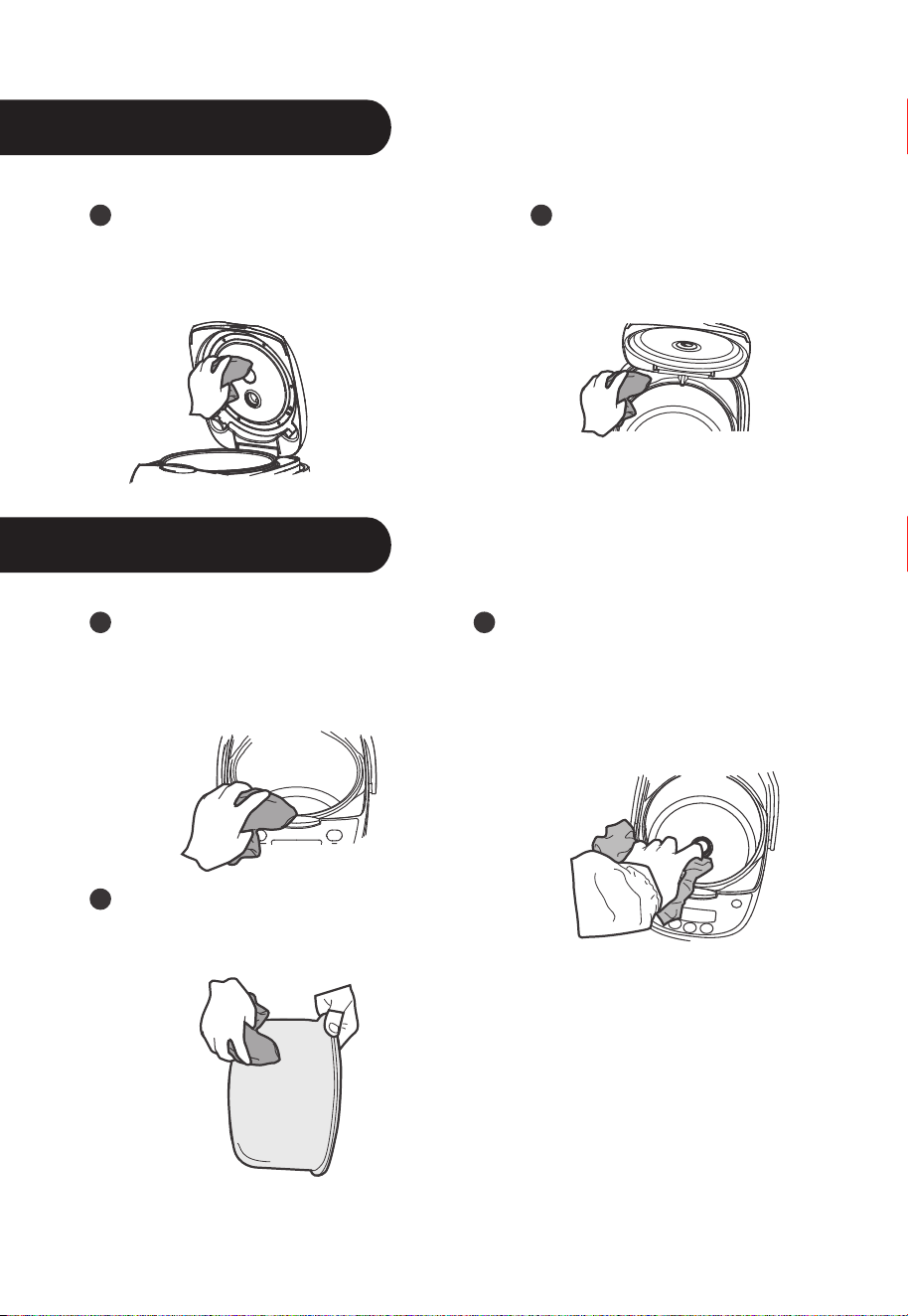
Cleaning and Maintenance
Cleaning and Maintenance
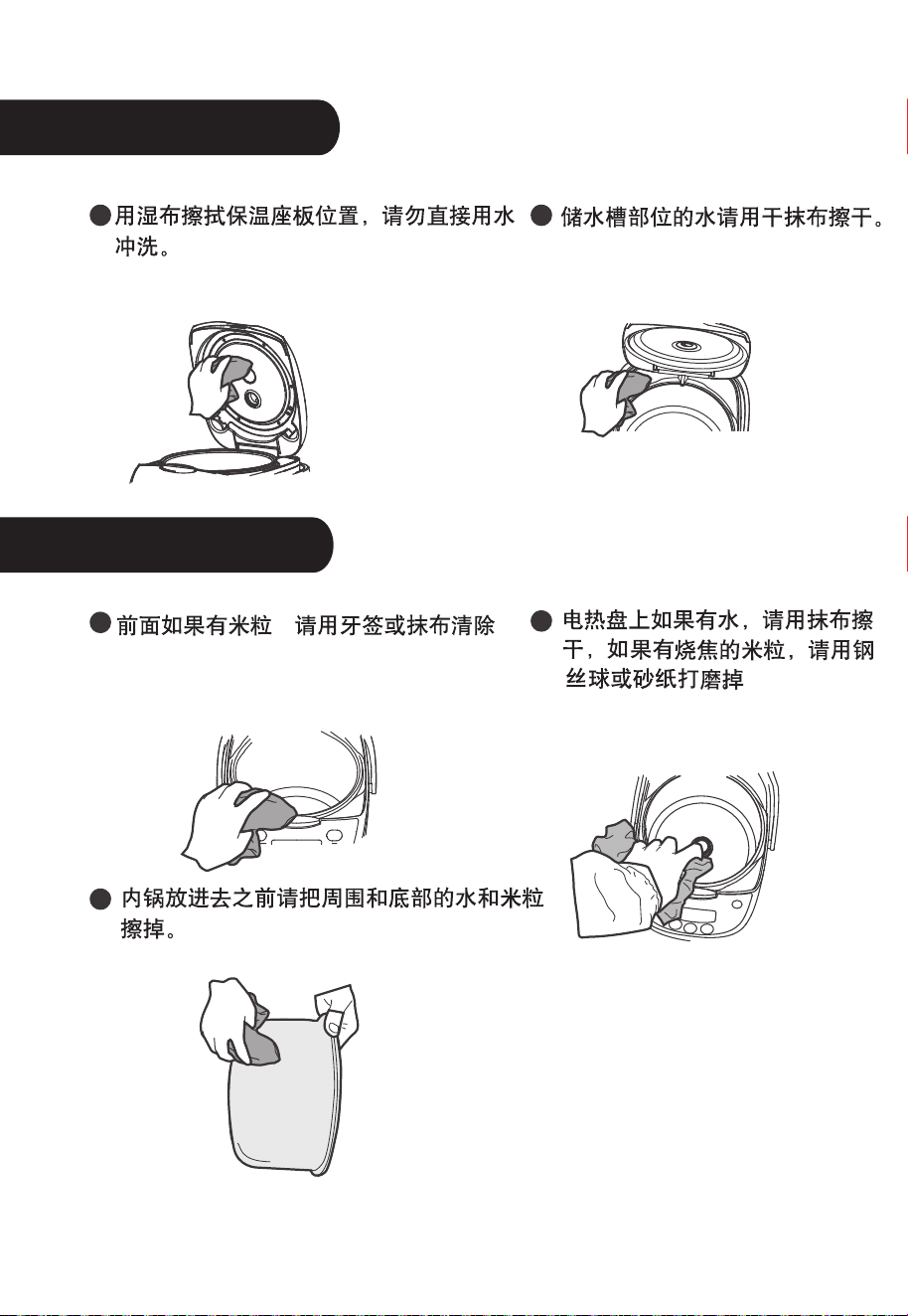
Wipe the WARM panel with
wet fabric, do not directly
flush it with water.
Remove the rice from the
front part with toothpick or
dishcloth.
Please remove the water
and rice from the surface
and bottom of the inner pot.
Please dry the water on the
heating tray with dishcloth,
clean the burnt rice from the
heating tray with steel wire
or sand paper.
Dry the water storage
tank with dry dishcloth.
12
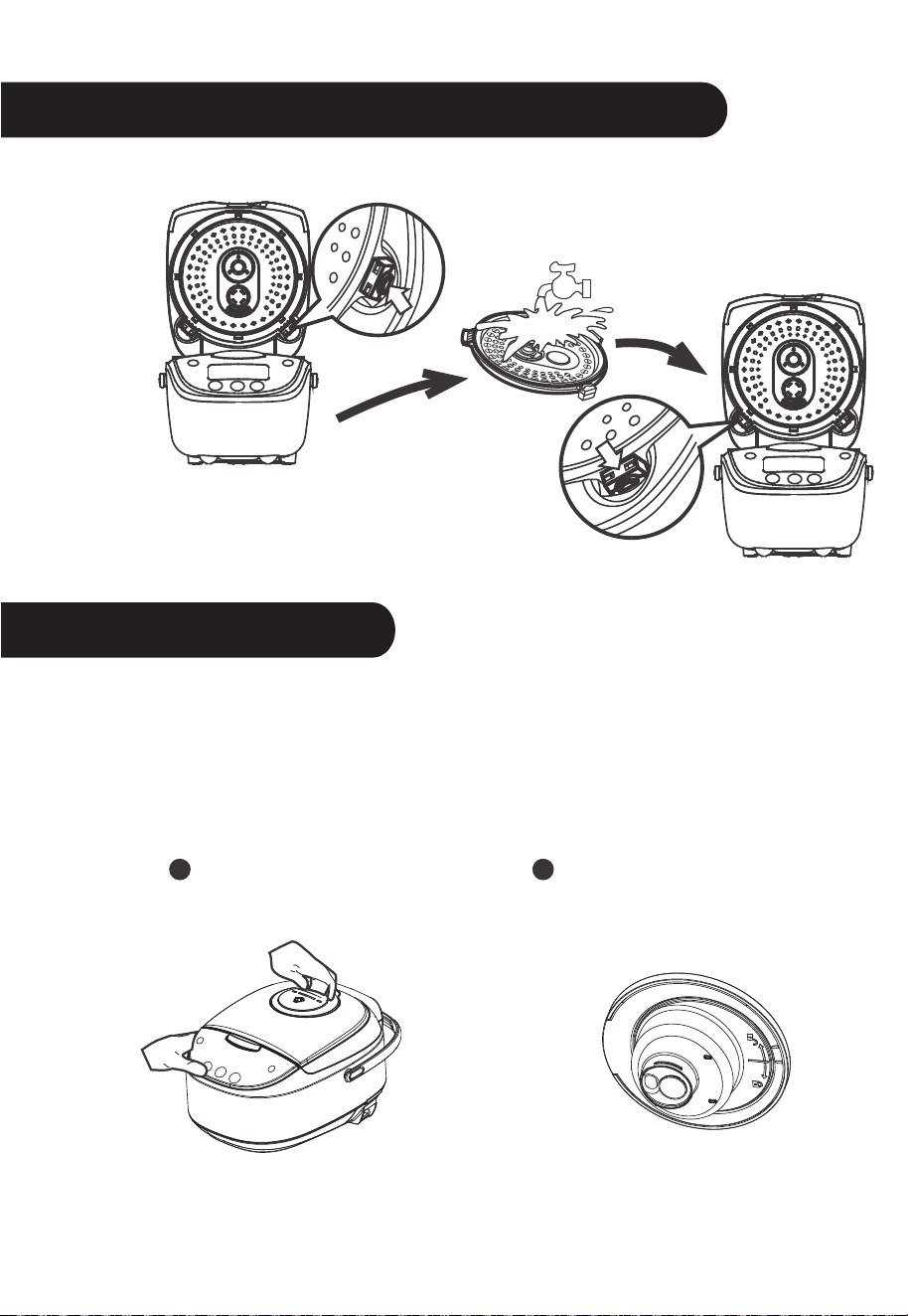
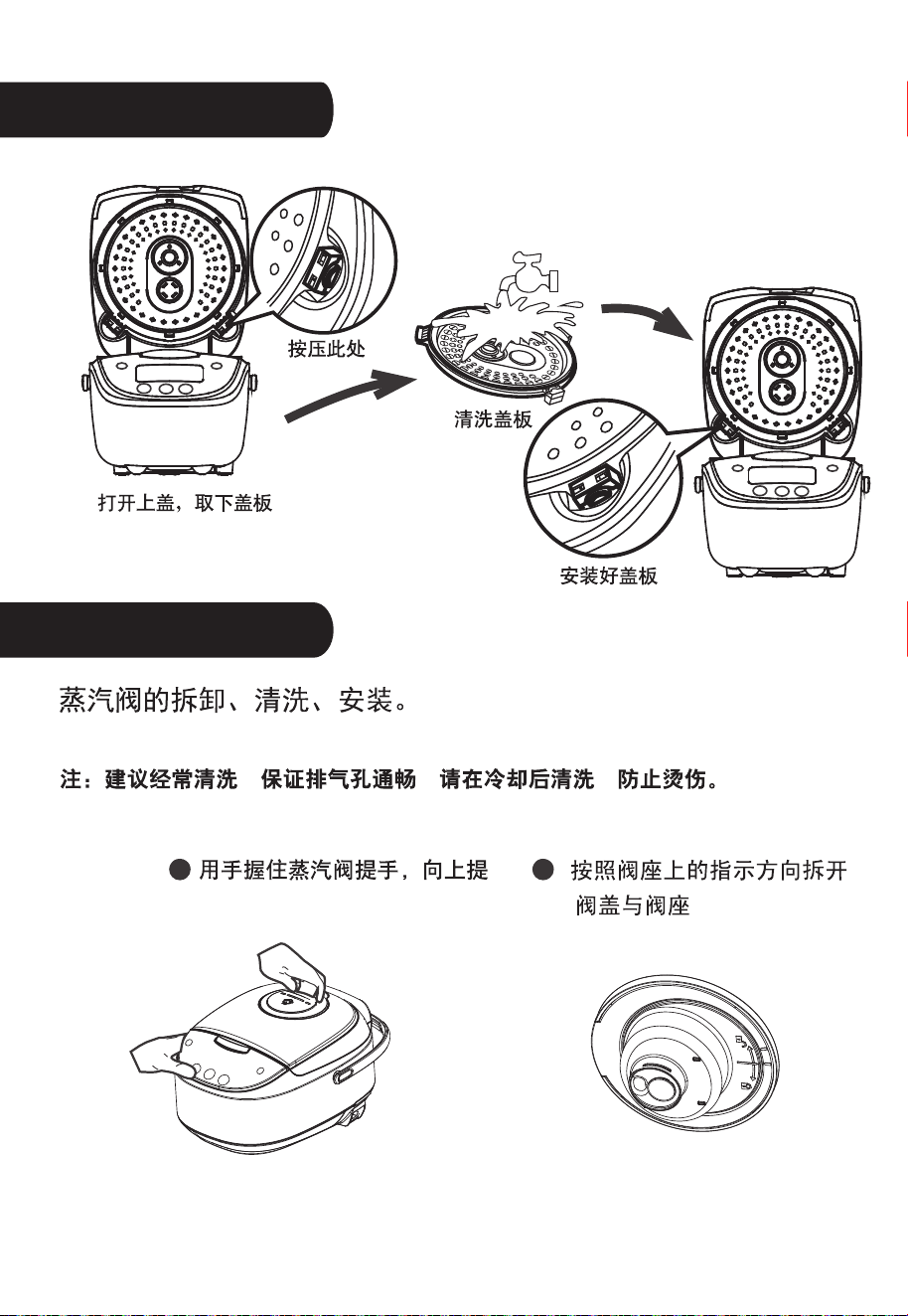
Method of disassembling and cleaning the cover plate
Cleaning and Maintenance
Disassembling, cleaning and installing the steam valve
Note: It is suggested to clean the steam valve frequently
to ensure smooth steam outlet, please clean it after
cooling for avoiding scald.
Hold the handle of the
steam valve and lift it up.
As shown in Drawing, turn
anticlockwise to open it.
Open the cover,
remove the cover plate
Press here
Clean the
cover plate
Install the plate
13
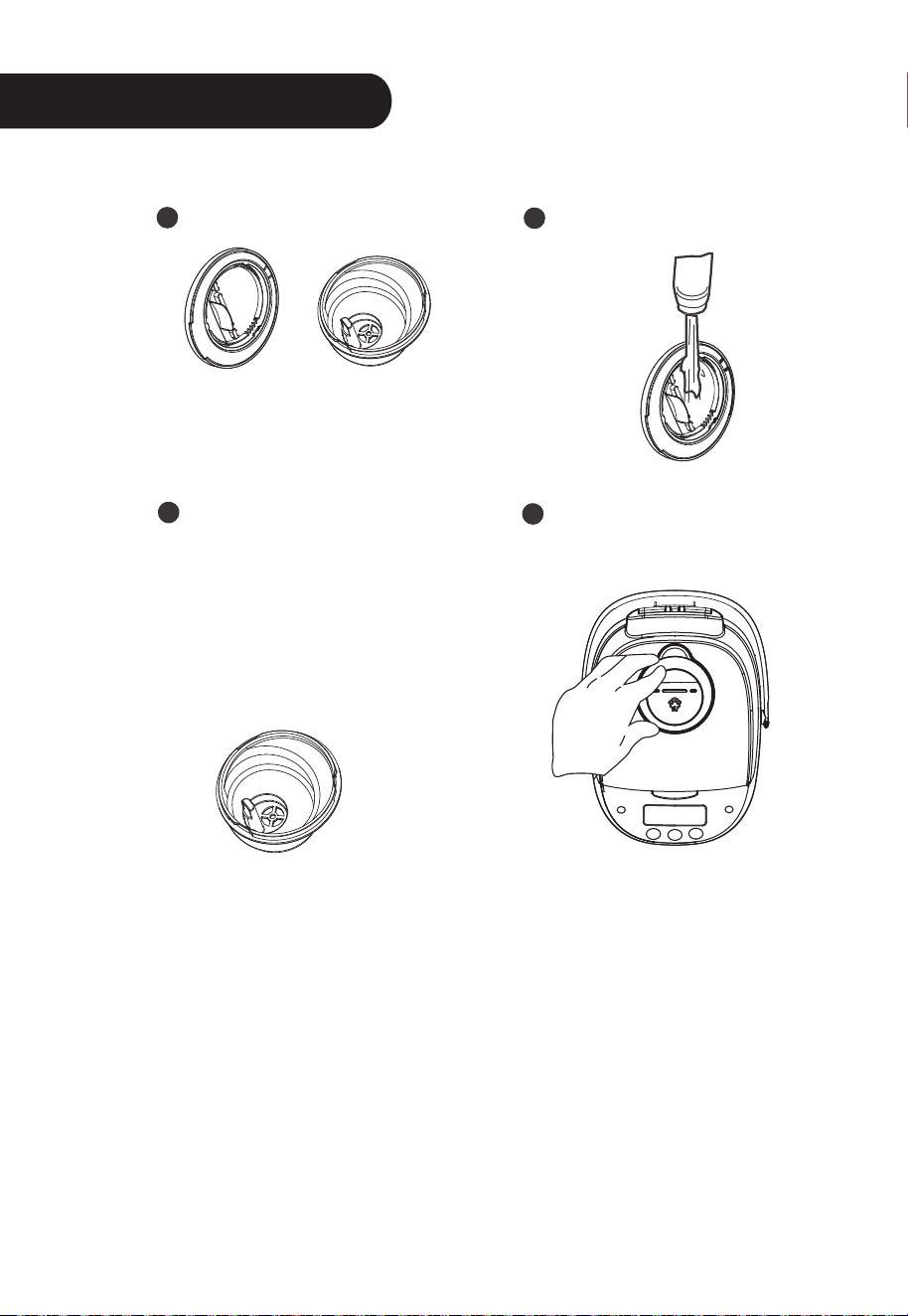
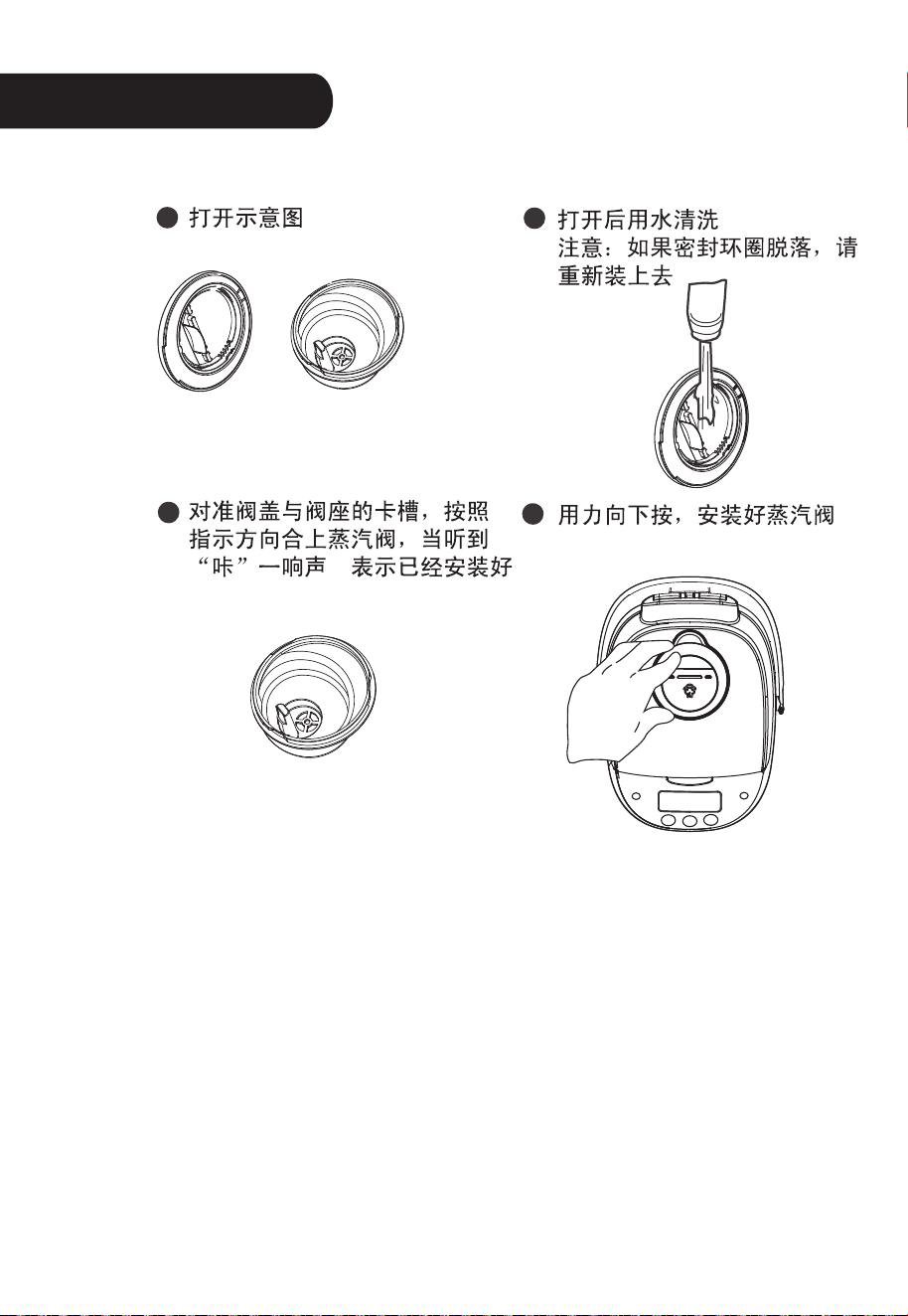
Cleaning and Maintenance
Drawing of opening it. Clean it with water after
opening.
As shown in drawing: turn
clockwise, it means the
steam valve is well installed
when it makes one sound.
Note: aim at the valve
cover and base pointer
before installing.
Press it down to install
the steam valve.
14
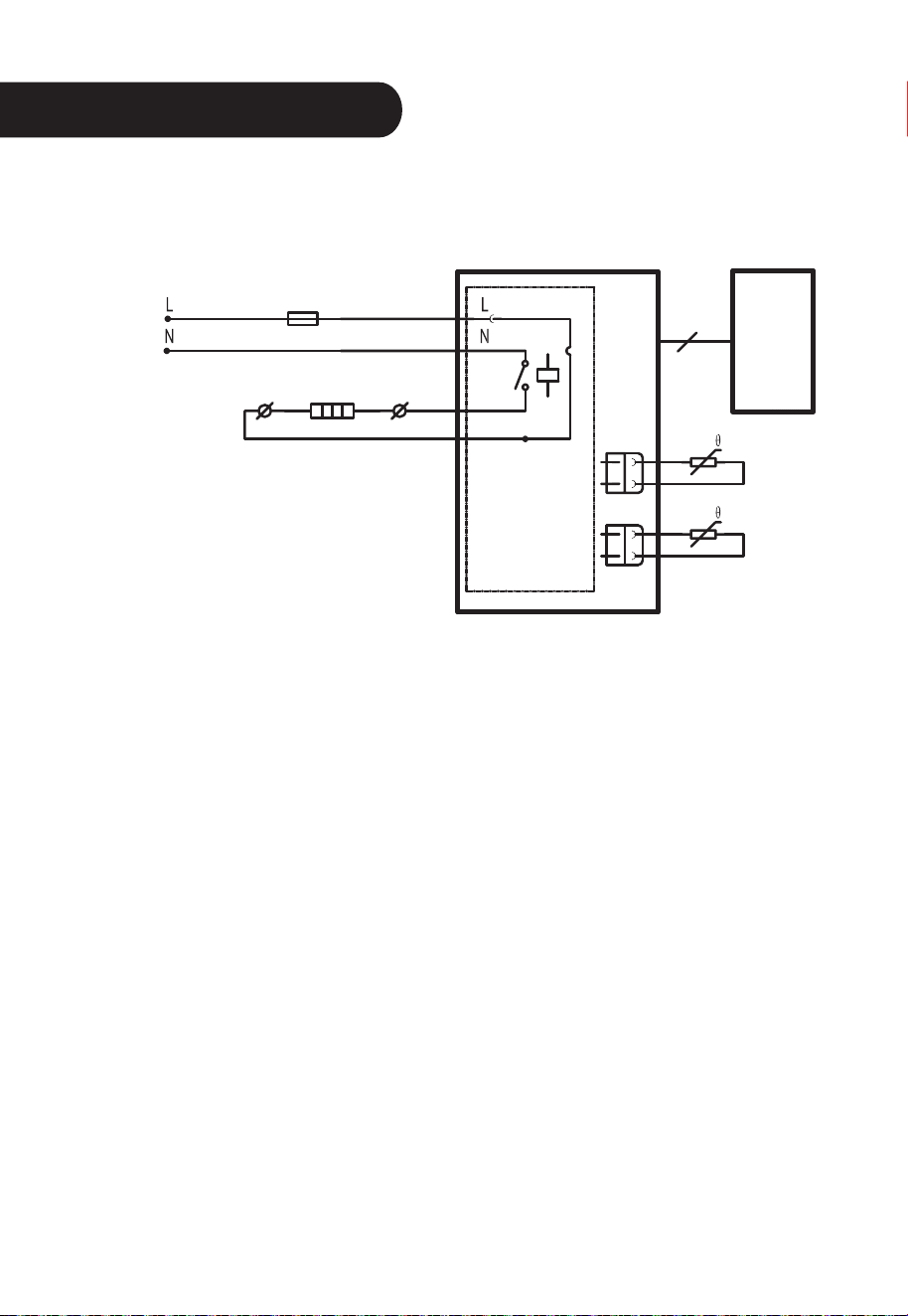
Schematic circuit diagram
Temperature
fuse
Red
Red
Power
panel
Display
panel
Bottom sensor
Connection
wire
Black
Black
Blue
White
Heating tray
Cover sensor
15
120V~60Hz
Model NO.:MB-FS5017
17
18
19
20
21
22
23
24
25
26
产品介绍
配件
饭勺
汤勺 量杯
蒸笼
电源线
控制面板
提手
煲体
开盖按钮
上盖
4
使用说明
各功能按键的使用
Power socket
LED
插上电源后,按“ON/OFF”键开机,LED显示
“————”
,
“Start” 灯闪烁,
Warm/Cancel键
1、在待机状态下,按“Wran/Cancel”键,进入保温过程。如图1
2、在工作状态下:按“Wran/Cancel ”键退出工作状态,返回待机状态。
3、烹调功能结束后自动进行保温,保温过程时间显示从0到12小时,超过12
小 时后,LED显示 “————”,但仍然在保温,建议保温在5小时以内为
佳,以免米饭变色或变味。
ON/OFF Start
键
5
灯闪烁,电饭煲处于待机状态。
插上电源后,按“ON/OFF Start键”开机,进入待机状态,在待机状态下按
“ON/OFF Start键”关机,在待机状态下选择功能后,按“ON/OFF Start键”
进入该功能工作程序。

各功能按键的使用
待机状态下,按“Menu”键可选择各种功能。功能循环选择如下:
Brown Rice—Baby Porridge—Oatmeal—Soup—Steam—Stew—Slow Cook
—Reheat
待机状态下,按 “Quick Cook” 键,“Quick Cook” 灯亮,按 “Start” 键进入“Quick
Cook” 功能工作程序。
待机状态下,按 “White Cook” 键,“White Cook” 灯亮,按 “Start” 键进入 “White Cook”
功能工作程序。
插上电源后,按“Congee” 键,“Congee” 灯亮,数码屏闪烁显示“2:00”,按 “Start” 键
进入“Congee” 功能工作程序。
选择要预约的功能后,按 “Delay Timer” 键,“Delay Timer” 灯亮,设定时间后按“Start”
键。预约设定的时间为结束时间。
按 “h” 或 “min” 键可调整时钟。
选择预约设置状态后, 用 “h” 或 “min” 键设置预约结束时间。每按1次 “h” 加1小时,每按
1次 “min” 加10分钟。
Quick Cook键
Menu键
White Cook键
Congee键
Delay Timer
键
h
和
min
键
6
使用说明
使用说明
Quick Rice
MB-FS5017 2
2 2 10 45
White Rice
MB-FS5017 2
2
2 10 55
Quick Rice
White Rice
7
使用说明
使用说明
Congee
Congee MB-FS5017 2 2 1 2 2
Brown Rice
MB-FS5017
2
2
2
10 80
8
使用说明
使用说明
9
Baby Porridge
Oatmeal
Soup
Steam
Reheat
Slow Cook
Stew
使用说明
使用说明
10
清洁保养
清洁保养
11
盖板拆洗方法
清洁保养
12
清洁保养
13
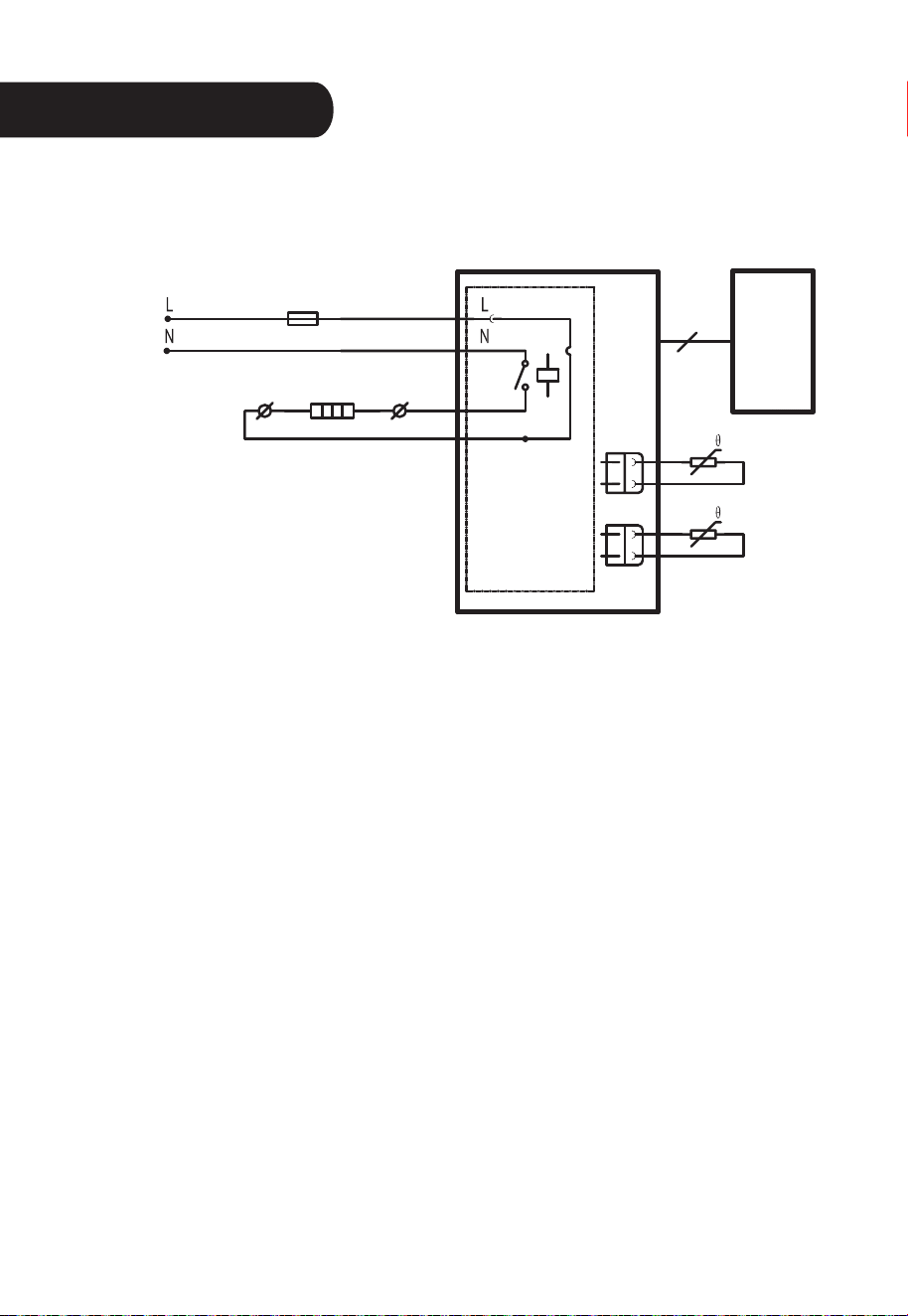
电路原理图
温度保险丝
红
红
发热盘
显示板
底部传感
连接线
黑
黑
蓝
白
电热盘
上盖传感
14
120V~60Hz
Félicitations pour l'achat de votre cuiseur de riz électrique
Midea. Veuillez lire attentivement le mode d'emploi avant
l'utilisation et le conserver à un endroit sûr pour une référence
future.
Les illustrations sont fournies uniquement à titre indicatif et
sont assujetties à la disponibilité des stocks.
Modèles n° :MB-FS5017

2
Voici des mesures de sécurité fondamentales que
vous devez absolument respecter lorsque vous utili-
sez des appareils électriques :
1. Important : Veuillez lire attentivement toutes les instructions avant la première
utilisation.
2. Ne touchez pas aux surfaces chaudes. Utilisez les poignées ou les boutons.
3. Utilisez l'appareil exclusivement sur une surface plane, sèche et résistante à la
chaleur.
4. Par souci de prévenir les risques de flammes, d'électrocution et de blessures, ne
plongez pas la fiche, le cordon ou l'appareil dans l'eau ni dans un autre liquide.
Respectez les instructions relatives au nettoyage.
5. Veuillez exercer une surveillance étroite lorsque l'appareil est utilisé par ou près
des enfants.
6. Débranchez l'appareil de la prise de courant lorsque vous ne l'utilisez pas et avant
de le nettoyer. Laissez-le refroidir avant de monter ou démonter des pièces et
avant de le nettoyer.
7. N'utilisez pas un appareil si le cordon ou la prise est défectueux ou après une
défectuosité de l'appareil ou lorsqu'il a été endommagé d'une quelconque manière.
Veuillez contacter le service après-vente de Midea pour tout examen, réparation
ou mise au point.
8. L'utilisation de pièces détachées non recommandées par Midea Housewares peut
provoquer des flammes, une décharge électrique ou des blessures.
9. Ne pas l’utilisez à l'extérieur.
10. Ne touchez pas aux surfaces chaudes ou ne laissez pas le cordon pendre du
comptoir ou de la table.
11. Ne placez pas l'appareil sur ou près d'un brûleur chaud ou électrique, ou dans un
four chaud.
12. N'utilisez pas l'appareil pour autre fonction que celle pour laquelle il a été conçu.
13. Soyez extrêmement prudent lors du déplacement de l'appareil quand il contient du
riz, de l'huile ou un liquide chaud.
14. En raison de son extrême chaleur et des risques d'échaudures, évitez de toucher,
couvrir ou obstruer l'évent à vapeur situé sur le couvercle.
15. Utilisez l'appareil exclusivement sous une tension de 120 V CA.
16. Débranchez-le toujours depuis la base de la prise murale. Ne tirez jamais sur le
cordon.
17. Le cuiseur de riz doit fonctionner sur un circuit électrique séparé des autres
appareils électriques. Il est possible qu'il ne fonctionne pas correctement en cas de
surcharge du circuit électrique par d'autres appareils.
18. Avant toute utilisation, assurez-vous toujours que la paroi externe du pot de
cuisson intérieur est sèche. Le replacer dans le cuiseur lorsqu'il est mouillé pourrait
endommager l'appareil ou l'empêcher de fonctionner correctement.
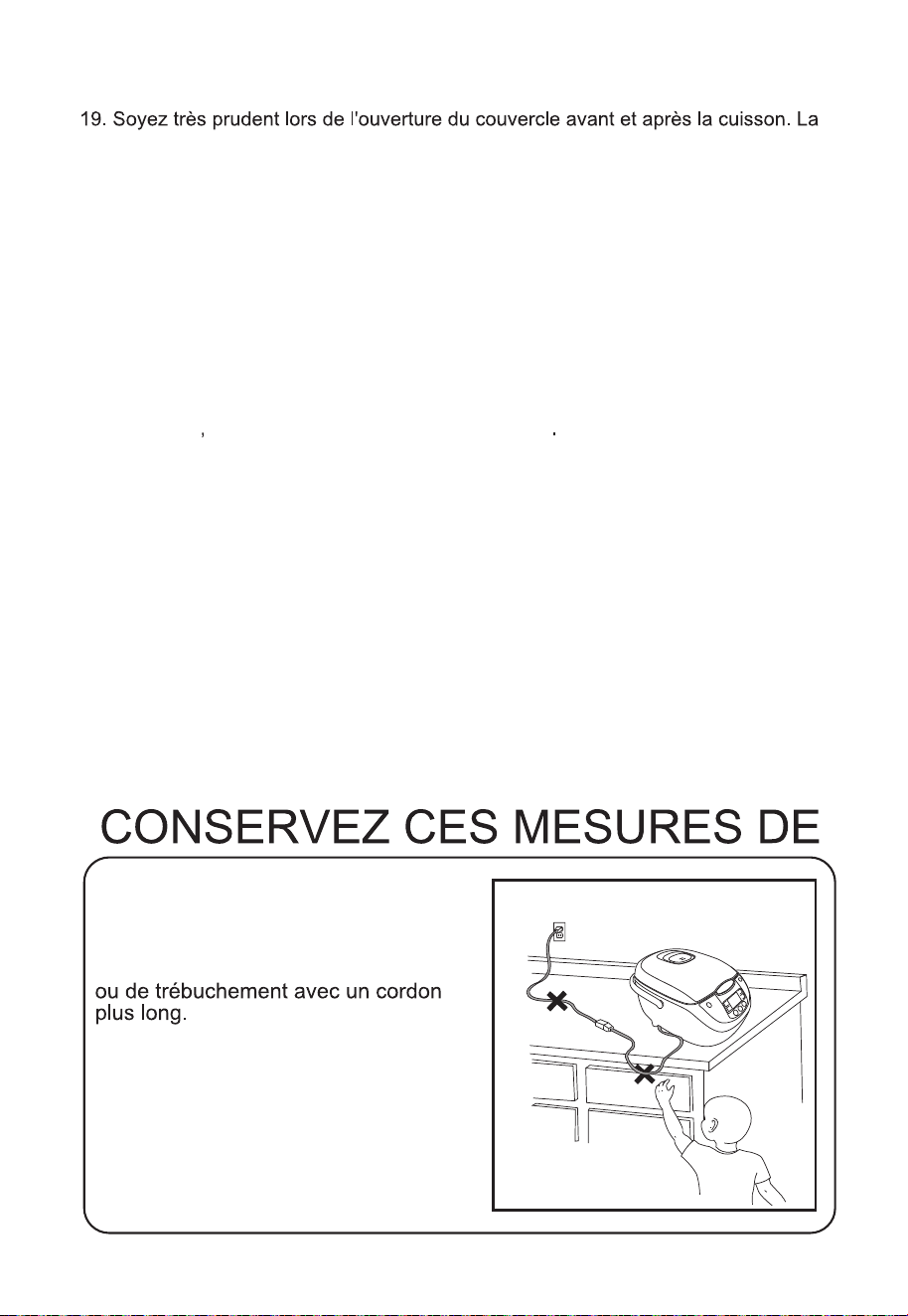
N'ENROULEZ PAS LE CORDON !
TENIR HORS DE
PORTÉE DES
ENFANTS !
Consignes relatives au court
cordon d'alimentation
3
vapeur chaude qui s'échappe pourrait causer des brûlures.
20. Évitez de laisser le riz dans le pot de cuisson en mode « Keep-Warm » (garde-
au-chaud) pendant plus de 12 heures.
21. Pour éviter d'endommager ou de déformer le pot de cuisson intérieur, ne l'utilisez
pas sur une cuisinière ou un brûleur.
22. Pour débrancher l'appareil, réglez la commande sur « OFF » (Arrêt) et retirez la
fiche de la prise murale.
23. AVERTISSEMENT : Pour minimiser les risques d'électrocution, n'utilisez que le
24. Destiné uniquement à l'utilisation du comptoir.
25. AVERTISSEMENT: les aliments déversés peuvent causer des brûlures graves.
Garder l'appareil et le cordon à l'écart des enfants. Ne jamais draguer le cordon
sur le bord du comptoir, ne jamais utiliser la prise en dessous du compteur et ne
jamais l'utiliser avec une rallonge.
pot de cuisson intérieur démontable fourni.
CET APPAREIL EST DESTINÉ
À L'USAGE MÉNAGER
EXCLUSIVEMENT.
Un court cordon d'alimentation est fourni
afin de réduire les risques d'emmêlement
26. Usage Domestique Uniquement.
27. Ne pas plonger l’appareil dans l’eau.
28. Ne pas utiliser la poignée pour déplacer le cuiseur quand des aliments se
trouvent dedans.

Fiche polarisée
4
L'appareil dispose d'une fiche polarisée (une des broches est plus longue que
l'autre). Veuillez respecter les consignes suivantes :
Pour réduire les risques d'électrocution, la fiche polarisée est conçue pour s'insérer
dans la prise polarisée d'une seule manière. Si la fiche n'épouse pas correctement la
prise, retournez-la. Si le problème persiste, faites recours à un électricien qualifié.
N'essayez en aucune façon de modifier la fiche.
Si le cordon d'alimentation est endommagé, faites la remplacer par le fabricant, ses
prestataires ou une personne semblable qualifiée afin d'éviter tous risques.
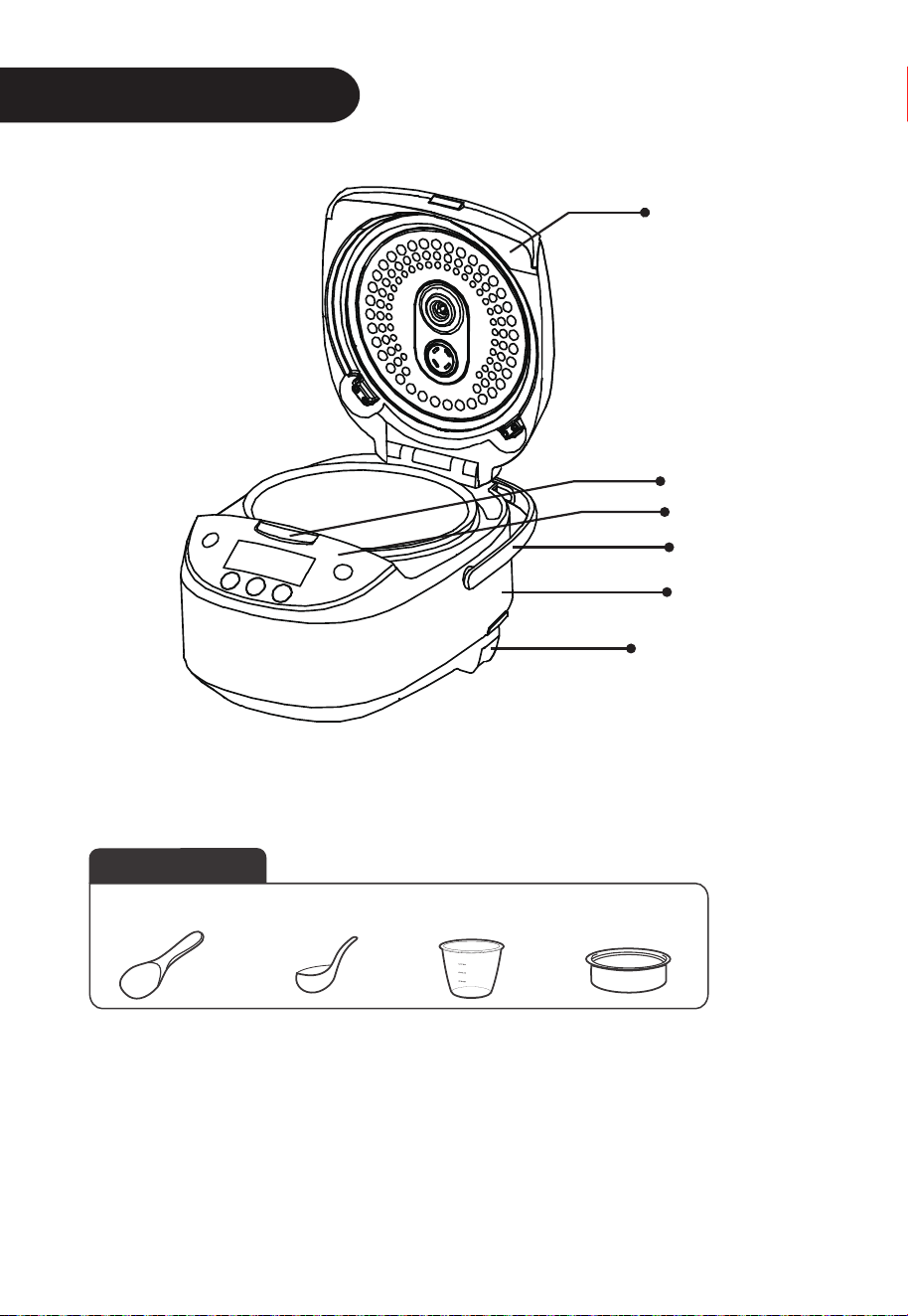
Présentation de l'appareil
Accessoires
Spatule à riz
Louche
Tasse à mesurer
Panier
vapeur
5
Cordon d'alimentation
Panneau de commande
Poignée
Élément principal
Bouton de dégagement
du couvercle
Couvercle
Mode d'emploi
Utilisation des boutons de fonctions
Prise d'alimentation
6
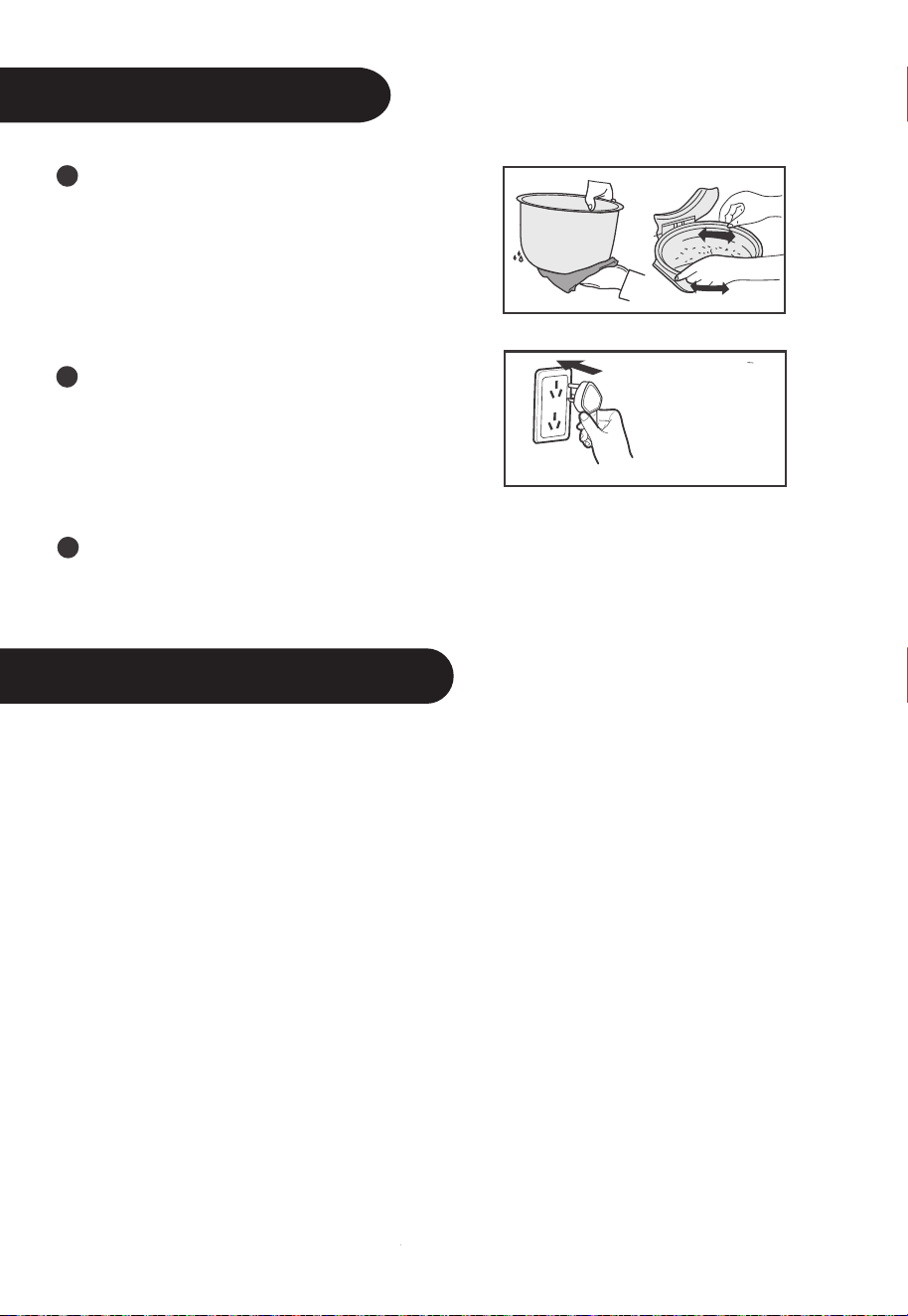
Utilisez un linge pour sécher la paroi
externe du pot de cuisson intérieur.
Mettez le riz dans le cuiseur et remuez 2
ou 3 fois pour permettre au riz d'être
parfaitement au contact du plateau
chauffant. Appuyer le couvercle jusqu'à
ce qu'il produise le son « clic ».
Évitez de chauffer le pot de cuisson
intérieur sur des cuisinières en raison
des risques de déformation qui pourrait
résulter d'une température élevée. Ne
remplacez pas le pot intérieur sur le
plateau chauffant par d'autres récipients.
Appuyez sur le bouton de fonctions pour effectuer votre sélection, et appuyez
ensuite sur « Start » (Marche) pour mettre l'appareil en marche. Vous pouvez
aussi appuyer sur le bouton de fonction correspondant pour mettre l'appareil
directement en marche.
Cadran numérique
Branchez l'appareil, appuyez sur le bouton « ON / OFF ». Le voyant du cuiseur s'allume et
le cadran numérique en veille affiche « ---- ». Le voyant « Start » clignote et le cuiseur
électrique est en veille.
Bouton « Warm/Cancel » (garde-au-chaud/annulation)
1. En mode veille, appuyez sur le bouton « Warm/Cancel » pour mettre l'appareil en mode
WARM. Voir illustration.
2. En état de marche : appuyez sur le bouton « Warm/Cancel » pour arrêter l'appareil et
revenir en mode veille.
3. En fin de cuisson, le cuiseur migre automatiquement vers le mode WARM. La durée de
ce mode varie entre 0 et 12 h. Au-delà, le cadran affiche « ---- » et le cuiseur reste en
position WARM. Pour éviter que le riz change de couleur ou de goût, le temps prévu du
mode est inférieur à 5 h.
Bouton ON/OFF (Marche/Arrêt)
Branchez le cordon. En appuyant sur le bouton « ON/OFF », le cuiseur s'allume et reste en
mode veille. Lorsqu'il est en veille, appuyez sur le bouton « ON/OFF » pour l'arrêter. En
mode veille, sélectionnez les fonctions et appuyez sur la touche « ON/OFF » pour activer la
fonction sélectionnée.

Utilisation des boutons de fonctions
7
Bouton « Menu »
En mode veille, appuyez sur le bouton « Menu » pour sélectionner une fonction.
Les différentes fonctions sont : Brown Rice - Baby Porridge - Oatmeal – Soup -
Steam - Stew- Slow Cook - Reheat.
Bouton « Quick Cook » (Cuisson rapide)
En mode veille, appuyez sur la touche « Quick Cook ». Le voyant correspondant
s'allume. Pressez ensuite sur la touche « Start » pour activer la cuisson rapide.
Bouton « White Cook » (Cuisson de riz blanc)
En mode veille, appuyez sur la touche « White Cook ». Le voyant correspondant
s'allume. Pressez ensuite sur la touche « Start » pour activer ce mode.
Bouton « Congee »
Branchez l'appareil et appuyez sur la touche « Congee ». Son voyant s'allume, le
cadran clignote et affiche 02:00 (02 h 00 min). Appuyez ensuite sur le bouton « Start »
pour activer le mode.
Bouton « Delay Time » (Minuterie)
Sélectionnez la fonction de réserve et appuyez sur le bouton « Delay Time ». Son
voyant s'allume. Programmez le temps de cuisson et appuyez sur « Start ». Le temps
de la fonction de réserve programmé est celui au terme duquel elle s'arrête.
Boutons « h » et « min »
Appuyez sur les boutons h ou min pour programmer la durée.
Sélectionnez le mode réglage de réserve. Appuyez sur le bouton h ou min pour
programmer le temps d'arrêt de la fonction de réserve.
Appuyez sur les touches h et min une fois pour incrémenter 1 h et 10 min respective-
ment.
Mode d'emploi
Mode d'emploi
8
Remarque : Le repère d'eau est le repère de niveau d'eau du pot intérieur.
Remarque : Le repère d'eau est le repère de niveau d'eau du pot intérieur.
« Quick Rice » (Riz rapide)
1. En mode veille, appuyez sur le bouton « Quick Rice » ; son voyant s'allume.
2. Appuyez ensuite sur le bouton « Start » pour mettre en marche la fonction « Quick
Rice ». Les voyants « Start »et « Quick Rice » ainsi que le cadran s'allument.
3. En fin de cuisson, la fonction « Quick Rice » migre automatiquement vers le mode
de cuisson à l'étuvée, et le compte à rebours pour la cuisson du riz est engagé.
« White Rice » (Riz blanc)
1. En mode veille, appuyez sur le bouton « White Rice » ; son voyant s'allume.
2. Appuyez ensuite sur le bouton « Start » pour mettre en marche la fonction « White
Rice ». Les voyants « Start » et « White Rice » ainsi que le cadran d'affichage
s'allument.
3. En fin de cuisson, l'appareil migre automatiquement du mode « White Rice » vers le
mode de cuisson à l'étuvée, et le compte à rebours pour la cuisson du riz est lancé.
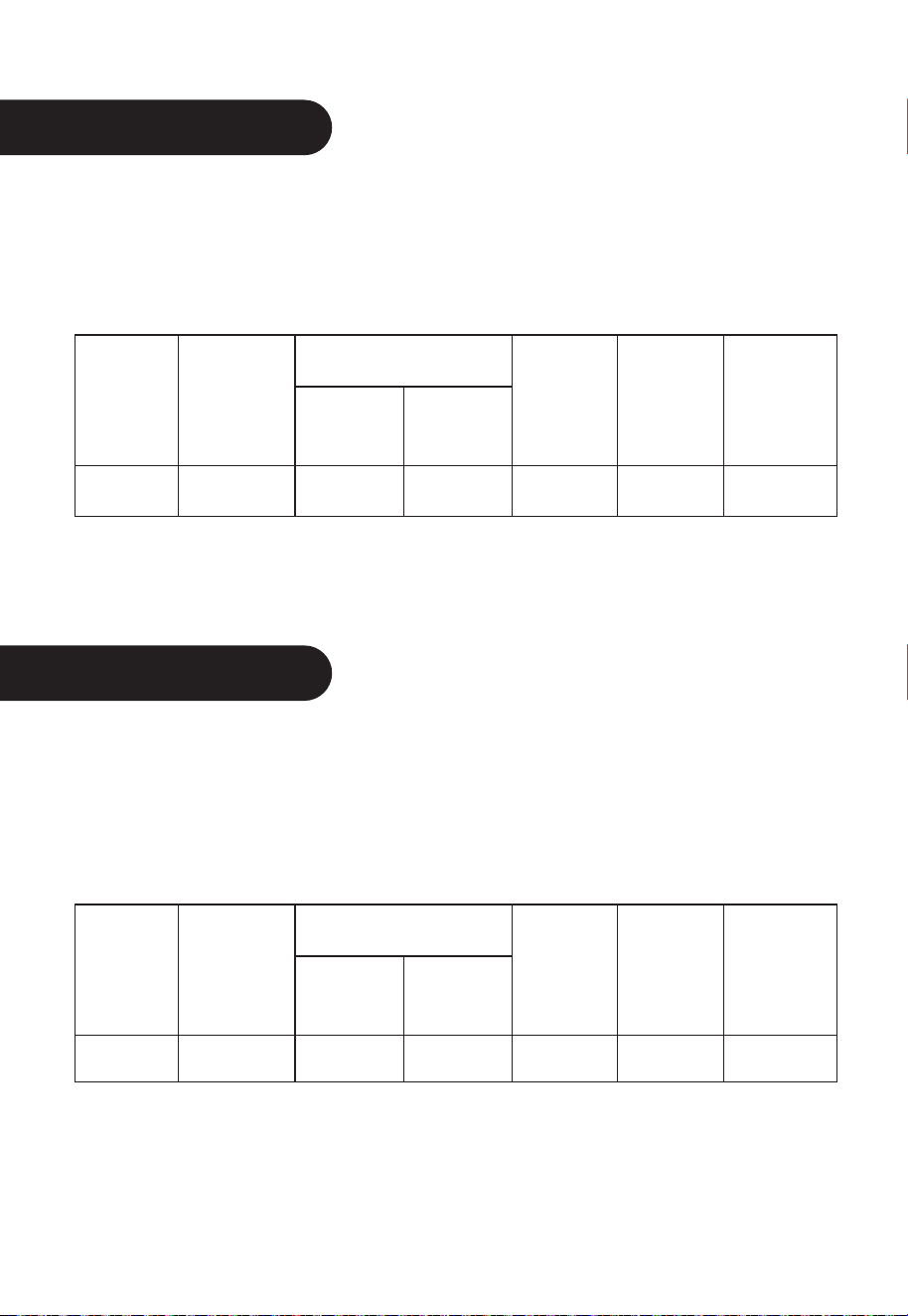
Fonction
2 2 tasses Environ 55 min10 tasses2MB-FS5017
Spécification
Quantité
Riz (tasse)
Eau
(repère)
Quantité de
riz minimale
White Rice
(Riz blanc)
Quantité de
riz maximale
Temps de
cuisson
Fonction
2
2 tasses
Environ 45 min
10 tasses
2
MB-FS5017
Spécification
Quantité
Riz (tasse)
Eau
(repère)
Quantité de
riz minimale
« Quick Rice »
(Riz rapide)
Quantité de
riz maximale
Temps de
cuisson
Mode d'emploi
Mode d'emploi
9
Remarque : Le repère d'eau est le repère de niveau d'eau du pot intérieur.
Remarque : Le repère d'eau est le repère de niveau d'eau du pot intérieur.
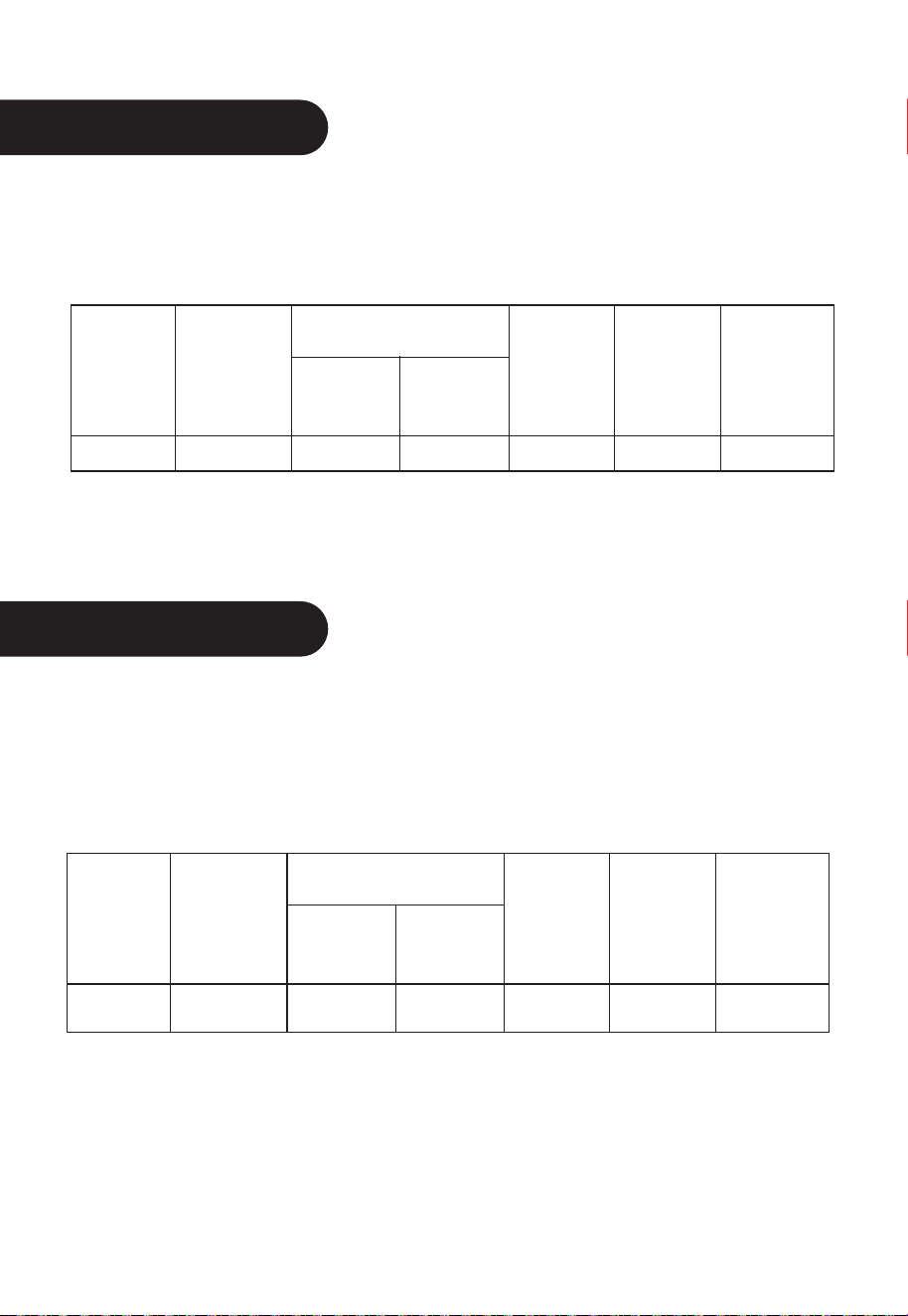
Fonction Spécification
Quantité
Riz (tasse)
Eau
(repère)
Quantité de
riz minimale
2
2 tasses Environ 2 h2 tasses2
MB-FS5017Congee
Quantité de
riz maximale
Temps de
cuisson
Fonction Spécification
Quantité
Riz (tasse)
Eau
(repère)
Quantité de
riz minimale
2 2 tasses Environ 80 min10 tasses2MB-FS5017
« Brown Rice »
(Riz complet)
Quantité de
riz maximale
Temps de
cuisson
Congee
1. En mode veille, appuyez sur le bouton « Congee » ; son voyant s'allume.
2. Appuyez sur le bouton « Start » pour activer le mode « Congee ». Les voyants
respectifs s'allument ; le cadran affiche 02:00 (02 h 00 min), et le compte à rebours
est lancé.
« Brown Rice » (Riz complet)
1. En mode veille, appuyez sur le bouton « Menu » et sélectionnez la fonction
« Brown Rice » Le voyant correspondant s'allume.
2. Appuyez ensuite sur le bouton Start pour mettre en marche la fonction « Brown
Rice ». Les voyants « Start » et « Brown Rice » ainsi que le cadran LED s'allument.
3. En fin de cuisson, la fonction « Brown Rice » migre automatiquement vers la phase
de cuisson à l'étuvée, et le compte à rebours pour la cuisson du riz est lancé.

Mode d'emploi
Mode d'emploi
10
« Baby Porridge » (Porridge pour bébé)
1. En mode veille, appuyez sur le bouton Menu et sélectionnez la fonction « Baby Porridge ».
Le voyant correspondant s'allume.
2. Appuyez ensuite sur le bouton Start pour mettre en marche la fonction « Baby Porridge ».
Les voyants « Start » et « Baby Porridge » ainsi que le cadran d'affichage s'allument .
« Oatmeal » (Bouillie)
1. En mode veille, appuyez sur le bouton Menu et sélectionnez la fonction « Oatmeal ». Le
voyant correspondant s'allume.
2. Appuyez sur le bouton Start pour activer la fonction « Oatmeal ». Les voyants respectifs
s'allument. Le cadran affiche 40 min, et le compte à rebours est lancé.
« Soup » (Soupe)
1. En mode veille, appuyez sur le bouton Menu et sélectionnez la fonction « Soup ». Le
voyant correspondant s'allume.
2. Appuyez sur le bouton Start pour activer le mode « Soup ». Les voyants respectifs
s'allument. Le cadran LED affiche 02:00 (02 h 00 min), et le compte à rebours est lancé.
« Steam » (Vapeur)
1. En mode veille, appuyez sur le bouton Menu et sélectionnez la fonction « Steam ». Le
voyant correspondant s'allume. Le cadran affiche 5 min.
2. Appuyez sur le bouton Start pour activer la fonction « Steam ». Les voyants respectifs
s'allument, le cadran affiche le temps et le compte à rebours est lancé. Lorsque l'eau est
parvenue à ébullition, le cadran LED affiche le compte à rebours.
« Stew » (Ragoût)
1. En mode veille, appuyez sur le bouton Menu et sélectionnez la fonction « Stew ». Le
voyant correspondant s'allume.
2. Appuyez sur le bouton Start pour activer le mode « Stew ». Les voyants respectifs
s'allument. Le cadran LED indique 02:00 (02 h 00 min), et le compte à rebours est lancé.
« Slow Cook » (Cuisson lente)
1. En mode veille, appuyez sur le bouton Menu et sélectionnez la fonction « Slow Cook ». Le
voyant correspondant s'allume.
2. Appuyez sur le bouton Start pour activer la fonction « Slow Cook ». Les voyants respectifs
s'allument. Le cadran indique 02:00 (02 h 00 min), et le compte à rebours est lancé.
« Reheat » (Réchauffage)
1. En mode veille, appuyez sur le bouton Menu et sélectionnez la fonction « Reheat ». Le
voyant correspondant s'allume.
2. Appuyez ensuite sur le bouton Start pour mettre en marche la fonction « Reheat ». Les
voyants Start et « Reheat » ainsi que le cadran LED s'allument .

11
Programmation du temps de cuisson
1. Programmez le temps de cuisson pour « Oatmeal », « Congee », « Soup », « Steam
», « Stew », et « Slow Cook ».
Temps de cuisson de « Oatmeal » : 40 min par défaut, réglable de 20 min à 2 h.
Appuyez sur h et min pour incrémenter 1 h et 5 min respectivement.
Temps de cuisson de « Congee » : 2 h par défaut, réglable de 1 h et demie à 4 h.
Appuyez sur h et min pour incrémenter 1 h et 10 min respectivement.
Temps de cuisson de « Soup » : 2 h par défaut, réglable de 1 h et demie à 4 h.
Appuyez sur h et min pour incrémenter 1 h et 10 min respectivement.
Temps de cuisson de « Steam » : 5 min par défaut, réglable de 5 à 30 min. Appuyez
sur h pour incrémenter 1 min, et sur min pour décrémenter 1 min.
Temps de cuisson de « Stew » : 2 h par défaut, réglable de 45 min à 2 h. Appuyez
sur h et min pour incrémenter 1 h et 5 min respectivement.
Temps de cuisson de « Slow Cook » : 2 h par défaut, réglable de 2 h à 10 h.
Appuyez sur h et min pour incrémenter 1 h et 10 min respectivement.
2. Après avoir programmé le temps de cuisson, pressez la touche « Start » pour mettre
en marche la fonction correspondante.
Réglage de la fonction de réserve
1. Sélectionnez la fonction de réserve et appuyez sur le bouton « Delay Timer ». Le
voyant correspondant clignote et
le cuiseur passe en mode réglage de réserve. Appuyez sur le bouton h ou min pour
programmer le temps d'arrêt de la fonction de réserve. Appuyez h et min une fois
pour incrémenter 1 h et 10 min respectivement. Maintenez la touche appuyée pour
une incrémentation automatique.
2. Appuyez sur le bouton « Start » pour mettre en marche la fonction de réserve.
L'affichage numérique marque le moment de l'arrêt de la fonction de réserve et lance
le compte à rebours.
3. Le temps par défaut de l'arrêt de la fonction de réserve est 2 h. Il peut être réglé
jusqu'à 24 h.
Remarque : Afin d'éviter tout changement de couleur et de goût du riz, le temps
d'arrêt de la fonction de réserve prévu est inférieur à 12 h.
Nettoyage et entretien
Nettoyage et entretien
12
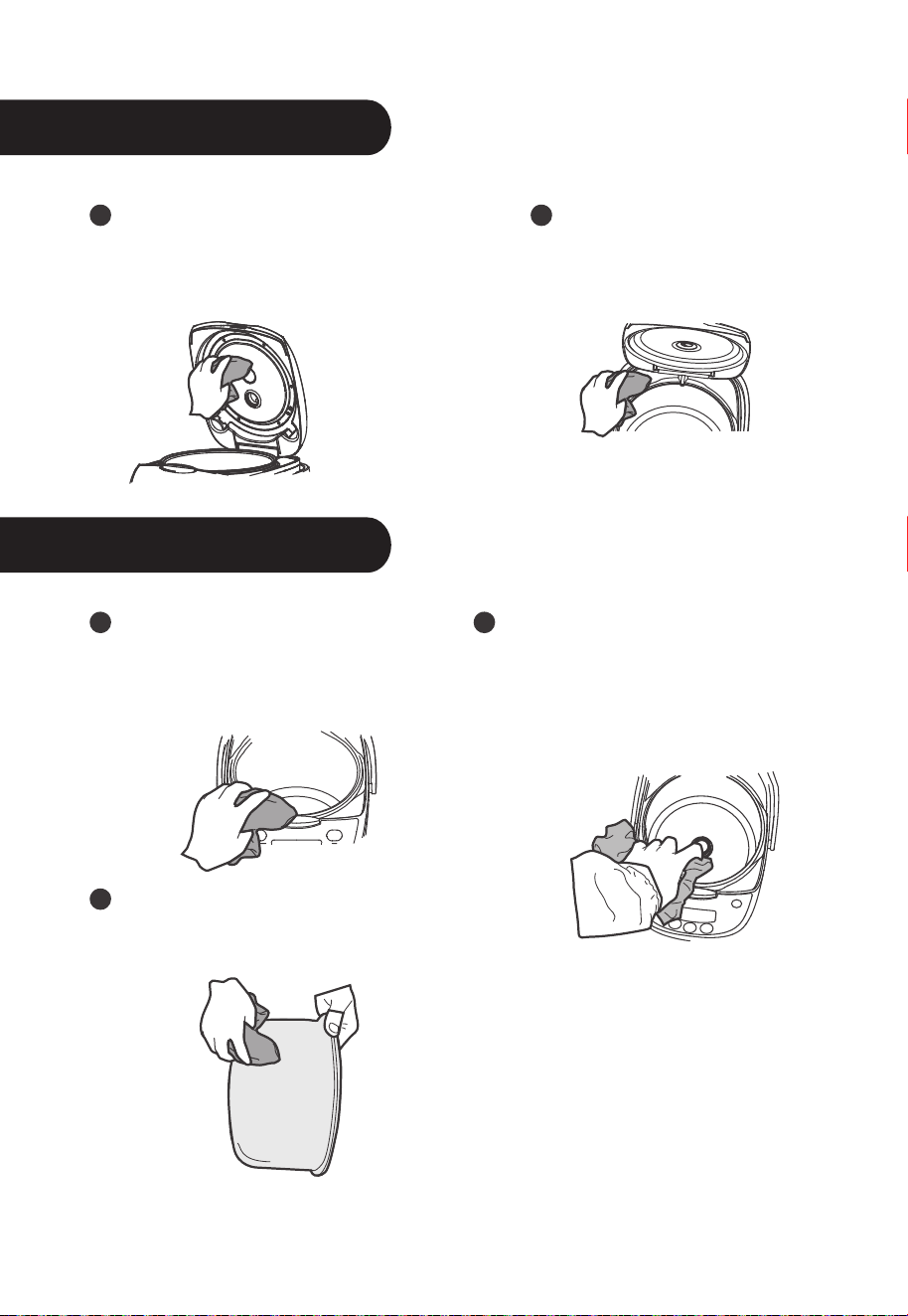
Utilisez un linge humide pour
nettoyer le panneau WARM.
Évitez de l'asperger d'eau
directement.
Utilisez un cure-dent ou une
lavette pour enlever le riz collé sur
la face principale.
Nettoyez l'eau sur le plateau
chauffant à l'aide d'une lavette, et
le riz brûlé collé sur le plateau
chauffant à l'aide d'un fil d'acier ou
du papier abrasif.
Nettoyez l'eau et le riz à la surface
et au fond du pot de cuisson
intérieur.
Utilisez une lavette sèche pour
nettoyer le réservoir de stockage
d'eau.
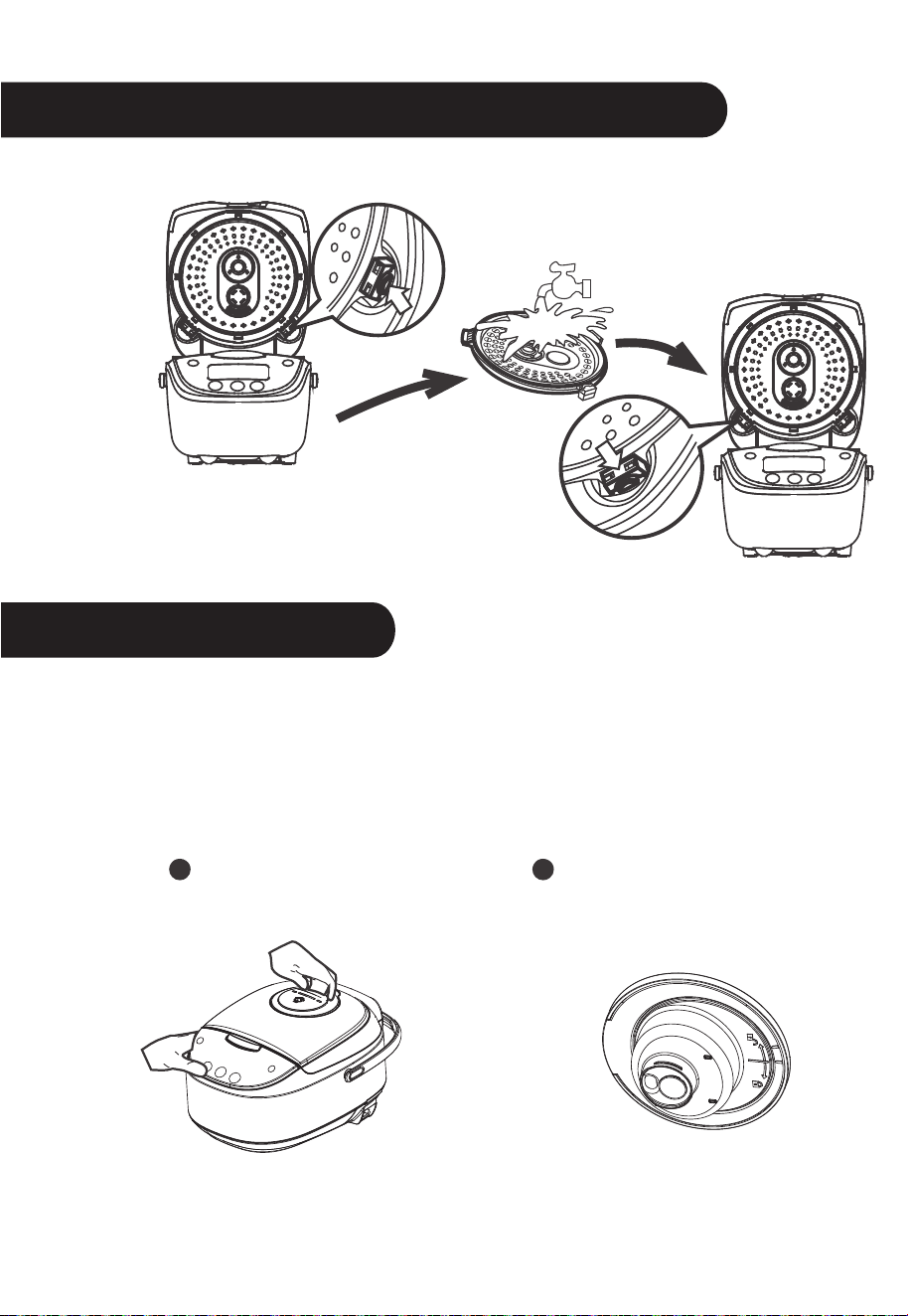
Technique de désassemblage et de nettoyage
de la plaque interne du couvercle
Nettoyage et entretien
Ouvrez le couvercle et
enlevez la plaque interne
du couvercle
Appuyez ici
Nettoyez
la plaque
interne du
couvercle
Fixez de nouveau la plaque
Saisissez la poignée de la
soupape à vapeur et tirez vers
le haut.
Comme illustré, tournez
dans le sens antihoraire
pour ouvrir.
13
Désassemblage, nettoyage et installation de la soupape à vapeur
Remarque : Pour une bonne évacuation de la vapeur, il est recom-
mandé de nettoyer régulièrement la soupape à vapeur. Le nettoyage
doit s'effectuer lorsque l'appareil est refroidi pour éviter tous risques
de brûlure.
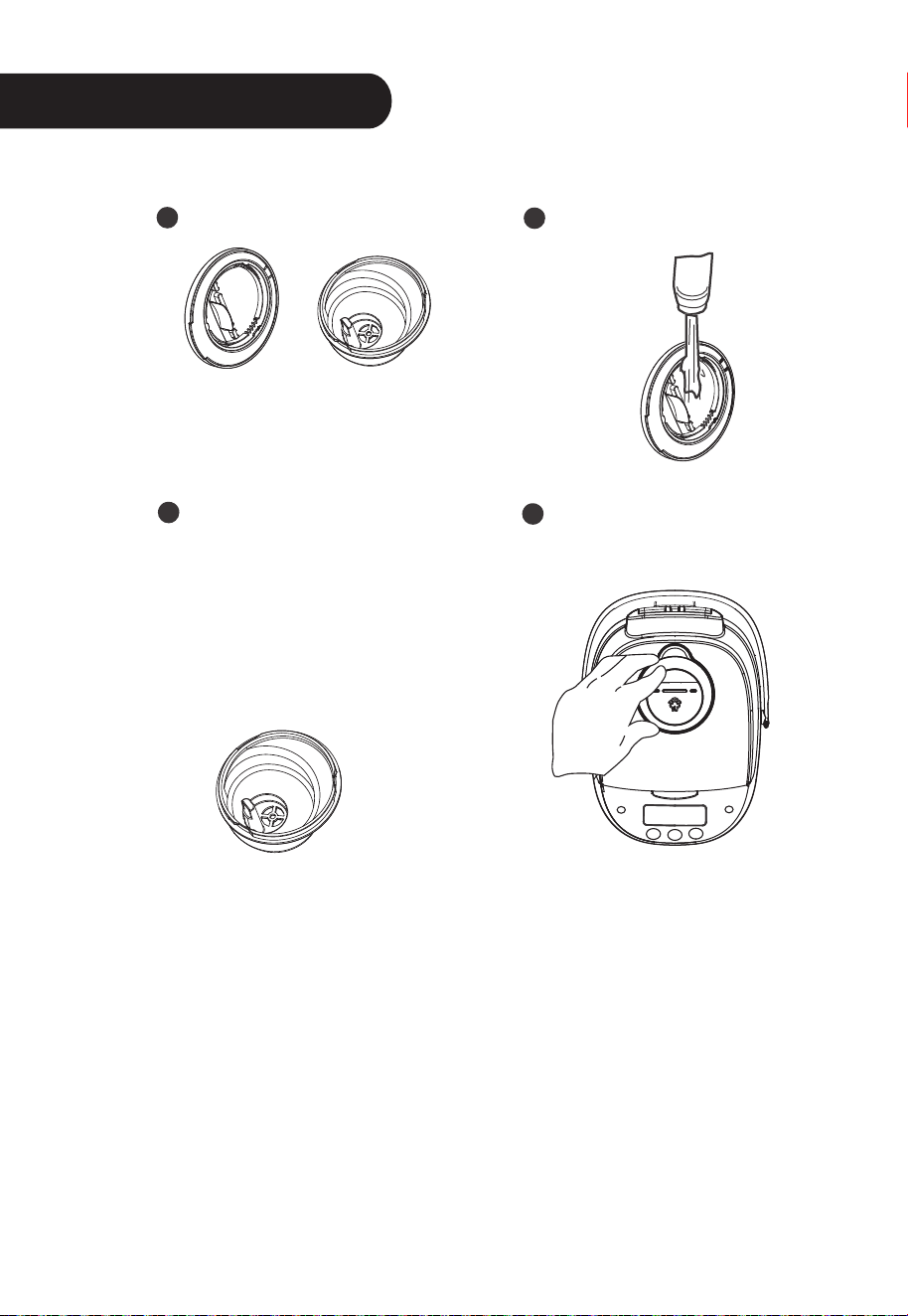
Nettoyage et entretien
Illustration de l'ouverture.
Après ouverture, nettoyez
avec de l'eau.
Comme illustré, tournez dans
le sens horaire. Il se produit
un son pour indiquer que la
soupape à vapeur est bien fixée.
Remarque : Fixez le cache-
soupape et le pointeur avant
l'installation.
Appuyez dessus pour
fixer la soupape à vapeur.
14
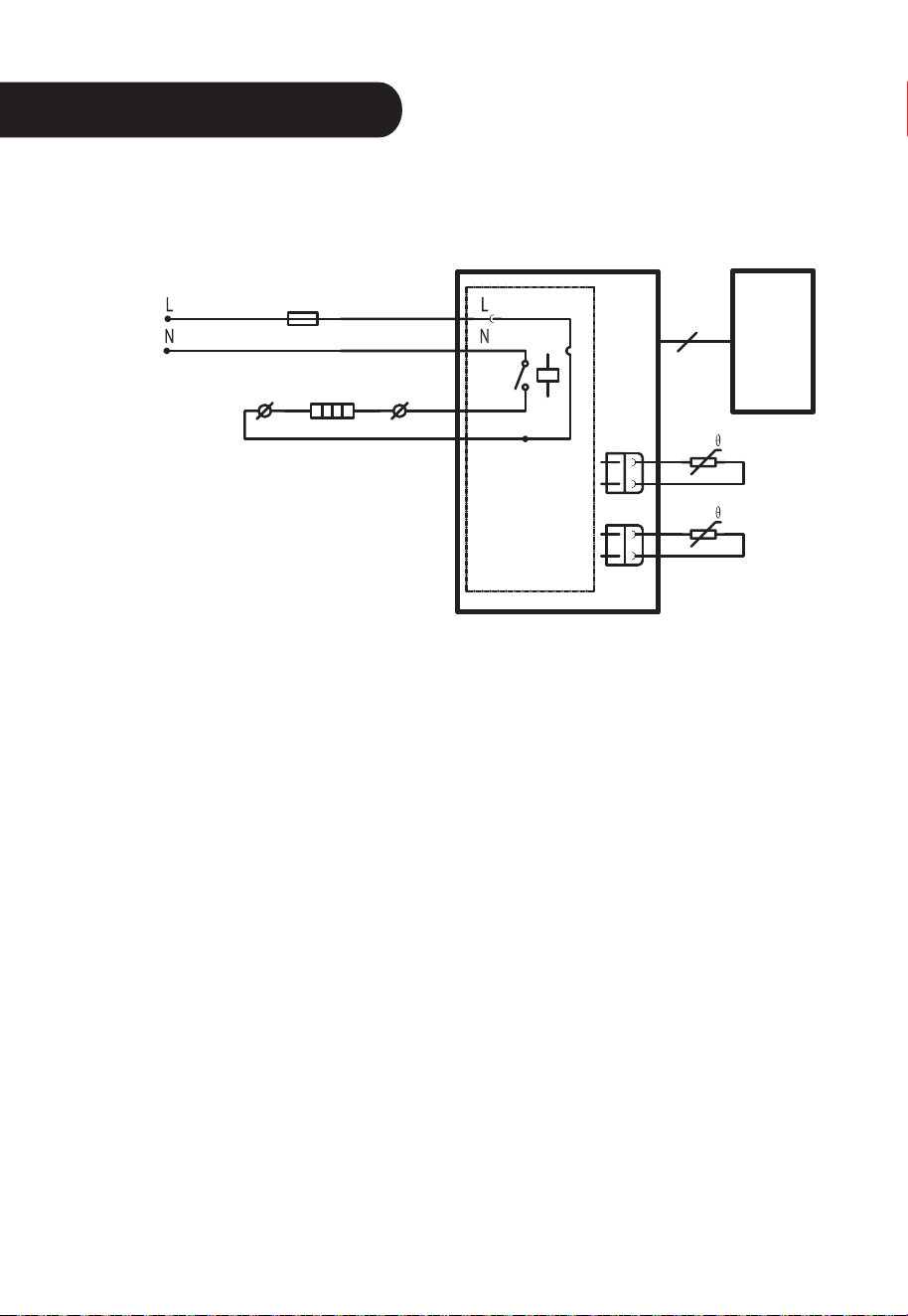
Schéma du circuit électrique
Fusible de
température
Rouge
Rouge
Panneau
d’alime-
ntation
Cadran
d'affichage
Capteur du fond
Fil de
connexion
Noir
Noir
Bleu
Blanc
Plateau chauffant
Capteur du couvercle
15
120 V~60 Hz