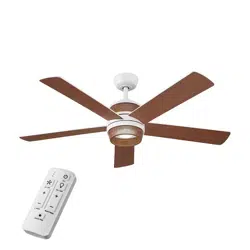

Item #1008 630 341
Model #92328
UL Model #52-TOHM
USE AND CARE GUIDE
TONHAM 52-INCH CEILING FAN
To view an instructional video on how to install this product:
1. Go to www.homedepot.com and enter either the Item or Model number, found in the top
right corner of the cover of this instruction manual, in the search eld.
2. Click on your product from the list of search results and click on the video link in the
“Product Overview” section.
THANK YOU
We appreciate the trust and condence you have placed in Hampton Bay through the purchase of this ceiling fan. We strive to continually create
quality products designed to enhance your home. Visit us online to see our full line of products available for your home improvement needs.
Thank you for choosing Hampton Bay!
Questions, problems, missing parts? Before returning to the store,
call Hampton Bay Customer Service
8 a.m. - 7 p.m., EST, Monday-Friday, 9 a.m. - 6 p.m., EST, Saturday
1-855-HD-HAMPTON / HAMPTONBAY.COM
Scan for text based
customer support
Scan for online product
warranty information

2
Table of Contents ................................................................ 2
Safety Information ...............................................................2
Warranty ............................................................................... 3
Pre-Installation ....................................................................3
Installation ............................................................................6
Assembly ..............................................................................7
Operation ...........................................................................14
Care and Cleaning ............................................................. 17
Troubleshooting .................................................................17
1. To reduce the risk of electric shock, ensure the electricity has been
turned off at the circuit breaker or fuse box before you begin.
2. All wiring must be in accordance with the National Electrical Code
ANSI/NFPA 70 and local electrical codes. Electrical installation should
be performed by a qualied licensed electrician.
3. The outlet box and support structure must be securely mounted and
capable of reliably supporting a minimum of 35 lb (15.9 kg). Use
only UL Listed outlet boxes marked “Acceptable for Fan Support of
35 lb (15.9 kg) or less.”
4. The fan must be mounted with a minimum of 7 ft. (2.1 m) of
clearance from the trailing edge of the blades to the oor.
5. Do not place objects in the path of the blades.
6. To avoid personal injury or damage to the fan and other items, use
caution when working around or cleaning the fan.
7. After making electrical connections, spliced conductors should be
turned upward and pushed carefully up into the outlet box. The
wires should be spread apart with the grounded conductor and the
equipment-grounding conductor on one side of the outlet box.
8. All set screws must be checked and retightened where
necessary before installation.
WARNING: To reduce the risk of personal injury, do
not bend the blade brackets (also referred to as
anges) during assembly or after installation. Do
not insert objects in the path of the blades.
WARNING: Electrical diagrams are for reference
only. If you are using a light kit, refer to the light kit
instructions manual to make the electrical
connections. Optional use of any light kit shall be
UL Listed and marked suitable for use with this fan.
WARNING: To avoid possible electrical shock, turn
the electricity off at the main fuse box before
wiring. If you feel you do not have enough electrical
wiring knowledge or experience, contact a licensed
electrician.
Safety Information
Table of Contents
CAUTION: To reduce the risk of personal injury,
use only the screws provided with the outlet box.
WARNING: To reduce the risk of re, electric shock
or personal injury, mount to outlet box marked
“Acceptable for fan support of 35 lb (15.9 kg) or
less”, and use screws provided with the outlet box.
READ AND SAVE THESE INSTRUCTIONS.
WARNING: To reduce the risk of re or electric
shock, this fan should only be used with fan speed
control part no. AL-3L, manufactured by Dawnsun
Electronic Technology Co., LTD ZhongShan.
WARNING: To reduce the risk of electric shock, this
fan must be installed with an isolating wall switch.

3
HAMPTONBAY.COM
Please contact 1-855-HD-HAMPTON for further assistance.
Pre-Installation
Warranty
SPECIFICATIONS
NOTE: These are approximate measures. They do not
include the amps and wattage used by the light kit.
Size Speed Volts
Fan Power
Consumption
(without lights)
WATT
Airow
CFM
Airow Efciency
(higher is better)
CFM/WATT
Net
Weight
Gross
Weight
Cubic Feet
52 in.
Low
120
12 2148 179
17.64 lb
(8 kg)
22.53 lb
(10.22 kg)
1.67 cu. ft.
Medium 32 3618 113
High 62 5391 86
TOOLS REQUIRED
Phillips
screwdriver
Flat blade
screwdriver
Adjustable
wrench
Electrical
tape
Wire
cutter/
stripper
Step ladder
The supplier warrants the fan motor to be free from defects in workmanship and material present at time of shipment from the factory for a
lifetime after the date of purchase by the original purchaser. The supplier warrants that the light kit, excluding any glass, to be free from defects in
workmanship and material at the time of shipment from the factory for a period of three years after the date of purchase by the original purchaser.
The supplier also warrants that all other fan parts, excluding any glass or acrylic blades, to be free from defects in workmanship and material at
the time of shipment from the factory for a period of one year after the date of purchase by the original purchaser. We agree to correct such defects
without charge or at our option replace with a comparable or superior model if the product is returned. To obtain warranty service, you must present
a copy of the receipt as proof of purchase. All costs of removing and reinstalling the product are your responsibility. Damage to any part, such as by
accident, misuse, improper installation, or by afxing any accessories, is not covered by this warranty. Because of varying climatic conditions this
warranty does not cover any changes in brass nish, including rusting, pitting, corroding, tarnishing, or peeling. Brass nishes of this type give their
longest useful life when protected from varying weather conditions. A certain amount of “wobble” is normal and should not be considered a defect.
Servicing performed by unauthorized persons shall render the warranty invalid. There is no other express warranty. The retailer hereby disclaims
any and all warranties, including but not limited to those of merchantability and tness for a particular purpose to the extent permitted by law. The
duration of any implied warranty which cannot be disclaimed is limited to the time period as specied in the express warranty. Some states do not
allow a limitation on how long an implied warranty lasts, so the above limitation may not apply to you. The retailer shall not be liable for incidental,
consequential, or special damages arising out of or in connection with product use or performance except as may otherwise be accorded by law.
Some states do not allow the exclusion of incidental or consequential damages, so the above exclusion or limitation may not apply to you. This
warranty gives specic legal rights, and you may also have other rights which vary from state to state. This warranty supersedes all prior warranties.
Shipping costs for any return of product as part of a claim on the warranty must be paid by the customer.
Contact the Customer Service Team at 1-855-HD-HAMPTON or visit www.HamptonBay.com.

4
Part Description Quantity
AA Blade attachment screws 16
BB Plastic wire connecting nut 3
CC Hanger pin 1
DD Locking pin 1
EE Machine screw 2
FF Short tapered screw 2
GG Long tapered screw 2
HH Washer 16
Pre-Installation (continued)
HARDWARE INCLUDED
NOTE: Hardware not shown to actual size.
BB
CC
DD
AA
EE
FF
GG HH

5
HAMPTONBAY.COM
Please contact 1-855-HD-HAMPTON for further assistance.
Part Description Quantity
A
Slide-on mounting bracket
(inside canopy)
1
B Ball/downrod assembly 1
C Canopy 1
D Decorative motor collar cover 1
E Fan motor assembly 1
F Blade 5
Part Description Quantity
G Decorative cage 1
H Light kit tter assembly 1
I Receiver 1
J Remote control 1
K Lead wire 1
L Battery 2
M
Remote control cradle with toggle
switch spacer included
1
IMPORTANT: This product and/or components are governed by
one or more of the following U.S. Patents: 5,947,436; 5,988,580;
6,010,110; 6,046,416; 6,210,117 and other patents pending.
Pre-Installation (continued)
PACKAGE CONTENTS
C
D
B
A
比例 25.400
J
I
K
G
H
F
E
L
M

6
Installation
MOUNTING OPTIONS
WARNING: To reduce the risk of re, electric shock
or personal injury, mount to an outlet box marked
“Acceptable for fan support of 35 lb (15.9 kg) or less”,
and use screws provided with the outlet box. An outlet
box commonly used for the support of lighting xtures
may not be acceptable for fan support and may need to
be replaced. If in doubt, consult a qualied electrician.
If your ceiling fan does not have an existing UL Listed mounting
box, then install one using the following instructions:
□ Disconnect the power by removing the fuses or turning off
the circuit breakers.
□ Secure the outlet box directly to the building structure. Use
the appropriate fasteners and materials. The outlet box and
support structure must be securely mounted and capable of
reliably supporting a minimum of 35 lb (15.9 kg). Use only UL
Listed outlet boxes marked “Acceptable for fan support of
35 lb (15.9 kg) or less.” Do not use a plastic outlet box.
The illustrations below show three different ways to mount the
outlet box.
If the canopy (C) touches the ball/downrod assembly (B), then remove
the decorative motor collar cover (D), and turn the canopy (C) 180°
before attaching the canopy (C) to the mounting plate.
To hang your fan where there is an existing xture but no ceiling joist,
you may need an installation hanger bar as shown above
(available at any Home Depot store).
NOTE: You may need a longer downrod to maintain
proper blade clearance when installing on a steep, sloped
ceiling. The maximum angle allowable is 20° away from
horizontal.
Outlet Box
Outlet Box
Recessed
Outlet
Box
Provide Strong
Support
Ceiling
Mounting
Plate
Outlet Box
Hanger Bar

7
HAMPTONBAY.COM
Please contact 1-855-HD-HAMPTON for further assistance.
Assembly - Standard Ceiling Mount
Routing the wires
Preparing for mounting
□ Remove the magnetic canopy bottom cover (JJ) from the
canopy (C) by pulling it off.
□ Loosen the two canopy screws (SS) located in the bottom of
the mounting bracket (A).
□ Turn the mounting bracket (A) counterclockwise and lift it up to
remove the mounting bracket from the canopy (C).
□ Route the wires exiting the top of the fan motor assembly (E)
through the decorative motor collar cover (D) and then the center
of the canopy bottom cover (JJ).
□ Make sure the opening of canopy (C) is on top and insert the ball/
downrod (B) through the canopy (C).
□ Route the wires exiting the top of the fan motor assembly (E)
through the downrod as shown.
2
1
NOTE: The magnet is pre-attached on the canopy
bottom cover for you to remove and install easily.
JJ
E
D
C
B
A
SS
C
JJ

8
Attaching the fan to the
electrical box
□ Loosen the two mounting screws (NN) in the outlet box.
□ Pass the 120-Volt supply wires through the center hole in the
mounting bracket (A).
□ Slide the mounting bracket (A) on to the mounting screws (NN)
and center the mounting bracket (A) in relation to the outlet box.
If necessary, use leveling washers (not included) between the
slide-on mounting bracket (A) and the outlet box. The at side of
the slide-on mounting bracket (A) should face toward the outlet
box, as shown.
□ Securely tighten the two mounting screws (NN).
1
WARNING: To reduce the risk of re, electric shock
or personal injury, mount to an outlet box marked
“Acceptable for fan support of 35 lb (15.9 kg) or less”,
and use screws provided with the outlet box.
NOTE: The mounting bracket (A) is designed to slide
into place on an outlet box with the outlet box screws
(NN) installed.
Assembly - Standard Ceiling Mount (continued)
Assembling the fan
□ Loosen, but do not remove, the setscrew (KK) on the collar (PP) on
top of the fan motor assembly (E).
□ Align the holes at the bottom of the ball downrod assembly (B) with
the holes in the collar (PP) on top of the fan-motor assembly (E).
□ Carefully insert the hanger pin (CC) through the holes in the collar
and ball/downrod assembly (B). Be careful not to jam the hanger
pin (CC) against the wiring inside the ball/downrod assembly (B).
□ Insert the locking pin (DD) through the hole near the end of the
hanger pin (CC) until it snaps into its locked position.
□ Re-tighten the setscrew (KK) on the collar (PP) on top of the fan
motor assembly (E).
WARNING: Failure to properly install the locking
pin (DD) could result in the fan becoming loose and
possibly falling.
CAUTION: To ensure wobble-free operation and to avoid
damage to the fan, the downrod (B) and the setscrew (KK)
must be completely tightened.
3
Assembly - Hanging the Fan
A
NN
NN
KK
CC
DD
PP
B
E

9
HAMPTONBAY.COM
Please contact 1-855-HD-HAMPTON for further assistance.
Assembly - Hanging the Fan (continued)
Hanging the fan
□ Carefully lift the fan motor assembly (E) up to the slide-on
mounting bracket (A).
□ Insert the ball portion of the ball/downrod assembly (B)
into the socket of the slide-on mounting bracket (A).
□ Turn the ball/downrod assembly (B) clockwise until it is
seated with the tab of the slide-on mounting bracket (A)
aligned with the slot in the ball.
2
Installing the receiver
□ Position the house supply wires (AAA) to one side of
the slide-on mounting bracket (A). Position the fan
wires to the opposite side.
□ Insert the narrow end of the receiver (I) (as shown, at
side towards the ceiling) into the slide-on mounting
bracket (A) until it rests on top of the ball/downrod
assembly (B).
3
WARNING: To reduce the risk of re or electric shock,
remember to disconnect power. The electrical wiring
must meet all local and national electrical code
requirements. The electrical source and fan must
be 110/120 volts, 60Hz. Do not use this product in
conjunction with any variable wall control. Incorrect
wire connection can damage this receiver.
CAUTION: If other fan wires are a different color, have
this unit installed by a licensed electrician.
C
B
BBB
AAA
A
A
View after installation
I
E
C
B
JJ
A
D

10
Assembly - Hanging the Fan (continued)
Wiring the fan to the receiver
5
□ If using the 6 in. ball downrod assembly (B) provided, wire the
receiver to the fan wires by connecting the molded adaptor
plug from the receiver (I) with the molded adaptor of the fan
motor assembly (E) together.
□ If you wish to use longer downrod, you can use the extension
lead wire (42 in.)(K) provided by connecting the molded
adaptor together.
Wiring the receiver to the
household wiring
4
WARNING: To avoid possible electrical shock, turn
the electricity off at the main fuse box before
wiring. If you feel you do not have enough electrical
wiring knowledge or experience, contact a licensed
electrician.
WARNING: Each wire nut supplied with this fan is
designed to accept up to one 12-gauge house wire
and two wires from the fan. If you have larger than
12-gauge house wiring or more than one house wire to
connect to the fan wiring, consult an electrician for the
proper size wire nuts to use.
IMPORTANT: Use the wire connecting nuts (BB)
supplied with your fan. Secure the connectors with
electrical tape and ensure there are no loose strands or
connections.
□ Spread the wires apart so that the green and white wires
are on one side of the outlet box and the black wire is on the
other side.
□ Connect the green fan wires to the household ground wire
(this may be a green or bare wire) using a wire connecting
nut (BB).
□ Connect the receiver (I) black (or red) wire to the household
black (hot) wire using a wire connecting nut (BB).
□ Connect the receiver (I) white wire to the household white
wire (neutral) using a wire connecting nut (BB).
□ Secure each wire connecting nut using electrical tape.
NOTE: The fan comes with 8in. lead wires for use with
the provided 6 in. ball/downrod assembly (B). If you wish
to use longer downrod, you can use the extension lead
wire (42 in.) (K) provided.
Outlet box
Green
1 2
3
4
O
N
DIP
K
Black
Black
Green (or Bare)
Green
Outlet box
Receiver
Antenna
White
I
BB
DIP

11
HAMPTONBAY.COM
Please contact 1-855-HD-HAMPTON for further assistance.
Assembly - Hanging the Fan (continued)
Mounting the fan motor assembly
(standard mount)
6
WARNING: When using the standard ball/downrod
mounting, the tab in the ring at the bottom of the
mounting bracket must rest in the groove of the
hanger ball. Failure to properly seat the tab in the
groove could cause damage to the wiring.
NOTE: The magnet is pre-attached on the canopy bottom
cover for you to remove and install easily.
□ Align the locking slots of the canopy (C) with the two screws (SS)
and alignment post (QQ) in the mounting bracket (A).
□ Push up the canopy (C) and turn it clockwise until the alignment
post (QQ) engages to the round hole and the screws (SS) engage
to the key slots.
□ Firmly tighten the two mounting screws (SS).
□ Align the oval shape on the canopy (C) with canopy bottom cover
(JJ).
□ Push up the canopy bottom cover (JJ) until the screw (SS) heads
engage to the slots on the canopy bottom cover (JJ) so that
the magnetic canopy bottom cover (JJ) can be attached to the
bottom of the canopy (C) properly.
Assembly - Attaching the Fan Blades
Attaching the fan blades
1
□ Attach a blade (F) to the fan motor assembly (E) by inserting
the blade (F) into slots in the side of the fan motor assembly
(E) and aligning the three screws holes in the blade with the
holes in the center ywheel and secure with blade attachment
screws (AA) and washers (HH).
□ Make sure all the screws are rmly tightened.
□ Repeat these steps for the remaining blades.
QQ
JJ
SS
C
E
AA
F
HH

12
Attaching the light kit tter assembly
2
□ Remove one screw (TT) from the decorative cage (G), and
loosen, but do not remove, the other two screws.
□ Connect the wires from the light kit tter assembly (H) to
the wires from the fan motor assembly (E) by connecting the
molded adaptor plugs together. Carefully tuck all wires and
splices into the switch cup.
□ Push the light kit tter assembly (H) up to the decorative
cage (G) so that the two loosened screw heads t into the
keyhole slots. Turn the light kit tter assembly (H) clockwise
to secure.
□ Re-install the screw that was removed in the rst step.
□ Make sure all the screws are rmly tightened.
Installing the decorative cage
1
□ Remove one screw (LL) from the black bracket below the fan
motor assembly (E), and loosen but do not remove the other
two screws.
□ Push the decorative cage (G) up to the fan motor assembly
(E) so that the two loosened screw heads t into the keyhole
slots. Turn the decorative cage (G) clockwise.
□ Re-install the screw (LL) that was removed in the rst step.
□ Make sure all the screws are rmly tightened.
Assembly - Attaching the Light Kit
LL
G
E
White
Black
Blue
G
H
TT
E

13
HAMPTONBAY.COM
Please contact 1-855-HD-HAMPTON for further assistance.
Assembly - Preparing the Remote Control
Preparing the remote control
□ Conrm that the power to the fan is off at either the wall switch or
breaker box.
□ Return power to the fan and, within 30 seconds, press and hold the
learn button for 1-2 seconds and release.
□ If pairing is successful, the blades will begin to spin and the light will
also ash.
NOTE: The remote control has already been paired to the
ceiling fan for your convenience. If the remote control does not
communicate with the fan, follow the pairing instructions below.
NOTE: The remote control battery will weaken with age and
should be replaced before leaking takes place, as this will damage
the remote control. Dispose of used battery properly and keep the
battery out of the reach of children.
Pairing one remote to one ceiling fan
□ Conrm that the power to the fan is off at either the wall switch or
breaker box.
□ Turn the power to the fan on at the breaker box or wall switch and,
within 30 seconds, press and hold the “Learn” button for 10 seconds
and release. Once pairing is successful, the blades will begin to spin
and the light will also ash.
□ Repeat the above process for the remote controls you want to work
with this fan.
Pairing multiple remote controls to one
ceiling fan
NOTE: The fan can be controlled by up to three remote controls.
To order extra remote controls, please call Hampton Bay customer
service 1-855-HD-HAMPTON.
NOTE: The fan can only be controlled by 3 remote controls
maximum at the same time after “Learning”. If you pair a fourth
remote control to the fan, the rst remote control will be erased
from the receiver memory.

14
Operating Your Fan and Remote Control
Warm weather
Cool weather
Remote Control
Your fan is equipped with a remote control to operate the speed and
lights of your new ceiling fan. Speed setting for warm or cool weather
depends on factors such as the room size, ceiling height, number of fans
and so on.
The fan is shipped from the factory with the reversing switch (YY)
positioned to circulate air downward. If airow is desired in the opposite
direction, turn your fan off and wait for the blades to stop turning, then
slide the reversing switch (located on top of the motor housing) to the
opposite position, and turn t he fan on again. The fan blades will turn in
the opposite direction and reverse airow.
Warm weather - (Forward)
A downward airow creates a cooling effect. This allows you to set your
air conditioner on a higher setting without affecting your comfort.
Cool weather - (Reverse)
An upward airow moves warm air off of the ceiling. This allows you to
set your heating unit on a lower setting without affecting your comfort.
比例 25.400
YY
比例 25.400

15
HAMPTONBAY.COM
Please contact 1-855-HD-HAMPTON for further assistance.
ALL ON/OFF
Press and release the ALL button to turn the fan and light on or off.
LIGHT ON/OFF
Press and release the button to turn the light on or off.
DIMMING
Press and hold the (+) button to brighten light to the desired level.
Press and hold the (-) button to dim light to the desired level.
COLOR TEMPERATURE ADJUSTMENT
Push and release the button to cycle through the six color temperature
options.
Option 1: 2700K (Warm White).
Option 2: 3000K (Soft White).
Option 3: 3500K (Neutral White).
Option 4: 4000/4100K (Cool White).
Option 5: 5000K (Daylight).
Option 6: 6500K (Daylight Deluxe).
NOTE: The default temperature of the ceiling fan light is 3000k
(Soft White).
Operating Your Fan and Remote Control (continued)
Color
temperature
adjustment
Fan On/Off
Increases fan
speed
Decreases fan
speed
All On/Off
Light On/Off
Increases light
level (dimmer)
Decreases light
level (dimmer)
LED speed
indicator
FAN SPEED
Press and release the + button to increase the fan speed.
Press and release the - button to decrease the fan speed.
FAN ON/OFF
Press and release the fan button to turn the fan on or off.
LED SPEED INDICATOR
LEDs will illuminate to the corresponding speed:
1 Light - Low
2 Lights - Medium
3 Lights - High

16
Assembly - Mounting the remote wall cradle
1a. Attaching over a standard toggle switch
□ Remove the two screws from the toggle switch face plate.
□ Place the toggle switch spacer over the toggle switch face
plate and align the two large holes of the toggle switch spacer
with the holes in the face plate. Secure the toggle switch
spacer to the face plate using the two included machine
screws (EE).
□ Attach the remote wall cradle (M) to the toggle switch spacer
using the included two short tapered screws (FF). Screw a
short tapered screw (FF) into the top hole and bottom hole of
the wall cradle and into the toggle switch spacer until tight.
NOTE: Screw wall anchors are included for extra support. The
included screws are designed to screw easily into the wall. If
you would like a more permanent or secure hold, install the wall
anchors prior to attaching the wall cradle to the wall.
1b. Attaching over a paddle switch
□ Remove the two screws from the paddle switch face plate.
□ Place the remote wall cradle (M) over the paddle switch and
align the two holes of the remote wall cradle (M) with the holes
in the face plate. Secure the remote wall cradle (M) to the face
plate using the two included machine screws (EE).
1c. Attaching to the wall
□ Position the remote wall cradle (M) in the desired position
and attach to the wall using the included two long tapered
screws (GG).
NOTE: The remote wall cradle is designed to allow you to
access an existing switch. The remote wall cradle can be
mounted on the wall or to the face plate of a standard toggle
switch or a paddle switch. Follow the instructions below for the
option that best suits your needs.
GG
M
GG
Toggle switch spacer
Toggle switch face plate
FF
EE
M
EE
Paddle switch face plate
M

17
HAMPTONBAY.COM
Please contact 1-855-HD-HAMPTON for further assistance.
Troubleshooting
□ Because of the fan’s natural movement, some connections may become loose. Check the support connections, brackets, and blade
attachments twice a year. Make sure they are secure. It is not necessary to remove the fan from the ceiling.
□ Clean your fan periodically to help maintain its new appearance over the years. Do not use water when cleaning, as this could damage the
motor, or the wood, or possibly cause an electrical shock. Use only a soft brush or lint-free cloth to avoid scratching the nish.
□ You can apply a light coat of furniture polish to the wood for additional protection and enhanced beauty. Cover small scratches with a light
application of shoe polish.
□ You do not need to oil your fan. The motor has permanently-lubricated sealed ball bearings.
WARNING: Make sure the power is off before cleaning
your fan.
Care and Cleaning
Problem Solution
The fan will not start. □ Check the main and branch circuit fuses or breakers.
□ Check to make sure the wall switch is in the on position if applicable.
□ Check the line wire connections to the fan and switch wire connections in the switch housing.
□ Check the battery in the transmitter.
□ Ensure you are in the normal range of 10-20 feet.
□ Remember to turn off the power supply before checking the dip switches settings.
The fan is noisy. □ Ensure all motor housing screws are snug.
□ Ensure the screws that attach the fan blade bracket to the motor hub are tight.
□ Ensure the wire nut connections are not rattling against each other or the interior wall of the switch housing.
□ Allow a 24-hour “breaking in” period. Most noises associated with a new fan disappear during this time.
□ If you are using the ceiling fan light kit, ensure the screws securing the glassware are tight. Check that the light bulbs are also secure.
□ Ensure the canopy is a short distance from the ceiling. It should not touch the ceiling.
□ Ensure your outlet box is secure and rubber isolator pads were used between the mounting plate and outlet box.
The fan wobbles. □ Check that all blade and blade arm screws are secure.
□ Most fan wobble problems are caused when blade levels are unequal. Check this level by selecting a point on the ceiling above the tip
of one of the blades. Measure from a point on the center of each blade to the point on the ceiling. Rotate the fan until the next blade is
positioned for measurement. Repeat for each blade. Any measurement deviation should be within 1/8 inch. Run the fan for ten minutes.
If the fan continues to wobble please contact customer service and a balancing kit will be sent to you at no charge.

FCC Statement: This equipment has been tested and found to comply with the limits for a Class B digital device, pursuant to Part 15 of the FCC Rules. These limits are designed to provide
reasonable protection against harmful interference in a residential installation. This equipment generates, uses and can radiate radio frequency energy and, if not installed and used in
accordance with the instructions, may cause harmful interference to radio communications. However, there is no guarantee that interference will not occur in a particular installation. If
this equipment does cause harmful interference to radio or television reception, which can be determined by turning the equipment off and on, the user is encouraged to try to correct the
interference by one or more of the following measures:
□ Reorient or relocate the receiving antenna.
□ Increase the separation between the equipment and receiver.
□ Connect the equipment into an outlet on a circuit different from that to which the receiver is connected.
□ Consult the dealer or an experienced radio/TV technician for help.
CAUTION:
Any changes or modications not expressly approved by the grantee of this device could void the user’s authority to operate the equipment.
This device complies with Part 15 of the FCC Rules. Operation is subject to the following two conditions: (1) This device may not cause harmful interference, and (2) this device must
accept any interference received, including interference that may cause undesired operation.
Responsible Party - U.S. Contact Information: King of Fans, Inc 1951 NW 22nd Street, Fort Lauderdale, FL 33311, (954) 484-7500
Questions, problems, missing parts? Before returning to the store,
call Hampton Bay Customer Service
8 a.m. – 7 p.m., EST, Monday – Friday, 9 a.m. – 6 p.m., EST, Saturday
1-855-HD-HAMPTON
HAMPTONBAY.COM
Retain this manual for future use.
Scan for text based
customer support
Scan for online product
warranty information

Artículo #1008 630 341
Modelo Núm. 92328
Modelo Núm. 52-TOHM
Aprobado por UL
GUÍA DE USO Y MANTENIMIENTO
VENTILADOR DE TECHO TONHAM DE 1.32 M
Para ver un video instructivo sobre cómo instalar este producto:
1. Visita www.homedepot.com e ingresa en el campo de búsqueda el número del modelo o
artículo que aparece en la esquina superior derecha de la portada de este manual de
instrucciones.
2. Haz clic sobre tu producto en la lista de resultados de la búsqueda y sobre el enlace de
video en la sección “Product Overview” [Información general del producto].
GRACIAS POR TU COMPRA
Apreciamos la plena conanza que has depositado en Hampton Bay con la compra de este ventilador de techo. Nos esforzamos constantemente
por crear productos de calidad diseñados para tu hogar. Visítanos por Internet para ver nuestra línea completa de productos disponibles a n de
satisfacer tus necesidades de mejoras del hogar.
¡Gracias por elegir Hampton Bay!
¿Preguntas, problemas, piezas faltantes? Antes de devolverlo a la tienda,
llama al Servicio al Cliente de Hampton Bay
de lunes a viernes, entre 8:00 a.m. a 7:00 p.m. (hora del Este), y los sábados de 9:00 a.m. a 6:00 p.m. (hora del Este)
1-855-HD-HAMPTON / HAMPTONBAY.COM
Escanee para obtener
asistencia al cliente en texto.
Escanee para obtener información
sobre la garantía del producto en línea

2
Tabla de contenido .............................................................. 2
Información de seguridad...................................................2
Garantía ................................................................................3
Preinstalación ......................................................................3
Instalación ............................................................................6
Ensamblaje ...........................................................................7
Funcionamiento .................................................................14
Mantenimiento y limpieza .................................................17
Solución de problemas .....................................................17
1. Para disminuir el riesgo de descarga eléctrica, asegura cortar
la electricidad en el cortacircuitos o la caja de fusibles antes de
comenzar.
2. Todo el cableado tiene que cumplir con el Código Nacional de
Electricidad ANSI/NFPA 70 y con los códigos eléctricos locales. La
instalación eléctrica debe hacerse por un electricista certicado y
calicado.
3. La caja eléctrica y la estructura de soporte tienen que montarse de
forma segura para poder sostener con conanza y como mínimo 35
lb (15.9 kg). Usa solo cajas eléctricas aprobadas por UL y marcadas
como “Apropiada para sostener ventiladores de 35 lb (15.9 kg) o
menos”.
4. El ventilador tiene que montarse con un mínimo de 7 pies (2.1 m) de
espacio libre desde el borde posterior de las aspas hasta el piso.
5. No coloques objetos en la trayectoria de las aspas.
6. Para evitar lesiones personales o daños al ventilador y a otros
objetos, ten cuidado al limpiarlo o al trabajar cerca de él.
7. Después de concluir las conexiones eléctricas, debes voltear los
conductores empalmados hacia arriba y meterlos con cuidado en
la caja eléctrica. Los cables deben estar separados con el cable
a tierra y el conductor a tierra del equipo a un lado de la caja
eléctrica.
8. Antes de la instalación, todos los tornillos de fijación tienen
que comprobarse y reajustarse donde sea necesario.
ADVERTENCIA: Para reducir el riesgo de lesiones
personales, no dobles los soportes de las aspas
(también llamados “bridas”) durante ni después
de la instalación. No coloques objetos en la
trayectoria de las aspas.
ADVERTENCIA: Los diagramas eléctricos son sólo
para referencia. Si usas un kit de luces, consulta el
manual de instrucciones del kit de luces para hacer
las conexiones eléctricas. Cualquier juego de luces
opcional debe estar aprobado por UL y marcado
como adecuado para usar con este ventilador.
ADVERTENCIA: Para evitar posible descarga
eléctrica, desconecta la electricidad en la caja
principal de fusibles antes de cablear. En caso de
no tener suciente conocimiento o experiencia
sobre cableado eléctrico, contacta a un electricista
certicado.
Información de seguridad
Tabla de contenido
PRECAUCIÓN: Para reducir el riesgo de lesiones,
usa sólo los tornillos incluidos con la caja eléctrica.
ADVERTENCIA: Para reducir el riesgo de incendio,
descarga eléctrica o lesiones personales, instala
solo en una caja eléctrica clasicada como
“apropiada para sostener ventiladores de 35 lb (15.9
kg) o menos” y usa los tornillos que vienen con ella.
LEE Y GUARDA ESTAS INSTRUCCIONES.
ADVERTENCIA: Para reducir el riesgo de incendio
o descarga eléctrica, este ventilador solo debe
usarse con el control de velocidad de ventilador
con número de pieza AL-3L, fabricado por DawnSun
Electronic Technology Co., Ltd. Zhongshan.
ADVERTENCIA: A n de reducir el riesgo de
descargas eléctricas, este ventilador tiene
que instalarse con un interruptor de pared con
aislamiento.

3
HAMPTONBAY.COM
Llame al 1-855-HD-HAMPTON para mayor asistencia.
Preinstalación
Garantía
ESPECIFICACIONES
NOTA: Estas medidas son aproximadas. No incluyen ni
el amperaje ni el vataje consumido por el kit de luces.
HERRAMIENTAS NECESARIAS
Destornillador
Phillips
Destornillador
plano
Llave
ajustable
Cinta de
electricista
Pelacables/
cortacables
Escalera de tijera
El proveedor garantiza de por vida, a partir de la fecha de adquisición por el comprador original, que el motor del ventilador no presenta defectos de
fabricación ni de materiales al momento del envío desde la fábrica. El proveedor garantiza que el kit de luces, excluyendo cualquier vidrio, no tendrá
defectos de fabricación ni de material en el momento del envío desde la fábrica por un período de tres años después de la fecha de compra por
parte del comprador original. El proveedor también garantiza, por un año a partir de la fecha de adquisición por el comprador original, que ninguna
de las demás piezas del ventilador, excluyendo las aspas de vidrio o acrílico, presenta defectos de fabricación ni de materiales al momento del envío
desde la fábrica. Si el producto es devuelto, aceptamos reparar sus defectos sin cargo alguno o, a nuestra discreción, reemplazarlo por modelo
similar o superior. Para obtener servicio de garantía tiene que presentar una copia del recibo como comprobante de compra. Todos los costos de
retiro y reinstalación del producto correrán por cuenta del cliente. Los daños a cualquier pieza por accidente, instalación o uso inadecuado, o por
montar cualquier accesorio, no están cubiertos por esta garantía. Puesto que las condiciones climáticas pueden variar, esta garantía no cubre
ningún cambio del acabado en latón, como óxido, perforación, corrosión, manchas o descascaramiento. Este tipo de acabados en latón tiene una
la vida útil prolongada si se lo protege contra las condiciones climáticas cambiantes. Cierta “oscilación” es normal y no debe considerase un
defecto. Cualquier servicio prestado por personal no autorizado invalidará la garantía. No hay ninguna otra garantía expresa. El vendedor se exime
de toda garantía, incluyendo, pero sin limitarse a, aquellas de comercialización e idoneidad para un n particular, en el alcance permitido por la
ley. La duración de cualquier garantía implícita que no pueda exonerarse se limita al plazo especicado en la garantía explícita. Algunos estados
no permiten limitaciones sobre la duración de las garantías implícitas, así que es posible que la limitación anterior no se aplique en su caso. El
minorista no será responsable por daños incidentales, emergentes ni especiales derivados del uso o funcionamiento del producto, excepto en
los casos en los que la ley así lo disponga. Algunos estados no permiten excluir ni limitar daños directos o indirectos, así que es posible que la
limitación o exclusión anterior no se aplique en este caso. Esta garantía otorga derechos legales especiales al cliente y es posible que también goce
de otros derechos que pueden variar según el estado. Esta garantía sustituye a todas las garantías anteriores. Los costos de envío en cualquier
devolución de productos como parte de un reclamo de garantía corren por cuenta del cliente.
Comuníquese con el equipo de servicio al cliente al teléfono 1-855-HD-HAMPTON o visite www.HamptonBay.com.
Tamaño Velocidad Voltios
Consumo de
energía del
ventilador
(sin luces)
VATIOS
Flujo de aire
CFM
Eciencia de ujo
de aire
(Mientras más
alta, mejor)
CFM/W
Peso neto
Peso
bruto
Pies cúbicos
1.32 m
Baja
120
12 2148 179
17.64 lb
(8 kg)
22.53 lb
(10.22 kg)
1.67 pies cúbicos
Media 32 3618 113
Alta 62 5391 86

4
Pieza Descripción Cantidad
AA Tornillos para jar las aspas 16
BB Tuerca de plástico para conectar cables 3
CC Pasador de soporte 1
DD Pasador de cierre 1
EE Tornillo de la unidad 2
FF Tornillo cónico corto 2
GG Tornillo cónico largo 2
HH Arandelas 16
Preinstalación (continuación)
HERRAJES INCLUIDOS
NOTA: Los herrajes no se muestran en
tamaño real.
BB
CC
DD
AA
EE
FF
GG HH

5
HAMPTONBAY.COM
Llame al 1-855-HD-HAMPTON para mayor asistencia.
Pieza Descripción Cantidad
A
Soporte de montaje deslizante
(dentro de la cubierta)
1
B Conjunto de tubo bajante/esfera 1
C Cubierta 1
D Cubierta decorativa del collarín del
motor
1
E Ensamblaje del motor del ventilador 1
F Aspa 5
Pieza Descripción Cantidad
G Carcasa decorativa 1
H Conjunto del soporte del kit de luces 1
I Receptor 1
J Control remoto 1
K Cable conductor 1
L Batería 2
M
Soporte de pared del control remoto
con separador de interruptor de
palanca incluido
1
IMPORTANTE: Este producto y/o sus componentes están
protegidos por una o más de las siguientes patentes en EE. UU.:
5,947,436; 5,988,580; 6,010,110; 6,046,416; 6,210,117, así como
otras patentes pendientes.
Preinstalación (continuación)
CONTENIDO DEL PAQUETE
C
D
B
A
比例 25.400
J
I
K
G
H
F
E
L
M

6
Instalación
OPCIONES DE MONTAJE
ADVERTENCIA: Para reducir el riesgo de incendio, descarga
eléctrica o lesiones personales, instala solo en una caja
eléctrica clasicada como “Apropiada para sostener
ventiladores de 35 lb (15.9 kg) o menos” y usa los tornillos que
vienen con ella. Las cajas eléctricas utilizadas comúnmente
para el soporte de lámparas pueden no servir como soporte
de ventilador y tal vez deban reemplazarse. En caso de duda,
consulta a un electricista calicado.
Si tu ventilador de techo no tiene una caja de montaje aprobada
por UL, instálala siguiendo las instrucciones a continuación:
□ Desconecta la energía retirando los fusibles o apagando los
cortacircuitos.
□ Asegura la caja eléctrica directamente a la estructura de la
edicación. Usa los sujetadores y materiales apropiados. La
caja eléctrica y la estructura de soporte tienen que montarse
de forma segura para poder sostener con conanza y como
mínimo 35 lb (15.9 kg). Usa solo cajas eléctricas aprobadas
por UL y marcadas como “Apropiada para sostener
ventiladores de 35 lb (15.9 kg) o menos” No usar una caja
eléctrica de plástico.
Las ilustraciones a continuación muestran tres formas distintas
de montar la caja eléctrica.
Si la cubierta (C) toca el conjunto del tubo bajante/esfera (B), retira la
tapa inferior decorativa del collarín del motor (D) y gira 180º la cubierta
(C) antes de jarla (C) a la placa de montaje.
Para colgar el ventilador donde hay una lámpara, pero ninguna viga de
techo, tal vez se necesite una barra para colgar como se muestra más
arriba (disponible en cualquier tienda de The Home Depot).
NOTA: Tal vez necesites un tubo bajante más largo para
mantener la altura mínima adecuada de las aspas, al
instalar el ventilador en un techo inclinado. El ángulo
máximo permitido es 20º desde la línea horizontal.
Caja
eléctrica
Caja eléctrica
Caja
eléctrica
empotrada
Provee un
soporte fuerte
Placa de
montaje
en el
techo
Caja
eléctrica
Barra para colgar

7
HAMPTONBAY.COM
Llame al 1-855-HD-HAMPTON para mayor asistencia.
Ensamblaje - Montaje estándar en techo
Cómo tender los cables
Preparación para el montaje
□ Retira la tapa inferior magnética (JJ) de la cubierta (C), tirando
de ella hasta soltarla.
□ Aoja los dos tornillos de la cubierta (SS) ubicados en la parte
inferior del soporte de montaje (A).
□ Gira el soporte de montaje (A) hacia la izquierda y levántalo
para retirarlo de la cubierta (C).
□ Inserta los cables que salen por la parte superior del conjunto
del motor de ventilador (E) a través de la cubierta decorativa del
collarín del motor (D) y enseguida a través del centro de la tapa
inferior de la cubierta (JJ).
□ Asegúrate de que la abertura de la cubierta (C) esté arriba e
inserta el tubo bajante/esfera (B) a través de ella (C).
□ Inserta los cables que salen por la parte superior del conjunto
motor-ventilador (E) a través del tubo bajante, como se muestra.
2
1
NOTA: El imán viene prejado en la tapa inferior de la
cubierta para quitar e instalar fácilmente.
JJ
E
D
C
B
A
SS
C
JJ

8
Cómo jar el ventilador a
la caja eléctrica
□ Aoja los dos tornillos de montaje (NN) de la caja eléctrica.
□ Pasa los cables de suministro de 120 V a través del oricio
central en el soporte de montaje (A).
□ Desliza el soporte de montaje (A) en los tornillos de montaje
(NN) y centra el soporte (A) en relación con la caja eléctrica. Si
es necesario, usa arandelas niveladoras (no se incluyen) entre el
soporte de montaje deslizante (A) y la caja eléctrica. El lado plano
del soporte de montaje deslizante (A) debe mirar hacia la caja
eléctrica, como se muestra.
□ Ajusta rmemente los dos tornillos de montaje (NN).
1
ADVERTENCIA: Para reducir el riesgo de incendio,
descarga eléctrica o lesiones personales, instala solo
en una caja eléctrica clasicada como “apropiada para
sostener ventiladores de 35 lb (15.9 kg) o menos” y
usa los tornillos que vienen con ella.
NOTA: El soporte de montaje (A) está diseñado para
ser colocado sobre una caja eléctrica con los tornillos
de esta (NN) instalados.
Ensamblaje - Montaje estándar en techo (continuación)
Cómo ensamblar el ventilador
□ Aoja, sin quitarlo, el tornillo de jación (KK) del collarín (PP) ubicado
en la parte superior del conjunto del motor del ventilador (E).
□ Alinea los oricios en la parte inferior del conjunto del tubo bajante/
bola (B) con los oricios en el collarín de la parte superior del conjunto
motor-ventilador (E).
□ Inserta con cuidado el pasador de soporte (CC) a través de los oricios
del collarín y del conjunto del tubo bajante/esfera (B). Ten cuidado
de no forzar el pasador de soporte (CC) contra el cableado dentro del
conjunto del tubo bajante/esfera (B).
□ Inserta el pasador de cierre (DD) en el oricio cercano al extremo del
pasador de soporte (CC) hasta que encaje en su posición.
□ Vuelve a apretar el tornillo de jación (KK) del collarín (PP) en la parte
superior del conjunto del motor y el ventilador (E).
ADVERTENCIA: Si el pasador de cierre (DD) no se
instala correctamente, es posible que el ventilador se
aoje y caiga.
PRECAUCIÓN: Para asegurarte de que no hay oscilación
y evitar daños al ventilador, el tubo (B) y el tornillo del
jación (KK) tienen que quedar completamente ajustados.
3
Ensamblaje - Cómo colgar el ventilador
A
NN
NN
KK
CC
DD
PP
B
E

9
HAMPTONBAY.COM
Llame al 1-855-HD-HAMPTON para mayor asistencia.
Ensamblaje - Cómo colgar el ventilador (continuación)
Cómo colgar el ventilador
□ Levanta con cuidado el conjunto motor-ventilador (E) hasta
el soporte de montaje deslizante (A).
□ Inserta la bola del conjunto del tubo bajante/esfera (B) en
el casquillo del soporte de montaje deslizante (A).
□ Gira el conjunto de tubo bajante/esfera (B) hacia la
derecha hasta que quede encajado con la pestaña del
soporte de montaje deslizante (A) alineada con la ranura
de la esfera.
2
Cómo instalar el receptor
□ Ubica los cables de suministro doméstico (AAA) en un
lado del soporte de montaje deslizante (A). Coloca los
cables del ventilador en el lado opuesto.
□ Inserta el extremo angosto del receptor (I) (como
se muestra, con el lado plano hacia el techo) en
el soporte de montaje deslizante (A) hasta dejarlo
apoyado en la parte superior del conjunto del tubo
bajante/esfera (B).
3
ADVERTENCIA: Para reducir el riesgo de incendio
o descarga eléctrica, recuerda desconectar la
electricidad. El cableado eléctrico tiene que cumplir
todos los requisitos de los códigos eléctricos
nacionales y locales. La fuente de energía y el
ventilador tienen que ser de 110/120 V y 60 Hz. No
utilizar este producto con ningún control variable de
pared. Conectar el cableado de manera incorrecta
dañará este receptor.
PRECAUCIÓN: Si otros cables del ventilador son de color
diferente, un electricista certicado deberá instalar esta
unidad.
C
B
BBB
AAA
A
A
Vista después de la instalación
I
E
C
B
JJ
A
D

10
Ensamblaje - Cómo colgar el ventilador (continuación)
Cómo cablear el ventilador al receptor
5
□ Si usas el conjunto del tubo bajante/esfera (B) de 6 plg (15.2
cm) incluido, conecta los cables del receptor a los cables del
ventilador uniendo el enchufe del adaptador moldeado del
receptor (I) con el adaptador moldeado del conjunto del motor
del ventilador (E).
□ Si deseas un tubo bajante más largo, puedes usar la extensión
de cable conductor (42 plg = 107 cm) (K) conectando el
adaptador moldeado.
Cómo cablear el receptor al
cableado del hogar
4
ADVERTENCIA: Para evitar posible descarga eléctrica,
desconecta la electricidad en la caja principal de
fusibles antes de cablear. En caso de no tener
suciente conocimiento o experiencia sobre cableado
eléctrico, contactar a un electricista certicado.
ADVERTENCIA: Cada tuerca para cable suministrada
con este ventilador está diseñada para aceptar un
cable doméstico de calibre 12 o menos y dos cables
del ventilador. Si tu cableado doméstico tiene calibre
mayor de 12 o más de un cable para conectar al
cableado del ventilador, consulta a un electricista para
saber el tamaño adecuado de las tuercas a usar para
los cables.
IMPORTANTE: Usa las tuercas de conexión de cables
(BB) que vienen con tu ventilador. Sujeta los conectores
con cinta de electricista y asegúrate de que no haya
conexiones ni cables sueltos.
□ Separa los cables de manera que los cables verde y blanco queden
de un lado de la caja eléctrica y el cable negro, del otro lado.
□ Conecta los cables verdes del ventilador al cable con conexión a
tierra de la casa (este puede ser verde o pelado) con una tuerca de
conexión de cables (BB).
□ Conecta el cable negro (o rojo) del receptor (I) al cable negro
(positivo) del hogar, usando una tuerca de conexión de cables (BB).
□ Conecta el cable blanco del receptor (I) al cable blanco del hogar
(neutro) con una tuerca de conexión de cables (BB).
□ Asegura cada tuerca de conexión de cables con cinta de electricista.
NOTA: El ventilador viene con cable conductor de 8 plg
(20.3 cm) para usar con el conjunto de tubo bajante/
esfera (B) de 6 plg (15.24 cm) Si deseas un tubo bajante
más largo, puedes usar la extensión de cable conductor
(42 plg = 1.06 m) (K) incluida.
Caja eléctrica
Verde
1 2
3
4
O
N
DIP
K
Negro
Negro
Verde (o pelado)
Verde
Caja
eléctrica
Antena
receptora
Blanco
I
BB
DIP

11
HAMPTONBAY.COM
Llame al 1-855-HD-HAMPTON para mayor asistencia.
Ensamblaje - Cómo colgar el ventilador (continuación)
Montaje del conjunto del motor
del ventilador (montaje estándar)
6
ADVERTENCIA: Cuando uses el conjunto del tubo
bajante/esfera estándar, la pestaña en el aro en la
parte inferior del soporte de montaje debe encajar en
la ranura de la esfera de soporte. Si la pestaña no se
asienta correctamente en la ranura, se puede dañar el
cableado.
NOTA: El imán viene prejado en la tapa inferior de la
cubierta para quitar e instalar fácilmente.
□ Alinea las ranuras de cierre de la cubierta (C) con los dos
tornillos (SS) y el poste de alineación (QQ) en el soporte de
montaje (A).
□ Empuja hacia arriba la cubierta (C) y gírala hacia la derecha
hasta que el poste de alineación (QQ) se enganche en el oricio
redondo y los tornillos (SS), en las ranuras tipo ojo de cerradura.
□ Ajusta rmemente los dos tornillos de montaje (SS).
□ Alinea la forma oval sobre la cubierta (C) con su tapa protectora
inferior (JJ).
□ Empuja hacia arriba la tapa inferior de la cubierta (JJ) hasta que
las cabezas de los tornillos (SS) se enganchen con las ranuras de
la tapa magnética (JJ) de manera que esta quede bien jada a la
parte inferior de la cubierta (C).
Ensamblaje - Cómo jar las aspas del ventilador
Cómo jar las aspas del ventilador
1
□ Fija un aspa (F) al conjunto del motor del ventilador (E)
insertándola (F) dentro de las ranuras del costado de este
(E) y alineando los tres oricios de tornillo en el aspa con
los oricios en el volante central para asegurarlos con los
tornillos de jación del aspa (AA) y las arandelas (HH).
□ Comprueba que todos los tornillos estén rmemente
apretados.
□ Repite estos pasos para ensamblar las aspas restantes.
QQ
JJ
SS
C
E
AA
F
HH

12
Cómo instalar el conjunto del soporte
del kit de luces
2
□ Quita un tornillo (TT) de la jaula decorativa (G) y aoja los
otros dos, pero sin quitarlos.
□ Conecta los cables del conjunto del soporte del kit de
luces (H) a los cables del conjunto motor-ventilador (E),
conectando juntos los enchufes del adaptador moldeado.
Coloca con cuidado todos los cables y empalmes dentro de
la caja del interruptor.
□ Empuja el conjunto del soporte del kit de luces (H) hacia
la jaula decorativa (G) de manera que los dos tornillos
aojados encajen en las ranuras tipo ojo de cerradura. Gira
el conjunto del soporte del kit de luces (H) hacia la derecha
para asegurarlo.
□ Vuelve a instalar el tornillo retirado en el primer paso.
□ Comprueba que todos los tornillos estén rmemente
apretados.
Cómo instalar la carcasa decorativa
1
□ Quita un tornillo (LL) del soporte negro debajo del conjunto
motor-ventilador (E) y aoja los otros dos tornillos, pero sin
quitarlos.
□ Empuja la jaula decorativa (G) hacia el conjunto motor-
ventilador (E) de manera que los dos tornillos aojados
encajen en los oricios tipo ojo de cerradura. Gira la jaula
decorativa (G) hacia la derecha.
□ Vuelve a instalar el tornillo (LL) retirado en el primer paso.
□ Comprueba que todos los tornillos estén rmemente
apretados.
Ensamblaje - Cómo instalar el kit de luces
LL
G
E
Blanco
Negro
Azul
G
H
TT
E

13
HAMPTONBAY.COM
Llame al 1-855-HD-HAMPTON para mayor asistencia.
Ensamblaje - Cómo preparar el control remoto
Cómo preparar el control remoto
□ Conrma que la electricidad del ventilador está cortada en el
interruptor de pared o en la caja del cortacircuitos.
□ Vuelve a encender el ventilador y, antes de 30 segundos, mantén
presionado el botón de aprendizaje durante 1-2 segundos y suéltalo.
□ Si el emparejamiento es correcto, las cuchillas comenzarán a girar y
la luz también parpadeará.
NOTA: El control remoto ya ha sido congurado con el
ventilador de techo para tu conveniencia. Si el control remoto
no se comunica con el ventilador, sigue las instrucciones de
emparejamiento que se indican a continuación.
NOTA: La batería del control remoto se debilitará con el tiempo y
deberá ser reemplazada antes de que se produzca alguna fuga,
ya que esto dañará el control remoto. Mantén la batería fuera del
alcance de los niños y deséchala adecuadamente tras agotarse.
Emparejar un control remoto a un
ventilador de techo
□ Conrma que la electricidad del ventilador está cortada en el
interruptor de pared o en la caja del cortacircuitos.
□ Enciende el ventilador en la caja de interruptores o en el interruptor
de pared y, en 30 segundos, mantén presionado el botón "Aprender"
durante 10 segundos y suéltalo. Si el emparejamiento es correcto,
las cuchillas comenzarán a girar y la luz también parpadeará.
□ Repite el proceso anterior para los controles remotos que deseas que
funcionen con este ventilador.
Emparejar varios controles remotos a
un ventilador de techo
NOTA: El ventilador se puede controlar con hasta tres controles
remotos. Para pedir controles remotos adicionales, llama al
servicio de atención al cliente de Hampton Bay 1-855-HD-
HAMPTON.
NOTA: El ventilador sólo puede ser controlado por 3 controles
remotos como máximo al mismo tiempo después del
"Aprendizaje". Si emparejas un cuarto control remoto con el
ventilador, el primer control remoto se borrará de la memoria del
receptor.

14
Cómo usar tu ventilador y control remoto
Clima cálido
Clima frío
Control remoto
Tu ventilador está equipado con un control remoto que controla la
velocidad y las luces de tu ventilador de techo. Las conguraciones
de velocidad para clima cálido o frío dependen de factores tales como
tamaño de la habitación, altura del techo, cantidad de ventiladores y
otros.
El ventilador se envía desde la fábrica con el interruptor de reversa
(YY) colocado para hacer circular el aire hacia abajo. Si deseas dirigir
la corriente de aire en sentido contrario, apaga el ventilador y espera
que las aspas se detengan. Enseguida desliza el interruptor de reversa
(ubicado debajo del motor en la caja de interruptores en la parte
superior de la carcasa del motor) en el sentido opuesto y vuelve a
encender el ventilador. Las aspas del ventilador girarán en sentido
contrario e invertirán el ujo del aire.
Clima cálido (Hacia delante):
Un ujo de aire hacia abajo crea un efecto de enfriamiento. Esto permite
jar tu aire acondicionado en una conguración más alta sin afectar tu
comodidad.
Clima frío (En reversa):
Un ujo de aire ascendente mueve el aire cálido del techo. Esto permite
jar tu unidad de calefacción en conguración más baja sin afectar tu
comodidad.
比例 25.400
YY
比例 25.400

15
HAMPTONBAY.COM
Llame al 1-855-HD-HAMPTON para mayor asistencia.
TODO ENCENDIDO Y APAGADO (ON/OFF)
Presiona y suelta el botón TODO para encender o apagar el ventilador y
la luz.
ENCENDIDO Y APAGADO DE LUCES (ON/OFF)
Presiona y suelta el botón para encender o apagar la luz.
REGULACIÓN DE INTENSIDAD
Mantén presionado el botón (+) para aclarar la luz hasta el nivel
deseado.
Mantén presionado el botón (-) para atenuar la luz hasta el nivel
deseado.
AJUSTE DE LA TEMPERATURA DE COLOR
Presiona y suelta el botón para pasar por las seis opciones de color
según la temperatura.
Opción 1: 2700K (Blanca cálida)
Opción 2: 3000K (Blanca suave)
Opción 3: 3500 K (Blanco neutro)
Opción 4: 4000/4100K (Blanco frío)
Opción 5: 5000K (Luz natural)
Opción 6: 6500K (Luz natural Deluxe)
NOTA: La temperatura congurada por defecto de la luz del
ventilador de techo es de 3000K (Blanca Suave).
Cómo usar el ventilador y el control remoto (continuación)
Ajuste de la
temperatura
de color
Ventilador
encendido/
apagado
Incrementa la
velocidad del
ventilador
Disminuye la
velocidad del
ventilador
Todo
encendido
y apagado
(On/Off)
Luz
encendida/
apagada
(ON/OFF)
Aumenta
el nivel de
iluminación
(dimmer)
Disminuir
el nivel de
iluminación
Indicador de
velocidad LED
VELOCIDAD DEL VENTILADOR
Presione y suelte el botón + para aumentar la velocidad del ventilador.
Presione y suelte el botón - para disminuir la velocidad del ventilador.
VENTILADOR ENCENDIDO/APAGADO
Presiona y suelta el botón para encender o apagar el ventilador.
INDICADOR DE VELOCIDAD LED
Los LED se iluminarán a la velocidad correspondiente.
1 Luz - Baja
2 Luces - Mediano
3 Luces - Alto

16
Ensamblaje - Montaje del soporte remoto de pared
1a. Conexión sobre un interruptor de
palanca estándar
□ Retira los dos tornillos de la placa frontal del interruptor de palanca.
□ Coloca el separador del interruptor de palanca sobre el interruptor
de palanca y alinea los dos agujeros grandes del separador del
interruptor de palanca con los agujeros de la placa frontal. Fija el
espaciador del interruptor de palanca a la placa frontal con los dos
tornillos maquinados incluidos (EE)
□ Fija el soporte de pared remoto (M) al espaciador del interruptor de
palanca utilizando los dos tornillos cónicos cortos (FF) incluidos.
Atornilla un tornillo cónico corto (FF) en el oricio superior y en el
inferior del soporte de pared y en el espaciador del interruptor de
palanca hasta que quede apretado.
NOTA: Se incluyen anclajes de pared con tornillos para
soporte adicional. Los tornillos incluidos están diseñados para
atornillarse fácilmente en la pared. Si deseas una sujeción más
permanente o segura, instala los anclajes de pared antes de
jar el soporte de pared a la pared.
1b. Conexión sobre un interruptor de pala
□ Retira los dos tornillos de la placa frontal del interruptor de paleta.
□ Coloca el soporte de pared remoto (M) sobre el interruptor de
paleta y alinea los dos oricios del soporte de pared remoto (M)
con los oricios de la placa frontal. Fija el soporte de pared remoto
a la placa frontal con los dos tornillos maquinados incluidos (EE).
1c. Montaje en la pared
□ Coloca el soporte de pared remoto (M) en la posición deseada
y fíjalo a la pared con los dos tornillos cónicos largos (GG)
incluidos.
NOTA: El soporte de pared remoto está diseñado para permitirte
acceder a un interruptor existente. El soporte de pared remoto
puede montarse en la pared o en la placa frontal de un
interruptor de palanca estándar o de un interruptor de paleta.
Sigue las siguientes instrucciones para la opción que mejor se
adapte a tus necesidades.
FF
EE
M
La placa frontal del
interruptor de palanca
Separador del
interruptor de palanca
EE
M
La placa frontal del
interruptor de paleta
GG
M
GG

17
HAMPTONBAY.COM
Llame al 1-855-HD-HAMPTON para mayor asistencia.
Solución de problemas
□ Debido al movimiento natural del ventilador, algunas conexiones pueden aojarse. Revisa dos veces al año las conexiones de soporte, los
soportes y los accesorios de las aspas. Comprueba que estén seguros. No es necesario desmontar el ventilador del techo.
□ Hay que limpiar el ventilador con frecuencia para que luzca como nuevo al paso de los años. No usar agua para limpiarlo. Esto puede dañar el
motor o la madera e incluso provocar una descarga eléctrica. Usa sólo un cepillo suave o un paño sin pelusas para evitar arañar el acabado.
□ Puedes aplicar a la madera una na capa de pulimento para muebles y dar así más protección y belleza. Cubre los rayones diminutos con una
ligera aplicación de lustrador para calzado.
□ No necesitas lubricar tu ventilador. El motor tiene cojinetes de bola sellados y permanentemente lubricados.
ADVERTENCIA: Asegúrate de que la corriente esté
apagada antes de limpiar el ventilador.
Mantenimiento y limpieza
Problema Solución
El ventilador no enciende. □ Verica los fusibles o cortacircuitos principales y secundarios.
□ Asegúrate de que el interruptor de pared esté en posición de encendido (ON), si corresponde.
□ Verica las conexiones de los cables al ventilador y las conexiones a la caja del interruptor.
□ Revisa la batería del transmisor.
□ Asegúrate de que estén en el rango normal de 10 a 20 pies (3 a 6 metros).
□ Recuerda desconectar la electricidad antes de vericar las conguraciones de los interruptores en línea.
El ventilador hace ruido. □ Asegúrate de que todos los tornillos de la carcasa del motor estén ajustados.
□ Verica que los tornillos que unen el soporte de aspa al cubo del motor estén bien apretados.
□ Asegura que las conexiones de tuerca de cable no choquen unas con otras ni con la pared interior de la caja del interruptor.
□ Deja que transcurra un período de “adaptación” de 24 horas. La mayoría de los ruidos asociados con un ventilador nuevo desaparecen
en ese período.
□ Si usas el kit de luces de ventilador de techo, asegura que los tornillos que sujetan el vidrio estén bien ajustados. Verica que las
bombillas estén bien apretadas.
□ Controla que la cubierta quede a corta distancia del techo. No debe tocar el techo.
□ Asegúrate de que la caja eléctrica quede bien ajustada y se hayan instalado almohadillas aislantes de goma entre la placa de montaje y
la caja eléctrica.
El ventilador oscila. □ Verica que todas las aspas y los tornillos de sus brazos estén bien ajustados.
□ La mayoría de los problemas de oscilación del ventilador se debe a que las aspas no están al mismo nivel. Verica este nivel
seleccionando un punto en el techo sobre la punta de una de las aspas. Mide desde un punto en el centro de cada aspa al punto en
el techo. Gira el ventilador hasta que la siguiente aspa quede en posición para medir. Repite el procedimiento para cada aspa. Las
desviaciones de la medición no deben pasar de 1/8” (0.3 cm) Deja que el ventilador funcione durante diez minutos. Si el ventilador
continúa oscilando, comunícate con el servicio al cliente y te enviarán un kit de compensación de aspas, sin costo alguno.

Declaración de FCC: Este equipo fue sometido a prueba y se determinó que cumple con los límites establecidos para un dispositivo digital Clase B según la Parte 15 de las Normas
FCC. Estos límites fueron establecidos para dar protección razonable contra la interferencia dañina en uso residencial. Este equipo genera, consume y puede irradiar energía de
radiofrecuencia; si no se instala y usa de acuerdo con las instrucciones, puede causar interferencia nociva a comunicaciones radiales. Sin embargo, no hay garantía de que no ocurrirá
interferencia en cierta instalación particular. Si este equipo causa interferencia perjudicial a la recepción de radio o televisión, que puede determinarse encendiendo y apagando el equipo,
se recomienda al usuario tratar de corregir la interferencia con una o más de las siguientes medidas:
□ Reorientar o reubicar la antena receptora.
□ Incrementar la distancia entre el equipo y el receptor.
□ Conectar el equipo a un tomacorriente de circuito distinto al que el receptor esté conectado.
□ Para obtener ayuda, consulta al distribuidor o algún técnico de radio/TV con experiencia.
PRECAUCIÓN:
Los cambios o modicaciones sin aprobación expresa del responsable de este dispositivo podrían anular el derecho del usuario a operar el equipo.
Este dispositivo cumple con la Parte 15 de las Normas FCC. Su operación está sujeta a las dos condiciones siguientes: (1) Este dispositivo no debe causar interferencia dañina y (2) tiene
que aceptar cualquier interferencia recibida, incluyendo aquella que pudiera afectar su funcionamiento.
Parte responsable - Información de contacto en EE. UU.: King of Fans, Inc 1951 NW 22nd Street, Fort Lauderdale, FL 33311, (954) 484-7500
¿Preguntas, problemas, piezas faltantes? Antes de devolverlo a la tienda,
llama al servicio al cliente de Hampton Bay
entre 8:00 a.m. y 7:00 p.m. (hora del Este) de lunes a viernes o los sábados entre 9:00 a.m. y 6:00 p.m. (hora del Este).
1-855-HD-HAMPTON
HAMPTONBAY.COM
Conserva este manual para uso futuro.
Escanee para obtener
asistencia al cliente en texto.
Escanee para obtener información
sobre la garantía del producto en línea