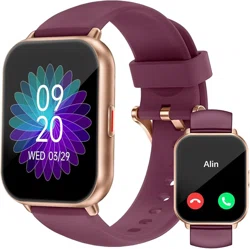

Smart Watch Product Care
Wear and Care
We design and build our products with the goal that you never want to take them off. Even so, for the best
experience, it is important to follow the guidelines outlined here as you wear and care for our products. It is
important to get the right fit so that the sensors in our products can do their jobs. These guidelines, the materials
used in our products, and our safety standards and protocols, have been chosen and developed in collaboration
with leading experts in the field and our 8+ years of experience in building wearables. We select our materials
through a rigorous evaluation. This is all in an effort to deliver you products that help you live an active, healthier
life while keeping your wrist happy.
Give Your Wrist a Rest
If you experience any discomfort or irritation, loosen the band, and if it persists give your wrist a break by taking
your device off.
In general, it is always important to give your wrist a rest on a regular basis by removing the device for an hour or
so after extended wear. A great time to do this is while you are showering. Even though it is ok to shower with
our water resistant products, not doing so reduces the potential for exposure to soaps, shampoos, and
conditioners, which can cause long-term damage to the product and may cause skin irritation.
Additionally, keep in mind that if you have eczema, allergies, asthma or other skin sensitivities, you may be more
likely to experience skin irritation from a wearable device.
Remember, if you start to experience any skin irritation or other discomfort on your wrist or in your hand, such as
redness, soreness, tingling, numbness, burning or stiffness, remove your device.
Don't Wear It Too Tight
Make sure your band isn’t too tight. Wear the band loosely enough that it can move back and forth on your wrist.
During exercise, try moving the band higher on your wrist (2-3 finger widths above your wrist bone) to get a
better fit so it’s secure, but not too tight. Our heart rate sensors work best when they maintain contact with your
skin. Lower the band on your wrist and loosen it after exercise.
As always, if you experience any discomfort, loosen the band, and if it persists give your wrist a break by taking it
off.
Keep It Clean and Dry
Regularly clean your band and wrist—especially after working out, sweating or washing your hands. Do not use
hand soap, body soap, dish soap, hand sanitizers, cleaning wipes, household cleaners or other similar cleaning
products to clean the band or device, as those are difficult to remove and could get trapped beneath the band
and irritate your skin. Instead, only use fresh water and a soap-free cleanser (like Cetaphil) to clean the band.
Furthermore, to minimize the potential for damage to your product and the chance for skin irritation, avoid any
direct contact with sunscreen or insect repellent sprays. Always remove your device while applying these types of
creams or sprays.
Furthermore, while certain of our products may be water resistant or splash proof, it is always important to take it
off after it gets wet and dry it well before putting it back on.