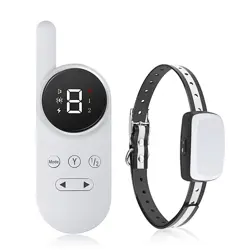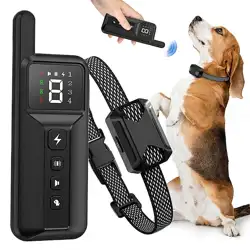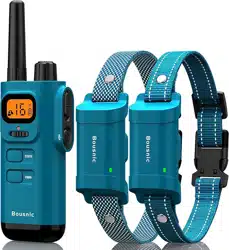
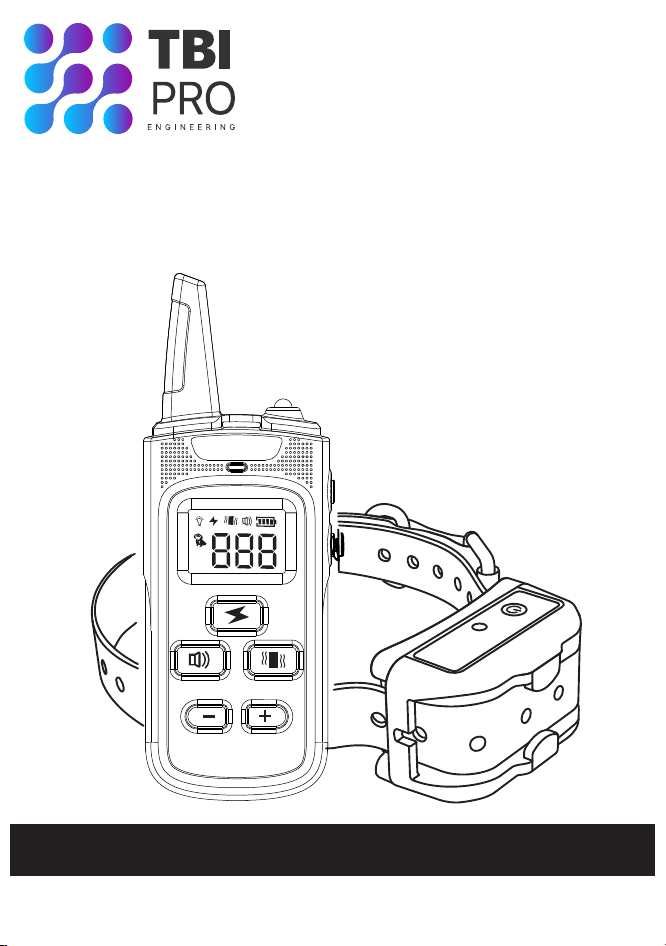
Premium Dog Training Collar
User Manual
READ FULL USER MANUAL BEFORE USE

Important Safety Information
Not for use with aggressive dogs. Do not use this Product if
your dog is aggressive, or if your dog is prone to aggressive
behavior. Aggressive dogs can cause severe injury and even
death to their owner and others. If you are unsure whether this
product is appropriate for your dog, please consult your
veterinarian or certified trainer.
Safety during on-leash training.It is vitally important that you
and your dog remain safe while learning during on-leash training.
Your dog should be on a strong leash, long enough for him to
attempt to chase an object, but short enough for him not to reach
a road or other unsafe area. You must also be physically strong
enough to restrain your dog when he tries to chase.
Risk of skin damage. Please read and follow the instructions in
this manual. Proper fit of the collar is important. A collar worn for
too long or made too tight on the pet's neck may cause skin
damage. Ranging from redness to pressure ulcers; this condition
is commonly known as bed sores.
• Avoid leaving the collar on the dog for more than 12 hours per
day.
• When possible re-position the collar on the pet's neck every 1
to 2 hours.
• Check the fit to prevent excessive pressure; follow the
instructions in this manual.
• Never connect a leash to the electronic collar; it will cause
excessive pressure on the contacts.
• When using a separate collar for a leash, don't put pressure on
the electronic collar.
• Wash the dog's neck area and the contacts of the collar weekly
with a damp cloth.
CAUTION:
-1-
WARNING:

• Examine the contact area daily for signs of a rash or a sore.
• If a rash or sore is found, discontinue use of the collar until the
skin has healed.
• If the condition persists beyond 48 hours, see your veterinarian.
These steps will help keep your pet safe and comfortable. Millions
of pets are comfortable while they wear stainless steel contacts.
Some pets are sensitive to contact pressure. You may find after
some time that your pet is very tolerant of the collar. If so, you may
relax some of these precautions. It is important to continue daily
checks of the contact area. If redness or sores are found,
discontinue use until the skin has fully healed.
-2-

Table of Contents
Components ......................................................................4
Other Items You May Need ..................................................4
How the System Works........................................................5
Key Features......................................................................5
Definition of the Product ......................................................6
Operating Guide ...............................................................7
How to Turn the Remote Training Collar On/Off ...................7
How the Transmitter Buttons Work .....................................8
How to Fit the Receiver Collar............................................8
How to Find the Best Vibration/Shock Level for Your Pet.....10
How to Maximize the Distance..........................................11
The LCD Display & LED Indicator.....................................12
Charging the Device .......................................................13
How to Pair the Remote Transmitter & Receiver Collar .......14
How to Test the Functions................................................16
General Training Guide ...................................................18
General Tips....................................................................18
Teaching Basic Obedience..............................................18
Eliminating Unwanted Behavior ......................................21
Frequently Asked Questions ...........................................25
Trouble Shooting.............................................................26
FCC.................................................................................27
Reference Size for Different Dogs....................................28
-3-
Components
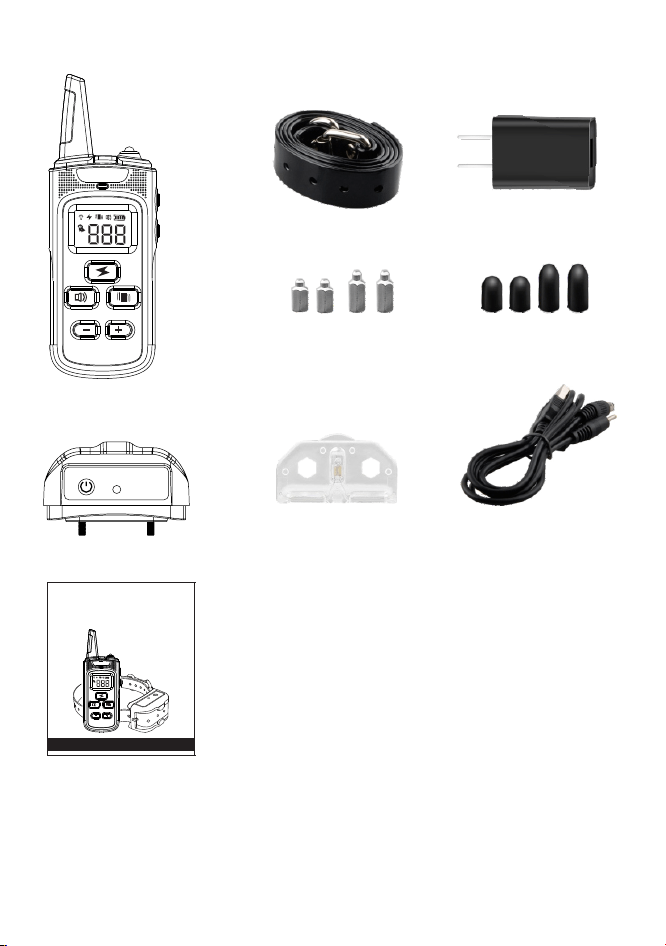
Receiver Collar
Remote Transmitter
Adapter
Conductive Silicone
Covers
USB Cable
Test Bulb
User Manual
Other Items You May Need
• Scissors
• Lighter
-4-
Prem ium Dog Tr ainin g Colla r
User Manual
RE A D F U L L U S ER M A NUA L B E F O RE U SE
Strap
Probes

How the System Works
The Remote Training Collar is easy to use with an advanced
digital display that tells you exactly what level of stimulation you
are using.
This Remote Training Collar assists you in controlling your pet
without a leash in a designed remote range. At the push of a
button, your remote sends a signal activating your dog's Receiver
Collar. He receives a safe but annoying stimulation. He'll quickly
learn the association between his behavior and your correction;in
no time, you'll have a better-behaved pet. The Remote Training
Collar has been proven safe, comfortable, and effective for both
small and large dog breeds.
Using the Remote Trainer consistently and correctly, any basic
obedience commands can be taught and many misbehaviors that
your pet exhibits can be corrected.
Key Features
1.Separated function buttons on Remote Transmitter, easy for
training.
2.Press & Act technology, no training delay.
3.Receiver Collar Waterproof Guaranteed, allowing your dog
diving into water.
4.100 level shock & vibration, provide behavior correction for
more dogs.
5.Receiver Collar Low Battery & charging indicating.
6.Rechargeable with High Quality Lithium Battery, with work time
twice Increased.
7.Function LED Indicator, different color for different function.
8.Advance Shock protection mode. Smart shock level reminding
to avoid over shocking, better protect your pet.
-5-
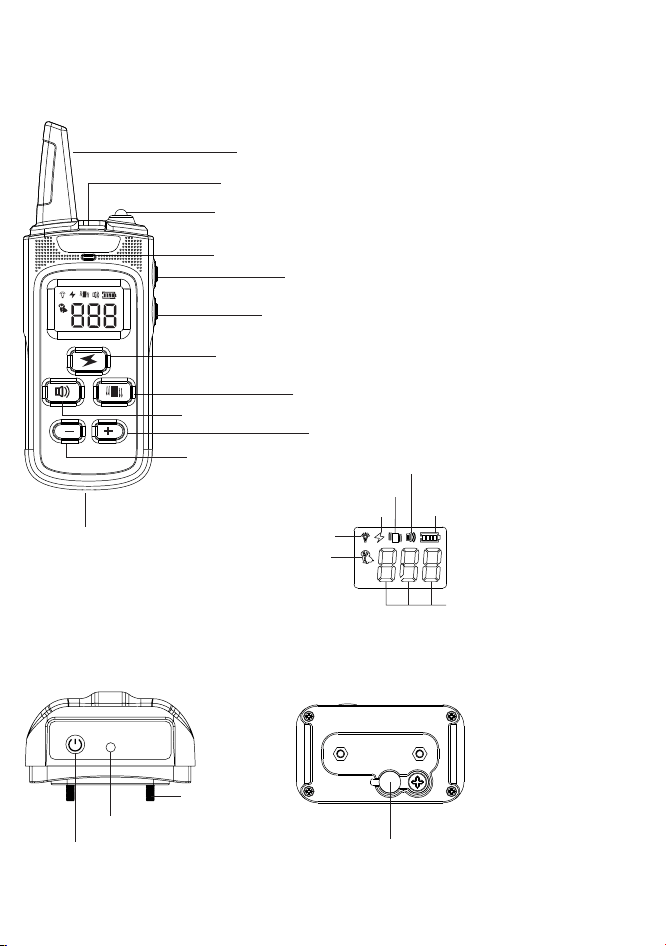
Definition of the Product
Antenna
LED Light
LED Indicator Light
DOWN Button
Shock Button
Vibration Button
Beep Button
Charging Jack
LED Light Button(Power ON/OFF Button)
Battery Status
Shock
LED Light
Vibration
Beep
Channel
1-100 Level
Power On/Off Button
(Pairing Button)
LED Indicator
Charging Jack
Remote Transmitter
Receiver Collar
-6-
Wrist Strap Hole
Contact Point
UP Button
Channel Button
Operating Guide
Step
1
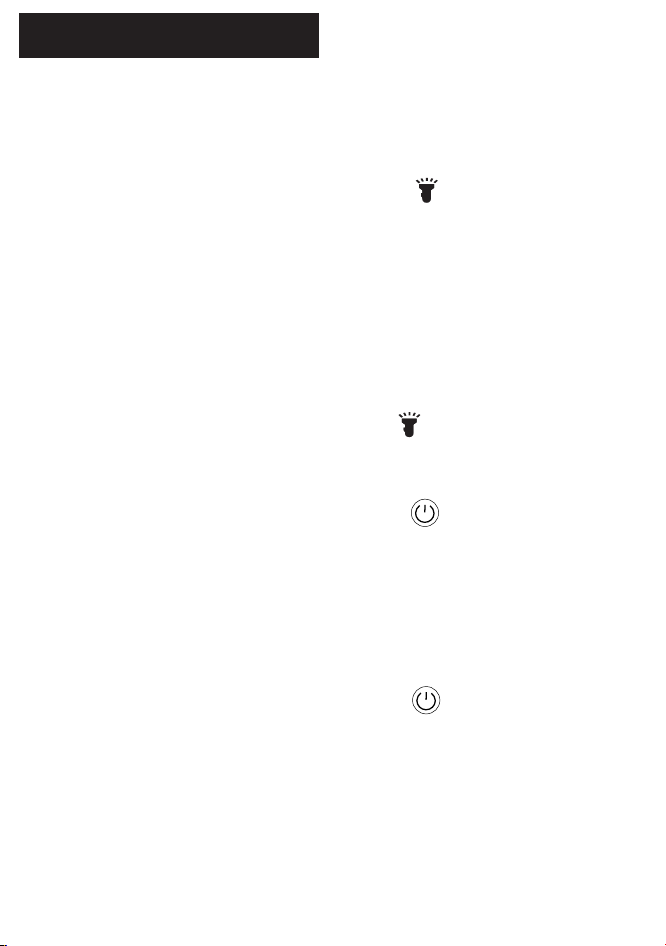
How to Turn the Remote Training Collar
On/Off
To turn the Remote Transmitter on
1.Press and Hold the light button for 3 seconds to
power on the Remote Transmitter. The backlight will be
on.
2.Backlight will be off at 10 seconds if there is no
operation.
3.LCD display will be turned off at 2 minutes if there is
no operation.Any press on the button of the Remote
Transmitter will activate it.
To turn the Remote Transmitter off
Press and Hold the light button for 3 seconds to
power off the Remote Transmitter.
To turn the Receiver Collar on
Press and Hold the power button for 3 seconds, the
Receiver Collar will vibrate and BLUE LED indicator
become solid then blinking.
The Receiver Collar will be into sleep mode if there is no
movement within 2 minutes. Any movement will activate
the Receiver Collar.
To turn the Receiver Collar off
Press and Hold the power button for 3 seconds, the
Receiver Collar will beep and BLUE LED indicator turns
off.
Notes: To extend the life of the batteries, turn off the
Remote Transmitter and Receiver Collar when you are
ready not to use them for a long time.
-7-
Step
2
How the Remote Transmitter Buttons Work
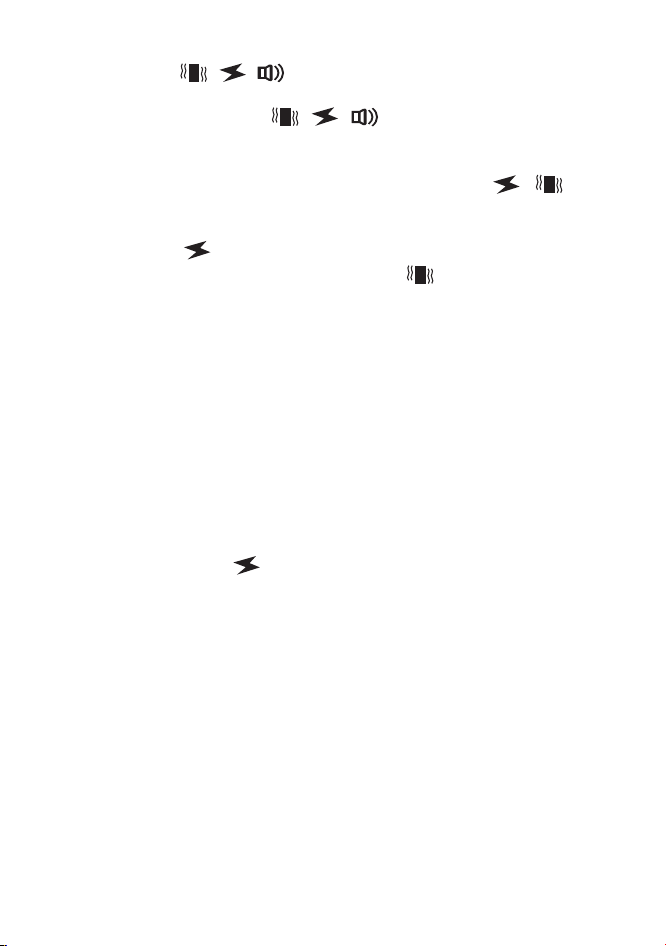
1.Press / / once to send a vibration,shock and
beep command to Receiver Collar.
2.Press and Hold / / ,Receiver Collar will have a
consecutive vibration,shock and beep and stop after 10
seconds.
Notes: Do not suggest to press and hold / for
long time to avoid physical or psychological hurt to
your pet.
3.Press ,then adjust the Up Button and Down Button
to select the shock level. Press ,then adjust the Up
Button and Down Button to select the vibration level.
Notes:the level of beep mode can NOT be adjusted.
Level 0 is set by default.
4.When the shock level is set from 001~020 or LCD
Display shows shock mode icon, the Remote Transmitter
deliver the shock command instantly after pressing the
button.
Advance Shock protection mode:
If the shock level is set from 021~100, and current mode
is displaying beep or vibration icon on LCD Display, the
first press on will not deliver the shock command to
Receiver Collar in order to remind user to confirm the
shock level, it will deliver the command on the second
press. It’s Pet Protection Control, avoiding delivering
over shock to your pet.
Step
3
How to Fit the Receiver Collar
Important: The proper fit and placement of your
Receiver Collar is important for effective training. The
Contact Points must have direct contact with your pet's
skin on the underside of his neck,or he cannot feel the
static shock. To assure a proper fit, please follow these
steps:
1. Make sure that the Receiver Collar is turned off.
2. Have your pet standing comfortably (3A).
-8-
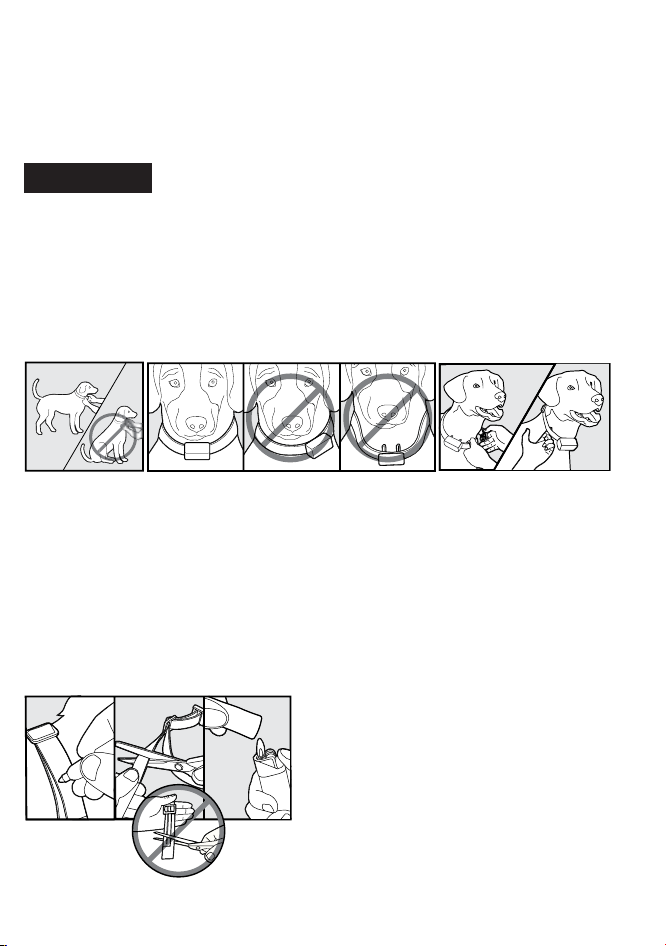
3. Place the Receiver Collar on your dog's neck close to the ears.
Center the Contact Points underneath your dog's neck, touching
the skin.
Note: It is sometimes necessary to trim the hair around the
Contact Points to make sure that contact is consistent.
CAUTION:
Do not shave the pet's neck as this may
increase the risk of skin irritation.
4. The Receiver Collar should fit snugly, yet loose enough to allow
one finger to fit between the strap and your pet's neck (3C).
5. Allow your pet to wear the collar for several minutes then
recheck the fit. Check the fit again as your pet becomes more
comfortable with the Receiver Collar.
6. Trim the collar as follows (3D):
a. Mark the desired length of the collar with a pen. Allow for growth
if your pet is young or grows a thick winter coat.
b. Remove the Receiver Collar from your pet and cut off the
excess.
c. Before placing the Receiver Collar back onto your pet, seal the
edge of the cut collar by applying a flame along the frayed edge.
3D
3A
3C
3B
-9-

Step
4
How to Find the Best Vibration/Shock Level
for Your Pet
Important: Always start at the lowest level and work your
way up.The Remote Training Collar has 100 Stimulation
Levels for vibration and static shock, with level 1 being
the lowest level and level 100 being the highest. This
allows you to choose the Stimulation level that is best for
your pet. Once you have placed the Receiver Collar on
your pet, it is time to find the Stimulation Level that is best
for him. This is called the Recognition Level. A slight
change in your pet's behavior, such as looking around in
curiosity, scratching at his collar, or flicking his ears,
indicates the Recognition Level that is best for him.
Follow the steps below to find your pet's Recognition
Level:
1. Starting at Level 1 on the Digital Display, press the
Vibration/Shock Button continuously for 1 to 2 seconds.
Note: When the Vibration/Shock Button is held down for
10 consecutive seconds, the Transmitter will "time-out",
and you must release and press the button again before
additional stimulation can be delivered.
2. If your pet shows no reaction, repeat the Stimulation
Level several times before moving up to the next level.
3. YOUR PET SHOULD NOT VOCALIZE OR PANIC
WHEN RECEIVING STIMULATION. IF THI S
HAPPENS, THE STIMUL ATION LEV EL IS TOO HIGH
AND YOU NEED TO GO BACK TO THE PREVIOUS
LEVEL AN D REPEAT TH E PROCESS.
4. Move up through the Stimulation Levels until your pet
reliably responds to the stimulation.
5. If your pet continues to show no response at Level 100,
check the fit of the Receiver Collar. If your pet has long or
thick hair, please use the the longer set of Contact Points
in package. Then go back to #1 and repeat the process.
-10-
If this still does not yield any results, your pet's hair will
need to be trimmed around the Contact completing all of
these steps, your dog still does not indicate he is feeling
the stimulation, please contact our customer service.
Step
5
How to Maximize the Distance
Terrain, weather, vegetation, transmission from other
radio devices, and other factors will affect the maximum
range.
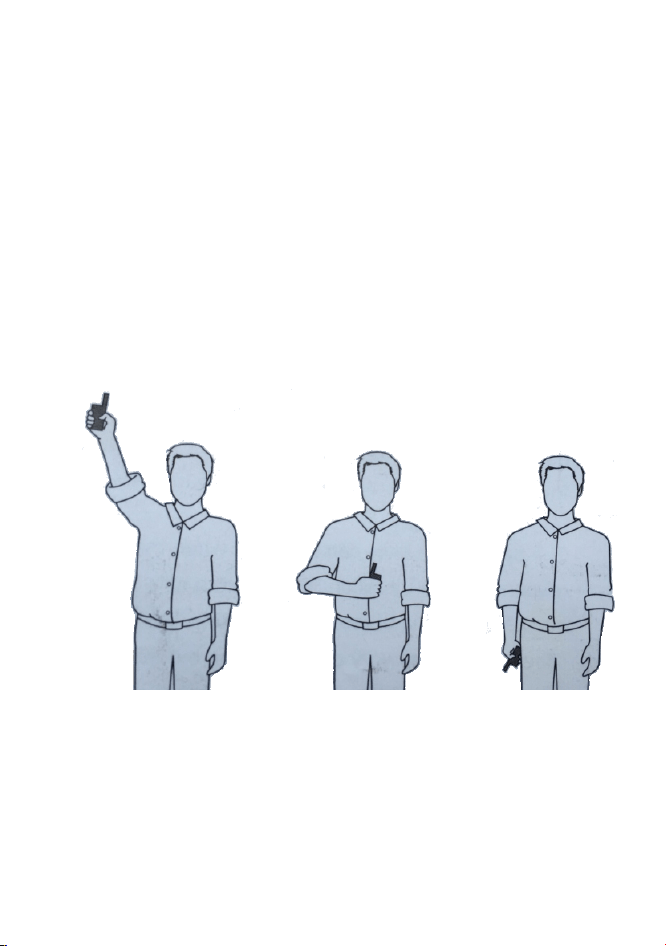
Hold the Remote Transmitter in a horizontal position away
from your body to achieve optimum range. For Maximum
signal strength, keep the device properly charged.
Maximum range Typical range Minmum range
*Avoid touching the antenna or the range may decrease
substantially.
-11-
Step
6
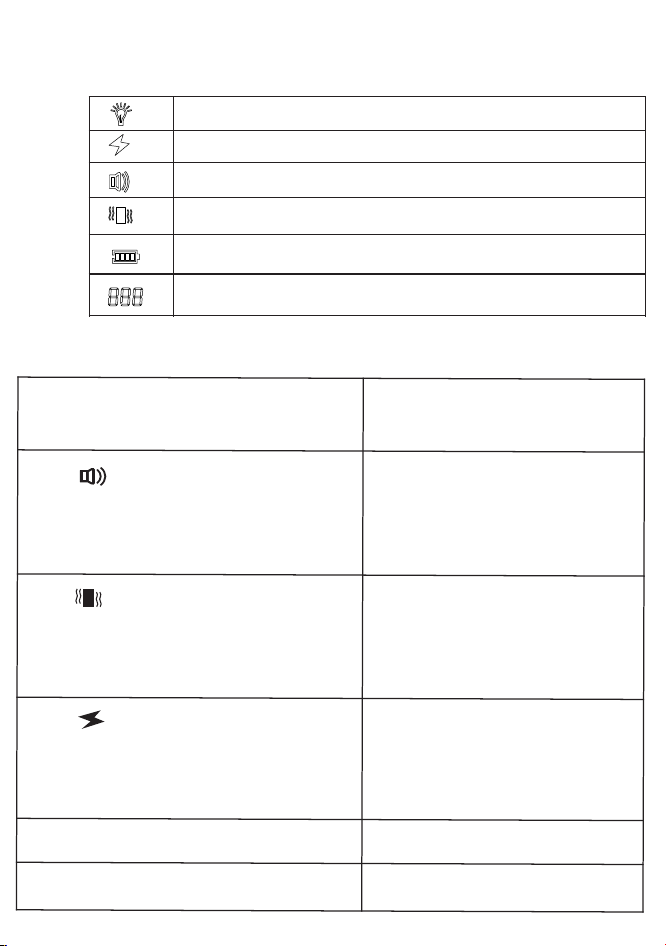
The LCD Display & LED Indicator
Indicates battery level
Indicates the 1 to 100 stimulation level of Shock/Vibration
*Remote Transmitter Indicator Light Definitions
Remote Transmitter Function
Indicates LE D light is on
Indicates Shock Mode is on
Indicates Beep Mode is on
Indicates Vibration Mode is on
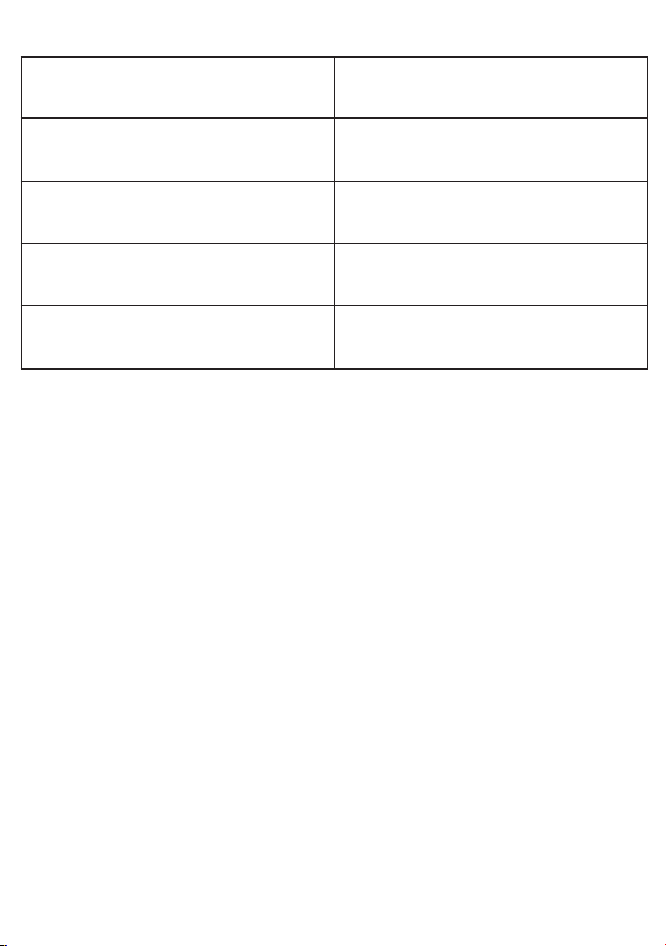
Remote Transmitter Indicator
Light Response
Press , deliver beep command
to Receiver Collar(beep will stop
after 10 consecutive seconds and
will reset after release the Beep
Button )
Green LE D on when pressing
the button
Press ,deliver vibration to Receiver
Collar base on current level showed on
LCD display(vibration will stop after 10
consecutive seconds and will reset
after release the Vibration Button )
Green LE D on when pressing
the button
Press ,deliver shock to Receiver
Collar base on current level showed
on LCD display(shock will stop after
10 consecutive seconds and will reset
after release the Shock Button )
Red LE D on when pressing the
button
Charging the Remote Transmitter
Red LE D blinks
Remote Transmitter is fully charged
Green LE D is on
-12-
*LCD Display on Remote Transmitter
*Receiver Collar Indicator Light Definitions
Receiver Collar Function
Receiver Collar Indicator
Light Response
System Running
Slow Blinking, 1 blink every
3 seconds
Battery Low
Fast Blinking,2 blinks every
1 second
Fully charged/Pairing Mode
Indicator light become Solid
On charging
Slow Blinking, 1 blink every
1 second
Step
7
Charging the Device
The Remote Training Collar use Lithium-Polymer
batteries, DO NOT charge the device near any flammable
substances. Fully charge the Remote Transmitter and
Receiver Collar before use.
Charge the Remote Training Collar if:
• The indicator light on the Receiver Collar is blinking
rapidly.
• There is only 1 battery level bar left on the Remote
Transmitter LCD display.
• The indicator light on the Remote Transmitter and
Receiver collar will not come on.
Charging Steps:
1. Plug the adaptor into a standard wall outlet.
2.Lift the rubber cover on the Receiver Collar charging
jack.
3. Connect the USB cable connectors to the charging jack
on Receiver Collar and Remote Transmitter.
-13-
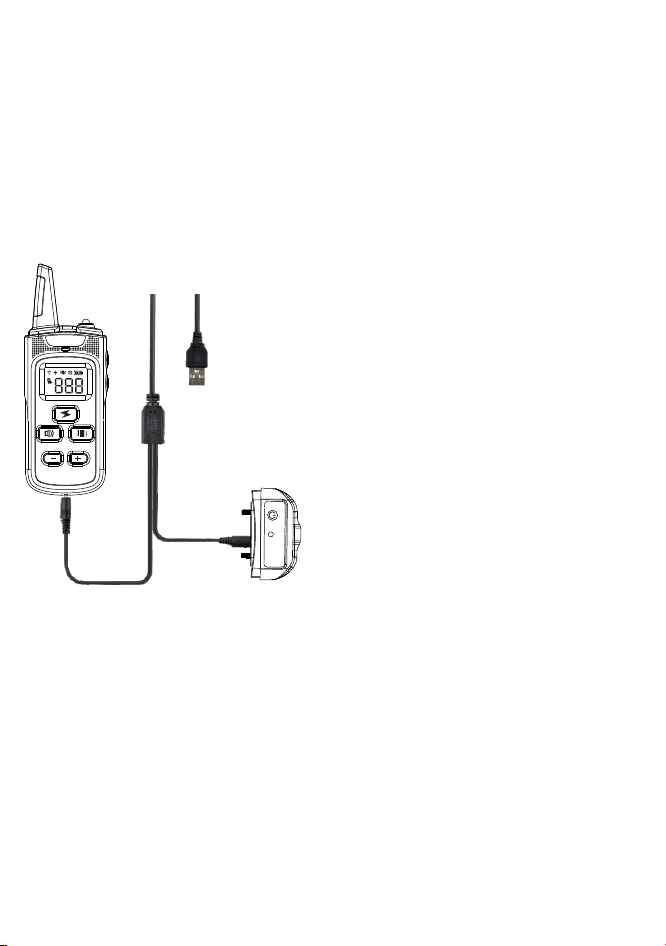
4. Connect the USB cable port to the power adapter, power bank
or your PC.
Notes:
Remote Transmitter: Fully charged, the Green LED indicator will
become solid.
Receiver Collar: Fully charged, the Blue LED indicator will be
come solid.
The charging time takes 2~3 hours, Red indicator light on Remote
Transmitter and Blue indicator light on Receiver Collar will blink
slowly when charging.
Step
8
How to Pair the Remote Transmitter
& Receiver Collar
If your Receiver Collar does not beep when you press
the Beep Button on the Remote Transmitter, or you feel
the Receiver Collar is not responding to the Remote
Transmitter, follow these steps to pair.
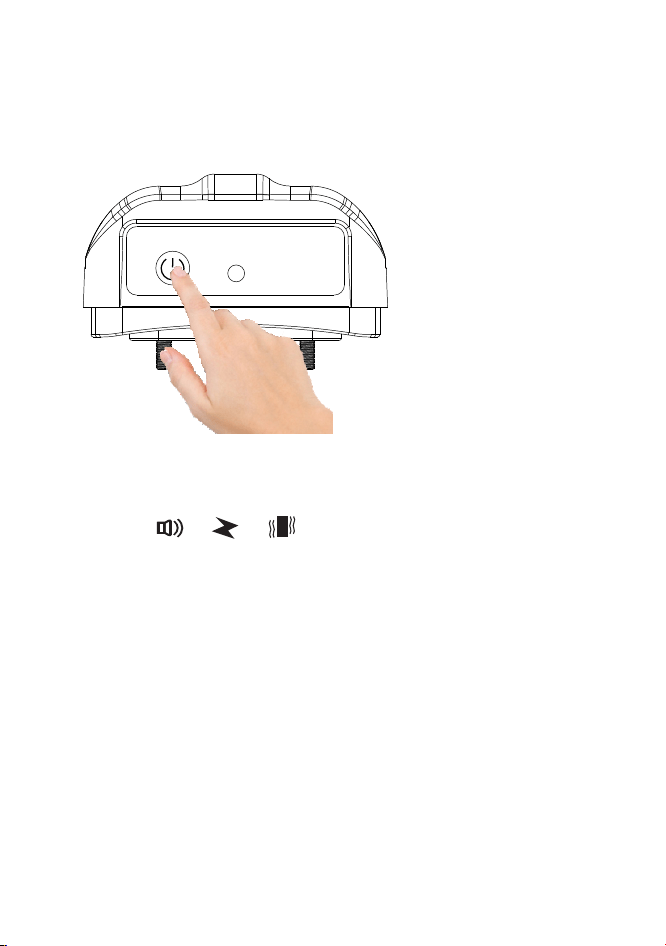
1. Press and hold the power button on the Receiver Collar
for 3 seconds to turn on the Receiver Collar.
-14-
Warning:
For your safety, please use the power
adapter in the package for charging.
In case you have to use other power
adapters, please use those with 5V
output voltage. The output voltage
information is usually described
on the surface of power adapter.
Power adapter with output voltage
over 5V may cause damage to the
training collar.
3. Press the or or on the Remote Transmitter, and you
will hear a beep indicating that pairing is completed. Then
Receiver Collar will respond to your operations on the
remote.
Tips: You can choose channel 1 or channel 2 to pair the
Remote Transmitter & Receiver Collar. If you can not
pair the device successfully, it maybe caused by the signal
interference. Please change to another place to try
or contact our service center.
2. Press the power button 3 times to enter the pairing mode. You
will hear a beep and the indicator become solid. You will now
have 10 seconds to finish the pairing.
-15-
Step
9
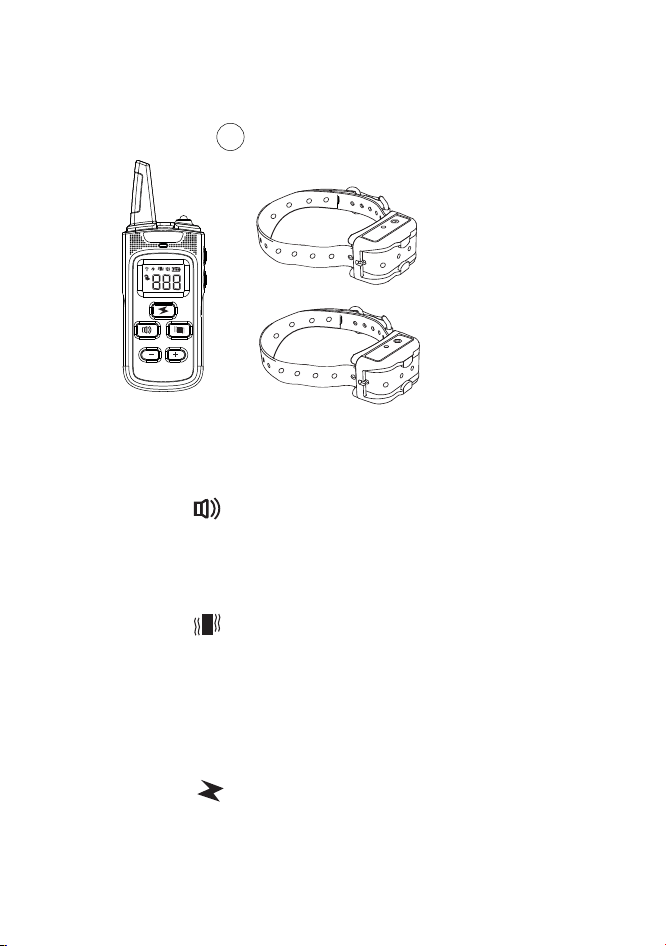
How to Test the Functions
Beeping Test
-Press the Button to test the Beeping function.
-The Receiver Collar will beep indicating that the beeping
function works.
Vibration Test
-Press the Button to test the Vibration function.
-The Receiver Collar will vibrate indicating that the
Vibration function works.
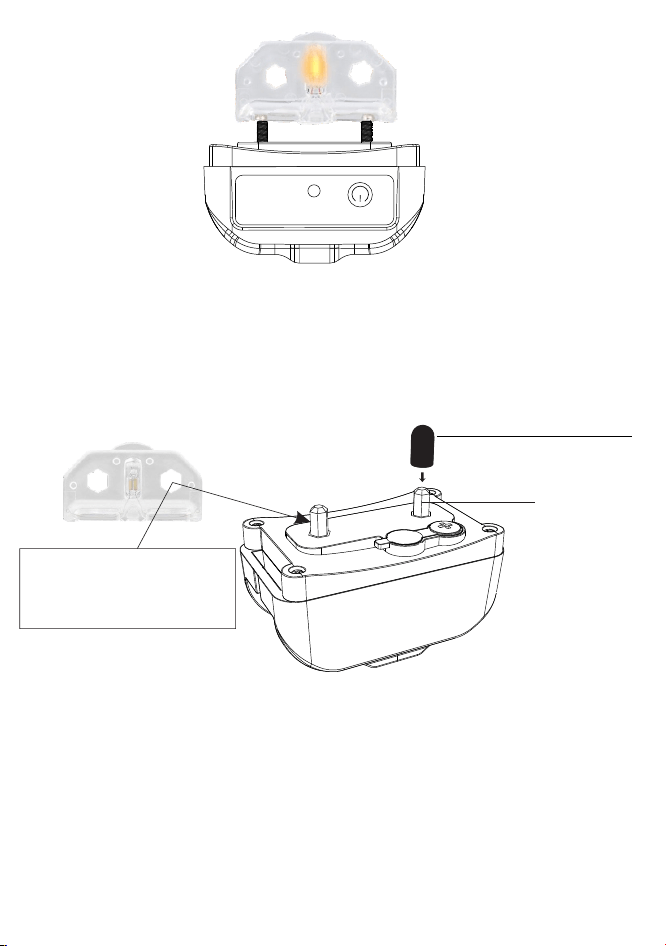
Shock Test
-Secure the Test Bulb on the Receiver Collars' Contact
Points.
-Press the Button to test the shock function.
-The Test Bulb will light up indicating the static shock
stimulation works, Test Bulb become brighter at higher
shock levels.
-16-
The system can pair 2 Receiver Collars to 2 different
channels at the same time. If you buy extra Receiver
Collar from us, follow “Step 8” above to pair the other
receiver (Choose the other channel by pressing the
channel button on the ).Remote Transmitter
1/2
1 Receiver Collar paired
to Channel 1
1 Receiver Collar paired
to Channel 2
Notes:
For your dog’s comfort and safety, please ensure the conductive
silicone covers are worn on the contact points before putting the
Receiver Collar on your dog. The conductive silicone covers can
deliver the static shock.
Please take off the conductive silicone covers when you need to
test the static shock with the provided Test Bulb.
-17-
Conductive Silicone Cover
Notes: The hexagon hole on
the Test Bulb can be used to
fasten or unfasten the Probes
to the Contact Points.
Probe

General Training Guide
General Tips
• Eliminate one misbehavior or teach one obedience command at
a time. If you move too fast with training, your pet may become
confused.
• Be consistent. Correct your pet every time he misbehaves.
• Unless you can supervise him, it is recommended that you
restrict your pet from situations in which he has a history of
misbehaving. However, setting up a situation as a training session
can dramatically improve your chances of success.
• If your pet reacts to the beeps by hiding or acting fearful, redirect
his attention to a simple and appropriate behavior, such as the
"sit" command.
• Pets should be at least 6 months old before using the Trainer.
• Only let responsible family members use the Trainer. It is not
a toy!
• Other pets in hearing range will be affected by the training beeps.
Therefore, training sessions should be conducted out of hearing
range of other pets.
CAUTION:
Never use the Remote Trainer to correct or eliminate
any form of aggressive behavior. We recommend you contact
your local veterinarian or professional trainer to determine if your
pet might be aggressive. See page 1 for more information.
Teaching Basic Obedience
The “Sit” Command
1. Put a separate, non-metallic collar on your pet’s neck ABOVE
the Receiver Collar, and attach a 10-foot leash. Note: Be sure the
extra collar does not put pressure on the Contact Points.
2. Hold the leash and the Remote Transmitter in one hand. Keep
your other hand free to guide your pet into a “Sit” position.
3. Press and hold the Stimulation Button, starting at your pet’s
Recognition Level.
-18-
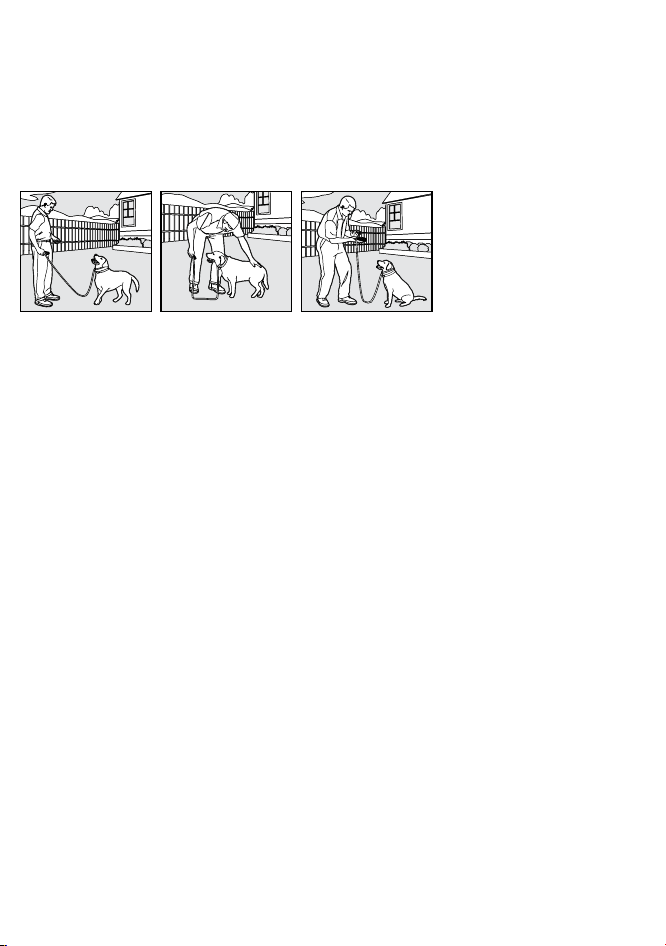
4. Immediately give the “Sit” command while continuing to hold
the Stimulation Button.
5. Release the Stimulation Button as soon as your pet is in
position, and praise him.
6. Release your pet from the “Sit” command and play.
7. Repeat Steps 2 through 6.
Note: If your pet breaks
the “Sit” command, repeat
steps 3 through 6. Keep
your pet close to you while
teaching the “Sit” command.
The “Come” Command
1.Put a separate, non-metallic collar on your pet’s neck ABOVE
the Receiver Collar, and attach a 10-foot leash. Note: Be sure the
extra collar does not put pressure on the Contact Points.
2.Hold your leash in one hand and the Remote Transmitter in the
other.
3.Wait for your pet to walk away from you. Using the Recognition
Level for your pet, press and hold the Stimulation Button on your
Remote Transmitter.
4.Immediately give the command “Come” while continuing to hold
the Stimulation Button.
5.Using the leash, gently guide your pet toward you until he
begins to come in your direction.
6.Immediately release the Stimulation Button as soon as your pet
steps towards you, and praise him enthusiastically.
7.Quickly move backwards as your pet begins to come back to
you, praising him the entire time.
8.Praise your pet when he returns to you.
9.Repeat Steps 3 through 8.
10.Once your pet responds readily to the “Come” command
several times, back away from him without giving a command.
-19-
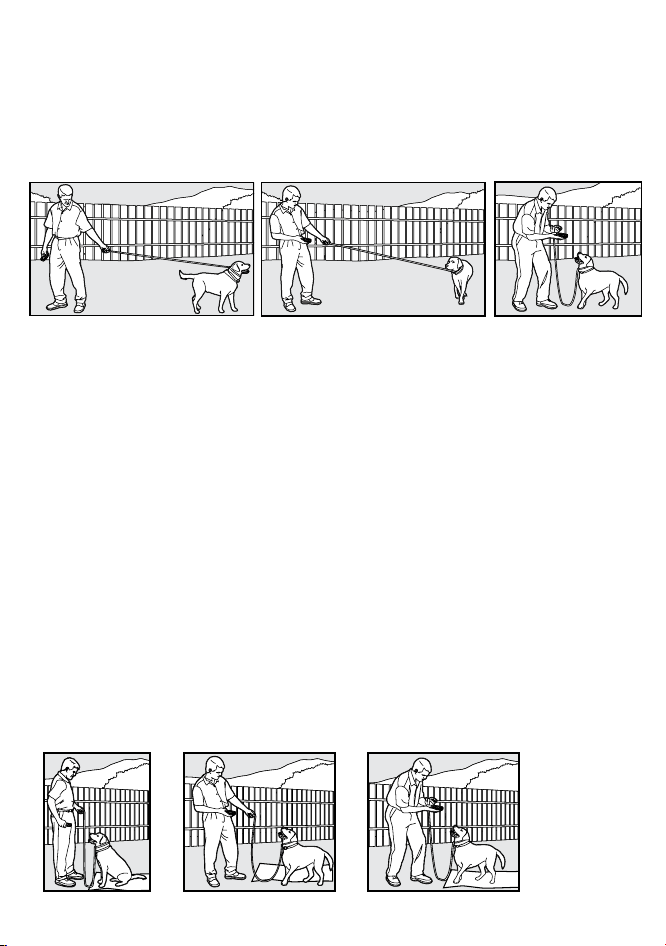
When your pet turns toward you, give the command “Come”
(WITHOU T STIMULATION) and praise him while you continue to
back up. Praise your pet when he returns to you.
11.Use your leash to prevent your pet from running past you. If
your pet manages to run past you, repeat Steps 3 through 8.
The “Stay” Command
1. Put a separate, non-metallic collar on your pet’s neck ABOVE
the Receiver Collar, and attach a 10-foot leash. Note: Be sure the
extra collar does not put pressure on the Contact Points.
2. Put your pet on his bed. Hold your leash in one hand and the
Remote Transmitter in the other.
3. Staying within 3 feet, walk the perimeter of the bed. Do not say
anything to your pet.
4. If your pet tries to leave the bed, press and hold the Stimulation
Button and give the “Stay” command. Continue to hold the button
until your pet is back on his bed. If necessary, use the leash to
guide your pet onto his place.
5. Praise your pet when he is back on his bed.
6. Once your pet has settled for a few seconds, release him and
play calmly.
7. Repeat steps 1 through 5.
-20-
Eliminating Unwanted Behavior
Jumping Up
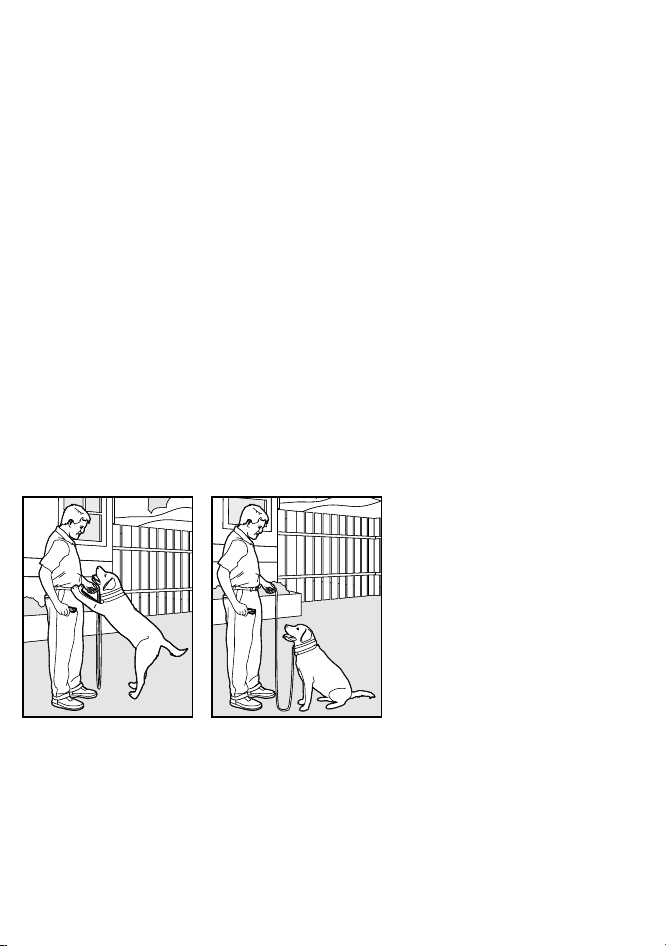
Pets typically jump up to get attention. If you do not want your pet
to jump on you, then friends or members of the family should not
encourage this behavior. That means every time your pet jumps
on someone, he should be reprimanded or redirected to an
alternate and acceptable behavior, for which he can receive
praise.
Note: It is best if your pet first understands the “Sit” command.
1. Choose your pet’s Recognition Level.
2. As soon as your pet lifts his paws off the ground to jump on you,
press the Stimulation Button and give the command “Sit.”
3. Release the Stimulation Button immediately once your pet is
sitting, and verbally praise him.
4. If your pet ignores the stimulation, increase the Intensity Level
by 1.
5. Practice this exercise in several different areas and use
different people for distractions.
Digging
It is important to first understand why your pet is digging. Many
dogs, such as terriers, were bred to flush out prey, and digging is
very innate to them. Other dogs may be digging to find a cool spot
to lie down, or simply out of boredom. Your pet may no longer have
the desire to dig if he is provided with the following:
-21-
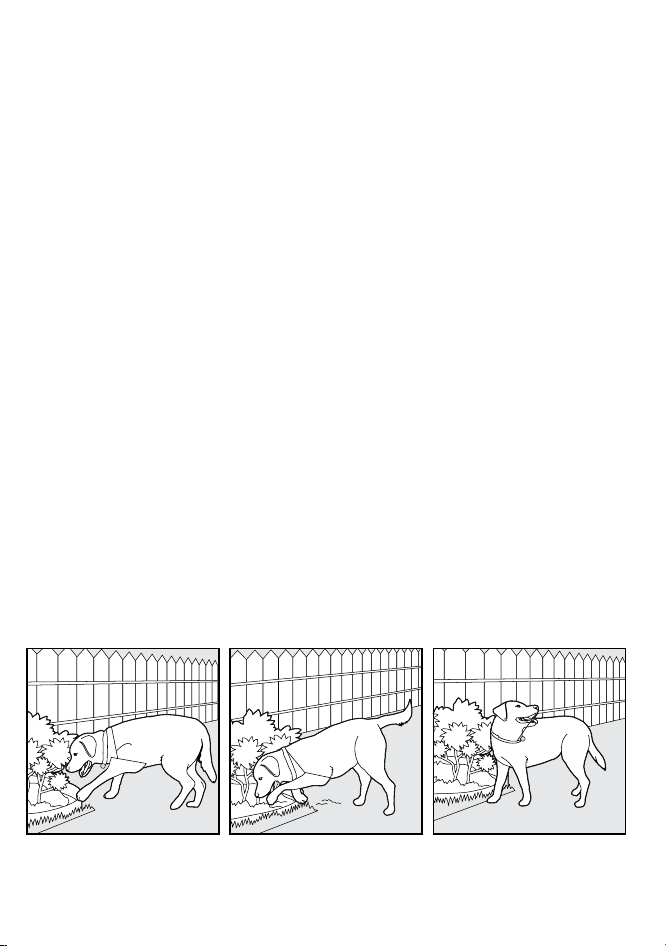
• A cool, shaded area in which to lie down, and plenty of water.
• An alternate activity, such as a favorite toy.
• Plenty of play, exercise, and attention.
• A yard free from rodents or prey that he may be trying to flush
out.
1. Choose the Intensity Level 1 higher than your pet’s
Recognition Level.
2. Place the Receiver Collar on your pet and wait at least 10
minutes before placing him in the yard. No other people or pets
should be in the yard, as you do not want your pet to associate
the stimulation with anything other than his digging. Your pet
must be securely fenced in or contained during training.
3. From a window or area where your pet cannot see you, wait
until your pet begins to dig.
4. While your pet digs, press the Stimulation Button and release
it when he stops digging. Only press the button while your pet is
in the act of digging, and do not say anything to him.
5. If your pet ignores the stimulation, increase the Intensity Level
by 1.
6. Continue to watch your pet, as he may choose another area to
dig.
7. Do not allow your pet in the yard unsupervised until he has
completely stopped digging.
-22-
Chasing
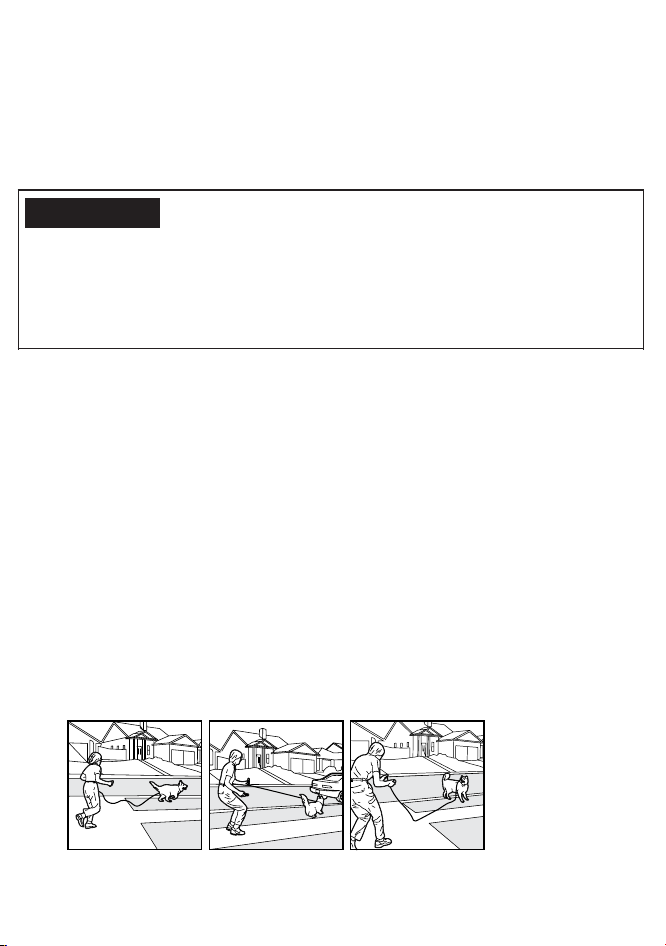
Chasing is an instinctive behavior stimulated by moving objects.
Some dogs have a particularly strong desire to chase that can put
them in harm’s way and leave you helpless. Never allow your dog
off the leash or out of a contained area until he has learned the
“Come” command, regardless of the distraction. Be consistent
and correct your dog every time he chases something.
It is vitally important that you and your dog
remain safe while learning during on-leash training. Your dog
should be on a strong leash, long enough for him to attempt to
chase an object, but short enough for him not to reach a road or
other unsafe area. You must also be physically strong enough to
restrain your dog when he tries to chase.
1. If your dog has not learned the “Come” command, keep a leash
on him so you can physically stop him before he reaches the
object he is chasing.
2. Choose the Intensity Level 1 higher than your dog’s
Recognition Level.
3. Set up a scenario where your dog is enticed to chase an object.
Common items could be cars, motorcycles, bicycles, etc.
(do not use toys).
4. When the object passes in front of your dog, make sure to hold
the leash with a firm grip. As soon as your dog begins to chase the
object, press and hold the Stimulation Button until he stops.
5. When your dog stops chasing the object, immediately release
the button, walk backwards and give the command “Come.”
Praise your dog as he comes to you.
6. Repeat the process until your dog stops chasing the object.
CAUTION:
-23-
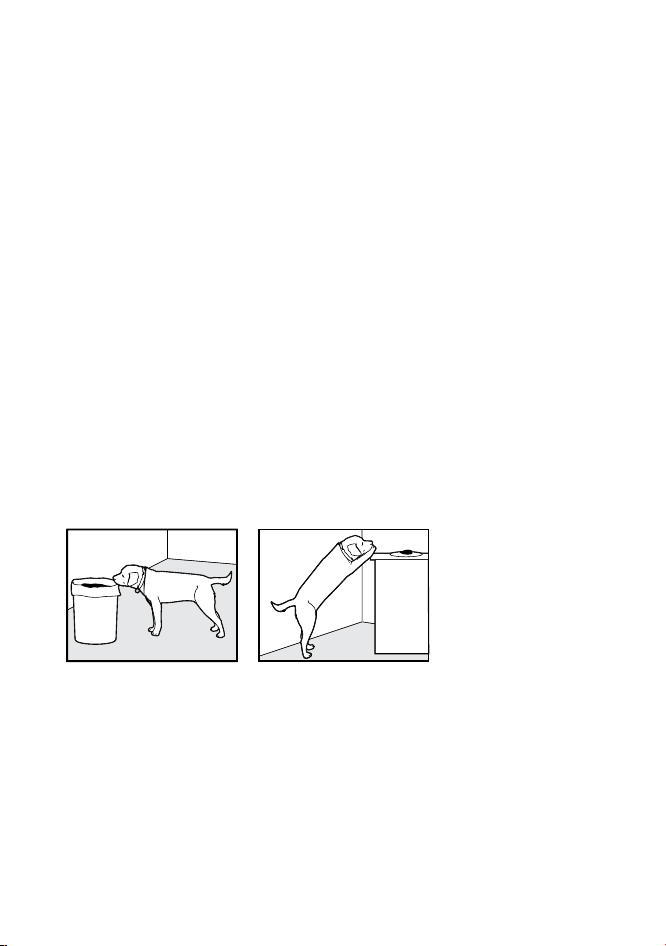
Trash Raiding
The easiest way to prevent trash raiding is to remove garbage
and tempting food from your pet’s environment. You can use the
Training Collar to teach your pet to stay away from these items;
however, you must be prepared to correct your pet every time he
approaches them.
1. Choose the Intensity Level 1 higher than your pet’s Recognition
Level.
2. Pick a temptation for your pet and position yourself where he
cannot see you.
3. While your pet’s mouth is touching the temptation, press and
hold the Stimulation Button. Immediately release the button when
your pet leaves the temptation.
4. Do not say anything, as you want your pet to associate the
stimulation with his behavior, not you.
5. If your pet does not respond to the stimulation, increase the
Intensity Level by 1 and repeat the process.
6. Repeat this process in several different locations with different
temptations.
-24-
Frequently Asked Questions
Is the Stimulation safe for my pet?
• While the Stimulation is unpleasant,
it is harmless to your pet. Electronic
training devices require interaction
and training from the owner to
achieve desired results.
How old does my pet have to be
before using the Remote Training
Collar?
• Your pet should be able to recognize
basic obedience commands such as
‘'Sit'' or ‘'Stay''. Pets should be at
least 6 months old before using the
Trainer.
Once my pet is trained and has been
obeying my commands, will he have
to continue to wear the Receiver
Collar?
• Probably not. You may need to
reinforce training with the Receiver
Collar from time to time.
Is the Receiver Collar waterproof?
• Yes. Receiver Collar is IPX7
waterproof, but make sure to keep
the area dry when charging.
Notes: Remote Transmitter is not
waterproof.
Why sometimes I get short remote
range with this Remote Training
Collar?
• The range of the Remote Training
Collar will vary according to terrain,
weather, vegetation, as well as
transmission from other radio devices.
See "How the System Works' for tips
on maximizing your range.
How long can I continuously deliver
stimulation to my pet?
• The maximum amount of time you
can press the Stimulation Button and
deliver stimulation to your pet
continuously is 10 seconds.
After this, the Remote Transmitter
will time-out, and the Stimulation
Button must be released and pressed
again.
-25-

Trouble Shooting
My pet does not respond when I
press a button.
• Make sure the Receiver Collar has
been turned on.
• If your range has reduced from the
first time you used the Remote Training
Collar, the battery(s) may be low in
either the Remote Transmitter or
Receiver Collar.
• Many factors can impact the amount
of range you have with the Remote
Trainer. For a list of these factors, see
"How the System Works'.
• Test the Receiver Collar. See "How to
test the functions' for details.
• Increase the Stimulation Level. Refer
to "How to find the best Vibration/
Shock Level for your pet' for more
information.
• Make sure the Receiver Collar's
Contact Points are placed snugly
against your pet's skin. Refer to
"How to Fit the Receiver Collar' for
more information.
The Receiver Collar will not turn on.
•Make sure the Receiver Collar has
been charged. For the initial charge,
be sure to charge it for4 hours.
Subsequent charges only take
2~3 hours.
The Receiver Collar is not responding
to the Remote Transmitter.
• Verify the Receiver Collar is on.
• If the indicator light is blinking rapidly,
fully charged the Receiver Collar.
• If the first two solutions did not resolve
your problem, see "How to pair the
Remote Transmitter & Receiver
Collar.''
-26-

FCC
USA
This device complies with part 15 of the FCC Rules. Operation is
subject to the following two
conditions: (1) This device may not cause harmful interference,
and (2) this device must accept any interference received,
including interference that may cause undesired operation.
NOTE: This equipment has been tested and found to comply with
the limits for a Class B digital device, pursuant to part 15 of the
FCC Rules. These limits are designed to provide reasonable
protection against harmful interference in a residential
installation. This equipment generates, uses, and can radiate
radio frequency energy and, if not installed and used in
accordance with the instructions,may cause harmful interference
to radio communications. However, there is no guarantee that
interference will not occur in a specific installation. If interference
does occur to radio or television reception, which can be
determined by turning the equipment off and on, the user is
encouraged to try to correct the interference by one or more of the
following measures:
• Reorient or relocate the receiving antenna.
• Increase the separation between the equipment and the receiver.
• Connect the equipment to an outlet on a circuit different from that
to which the receiver is connected.
• Consult customer care, the dealer, or an experienced radio/TV
technician for help.
-27-
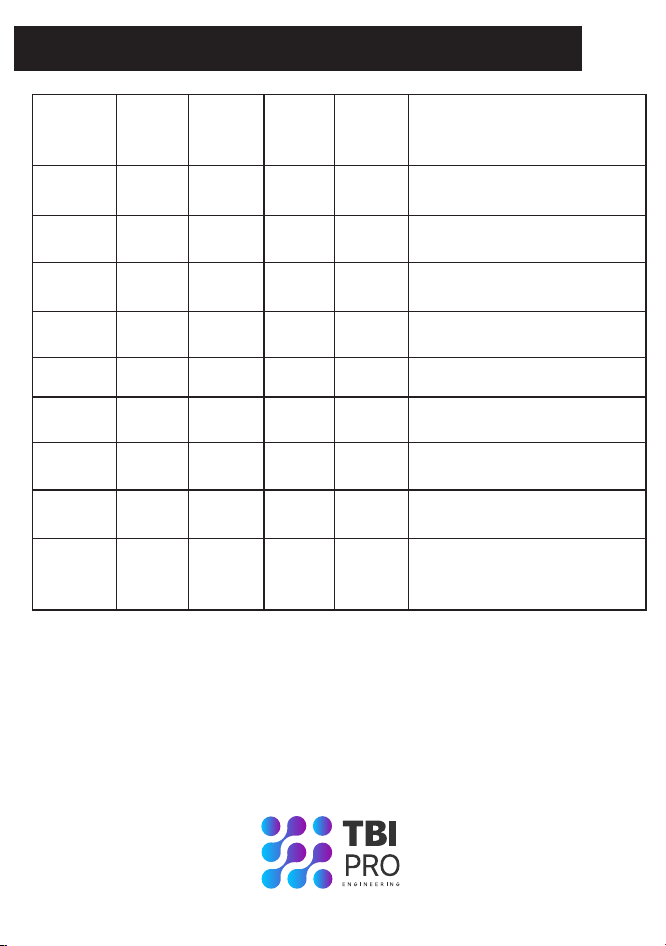
Reference size for different dogs
Size
X-Small
Neck
Girth
(IN)
Chest
Girth
(IN)
Back
Length
(IN)
Weight
(LBS)
Breed
7.8-8.6
7.8-9.4
9.0-11.0
10.6-12.2
11.8-13.3
12.9-14.5
16.9-18.9
18.5-20.4
20.4-24.4
9.8-11.8
11.4-14.1
13.7-16.5
16.1-18.5
18.1-20.8
20.4-23.2
29.9-33.0
34.6-38.1
36.2-39.3
7.4
9.0
11.0
12.2
13.7
15.7
23.6
23.6
27.5
1-10
11-25
26-40
41-70
71-90
91-110
N/A
N/A
N/A
Chihuahua,Yorkshire,Terrier
Poodle,Pomeranian
Shih Tzu,Maltese Dog
Miniature Schnauzer,Pekingese
English Cocker Spaniel
Beagle
Husky
Labrador Retriever
Golden Retriever,Old English
Sheepdog
X-Large
X-Large
X-Large
Large
Large
Large
Medium
Small
-28-
Version:O3 V1
Made in China
Thank you for choosing our dog training collar products and
hope you enjoy the time with your pet. If you have any
questions, please contact our customer service:
support@tbi-pro.com