DC 5V 500mA
SPECIFICATIONS
CHARGING
BLUETOOTH PAIRING
MUSIC CONTROLS
Bluetooth Range: Up to 33 feet (10 meters)
Battery Type: Polymer Lithium Ion Battery
Charging Input:
Play Time: Approximately 3-5 hours**
Charging Time: Approximately 1-2 hours
**Applicable at 50% of maximum volume. Results will be lower when
volume is higher.
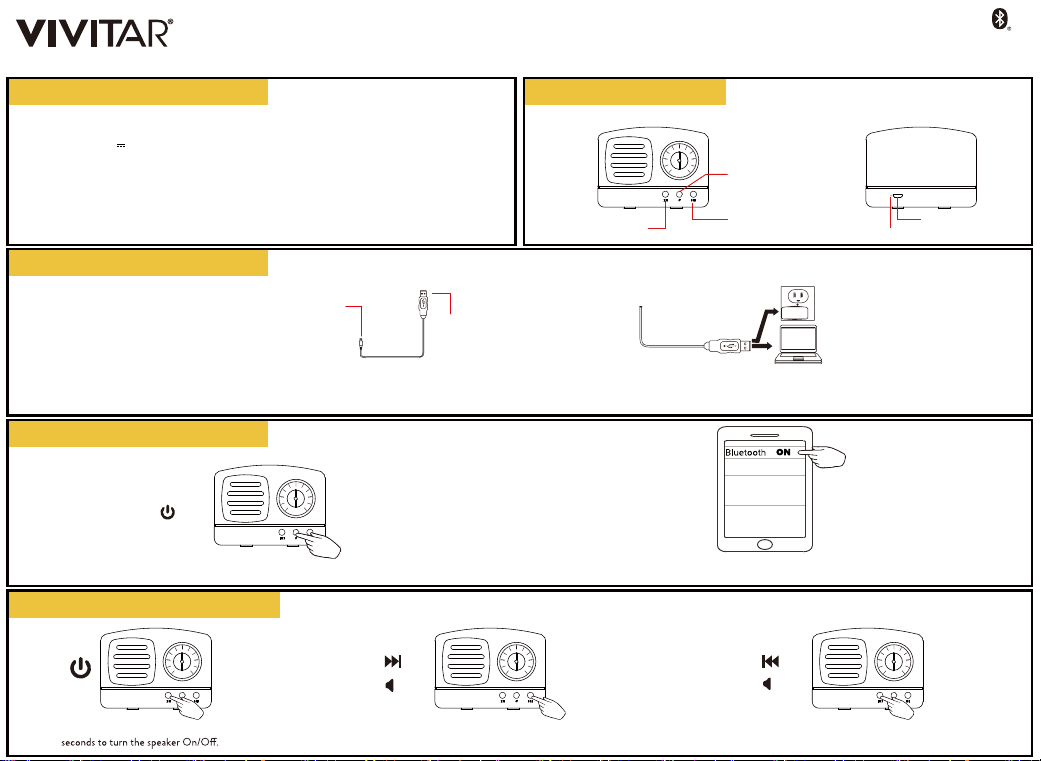
1. The included USB charging cable has a Micro USB plug
and a standard USB plug.
2. Insert the cable’s standard USB plug into the USB port of a computer
or suitable USB charging adapter. Then insert the cable’s Micro USB end
into the speaker’s charging port. Charging in red light, Light o after full charge.
Micro USB
Plug
USB
Plug
The Bluetooth® word mark and logos
are registered trademarks owned by
the Bluetooth SIG, Inc. and any use of
such marks by Sakar International is
under license. Other trademarks and
trade names are those of their
respective owners.
A QUICK LOOK
USER’S MANUAL I BS-ES23
2. Go to the Bluetooth settings menu on your phone. Make sure that
Bluetooth is turned on. Connect to the device listed as "Bluetooth Speaker."1. Press and hold the Power button for 2-3 seconds to turn the speaker On.
1. Press and hold the Power button for 2-3
3.Short press the Next track/Increase vol. button to increase
the volume. Press and hold the button to go to the next track.
4.Short press the Previous track/Decrease vol. button to decrease
the volume. Press and hold the button to go to the previous track.
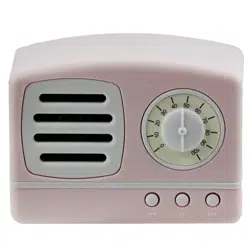
Vintage Bluetooth Speaker
2-3 SEC
PRESS & HOLD
+
-
connected
Bluetooth Speaker
Power
Previous track/ Decrease vol.
Next track/ Increase vol. Charging Port
LED Indicator
50
40
30
20
10
0
60
70
80
90
100
50
40
30
20
10
0
60
70
80
90
100
50
40
30
20
10
0
60
70
80
90
100
50
40
30
20
10
0
60
70
80
90
100
50
40
30
20
10
0
60
70
80
90
100
This warranty covers the original consumer purchaser only and is not transferable.
This warranty covers products that fail to function properly UNDER NORMAL USAGE, due to defects in material or
workmanship. Your product will be repaired or replaced at no charge for parts or labor for a period of one year.
What Is Not Covered by Warranty
Damages or malfunctions not resulting from defects in material or workmanship and damages or malfunctions from other
than normal use, including but limited to, repair by unauthorized parties, tampering, modification or accident.
To Obtain Warranty Service and Troubleshooting Information:
Call 1-800-592-9541 or visit our website at www.vivitar.com.
To receive Warranty service along with the name and address of an authorized product service center, the original consumer
purchaser must contact us for problem determination and service procedures. Proof of purchase in the form of a bill of sale or
receipted invoice, evidencing that the product is within the applicable Warranty period(s), MUST be presented in order to
obtain the requested service. It is your responsibility to properly package and send any defective products along with a dated
copy of proof of purchase, a written explanation of the problem, and a valid return address to the authorized service center at
your expense. Do not include any other items or accessories with the defective product. Any products received by the
authorized service center that are not covered by warranty will be returned unrepaired.
Changes or modifications not expressly approved by the party responsible for compliance could void the user’s authority to
operate the equipment.
This device complies with Part 15 of the FCC Rules. Operation is subject to the following two conditions: (1) this device may
not cause harmful interference, and (2) this device must accept any interference received, including interference that may
cause undesired operation.
This equipment has been tested and found to comply with the limits for a Class B digital device, pursuant to Part 15 of the
FCC Rules. These limits are designed to provide reasonable protection against harmful interference in a residential
installation. This equipment generates, uses and can radiate radio frequency energy and, if not installed and used in accordance
with the instructions, may cause harmful interference to radio communications. However, there is no guarantee that
interference will not occur in a particular installation.
If this equipment does cause harmful interference to radio or television reception, which can be determined by turning the
-- Reorient or relocate the receiving antenna.
-- Increase the separation between the equipment and receiver.
-- Consult the dealer or an experienced radio/TV technician for help.
1. READ ALL INSTRUCTIONS BEFORE USING YOUR SPEAKER.
2. Do not allow children to use the speaker without proper adult supervision.
3. Do not expose your speaker to excessive heat or fire.
4. Always press the buttons carefully.
5. Do not use in extremely dry environments as this can lead to static discharge during usage.
6. Do not expose your speaker to temperatures above 104°/ 40°C. Keep out of direct sunlight.
7. Do not attempt to repair this product yourself. Contact a qualified service center if your
speaker are in need of service.
8. Do not drop, puncture or expose the speaker to extreme physical force.
9. Your speaker are not intended for commercial use.
10. Do not place the speaker near objects that generate a strong magnetic field.
11. Use only the included charging cable.
12.Unplug this device when not in use for long periods of time and during lightning storms.
13. Do not pull or yank on the power cable. Always remove the cable gently from wall outlets and
the speaker’s charging port.
14. Use a soft cloth to clean your speaker. Never use rubbing alcohol or other harsh chemicals.
15. Please recycle or dispose of your speaker properly based on the laws and rules of your
municipality. Contact local recycling facilities and/or the manufacturer of your speaker for
futher information.
IMPORTANT SAFETY PRECAUTIONS
VIVITAR ONE YEAR WARRANTY
FCC STATEMENT
©2023 Sakar International
195 Carter Drive
Edison, NJ 08817
Support: 800 592 9541
www.vivitar.com
OTHER FUNCTIONS
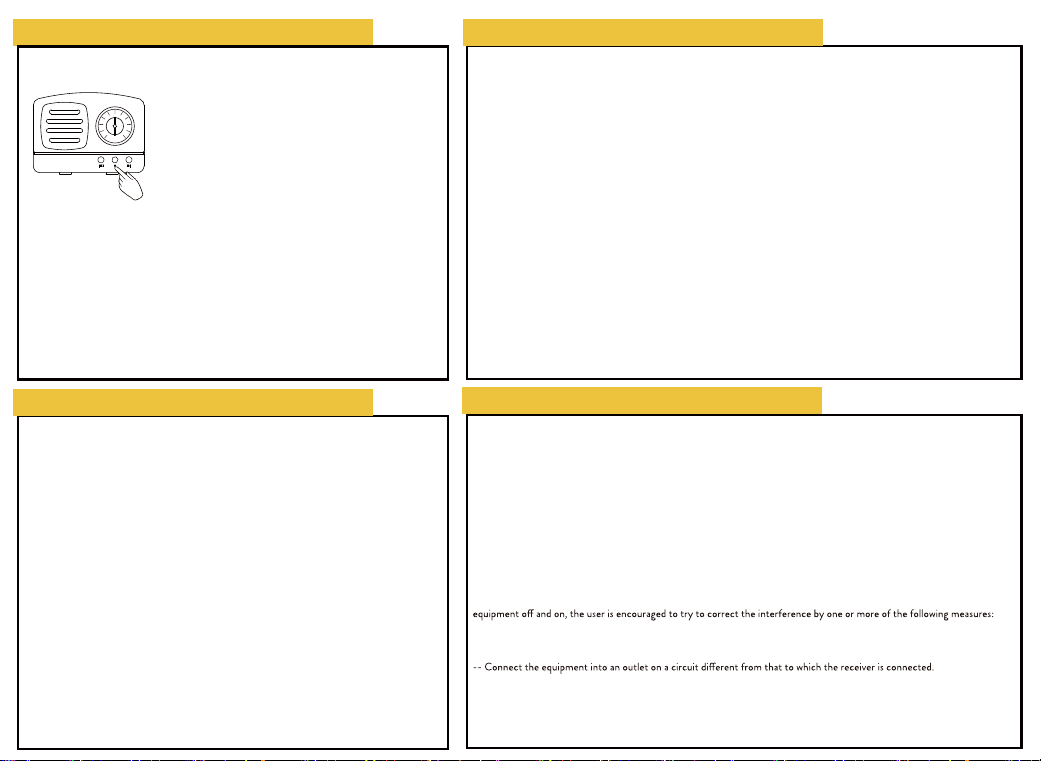
1. Turn on two speakers, and short press power button into TWS mode
(Do not do BT paring pls).
2. Short press twice one of the power button into tws paring.
3. Wait for ting voice means tws paring finish automatically.
4. Do BT paring, then go for music playing.
5. End TWS paring: close BT paring firstly, short press twice power
button to end tws paring.
TWS
50
40
30
20
10
0
60
70
80
90
100
