Before using your new product, please read these instructions to prevent any damage.
USER GUIDE
3.1 cu.ft.
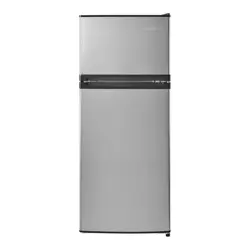
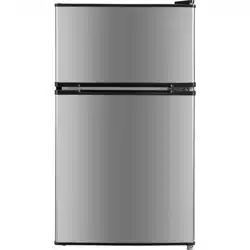
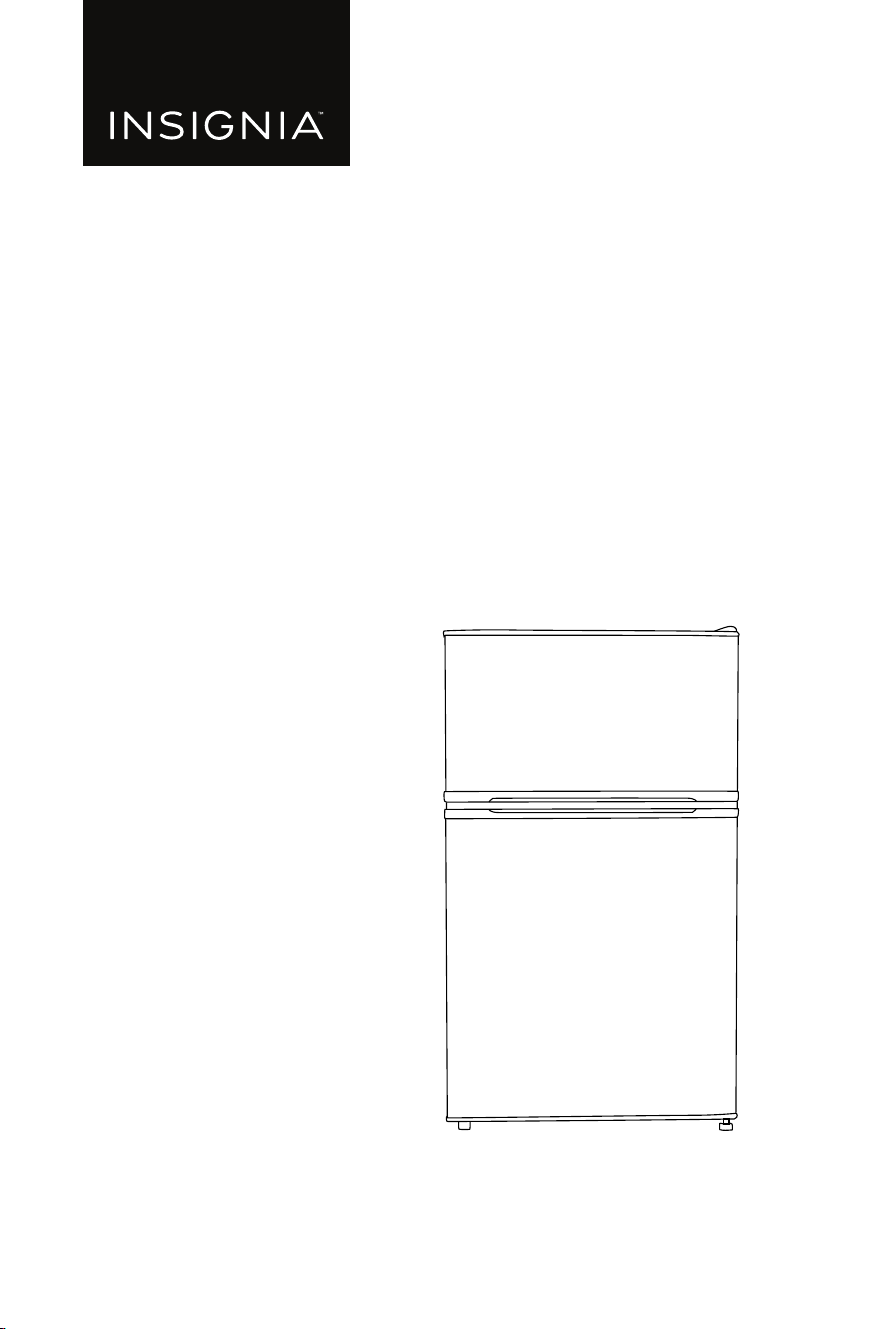
Top Mount Compact Fridge
NS-CF31TMSS26L
www.insigniaproducts.com
2
Contents
Introduction . . . . . . . . . . . . . . . . . . . . . . . . . . . . . . . . . . . . . . . . . . . . . . . . . . . . . . . . . . . . 3
Important Safety Instructions . . . . . . . . . . . . . . . . . . . . . . . . . . . . . . . . . . . . . . . . . . .3
Grounding requirement . . . . . . . . . . . . . . . . . . . . . . . . . . . . . . . . . . . . . . . . . . . .5
Features . . . . . . . . . . . . . . . . . . . . . . . . . . . . . . . . . . . . . . . . . . . . . . . . . . . . . . . . . . . . . . . . 6
Package contents . . . . . . . . . . . . . . . . . . . . . . . . . . . . . . . . . . . . . . . . . . . . . . . . . . . 6
Main components . . . . . . . . . . . . . . . . . . . . . . . . . . . . . . . . . . . . . . . . . . . . . . . . . . 6
Dimensions . . . . . . . . . . . . . . . . . . . . . . . . . . . . . . . . . . . . . . . . . . . . . . . . . . . . . . . .7
Preparing to install your refrigerator . . . . . . . . . . . . . . . . . . . . . . . . . . . . . . . . . . . . .7
Before using your refrigerator . . . . . . . . . . . . . . . . . . . . . . . . . . . . . . . . . . . . . . .7
Finding a suitable location . . . . . . . . . . . . . . . . . . . . . . . . . . . . . . . . . . . . . . . . . .7
Leveling your refrigerator . . . . . . . . . . . . . . . . . . . . . . . . . . . . . . . . . . . . . . . . . . . 8
Providing proper ventilation . . . . . . . . . . . . . . . . . . . . . . . . . . . . . . . . . . . . . . . . 8
Providing a proper power supply . . . . . . . . . . . . . . . . . . . . . . . . . . . . . . . . . . . . 8
Setting the thermostat . . . . . . . . . . . . . . . . . . . . . . . . . . . . . . . . . . . . . . . . . . . . . . . . . . 9
Reversing the door position . . . . . . . . . . . . . . . . . . . . . . . . . . . . . . . . . . . . . . . . . . . .10
Before you begin . . . . . . . . . . . . . . . . . . . . . . . . . . . . . . . . . . . . . . . . . . . . . . . . . .10
Removing the door . . . . . . . . . . . . . . . . . . . . . . . . . . . . . . . . . . . . . . . . . . . . . . . .11
Maintaining your refrigerator . . . . . . . . . . . . . . . . . . . . . . . . . . . . . . . . . . . . . . . . . . .14
Cleaning the interior of your refrigerator . . . . . . . . . . . . . . . . . . . . . . . . . . .14
Changing the interior light . . . . . . . . . . . . . . . . . . . . . . . . . . . . . . . . . . . . . . . . .14
T
your refrigerator for extended periods . . . . . . . . . . . . . . . . . . . . . .14
Moving your refrigerator . . . . . . . . . . . . . . . . . . . . . . . . . . . . . . . . . . . . . . . . . . . . . . .15
Tips on saving energy . . . . . . . . . . . . . . . . . . . . . . . . . . . . . . . . . . . . . . . . . . . . . . . . . .15
Troubleshooting . . . . . . . . . . . . . . . . . . . . . . . . . . . . . . . . . . . . . . . . . . . . . . . . . . . . . . .15
. . . . . . . . . . . . . . . . . . . . . . . . . . . . . . . . . . . . . . . . . . . . . . . . . . . . . . . . . .18
ONE-YEAR LIMITED WARRANTY . . . . . . . . . . . . . . . . . . . . . . . . . . . . . . . . . . . . . . . . .19
10
Defrost . . . . . . . . . . . . . . . . . . . . . . . . . . . . . . . . . . . . . . . . . . . . . . . . . . . . . . . . . . . . . . . .
3
Introduction
Important Safety Instructions
WARNING
1
2
3
4
5
6
7
8
9
10
11
12
CAUTION
RISK OF ELECTRIC SHOCK
DO NOT OPEN
4
13
14
15
16
17
18
19
20
WARNING
Electric Shock Hazard
Failure to follow these instructions can result in
electric shock, re, or death.
1 WARNING
2 WARNING
3 WARNING
4 WARNING
5 WARNING
6 WARNING DANGER
7
8
5
9
10
11
12
13
14
15
16
17
Grounding requirement
6
Features
Package contents
User Guide
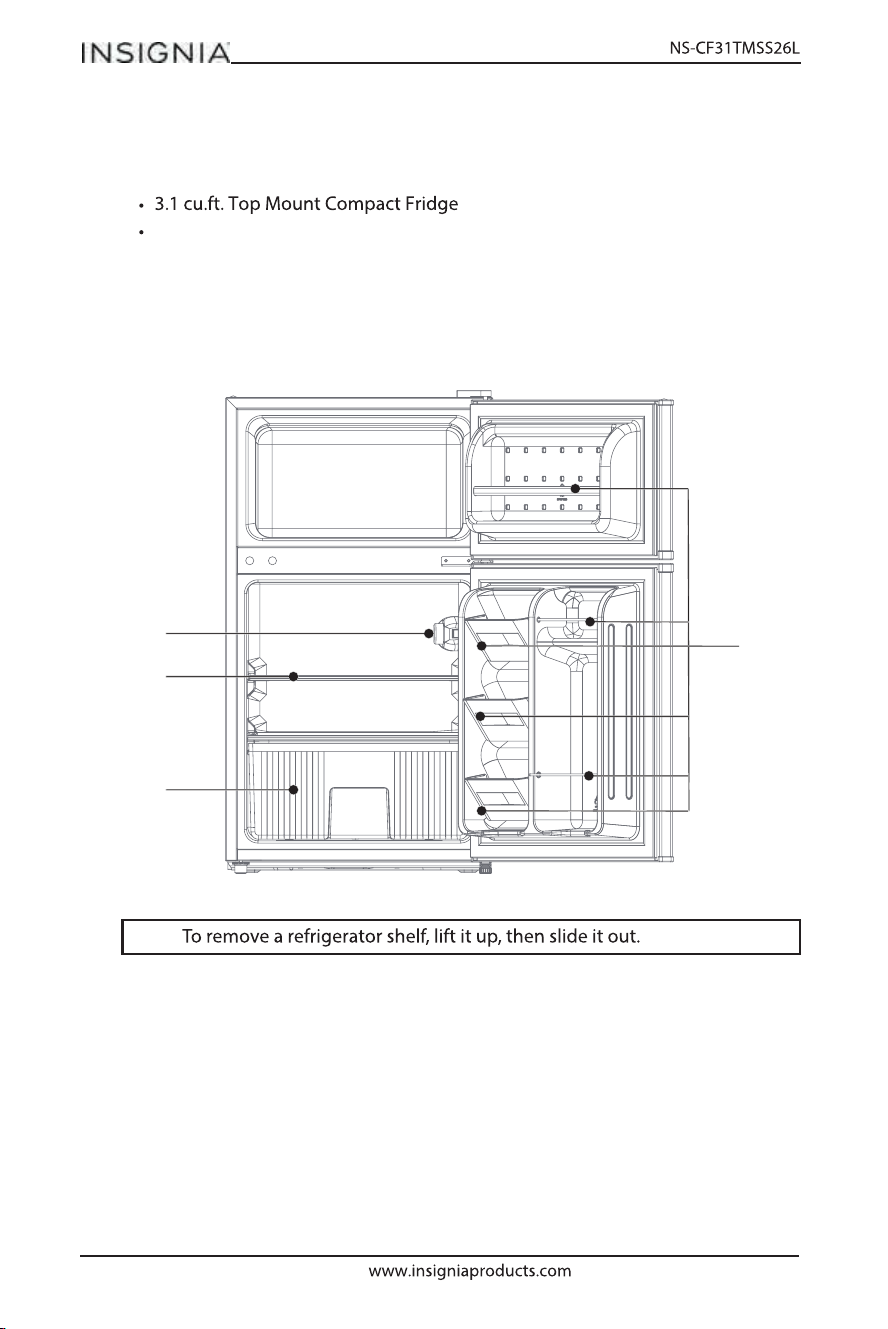
Main components
Note:
Door Rack
Temperature-control assembly
Shelf
Fruits and vegetables box
7
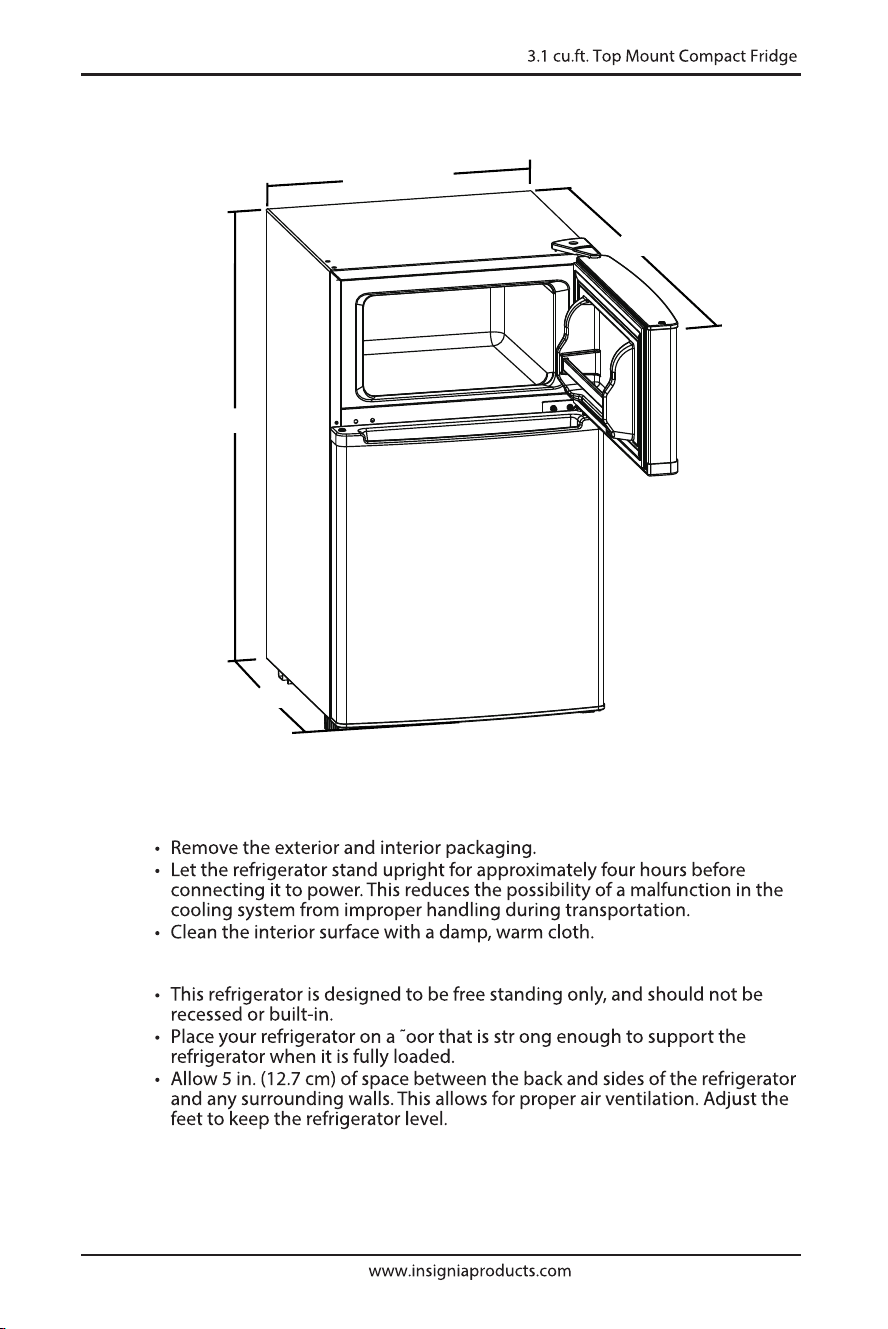
Dimensions
Preparing to install your refrigerator
Before using your refrigerator
Finding a suitable location
18.5 in. (47.0 cm)
37.4 in. (94.9 cm)
33.3 in. (84.7 cm)
19.9 in. (50.5 cm)
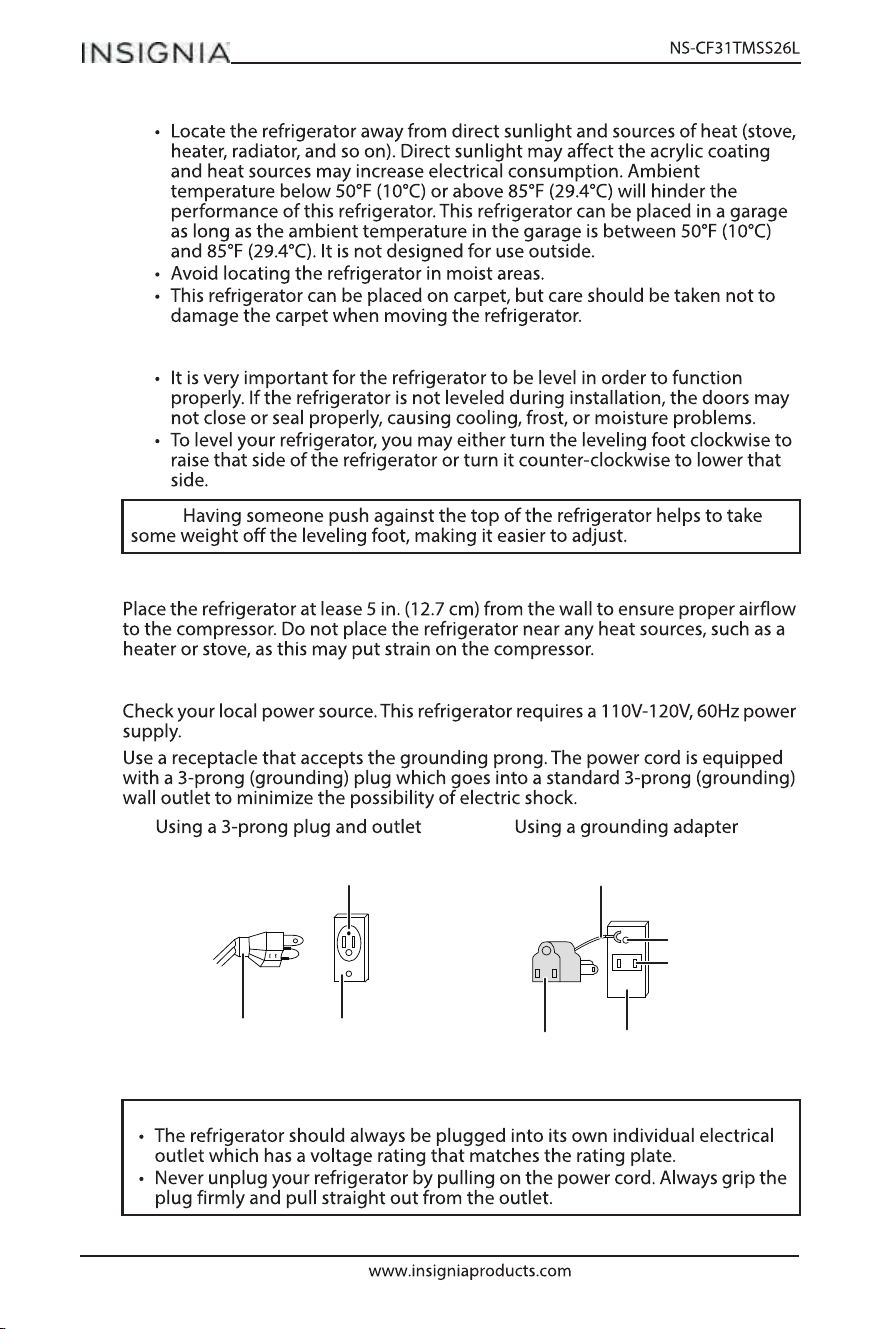
8
Leveling your refrigerator
Providing proper ventilation
Providing a proper power supply
Note:
Notes:
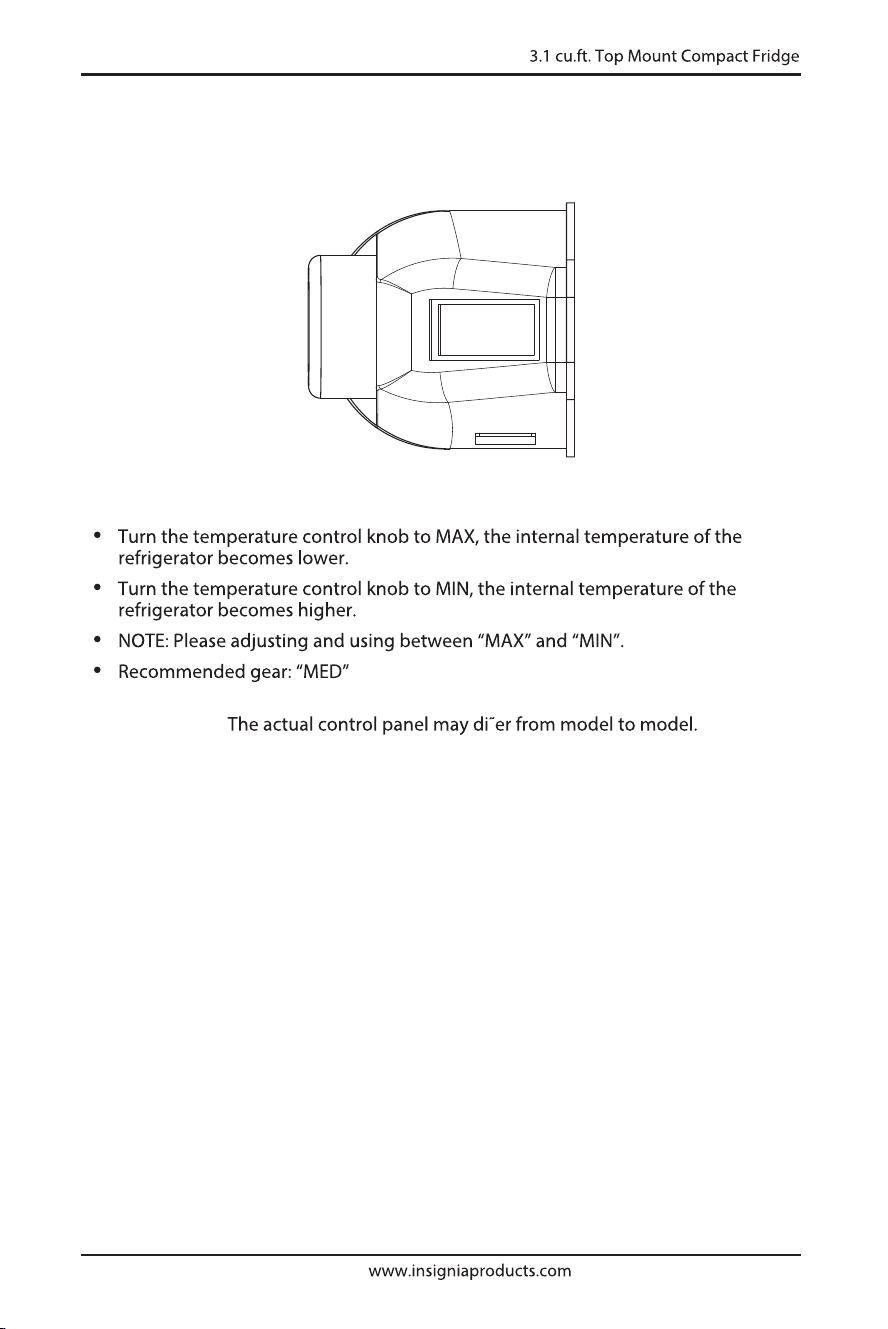
3-prong receptacle
Receptacle box cover
3-prong plug
Grounding lead
Grounding adapter Receptacle box cover
Screw
Receptacle
9
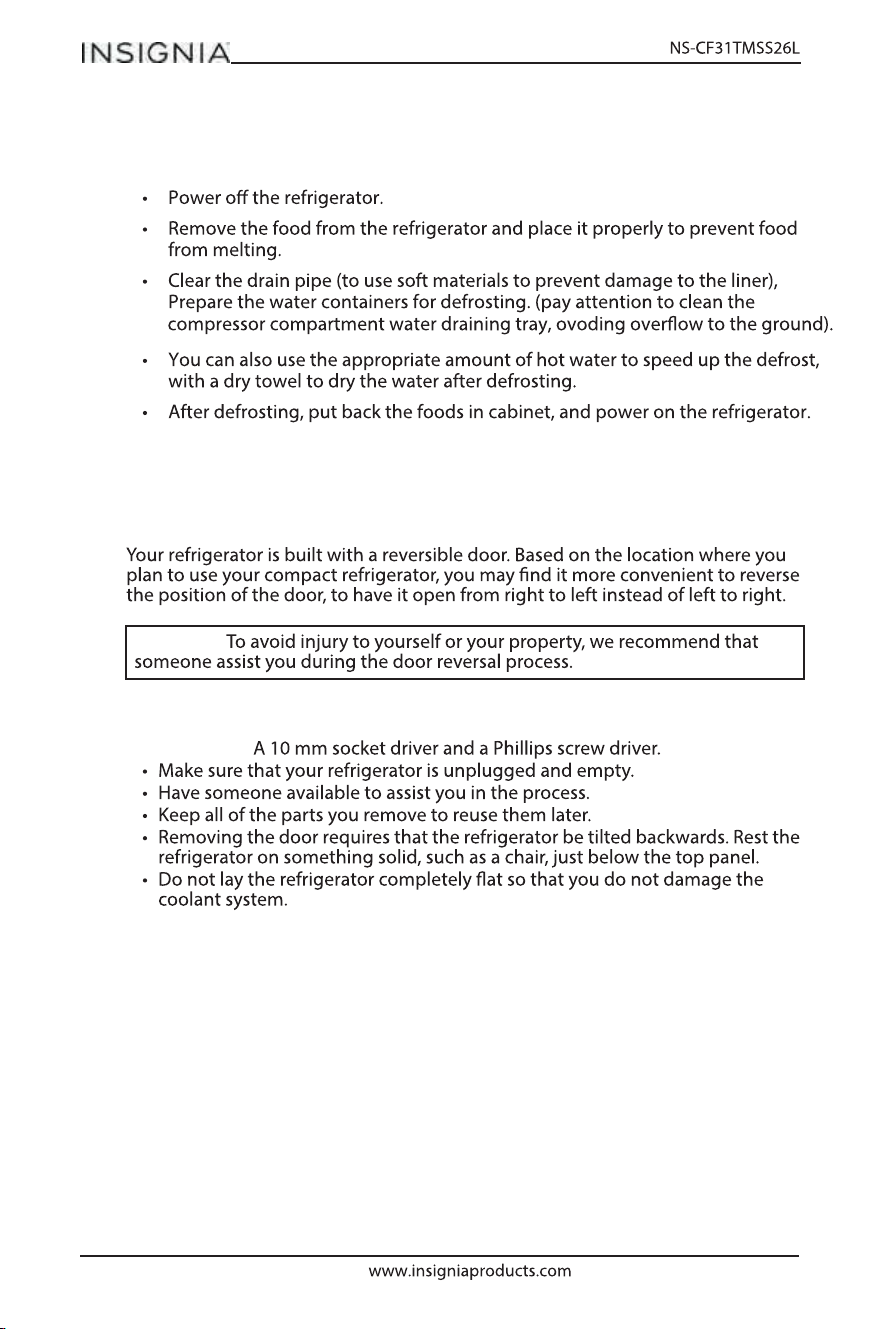
Setting the thermostat
MIN
OFF
MAX
ATTENTION:
10
Defrost
Reversing the door position
Before you begin
You will need:
CAUTION:
11
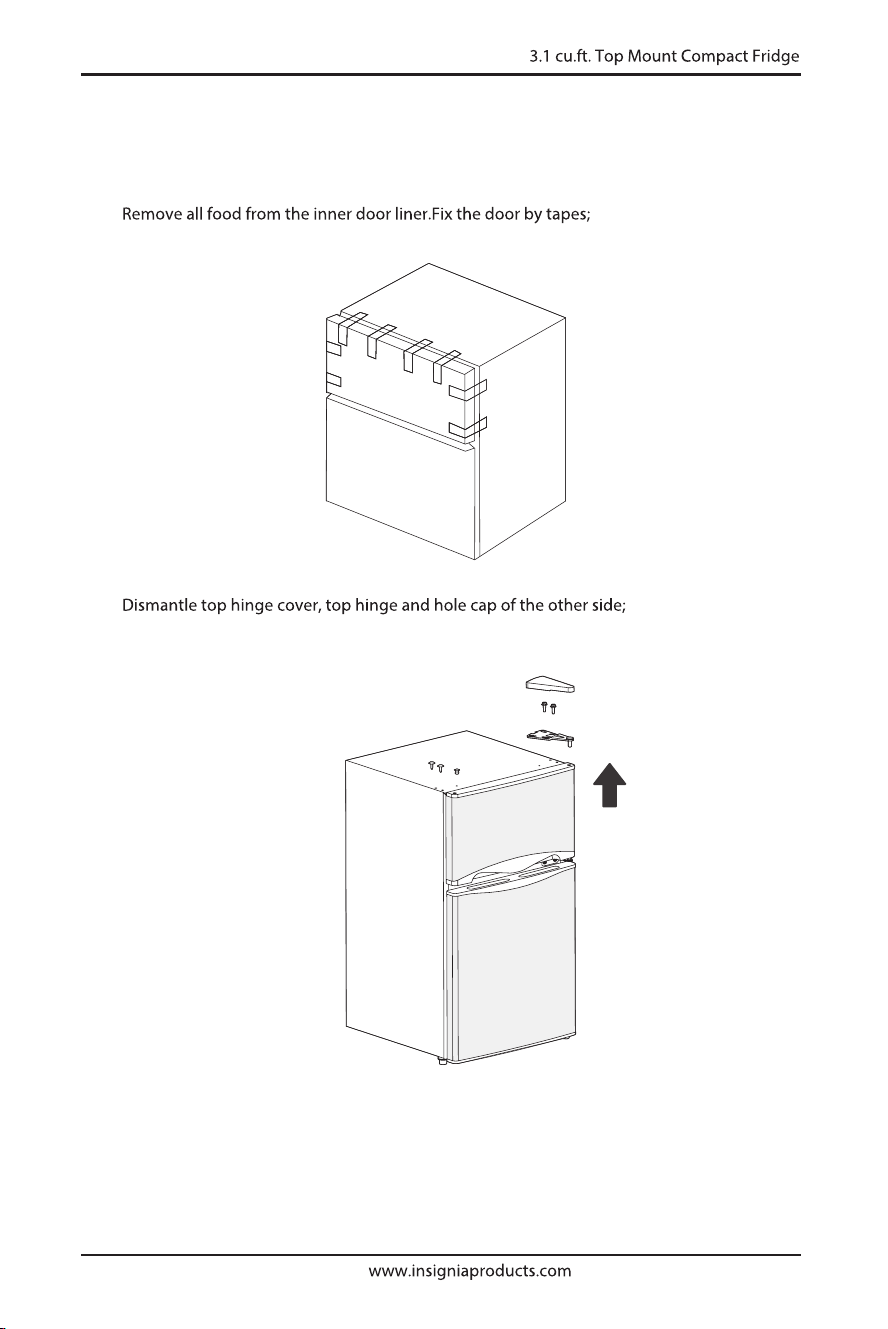
Removing the door
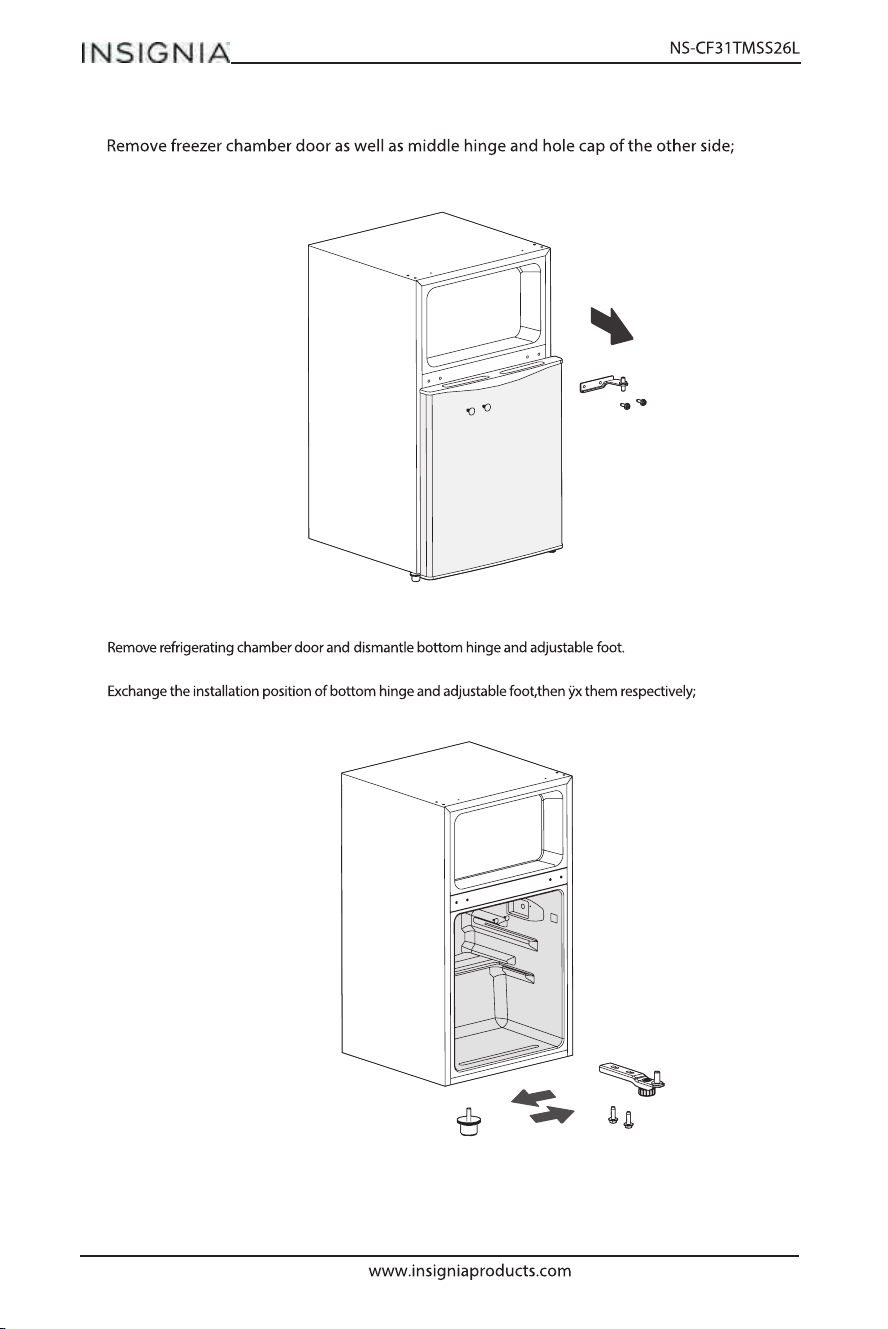
1.
2.
12
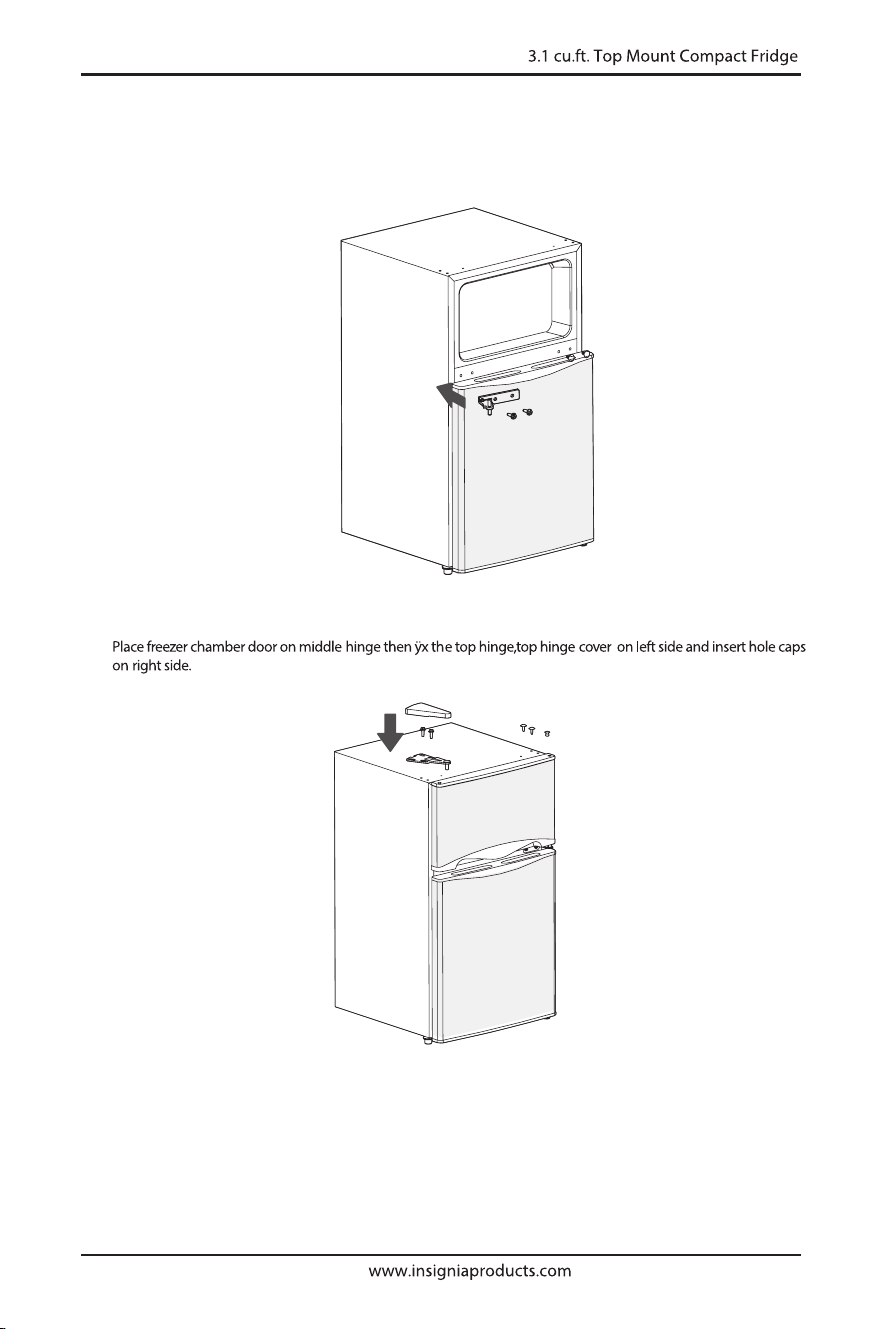
4.
5.
3.
13
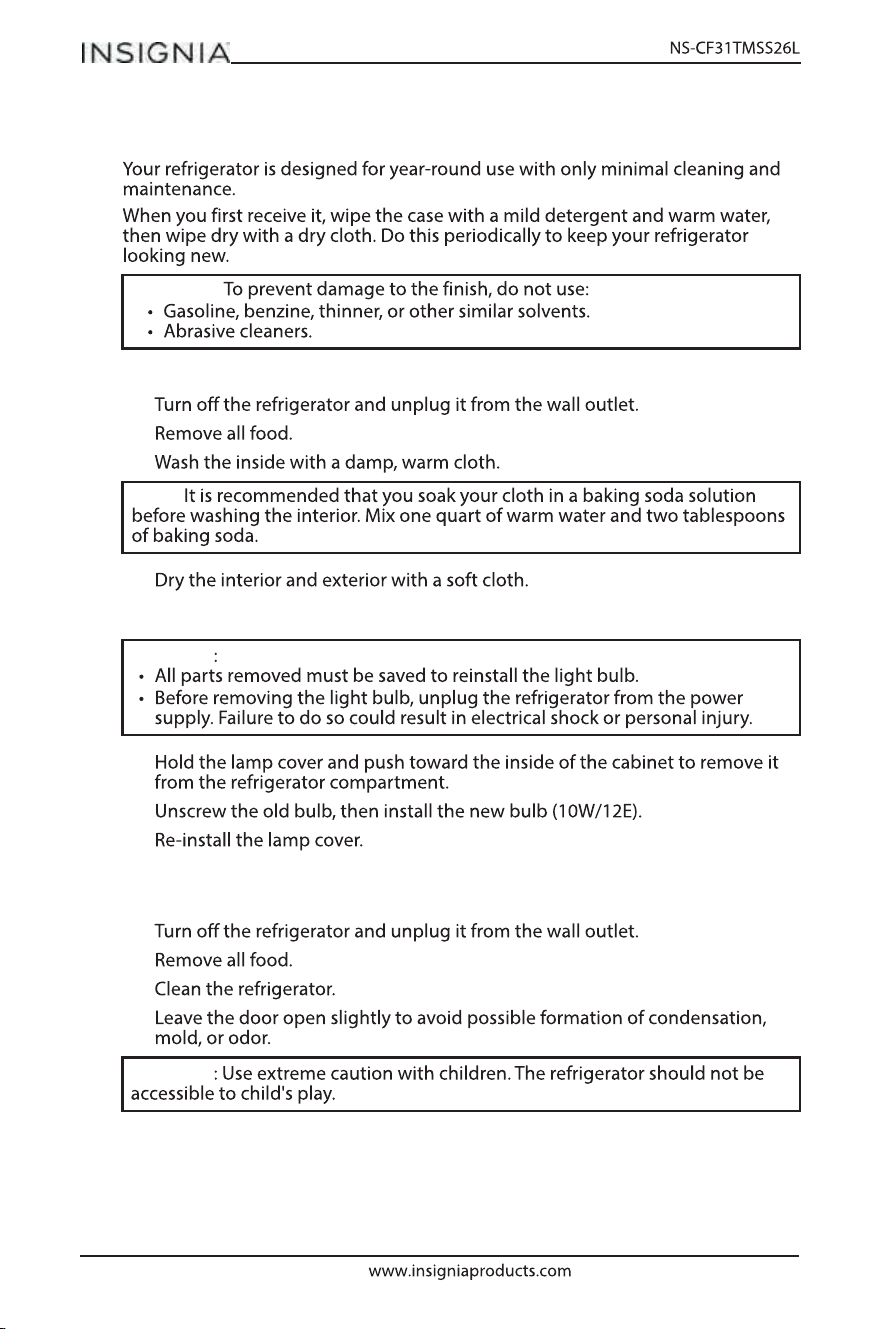
7.
6. Place refrigerating chamber door on bottom hinge then fix the middle hinge
on left side and insert the hole caps on right side;
14
Maintaining your refrigerator
Cleaning the interior of your refrigerator
1
2
3
4
Changing the interior light
1
2
3
Turning o your refrigerator for extended periods
1
2
3
4
CAUTION:
Note:
CAUTION
CAUTION
15
Moving your refrigerator
1
2
3
4
Tips on saving energy
Troubleshooting
Note
CAUTION
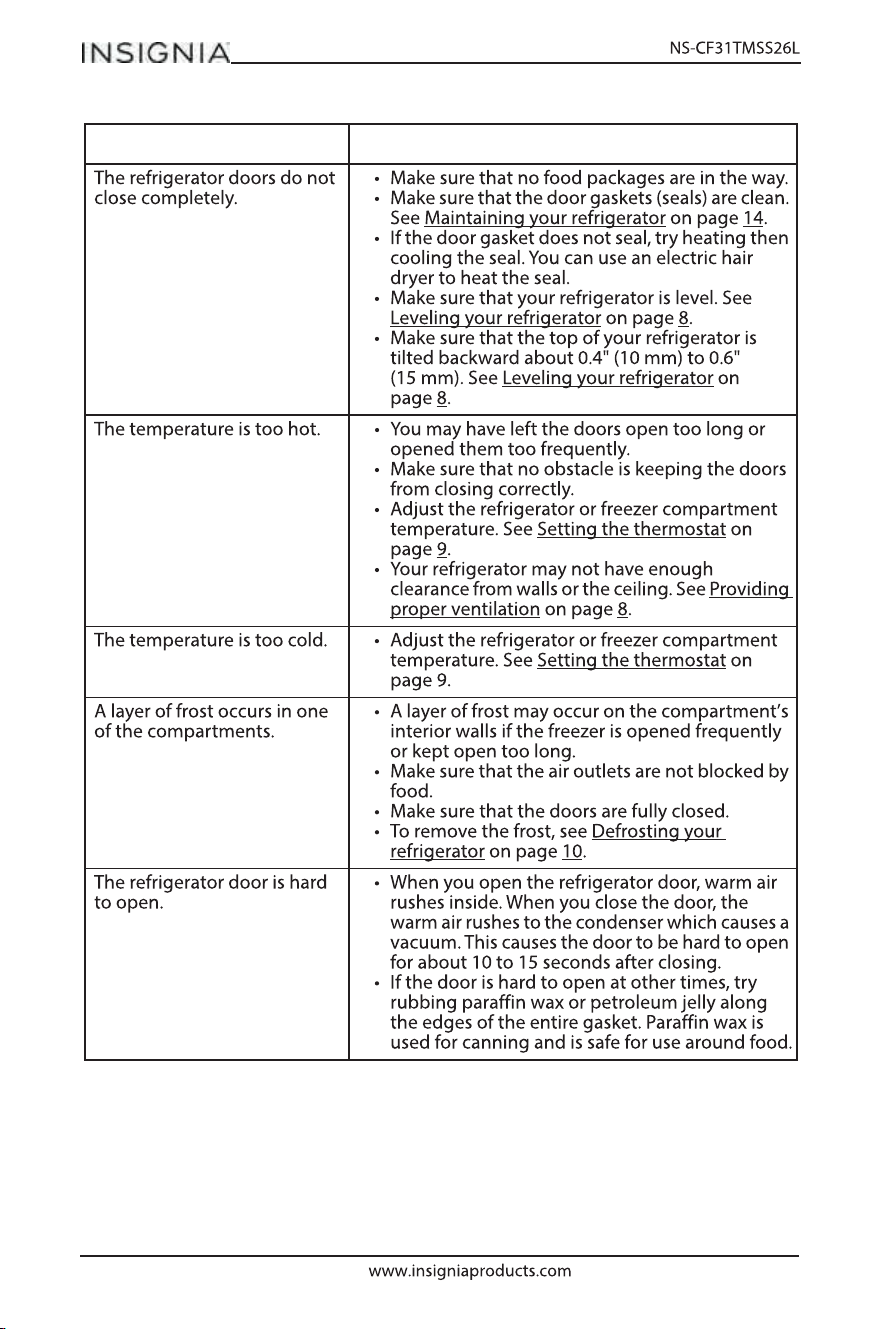
PROBLEM SOLUTION
16
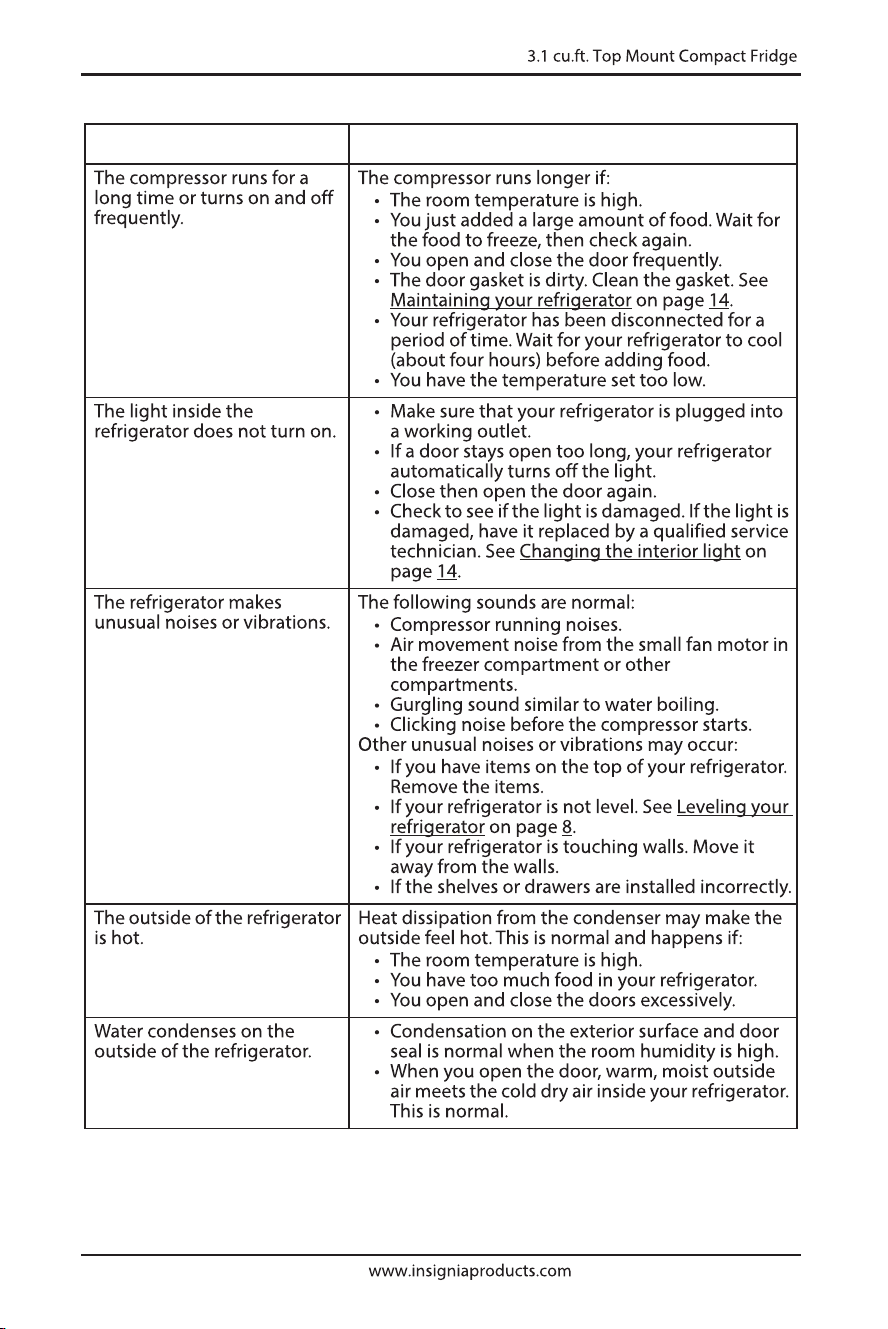
PROBLEM SOLUTION
17
PROBLEM SOLUTION
18
19
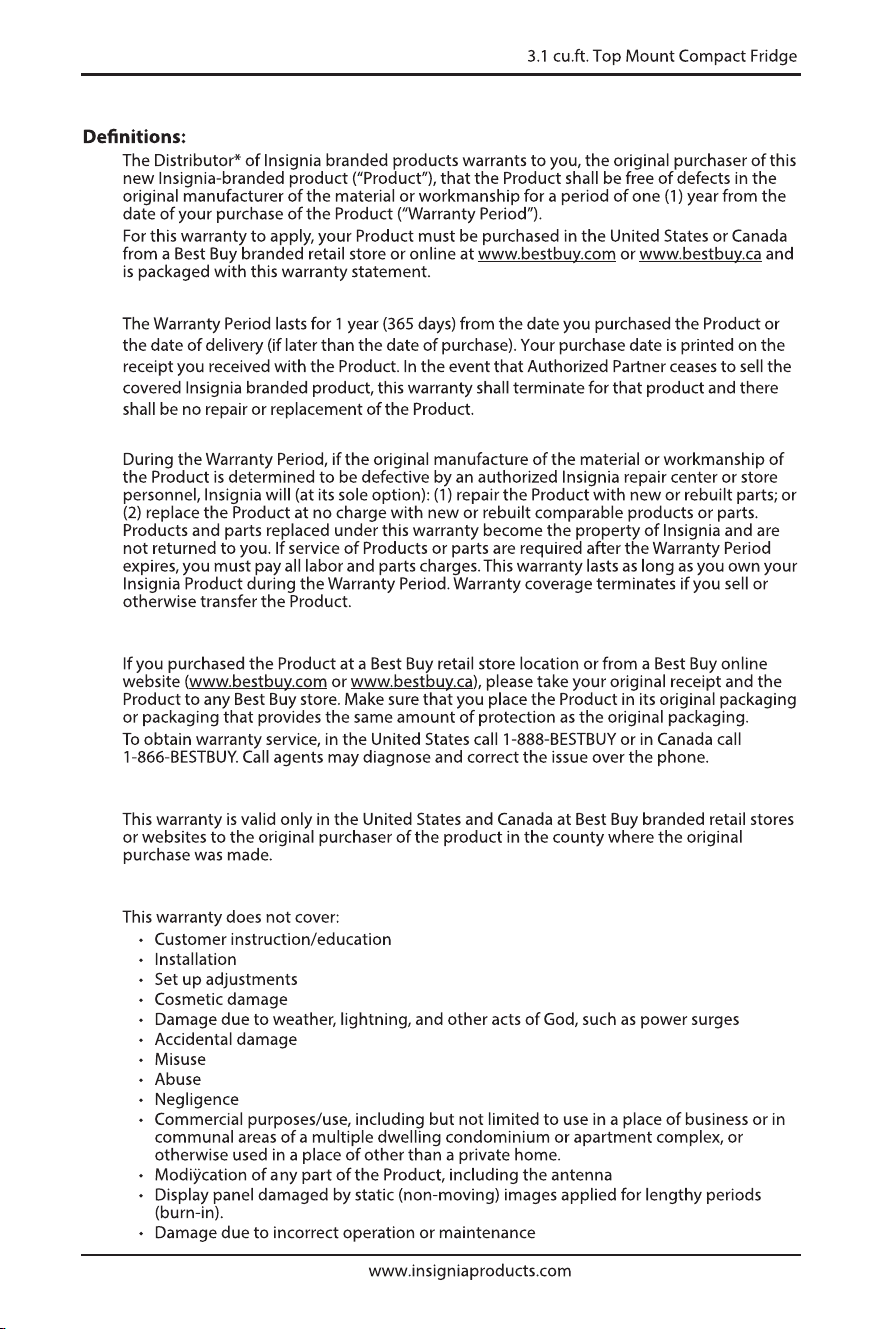
ONE-YEAR LIMITED WARRANTY
How long does the coverage last?
What does this warranty cover?
How to obtain warranty service?
Where is the warranty valid?
What does the warranty not cover?
20
21
22
23
www.insigniaproducts.com
1-877-467-4289 (U.S. and Canada)
INSIGNIA is a trademark of Best Buy and its liated companies.
Distributed by Best Buy Purchasing, LLC
7601 Penn Ave South, Rich eld, MN 55423 U.S.A.
©2025 Best Buy. All rights reserved.