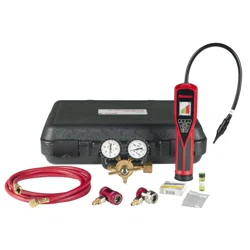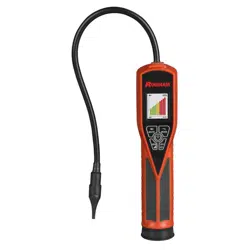
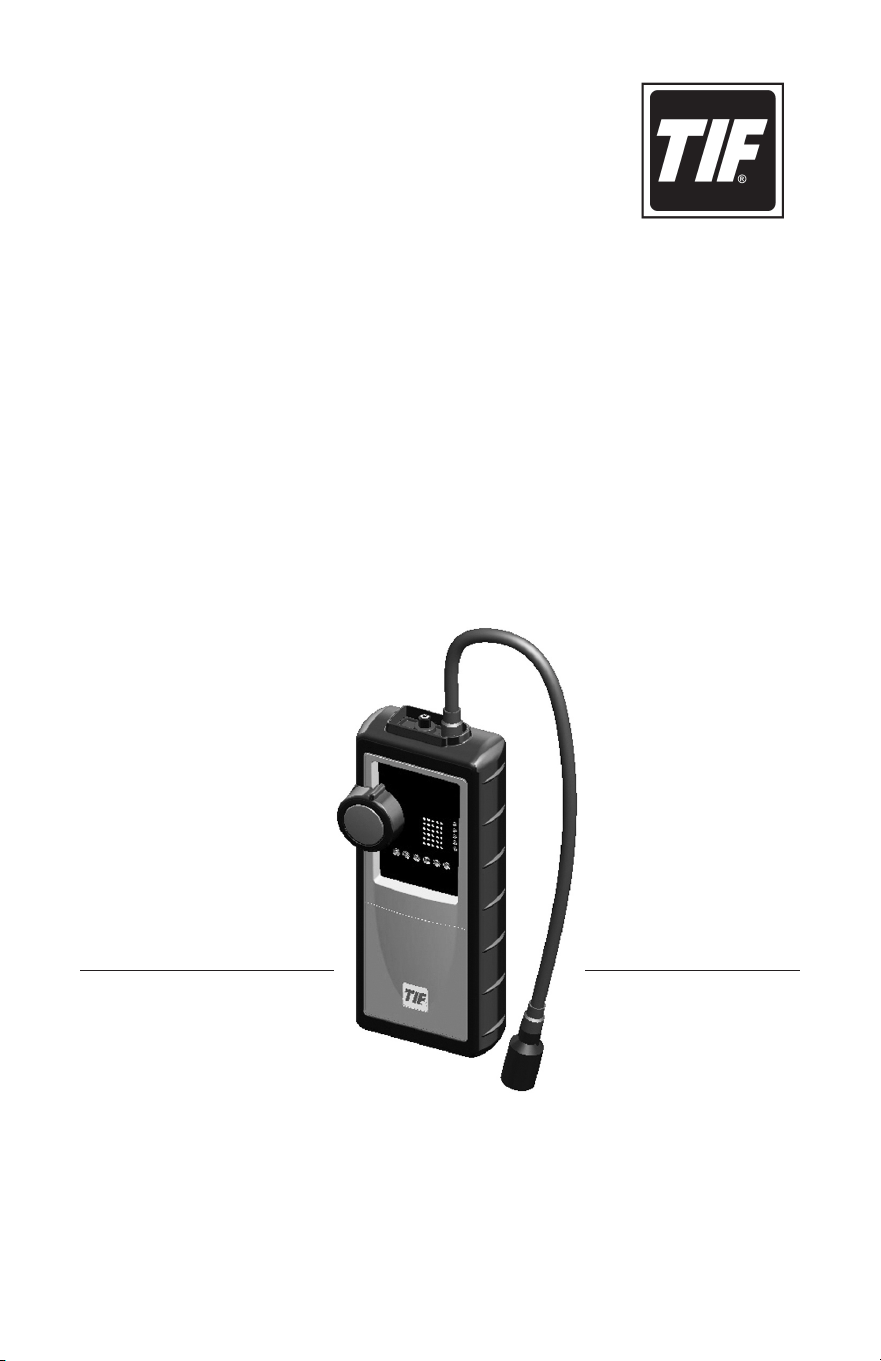
TIF8800X
Combustible Gas Detector
Owner’s Manual
Manual del propietario
Manuel de l’utilisateur
an spx brand
warning: To prevent personal injury,
•
Study, understand, and follow all safety precautions and
instructions relating to this tool.
•
wear eye protection that meets anSi Z87.1 and OSHa
standards when using the TiF8800X gas Detector.
•
Verify the instrument is functioning correctly by testing it on a
known combustible leak source before approaching a
suspected hazardous area.
•
Charge or replace battery pack in an area known to be non-
hazardous. The process of charging or replacing the battery
pack could cause a spark and, in an environment containing
combustible gas, could lead to an explosion.
•
reinstall the rubber boot and battery cover after replacing the
battery pack. Operating the instrument with the rubber boot
removed may impair the intrinsic safety of the tool—without
the rubber boot in place, there is a possibility of static charge
leading to explosion.
•
This instrument is not designed to reliably detect carbon
monoxide and should not be used as a detector for carbon
monoxide.
Safety Precautions

1
Table of Contents
General Description ........................................ 2
Applications ........................................... 2
Features.............................................. 2
Parts & Controls ........................................... 3
Setup
................................................... 4
Install the Battery Pack .................................. 4
Charge the Battery Pack .................................5
Operating Instructions
...................................... 6
Instrument Status Indicators ................................. 7
Maintenance..............................................8
General Care .......................................... 8
Battery Pack .......................................... 8
Sensor ............................................... 9
Specifications
............................................ 10
Replacement Parts........................................ 11
Warranty ................................................ 11
Troubleshooting
..........................................12
Safety Precautions ............................ inside front cover

2
The TIF8800X is a battery-operated combustible gas detector that provides a
ticking signal that increases in frequency as the source of combustible gas or
vapor is approached. This tool is ideal for pinpointing the location of combustible
gas leaks as small as 1 ppm (gasoline vapor).
applications
The TIF8800X may be used in almost any situation where a combustible gas,
vapor, or residue needs to be found. Some applications are
• Gaslinesandpipes
• Fuelleaks
• Liquidorgas-firedheatingsystems
• Propanefillingstations
warning: The TiF8800X is not designed to reliably detect
carbon monoxide. To prevent personal injury, do nOT attempt to
use this instrument to detect carbon monoxide.
Features:
• Audible“ticking”signal
• LeakstrengthindicatingLEDs
• Adjustablesensitivity
• Cordlessoperation
• Rechargeablebatterypack
• Batterypackstatusindication
• One-yearwarranty
General Description
3
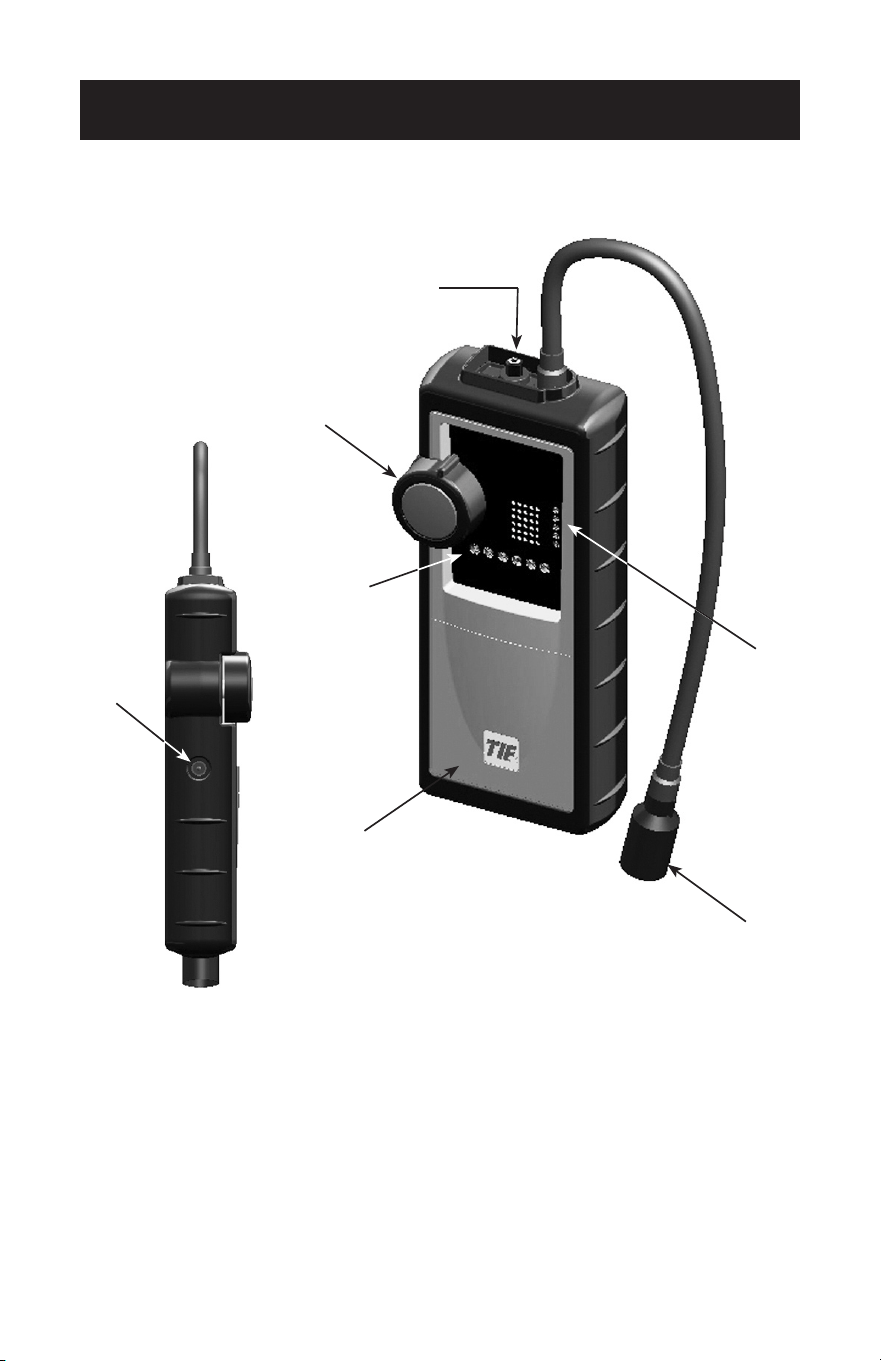
1. On/OFF switch
2.Instrumentstatusindicators(fiveLEDs)
3. Probe tip and sensor
4. niMh battery pack (behind cover)
5.Chargerinputjack
6.Leakintensityindicators(sixLEDs)
7. Sensitivity control
Parts and Controls
1
7
6
4
3
5
2
Side View
4
install the Battery Pack
Before using the TIF8800X, it is necessary to install and charge the supplied
niMh battery pack.
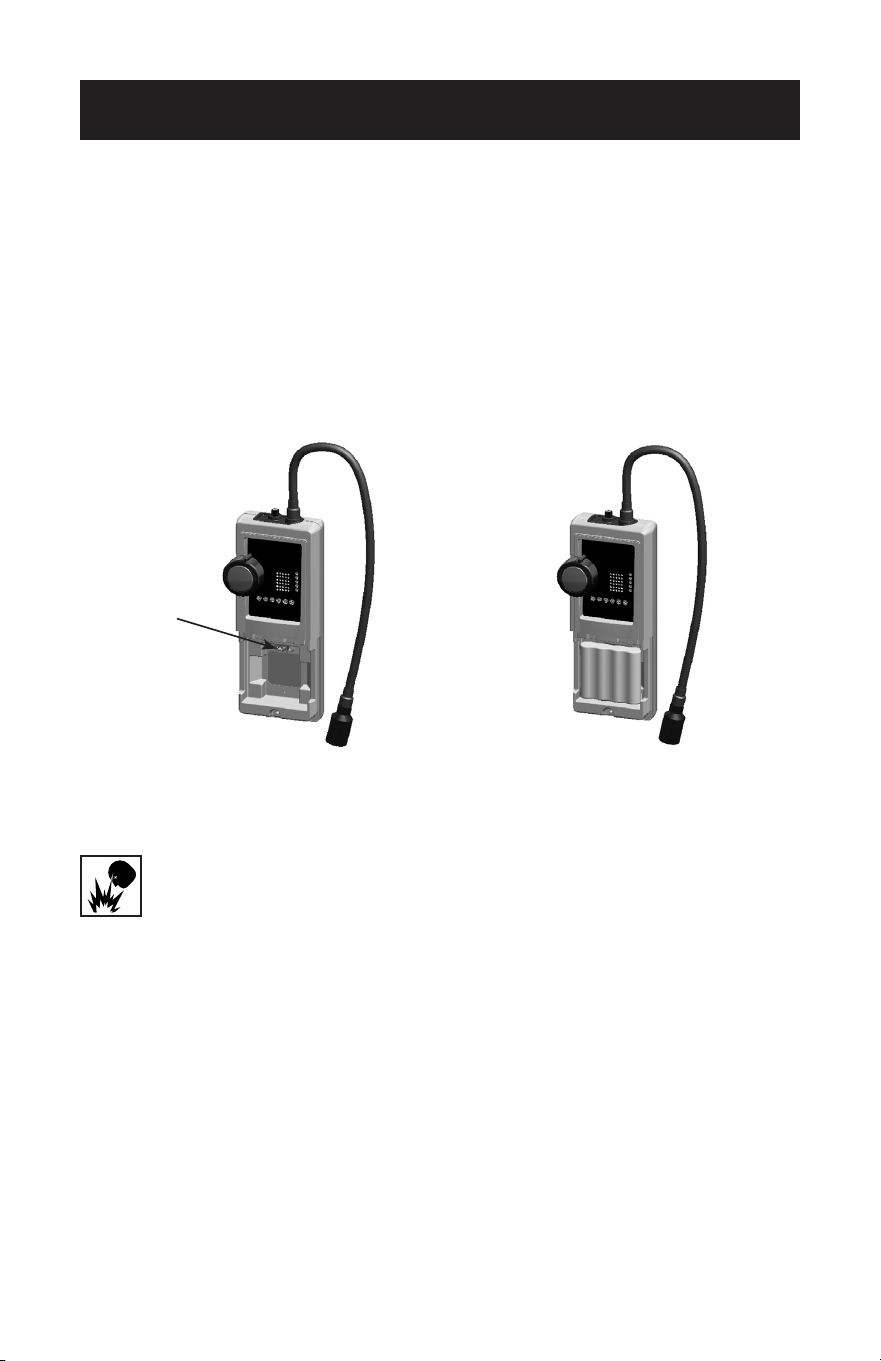
1. Remove the rubber boot from around the tool.
2. Unthread the screw holding the battery cover in place, and remove the cover.
3. Connect the 4-pin plug on the battery pack harness to the tool, and position
the battery pack in the chamber. See Figure 1.
Setup
4
4. Reinstall the battery cover and screw.
5. Reinstall the rubber boot.
CauTiOn: To prevent personal injury, always reinstall the rubber
boot. Failure to do so may impair the intrinsic safety of the tool—
without the rubber boot in place, there is a possibility of static
charge leading to explosion.
Note: If the boot or the battery cover is lost or damaged, replacement parts are
available. Refer to the Replacement Parts section of this manual for details.
Connect
4-pin plug
from
battery pack
harness.
Figure 1
Battery Pack
installed
5
Charge the Battery Pack
Before using the gas detector for the first time, you will need to charge the
battery pack in order for the unit to function correctly.
CauTiOn: To prevent equipment damage,
• Chargethebatterypackonlyintemperaturesbetween32°Fand104°F
(0°Cand40°C).Chargingoutsidethistemperaturerangemaycause
permanent damage to the battery pack.
• UseonlytheACadapterthatisincludedwiththeTIF8800Xtochargethe
battery pack. if a replacement adapter is needed, refer
to the Replacement Parts section of this manual.
Setup
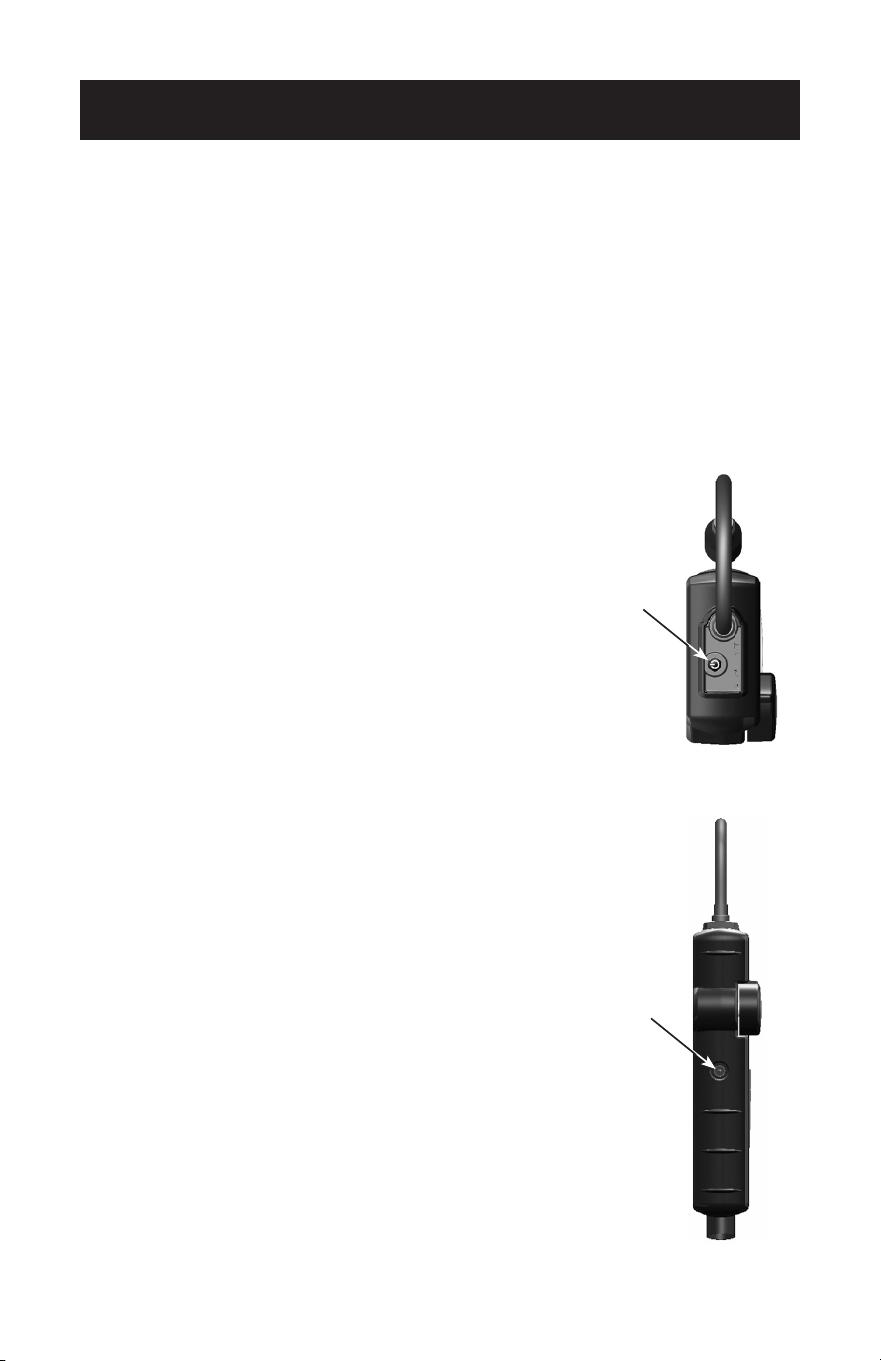
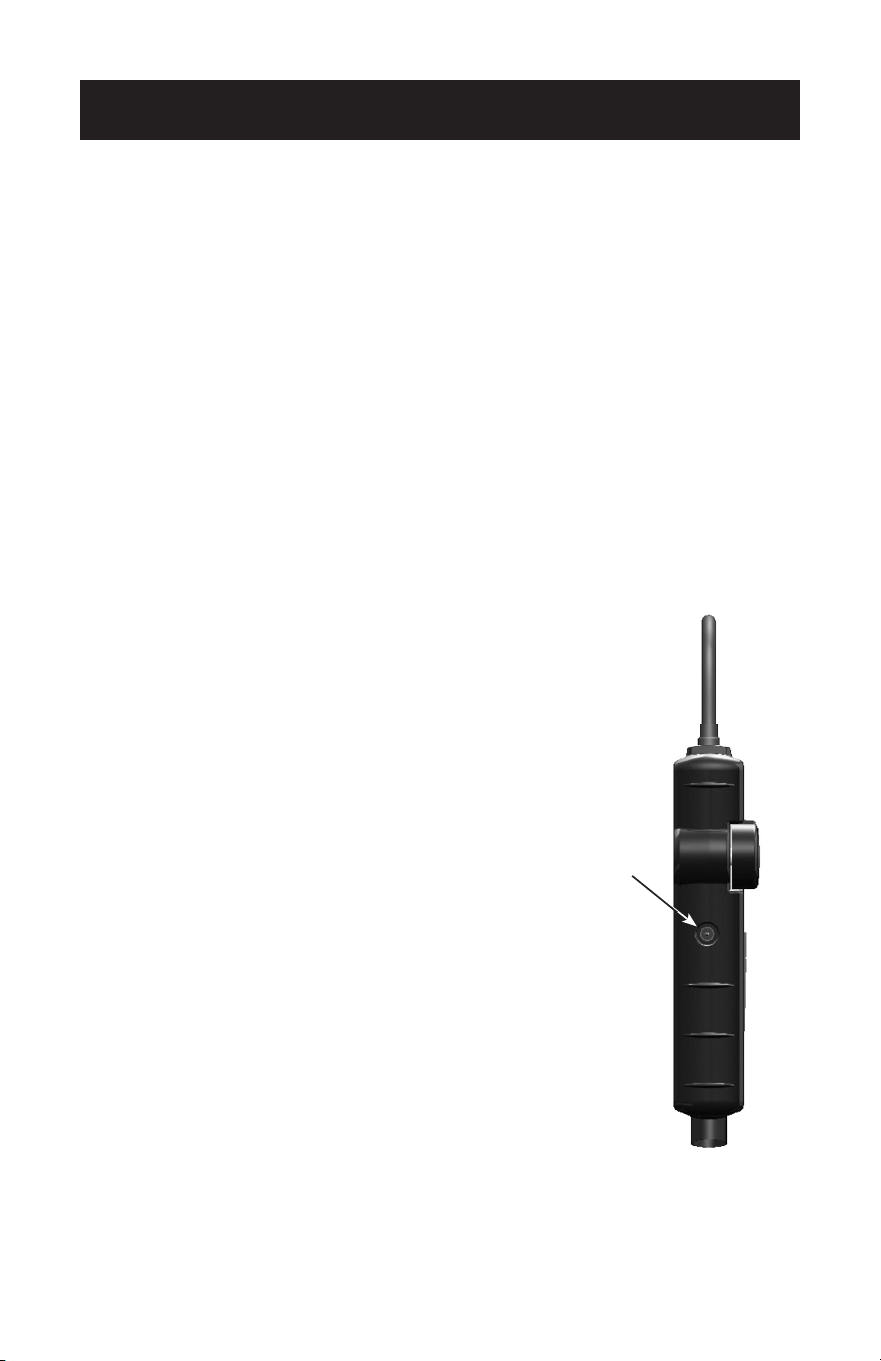
1.PlacethepowerswitchintheOFF/CHARGE
position. See Figure 2.
2. Plug the AC adapter (included with the TIF8800X) into
an appropriate wall outlet, and connect the charger
jacktothechargeinputonthetool.
See Figure 3.
Duringthechargecycle,theyellowLED(CHARGE) is
illuminated. Once charging is complete, the green
LED(READY)willalsoilluminate.
Notes:
•LeavingtheACadapterconnectedtothetoolafter
charging will not damage the tool. However, the tool
willnotoperateuntiltheACadapterhasbeen
disconnected.
•Thebatterypackisshippedpre-chargedbutits
conditionuponarrivaltotheuserisunknowndueto
parasitic drainage that occurs during storage and
shipment.Aninitialchargecycleisrecommendedto
achievefullperformanceofthetool.Thisinitialcharge
willtake2-6hoursdependingontheactualcondition
ofthebatterypack.Subsequentcharges(appliedafter
theredlow-batteryLEDilluminates)willtake
approximately 15 hours.
•Newbatterypacksneedtobeconditionedbefore
they’recapableofoptimumperformance.Tocondition
anewbatterypack:chargeitfully,thenoperatethe
toolasnormaluntilthelowbatteryLEDilluminates.
Repeat this procedure a minimum of 3 to 5 times.
Charger
input Jack
Figure 3
Side
View
Figure 2
Power
Switch
Top
View
6
Operating Instructions
Once the battery pack is fully charged, the TIF8800X is ready to use.
1. Move to a known, non-contaminated atmosphere.
2. Turn the sensitivity control fully counter-clockwise.
3. Turn the power switch On. The power light should be illuminated and no
sound should be heard. Once the instrument has warmed up for about 30
seconds, a ticking sound will be heard.
4. Rotate the sensitivity control to the highest setting that does not cause the
instrument to alarm.
Tech Tip
5. Search the general area of the suspected leak.
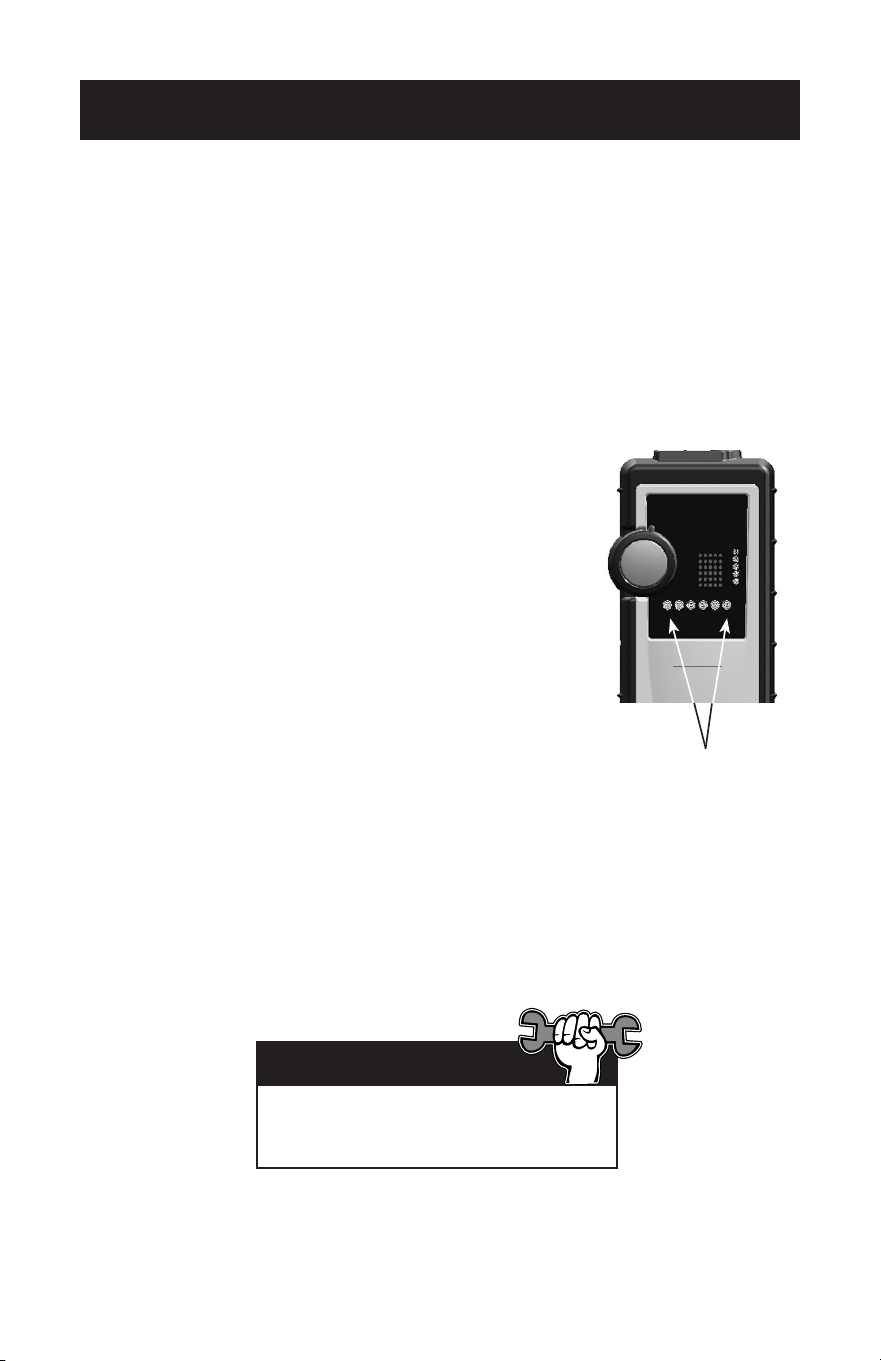
When a detectable compound enters the tip, the
tick rate speeds up. Along with the increased tick
rate,theleakintensityLEDsilluminatefromleftto
right.Thelargertheconcentration,themoreLEDs
will light up. See Figure 4.
6.Inmostcases,itisnotnecessarytoadjustthe
sensitivity of the instrument. However, if the alarm
sounds before a leak source can be found, it is
likely the air is contaminated with heavy
concentrationsofgas.Youmaydesensitizethe
instrument by turning the sensitivity knob counter-
clockwise to a lower setting in order to pinpoint the
leak location.
Leak intensity LEDs
Figure 4
Joint compounds used on newly installed
piping may contain combustible solvents
and could cause a false alarm.
7
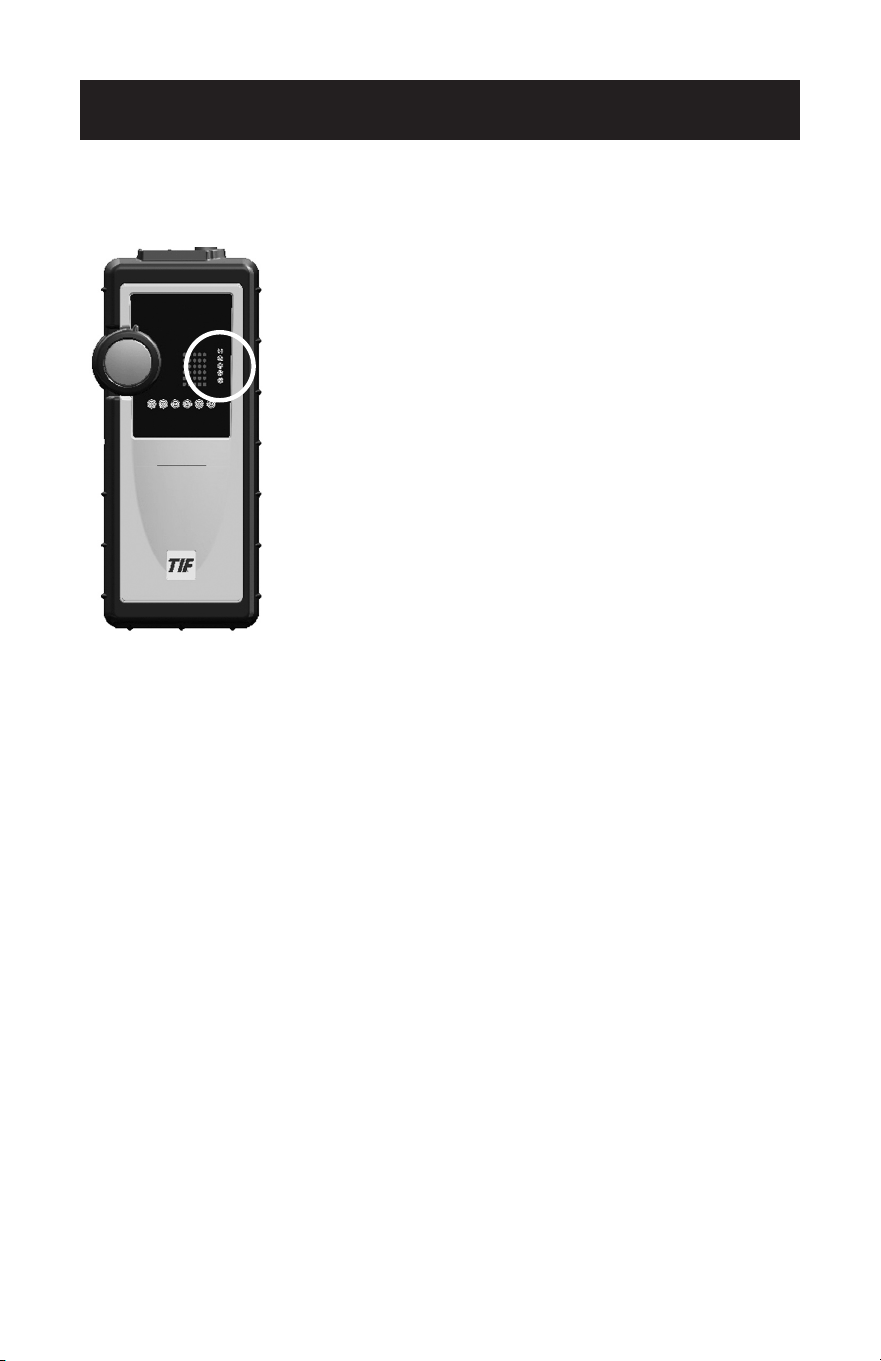
Instrument Status Indicators
There are five (5) instrument status
indicators,orLEDs,onthefrontofthe
instrument.Theindicatorsareexplained
below, from top to bottom.
PowerIndicator(red):ThisLED
illuminates when the instrument is On.
LowBattery(red):ThisLEDilluminates
when a battery charge is needed. The
battery pack must be fully recharged
before the tool is used again.
Charge(yellow):ThisLEDilluminates
during the recharge process.
Ready(green):ThisLEDilluminates
when the charge cycle is complete.
A fully charged battery pack provides
up to three (3) hours of continuous
operation.
Fault(red):ThisLEDilluminatesonlyif
there is a problem with charging the
battery pack. Refer to the
Troubleshooting section of this
manual.
instrument
Status
indicators
8
Battery Pack
The unit is equipped with a nickel–metal–hydride (niMh) battery pack.
IfthelowbatteryLEDisON,thebatterypackneedstobechargedbeforethe
tool is used again. Keeping the battery pack charged is important for the tool to
function correctly, especially when detecting very small leaks.
Maintenance
Charger
input Jack
Figure 5
Side
View
Charging the Battery Pack
CauTiOn: Charge the battery pack in temperatures
rangingbetween32°Fand104°F(0°C-40°C).
Charging outside this temperature range may
cause permanent damage to the battery pack.
1.PlacethepowerswitchintheOFF/CHARGE
position.
2. Plug the AC adapter into an appropriate wall outlet,
andconnectthechargerjacktothetool.
Duringthechargecycle,theyellowLED(CHARGE)
is illuminated. Once charging is complete, the green
LED(READY)willalsoilluminate.
Notes:
general Care
Donotallowdirtorgreasetoobstructthechargerinputjackonthesideofthe•
instrument.
Use only a soft cloth dampened with mild soap to clean the body of the tool.•
Thistoolisaprecisionelectronicdevice.Avoidextrememechanicalshock,•
exposuretostrongmagneticfields,andextremetemperatures.Never
immerse the tool into a liquid.
•LeavingtheACadapterconnectedtothetoolafter
charging will not damage the tool. However, the tool
willnotoperateuntiltheACadapterhasbeen
disconnected.
•Chargesdoneafterthelow-batteryindicator(red
LED)illuminatestakeapproximately15hours.

9
Maintenance
Sensor
If the tool does not sound an alarm in the presence of a known leak, the sensor
may need to be replaced. Refer to Replacement Parts for the sensor part
number.
1. The sensor is located on the end of the probe tip. Place the power switch in
theOFF/CHARGEposition,griptheendoftheprobetipandpullthesensor
straight out of the sensor socket.
2. Align the pins in the new sensor with the receptacles in the sensor socket,
and push the sensor into place.
3. Test the tool in the presence of a known leak. If it still does not alarm,
immediately discontinue using the tool and return it to TIF for service. Refer to
the Warranty section of this manual.
Disposal of Batteries
Batteriesarerecyclable.Donotincinerateorexposebatteriesto
open flames. Dispose of batteries according to local, state, and
federal regulations.

10
Power Supply: 4.8V niMH rechargeable battery pack
Continuous Operation
Time: Up to 3 hours
Battery Pack
Lifetime Approximately200chargecycles
Warm-upPeriod: Approximately30seconds
Duty Cycle: Continuous; no limitation
Response Time: Instantaneous
Sensitivity: Variable; as low as 1 ppm (gasoline vapor)
Operating
Environment: 32°Fto125°F(0°Cto52°C)
Dimensions: 8in.x3in.x1.8in.(20.3x7.6x4.6cm)
Weight: Approximately16ounces(454grams)
ProbeLength 15in.(38cm)
Specifications

11
Thisproducthasbeenproducedtoprovideunlimitedservice.Shoulditbecome
inoperable after the user has performed the recommended maintenance, a
no-charge repair or replacement will be made to the original purchaser. This
appliestoallrepairableunitsthathavenotbeendamagedortamperedwith.The
claim must be made within oNEyEAr of the date of purchase.
Thefollowingitemsareconsumablesandarenotcoveredunderwarranty:
Sensor
BatteryPack
Charger
Damagecausedbytheuser’sfailuretoperformtherequiredmaintenanceonthis
toolwillnotbecoveredunderwarranty.Damagecausedbyabuseormisuseof
this tool is not covered under warranty.
repair information
Before returning the instrument for repair, carefully review the Troubleshooting
section of this manual to determine if the problem can be solved. If the tool still
fails to work correctly, contact the company at (800) 327-5060 for more
information. Repaired or replaced tools will carry an additional 90-day warranty.
Warranty
Replacement Parts
Several components of the unit are consumable and will eventually require
replacement. Additionally, optional accessories for the unit are available through
your dealer. Specify the part number below to ensure obtaining the correct part.
CauTiOn: use only the TiF8809 battery pack in this instrument.
Substitution of components may impair the intrinsic safety rating of the
tool and cause personal injury.
TIF8801 Sensor
TIF8802 AC Adapter (battery charger)
TIF8802A AC Adapter (Australian style)
TIF8802E ACAdapter(Europeanstyle)
TIF8802J AC Adapter (Japanese style)
TIF8808 Battery Cover
TIF8809 nickel Metal Hydride (niMh) Battery Pack
TIF8818 Rubber Boot
12
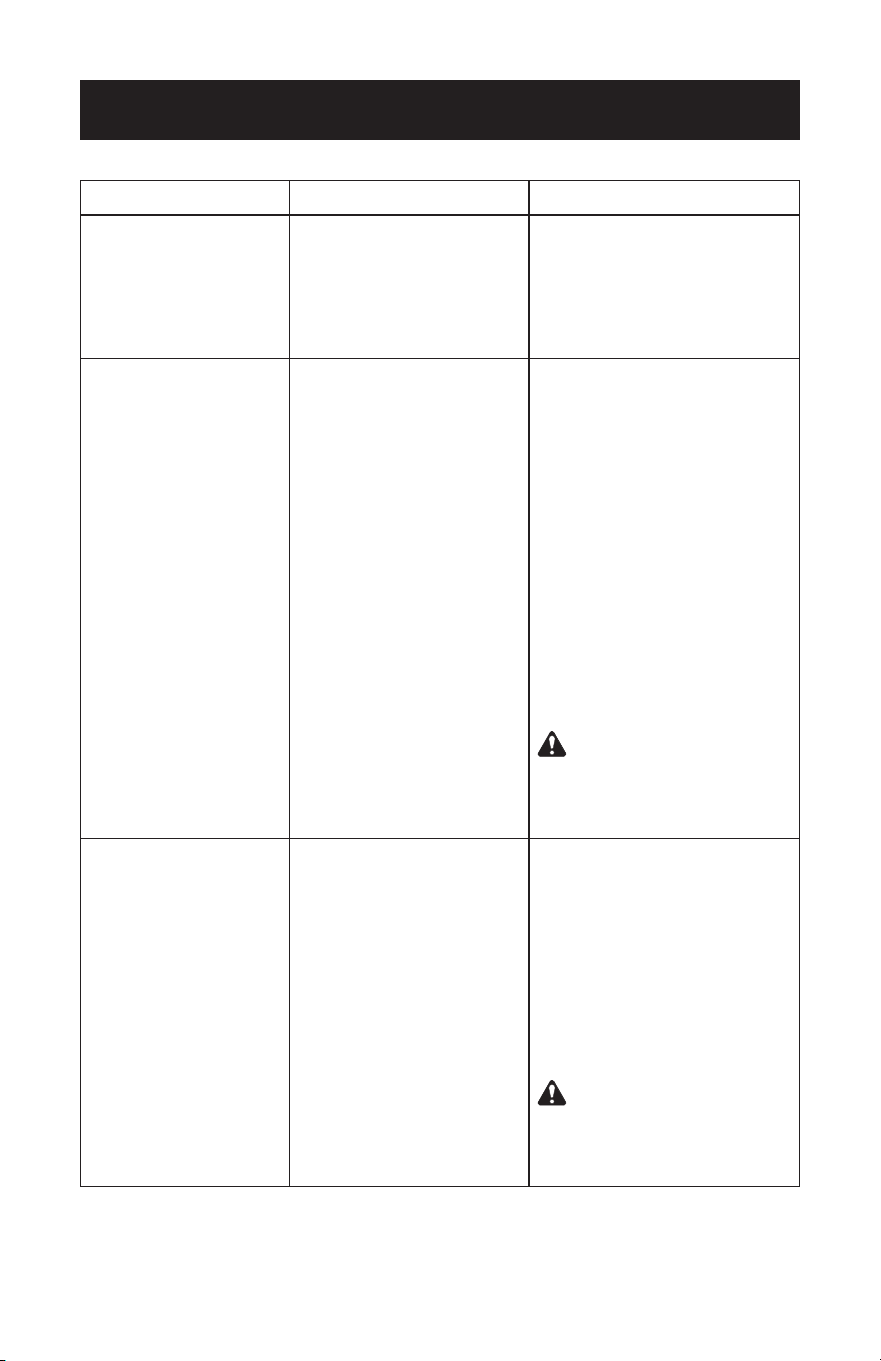
Troubleshooting
Symptom Possible Cause Solution
PowerindicatorLED
does not light; tool is
non-responsive.
1) Battery pack not charged.
2) AC adapter is connected
to tool.
1) Connect AC adapter to tool
and charge battery pack. Refer
to Setup for instructions.
2) Remove AC adapter.
FaultLEDlightsduring
charging.
1) Problem with battery pack.
2) Internal failure.
1) Disconnect AC adapter from
tool and wait one hour for
battery pack to cool. Do not
use tool or attempt to charge
battery pack during this time.
After one hour, reconnect AC
adaptertotool.IfredLED
(fault) illuminates again,
replace battery pack.
Refer to Replacement Parts
section of this manual.
2) If battery pack is not the
problem, discontinue using tool
and return it for service.
CauTiOn: This tool should
be serviced by TiF only. Failure
to do so may impair the
intrinsic safety of the device.
Tool does not seem
operable; does not alarm
in the presence of leaks.
1) Sensor failed.
2) Internal failure.
1) Verify unit on known
combustible gas leak source. If
no response, replace sensor.
Refer to Maintenance for
instructions.
2) If replacing sensor does not
solve problem, immediately
discontinue using tool and
return it for service.
CauTiOn: This tool should
be serviced by TiF only. Failure
to do so may impair the
intrinsic safety of the device.

Symptom Possible Cause Solution
PowerindicatorLED
does not light; tool is
non-responsive.
1) Battery pack not charged.
2) AC adapter is connected
to tool.
1) Connect AC adapter to tool
and charge battery pack. Refer
to Setup for instructions.
2) Remove AC adapter.
Battery life is less than
3 hours of operation.
1) Battery pack needs to be
conditioned.
1) To condition battery pack:
charge it fully, then operate
tool as normal until the low
batteryLEDilluminates.
Repeat this procedure a
minimum of 3 to 5 times.
Tool does not operate
and battery pack charge
cycle will not complete
(24+ hour charge applied
and green light does not
illuminate).
1) Battery pack not
connected.
2) Bad battery pack.
1) Follow instructions in the Setup
section of this manual to check
that the battery pack
connection is secure.
2) Replace battery pack.
Refer to Replacement Parts
section of this manual.
Troubleshooting (continued)

553240
Rev B, August 11, 2010
655 EisEnhowEr DrivE
owatonna, Mn 55060-0995 Usa
Toll free 800 327 5060
llamada graTuiTa 800 327 5060
numéro graTuiT 800 327 5060
fax 866 259 1241
Telécopieur 866 259 1241
www.tif.com