Manual de instrucciones
Instruction manual
Manuel d’instructions
Bedienungsanleitung
Manuale di istruzioni
Manual de instruções
Instrukcja obsługi
Návod k použití
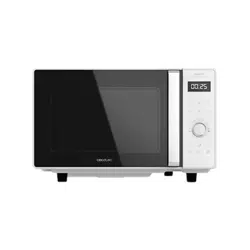
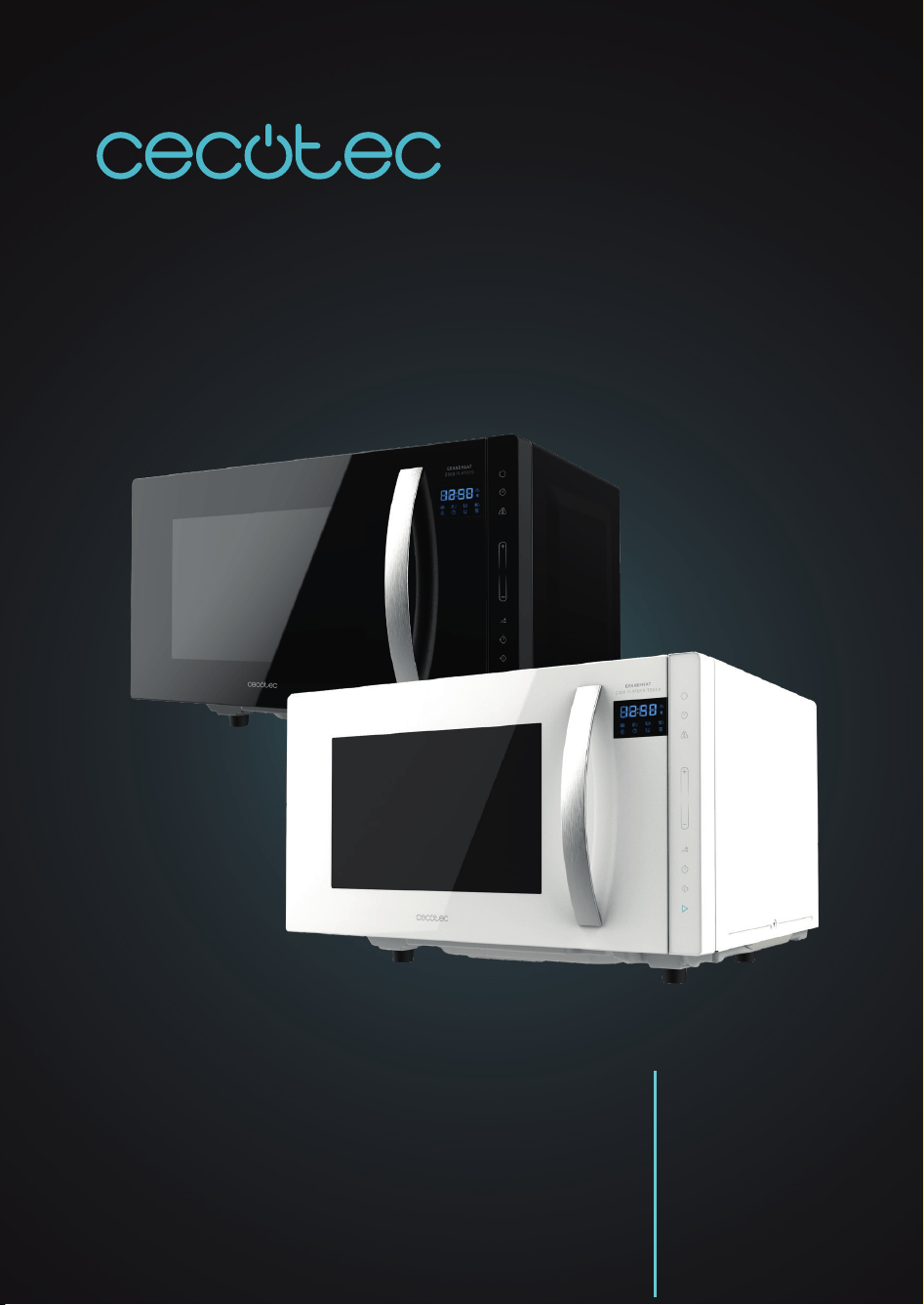
GRANDHEAT 2300 FLATBED TOUCH WHITE/BLACK
Microondas sin plato/
Microwave without turntable

GRANDHEAT 2300 FLATBED TOUCH WHITE/BLACK
61
ENGLISH
1. PARTS AND COMPONENTS
Fig. 1.
1. Control panel
2. View window
3. Door
4. Safety lock system
Control panel
Fig. 3.
Microwave
Clock
Weight defrost
Increase
Decrease
Time defrost
Timer
Stop/Clear
Start/+30SEC/Conrm
2. BEFORE USE
Take the product out of the box. If the microwave has a protective lm, tear it o before
starting operation. Check carefully if there is any damage, and if there is, immediately notify
the Technical Support Service.
The product must be placed on a at, stable and dry place and kept away from corrosive
materials, heat and humidity, such as gas burners or water.
The product must be placed in such way that the plug is accessible and must ensure an
eective grounding in case of leakage in order to avoid electric shocks.
The microwave door must be closed in order to operate.
In case there is any manufacturing rests in the microwave cavity or on the heating elements,
leave the microwave open to ensure good ventilation. In such case, it is recommended to heat
a glass of water at high power for several times.
Warning: Do not remove the light brown mica cover that is attached to the microwave cavity
to protect the magnetron.
3. PRODUCT INSTALLATION
Countertop installation
Place the appliance on a at, stable surface.
1.
2.
3.
4.
5.
6.
7.
8.
9.

GRANDHEAT 2300 FLATBED TOUCH WHITE/BLACK
62
ENGLISH
Fig. 2.
The minimum installation height is 85 mm.
The rear surface of appliance shall be placed against a wall.
Leave a minimum clearance of 30cm above the microwave, a minimum clearance of 20 cm is
required between the microwave and any adjacent walls.
Do not remove the legs from the bottom of the microwave.
Blocking the intake and/or outlet openings can damage the microwave.
Place the microwave as far away from radios and TV as possible. Operation of microwave may
cause interference to your radio or TV reception.
Plug the appliance into a power supply.
Warning: Do not install microwave over a range cooktop or other heat-producing appliance.
If installed near or over a heat source, the microwave could be damaged, and the warranty
would be void.
4. OPERATION
Clock setting
When the device is plugged in, it will beep once.
Tap the clock icon to set the time. The hour digits will blink.
Tap “+” or “-“ to set the desired hour, from 00-23.
Tap the clock icon. The minutes digits will blink.
Tap “+” or “-“ to set the desired minutes, from 00-59.
Tap the clock icon to save the time settings.
Note:
If the clock is not set, the current time will not be displayed when the device is turned on.
During the process of clock setting, press " STOP/CLEAR ", to go back to the previous status
automatically.
Timer
Tap the timer icon, the display will show 00:00.
Tap “+” or “-“ to set the desired cooking time. The maximum time is 95 minutes.
Tap the Start/+30sec/Conrm icon to conrm.
When the set time is over, the device will beep 5 times.
Note: If the clock has been set (24-hour system), the display will show the current time.
Microwave cooking
Tap the microwave icon once. “P100” will be displayed on the screen.
GRANDHEAT 2300 FLATBED TOUCH WHITE/BLACK
63
ENGLISH
Tap the microwave icon several times or use “+” and “-“ to select the microwave power, from
P100 to P10.
Tap the Start/+30sec/Conrm icon to conrm.
Tap “+” or “-“ to set the desired cooking time. The set time should be 0:05-95:00.
Tap the Start/+30sec/Conrm icon to start cooking.
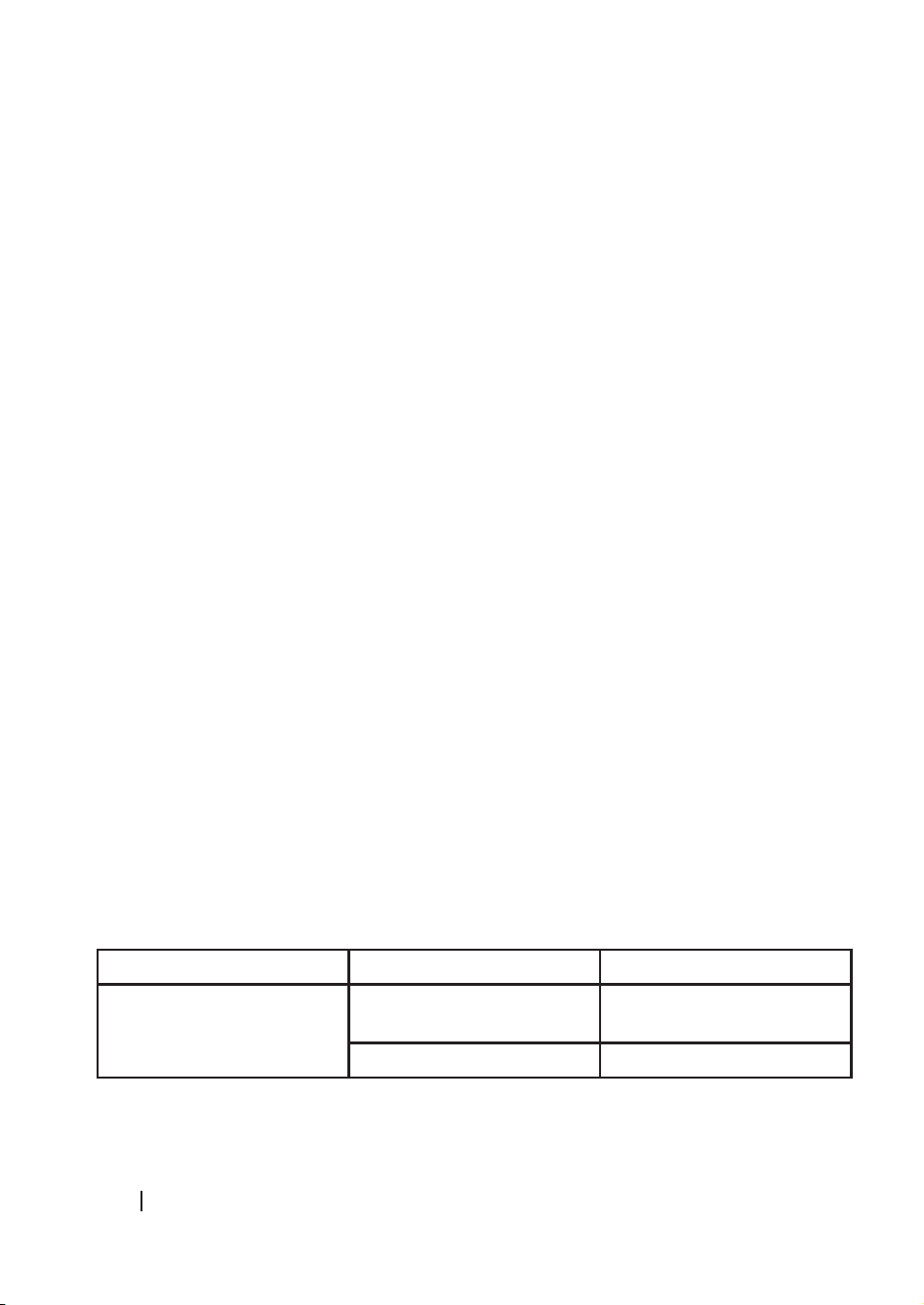
0---1 min: 5 seconds
1---5 min: 10 seconds
5---10 min: 30 seconds
10---30 min: 1 minute
30---95 min: 5 minutes
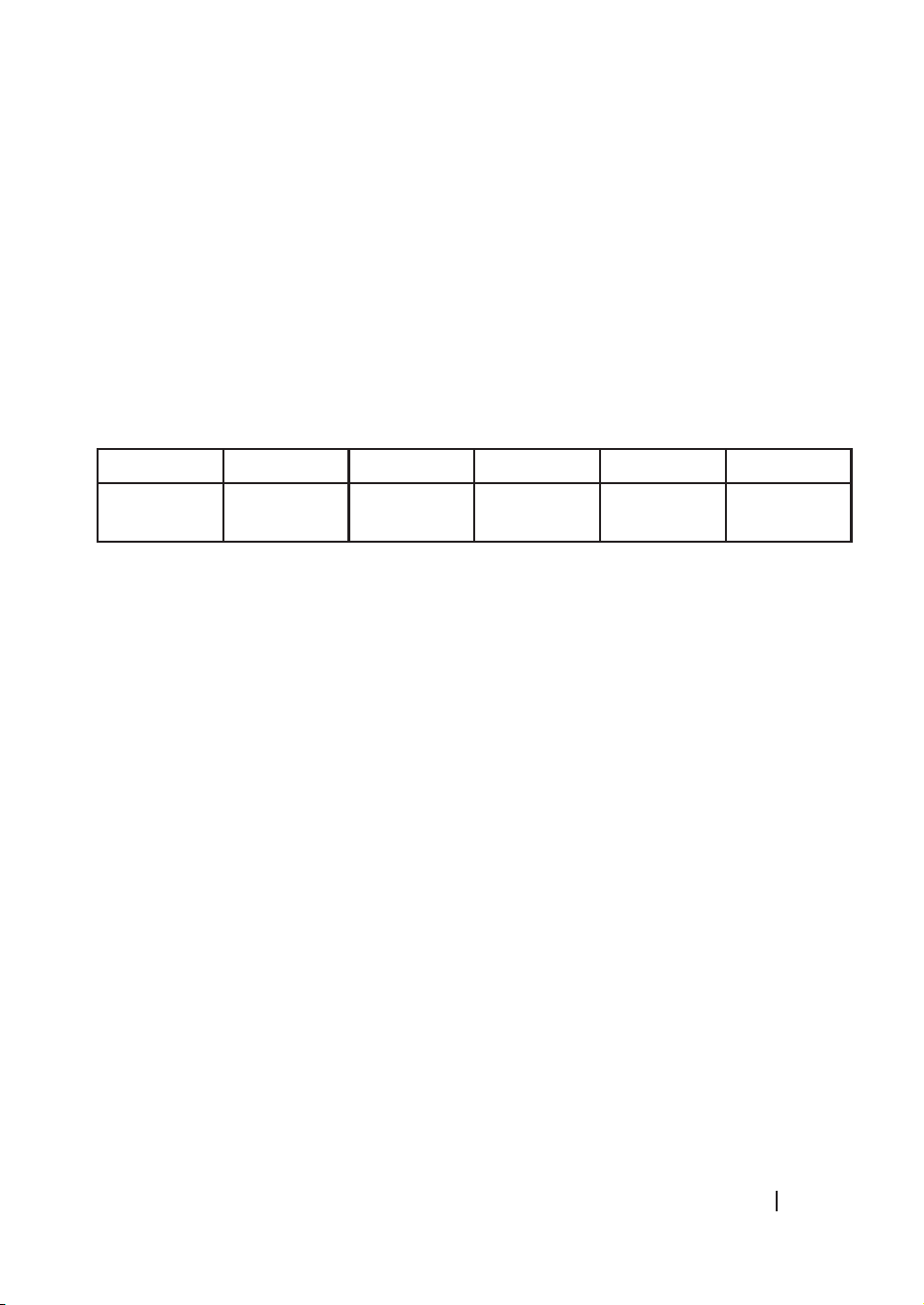
Microwave power chart
Press 1 time 2 times 3 times 4 times 5 times
Microwave
power
P100 P80 P50 P30 P10
Weight defrost
Tap the Weight defrost icon, the display will show “dEF1.”.
Tap “+” or “-“ to set the desired defrost time.
Weight must be from 100 to 2000 grams.
Tap the Start/+30sec/Conrm icon to start the defrost process.
Time defrost
Tap the Time defrost icon, the oven will display “dEF2”.
Tap “+” or “-“ to set the desired defrost time.
The maximum time is 95 minutes.
Tap the Start/+30sec/Conrm icon to start the defrost process.
Express cooking
In standby mode, tap the Start/+30sec/Conrm icon to operate the appliance at 100 % power
level for 30 seconds. Each touch on the same icon will increase the cooking time by 30 seconds.
The maximum time is 95 minutes.
Tap “-“ to adjust the cooking time. After setting the cooking time, tap the Start/+30sec/Conrm
icon to start cooking at 100 % power level.
During operation, each touch on the same icon will increase the cooking time by 30 seconds.
Note: This option is not available under Weight defrost or Auto menu cooking modes.
Multi-sequence cooking
GRANDHEAT 2300 FLATBED TOUCH WHITE/BLACK
64
ENGLISH
A maximum of 2 sequences can be set for a cooking process. If one of the sequences included
is defrosting, it should be set as the rst one.
Note: Auto menu and Express cooking menu cannot be set as one of the multi-sequences.
Example: Defrost food for 5 minutes, then cook with 80 % microwave power for 7 minutes.
Tap the Weight defrost icon, the display will show “dEF2.”.
Tap “+” or “-“ to set 5 minutes of defrost time.
Tap the Microwave icon twice to select 80 % microwave power.
Tap the Start/+30sec/Conrm icon to conrm.
Tap “-“ to adjust the cooking time to 7 minutes.
Tap the Start/+30sec/Conrm icon to start cooking.
Checking settings
During operation, tap the Microwave icon, the current power level will be displayed for 3
seconds.
During operation, tap the Clock icon, the current time will be displayed for 3 seconds.
Child lock system
In standby mode, tap the Stop/Clear for 3 seconds. The device will emit a long beep indicating
this function has been activated.
The current time will be displayed if the clock is set. The following icon will also be displayed:
Fig. 4.
In standby mode, tap the Stop/Clear for 3 seconds. The device will emit a long beep indicating
this function has been deactivated.
Auto menu
In standby mode, tap the “+” icon to select the Auto menu function.
Tap “+” or “-“ to set the desired menu.
Tap the Start/+30sec/Conrm icon to conrm the menu.
Tap “+” or “-“ to select the food weight.
Tap the Start/+30sec/Conrm icon to start cooking.
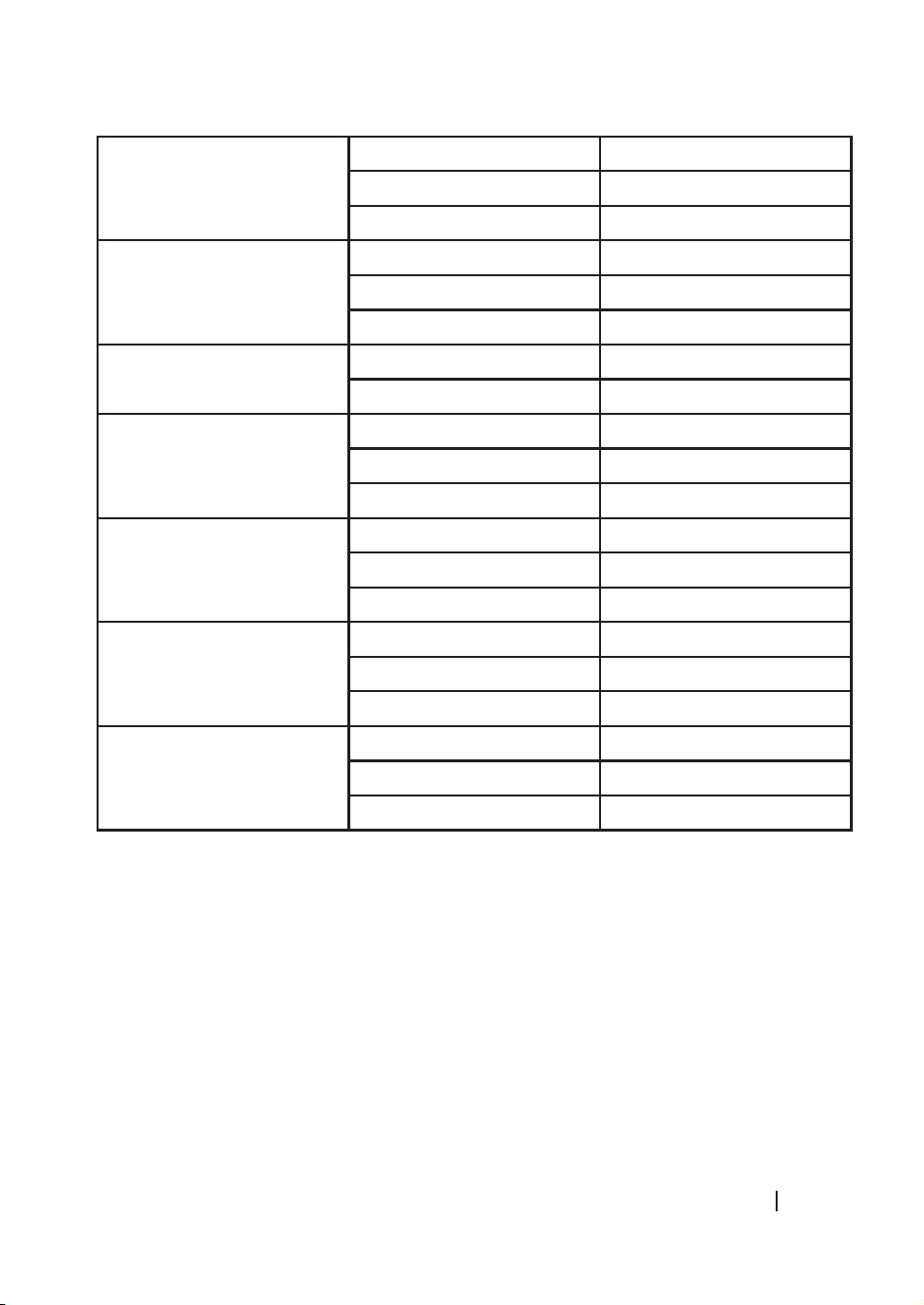
Menus:
Menu Weight Display
A-1
Pizza
200 g 200
400 g 400
GRANDHEAT 2300 FLATBED TOUCH WHITE/BLACK
65
ENGLISH
A-2
Meat
250 g 250
350 g 350
450 g 450
A-3
Vegetable
200 g 200
300 g 300
400 g 400
A-4
Pasta
50 g (with 450 g cold water) 50
100 g (with 800 g cold water) 100
A-5
Potato
200 g 200
400 g 400
600 g 600
A-6
Fish
250 g 250
350 g 350
450 g 450
A-7
Beverage
1 cup (120 ml) 1
2 cups (240 ml) 2
3 cups (360 ml) 3
A-8
Popcorn
50 g 50
85 g 85
100 g 100
5. CLEANING AND MAINTENANCE
The device, as well as food rests, must be cleaned and removed regularly.
Unplug the cable from the power supply before starting the cleaning. Do not immerse the
product in water or any other uid during cleaning.
The lack of maintenance and cleaning of the product may cause a deterioration on its surface
and aect its lifespan.
Do not use strong detergents, powder abrasives or metal brushes to clean the device.
Do not remove the mica plate.
When the microwave has been used for a long time, some strong odours may arise from inside.
GRANDHEAT 2300 FLATBED TOUCH WHITE/BLACK
66
ENGLISH
In order to get rid of them, follow one of the steps below:
Place several lemon slices in a cup and heat them at high power for 2 or 3 minutes.
Place a cup of red tea inside the microwaves and heat it at high power for 2 or 3 minutes.
Place orange peels inside the microwaves and heat it at high power for 1 minute.
Use a dampened soft cloth to clean enclosures, door, interior walls and the door frame.
Warning: All maintenance tasks must be strictly carried out by qualied technical personnel.
6. TROUBLESHOOTING
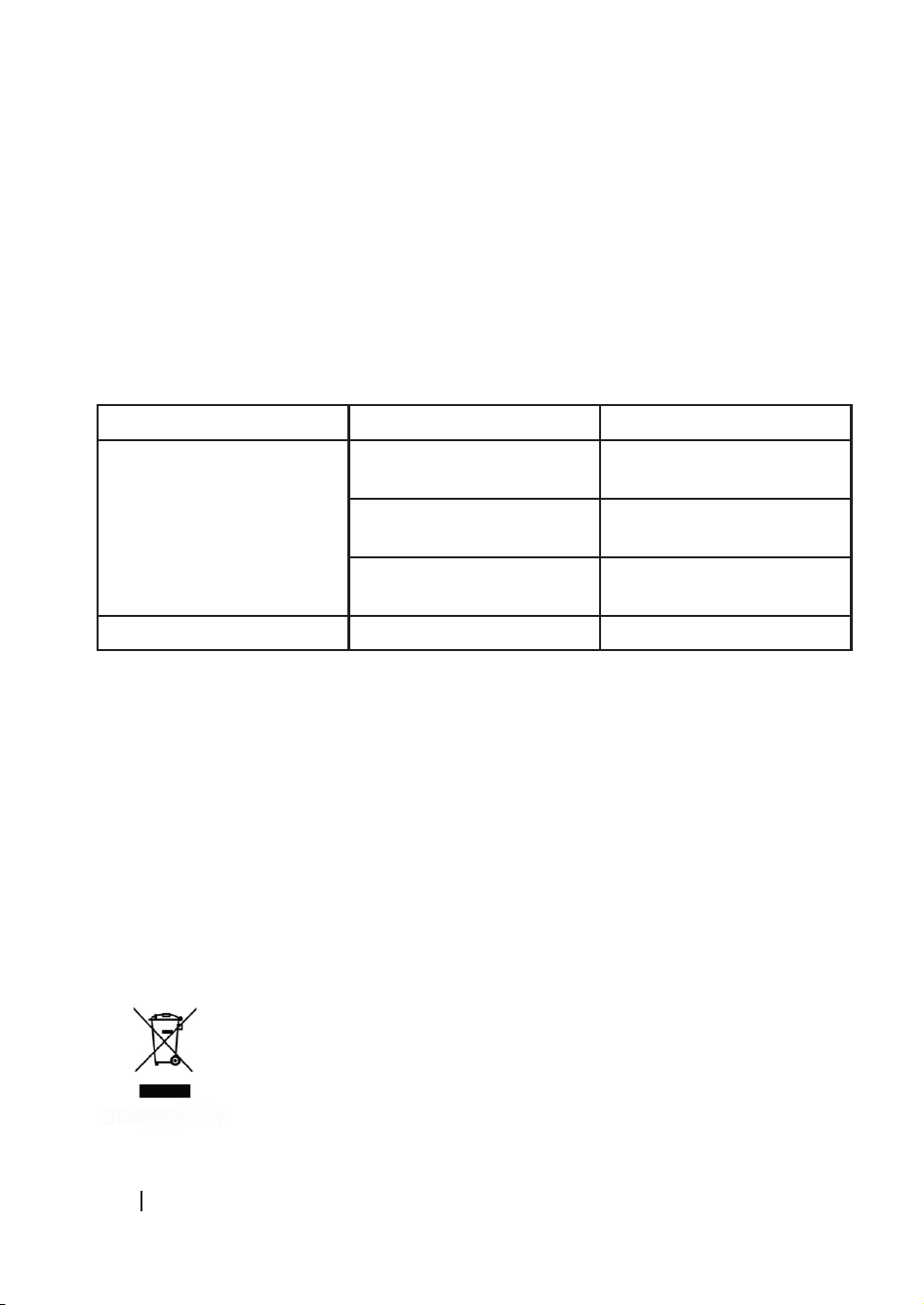
Problem Cause Solution
The device does not turn on The power cord is not
plugged in properly.
Disconnect it and connect it
again after 10 seconds.
Fuse blow or short circuit. Contact the Technical Support
Service of Cecotec.
Faulty power outlet. Test the power outlet with a
dierent appliance.
The device does no heat Door not closed properly. Close the door properly.
7. TECHNICAL SPECIFICATIONS
01359 GrandHeat 2300 Flatbed Touch White
01360 GrandHeat 2300 Flatbed Touch Black
Rated input power: 1270 W
Rated output power: 800 W
230 V ~ 50 Hz
Capacity: 23L
Made in China | Designed in Spain
8. DISPOSAL OF OLD ELECTRICAL APPLIANCES
The European directive 2012/19/EU on Waste Electrical and Electronic
Equipment (WEEE), species that old household electrical appliances must
not be disposed of with the normal unsorted municipal waste. Old appliances
must be collected separately, in order to optimise the recovery and recycling

GRANDHEAT 2300 FLATBED TOUCH WHITE/BLACK
67
ENGLISH
of the materials they contain and reduce the impact on human health and the environment.
The crossed out “wheeled bin” symbol on the product reminds you of your obligation to dispose
of the appliance correctly.
Consumers must contact their local authorities or retailer for information concerning the
correct disposal of old appliances and/or their batteries.
9. TECHNICAL SUPPORT AND WARRANTY
This product is under warranty for 2 years from the date of purchase, as long as the proof
of purchase is submitted, the product is in perfect physical condition, and it has been given
proper use, as explained in this instruction manual.
The warranty will not cover the following situations:
The product has been used for purposes other than those intended for it, misused, beaten,
exposed to moisture, immersed in liquid or corrosive substances, as well as any other fault
attributable to the customer.
The product has been disassembled, modied, or repaired by persons, not authorised by the
ocial Technical Support Service of Cecotec.
Faults deriving from the normal wear and tear of its parts, due to use.
The warranty service covers every manufacturing defects of your appliance for 2 years, based
on current legislation, except consumable parts. In the event of misuse, the warranty will not
apply.
If at any moment you detect any problem with your product or have any doubt, do not hesitate
to contact Cecotec Technical Support Service at +34 963 210 728.