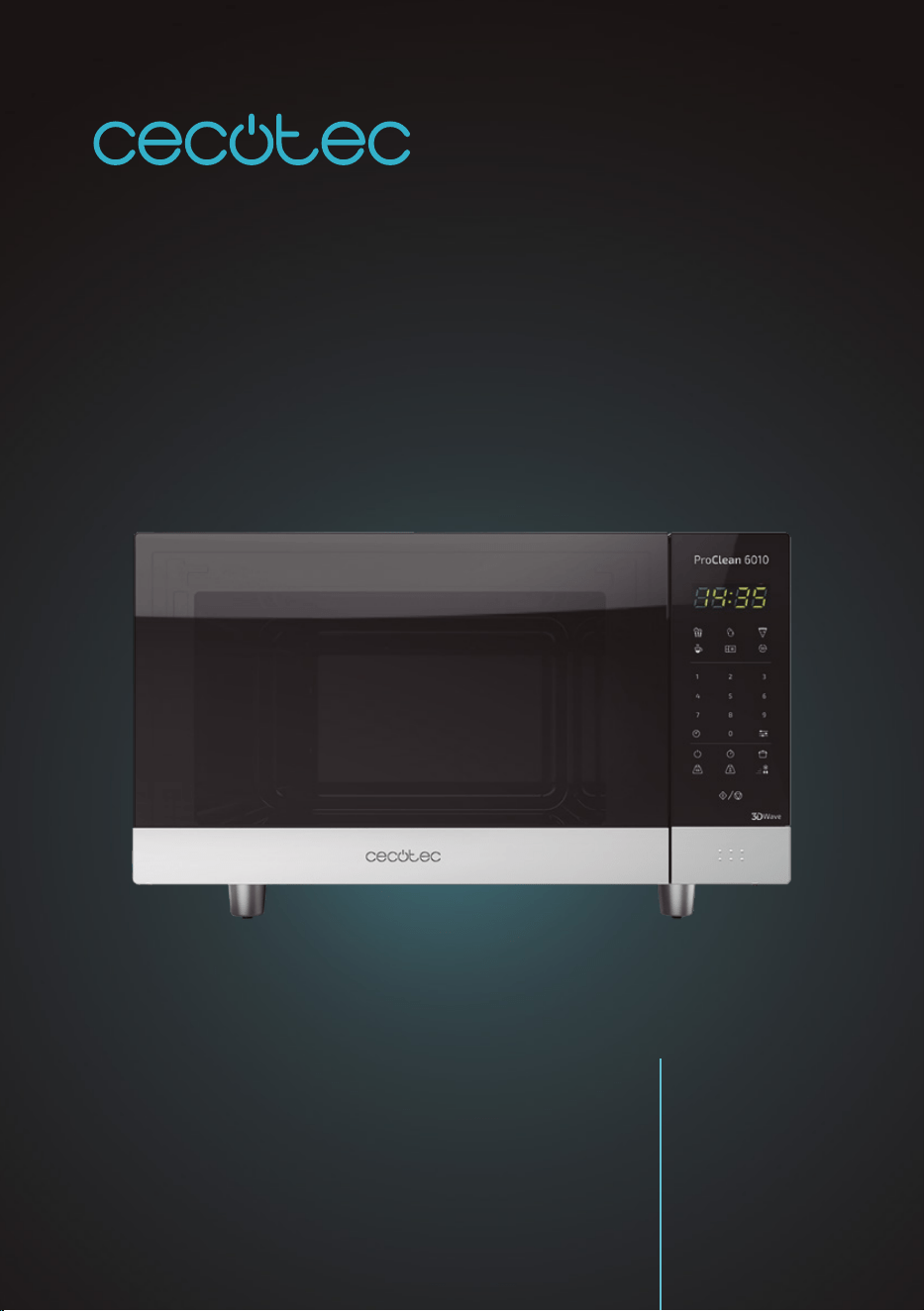
MICROONDAS PROCLEAN 6010
Microondas / Microwave
Manual de instrucciones
Instruction manual
Manuel d’instructions
Bedienungsanleitung
Manuale di istruzioni
Manual de instruções
Handleiding
Instrukcja obsługi
Návod k použití

PROCLEAN 6010
44
ENGLISH
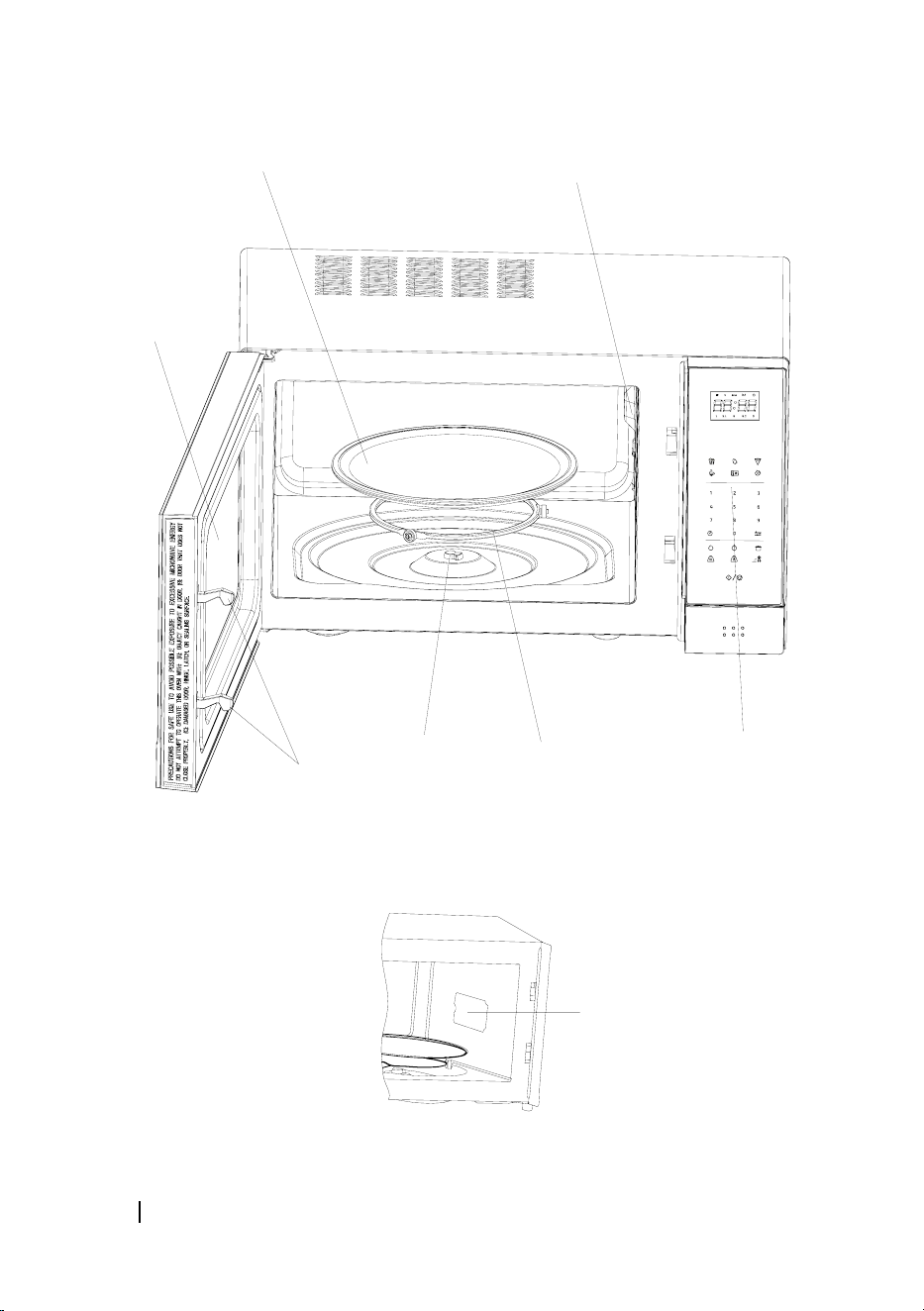
1. PARTS AND COMPONENTS
Fig. 1
1. Door safety lock system
2. Microwave window
3. Rotating axis
4. Roller ring
5. Rotary plate
6. Control panel
7. Mica panel
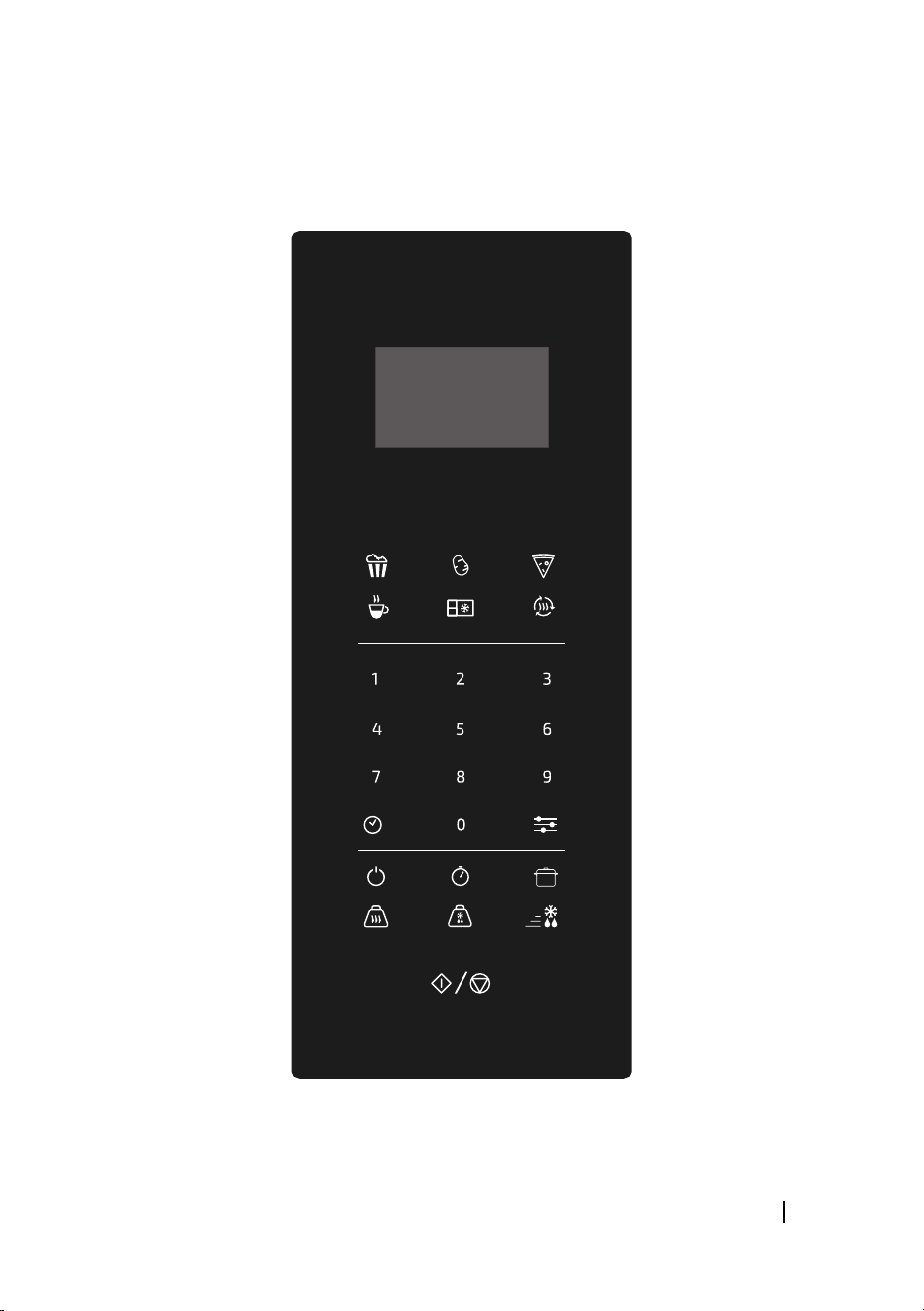
Fig. 2
1. Start/Stop
2. Weight cooking
3. Weight defrost
4. Fast defrost
5. ON button
6. Timer button
7. Time cooking
8. Numbers
9. Preset programmes
10. Reset
11. Clock
12. Reheat
2. BEFORE USE
Never remove the mica plate.
Take the product out of the box. If the microwave has a protective lm, tear it o before
starting operation. Check carefully if there is any damage, and if there is, immediately notify
the Technical Support Service of Cecotec.
The product must be placed on a at, stable and dry place and kept away from corrosive
materials, heat and humidity, such as gas burners or water.
To ensure enough ventilation, minimum distances have to be kept:
From the back part to the wall: 10 cm.
From the side to the wall: 5 cm.
Free distance from the top surface: 20 cm.
From the microwave to the ground: 85 cm.
The product must be placed, at least, at 5 m from the TV, Radio or antenna.
The product must be placed in such way that the plug is accessible and must ensure an
PROCLEAN 6010
45
ENGLISH
eective grounding in case of leakage in order to avoid electric shocks.
The microwave door must be closed in order to operate.
In case there is any manufacturing rests in the microwave cavity or on the heating elements,
leave the microwave open to ensure good ventilation. In such case, it is recommended to heat
a glass of water at high power for several times.
3. OPERATION
Beeps during setting
1 beep: Microwave accepts the entry.
2 beeps: Microwave does not accept the entry.
Number pads
Number pads are used for selecting food kind, cooking time and power level.
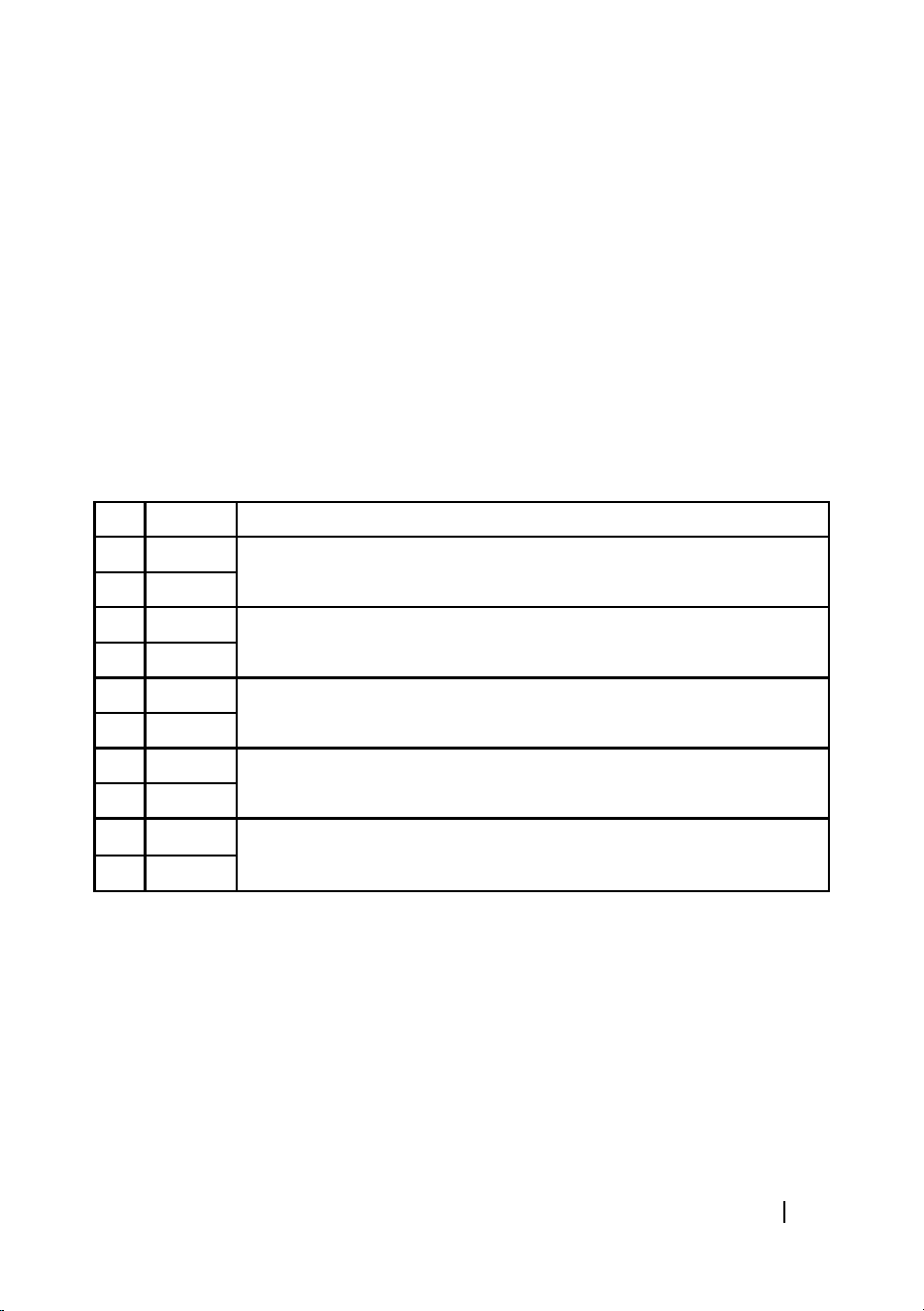
Key Power % Microwave instruction
On 100 % P100 and P90: High power, 100% and 90% microwave power. Perfect for
quick and thorough cooking.
9 90 %
8 80 % P80 & P70: Medium-High power, 80 % and 70 % microwave power.
Perfect for medium express cooking.
7 70 %
6 60 % P60 & P50: Medium power, 60% and 50% microwave power. Perfect for
steaming food.
5 50 %
4 40 % P40 & P30: Medium-Low power, 40 % and 30 % microwave power.
3 30 %
2 20 % P20 & P10: Low power, 20% and 10% microwave power. Perfect for
keeping food warm.
1 10 %
Reset
Press the Reset button to clear all previous settings.
Start/Stop
Press the Start/Stop to start or stop cooking.
Cooking
Use this mode for multi-stage cooking. It allows cooking at dierent power levels at dierent
pre-set times, changing from one stage to another automatically.
PROCLEAN 6010
46
ENGLISH
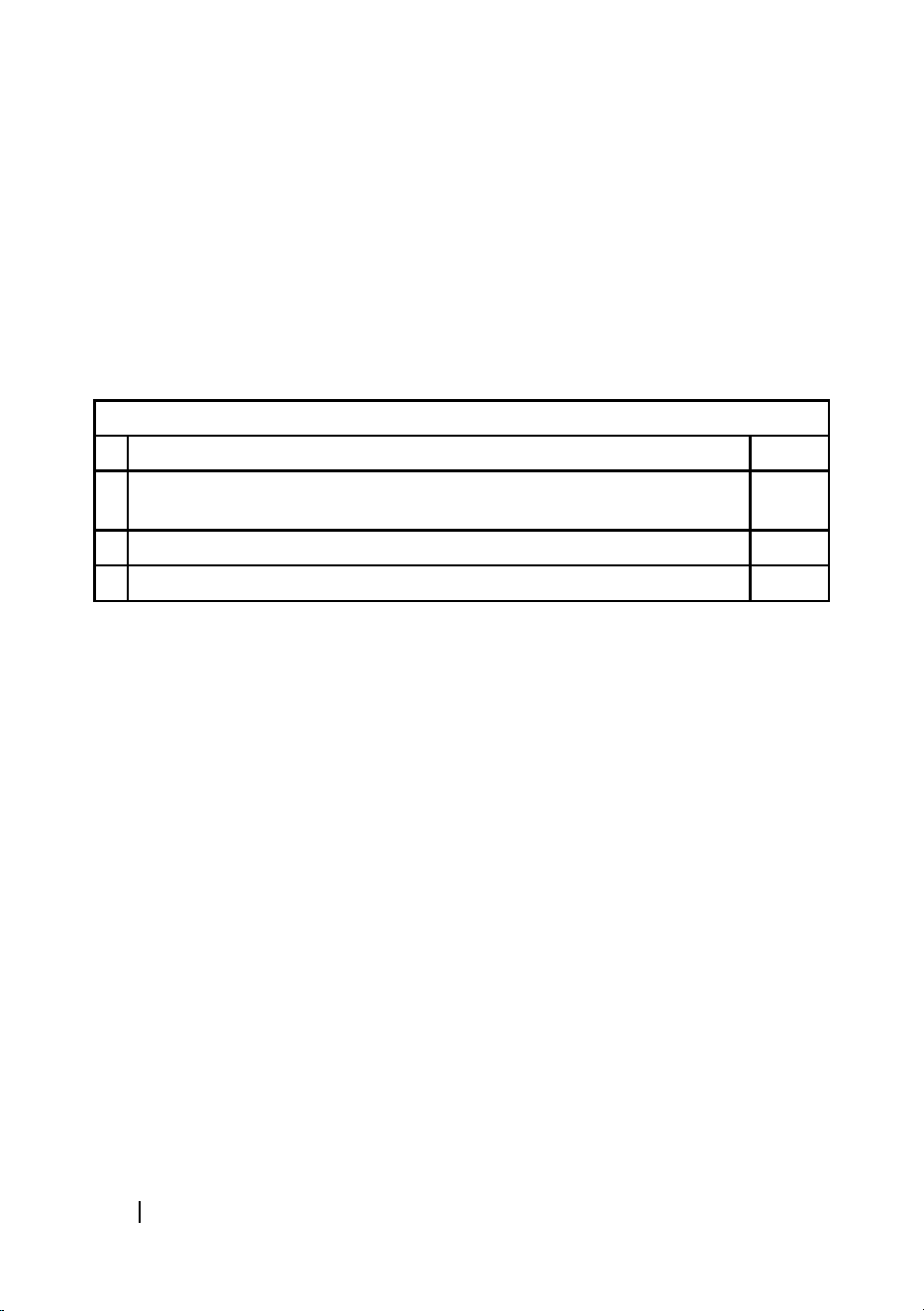
Clock setting
On standby state, press Clock key.
Use number keys to enter the correct time. You must press at least three numbers to set the
clock (one for hour and two for minutes).
Press the Clock key again to conrm time.
Note: This is a 24-hour clock. When the microwave is rst plugged in or when power resumes
after a power interruption, the display panel will show ENTER, CLOCK, TIME. If you prefer not to
have the clock displayed, press the Reset key. You can check the clock time while cooking is in
progress by pressing the Clock key.
Example: Setting clock at 12:30
Steps Display
1 After powering up, the display panel shows the colon sign.
Press the Reset button once or wait for 30 seconds.
:
2 Press keys “1”, “2”, “3”, “0”. 12:30
3 Press the Clock key to conrm.
Setting timer
You can use the timer function independently, even while the microwave is operating.
Press Timer key.
Enter cooking time by pressing the number keys. The timer is set in minutes and seconds, from
left to right. The maximum cooking time is 99 minutes, 99 seconds.
For example, to program:
5 seconds: Press 5.
24 minutes, 5 seconds: Press 2405.
Press the Start/Stop key to conrm.
Warning
The timer countdown can be seen in display for 3 seconds before it goes back to the stand by
mode.
Press Timer and then press Reset to cancel timer during countdown.
Setting cooking time and power level
One-stage cooking
From the home display, use the number keys to enter the desired cooking time. The cooking
time can be from 1 second to 99 minutes and 99 seconds. If the desired cooking time is more
than 1 minute, enter numbers for both minutes and seconds. For example: to set 20 minutes,
enter 2, 0, 0, 0.
Press the power button and set the desired power level using the number keys.
Press the Start/Stop key to start operation.
PROCLEAN 6010
47
ENGLISH
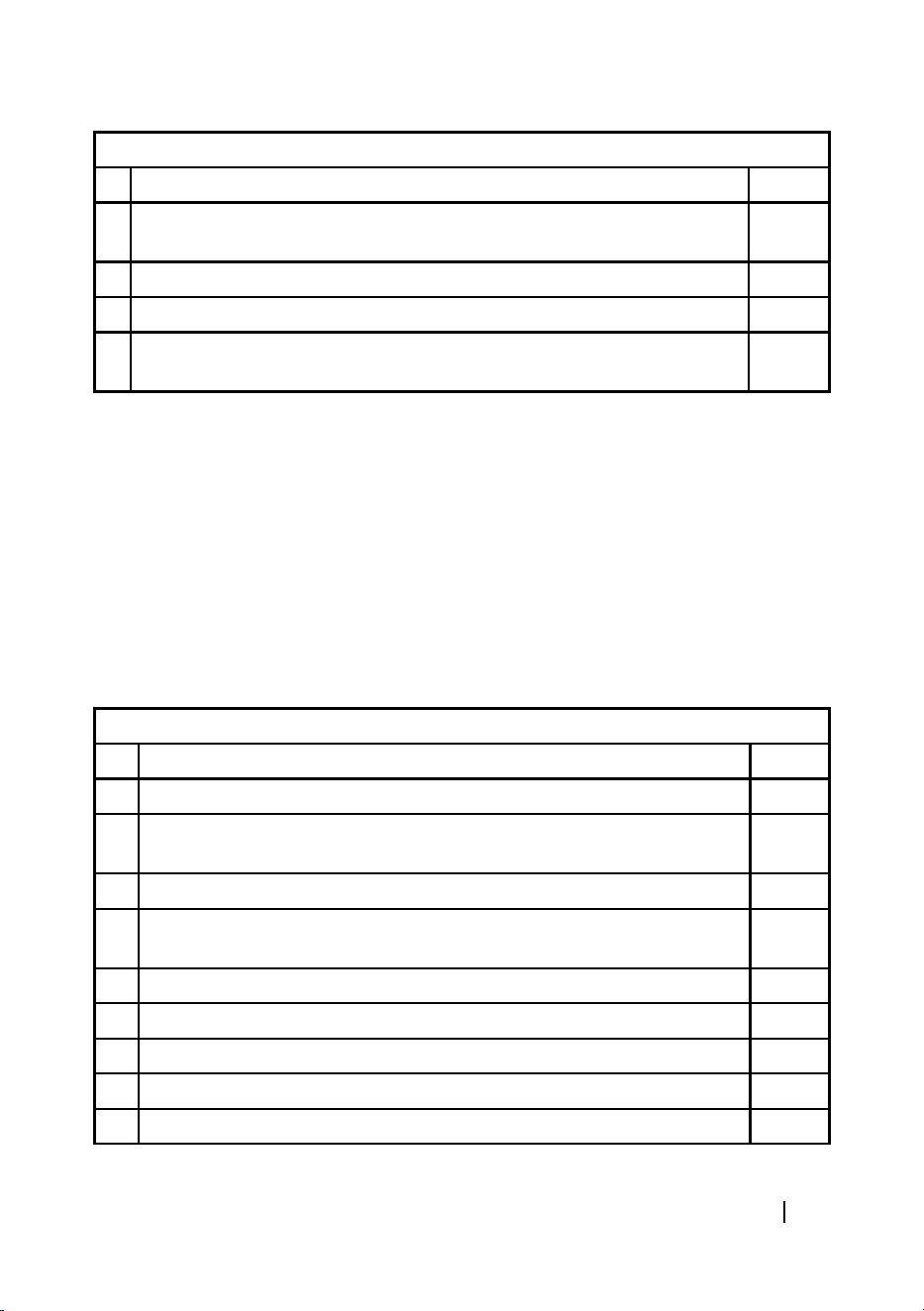
Example: Cooking at P80 for 10 minutes.
Steps Display
1 After powering up, the display panel shows the colon sign.
Press the Reset button once or wait for 30 seconds.
:
2 Press the Power button repeatedly to select he desired power level . 80P
3 Set the cooking time by pressing number keys “1”, “0”,“0”, “0”. 10:00
4 Press the Start/Stop button to start operation. The LED will display the
countdown.
Warning:
The maximum programmable cooking time is 99 minutes, 99 seconds.
It is recommended to turn or stir food at least once during the process.
Press Reset button once to resume operation.
If food is removed before the pre-set time, make sure you press Reset once in order to stop
operation and avoid the microwave from operating automatically and empty when closed.
When operating at maximum power, the microwave will automatically lower power after a
certain time in order to lengthen the appliance’s shelf life.
Two-stage cooking
In order to obtain the best result, some recipes require of dierent steps. This function allows
you to personalise and to combine your cooking processes.
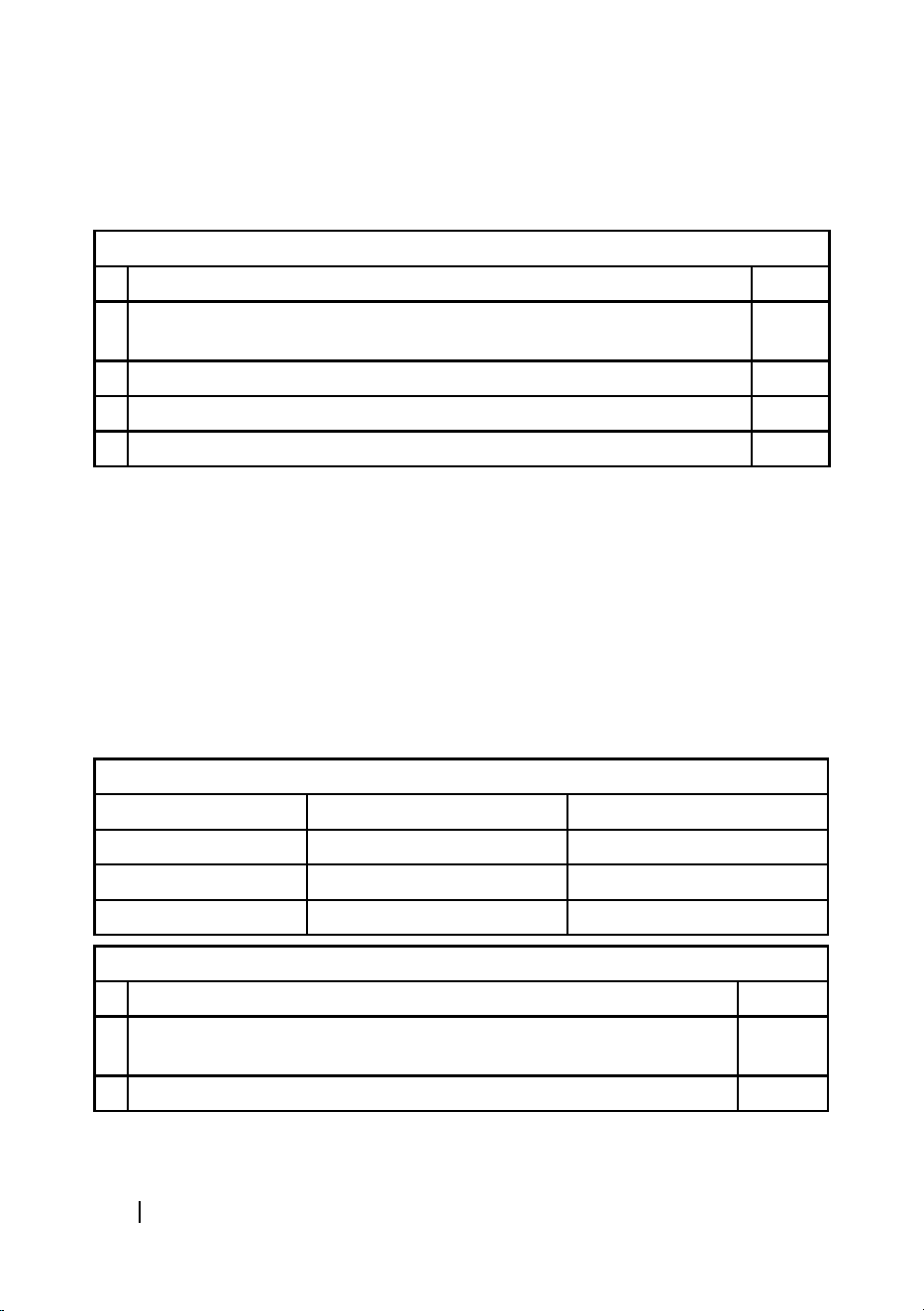
Example: Cooking food on microwave mode at 100 P, for 3 minutes,then 20P for 9 minutes.
Steps Display
1 Select 100 P microwave for 3 minutes.
1.1 The display shows colon, press, press the Reset key once or wait for 30
seconds.
:
1.2 Press ”3” “0”, “0” to set cooking time. 3:00
1.3 Press the Power button once and then select the desired power level by
pressing “1” “0”.
100P
1.4 Press the Cooking button once to conrm.
2 20P for 9 minutes.
2.1 Press “9”, “0”, “0” to set cooking time. 9:00
2.2 Press the Power button once and select microwave power by pressing “2”. 20P
3 Press the Start/Stop button to start operation.
PROCLEAN 6010
48
ENGLISH
Fast defrost
From the home or clock display, press Speed Defrost key.
Enter desired defrosting time by pressing the correct number keys.
Press the Start/Stop key.
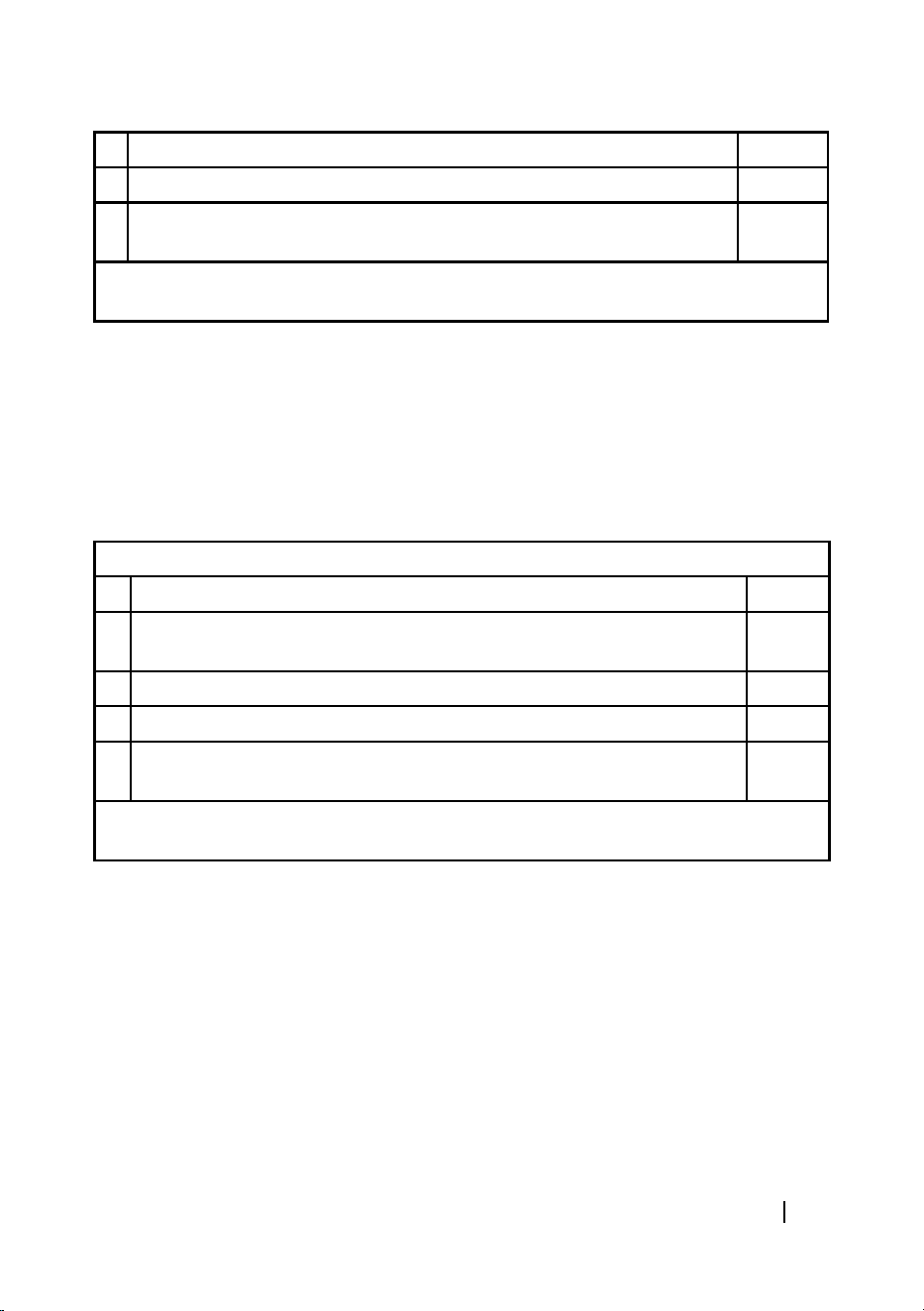
Example: Speed defrost 0.2 kg of poultry for 2 minutes, 50 seconds
Steps Display
1 After powering up, the display panel shows the colon sign.
Press the Reset button once or wait for 30 seconds.
:
2 Press Speed Defrost key. :
3 Press “2”,”5”,”0” to set defrost time. 2:50
4 Press the Start/Stop button to start operation.
Warning:
Once preset time is over, 4 alarm beeps will sound and display will show END. Press the Reset
button or open door to return to stand by state.
After setting Speed Defrost, the microwave can be programmed to switch automatically to:
One-stage cooking: Before pressing Start/Stop key, press the Cooking key to set the power
level and enter the desired cooking time. Then press the Start/Stop key.
2-stage cooking: Before pressing the Start/Stop key, enter two-stage cooking programme.
Weight cooking
The microwave has default cooking programmes for simple operations.
Set food weight and type and the microwave will automatically set the cooking time and power
level.
Display codes Food type Weight
1 Beef 0,1, 0,15, 0,2...2,9, 2,95, 3 kg
2 Lamb 0,1, 0,15, 0,2...2,9, 2,95, 3 kg
3 Pork 0,1, 0,15, 0,2...1,9, 1,95, 2 kg
Example: Cooking 1.2 kg of beef
Steps Display
1 After powering up, the display panel shows the colon sign.
Press the Reset button once or wait for 30 seconds.
:
2 Press Cook By Weight button once.
PROCLEAN 6010
49
ENGLISH
3 Select the food kind by entering code “1”. 1
4 Set food weight by pressing number ”1” “2” “0”. 1.20
5 The microwave starts cooking and time will appear automatically on the
display.
34:24
During the cooking process, two beeps will sound in order to remind you to turn over the
food. After turning over the food, press Start/Stop to resume cooking.
Warning:
Weight must be specied in kg.
Once preset time is over, 4 alarm beeps will sound and display will show END. Press the Reset
button or open door to return to stand by state.
Please, wait a few minutes before removing food from inside.
Weight defrost
Set food weight and type and the microwave will automatically set the
defrosting time.
Example: Defrosting 1.15 kg of beef
Steps Display
1 After powering up, the display panel shows the colon sign.
Press the Reset button once or wait for 30 seconds.
:
2 Press Defrost By weight button. 0.
3 Set defrosting weight by pressing numbers“1”, “1”, “5”. 1.15
4 Press the Start/Stop key to start operation. The LED will display the
countdown.
23:00
During the cooking process, two beeps will sound in order to remind you to turn over the
food. After turning over the food, press Start/Stop to resume cooking.
It is highly recommended to turn over food during operation on order to obtain uniform eect.
Usually defrosting will need longer time than cooking food.
If the food can be cut by knife, the defrosting process can be considered completed.
Microwave radiation penetrates around 4 cm into most foods.
Defrosted food should be used as soon as possible. It is not recommended to freeze or put
back in the fridge again.
Weight must be set in kg, from 0.1 to 3.0 kg.
About “Quick Cook” programmes
These programmes allow cooking or heating up food automatically without setting time or
power level. On the control panel, choose between 6 programmes:

PROCLEAN 6010
50
ENGLISH
Popcorn
In standby or clock state, press Popcorn key which automatically sets the cooking time of
microwave popcorn.
Press the Start/Stop key.
Warning: To reset Popcorn time, tap Popcorn key twice. ENTER TIME appears on display. Press
the number keys to enter minutes and seconds. Press the Start/Stop key. This new cooking
time will remain set by default whenever you press the Popcorn key until you reset it.
Baked potato
In standby or clock state, press the Baked Potato key once.
Enter the number of potatoes by pressing number keys from 1 to 4.
Press the Start/Stop key.
Pizza
In standby or clock state, press the Pizza key once.
Press the Start/Stop key.
Drinks
In standby or clock state, press the Beverage key once.
Enter the number of cups by pressing number keys from 1 to 4.
Press the Start/Stop key.
Frozen dinner
In standby or clock state, press the Frozen dinner key once.
Press 1 or 2 to select 1 or 2 dishes.
Press the Start/Stop key.
Reheat
In standby or clock state, press the Reheat key once.
Press the Start/Stop key.
Setting the child lock
Security system that blocks control panel to ensure small children do not use the appliance
without supervision.
To activate lock: Hold the Reset button for 3 seconds.
To deactivate lock: Hold the Reset button for 3 seconds.
4. TIPS
Food arrangement: Place the thickest food parts towards the edge of the glass tray. If possible,
do not overlap food.
PROCLEAN 6010
51
ENGLISH
Watch cooking time: Cook for the shortest amount of time at rst, and add more minutes in
case it is necessary. Over-cooking may result in smoke and burns.
Cover food while cooking: Covering the food you are going to cook avoids spattering and allows
for a more even cooking.
Flip or stir food once during the cooking process.
Respect pre-heating time. Pre-heating time specied on the food’s label must not be exceeded.
5. CLEANING AND MAINTENANCE
The device, as well as food rests, must be cleaned and removed regularly.
Disconnect the power cord from the wall socket before cleaning. Do not immerse the product
in water or any other uid during cleaning.
Failure to maintain the product in clean conditions could lead to surface deterioration and
could adversely aect the product’s shelf life, resulting in possible hazard.
Never use strong detergents, abrasive powder or metal brush to clean any part of the product.
Do not remove the wave guide.
When the microwave has been used for a long time, some strong odours may arise from inside.
To eliminate these odours, follow one of the below methods:
Place several lemon slices in a cup and heat them at high power for 2 or 3 minutes.
Place a cup of red tea inside the microwaves and heat it at high power for 2 or 3 minutes.
Place orange peels inside the microwaves and heat it at high power for 1 minute.
Use a dampened soft cloth to clean enclosures, door, interior walls and the door frame.
6. TECHNICAL SPECIFICATIONS
Model: ProClean 6010
Product reference: 01536
Microwave power: 800 W
Voltage and frequency: 230 V, 50 Hz
Capacity: 23L
Made in China | Designed in Spain
7. DISPOSAL OF OLD ELECTRICAL APPLIANCES
The European directive 2012/19/EU on Waste Electrical and Electronic
Equipment (WEEE), species that old household electrical appliances must
not be disposed of with the normal unsorted municipal waste. Old
appliances must be collected separately, in order to optimise the recovery
and recycling of the materials they contain and reduce the impact on

PROCLEAN 6010
52
ENGLISH
human health and the environment.
The crossed out “wheeled bin” symbol on the product reminds you of your obligation to
dispose of the appliance correctly.
Consumers must contact their local authorities or retailer for information concerning the
correct disposal of old appliances and/or their batteries.
8. TECHNICAL SUPPORT AND WARRANTY
This product is under warranty for 2 years from the date of purchase, as long as the proof
of purchase is submitted, the product is in perfect physical condition, and it has been given
proper use, as explained in this instruction manual.
The warranty will not cover the following situations:
The product has been used for purposes other than those intended for it, misused, beaten,
exposed to moisture, immersed in liquid or corrosive substances, as well as any other fault
attributable to the customer.
The product has been disassembled, modied, or repaired by persons, not authorised by the
ocial Technical Support Service of Cecotec.
Faults deriving from the normal wear and tear of its parts, due to use.
The warranty service covers every manufacturing defects of your appliance for 2 years,
based on current legislation, except consumable parts. In the event of misuse, the warranty
will not apply.
If at any moment you detect any problem with your product or have any doubt, do not
hesitate to contact Cecotec Technical Support Service at +34 963 210 728.
PROCLEAN 6010
120
Fig./Img./Abb./Afb./ Rys./Obr. 1
7
1
2
5
7
3
4
6
PROCLEAN 6010
121
Fig./Img./Abb./Afb./ Rys./Obr. 2
9
1
8
11
5
2
10
12
76
43

www.cecotec.es
Grupo Cecotec Innovaciones S.L.
C/ de la Pinadeta s/n, 46930
Quart de Poblet, Valencia (Spain)
IC02210129