Read this material before
using this product.
Failure to do so can
result in serious injury.
SAVE THIS MANUAL.
Copyright
©
2023 by Harbor Freight Tools
®
. All rights reserved.
No portion of this manual or any artwork contained
herein may be reproduced in any shape or form without
the express written consent of Harbor Freight Tools.
Diagrams within this manual may not be drawn proportionally.
Due to continuing improvements, actual product
may differ slightly from the product described herein.
Tools required for assembly and service may not be included.
When unpacking, make sure that the product is intact and undamaged.
If any parts are missing or broken, please call 1-888-866-5797 as soon as possible.
Save This Manual Keep this manual for the safety warnings and precautions,
assembly, operating, inspection, maintenance and cleaning procedures.
Write the product’s serial number in the back of the manual
(or month and year of purchase if product has no number).
Keep this manual and the receipt in a safe and dry place for future reference.
Owner’s Manual & Safety Instructions
Visit our website at: http://www.harborfreight.com
Email our technical support at: [email protected]
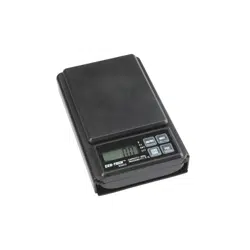
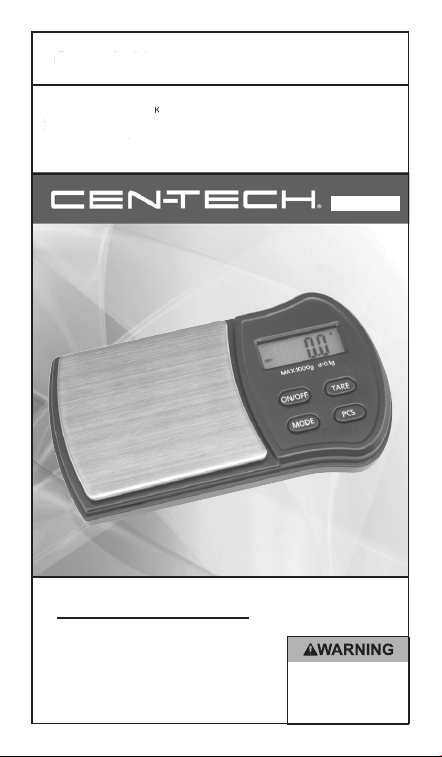
ITEM 60332
1000 GRAM
DIGITAL SCALE
Save This Manual
Keep this manual for the safety warnings and precautions,
assembly, operating, inspection, maintenance and cleaning procedures.
Write the product’s serial number in the back of the manual
(or month and year of purchase if product has no number).
Keep this manual and the receipt in a safe and dry place for future reference.
Owner’s Manual & Safety Instructions
Page 2 For technical questions, please call 1-888-866-5797. 60332
Specifications
Max. Capacity 1000 grams
Measurement Units grams, ounces, grains, pennyweights, troy ounces, and carats
Accuracy ±0.5 gram
Automatic Shut-off 60 seconds
Power Source 2 “AAA” Batteries (included)
Important Safety Information
1. Do not mix old and new batteries. Do not mix alkaline, standard (carbon-
zinc), or rechargeable (nickel-cadmium) batteries. Position batteries
in proper polarity. Do not use swollen or leaking batteries.
2. This Scale is not a toy. Do not allow children to play with or near this item.
3. Weight readings are for household use only. Do not use for commerce or trade.
4. Inspect before every use; do not use if parts are loose or damaged.
5. Place Scale on flat, stable, level surface.
6. Sensitive instrument. Do not drop, bump, or shake Scale.
7. Do not exceed Scale’s capacity.
Display
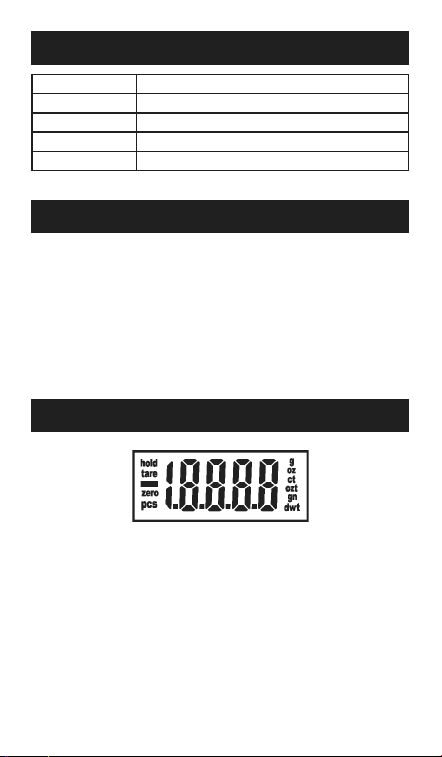
Figure A: Startup Screen
hold - Indicates that the reading is stable.
tare - Indicates that tare weight is factored out. Press TARE with empty container on
Scale to set the Scale to ignore container weight and display content weight only.
zero - Indicates that the Scale has nothing on its platform, and is at its neutral position.
pcs - Indicates that scale is in piece count (custom weight unit) mode.
See PCS mode for explanation.
g/oz/ct/ozt/gn/dwt - Indicates weight unit. Press MODE to cycle through weight units.
Page 3For technical questions, please call 1-888-866-5797.60332
Operation
NOTE: Do not use Scale for commerce or trade.
1. Place the Scale on a flat, hard surface.
2. Remove the cover.
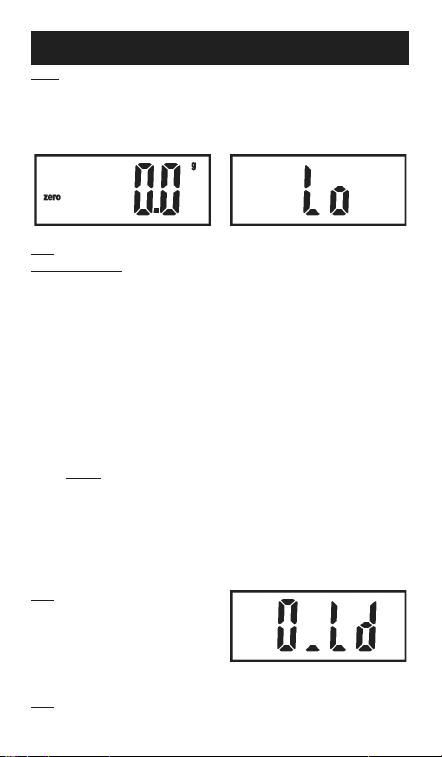
3. Press the ON/OFF button once. The Scale will display everything while starting up -
see Figure A: Startup Screen. When the Scale shows zero 0.0g it is ready for use.
Figure B: Scale ready Figure C: Low Battery
Note: If battery is low, Lo (Low Battery) will be shown. See Figure C.
To Replace Batteries:
a. Open battery cover, remove old batteries and dispose of them properly.
b. Install 2 new “AAA“ batteries according to proper polarity and close cover.
Do not install batteries of different types, charge levels, or capacities together.
c. Do not install old and new batteries together. Do not install alkaline,
carbon-zinc or rechargeable batteries together. Position batteries
in proper polarity. Do not use swollen or leaking batteries.
4. Press MODE to cycle through weight units. Current weight unit
is displayed on the right of the display.
5. TARE mode:
To set the Scale to ignore the weight of a container and weigh only contents,
place empty container on Scale and press TARE.
tare will be displayed and the Scale will ignore the container’s weight.
Remove container and press TARE again to cancel tare mode.
6. PCS mode:
This mode is used to count small objects. To get an accurate count,
it is essential that the objects all weigh the same. To set up PCS mode:
a. Place 25, 50, 75, or 100 quantity of the objects on the scale.
b. Press and hold PCS for 3 seconds.
c. Press MODE to match the quantity of objects on the scale.
Available numbers are 25, 50, 75, and 100.
d. Press PCS to confirm the quantity. pcs will be displayed.
7. Gently place item to be weighed on the center of the platform.
The weight (or quantity of objects for pcs mode) will appear on the display.
Note: If too much weight is placed
on the platform, the display will read
O,Ld (Overload) as shown.
Figure D: Overload
8. To turn off Scale, press the ON/OFF button.
Note: The Scale will automatically turn off 60 seconds after item is weighed.
26677 Agoura Road • Calabasas, CA 91302 • 1-888-866-5797
Limited 90 Day Warranty
Harbor Freight Tools Co. makes every effort to assure that its products meet high quality
and durability standards, and warrants to the original purchaser that this product is free
from defects in materials and workmanship for the period of 90 days from the date of
purchase. This warranty does not apply to damage due directly or indirectly, to misuse,
abuse, negligence or accidents, repairs or alterations outside our facilities, criminal
activity, improper installation, normal wear and tear, or to lack of maintenance. We shall in
no event be liable for death, injuries to persons or property, or for incidental, contingent,
special or consequential damages arising from the use of our product. Some states do
not allow the exclusion or limitation of incidental or consequential damages, so the above
limitation of exclusion may not apply to you. This warranty is expressly in lieu of all other
warranties, express or implied, including the warranties of merchantability and fitness.
To take advantage of this warranty, the product or part must be returned to us with
transportation charges prepaid. Proof of purchase date and an explanation of the complaint
must accompany the merchandise. If our inspection verifies the defect, we will either repair or
replace the product at our election or we may elect to refund the purchase price if we cannot
readily and quickly provide you with a replacement. We will return repaired products at our
expense, but if we determine there is no defect, or that the defect resulted from causes not
within the scope of our warranty, then you must bear the cost of returning the product.
This warranty gives you specific legal rights and you may also
have other rights which vary from state to state.
Record Serial Number Here:
Note: If product has no serial number, record month and year of purchase instead.
Note: Some parts are listed and shown for illustration purposes only, and are not available
individually as replacement parts. Specify UPC 792363603324 when ordering parts.
Calibration
CAUTION! An exact 223k weight is needed for calibration (not included).
Improper calibration will make the Scale inaccurate.
1. Make sure nothing is on the platform and it is clean and dry.
Place the Scale on a level, flat, hard, stable surface. Turn on Scale.
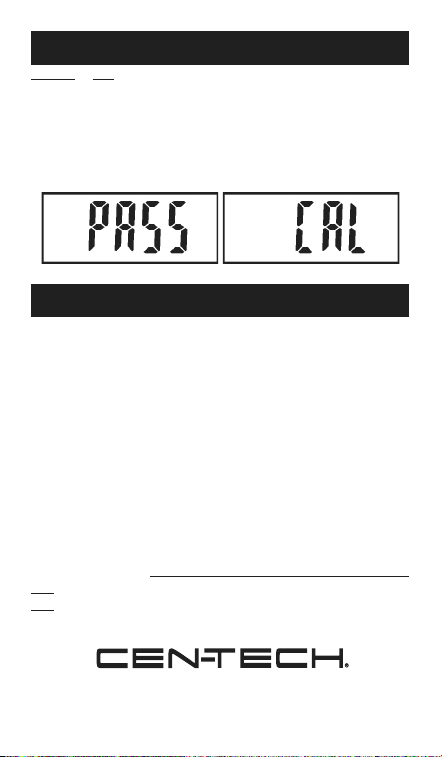
2. Press and hold MODE for longer than 3 seconds, until CAL is displayed.
Press MODE again to calibrate 0.0 reading.
3. The display will flash 200.0g. Place an exact 200g weight on the center of the platform.
If calibration is complete, the Scale will show PASS and it can be used normally.
If not, have the Scale serviced by a qualified technician.