Manual Revised 11f
Visit our website at: https://www.harborfreight.com
Email our technical support at: [email protected]
70991
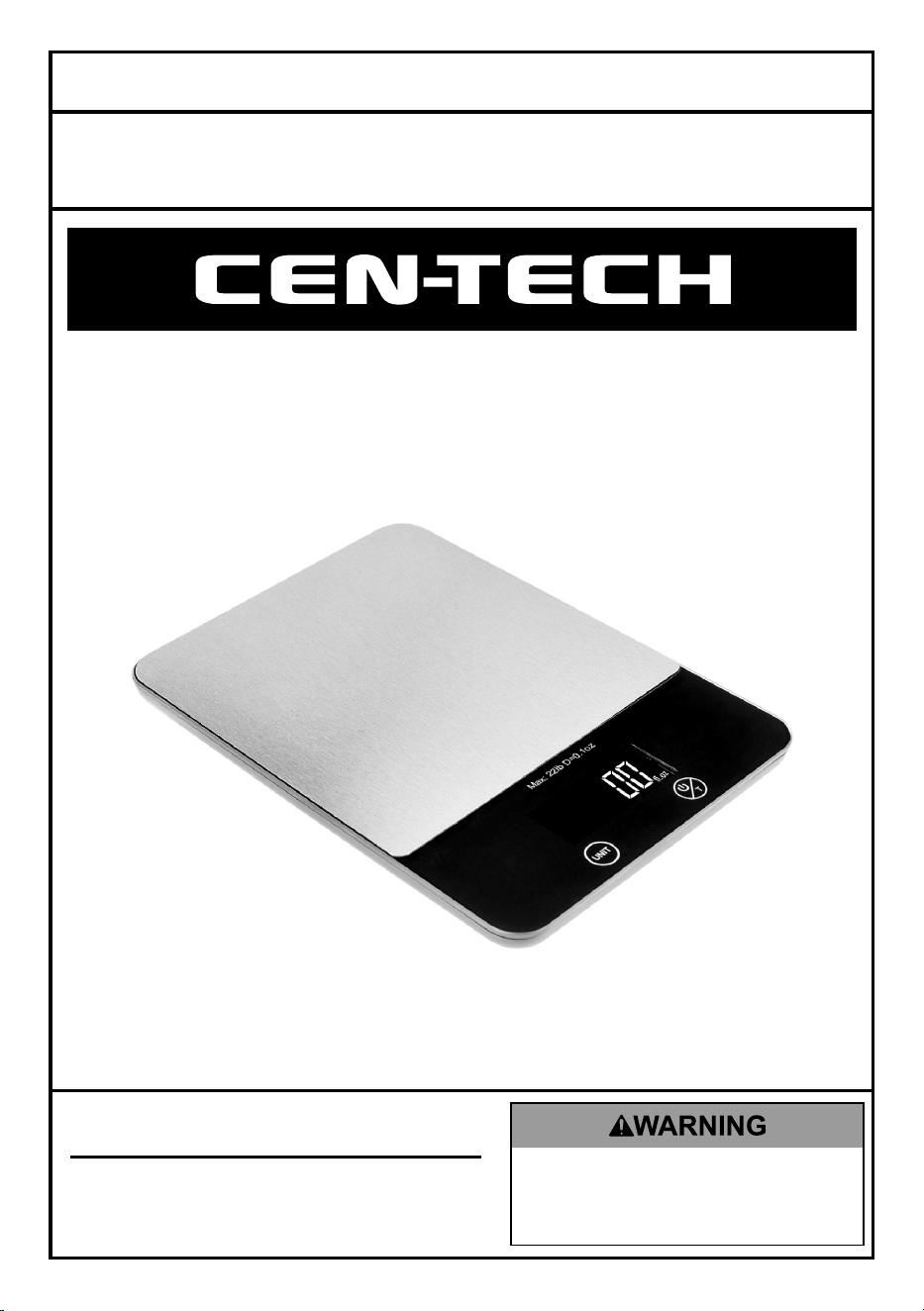
22 LB. CAPACITY
DIGITAL KITCHEN SCALE
TM
Owner’s Manual & Safety Instructions
Save This Manual Keep this manual for the safety warnings and precautions, assembly,
operating, inspection, maintenance and cleaning procedures. Write the product’s serial number in the
back of the manual near the assembly diagram (or month and year of purchase if product has no number).
Keep this manual and the receipt in a safe and dry place for future reference. 24j
When unpacking, make sure that the product is intact
and undamaged. If any parts are missing or broken,
please call 1-800-444-3353 as soon as possible.
Copyright
©
2024 by Harbor Freight Tools
®
. All rights reserved.
No portion of this manual or any artwork contained herein may be reproduced in
any shape or form without the express written consent of Harbor Freight Tools.
Diagrams within this manual may not be drawn proportionally. Due to continuing
improvements, actual product may differ slightly from the product described herein.
Tools required for assembly and service may not be included.
Read this material before using this product.
Failure to do so can result in serious injury.
SAVE THIS MANUAL.
Page 2 For technical questions, please call 1-800-444-3353. Item 70991
Specifications
Maximum
Capacity
22 lb. / 352 oz. / 10 kg
Modes kg/g, lb/oz, ml, fl.oz
Minimum
Weight
0.1 oz. (2 g)
Auto Shut-off 120 seconds
Power Source 2 AAA batteries included
Note: Do not use scale for
commerce or trade.
IMPORTANT SAFETY
INFORMATION
1. Do not exceed maximum
capacity of Scale.
2. Do not install old and new batteries
together. Do not install alkaline,
carbon‑zinc or rechargeable
batteries together. Position batteries
in proper polarity. Do not use
swollen or leaking batteries.
3. This product is not a toy. Do not allow
children to play with or near this item.
4. Weight readings are for household use
only. Do not use for commerce or trade.
5. Inspect before every use; do not use
if parts are loose or damaged.
Operation Instructions
Read the ENTIRE IMPORTANT
SAFETY INFORMATION section
at the beginning of this
document including all text under
subheadings therein before set up or use
of this product.
Installing/Replacing Batteries
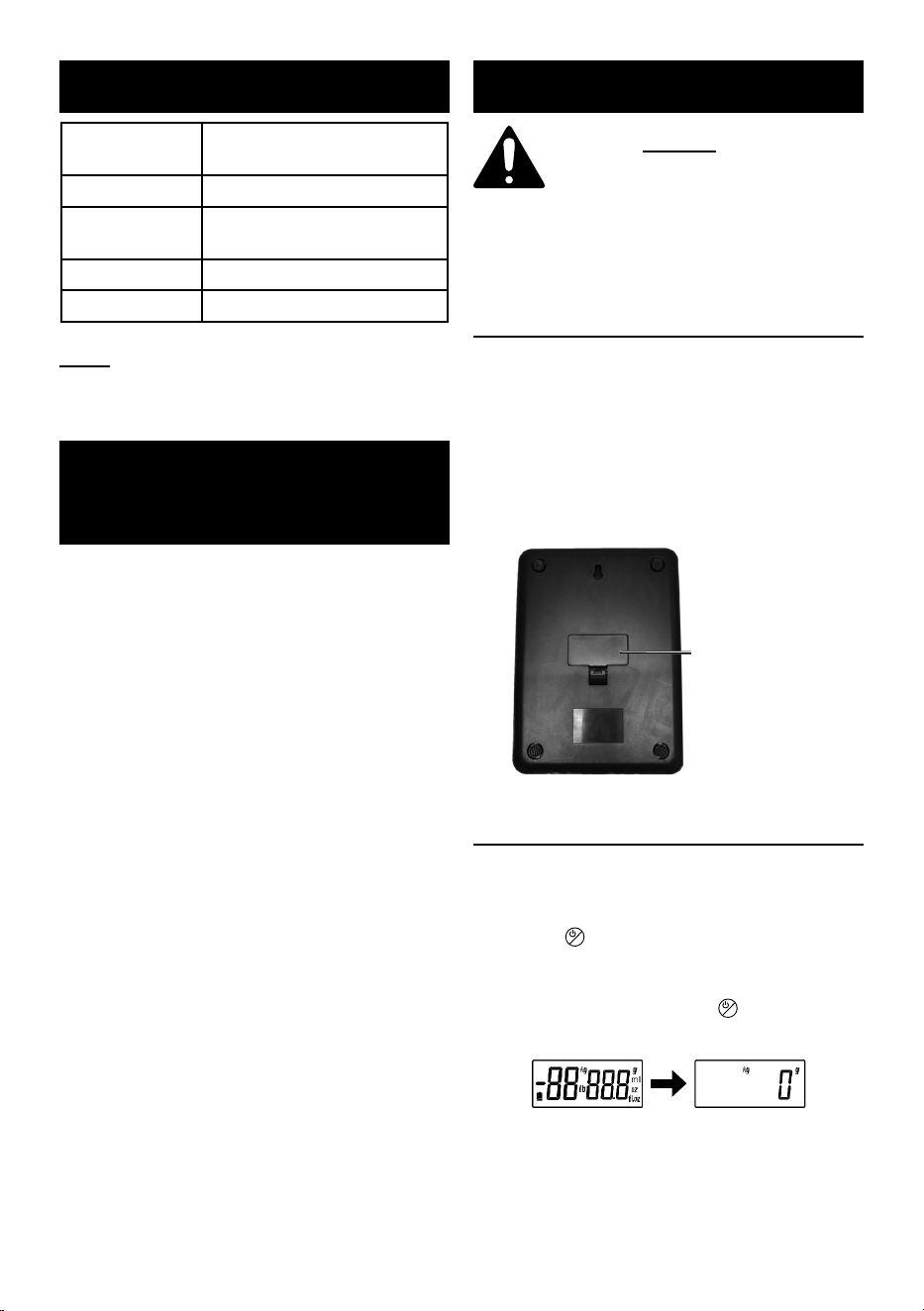
1. Turn Scale over. Remove battery
compartment cover by pressing tab
towards cover and lifting it off.
2. Insert 2 AAA batteries,
aligning polarity correctly.
3. Replace battery compartment cover.
Battery Cover
Operation
1. Place Scale on flat, stable,
vibration-free surface.
2. Press
UNIT
T
button to turn on unit.
LCD screen displays all characters,
then defaults to 0 grams. If any other
number displays, press
UNIT
T
button again.
If scale won’t zero out, calibrate scale.
UNIT
T
UNIT
T
Page 3For technical questions, please call 1-800-444-3353.Item 70991
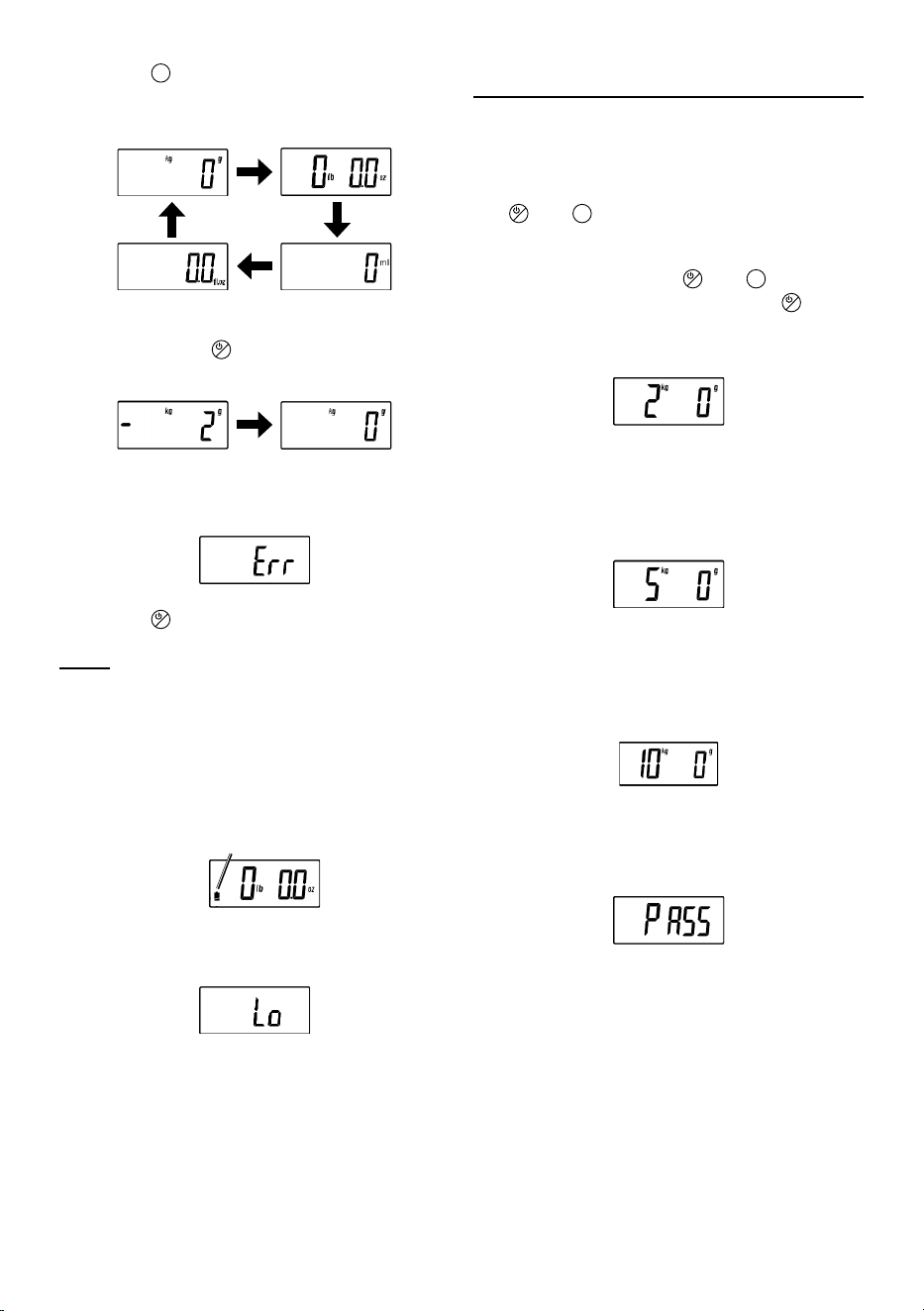
3. Press
UNIT
T
button to select mode. Place
item on center of Scale; LCD screen
displays item’s weight in selected mode.
UNIT
T
UNIT
T
UNIT
T
UNIT
T
4. Tare: Place empty container on
Scale. Press
UNIT
T
button to zero Scale,
then place item in container.
UNIT
T
UNIT
T
5. LCD screen will display “Err” if
item exceeds weight capacity.
UNIT
T
6. Press
UNIT
T
for two seconds to power off.
Note: Scale will auto shut-off after
120 seconds of inactivity.
7. Low battery power indication:
a. A flashing indicator will appear
when battery power is low.
UNIT
T
Low Battery
Indicator
b. Replace batteries when LCD screen
displays “Lo” and powers off.
UNIT
T
Calibration
1. Place Scale on flat, stable,
vibration-free surface.
2. With Scale powered off, press and hold
UNIT
T
and
UNIT
T
buttons simultaneously.
3. Once LCD screen displays random
characters, release
UNIT
T
and
UNIT
T
buttons simultaneously. Press
UNIT
T
button; LCD screen will display
required calibration weight (2 kg).
UNIT
T
4. Place 2 kg calibration weight on
center of Scale. Upon successful
calibration, LCD screen displays next
required calibration weight (5 kg).
UNIT
T
5. Place 5 kg calibration weight on
center of Scale. Upon successful
calibration, LCD screen displays next
required calibration weight (10 kg).
6. Place 10kg calibration weight on center
of Scale. Upon successful calibration,
LCD screen displays “PASS”.
UNIT
T

TM
26677 Agoura Road • Calabasas, CA 91302 • 1-800-444-3353
Limited 90 Day Warranty
Harbor Freight Tools Co. makes every effort to assure that its products meet high
quality and durability standards, and warrants to the original purchaser that this
product is free from defects in materials and workmanship for the period of 90 days
from the date of purchase. This warranty does not apply to damage due directly or
indirectly, to misuse, abuse, negligence or accidents, repairs or alterations outside
our facilities, criminal activity, improper installation, normal wear and tear, or to lack of
maintenance. We shall in no event be liable for death, injuries to persons or property,
or for incidental, contingent, special or consequential damages arising from the use
of our product. Some states do not allow the exclusion or limitation of incidental or
consequential damages, so the above limitation of exclusion may not apply to you. THIS
WARRANTY IS EXPRESSLY IN LIEU OF ALL OTHER WARRANTIES, EXPRESS OR
IMPLIED, INCLUDING THE WARRANTIES OF MERCHANTABILITY AND FITNESS.
To take advantage of this warranty, the product or part must be returned to us
with transportation charges prepaid. Proof of purchase date and an explanation
of the complaint must accompany the merchandise. If our inspection verifies
the defect, we will either repair or replace the product at our election or we may
elect to refund the purchase price if we cannot readily and quickly provide you
with a replacement. We will return repaired products at our expense, but if we
determine there is no defect, or that the defect resulted from causes not within the
scope of our warranty, then you must bear the cost of returning the product.
This warranty gives you specific legal rights and you may also
have other rights which vary from state to state.
Record Product’s Serial Number Here:
Note: If product has no serial number, record month and year of purchase instead.
Note: Replacement parts are not available for this item. Reference UPC 193175523433