
EN
Operating instructions Professional 3.0
004564-10001
bora.com

2 bora.com
Contents
1 General information 4
1.1 Validity of the operating and installation
instructions ................................................................4
1.2 Liability ....................................................................... 4
1.3 Product conformity .................................................... 4
1.4 Data privacy ............................................................... 4
1.5 Presentation of information ......................................4
1.5.1 Safety and warning instructions ................................. 4
1.5.2 Figures........................................................................ 4
2 Safety 5
2.1 Intended use ..............................................................5
2.2 People with limited abilities ......................................5
2.3 General safety instructions .......................................5
2.4 Safety instructions – operation................................. 6
2.4.1 Safety instructions – cooktop extractor operation...... 7
2.4.2 Safety instructions – cooktop operation..................... 8
2.5 Safety instructions – cleaning and maintenance ..... 9
2.5.1 Safety instructions – cleaning and maintenance of
cooktop extractors ................................................... 10
2.5.2 Safety instructions – cleaning and maintenance of
cooktops................................................................... 10
2.6 Safety instructions – repairs, servicing and spare
parts .........................................................................10
3 Appliance description 11
3.1 Model description ....................................................11
3.1.1 Professional 3.0 cooktop extractors......................... 11
3.1.2 Professional 3.0 cooktops ........................................ 11
3.2 Control knob.............................................................11
3.3 Cooktop extractor appliance description ...............12
3.3.1 Installation variations................................................ 12
3.3.2 Cooktop extractor display and symbols.................... 12
3.3.3 Structure of the cooktop extractors ......................... 12
3.3.4 Sensors .................................................................... 13
3.3.5 Interface for external devices ................................... 13
3.3.6 USB port for servicing............................................... 13
3.4 Cooktop appliance description ...............................13
3.4.1 Display and symbols ................................................. 13
3.4.2 Layout and size of the cooking zones ....................... 14
3.4.3 How the induction cooktops work ............................ 16
3.4.4 How the Hyper and HiLight cooktops work............... 16
3.4.5 How the Tepan stainless steel grill works ................. 17
3.4.6 How the gas cooktop works ..................................... 17
3.5 Safety features.........................................................18
3.5.1 Anti-trap protection .................................................. 18
3.5.2 Safety shut-down...................................................... 18
3.5.3 Residual heat indicator ............................................. 18
3.5.4 Overheating protection............................................. 19
3.5.5 Child lock.................................................................. 19
4 Overview of features and functions 20
5 Functions and operation 21
5.1 Knob operation.........................................................21
5.1.1 Operating the knob ring............................................ 21
5.1.2 Operating the touch surface ..................................... 21
5.2 Switching the system on and off.............................21
5.2.1 Switching on............................................................. 21
5.2.2 Switching off............................................................. 21
5.3 Operating the cooktop extractor ............................22
5.3.1 General operating instructions for the cooktop
extractor................................................................... 22
5.3.2 Setting the fan power level ....................................... 22
5.3.3 Fan power setting ..................................................... 22
5.3.4 Automatic after-run .................................................. 22
5.4 Cooktop extractor function menu...........................22
5.4.1 Cooktop extractor cleaning function......................... 23
5.4.2 Short-time timer ....................................................... 23
5.4.3 Automatic extractor function.................................... 24
5.4.4 Child lock.................................................................. 25
5.4.5 Filter service life and filter service display ................ 25
5.5 Operating the cooktops...........................................26
5.5.1 General operating instructions for cooktops............. 26
5.5.2 Special operating instructions for the Tepan stainless
steel grill................................................................... 27
5.5.3 Special operating instructions for the gas cooktop... 27
5.5.4 Setting cooking zone power levels............................ 28
5.5.5 Cooktop power setting ............................................. 28
5.5.6 Bridging function ...................................................... 28
5.5.7 Pause function.......................................................... 29
5.5.8 Pan size recognition.................................................. 29
5.6 Cooktop function menu ...........................................29
5.6.1 Calling up the function menu.................................... 30
5.6.2 Additional ring switching–2-ring, 3-ring, roaster ..... 30
5.6.3 Variable heat retention function ............................... 30
5.6.4 Cooking zone timer................................................... 31
5.6.5 Automatic heat up function ...................................... 32
5.6.6 Cleaning function...................................................... 32
6 Configuration menu 34
6.1 Menu overview.........................................................34
6.2 How to use the menu...............................................34
6.2.1 Calling up the menu.................................................. 34
6.2.2 Calling up the gas cooktop menu ............................. 34
6.2.3 Entering settings....................................................... 34
6.2.4 Closing the menu...................................................... 34
6.3 Initial operation........................................................35
6.3.1 Basic configuration ................................................... 35
6.4 Description of the other menu items......................35
6.4.1 Menu item C0: Volume of the acoustic signals......... 35
6.4.2 Menu item C1: Demo mode...................................... 35
6.4.3 Menu item C2: Speed of the cover flap motors ........ 35
6.4.4 Menu item C5: Manual operation of the cover flap
motors ...................................................................... 36
6.4.5 Menu item C6: switching fan PWM values ................ 36
6.4.6 Menu item C7: Installation of left cooktop 0°/180°
................................................................................. 36
6.4.7 Menu item C8: Installation of right cooktop 0°/180°
................................................................................. 36
6.4.8 Menu item C9: Pause function/super simple mode . 36
6.4.9 Menu item Cb: software update ............................... 36
6.4.10 Menu item Cc: data export ....................................... 38
6.4.11 Menu item Cd: software version indicator ................ 38
6.4.12 Menu item CJ: Duration of the automatic after-run
function .................................................................... 39
6.5 Gas configuration menu item..................................39
6.5.1 Menu item CE: GPU configuration ............................ 39
6.5.2 Menu item CF: Gas burner characteristic curves...... 39
6.5.3 Menu item Ch: GPU reset ......................................... 39
7 Cleaning and maintenance 40
7.1 Cleaning agents .......................................................40
7.1.1 Cleaning products for glass ceramic cooktops ......... 40
7.1.2 Cleaning products for the Tepan stainless steel grill
................................................................................. 40
7.2 Cleaning the cooktop extractor ..............................40
7.2.1 Removing the cover flap, grease filter and filter tray
................................................................................. 40
7.2.2 Fitting the cover flap, grease filter and filter tray...... 41
7.2.3 Removing the maintenance tray ............................... 41

bora.com 3
7.2.4 Installing the maintenance tray................................. 41
7.2.5 Cleaning the components......................................... 42
7.2.6 Ending the cooktop extractor cleaning process........ 42
7.2.7 Replacing the recirculated air filter........................... 42
7.3 Cleaning the cooktops.............................................42
7.3.1 Cleaning glass ceramic cooktops ............................. 42
7.3.2 Cleaning the surface of the Tepan stainless steel grill
................................................................................. 42
7.3.3 Cleaning the components on the gas cooktop.......... 43
7.4 Looking after your cooktops ...................................44
7.5 Cleaning the control knobs .....................................44
8 Troubleshooting 45
8.1 Cooktop extractor troubleshooting.........................45
8.2 Cooktop troubleshooting.........................................46
8.2.1 Gas cooktop troubleshooting.................................... 47
8.3 Dealing with errors ..................................................48
9 Warranty, technical service, spare
parts, accessories 49
9.1 BORA manufacturer’s warranty...............................49
9.1.1 Warranty extension................................................... 49
9.2 Service......................................................................49
9.3 Spare parts...............................................................49
9.4 Accessories ..............................................................49
10 Product data sheets 51
10.1 PKA3/PKA3AB product data sheet - cooktop
extractor...................................................................51
10.2 PKFI3 product data sheet - cooktop .......................52
10.3 PKI3 product data sheet - cooktop .........................52
10.4 PKC3 product data sheet - cooktop........................53
10.5 PKCB3 product data sheet - cooktop......................53
10.6 PKCH3 product data sheet - cooktop .....................54
10.7 PKG3 product data sheet - cooktop........................54
11 Identification plates 55
General information
EN
4 bora.com
1
General information
These instructions contain important information to protect you from
injury and prevent damage to the appliance. Please read these
instructions carefully before installing or using the appliance for the
first time.
Other documents apply alongside these instructions. Please by all
means adhere to all documents that form part of the scope of
delivery.
Assembly, installation and commissioning must always occur in line
with national laws, regulations and standards. The work must be
performed by qualified specialists who know and comply with the
additional regulations of the local energy supply companies.
All safety and warning information as well as the handling instructions
in the accompanying documents must be observed.
Please keep these instructions in a safe place and pass them on to
the next owner where applicable.
1.1
Validity of the operating and
installation instructions
These instructions apply to several appliance versions. It is therefore
possible that some of the features described do not apply to your
appliance. The details of the figures contained herein may differ from
some appliance versions and are to be understood as schematic
diagrams.
These instructions apply to the Professional 3.0 product range
including the All Black model. To simplify things, the instructions do
not include the product numbers for the different models.
1.2
Liability
. BORA Holding GmbH, BORA Vertriebs GmbH & Co KG, BORA APAC
Pty Ltd and BORA Lüftungstechnik GmbH – hereinafter referred to as
BORA – do not assume any liability for damage arising from disregard
for or non-adherence to the documents included in the scope of
delivery!
Furthermore, BORA shall not be held liable for damage caused by
improper installation or failure to observe the safety and warning
information!
1.3
Product conformity
Directives
The appliances meet the following EU/EC directives:
T
2014/30/EU EMC Directive
T
2014/35/EU Low Voltage Directive
T
2009/125/EC Ecodesign Directive
T
2011/65/EU RoHS Directive
Regulations
Gas appliances meet the following EC directives:
T
(EU) 2016/426 regulation on appliances burning gaseous fuels
1.4
Data privacy
During operation your cooktop extractor saves pseudonymised data
such as menu settings entered by you, operating hours of the
individual technical units and the number of functions selected.
Furthermore, your cooktop extractor documents errors in
combination with the number of operating hours. Data can only be
read out manually via your cooktop extractor. This decision is
therefore your responsibility. These saved data then enable a rapid
error search and troubleshooting in the event of servicing.
1.5
Presentation of information
We use standard formatting, numbering, symbols, safety instructions,
terms and abbreviations so that you can work quickly and safely
when using this manual. The article described in these instructions is
hereinafter also referred to as an appliance.
Instructions are indicated with an arrow.
u
Always follow all instructions in the prescribed order.
Enumerations are indicated with a bullet point at the start of the line:
T
Enumeration 1
T
Enumeration 2
Information notes point to special features that must be taken
into account.
1.5.1
Safety and warning instructions
The safety and warning instructions in this manual are emphasised
with symbols and signal words. Safety and warning instructions are
structured as follows:
ö
DANGER
Type and source of danger
Results of non-compliance
u
Measures to minimise risk
Please note:
T
warning symbols draw attention to a high risk of injury.
T
The signal word indicates the severity of that risk.
Warning
symbol
Signal word Risk
Danger Indicates an immediate, hazardous
situation which causes death or
serious injury if not respected.
Warning Indicates a potentially hazardous
situation which can cause death or
serious injury if not respected.
Caution Indicates a potentially hazardous
situation which can cause death or
serious injury if not respected.
Note Indicates a potentially hazardous
situation which can cause property
damage if not respected.
Tab.1.1
Meaning of the warning symbols and signal words
1.5.2
Figures
All measurements are provided in millimetres.

Safety
EN
bora.com 5
2
Safety
The appliance complies with the stipulated safety requirements. The
user is responsible for the safe use of the appliance, cleaning and
maintenance. Improper use can lead to personal injury and damage
to property.
2.1
Intended use
The appliance is solely intended for preparing food in private
households.
This appliance is not intended for:
T
outdoor use
T
heating rooms
T
cooling, ventilating or dehumidifying rooms
T
use in mobile installation sites such as motor vehicles, ships or
aeroplanes
T
use with an external timer or a separate remote control system
(except for emergency shutdown in the case of the cooktop
extractor)
T
use at altitudes of over 2000m (metres above sea level)
T
operation with an extractor hood (where a gas cooktop is installed)
T
use when not fully installed
Any other use or any use that goes beyond that which is described
here is classed as unintended.
BORA does not assume any liability for damages caused by
incorrect installation, improper use or incorrect operation.
All misuse is prohibited!
2.2
People with limited abilities
Children
The appliance can be used by children aged 8 and over if they are
supervised or have been instructed how to use the appliance safely
and understand the resultant risks. Children must not play with the
appliance.
u
Use the childproofing feature in order to prevent children from
switching on the appliance or changing the settings when they are
unattended.
u
Supervise children in the vicinity of the appliance.
u
Do not store any items that could be of interest to children in
storage spaces above or behind the appliance. Otherwise, they will
be tempted to climb onto the appliance.
Any work involving cleaning and maintenance must not be
carried out by children unless they are supervised at all times
while doing so.
People with reduced physical, sensory or mental
capacities
The appliance can be used by people with reduced physical, sensory
or mental capacities or a lack of experience and/or knowledge if they
are supervised or have been instructed how to use the appliance
safely and understand the resultant risks. Operation can be restricted
using the child lock.
ö
DANGER
Risk of burns from hot cookware and food
Handles projecting over the edge of the worktop are
asking to be grabbed.
u
Keep children away from hot cooking zones or
ensure they are supervised at all times.
u
Do not turn pot and pan handles so they stick out
beyond the work surface.
u
Make sure that hot pots and pans cannot be
pulled down.
u
If necessary, use suitable stove guards or covers.
u
Only use stove guards and covers that are
approved by the appliance manufacturer;
otherwise, there is a risk of accidents.
u
To choose a suitable stove guard, contact your
specialist retailer or the BORA Service Team.
2.3
General safety instructions
ö
DANGER
Packaging components are a choking hazard
Packaging components (e.g. film, polystyrene) can
be life-threatening for children.
u
Store all packaging components out of reach of
children.
u
Dispose of the packaging properly and
immediately.
ö
DANGER
Risk of electric shock or injury from damaged
surfaces
The underlying electronics can be exposed or
damaged due to fissures, fractures or cracks in
appliance surfaces (e.g. damaged glass), particularly
in the vicinity of the operating unit. This can cause
an electrical shock. Furthermore, a damaged
surface can cause injuries.
u
Do not touch the damaged surface.
u
If there are any cracks, fissures or fractures,
switch the appliance off immediately.
u
Securely disconnect the appliance from the
mains using the circuit breaker, fuses, automatic
circuit breakers or contactor.
u
Contact the BORA Service Team.

Safety
EN
6 bora.com
ö
WARNING
Risk of injury or damage due to incorrect
components or unauthorised modifications
Incorrect components can lead to personal injury or
damage to the appliance. Modifications, additions or
alterations to the appliance can lead to safety risks.
u
Only use original components.
u
Do not make any modifications, additions or
alterations to the appliance.
ö
WARNING
Risk of injury due to mechanical damage on the
appliance
Mechanical damage (e.g. cracks, deformation,
separation of adhesive seals, etc.) to the appliance,
as well as to cables and accessories can cause
injuries.
u
Do not operate the appliance.
u
Do not try to repair or replace damaged
components yourself.
u
Contact the BORA Service Team.
CAUTION
Appliance components can cause injury if
dropped
Appliance components can cause injury if you drop
them.
u
Place any appliance components that have been
removed in a safe place near the appliances.
u
Ensure that no components removed from the
appliances can fall on the floor.
CAUTION
Risk of injury from heavy lifting
If not handled correctly, carrying and installing
appliances can cause injury to the limbs or torso.
u
If necessary, carry and install the appliance with
another person.
u
Use appropriate aids to prevent damage or injury.
CAUTION
Damage from improper use
The appliance surfaces must not be used as work or
storage surfaces. This can damage the appliances
(particularly in the case of hard and sharp objects).
u
Never use the appliances as work or storage
surfaces.
u
Keep hard or sharp objects away from the
appliance surfaces.
PLEASE NOTE
Faults and errors
In the event of faults or incorrect use, error
messages will be displayed.
u
In the case of faults and errors, follow the
instructions in the “Troubleshooting” chapter.
u
In the event of any faults or errors that are not
mentioned, switch the appliance off and contact
BORA Service.
PLEASE NOTE
Appliance damage caused by pets
Pets may damage the appliance or injure
themselves.
u
Keep pets away from the appliance.
2.4
Safety instructions – operation
ö
DANGER
Risk of fire from overheated oil or fat
Oil or fat in the pot can quickly heat up and ignite.
u
Never leave the appliance unattended when
cooking with oil or fat.
u
Never extinguish oil and fat fires with water.
u
Switch off the appliance.
u
Extinguish the fire using a pan lid or a fire
blanket, for example.
ö
WARNING
Risk of burning from hot appliances
Certain appliances and their exposed parts become
hot during use. They should be left to cool down
completely after switching off. Touching hot
surfaces can cause serious burns.
u
Do not touch hot appliances.
u
Pay attention to the residual heat indicator.

Safety
EN
bora.com 7
ö
WARNING
Risk of burns due to power cut
During or after a power cut a cooktop that was
previously in operation may still be hot.
u
Do not touch the appliance while it is still hot.
u
Keep children away from the hot appliance.
ö
WARNING
Risk of burning and fire from hot objects
The appliance and its exposed parts are hot during
operation and the cooling phase. Objects in contact
with hot appliance components heat up very quickly
and can cause severe burns (this particularly applies
to metal objects such as knives, forks, spoons, lids
or appliance components) or catch fire.
u
Do not place any items on the appliance.
u
Please use suitable accessories (pot holders,
oven gloves).
u
Do not simply rely on the pan size recognition
function on induction cooktops; always switch
the appliance off after use.
CAUTION
Damage caused by hot cookware
Hot cookware can damage certain components in
the appliance.
u
Do not put hot cookware down in the area of the
operating panel or cooktop display.
u
Keep hot cookware away from the air inlet nozzle.
PLEASE NOTE
Appliance damage
Incorrect use may cause damage to the appliance.
u
Make sure that the base of the cookware as well
as the appliance surfaces are clean and dry.
u
Always lift (do not drag) cookware to prevent
scratching and abrasion on the appliance surface.
u
Do not use the appliance as a storage surface.
u
Always switch off the appliance after use.
2.4.1
Safety instructions – cooktop
extractor operation
ö
DANGER
Risk of smoke inhalation
When the cooktop extractor is used in exhaust air
mode, it draws in air from the room it is installed in
and from neighbouring rooms. Without sufficient air,
there will be a drop in air pressure. When used at
the same time as a fireplace that is dependent on
the air in the room, noxious gases can be sucked
into the living areas from the chimney or outlet
shaft.
u
Make sure that there is always a sufficient air
supply.
u
Only use reliable, tried-and-tested switching
devices, (e.g. window contact switch, low
pressure warning device) and have them
approved by a qualified expert (certified chimney
sweep).
ö
WARNING
Fire risk from flambéing
While the cooktop extractor is working, it sucks up
grease from cooking. Flambéing food can cause the
grease to catch fire.
u
Clean the cooktop extractor regularly.
u
Never work with a naked flame while the cooktop
extractor is running.
CAUTION
Risk of injury from moving cover flap
There is a risk of injury when the electrical cover
flap is moving.
u
Do not put your hands inside the cooktop
extractor while the cover flap is moving.
CAUTION
Damage caused by objects or paper suctioned
in
Small and light items, such as cleaning cloths made
from material or paper, can be suctioned into the
cooktop extractor. This can damage the fan or
impair the exhaust performance.
u
Do not store any items or paper on the cooktop
extractor.
u
Only operate the integrated cooktop extractor
with the grease filter fitted.

Safety
EN
8 bora.com
CAUTION
Damage caused by grease and dirt deposits
Grease and dirt deposits can prevent the cooktop
extractor from functioning properly.
u
Never use the cooktop extractor without a
correctly fitted stainless steel grease filter.
PLEASE NOTE
Increased humidity
When cooking, additional moisture is released into
the ambient air. In recirculation mode, only a slight
amount of moisture is removed from the cooking
vapour.
u
When using the recirculation mode, ensure a
sufficient supply of fresh air, e.g. by opening a
window.
u
Ensure a normal and comfortable room climate
(humidity of 45 – 60%), e.g. by opening natural
ventilation openings or using domestic ventilation
systems.
2.4.2
Safety instructions – cooktop
operation
ö
DANGER
Danger of fire caused by leaving the cooktop
unattended
Oil or fat in the pot can quickly heat up and ignite.
u
Never leave oil or fat to heat up unattended.
u
Never extinguish oil and fat fires with water.
u
Switch off the cooktop.
u
Extinguish the fire using a pan lid or a fire
blanket, for example.
ö
DANGER
Danger of explosion caused by flammable
liquids
Flammable liquids in the vicinity of a cooktop can
explode and cause serious injury.
u
Do not spray aerosols near the appliance when it
is in use.
u
Do not place any flammable liquids in the vicinity
of a cooktop.
ö
DANGER
Risk of carbon monoxide poisoning
Extractor hoods and other cooking vapour
extractors can impair the safe operation of
appliances that use gas or other fuels due to the
return flow of combustion gases. These gases can
lead to carbon monoxide poisoning.
u
Ensure that exhaust gases are properly removed
u
Ensure sufficient ventilation is provided during
operation.
u
Always have a qualified specialist check the safe
operation of the gas appliance during
commissioning.
ö
DANGER
Risk of explosion and asphyxiation from gas
Leaking gas can lead to an explosion and severe
injuries, or asphyxiation.
u
If you smell gas while using the appliance, switch
it off immediately.
u
Keep sources of ignition (naked flames, electric
fires) away and do not operate any light switches,
or switches on electrical appliances.
u
Do not remove plugs from sockets (risk of
sparking).
u
Close the gas supply immediately and turn off the
mains supply.
u
Ensure there is a good supply of fresh air (open
doors and windows).
u
Inform Customer Care or your gas installer
immediately.
ö
DANGER
Fire risk from naked flame
A naked flame can cause adjacent objects to catch
fire.
u
Turn the gas flame down to the lowest level if you
remove pots or pans briefly from the hob.
u
Never leave a naked flame unattended.
u
Extinguish any fire using a lid or a fire blanket, for
example.
u
Close the gas supply and turn off the mains
supply.

Safety
EN
bora.com 9
ö
WARNING
Risk of burns from hot cooktop extractor when
using gas cooktops
The cooktop extractor and its exposed parts (in
particular the cover flap, stainless steel grease filter
and grease filter tray) become hot when an adjacent
gas cooktop is in use. The cooktop extractor must
be left to cool down after the gas cooktop has been
switched off. Touching hot surfaces can cause
serious burns.
u
Never touch the cooktop extractor when it is hot.
u
Keep children away from the cooktop extractor
when it is hot or ensure they are supervised at all
times.
ö
WARNING
Risk of burns from hot liquids boiling over
Unattended pans can boil over allowing hot liquids
to escape.
u
Keep an eye on pans when cooking.
u
Avoid over-cooking.
u
Always switch off the appliance after use.
ö
WARNING
Risk of burns from hot steam
Liquid between the cooking zone and cookware
base can evaporate and cause burns.
u
Make sure that the cooking zone and the
cookware base are always dry.
CAUTION
Risk of personal injury and appliance damage
due to incorrect gas configuration
If the wrong gas type or pressure are selected in the
appliance settings, this may negatively affect the
flame.
u
The gas type and pressure must only be changed
by reliable trained specialists who are familiar
with and comply with the standard national
regulations and supplementary regulations of the
local utility companies.
u
Before connecting the appliance, check that the
appliance settings comply with local connection
requirements (gas type and pressure).
PLEASE NOTE
Damage caused by sugary and salty foods
Sugary and salty foods and juices can damage the
hot cooking zone.
u
Make sure sugary and salty foods or juices do not
get onto the cooking zone while it is hot.
u
Remove sugary and salty foods and juices from
the hot cooking zone immediately.
CAUTION
Electromagnetic radiation
Effect on pace makers, hearing aids and metal
implants. Induction cooktops generate a high-
frequency electromagnetic field in the area of the
cooking zones. The cooking zones may affect
pacemakers, hearing aids or metal implants
negatively or disturb their function when in close
proximity.
u
If in doubt, contact the manufacturer of your
medical device or your doctor.
2.5
Safety instructions – cleaning
and maintenance
PLEASE NOTE
Appliance damage due to soiled appliances
Dirt can lead to damage, restriction of functions, or
bothersome odours.
u
Clean the appliance regularly.
u
Remove dirt immediately.
u
When cleaning, only use non-abrasive detergents
to prevent scratching and abrasion on the
surface.
u
When cleaning, ensure that no water penetrates
the appliance. Use only a slightly damp cloth.
Never spray the appliance with water. Water
penetration can cause damage.
u
Do not use a steam cleaner for cleaning. Steam
can cause a short circuit on live parts and thus
lead to property damage.
u
Please follow all instructions in the “Cleaning and
Maintenance” chapter.

Safety
EN
10 bora.com
2.5.1
Safety instructions – cleaning and
maintenance of cooktop
extractors
ö
DANGER
Risk of fire from fat deposits
The risk of fire can be increased by failure to clean
the grease filter properly and on a regular basis, or if
the filter change is overdue.
u
Clean and replace the filter at regular intervals.
ö
WARNING
Risk of injury due to turning fan wheel
If the fan wheel is turning during a filter change, this
may result in injuries.
u
Ensure that the appliance is switched off before
changing the activated charcoal filter.
PLEASE NOTE
Appliance damage and malfunctions
Soiled ventilation openings can lead to component
damage and malfunctions.
u
Keep all ventilation openings open and clean.
2.5.2
Safety instructions – cleaning and
maintenance of cooktops
ö
WARNING
Risk of burns from hot surfaces
There is a risk of burns when cleaning hot cooktops.
u
Only clean the cooktops once they have cooled.
u
Pay attention to the residual heat indicator.
2.6
Safety instructions – repairs,
servicing and spare parts
ö
DANGER
Risk of injury when carrying out repairs
Insufficient expertise can lead to injury when
carrying out repairs.
u
The appliance must only be repaired and serviced
by trained specialists who are familiar with and
comply with the standard national regulations
and supplementary regulations of the local utility
companies.
u
Safely disconnect the appliance from the mains
supply.
u
Work on electrical components must only be
conducted by trained electrical personnel.
u
A damaged power supply cable must be replaced
by a suitable power supply cable.
ö
WARNING
Risk of injury or damage from improper repairs
Incorrect components can lead to personal injury or
damage to the appliance. Modifications, additions or
alterations to the appliance can lead to safety risks.
u
Only use original spare parts for repairs.
u
Do not make any modifications, additions or
alterations to the appliance.
CAUTION
Risk of injury during repair of gas appliances
Insufficient expertise can lead to injury when
disassembling the appliance.
u
The gas connection must only be worked on by
reliable trained specialists who are familiar with
and comply with the standard national
regulations and supplementary regulations of the
local utility companies.
Appliance description
EN
bora.com 11
3
Appliance
description
u
Observe all safety and warning information (see"2Safety").
3.1
Model description
3.1.1
Professional 3.0 cooktop
extractors
The cooktop extractors are the central components of the whole
system and can be combined with all Professional 3.0 cooktops.
Up to 2 cooktops can be connected to each cooktop
extractor.
Model Long description
PKA3 Pro cooktop extractor
(flexible system with separate control unit)
PKA3AB Pro cooktop extractor, All Black
(flexible system with separate control unit)
PKAS3 Pro cooktop extractor system with integrated fan
(compact system with integrated control unit and
integrated fan)
PKAS3AB Pro cooktop extractor system with integrated fan, All
Black
(compact system with integrated control unit and
integrated fan)
Tab.3.1
Model description
3.1.2
Professional 3.0 cooktops
The cooktops are the modular components of the Professional 3.0
system.
Model Long description
PKFI3 Pro surface induction cooktop
PKI3 Pro induction cooktop
PKIW3 Pro induction wok cooktop
PKC3 Pro HiLight cooktop 3-ring/2-ring
PKCB3 Pro HiLight cooktop 3-ring/roaster
PKCH3 Hyper cooktop 1-ring/2-ring
PKT3 Tepan stainless steel grill with 2 cooking zones
PKG3 Pro gas cooktop
Tab.3.2
Model description
3.2
Control knob
How it works
The cooktop extractor and cooktops are operated with a control
knob. The power levels and functions are controlled by turning the
knob ring and pressing the touch surface. How it works and its
functions are described in more detail in the “Functions and
operation” chapter.
Structure
1
2
3
4
5
Fig.3.1
Structure of control knob
[1]
Knob housing
[2]
Universal nut
[3]
Control knob display
[4]
Knob ring
[5]
Wave spring
Operating elements
1
2
Fig.3.2
Control knob operating elements
[1]
Knob ring
[2]
Touch surface
Control knob display
1
2
3
4
Fig.3.3
Control knob display elements
[1]
Timer/quick timer display
[2]
Rear cooking zone indicator
[3]
Multi-function display
[4]
Front cooking zone indicator
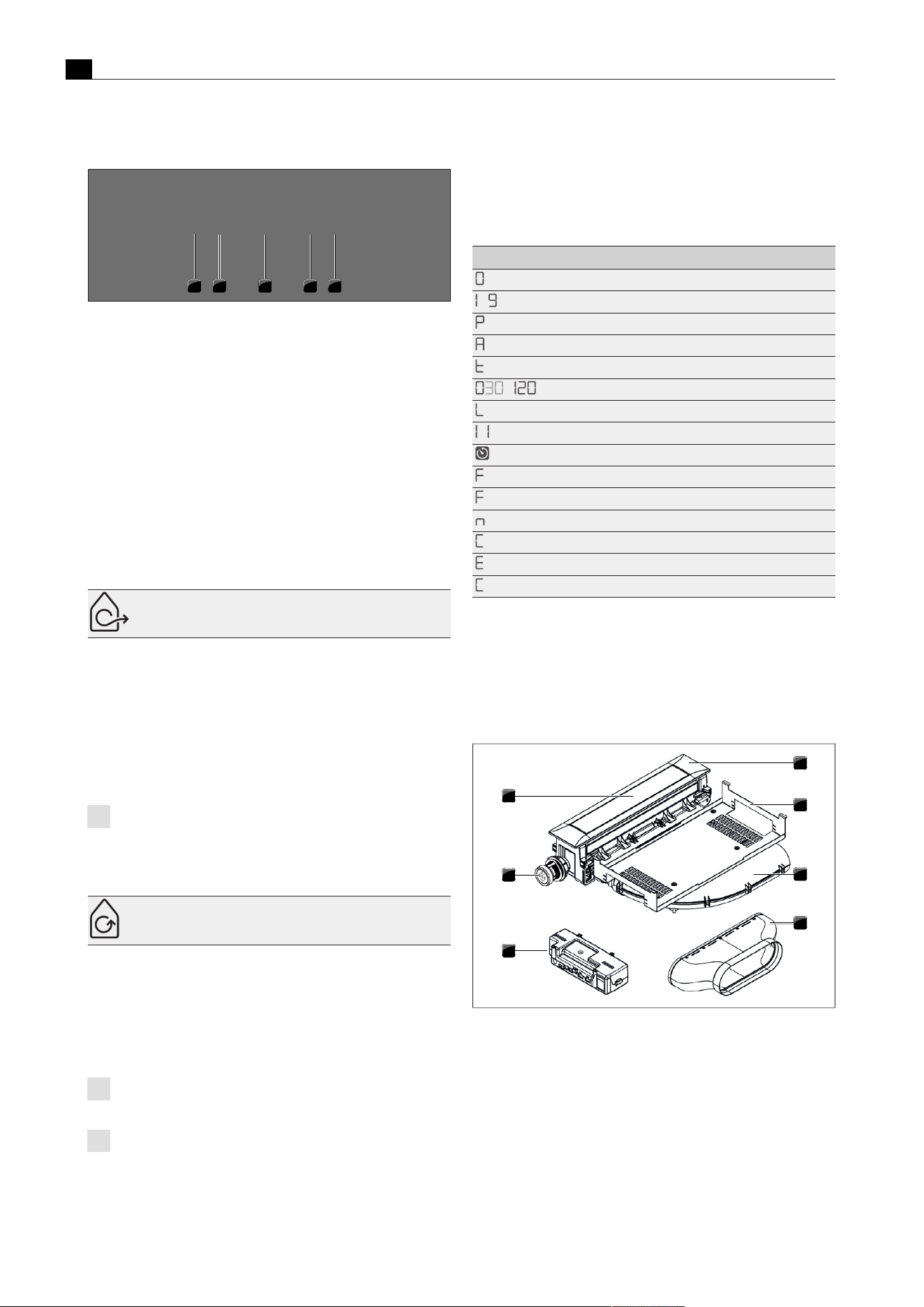
Appliance description
EN
12 bora.com
Control knob assignment
1 2 3
4
5
Fig.3.4
Control knob assignment
[1]
Control knob for left cooktop, front cooking zone
[2]
Control knob for left cooktop, rear cooking zone
[3]
Control knob for cooktop extractor
[4]
Control knob for right cooktop, front cooking zone
[5]
Control knob for right cooktop, rear cooking zone
3.3
Cooktop extractor appliance
description
3.3.1
Installation variations
Depending on the model you purchased, the cooktop extractor can
be operated as an exhaust air or a recirculating air version.
Exhaust air
The air suctioned away is purified by the grease filter and expelled
into the open air via a duct system.
The exhaust air must not be expelled into:
T
a smoke or exhaust gas flue that is in operation
T
a shaft used for the aeration of rooms where fireplaces are
installed.
If the exhaust air is to be directed into a smoke or exhaust gas flue
that is not in use, the installation must be checked and approved by
the responsible heating engineer.
If the cooktop extractor is used in an exhaust air system, the
extractor power is automatically increased for the first 20
seconds when set on a lower power level (wall sleeve
function).
Recirculation
The air suctioned away is purified by the grease filter and an activated
charcoal filter and fed back into the room in which the appliance is
installed.
To prevent odours in recirculation mode, an odour filter must be
used. For health and hygiene reasons, the activated charcoal filter
must be replaced at the recommended intervals (see"7Cleaning and
maintenance").
In recirculation mode, ensure sufficient ventilation and
aeration to expel humidity.
If the cooktop extractor is used in a recirculating air system,
when a power level is set the operating time is automatically
deducted from the recirculation filter service life. The
remaining filter service life can be seen in the menu.
3.3.2
Cooktop extractor display and
symbols
The fan power levels, extractor functions and system functions are
shown in the cooktop extractor control knob display.
Control knob display Meaning
Appliance is switched off
‑
Power levels
Power setting
Automatic extractor function
Short-time timer
‑
Time display
Child lock
(fading in and out)
Pause function
active short-time timer/cooking zone timer
Filter service display
(flashing)
Filter service display
Automatic after-run
Cover flap cleaning position
Error message (see"8Troubleshooting")
…
Configuration menu
Tab.3.3
Operating panel display
3.3.3
Structure of the cooktop
extractors
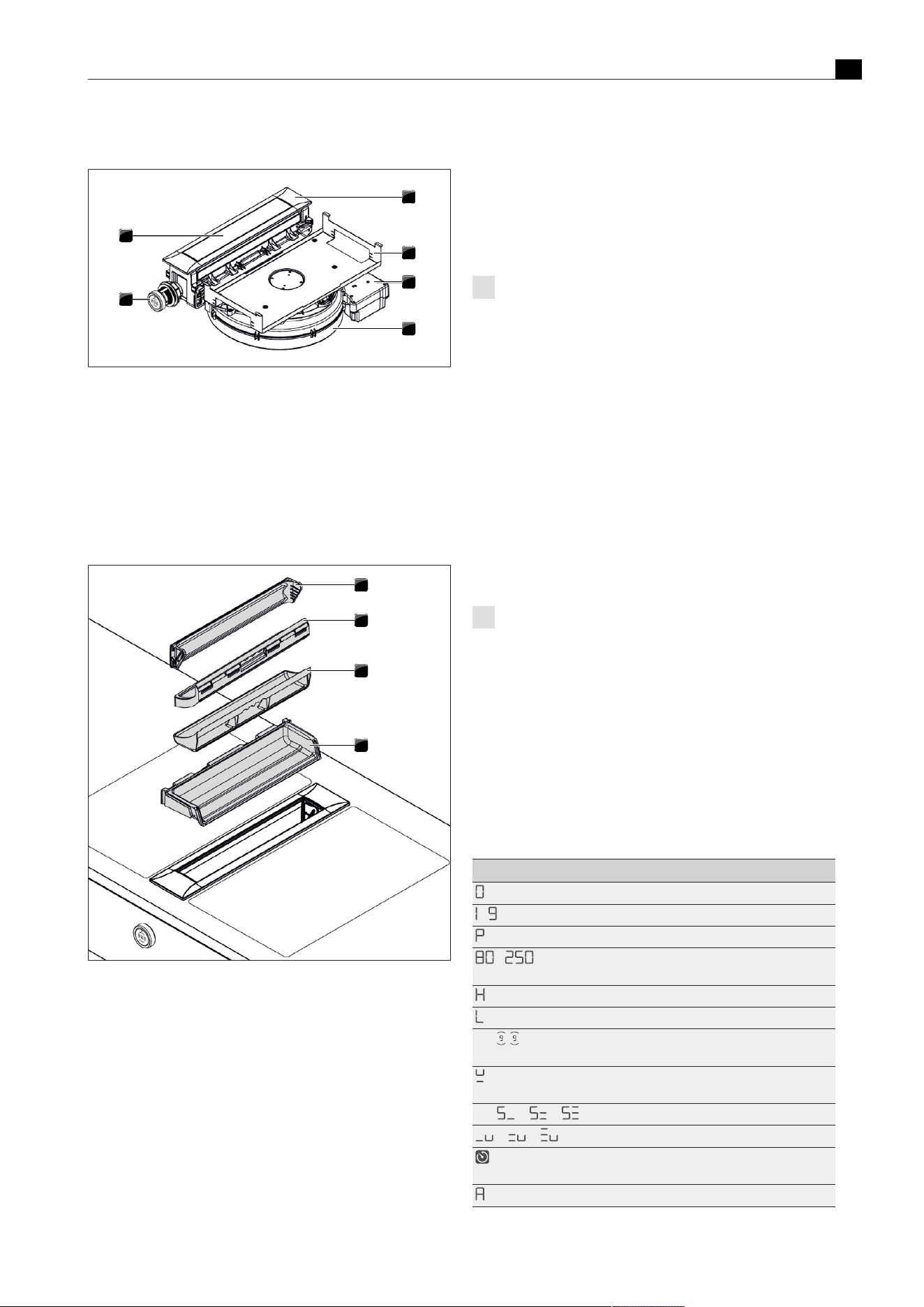
Cooktop extractor PKA3/PKA3AB
1
2
3
4
5
6
7
Fig.3.5
Cooktop extractor PKA3/PKA3AB
[1]
Cover frame
[2]
Holding plate
[3]
Curved duct piece
[4]
Straight duct piece
[5]
Universal control unit
[6]
Control knob
[7]
Cover flap
Appliance description
EN
bora.com 13
Cooktop extractor system PKAS3/PKAS3AB
1
2
3
4
5
6
Fig.3.6
Cooktop extractor system PKAS3/PKAS3AB
[1]
Cover frame
[2]
Holding plate
[3]
Control unit
[4]
Fan housing with fan
[5]
Control knob
[6]
Cover flap
Grease filter components
1
2
3
4
Fig.3.7
Filter components
[1]
Cover flap
[2]
Stainless steel grease filter
[3]
Filter tray
[4]
Maintenance tray
3.3.4
Sensors
The cooktop extractor is equipped with sensors in the area of the
cover flap and the grease filter.
Cover flap position sensor
The cover flap sensor detects the position of the cover flap.
T
If the cover flap is closed, the cooktop extractor is deactivated.
T
If the cover flap is open, the cooktop extractor can be used.
T
If the cover flap has been removed, the cooktop extractor is in
cleaning mode (cleaning function active) and cannot be used.
Grease filter position sensor
The grease filter sensor detects whether the grease filter has been
fitted correctly. If the grease filter is missing or has been fitted
incorrectly, the cooktop extractor is deactivated.
If the grease filter is removed, for example, for cleaning, the
cover flap can still be closed.
3.3.5
Interface for external devices
The internal interface can be used for extended control options. This
has a Home In and a Home Out contact (see the Installation chapter).
T
The Home-In contact can be used for the signal input from external
switch devices (e.g. window contact switch).
T
The Home Out contact can be used to control external
installations.
3.3.6
USB port for servicing
The system has a USB port. This port is only suitable for mass storage
devices (USB sticks). These USB sticks must be formatted with the
FAT32 data system.
The USB port is only designed for updates or data export and
only has sufficient power supply for these processes. It is not
possible to charge devices or carry out other functions.
3.4
Cooktop appliance description
3.4.1
Display and symbols
The power levels and cooking functions of each cooking zone are
shown in the control knob display on the corresponding control knob.
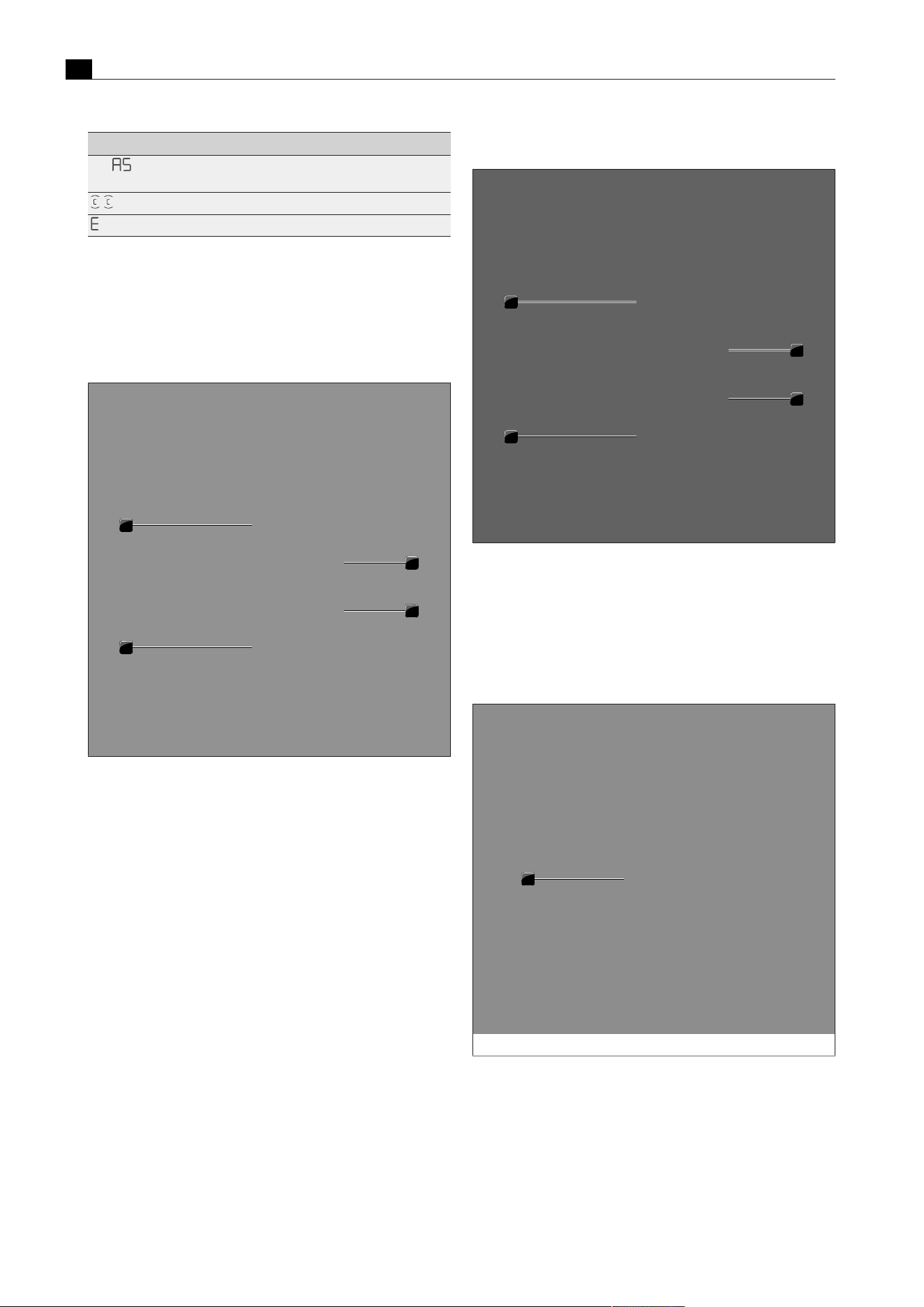
The cooktops PKFI3 and PKI3 also have a 7-segment cooktop display
for each cooking zone. Power levels and operating functions
respectively are shown directly on the cooktop.
Control knob display Meaning
Appliance is switched off
‑
Power levels
Power setting
‑
Temperature indicator on Tepan stainless steel
grill (PKT3)
Residual heat indicator
Child lock
e.g.
Bridging function active (only on PKFI3 and
PKT3)
Pan size recognition (only on PKFI3, PKI3,
PKIW3)
e.g. / /
Rings active (only on PKC3, PKCB3, PKCH3)
/ /
Heat retention level active (not on PKT3)
Short-time timer/cooking zone timer active
(not on PKT3)
Automatic heat up function (not on PKT3)
Appliance description
EN
14 bora.com
Control knob display Meaning
e.g.
Automatic heat up function active (not on
PKT3)
Cleaning function active (only on PKT3)
Error message (see"8Troubleshooting")
Tab.3.4
Operating panel display
3.4.2
Layout and size of the cooking
zones
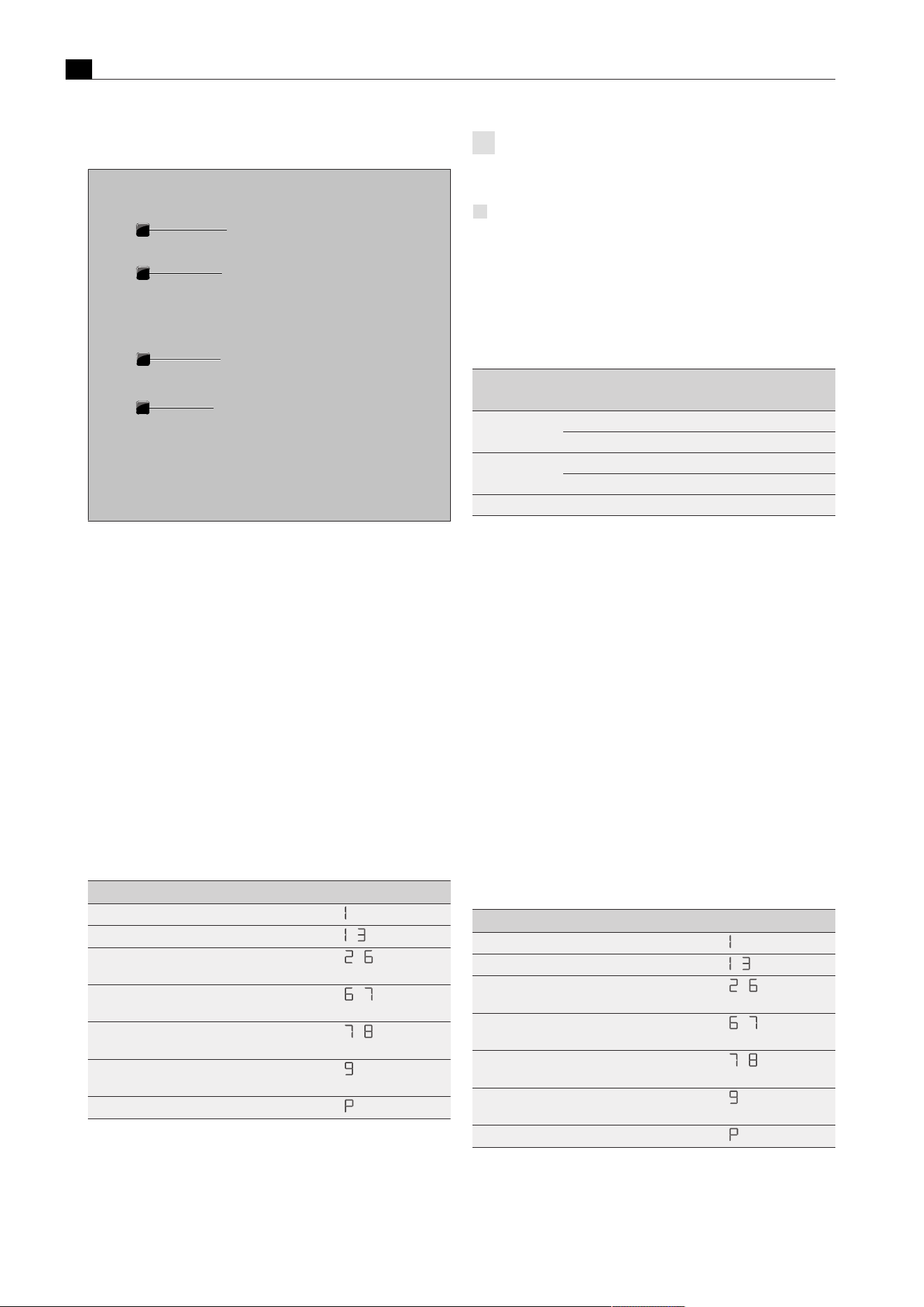
Cooktop PKFI3
1
2
3
4
Fig.3.8
Layout of cooktop PKFI3 and cooking zone dimensions
[1]
Front surface induction cooking zone
[2]
Rear surface induction cooking zone
[3]
Rear cooking zone display
[4]
Front cooking zone display
Cooktop PKI3
1
2
3
4
Fig.3.9
Layout of cooktop PKI3 and cooking zone dimensions
[1]
Front induction cooking zone
[2]
Rear induction cooking zone
[3]
Rear cooking zone display
[4]
Front cooking zone display
Cooktop PKIW3
1
Fig.3.10
Layout of cooktop PKIW3 and cooking zone dimensions
[1]
Induction cooking zone

Appliance description
EN
bora.com 15
Cooktop PKC3
1
2
Fig.3.11
Layout of cooktop PKC3 and cooking zone dimensions
[1]
3-ring front cooking zone
[2]
2-ring rear cooking zone
Cooktop PKCB3
1
2
Fig.3.12
Layout of cooktop PKCB3 and cooking zone dimensions
[1]
3-ring front cooking zone
[2]
2-ring roaster rear cooking zone
Cooktop PKCH3
1
2
Fig.3.13
Layout of cooktop PKCH3 and cooking zone dimensions
[1]
1-ring Hyper front cooking zone
[2]
2-ring rear cooking zone
Tepan stainless steel grill PKT3
1
2
Fig.3.14
Layout of Tepan stainless steel grill PKT3 and cooking zone
dimensions
[1]
Front grilling zone
[2]
Rear grilling zone
Appliance description
EN
16 bora.com
Gas cooktop PKG3
1
2
3
4
Fig.3.15
Layout of gas cooktop PKG3 and cooking zone dimensions
[1]
High-power front burner
[2]
Front pan support
[3]
Normal back burner
[4]
Rear pan support
3.4.3
How the induction cooktops work
Induction cooking zones heat the cookware via a magnetic field. The
pot base is heated directly. The cooking zone is only heated
indirectly. Cooking zones featuring induction technology only work
with suitable cooking cookware (magnetisable base). Only the surface
that is covered by the pot base will be heated.
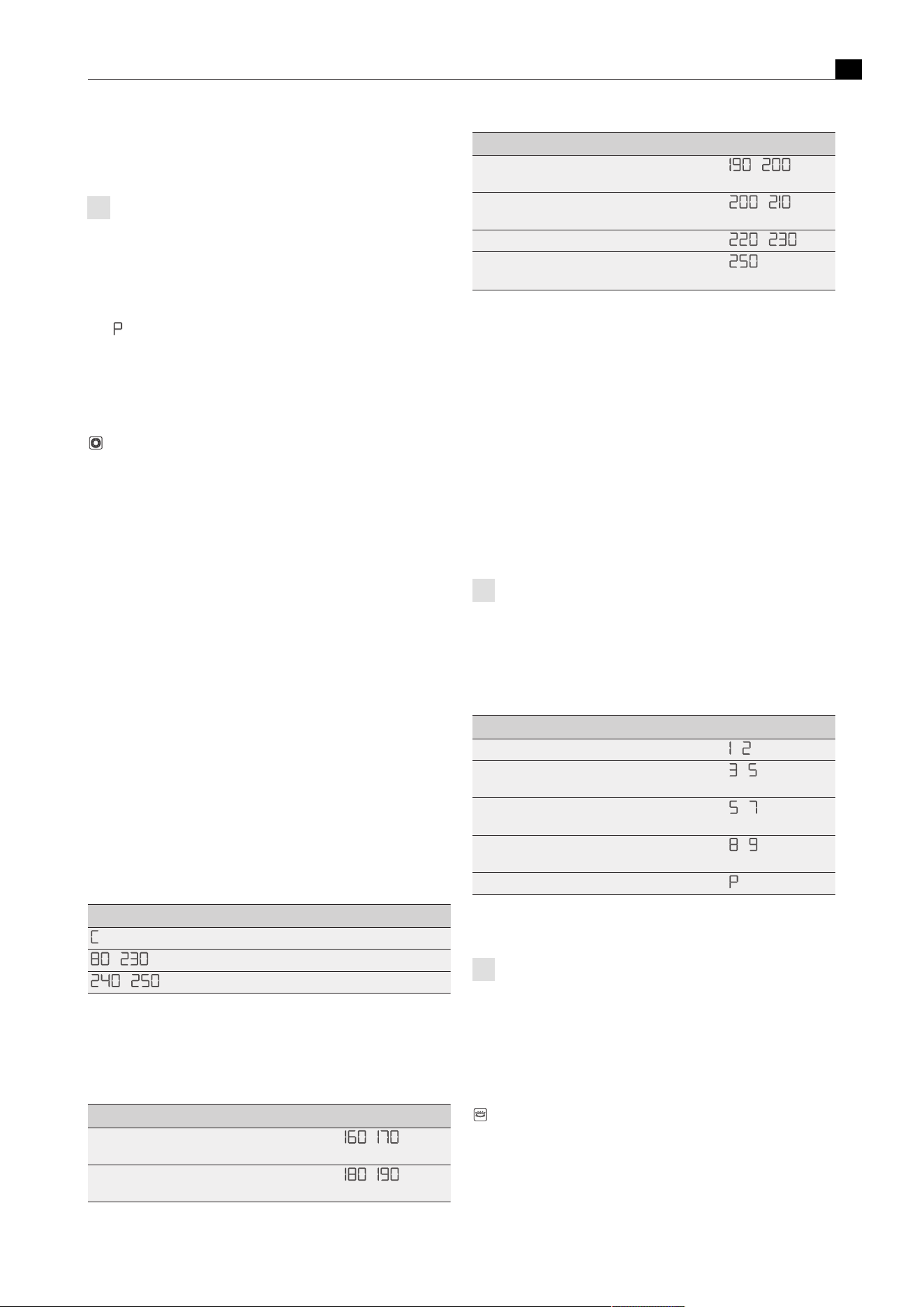
Power levels
The high power output of induction cooktops results in the very quick
heating up of cookware. In order to avoid burning food, slight
adjustment is needed in comparison to conventional cooking systems
when selecting the power level.
Activity Power level
Melting butter and chocolate, breaking up gelatine
Keeping sauces and soups warm, soaking rice
-
Cooking potatoes, pasta, soups and ragouts,
steaming fruit, vegetables and fish, defrosting food
-
Frying in coated pans, moderate frying (without
overheating the fat) of pork cutlets or fish
-
Heating up fat, browning meat, cooking thickened
sauces and soups, making omelettes
-
Cooking large amounts of liquids, grilling steaks
and heating water
Heating up water
Tab.3.5
Recommendations for power levels
The specifications provided in the table are standard values.
Depending on the cookware and filling quantity, it is recommended to
either decrease or increase the power level.
The heating and heat-through times and cooking results are
significantly influenced by the structure and material of the
cookware.
Suitable cookware
Cookware with this symbol is suitable for induction cooktops.
Suitable cookware is made of:
T
stainless steel with a magnetisable base
T
enamelled steel
T
cast iron
u
Observe the minimum cookware base diameter:
Appliance Cooking zone Minimum cookware base
diameter
PKI3 Front 120 mm
Back 90 mm
PKFI3 Front 120 mm
Back 120 mm
PKIW3 Wok 210mm
Tab.3.6
Minimum cookware diameter
u
Perform a magnet test, if necessary. If a magnet sticks to the base
of the utensils, they are normally induction compatible.
u
Place the cookware (without a mat or similar) directly onto the
glass ceramic.
u
The induction wok (HIW1) is ideal for the Induction wok cooktop
and is available as an accessory.
Noises
When operating induction cooktops, noises may occur due to
material and processing of the cookware (humming, crackling,
whistling, clicking or buzzing).
3.4.4
How the Hyper and HiLight
cooktops work
Under the cooking zone is a radiant heating element with a heating
tape. When the cooking zone is switched on, the heating tape generates
radiant heat, which radiates to the cooking zone and heats it up.
Power levels
Activity Power level
Melting butter and chocolate, breaking up gelatine
Keeping sauces and soups warm, soaking rice
-
Cooking potatoes, pasta, soups and ragouts,
steaming fruit, vegetables and fish, defrosting food
-
Frying in coated pans, moderate frying (without
overheating the fat) of pork cutlets or fish
-
Heating up fat, browning meat, cooking thickened
sauces and soups, making omelettes
-
Cooking large amounts of liquids, grilling steaks
and heating water
Heating up water
Tab.3.7
Recommendations for power levels
Appliance description
EN
bora.com 17
The specifications provided in the table are standard values.
Depending on the cookware and filling quantity, it is recommended to
either decrease or increase the power level.
The heating and heat-through times for the cookware base, as
well as the cooking results, are significantly influenced by the
structure and material of the cookware.
Power setting on the Hyper cooktop
The front cooking zone on the Hyper glass ceramic cooktop is fitted
with a temporary power setting.
T
is displayed.
The power setting can be used in order to quickly heat up large
quantities of water. If the power setting is activated, the cooking
zones will run at extra high power. After 10 minutes, the cooking zone
automatically switches back to power level 9.
Suitable cookware
Cookware with this symbol is suitable for radiant heating
elements. The cookware used for radiant heating surfaces must be
metal and have good heat conducting properties.
Suitable cookware is made of:
T
stainless steel, copper or aluminium
T
enamelled steel
T
cast iron
u
Pay attention to the cookware base. The bottom of the cookware
should not show any sign of curvature. Due to incorrect hob
temperature monitoring, this curvature may cause the cookware to
overheat. To avoid scratching the cooktop, the base of the
cookware must not have any sharp grooves or sharp edges.
u
Place the cookware (without a mat or similar) directly onto the
glass ceramic.
3.4.5
How the Tepan stainless steel grill
works
Under each grilling zone there is a heating element. When a grilling
zone is switched on, the heating element generates heat that directly
heats the grill surface.
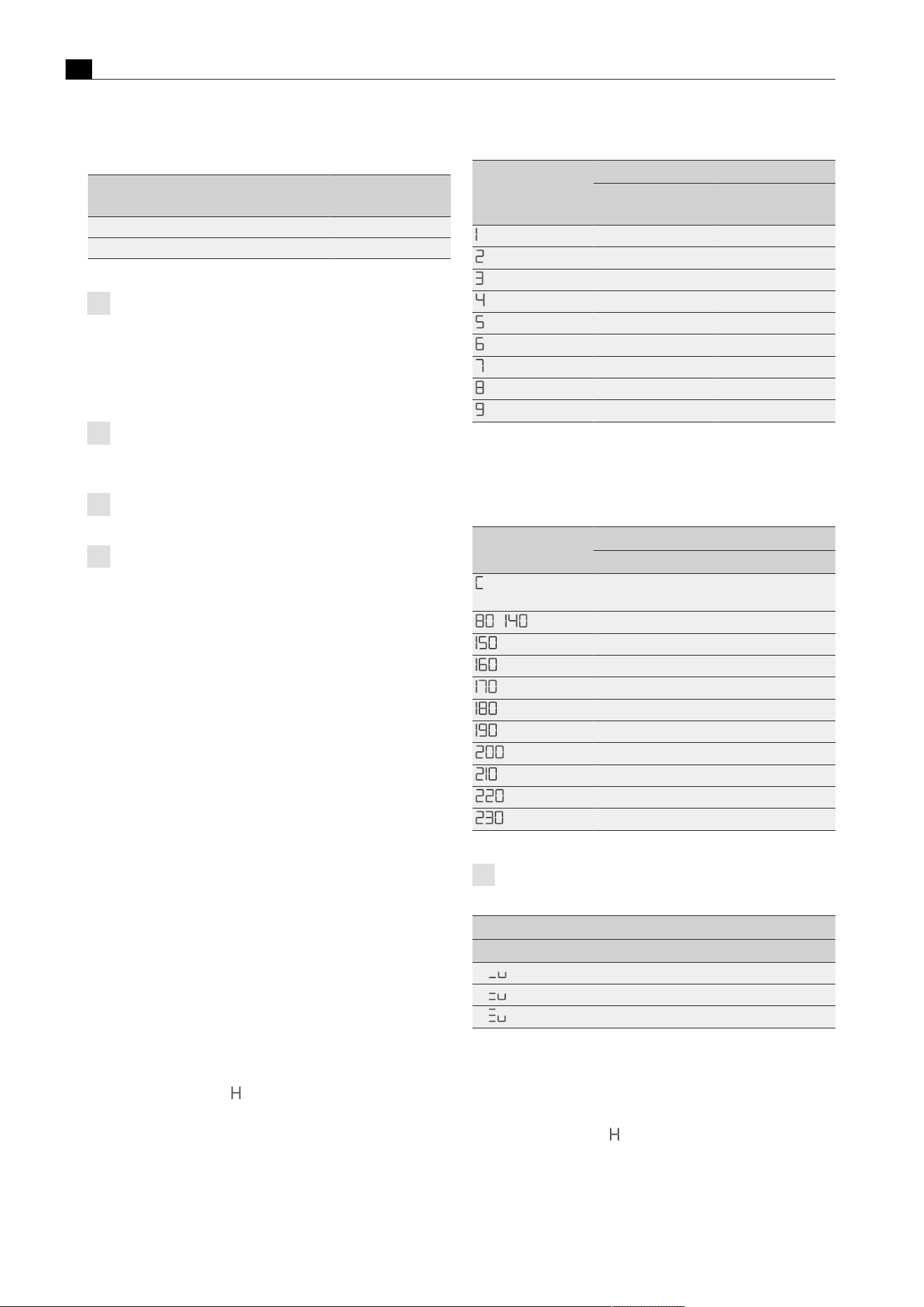
Power levels and temperature ranges
The power is adjusted via temperature ranges that are shown in the
operating panel display in °C (temperature indicator).
Temperature in °C Meaning
(= 70°C)
Cleaning temperature
‑
Power levels (in 10°C increments)
‑
Power setting
Tab.3.8
The temperatures corresponding to the power levels
The power output of the Tepan stainless steel grill heats food
extremely quickly. A slight adjustment is needed in comparison to
conventional cooking systems when selecting the temperature in
order to avoid burning food.
Activity Temperature in °C
Steaming fruit, e.g. apple slices, peach halves,
banana slices
-
Browning chopped vegetables, fried eggs, veal,
poultry
-
Activity Temperature in °C
Browning breaded or battered fish, pancakes,
sausages, pork, lamb
-
Browning potato fritters, prawns, corn on the cob
and escalopes
-
Fast browning beef, fish, meatballs
-
Browning steaks
(Power
setting)
Tab.3.9
Temperature recommendations (the specifications provided
in the table are standard values)
3.4.6
How the gas cooktop works
If a cooking zone is switched on, the flame generates heat, which
directly heats the base of the cookware. The gas flame is controlled by
a highly accurate electronic gas control system (e-gas system). Among
other things, servomotors are used to accurately control each gas
burner. These servomotors calibrate themselves from time to time and
typical humming noises can be heard that are totally normal and do not
constitute a malfunction. The advantage of this electronic gas control
system is the optimum, repeatable heat regulation, which means that
the selected power levels are identical in every cooking session. In
addition, a clean, constantly increasing flame is formed at every power
level. Furthermore, if necessary, it can be automatically reignited.
The cooktop has automatic ignition.
Power levels
The power is adjusted using power levels 1 – 9 and P. The output of
gas cooktops means that food is heated quickly. In order to avoid
burning food, slight adjustment is needed in comparison to
conventional cooking systems when selecting the power level.
Activity Power level
Keeping cooked meals warm
-
Browning chopped vegetables, fried eggs, veal,
poultry
-
Grilling prawns, corn on the cob, schnitzel, beef,
fish or burgers
-
Bringing large amounts of liquid to the boil,
searing steaks
-
Heating up water
Tab.3.10
Recommendations for power levels
The specifications provided in the table are standard values.
Each gas cooking zone is equipped with a safety thermocouple.
This element detects if the flame has gone out (e.g. if a pan has
boiled over or there is a strong draught). The gas supply is then
turned off and the burner is automatically reignited. If reignition is
not possible, the gas supply is stopped. A gas leak is therefore
prevented.
Suitable cookware
Cookware with this symbol is suitable for gas cooktops.
Suitable cookware is made of:
T
copper
T
stainless steel
T
aluminium
T
cast iron
Appliance description
EN
18 bora.com
Adhere to the dimensions in the table:
Burner Minimum pan
diameters
Recommended pan
diameter
Normal burner 120 mm 140–200mm
High-power burner 160 mm 180–240mm
Tab.3.11
Pan diameters
The heating and heat-through times for the cookware base, as
well as the cooking results, are significantly influenced by the
structure and material of the cookware. Cookware with a
thick base ensures more even heat distribution. In the case of
a thin base there is a risk of the food becoming overheated in
places. The cooktop may also become damaged.
Take special care not to overheat the cookware as the base
can become deformed. For this reason, you should never heat
up cookware when empty.
Cookware with an uneven base may tip over. A slight wobble
can never be completely ruled out.
Only use cookware with a diameter that is within the given
dimensions. If the diameter is too large, the hot gases flowing
outwards from under the base may damage the worktop or
any non-heat-resistant wall, e.g. with panelling, as well as part
of the cooktop and the cooktop extractor. Bora shall not be
held liable for any such damage.
3.5
Safety features
3.5.1
Anti-trap protection
The electrical cover flap on the cooktop extractor has anti-trap
protection. If the cover flap is obstructed when opening or closing, it
automatically stops moving. The cover flap returns to the starting
position and tries again. If the anti-trap protection is triggered again,
an error message appears on the control knob
(see"8Troubleshooting").
3.5.2
Safety shut-down
If an appliance is switched on but is not used for a predefined time, it
is automatically switched off.
Cooktop extractor
The cooktop extractor is automatically switched off after an operating
time of 120 minutes without any change to the power level.
Cooktops
Each cooking zone is switched off automatically when the cooking
zone exceeds the maximum operating duration on one power level or
heat retention level. is also
displayed (residual heat indicator).
u
Switch the appliance back on if you wish to use it again after safety
shut-down.
Safety shut-down on the different power levels
Power levels Safety shut-down after hours:minutes
PKFI3, PKI3, PKIW3,
PKG3
PKC3, PKCB3, PKCH3
8:24 6:00
6:24 6:00
5:12 5:00
4:12 5:00
3:18 4:00
2:12 1:30
2:12 1:30
1:48 1:30
1:18 1:30
Tab.3.12
Safety shut-down on the different power levels
After 10 minutes (20 minutes on PKG3), the power setting is
automatically switched back to power level 9.
Safety shut-down on the different power levels
Power levels Safety shut-down after hours:minutes
PKT3
(Cleaning function
70 °C)
0:10
-
8:00
8:24
6:24
5:12
4:12
3:18
2:12
2:12
1:48
1:18
Tab.3.13
Safety shut-down in the different temperature ranges
After 10 minutes, the power setting automatically reverts to
230°C.
PKFI3, PKI3, PKIW3, PKG3, PKC3, PKCB3, PKCH3:
heat retention level Switch off after hours:minutes
1 ( )
8:00
2 ( )
8:00
3 ( )
8:00
Tab.3.14
Safety shut-down on the different heat retention levels
3.5.3
Residual heat indicator
If a cooking or grilling zone is still hot after switching off, there is a
risk of burns or fire. While
is displayed (residual heat indicator), do
not touch the cooking or grilling zone or place any heat-sensitive
objects on top of it. After a sufficient cooling period the indicator will
go out.

Appliance description
EN
bora.com 19
Cooktops Tepan stainless steel
grill
Limit temperature < 60°C < 50 °C
Tab.3.15
Residual heat indicator limit temperatures
3.5.4
Overheating protection
The appliance is fitted with overheating protection. The overheating
protection can be triggered if:
T
cookware is heated up empty;
T
oil or fat is heated on high power;
T
a hot cooking zone is switched on again after a power cut.
Whilst the overheating protection is active, one of the following steps
is taken:
T
the activated power setting is switched back to the previous level;
T
the power setting can no longer be switched on;
T
the set power level is reduced;
T
the cooktop switches off completely.
After a sufficient cooling period, the cooktop can be used again in
full.
3.5.5
Child lock
The child lock prevents the appliance from being switched on
accidentally.
u
is displayed.
If a single cooktop is operated without a cooktop extractor,
removal of the knob ring can prevent the appliance from
being switched on accidentally or without permission.

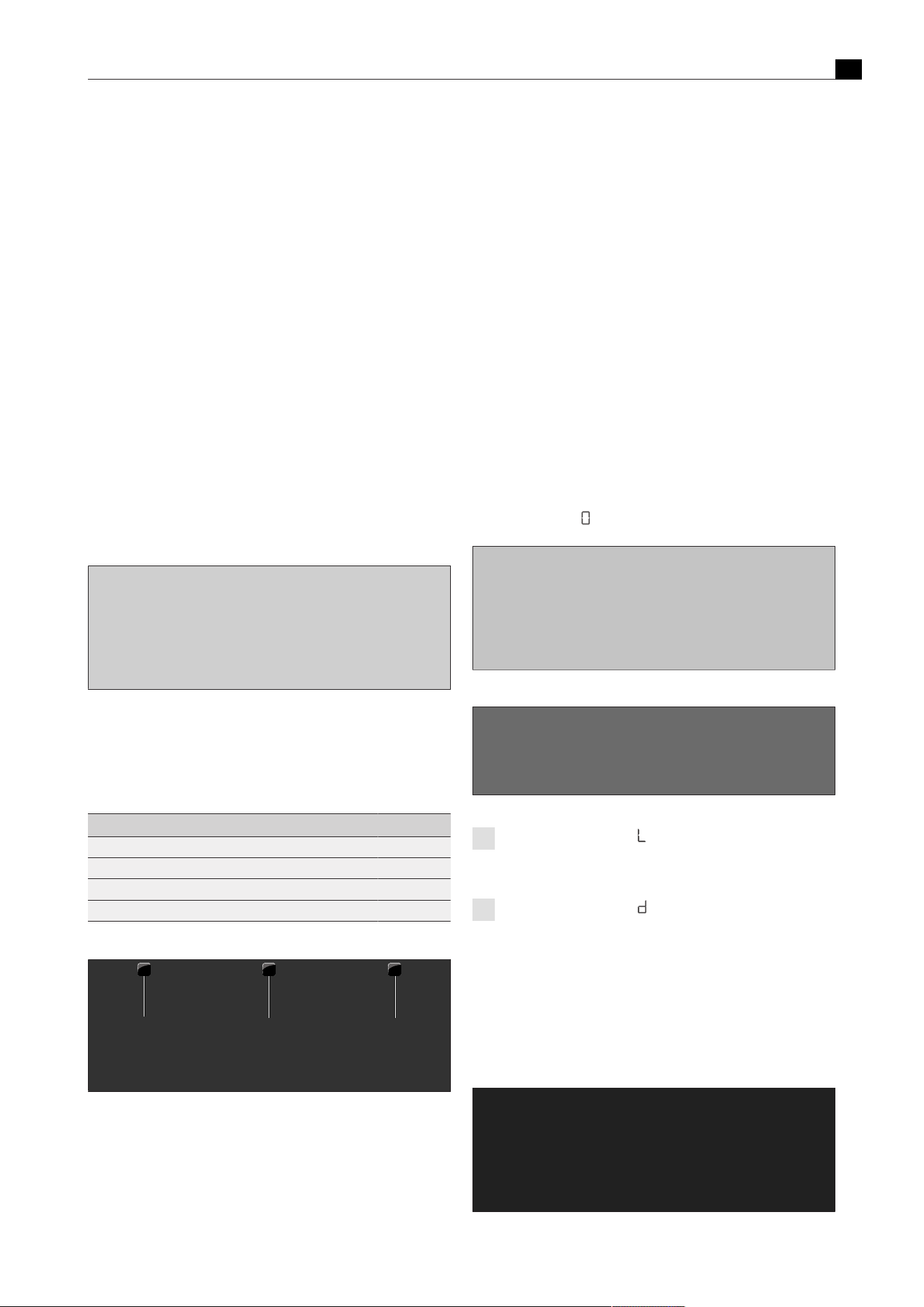
Overview of features and functions
EN
20 bora.com
4
Overview of features and functions
The full range of functions is only available for Professional 3.0 system cooktops in combination with the cooktop extractors.
BORA Professional 3.0 system Cooktop extractors Cooktops
Appliance features PKA3
PKA3AB
PKAS3
PKAS3AB
PKFI3 PKI3 PKIW3 PKC3 PKCB3 PKCH3 PKT3 PKG3
Electronic power adjustment 3 3 3 3 3 3 3 3 3 3
Power level display 3 3 3 3 3 3 3 3 3 3
Interface communication 3 3
Electrical cover flap with position sensor 3 3
Stainless steel grease filter 3 3
Grease filter position sensor 3 3
USB port for servicing 3 3
Pan size recognition 3 3 3
Cooktop display 3 3
Temperature display 3
System functions
Pause function 3 3 3 3 3 3 3 3 3 3
Super simple mode 3 3 3 3 3 3 3 3 3 3
Additional cooktop extractor functions
Extractor cleaning function 3 3
Short-time timer 3 3
Extractor power setting 3 3
Automatic extractor function 3 3
Filter service display 3 3
Automatic after-run 3 3
Additional cooktop functions
Cooktop power setting 3 3 3 3* 3 3
Cooking zone timer 3 3 3 3 3 3 3
Automatic heat up function 3 3 3 3 3 3 3
Variable heat retention function 3 3 3 3 3 3 3
Additional ring switching (2-ring additional
switching)
3** 3** 3**
Additional ring switching (3-ring additional
switching)
3* 3*
Bridging function 3 3
Cleaning function 3
Safety features
Child lock 3 3 3 3 3 3 3 3 3 3
Safety shut-down 3 3 3 3 3 3 3 3 3 3
Anti-trap protection 3 3
Active error monitoring 3 3 3 3 3 3 3 3 3 3
Residual heat indicator 3 3 3 3 3 3 3 3
Overheating protection 3 3 3 3 3 3 3
Tab.4.1
Function overview
*only on the front cooking zone
**only on the rear cooking zone
How it works and its functions are described in more detail in the “Functions and operation” chapter.
Functions and operation
EN
bora.com 21
5
Functions and
operation
u
Observe all safety and warning information (see"2Safety").
5.1
Knob operation
5.1.1
Operating the knob ring
The ring on the control knob can be turned both clockwise and
anticlockwise. It can be turned as far as you wish; there is no defined
0 position.
Turn it clockwise (to the right) to:
T
Switching on
T
increase power level/value
T
navigate the menu
Turn it anticlockwise (to the left) to:
T
Switching off
T
decrease power level/value
T
navigate the menu
Fig.5.1
Operating the knob ring
5.1.2
Operating the touch surface
The touch surface of the control knob reacts to different touch
commands:
Command Contact Time
Tap brief touch < 1s
Double tap 2 brief taps one after the other
Long press keep finger in place longer 2–4 s
Extra-long press keep finger in place longer 5–8 s
Tab.5.1
Operating the touch surface
1 2 3
Fig.5.2
Diagram of the touch commands
[1]
Tap command diagram
[2]
Long press diagram
[3]
Extra-long press diagram
Use tap commands to:
T
Calling up the function menu
T
confirm menu items/times/functions
Use double-tap commands to:
T
Pause function
Use long-press commands to:
T
Deactivating the childproofing feature
T
Exiting the additional function menu and configuration menu
Use extra-long-press commands to:
T
reset the filter service life
T
Accessing the configuration menu
5.2
Switching the system on and
off
5.2.1
Switching on
u
Turn a knob ring of your choice clockwise
T
The system is activated.
T
is displayed on all displayed.
Fig.5.3
Switching on the system
Fig.5.4
Standard display after switching on
If all control knobs show after switching on the appliance,
the child lock is activated. The appliance cannot be operated
until this is deactivated.
If all control knobs show for 3 seconds after switching on
the appliance, the demo mode is active (see"6Configuration
menu").
5.2.2
Switching off
u
Turn the knob ring anticlockwise to power level 0.
T
Any active additional functions will be deactivated and the
appliance will be switched off.
Fig.5.5
Switching the appliances off

Functions and operation
EN
22 bora.com
T
If all connected appliances are switched off (= power level 0), the
whole system is automatically switched off after 10 seconds.
The cooktop extractor was switched on
T
the automatic after-run function is started.
T
As soon as the after-run period is complete, an acoustic signal can
be heard and the appliance is automatically switched off.
T
The display switches off after 10 seconds.
The cooktop was switched on
T
is shown in the control knob display for previously active and still
hot cooking zones
displayed (residual heat indicator).
T
If there is no longer any residual heat, the display will switch off
after 10 seconds.
5.3
Operating the cooktop
extractor
5.3.1
General operating instructions for
the cooktop extractor
Both cooktop extractor functions and system functions can be
operated using the cooktop extractor control knob.
The cooktop extractor must only be operated with BORA
cooktops.
The cooktop extractor must only be operated when the
grease filter components are installed.
Recommendations for efficient vapour extraction
u
In the case of tall cooking pots, place the lid on at an angle so that
the cooking vapours are guided towards the cooktop extractor.
u
Only operate the cooktop extractor at the minimum power level
required for effective vapour extraction. This enables you to
improve the performance of the odour filters in recirculation mode.
u
Only operate the hob at the minimum power level required for
cooking. This reduces the cooking vapours and the power
consumption.
u
Avoid strong drafts.
Restricted functions when using the cooktops without a
cooktop extractor
If cooktops are installed and operated without a cooktop extractor,
only limited functions will be available. The following functions will not
be available:
T
System functions
T
Pause function
T
Short-time timer
T
Child lock
T
All settings/functions in the configuration menu
5.3.2
Setting the fan power level
The power levels are controlled by turning the knob ring to the
desired power level (electronic power adjustment).
Increasing the power level
u
Turning the knob ring clockwise
Reducing the power level
u
Turning the knob ring anticlockwise
T
The selected power level is shown in the display on the extractor
control knob.
Fig.5.6
Setting the fan power level
5.3.3
Fan power setting
Activating the power setting
u
When the power setting is activated, maximum extractor power is
available for a predefined time.
T
This power setting makes it possible to suction away high levels of
cooking vapours more quickly.
T
After 10 minutes, the power setting is automatically switched back
to power level 9.
Deactivating the fan power setting
The fan power setting is deactivated early if another power level is
set.
5.3.4
Automatic after-run
The cooktop extractor continues to run at a lower level and switches
off automatically after a defined time. The duration of the after-run
function can be set in the menu (factory setting is 20 minutes).
BORA expressly recommends use of the cooktop extractor
after-run function.
Switching off the automatic after-run early
u
Touch the touch surface of the control knob
or
u
turn the knob ring anticlockwise
T
The after-run function will be switched off early and the display will
go out after 10 seconds.
5.4
Cooktop extractor function
menu
Every appliance offers different additional functions. These can be
selected and activated via a function menu. Only the functions
available for each type of appliance are shown in the corresponding
function menu. The cooktop extractor function menu contains both
system functions and cooktop extractor functions.
There is a total of 5 additional functions to choose from:
Menu item Function System
function
Cooktop extractor
function
Extractor cleaning 3
Short-time timer 3
Automatic extractor
function
3
Child lock 3

Functions and operation
EN
bora.com 23
Menu item Function System
function
Cooktop extractor
function
Show and reset filter
status
3
Tab.5.2
Overview of cooktop extractor function menu
Calling up the function menu
u
Touch the cooktop extractor control knob
T
The function menu is opened.
T
The first menu item is shown in the control knob display.
Fig.5.7
Calling up the cooktop extractor function menu
5.4.1
Cooktop extractor cleaning
function
The cooktop extractor cleaning function enables components to be
removed easily and safely.
Activating the cooktop extractor cleaning function
If the grease filter is removed from the cooktop extractor during
operation, the error message ‘FF out’ is displayed or ‘E013’ if the
cover flap is removed. If this is acknowledged by a short touch, the
system automatically switches to using the cleaning function.
Manually activating the cooktop extractor’s cleaning
function
Fig.5.8
Activating the cooktop extractor cleaning function
T
The cleaning function is activated and an acoustic signal is heard.
T
The cover flap opens and the control knob display shows .
T
The fan motor will not start or will switch off if running.
If the system is reactivated after the cooktop extractor’s cleaning
function is started, C will continue to be displayed on the cooktop
extractor’s control knob. It is still possible to cook but the cooktop
extractor remains inactive and cannot be used. Only once the grease
filter and cover flap have been refitted can the cooktop extractor be
reactivated.
Closing the cover flap to start a cooking session
u
Touch the cooktop extractor control knob or turn the knob ring.
T
The cover flap closes (without grease filter) and is displayed.
T
It is possible to cook, however, the cooktop extractor cannot be
operated.
Fig.5.9
Closing the cover flap to start a cooking session
Deactivating the cooktop extractor cleaning function
u
Correctly insert the filter tray, grease filter and cover flap into the
opening in the extractor (see"7Cleaning and maintenance").
u
Touch the cooktop extractor control knob or turn the knob ring.
T
The cover flap closes.
T
The cleaning function deactivates.
T
The cooktop extractor and all of its functions can be used again.
Fig.5.10
Deactivating the cooktop extractor cleaning function
5.4.2
Short-time timer
The short-time timer emits both a visual and an acoustic signal after a
time set by the user and provides the function of a conventional egg
timer.
Function Times that can be set in minutes
Short-time timer 0–120
(0:30, 1, 1:30, 2, ... 9, 9:30, 10, 11,
12 ... 118, 119, 120)
Tab.5.3
Times that can be set on the short-time timer
Activating the short-time timer
Fig.5.11
Activating the short-time timer
T
The timer icon is displayed.
T
The time value appears in the cooktop extractor control
knob display.
u
Set a time.

Functions and operation
EN
24 bora.com
T
If no time is set within 4 seconds, the short-time timer is
deactivated.
Setting the time and starting the short-time timer
T
Turning clockwise increases the time (starting at 0 minutes).
Turning anticlockwise reduces the time.
Fig.5.12
Turn the knob ring clockwise
Fig.5.13
Turn the knob ring anticlockwise
T
When set to between 0 and 10 minutes, the time reduces/increases in
30-second increments when the control knob is turned.
T
When set to between 10 and 120 minutes, the time reduces/
increases in one-minute increments when the control knob is
turned.
T
When the knob is turned faster in either direction, the time
reduces/increases by greater increments.
T
After confirming with a touch command, an acoustic signal is heard,
the short-time timer is activated and the set time starts to count down.
T
The current power level and remaining time are shown alternately
in the control knob display.
T
The current time remaining is shown to the minute when more than
10 minutes remain, to 30 second increments when less than 10
minutes remain, and to the second when only 2 minutes remain.
Time lapsed
When the set time has elapsed, an acoustic signal sounds for 1 minute
and the timer displayed on the control knob counts down as a negative.
The flashing and the acoustic signal can be stopped by pressing the
touch surface.
Switching off the short-time timer early
Fig.5.14
Switching off the short-time timer early
T
The short-time timer is deactivated early and an acoustic signal is
heard.
5.4.3
Automatic extractor function
The extractor power level automatically adjusts itself depending on
the current cooktop settings. No manual adjustment of the fan
controls is necessary but it is possible.
Cooktop power levels Temperature PKT3 Cooktop extractor
power level
Heat retention level 1 - 2
Heat retention level 2 - 4
Heat retention level 3 - 7
1 70–80 2
2 90–160 3
3 170 4
4 180 5
5 190 6
6 200 7
7 210 8
8 220 9
9 230 9
P 240/250 P
Tab.5.4
Cooking levels and assigned extractor power level when the
automatic extractor function is active
If the power level of a cooking zone is changed, the automatic
extractor function automatically adjusts the extractor power level
after a time delay of 10 seconds.
Activating the automatic extractor function
Fig.5.15
Activating the automatic extractor function
T
The automatic extractor function is activated.
T
is shown in the control knob display.
If the power level is changed on one of the connected cooktops, the
extractor power level is automatically adjusted after a slight delay.
If all connected cooking zones are switched off or paused, the
automatic after-run function will start after a slight delay.

Functions and operation
EN
bora.com 25
The automatic extractor function is permanently activated and
remains active each time the system is started up until it is
deactivated.
Deactivating the automatic extractor function
Fig.5.16
Deactivating the automatic extractor function
T
The automatic extractor function is deactivated.
T
is shown in the control knob display.
5.4.4
Child lock
The child lock prevents the appliance from being switched on
accidentally.
Permanently activating the child lock
Fig.5.17
Permanently activating the child lock
T
All appliances must be inactive ( or is shown on all control
knobs).
T
While appliances are active, the menu item 4L cannot be selected.
T
is displayed on all control knobs.
T
The display switches off after 10 seconds.
Deactivating the child lock for a cooking session
Fig.5.18
Deactivating the child lock for a cooking session
T
The child lock is deactivated for a cooking session and the system
is unlocked.
T
is displayed on all control knobs.
Permanently deactivating the child lock
u
Repeat steps 1 to 3 under “Deactivating the child lock for a
cooking session”
u
Open the cooktop extractor function menu.
u
Repeat steps 1 to 3 under “Permanently activating the child lock”.
T
The child lock is permanently deactivated.
T
is displayed on all control knobs.
T
The display switches off after 10 seconds.
Fig.5.19
Permanently deactivating the child lock
5.4.5
Filter service life and filter service
display
The maximum service life of the recirculation filter is defined by the
filter type configured in the system (filter service life). Depending on
the type of filter fitted, the filter service display will be activated after
300 or 600 operating hours. If an ‘F’ (filter service display) appears
on the control knob display after switching on the cooktop extractor,
the recirculation filter’s service life has come to an end and the filter
needs to be replaced (filter change).

Functions and operation
EN
26 bora.com
T
The filter service display is shown every time the cooktop extractor
is switched on and remains active until the filter has been changed
and the filter service display has been reset.
T
The cooktop extractor can still be operated without limitations.
T
To use the cooktop extractor, the filter service display can be
deactivated once with a tap or permanently reset.
If the service life of the activated charcoal filter is exceeded,
the correct functioning of the system may be affected. It is
still possible to use the cooktop extractor, however, the
warranty and guarantee claims shall then be invalid. The
components of the grease filter require regular cleaning
regardless of the filter service display.
Displaying the remaining filter service life
Fig.5.20
Displaying the remaining filter service life
T
The remaining filter service life is shown in hours in the control
knob display (e.g. 100 hours).
Resetting the filter service life early
Fig.5.21
Resetting the filter service life early
Deactivating the filter service display for a cooking
session
The recirculation filter’s service life has come to an end. appears on
the cooktop extractor’s control knob
displayed.
Fig.5.22
Deactivating the filter service display for a cooking session
T
The cooktop extractor can be used for a cooking session.
T
is shown in the control knob displayed.
Resetting the filter service display
When the recirculation filter is replaced, the filter service display must
be reset.
Fig.5.23
Resetting the filter service display
T
The filter service life is reset and the filter service display is
deactivated.
T
is shown in the control knob displayed.
5.5
Operating the cooktops
The full range of functions is only available for Professional
3.0 system cooktops in combination with the cooktop
extractors.
Clean the cooking zone before using the cooktop for the first
time (see"7Cleaning and maintenance").
5.5.1
General operating instructions for
cooktops
Cooktops are operated with 2 control knobs. There are 9 power
levels, an optional power setting and various functions available for
each cooking zone. Each cooking zone has its own control knob; the
front cooking zone is operated using the left-hand knob and the rear
cooking zone using the right-hand knob.
1 2
Fig.5.24
Cooking zone indicator
[1]
active front cooking zone
[2]
active rear cooking zone

Functions and operation
EN
bora.com 27
Restricted functions when using the cooktops without a
cooktop extractor
If cooktops are installed and operated without a cooktop extractor,
only limited functions will be available. The following functions will not
be available:
T
System functions
T
Pause function
T
Short-time timer
T
Child lock
T
All settings/functions in the configuration menu
5.5.2
Special operating instructions for
the Tepan stainless steel grill
Initial operation:
u
Heat the griddle to 220°C for approx. 25 minutes before using it
for the first time (= power level 8 for both grilling zones).
T
Bothersome odours may be emitted during this process.
Operating instructions:
u
Clean the grill surface before using the appliance for the first time
(see"7Cleaning and maintenance").
u
Preheat the grilling zone for 5 minutes before it is used each time.
T
During heating or cooling the griddle may make some noise. This is
a normal occurrence.
T
A fan is built in to the Tepan stainless steel grill for cooling,
guaranteeing a long service life for the electronic components and
rapid cooling of the grill surface. Different measures have been
taken to keep noise to a minimum, but it cannot be completely
avoided.
T
During use, the griddle may show signs of curvature.
T
During grilling or heating on a high power level, the griddle may
adopt a light brown colour.
5.5.3
Special operating instructions for
the gas cooktop
When operating the cooktop for the first time or after a
prolonged period without use or when the liquid gas bottles
have been changed, it is possible that the burner may not
ignite. This may be due to air in the gas pipe or the electronic
gas regulator may need recalibrating. Follow the initial
operation instructions (see “Installation instructions”).
In the case of the gas cooktop, due to the use of enamelled
cast iron parts, slight colour variations and irregularities are
common. Furthermore, flash rust may appear at the support
points, which can be easily removed with a damp cloth. These
spots are normal and are not considered an impairment.
As a result of use, some of the components of the gas
cooktop can become discoloured. This discolouration is
normal and does not have a negative effect on the gas flame
or the functioning of the cooktop.
When using the gas burner, you may hear gas escaping from
it. The burner flame turns orange as a result of prolonged
operation and/or impurities on the burner and in the ambient
air (dust). These properties are normal and can occur
independently of one another.
In the event of smoke or fire while operating the gas cooktop,
turn off the gas supply and switch off the appliance at the wall
socket.
If you smell gas or have problems with the gas installation,
switch off the gas supply. Open the window and ensure good
ventilation.
Operating instructions:
The use of a gas cooktop results in the formation of heat and
moisture in the area where it is installed. Intensive use of the
appliance for a long time may require additional ventilation, e.g.
opening a window or more effective ventilation, e.g. operation of the
mechanical ventilation device at a higher power level.
u
Ensure sufficient ventilation.
u
Keep natural ventilation openings open.
u
Use a mechanical ventilation device if possible.
u
Do not put cookware with an uneven base on the pan support.
u
Never heat empty cookware.
u
Always place the cookware on the pan support provided. Cookware
must not be placed directly on the burner.
u
Do not use roasters, pans or stone grills that are so large that they
cover several burners. The resulting heat accumulation can
damage the cooktop.
u
Ensure that the burner parts and pan supports are positioned
correctly.
u
Do not switch the gas cooktop on until all burner parts are
correctly assembled.
u
Ensure that the burner flame does not protrude from under the
base of the cookware and rise up the outside of the pot.
u
Do not keep any highly flammable objects near the cooktop.
Only use cookware with a diameter that is within the given
dimensions. If the diameter is too large, the hot gases and
flames flowing outwards from under the base may damage
the worktop or any non-heat-resistant surfaces, e.g. walls
with panelling, as well as parts of the cooktop and the
cooktop extractor. Bora shall not be held liable for any such
damage.
Do not use the gas cooktop without cookware for extended
periods of time (>5 min) with the cooktop extractor switched
on. This results in very high temperatures and may damage
the gas cooktop and air-channelling components of the
cooktop extractor.
The tips of the flames should remain under the base of the
pot. Protruding flame tips emit heat into the air unnecessarily
and can damage pan handles and air-channelling components
(cooktop extractor) and increase the risk of burns.
Furthermore, the outer part of the gas flame is much hotter
than the core.

Functions and operation
EN
28 bora.com
Protect your hands when the appliance is hot by using oven
gloves or pot holders. Only use dry gloves or pot holders. Wet
or damp fabrics conduct heat more easily and can cause
steam burns. Ensure that these fabrics do not get too close to
the flames. Do not use oversized pot holders, tea towels or
similar.
Grease splashes and other flammable (food) residues on the
cooktop can catch fire. Remove them as soon as possible.
For maximum performance with minimum gas
consumption, we recommend that you:
u
use cookware with a base that covers the flame entirely so that
this does not burn beyond the base;
u
use suitable pans on each gas burner;
u
position the cookware centrally on the gas hob;
u
set the gas burner to the lowest power level (small flame) once the
pan contents are simmering;
u
adjust the power level of the cooktop extractor to the power level
of the gas cooktop.
Using the gas cooktop with a cooktop extractor:
If the gas cooktop is used together with a cooktop extractor, the
airflow of the extractor can affect the gas flame.
u
Avoid using a high power level on the cooktop extractor when the
gas cooktop is set to a low power level.
u
If necessary, reduce the power level on the cooktop extractor
when you turn on the gas cooktop.
u
Do not use the gas cooktop without cookware. The gas flame is
protected from the airflow of the cooktop extractor by the
geometry of the pan supports and the cookware.
u
If necessary, reduce the power level on the cooktop extractor to
improve heat input or distribution.
Flames can set fire to or damage the grease filter in the
cooktop extractor and the air-channelling components. Never
flambé food when using a cooktop extractor.
The performance characteristics of the gas cooktop (e.g.
heating times, efficiency, etc.) are affected by the cooktop
extractor. The cooktop extractor also affects the heat input
and distribution.
In recirculation mode the recirculated air affects the gas
cooktop. If the gas flame goes out, is excessively affected by
the extractor and/or the flame is not as it should be (e.g. soot
production, flame blowback, etc.), the return flow aperture
must be enlarged.
5.5.4
Setting cooking zone power levels
The power levels are controlled by turning the knob ring to the
desired power level (electronic power adjustment).
Increasing the power level
u
Turning the knob ring clockwise
Reducing the power level
u
Turning the knob ring anticlockwise
T
The selected power level is shown in the display on the extractor
control knob.
Fig.5.25
Setting cooking zone power levels
Setting the temperature on the Tepan stainless steel grill
u
Turn the knob ring to the desired temperature.
T
The control knob display shows the target temperature for 3
seconds. Then the warm-up phase begins.
T
During the warm-up phase, the corresponding cooking zone display
flashes and the current temperature is shown.
T
As soon as the target temperature is reached, the warm-up phase
comes to an end and the target temperature is continuously
displayed.
5.5.5
Cooktop power setting
When the power setting is activated, maximum cooking zone power is
available for a predefined time. The available power is targeted at the
cooking zone, meaning that the max. power of the second cooking
zone is automatically reduced temporarily.
Activating the power setting for a cooking zone
u
Turn the knob ring clockwise to power setting P.
T
After 10 minutes, the power setting is automatically switched back
to power level 9 (20 minutes on the gas cooktop).
T
The power setting cannot be activated if the bridging function is
switched on
T
If one cooking zone is operated on the power setting, the second
cooking zone can be operated at a maximum power level of 5.
T
On the cooktop PKCH3 the power setting corresponds to the
Hyper setting.
Never heat up oil, fat and the like on the power setting. The
bottom of the pan can overheat due to the high power output.
Activating the power setting on the Tepan stainless steel
grill
u
Turn the knob ring clockwise to temperature 240/250°C (= power
setting).
T
After 10 minutes, the power setting is automatically switched back
to power level 9 (230°C).
T
On the Tepan stainless steel grill, both cooking zones can be
operated on the power setting at the same time, even with the
bridging function.
Deactivating the power setting
the power setting is deactivated early if another power level is set.
5.5.6
Bridging function
With the bridging function two cooking zones can be combined to
form one large cooking zone. The power for the combined zones is
then adjusted by a single operating control. Power adjustment takes
place simultaneously (both cooking zones are operated on the same
power level). The bridging function is suitable for heating food, e.g. in
a roaster.

Functions and operation
EN
bora.com 29
If both cooking zones are already in use when the bridging function is
activated, the lower of the two power levels will be adopted for both
cooking zones.
If a timer is running when the bridging function is activated, this is
adopted. If 2 timers are running, the shorter one is used for the
bridging function.
Activating the bridging function
u
Touch command on both control knobs at the same time.
T
An acoustic signal can be heard and the bridging function is
activated.
T
The power level and both cooking zone indicators are shown on
both control knobs.
Fig.5.26
Activating the bridging function
Deactivating the bridging function
u
Set the power level to 0.
or
u
Touch command on both control knobs at the same time.
T
An acoustic signal can be heard and the bridging function is
deactivated.
T
The current power levels are retained.
T
Each cooking zone then goes back to being operated separately.
5.5.7
Pause function
With the pause function all cooking zones can be quickly and easily
deactivated temporarily. The cooking processes can be interrupted
for a maximum of 10 seconds. If the pause function is deactivated,
operation will resume with the original settings. Once 10 minutes
have lapsed, the cooking session is automatically ended.
The fan function, the bridging function and the (active) minute
minder cannot be interrupted. Active cooking zone timers are
stopped.
Activating the pause function
u
Double tap the cooktop extractor control knob.
T
The cooktop extractor display alternates between and the
current fan power level.
T
The cooktop control knob displays are dimmed and also show .
Fig.5.27
Activating the pause function
Deactivating the pause function
u
Double tap the cooktop extractor control knob
T
The cooktop control knob displays light up again.
T
Paused cooking zone timers resume their countdown.
Fig.5.28
Deactivating the pause function
5.5.8
Pan size recognition
On induction cooktops the cooking zone recognises the size of the
cookware automatically and only targets the energy at that area. It
also recognises cookware that is unsuitable or too small, or if there is
no cookware present. A cooking zone is not working if
/ are
alternated in the display. This happens if
T
it is switched on without cookware or with unsuitable cookware;
T
the base diameter of the cookware is too small;
T
the cookware is removed from a switched-on cooking zone.
If no pot is recognised 10 minutes after setting a power level, the
cooking zone will switch off automatically.
5.6
Cooktop function menu
Every appliance offers different additional functions. These can be
selected and activated via a function menu. Only the functions
available for each type of appliance are shown in the corresponding
function menu.
Menu item Designation
Heat retention function (3 levels)
Cooking zone timer
Automatic heat up function
Tab.5.5
Function menu on induction cooktops
Menu item Designation
Heat retention function (3 levels)
Cooking zone timer
Automatic heat up function
Tab.5.6
Gas cooktop function menu
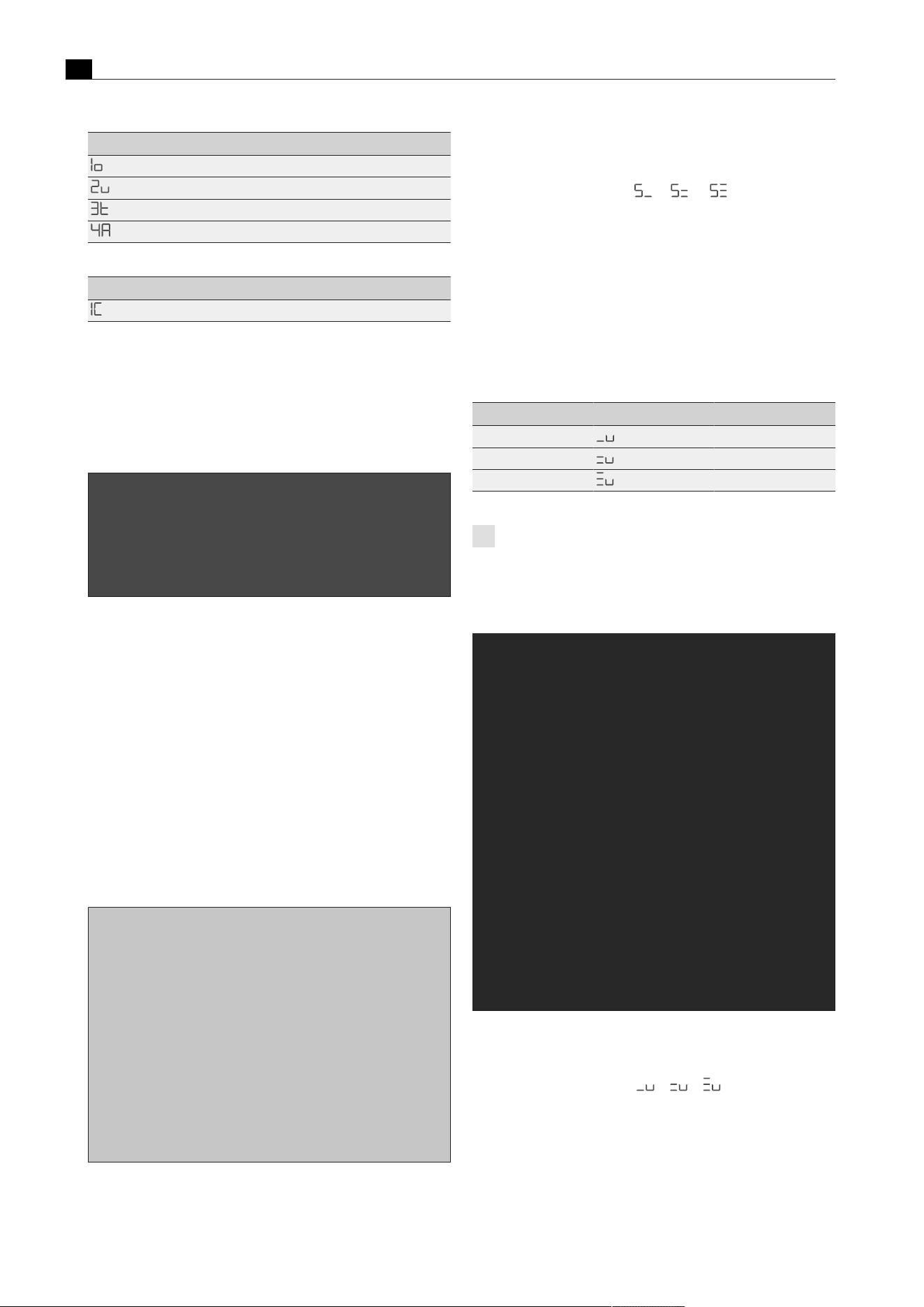
Functions and operation
EN
30 bora.com
Menu item Designation
Additional ring switching
Heat retention function (3 levels)
Cooking zone timer
Automatic heat up function
Tab.5.7
Function menu on Hyper and HiLight cooktops
Menu item Designation
Cleaning function
Tab.5.8
Tepan stainless steel grill function menu
5.6.1
Calling up the function menu
u
Touch the cooktop control knob
T
The function menu is opened.
T
The first menu item is shown in the control knob display.
Fig.5.29
Accessing a cooktop function menu
5.6.2
Additional ring switching–2-ring,
3-ring, roaster
An additional, larger ring can be easily switched on. This enables
rapid adjustment to the cookware used.
T
Additional ring switching can also be activated or deactivated when
the heat-up, timer and heat retention functions are active.
T
On the HiLight cooktop the 3-ring/roaster heating element is
treated as a second ring.
T
The last ring selection to be set is saved for the next cooking
session.
Activating additional rings (2-ring/3-ring additional
switching)
Fig.5.30
Activating additional rings
T
The second or third ring is activated in the chosen cooking zone.
T
The cooking session is continued at the set power level with two or
three active rings.
T
The number of active rings is shown in the control knob display
next to the power level (e.g.
or , or ).
Deactivating additional rings
u
Repeat the above steps, but select fewer active rings in the
function menu.
T
The cooking session is continued at the set power level with the
selected number of rings.
5.6.3
Variable heat retention function
Depending on the application or food used, it is possible to choose
from 3 heat retention levels at different temperatures:
heat retention level Symbol Temperature
1 (melting) ≈ 42°C
2 (keeping warm) ≈ 74°C
3 (simmering) ≈ 94°C
Tab.5.9
Heat retention levels
In practice the temperatures of the heat retention levels may
vary slightly as they are influenced by different factors.
Activating the heat retention function on induction
cooktops
Fig.5.31
Activating the heat retention function on induction cooktops
T
An acoustic signal is heard.
T
The selected heat retention level is activated.
T
is shown in the control knob / / displayed.

Functions and operation
EN
bora.com 31
Activating the heat retention function on Hyper and
HiLight cooktops
Fig.5.32
Activating the heat retention function on radiant bodies
T
An acoustic signal is heard.
T
The selected heat retention level is activated.
T
is shown in the control knob / / displayed.
Increasing or reducing the active heat retention level
Fig.5.33
Increasing the active heat retention level
Fig.5.34
Reducing the active heat retention level
Deactivating the heat retention function
Fig.5.35
Deactivating the heat retention function
T
The cooking zone is deactivated and the control knob display
shows
displayed.
5.6.4
Cooking zone timer
This automatic cut-off function automatically switches off the
selected cooking zone once a preset time has lapsed. You can set a
time from 30 seconds to 120 minutes for the cooking zone timer.
Activating cooking zone timers
Fig.5.36
Activating cooking zone timers
T
The cooking zone timer is activated for the chosen cooking zone.
T
The control knob display shows the time to be set beginning at
and the timer symbol displayed.
T
If no time is set within 4 seconds, the cooking zone timer is
deactivated. The control knob display goes back to the current
cooking session.
Setting the time and starting the cooking zone timer
Fig.5.37
Turn the knob ring clockwise
Fig.5.38
Turn the knob ring anticlockwise
Setting range 0–10min 10–120min
Setting accuracy 30sec. 1min
Tab.5.10
Setting accuracy
T
After confirming with a touch command, an acoustic signal is
heard, the cooking zone timer is activated and the set time starts
to count down.
T
The control knob display changes to the current cooking session
and the timer symbol
is displayed.
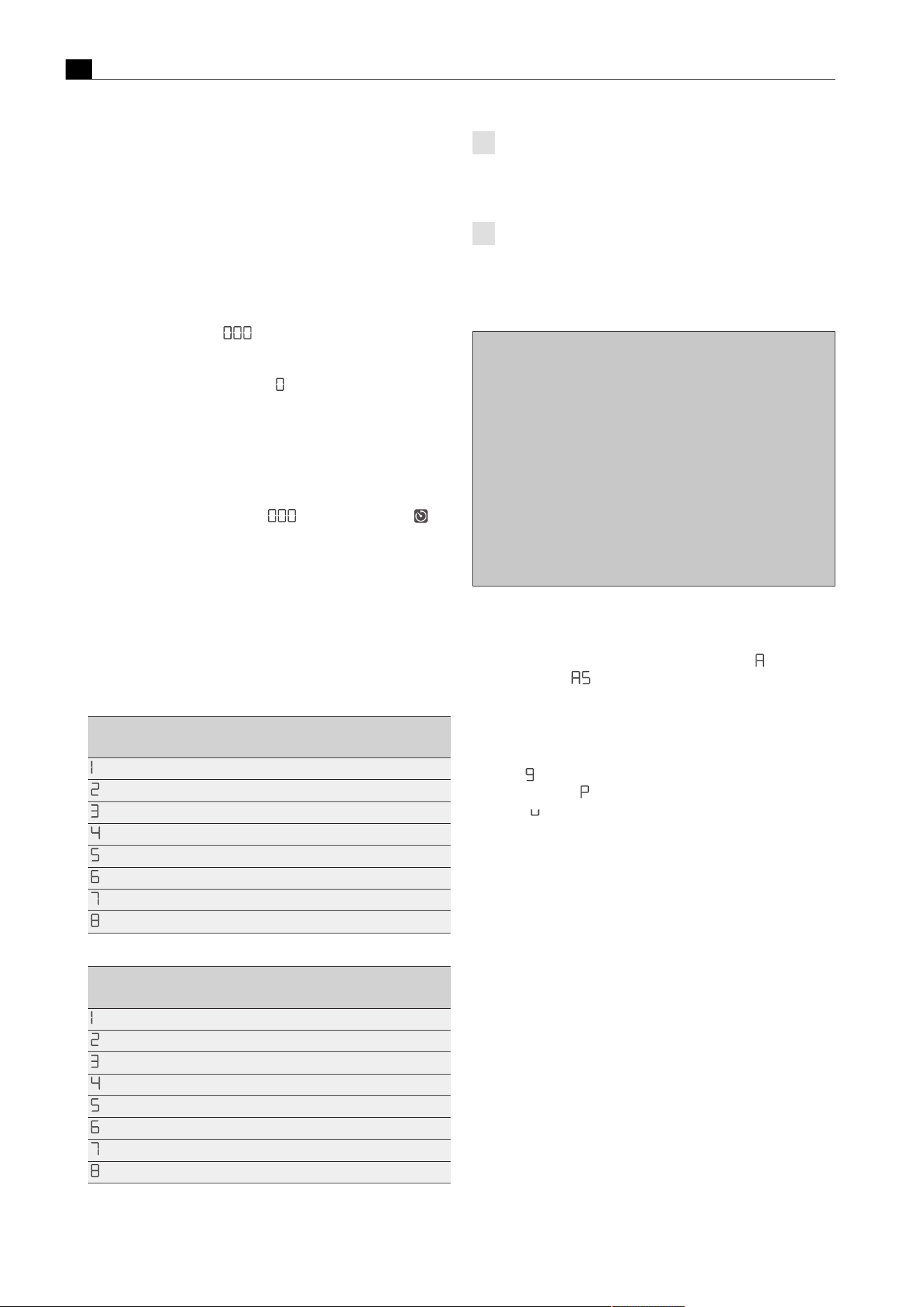
Functions and operation
EN
32 bora.com
T
The set power level and the remaining time are shown alternately
in the control knob display for 3 seconds.
T
When 2 minutes are left, the remaining time is shown in seconds.
T
Once the remaining time is less than 5 seconds, the remaining
time flashes.
Changing the active cooking zone timer
u
Repeat the steps to activate the cooking zone timer.
u
Change the set time and restart the cooking zone timer.
Switching the cooking zone timer off early
u
Repeat the steps to activate the cooking zone timer.
u
Reduce the set time to and confirm.
T
Active cooking sessions are resumed unchanged.
Or
u
Turn the knob ring to power level appears in the cooktop
extractor control knob display.
T
An acoustic signal sounds, the cooking zone is switched off and
the active cooking zone timer finishes.
Lapsed cooking zone timers
T
The cooking zone switches off automatically.
T
An acoustic signal is heard.
T
The control knob display shows and the timer symbol
flashing.
T
After 5 seconds the acoustic signal and the flashing display are
automatically deactivated.
The flashing display and acoustic signal can be stopped early with a
touch command on the control knob.
5.6.5
Automatic heat up function
When the automatic heat up function is activated, the cooking zone
works at full power for a certain time and is then automatically reset
to the previously set level.
Power level (continuous cooking
level)
Cooking times in min:sec
00:40
1:00
2:00
3:00
4:20
7:00
2:00
3:00
Tab.5.11
Overview of induction and gas cooktop heating times
Power level (continuous cooking
level)
Cooking times in min:sec
1:00
3:00
4:48
6:30
8:30
2:30
3:30
4:30
Tab.5.12
Overview of Hyper and HiLight cooktop heating times
If the cooking zone power level is increased while the
automatic heat up function is active, the automatic heat up
function remains active. The heating time is adjusted
accordingly.
If the cooking zone power level is decreased while the
automatic heat up function is active, the automatic heat up
function is deactivated.
Activating the automatic heat up function
Fig.5.39
Activating the automatic heat up function
T
An acoustic signal is heard, the automatic heat up function is
activated and the corresponding timer counts down.
T
The control knob display shows the heat-up symbol and the set
power level (e.g.
).
Deactivating the automatic heat up function early
u
The activated automatic heat up function will end prematurely if
you
u
reduce the power level (continuous cooking level);
u
set the power level;
u
the power setting the power setting;
u
activate the power setting;
u
switch off the cooktop.
Time lapsed
T
When the heat up time has lapsed, the previously set continuous
cooking level will be activated.
T
An acoustic signal is heard.
T
The heat-up symbol will no longer be displayed.
5.6.6
Cleaning function
The cleaning function adjusts the Tepan stainless steel grill to a
constant temperature of 70°C, which is perfect for cleaning. This
temperature is then maintained for 10 minutes.

Functions and operation
EN
bora.com 33
Activating the cleaning function
Fig.5.40
Activating the cleaning function
T
The cleaning function is activated and the Tepan stainless steel grill
is heated to 70°C.
T
Both control knobs show and both cooking zone indicators flash
during the warm-up phase.
T
As soon as the cleaning temperature is reached, the cooking zone
indicators are permanently lit and it is possible to start cleaning.
Deactivating the cleaning function
u
Turn a knob ring anticlockwise.
or
u
touch the cooktop control knob.
T
The cleaning function is deactivated.
Fig.5.41
Deactivating the cleaning function
When the knob ring is turned clockwise, a higher power level
is activated and cleaning must be stopped immediately (risk
of burns).
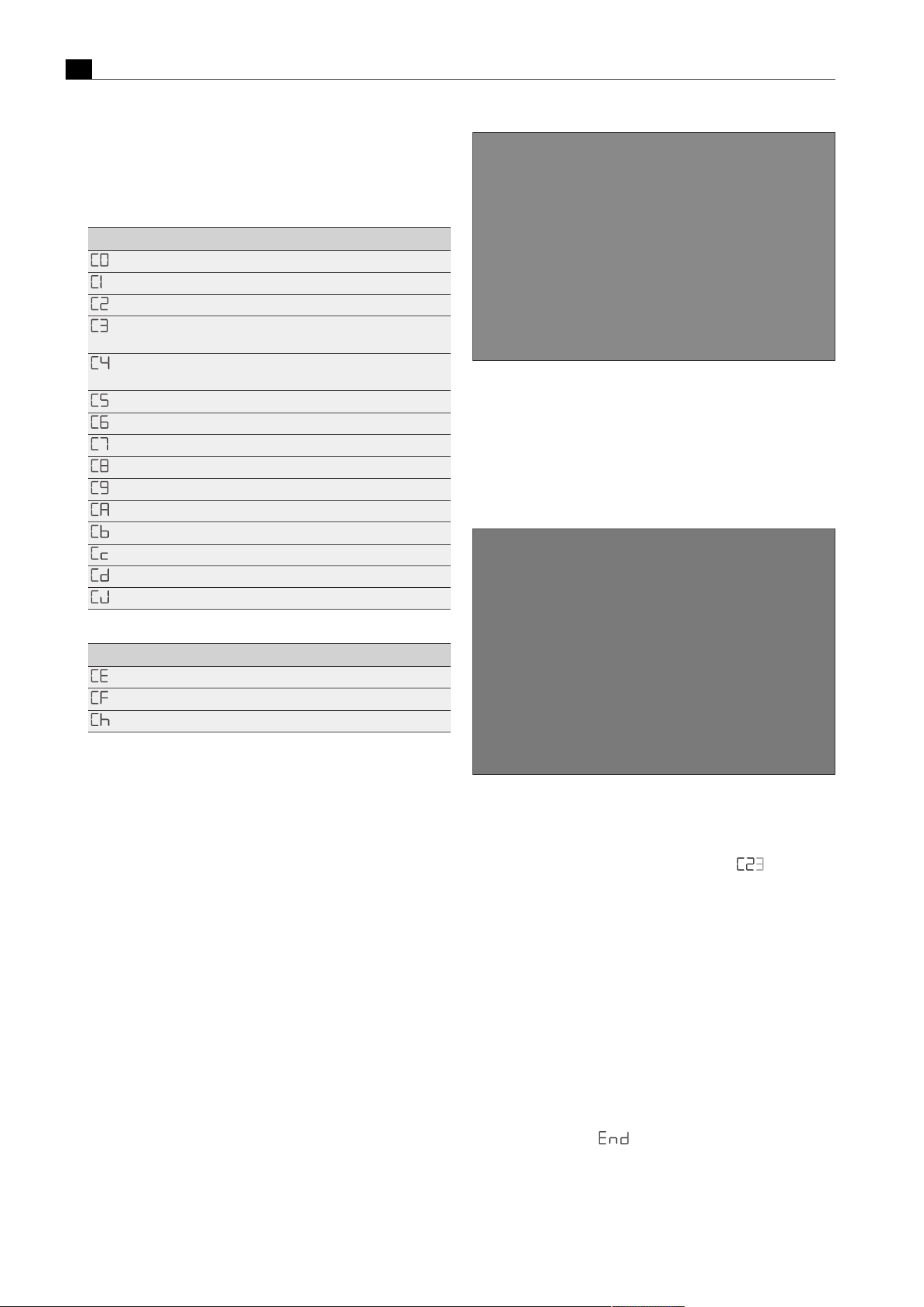
Configuration menu
EN
34 bora.com
6
Configuration menu
6.1
Menu overview
Menu item Setting
Acoustic signal volume
Demo mode
Speed of the cover flap motors
Exhaust air/recirculation mode and filter unit
selection
Operation with or without a wall sleeve (only in
exhaust air mode)
manual operation of the cover flap motors
Switching fan PWM values PKA/PKAS
installation of left cooktop 0°/180°
installation of right cooktop 0°/180°
Pause function/super simple mode
Number of fans installed
Perform software update
Perform data export
Software version indicator
Duration of the automatic after-run function
Tab.6.1
Menu overview
Menu item Setting
GPU configuration
Gas burner characteristic curves
GPU reset
Tab.6.2
Gas configuration menu
6.2
How to use the menu
6.2.1
Calling up the menu
The menu can only be called up when the system is switched on but
all appliances are inactive (= power level 0).
u
Extra-long press on the cooktop extractor control knob.
u
An animation appears (= prompt to turn).
u
Turn the knob ring clockwise by at least 90°.
T
The menu is called up and the first menu item is displayed.
Fig.6.1
Calling up the menu
6.2.2
Calling up the gas cooktop menu
u
Extra-long press on a gas cooktop control knob.
u
An animation appears (= prompt to turn).
u
Turn the knob ring clockwise by at least 90°.
T
The menu is called up and the first menu item is displayed.
Fig.6.2
Calling up the gas cooktop menu
6.2.3
Entering settings
Explanation of the menu item display (e.g.
):
Number in middle segment = menu item (100% brightness)
Number in right-hand segment = current setting (50% brightness)
Selecting and confirming menu items
u
Turn the knob ring to the required menu item.
u
Tap to confirm.
Making, confirming and saving settings
u
Turn the knob ring to the required setting.
u
Tap to confirm the setting.
T
The system adopts and saves the settings made when you exit the
corresponding menu item or the menu itself.
6.2.4
Closing the menu
u
Turn the knob ring to appears in the cooktop extractor
control knob display.
u
Tap to confirm the selection.
T
The menu is closed and the standard display appears.
or
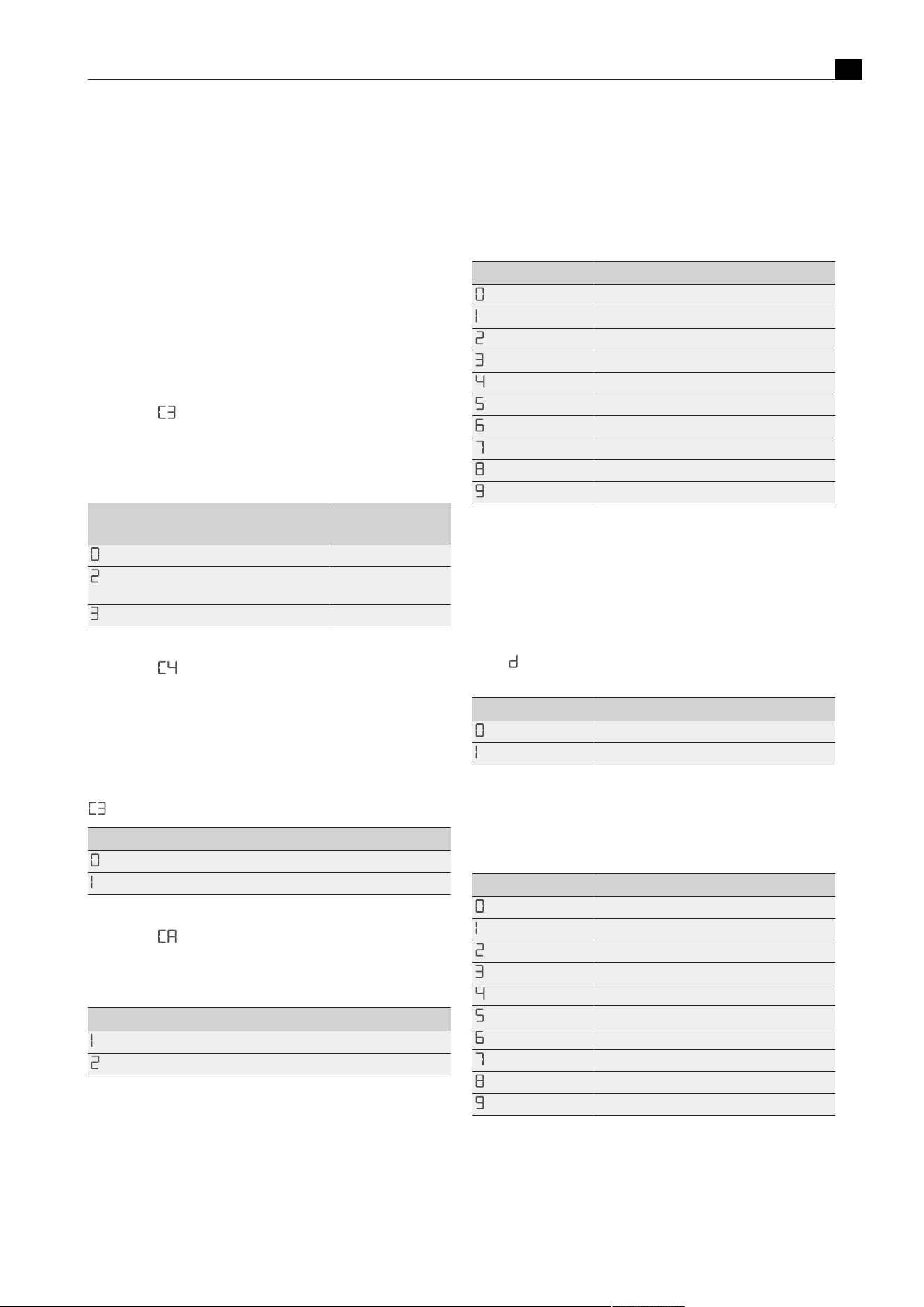
Configuration menu
EN
bora.com 35
T
The menu can be exited at any point by means of a long touch.
Settings that have not yet been confirmed will be lost.
or
T
If no settings are changed in a menu or submenu item for 2
minutes, the configuration menu is closed automatically and the
display goes out. The settings made are saved automatically.
6.3
Initial operation
When used for the first time, the system must be configured. It is
essential to select the correct settings from the menu items for the
basic configuration.
6.3.1
Basic configuration
Menu item
: exhaust air or recirculation mode (incl.
filter unit selection)
In recirculation mode, the correct selection of the filter unit
automatically sets the maximum recirculation filter service life and
adjusts the filter timer accordingly.
Setting Operating mode Filter unit (service
life)
Exhaust air mode No filter required
Recirculation mode ULB3X (600 h) (factory
setting)
Recirculation mode ULBF (300h)
Tab.6.3
Exhaust air or recirculation mode and filter unit selection
Menu item : operation with or without a wall sleeve
(only in exhaust air mode)
If a wall sleeve is used in exhaust air mode, when activating the
cooktop extractor a higher power level is automatically and
temporarily activated so that the wall sleeve opens properly (wall
sleeve function).
Prerequisite: The exhaust air mode setting was selected in menu item
.
Setting Wall sleeve
Operation without wall sleeve
Operation with wall sleeve (factory setting)
Tab.6.4
Operation with or without a wall sleeve
Menu item : Number of fans installed
If an additional fan is used when the system is installed, it must be
activated in the menu. (Not applicable in the case of ULIE additional
duct fan)
Setting Number of fans
One fan connected (factory setting)
Two fans connected
Tab.6.5
Number of fans installed
6.4
Description of the other menu
items
6.4.1
Menu item C0: Volume of the
acoustic signals
Setting Acoustic signal volume
100% (factory setting)
10%
20%
30%
40%
50%
60%
70%
80%
90%
Tab.6.6
Acoustic signal volume
6.4.2
Menu item C1: Demo mode
In demo mode all control knob functions are available and the
electrical cover flap and fan are operative (exception: automatic after-
run function). The cooktop heating function is deactivated. Demo
mode is used, for example, for exhibitions. If the system is in demo
mode,
is shown in all control knob displays for 3 seconds after the
appliance is switched on.
Setting Operating mode
Normal operation (factory setting)
Demo mode
Tab.6.7
Normal operation or demo mode
6.4.3
Menu item C2: Speed of the cover
flap motors
Setting Cover flap speed
100%
40%
46.7%
53.4%
60%
66.7%
73.3% (factory setting)
80%
86.7%
93.3%
Tab.6.8
Speed of the cover flap motors
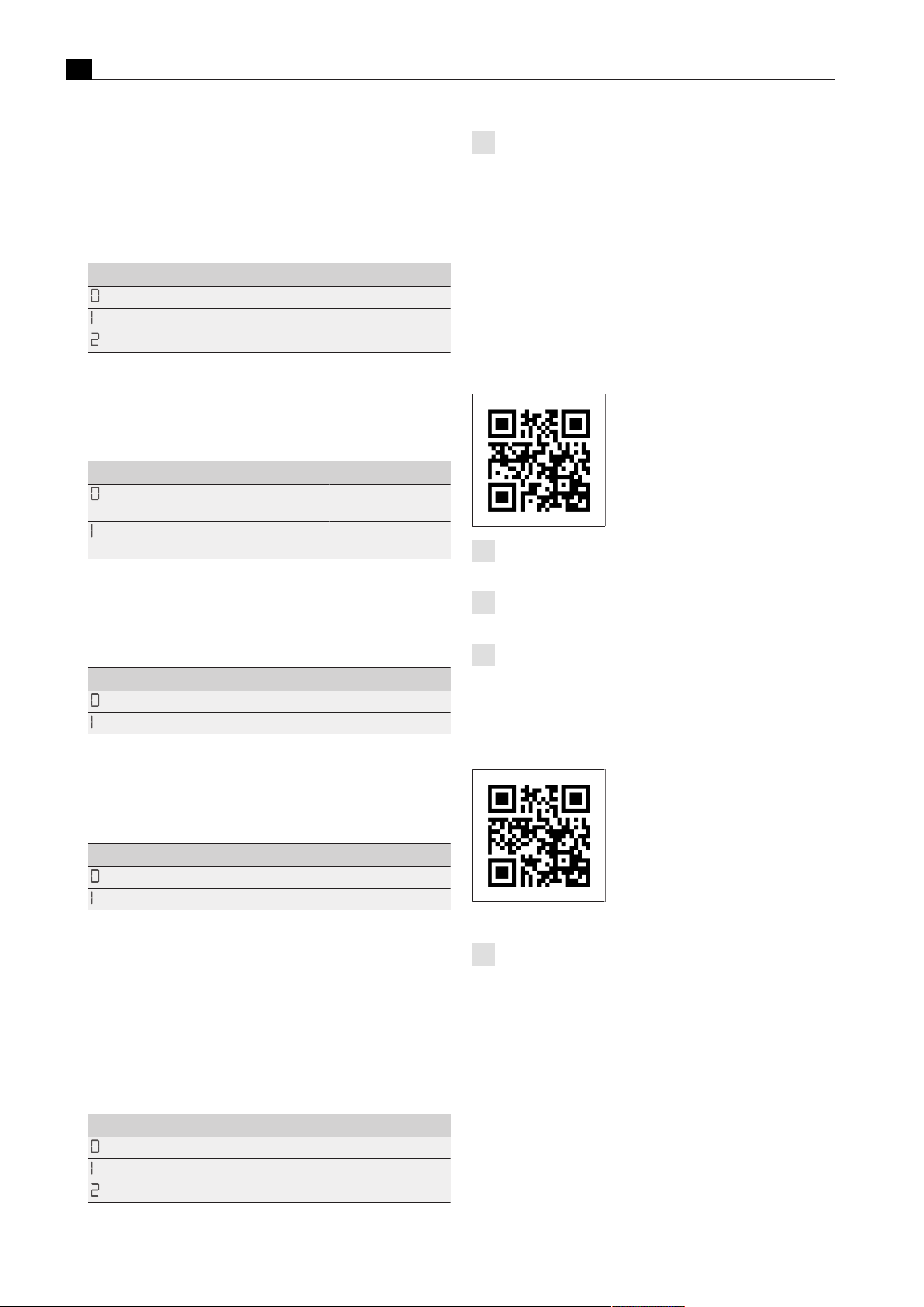
Configuration menu
EN
36 bora.com
6.4.4
Menu item C5: Manual operation
of the cover flap motors
If setting 1 or 2 is selected in menu item C5, the cover flap can be
manually opened or closed with a long press on the touch surface of
the control knob.
Setting Function
Leave menu item
Opening the cover flap
Closing the cover flap
Tab.6.9
Manual operation of the cover flap motors
6.4.5
Menu item C6: switching fan PWM
values
Setting Configuration
Fan PWM values
PKA3/PKA3AB
Factory setting on
PKA3/PKA3AB
Fan PWM values
PKAS3/PKAS3AB
Factory setting on
PKAS3/PKAS3AB
Tab.6.10
switching fan PWM values
6.4.6
Menu item C7: Installation of left
cooktop 0°/180°
Setting Set-up
Standard installation (factory setting)
Installation rotated by 180°
Tab.6.11
Cooktop set-up
6.4.7
Menu item C8: Installation of right
cooktop 0°/180°
Setting Set-up
Standard installation (factory setting)
Installation rotated by 180°
Tab.6.12
Cooktop set-up
6.4.8
Menu item C9: Pause function/
super simple mode
The pause function can be deactivated/activated. Most of the
additional functions are deactivated in super simple mode. Only the
T
cleaning function (PKT3)
T
2/3-ring switching (PKC3, PKCH3, PKCB3)
are available.
Setting Function
Pause function cannot be set (factory setting)
Pause function can be set
Super simple mode
Tab.6.13
Pause function activated/deactivated
When the super simple mode is activated, any active
functions (child lock, automatic extractor function, etc.) are
automatically deactivated. They cannot be reactivated until
the super simple mode is switched off
6.4.9
Menu item Cb: software update
Preparing the USB stick
u
Download the update ZIP file from the BORA website (https://
www.bora.com/service/download) or use the QR code
u
Unzip the ZIP file.
u
The unzipped updated data must be loaded onto a FAT 32
formatted USB stick.
Always use the latest update files. The files must not be
modified.
The update files must not be moved to a subfolder on the USB
stick.
When a link with the USB stick is established, the extractor
automatically detects which cooktops are connected and
updates them with the appropriate update file.
Instruction video
u
Scan the code to access the instruction video.
Performing a software update
Only fully functional cooktops can be updated. Ensure that it
functions properly.
u
Ensure that the appliance can be accessed from underneath.
u
Fitted drawers and cable protectors must be removed or
disassembled.
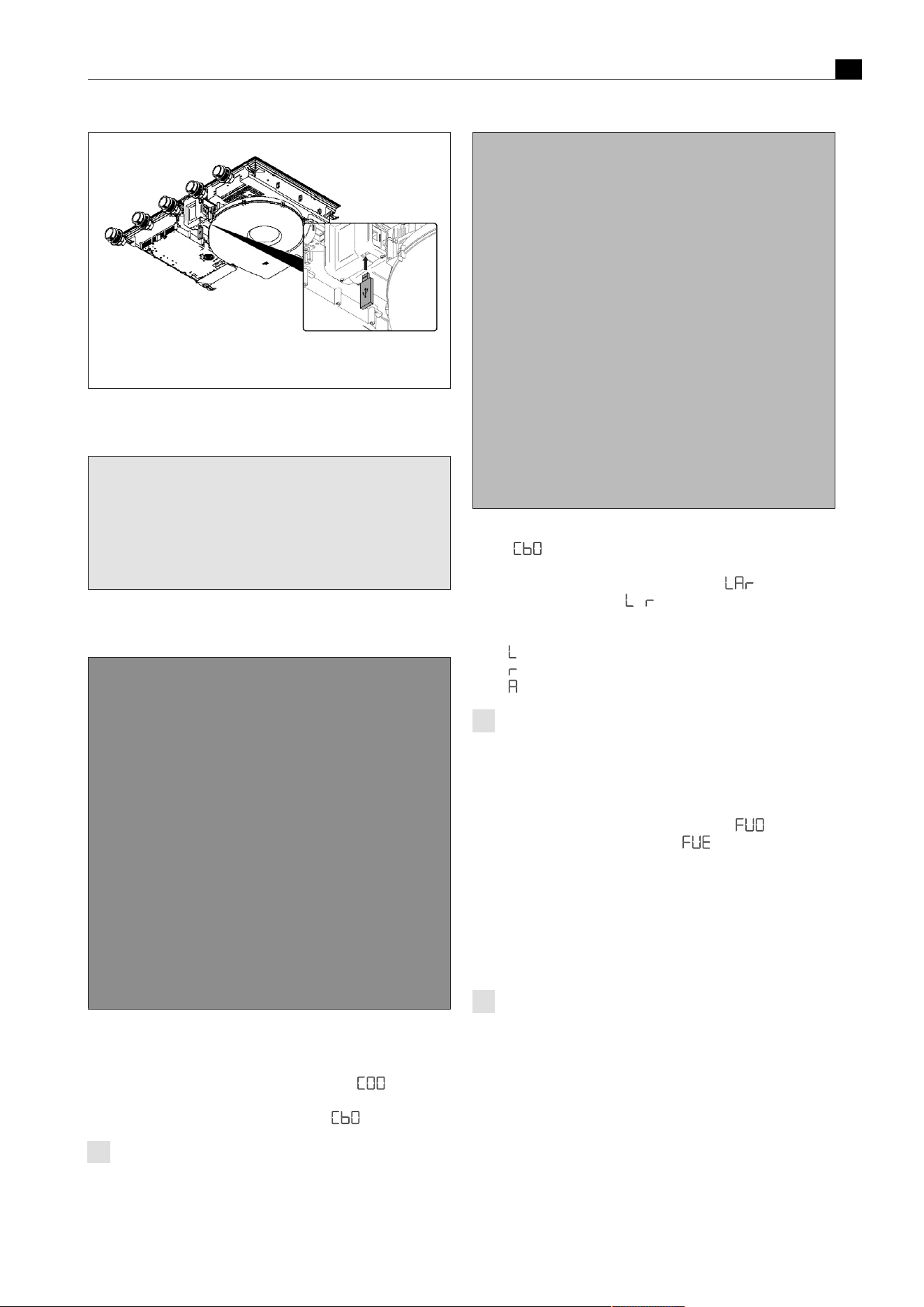
Configuration menu
EN
bora.com 37
Fig.6.3
Inserting the USB stick
u
Insert the USB stick into the slot on the cooktop extractor.
Fig.6.4
Activating the system
u
Activate the whole system using any control knob.
Fig.6.5
access the configuration menu
u
Press the fan knob until the second acoustic signal is heard.
u
Follow the prompt by turning the knob ring at least 90° clockwise.
u
You have reached the configuration menu when “ “ is
displayed.
u
Turn the knob ring clockwise to menu item “ ”.
The “b” is shown at 100% brightness as soon as the USB stick
is detected by the appliance.
Fig.6.6
Starting a software update
u
Tap “ “ to start the update.
T
Update time: approx. 1–2 minutes.
T
The control knob display shows the following: – in the case
of a whole system update,
- if only the cooktops are being
updated.
T
The characters will then flash one after the other:
T
is flashing: left cooktop upgrade in progress.
T
is flashing: right cooktop upgrade in progress.
T
is flashing: cooktop extractor upgrade in progress.
Where a single cooktop and extractor are combined, the
missing cooktop is shown by a dash (e.g. if there is no
cooktop on the left but there is one on the right, the display is
as follows: - A r)
T
If the software update has been installed successfully, an acoustic
signal will be heard and the system will display “
”.
T
If an error occurs during the update, “ “ is displayed.
u
If the update fails, follow the instructions in the “Troubleshooting”
chapter.
u
Acknowledge this by tapping the display.
u
Remove the USB stick from the appliance.
Final check
Perform data export
Wait at least 2 minutes between software update and data
export.
u
Insert the USB stick into the slot on the cooktop extractor.
u
Activate the whole system using any control knob.

Configuration menu
EN
38 bora.com
Fig.6.7
Perform data export
u
Press the fan knob until the second acoustic signal is heard.
u
Follow the prompt by turning the knob ring at least 90° clockwise.
T
You have reached the configuration menu when “ “ is
displayed.
u
Turn the knob ring clockwise to menu item “ ”.
u
Tap “ “ to start the data export.
T
During data export, “ “ is displayed on the control knob.
T
When the data export is complete, “ “ is displayed on the
control knob.
T
If an error occurs during the data export, “ “ is displayed.
u
Acknowledge this by tapping the display.
u
Remove the USB stick from the appliance.
Checking the software version
Wait at least 2 minutes between updating the software and
checking the software version.
Fig.6.8
Checking the software version
u
Press the fan knob until the second acoustic signal is heard.
u
Follow the prompt by turning the knob ring at least 90° clockwise.
T
You have reached the configuration menu when “ “ is
displayed.
u
Turn the knob ring clockwise to menu item “ ”.
u
Tap on “ “ to display the current software version.
u
Turn the knob ring clockwise to display the software version of the
corresponding component (cooktop on the left, cooktop extractor
or cooktop on the right)
T
The software version displayed must match the software version of
the files on your USB stick.
T
You can exit the menu by turning the knob ring until you see “End”
and then tapping the display.
Troubleshooting
T
If the “ ” in menu item “ “ is not lit up, the system was
unable to detect a USB stick.
T
If the “ ” in menu item “ “ is not lit up, the system was unable
to detect a USB stick.
If the USB stick is not detected or the error messages “
“/”
“ appear, the following steps must be taken:
u
Remove the stick for 5 seconds and then reinsert it. It can take up
to 5 seconds for the USB stick to be detected.
or
u
Leave the stick in the appliance and switch off the power supply
for 1minute.
u
If necessary, reformat the USB stick to FAT32 and copy the files as
indicated.
Troubleshooting if an update fails “ ”
u
The file names of the update files must not be modified (especially
“__.upd”).
u
Check that all files are on the stick and have not been moved to a
folder.
u
Call up configuration menu “ “ and then insert the USB stick.
6.4.10
Menu item Cc: data export
u
Start the data export by touching the display.
6.4.11
Menu item Cd: software version
indicator
The software currently used for all connected appliances is shown:
T
left cooktop
T
Cooktop extractor
T
right cooktop
It is shown as follows:
Indicator 1
(appliance)
Indicator 2 (software version)
xxx (= left cooktop software version)
xxx (= cooktop extractor software version)
xxx (= right cooktop software version)
Tab.6.14
software version indicator
The software versions are displayed one after the other by twisting
the control knob clockwise. The menu then closes.

Configuration menu
EN
bora.com 39
6.4.12
Menu item CJ: Duration of the
automatic after-run function
Setting Duration
10 min
15 min
20 min (factory setting)
Tab.6.15
Duration of the automatic after-run function
6.5
Gas configuration menu item
The burner nozzles, gas type, gas pressure and gas
characteristic curve may only be changed by a certified
engineer or BORA service technician. They also assume
responsibility for the proper gas installation and
commissioning.
It is important that the gas type, gas pressure and
characteristic curve are set correctly to ensure safe, failure-
free operation of the gas cooktop.
6.5.1
Menu item CE: GPU configuration
Under menu item CE (GPU) the minimum power of each burner and
gas type/pressure is regulated.
u
Select the correct setting.
Setting Gas type and gas pressure
G20, 20mbar (Factory setting)
G25, 20 mbar
G30, 29 mbar
G30/G31, 37 mbar
G30, 50mbar
G30/G31, 50 mbar
G20, 13mbar
G25, 25 mbar
G25.3, 25 mbar
G20, 25mbar
Tab.6.16
Setting the gas type and gas pressure
6.5.2
Menu item CF: Gas burner
characteristic curves
You can select the characteristic curves for the gas burners here. The
characteristic curves regulate the minimum gas burner power values.
The minimum power levels are adjusted using the characteristic
curves. Depending on the installation situation and the influence of
the cooktop extractor, if necessary, the characteristic curve can be
changed.
Characteristic curve A:
A enables the fine tuning of the power values, which can only be
adjusted in the best-case scenario and only in the case of natural gas
(G20, G25, G25.3). The best-case scenario is when:
T
no cooktop extractor is in operation; or
T
the cooktop, when using the cooktop extractor in exhaust air
mode, is used with sufficient ventilation; or
T
the cooktop, when using the cooktop extractor in recirculation
mode is used with a sufficient return flow aperture and the cooktop
extractor does not have a negative influence on the gas flame.
Characteristic curve B:
B is the factory default characteristic curve with balanced adjustment
of the individual power levels.
Characteristic curve C:
C increases the lower power levels and should only be used in the
event of a negative influence from the cooktop extractor.
u
Select the appropriate characteristic curve.
Setting Gas burner characteristic curves
Characteristic curve A
Characteristic curve B (factory setting)
Characteristic curve C
Tab.6.17
Characteristic curves for the gas burner
If the gas flame goes out, is excessively affected by the
extractor and/or the flame is not as it should be (e.g. soot
production, flame blowback, etc.), the characteristic curve
must be increased, as well as the ventilation in exhaust air
mode, if necessary, or the return flow aperture in recirculation
mode.
6.5.3
Menu item Ch: GPU reset
This menu item provides a reset function. This reset function can be
used in the case of faults and errors and during initial operation if the
gas cooktop does not react (does not ignite). The set values for the
gas type, pressure and characteristic curve remain unchanged and
are not affected by the reset.
u
Perform a reset if necessary.
Setting GPU reset
Resetting a locked GPU
Tab.6.18
Resetting a locked GPU

Cleaning and maintenance
EN
40 bora.com
7
Cleaning and
maintenance
u
Observe all safety and warning information (see"2Safety").
u
Follow the enclosed manufacturer’s information.
Clean stainless steel surfaces in the polishing direction only.
Do not use stainless steel care products on the stainless steel
surfaces or the stainless steel grill surface.
u
When conducting scheduled cleaning and maintenance, ensure
that the cooktop and cooktop extractor are fully switched off and
cooled so as to prevent injury.
T
Regular cleaning and maintenance ensures long service life of the
product and optimal function.
u
Adhere to the following cleaning and maintenance cycles.
Control knob cleaning cycles
Component Cleaning cycles
Knob ring/knob housing Immediately after every soiling
Tab.7.1
Control knob cleaning cycles
Cooktop extractor cleaning cycles
Component Cleaning cycles
Cooktop extractor interior and
surface
After cooking very greasy dishes; at
least once a week
Air inlet nozzle, grease filter unit After cooking very greasy dishes; at
least once a week
Cover flap, grease filter and filter
tray
After cooking very greasy dishes; at
least once a week.
Maintenance tray When necessary (in recirculation
mode at the latest when the
activated charcoal filter is replaced)
Activated charcoal filter (with
recirculation only)
Replace if odours have built up or
the service life has expired
Tab.7.2
Cleaning cycles
Cooktop cleaning cycles
Component Cleaning cycles
Cooktop Clean well immediately after soiling,
using conventional detergents
Only on the gas cooktop:
Pan supports gas burner parts Clean well immediately after soiling,
using conventional detergents
Tab.7.3
Cooktop cleaning cycles
7.1
Cleaning agents
Due to the use of aggressive cleaning agents and abrasion
caused by the pot bases the surface will become damaged
and dark stains will occur.
u
Never use steam cleaners, abrasive sponges, scouring pads or
chemically aggressive cleaning agents (e.g. oven cleaner spray).
u
Make sure that the cleaning agent does not contain any sand,
soda, acids, lyes or chloride.
7.1.1
Cleaning products for glass
ceramic cooktops
To clean the cooktop, you need a special glass ceramic scraper and
suitable cleaning agents.
Do not use the glass ceramic scraper in the curved cooking
zone of the wok cooktop.
7.1.2
Cleaning products for the Tepan
stainless steel grill
To clean the Tepan stainless steel grill you need a special Tepan
spatula and suitable cleaning agents. In the case of heavy soiling, a
new sponge scourer can be used.
7.2
Cleaning the cooktop extractor
Grease particles and limescale residues from cooking vapours can
settle on the surface and in the extraction system.
u
Clean the cooktop extractor components in accordance with the
cleaning cycles.
u
Remove the cover flap, grease filter and filter tray prior to cleaning.
u
Clean the surfaces using a soft, damp cloth, detergent or a mild
window cleaning agent.
u
Soften dried on dirt using a damp cloth (do not scrape it off!).
Cover flap cleaning position
u
Ensure that the cooktop extractor is switched on but inactive (=
power level 0).
u
Activate the cleaning function on the cooktop extractor
(see"5Functions and operation").
T
The cover flap opens and displayed.
T
The fan motor will not start or will switch off if running.
7.2.1
Removing the cover flap, grease
filter and filter tray
The grease filter components can only be removed when the cooktop
extractor cleaning function is active.
u
Lift the cover flap up to remove it.
u
Reach into the opening in the cooktop extractor and remove the
grease filter and filter tray.
T
appears on the cooktop extractor’s control knob displayed.
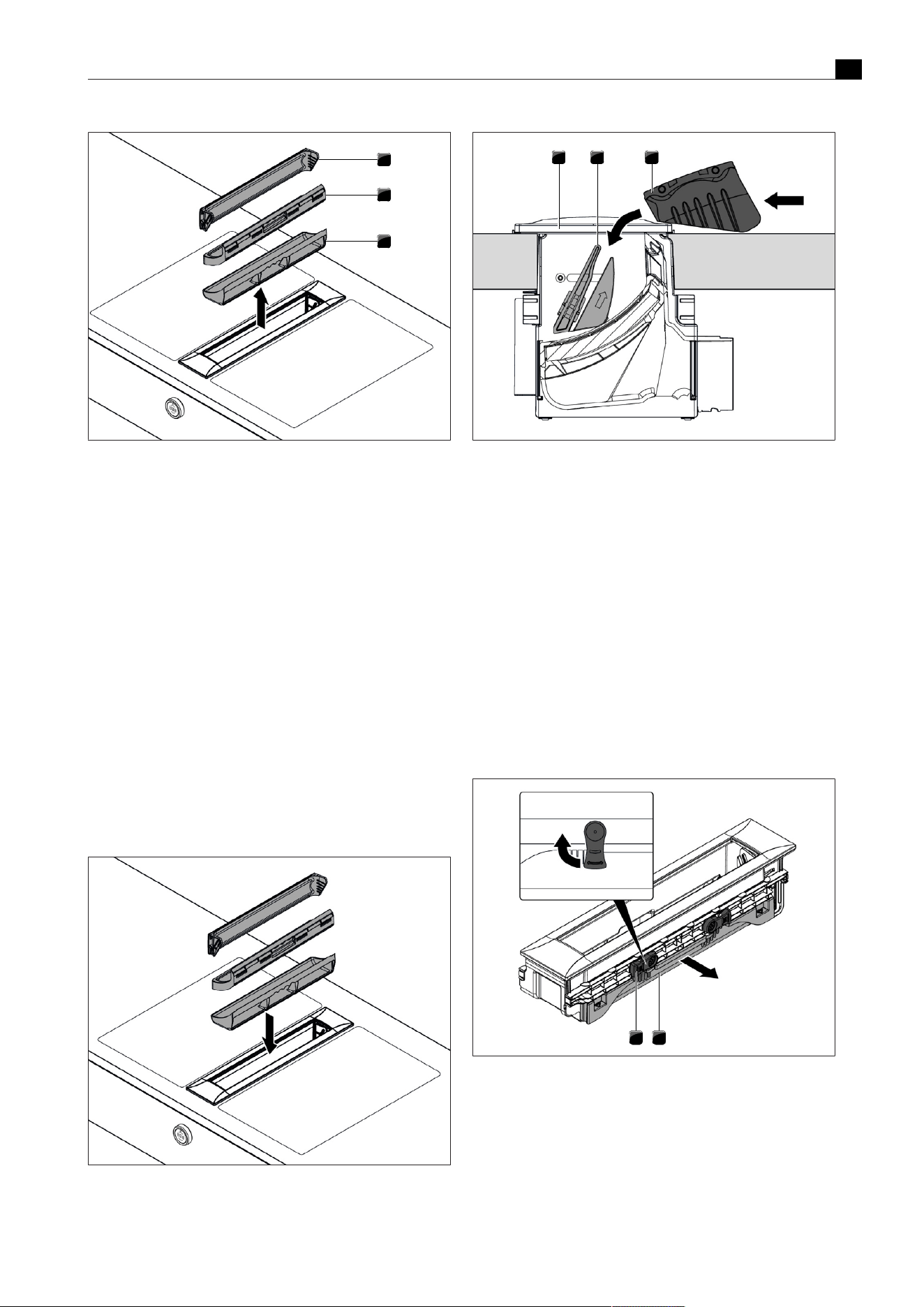
Cleaning and maintenance
EN
bora.com 41
1
2
3
Fig.7.1
Removing the grease filter components
[1]
Cover flap
[2]
Grease filter
[3]
Filter tray
7.2.2
Fitting the cover flap, grease filter
and filter tray
u
Insert the filter tray in the opening on the extractor.
u
Insert the grease filter into the opening in the extractor.
u
Ensure that the grease filter sits correctly in the gap in the housing.
u
Lay the cover flap on its side next to the extractor opening.
u
Allow the cover flap to slide diagonally into the holder.
u
Press the ends of the cover flap lightly from above until you hear
them click into place.
u
Make sure that the cover flap has been fitted correctly.
T
If the cover flap is not properly installed in its locking mechanism,
it will not close fully.
T
If the grease filter or cover flap has not been properly fitted, the
error message ‘E012’, ‘E013’ or ‘FF out’ appears on the control
knob’s display (see"8Troubleshooting").
Fig.7.2
Fitting the components
1 2 3
Fig.7.3
Fitting the cover flap
[1]
Extractor opening
[2]
Holder
[3]
Cover flap
7.2.3
Removing the maintenance tray
The maintenance tray cannot be removed in the following installation
situations:
T
single installation
T
second adjacent extractor
T
adjacent wok cooktop
To remove the maintenance tray, the grease filter and filter tray must
be removed first.
u
Turn the two levers of the lock outwards 90° to unlock the
maintenance tray.
u
Lift the maintenance tray out of the cooktop extractor.
12
Fig.7.4
Removing the maintenance tray
[1]
Maintenance tray
[2]
Lock
7.2.4
Installing the maintenance tray
u
Slide the maintenance tray into the cooktop extractor.

Cleaning and maintenance
EN
42 bora.com
u
Turn the two levers of the lock downwards to lock the maintenance
tray.
Fig.7.5
Installing the maintenance tray
7.2.5
Cleaning the components
The cover flap, grease filter, filter tray and maintenance tray can be
cleaned by hand or in the dishwasher.
Manual cleaning
u
Use a cleaner and degreaser in one.
u
Rinse the components with hot water.
u
Clean the components with a soft brush.
u
Rinse the components well after cleaning.
Cleaning in the dishwasher
u
Remove coarse food residues from the components.
u
Place the components in the dishwasher.
u
No water should be able to gather in the components.
u
Rinse the components with a rinsing program at a maximum
temperature of 65°C.
If the stainless steel grease filter can no longer be fully
cleaned, it must be replaced (Warranty, technical service,
spare parts, accessories).
7.2.6
Ending the cooktop extractor
cleaning process
To end the cleaning function, all grease filter components must be
correctly fitted.
u
Turn the knob ring or touch the control knob on the cooktop
extractor.
T
This deactivates the cleaning function.
T
The display on the control knob changes from C to 0 and the
cooktop extractor is ready for use.
T
If the grease filter or cover flap has not been properly fitted, the
error message ‘E012’, ‘E013’ or ‘FF out’ appears on the control
knob’s display (see"8Troubleshooting").
7.2.7
Replacing the recirculated air filter
In recirculation mode, an additional activated charcoal filter is used.
The activated charcoal filter absorbs cooking odours. The activated
charcoal filter is installed on the plinth fan or the duct system. If an
activated charcoal filter has reached the end of its service life, the
filter service display will appear and the filter must be replaced. After
replacing the filter, the filter service life must be reset.
u
Change the activated charcoal filter when the filter service display
appears.
T
You can see the service life and a description of how to change the
filter in the activated charcoal filter operating instructions.
u
Reset the filter service display (see"5.4.5Filter service life and
filter service display").
You can obtain activated charcoal filters from your specialist
supplier or from the BORA Shop via the website at http://
www.mybora.com.
7.3
Cleaning the cooktops
Any changes in colour or glossy spots do not mean that the cooktop
is damaged. They do not affect the functionality of the cooktop or the
stability of the glass ceramic panel.
Changes in the colour of the cooktop are the result of residues which
have not been removed and have burnt on.
Glossy spots are the result of wear by the pan base, especially if
aluminium-based cookware or unsuitable cleaning agents are used.
These are difficult to remove.
7.3.1
Cleaning glass ceramic cooktops
u
Make sure that the cooktop is switched off.
u
Wait until all cooking zones are cold.
u
Remove all coarse dirt and food residues from the cooktop using a
glass ceramic scraper.
u
Apply the cleaning agent to the cold cooktop.
u
Spread the cleaning agent using kitchen roll or a clean cloth.
u
Wipe the cooktop clean with a damp cloth.
u
Dry the cooktop with a clean cloth.
If the cooktop is hot:
u
Remove stubborn residues of plastic, aluminium foil, sugar or
sweet dishes from the hot cooking zone immediately using a glass
ceramic scraper to prevent burning.
Heavy soiling
u
Remove heavy soiling and marks (limescale marks, mother-of-
pearl-like shiny marks) using cleaning products while the cooktop
is still warm.
u
Wipe off any food that boils over with a damp cloth.
u
Remove any remaining dirt with the glass ceramic scraper.
u
Always remove any seeds, crumbs or similar that fall onto the
cooktop during cooking immediately to prevent the surface getting
scratched.
7.3.2
Cleaning the surface of the Tepan
stainless steel grill
Any changes in colour or small scratches do not mean that the
cooktop is damaged. They do not affect the functionality of the
cooktop or the stability of the stainless steel grill surface. Changes in
the colour of the cooktop are the result of residues which have not
been removed and have burnt on.
Use the scraper only on the grill surface as otherwise other
surfaces may be damaged.
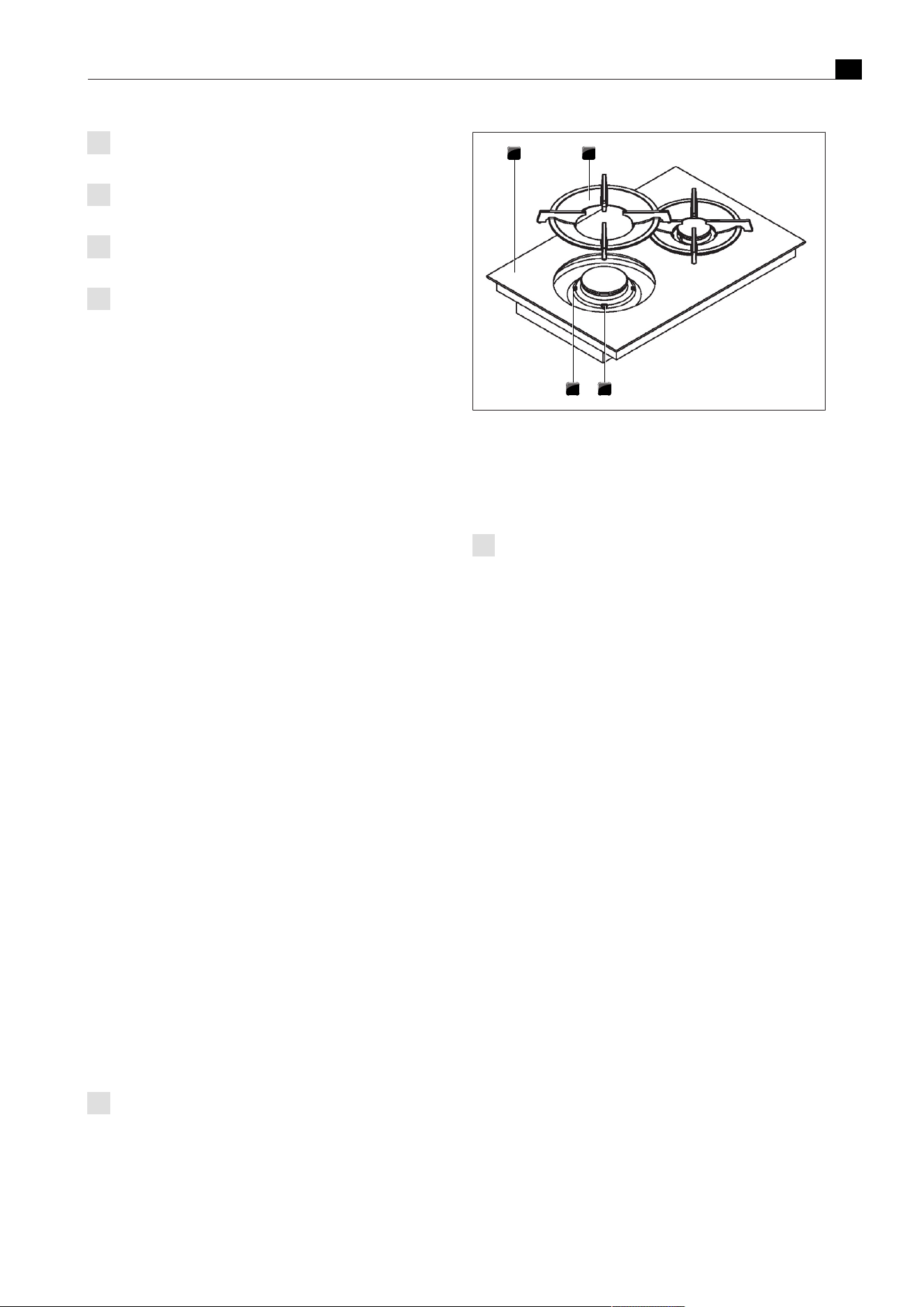
Cleaning and maintenance
EN
bora.com 43
Changes may occur in the surface of the grill after using the
spatula or a sponge scourer.
Do not apply cleaning products to the adjoining areas
between the cooktop and worktop.
Use the cleaning function to clean the Tepan stainless steel
grill.
Clean stainless steel surfaces in the polishing direction only.
Light soiling
u
Make sure that the cooktop is switched off.
u
Wait until the stainless steel grill surface has cooled.
u
Remove light soiling with a damp cloth and detergent.
u
To prevent water or limescale stains (yellowish colouring), use a
soft cloth to dry off the surfaces that have been cleaned with
water.
Normal soiling
u
Ensure that the cleaning function is activated for both grilling
zones.
u
Wait until the grilling zone indicators are no longer flashing (=
optimum cleaning temperature of 70°C).
u
Use only clean, cold water on the grill surface.
u
Leave the water to work for 15 minutes.
u
Then remove all coarse dirt and food residues using a Tepan
spatula.
u
Remove the remaining dirt and water with a clean cloth.
u
Dry the cooktop with a clean cloth.
Heavy soiling
u
Ensure that the cleaning function is activated for both grilling
zones.
u
Wait until the grilling zone indicators are no longer flashing (=
optimum cleaning temperature of 70°C).
u
Dilute a drop of washing-up liquid in a bowl of warm water
(approx.200ml).
u
Pour the liquid on the grill surface.
u
Leave the solution to work for approx. 5–8 minutes.
u
Loosen burned-on food from the grill surface with a plastic brush.
u
Remove all dirt and water with a cloth.
u
Pour 50 ml of water and a drop of washing-up liquid onto the grill
surface.
u
Clean the entire grill surface using the rough side of a sponge
scourer, only in the direction of the grain. Also use the Tepan
spatula to help.
u
Remove all of the remaining dirt and water with a clean cloth.
u
Use clean, cold water on the grill surface.
u
Remove the remaining dirt and water with a clean cloth.
u
Dry the cooktop with a clean cloth.
7.3.3
Cleaning the components on the
gas cooktop
The surface of the cast iron parts will become duller with the
passing of time. This is quite normal and does not mean that
the material is damaged.
Cleaning the pan supports
u
Remove the pan support.
T
Pan supports can only be cleaned by hand.
1 2
34
Fig.7.6
Gas burner structure
[1]
Gas cooktop
[2]
Pan support
[3]
Gas burner
[4]
Positioning aid
The pan supports are not dishwasher safe.
Manual cleaning
u
Use a cleaner and degreaser in one.
u
Rinse the pan supports with hot water.
u
Clean the pan supports with a soft brush.
u
Rinse the pan supports well after cleaning.
u
Dry the pan supports carefully with a clean cloth.
T
In the case of particularly stubborn or burned-on dirt, the pan
support can be briefly soaked in warm water with washing-up
liquid. Any limescale marks can be more easily removed with
diluted vinegar.
Cleaning the gas burner parts
T
Do not start cleaning until the gas burner has returned to normal
temperature after use.
T
The burner parts are not dishwasher safe. Burner parts must only
be cleaned by hand.
T
Only clean with normal hot water to rinse and a conventional
washing-up liquid, using a soft sponge or a normal dishcloth.
T
Never scratch or scrape cooking residues off.
u
Remove the pan support.
u
Remove the burner cap from the burner head.
u
Remove the burner head from the gas outlet
u
Clean the parts of the burner.
u
Clean all of the flame outlet openings with a non-metallic brush.
u
Wipe the fixed parts of the burner with a damp cloth.
u
Wipe the igniter electrode and the thermocouple carefully with a
well-wrung-out cloth.
T
The igniter electrode must not get wet, otherwise the ignition spark
will not light.
u
Finally, dry the pan supports carefully with a clean cloth.
T
Before reassembling the flame openings, burner heads and burner
caps must be completely dry.
u
Put the burner parts back together again.
u
Position the burner head correctly on the gas outlet.
u
Ensure that the safety thermocouple and the electric igniter are
positioned in the correct opening.
u
Position the burner cap so that it fits perfectly, sitting straight on
the burner head.
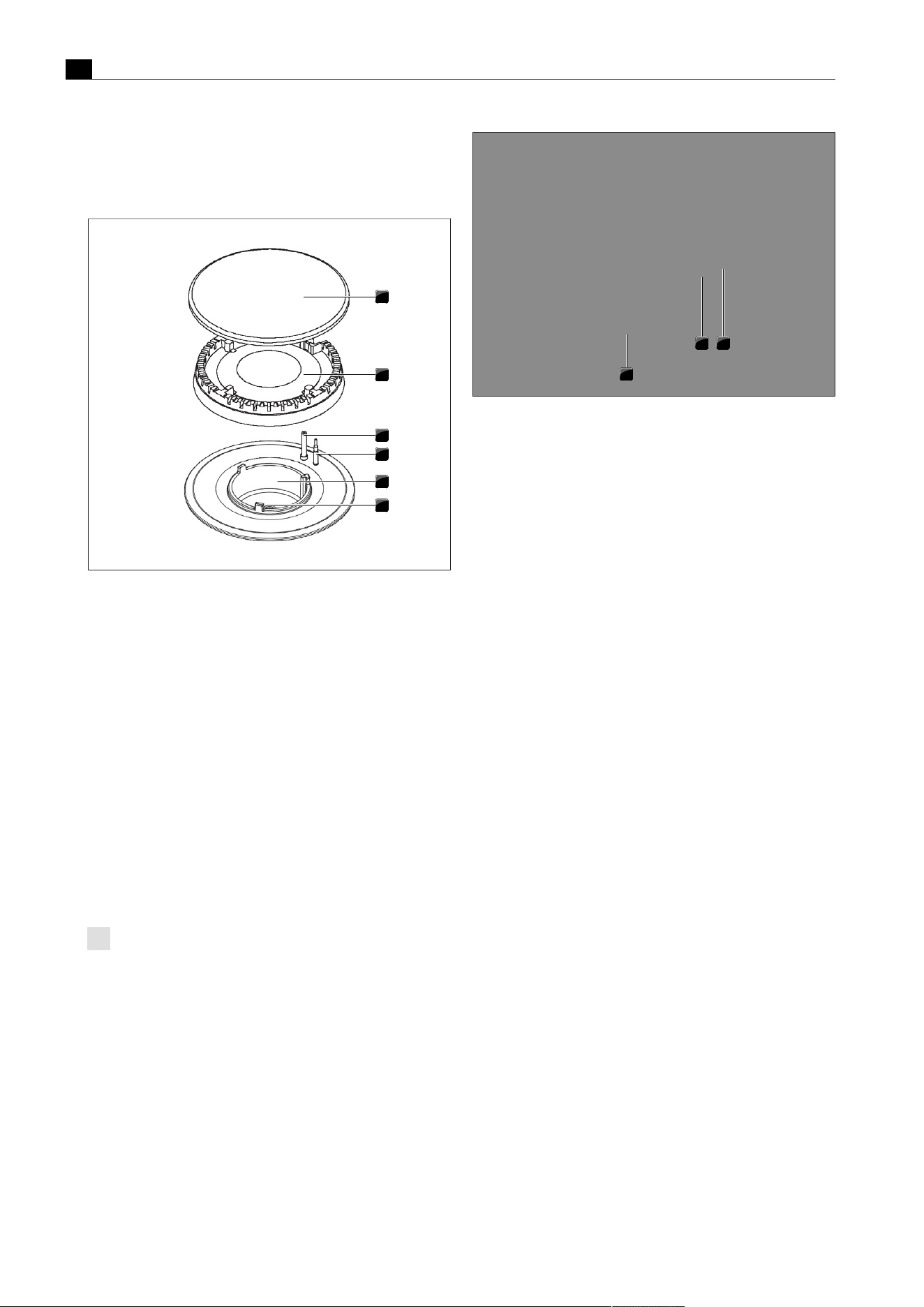
Cleaning and maintenance
EN
44 bora.com
T
If burner parts are not positioned correctly, the electric igniter will
not work.
u
Place the pan support straight on the gas burner so it fits perfectly.
u
Put the gas burner into operation.
1
2
3
4
5
6
Fig.7.7
Gas burner structure
[1]
Burner cap
[2]
Burner head
[3]
Burner head
[4]
Safety thermocouple
[5]
Burner housing
[6]
Gas burner nozzle
7.4
Looking after your cooktops
u
Never use the appliance as a work or storage surface.
u
Do not push or pull cookware over the appliance.
u
Always lift pots and pans.
u
Keep the appliance clean.
u
Remove any dirt immediately.
u
Only use suitable cookware with the appliance.
7.5
Cleaning the control knobs
The knob rings are not dishwasher safe.
Cleaning the knob ring
The knob ring can only be cleaned by hand.
u
Remove the knob ring from the knob housing.
u
Use a cleaner and degreaser in one.
u
Rinse the knob ring with hot water.
u
Clean the knob ring with a soft brush.
u
Rinse the knob ring well after cleaning.
u
Dry the knob ring carefully.
u
Place the dry knob ring back on the knob housing.
1
2
3
Fig.7.8
Pull out the knob ring
[1]
Knob housing
[2]
Touch surface
[3]
Knob ring
Cleaning the touch surface and the knob housing
u
Remove the knob ring.
u
Clean the touch surface and the knob housing with a soft, damp
cloth.
u
Dry the touch surface and the knob housing carefully.
u
Place the knob ring on the knob housing.
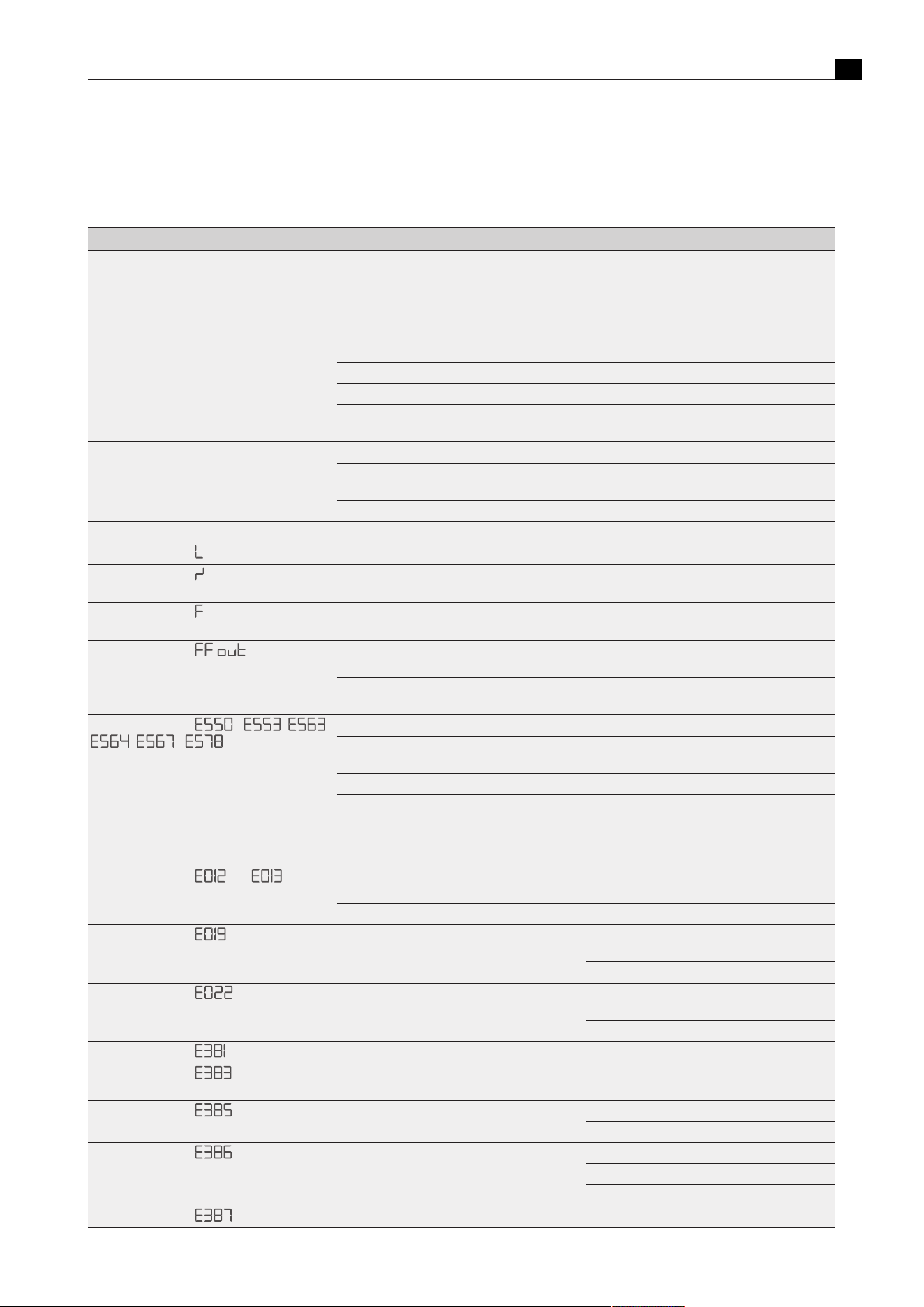
Troubleshooting
EN
bora.com 45
8
Troubleshooting
8.1
Cooktop extractor troubleshooting
Operating situation Cause Remedy
The cooktop extractor cannot be switched on Knob ring missing Slot the knob ring onto the control knob
The fuse or automatic circuit breaker of the
electrical wiring system in the apartment and/or
house is defective
Replace the fuse
Switch the automatic circuit breaker back on
The fuse or the automatic circuit breaker trips
several times
Contact the BORA Service Team
The power supply is disconnected Have a specialist inspect the power supply
The pause function is active Deactivate the pause function
The micro fuse in the control unit's cooling
device plug connection is defective
Replace the fuse (type: T 3.15A/250V)
The fan motor won’t start The cover flap is not fitted or is fitted incorrectly Fit the cover flap correctly
The grease filter is not fitted or is fitted
incorrectly
Fit the grease filter correctly
The fan motor is faulty Contact the BORA Service Team
Odour formation when operating a new appliance This is normal with brand new appliances Odours stop forming after a few operating hours
Control knob display
The child lock is activated
Switch off the child lock (see"5.4.4Child lock")
Control knob display
Continuous operation (> 8 s) of the control knob
or control knob dirty
Take your finger off the control knob or clean the
knob
Control knob display
End of activated charcoal filter service life
reached
Fit a new activated charcoal filter
(see"7Cleaning and maintenance")
Control knob display
The grease filter is not fitted or is fitted
incorrectly
Please check if the grease filter has been
correctly positioned (re-insert).
The cover flap sensor is faulty Contact the BORA Service Team.
Control knob display - , ,
, - ,
An object is obstructing the cover flap Remove the object
The cover flap has not clicked into place in its
holder
Lightly press the ends of the cover flap from
above until you hear it click into place
The cover flap sensor is faulty or misaligned Contact the BORA Service Team
Loss of power when the cover flap is removed Touch to acknowledge. If necessary, move the
flap manually using menu item C5
(see"6.4.4Menu item C5: Manual operation of
the cover flap motors")
Control knob display and
the cover flap are not fitted or are fitted
incorrectly
Fit the cover flap correctly
The cover flap sensor is faulty Contact the BORA Service Team
Control knob display
Error in the touch surface values Remove the knob ring and put it back on. Repeat
the touch command.
Contact the BORA Service Team.
Control knob display
Knob settings incorrectly interpreted, controls
switch off after 4 to 8 seconds
Remove the knob ring and put it back on. Repeat
the touch command.
Contact the BORA Service Team.
Control knob display
The Home In contact is interrupted Check the Home In contact cable or bridge
Control knob display
The Home In contact is interrupted In exhaust air mode, open the window, for
example.
Control knob display
The fan does not rotate during operation Check the fan connections on the control box.
Replace the control box.
Control knob display
Fewer fans operating than configured. Check the fan configuration in menu CA.
Check the fan connections on the control box.
Replace the control box.
Control knob display
More fans operating than configured. Check the fan configuration in menu CA.
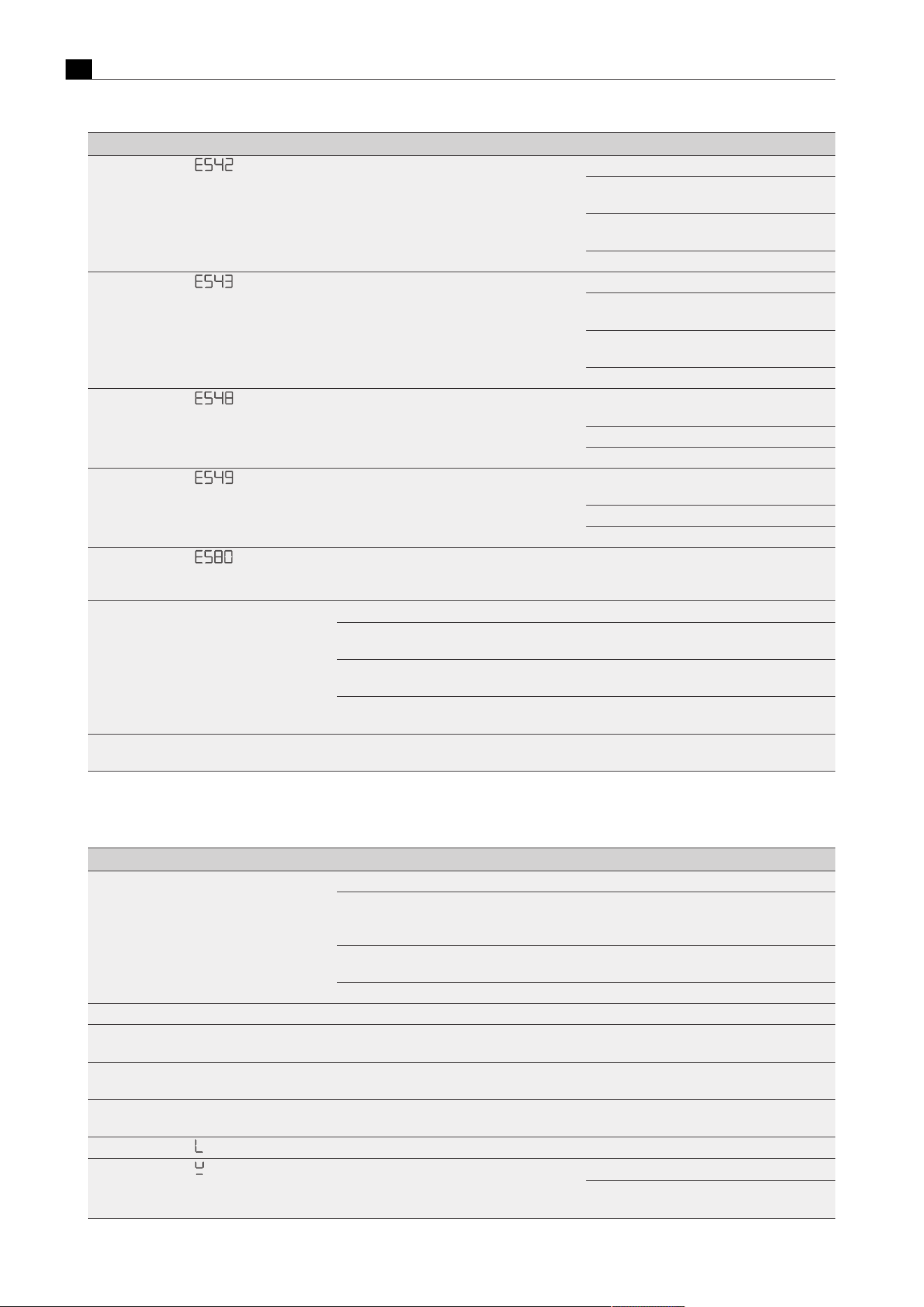
Troubleshooting
EN
46 bora.com
Operating situation Cause Remedy
Control knob display
Left cooktop not connected or has no power. Check the supply voltage to the left cooktop.
Check the cabling from the cooktop to the
cooktop extractor.
Replace the connection cable between the
cooktop and the cooktop extractor.
Replace the interface board for the left cooktop.
Control knob display
Right cooktop not connected or has no power. Check the supply voltage to the right cooktop.
Check the cabling from the cooktop to the
cooktop extractor.
Replace the connection cable between the
cooktop and the cooktop extractor.
Replace the interface board for the right cooktop.
Control knob display
Communication with the left cooktop faulty Check the cabling from the cooktop extractor to
the left cooktop.
Check the power supply to the left cooktop.
Replace the interface board for the left cooktop.
Control knob display
Communication with the right cooktop faulty. Check the cabling from the cooktop extractor to
the right cooktop.
Check the power supply to the right cooktop.
Replace the interface board for the right cooktop.
Control knob display
Configuration menu cannot be activated in this
operating state. Power levels active on the
cooktop or extractor.
Deactivate the power level on the extractor and
both cooktops.
The extraction performance of the cooktop
extractor has decreased
The stainless steel grease filter is heavily soiled Clean or replace the stainless steel grease filter
The activated charcoal filter is extremely dirty
(only in recirculation mode)
Replacing the activated charcoal filter
There is an object in the air guiding housing (e.g.
cleaning cloth)
Remove the object
The fan is defective or a duct connection has
become loose
Contact the BORA Service Team
The cover flap is not completely open/closed Movement was stopped by an interruption to the
power supply
Move the cover flap manually to the end position
(see the installation instructions)
Tab.8.1
Troubleshooting
8.2
Cooktop troubleshooting
Operating situation Cause Remedy
The cooktop cannot be switched on Knob ring missing Slot the knob ring onto the control knob.
The fuse or automatic circuit breaker of the
electrical wiring system in the apartment and/or
building is defective.
Replace the fuse. Switch the automatic circuit
breaker back on.
The fuse or the automatic circuit breaker trips
several times
Contact the BORA Service Team.
The power supply is disconnected. Have a specialist inspect the power supply.
Odour formation when operating a new appliance This is normal with brand new appliances Odours stop forming after a few operating hours
The cooktop cooling fan continues to run when
the cooktop has been switched off
The cooling fan runs until the cooktop has cooled Wait until the cooling fan switches off
automatically
Cooking zone/cooktop switches off
automatically
The maximum cooking zone operating time has
been exceeded
Put the cooking zone back into operation
The power setting is automatically shut off
prematurely
The overheating protection has tripped
(see"3Appliance description")
Control knob display
The child lock is activated
Switch off the child lock (see"5.4.4Child lock")
Control knob display
No or unsuitable cookware on the cooking zone Only use suitable cookware
Select the cookware size depending on the
cooking zone (see"3Appliance description")
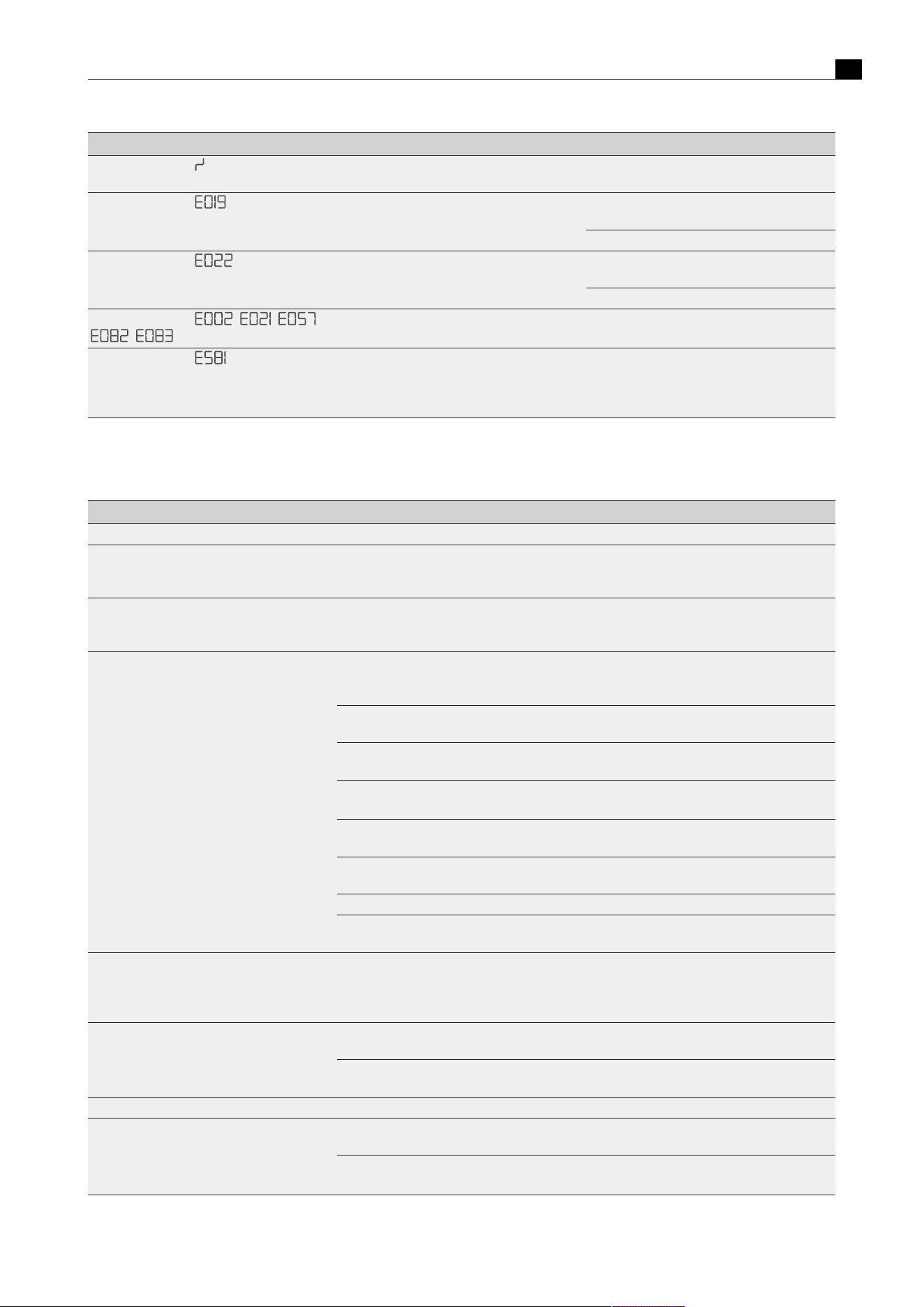
Troubleshooting
EN
bora.com 47
Operating situation Cause Remedy
Control knob display
Continuous operation (> 8 s) of the control knob
or control knob dirty
Take your finger off the control knob or clean the
knob
Control knob display
Error in the touch surface values Remove the knob ring and put it back on. Repeat
the touch command.
Contact the BORA Service Team.
Control knob display
Knob settings incorrectly interpreted, controls
switch off after 4 to 8 seconds
Remove the knob ring and put it back on. Repeat
the touch command.
Contact the BORA Service Team.
Control knob display , , ,
,
Temperature too high Allow the cooktop to cool
Control knob display
Operating the induction wok cooktop with only
one knob. The knob was not correctly connected
to port 1 on the interface circuit board according
to the installation instructions.
Please connect the control knob to port 1 (zone
1) on the cooktop.
Tab.8.2
Troubleshooting
8.2.1
Gas cooktop troubleshooting
Operating situation Cause Remedy
When operating for the first time, after a prolonged period without use or after changing the gas bottle:
The burner does not light during initial operation
or after a long period of disuse
There is air in the gas pipe Repeat the ignition process, several times if
necessary (tap the required cooking zone and set
a power level).
Gas cooktop does not react (servomotors do not
calibrate and no ignition)
There is a communication error between the
operating unit and the cooktop (e.g. in the event
of a power cut).
Perform a reset (see"6.5Gas configuration
menu item")
The gas burner cannot be ignited electrically. The fuse or automatic circuit breaker of the
apartment and/or house’s electrical system is
defective or has been triggered.
Change the fuse. Switch the automatic circuit
breaker back on. If necessary, contact a
specialist electrician.
The fuse or the automatic circuit breaker trips
several times.
Contact the BORA Service Team.
The power supply is disconnected. Have a specialist electrician inspect
the power supply.
The gas burners are damp.
Dry the gas burner parts (see"7Cleaning and
maintenance").
The gas burner heads and/or the gas burner
cover are not correctly positioned.
Position the gas burner parts correctly.
The electric igniter and/or thermocouple are
dirty
Remove dirt.
Dirt in the gas burner head Clean the parts of the gas burner.
The cooktop does not ignite automatically. Try to ignite it again using the touch surface on
the control knob.
you notice the smell of gas. A leakage point in the gas supply line Switch off the gas supply and immediately
extinguish all open flames. Contact a gas
engineer. Ensure that all connections are tight
(see the installation instructions).
No gas is coming out of the gas burners. The gas supply is closed Turn on the gas supply (see the installation
instructions)
The gas bottle (in the case of liquid gas LPG) is
empty.
Exchange the empty gas bottle for a full gas
bottle of the correct gas type.
During normal operation:
The gas flame goes out after ignition.
The gas flame goes out during operation.
The gas flame is uneven.
The gas burner parts (burner heads and/or the
gas burner cover) are not correctly positioned.
Position the gas burner parts correctly.
Dirt in the gas outlet openings on the gas burner
head.
Clean the gas burner parts (see"7Cleaning and
maintenance").
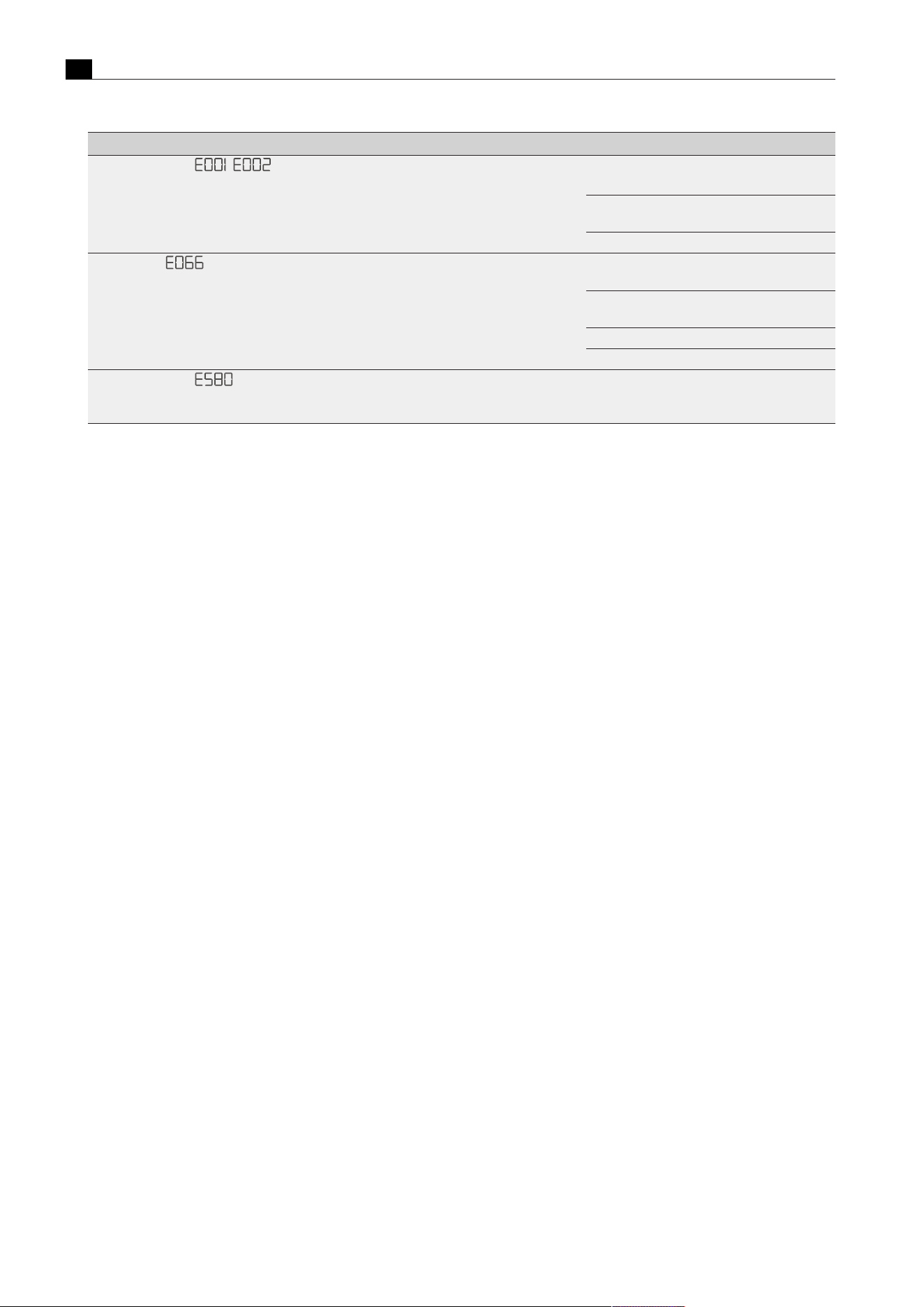
Troubleshooting
EN
48 bora.com
Operating situation Cause Remedy
Control knob display ,
Error when the software is running.
Perform a reset (see"6.5Gas configuration
menu item").
Disconnect the appliance from the power supply
for at least 1 min. and then restart it.
Contact the BORA Service Team
All error codes
Gas supply interrupted and/or no flame
detected. The gas bottle is empty.
Wait 5 seconds, then touch the flashing error
indicator ‘E’ (update error)
Try to ignite it again (the gas pipe needs a certain
amount of time to fill after installation).
Check the gas or mains connection.
Contact the BORA Service Team.
Control knob display
Configuration menu cannot be activated in this
operating state. Activate power levels on the
cooktop or extractor.
Deactivate the power level on the extractor and
both cooktops.
Tab.8.3
Troubleshooting
8.3
Dealing with errors
u
Acknowledge the error by tapping the control knob.
u
After troubleshooting try again and check that the problem has been solved.
u
Try restarting the system.
u
As a last resort, briefly disconnect the power supply.
u
In the event of any errors not listed here or should errors recur, please contact the BORA service team and specify the error number shown
and appliance type.

Warranty, technical service, spare parts, accessories
EN
bora.com 49
9
Warranty, technical
service, spare parts,
accessories
u
Observe all safety and warning information (see"2Safety").
9.1
BORA manufacturer’s warranty
BORA provides its end customers with a 2-year manufacturer’s
warranty for its products. The end customer is entitled to this
warranty in addition to the statutory claims for defects against the
sellers of our products.
The manufacturer’s warranty applies to the BORAproducts listed here,
which are sold by authorised BORA retailers or by BORA trained
salespersons and are installed within the European Union (overseas
territories excluded), Switzerland, Liechtenstein, Ukraine, Russia,
Norway, Serbia, Israel, UK, Iceland, India, Australia and New Zealand,
with the exception of BORA products labelled as universal or
accessories:
T
Cooktops
T
Cooktop extractor systems
T
Fans
The manufacturer’s warranty starts as soon as the BORA product is
handed over to the end customer and is valid for 2 years. Registering
on www.mybora.com enables the manufacturer’s warranty to be
extended to 3 years.
The manufacturer’s warranty requires expert installation (in
accordance with the valid BORA planning guide and operating
instructions at the time of installation) of the BORA products by an
authorised BORA retailer. During use, the end customer is to adhere
to the specifications and instructions in the operating manual.
When filing a warranty claim, BORA must be directly notified of the
fault and the receipt must be presented. Alternatively, proof of
purchase can be provided by registering on www.mybora.com.
BORA guarantees that all BORA products are free from material and
production defects. The defect must exist prior to delivery of the
product to the end customer. Filing a warranty claim does not
interrupt the warranty period, nor shall the period start anew.
BORA will correct defects in BORA products at its own discretion by
repairing or replacing the product. All costs for the correction of
defects under the manufacturer’s warranty shall be assumed by
BORA.
Expressly not covered by the BORA manufacturer’s warranty are:
T
BORA products that were not sold by authorised BORA dealers or
salespersons trained by BORA
T
Damage caused by non-adherence to the operating instructions
(including product care and cleaning). This represents improper
use.
T
Damage caused by normal use, e.g. traces of usage on the
cooktop
T
Damage caused by external influences (such as transport damage,
ingress of condensation, damage caused by the elements such as
a lightning strike)
T
Damage caused by repairs or repair attempts that were not carried
out by BORA or by persons authorised by BORA .
T
Damage to the glass ceramic
T
Injury caused by electrical voltage fluctuations
T
Secondary damage or claims for damages beyond the defect
T
Damage to plastic parts
Legal claims, particularly statutory claims for defects or product
liability are not limited by the warranty and can be asserted free of
charge.
If a defect is not covered by the manufacturer’s warranty, a claim may
be made against the BORA Technical Service.
. BORA shall not assume the resulting costs.
The laws of the Federal Republic of Germany apply to these warranty
conditions.
You can contact us at:
BORA Vertriebs GmbH & Co KG, Innstraße 1, 6342 Niederndorf,
Austria
T
Telephone: +800 7890 0987
Monday to Thursday from 8 a.m. to 6 p.m. and Friday from 8 a.m.
to 5 p.m.
T
Email: [email protected]
9.1.1
Warranty extension
You can extend the warranty by registering at www.bora.com/
registration .
9.2
Service
BORA Service:
see reverse side of operating and assembly instructions
u
In the case of faults you cannot fix yourself, contact your BORA
specialised retailer or the BORA Service Teamappears in the
cooktop extractor control knob display.
The BORA Service Team Team will require the type designation and
serial number of your appliance (FD number).
This information is provided on the nameplate in the back of the
instruction manual as well as on the bottom of the appliance.
9.3
Spare parts
u
Only use original spare parts for repairs.
u
Repairs may only be carried out by the BORA Service Team.
Spare parts can be obtained from your BORA dealer, the
BORA online service website at www.bora.com/service or by
calling the service number provided.
9.4
Accessories
T
Pro knob ring PKR3
T
Pro knob ring All Black PKR3AB
Cooktop extractor accessories:
T
Pro stainless steel grease filter PKA1FF
T
Pro cover flap PKA1VK
T
Pro cover flap All Black PKA1VKAB
T
Pro filter tray PKA1FW
T
Mains supply cable Type I UNLI (AUS)
T
Mains supply cable Type J UNLJ (CH)
T
Mains supply cable Type G UNLG (GB-IE)
T
Window contact switch UFKS

Warranty, technical service, spare parts, accessories
EN
50 bora.com
Special accessory for recirculation systems:
T
Air purification box flexible ULBF
T
Activated charcoal filter set ULB3AS for ULB3X
Special accessory for glass ceramic cooktops:
T
Glass ceramic scraper UGS
Special accessory for surface induction cooktops
T
Grill pan KWGPFI
Special accessory for the wok cooktop:
T
Induction wok pan HIW1
Special accessory for Tepan:
T
Pro Tepan spatula PTTS1
Special accessories for gas cooktops:
T
Gas nozzle set natural gas G25/25 mbar PKGDS2525
T
Gas nozzle set natural gas G20/13 mbar PKGDS2013
T
Gas nozzle set natural gas G20/20 mbar PKGDS2020
T
Gas nozzle set natural gas G25/20 mbar PKGDS2520
T
Gas nozzle set natural gas G20/25 mbar PKGDS2025
T
Gas nozzle set liquid gas G30/G31 50 mbar PKGDS3050
T
Gas nozzle set liquid gas G30/G31 28-30 mbar PKGDS3028
T
Burner set PKGBS
T
Pan support small PKGTK
T
Pan support large PKGTG

Product data sheets
EN
bora.com 51
10
Product data sheets
10.1
PKA3/PKA3AB product data sheet - cooktop extractor
Product information according to Commission Delegated Regulation (EU) No. 65/2014 and Regulation (EU) No. 66/2014.
Manufacturer BORA
Model identification PKA3/PKA3AB PKAS3/PKAS3AB
Symbol Value Value Unit
Energy consumption
Annual energy consumption AEC
hood
26.3 28.0 kWh/a
Energy efficiency class – A++ A+ –
Energy efficiency index EEI
hood
35.2 39.8 –
Flow volume
Fluid dynamic efficiency FDE
hood
36.9 34.3 –
Fluid dynamic efficiency class – A A –
Air flow at minimum speed in normal operation – 269 221 m³/h
Air flow at maximum speed in normal operation – 598 558 m³/h
Air flow when operated on the intensive level or fast mode level
(power setting)
- 598 649 m³/h
Maximum air flow Q
max
613 670 m³/h
Measured air flow rate at the best efficiency point Q
BEP
283.7 296.7 m³/h
Measured air pressure at the best efficiency point P
BEP
507.3 417.0 Pa
Measured electric power input at the best efficiency point W
BEP
108 100 W
Time increase factor f 0.7 0.8
Lighting
Lighting efficiency LE
hood
* * lx/W
Lighting efficiency class – * * –
Nominal power of the lighting system W
L
* * W
Average illumination of the lighting system on the cooking surface E
middle
* * lx
Grease filtering
Grease filtering efficiency GFE
hood
83.7 74.7 %
Grease filtering efficiency class – C D –
Airborne acoustical noise emission
Sound power level at minimum available speed in normal
operation
L
WA
47 47 dB re 1 pW
Sound power level at maximum available speed in normal
operation
L
WA
65 67 dB re 1 pW
Sound power level when operated on the intensive level or fast
mode level (power setting)
L
WA
65 71 dB re 1 pW
Sound pressure level at minimum available speed in normal
operation**
L
pA
33 34 dB re 20 µPa
Sound pressure level at maximum available speed in normal
operation**
L
pA
52 55 dB re 20 µPa
Sound pressure level when operated on the intensive level or fast
mode level (power setting)**
L
pA
52 58 dB re 20 µPa
Power consumption
Power consumption in off mode P
o
0.18 0.18 W
Power consumption in standby mode P
s
* * W
Tab.10.1
Energy labelling
* Does not apply to this product.
** Voluntary declaration

Product data sheets
EN
52 bora.com
10.2
PKFI3 product data sheet - cooktop
Product information according to Regulation (EU) Nr. 66/2014.
Manufacturer BORA
Model identification PKFI3
Type of hob Glass ceramic cooktop
Number of cooking areas 2
Heating technology Induction cooktops
Symbol Value Unit
Size of usable surface
Front cooking area LxW 23.0x23.0 cm
Rear cooking area LxW 23.0x23.0 cm
Energy consumption
Front cooking area EC
electric cooking
185.0 Wh/kg
Rear cooking area EC
electric cooking
176.5 Wh/kg
Bridged cooking areas EC
electric cooking
204.4 Wh/kg
Energy consumption of the hob EC
electric hob
188.6 Wh/kg
Tab.10.2
Energy data sheet for PKFI3
10.3
PKI3 product data sheet - cooktop
Product information according to Regulation (EU) Nr. 66/2014.
Manufacturer BORA
Model identification PKI3
Type of hob Glass ceramic cooktop
Number of cooking zones 2
Heating technology Induction cooking zones
Symbol Value Unit
Size of usable surface
Front cooking zone Ø 23.0 cm
Rear cooking zone Ø 16.5 cm
Energy consumption
Front cooking zone EC
electric cooking
162.7 Wh/kg
Rear cooking zone EC
electric cooking
169.3 Wh/kg
Energy consumption of the hob EC
electric hob
166.0 Wh/kg
Tab.10.3
Energy data sheet for PKI3

Product data sheets
EN
bora.com 53
10.4
PKC3 product data sheet - cooktop
Product information according to Regulation (EU) Nr. 66/2014.
Manufacturer BORA
Model identification PKC3
Type of hob Glass ceramic cooktop
Number of cooking zones 2
Heating technology Radiant cooking zones
Symbol Value Unit
Size of usable surface
Front cooking zone Ø 23.5 cm
Rear cooking zone Ø 20.0 cm
Energy consumption
Front cooking zone EC
electric cooking
180.1 Wh/kg
Rear cooking zone EC
electric cooking
189.0 Wh/kg
Energy consumption of the hob EC
electric hob
184.6 Wh/kg
Tab.10.4
Energy data sheet for PKC3
10.5
PKCB3 product data sheet - cooktop
Product information according to Regulation (EU) Nr. 66/2014.
Manufacturer BORA
Model identification PKCB3
Type of hob Glass ceramic cooktop
Number of cooking zones 2
Heating technology Radiant cooking zones
Symbol Value Unit
Size of usable surface
Front cooking zone Ø 23.5 cm
Rear cooking zone Ø 16.5 cm
Energy consumption
Front cooking zone EC
electric cooking
180.6 Wh/kg
Rear cooking zone EC
electric cooking
189.5 Wh/kg
Energy consumption of the hob EC
electric hob
185.1 Wh/kg
Tab.10.5
Energy data sheet for PKCB3

Product data sheets
EN
54 bora.com
10.6
PKCH3 product data sheet - cooktop
Product information according to Regulation (EU) Nr. 66/2014.
Manufacturer BORA
Model identification PKCH3
Type of hob Glass ceramic cooktop
Number of cooking zones 2
Heating technology Radiant cooking zones
Symbol Value Unit
Size of usable surface
Front cooking zone Ø 23.5 cm
Rear cooking zone Ø 20.0 cm
Energy consumption
Front cooking zone EC
electric cooking
175.9 Wh/kg
Rear cooking zone EC
electric cooking
189.1 Wh/kg
Energy consumption of the hob EC
electric hob
182.5 Wh/kg
Tab.10.6
Energy data sheet for PKCH3
10.7
PKG3 product data sheet - cooktop
Product information according to Regulation (EU) Nr. 66/2014.
Manufacturer BORA
Model identification PKG3
Type of hob Glass ceramic gas
cooktop
Number of gas burners 2
Symbol Value Unit
Energy efficiency
Front gas burner EE
gas burner
60.0 –
Rear gas burner EE
gas burner
60.0 –
Energy efficiency of the gas hob EE
gas hob
60.0 –
Tab.10.7
Energy data sheet for PKG3

Identification plates
EN
bora.com 55
11
Identification plates
On this page you can see the exact classification of your installed appliances. Not all of the spaces reserved for stickers need to
contain an identification plate.
u
Upon completing installation, affix the identification plates included in the scope of delivery in the spaces below.
Identification plate
Cooktop extractor 1
(please apply here)
Identification plate
Cooktop extractor 2
(please apply here)
Identification plate
left cooktop
(please apply here)
Identification plate
left cooktop
(please apply here)
Identification plate
right cooktop
(please apply here)
Identification plate
right cooktop
(please apply here)

Operating instructions: ¡Original ¤Translation
Manufacturer: BORA Vertriebs GmbH & Co KG
The distribution and duplication of this document, as well as the use and disclosure of its contents are prohibited unless expressly authorised.
Great care was taken when devising these operating and installation instructions. However, it may be the case that later technical changes have
not yet been added or the corresponding contents have not yet been modified. We apologise for this. An up-to-date version can be requested
from the BORA Service team. Misprints and errors excepted.
© BORA Vertriebs GmbH & Co KG All rights reserved.
D
A
INT
AU
NZ
BORA Lüftungstechnik GmbH
Rosenheimer Str. 33
83064 Raubling
Deutschland
T +49 (0) 8035 / 9840-0
F +49 (0) 8035 / 9840-300
bora.com
BORA Vertriebs GmbH & Co KG
Innstraße 1
6342 Niederndorf
Österreich
T +43 (0) 5373 / 62250-0
F +43 (0) 5373 / 62250-90
bora.com
BORA Holding GmbH
Innstraße 1
6342 Niederndorf
Austria
T +43 (0) 5373 / 62250-0
F +43 (0) 5373 / 62250-90
bora.com
BORA APAC Pty Ltd
100 Victoria Road
Drummoyne NSW 2047
Australia
T +61 2 9719 2350
F +61 2 8076 3514
bora-australia.com.au
+800 7890 0987
004564-10001-03