U
SE
R
’
S
M
A
N
U
A
L
N2
IMPORTANT
▸
Before using this device, please make sure that all the necessary
accessories are completely included in the package.
▸
For any product issue, please contact us via email:
Luoran@hgdups.com
▸
Please attach a photo or video showing the problem so that we
can help you better.
▸ Also, We'd love to hear from you about some suggestions for
product improvement.
▸
We promise to reply you as soon as possible within 24 hours.
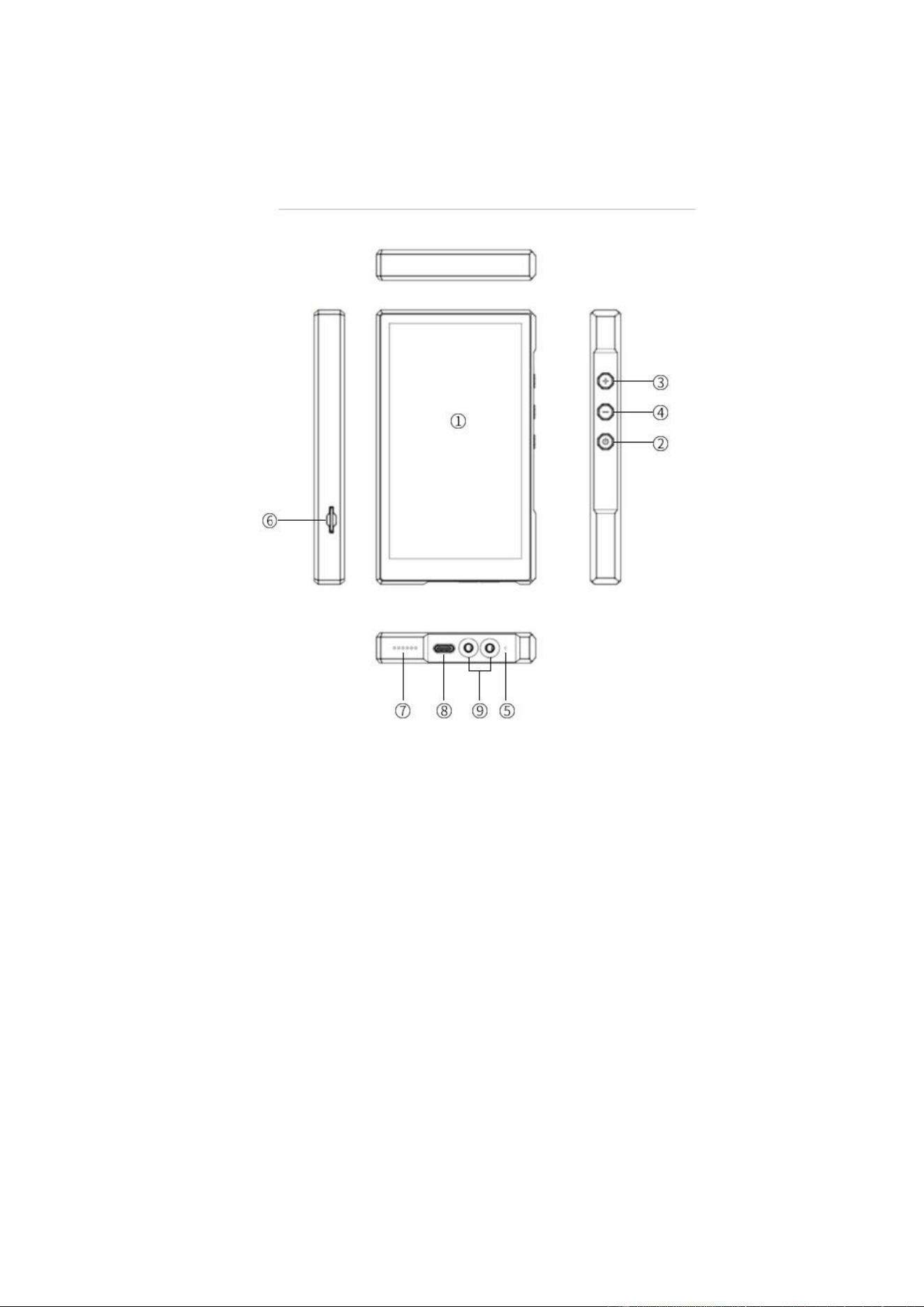
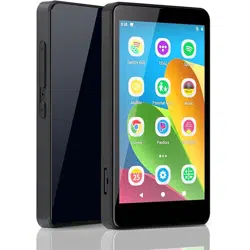
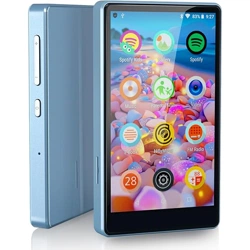
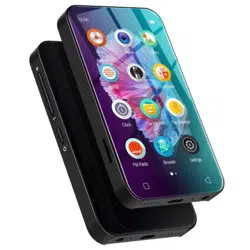
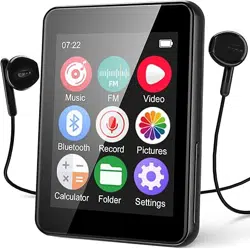
Key Diagram
1. Display screen
2. Power key
3. Volume+
4. Volume-
5. Recording hole
6. TF card slot
7. Loudspeaker
8. Type-c port
9. Headphone connector

■
Power
Button & Port Introduction
▸
In the shutdown state, press and hold for 3 seconds to power on.
▸
Short press (in the power-on state) : Turn off/on the screen.
▸
Long press (in the power-on state) : Shutdown, Restart.
■
Touch Button Area
▸
Home: Click “O” to return to the Home screen.
▸
Back: Click
“
” to return to the previous page.
▸
Open Background Apps:Click“
”to open background process
management (recent apps) and swipe left or right to end the
selected process.
■
Reset: Long press it for 3 seconds to turn it off by a pin,
and then press the power button to turn it on.
■
Volume +/-: up/down the volume.
■
USB - C Port: Used only for charging and file transfer.
■
SD Slot: Expand the storage of the device, with maximum
support 1TB TF/ Micro-SD card.
■
3.5mm Output: Connect your headphones ,external speakers.

■
Speaker: Built-in speakers.
Upload from your computer
■
If your computer OS is Windows 98/8 / Vista, Win 7 / Win10,
▸
You can download files by using a USB-C cable:
1.
Connect the MP3 Player to your computer with the provided USB
Cable.
2.
Open up "My Computer." Click "Devices with removable storage."
Then click on the MP3 player "N2".
3.
Find the folder that contains the songs that you want to put
into the MP3 player.
4.
Select the songs and drag and drop them into the MP3 player's
folder on the Windows PC.
▸
You can download files by using TF/Micro-SD Card:
1.
Connect the micro SD card to your computer and make sure it is
detected.
2.
Open up "My Computer". Locate the files you want to download
to the MP3 player from your computer.
3.
Cut/copy and paste the files to the micro SD card. You can
also drag and drop items.
4.
Safely disconnect your SD card.

5.
Insert the micro sd card into the card slot on the MP3 player.
You'll see a notification indicating your SD card was
detected.
▸
You can download files by using “ Zapya go” - WiFi Wireless
transmission:
1.
Open your Windows OS web browser and enter the following URL
to download the application version compatible with your
computer.
https://www.izapya.com/v3/download
2.
Connect both the MP3 player and your computer to the same Wi-
Fi network.
3.
Run "Zapya go" application on the computer and "File transfer"
on the MP3 player.
4.
On the MP3 player, tap on the Transfer button at the bottom,
then select "Join Group". Zapya will then automatically detect
other devices connected to the same Wi-Fi network. Simply tap
on the computer’s name to connect.
5.
If your computer OS is MAC,
6.
If you are using a Mac device, please download the MTP device
file transfer software before proceeding with the above
operations. The recommended software is as follows:
https://www.android.com/filetransfer/

Upload from your cellphone
7.
If your phone OS is Android,
▸
You can download files by using a OTG cable:
1.
Connect the MP3 player to the full-size USB female end of the
adapter.
2.
Connect USB-C end to your phone.
3.
Swipe down from the top to show the notification shade. No
need to do this if your file manager automatically appears.
4.
Tap USB Drive.
5.
Tap Internal Storage to view the files on your phone.
6.
Find the file you'd like to share. Hold down on it to select
it.
7.
Tap the three dots button.
8.
Select Copy.
9.
Navigate to the MP3 player and tap Done to copy the file.
▸
You can download files by using “ Zapya go ” - WiFi Wireless
transmission:
1.
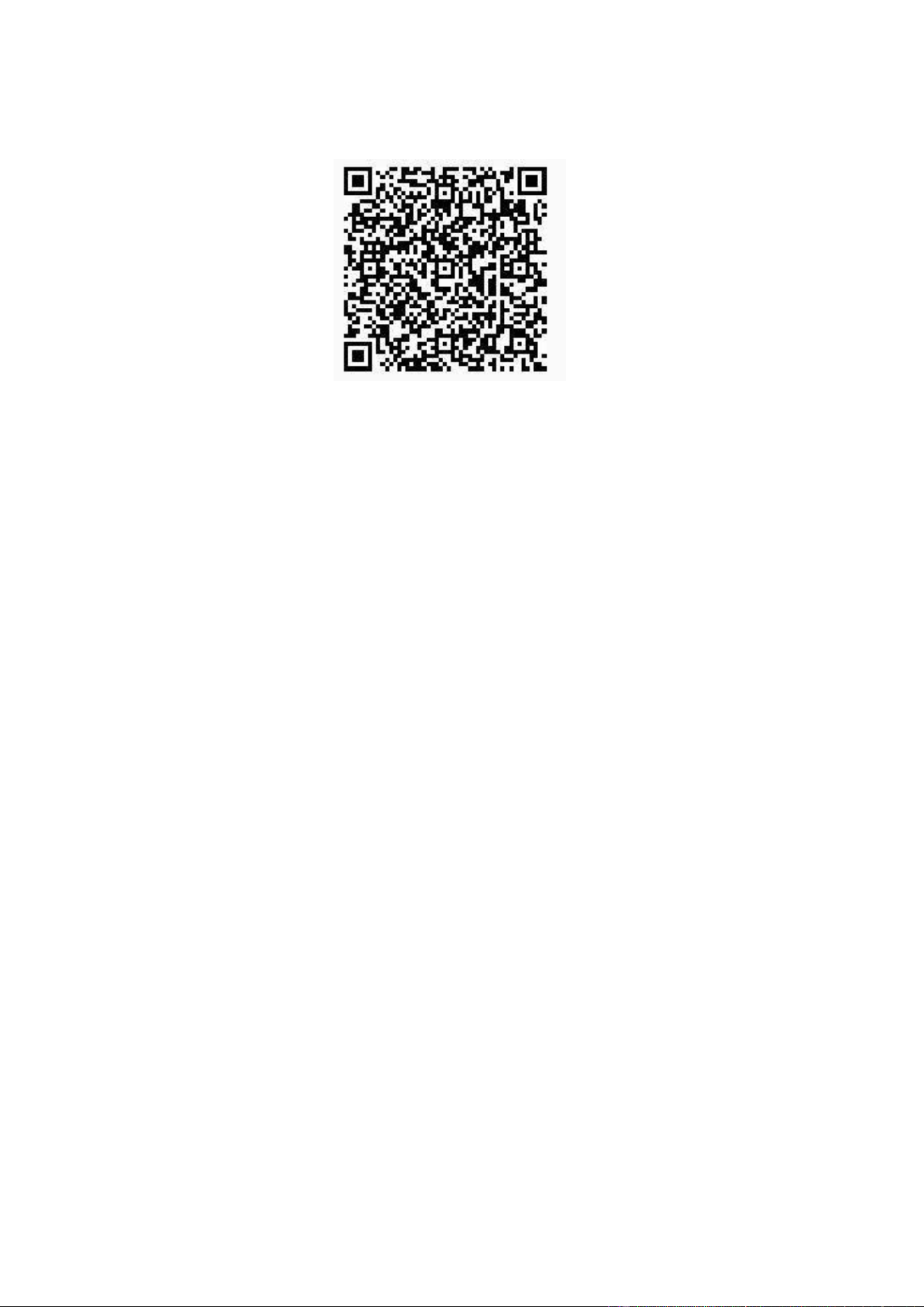
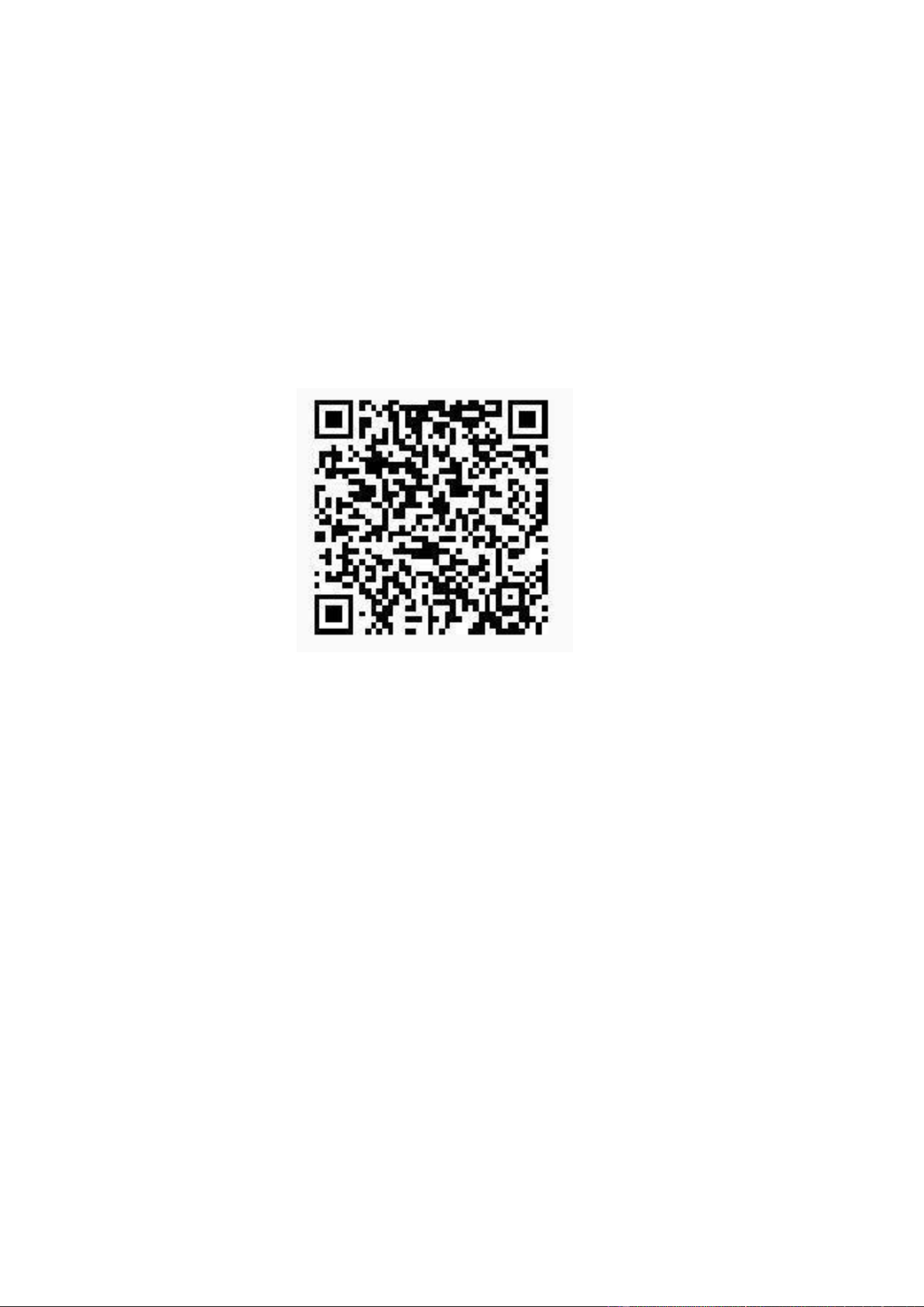
Search for “MiniShare” in the AppStore or scan the below
QR code to download and install it.
2.
Connect both the MP3 player and your phone to the same Wi-
Fi network.
3.
Run "Zapya go" application on the phone and "File transfer"
on the MP3 player.
4.
On the MP3 player, tap on the Transfer button at the bottom,
then select "Join Group". Zapya will then automatically detect
other devices connected to the same Wi-Fi network. Simply tap on
the phone name to connect.
▸
You can download files by Bluetooth:
1.
On Android device and the MP3 player, turn on "Bluetooth".
2.
Get your Android devices paired to each other.
3.
Open the file manager app on the source Android phone to
select files for transfer.
4.
Tap on the "Share" button.
5.
If your phone OS is iOS,
▸
You can only download files by using “Zapya go” - WiFi
Wireless transmission:
1.
Search for “ Zapya Go” in the AppStore or scan the below QR
code to download and install it.
2.
Connect both the MP3 player and your phone to the same Wi-Fi
network
.
3.
Run "Zapya go" application on the phone and "File transfer"
on the MP3 player
.
4.
On the MP3 player, tap on the Transfer button at the bottom,
then select "Join Group". Zapya will then automatically
detect other devices connected to the same Wi-Fi network.
Simply tap on the phone name to connect.

Common Faults and Solutions
■
The music player can’t be charged.
▸
In the off state, when the USB cable is connected for
charging, the player usually will light up and display the brand
logo and remaining battery.
▸
Using a USB A to C cable, you can connect to a computer or a
USB adapter to charge the player.
Troubleshooting:
Check whether it is caused by poor contact.
Repeatedly plug and unplug the USB cable to test whether the
charging can be resumed.
1.
Check whether USB port is damaged.
Connect the player to a computer with an available USB port by
using a proven USB cable.
2. Check if the USB cable is damaged. Use the USB cable to try to
charge other devices to check
whether it can charge other
devices.
If it is confirmed that both the USB cable and the charging port
are normal, please contact after-sales support for replacement
or refund.
■
Nothing happens when the player is connected to the computer
with a USB cable.
▸
Use a USB cable to connect the player to the computer, the top
of the player will appear with 2 icons: and . And an MTP device
named N2 will appear in the drive list of your computer.

Troubleshooting:
1.
Check whether it is caused by poor contact
.
You can repeatedly plug and unplug the USB cable to test whether
the connection can be resumed.
2.
Check if the USB cable is damaged
.
You can try to use the USB cable to connect to other devices if
the connection can be restored.
3.
Check if the computer can connect to other devices to
check whether it’s computer’s problem.
If it is confirmed that both the USB cable and the computer are
normal, please contact after-sales support for further help.
■
The player can't play the music/video/photo/books, which its
file format is claimed that can be compatible with the device.
▸
The playback of file is affected by various factors such as: bit
rate, file size, file integrity, file format, etc.
▸
If the file you imported into the player cannot be played,
please contact us directly via email and attach a copy of the file
so we can investigate.
■
The SD card is not working properly.
▸
You may be experiencing any of these issues with your SD card:
1.
The SD card is not detected by your device.
2.
Slow file speed transfer to and from the SD card.
3.
SD card ejects automatically/ Does not stay in the card slot.
4.
Troubleshooting:
1.
Check the SD card for physical damage.

2.
Make sure that the SD card's metal teeth are clean.
3.
Restart the N2 player, or factory reset.
4.
Re-insert it into the N2 player.
▸
If still run any issues, email us with a video or photo
showing them.
■
Bluetooth is intermittent.
▸
The range of the Bluetooth connection is approximately 40
feet (12 meters).
▸
Its performance may vary depending on obstacles (people,
metal, walls, etc.) or the electromagnetic environment.
Troubleshooting:
1.
Change the position or location of the unit or connected device.
2.
Place the devices closer together to improve signal
transmission.
3.
Check the specifications of the format of the audio file. The
sound may skip if the music being played has a high bit rate.
4.
Keeping both the N2 player and BT headset fully charged will
prevent some issues from cutting out.
▸
If the problem remains, email us with your Bluetooth
headphones/speaker brand and model for further assistance or
replacement / refund.
Customer Service :
Luoran@hgdups.com
Specifications
Bluetooth version:
5.0
Product Size:
129 x 75 x 14.3 mm
Screen Size:
5.0 inch
Battery Capacity:
5000mAh
Input:
5V=1A
Charging Time:
180 Minutes
Internal Memory:
3G RAM+32GB ROM
Expansion slot:
Micro SD/TF Card (up to 1TB
Music format:
MP3, OGG, APE, FLAC, WAV,
AAC, M4A, M4R, MP2, AMR,
ACELP
Video format:
AVI, MKV, MPG, MPEG, RM,
RMVB, VOB, MOV, FLV, ASF,
DAT, MP4, 3GP
Photos format:
JPEG, BMP, GIF
E-book format:
EPUB, TXT, PDF, DOCX, FB2,
MOBI
Wifi Connections:
2.4 GHz & 5 GHz
FM Frequency:
87.5 MHz ~ 108 MHz
System:
Android 8.1
Signal-to-noise
ratio:
80dB@1KH.±3dB
Distortion rate:
<1%
Interface:
USB C/USB 2.0/Charge/OTG

1.
Einschalttaste
Deutsch
*
Halten Sie drei Sekunden lang gedrückt, um ein- oder auszuschalten
*Kurzes Drücken zum Schließen/Öffnen des Bildschirms
2. Leitungsauslauf
*Unterstützung 3.5 mm Hilfskabel
3. Headset-Anschluss
*3,5 mm Ausgang für Kopfhörer
4. Erhöhen Sie die Lautstärke
*Drücken Sie, um die Lautstärke zu erhöhen.
5. Reduzieren Sie die Lautstärke
*Drücken Sie, um die Lautstärke zu verringern.
6. Mini SD Slot
*Höchstleistung. 1TB TF/microSD Karte
7. USB-C- und OTG-Anschlüsse
*Wird zum Hochladen und Übertragen von Dateien verwendet
8. Rückkehr
*Klicken Sie hier, um zur vorherigen Seite zurückzukehren.
9. Wiedergabe/Pause
*Startet/pausiert die Musikwiedergabe.
10. Nächster Schritt/Fast Forward
*Während der Musikwiedergabe kurz drücken Den nächsten Song ändern
*Halten Sie den Druck, um schnell vorwärts zu gehen.
11. Stellvertreter/Menü
*Beim Abspielen von Musik abwechselnd drücken Anzeige von Texten
oder Albumcover
*Popup-Menüs für Spieleinstellungen und andere Optionen
12. Zurück/Zurückspulen
*Während der Musikwiedergabe kurz drücken Ändern Sie den vorherigen

Song.
*Drücken und halten Sie es gedrückt, um schnell zurückzukehren.
13. Reset-Taste
*Drücken Sie kurz die Reset-Taste, um beim Start neu zu starten
Gefroren/blockiert.
Kundendienst:
Luoran@hgdups.com
*Die in dieser Tabelle angezeigten Audioindikatoren dienen nur als
Referenz. Aufgrund geringfügiger Unterschiede in elektronischen
Komponenten wird es leichte Unterschiede in den Audioparametern
geben. Bitte beziehen Sie sich auf das eigentliche Objekt.
*Die Musikdateien, die die Spezifikationen überschreiten, werden
möglicherweise nicht erkannt oder abgespielt.
Bitte verwenden Sie Audiodateien innerhalb des
Spezifikationsbereichs zum Abspielen.
*Standardstatus: mittlere Lautstärke, wenn der Bildschirm
ausgeschaltet ist und MP3-Songs mit Kopfhörern abgespielt werden.
*Da es viele Netzwerksongformate gibt, kann das Gerät nicht die
perfekte Wiedergabe von Songs in allen Spezifikationen garantieren.
*Aufforderung zur Bluetooth-Wiedergabe:
Bei der Wiedergabe über Bluetooth werden ape-Dateien, die auf Hoch
komprimiert sind, nicht unterstützt.
Spezifikationen
Bluetooth version:
5.0
Produktgröße:
129 x 75 x 14.3 mm
Bildschirmgröße:
5,0 Zoll
Batteriekapazität:
5000mAh
Eingabe:
5V=1A
Ladezeit:
180 Minuten
Interner Speicher:
3G RAM+32GB ROM
Erweiterungsplatz:
Micro SD/TF Karte (bis zu 1TB)
Musikformat:
MP3, OGG, APE, FLAC, WAV, AAC,
M4A, M4R, MP2, AMR, ACELP
Videoformat:
AVI, MKV, MPG, MPEG, RM, RMVB,
VOB, MOV, FLV, ASF, DAT, MP4,
3GP
Bildformat:
JPEG, BMP, GIF
E-Book-Format:
EPUB, TXT, PDF, DOCX, FB2, MOBI
Wifi Verbindungen:
2.4 GHz & 5 GHz
FM-Frequenz:
87.5 MHz ~ 108 MHz
System:
Android 8.1
Signal-Rausch-
Verhältnis:
80dB@1KH.±3dB
Verzerrungsrate:
<1%
Schnittstelle:
USB C/USB
2.0/Aufladung/OTG

Français
1. Bouton d'alimentation
Appuyez et maintenez pendant trois secondes pour activer ou dé
sactiver
Appuyez brièvement pour fermer / ouvrir l'écran
2. Sortie de ligne
Prise en charge des câbles auxiliaires de 3,5mm
3. Connecteur de casque
Sortie du casque de 3,5 mm
4. Augmenter le volume
Appuyez pour augmenter le volume.
5. Réduire le volume
Appuyez pour diminuer le volume.
6. Mini SD slot
Performance maximale. Carte TF / microSD 1TB
7. Connecteurs USB - C et OTG
Pour télécharger et transférer des fichiers
8. Retour
* Cliquez ici pour retourner à la page précédente.
9. Lecture / pause
Démarrer / mettre en pause la lecture de musique.
10. Next / Fast Forward
Appuyez brièvement sur la musique Changer la chanson suivante
* maintenez la pression et avancez rapidement.
11. Remplacement / menu
Appuyez alternativement sur la musique Afficher les paroles ou l'art
de l'album
Menu contextuel pour les paramètres du jeu et d'autres options
12. Marche arrière / marche arrière

Appuyez brièvement sur la musique
Changer la chanson précédente,
Appuyez et maintenez pour un retour rapide.
13. Réinitialiser le bouton
Appuyez brièvement sur le bouton Reset pour redémarrer au démarrage
Congelé.
Service à la clientèle:
Luoran@hgdups.com
* Les indicateurs audio présentés dans ce tableau sont fournis à
titre indicatif seulement. En raison de légères différences dans les
composants électroniques, il y aura de légères différences dans les
paramètres audio. Veuillez vous référer à l'objet réel.
* Les fichiers musicaux dépassant les spécifications peuvent ne pas
être reconnus ou lus.
Veuillez utiliser un fichier audio dans les spécifications pour la
lecture.
* statut Standard: volume moyen lorsque l'écran est éteint, utilisez
le casque pour lire des chansons MP3.
* comme il existe de nombreux formats de chansons Web, cet appareil
ne peut pas garantir une lecture parfaite de toutes les
spécifications de la chanson.
* conseils de lecture Bluetooth:
Les fichiers APE compressés vers High ne sont pas pris en charge.
lors de la lecture via Bluetooth.
Spécifications
Version Bluetooth:
5.0
Taille du produit:
129 x 75 x 143 mm
Taille de l'écran:
5,0 in
Capacité de la batterie:
5000mAh
Entrée:
5V=1A
Temps de chargement:
180 minutes
Mémoire interne:
3G RAM+32GB ROM
Rainure d'extension:
Carte Micro SD / TF (jusqu'à
1TB)
Format musical:
MP3, OGG, APE, FLAC, WAV, AAC,
M4A, M4R, MP2, AMR, ACELP
Format vidéo:
AVI, MKV, MPG, MPEG, RM, RMVB,
VOB, MOV, FLV, ASF, DAT, MP4,
3GP
Format de l'image:
JPEG, BMP, GIF
Format ebook:
EPUB, TXT, PDF, DOCX, FB2, MOBI
Connexion wifi:
2.4 GHz & 5 GHz
Fréquence FM:
87.5 MHz ~ 108 MHz
Système:
Android 8.1
Rapport signal sur bruit:
80dB@1KH.±3dB
Taux de distorsion:
<1%
Interface:
USB C/USB 2.0/Charge/OTG

Italiano
1.Pulsante di accensione
Tenere premuto per tre secondi per accendere o spegnere Premere
brevemente per spegnere/accendere lo schermo
2.Linea in uscita
Supporto del cavo ausiliario da 3,5 mm
3. Connettore auricolare
Uscita per cuffie da 3,5 mm
4. Aumentare il volume
Premere per aumentare il volume.
5. Ridurre il volume
Premere per diminuire il volume.
6. Mini SD slot
Massima prestazione. Scheda TF/MicroSD 1TB
7. Connettori USB-C e OTG
Scaricare e trasferire file
8. Ritorno
*Clicca qui per tornare alla pagina precedente.
9. Play/Pause
Avvia/interrompe la riproduzione musicale.
10. Next Step/Fast Forward
Musica da stampa breve Cambia canzone successiva
* Mantenere la pressione e andare avanti rapidamente.
11. Sostituzione/menu
Alternate dalla musica Mostra testi o album
Menu pop up per le impostazioni di gioco e altre opzioni
12. Reverse/Reverse
Musica da stampa breve
Cambia la canzone precedente

Tenere premuto per tornare rapidamente.
13. Pulsante Reset
Premere brevemente il pulsante RESET per riavviare all'avvio
congelamento
Servizio Client:
Luoran@hgdups.com
*Gli indicatori audio mostrati in questa tabella sono solo per
riferimento. A causa di piccole differenze nei componenti
elettronici, ci saranno lievi differenze nei parametri audio. Si
prega di fare riferimento all'oggetto reale.
*I file musicali che superano le specifiche potrebbero non essere
riconosciuti o riprodotti.
Si prega di utilizzare file audio all'interno della gamma specifica
per riprodurre.
* Stato standard: volume medio quando lo schermo è spento e canzoni
mp3 vengono riprodotte con le cuffie.
*Poiché ci sono molti formati di canzoni di rete, il dispositivo non
può garantire la riproduzione perfetta di canzoni in tutte le
specifiche.
*Richiesta di riproduzione Bluetooth:
Quando si riproduce tramite Bluetooth, i file scimmie compressi in
alto non sono supportati.
Specifiche
Versione Bluetooth:
5.0
Dimensione del prodotto:
129 x 75 x 14.3 mm
Dimensione schermo:
5,0 Pollici
Capacità della batteria:
5000mAh
Ingresso:
5V=1A
Tempo di ricarica:
180 minutes
Memoria interna:
3G RAM+32GB ROM
Scanalatura di estensione:
Scheda micro SD/TF (fino a 1 TB)
Formato musicale:
MP3, OGG, APE, FLAC, WAV, AAC,
M4A, M4R, MP2, AMR, ACELP
Formato video:
AVI, MKV, MPG, MPEG, RM, RMVB,
VOB, MOV, FLV, ASF, DAT, MP4,
3GP
Formato immagine:
JPEG, BMP, GIF
Formato EBook:
EPUB, TXT, PDF, DOCX, FB2, MOBI
Connessione WiFi:
2.4 GHz & 5 GHz
Frequenza FM:
87.5 MHz ~ 108 MHz
Sistema:
Android 8.1
Rapporto segnale/rumore:
80dB@1KH.±3dB
Tasso di distorsione:
<1%
Interfaccia:
USB C/USB 2.0/carica/OTG

1. botón de encendido
Español
* presione y mantenga pulsado durante tres segundos para abrir o
cerrar
* presione brevemente para cerrar / abrir la pantalla
2. salida de la línea
* soporte para cables auxiliares de 3,5 mm
3. interfaz de auriculares
* salida de auriculares de 3,5 mm
4. aumentar el volumen
* presione para aumentar el volumen.
5. reducir el volumen
* presione para bajar el volumen.
6. mini slot SD
* rendimiento máximo. Tarjeta 1tb TF / microsd
7. conectores usb - C y otg
* para cargar y transmitir archivos
8. retorno
* haga clic aquí para volver a la página anterior.
9. reproducción / pausa
* Inicio / pausa de la reproducción de música.
10. siguiente / avance rápido
* pulsación corta al reproducir música Cambiar la siguiente canción
* mantenga la presión y avance rápido.
11. alternativas / menús
* presione alternativamente al reproducir música Muestra la letra o
la portada del álbum
* menú emergente para la configuración del juego y otras opciones
12. retroceder / retroceder

* pulsación corta al reproducir música
Cambiar la canción anterior,
* presione y mantenga para regresar rápidamente.
13. botón de reinicio
* Presione el botón de reinicio en corto para reiniciar al arrancar
Congelar.
Servicio al cliente:
Luoran@hgdups.com
* Los indicadores de audio mostrados en esta tabla son solo para
referencia. Debido a los matices de los componentes electrónicos,
los parámetros de audio tendrán matices. Por favor, consulte el
objeto real.
* Los archivos de música fuera de las especificaciones pueden no ser
reconocidos o reproducidos.
Por favor, use un archivo de audio dentro del alcance de la
especificación para reproducirlo.
* Estado estándar: el volumen es medio cuando la pantalla está
apagada y las canciones MP3 se reproducen con auriculares.
* Debido a que hay muchos formatos de canciones en línea, el
dispositivo no puede garantizar una reproducción perfecta de
canciones de todas las especificaciones.
* consejos de reproducción bluetooth:
Al reproducir a través de bluetooth, no se admiten archivos APE
comprimidos a alto.
Especificaciones
Versión Bluetooth:
5.0
Tamaño del producto:
129 x 75 x 14.3 mm
Tamaño de la pantalla:
5,0 pulgadas
Capacidad de la batería:
5000mAh
Entrada:
5V=1A
Tiempo de carga:
180 minutos
Memoria interna:
3G RAM+32GB ROM
Ampliar el canal:
Tarjeta Micro SD / TF (hasta 1
TB)
Formato musical:
MP3, OGG, APE, FLAC, WAV, AAC,
M4A, M4R, MP2, AMR, ACELP
Formato de vídeo:
AVI, MKV, MPG, MPEG, RM, RMVB,
VOB, MOV, FLV, ASF, DAT, MP4,
3GP
Formato de imagen:
JPEG, BMP, GIF
Formato de libro electrónico:
EPUB, TXT, PDF, DOCX, FB2, MOBI
Conexión wifi:
2.4 GHz & 5 GHz
Frecuencia FM:
87.5 MHz ~ 108 MHz
Sistema:
Android 8.1
Relación señal - ruido:
80dB@1KH.±3dB
Tasa de distorsión:
<1%
Interfaz:
USB C/USB 2.0/Carga/OTG

1.Przycisk zasilania
Polski
*Naci
ś
nij i przytrzymaj przez trzy sekundy, aby w
łą
czy
ć
lub wy
łą
czy
ć
*Krótkie naci
ś
ni
ę
cie, aby zamkn
ąć
/otworzy
ć
ekran
2. Wylot linii
*3,5 mm wsparcie kabla pomocniczego
3. Z
łą
cze s
ł
uchawkowe
*3,5 mm wyj
ś
cie s
ł
uchawkowe
4. Zwi
ę
kszenie g
ł
o
ś
no
ś
ci
*Naci
ś
nij, aby zwi
ę
kszy
ć
g
ł
o
ś
no
ść
.
5. Zmniejszy
ć
g
ł
o
ś
no
ść
*Naci
ś
nij, aby zmniejszy
ć
g
ł
o
ś
no
ść
.
6. Gniazdo Mini SD
*Maksymalna wydajno
ść
. 1TB karta TF/microSD
7. Z
łą
cza USB-C i OTG
*Przesy
ł
anie i przesy
ł
anie plików
8. Powrót
*Kliknij tutaj, aby powróci
ć
do poprzedniej strony.
9. Odtwarzanie/przerwa
*Uruchamia/wstrzymuje odtwarzanie muzyki.
10. Nast
ę
pny krok/Szybki naprzód
*Naci
ś
nij krótko podczas odtwarzania muzyki Zmień nast
ę
pn
ą
piosenk
ę
*Utrzymuj nacisk i szybko id
ź
naprzód.
11.
Alternatywa/Menu
*Naci
ś
nij naprzemiennie podczas odtwarzania muzyki Wy
ś
wietlanie
tekstu lub ok
ł
adki albumu
*Menu wyskakuj
ą
ce dla ustawień gry i innych opcji
12. Ty
ł
/Ty
ł
*Naci
ś
nij krótko podczas odtwarzania muzyki Zmień poprzedni
ą

piosenk
ę
,
*Naci
ś
nij i przytrzymaj, aby szybko powróci
ć
.
13. Przycisk resetu
*Naci
ś
nij krótko przycisk restart, aby ponownie uruchomi
ć
Zatrzymaj.
Obs
ł
uga klienta:
Luoran@hgdups.com
*Wska
ź
niki audio przedstawione w tej tabeli s
ą
wy
łą
cznie w celach
informacyjnych. Ze wzgl
ę
du na drobne ró
ż
nice w komponentach
elektronicznych pojawi
ą
si
ę
niewielkie ró
ż
nice w parametrach audio.
Prosz
ę
odnie
ść
si
ę
do rzeczywistego obiektu.
*Pliki muzyczne, które przekraczaj
ą
specyfikacje, mog
ą
nie by
ć
rozpoznawane lub odtwarzane.
Do odtwarzania nale
ż
y u
ż
y
ć
plików audio w zakresie specyfikacji.
*Status standardowy:
ś
rednia g
ł
o
ś
no
ść
, gdy ekran jest wy
łą
czony, a
utwory mp3 s
ą
odtwarzane za pomoc
ą
s
ł
uchawek.
*Poniewa
ż
istnieje wiele formatów utworów sieciowych, urz
ą
dzenie nie
mo
ż
e zagwarantowa
ć
idealnego odtwarzania utworów we wszystkich
specyfikacjach.
*Komunikat odtwarzania Bluetooth:
Podczas odtwarzania przez Bluetooth pliki ape skompresowane do High
nie s
ą
obs
ł
ugiwane.
Specyfikacje
Wersja Bluetooth:
5.0
Tamaño del producto:
129 x 75 x 14.3 mm
Rozmiar ekranu:
5,0 caly
Pojemno
ść
baterii:
5000mAh
Wej
ś
cie:
5V=1A
Czas
ł
adowania:
180 minut
Pami
ęć
wewn
ę
trzna:
3G RAM+32GB ROM
Rozwiń kana
ł
y:
Karta Micro SD/TF (do 1 TB)
Forma muzyczna:
MP3, OGG, APE, FLAC, WAV, AAC,
M4A, M4R, MP2, AMR, ACELP
Format wideo:
AVI, MKV, MPG, MPEG, RM, RMVB,
VOB, MOV, FLV, ASF, DAT, MP4,
3GP
Format obrazu:
JPEG, BMP, GIF
Format EBook:
EPUB, TXT, PDF, DOCX, FB2, MOBI
Po
łą
czenie WiFi:
2.4 GHz & 5 GHz
Cz
ę
stotliwo
ść
FM:
87.5 MHz ~ 108 MHz
System:
Android 8.1
Stosunek sygna
ł
u do szumu:
80dB@1KH.±3dB
Szybko
ść
zniekszta
ł
cenia:
<1%
Interfejs:
USB C/USB 2.0/
ł
adunek/OTG

1. Aan/uit knop
Nederlands
*Houd drie seconden ingedrukt om in- of uit te schakelen
*Druk kort om het scherm te sluiten/openen
2. Uitgang van de lijn
*3.5 mm hulpkabelsteun
3. Koptelefoon aansluiting
*3,5 mm hoofdtelefoonuitgang
4. Verhoog het volume
*Druk op om het volume te verhogen.
5. Volume verminderen
*Druk op om het volume te verlagen.
6. Mini SD-sleuf
*Maximale prestaties. 1TB TF/microSD kaart
7. USB-C- en OTG-aansluitingen
*Bestanden uploaden en overbrengen
8. Terugkeer
*Klik hier om terug te keren naar de vorige pagina.
9. Afspelen/pauzeren
*Start/onderbreekt het afspelen van muziek.
10. Volgende stap/Snel vooruit
*Druk kort op tijdens het afspelen van muziek Het volgende nummer
wijzigen
*Houd de druk en ga snel vooruit.
11. Alternatief/Menu
*Afwisselend drukken bij het afspelen van muziek Toon de tekst of
cover van het album
*Pop-upmenu's voor spelinstellingen en andere opties
12. Terug/Terug

*Druk kort op tijdens het afspelen van muziek Verander het vorige
nummer,
*Houd ingedrukt om snel terug te keren.
13. Resetknop
*Druk kort op de herstartknop om opnieuw te starten Bevrieze.
Klantenservice:
Luoran@hgdups.com
*De geluidsindicatoren in deze tabel zijn alleen ter referentie.
Vanwege kleine verschillen in elektronische componenten zullen er
lichte verschillen in audioparameters zijn. Gelieve te verwijzen
naar het eigenlijke object.
*De muziekbestanden die de specificaties overschrijden, worden
mogelijk niet herkend of afgespeeld.
Gebruik audiobestanden binnen het specificatiebereik om af te spelen.
*Standaardstatus: gemiddeld volume wanneer het scherm is
uitgeschakeld en mp3-nummers worden afgespeeld met een hoofdtelefoon.
*Omdat er veel netwerksongformaten zijn, kan het apparaat niet
garanderen dat nummers perfect worden afgespeeld in alle
specificaties.
*Bluetooth afspeelprompt:
Bij het afspelen via Bluetooth worden ape bestanden gecomprimeerd
naar High niet ondersteund.
Specificaties
Bluetooth-versie:
5.0
Tamaño del product:
129 x 75 x 14.3 mm
Schermgrootte:
5,0 inch
Batterijcapaciteit:
5000mAh
Entree:
5V=1A
Laadtijd:
180 minuten
Intern geheugen:
3G RAM+32GB ROM
Kanalen uitvouwen:
Micro SD/TF kaart (tot 1 TB)
Muziekvorm:
MP3, OGG, APE, FLAC, WAV, AAC,
M4A, M4R, MP2, AMR, ACELP
Videoformaat:
AVI, MKV, MPG, MPEG, RM, RMVB,
VOB, MOV, FLV, ASF, DAT, MP4,
3GP
Afbeeldingsindeling:
JPEG, BMP, GIF
EBook opmaken:
EPUB, TXT, PDF, DOCX, FB2, MOBI
WiFi-verbinding:
2.4 GHz & 5 GHz
Cz
ę
stotliwo
ść
FM:
87.5 MHz ~ 108 MHz
Systeem:
Android 8.1
Signal-ruisverhouding:
80dB@1KH.±3dB
Vervormingssnelheid:
<1%
Interface:
USB C/USB 2.0/lading/OTG

Türkçe
1.* Kapatmak veya kapatmak için üç saniye bas
ı
n ve bekle
*Ekran
ı
kapatmak/açmak için k
ı
sa bas
ı
n
2. Hat çizgi
*3.5 mm yard
ı
mc
ı
kabel deste
ğ
i
3. Ba
ş
telefon ba
ğ
lant
ı
s
ı
* 3. 5 mm ba
ş
telefon ç
ı
k
ış
4. Sesi artt
ı
r
*Sesi artt
ı
rmak için bas
ı
n.
5. Sesi azalt
ı
n
*Sesi azaltmak için bas
ı
n.
6. Mini SD slot
* Maksimum performans. 1TB TF/microSD kart
ı
7. USB-C ve OTG ba
ğ
lant
ı
lar
ı
* Dosyalar
ı
yükle ve aktar
8. Geri dön
*Önceki sayfaya dönmek için buraya t
ı
klay
ı
n.
9. Oynat/Durdur
*Müzik çalmas
ı
n
ı
ba
ş
lat
ı
r/durat
ı
r.
10. Sonraki ad
ı
m/H
ı
zl
ı
İ
leri
* Müzik çal
ı
rken k
ı
sa süre bas
ı
n Sonraki
ş
ark
ı
y
ı
de
ğ
i
ş
tir
Bas
ı
nc
ı
tutun ve h
ı
zl
ı
ilerleyin.
11. Alternatif/Menu
* Müzik çal
ı
rken ba
ş
ka bir
ş
ekilde bas
ı
n Albümün sözlerini ya da örtün
ü göster
* Oyun ayarlar
ı
ve di
ğ
er seçenekler için menüsleri aç
12. Geri/Geri
* Müzik çal
ı
rken k
ı
sa süre bas
ı
n Önceki
ş
ark
ı
y
ı
de
ğ
i
ş
tirin,
*Çabuk dönmek için bas
ı
n ve tutun.
13. Dü
ğ
meyi geri döndür
* Yeniden ba
ş
latmak için k
ı
sa süre yeniden ba
ş
latma dü
ğ
mesini bas
ı
n
Dock.
Mü
ş
teri hizmeti:
Luoran@hgdups.com
Özellikler
Bluetooth sürümü:
5.0
Tama ño del ürüne:
129 x 75 x 14.3 mm
Ekran Ölçüsi:
5. 0 inç
Batarya kapasitesi:
5000mAh
Giri
ş
:
5V=1A
Yükleme vakti:
180 dakika.
İ
ç haf
ı
za:
3G RAM+32GB ROM
Kanallar
ı
geni
ş
letin:
Mikro SD/TF kart
ı
(1 TB kadar)
Müzik formu:
MP3, OGG, APE, FLAC, WAV, AAC,
M4A, M4R, MP2, AMR, ACELP
Video format
ı
:
AVI, MKV, MPG, MPEG, RM, RMVB,
VOB, MOV, FLV, ASF, DAT, MP4,
3GP
Resim Düzeni:
JPEG, BMP, GIF
EBook format
ı
:
EPUB, TXT, PDF, DOCX, FB2, MOBI
WiFi ba
ğ
lant
ı
s
ı
:
2.4 GHz & 5 GHz
FM frekans
ı
:
87.5 MHz ~ 108 MHz
Sistem:
Android 8.1
Signal- to- noise
ratio:
80dB@1KH.±3dB
Bölme h
ı
z
ı
:
<1%
Arayüz:
USB C/USB 2.0/charge/OTG