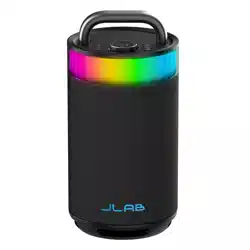
EPIC PARTY
BLUETOOTH
SPEAKER
We love that you are rocking JLab!
We take pride in our products and fully stand behind them.
YOUR WARRANTY
All warranty claims are subject to JLab authorization
and at our sole discretion. Retain your proof of
purchase to ensure warranty coverage.
CONTACT US
Reach out to us at [email protected]
or visit jlab.com/contact
REGISTER TODAY
jlab.com/register
Product updates | How-to tips
FAQs & more
L
I
M
I
T
E
D
T
W
O
Y
E
A
R
W
A
R
R
A
N
T
Y
S
U
P
P
O
R
T
T
E
A
M
#
T
E
A
M
J
L
A
B
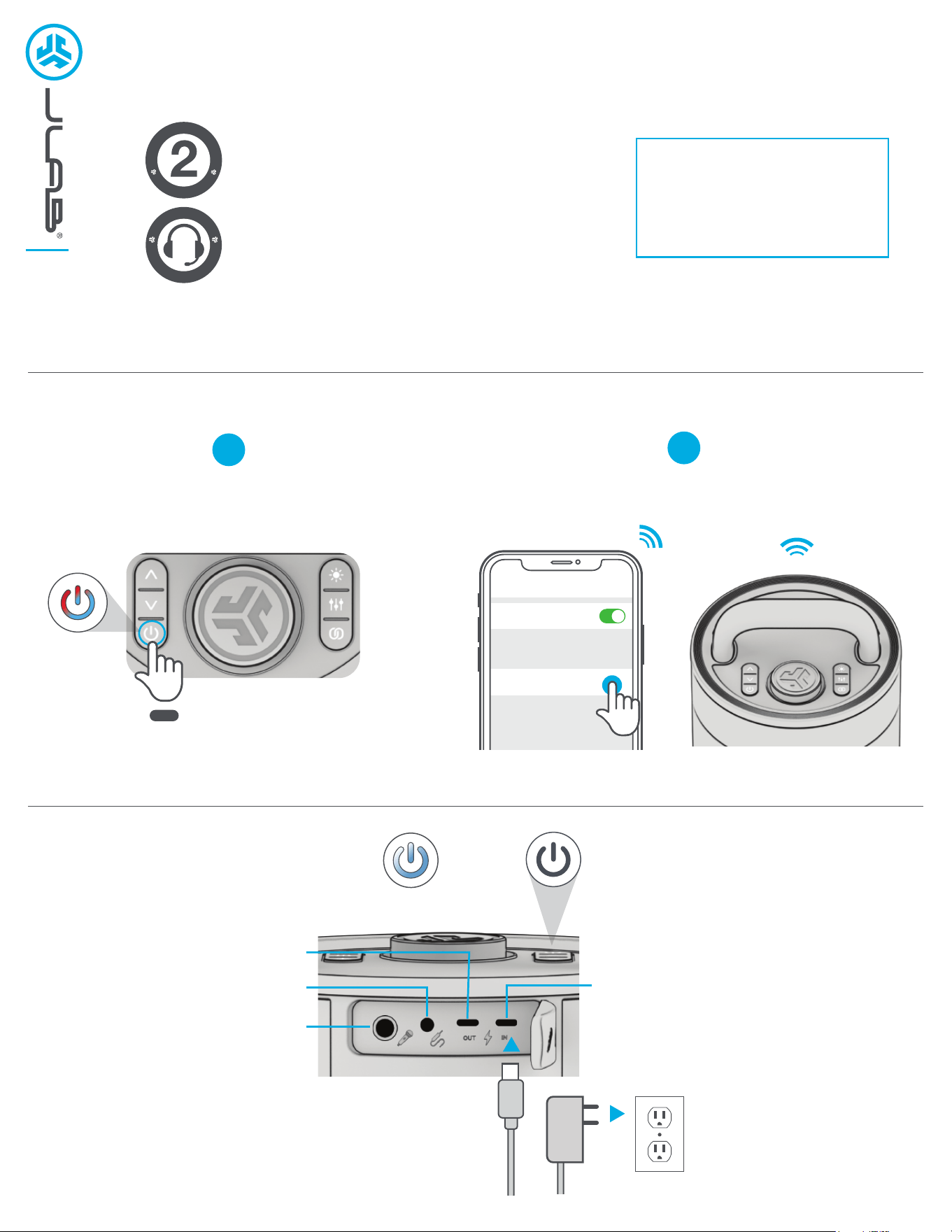
PAIR UP
GET CHARGED
1
Select JLab Epic Party in your
device settings to connect.
Press and hold button. Lights will flash
blue/red to indicate pairing mode.
2
8 sec
PULSES:
CHARGING
LIGHTS OFF:
CHARGED
Connect 30w charger to USB-C IN
and wall outlet to charge.
1/4” INPUT
AUX INPUT
USB-C CHARGE OUT
(charge other devices)
USB-C CHARGE IN
(charge Epic Party)
Bluetooth
Settings
JLab Epic Party
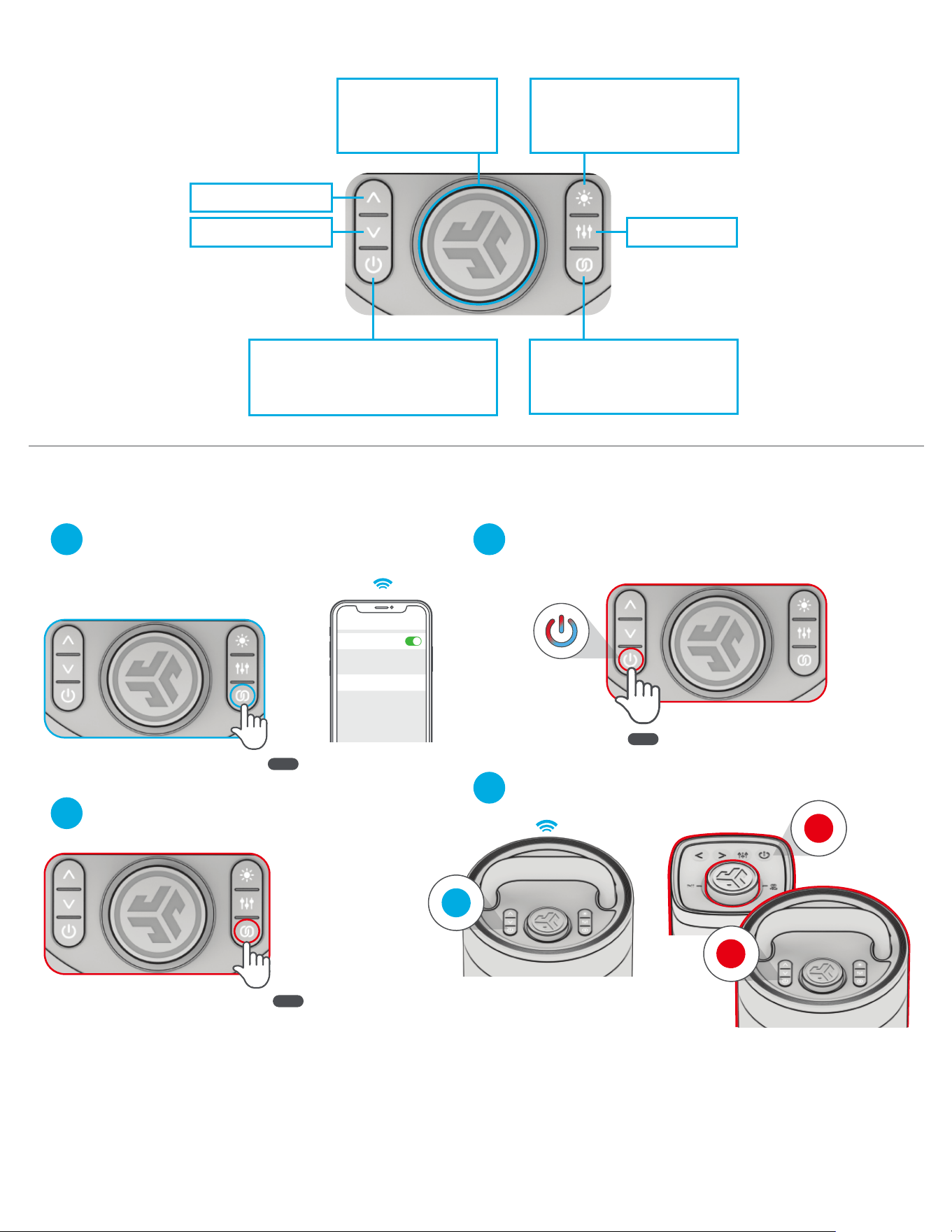
GO AHEAD, PRESS THE BUTTON
With your other JLab Party Speaker(s) turned off,
Press hold power button until LEDs flash blue/red.
2
Followed by entering LabSync
on your other speaker(s).
3
4
LabSync (CAST TO OTHER JLAB PARTY SPEAKERS)
Connect Epic Party to your device.
Press Hold to enter LabSync.
Epic Party will say “LabSync”
1
QUICK TIPS:
• Epic Party is set to Eco-Mode by default. Lights will turn off when battery is less than 25% to conserve power.
• Turning off the lights will significantly improve playtime.
• Epic Party will auto power off if no media is playing for 30 minutes.
• Download the JLab App to adjust the default settings.
• LabSync works with all JLab Pop Party, GO Party, JBuds Party, and Epic Party speakers.
TRACK FORWARD: 1x
EQ CHANGE: 1x
CYCLE LEDs: 1x
(cycles 6 LED Animations)
LEDs ON/OFF: PRESS HOLD
LabSync: PRESS HOLD
(see LabSync page to
connect JLab Party Speakers)
TRACK BACK: 1x
POWER ON/OFF: PRESS HOLD 2s
PAIR NEW DEVICE: When powered off
PRESS HOLD 8s
VOLUME: ROTATE
PLAY/PAUSE: 1x
Press Hold
2 sec
Press Hold
2 sec
8 sec
Receiving
Casting
Bluetooth
Settings
Connected
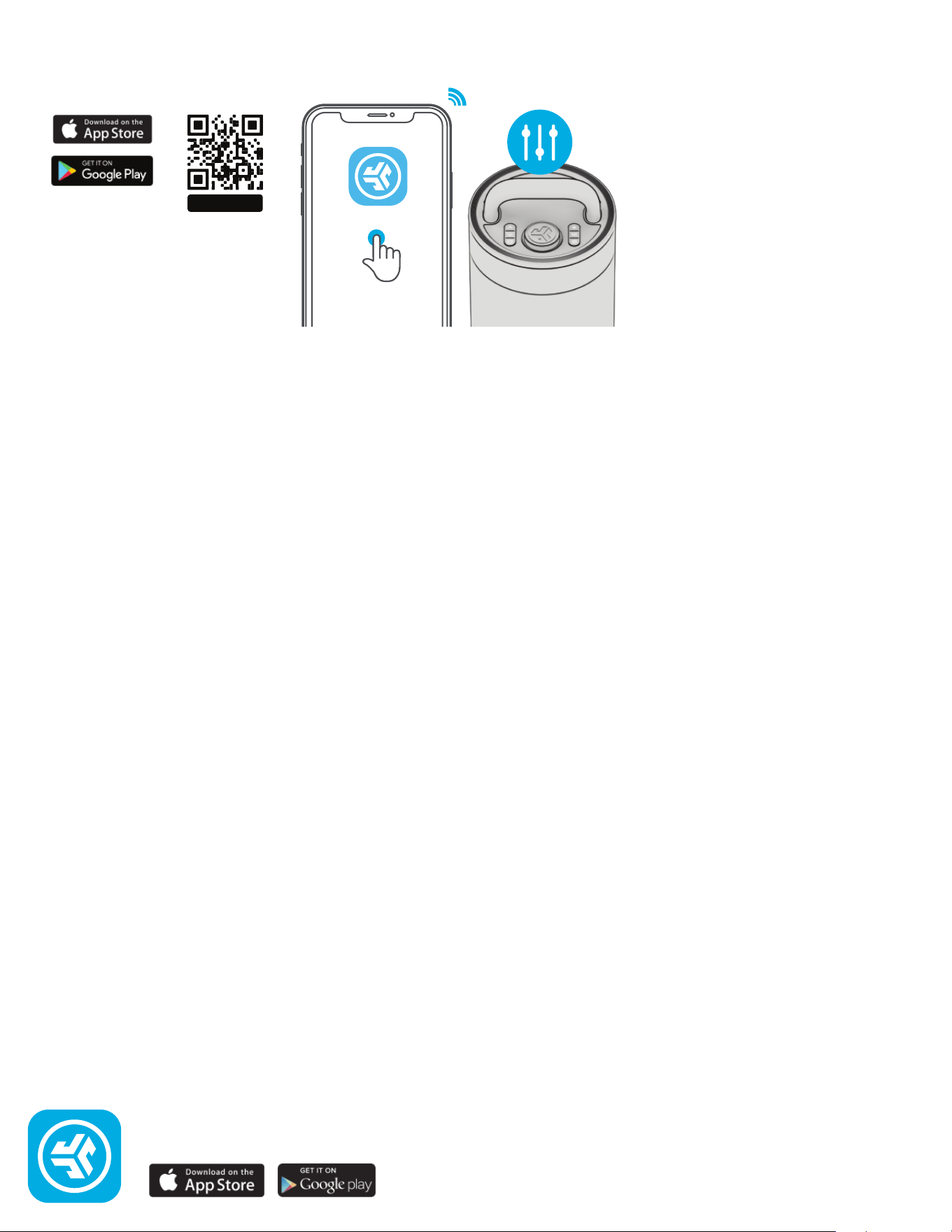
JLAB.COM
DOWNLOAD THE APP
Customize the Sound, Lights, and Features.
SCAN ME
Shop products | Product alerts | Burn-in your headphones
JLab Store + Burn-in Tool
JLab
