CTX200PA Network Cable
Tester with Probe
USER MANUAL
LanSOHO 200 Pro
Cable Tester
RJ45
COAX
3 & 6
1 & 2
FAIL
PASS
TONE
POWER
4 & 5
(COAX)
7 & 8
SHIELD
OPEN
SHORT
CROSS
SPLIT
ON
TEST
FAULT
CHECK
TONE


Introduction
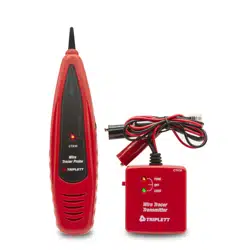
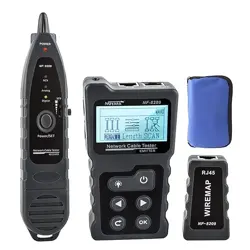
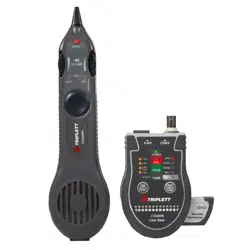
Congratulations on your purchase the CTX200PA. This Network Toner and
Probe Kit is designed specifically for locating and tracing network cables
and live or dead phone lines, as well as coaxial video cabling systems.
Today’s media networks have a combination of twisted pair data, telephone
voice, coax and security/alarm video wiring. It provides 2 selectable
powerful Net and Tel tones allow cabling installers, Datacom/Telecom
technicians directly plug into an active networks, patch panel, wall outlet or
live phone line, makes it easy to quickly isolate the right cable in the
equipment closet, and locating an unlabeled network cables during
installation and troubleshooting. Tests CAT3, 5, 5e, 6, 6A, & 7 Ethernet
Cables to TIA568 Specs • Tests COAX Cables • Locates Cables*
WARNING!!!
DO NOT USE ON LIVE CIRCUITS!!
Features
Tests and tones both RJ45-CAT5/6 and coax cables.
Ruggedized for field use. Small and easy to carry.
PASS/FAIL results appear in one second.
Each pair’s status is highlighted.
Complete TIA568 test performed. Continuity, opens / shorts, reversals
and split pairs.
Full featured probe for tracing cables and troubleshooting.
Auto-off (12 seconds) to conserve battery life.
Low battery indicator.
(2) 9V Batteries and Pouch included.
Quick Start: Cable Testing
Purpose
Ethernet cables have 4 pairs of wires (”twisted pairs”). It is important that the pairs
correctly go to connector pins 1,2 ; 3,6 ; 4,5 ; and 7,8. The Pocket CAT tests for
the proper pairing and if there is an error it will report it to you (”split pairs”)
Connecting cables to the Tester
Installed cables: Connect the Main unit to the wall jack, then connect the Remote
to the patch panel or far-end wall jack.
Patch cables: Attach the Main unit and Remote directly to the cable ends.
Power ON and Test
Press the ON button. Press again to begin test. When the PASS/FAIL LEDs light,
press the FAULT CHECK button to isolate any problems to an individual pair.
Coax Testing Coax is displayed using the 4/5 LEDs. The coax remote is in the
pouch.
Quick Start: Cable Locating with Tone
Purpose
Tone is used to locate a cable’s far end. A tone is placed on the cable’s
“near end” by the Pocket CAT Main unit. The probe locates the tone at the
far end of the cable.
Connecting cables to the Tester
Plug the cable into the tester’s Main unit.
Power ON and Tone:
Press the ON button. Hold the TONE button for 7 secs to turn ON the tone.
Press the TONE button repeatedly to select the pair you wish to tone. The
tone is loudest when you select the entire cable (including the shield).

Connec ng the Cable Tester
Testing patch cables
Slide Remote Connector out from base of Pocket CAT, then connect one end of the cable
to the Remote Connector, and the other end to the Pocket CAT.
Testing installed cables
Slide Remote Connector out from base of Pocket CAT, then connect the far end of the
cable to the Remote Connector, and the other end to the Pocket CAT. NOTE: The Remote
Connector for COAX testing is located in the pouch..
Faceplate
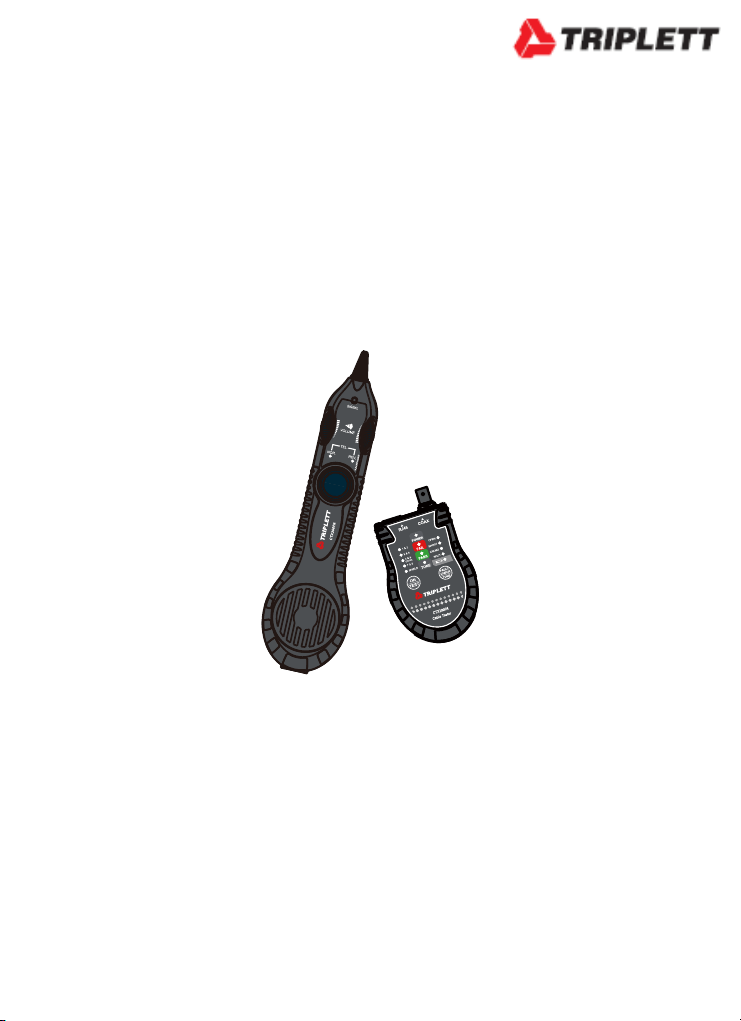
POCKET CAT FACEPLATE
Pass/Fail
Indicator
Pair/Shield
Tested
(Coax uses 4/5)
Press to test all pairs automatically.
OPEN: A wire is disconnected.
SHORT: A wire makes contact with
another wire.
CROSS (REVERSAL): a twisted pair
gets flipped on one side of the cable
SPLIT: One wire from each of two
different pairs gets swapped on both
ends of the cable.
Press to test pairs individually. Hold 7 second for Tone and Press again to select pair.
Remote Connector: Push or Slide to Remove.
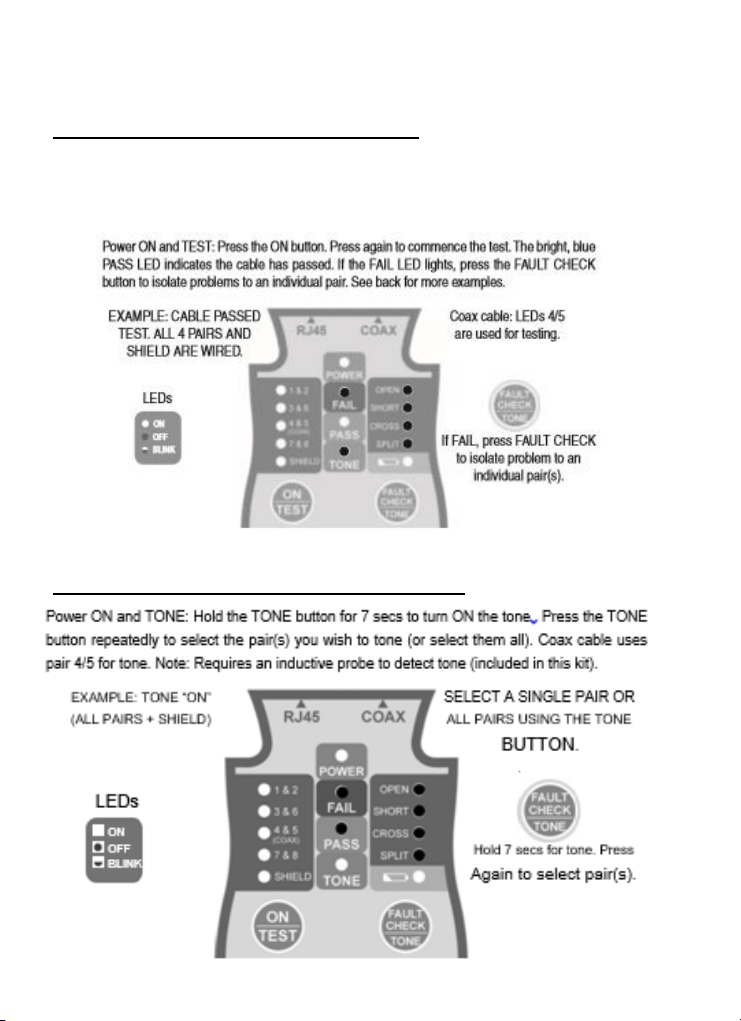
Tesng RJ45 and Coax Cables
Power ON and TEST: Press the ON button. Press again to commence the test. The bright, blue
PASS LED indicates the cable has passed. If the FAIL LED lights, press the FAULT CHECK button
to isolate problems to an individual pair. See back for more examples.
Using Tone to Locate a Cable End
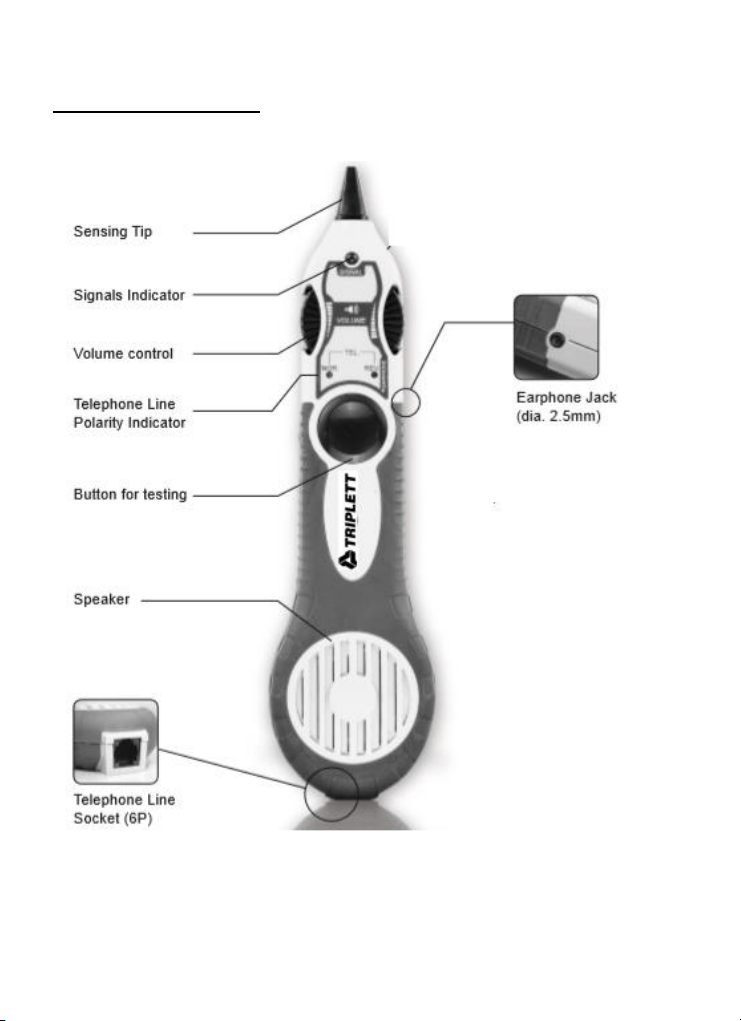
Probe Operation
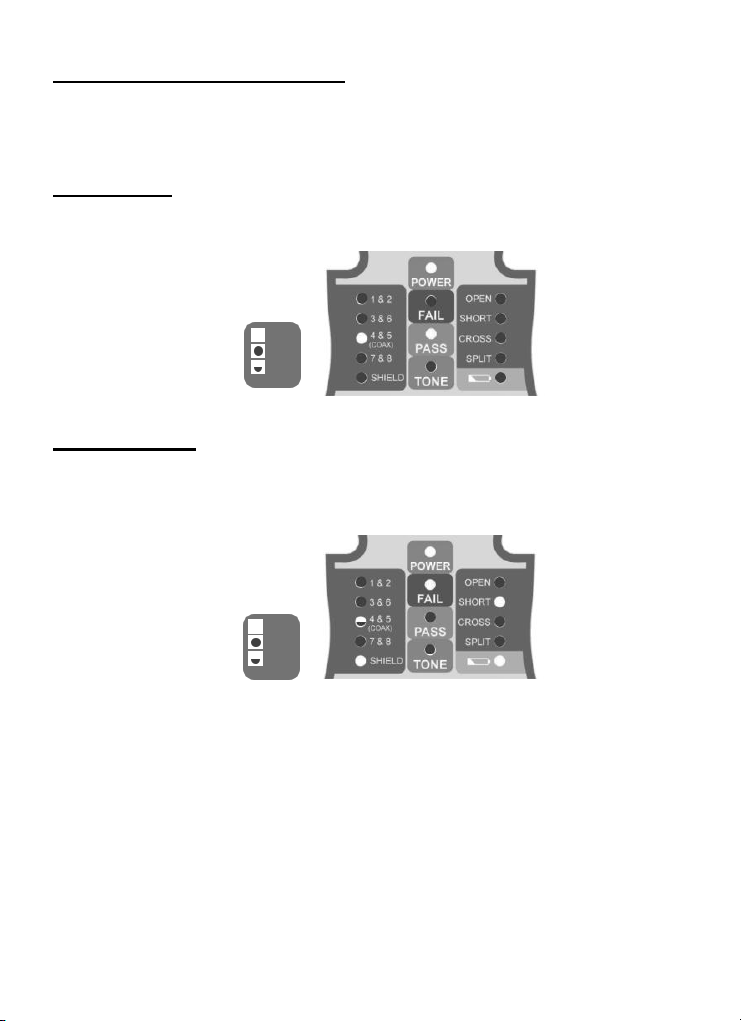
Testing Examples: Coax
The Pocket CAT uses LED 4&5 to display the status of a coax cable test.. Connect the near end
of the cable to the BNC connector. Connect the far end to the coax terminator (pouch).
Good Cable:
LEDs
ON
OFF
BLINK
Short in Cable:
LEDs
ON
OFF
BLINK
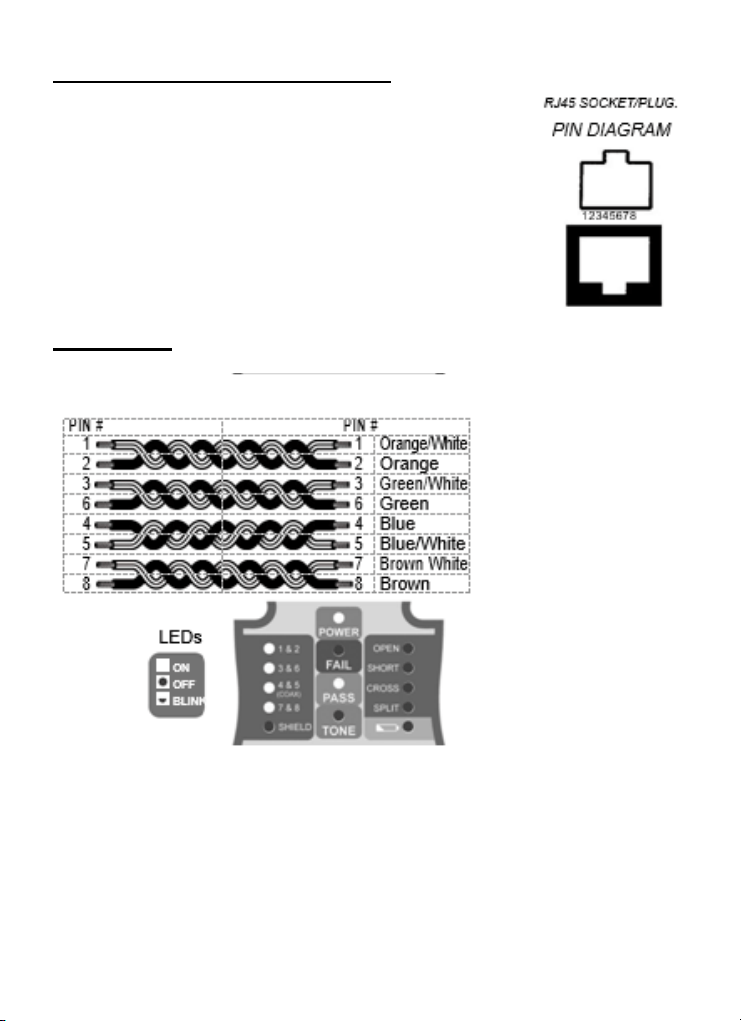
Testing Examples: Ethernet
Ethernet cables have 4 pairs of wires (”twisted pairs”).
It is important that the pairs correctly go to connector pins
1,2; 3,6; 4,5; and 7,8. The tester tests for the proper pairing
and if there is an error it will report it to you. The follow-ing
examples are based on EIA/TIA 568B (the most popular
ethernet wiring standard).
Good Cable:
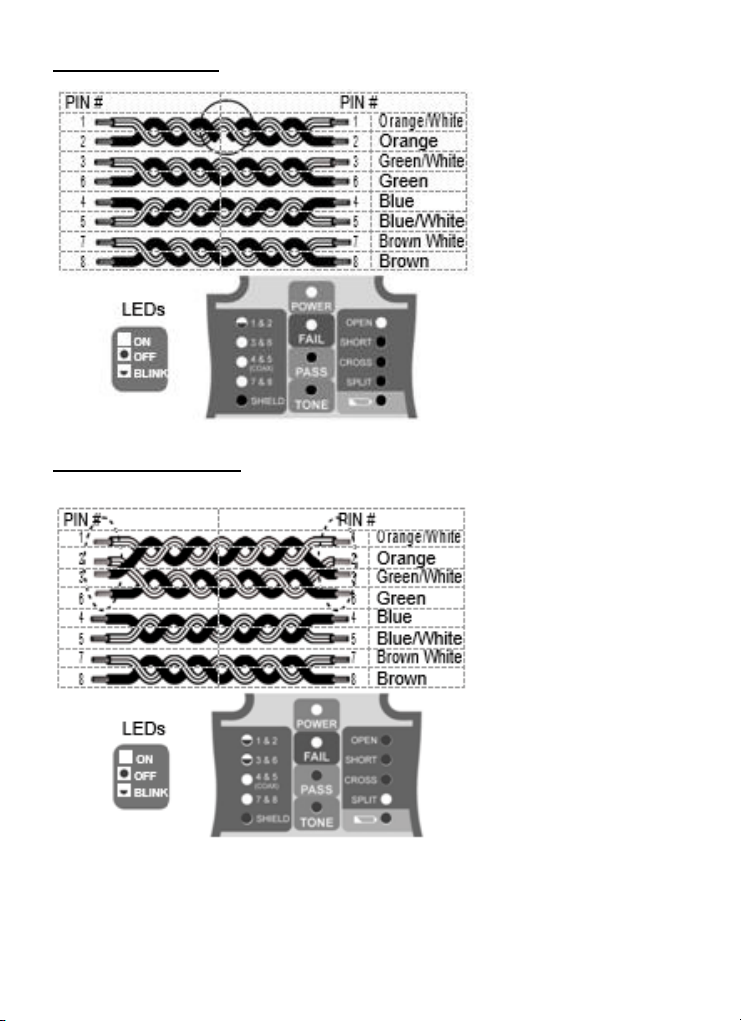
Open on Pair 1-2:
Split Pairs 1-2 &3-6:
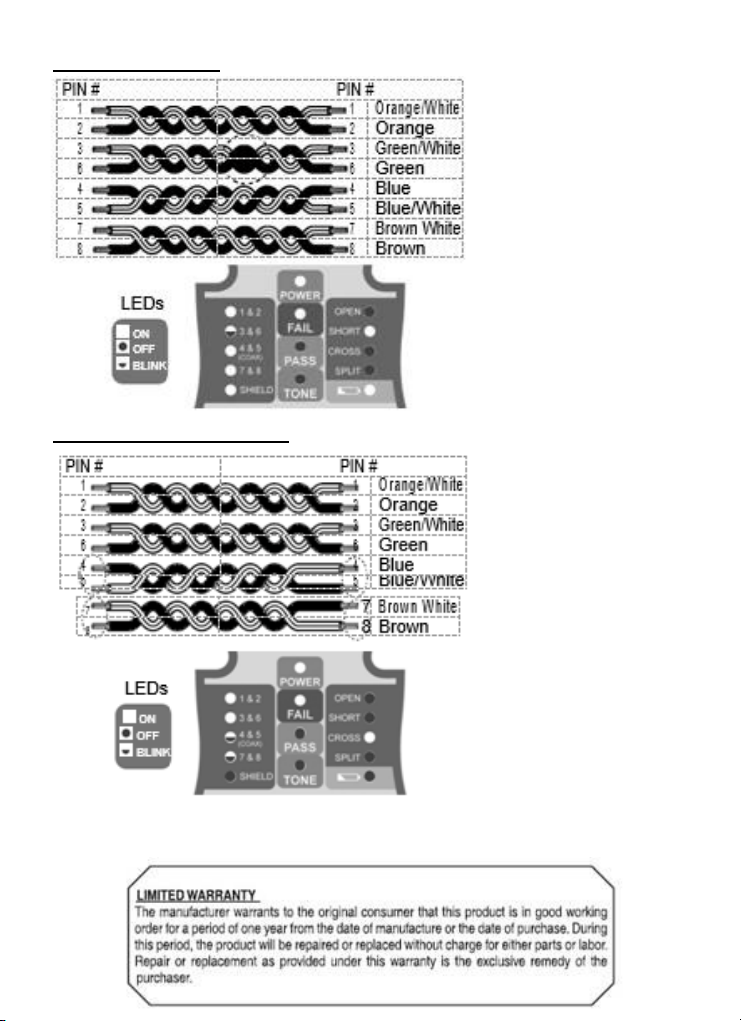
Short on Pair 3-6:
Crossed Pairs 4-5 & 7-8:
Copyright © 2019 Triplett