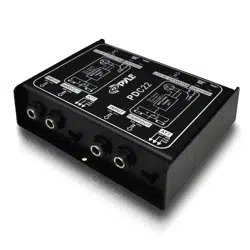
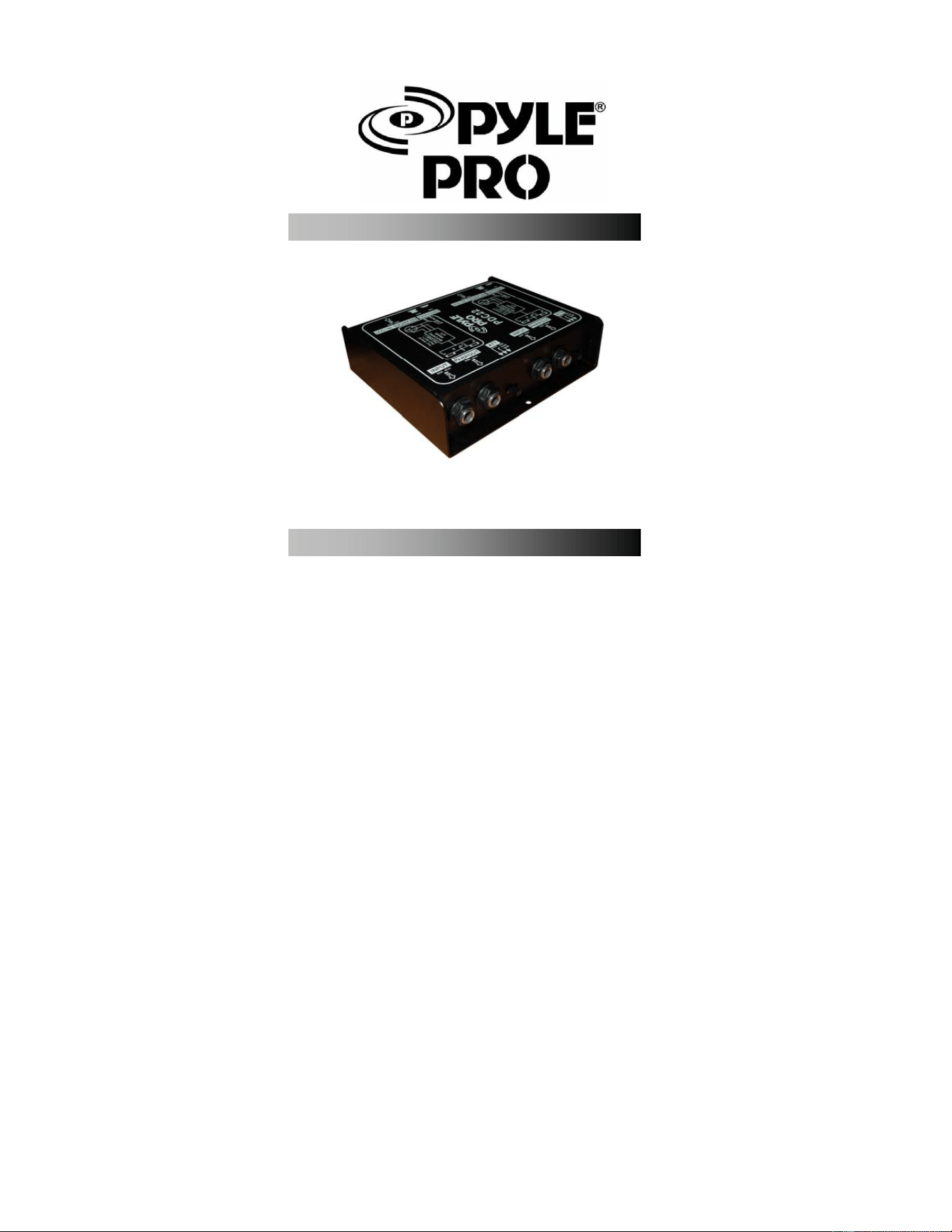
DUAL DIRECT BOX
OWNE
R
’S MANUAL
PD
C
22
www.pyleaudio.co
m
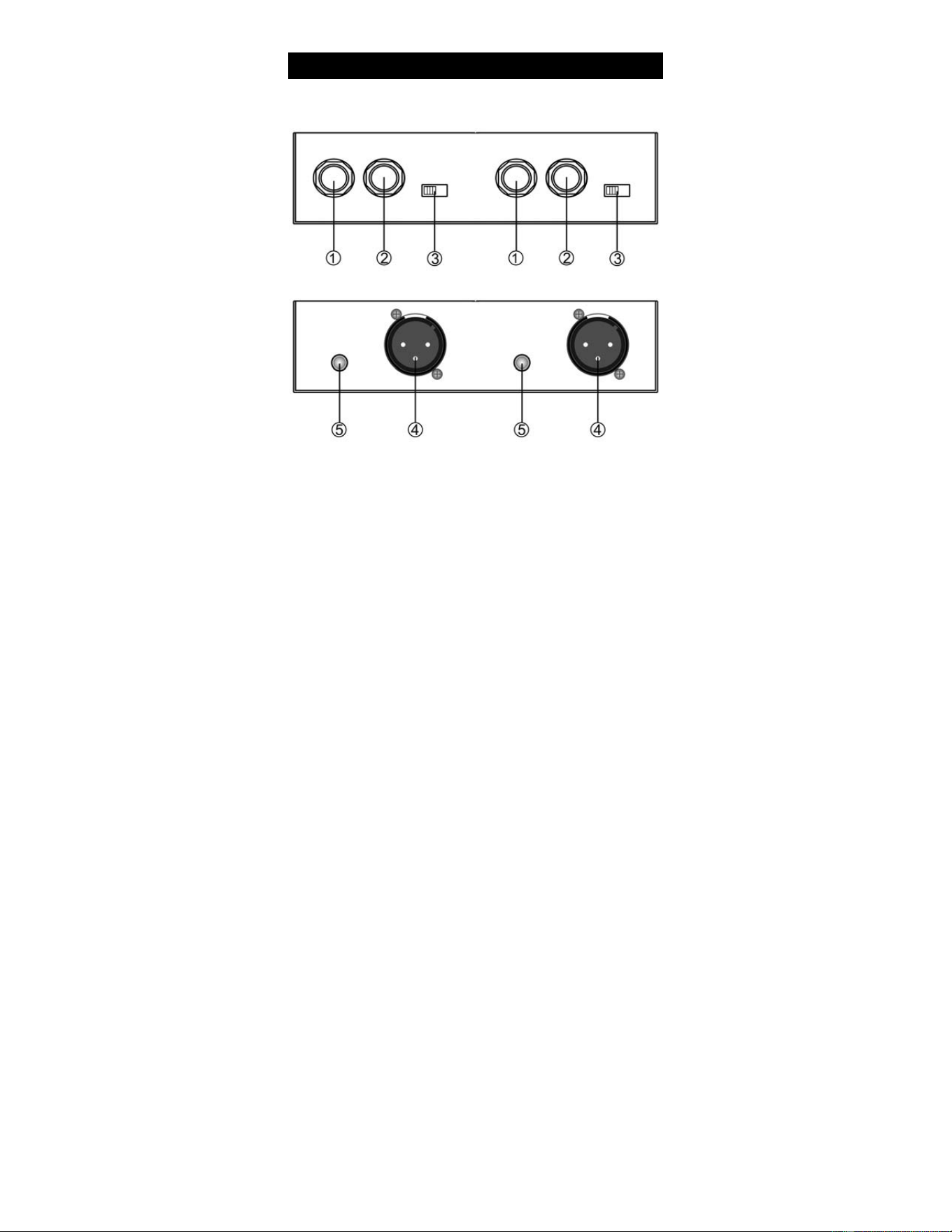
1. INPUT – 1/4” input connector.
2. PARA OUT – It’s parallel output 1/4” jack for passing the input signal
through to a stage amplifier or monitor system.
3. ATT Switch – input attenuation, switchable(0dB,-20dB,-40dB)
4. BALANCED OUTPUT – Male XLR connector.
5. GROUND – When engaged, the ground from the PDC22 chassis detaches
from the XLR jack.
Fr
o
nt an
d
R
e
ar Pan
e
l La
you
t
-1-

A direct box, or DI box, provides the facility for the direct insertion of an audio
signal into a mixer or recorder. The PDC22 offers a variety of DI solutions for
live sound and recording applications. You can connect all kinds of audio
signals like guitars, keyboards, outboard signal processors and even the
high-powered speaker output from an amplifier. The PDC22 enables you to tap
off the signal from a guitar or bass guitar and pass the signal from the PARA
OUTPUT to the on stage amplifier without affecting the original sound. This
can eliminate the need for mixing the guitar amplifier, which in many cases is
preferable, especially with bass guitar. The PDC22 is also very useful for
connecting unbalanced signals from sources like signals DJ and sub-mixers,
effects processors and keyboards to a main PA or recording mixer. The PDC22
balanced output provides a clean signal at a low level so long runs of cable are
possible. Another benefit from a balanced connection is common mode
rejection., which provides cancellation of the bad sounds(hums and buzzes)
while leaving the original signal pure.
One of the most common applications for using a DI box is getting the signal of
a bass guitar into the PA system. Simply put, the low frequencies produced by
bass are difficult to mic, so use of a DI box is almost always preferable. In
addition, the signal going to PA system can be tweaked by the FOH(front of
house) engineer, without affecting the sound the musician dials up on stage. You
can use PDC21 to plug a guitar directly into the PA system as well. Especially
acoustic guitars with pickups and when using electronic guitar processors and
modelers. Follow the diagram and steps below to connect a guitar to a PA
mixer.
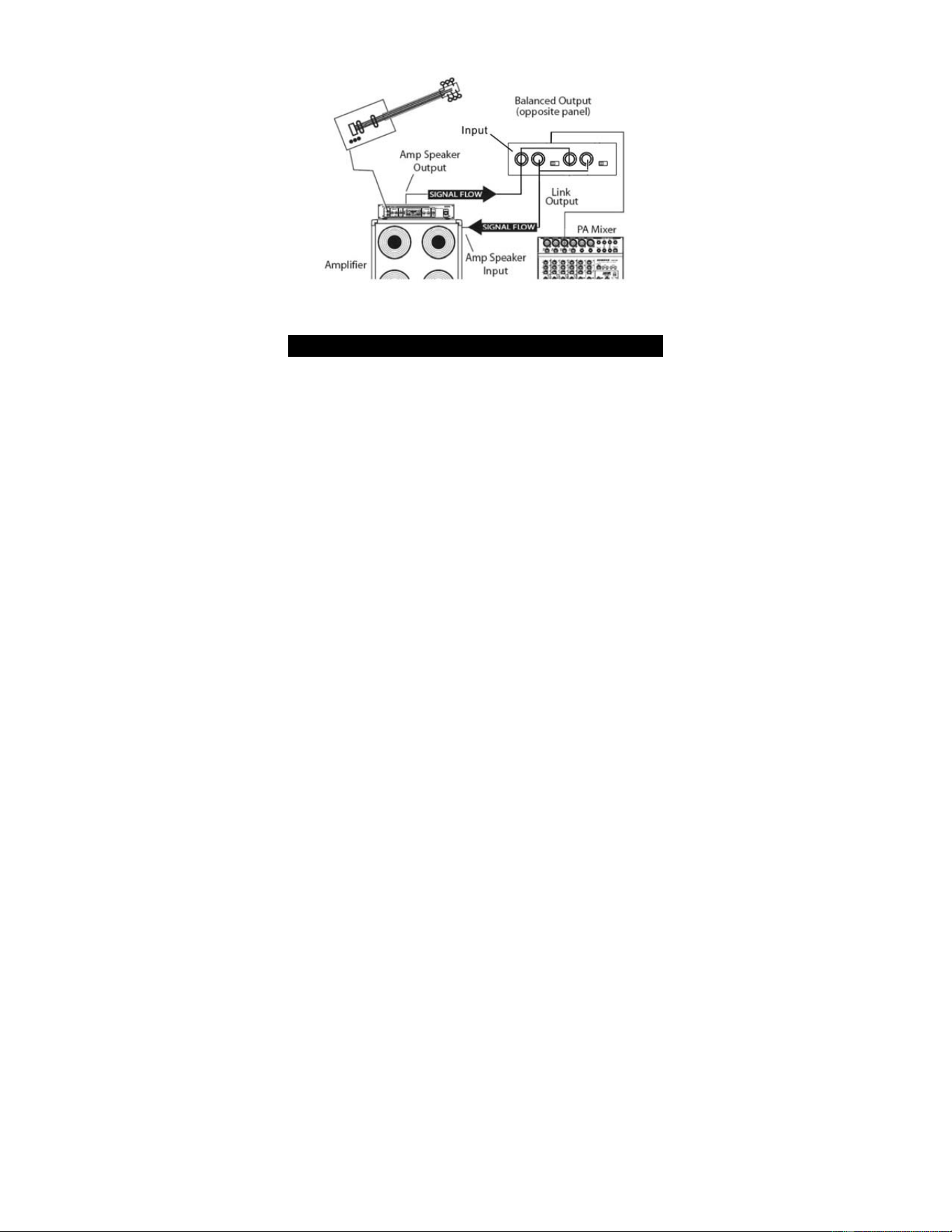
·Connect the output of the guitar or bass to the PDC22 INPUT
·Connect PDC22’s PARA OUT to the input of the guitar or bass amplifier.
·Connect PDC22’s BALANCED OUTPUT to the input of main PA mixer.
Dir
ec
t in
s
e
rti
o
n
o
f an In
s
tr
u
m
e
nt int
o
a PA
sys
t
e
m
Ope
ratin
g
th
e
PD
C
21
-2-
NOTE: TO avoid annoying pops and clicks be sure to mute (or
turn down the volume control) of your mixer’s output while
connecting the PDC22.
The PDC22 provides the capability of tapping off the signals from amplifiers,
such as the output or guitar amp or power amplifier. You can even use PDC22
to connect to the speaker output of a consumer stereo system or boom box, for
example, if you want to sample some old records or cassette tapes.
NOTE: Be sure that the ATT switch is set to (-20db or -40db)position before
connecting the signal from the output of any amplifier.
Follow the diagram and steps below to connect a powered output of a guitar
amplifier to a PA mixer.
·connect the output of the guitar or bass to the guitar amp input.
·Set the ATT switch to the -20db or -40db
·Using unshielded speaker cable, connect the guitar amp’s speaker output to the
PDC21’s INPUT
·Using another unshielded speaker cable, connect PDC22’s PARA OUT to the
input of the guitar amplifiers speaker
·Connect PDC22’s BALANCED OUTPUT to the input of main PA mixer.
Connecting to High Power Signals
-3-
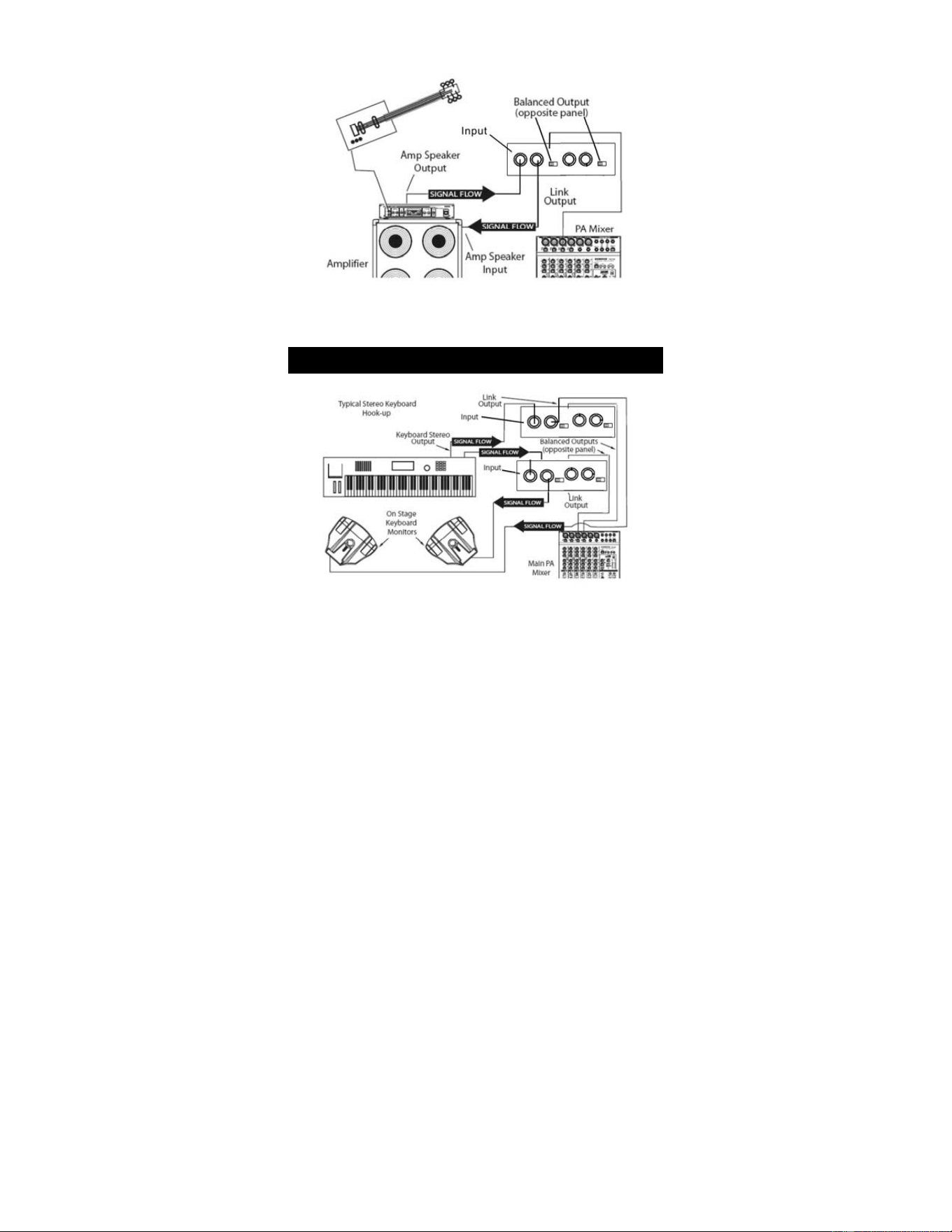
NOTE: This example may appear to be the same as the previous,
however in this example, the PDC22 is tapping the sound of the
instruments and amp, as opposed to just the instrument itself.
Convertin
g
the out
p
ut of Unbalanced Devices
-4-

The PDC22 can be quite useful on stage or in the studio for connecting unbalanced devices,
particularly key boards. The output levels of many keyboards are low. So their signals can
benefit greatly by connecting their unbalanced outputs to the PDC22 by doing so the signal
can be sent cleanly for long distances while benefiting from the low noise and common
mode rejection provided by PDC22’s balanced low-level output. The diagram following
shows a typical hook-up for a stereo keyboard connected to a stereo stage monitor system
and the main PA mixer.
Frequency Response 5-35 KHz, -3dB
Noise Level(22-22KHz, Input Shorted) -104dBu
THD + N(10Hz-22KHz) 0.013% typ. @ 1 VRMS,
1KHz
Input Impedance 50K Ohm
Max. Input Level (1% THD) +8.1 dBu (9V. Batt)
+11.3dBu(48V.Phantom)
Instrument Input 1/4” Phone Jack,
unbalanced
Parallel (link) out 1/4” Phone Jack,
unbalanced
BALANCED OUTPUT XLR Connector,
balanced
Dimensions: 5.51”x4.72”x1.57”
S
p
ecifications:
-5-