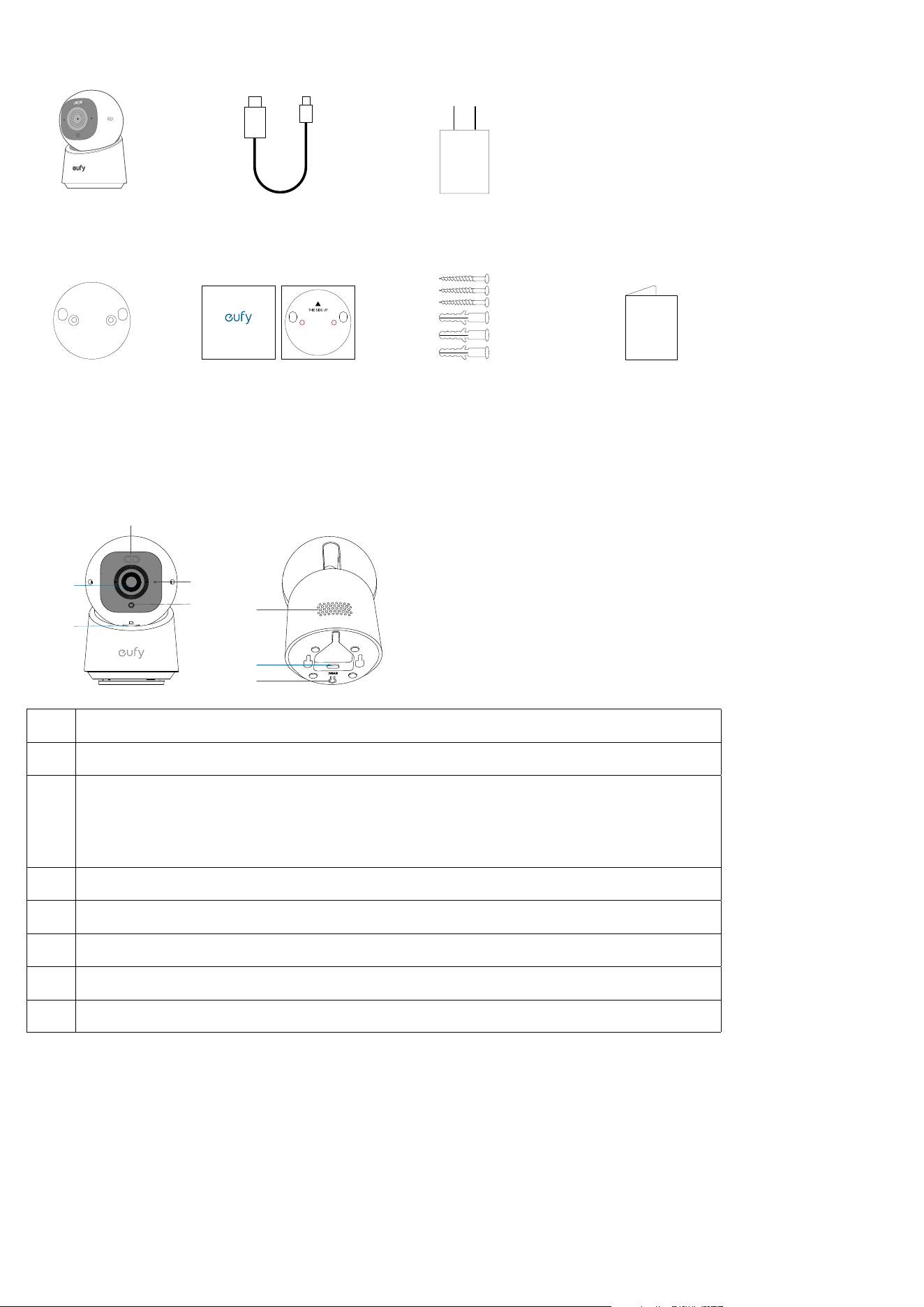
What's in the Box
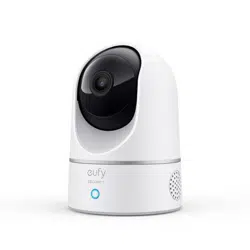
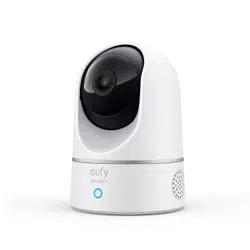
Indoor Camera
Mounting Bracket
USB-C Charging Cable
Positioning Sticker
Positioning Sticker
Power Adapter
Screw Pack Quick Start Guide
At a Glance
➁
➀
➄
➃
➂
➇
➆
➅
❶
Spotlight
❷
Lens
❸
microSD Card Slot
• Insert a microSD card* (not included) to store recordings
*Use at least a Class 10 microSD card with a maximum of 128GB.
❹
Microphone
❺
LED Indicator
❻
Speaker
❼
Power Input
❽
SYNC Button
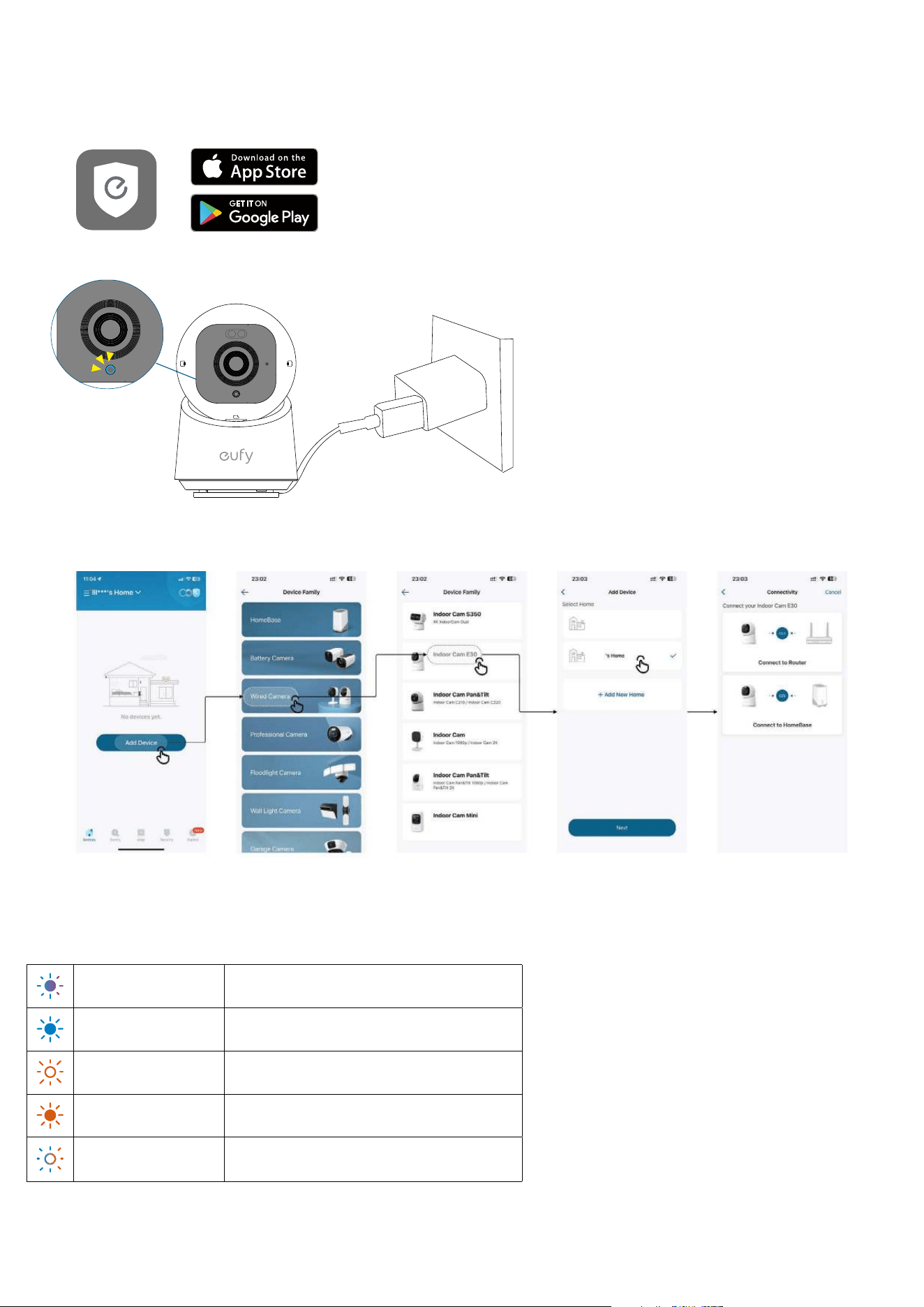
Setting up the System
1. Download and install the eufy Security app, then sign up or create an account.
• The app version must be Android 4.9.3_435 / iOS4.9.35_1651 or later.
2. Connect the camera to a power source and wait until the status LED turns solid blue.
3. Select Add Device on the home screen of the app, then select Wired Camera > Indoor Cam E30 in the device family, and
follow the in-app instructions to add your camera.
LED Light Guide
Solid Violet System is initializing
Solid Blue Working normally or ready for setup
Blinking Red Not connected to the internet
Solid Red Recording or the live stream is being viewed
Flashing Blue and Red
Firmware upgrade in progress
*Keep the camera connected to a power source
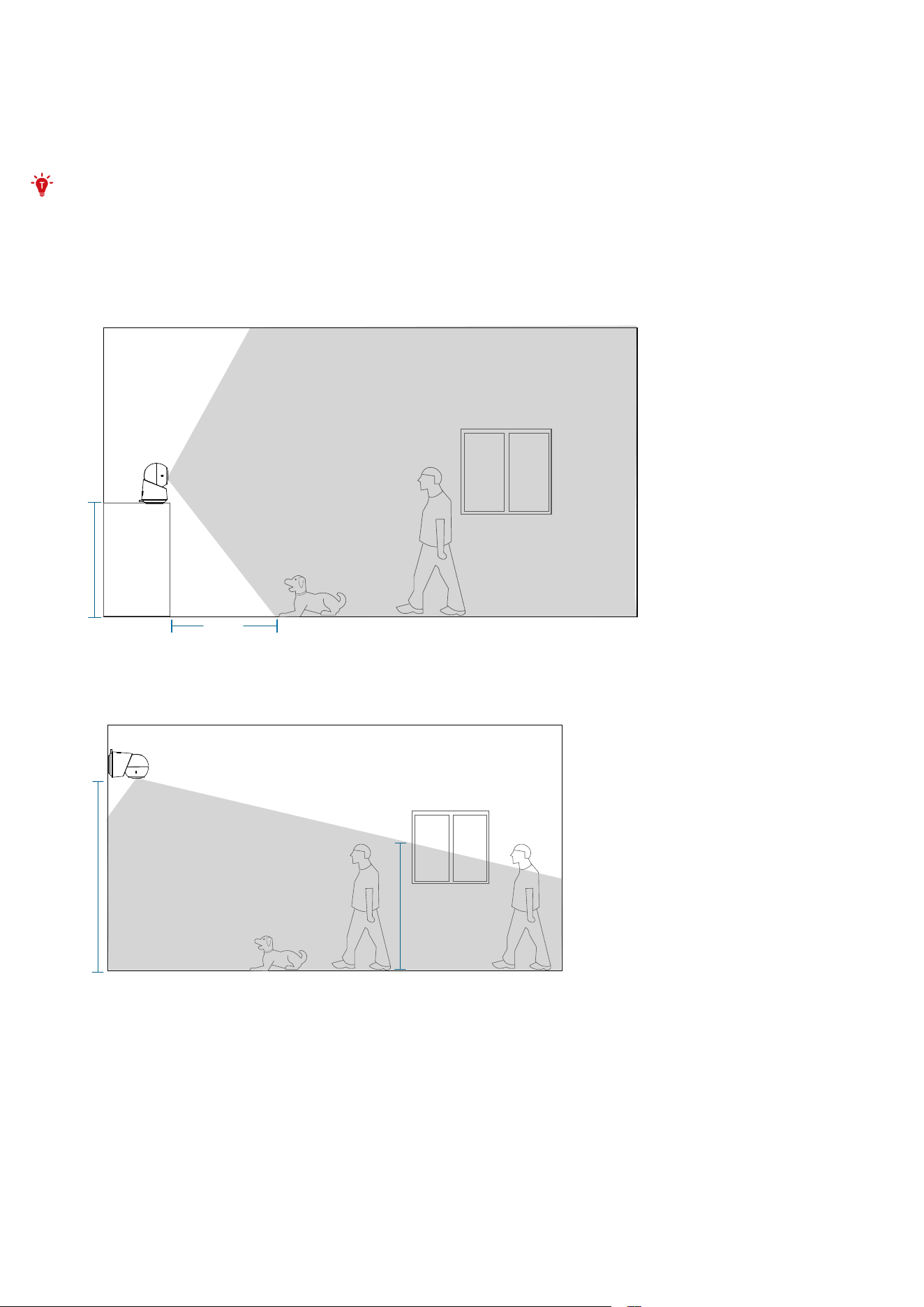
Installing your Camera
Choose a Location
The camera can be placed on a table or shelf, or mounted on a wall or ceiling. Choose a location and height that achieves
your desired view and is within reach of a power outlet.
Keep the camera at least 0.7 ft (0.2 m) away from any objects or walls to avoid infrared reflections that can impact
night vision performance.
Camera Field of View
On a Table or Shelf
0,6m
(2 ft)
0,8m
(2.6 ft)
On the Wall
2,4m
(8 ft)
1,7m
(5.6 ft)
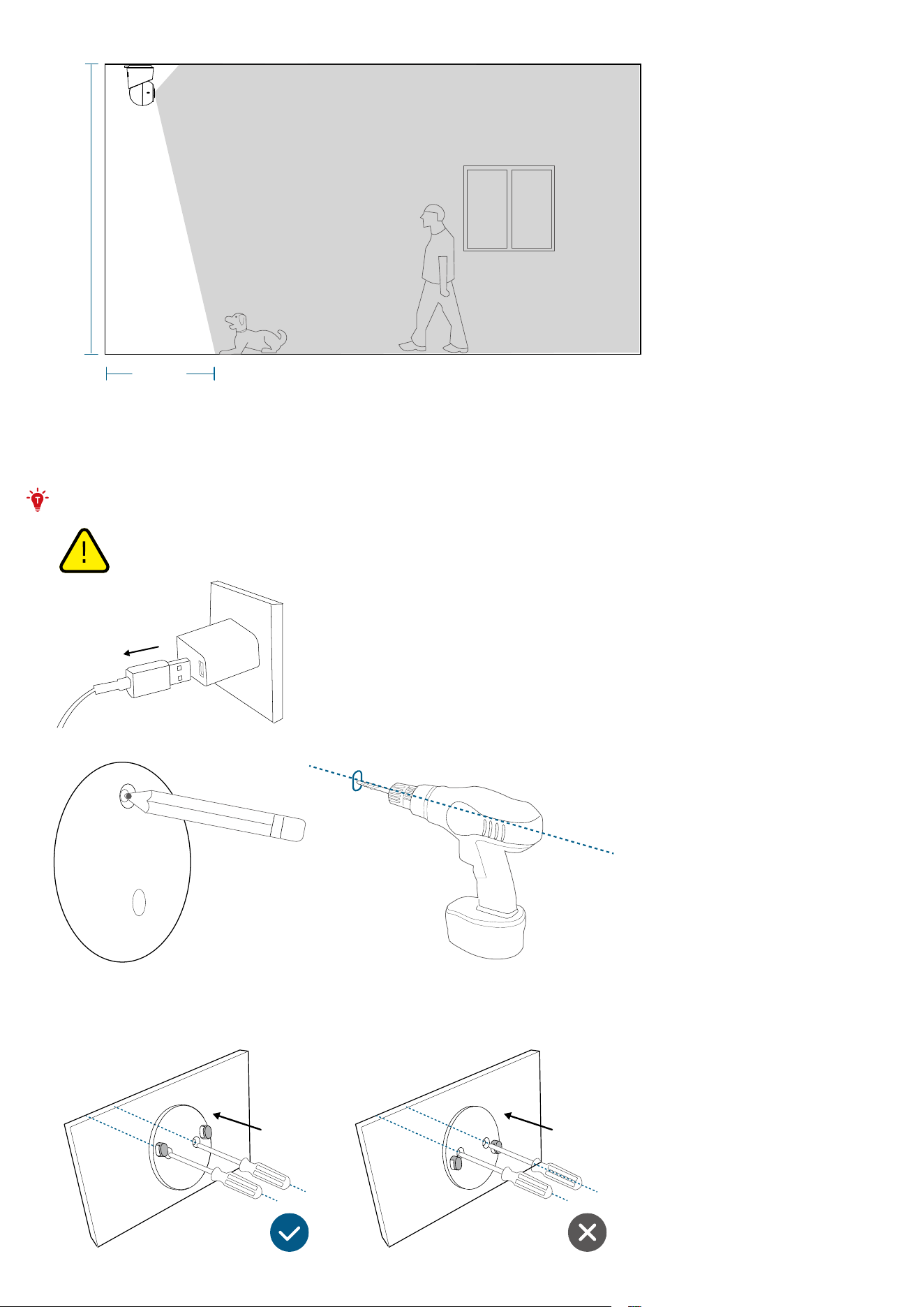
On the Ceiling
0,8m
(2.6 ft)
3m
(10 ft)
Mount on a Wall or Ceiling
Warning: Disconnect the camera from the power outlet before mounting.
1. Mark the screw positions on the wall or ceiling with the positioning sticker and drill a pilot hole.
2. Hold the mounting plate on the wall and make sure the "UP" arrow is pointing, then secure the mounting plate on the wall
or ceiling with the screws.
• On the Wall
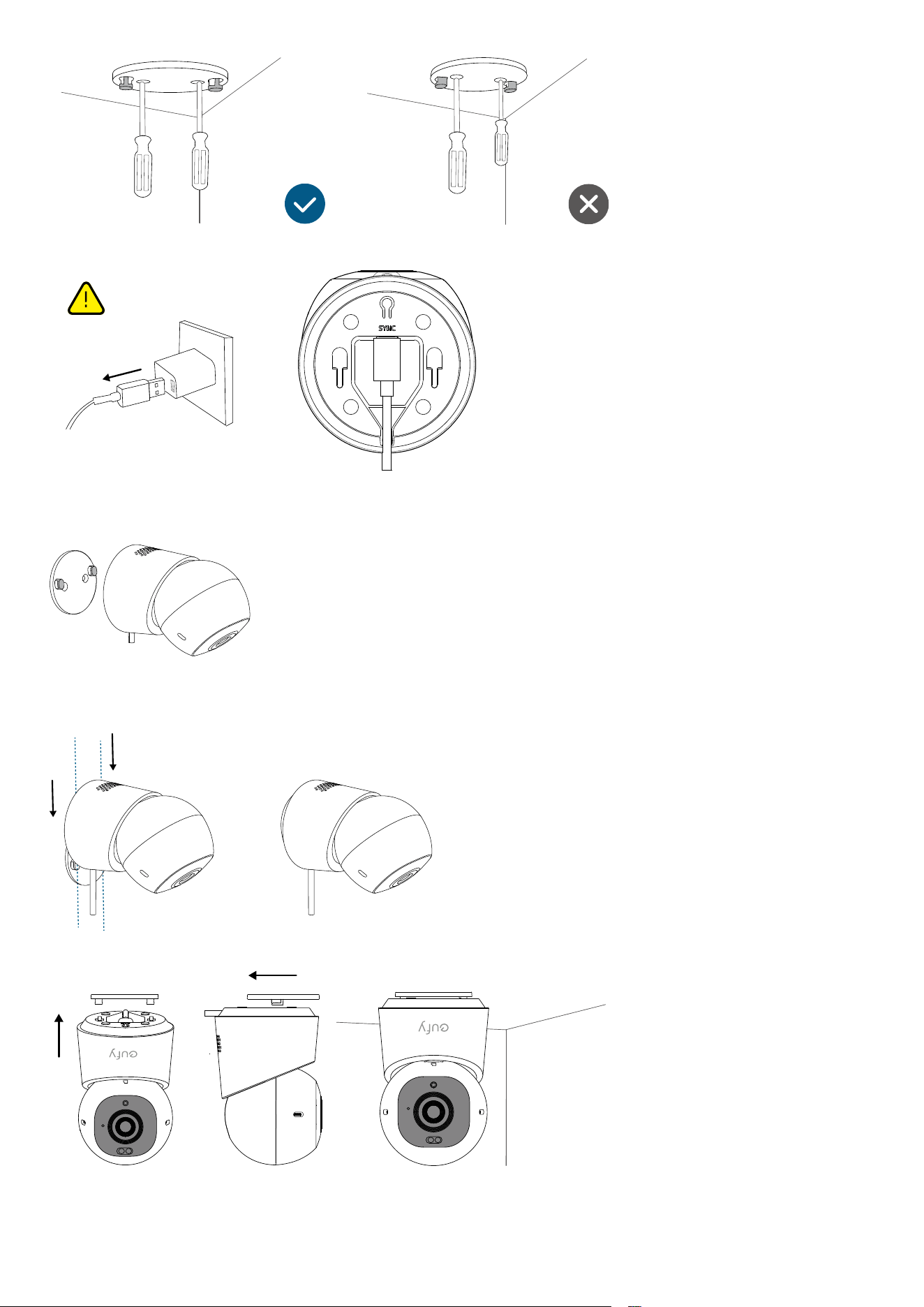
• On the Ceiling
3. Unplug the camera. Connect the USB-C cable to the camera with the other end disconnected from a power source.
4. For wall mounting, place the cable into the cable channel of the mounting plate.
• Skip this step for ceiling installation.
5. Slide the camera onto the mounting plate and make sure it is securely attached.
• On the Wall
• On the Ceiling