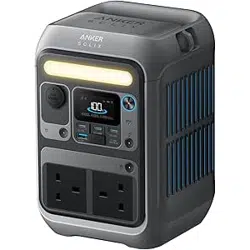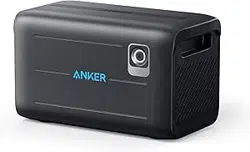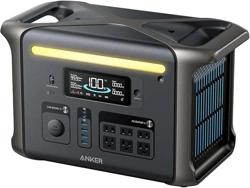
What's in the Box
Overview
Product Overview
LCD Screen Guide
Recharging Your Power Station
AC Recharging (1800W Max)
Solar Panel Recharging (2400W Max)
Car Recharging (120W)
Powering On / O
ff
Powering Your Devices
AC Charging
USB Charging
Car Socket Charging
Uninterruptible Power Supply (UPS)
Connect With an Expansion Battery
Connect with Anker SOLIX Home Power Panel
Anker App for Smart Control
Light
Carry Your Power Station
FAQ
Speci
fi
cations
Appendix: Warning
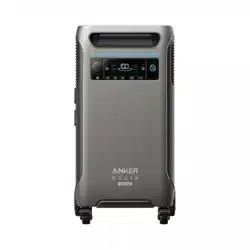
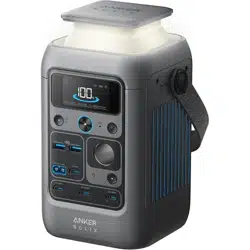
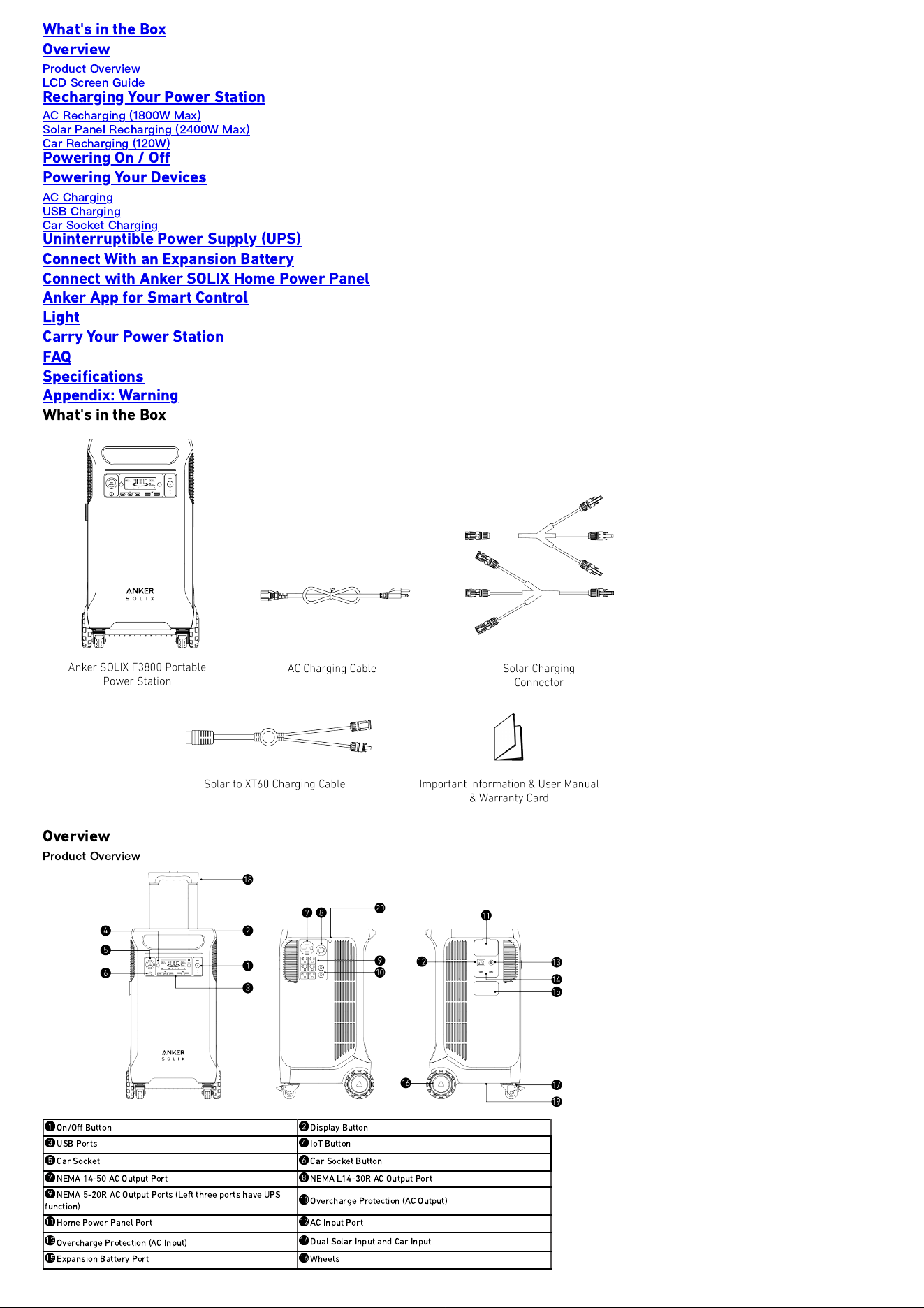
What's in the Box
Overview
Product Overview
On/O
ff
Button
Display Button
USB Ports
IoT Button
Car Socket
Car Socket Button
NEMA 14-50 AC Output Port
NEMA L14-30R AC Output Port
NEMA 5-20R AC Output Ports (Left three ports have UPS
function)
Overcharge Protection (AC Output)
Home Power Panel Port AC Input Port
Overcharge Protection (AC Input)
Dual Solar Input and Car Input
Expansion Battery Port
Wheels
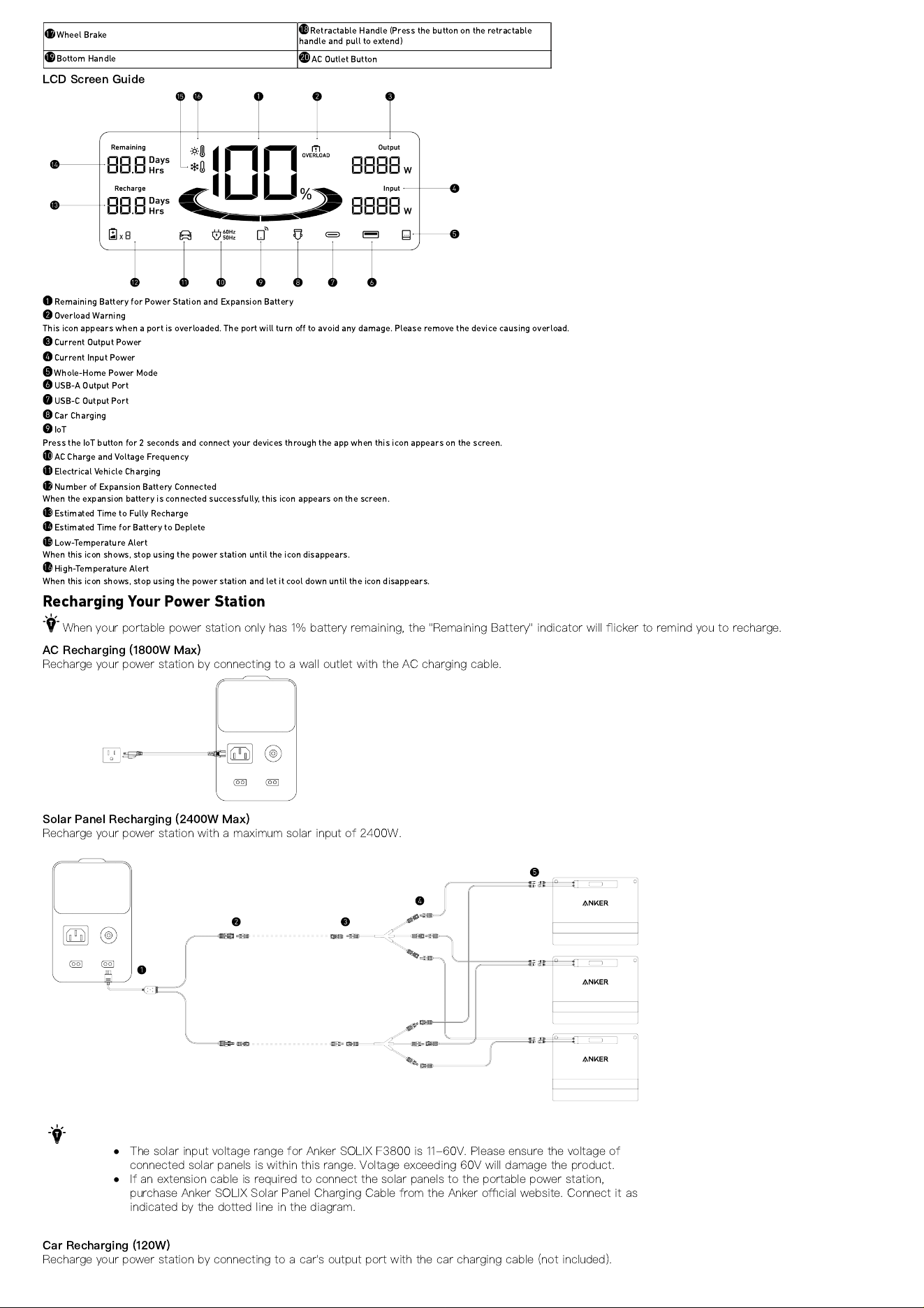
Wheel Brake
Retractable Handle (Press the button on the retractable
handle and pull to extend)
Bottom Handle
AC Outlet Button
LCD Screen Guide
Remaining Battery for Power Station and Expansion Battery
Overload Warning
This icon appears when a port is overloaded. The port will turn o
ff
to avoid any damage. Please remove the device causing overload.
Current Output Power
Current Input Power
Whole-Home Power Mode
USB-A Output Port
USB-C Output Port
Car Charging
IoT
Press the IoT button for 2 seconds and connect your devices through the app when this icon appears on the screen.
AC Charge and Voltage Frequency
Electrical Vehicle Charging
Number of Expansion Battery Connected
When the expansion battery is connected successfully, this icon appears on the screen.
Estimated Time to Fully Recharge
Estimated Time for Battery to Deplete
Low-Temperature Alert
When this icon shows, stop using the power station until the icon disappears.
High-Temperature Alert
When this icon shows, stop using the power station and let it cool down until the icon disappears.
Recharging Your Power Station
When your portable power station only has 1% battery remaining, the "Remaining Battery" indicator will
fl
icker to remind you to recharge.
AC Recharging (1800W Max)
Recharge your power station by connecting to a wall outlet with the AC charging cable.
Solar Panel Recharging (2400W Max)
Recharge your power station with a maximum solar input of 2400W.
The solar input voltage range for Anker SOLIX F3800 is 11-60V. Please ensure the voltage of
connected solar panels is within this range. Voltage exceeding 60V will damage the product.
If an extension cable is required to connect the solar panels to the portable power station,
purchase Anker SOLIX Solar Panel Charging Cable from the Anker o
ffi
cial website. Connect it as
indicated by the dotted line in the diagram.
Car Recharging (120W)
Recharge your power station by connecting to a car's output port with the car charging cable (not included).
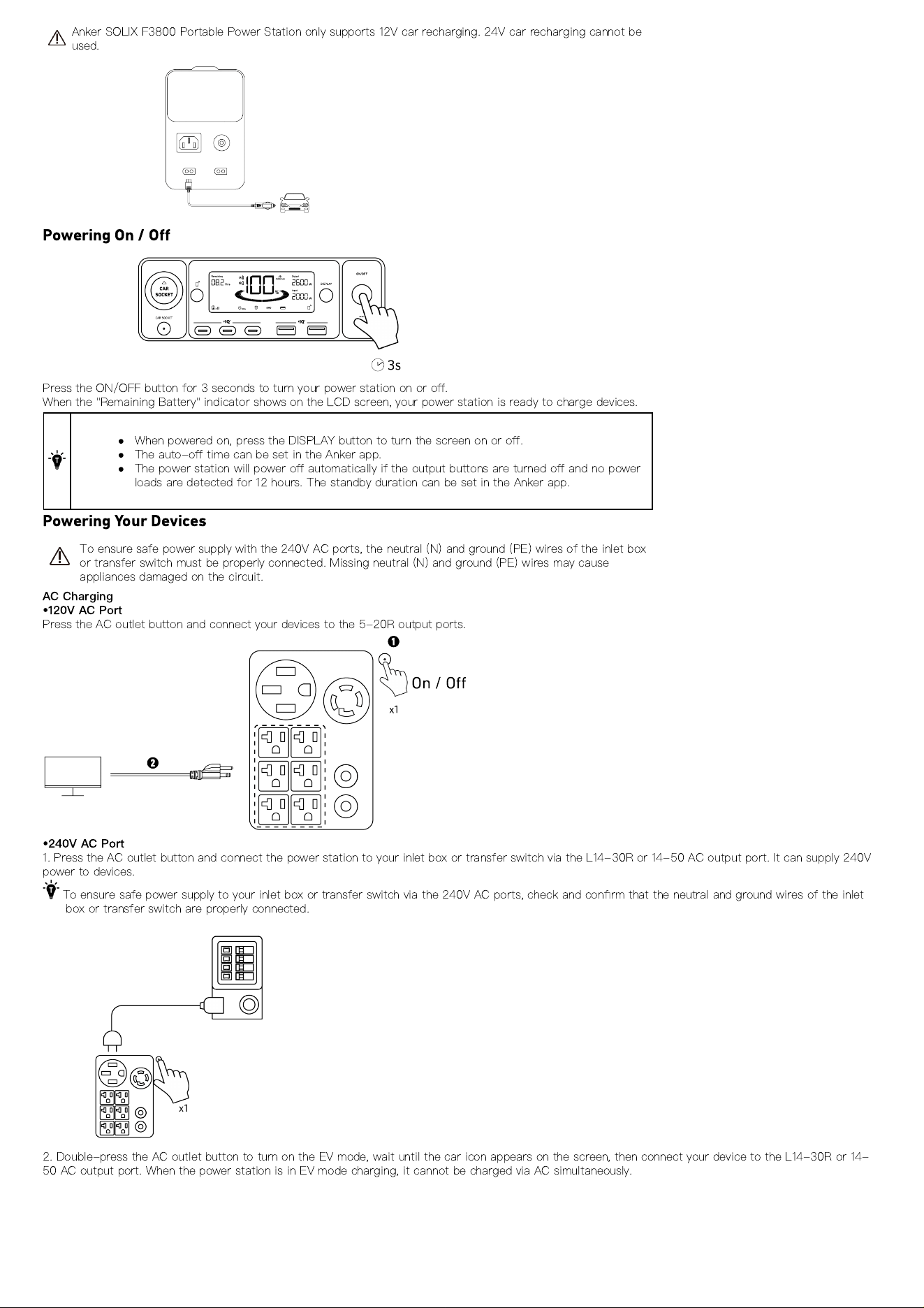
Anker SOLIX F3800 Portable Power Station only supports 12V car recharging. 24V car recharging cannot be
used.
Powering On / O
ff
Press the ON/OFF button for 3 seconds to turn your power station on or o
ff
.
When the "Remaining Battery" indicator shows on the LCD screen, your power station is ready to charge devices.
When powered on, press the DISPLAY button to turn the screen on or o
ff
.
The auto-o
ff
time can be set in the Anker app.
The power station will power o
ff
automatically if the output buttons are turned o
ff
and no power
loads are detected for 12 hours. The standby duration can be set in the Anker app.
Powering Your Devices
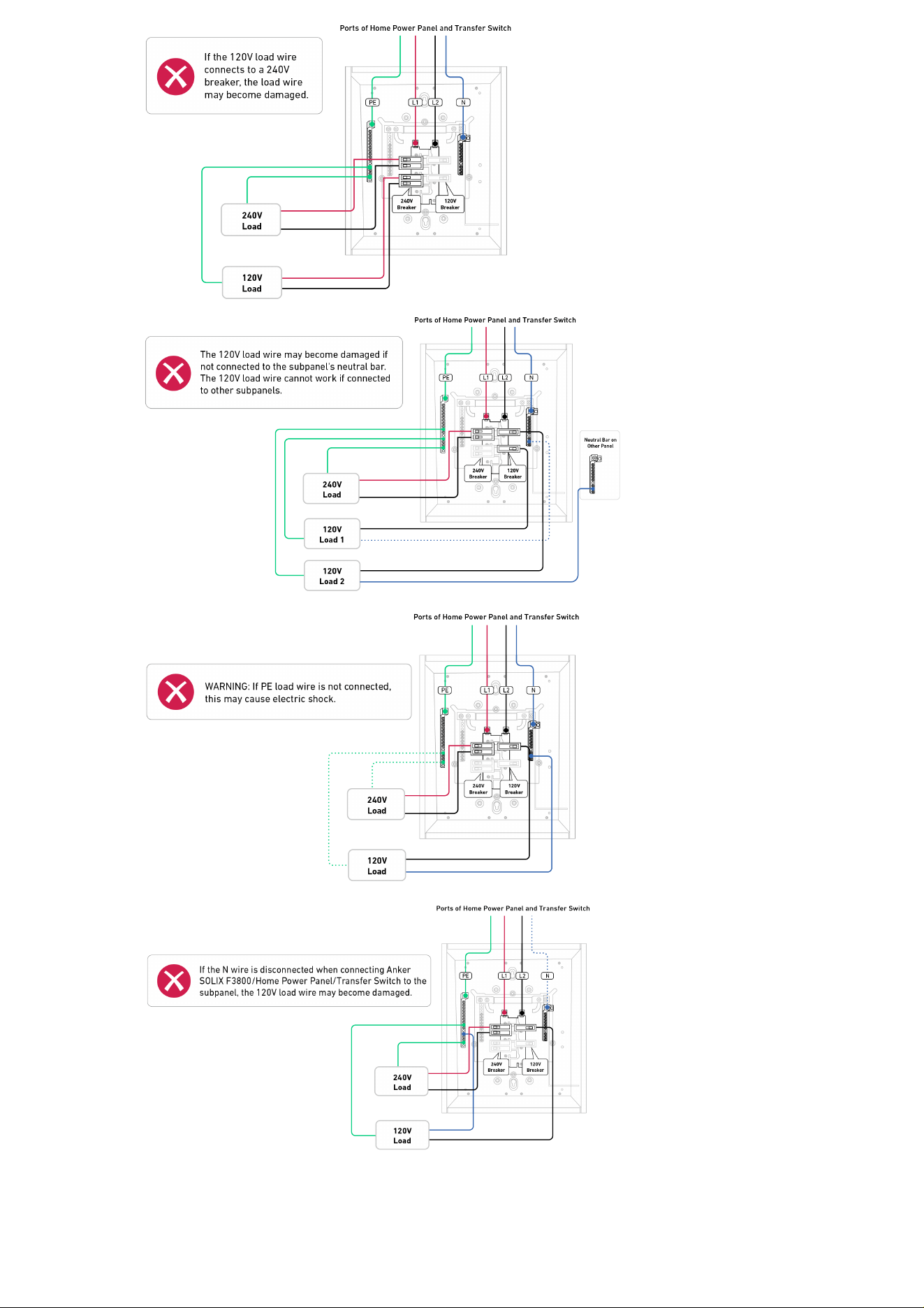
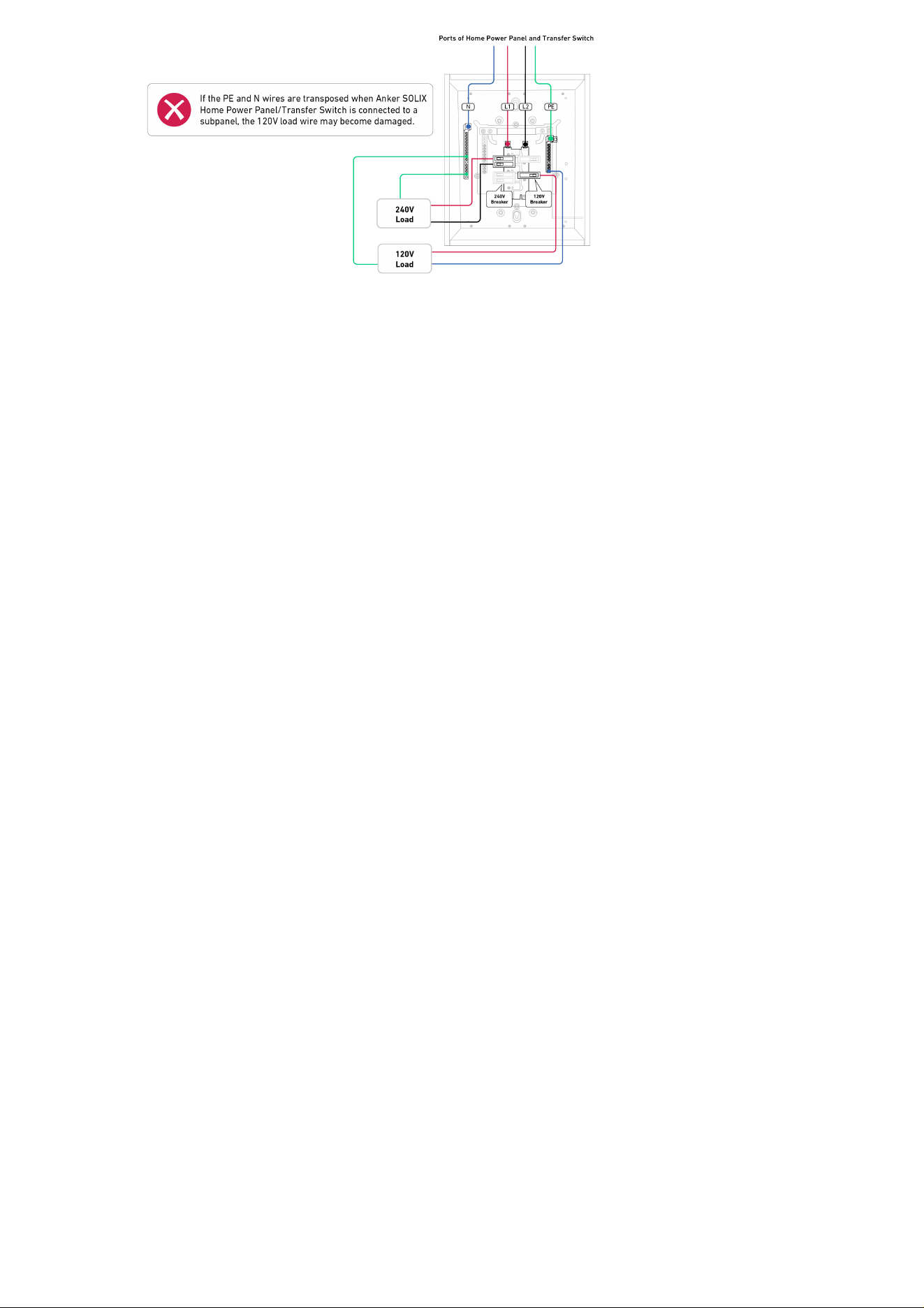
To ensure safe power supply with the 240V AC ports, the neutral (N) and ground (PE) wires of the inlet box
or transfer switch must be properly connected. Missing neutral (N) and ground (PE) wires may cause
appliances damaged on the circuit.
AC Charging
•
120V AC Port
Press the AC outlet button and connect your devices to the 5-20R output ports.
•
240V AC Port
1. Press the AC outlet button and connect the power station to your inlet box or transfer switch via the L14-30R or 14-50 AC output port. It can supply 240V
power to devices.
To ensure safe power supply to your inlet box or transfer switch via the 240V AC ports, check and con
fi
rm that the neutral and ground wires of the inlet
box or transfer switch are properly connected.
2. Double-press the AC outlet button to turn on the EV mode, wait until the car icon appears on the screen, then connect your device to the L14-30R or 14-
50 AC output port. When the power station is in EV mode charging, it cannot be charged via AC simultaneously.
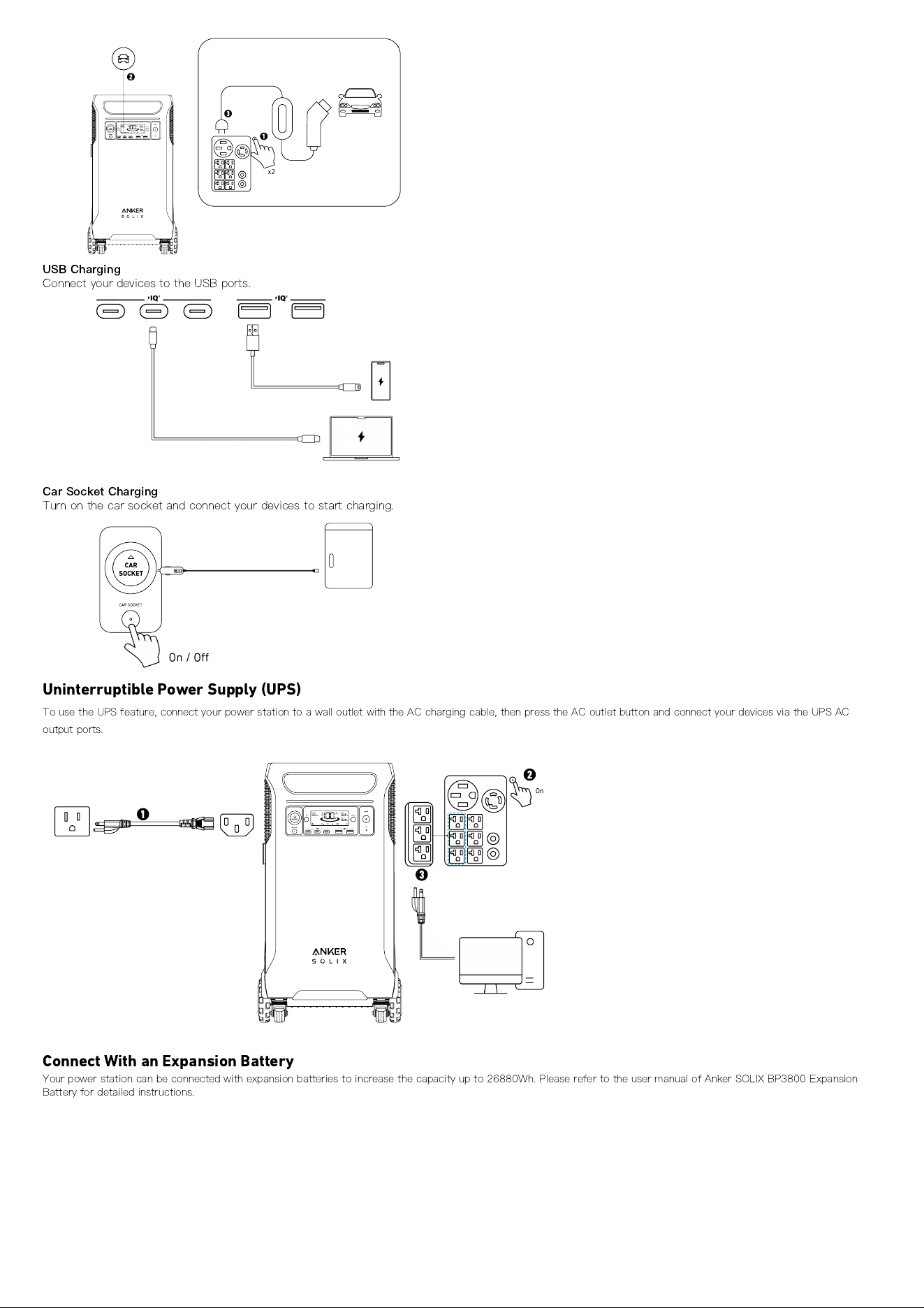
USB Charging
Connect your devices to the USB ports.
Car Socket Charging
Turn on the car socket and connect your devices to start charging.
Uninterruptible Power Supply (UPS)
To use the UPS feature, connect your power station to a wall outlet with the AC charging cable, then press the AC outlet button and connect your devices via the UPS AC
output ports.
Connect With an Expansion Battery
Your power station can be connected with expansion batteries to increase the capacity up to 26880Wh. Please refer to the user manual of Anker SOLIX BP3800 Expansion
Battery for detailed instructions.
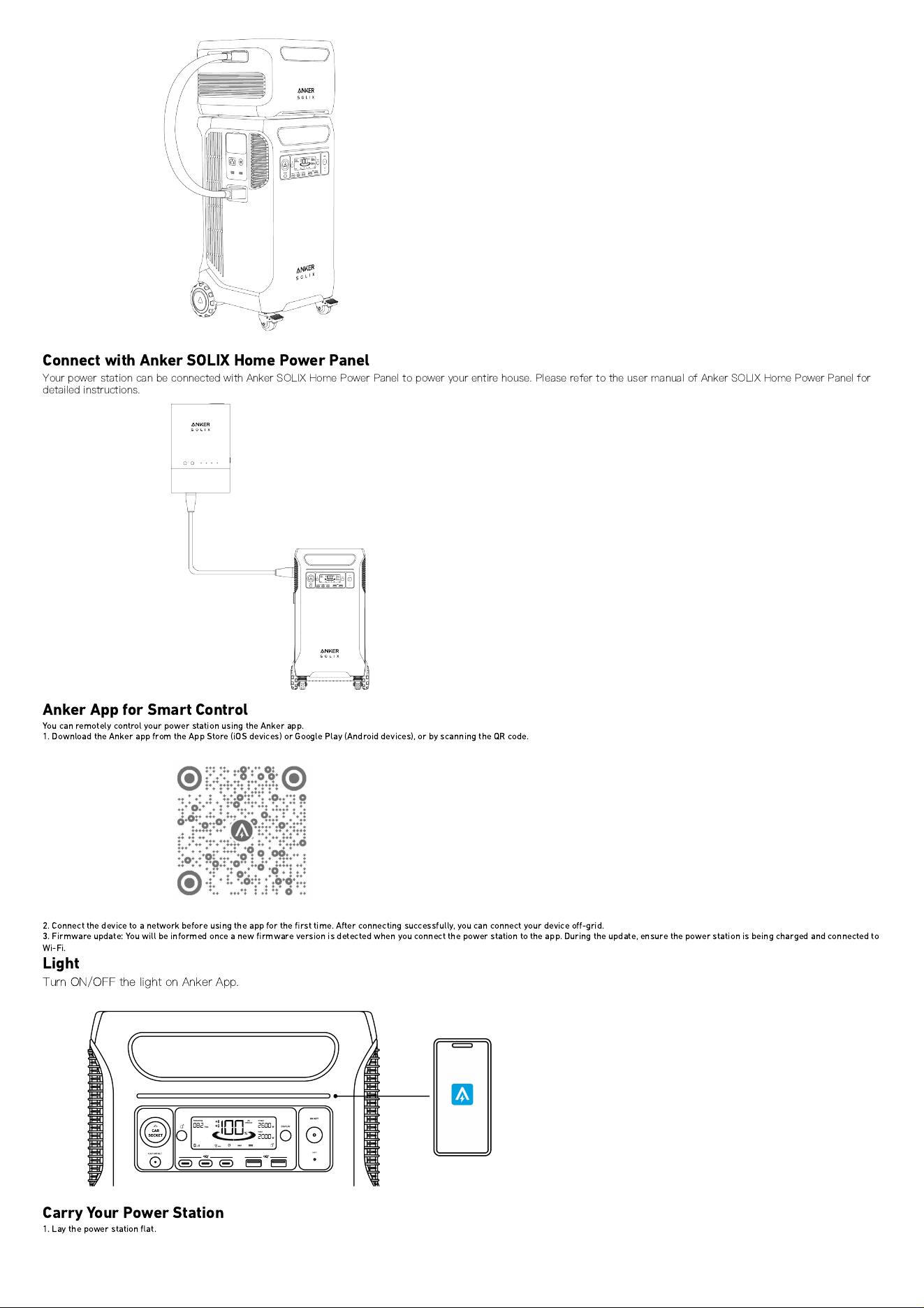
Connect with Anker SOLIX Home Power Panel
Your power station can be connected with Anker SOLIX Home Power Panel to power your entire house. Please refer to the user manual of Anker SOLIX Home Power Panel for
detailed instructions.
Anker App for Smart Control
You can remotely control your power station using the Anker app.
1. Download the Anker app from the App Store (iOS devices) or Google Play (Android devices), or by scanning the QR code.
2. Connect the device to a network before using the app for the
fi
rst time. After connecting successfully, you can connect your device o
ff
-grid.
3. Firmware update: You will be informed once a new
fi
rmware version is detected when you connect the power station to the app. During the update, ensure the power station is being charged and connected to
Wi-Fi.
Light
Turn ON/OFF the light on Anker App.
Carry Your Power Station
1. Lay the power station
fl
at.
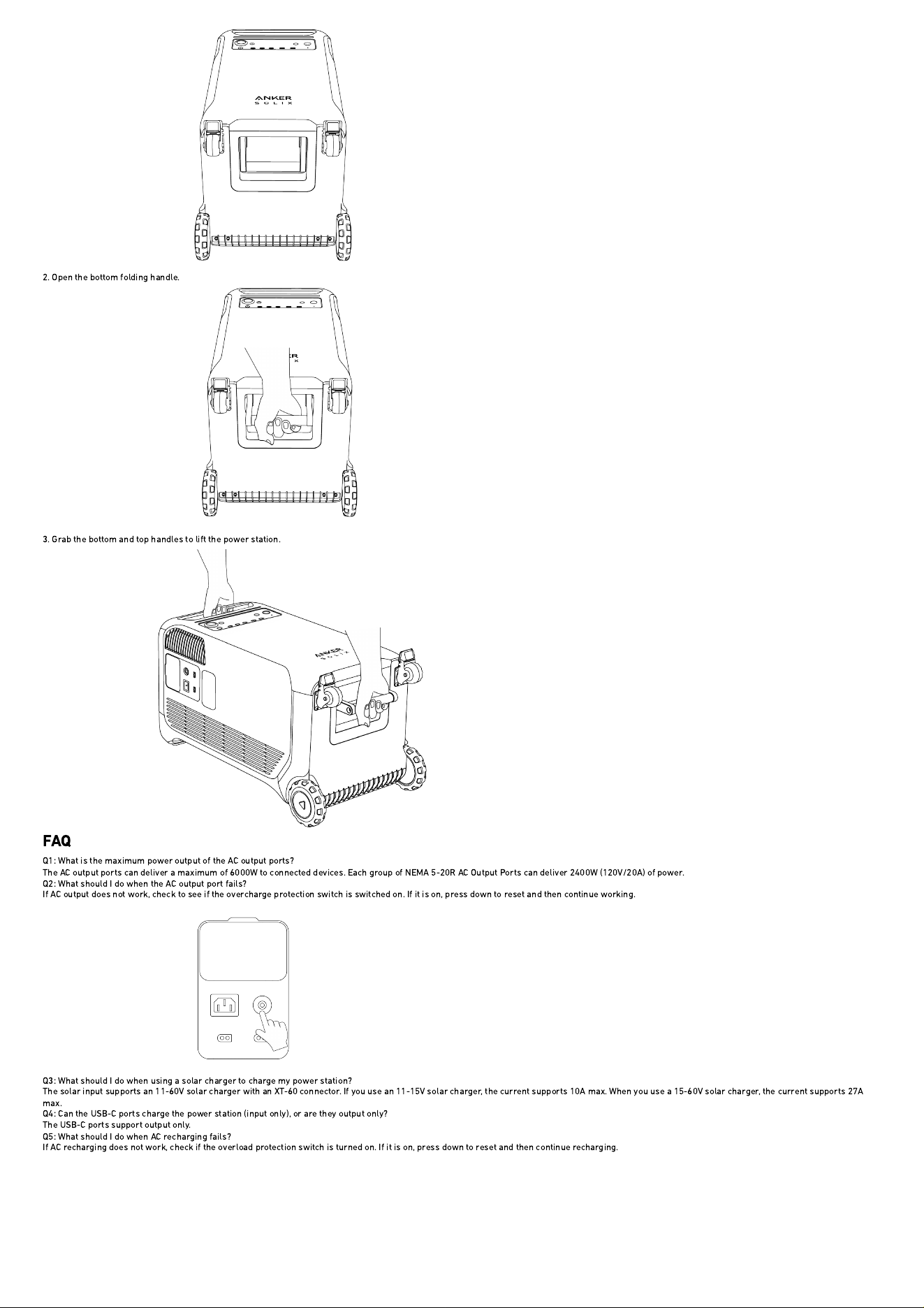
2. Open the bottom folding handle.
3. Grab the bottom and top handles to lift the power station.
FAQ
Q1: What is the maximum power output of the AC output ports?
The AC output ports can deliver a maximum of 6000W to connected devices. Each group of NEMA 5-20R AC Output Ports can deliver 2400W (120V/20A) of power.
Q2: What should I do when the AC output port fails?
If AC output does not work, check to see if the overcharge protection switch is switched on. If it is on, press down to reset and then continue working.
Q3: What should I do when using a solar charger to charge my power station?
The solar input supports an 11-60V solar charger with an XT-60 connector. If you use an 11-15V solar charger, the current supports 10A max. When you use a 15-60V solar charger, the current supports 27A
max.
Q4: Can the USB-C ports charge the power station (input only), or are they output only?
The USB-C ports support output only.
Q5: What should I do when AC recharging fails?
If AC recharging does not work, check if the overload protection switch is turned on. If it is on, press down to reset and then continue recharging.
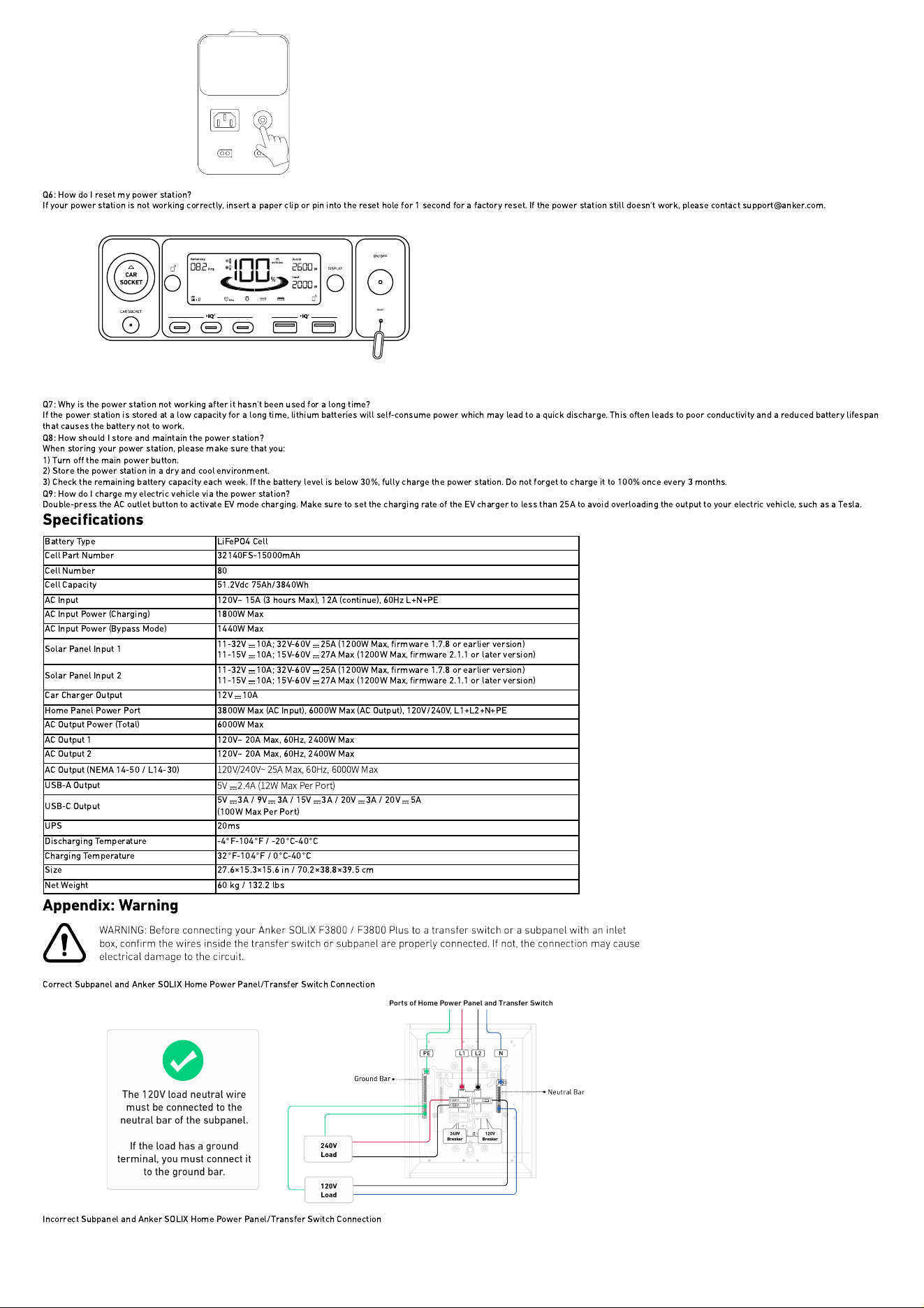
Q6: How do I reset my power station?
If your power station is not working correctly, insert a paper clip or pin into the reset hole for 1 second for a factory reset. If the power station still doesn't work, please contact support@anker.com.
Q7: Why is the power station not working after it hasn't been used for a long time?
If the power station is stored at a low capacity for a long time, lithium batteries will self-consume power which may lead to a quick discharge. This often leads to poor conductivity and a reduced battery lifespan
that causes the battery not to work.
Q8: How should I store and maintain the power station?
When storing your power station, please make sure that you:
1) Turn o
ff
the main power button.
2) Store the power station in a dry and cool environment.
3) Check the remaining battery capacity each week. If the battery level is below 30%, fully charge the power station. Do not forget to charge it to 100% once every 3 months.
Q9: How do I charge my electric vehicle via the power station?
Double-press the AC outlet button to activate EV mode charging. Make sure to set the charging rate of the EV charger to less than 25A to avoid overloading the output to your electric vehicle, such as a Tesla.
Speci
fi
cations
Battery Type LiFePO4 Cell
Cell Part Number 32140FS-15000mAh
Cell Number 80
Cell Capacity 51.2Vdc 75Ah/3840Wh
AC Input 120V~ 15A (3 hours Max), 12A (continue), 60Hz L+N+PE
AC Input Power (Charging) 1800W Max
AC Input Power (Bypass Mode) 1440W Max
Solar Panel Input 1
11-32V 10A; 32V-60V 25A (1200W Max,
fi
rmware 1.7.8 or earlier version)
11-15V 10A; 15V-60V 27A Max (1200W Max,
fi
rmware 2.1.1 or later version)
Solar Panel Input 2
11-32V 10A; 32V-60V 25A (1200W Max,
fi
rmware 1.7.8 or earlier version)
11-15V 10A; 15V-60V 27A Max (1200W Max,
fi
rmware 2.1.1 or later version)
Car Charger Output 12V
10A
Home Panel Power Port 3800W Max (AC Input), 6000W Max (AC Output), 120V/240V, L1+L2+N+PE
AC Output Power (Total) 6000W Max
AC Output 1 120V~ 20A Max, 60Hz, 2400W Max
AC Output 2 120V~ 20A Max, 60Hz, 2400W Max
AC Output (NEMA 14-50 / L14-30)
120V/240V~ 25A Max, 60Hz, 6000W Max
USB-A Output
5V
2.4A (12W Max Per Port)
USB-C Output
5V 3A / 9V 3A / 15V 3A / 20V 3A / 20V 5A
(100W Max Per Port)
UPS 20ms
Discharging Temperature -4
°
F-104
°
F / -20
°
C-40
°
C
Charging Temperature 32
°
F-104
°
F / 0
°
C-40
°
C
Size 27.6
×
15.3
×
15.6 in / 70.2
×
38.8
×
39.5 cm
Net Weight 60 kg / 132.2 lbs
Appendix: Warning
Correct Subpanel and Anker SOLIX Home Power Panel/Transfer Switch Connection
Incorrect Subpanel and Anker SOLIX Home Power Panel/Transfer Switch Connection