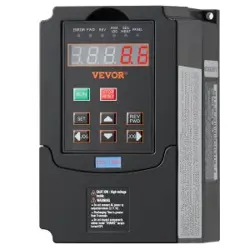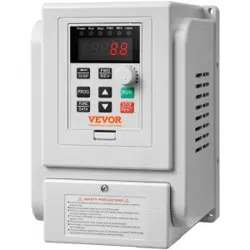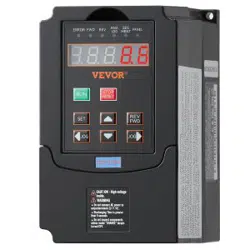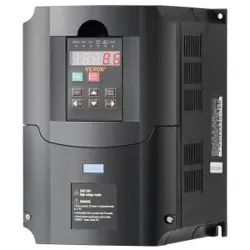

A2
Inverter (0.75-30kW)
Preface
Version:1.78
Thank you very much for choosing high quality,
multifunction, low-level noise and energy cost product by
Isacon Power Control Tech. Co., Ltd --A2 series inverters.
This manual contains the user setup, parameter setting,
fault diagnosis, daily maintenance, and safety precautions.
Please read this manual carefully before installing and operating
the products. This manual is contained in the accessories of the
productions. Please keep it safe for further referencing.
If there is any problem that isn’t listed in this manual,
please contact the local dealer or Isacon’s custom service center.
Phone:057687161633(10 Line)-Department of Technology
Fax.:057687161633-8005

A2
Inverter (0.75-30kW)
Contents
Chapter 1. Safety Precautions
2
Chapter 2. User Setup
4
Chapter 3. Control Panel
7
Chapter 4. Parameter Set Method
Chapter 5. Table of Configure Parameters
Chapter 6. Description of Control Ports
Chapter 7. Description of Configure Parameters
Chapter 8. Operation Examples
Chapter 9. Error Message and Fault Diagnosis
Chapter 10. Maintenance and Repair
Chapter 11. Type Description
8
9
11
12
17
18
20
23
1

A2
Inverter (0.75-30kW)
Chapter 1 Safety Precautions
1
.1 Safety precautions
The environment cannot contain any explosive gas.
It must be wired by professional wiring staff. Otherwise, it
may cause electronic shock.
Cut off the power supply before wiring. Otherwise, it may
cause electronic shock.
Do not touch any control port, internal boards, and their
electronic components while the electricity is turned on.
Otherwise, it may cause electronic shock.
Please make sure that the product’s ground wiring port is
correctly connected according to national electricity safety
standards or other related standards.
Do not touch any internal board or component until 10
minutes after power shutdown. Please do an electricity check
before internal board maintenance. Otherwise, it may cause
electronic shock.
It is forbidden to connect AC power to product’s output port
(U,V,W) or other control ports except for Lk,Lb,Lz. Otherwise, it
may cause damage to the inverter.
Since internal IC can be destroyed by electrostatic, please do
not touch any PCB, IC, or IGBT components without any
protection. Otherwise, it may cause unknown fault.
Make sure that any unexpected conductor such as screws,
gasket, etc., is not left inside the inverter during maintenance.
Otherwise, it may cause damage to the inverter or even fire.
If an overcurrent happens during starting up, please check the
wiring and start up again.
Do not stop the machine by cutting off power. Power can be
cut off after the motor stops.
Do not leave the inverter in the sunshine. Otherwise, it may
cause damage to the inverter.
2

A2
Inverter (0.75-30kW)
1
.2 Package inspection
A2 series inverter production undergoes a strictly qualification test.
Please check the damage caused by the delivery and the type
specification during package inspection.
Accessories: 1 Inverter, 1 user manual.
If anything is missing, please contact local dealer or
Isacon’s custom service center.
3
A2
Inverter (0.75-30kW)
Chapter 2 User Setup
2.1 Environment requirement
No corrosive gas, vapour and oily dust. Without direct sunshine.
No floating dust or mental particle.
Air moisture 20%~90%.
Vibration < 5.8m/s2(0.6g).
No electromagnetic interference.
Temperature:-10
℃
~50
℃
, make sure proper ventilation if the
temperature is greater than 40℃.
Without any inflammable or explosive gas, liquid and solid.
Please use electric cabinet or remote operation in non-standard
environment. Make sure proper ventilation.
2
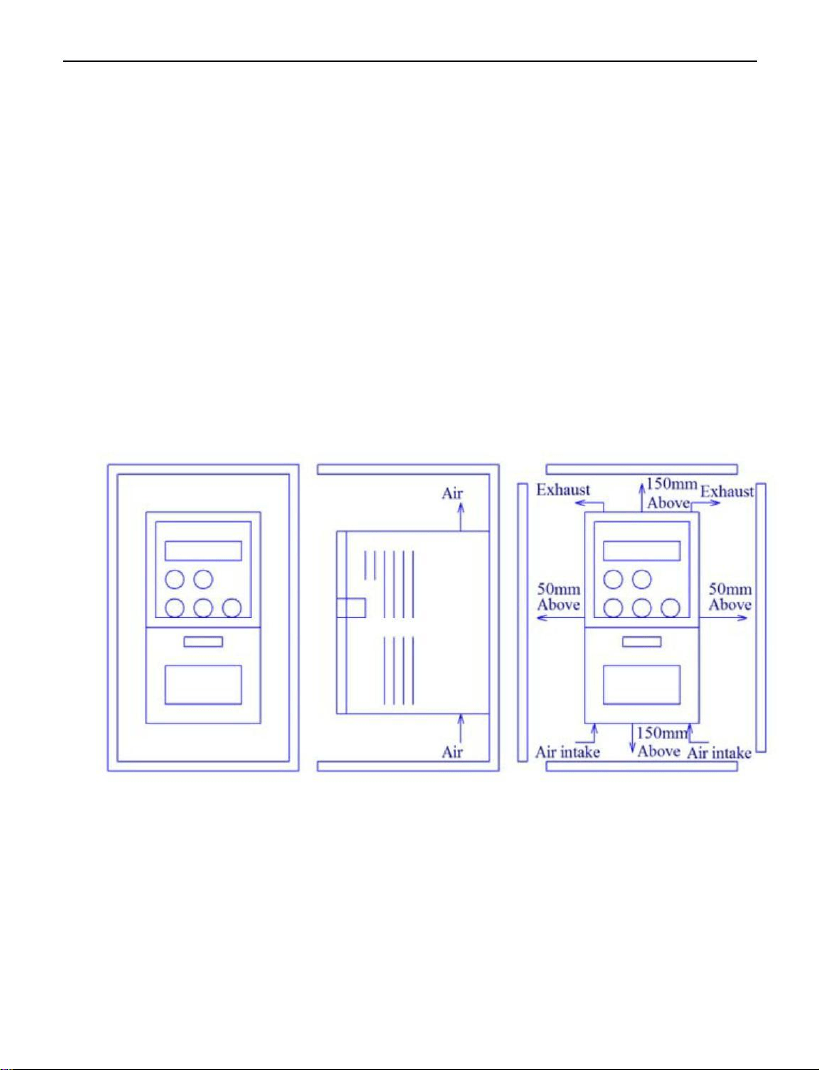
.2 Install space
2
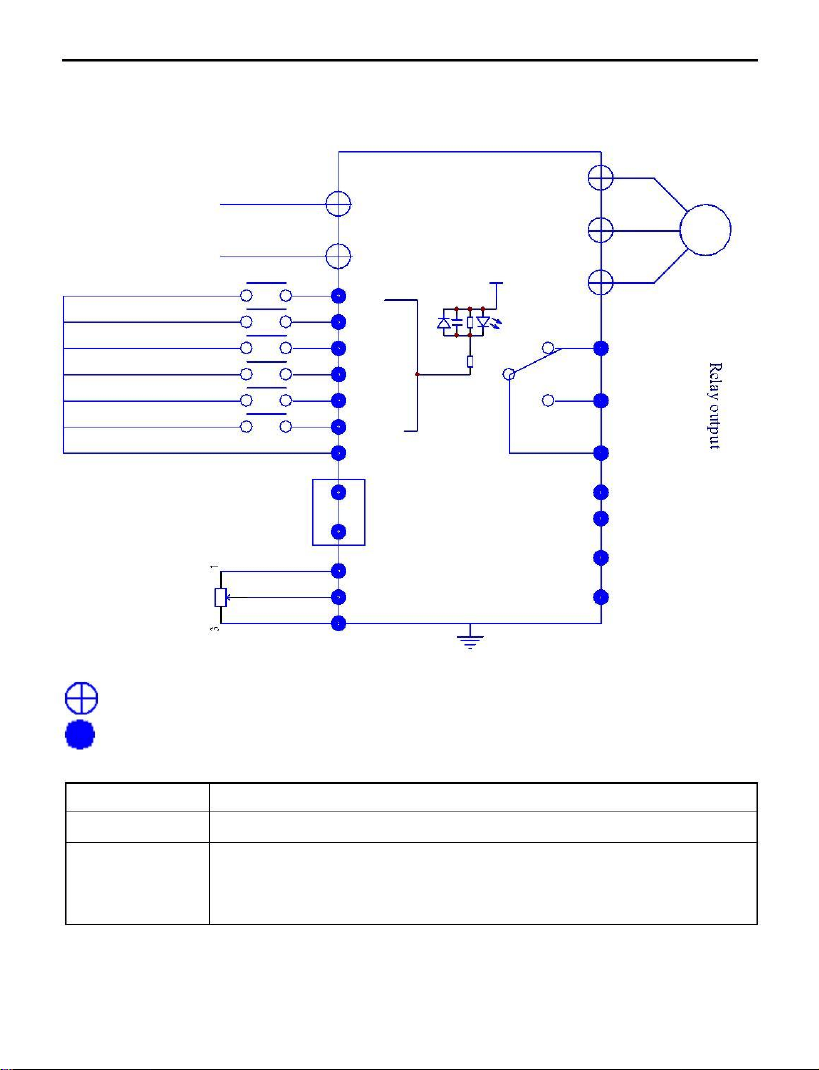
.3 Basic wiring
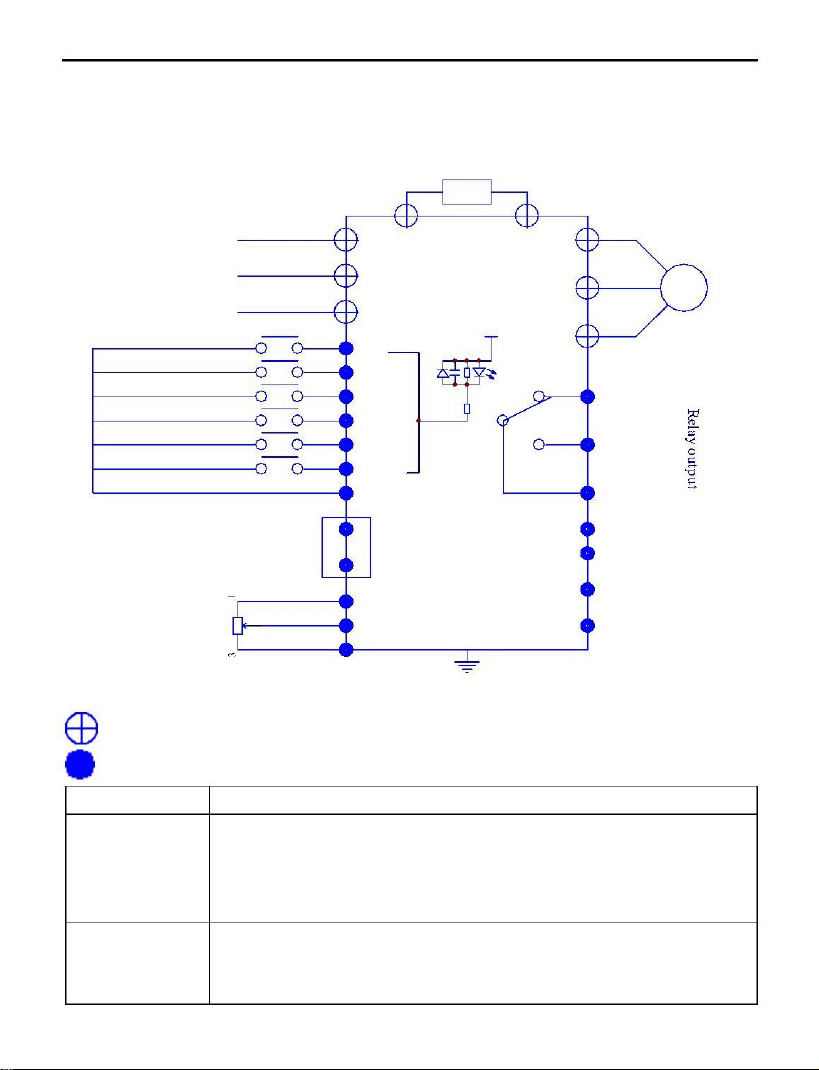
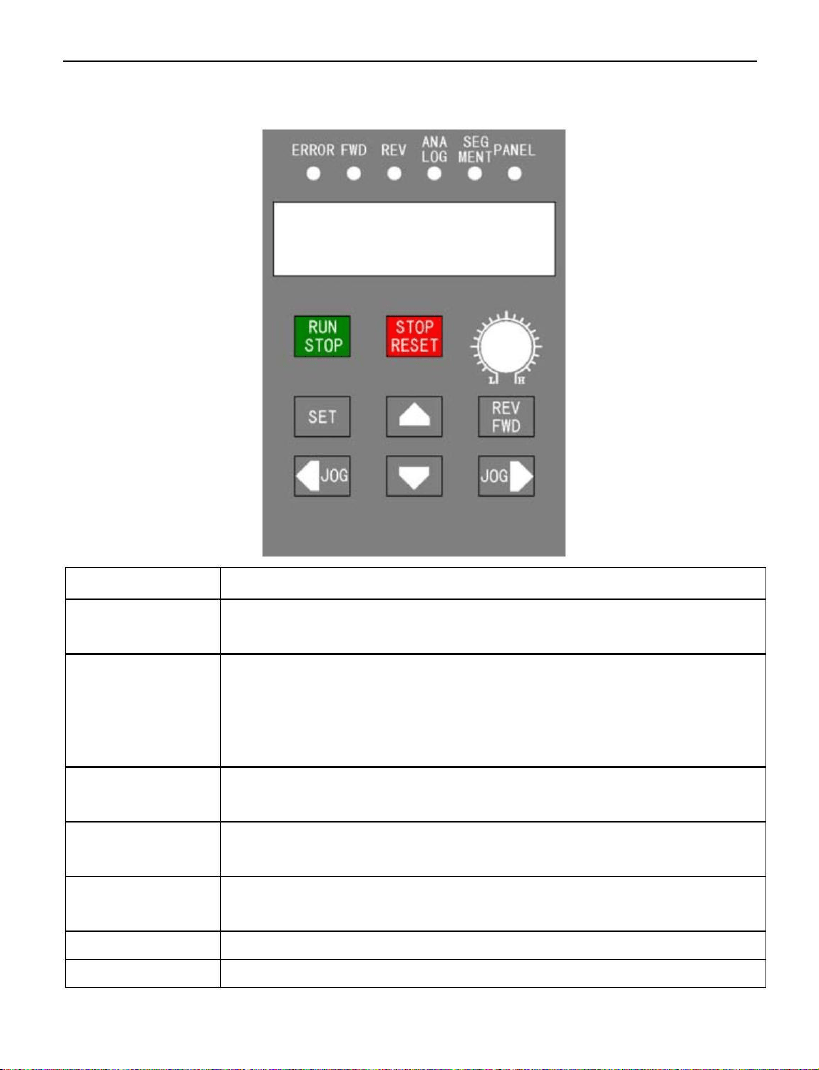
There are two wiring part: main-loop and control-loop. Please do
wiring correctly according to the following two figures.
4
A2
Inverter (0.75-30kW)
Wiring figure (single phase)
U
L
Singlephase input
V
IM
N
1
2V
W
0
.1uF
FWD/STOP
REV/STOP
RESET
Multi speed D0 /
Digital frequency up
Multi speed D1 /
FWD
REV
4148 5k1
DG
D
Normally closed Lb
Normally
closed output
RST
5
k1
D0/+
D1/-
Normally open Lk
Normally
openoutput
Digital frequency down
Multi speed D2 /
External point moving enable
D2/JOG
GND
Common control signal
Middle Lz
Commonport
5
1
0
V_IN
0V_IN
-20mA_IN
Theexternal analogsignalgiven
5VFout
GND
5
VFrequency
0-5V,0-10V,0-20mA
signaloutput
GND
1
2V
200mAPower
OUT
output
5
V_OUT
external
5V
OUT
Forexternal
2
5
V_IN
potentiometer power
potentiometer
1
-5K
GND
main-loop port
control-loop port
Port name
Description
Single phase power input
。
L
N
U
V
W
Three phase AC output ports can only connect to pure
resistance or inductance load such as motors or electric
heater.
5
A2
Inverter (0.75-30kW)
Wiring figure (three phase)
R
R
P
B
U
S
V
IM
three-phaseinput
T
1
2V
W
0
.1u F
FWD/STOP
RUN
41 48 5k 1
REV/STOP
REV
D
DG
Normally closed Lb
Normally
closed output
RESET
Multi speed D0 /
Digital frequency up
Multi speed D1 /
Digital frequency down
Multi speed D2 /
RST
5
k1
D0/+
D1/-
Normally open Lk
Middle Lz
Normally
openoutput
External point moving enable
D2/JOG
GND
Common control signal
Commonport
5
1
0
V_IN
0V_ IN
-20mA_IN
The externalanalogsignal given
5VFout
GND
5
VFrequency
0-5V,0-10V,0-20mA
signaloutput
GND
1
2V
200mAPower
OUT
output
5
V_OUT
external
5V
OUT
Forexternal
2
5
V_IN
potentiometer power
poten tiometer
1
-5K
GND
main-loop port
control-loop port
Port name Description
R
S
T
Single phase 220V power connect R and T.
Three phase 220V power connect R , S , T .
Voltage specifications: 8xxx, single phase 220 input
connection R and T
U
V
W
Three phase AC output ports can only connect to pure
resistance or inductance load such as motors or electric
heater.
6
A2
Inverter (0.75-30kW)
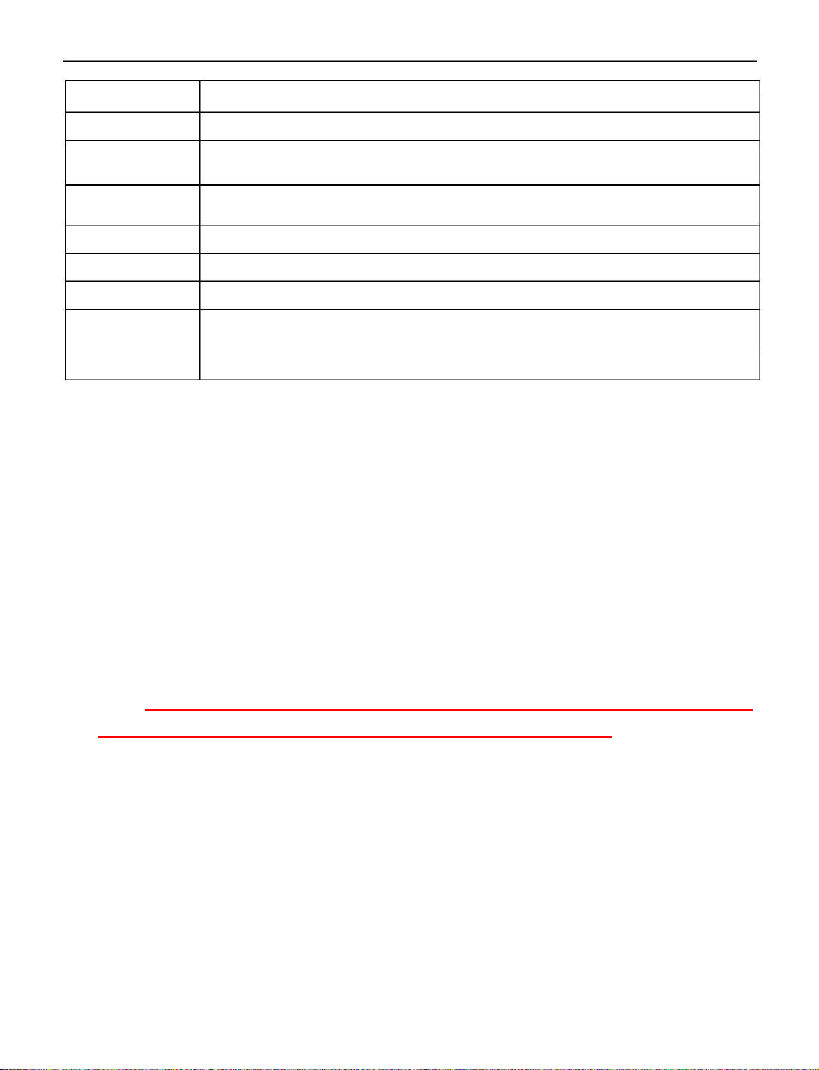
Chapter 3 Control Panel
Button
RUN
Description
Switch between run and stop state by single press.
STOP
STOP
RESET
It has different meanings to push this button during
different modes: 1.if the inverter is running, it would
stop; 2. If a fault happens, the inverter would be reset;
3
. If it is operated on menus, it returns to parent menu.
REV
SET
Change the inverter’s direction. It also works during
the runtime.
Enter menu mode. If it is on item, the data would be
saved and lower level menu would be displayed.
Change items in the menu or modify the parameter
data.
▲
▼
◄►
Modify the menu content and point move in panel.
Potentiometer Change runtime frequency.
7
A2
Inverter (0.75-30kW)
Content
ERROR
FWD
Description
Fault indicator.
Clockwise rotation indicator.
REV
Anticlockwise rotation indicator.
Analog input frequency indicator.
ANALOG
SEGMENT Segment input frequency indicator.
PANEL
Digital
tube
Panel input frequency indicator.
Inverter runtime frequency. If inverter stops, it flashes.
The display data is given by “Pn01” data.
Chapter 4 Parameter Set Method
4.1 Parameter set and modification
Set parameter when inverter is stopped and the parameter is not
locked (Pn32=1). First, enter parameter set menu by push button
“SET”. Second, push button ▲/▼to choose the certain item. Third,
push button “SET” again to enter the item. Fourth, push button ◄/►
to choose certain bit and push ▲/▼to modify the value. Finally,
push button “SET” to save the new parameter or push button “STOP”
to parent menu without any saving.
Push button “SET” to save the new parameter or push
button “STOP” to parent menu without any saving.
4.2 Button notice
When modify parameters, long push
▲
/
▼
to rolling number
of current bit between 0-9.
8
A2
Inverter (0.75-30kW)
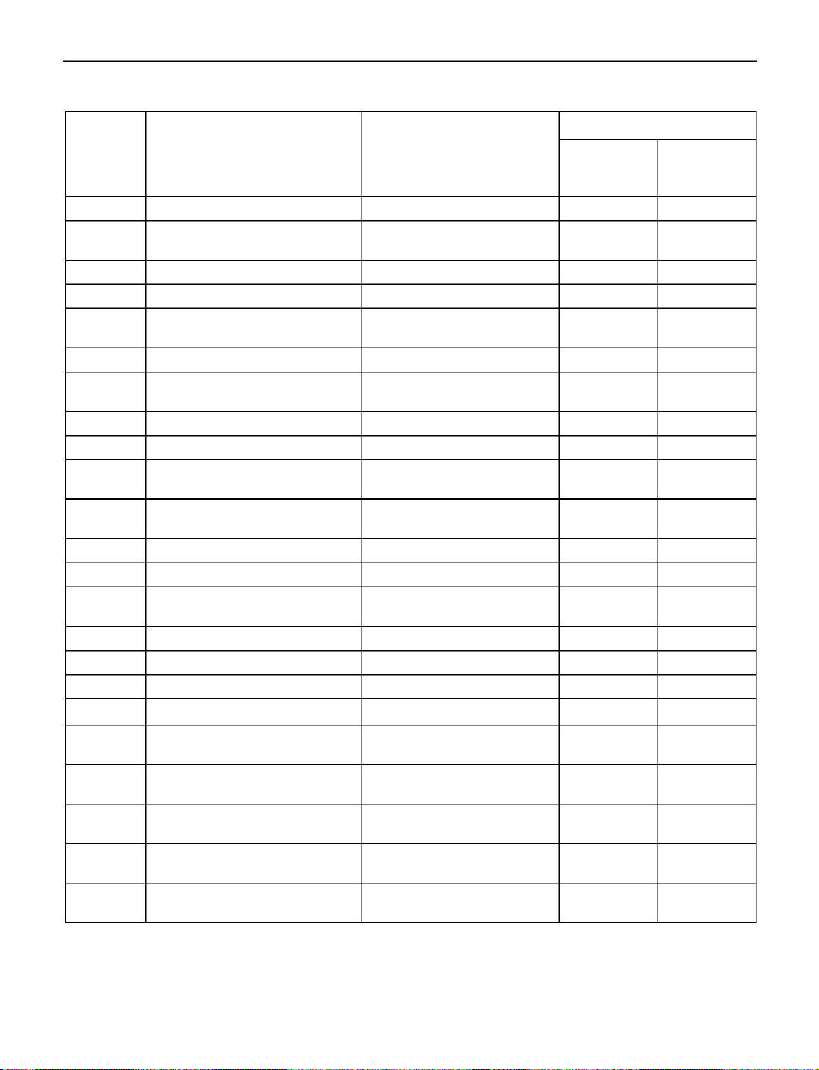
Chapter 5 Table of Configure Parameters
Item
Description
Range
Default Value
Modify by button
Modify by
Default Default
▲
or ▼
button ▲or ▼
1—30000
(3)
1
(6)
1
Pn 01
Pn 02
Default display content
Initial start up frequency by
panel or other method
0.01
-
400.00.00
400Hz
50
Pn 03
Pn 04
Pn 05
Source of runtime frequency
1-7
1-2
1
-
3
2
1
3
1
1
3
Source of runtime command
clockwise
disable
/ anticlockwise
Pn 06
Pn 07
Method to stop inverter
1
-
2
1-2
2
1
2
1
Start again by external
signal
Pn 08
Pn 09
Pn 10
Acceleration time
000.01S
-
650.00S
000.01S
-
650.00S
000.10Hz-400.00Hz
50S
50S
400Hz
10S
10S
50Hz
Deceleration time
Maximum
frequency
Minimum
frequency
runtime
runtime
Pn 11
000.10Hz
-
400.00Hz
1.5Hz
1.5Hz
Pn 12
Pn 13
Pn 14
Motor rating frequency
010.00Hz
-
400.00Hz
0.0—4.0
400Hz
0.0
500Hz
50Hz
0.0
80Hz
Torque compensation
Torque
compensation
0.01Hz—600.00Hz
frequency
Pn 15
Pn 16
Pn 17
Pn 18
Pn 19
Startup DC braking voltage
1V—100V
000.00S—650.00S
1V—100V
30V
0S
30V
0S
30V
0S
30V
0S
Startup DC braking time
Stop DC braking voltage
Stop DC braking time
000.00S—650.00S
1—5
Source of multi-segment
speed 0
1
1
Pn 20
Pn 21
Pn 22
Pn 23
Multi-segment speed
frequency
Multi-segment speed
frequency
Multi-segment speed
frequency
Multi-segment speed
frequency
1
2
3
4
000.10 Hz—400.00Hz
000.10 Hz—400.00Hz
000.10 Hz—400.00Hz
000.10 Hz—400.00Hz
10
20
30
40
10
20
30
40
9
A2
Inverter (0.75-30kW)
Item
Description
Modify by button
or ▼
Range
Modify by
button ▲or ▼
Default Value
Default Default
▲
(3)
(6)
Pn 24
Pn 25
Pn 26
Pn 27
Pn 28
Multi-segment speed 5
frequency
Multi-segment speed 6
frequency
Multi-segment speed 7
frequency
Point move frequency
000.10 Hz—
400.00Hz
000.10 Hz—
400.00Hz
000.10 Hz—
400.00Hz
000.10 Hz—
50
50
60
70
60
70
10Hz
3
10Hz
3
4
00.00Hz
Choice of relay output
1—6
Pn 29
Pn 30
Pn 31
2rd acceleration time
2rd deceleration time
2rd deceleration stop
frequency
000.01S—650.00S
000.01S—650.00S
000.01Hz—
400.00Hz
2S
2S
1Hz
2S
2S
1Hz
Pn 32
Pn 33
Pn 34
Parameter management
Software version
Auto recover while lost
power suddenly
1—6
32029
0-99Hz
1
*****
0
1
*****
0
Pn 35
Production date
*
*****
*****
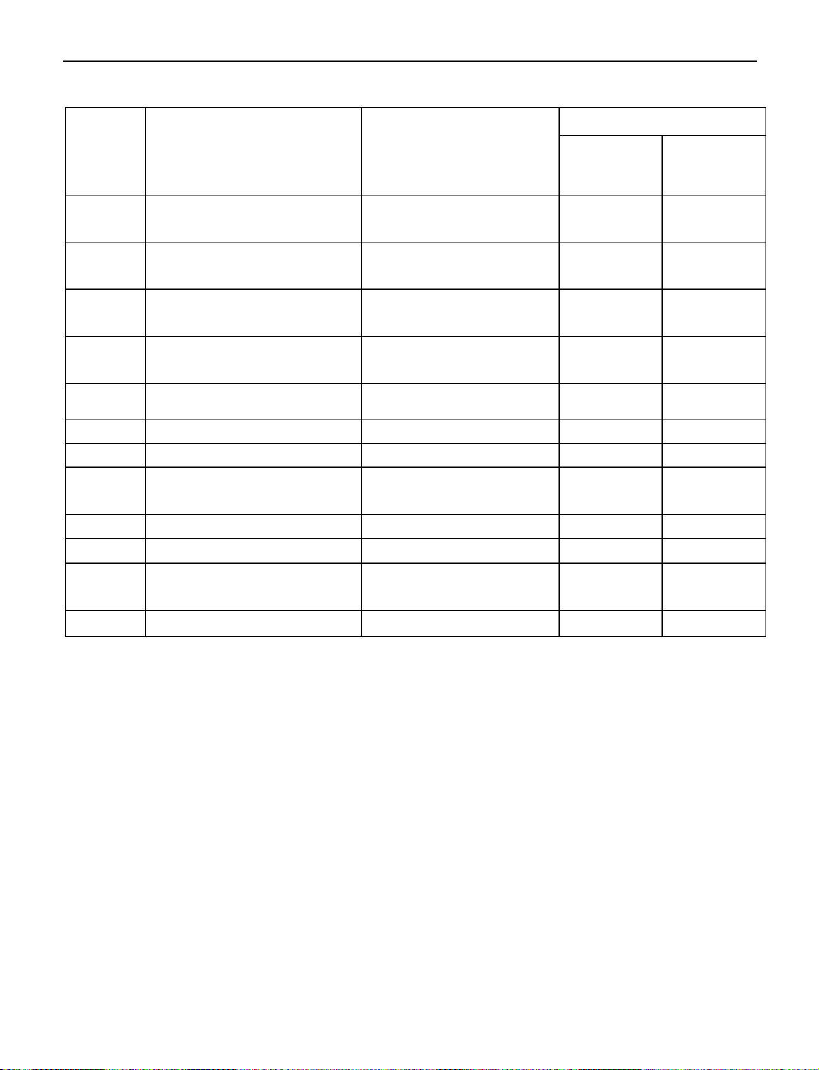
Please refer Chapter 7 for detail description of each item
Remark
:
If over-voltage happens during deceleration, it will stop.
Note:
If over-voltage happens during deceleration, inverter will stop
deceleration until the voltage goes back to normal level. If better
deceleration is needed, please switch to inverter with braking.
1
0
A2
Inverter (0.75-30kW)
Chapter 6 Description of Control Ports
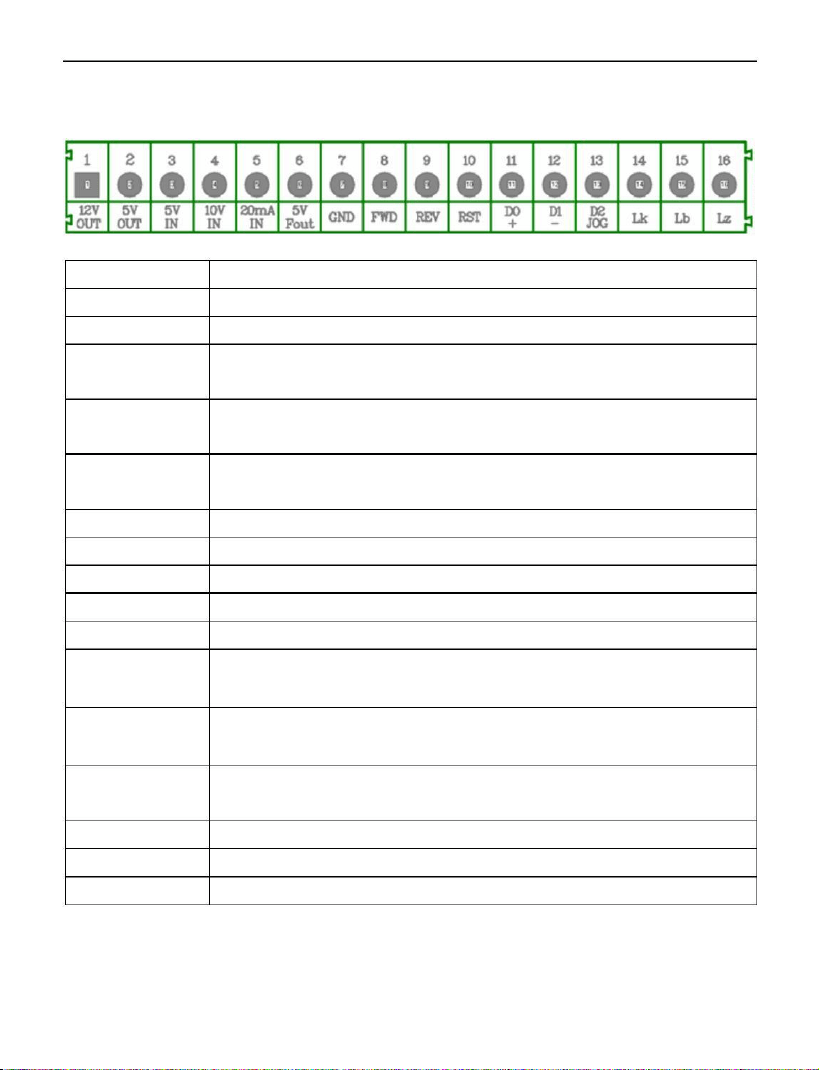
Port name
2V OUT
V OUT
V IN
Port Description
12V output, with maximum currency 200mA.
5V output, with maximum currency 50mA.
5V input, analog input, with maximum effective
voltage 5V, no more than 6V
1
5
5
1
0V IN
10V input, analog input, with maximum effective
voltage 10V, no more than 12V
2
0mA IN
20mA input, analog input, with maximum effective
currency 20mA, no more than 25mA
Frequency signal output, maximum output voltage 5V
Power source ground 0V.
External clockwise rotation input
External anticlockwise rotation input
External reset signal
5
V Fout
GND
FWD
REV
RST
D0 +
Multi-segment speed D0 input,external “+” signal
means clockwise point move input
Multi-segment speed D1 input
,
external “-” signal
means anticlockwise point move input
Multi-segment speed D2 input, external enable signal
input
D1 -
D2 JOG
Lk
Lb
Lz
Relay ON
Relay OFF
Relay ON/OFF
11

A2
Inverter (0.75-30kW)
Chapter 7 Description of Configure Parameters
Pn 01
Default display content:1——30000
RUN: 1 means it will display runtime frequency
Otherwise, it displays motor’s synchronization speed.
2——30000 is motor synchronization speed
STOP
:
it will display frequency given by external signal.
Pn 02
Pn 03
Initial startup frequency by panel or other method
Range
:
000.01Hz
-
400.00Hz
,
the initial panel data and
external signal frequency during startup
.
Source of runtime frequency with range:1—7
1
3
5
7
Potentiometer
2 Panel button
4 External 0-10V signal
6 External digital signal
External 0-5V signal
External 0-20mA signal
Multi-segment signal
Pn 04
Pn 05
Source of runtime command with range:1—2
Panel button control 2 External signal control
1
clockwise / anticlockwise disable with range:
1—3
1
3
clockwise enable only
clockwise / anticlockwise enable
2 anticlockwise enable only
Pn 06
Pn 07
Method to stop inverter with range:
1—2
stop by itself 2 stop by deceleration
1
Start again by external signal with range:
1—2
disable 2 enable
1
Description: when the power on the external operation of
the signal is allowed to start effectively.
Pn 08
Acceleration time with range:000.01S-650.00S
Accelerate time (from 0Hz to Pn10).
1
2
A2
Inverter (0.75-30kW)
Pn 09
Pn 10
Pn 11
Deceleration time with range:
000.01S
-
650.00S
Decelerate time (from Pn10 to 0Hz).
Maximum runtime frequency with range:000.10Hz-400.00Hz
Maximum output frequency by inverter.
Minimum runtime frequency with range:000.10Hz-400.00Hz
If the frequency from command below this value, inverter
will stop. It wouldn’t recover until command frequency up
this value.
Pn 12
Pn 13
Pn14
Motor rating frequency with range:
010.00Hz
-
400.00Hz
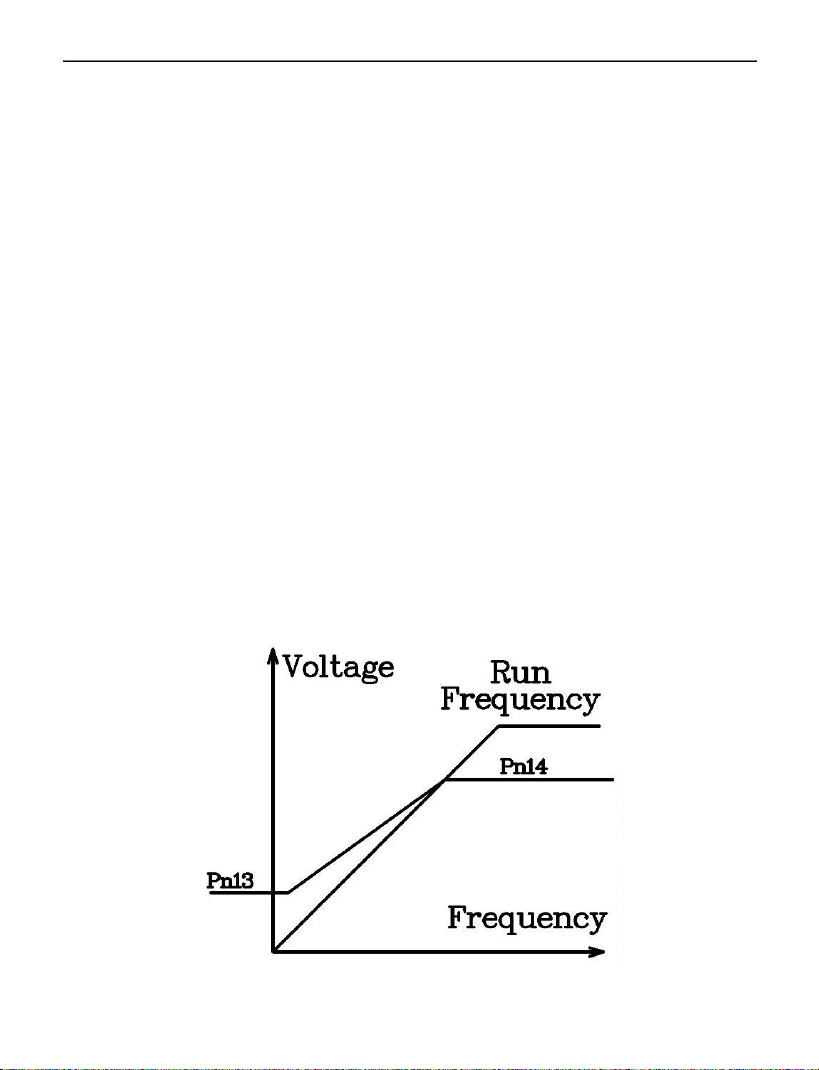
It is used for modify the V/Fcurve.
Torque compensation with range:0.0—4.0
Large parameter may cause damage to the motor.
Torque compensation frequency:0.01Hz—400.00.00Hz
Inverter doesn’t provide torque compensation if runtime
frequency is larger than this value.
1
3

A2
Inverter (0.75-30kW)
Pn 15
Startup DC braking voltage:
1V—100V
By proper tuning of this parameter, motor can start
normally from fully stop state without any difficult caused
by motor’s free motion and rotate direction.
Pn 16
Pn 17
Startup DC braking time:
000.00S—650.00S
DC braking time before motor startup to ensure that motor
is started from fully stop state.
Stop DC braking voltage:
1V—100V
Braking voltage during DC braking period to ensure that
motor is fully stopped in brake time.
Pn 18
Pn 19
Stop DC braking time:000.00S—650.00S
DC braking time to prevent the slide move after stopping.
Source of multi-segment speed 0:1—5
Multi-segment speed mode 0-segment frequency source:
1
3
5
Potentiometer
External 0-5V signal
External 0-20mA signal
2 Panel button
4 External 0-10V signal
Pn 20
Pn 21
Pn 22
Multi-segment speed 1 frequency:000.10 Hz—400.00Hz
Multi-segment speed mode 1-segment frequency
Multi-segment speed 2 frequency:
000.10 Hz—400.00Hz
Multi-segment speed mode 2-segment frequency
Multi-segment speed 3 frequency:000.10 Hz—400.00Hz
Multi-segment speed mode 3-segment frequency
1
4

A2
Inverter (0.75-30kW)
Pn 23
Pn 24
Pn 25
Pn 26
Pn 27
Pn 28
Multi-segment speed 4 frequency:
000.10 Hz—400.00Hz
Multi-segment speed mode 4-segment frequency
Multi-segment speed 5 frequency:000.10 Hz—400.00Hz
Multi-segment speed mode 5-segment frequency
Multi-segment speed 6 frequency:000.10 Hz—400.00Hz
Multi-segment speed mode 6-segment frequency
Multi-segment speed 7 frequency:
000.10 Hz—400.00Hz
Multi-segment speed mode 7-segment frequency
Point move frequency:
000.10 Hz—400.00Hz
Point move frequency
Choice of relay output:1—6
1
3
5
Stop inverter
Inverter fault
Frequency decreasing 6 Frequency reached
2 Run inverter
4 Frequency increasing
If output condition is satisfied, ON/OFF states reverse.
Pn 29
Pn 30
Pn 31
2rd acceleration time:000.01S-650.00S
2
rd acceleration time
2rd deceleration time:
000.01S
-
650.00S
rd deceleration time
2
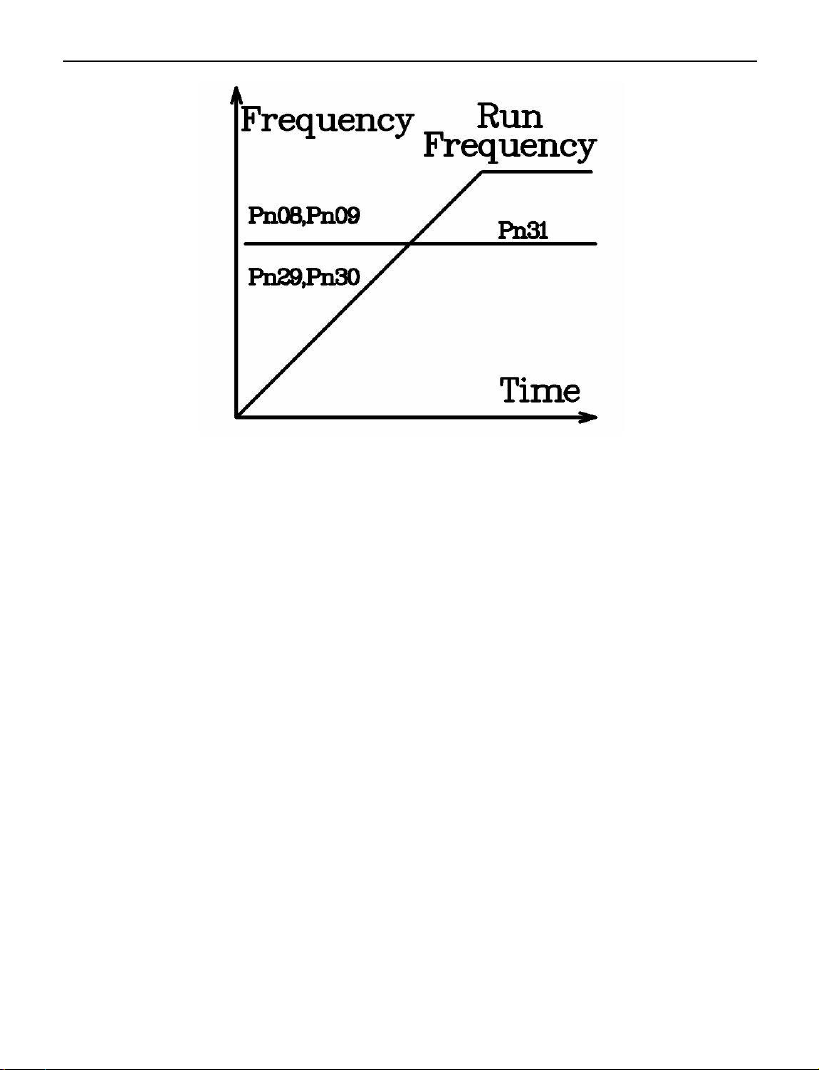
2rd deceleration stop frequency:000.10 Hz—400.00Hz
When runtime frequency is larger than this value,
acceleration/deceleration time is defined by Pn08,Pn09
When runtime frequency is smaller than this value,
acceleration/deceleration time is defined by Pn29,Pn30
As shown in Figure:
1
5
A2
Inverter (0.75-30kW)
Pn 32
Parameter management:
1—3
1
3
4
5
6
modification enable
2 modification disable
initialization for 400Hz parameters
read OEM initialization parameter
write OEM initialization parameter
initialization for 50Hz parameters
Note: the password for the OEM parameter is: 61633
Software version
Auto recover while lost power suddenly
Pn 33
Pn 34
0
9
disable this function
9 means do auto recover in infinite time, starting from
low frequency
Other value
:
If indicator displays LU-X(any code) during runtime
and power source recovers in 2 seconds, inverter
would start up again and reduce runtime frequency
with magnitude of under voltage time(s) multiply
frequency of this component(Hz).
The maximum power lost time is 2.5s. Beyond this time,
it would be seen as over voltage without any auto recover.
Pn 35
Production date
1
6

A2
Inverter (0.75-30kW)
Chapter 8 Operation Examples
8
.1 Operation by panel
Pn 04 = 1(Command from panel),Pn 03 = 1(Frequency from potentiometer)。
Push button “RUN” on the panel, inverter starts up and running indicator is on.
Push the button again, inverter would stop.
8
8
8
.2 Operation by external signal
Pn 04=2 (command from port “FWD/REV”)
Pn 03=3 (frequency from port “5V”)
.3 Multi-segment speed
Pn 04=2(command from port “FWD/REV”)
Pn 03=7(frequency from multi-segment 0-7)
.4 Point move by panel
Command
(
Pn 04
)
must come from panel
(
=1
)
. Frequency
(
Pn 03
)
must be
specified by button(=2).After inverter stops, push button “←” to clockwise
point move and “
→
” to anticlockwise point move.
8
.5 Point move by external signal
Command
(
Pn 04
)
must come from port “FWD/REV”
(
=2
)
. Frequency
(
Pn 03)must come from external digital port(=6). After inverter stops,
connect “D0” and “JOG” to “GND” to point move clockwise, connect “D1” and
JOG” to “GND” to point move anticlockwise.
“
1
7
A2
Inverter (0.75-30kW)
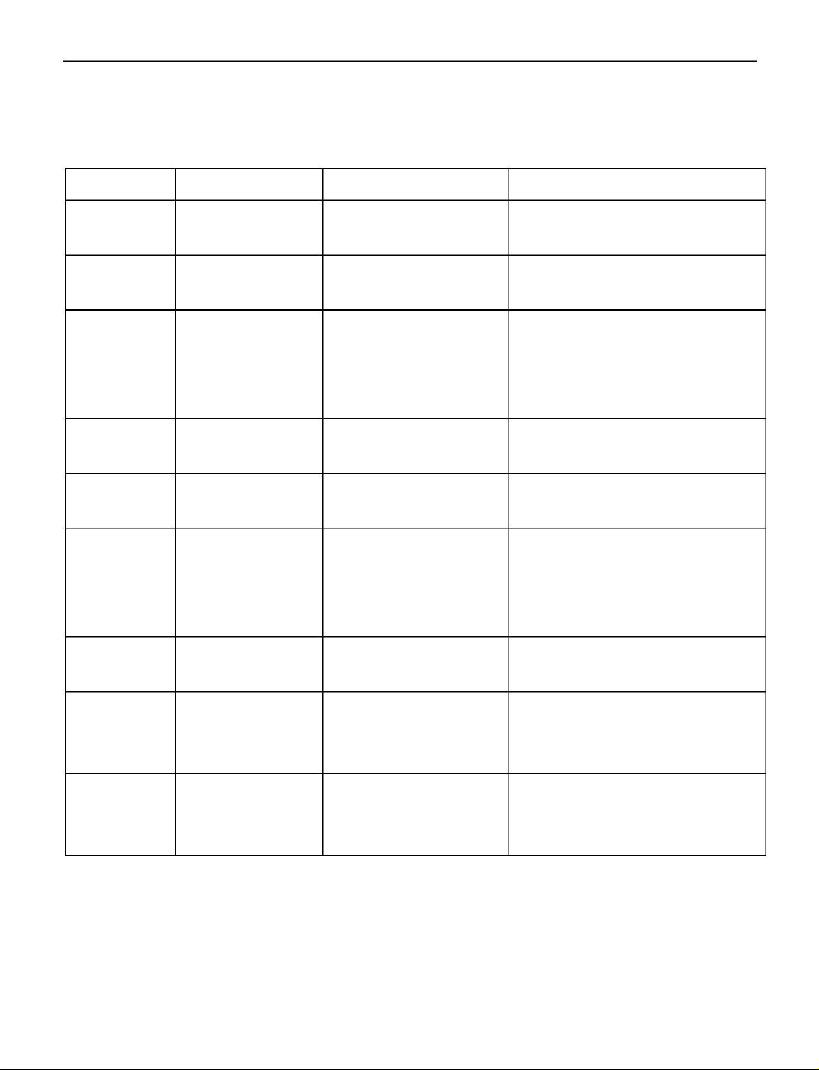
Chapter 9 Error Message and Fault Diagnosis
9.1 Fault table
Display Meaning
Cause
Diagnosis
Check voltage of power
source
Check voltage of power
source
OU –o
OU –u
OU –d
Overvoltage Overvoltage of
power source
Acceleration Overvoltage of
overvoltage
Deceleration Overvoltage of
power source
Overvoltage of power
overvoltage
Steady state
Overvoltage power source
Stop state
power source or source, increase
large inertia
deceleration time, add
brake components
OU –r
LU –o
LU–u
Overvoltage of Check voltage of power
source
Undervoltage of Check voltage of power
undervoltage power source source
Acceleration Undervoltage of Check voltage of power
undervoltage power source,
small
source, increase
acceleration time
acceleration time
LU –d
LU –r
Deceleration Undervoltage of Check voltage of power
undervoltage power source source
Steady state Undervoltage of Check voltage of power
undervoltage power source or source, decrease load
large inertia
OC –o
Stop state
Component fail, Push “RESET”.
overcurrency interference
Component fail if it
happens again.
1
8
A2
Inverter (0.75-30kW)
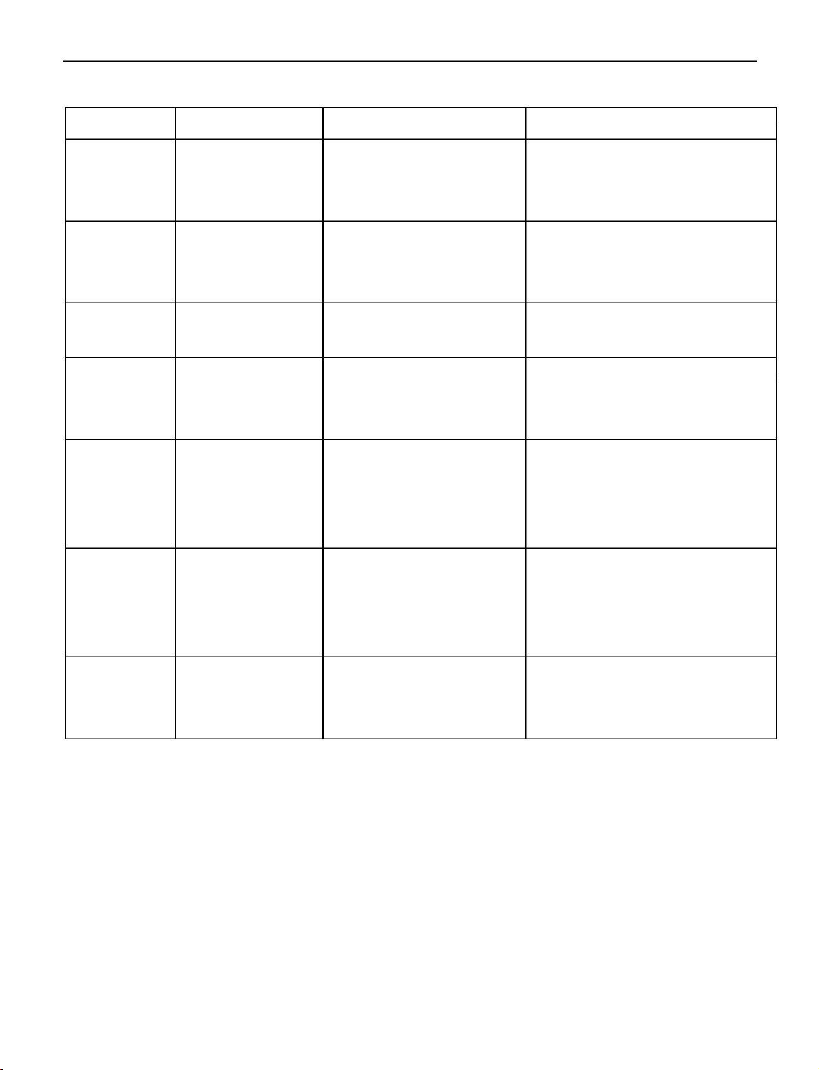
Display Meaning
Cause
Diagnosis
OC –u
Acceleration Small acceleration Increase acceleration
overcurrency time or component time
fail
OC –d
Deceleration Small deceleration Increase deceleration
overcurrency time or component time
fail
OC –r
OT –o
Steady state
overcurrency component fail
Overheat
while stop
overload or
Check motor load
High environment Check whether air
temperature or fail temperature is over 50,
temperature sensor check CZ55 connection
High environment Check whether air
temperature, small temperature is over 50,
OT –u
OT –d
OT –r
Overheat
while
acceleration acceleration time
increase acceleration
time
Overheat
while
deceleration deceleration time
High environment Check whether air
temperature, small temperature is over 50,
increase deceleration
time
Overheat in
steady state
High environment Check whether air
temperature,
overload
temperature is over 50,
check overload
9.2 Other unexpected fault
1
、Inverter is in normal condition but without any output
1
2
. Internal fuse fail
. Internal drive module fail
1
9
A2
Inverter (0.75-30kW)
Chapter 10 Maintenance and Repair
Due to the environmental influences such as temperature, humidity,
dust, and vibration etc., and aging components, the inverter may fail at
some time. So it needs periodic maintenance and repair.
Notice: please check the following items before maintenance
and repair. Otherwise, it may cause electronic shock.
1
2
3
.
Power source is cut off.
. Indicator on panel is OFF.
. Maintenance is performed by professionals.
1
0.1 Daily maintenance and repair
The Inverter must be installed in the standard environment
according to this manual. There may be some unexpected situations
during runtime. Please do daily maintenance work according the
following table. Keep a good runtime environment, log daily data and
detect fault causes early. It can extend the life of the inverter.
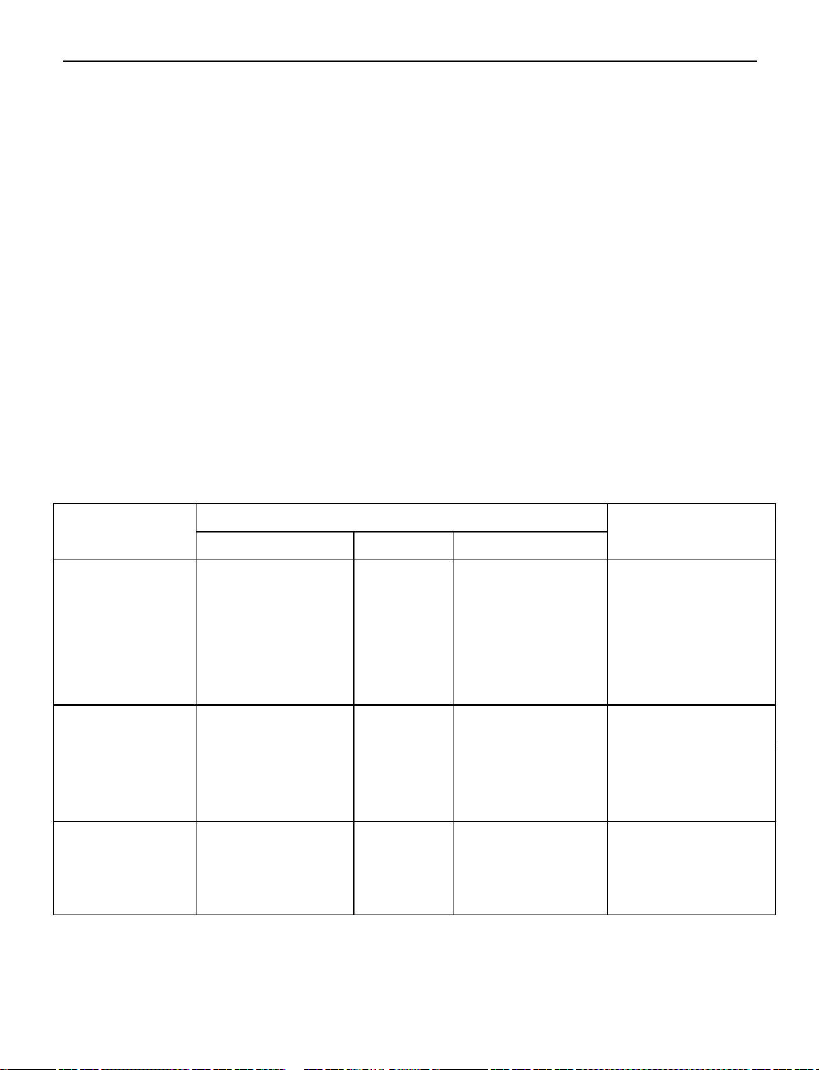
Check
Item
Content
Period
Method
Criterion
environment
(1) temperature,
anytime
(1)thermometer, (1)temperature
humidity
(2) dust, water
hygrometer
(2)watch
(3)smell
range -10℃
~
+40℃
(3)
corrosive
(2)any mark of
water
gas
(3)odor
inverter
motor
(1)heat,
vibration
(2)noise
anytime (1)touch shell (1) steady
vibration, normal
(2)sound
temperature
(2)abnormal
sound
(1)heat
(2)noise
anytime (1)touch
(2)sound
(1)abnormal
heating
(2)abnormal
sound
2
0

A2
Inverter (0.75-30kW)
1
0.2 Periodic maintenance
The Inverter needs periodic maintenance every 1 or 3 months which
depends on the runtime environment.
Notice: Machine maintenance or component replacement must
be performed by professionals. If any metal objects such screws
or washer are left inside the machine, it would cause fatal
damage to the inverter!
Check items:
1
2
、
Whether the control port screws are loose or not;
、
Whether the main loop port is loose or not. Or is there
any sign of overheating in the line of the main loop;
、 Is there any trauma in the power and control cable?
Especially, check the robber skin in the contact with other metal;
、 Is the insulation bandage of the power cable loose;
、
Use vacuum cleaner to clean the dust on board and
ventilation channel;
3
4
5
6
、 If the motor needs examination, please disconnect the
motor wire from inverter’s U,V,W port. Otherwise, it may
cause fatal damage to the inverter.
Notice: Inverter has already passed the pressure test. Any
the improper test may cause fatal damage to the inverter!
1
0.3 Replace the wearing parts
The wearing parts contain a cooling fan and filter electrolytic
capacitor whose lifetime depends on environment and load. When
the temperature is 25℃, the lifetime of th e cooling fan is
20~40Kh and that of the capacitor is 30~50Kh. Users can decide
when to replace these components.
1
.
Cooling fan
Cause of damage: wear bearing, aging fan, heavy dust
environment.
Criterion: rip in fans, abnormal vibration during
runtime.
2
1

A2
Inverter (0.75-30kW)
2
.filter electrolytic capacitor
Cause of damage: high environment temperature,
frequently load change, long-time
fully load.
Criterion: liquid leak, wrong position of safety valve,
capacity measurement.
1
1
0.4 Store of inverter
Precautions for storing inverter:
1
.
It cannot be stored in high temperature, moist, dusty,
metal dust, corrosive gas places.
It will speed up the capacitor aging during long-time store.
2
.
Make sure that turn on inverter once every year. The operation time
cannot below 8 hours. And the input voltage increases slowly to the
rating value.
0.5 Warranty
Range: inverter itself;
If any following situation happens, Isacon will provide warranty:
Any fault or damage happens during the standard use in 18
months. Beyond 18 months, Isacon will charge for the maintenance
and repair;
If any following situation happens, even in 18 months, Isacon still
can charge for maintenance and repair:
a、
damage caused by wrong operation
;
b、damage caused by voltage abnormal and nature disaster
such fire and floods etc.;
c、apply inverter in non-standard user case.
Costs can be counted as listed on contract or actual cost.
2
2

A2
Inverter (0.75-30kW)
Chapter 11 Type Description
11.1 Type description
A2-xxxxB
A2
xxxx
B
is the vfd series,
For power and voltage levels.
is Brake unit
11.2 Power description
1
2
3
5
6
XXX
XXX
XXX
XXX
XXX
1: input 3phase 220V, output 3phase 220V
2: input 1phase 220V, output 3phase 220V
3: input 3phase 380V, output 3phase 380V
5: input 1phase 220V, output 3phase 380V
6: input 1phase 380V, output 3phase 380V
Note: three phase input can also be.
8
XXX
8: input 1-3phase 220V,output 3phase 220V
XXX
Power specification:
0.75kW
1.5kW
0
0
3
07
15
00
30kW
11.3 model examples
A2-2022
single phase 220 input, three-phase 220 output, 2.2kw
A2-2022B
single phase 220 input, three-phase 220 output, 2.2kW,
with braking unit.
A2-3075
three phase 380 input, three-phase 380 output, 7.5kw
A2-3075B
three-phase 380 input, three-phase 380 output, 7.5kW,
with braking unit.
2
3