Charging and Active
Charging the d evice to active befo re the first time using;
To charge your device, plug the charging cable into the
adapter or USB port on your compute r.
Smart Watch Features Smart Watch Features Smart Watch Features Smart Watch Features Smart Watch Features Smart Watch Features Getting to Kn ow Your Device General Info & SpecificationsDownloading the App
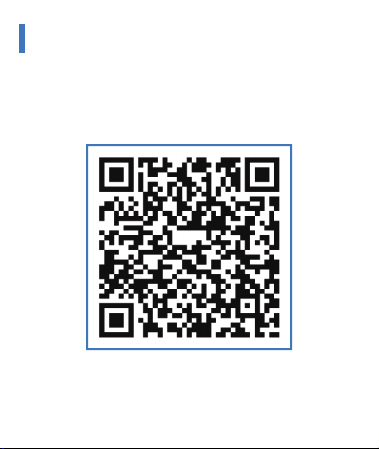
Scan the following QR code, download and install the App.
Scan QR Code and Download
Sports
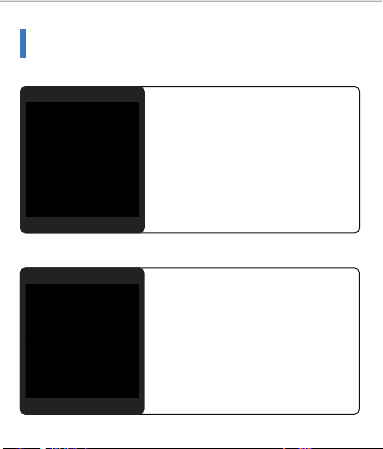
Smart Watch automatically tracks
St ep s
t aken
on the screen.
NOTE:
Your
movement
stats
reset
to zero at midnight.
Training
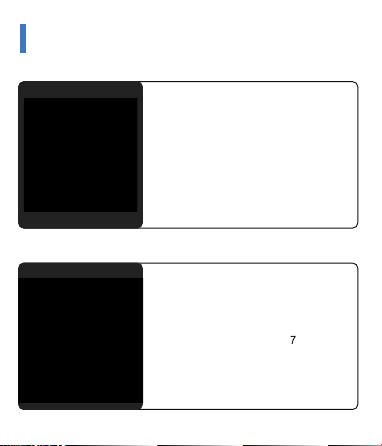
Blood Pressure Test
Tap
on the blood
pr essure page
t o
st art
m easuri ng
your
blood
pressure.
On
the blood
pressure
page, It can
show
the
blood
pressure
measured
data of the last times.
SpO2 Test
Tap
t he
Sp O2
p ag e
t o
st ar t
measuring
your
SpO2.
On
the SpO2
page,
It
can show
the
SpO2 measured
data
of
t he
last
times.
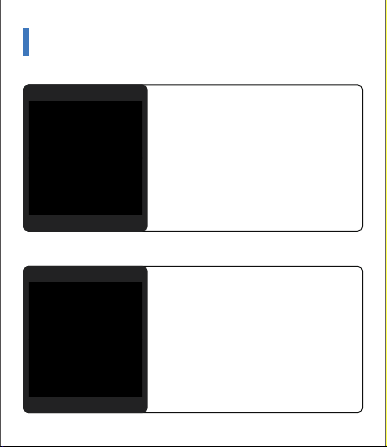
Weather
It
could
show
the
weather
info
of
cu r r ent
an d
t o m orrow
on
t h e
weather page.
Weath er
info
is
synced
aft er
con-
nect ing
with the
APP,
it
will
not
be
updated after a long disconneted.
Messages Reminder
The
device
can
sync
incoming
noti-
fications
from
Twi t t er,
Facebook,
Whatsapp, Instag ram etc.
Recently
5
messages
can be
stored.
Not e:
You
can
swit ch
of / of f
t he
incoming notification in the AP P.
Remote Shutter
After
connecting the
device,you
can
remote
contral the
camera on
your
phone.
Other Features
Oth er features inclu de mute on/off,
brightness,about ,factory
reset and
power
off .
Stop Watch
Tap the start button on sto pwatch
page to
start
timing,
and tap the
stop button to stop timing.
1.Using in Wet Conditions
Your
device
is
water-resistant,
which
means
it
is
rain-proof
and
splash-proof
and
can
stand up
to
even
the
sweatiest
workout.
NOTE:
Do
not swim
with
your
Smart
Bracelet .
We also
don't
recommend
showering
with
your
wristb and;
though
the
water
won't hurt the d evice, wearing it 24/7 does not give your skin
a
chance
to
breathe.
Whenever
you
get
your
bracelet
wet,
dry
it tho roughly befo re putting it back on.
2.Using Quick View
With Quick View you can check the time or the message form
your phone
on
your
Smart
Bracelet
wit hout
taping. Just
turn
your
wrist
towards
you and the
time
screen
will
appear for
a
few seconds.
1.Environmental Conditions
Operating tempe rature:14 ℉to122 ℉(-10 ℃to50 ℃ )
Non-ope rating tempe rature:-4 ℉to140 ℉(-20 ℃to60 ℃ )
2.Size
Fits a wrist between 5.5 and 7.7 inches in circumfe rence.
3.Disposal and Recycling
Please
kindly
be aware that it is th e consumer’sresponsibility
to
properly
disposeand recycleSmart Bracelet and accompanying
components.
Do not dispose of Smart Bracelet with common
household
waste, theSmart Bracelet unit is considered electronic
waste
and
should be disposed of at your local elect ron ic
equipment collection facilit y.
For
more
information, please cont act your local electronic
equipment
waste management authority or the retailer where
you bought the p roduct.
Player
Pairing
The MAC address
on
the
“Sett ing”- ”About ”
page
could
help
you identify your d evice on the scanning list.
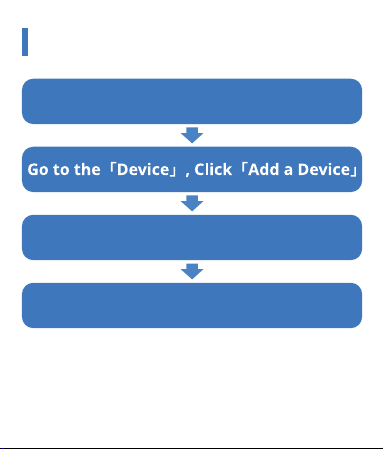
Open the App and set up your p rofile
Choose your device on the scanning list
Finish
The
device
will
turn
off
the
vibration
and trun down
the
brightness
when
the
theater
mode
is truned
on.
Note:
You
can
trun
on/off
the
theater
mode
in
the control
center.
Theater Mode
Set
up
the
alarm
on t he
APP,
the
devic e
wi ll
vibrat e to
remind
on
time.
Silent Alarms
Smart Watch Features
Remind to M ove
The
device
will
vibrat e
to
remind
you
to
make
a
relax
aft er
1
hour
sittiing.
Not e:
You
can
swi t ch
on/of f
t he
featu re in the APP.
Remind to Drink
The smart wat ch
will
rem in d you
“ Time
to Drink
Some
Water”
at the
planned drinking time.
Note:
You can
set
th e
feat ur e
i n
t ht APP.
Smart Watch Features
Sleep
If
you
keep
wearing
Smart
Watch
in
your
sleep
,
it
can
provide
the
hours
slept and
qualit y
of
sleep
st ats
on
both the sc reen and the APP.
NOTE:
Sleep
st at s
reset
to
zero
at
8:00 pm.
Heart Rate Test
The Smart
Watch
could
record
your
heart rate all day .
You also
could
tap on
the page
to
st art
measuring heart rate.
Tap
the
training
icon
on
the menu
t o
start
a
new
t raining
measure
reco rd i n g ,
t h ere
ar e
sp o r t
modes to be chosen.
The last training recording will be
shown on the t raining page.
After conn ect ing
the
device,you
can
remote
contral the
music player
on
your
phone.
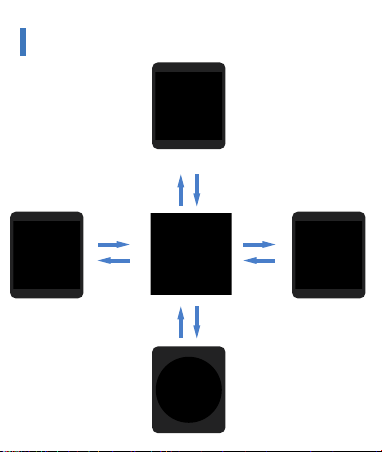
Use the Touch Screen
Swipe
Up
Swipe
Down
Swipe
Up
Swipe
Down
Swipe
Right
Swipe
Left
Swipe
Left
Swipe
Right
Feature pagesMenue
Control Center
Messages
Charging and Active
Charging the d evice to active befo re the first time using;
To charge your device, plug the charging cable into the
adapter or USB port on your compute r.
Smart Watch Features Smart Watch Features Smart Watch Features Smart Watch Features Smart Watch Features Smart Watch Features Getting to Kn ow Your Device General Info & SpecificationsDownloading the App
Scan the following QR code, download and install the App.
Scan QR Code and Download
Sports
Smart Watch automatically tracks
St eps
t aken
on the screen.
NOTE:
Your
movement
stats
reset
to zero at midnight.
Training
Blood Pressure Test
Tap
on the blood
pr essure page
t o
st art
m easuri ng
your
blood
pressure.
On
the blood
pressure
page, It can
show
the
blood
pressure
measured
data of the last times.
SpO2 Test
Tap
t he
Sp O2
p ag e
t o
st ar t
measuring
your
SpO2.
On
the SpO2
page,
It
can show
the
SpO2 measured
data
of
t he
last
times.
Weather
It
could
show
the
weather
info
of
cu r r ent
an d
t o m orrow
on
t h e
weather page.
Weath er
info
is
synced
aft er
con-
nect ing
with the
APP,
it
will
not
be
updated after a long disconneted.
Messages Reminder
The
device
can
sync
incoming
noti-
fications
from
Twi t t er,
Facebook,
Whatsapp, Instag ram etc.
Recently
5
messages
can be
stored.
Not e:
You
can
swit ch
of / of f
t he
incoming notification in the AP P.
Remote Shutter
After
connecting the
device,you
can
remote
contral the
camera on
your
phone.
Other Features
Oth er features inclu de mute on/off,
brightness,about ,factory
reset and
power
off .
Stop Watch
Tap the start button on sto pwatch
page to
start
timing,
and tap the
stop button to stop timing.
1.Using in Wet Conditions
Your
device
is
water-resistant,
which
means
it
is
rain-proof
and
splash-proof
and
can
stand up
to
even
the
sweatiest
workout.
NOTE:
Do
not swim
with
your
Smart
Bracelet .
We also
don't
recommend
showering
with
your
wristb and;
though
the
water
won't hurt the d evice, wearing it 24/7 does not give your skin
a
chance
to
breathe.
Whenever
you
get
your
bracelet
wet,
dry
it tho roughly befo re putting it back on.
2.Using Quick View
With Quick View you can check the time or the message form
your phone
on
your
Smart
Bracelet
wit hout
taping. Just
turn
your
wrist
towards
you and the
time
screen
will
appear for
a
few seconds.
1.Environmental Conditions
Operating tempe rature:14 ℉to122 ℉(-10 ℃to50 ℃ )
Non-ope rating tempe rature:-4 ℉to140 ℉(-20 ℃to60 ℃ )
2.Size
Fits a wrist between 5.5 and 7.7 inches in circumfe rence.
3.Disposal and Recycling
Please
kindly
be aware that it is th e consumer’sresponsibility
to
properly
disposeand recycleSmart Bracelet and accompanying
components.
Do not dispose of Smart Bracelet with common
household
waste, theSmart Bracelet unit is considered electronic
waste
and
should be disposed of at your local elect ron ic
equipment collection facilit y.
For
more
information, please cont act your local electronic
equipment
waste management authority or the retailer where
you bought the p roduct.
Player
Pairing
The MAC address
on
the
“Sett ing”- ”About ”
page
could
help
you identify your d evice on the scanning list.
Open the App and set up your p rofile
Choose your device on the scanning list
Finish
The
device
will
turn
off
the
vibration
and trun down
the
brightness
when
the
theater
mode
is truned
on.
Note:
You
can
trun
on/off
the
theater
mode
in
the control
center.
Theater Mode
Set
up
the
alarm
on t he
APP,
the
devic e
wi ll
vibrat e to
remind
on
time.
Silent Alarms
Smart Watch Features
Remind to M ove
The
device
will
vibrat e
to
remind
you
to
make
a
relax
aft er
1
hour
sittiing.
Not e:
You
can
swi t ch
on/of f
t he
featu re in the APP.
Remind to Drink
The smart wat ch
will
rem in d you
“ Time
to Drink
Some
Water”
at the
planned drinking time.
Note:
You can
set
th e
feat ur e
i n
t ht APP.
Smart Watch Features
Sleep
If
you
keep
wearing
Smart
Watch
in
your
sleep
,
it
can
provide
the
hours
slept and
qualit y
of
sleep
st ats
on
both the sc reen and the APP.
NOTE:
Sleep
st at s
reset
to
zero
at
8:00 pm.
Heart Rate Test
The Smart
Watch
could
record
your
heart rate all day .
You also
could
tap on
the page
to
st art
measuring heart rate.
Tap
the
training
icon
on
the menu
t o
start
a
new
t raining
measure
reco rd i n g ,
t h ere
ar e
sp o r t
modes to be chosen.
The last training recording will be
shown on the t raining page.
After conn ect ing
the
device,you
can
remote
contral the
music player
on
your
phone.
Use the Touch Screen
Swipe
Up
Swipe
Down
Swipe
Up
Swipe
Down
Swipe
Right
Swipe
Left
Swipe
Left
Swipe
Right
Feature pagesMenue
Control Center
Messages

Charging and Active
Charging the d evice to active befo re the first time using;
To charge your device, plug the charging cable into the
adapter or USB port on your compute r.
Smart Watch Features Smart Watch Features Smart Watch Features Smart Watch Features Smart Watch Features Smart Watch Features Getting to Kn ow Your Device General Info & SpecificationsDownloading the App
Scan the following QR code, download and install the App.
Scan QR Code and Download
Sports
Smart Watch automatically tracks
St eps
t aken
on the screen.
NOTE:
Your
movement
stats
reset
to zero at midnight.
Training
Blood Pressure Test
Tap
on the blood
pr essure page
t o
st art
m easuri ng
your
blood
pressure.
On
the blood
pressure
page, It can
show
the
blood
pressure
measured
data of the last times.
SpO2 Test
Tap
t he
Sp O2
p ag e
t o
st ar t
measuring
your
SpO2.
On
the SpO2
page,
It
can show
the
SpO2 measured
data
of
t he
last
times.
Weather
It
could
show
the
weather
info
of
cu r r ent
an d
t o m orrow
on
t h e
weather page.
Weath er
info
is
synced
aft er
con-
nect ing
with the
APP,
it
will
not
be
updated after a long disconneted.
Messages Reminder
The
device
can
sync
incoming
noti-
fications
from
Twi t t er,
Facebook,
Whatsapp, Instag ram etc.
Recently
5
messages
can be
stored.
Not e:
You
can
swit ch
of / of f
t he
incoming notification in the AP P.
Remote Shutter
After
connecting the
device,you
can
remote
contral the
camera on
your
phone.
Other Features
Oth er features inclu de mute on/off,
brightness,about ,factory
reset and
power
off .
Stop Watch
Tap the start button on sto pwatch
page to
start
timing,
and tap the
stop button to stop timing.
1.Using in Wet Conditions
Your
device
is
water-resistant,
which
means
it
is
rain-proof
and
splash-proof
and
can
stand up
to
even
the
sweatiest
workout.
NOTE:
Do
not swim
with
your
Smart
Bracelet .
We also
don't
recommend
showering
with
your
wristb and;
though
the
water
won't hurt the d evice, wearing it 24/7 does not give your skin
a
chance
to
breathe.
Whenever
you
get
your
bracelet
wet,
dry
it tho roughly befo re putting it back on.
2.Using Quick View
With Quick View you can check the time or the message form
your phone
on
your
Smart
Bracelet
wit hout
taping. Just
turn
your
wrist
towards
you and the
time
screen
will
appear for
a
few seconds.
1.Environmental Conditions
Operating tempe rature:14 ℉to122 ℉(-10 ℃to50 ℃ )
Non-ope rating tempe rature:-4 ℉to140 ℉(-20 ℃to60 ℃ )
2.Size
Fits a wrist between 5.5 and 7.7 inches in circumfe rence.
3.Disposal and Recycling
Please
kindly
be aware that it is th e consumer’sresponsibility
to
properly
disposeand recycleSmart Bracelet and accompanying
components.
Do not dispose of Smart Bracelet with common
household
waste, theSmart Bracelet unit is considered electronic
waste
and
should be disposed of at your local elect ron ic
equipment collection facilit y.
For
more
information, please cont act your local electronic
equipment
waste management authority or the retailer where
you bought the p roduct.
Player
Pairing
The MAC address
on
the
“Sett ing”- ”About ”
page
could
help
you identify your d evice on the scanning list.
Open the App and set up your p rofile
Choose your device on the scanning list
Finish
The
device
will
turn
off
the
vibration
and trun down
the
brightness
when
the
theater
mode
is truned
on.
Note:
You
can
trun
on/off
the
theater
mode
in
the control
center.
Theater Mode
Set
up
the
alarm
on t he
APP,
the
devic e
wi ll
vibrat e to
remind
on
time.
Silent Alarms
Smart Watch Features
Remind to M ove
The
device
will
vibrat e
to
remind
you
to
make
a
relax
aft er
1
hour
sittiing.
Not e:
You
can
swi t ch
on/of f
t he
featu re in the APP.
Remind to Drink
The smart wat ch
will
rem in d you
“ Time
to Drink
Some
Water”
at the
planned drinking time.
Note:
You can
set
th e
feat ur e
i n
t ht APP.
Smart Watch Features
Sleep
If
you
keep
wearing
Smart
Watch
in
your
sleep
,
it
can
provide
the
hours
slept and
qualit y
of
sleep
st ats
on
both the sc reen and the APP.
NOTE:
Sleep
st at s
reset
to
zero
at
8:00 pm.
Heart Rate Test
The Smart
Watch
could
record
your
heart rate all day .
You also
could
tap on
the page
to
st art
measuring heart rate.
Tap
the
training
icon
on
the menu
t o
start
a
new
t raining
measure
reco rd i n g ,
t h ere
ar e
sp o r t
modes to be chosen.
The last training recording will be
shown on the t raining page.
After conn ect ing
the
device,you
can
remote
contral the
music player
on
your
phone.
Use the Touch Screen
Swipe
Up
Swipe
Down
Swipe
Up
Swipe
Down
Swipe
Right
Swipe
Left
Swipe
Left
Swipe
Right
Feature pagesMenue
Control Center
Messages
Charging and Active
Charging the d evice to active befo re the first time using;
To charge your device, plug the charging cable into the
adapter or USB port on your compute r.
Smart Watch Features Smart Watch Features Smart Watch Features Smart Watch Features Smart Watch Features Smart Watch Features Getting to Kn ow Your Device General Info & SpecificationsDownloading the App
Scan the following QR code, download and install the App.
Scan QR Code and Download
Sports
Smart Watch automatically tracks
St eps
t aken
on the screen.
NOTE:
Your
movement
stats
reset
to zero at midnight.
Training
Blood Pressure Test
Tap
on the blood
pr essure page
t o
st art
m easuri ng
your
blood
pressure.
On
the blood
pressure
page, It can
show
the
blood
pressure
measured
data of the last times.
SpO2 Test
Tap
t he
Sp O2
p ag e
t o
st ar t
measuring
your
SpO2.
On
the SpO2
page,
It
can show
the
SpO2 measured
data
of
t he
last
times.
Weather
It
could
show
the
weather
info
of
cu r r ent
an d
t o m orrow
on
t h e
weather page.
Weath er
info
is
synced
aft er
con-
nect ing
with the
APP,
it
will
not
be
updated after a long disconneted.
Messages Reminder
The
device
can
sync
incoming
noti-
fications
from
Twi t t er,
Facebook,
Whatsapp, Instag ram etc.
Recently
5
messages
can be
stored.
Not e:
You
can
swit ch
of / of f
t he
incoming notification in the AP P.
Remote Shutter
After
connecting the
device,you
can
remote
contral the
camera on
your
phone.
Other Features
Oth er features inclu de mute on/off,
brightness,about ,factory
reset and
power
off .
Stop Watch
Tap the start button on sto pwatch
page to
start
timing,
and tap the
stop button to stop timing.
1.Using in Wet Conditions
Your
device
is
water-resistant,
which
means
it
is
rain-proof
and
splash-proof
and
can
stand up
to
even
the
sweatiest
workout.
NOTE:
Do
not swim
with
your
Smart
Bracelet .
We also
don't
recommend
showering
with
your
wristb and;
though
the
water
won't hurt the d evice, wearing it 24/7 does not give your skin
a
chance
to
breathe.
Whenever
you
get
your
bracelet
wet,
dry
it tho roughly befo re putting it back on.
2.Using Quick View
With Quick View you can check the time or the message form
your phone
on
your
Smart
Bracelet
wit hout
taping. Just
turn
your
wrist
towards
you and the
time
screen
will
appear for
a
few seconds.
1.Environmental Conditions
Operating tempe rature:14 ℉to122 ℉(-10 ℃to50 ℃ )
Non-ope rating tempe rature:-4 ℉to140 ℉(-20 ℃to60 ℃ )
2.Size
Fits a wrist between 5.5 and 7.7 inches in circumfe rence.
3.Disposal and Recycling
Please
kindly
be aware that it is th e consumer’sresponsibility
to
properly
disposeand recycleSmart Bracelet and accompanying
components.
Do not dispose of Smart Bracelet with common
household
waste, theSmart Bracelet unit is considered electronic
waste
and
should be disposed of at your local elect ron ic
equipment collection facilit y.
For
more
information, please cont act your local electronic
equipment
waste management authority or the retailer where
you bought the p roduct.
Player
Pairing
The MAC address
on
the
“Sett ing”- ”About ”
page
could
help
you identify your d evice on the scanning list.
Open the App and set up your p rofile
Choose your device on the scanning list
Finish
The
device
will
turn
off
the
vibration
and trun down
the
brightness
when
the
theater
mode
is truned
on.
Note:
You
can
trun
on/off
the
theater
mode
in
the control
center.
Theater Mode
Set
up
the
alarm
on t he
APP,
the
devic e
wi ll
vibrat e to
remind
on
time.
Silent Alarms
Smart Watch Features
Remind to M ove
The
device
will
vibrat e
to
remind
you
to
make
a
relax
aft er
1
hour
sittiing.
Not e:
You
can
swi t ch
on/of f
t he
featu re in the APP.
Remind to Drink
The smart wat ch
will
rem in d you
“ Time
to Drink
Some
Water”
at the
planned drinking time.
Note:
You can
set
th e
feat ur e
i n
t ht APP.
Smart Watch Features
Sleep
If
you
keep
wearing
Smart
Watch
in
your
sleep
,
it
can
provide
the
hours
slept and
qualit y
of
sleep
st ats
on
both the sc reen and the APP.
NOTE:
Sleep
st at s
reset
to
zero
at
8:00 pm.
Heart Rate Test
The Smart
Watch
could
record
your
heart rate all day .
You also
could
tap on
the page
to
st art
measuring heart rate.
Tap
the
training
icon
on
the menu
t o
start
a
new
t raining
measure
reco rd i n g ,
t h ere
ar e
sp o r t
modes to be chosen.
The last training recording will be
shown on the t raining page.
After conn ect ing
the
device,you
can
remote
contral the
music player
on
your
phone.
Use the Touch Screen
Swipe
Up
Swipe
Down
Swipe
Up
Swipe
Down
Swipe
Right
Swipe
Left
Swipe
Left
Swipe
Right
Feature pagesMenue
Control Center
Messages
Charging and Active
Charging the d evice to active befo re the first time using;
To charge your device, plug the charging cable into the
adapter or USB port on your compute r.
Smart Watch Features Smart Watch Features Smart Watch Features Smart Watch Features Smart Watch Features Smart Watch Features Getting to Kn ow Your Device General Info & SpecificationsDownloading the App
Scan the following QR code, download and install the App.
Scan QR Code and Download
Sports
Smart Watch automatically tracks
St eps
t aken
on the screen.
NOTE:
Your
movement
stats
reset
to zero at midnight.
Training
Blood Pressure Test
Tap
on the blood
pr essure page
t o
st art
m easuri ng
your
blood
pressure.
On
the blood
pressure
page, It can
show
the
blood
pressure
measured
data of the last times.
SpO2 Test
Tap
t he
Sp O2
p ag e
t o
st ar t
measuring
your
SpO2.
On
the SpO2
page,
It
can show
the
SpO2 measured
data
of
t he
last
times.
Weather
It
could
show
the
weather
info
of
cu r r ent
an d
t o m orrow
on
t h e
weather page.
Weath er
info
is
synced
aft er
con-
nect ing
with the
APP,
it
will
not
be
updated after a long disconneted.
Messages Reminder
The
device
can
sync
incoming
noti-
fications
from
Twi t t er,
Facebook,
Whatsapp, Instag ram etc.
Recently
5
messages
can be
stored.
Not e:
You
can
swit ch
of / of f
t he
incoming notification in the AP P.
Remote Shutter
After
connecting the
device,you
can
remote
contral the
camera on
your
phone.
Other Features
Oth er features inclu de mute on/off,
brightness,about ,factory
reset and
power
off .
Stop Watch
Tap the start button on sto pwatch
page to
start
timing,
and tap the
stop button to stop timing.
1.Using in Wet Conditions
Your
device
is
water-resistant,
which
means
it
is
rain-proof
and
splash-proof
and
can
stand up
to
even
the
sweatiest
workout.
NOTE:
Do
not swim
with
your
Smart
Bracelet .
We also
don't
recommend
showering
with
your
wristb and;
though
the
water
won't hurt the d evice, wearing it 24/7 does not give your skin
a
chance
to
breathe.
Whenever
you
get
your
bracelet
wet,
dry
it tho roughly befo re putting it back on.
2.Using Quick View
With Quick View you can check the time or the message form
your phone
on
your
Smart
Bracelet
wit hout
taping. Just
turn
your
wrist
towards
you and the
time
screen
will
appear for
a
few seconds.
1.Environmental Conditions
Operating tempe rature:14 ℉to122 ℉(-10 ℃to50 ℃ )
Non-ope rating tempe rature:-4 ℉to140 ℉(-20 ℃to60 ℃ )
2.Size
Fits a wrist between 5.5 and 7.7 inches in circumfe rence.
3.Disposal and Recycling
Please
kindly
be aware that it is th e consumer’sresponsibility
to
properly
disposeand recycleSmart Bracelet and accompanying
components.
Do not dispose of Smart Bracelet with common
household
waste, theSmart Bracelet unit is considered electronic
waste
and
should be disposed of at your local elect ron ic
equipment collection facilit y.
For
more
information, please cont act your local electronic
equipment
waste management authority or the retailer where
you bought the p roduct.
Player
Pairing
The MAC address
on
the
“Sett ing”- ”About ”
page
could
help
you identify your d evice on the scanning list.
Open the App and set up your p rofile
Choose your device on the scanning list
Finish
The
device
will
turn
off
the
vibration
and trun down
the
brightness
when
the
theater
mode
is truned
on.
Note:
You
can
trun
on/off
the
theater
mode
in
the control
center.
Theater Mode
Set
up
the
alarm
on t he
APP,
the
devic e
wi ll
vibrat e to
remind
on
time.
Silent Alarms
Smart Watch Features
Remind to M ove
The
device
will
vibrat e
to
remind
you
to
make
a
relax
aft er
1
hour
sittiing.
Not e:
You
can
swi t ch
on/of f
t he
featu re in the APP.
Remind to Drink
The smart wat ch
will
rem in d you
“ Time
to Drink
Some
Water”
at the
planned drinking time.
Note:
You can
set
th e
feat ur e
i n
t ht APP.
Smart Watch Features
Sleep
If
you
keep
wearing
Smart
Watch
in
your
sleep
,
it
can
provide
the
hours
slept and
qualit y
of
sleep
st ats
on
both the sc reen and the APP.
NOTE:
Sleep
st at s
reset
to
zero
at
8:00 pm.
Heart Rate Test
The Smart
Watch
could
record
your
heart rate all day .
You also
could
tap on
the page
to
st art
measuring heart rate.
Tap
the
training
icon
on
the menu
t o
start
a
new
t raining
measure
reco rd i n g ,
t h ere
ar e
sp o r t
modes to be chosen.
The last training recording will be
shown on the t raining page.
After conn ect ing
the
device,you
can
remote
contral the
music player
on
your
phone.
Use the Touch Screen
Swipe
Up
Swipe
Down
Swipe
Up
Swipe
Down
Swipe
Right
Swipe
Left
Swipe
Left
Swipe
Right
Feature pagesMenue
Control Center
Messages
Charging and Active
Charging the d evice to active befo re the first time using;
To charge your device, plug the charging cable into the
adapter or USB port on your compute r.
Smart Watch Features Smart Watch Features Smart Watch Features Smart Watch Features Smart Watch Features Smart Watch Features Getting to Kn ow Your Device General Info & SpecificationsDownloading the App
Scan the following QR code, download and install the App.
Scan QR Code and Download
Sports
Smart Watch automatically tracks
St eps
t aken
on the screen.
NOTE:
Your
movement
stats
reset
to zero at midnight.
Training
Blood Pressure Test
Tap
on the blood
pr essure page
t o
st art
m easuri ng
your
blood
pressure.
On
the blood
pressure
page, It can
show
the
blood
pressure
measured
data of the last times.
SpO2 Test
Tap
t he
Sp O2
p ag e
t o
st ar t
measuring
your
SpO2.
On
the SpO2
page,
It
can show
the
SpO2 measured
data
of
t he
last
times.
Weather
It
could
show
the
weather
info
of
cu r r ent
an d
t o m orrow
on
t h e
weather page.
Weath er
info
is
synced
aft er
con-
nect ing
with the
APP,
it
will
not
be
updated after a long disconneted.
Messages Reminder
The
device
can
sync
incoming
noti-
fications
from
Twi t t er,
Facebook,
Whatsapp, Instag ram etc.
Recently
5
messages
can be
stored.
Not e:
You
can
swit ch
of / of f
t he
incoming notification in the AP P.
Remote Shutter
After
connecting the
device,you
can
remote
contral the
camera on
your
phone.
Other Features
Oth er features inclu de mute on/off,
brightness,about ,factory
reset and
power
off .
Stop Watch
Tap the start button on sto pwatch
page to
start
timing,
and tap the
stop button to stop timing.
1.Using in Wet Conditions
Your
device
is
water-resistant,
which
means
it
is
rain-proof
and
splash-proof
and
can
stand up
to
even
the
sweatiest
workout.
NOTE:
Do
not swim
with
your
Smart
Bracelet .
We also
don't
recommend
showering
with
your
wristb and;
though
the
water
won't hurt the d evice, wearing it 24/7 does not give your skin
a
chance
to
breathe.
Whenever
you
get
your
bracelet
wet,
dry
it tho roughly befo re putting it back on.
2.Using Quick View
With Quick View you can check the time or the message form
your phone
on
your
Smart
Bracelet
wit hout
taping. Just
turn
your
wrist
towards
you and the
time
screen
will
appear for
a
few seconds.
1.Environmental Conditions
Operating tempe rature:14 ℉to122 ℉(-10 ℃to50 ℃ )
Non-ope rating tempe rature:-4 ℉to140 ℉(-20 ℃to60 ℃ )
2.Size
Fits a wrist between 5.5 and 7.7 inches in circumfe rence.
3.Disposal and Recycling
Please
kindly
be aware that it is th e consumer’sresponsibility
to
properly
disposeand recycleSmart Bracelet and accompanying
components.
Do not dispose of Smart Bracelet with common
household
waste, theSmart Bracelet unit is considered electronic
waste
and
should be disposed of at your local elect ron ic
equipment collection facilit y.
For
more
information, please cont act your local electronic
equipment
waste management authority or the retailer where
you bought the p roduct.
Player
Pairing
The MAC address
on
the
“Sett ing”- ”About ”
page
could
help
you identify your d evice on the scanning list.
Open the App and set up your p rofile
Choose your device on the scanning list
Finish
The
device
will
turn
off
the
vibration
and trun down
the
brightness
when
the
theater
mode
is truned
on.
Note:
You
can
trun
on/off
the
theater
mode
in
the control
center.
Theater Mode
Set
up
the
alarm
on t he
APP,
the
devic e
wi ll
vibrat e to
remind
on
time.
Silent Alarms
Smart Watch Features
Remind to M ove
The
device
will
vibrat e
to
remind
you
to
make
a
relax
aft er
1
hour
sittiing.
Not e:
You
can
swi t ch
on/of f
t he
featu re in the APP.
Remind to Drink
The smart wat ch
will
rem in d you
“ Time
to Drink
Some
Water”
at the
planned drinking time.
Note:
You can
set
th e
feat ur e
i n
t ht APP.
Smart Watch Features
Sleep
If
you
keep
wearing
Smart
Watch
in
your
sleep
,
it
can
provide
the
hours
slept and
qualit y
of
sleep
st ats
on
both the sc reen and the APP.
NOTE:
Sleep
st at s
reset
to
zero
at
8:00 pm.
Heart Rate Test
The Smart
Watch
could
record
your
heart rate all day .
You also
could
tap on
the page
to
st art
measuring heart rate.
Tap
the
training
icon
on
the menu
t o
start
a
new
t raining
measure
reco rd i n g ,
t h ere
ar e
sp o r t
modes to be chosen.
The last training recording will be
shown on the t raining page.
After conn ect ing
the
device,you
can
remote
contral the
music player
on
your
phone.
Use the Touch Screen
Swipe
Up
Swipe
Down
Swipe
Up
Swipe
Down
Swipe
Right
Swipe
Left
Swipe
Left
Swipe
Right
Feature pagesMenue
Control Center
Messages
Charging and Active
Charging the d evice to active befo re the first time using;
To charge your device, plug the charging cable into the
adapter or USB port on your compute r.
Smart Watch Features Smart Watch Features Smart Watch Features Smart Watch Features Smart Watch Features Smart Watch Features Getting to Kn ow Your Device General Info & SpecificationsDownloading the App
Scan the following QR code, download and install the App.
Scan QR Code and Download
Sports
Smart Watch automatically tracks
St eps
t aken
on the screen.
NOTE:
Your
movement
stats
reset
to zero at midnight.
Training
Blood Pressure Test
Tap
on the blood
pr essure page
t o
st art
m easuri ng
your
blood
pressure.
On
the blood
pressure
page, It can
show
the
blood
pressure
measured
data of the last times.
SpO2 Test
Tap
t he
Sp O2
p ag e
t o
st ar t
measuring
your
SpO2.
On
the SpO2
page,
It
can show
the
SpO2 measured
data
of
t he
last
times.
Weather
It
could
show
the
weather
info
of
cu r r ent
an d
t o m orrow
on
t h e
weather page.
Weath er
info
is
synced
aft er
con-
nect ing
with the
APP,
it
will
not
be
updated after a long disconneted.
Messages Reminder
The
device
can
sync
incoming
noti-
fications
from
Twi t t er,
Facebook,
Whatsapp, Instag ram etc.
Recently
5
messages
can be
stored.
Not e:
You
can
swit ch
of / of f
t he
incoming notification in the AP P.
Remote Shutter
After
connecting the
device,you
can
remote
contral the
camera on
your
phone.
Other Features
Oth er features inclu de mute on/off,
brightness,about ,factory
reset and
power
off .
Stop Watch
Tap the start button on sto pwatch
page to
start
timing,
and tap the
stop button to stop timing.
1.Using in Wet Conditions
Your
device
is
water-resistant,
which
means
it
is
rain-proof
and
splash-proof
and
can
stand up
to
even
the
sweatiest
workout.
NOTE:
Do
not swim
with
your
Smart
Bracelet .
We also
don't
recommend
showering
with
your
wristb and;
though
the
water
won't hurt the d evice, wearing it 24/7 does not give your skin
a
chance
to
breathe.
Whenever
you
get
your
bracelet
wet,
dry
it tho roughly befo re putting it back on.
2.Using Quick View
With Quick View you can check the time or the message form
your phone
on
your
Smart
Bracelet
wit hout
taping. Just
turn
your
wrist
towards
you and the
time
screen
will
appear for
a
few seconds.
1.Environmental Conditions
Operating tempe rature:14 ℉to122 ℉(-10 ℃to50 ℃ )
Non-ope rating tempe rature:-4 ℉to140 ℉(-20 ℃to60 ℃ )
2.Size
Fits a wrist between 5.5 and 7.7 inches in circumfe rence.
3.Disposal and Recycling
Please
kindly
be aware that it is th e consumer’sresponsibility
to
properly
disposeand recycleSmart Bracelet and accompanying
components.
Do not dispose of Smart Bracelet with common
household
waste, theSmart Bracelet unit is considered electronic
waste
and
should be disposed of at your local elect ron ic
equipment collection facilit y.
For
more
information, please cont act your local electronic
equipment
waste management authority or the retailer where
you bought the p roduct.
Player
Pairing
The MAC address
on
the
“Sett ing”- ”About ”
page
could
help
you identify your d evice on the scanning list.
Open the App and set up your p rofile
Choose your device on the scanning list
Finish
The
device
will
turn
off
the
vibration
and trun down
the
brightness
when
the
theater
mode
is truned
on.
Note:
You
can
trun
on/off
the
theater
mode
in
the control
center.
Theater Mode
Set
up
the
alarm
on t he
APP,
the
devic e
wi ll
vibrat e to
remind
on
time.
Silent Alarms
Smart Watch Features
Remind to M ove
The
device
will
vibrat e
to
remind
you
to
make
a
relax
aft er
1
hour
sittiing.
Not e:
You
can
swi t ch
on/of f
t he
featu re in the APP.
Remind to Drink
The smart wat ch
will
rem in d you
“ Time
to Drink
Some
Water”
at the
planned drinking time.
Note:
You can
set
th e
feat ur e
i n
t ht APP.
Smart Watch Features
Sleep
If
you
keep
wearing
Smart
Watch
in
your
sleep
,
it
can
provide
the
hours
slept and
qualit y
of
sleep
st ats
on
both the sc reen and the APP.
NOTE:
Sleep
st at s
reset
to
zero
at
8:00 pm.
Heart Rate Test
The Smart
Watch
could
record
your
heart rate all day .
You also
could
tap on
the page
to
st art
measuring heart rate.
Tap
the
training
icon
on
the menu
t o
start
a
new
t raining
measure
reco rd i n g ,
t h ere
ar e
sp o r t
modes to be chosen.
The last training recording will be
shown on the t raining page.
After conn ect ing
the
device,you
can
remote
contral the
music player
on
your
phone.
Use the Touch Screen
Swipe
Up
Swipe
Down
Swipe
Up
Swipe
Down
Swipe
Right
Swipe
Left
Swipe
Left
Swipe
Right
Feature pagesMenue
Control Center
Messages
Charging and Active
Charging the d evice to active befo re the first time using;
To charge your device, plug the charging cable into the
adapter or USB port on your compute r.
Smart Watch Features Smart Watch Features Smart Watch Features Smart Watch Features Smart Watch Features Smart Watch Features Getting to Kn ow Your Device General Info & SpecificationsDownloading the App
Scan the following QR code, download and install the App.
Scan QR Code and Download
Sports
Smart Watch automatically tracks
St eps
t aken
on the screen.
NOTE:
Your
movement
stats
reset
to zero at midnight.
Training
Blood Pressure Test
Tap
on the blood
pr essure page
t o
st art
m easuri ng
your
blood
pressure.
On
the blood
pressure
page, It can
show
the
blood
pressure
measured
data of the last times.
SpO2 Test
Tap
t he
Sp O2
p ag e
t o
st ar t
measuring
your
SpO2.
On
the SpO2
page,
It
can show
the
SpO2 measured
data
of
t he
last
times.
Weather
It
could
show
the
weather
info
of
cu r r ent
an d
t o m orrow
on
t h e
weather page.
Weath er
info
is
synced
aft er
con-
nect ing
with the
APP,
it
will
not
be
updated after a long disconneted.
Messages Reminder
The
device
can
sync
incoming
noti-
fications
from
Twi t t er,
Facebook,
Whatsapp, Instag ram etc.
Recently
5
messages
can be
stored.
Not e:
You
can
swit ch
of / of f
t he
incoming notification in the AP P.
Remote Shutter
After
connecting the
device,you
can
remote
contral the
camera on
your
phone.
Other Features
Oth er features inclu de mute on/off,
brightness,about ,factory
reset and
power
off .
Stop Watch
Tap the start button on sto pwatch
page to
start
timing,
and tap the
stop button to stop timing.
1.Using in Wet Conditions
Your
device
is
water-resistant,
which
means
it
is
rain-proof
and
splash-proof
and
can
stand up
to
even
the
sweatiest
workout.
NOTE:
Do
not swim
with
your
Smart
Bracelet .
We also
don't
recommend
showering
with
your
wristb and;
though
the
water
won't hurt the d evice, wearing it 24/7 does not give your skin
a
chance
to
breathe.
Whenever
you
get
your
bracelet
wet,
dry
it tho roughly befo re putting it back on.
2.Using Quick View
With Quick View you can check the time or the message form
your phone
on
your
Smart
Bracelet
wit hout
taping. Just
turn
your
wrist
towards
you and the
time
screen
will
appear for
a
few seconds.
1.Environmental Conditions
Operating tempe rature:14 ℉to122 ℉(-10 ℃to50 ℃ )
Non-ope rating tempe rature:-4 ℉to140 ℉(-20 ℃to60 ℃ )
2.Size
Fits a wrist between 5.5 and 7.7 inches in circumfe rence.
3.Disposal and Recycling
Please
kindly
be aware that it is th e consumer’sresponsibility
to
properly
disposeand recycleSmart Bracelet and accompanying
components.
Do not dispose of Smart Bracelet with common
household
waste, theSmart Bracelet unit is considered electronic
waste
and
should be disposed of at your local elect ron ic
equipment collection facilit y.
For
more
information, please cont act your local electronic
equipment
waste management authority or the retailer where
you bought the p roduct.
Player
Pairing
The MAC address
on
the
“Sett ing”- ”About ”
page
could
help
you identify your d evice on the scanning list.
Open the App and set up your p rofile
Choose your device on the scanning list
Finish
The
device
will
turn
off
the
vibration
and trun down
the
brightness
when
the
theater
mode
is truned
on.
Note:
You
can
trun
on/off
the
theater
mode
in
the control
center.
Theater Mode
Set
up
the
alarm
on t he
APP,
the
devic e
wi ll
vibrat e to
remind
on
time.
Silent Alarms
Smart Watch Features
Remind to M ove
The
device
will
vibrat e
to
remind
you
to
make
a
relax
aft er
1
hour
sittiing.
Not e:
You
can
swi t ch
on/of f
t he
featu re in the APP.
Remind to Drink
The smart wat ch
will
rem in d you
“ Time
to Drink
Some
Water”
at the
planned drinking time.
Note:
You can
set
th e
feat ur e
i n
t ht APP.
Smart Watch Features
Sleep
If
you
keep
wearing
Smart
Watch
in
your
sleep
,
it
can
provide
the
hours
slept and
qualit y
of
sleep
st ats
on
both the sc reen and the APP.
NOTE:
Sleep
st at s
reset
to
zero
at
8:00 pm.
Heart Rate Test
The Smart
Watch
could
record
your
heart rate all day .
You also
could
tap on
the page
to
st art
measuring heart rate.
Tap
the
training
icon
on
the menu
t o
start
a
new
t raining
measure
reco rd i n g ,
t h ere
ar e
sp o r t
modes to be chosen.
The last training recording will be
shown on the t raining page.
After conn ect ing
the
device,you
can
remote
contral the
music player
on
your
phone.
Use the Touch Screen
Swipe
Up
Swipe
Down
Swipe
Up
Swipe
Down
Swipe
Right
Swipe
Left
Swipe
Left
Swipe
Right
Feature pagesMenue
Control Center
Messages
Charging and Active
Charging the d evice to active befo re the first time using;
To charge your device, plug the charging cable into the
adapter or USB port on your compute r.
Smart Watch Features Smart Watch Features Smart Watch Features Smart Watch Features Smart Watch Features Smart Watch Features Getting to Kn ow Your Device General Info & SpecificationsDownloading the App
Scan the following QR code, download and install the App.
Scan QR Code and Download
Sports
Smart Watch automatically tracks
St eps
t aken
on the screen.
NOTE:
Your
movement
stats
reset
to zero at midnight.
Training
Blood Pressure Test
Tap
on the blood
pr essure page
t o
st art
m easuri ng
your
blood
pressure.
On
the blood
pressure
page, It can
show
the
blood
pressure
measured
data of the last times.
SpO2 Test
Tap
t he
Sp O2
p ag e
t o
st ar t
measuring
your
SpO2.
On
the SpO2
page,
It
can show
the
SpO2 measured
data
of
t he
last
times.
Weather
It
could
show
the
weather
info
of
cu r r ent
an d
t o m orrow
on
t h e
weather page.
Weath er
info
is
synced
aft er
con-
nect ing
with the
APP,
it
will
not
be
updated after a long disconneted.
Messages Reminder
The
device
can
sync
incoming
noti-
fications
from
Twi t t er,
Facebook,
Whatsapp, Instag ram etc.
Recently
5
messages
can be
stored.
Not e:
You
can
swit ch
of / of f
t he
incoming notification in the AP P.
Remote Shutter
After
connecting the
device,you
can
remote
contral the
camera on
your
phone.
Other Features
Oth er features inclu de mute on/off,
brightness,about ,factory
reset and
power
off .
Stop Watch
Tap the start button on sto pwatch
page to
start
timing,
and tap the
stop button to stop timing.
1.Using in Wet Conditions
Your
device
is
water-resistant,
which
means
it
is
rain-proof
and
splash-proof
and
can
stand up
to
even
the
sweatiest
workout.
NOTE:
Do
not swim
with
your
Smart
Bracelet .
We also
don't
recommend
showering
with
your
wristb and;
though
the
water
won't hurt the d evice, wearing it 24/7 does not give your skin
a
chance
to
breathe.
Whenever
you
get
your
bracelet
wet,
dry
it tho roughly befo re putting it back on.
2.Using Quick View
With Quick View you can check the time or the message form
your phone
on
your
Smart
Bracelet
wit hout
taping. Just
turn
your
wrist
towards
you and the
time
screen
will
appear for
a
few seconds.
1.Environmental Conditions
Operating tempe rature:14 ℉to122 ℉(-10 ℃to50 ℃ )
Non-ope rating tempe rature:-4 ℉to140 ℉(-20 ℃to60 ℃ )
2.Size
Fits a wrist between 5.5 and 7.7 inches in circumfe rence.
3.Disposal and Recycling
Please
kindly
be aware that it is th e consumer’sresponsibility
to
properly
disposeand recycleSmart Bracelet and accompanying
components.
Do not dispose of Smart Bracelet with common
household
waste, theSmart Bracelet unit is considered electronic
waste
and
should be disposed of at your local elect ron ic
equipment collection facilit y.
For
more
information, please cont act your local electronic
equipment
waste management authority or the retailer where
you bought the p roduct.
Player
Pairing
The MAC address
on
the
“Sett ing”- ”About ”
page
could
help
you identify your d evice on the scanning list.
Open the App and set up your p rofile
Choose your device on the scanning list
Finish
The
device
will
turn
off
the
vibration
and trun down
the
brightness
when
the
theater
mode
is truned
on.
Note:
You
can
trun
on/off
the
theater
mode
in
the control
center.
Theater Mode
Set
up
the
alarm
on t he
APP,
the
devic e
wi ll
vibrat e to
remind
on
time.
Silent Alarms
Smart Watch Features
Remind to M ove
The
device
will
vibrat e
to
remind
you
to
make
a
relax
aft er
1
hour
sittiing.
Not e:
You
can
swi t ch
on/of f
t he
featu re in the APP.
Remind to Drink
The smart wat ch
will
rem in d you
“ Time
to Drink
Some
Water”
at the
planned drinking time.
Note:
You can
set
th e
feat ur e
i n
t ht APP.
Smart Watch Features
Sleep
If
you
keep
wearing
Smart
Watch
in
your
sleep
,
it
can
provide
the
hours
slept and
qualit y
of
sleep
st ats
on
both the sc reen and the APP.
NOTE:
Sleep
st at s
reset
to
zero
at
8:00 pm.
Heart Rate Test
The Smart
Watch
could
record
your
heart rate all day .
You also
could
tap on
the page
to
st art
measuring heart rate.
Tap
the
training
icon
on
the menu
t o
start
a
new
t raining
measure
reco rd i n g ,
t h ere
ar e
sp o r t
modes to be chosen.
The last training recording will be
shown on the t raining page.
After conn ect ing
the
device,you
can
remote
contral the
music player
on
your
phone.
Use the Touch Screen
Swipe
Up
Swipe
Down
Swipe
Up
Swipe
Down
Swipe
Right
Swipe
Left
Swipe
Left
Swipe
Right
Feature pagesMenue
Control Center
Messages
Charging and Active
Charging the d evice to active befo re the first time using;
To charge your device, plug the charging cable into the
adapter or USB port on your compute r.
Smart Watch Features Smart Watch Features Smart Watch Features Smart Watch Features Smart Watch Features Smart Watch Features Getting to Kn ow Your Device General Info & SpecificationsDownloading the App
Scan the following QR code, download and install the App.
Scan QR Code and Download
Sports
Smart Watch automatically tracks
St eps
t aken
on the screen.
NOTE:
Your
movement
stats
reset
to zero at midnight.
Training
Blood Pressure Test
Tap
on the blood
pr essure page
t o
st art
m easuri ng
your
blood
pressure.
On
the blood
pressure
page, It can
show
the
blood
pressure
measured
data of the last times.
SpO2 Test
Tap
t he
Sp O2
p ag e
t o
st ar t
measuring
your
SpO2.
On
the SpO2
page,
It
can show
the
SpO2 measured
data
of
t he
last
times.
Weather
It
could
show
the
weather
info
of
cu r r ent
an d
t o m orrow
on
t h e
weather page.
Weath er
info
is
synced
aft er
con-
nect ing
with the
APP,
it
will
not
be
updated after a long disconneted.
Messages Reminder
The
device
can
sync
incoming
noti-
fications
from
Twi t t er,
Facebook,
Whatsapp, Instag ram etc.
Recently
5
messages
can be
stored.
Not e:
You
can
swit ch
of / of f
t he
incoming notification in the AP P.
Remote Shutter
After
connecting the
device,you
can
remote
contral the
camera on
your
phone.
Other Features
Oth er features inclu de mute on/off,
brightness,about ,factory
reset and
power
off .
Stop Watch
Tap the start button on sto pwatch
page to
start
timing,
and tap the
stop button to stop timing.
1.Using in Wet Conditions
Your
device
is
water-resistant,
which
means
it
is
rain-proof
and
splash-proof
and
can
stand up
to
even
the
sweatiest
workout.
NOTE:
Do
not swim
with
your
Smart
Bracelet .
We also
don't
recommend
showering
with
your
wristb and;
though
the
water
won't hurt the d evice, wearing it 24/7 does not give your skin
a
chance
to
breathe.
Whenever
you
get
your
bracelet
wet,
dry
it tho roughly befo re putting it back on.
2.Using Quick View
With Quick View you can check the time or the message form
your phone
on
your
Smart
Bracelet
wit hout
taping. Just
turn
your
wrist
towards
you and the
time
screen
will
appear for
a
few seconds.
1.Environmental Conditions
Operating tempe rature:14 ℉to122 ℉(-10 ℃to50 ℃ )
Non-ope rating tempe rature:-4 ℉to140 ℉(-20 ℃to60 ℃ )
2.Size
Fits a wrist between 5.5 and 7.7 inches in circumfe rence.
3.Disposal and Recycling
Please
kindly
be aware that it is th e consumer’sresponsibility
to
properly
disposeand recycleSmart Bracelet and accompanying
components.
Do not dispose of Smart Bracelet with common
household
waste, theSmart Bracelet unit is considered electronic
waste
and
should be disposed of at your local elect ron ic
equipment collection facilit y.
For
more
information, please cont act your local electronic
equipment
waste management authority or the retailer where
you bought the p roduct.
Player
Pairing
The MAC address
on
the
“Sett ing”- ”About ”
page
could
help
you identify your d evice on the scanning list.
Open the App and set up your p rofile
Choose your device on the scanning list
Finish
The
device
will
turn
off
the
vibration
and trun down
the
brightness
when
the
theater
mode
is truned
on.
Note:
You
can
trun
on/off
the
theater
mode
in
the control
center.
Theater Mode
Set
up
the
alarm
on t he
APP,
the
devic e
wi ll
vibrat e to
remind
on
time.
Silent Alarms
Smart Watch Features
Remind to M ove
The
device
will
vibrat e
to
remind
you
to
make
a
relax
aft er
1
hour
sittiing.
Not e:
You
can
swi t ch
on/of f
t he
featu re in the APP.
Remind to Drink
The smart wat ch
will
rem in d you
“ Time
to Drink
Some
Water”
at the
planned drinking time.
Note:
You can
set
th e
feat ur e
i n
t ht APP.
Smart Watch Features
Sleep
If
you
keep
wearing
Smart
Watch
in
your
sleep
,
it
can
provide
the
hours
slept and
qualit y
of
sleep
st ats
on
both the sc reen and the APP.
NOTE:
Sleep
st at s
reset
to
zero
at
8:00 pm.
Heart Rate Test
The Smart
Watch
could
record
your
heart rate all day .
You also
could
tap on
the page
to
st art
measuring heart rate.
Tap
the
training
icon
on
the menu
t o
start
a
new
t raining
measure
reco rd i n g ,
t h ere
ar e
sp o r t
modes to be chosen.
The last training recording will be
shown on the t raining page.
After conn ect ing
the
device,you
can
remote
contral the
music player
on
your
phone.
Use the Touch Screen
Swipe
Up
Swipe
Down
Swipe
Up
Swipe
Down
Swipe
Right
Swipe
Left
Swipe
Left
Swipe
Right
Feature pagesMenue
Control Center
Messages
Charging and Active
Charging the d evice to active befo re the first time using;
To charge your device, plug the charging cable into the
adapter or USB port on your compute r.
Smart Watch Features Smart Watch Features Smart Watch Features Smart Watch Features Smart Watch Features Smart Watch Features Getting to Kn ow Your Device General Info & SpecificationsDownloading the App
Scan the following QR code, download and install the App.
Scan QR Code and Download
Sports
Smart Watch automatically tracks
St eps
t aken
on the screen.
NOTE:
Your
movement
stats
reset
to zero at midnight.
Training
Blood Pressure Test
Tap
on the blood
pr essure page
t o
st art
m easuri ng
your
blood
pressure.
On
the blood
pressure
page, It can
show
the
blood
pressure
measured
data of the last times.
SpO2 Test
Tap
t he
Sp O2
p ag e
t o
st ar t
measuring
your
SpO2.
On
the SpO2
page,
It
can show
the
SpO2 measured
data
of
t he
last
times.
Weather
It
could
show
the
weather
info
of
cu r r ent
an d
t o m orrow
on
t h e
weather page.
Weath er
info
is
synced
aft er
con-
nect ing
with the
APP,
it
will
not
be
updated after a long disconneted.
Messages Reminder
The
device
can
sync
incoming
noti-
fications
from
Twi t t er,
Facebook,
Whatsapp, Instag ram etc.
Recently
5
messages
can be
stored.
Not e:
You
can
swit ch
of / of f
t he
incoming notification in the AP P.
Remote Shutter
After
connecting the
device,you
can
remote
contral the
camera on
your
phone.
Other Features
Oth er features inclu de mute on/off,
brightness,about ,factory
reset and
power
off .
Stop Watch
Tap the start button on sto pwatch
page to
start
timing,
and tap the
stop button to stop timing.
1.Using in Wet Conditions
Your
device
is
water-resistant,
which
means
it
is
rain-proof
and
splash-proof
and
can
stand up
to
even
the
sweatiest
workout.
NOTE:
Do
not swim
with
your
Smart
Bracelet .
We also
don't
recommend
showering
with
your
wristb and;
though
the
water
won't hurt the d evice, wearing it 24/7 does not give your skin
a
chance
to
breathe.
Whenever
you
get
your
bracelet
wet,
dry
it tho roughly befo re putting it back on.
2.Using Quick View
With Quick View you can check the time or the message form
your phone
on
your
Smart
Bracelet
wit hout
taping. Just
turn
your
wrist
towards
you and the
time
screen
will
appear for
a
few seconds.
1.Environmental Conditions
Operating tempe rature:14 ℉to122 ℉(-10 ℃to50 ℃ )
Non-ope rating tempe rature:-4 ℉to140 ℉(-20 ℃to60 ℃ )
2.Size
Fits a wrist between 5.5 and 7.7 inches in circumfe rence.
3.Disposal and Recycling
Please
kindly
be aware that it is th e consumer’sresponsibility
to
properly
disposeand recycleSmart Bracelet and accompanying
components.
Do not dispose of Smart Bracelet with common
household
waste, theSmart Bracelet unit is considered electronic
waste
and
should be disposed of at your local elect ron ic
equipment collection facilit y.
For
more
information, please cont act your local electronic
equipment
waste management authority or the retailer where
you bought the p roduct.
Player
Pairing
The MAC address
on
the
“Sett ing”- ”About ”
page
could
help
you identify your d evice on the scanning list.
Open the App and set up your p rofile
Choose your device on the scanning list
Finish
The
device
will
turn
off
the
vibration
and trun down
the
brightness
when
the
theater
mode
is truned
on.
Note:
You
can
trun
on/off
the
theater
mode
in
the control
center.
Theater Mode
Set
up
the
alarm
on t he
APP,
the
devic e
wi ll
vibrat e to
remind
on
time.
Silent Alarms
Smart Watch Features
Remind to M ove
The
device
will
vibrat e
to
remind
you
to
make
a
relax
aft er
1
hour
sittiing.
Not e:
You
can
swi t ch
on/of f
t he
featu re in the APP.
Remind to Drink
The smart wat ch
will
rem in d you
“ Time
to Drink
Some
Water”
at the
planned drinking time.
Note:
You can
set
th e
feat ur e
i n
t ht APP.
Smart Watch Features
Sleep
If
you
keep
wearing
Smart
Watch
in
your
sleep
,
it
can
provide
the
hours
slept and
qualit y
of
sleep
st ats
on
both the sc reen and the APP.
NOTE:
Sleep
st at s
reset
to
zero
at
8:00 pm.
Heart Rate Test
The Smart
Watch
could
record
your
heart rate all day .
You also
could
tap on
the page
to
st art
measuring heart rate.
Tap
the
training
icon
on
the menu
t o
start
a
new
t raining
measure
reco rd i n g ,
t h ere
ar e
sp o r t
modes to be chosen.
The last training recording will be
shown on the t raining page.
After conn ect ing
the
device,you
can
remote
contral the
music player
on
your
phone.
Use the Touch Screen
Swipe
Up
Swipe
Down
Swipe
Up
Swipe
Down
Swipe
Right
Swipe
Left
Swipe
Left
Swipe
Right
Feature pagesMenue
Control Center
Messages
Charging and Active
Charging the d evice to active befo re the first time using;
To charge your device, plug the charging cable into the
adapter or USB port on your compute r.
Smart Watch Features Smart Watch Features Smart Watch Features Smart Watch Features Smart Watch Features Smart Watch Features Getting to Kn ow Your Device General Info & SpecificationsDownloading the App
Scan the following QR code, download and install the App.
Scan QR Code and Download
Sports
Smart Watch automatically tracks
St eps
t aken
on the screen.
NOTE:
Your
movement
stats
reset
to zero at midnight.
Training
Blood Pressure Test
Tap
on the blood
pr essure page
t o
st art
m easuri ng
your
blood
pressure.
On
the blood
pressure
page, It can
show
the
blood
pressure
measured
data of the last times.
SpO2 Test
Tap
t he
Sp O2
p ag e
t o
st ar t
measuring
your
SpO2.
On
the SpO2
page,
It
can show
the
SpO2 measured
data
of
t he
last
times.
Weather
It
could
show
the
weather
info
of
cu r r ent
an d
t o m orrow
on
t h e
weather page.
Weath er
info
is
synced
aft er
con-
nect ing
with the
APP,
it
will
not
be
updated after a long disconneted.
Messages Reminder
The
device
can
sync
incoming
noti-
fications
from
Twi t t er,
Facebook,
Whatsapp, Instag ram etc.
Recently
5
messages
can be
stored.
Not e:
You
can
swit ch
of / of f
t he
incoming notification in the AP P.
Remote Shutter
After
connecting the
device,you
can
remote
contral the
camera on
your
phone.
Other Features
Oth er features inclu de mute on/off,
brightness,about ,factory
reset and
power
off .
Stop Watch
Tap the start button on sto pwatch
page to
start
timing,
and tap the
stop button to stop timing.
1.Using in Wet Conditions
Your
device
is
water-resistant,
which
means
it
is
rain-proof
and
splash-proof
and
can
stand up
to
even
the
sweatiest
workout.
NOTE:
Do
not swim
with
your
Smart
Bracelet .
We also
don't
recommend
showering
with
your
wristb and;
though
the
water
won't hurt the d evice, wearing it 24/7 does not give your skin
a
chance
to
breathe.
Whenever
you
get
your
bracelet
wet,
dry
it tho roughly befo re putting it back on.
2.Using Quick View
With Quick View you can check the time or the message form
your phone
on
your
Smart
Bracelet
wit hout
taping. Just
turn
your
wrist
towards
you and the
time
screen
will
appear for
a
few seconds.
1.Environmental Conditions
Operating tempe rature:14 ℉to122 ℉(-10 ℃to50 ℃ )
Non-ope rating tempe rature:-4 ℉to140 ℉(-20 ℃to60 ℃ )
2.Size
Fits a wrist between 5.5 and 7.7 inches in circumfe rence.
3.Disposal and Recycling
Please
kindly
be aware that it is th e consumer’sresponsibility
to
properly
disposeand recycleSmart Bracelet and accompanying
components.
Do not dispose of Smart Bracelet with common
household
waste, theSmart Bracelet unit is considered electronic
waste
and
should be disposed of at your local elect ron ic
equipment collection facilit y.
For
more
information, please cont act your local electronic
equipment
waste management authority or the retailer where
you bought the p roduct.
Player
Pairing
The MAC address
on
the
“Sett ing”- ”About ”
page
could
help
you identify your d evice on the scanning list.
Open the App and set up your p rofile
Choose your device on the scanning list
Finish
The
device
will
turn
off
the
vibration
and trun down
the
brightness
when
the
theater
mode
is truned
on.
Note:
You
can
trun
on/off
the
theater
mode
in
the control
center.
Theater Mode
Set
up
the
alarm
on t he
APP,
the
devic e
wi ll
vibrat e to
remind
on
time.
Silent Alarms
Smart Watch Features
Remind to M ove
The
device
will
vibrat e
to
remind
you
to
make
a
relax
aft er
1
hour
sittiing.
Not e:
You
can
swi t ch
on/of f
t he
featu re in the APP.
Remind to Drink
The smart wat ch
will
rem in d you
“ Time
to Drink
Some
Water”
at the
planned drinking time.
Note:
You can
set
th e
feat ur e
i n
t ht APP.
Smart Watch Features
Sleep
If
you
keep
wearing
Smart
Watch
in
your
sleep
,
it
can
provide
the
hours
slept and
qualit y
of
sleep
st ats
on
both the sc reen and the APP.
NOTE:
Sleep
st at s
reset
to
zero
at
8:00 pm.
Heart Rate Test
The Smart
Watch
could
record
your
heart rate all day .
You also
could
tap on
the page
to
st art
measuring heart rate.
Tap
the
training
icon
on
the menu
t o
start
a
new
t raining
measure
reco rd i n g ,
t h ere
ar e
sp o r t
modes to be chosen.
The last training recording will be
shown on the t raining page.
After conn ect ing
the
device,you
can
remote
contral the
music player
on
your
phone.
Use the Touch Screen
Swipe
Up
Swipe
Down
Swipe
Up
Swipe
Down
Swipe
Right
Swipe
Left
Swipe
Left
Swipe
Right
Feature pagesMenue
Control Center
Messages
Charging and Active
Charging the d evice to active befo re the first time using;
To charge your device, plug the charging cable into the
adapter or USB port on your compute r.
Smart Watch Features Smart Watch Features Smart Watch Features Smart Watch Features Smart Watch Features Smart Watch Features Getting to Kn ow Your Device General Info & SpecificationsDownloading the App
Scan the following QR code, download and install the App.
Scan QR Code and Download
Sports
Smart Watch automatically tracks
St eps
t aken
on the screen.
NOTE:
Your
movement
stats
reset
to zero at midnight.
Training
Blood Pressure Test
Tap
on the blood
pr essure page
t o
st art
m easuri ng
your
blood
pressure.
On
the blood
pressure
page, It can
show
the
blood
pressure
measured
data of the last times.
SpO2 Test
Tap
t he
Sp O2
p ag e
t o
st ar t
measuring
your
SpO2.
On
the SpO2
page,
It
can show
the
SpO2 measured
data
of
t he
last
times.
Weather
It
could
show
the
weather
info
of
cu r r ent
an d
t o m orrow
on
t h e
weather page.
Weath er
info
is
synced
aft er
con-
nect ing
with the
APP,
it
will
not
be
updated after a long disconneted.
Messages Reminder
The
device
can
sync
incoming
noti-
fications
from
Twi t t er,
Facebook,
Whatsapp, Instag ram etc.
Recently
5
messages
can be
stored.
Not e:
You
can
swit ch
of / of f
t he
incoming notification in the AP P.
Remote Shutter
After
connecting the
device,you
can
remote
contral the
camera on
your
phone.
Other Features
Oth er features inclu de mute on/off,
brightness,about ,factory
reset and
power
off .
Stop Watch
Tap the start button on sto pwatch
page to
start
timing,
and tap the
stop button to stop timing.
1.Using in Wet Conditions
Your
device
is
water-resistant,
which
means
it
is
rain-proof
and
splash-proof
and
can
stand up
to
even
the
sweatiest
workout.
NOTE:
Do
not swim
with
your
Smart
Bracelet .
We also
don't
recommend
showering
with
your
wristb and;
though
the
water
won't hurt the d evice, wearing it 24/7 does not give your skin
a
chance
to
breathe.
Whenever
you
get
your
bracelet
wet,
dry
it tho roughly befo re putting it back on.
2.Using Quick View
With Quick View you can check the time or the message form
your phone
on
your
Smart
Bracelet
wit hout
taping. Just
turn
your
wrist
towards
you and the
time
screen
will
appear for
a
few seconds.
1.Environmental Conditions
Operating tempe rature:14 ℉to122 ℉(-10 ℃to50 ℃ )
Non-ope rating tempe rature:-4 ℉to140 ℉(-20 ℃to60 ℃ )
2.Size
Fits a wrist between 5.5 and 7.7 inches in circumfe rence.
3.Disposal and Recycling
Please
kindly
be aware that it is th e consumer’sresponsibility
to
properly
disposeand recycleSmart Bracelet and accompanying
components.
Do not dispose of Smart Bracelet with common
household
waste, theSmart Bracelet unit is considered electronic
waste
and
should be disposed of at your local elect ron ic
equipment collection facilit y.
For
more
information, please cont act your local electronic
equipment
waste management authority or the retailer where
you bought the p roduct.
Player
Pairing
The MAC address
on
the
“Sett ing”- ”About ”
page
could
help
you identify your d evice on the scanning list.
Open the App and set up your p rofile
Choose your device on the scanning list
Finish
The
device
will
turn
off
the
vibration
and trun down
the
brightness
when
the
theater
mode
is truned
on.
Note:
You
can
trun
on/off
the
theater
mode
in
the control
center.
Theater Mode
Set
up
the
alarm
on t he
APP,
the
devic e
wi ll
vibrat e to
remind
on
time.
Silent Alarms
Smart Watch Features
Remind to M ove
The
device
will
vibrat e
to
remind
you
to
make
a
relax
aft er
1
hour
sittiing.
Not e:
You
can
swi t ch
on/of f
t he
featu re in the APP.
Remind to Drink
The smart wat ch
will
rem in d you
“ Time
to Drink
Some
Water”
at the
planned drinking time.
Note:
You can
set
th e
feat ur e
i n
t ht APP.
Smart Watch Features
Sleep
If
you
keep
wearing
Smart
Watch
in
your
sleep
,
it
can
provide
the
hours
slept and
qualit y
of
sleep
st ats
on
both the sc reen and the APP.
NOTE:
Sleep
st at s
reset
to
zero
at
8:00 pm.
Heart Rate Test
The Smart
Watch
could
record
your
heart rate all day .
You also
could
tap on
the page
to
st art
measuring heart rate.
Tap
the
training
icon
on
the menu
t o
start
a
new
t raining
measure
reco rd i n g ,
t h ere
ar e
sp o r t
modes to be chosen.
The last training recording will be
shown on the t raining page.
After conn ect ing
the
device,you
can
remote
contral the
music player
on
your
phone.
Use the Touch Screen
Swipe
Up
Swipe
Down
Swipe
Up
Swipe
Down
Swipe
Right
Swipe
Left
Swipe
Left
Swipe
Right
Feature pagesMenue
Control Center
Messages

Charging and Active
Charging the d evice to active befo re the first time using;
To charge your device, plug the charging cable into the
adapter or USB port on your compute r.
Smart Watch Features Smart Watch Features Smart Watch Features Smart Watch Features Smart Watch Features Smart Watch Features Getting to Kn ow Your Device General Info & SpecificationsDownloading the App
Scan the following QR code, download and install the App.
Scan QR Code and Download
Sports
Smart Watch automatically tracks
St eps
t aken
on the screen.
NOTE:
Your
movement
stats
reset
to zero at midnight.
Training
Blood Pressure Test
Tap
on the blood
pr essure page
t o
st art
m easuri ng
your
blood
pressure.
On
the blood
pressure
page, It can
show
the
blood
pressure
measured
data of the last times.
SpO2 Test
Tap
t he
Sp O2
p ag e
t o
st ar t
measuring
your
SpO2.
On
the SpO2
page,
It
can show
the
SpO2 measured
data
of
t he
last
times.
Weather
It
could
show
the
weather
info
of
cu r r ent
an d
t o m orrow
on
t h e
weather page.
Weath er
info
is
synced
aft er
con-
nect ing
with the
APP,
it
will
not
be
updated after a long disconneted.
Messages Reminder
The
device
can
sync
incoming
noti-
fications
from
Twi t t er,
Facebook,
Whatsapp, Instag ram etc.
Recently
5
messages
can be
stored.
Not e:
You
can
swit ch
of / of f
t he
incoming notification in the AP P.
Remote Shutter
After
connecting the
device,you
can
remote
contral the
camera on
your
phone.
Other Features
Oth er features inclu de mute on/off,
brightness,about ,factory
reset and
power
off .
Stop Watch
Tap the start button on sto pwatch
page to
start
timing,
and tap the
stop button to stop timing.
1.Using in Wet Conditions
Your
device
is
water-resistant,
which
means
it
is
rain-proof
and
splash-proof
and
can
stand up
to
even
the
sweatiest
workout.
NOTE:
Do
not swim
with
your
Smart
Bracelet .
We also
don't
recommend
showering
with
your
wristb and;
though
the
water
won't hurt the d evice, wearing it 24/7 does not give your skin
a
chance
to
breathe.
Whenever
you
get
your
bracelet
wet,
dry
it tho roughly befo re putting it back on.
2.Using Quick View
With Quick View you can check the time or the message form
your phone
on
your
Smart
Bracelet
wit hout
taping. Just
turn
your
wrist
towards
you and the
time
screen
will
appear for
a
few seconds.
1.Environmental Conditions
Operating tempe rature:14 ℉to122 ℉(-10 ℃to50 ℃ )
Non-ope rating tempe rature:-4 ℉to140 ℉(-20 ℃to60 ℃ )
2.Size
Fits a wrist between 5.5 and 7.7 inches in circumfe rence.
3.Disposal and Recycling
Please
kindly
be aware that it is th e consumer’sresponsibility
to
properly
disposeand recycleSmart Bracelet and accompanying
components.
Do not dispose of Smart Bracelet with common
household
waste, theSmart Bracelet unit is considered electronic
waste
and
should be disposed of at your local elect ron ic
equipment collection facilit y.
For
more
information, please cont act your local electronic
equipment
waste management authority or the retailer where
you bought the p roduct.
Player
Pairing
The MAC address
on
the
“Sett ing”- ”About ”
page
could
help
you identify your d evice on the scanning list.
Open the App and set up your p rofile
Choose your device on the scanning list
Finish
The
device
will
turn
off
the
vibration
and trun down
the
brightness
when
the
theater
mode
is truned
on.
Note:
You
can
trun
on/off
the
theater
mode
in
the control
center.
Theater Mode
Set
up
the
alarm
on t he
APP,
the
devic e
wi ll
vibrat e to
remind
on
time.
Silent Alarms
Smart Watch Features
Remind to M ove
The
device
will
vibrat e
to
remind
you
to
make
a
relax
aft er
1
hour
sittiing.
Not e:
You
can
swi t ch
on/of f
t he
featu re in the APP.
Remind to Drink
The smart wat ch
will
rem in d you
“ Time
to Drink
Some
Water”
at the
planned drinking time.
Note:
You can
set
th e
feat ur e
i n
t ht APP.
Smart Watch Features
Sleep
If
you
keep
wearing
Smart
Watch
in
your
sleep
,
it
can
provide
the
hours
slept and
qualit y
of
sleep
st ats
on
both the sc reen and the APP.
NOTE:
Sleep
st at s
reset
to
zero
at
8:00 pm.
Heart Rate Test
The Smart
Watch
could
record
your
heart rate all day .
You also
could
tap on
the page
to
st art
measuring heart rate.
Tap
the
training
icon
on
the menu
t o
start
a
new
t raining
measure
reco rd i n g ,
t h ere
ar e
sp o r t
modes to be chosen.
The last training recording will be
shown on the t raining page.
After conn ect ing
the
device,you
can
remote
contral the
music player
on
your
phone.
Use the Touch Screen
Swipe
Up
Swipe
Down
Swipe
Up
Swipe
Down
Swipe
Right
Swipe
Left
Swipe
Left
Swipe
Right
Feature pagesMenue
Control Center
Messages

Charging and Active
Charging the d evice to active befo re the first time using;
To charge your device, plug the charging cable into the
adapter or USB port on your compute r.
Smart Watch Features Smart Watch Features Smart Watch Features Smart Watch Features Smart Watch Features Smart Watch Features Getting to Kn ow Your Device General Info & SpecificationsDownloading the App
Scan the following QR code, download and install the App.
Scan QR Code and Download
Sports
Smart Watch automatically tracks
St eps
t aken
on the screen.
NOTE:
Your
movement
stats
reset
to zero at midnight.
Training
Blood Pressure Test
Tap
on the blood
pr essure page
t o
st art
m easuri ng
your
blood
pressure.
On
the blood
pressure
page, It can
show
the
blood
pressure
measured
data of the last times.
SpO2 Test
Tap
t he
Sp O2
p ag e
t o
st ar t
measuring
your
SpO2.
On
the SpO2
page,
It
can show
the
SpO2 measured
data
of
t he
last
times.
Weather
It
could
show
the
weather
info
of
cu r r ent
an d
t o m orrow
on
t h e
weather page.
Weath er
info
is
synced
aft er
con-
nect ing
with the
APP,
it
will
not
be
updated after a long disconneted.
Messages Reminder
The
device
can
sync
incoming
noti-
fications
from
Twi t t er,
Facebook,
Whatsapp, Instag ram etc.
Recently
5
messages
can be
stored.
Not e:
You
can
swit ch
of / of f
t he
incoming notification in the AP P.
Remote Shutter
After
connecting the
device,you
can
remote
contral the
camera on
your
phone.
Other Features
Oth er features inclu de mute on/off,
brightness,about ,factory
reset and
power
off .
Stop Watch
Tap the start button on sto pwatch
page to
start
timing,
and tap the
stop button to stop timing.
1.Using in Wet Conditions
Your
device
is
water-resistant,
which
means
it
is
rain-proof
and
splash-proof
and
can
stand up
to
even
the
sweatiest
workout.
NOTE:
Do
not swim
with
your
Smart
Bracelet .
We also
don't
recommend
showering
with
your
wristb and;
though
the
water
won't hurt the d evice, wearing it 24/7 does not give your skin
a
chance
to
breathe.
Whenever
you
get
your
bracelet
wet,
dry
it tho roughly befo re putting it back on.
2.Using Quick View
With Quick View you can check the time or the message form
your phone
on
your
Smart
Bracelet
wit hout
taping. Just
turn
your
wrist
towards
you and the
time
screen
will
appear for
a
few seconds.
1.Environmental Conditions
Operating tempe rature:14 ℉to122 ℉(-10 ℃to50 ℃ )
Non-ope rating tempe rature:-4 ℉to140 ℉(-20 ℃to60 ℃ )
2.Size
Fits a wrist between 5.5 and 7.7 inches in circumfe rence.
3.Disposal and Recycling
Please
kindly
be aware that it is th e consumer’sresponsibility
to
properly
disposeand recycleSmart Bracelet and accompanying
components.
Do not dispose of Smart Bracelet with common
household
waste, theSmart Bracelet unit is considered electronic
waste
and
should be disposed of at your local elect ron ic
equipment collection facilit y.
For
more
information, please cont act your local electronic
equipment
waste management authority or the retailer where
you bought the p roduct.
Player
Pairing
The MAC address
on
the
“Sett ing”- ”About ”
page
could
help
you identify your d evice on the scanning list.
Open the App and set up your p rofile
Choose your device on the scanning list
Finish
The
device
will
turn
off
the
vibration
and trun down
the
brightness
when
the
theater
mode
is truned
on.
Note:
You
can
trun
on/off
the
theater
mode
in
the control
center.
Theater Mode
Set
up
the
alarm
on t he
APP,
the
devic e
wi ll
vibrat e to
remind
on
time.
Silent Alarms
Smart Watch Features
Remind to M ove
The
device
will
vibrat e
to
remind
you
to
make
a
relax
aft er
1
hour
sittiing.
Not e:
You
can
swi t ch
on/of f
t he
featu re in the APP.
Remind to Drink
The smart wat ch
will
rem in d you
“ Time
to Drink
Some
Water”
at the
planned drinking time.
Note:
You can
set
th e
feat ur e
i n
t ht APP.
Smart Watch Features
Sleep
If
you
keep
wearing
Smart
Watch
in
your
sleep
,
it
can
provide
the
hours
slept and
qualit y
of
sleep
st ats
on
both the sc reen and the APP.
NOTE:
Sleep
st at s
reset
to
zero
at
8:00 pm.
Heart Rate Test
The Smart
Watch
could
record
your
heart rate all day .
You also
could
tap on
the page
to
st art
measuring heart rate.
Tap
the
training
icon
on
the menu
t o
start
a
new
t raining
measure
reco rd i n g ,
t h ere
ar e
sp o r t
modes to be chosen.
The last training recording will be
shown on the t raining page.
After conn ect ing
the
device,you
can
remote
contral the
music player
on
your
phone.
Use the Touch Screen
Swipe
Up
Swipe
Down
Swipe
Up
Swipe
Down
Swipe
Right
Swipe
Left
Swipe
Left
Swipe
Right
Feature pagesMenue
Control Center
Messages