
ES3

2
6
11
15
19
23
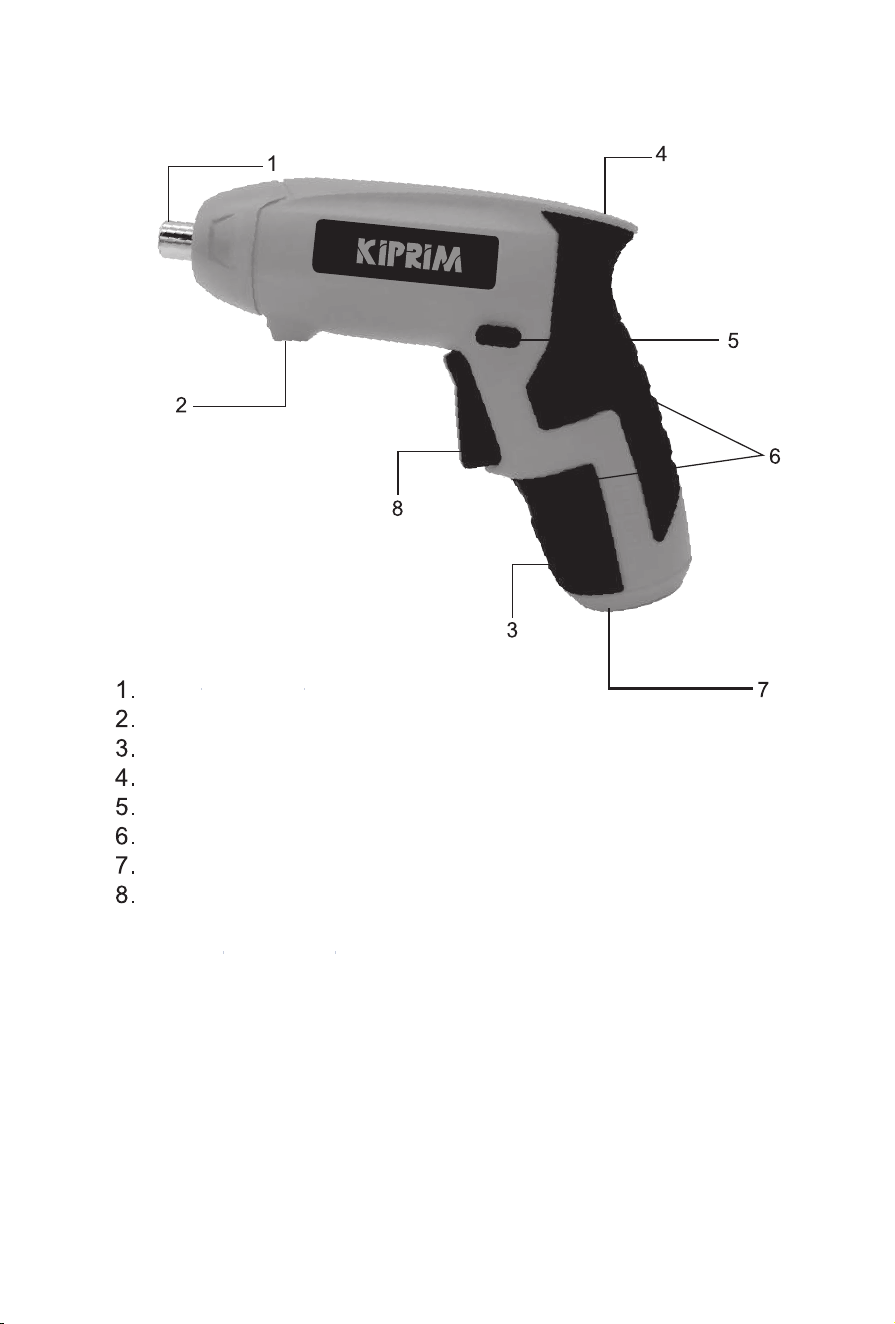
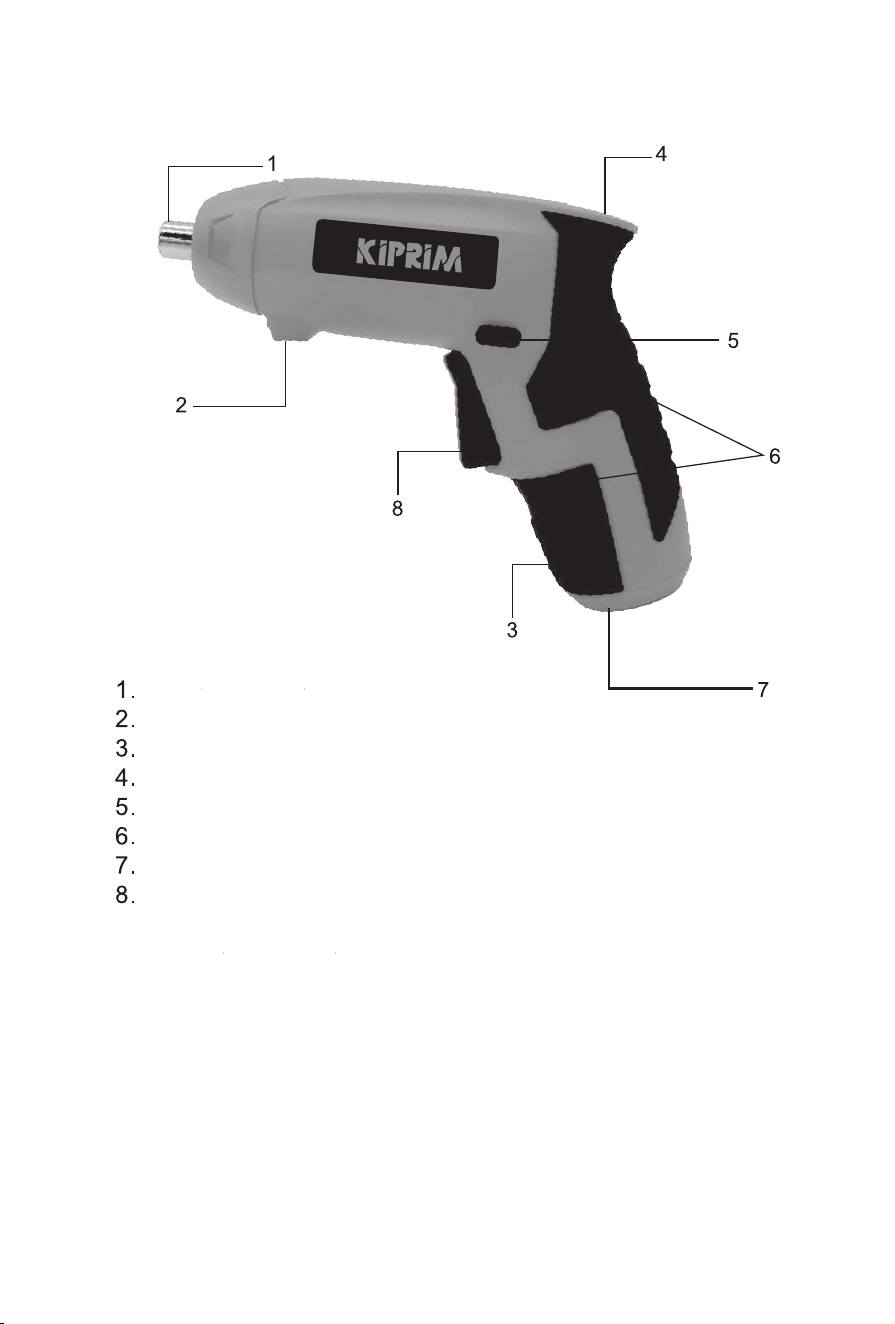
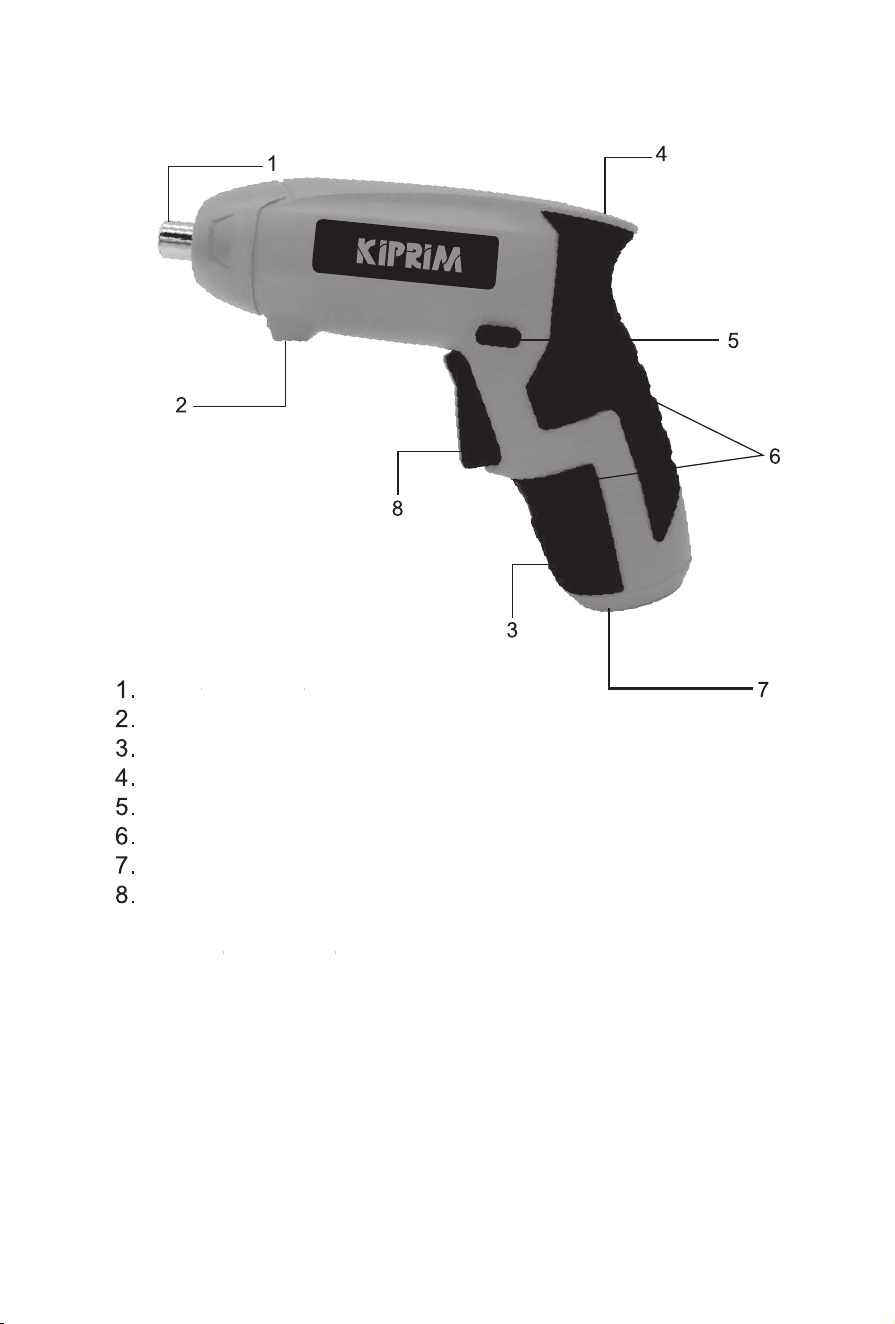
Charging indicator
Work light
Screwdriver Bit collet
Battery capacity indicator
Forward/Reverse Switch
Soft grip handle
Charging socket
On/Off trigger switch
2
ES3
3
ES3
4
ES3
4V
ES3
LED Battery Capacity Indicator
3.4
Press the switch,the battery capacity is indicated by 3 lights:
Red LED is on - <20%
Red & yellow LED's are on - 20-70%
Red & yellow& green 3 LED's are on - >70%
Once only the red LED is lit, the screwdriver must be re-charged
5
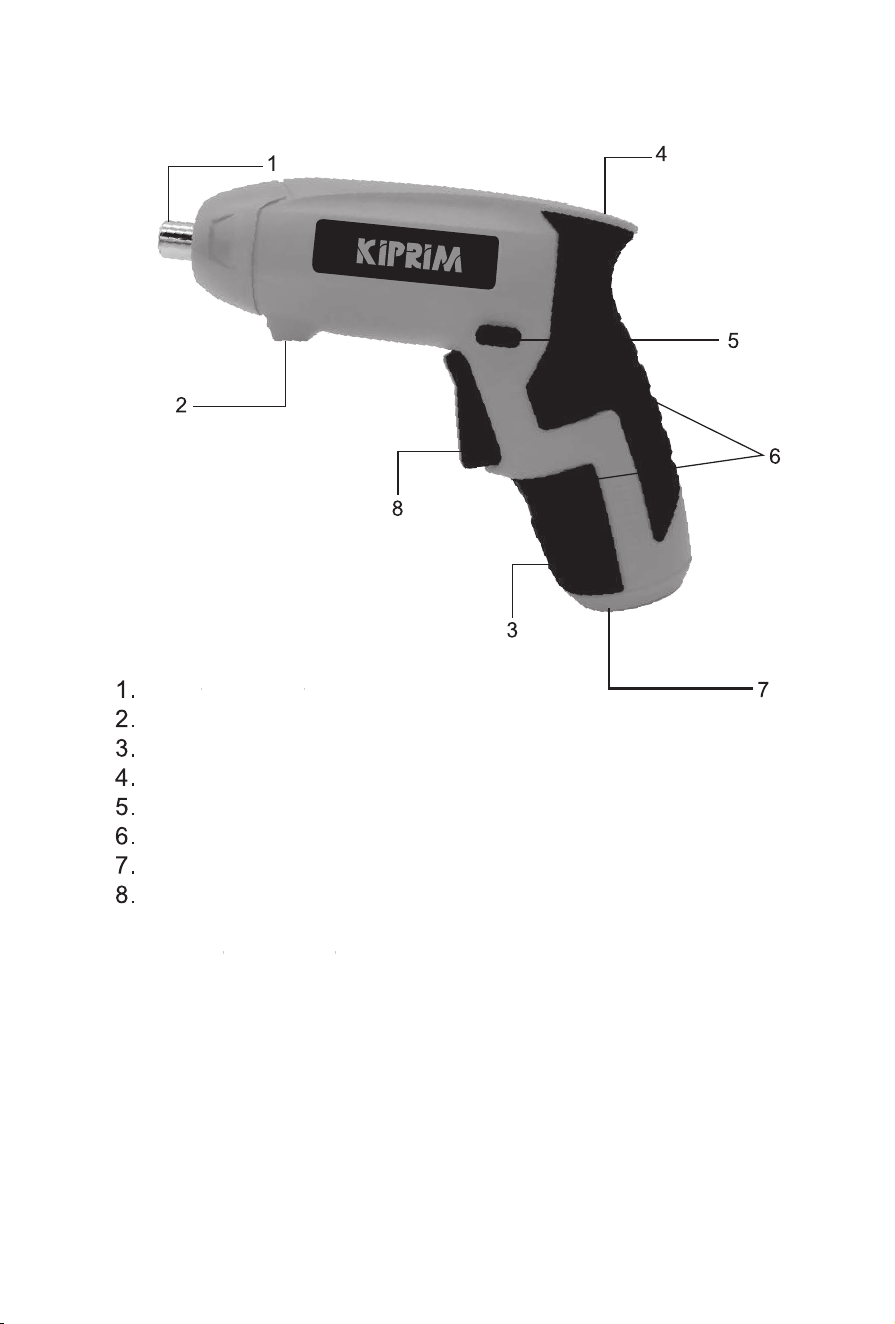
Ladeanzeige
Beleuchtung
Abtriebswelle
Batteriestandsanzeige
Linke und rechte Lenktaste
Weicher Ledergriff
Ladeanschluss
Schalter
6
ES3
7
ES3
8
ES3
1.9
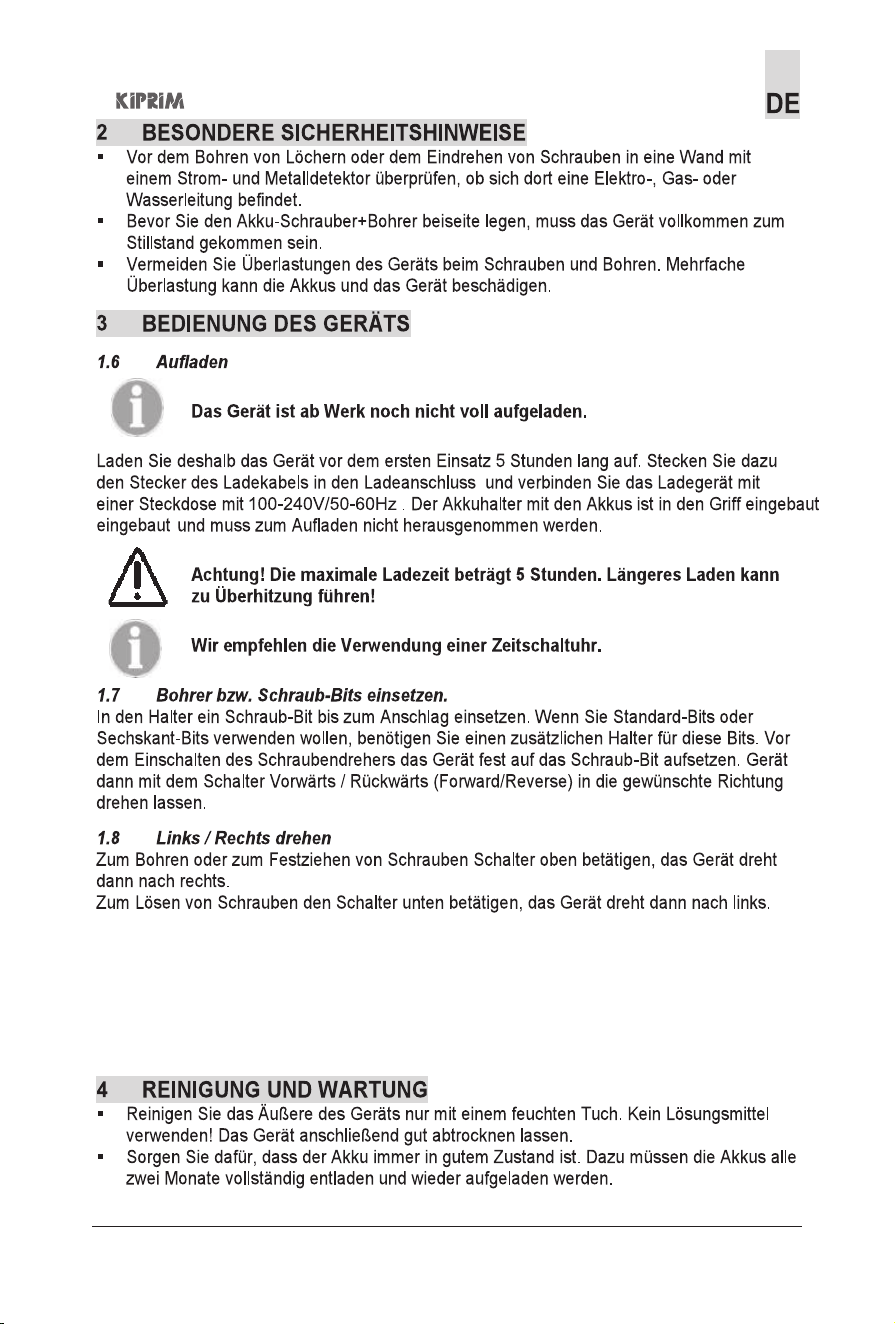
LED Batteriekapazitätsanzeige
Drücken Sie den Schalter, die Akkukapazität wird durch 3 Kontrollleuchten angezeigt:
Rote LED leuchtet - <20%
Rote und gelbe LED-Leuchten leuchten -20-70%
Rot, Gelb, Grün, diese 3 LED-Lichter sind beleuchtet -> 70%
Einmal nur rote LED leuchtet, muss der Schraubendreher aufgeladen werden
9
4 V
ES3
ES3
10
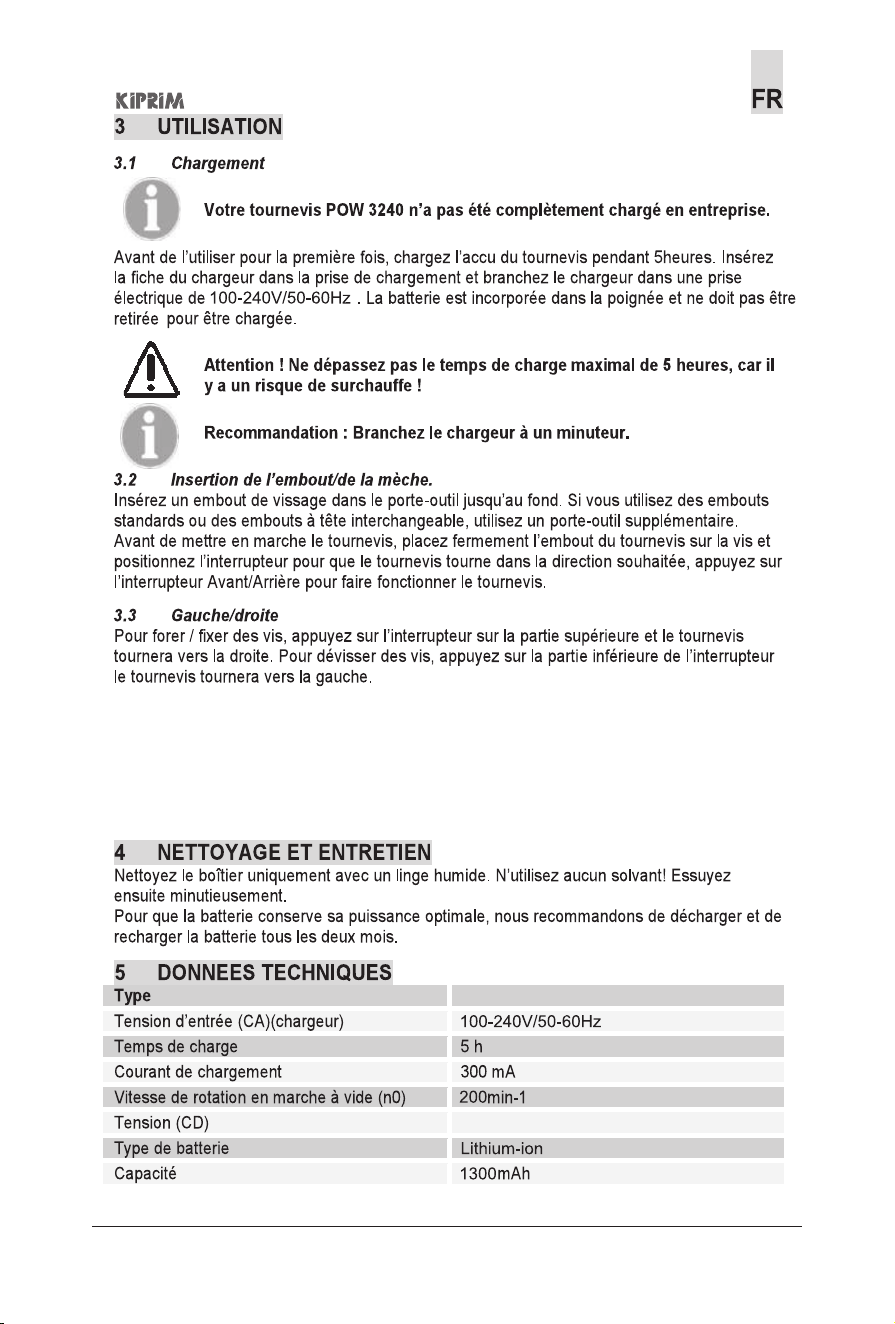
Indicateur de charge
Éclairage
Arbre de sortie
Affichage du niveau de batterie
Boutons de direction gauche et droite
Poignée en cuir souple
Port de charge
Commutateur
11
ES3
12
ES3
13
ES3
ES3
4V
3.4
Indicateur LED de capacité de batterie Appuyez sur l'interrupteur
la capacité de la batterie est indiquée par 3 voyants lumineux :
La LED rouge s'allume-<20%
Les lumières LED rouges et jaunes sont allumées-20-70%
Rouge, jaune, vert, ces 3 voyants LED sont allumés -> 70%
Une fois que seule la LED rouge s'allume, le tournevis doit être rechargé
14
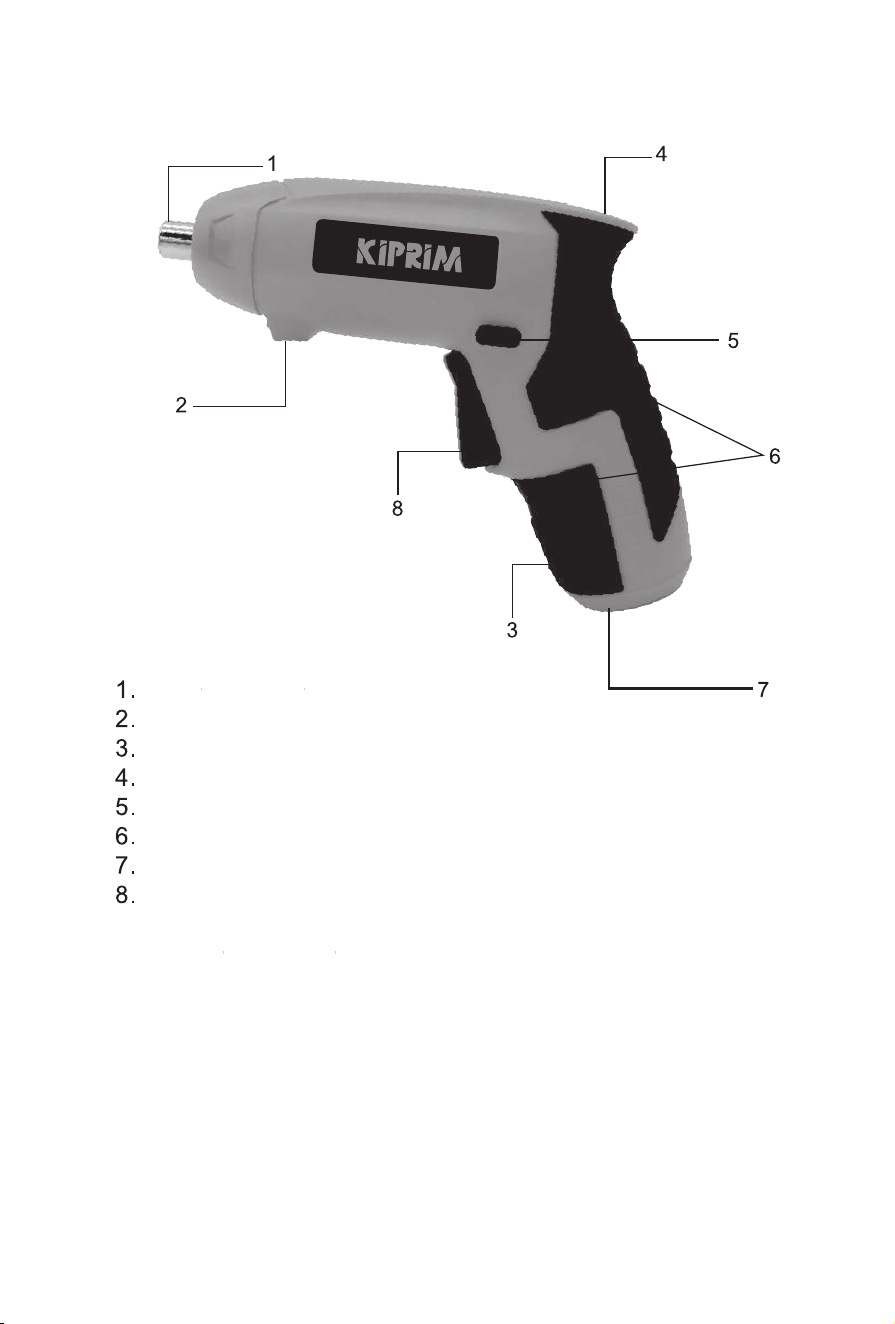
Indicador de carga
Iluminación
Eje de salida
Pantalla de nivel de batería
Botones de dirección izquierdo y derecho
Mango de cuero suave
Puerto de carga
Cambiar
15
ES3
16
ES3
17
ES3
ES3
4V
3.4 LED indicador de capacidad de la batería
Presione el interruptor, la capacidad de la batería se indica mediante 3 luces indicadoras:
El LED rojo se enciende - <20%
Los LED rojos y amarillos están encendidos-20-70%
Se encienden 3 LED rojos, amarillos y verdes-> 70%
Una vez que solo se enciende el LED rojo, se debe recargar el destornillador
18
Indicatore di carica
Illuminazione
Albero di uscita
Visualizzazione del livello della batteria
Pulsanti sterzo sinistro e destro
Manico in morbida pelle
Porta di ricarica
Interruttore
19
ES3
20
ES3
21
ES3
3.4
3.3
LED indicatore di capacità della batteria
Premere l'interruttore, la capacità della batteria è indicata da 3 spie luminose:
Il LED rosso si accende-<20%
I LED rosso e giallo sono accesi-20-70%
Si accendono 3 LED rosso, giallo e verde->70%
Una volta acceso solo il LED rosso, il cacciavite deve essere ricaricato
ES3
4 V
22
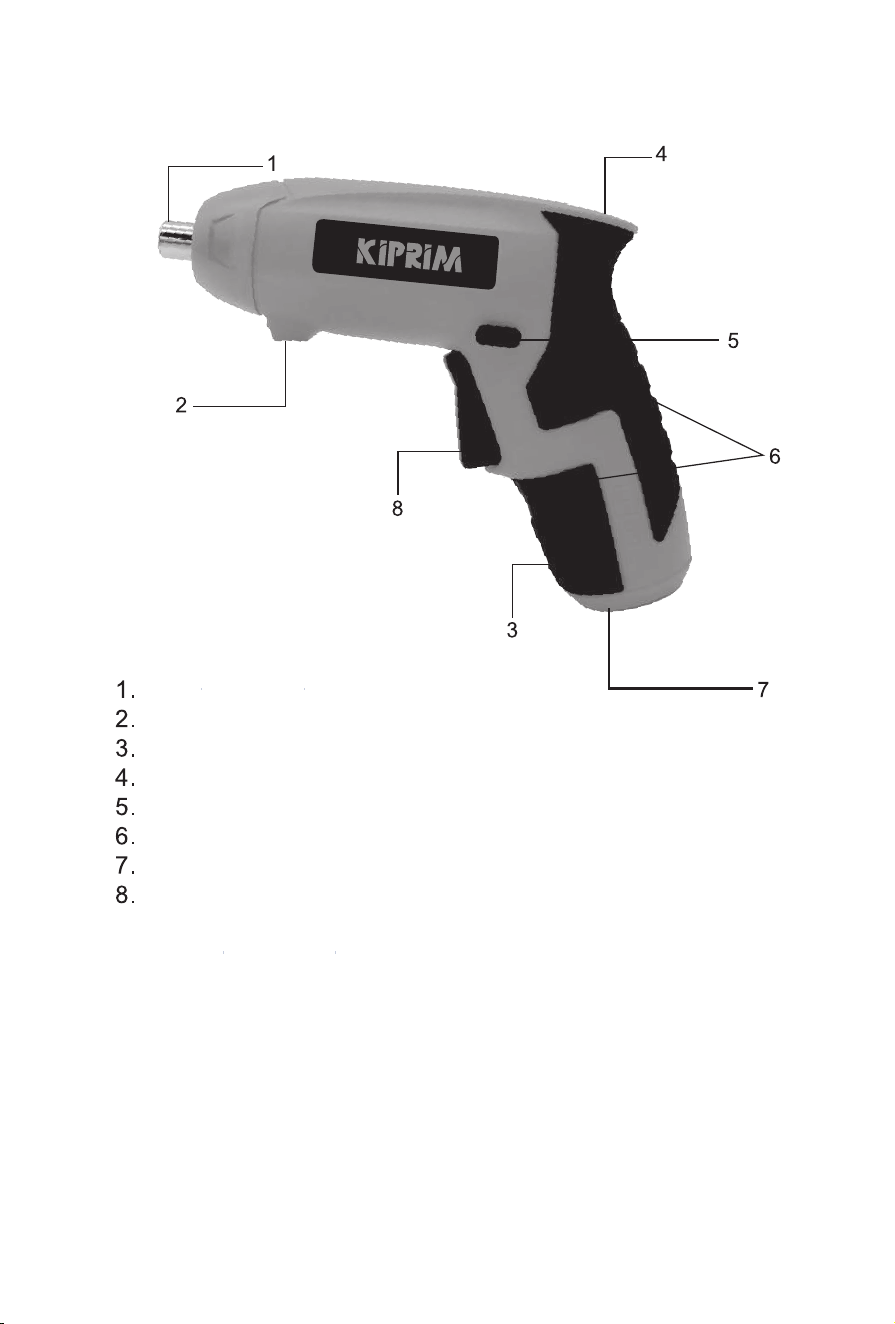
充電インジケーター
照明
出力軸
バッテリーレベル表示
左右のステアリングボタン
ソフトレザ ー ハ ンド ル
充電ポート
スイッチ
23
ES3
24
ES3
25
ES3
26
ES3
27
ES3
3.4
LEDバッテリー容量
インジケータースイッチを押すと、バッテリー容量は3つのインジケーターライトで示されます。
赤いLEDが点灯-<20%
赤と黄色のLEDが点灯-20~70%
3つの赤、黄、緑のLEDライトが点灯-> 70%
赤いLEDだけが点灯したら、ドライバーを再充電する必要があります
ES3
4V
28