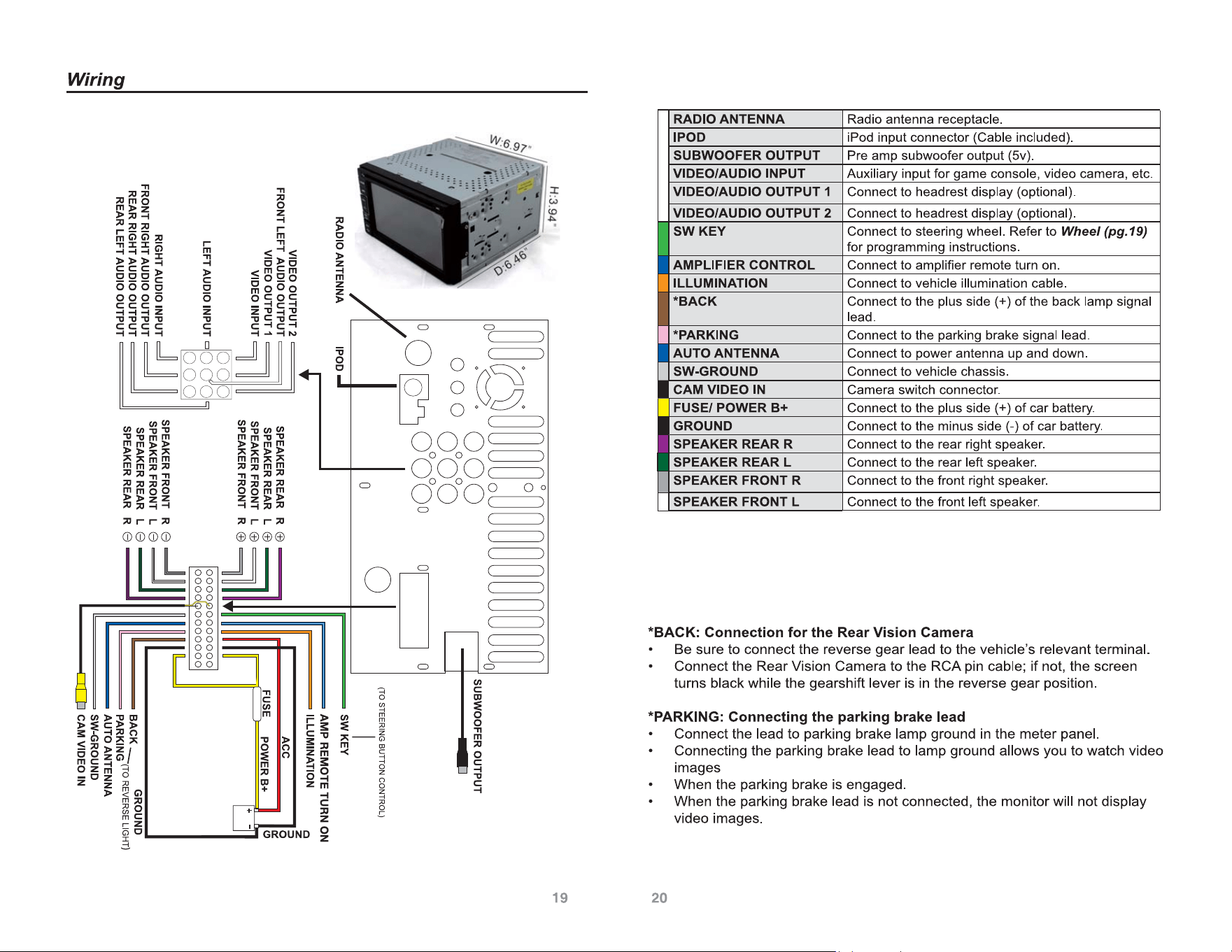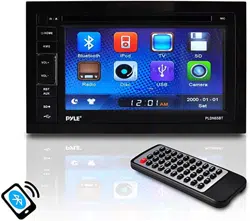
Power: (4 x 80 Watt)
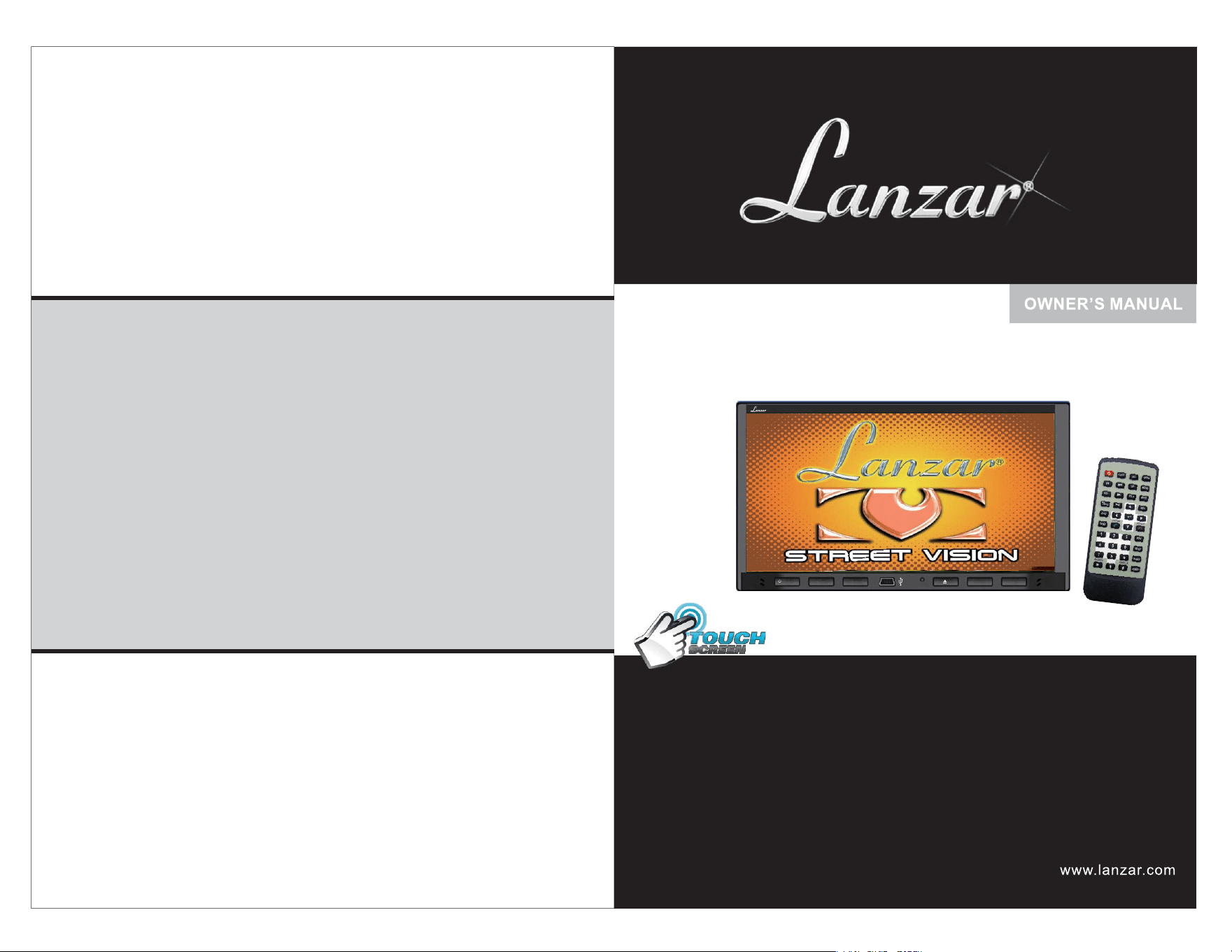
SDN698BX
MIC
/MUTE
VOL-
VOL+
<
<
RES
IR
SDN698BX
7''DoubleDINTFTTouchScreenMultimediaDisc/CD/MP3
/MP4/CD-R/
/
USB/SD-MMCCardSlot/AM/FM/Bluetooth
MotorizedSlide-DownFrontPanel

Remote control 4
9
9
10
11
12
13
16
17
18
5
6
Troubleshooting
19
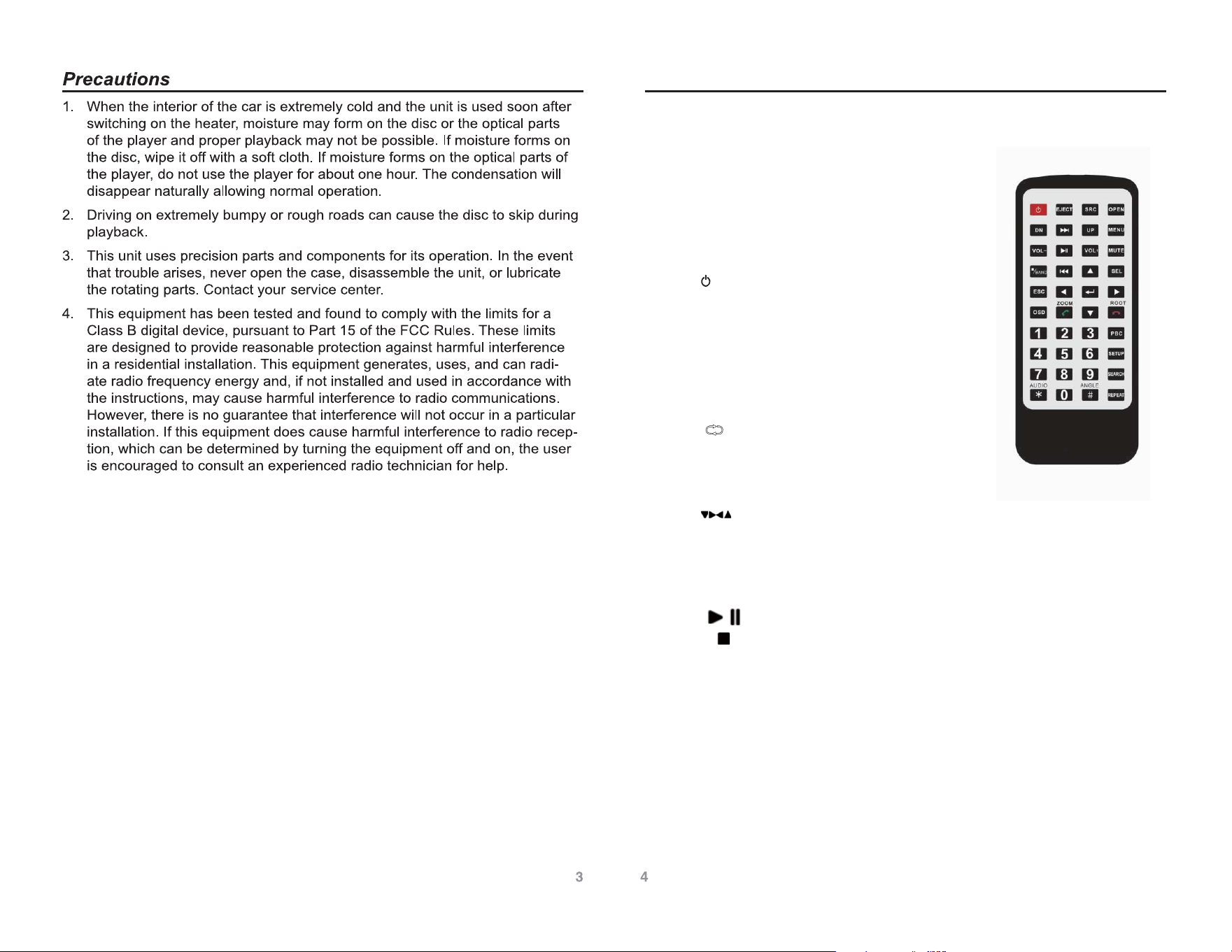
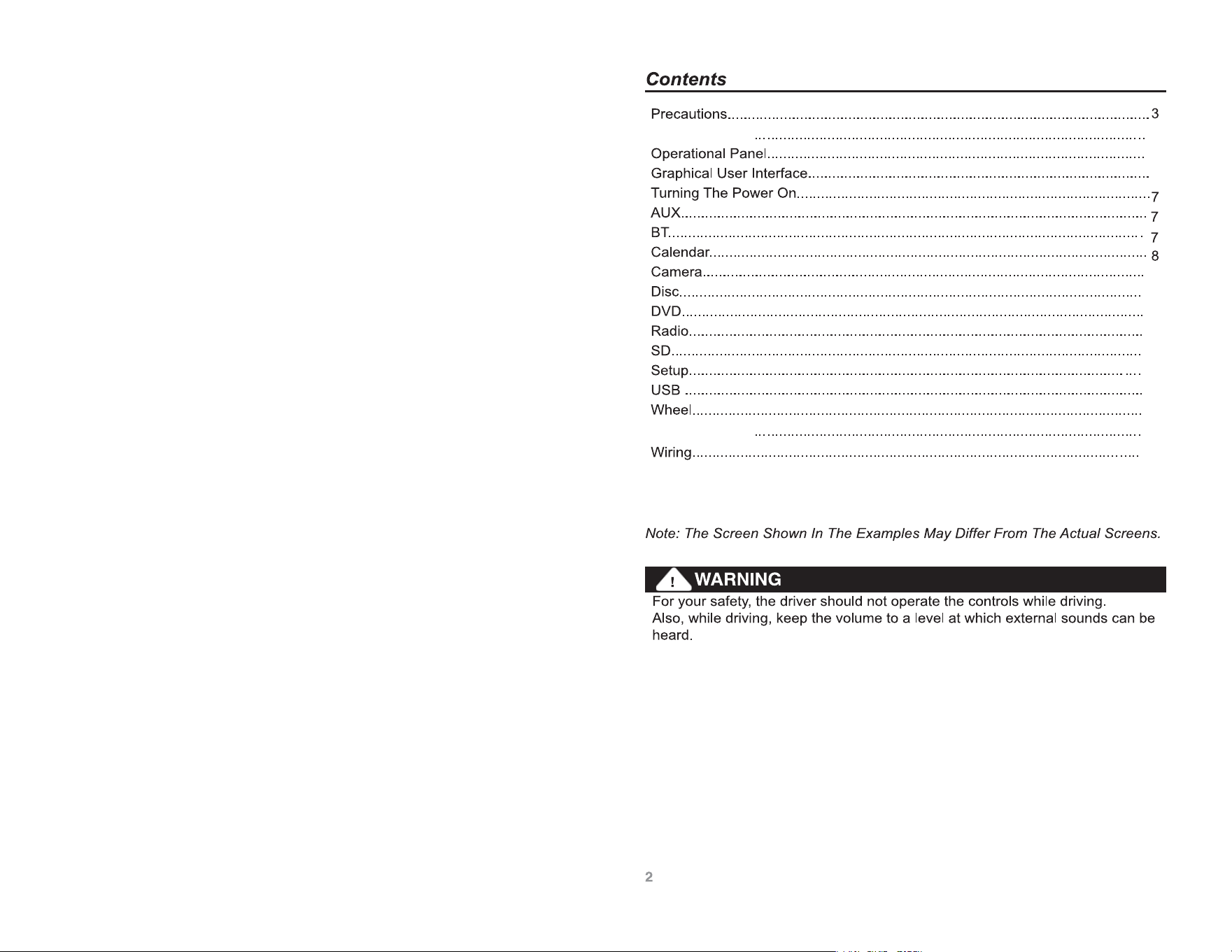
澬1澭MODE
ȜȜMode conversion
澬2澭EJECT
ȜȜKey for ejecting/suctioning disc
澬3澭OPEN
ȜȜKey for opening and closing screen
澬5澭1.2.3.4.5.6.7.8.9.0 ȜȜNumeric key
澬6澭VOL+ VOL- ȜȜIncrease/decrease volume
澬7澭MUTE ȜȜMute key
澬8澭UP DN ȜȜScreen angle adjustment
澬9澭SETUP ȜȜEnter system setting menu
澬10澭INFO ȜȜDVD information, GPS shortcut key
澬14澭SCAN ȜȜScan play
澬12澭MENU ȜȜSystem main interface
澬13澭RAN ȜȜRandom play switch
澬16澭SRCH
ȜȜSearching play
澬17澭ZOOM ȜȜUnder DVD mode, key for image zoom
澬18澭SLOW ȜȜSlow down from 1/2 to 1/7
澬23澭SUB: ȜȜSubtitles selection
澬21澭ANGLE ȜȜUnder DVD mode, key for switching angles (supported by dixc)
澬24澭AUDIO ȜȜLanguage selection
澬22澭PIC ȜȜDisplay screen brightness, contrast, color adjustment key, to
ȜȜPower switch on/off key
澬4澭
ȜȜRepeat single/folder
澬11澭
澬15澭OK
ȜȜleft/right/up/down to select and coLOXS. =NKTVRG_OTMJOYIRKLZXOMNZ
/
澬19澭 ȜȜPlay/pause
澬20澭ȜȜStop
Remote control
Function Key name
iYZUIUTZXURRGYZTK^Z
bK[YKJOTIUTP[TIZOUT]OZNJOXKIZOUTQK_
T
T
T
T
i
ip
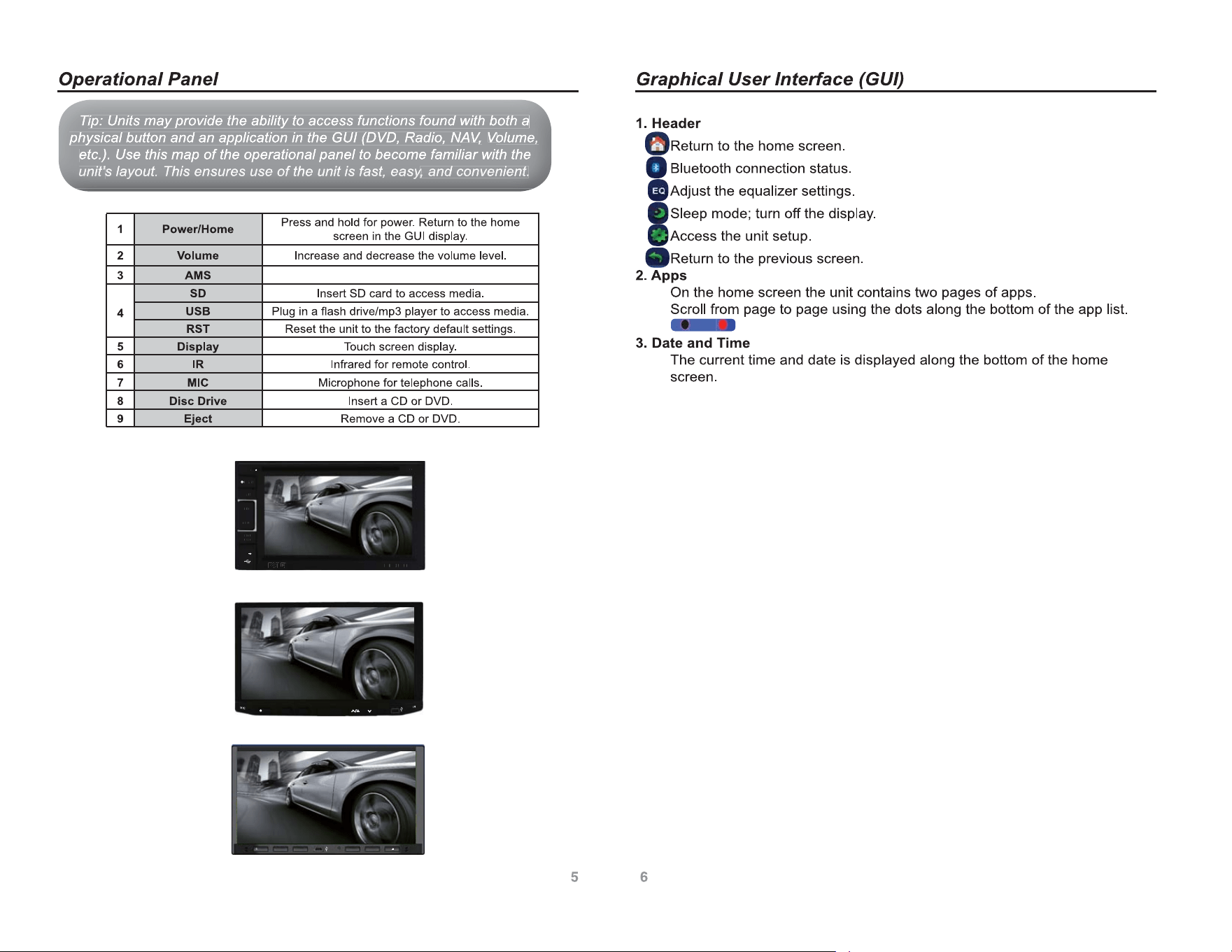
: Units may provide the ability to access functions found with both a
ip
ip
:
Un
n
i
ts
ts
m
a
y
p
ro
ro
vi
vi
d
e
th
th
e
a
b
il
il
i
li
ty
ty
to
o
a
c
c
e
s
s
fu
fu
n
c
ti
ti
o
n
s
fo
fo
u
n
d
wi
wi
th
th
b
o
th
th
a
T
T
T
T
T
T
p
ph
ysical button and an application in the GUI (DVD, Radio,
N
p
h
ys
ys
i
c
a
l
b
u
t
t
o
n
a
n
d
a
n
a
p
p
li
li
c
a
ti
ti
o
n
in
in
th
th
e
G
U
I
(D
(D
VD
VD
,
R
a
di
di
o
,
N
N
A
A
A
N
N
N
N
N
V
V
V
,
,
VV
VV
V
V
V
olum
e,
,
o
l
u
m
e
,
,
VV
V
VV
etc.). Use this map of the operational panel to become familiar with the
e
t
c
.
)
.
U
s
e
t
h
t
h
i
i
s
m
a
p
o
f
t
h
t
h
e
o
p
e
ra
ra
ti
ti
i
o
n
a
l
p
a
n
e
l
t
o
b
e
c
o
m
e
f
a
f
a
m
il
il
i
l
ia
ia
r
wi
wi
th
th
t
h
t
h
e
un
un
it
it
u
u
n
n
i
i
t
t
’
’
s
s
la
la
yo
yo
ut
ut
.
.
Th
Th
is
is
e
e
ns
ns
ur
ur
es
es
u
u
se
se
o
o
f
f
th
th
e
e
un
un
it
it
i
i
s
s
fa
fa
st
st
,
,
ea
ea
s
s
s
s
l
l
la
a
yo
y
y
yo
yo
u
u
t
t
.
Th
T
Th
Th
is
i
is
is
e
e
n
n
s
s
u
u
r
r
e
e
e
o
o
e
fa
a
ea
a
r
r
e
e
s
s
u
u
s
s
e
e
o
o
f
f
th
t
h
th
e
e
u
u
n
n
i
i
t
t
i
i
i
i
s
s
fa
f
fa
fa
s
s
t
t
t
,
,
e
e
a
a
s
s
’
’
y
y
y
y
y
y
y
s
s
s
,
,
an
an
d
d
co
co
nv
nv
en
en
ie
ie
nt
nt
.
a
a
,
a
a
d
d
o
o
e
e
n
n
d
d
c
c
o
o
n
n
v
v
e
v
e
e
n
n
i
i
ie
e
n
n
t
t
t
.
y
y
y
y
y
y
y
y
y
/HOME
AMS
IR
MIC
VOL+
VOL-
RST
AUX
SD
PLDN65BT
/HOME
AMS
IR
MIC
VOL+
VOL-
RST
AUX
SD
PLDN65BT
/
/
/
/
H
H
H
H
H
H
OO
O
OO
O
M
M
M
M
M
M
M
M
E
E
E
E
E
E
E
E
A
A
A
A
M
M
M
M
S
S
S
S
I
I
I
I
I
I
R
R
M
M
I
I
C
C
V
V
V
V
O
O
O
O
O
O
LL
+
+
+
V
V
O
O
L
L
-
-
R
R
RR
R
R
RR
S
S
S
S
S
S
S
S
T
TT
T
TT
A
A
A
A
A
A
U
U
U
U
X
X
X
X
S
S
D
D
D
D
P
P
L
L
D
D
N
N
6
6
5
5
B
B
T
T
T
T
T
T
/HOME
AMS
IR
MIC
VOL+
VOL-
RST
AUX
SD
/MUT
MOD
GPS
VOL+ VOL-
RES
MIC
/MUTE
VOL-
VOL+
<
<
RES
IR
NAVI
Automatic search
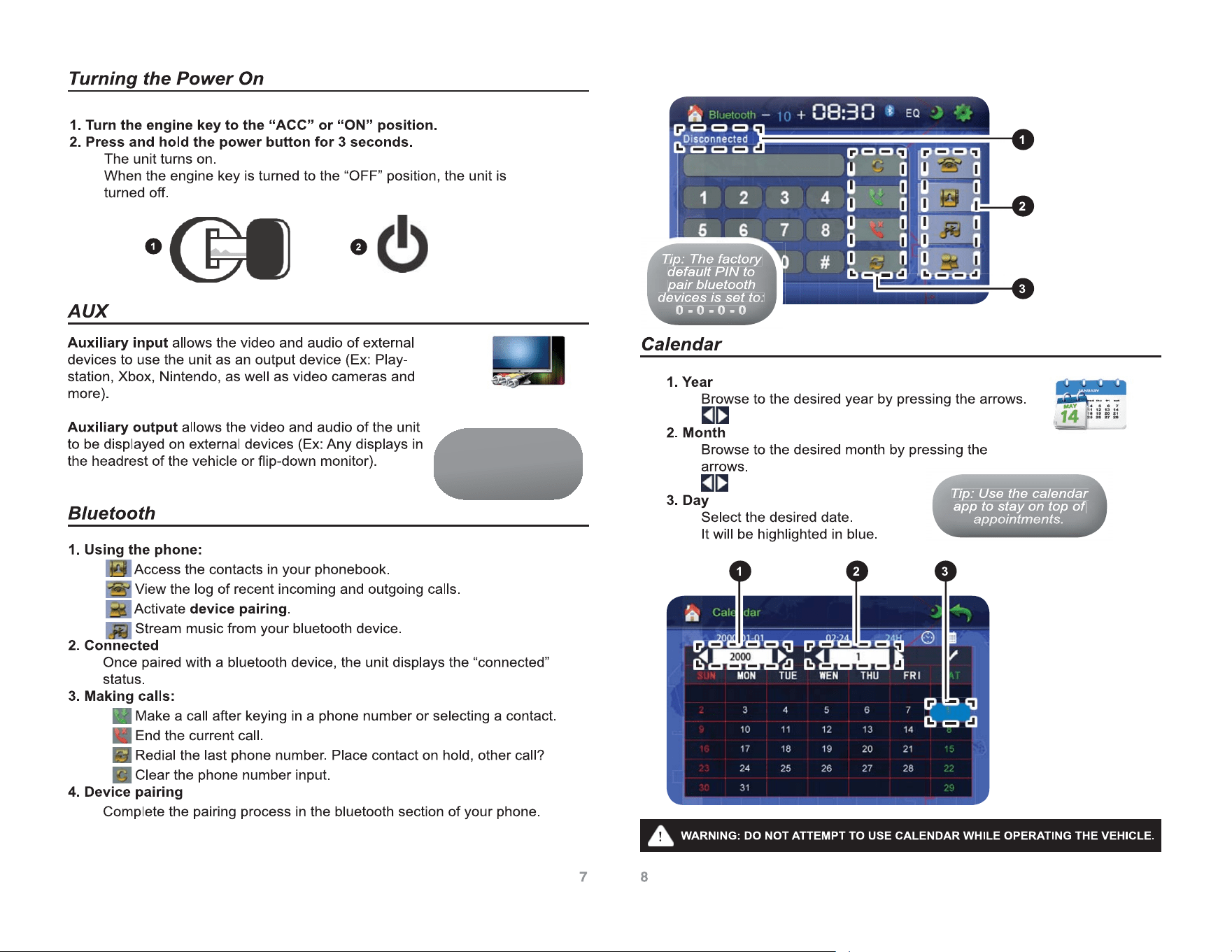
T
T
T
T
T
T
T
T
T
i
ip
ip
:
:
Th
Th
e
e
fa
fa
ct
ct
or
or
y
y
ip
ip
:
Th
Th
e
fa
fa
c
t
o
ry
ry
T
TT
T
TT
d
default PIN to
d
default PIN to
d
default
P
d
d
e
fa
fa
u
l
t
P
I
N
t
o
p
pair bluetooth
p
p
a
ir
ir
bluetoo
b
l
u
e
t
o
o
th
th
de
v
e
vi
ces
is
s
et
t
o
o:
:
d
d
es is se
e
d
e
e
v
vi
vi
c
e
s
is
is
s
e
o
o
t
t
o
o
:
:
0
0
0
-
0
0
0
-
0
0
0
-
0
0
0
0
0
0
-
0
0
0
0
0
0
-
-
0
0
0
0
0
0
-
0
0
0
-
-
0
0
0
0
-
-
0
0
0
0
0
T
T
T
T
ip
ip
:
U
Us
e
th
th
e ca
l
le
d
nd
ar
ip
ip
:
U
s
e
th
th
e
c
a
l
e
n
d
a
r
T
T
T
T
T
T
app to stay on top of
a
p
p
t
o
s
t
a
y
o
n
t
o
p
o
f
ap
ap
p
po
po
p
in
in
tm
tm
en
en
ts
ts
.
a
a
a
p
p
po
po
e
p
p
p
p
p
p
p
p
o
o
o
in
i
n
in
in
tm
t
t
m
tm
tm
e
e
e
n
n
n
ts
t
t
s
ts
s
.
Tip: Review the
Wiring (pg.19-20)
section for detailed
setup instructions.
19 20
2
3
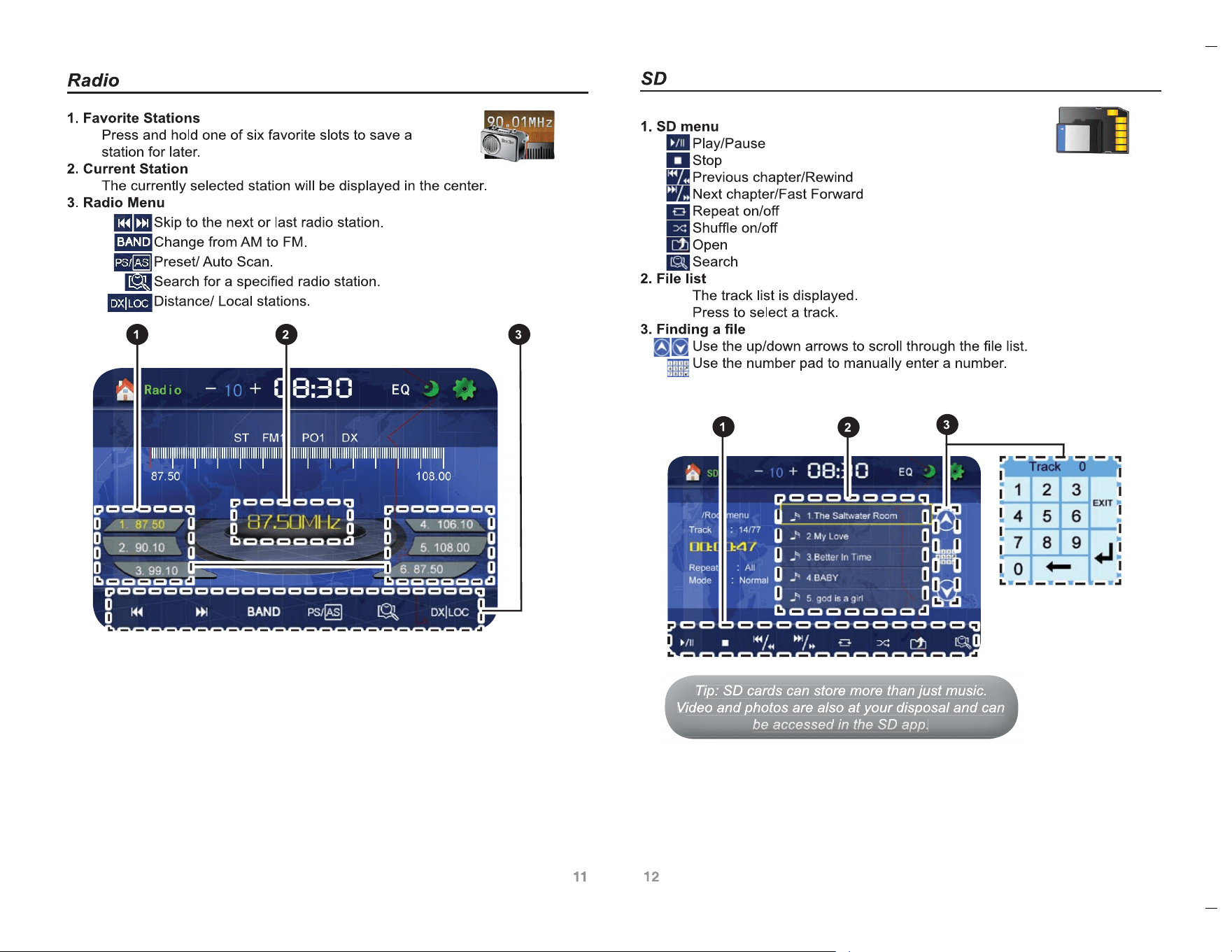
T
T
T
T
ip
ip
:
:
SD
SD
c
c
ar
ar
ds
ds
c
c
an
an
s
s
to
to
re
re
m
m
or
or
e
e
th
th
an
an
j
j
us
us
t
t
mu
mu
si
si
c
c.
ip
ip
:
S
D
c
a
rd
rds
ds
c
a
n
s
t
o
re
re
m
o
re
re
th
th
a
n
j
u
s
t
m
u
s
i
c
.
T
T
T
T
T
TT
V
V
V
V
ideo and photos are also at your disposal and ca
n
n
i
d
e
o
a
n
d
p
h
o
t
o
s
a
r
e
r
e
a
l
ls
o
a
o
d
po
a
a
d
a
t
yo
yo
u
r
d
i
d
is
is
p
sp
o
s
a
l
a
n
d
c
a
n
n
V
V
V
V
V
be
be
be
a
a
a
cc
cc
cc
es
es
es
se
se
se
d
d
d
in
in
in
t
t
t
he
he
he
S
S
S
D
D
D
ap
ap
ap
p
p
p
p.
p
be
b
a
a
e
e
d
d
e
b
b
b
b
b
e
e
e
e
a
a
a
a
c
c
c
c
c
c
c
c
e
e
e
e
s
s
s
s
s
s
s
s
e
e
e
e
d
d
d
d
d
in
i
i
i
i
n
n
in
in
t
t
t
t
t
h
t
t
h
h
h
h
h
e
e
e
e
D
D
D
ap
ap
p
p
S
S
S
S
S
D
D
D
D
D
a
a
a
a
p
p
p
p
p
p
p
p
p
p
p
p
.
.
T
T
T
T
ip
ip
:
:
Fl
Fl
as
as
h
h
dr
dr
iv
iv
es
es
c
c
an
an
s
s
to
to
re
re
m
m
or
or
e
e
th
th
an
an
j
j
us
us
t
t
mu
mu
si
si
c
c.
ip
ip
:
Fl
Fl
a
s
h
dr
dri
ri
ve
ve
s
c
a
n
s
t
o
re
re
m
o
re
re
th
th
a
n
j
u
s
t
m
u
s
i
c
.
T
T
T
T
T
TT
V
V
V
V
ideo and photos are also at your disposal and can
be
e
i
d
e
o
a
n
d
p
h
o
t
o
s
a
re
re
a
ls
ls
o
a
t
yo
yo
u
r
d
i
dis
is
p
sp
o
s
a
l
a
n
d
c
a
n
b
e
e
e
V
V
V
V
V
ac
ac
ac
ce
ce
ce
ss
ss
ss
ed
ed
ed
i
i
i
n
n
n
th
th
th
e
e
e
US
US
US
B
B
B
ap
ap
ap
p
p
p
p.
p
a
a
a
a
a
c
c
c
c
c
c
c
c
c
c
e
e
e
e
e
s
s
s
s
s
s
s
s
s
s
e
e
e
e
e
d
d
e
d
d
d
d
d
i
i
i
i
i
i
i
n
n
n
n
n
th
th
t
t
t
h
h
h
th
th
e
e
e
e
e
B
B
B
a
a
U
U
U
U
U
S
S
S
S
S
B
B
B
B
B
a
a
a
a
a
p
p
p
p
p
p
p
p
p
p
p
p
p
p
p
p
p
p
.
.
Troubleshooting
Phenomenon Reasons Solutions
Not operating
Fuse of machine power supply and auto
vehicleEattery is burnt;
Voltage of power supply is overloaded
;
Automatic protection system avoids fault
due
to
illegal operation
Change for fuse of the correct
types;
Adjust voltage;
Reset the system by pressing
the Reset key
No or low sound
Disconnection;
Volume setting is low volume;
Loudspeaker fault
Big deviation of volume balance setting;
Earthing in loudspeaker conection
Check the connection;
increase volume
Adjust the volume balance
setting to middle place;
Keep insulation of
loudspeaker connection
Remote control
doesn’t work
Battery is out of power;
Battery is not placed correctly
Change new battery;
Reinstall battery;
Inferior quality
o
f sound;
Distortion of
sound
Inferior disc is prohibited;
Loudspeaker does not match impedance
of the machine;
Speaker fault
Use genuine discs;
Change a matched
loudspeaker;
Check the connection of
loudspeaker
.
Machine reset
by itself when it
is shut down
Connection of ACC and B+ is not correct. Check and reconnect ACC and
B+
No image
Connection of brake wire is not correct;
Not braking state.
Check brake wire and
connect them corerectly;
Keep braking state after the car
is placed safely
Unstable output
of image
DVD does not correspond with the
present system video setting;
Video signal line is not connected correctly.
Adjust systerm video setting;
Check and replace video signal
line.
Image
stretching or
compressing
Incorrect ratio settings of icons Use correct ratio settings of
icons
Weak signal
Auto antenna does not reach out
completely
LOC function is under working state.
Connect auto antenna line
correctly
Close LCC function