GMS11129UK
封⾯ 第⼀页
尺⼨:105X136.5MM,册⼦单⿊印刷
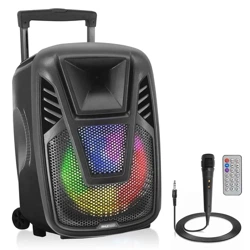
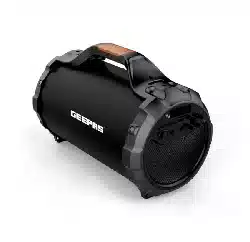
Rechargeable BT Speaker
For correctly operating, please read this manual carefully before using.
Any content revise of the manual won’t declare again, and we are no
responsible for consequence caused by fault or oversight of this manual
FEATURES:
1. 2.1 channel portable Bluetooth Speaker with 6 inch subwoofer.
2. Output very clear sound and heavy bass, dynamic sound effect.
3. Features A2DP Bluetooth: wireless stream music from any
Bluetooth-enabled device.
4. Secure simple pairing for user-friendly operation.
5. MIC input with echo control, for Karaoke DJ dancing party use.
6. 10 meters operating range.
7. With USB disk, SD supporting, FM radio function.
9. Microphone input.
9. With Line-in function, suitable for PC, MID, TV and other audio devices.
10. Side panel control for volume and bass.
11. Built-in lithium rechargeable battery 3000mAh.
ACCESSORIES:
Charging cable, audio cable, user manual
SPECIFICATION:
Product size: 400.4 x 215.6 x 259.6 mm
Horn Size: 3 inch
Subwoofer Size: 6 inch
Horn output: 2W x 2, 4Ω
Subwoofer output: 24W, 4Ω
Battery Capacity: 3000mAh
Frequency Response: 100-20Khz
Power supply: DC5V
Play time (max volume): 2hours.
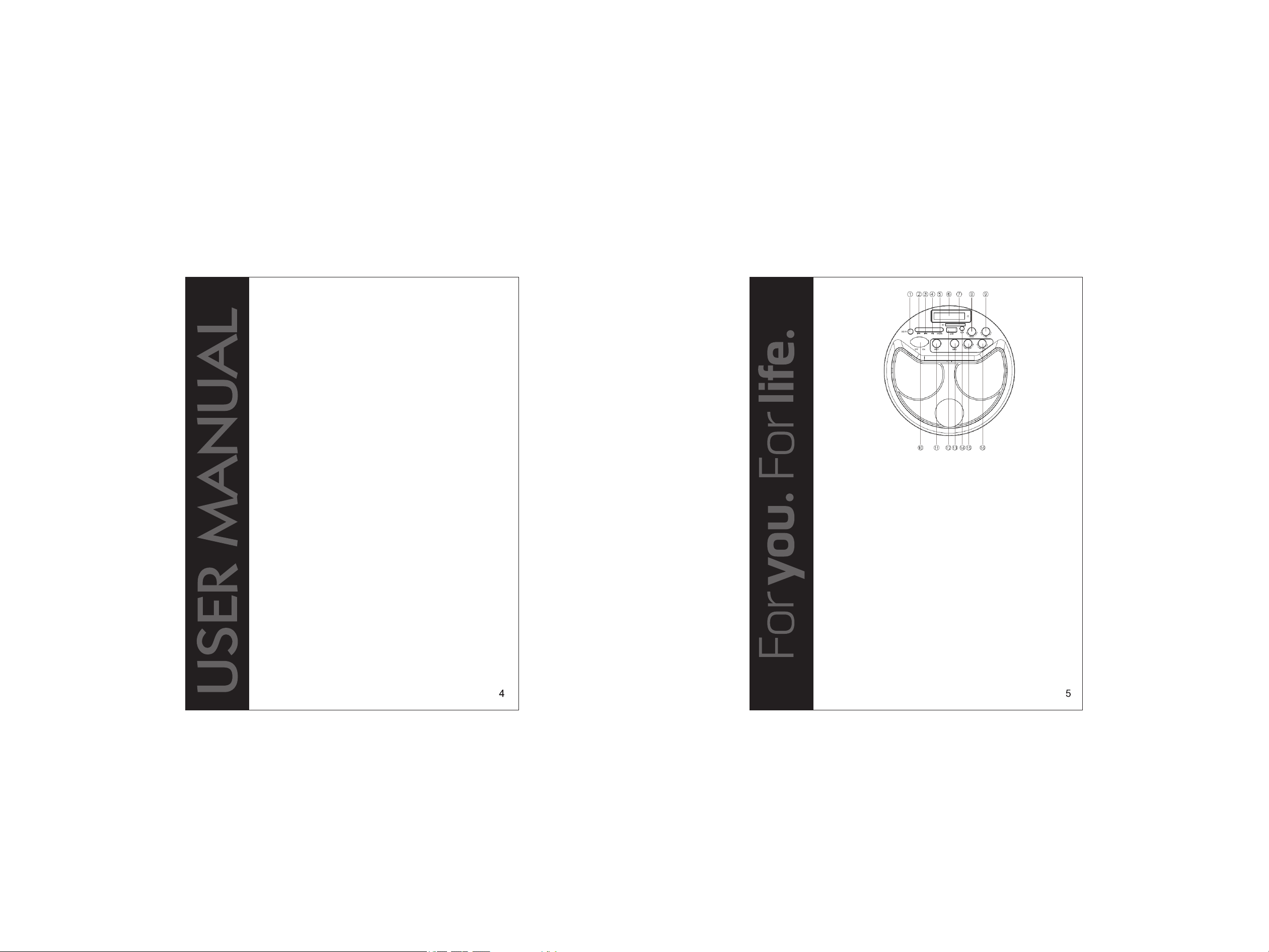
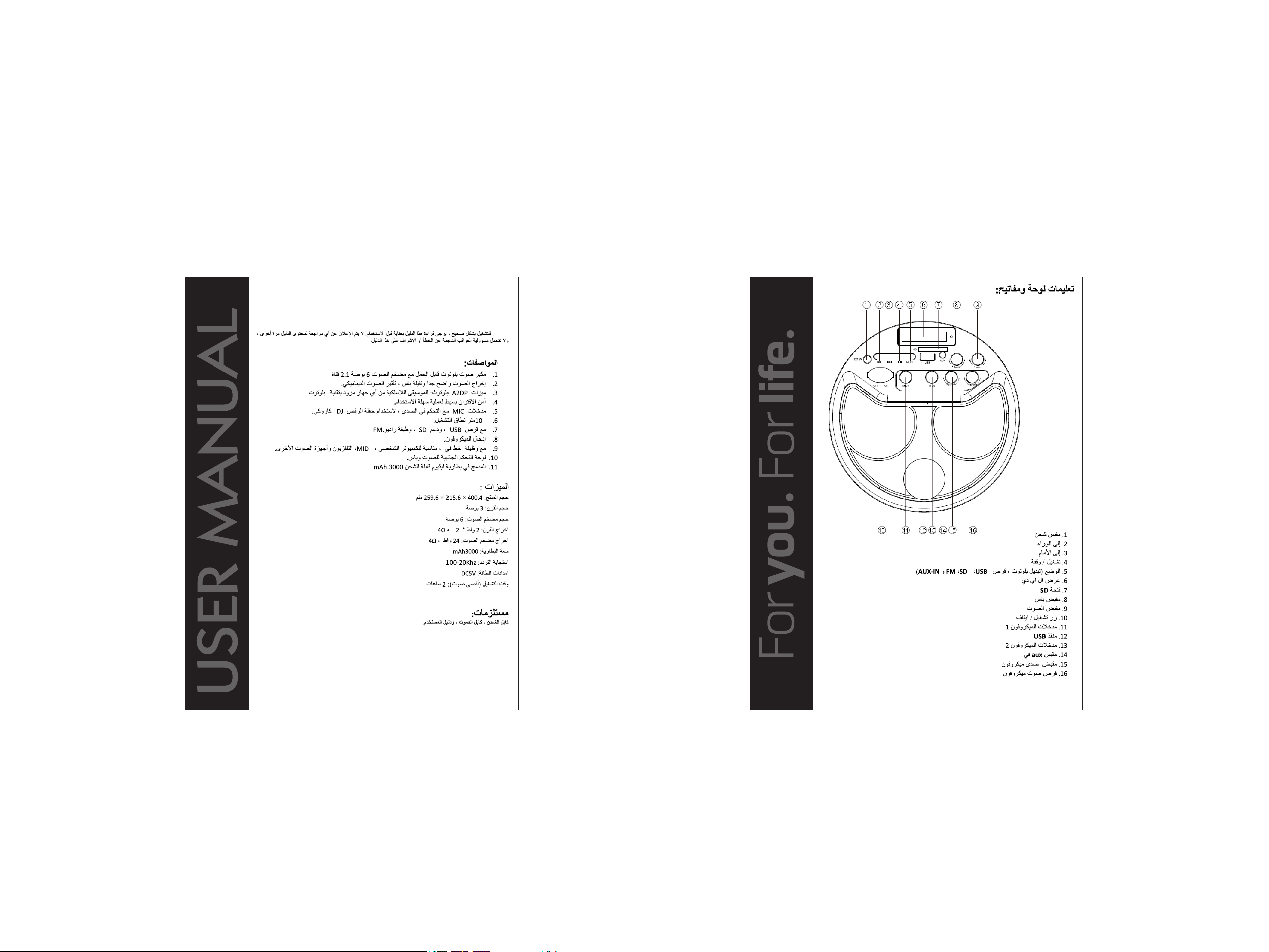
Instruction for Panel and Keys:
1. Charging jack
2. Backward
3. Forward
4. Play/Pause
5. Mode (Switch Bluetooth, USB disk,
SD, FM and AUX-IN state)
6. LED display
7. SD slot
8. Bass knob
Music playing:
Turn the Power button to “ON”
Insert SD/MMC card or USB flash disk into slot, audio files play
automatically.
Under playing mode, short PREV or NEXT to select songs you like, long
press to fast forward or backward the song.
Spin VOL knob to adjust the volume up or down. Spin Bass-vol knob to
adjust the bass volume
Press PLAY/PAUSE to play or pause.
For other compatible music devices or your MP3/MP4 players, use the
supplied audio cable to connect from the device’s “Line Out” to the “Aux
In” of this devices. When using an external device, all functions will be
controlled by the external devise.
Please turn the Power button to “OFF” while without use.
1.
2.
3.
4.
9. Volume knob
10. On/Off button
11. Mic input 1
12. USB port
13. Mic input 2
14. Aux-in jack
15. Mic Echo knob
16. Mic volume knob
5.
6.
7.
6
7
Use Bluetooth function:
Under FM radio state, the audio cable provided treat as antenna. Please
insert the audio cable to get best FM signal before using.
Turn the power button to “ON” without SD or USB Card inserted. Then
press the “MODE” button to switch to FM.(The order of the mode is
Bluetooth, SD,USB,FM and AUX-IN)
Under playing mode, short press “Play/pause” button to auto search the
FM Channel and store it automatically.
Press PREVIOUS or NEXT button to change the stored FM channel.
1.
2.
Turn the power button to “ON”, The LED screen will display bluetooth
and beep twice, twinkling quickly.
Activate Bluetooth of mobile phone and search for device name
“GMS11129UK” then connect it. The bluetooth on the screen stop
twinkling and beep three times once connected successful.
Play the music from your mobile phone and enjoy.
Press PREVIOUS or NEXT button on the devices or on Mobile phones to
select songs you like.
Press Play/pause button on the devices or on Mobile phones to
play/stop the music
Use the “Volume “to adjust volume up and down. Or adjust the mobile
phones’ volume.
Use the “Bass knob” to adjust bass.
1.
2.
3.
4.
Use FM Radio:
For other compatible music devices or your MP3/MP4 players, use
the supplied audio cable to connect from the device’s “Line Out” to the
“Aux In” of this devices. Then press the “MODE” button to switch to AUX-
IN state. Enjoy…
When using an external device, all functions will be controlled by the
external device.
AUX-IN:
5.
6.
7.
3.
4.
This product with two Microphone input. Just plug the 6.5MM microphone
into the Mic hole then you can use.
The volume and Echo can be adjusted by the knobs of “MIC-Vol” & “MIC-
ECHO”..
(Please note that, Microphone cannot be use under FM radio state)
Microphone:
Charging:
The charger is not included in the accessories. Please use the universal
5V/1A charger to charge this devices. Put the provided charge cable into
the charging jack, connect the other end to the charger, the charging
indicator beside the LED screen will keep lighting.
(When playing music during charging, please put the volume to middle,
because for some music with heavy bass, the charger may cannot afford
the high current temporarily under the maximum volume)
Charge time should be 6-8 hours. When charging full, the indicator light
will switch off.
To prolong the life of battery, DO NOT CHARGE CONTINUOUSLY FOR
LONGER THAN 8 HOURS.
1.
2.
3.
8
9
10 11
12