Visit Our Website
SCAN ME
PyleUSA.com
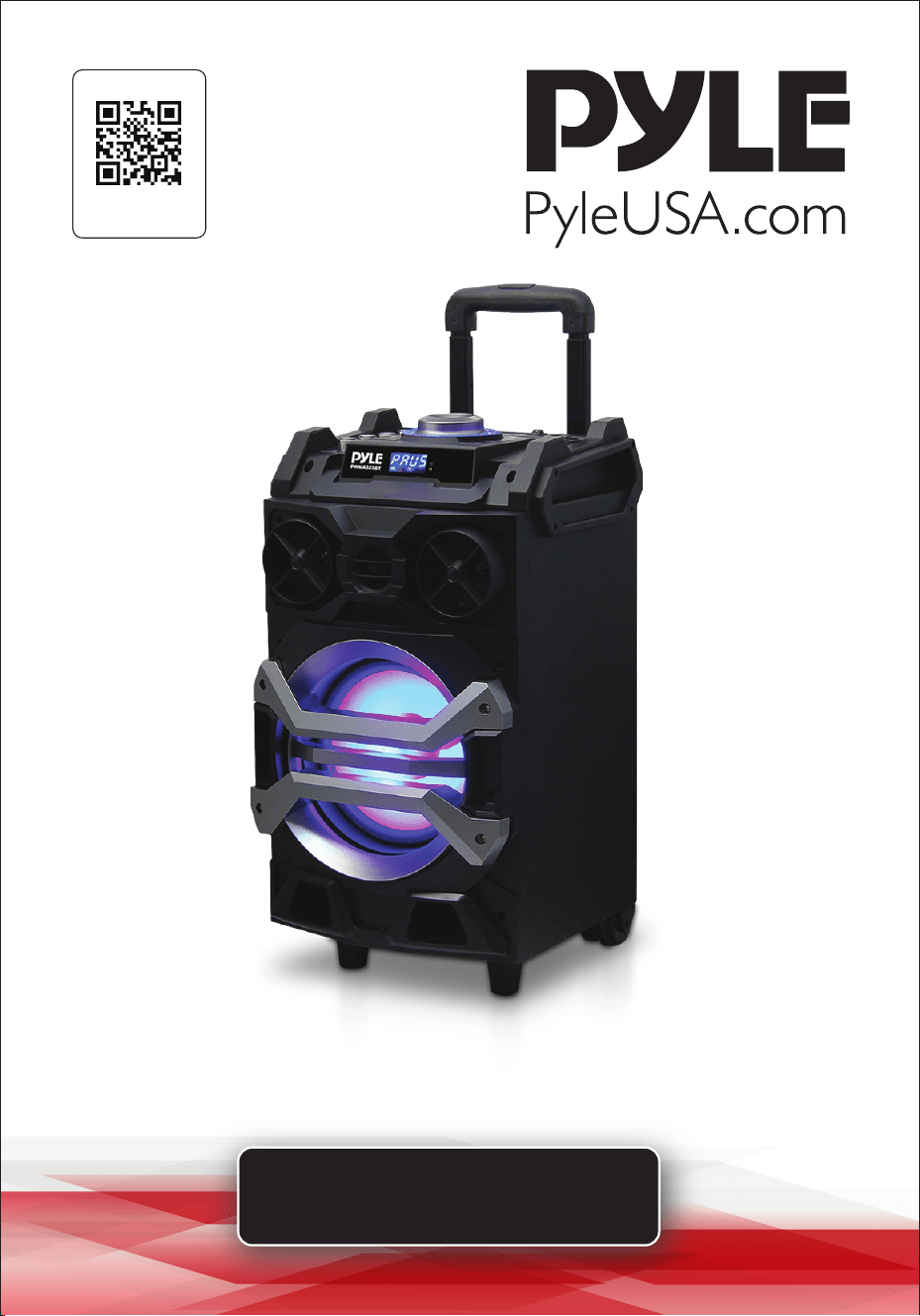
USER GUIDE
Portable Bluetooth Karaoke
Speaker System
www.PyleUSA.com
2
READ ALL INSTRUCTIONS CAREFULLY BEFORE USING THIS PRODUCT.
RETAIN THIS OWNER’S MANUAL FOR FUTURE REFERENCE.
FEATURES:
• Karaoke & Music Streaming Speaker System
• Compact, Portable & Powerful
• Bluetooth Wireless Audio Streaming
• Built-in Rechargeable Battery
• Flashing DJ Party Lights
• FM Radio with Digital LCD Display
• USB Flash & Micro SD Memory Card Readers
• MP3 Digital Audio File Compatibility
• Audio File Recording Mode
• (2) 1/4'' Microphone Inputs
• Microphone Priority Talk-Over Function
• Includes Wireless Handheld Microphone
• Headphone Jack
• Aux (3.5mm) Input
• Connect & Stream From External Devices
• Full Range Stereo Sound Reproduction
• Impressive Bass Response
• Top Panel Button Control Center
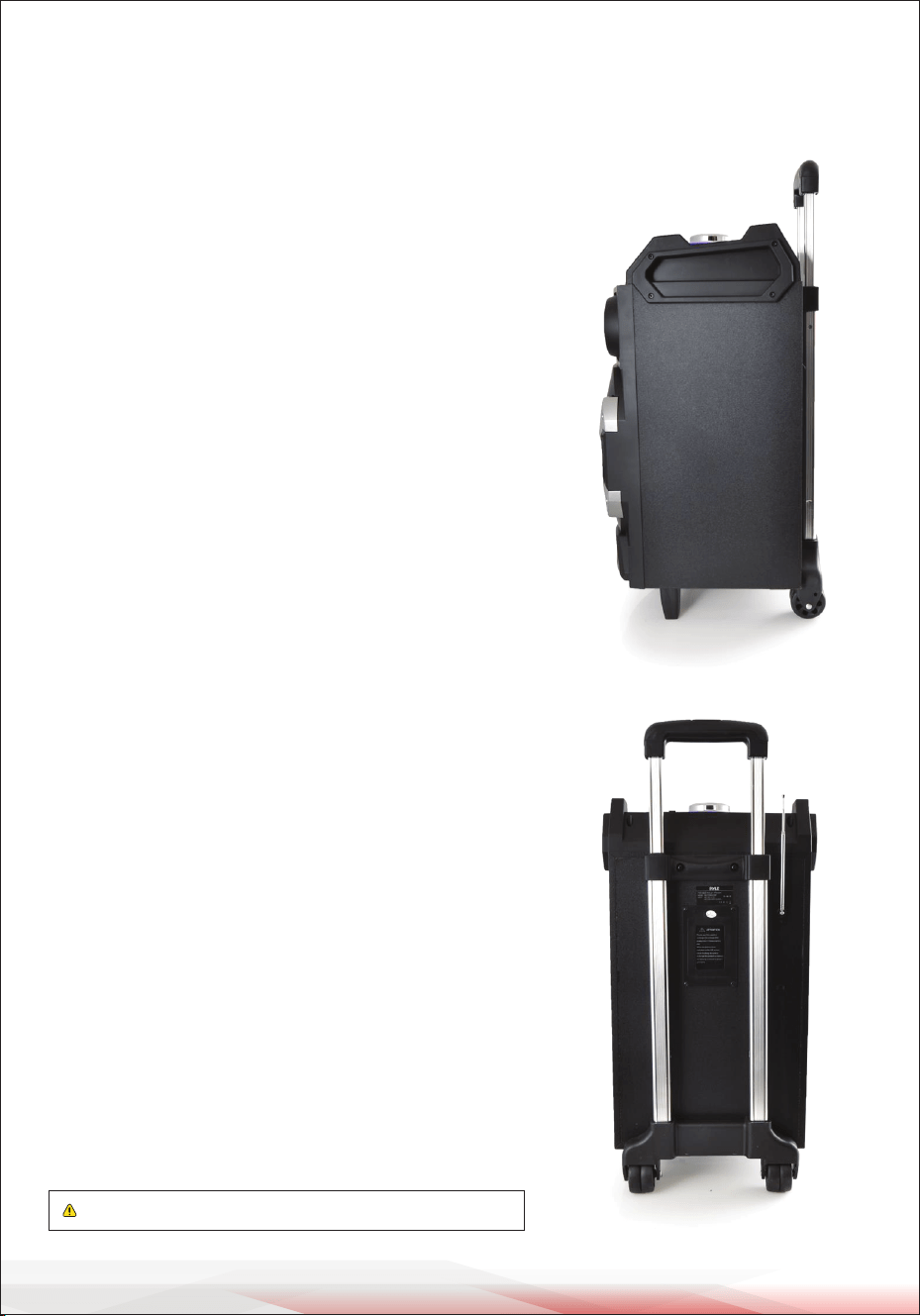
• Rugged & Heavy Duty Design
• Convenient Carry Handle & Rolling Wheels
BLUETOOTH CONNECTIVITY:
• Built-in Bluetooth for Wireless Streaming
• Works with All of Your Favorite Devices
(Smartphone, Tablet, Laptop, Computer, etc.)
• Bluetooth Network Name: 'PyleUSA'
• Bluetooth Password: '0000'
• Bluetooth Wireless Range: 65'+ Ft.
• Bluetooth Version: 2.0
WARNING: Cancer and Reproductive Harm - www.P65warnings.ca.gov
www.PyleUSA.com
3
AUDIO RECORDING:
• It's Easy: One Button Recording Activation
• Record Audio as Streamed through the Speaker System
• Ability to Record Vocals via Microphone
• Records to USB Flash or Micro SD Card
• Audio File Type Created: .mp3
• Easy Transfer to PC & Mac
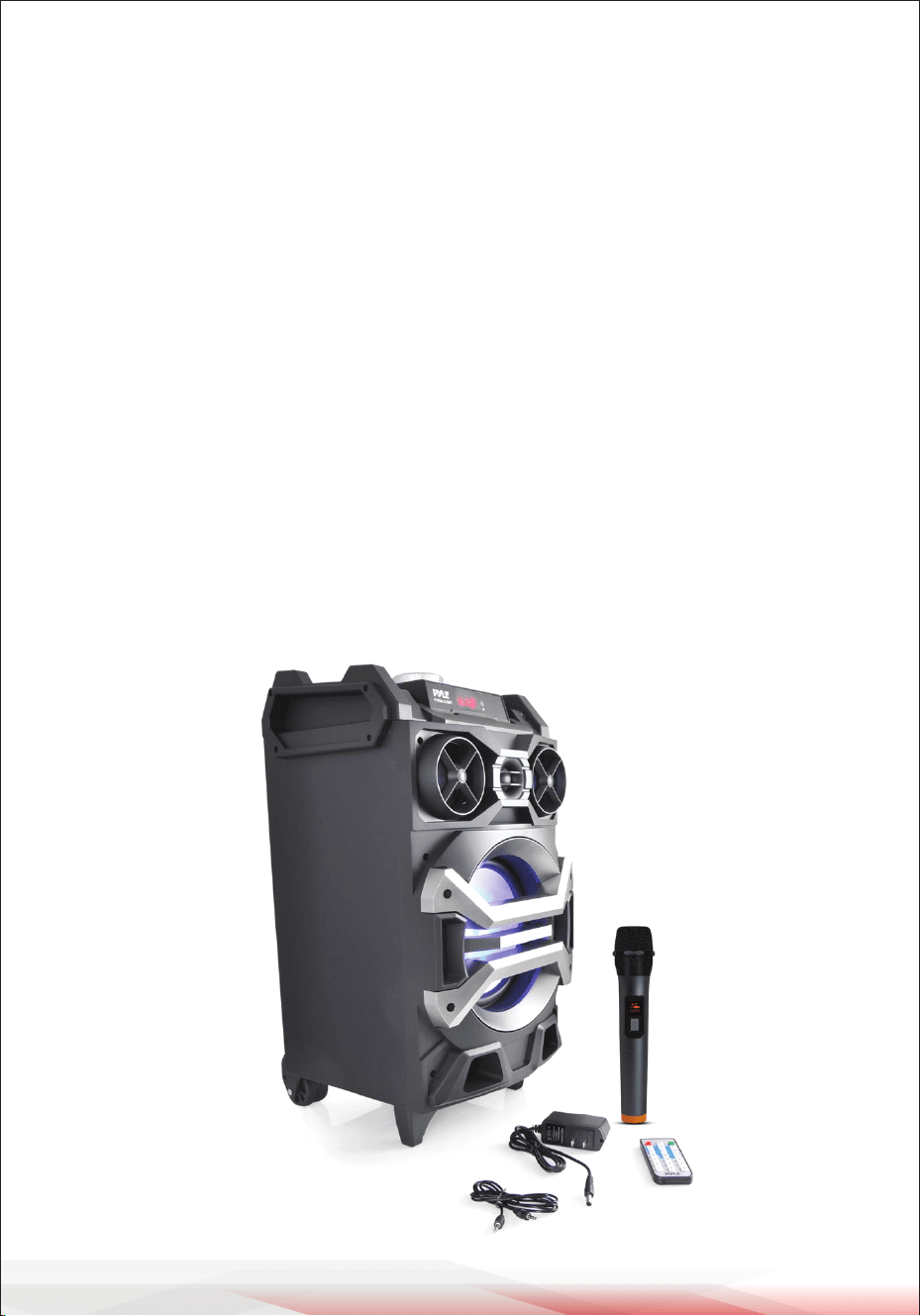
WHAT'S IN THE BOX:
• Karaoke Speaker
• Wireless Handheld Microphone
• Audio Connection Cable
• Wall Power Adapter
• Remote Control
TECHNICAL SPECS:
• Power Output: 500 Watt MAX
• Sound System: 8'' Speaker, Dual 3'' Tweeters
• Impedance: 4 Ohm
• Sound Distortion: <1.0%
• S/N Ratio: 85dB
• Max. USB/SD Memory Card Support: 32GB
• Rechargeable Battery: 3.6V Li-iOn, 2000mAh (7.2Wh)
• Power: 100/240V, DC 12V Adapter
IC warning
- English:
This device complies with Industry Canada licence-exempt RSS standard(s).
Operation is subject to the following two conditions:
(1) This device may not cause interference, and (2) This device must accept any interference, including interfer-
ence that may cause undesired operation of the device.
- French:
L’émetteur/récepteur exempt de licence contenu dans le présent appareil est conforme aux CNR d’Innovation,
Sciences et Développement économique Canada applicables aux appareils radio exempts de licence.
L’exploitation est autorisée aux deux conditions suivantes:
(1) L’appareil ne doit pas produire de brouillage; (2)L’appareil doit accepter tout brouillage radioélectrique subi,
même si le brouillage est susceptible d’en compromettre le fonctionnement.
This equipment complies with IC RSS-102 radiation exposure limits set forth for an uncontrolled environment.
This equipment should be installed and operated with minimum distance 20cm between the radiator & your
body.
Cet équipement est conforme aux limites d'exposition aux rayonnements IC établies pour un environnement
non contrôlé. Cet équipement doit être installé et utilisé avec un minimum de 20cm de distance entre la source de
rayonnement et votre corps.

www.PyleUSA.com
4
ATTRIBUTES
1. Ultra-large magnetic circuit high-sensitivity speaker with high penetrating power,
low-frequency shock, and perfect medium-/high-frequency representation.
2. The latest decoding chips supporting stable playback of MP3 up to 32GB USB/
Micro SD card.
3. FM radio reception: high-quality digital radio with automatic channel search
and storage of up to 60 channels.
4. 3.5mm AUX audio input for easy connection to a wide range of sound sources.
5. Built-in high-capacity battery for consecutive playback of up to 2 hours.
6. Connect the microphone, adjustable reverberation, voice, and Karaoke function
to present outstanding performance.
7. Battery with built-in recharging protection to ensure a long and stable service life.
8. Built-in low battery and full recharging indication.
9. Belt/handle design for easy transportation and high mobility.
10. Outputs to earphones or external sound sources.
11. Record your favorite FM radio station or other AUX sound sources to enjoy the
music wherever you like.
12. Microphone input recording to act as your personal business assistant.
13. Bluetooth function.
RECORDING
Recording via External Microphone:
Connect a storage device (USB/Micro SD card) and short press the RECORD key to
start recording for a time depending on the storage capacity. During recording,
tune the “-ECHO+” knob to the minimum. It is best that the microphone should
have a proper distance away from the speaker to prevent any feedback.
Notes:
This product starts recording from the time "record" is displayed on the LED screen.
BLUETOOTH PAIRING OPERATION
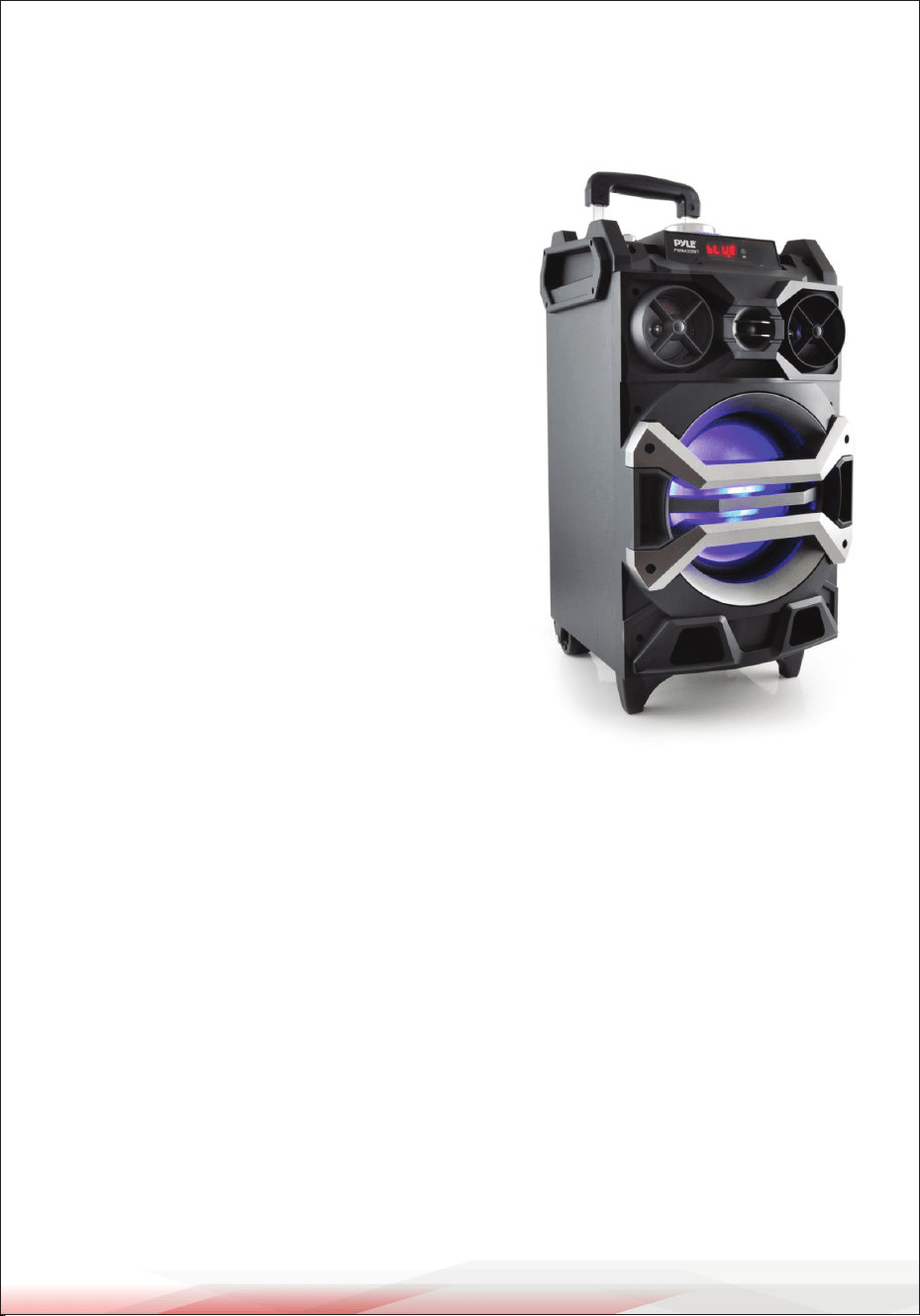
1. ON/OFF: Switch the power to ON, press the “MODE” key to enter the Bluetooth
mode, and the display screen will show “BLUE”.
www.PyleUSA.com
5
1
23
15
14
22
21
16
16
8
7
6
5
9
18
12
11
2
4
13
3 10
19
20
17
2. Make sure the Bluetooth function of the mobile device is active and begin
searching. Connect to the mobile device when “PyleUSA” shows. Mobile device
connections do not need a password; however, if prompted, input “0000” to
proceed with pairing. After successful pairing, the speaker will send out a voice
prompt indicating it has successfully paired with the mobile device.
3. Play the music from your mobile device directly and enjoy.
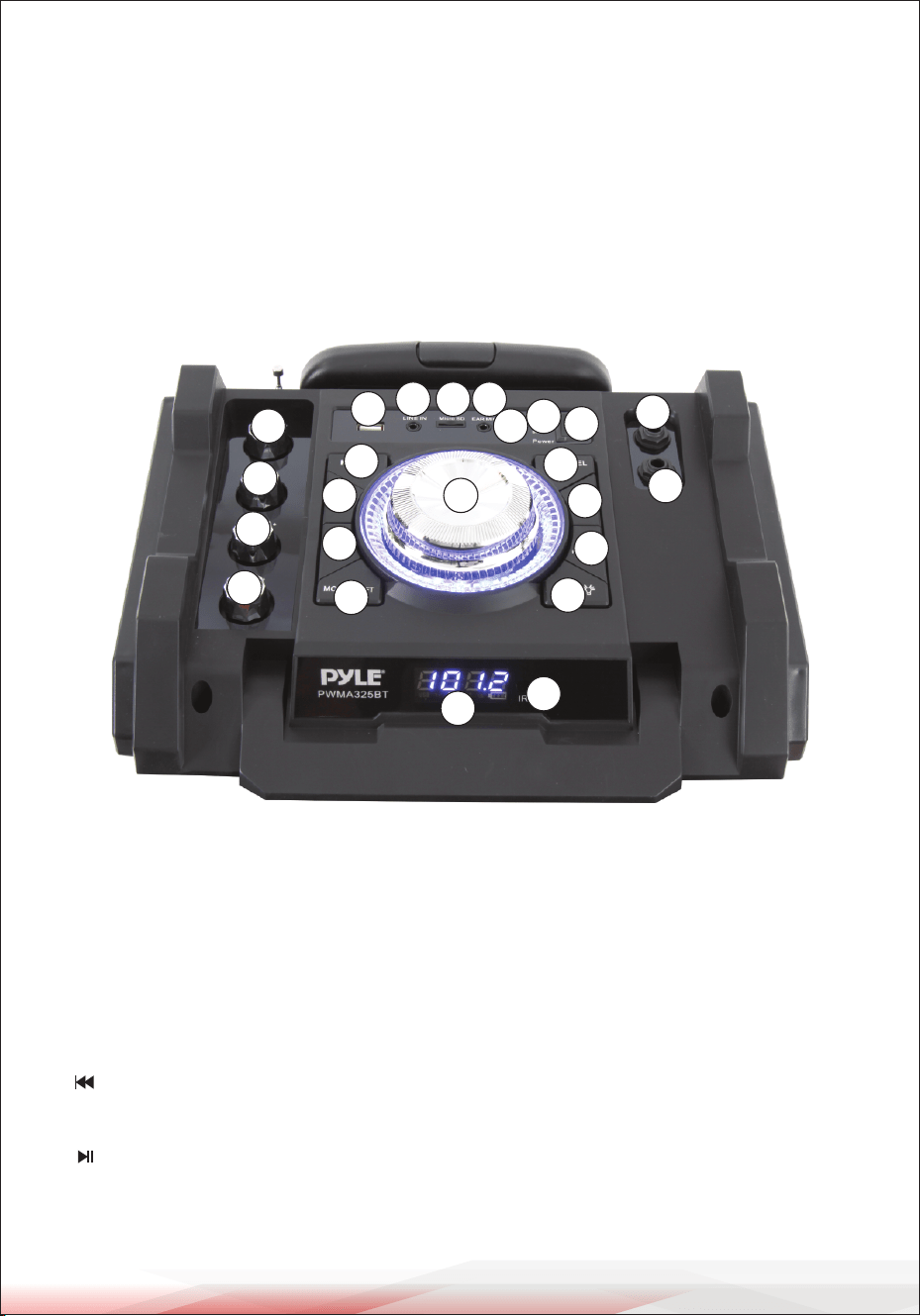
FUNCTIONAL OPERATIONS
1. LED Screen
2. Master Volume: In MP3/FM/AUX mode, use it to regulate volume output from
the speaker.
3. Micro SD Port: Read audio les in MP3 format in a Micro SD card with a capacity
of up to 32GB (FAT32).
4. USB Port: Read audio les in MP3 format in a USB storage device with a capacity
of up to 32GB (FAT32).
5. : In FM receiving status, short press it to select the previous channel after a
full station search has been executed.
6. : In USB/Micro SD card reading status, short press it to play/pause, or press
and hold to select one of four playback sequencing modes (All - play all tracks
in sequence; ONE - repeat one track). In FM receiving status, press and hold it to

www.PyleUSA.com
6
execute a full search (it is recommended to execute at least one full search
before using the radio receiving function. All found stations will be saved even
in power-o). In AUX input/FM radio status, short press it to toggle between
mute and normal volume.
7. : In USB/Micro SD card reading status, short press it to go to the next track.
In FM receiving status, short press it to select the next channel after a full
station search has been executed.
8. Mode/SHIFT: Short press it to toggle between USB/Micro SD and FM receiving
modes. Press and hold to toggle between the recording folder and MP3 folder.
9. Recording/DEL: Short press it to enable recording (USB/Micro SD storage
device must be connected rst). During recording, reverberation should be
tuned to the minimum. Press and hold to delete a recording le.
Recording in AUX or FM mode is available.
10. EAR MIC: Headphone/MIC port.
11. EQ: Environment Switching: In USB/Micro SD reading status, short press it to
select an environment mode (from Square, Meeting, Home, Hall, and Personal).
12. MIC PRIORITY: Connect the microphone, short press the key to enter the
microphone priority mode.
13. LINE IN: External sound source input port (plug-and-play).
14. Microphone volume: Microphone volume regulating knob.
15. Reverberation: Microphone reverberation regulating knob.
16. Microphone input: Microphone input jack.
17. DC 12V recharging: DC 12V recharging port.
18. : Press it to control the ashlight switch.
19. Recharging indicator light: When the charger is connected, the red light
turns on. When the device is fully recharged, the blue light turns on.
20. Power switch: “|” - ON; “O” - OFF.
21. TREBLE: The control knob for treble.
22. BASS: The control knob for bass.
23. IR: Infrared remote receiver module.
CAUTION: Please be sure to charge when music is distorted.
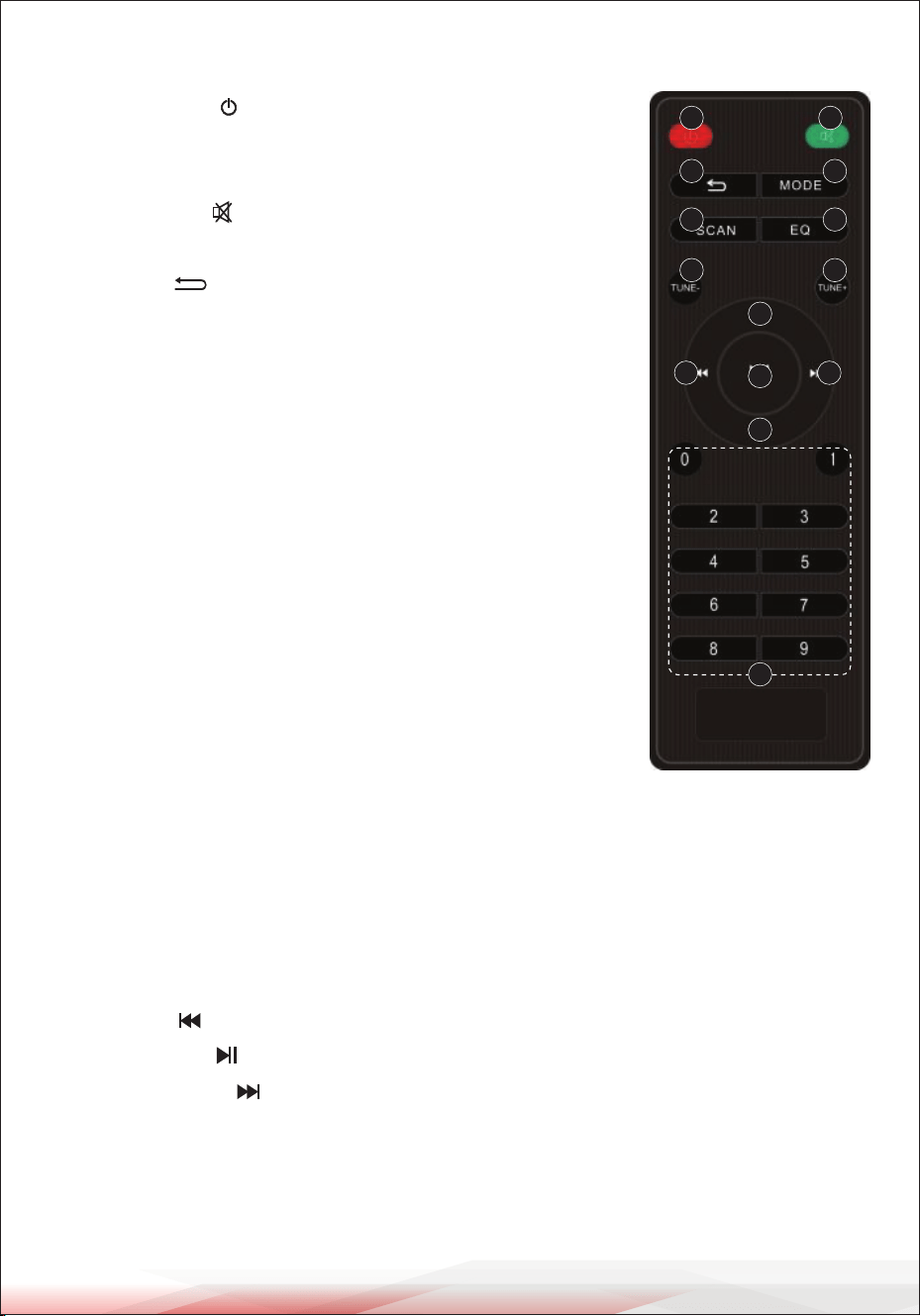
1. Power Button : Short press to enter standby mode.
Short press again to resume. If no device is connected,
the system defaults to "BT" (Bluetooth) mode.
2. Mute Button : In USB/Micro SD/FM/AUX/Bluetooth
mode, short press to mute the device.
3. Cycle Key : In USB/Micro SD mode, short press to
toggle between four playback modes:
• All: Play all tracks in sequence.
• RAND: Play tracks randomly.
• ONE: Repeat one track.
• FOL: Repeat all tracks in a folder.
4. MODE: Switch between dierent input sources
(USB, Micro SD, FM, AUX, Bluetooth).
5. SCAN: In FM mode, press and hold to perform a full
search. All found stations will be saved, even when
powered o.
6. EQ: In USB/Micro SD/AUX/Bluetooth mode, short press
to select an equalizer mode: NOR (Normal), POP, ROC
(Rock), JAZ (Jazz), CLA (Classical), CVB (Custom/Bass).
7. TUNE - : Without a saved station, press to adjust to the
previous frequency. With a saved station, press to tune to
the previous station.
www.PyleUSA.com
7
REMOTE CONTROL FUNCTION DESCRIPTIONS
8. TUNE + : Without a saved station, press to adjust to the next frequency.
With a saved station, press to tune to the next station.
9. VOL+/VOL- Keys: In USB/Micro SD/FM/AUX/Bluetooth mode, press to increase
(VOL+) or decrease (VOL-) the volume.
10. Rewind ( ): Functions as rewind or previous track.
11. Play/Pause ( ): Functions as play/pause.
12. Fast Forward ( ): Functions as fast forward or next track.
13. Numeric Keys (0~9):
• USB/Micro SD Mode: Input track number directly
(e.g., "1" and "2" to play Track 12).
• FM Mode: Input frequency directly (e.g., "1075" for 107.5 MHz).
1 2
3 4
5 6
7 8
10 12
9
9
11
13
www.PyleUSA.com
8
CLEANING AND STORAGE
Cleaning:
1. Ensure the speaker is turned o and unplugged before cleaning.
2. Use a soft, dry cloth to wipe the exterior of the speaker. For stubborn stains,
lightly dampen the cloth with water. Do not use any harsh chemicals or abrasive
materials.
3. Clean the control panel and ports gently with a dry cloth or a small brush to
remove any dust or debris.
4. Avoid getting moisture into any openings.
Storage:
1. Store the speaker in a cool, dry place away from direct sunlight and heat sources.
2. Ensure the speaker is fully charged before storing for an extended period.
3. If storing for a long time, recharge the speaker every three months to maintain
battery health.
4. Keep the speaker and accessories in their original packaging or in a protective
case to prevent damage.

www.PyleUSA.com
9
FCC INFORMATION
WARNING:
Changes or modications not expressly approved by the party responsible for
compliance could void the user’s authority to operate the equipment.
NOTE: This equipment has been tested and found to comply with the limits for a
Class B digital device, pursuant to Part 15 of the FCC Rules. These limits are designed
to provide reasonable protection against harmful interference in a residential
installation. This unit generates, uses, and can radiate radio frequency energy, and
if not installed and used in accordance with the instructions, may cause harmful
interference to radio communications. However, there is no guarantee that
interference will not occur in a particular installation. If this equipment does cause
harmful interference to radio or television reception, which can be determined by
turning the equipment o and on, the user is encouraged to try and correct the
interference by one or more of the following measures:
• Reorient or relocate the receiving antenna.
• Increase the separation between the equipment and receiver.
• Connect the equipment to an outlet on a circuit dierent from that to which the
receiver is connected.
• Consult the dealer or an experienced radio/TV technician for help.
This device complies with Part 15 of the FCC Rules. Operation is subject to the
following two conditions:
1. This device may not cause harmful interference.
2. This device must accept any interference received, including interference that
may cause undesired operation.
Register Product
Thank you for choosing PyleUSA. By registering your product,
you ensure that you receive the full benets of our exclusive
warranty and personalized customer support.
Complete the form to access expert support and to keep your
PyleUSA purchase in perfect condition.
PyleUSA.com/register

Questions or Comments?
We are here to help!
Phone: 1.718.535.1800
PyleUSA.com/ContactUs