www.aosulife.com support@aosulife.com@aosulife
United States: +1-866-905-9950 Mon-Fri 9AM-5PM(PST)
United Kingdom: +44-20-3885-0830 Mon-Fri 9AM-5PM(GMT)
Germany: +49-32-221094692 Mon-Fri 9AM-5PM(CET)
Japan: +81-50-5840-2601 Mon-Fri 9AM-5PM ( JST )
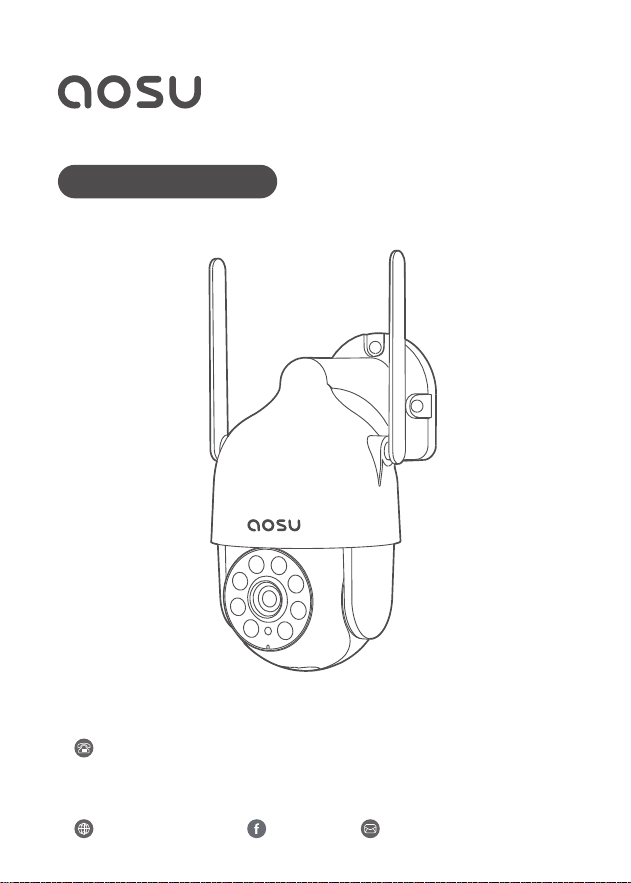
Quick Start Guide
HD WI-FI SECURITY CAMERA
OutdoorCam D1 Lite

Hi Customer
Thank you for choosing AOSU security products. We have always put
our customers first and foremost.
There are 3 things you should know before using this product:
1. Micro SD Card
If you don't have a Micro SD Card available at home now and don't want
to spend extra time choosing one, please contact us directly. TIP: the
Micro SD Card gotta be formated after inserting it up.
2. Select 2.4G Wi-Fi
The product only supports 2.4G Wi-Fi, please select 2.4G Wi-Fi when
setting up the app.
3. Select installation location.
Please use your mobile phone to test the coverage of the home Wi-Fi
signal at the planned installation position before installation, so that the
product can receive a better signal.
Get all the tutorial videos of using product including but no limit to set
up the app, installation and format micro sd card, visit: aosulife.com
Join "AOSUCare" today as three ways below to get all of your problems
solved by one-on-one live chat and phone service tech support.
www.aosulife.com support@aosulife.com@aosulife
United States: +1-866-905-9950 Mon-Fri 9AM-5PM(PST)
United Kingdom: +44-20-3885-0830 Mon-Fri 9AM-5PM(GMT)
Germany: +49-32-221094692 Mon-Fri
9AM-5PM(CET)
Japan: +81-50-5840-2601 Mon-Fri 9AM-5PM ( JST )
AOSUCare

TABLE OF CONTENTS
P01What's Included
01
Product Overview
02
P02
P04-07
Mounting the OutdoorCam
04
P03
Setting Up the System
03
05
P08-P10Notice
Customer Service
06
P11
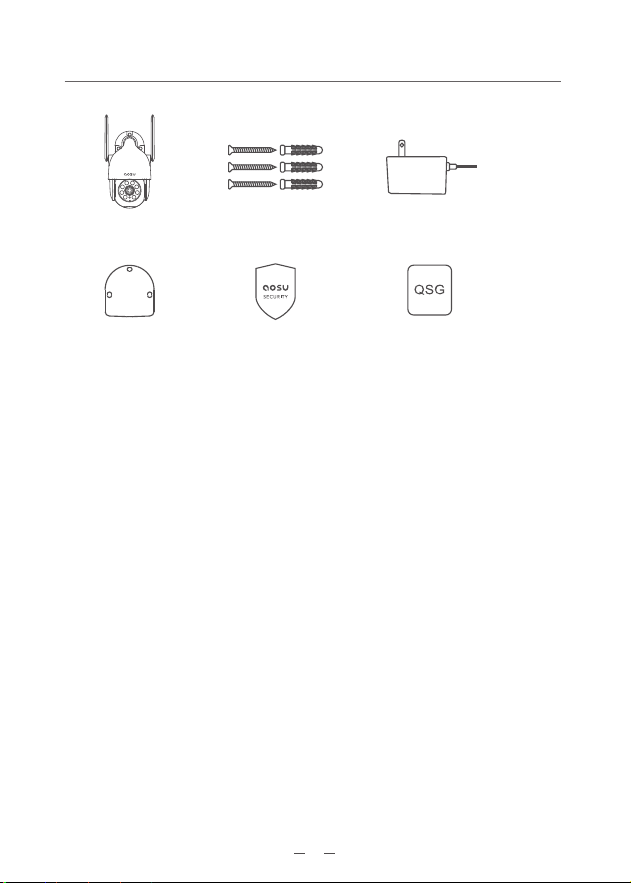
Camera
Sticker
Screw Pack
01
Power Adapter
What's Included
Quick Start GuideSecurity Sticker
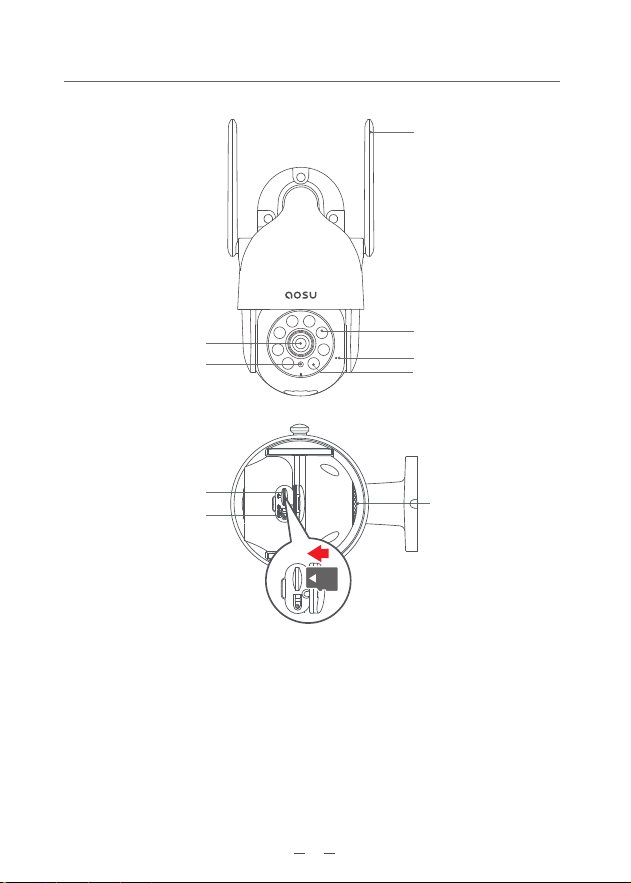
Status LED
Infrared LEDs
Spotlights
Microphone
Speaker
SD Card Port: Support Micro SD Card for local storage (Max 512GB).
Reset button: Press and hold the button for 3 seconds, and then the
device will be ready to be connected.
Card capacity requirements: 8-512GB.
Read and write speed requirements: class10 level.
File format: FAT32.
CAUTION: Please insert the Micro SD Card according to the direction
shown in the diagram. Micro SD Card might JAM if inserted incorrectly
and device could be damaged.
02
Lens
Antenna
Micro SD Card Slot
Reset button
TFRESET
Product Overview
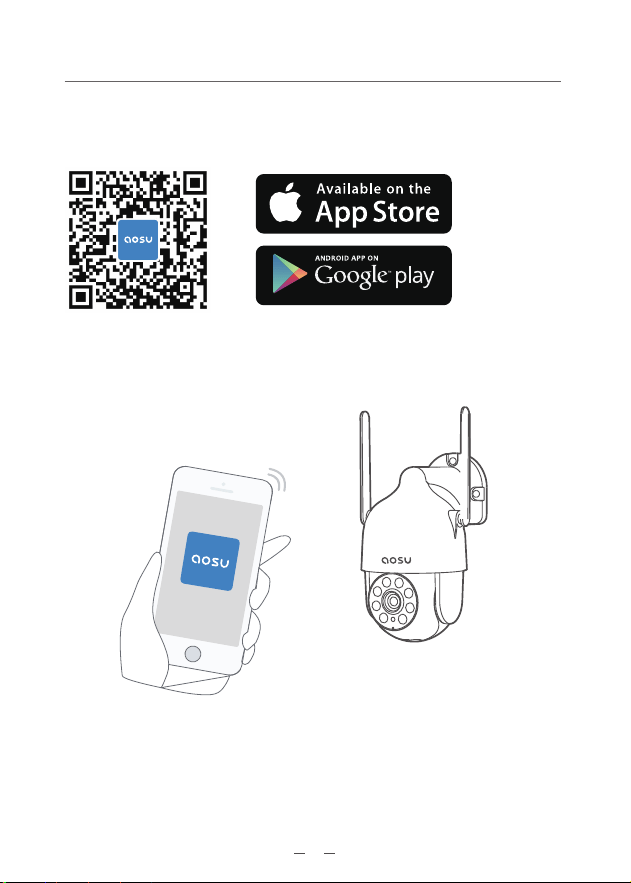
Download the Aosu App from the App Store (iOS devices) or
Google Play (Android devices).
Sign up for an Aosu App account, then follow the onscreen
instructions to complete the setup.
Setting Up the System
03
Mounting the OutdoorCam
04
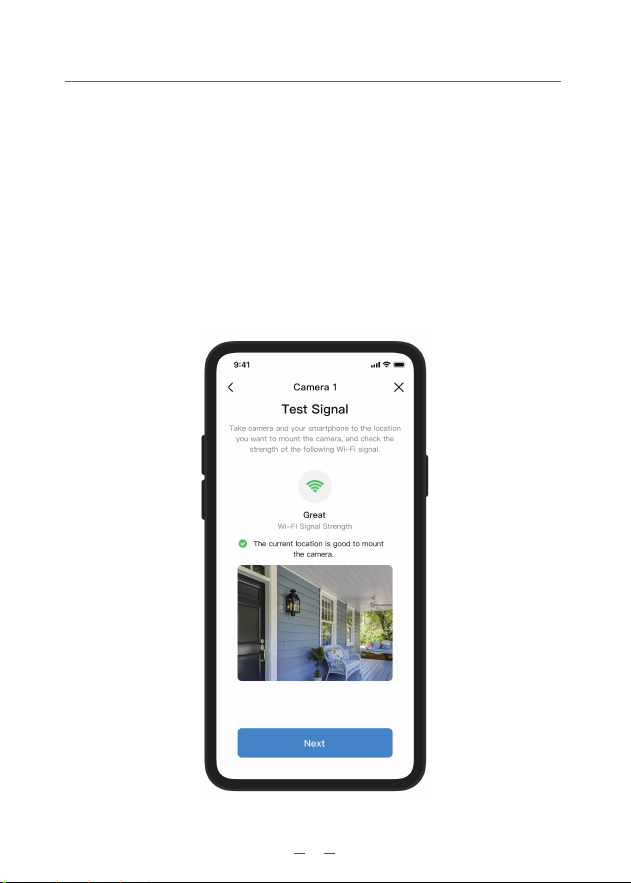
To find a spot to mount OutdoorCam D1 Lite, you need to test
wireless signal strength.
① Open the Aosu App, go to Camera Settings > Mounting
Guide.
② To test the wireless signal strength, take your camera and
phone to the location where you want to mount the camera.
③ Move the camera as close to the Wi-Fi Router as possible to
get a better signal.
Find a Good Mounting Spot
05
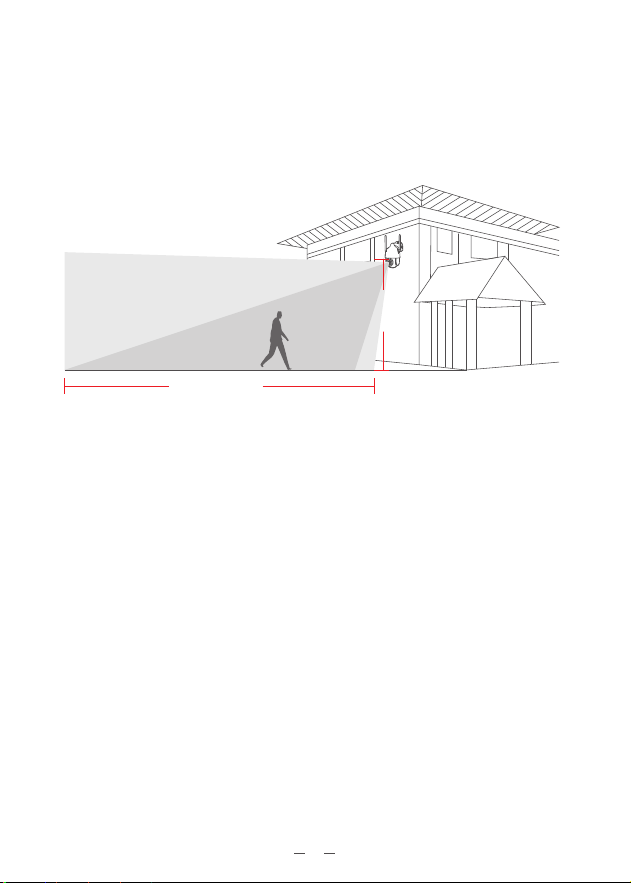
Select Height and Location
Camera field
of view
Up to 32ft
Motion
Detection
Zone
7-10ft
Hang AOSUCam 7-10ft (78-118 inches) above the ground. This
height maximizes the detection range of the motion sensor of
AOSUCam. Avoid placing AOSUCam under direct sunlight.
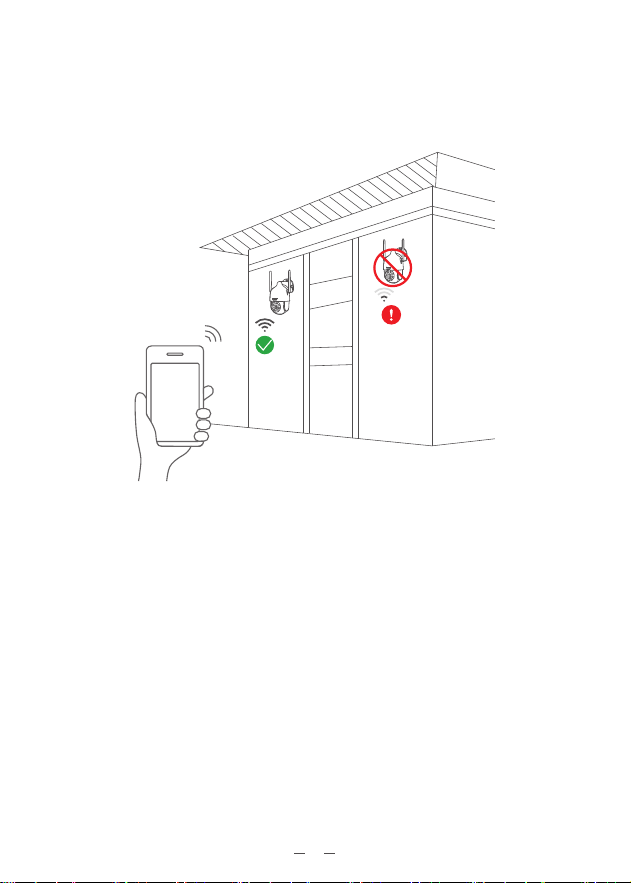
Test the Wifi signal at installation position
Use cell phone to test Wifi signal quality at the installation position
before installing camera, make sure the Wifi router can provide good
Wifi signal.
06
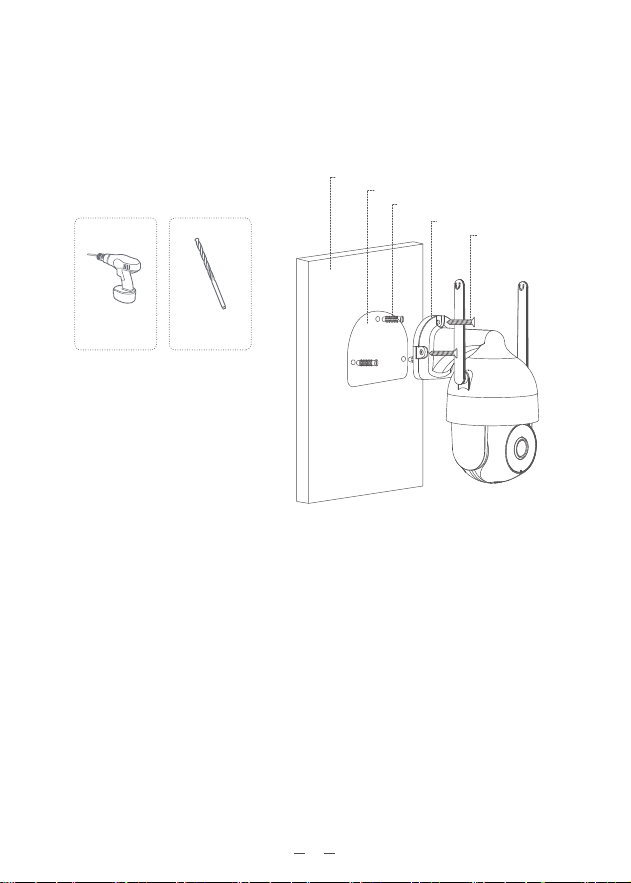
What is required:
15/64”(6mm)
Drill Bit
Power Drill
(not provided)
07
Installation
1. Drilling according to position sticker, drill bit: 15/64''(6 mm).
2. Insert the plugs.
3. Tighten the screws.
Wall
Positioning sticker
Expansion bolts
Camera
Screw

FCC Statement
This device complies with Part 15 of the FCC Rules. Operation is
subject to the following two conditions: (1) this device may not
cause harmful interference, and (2) this device must accept any
interference received, including interference that may cause
undesired operation.
Warning: Changes or modifications not expressly approved by
the party responsible for compliance could void the user's
authority to operate the equipment. Note: This equipment has
been tested and found to comply with the limits for a Class B
digital device, pursuant to Part 15 of the FCC Rules. These limits
are designed to provide reasonable protection against harmful
interference in a residential installation.
This equipment generates uses and can radiate radio frequency
energy and, if not installed and used in accordance with the
instructions, may cause harmful interference to radio communi-
cations. However, there is no guarantee that interference will
not occur in a particular installation. If this equipment does
cause harmful interference to radio or television reception,
which can be determined by turning the equipment off and on,
the user is encouraged to try to correct the interference by one
or more of the following measures: (1) Reorient or relocate the
receiving antenna. (2) Increase the separation between the
equipment and receiver. (3) Connect the equipment into an
outlet on a circuit different from that to which the receiver is
connected. (4) Consult the dealer or an experienced radio/ TV
technician for help.
FCC Radio Frequency Exposure Statement
The device has been evaluated to meet general RF exposure
requirements.
The device can be used in fixed/mobile exposure condition. The
min separation distance is 20cm.
Notice
08
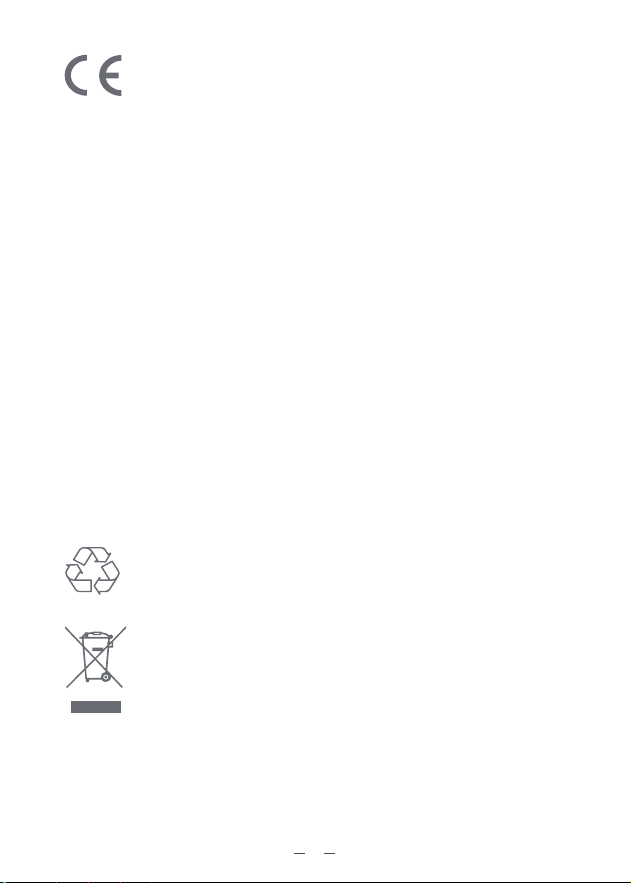
This product is designed and manufactured with high
quality materials and components, which can be recycled
and reused.
This symbol means the product must not be discarded as
household waste, and should be delivered to an appropri-
ate collection facility for recycling. Proper disposal and
recycling helps protect natural resources, human health and
the environment. For more information on disposal and
recycling of this product, contact your local municipality,
disposal service, or the shop where you bought this product
This product complies with the radio interference
requirements of the European Community.
Declaration of Conformity
Hereby, Aosu declares that this device is in compliance with the
essential requirements and other relevant provisions of Directive
2014/53/EU.
For the declaration of conformity, visit the Web site:https://www.aosu-
life.com.
This product can be used across EU member states.
Do not use the Device in the environment at too high or too low
temperature, never expose the Device under strong sunshine or too
wet environment.
The suitable temperature for OutdoorCam and accessories is -20°C-
50°C.
RF exposure information: The Maximum Permissible Exposure (MPE)
level has been calculated based on a distance of d=20 cm between
the device and the human body. To maintain compliance with RF
exposure requirement, use product that maintain a 20cm distance
between the device and human body.
For OutdoorCam: Wi-Fi Operating Frequency Range: 2412~2472MHz ;
Wifi Max Output Power: 17.13dBm(EIRP)
09

10
Customer Service
Warranty
12-month limited warranty(The actual warranty period shall be
implemented according to the requirements of local laws and
regulations)
Email Us
Customer Support: support@aosulife.com
Call Us
United States: +1-866-905-9950 Mon-Fri 9AM-5PM(PST)
United Kingdom: +44-20-3885-0830 Mon-Fri 9AM-5PM(GMT)
Germany: +49-32-221094692 Mon-Fri 9AM-5PM(CET)
Japan: +81-50-5840-2601 Mon-Fri 9AM-5PM ( JST )
Facebook:@aosulife
Twitter:@aosulife
YouTube: @aosulife