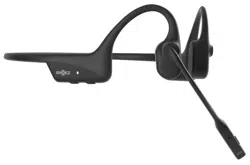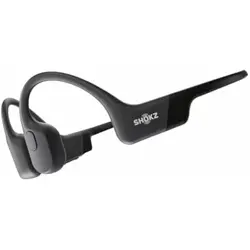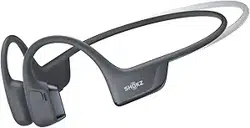

User Guide
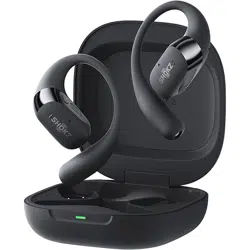
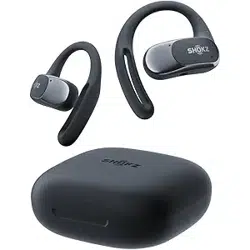
SHOKZ S820/SHOKZ S821
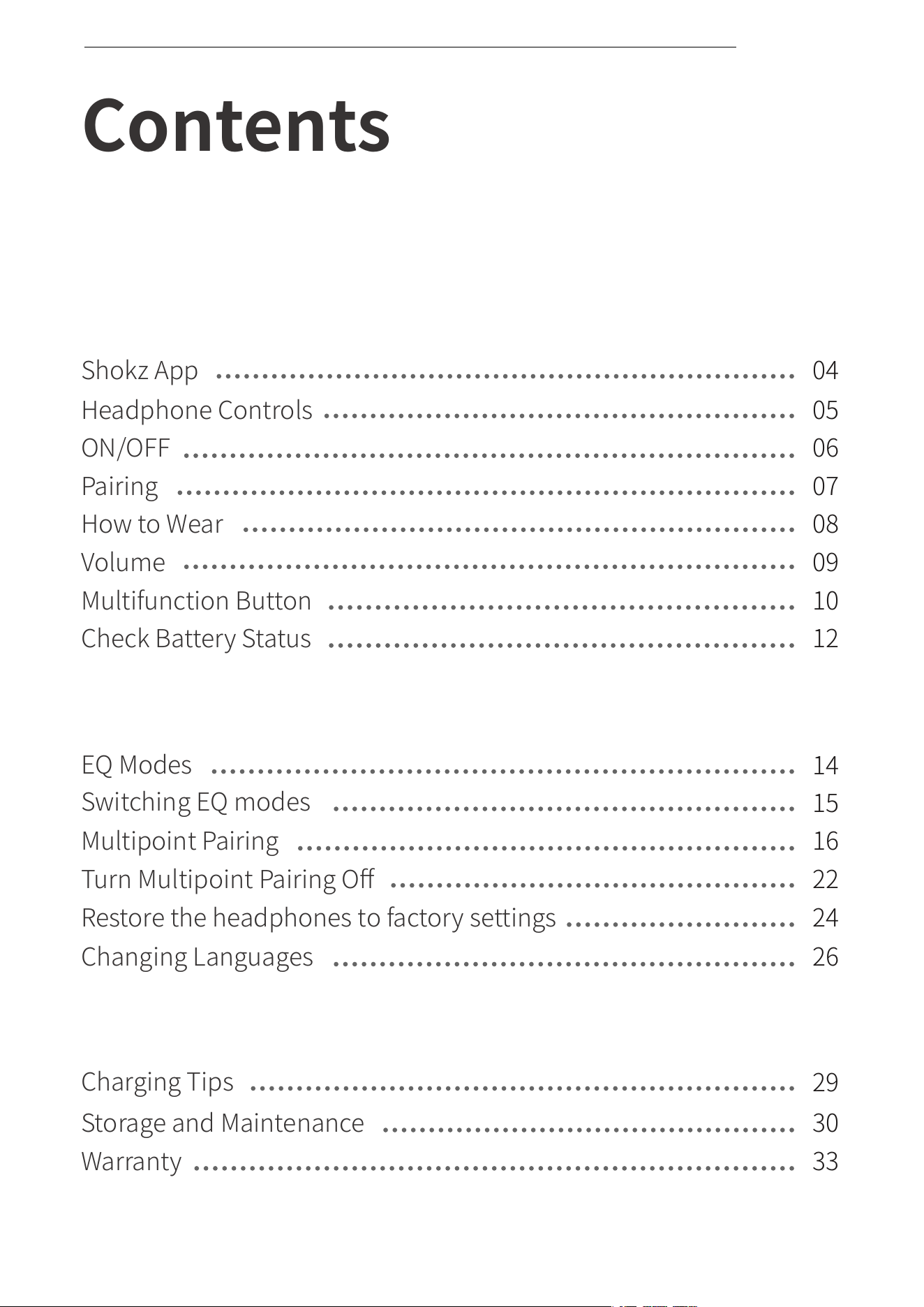
Contents
HOW IT WORKS
06
07
08
09
10
12
How to Wear
Volume
Multifunction Button
Check Battery Status
ON/OFF
Pairing
Storage and Maintenance
Charging Tips
Warranty
CARE AND MAINTENANCE
Changing Languages
Multipoint Pairing
EQ Modes
Turn Multipoint Pairing Off
EXTRA FEATURES
05
Headphone Controls
04
Shokz App
14
15
16
22
26
29
30
33
01
Switching EQ modes
CONTENTS
Restore the headphones to factory settings
24

WHAT’S IN THE BOX
TROUBLESHOOTING
02
34
35
CONTENTS

03
How It Works
SHOKZ APP
Download the Shokz App
*Only for limited regions.
Go to https://userguide.shokz.net/openrunpro2 for more information.
04
The Shokz app allows you to switch EQ modes,
connect to two devices simultaneously,
upgrade firmware, and more.
Download the app now for a simple
and seamless audio experience.
Apple and the Apple logo are trademarks of Apple Inc., registered in the U.S.
and other countries. Google Play is a trademark of Google LLC.
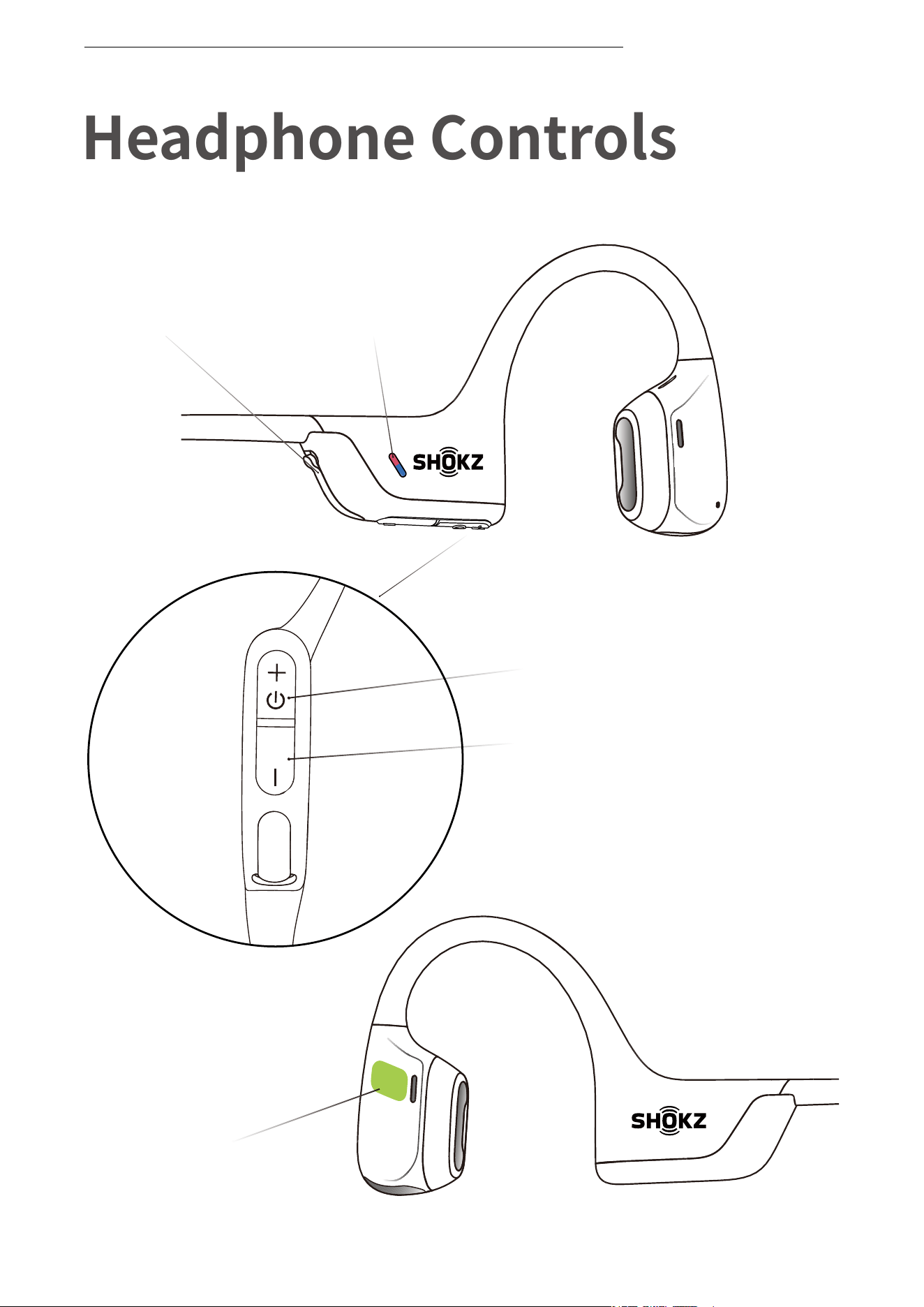
Power/Volume + Button
USB-C Charging Port
LED Indicator
Volume - Button
Multifunction Button
Headphone Controls
05
HEADPHONE CONTROLS
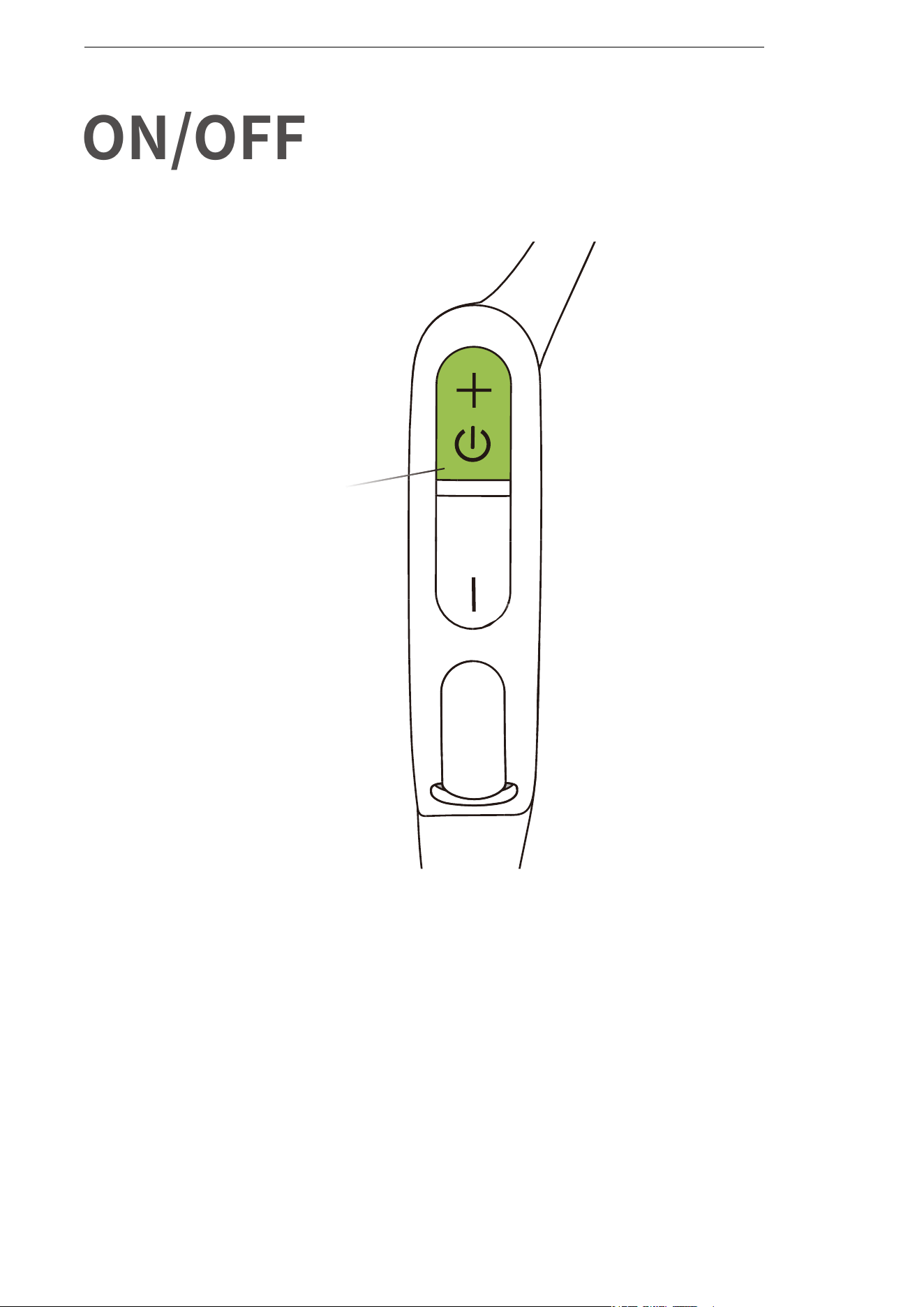
ON/OFF
Turn on the headphones:
Press and hold the Power/Volume + Button until the LED Indicator
flashes blue.
Turn off the headphones:
Press and hold the Power/Volume + Button until the LED Indicator
flashes red.
Power/Volume + Button
ON/OFF
06
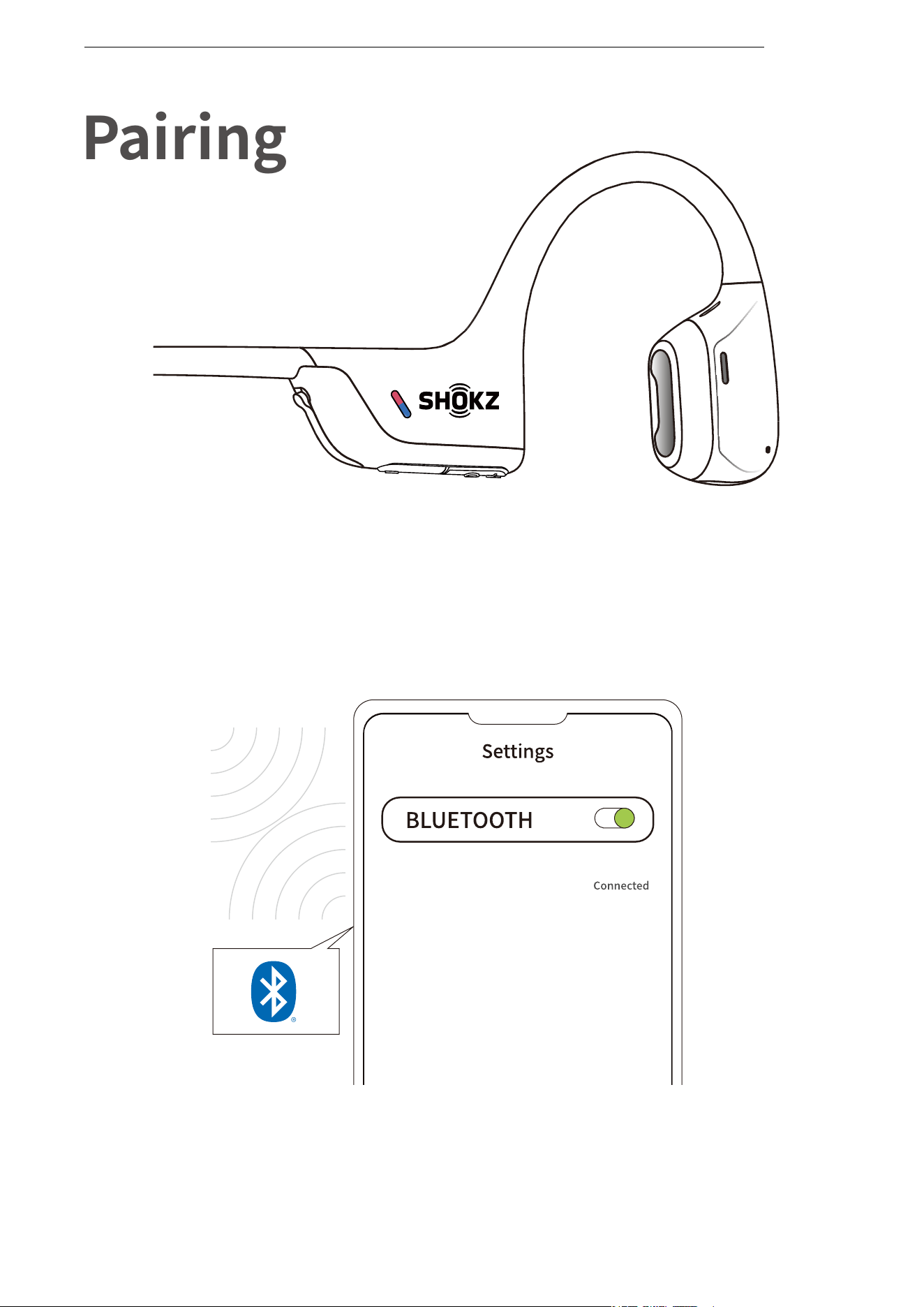
1. Start with your headphones powered off.
2. Press and hold the Volume + Button until the LED Indicator flashes
red and blue alternately.
3.Open your device's Bluetooth settings and select " OpenRun Pro 2
by Shokz."
Pairing
07
PAIRING
OpenRun Pro 2 by Shokz
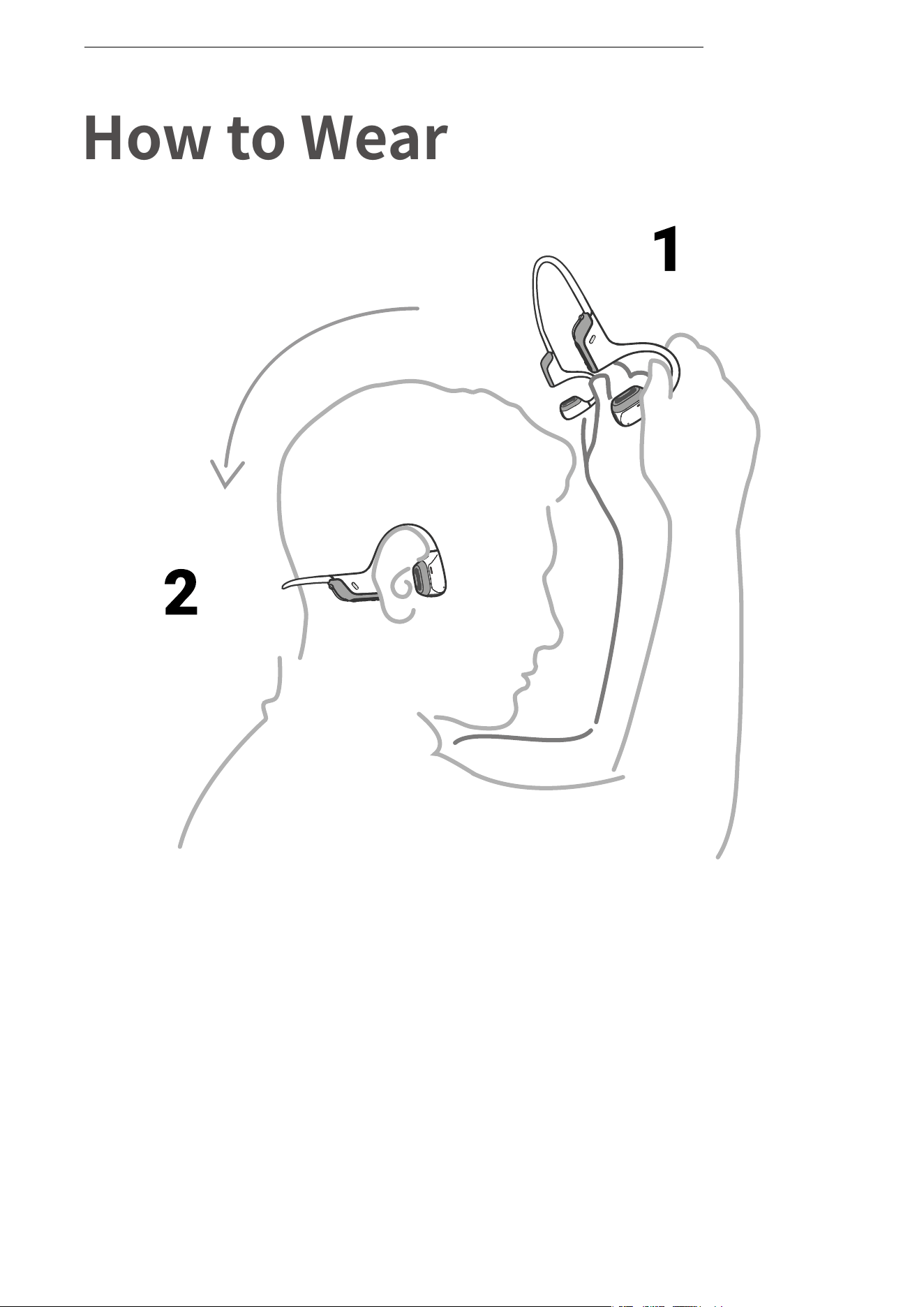
*Wearing your headphones the wrong way could cause
discomfort. The transducers should rest in front of your ears.
Pick up the headphones, bring them
behind the back of the base of your neck,
position the earhooks on your ears, then
enjoy your music!
How to Wear
08
HOW TO WEAR
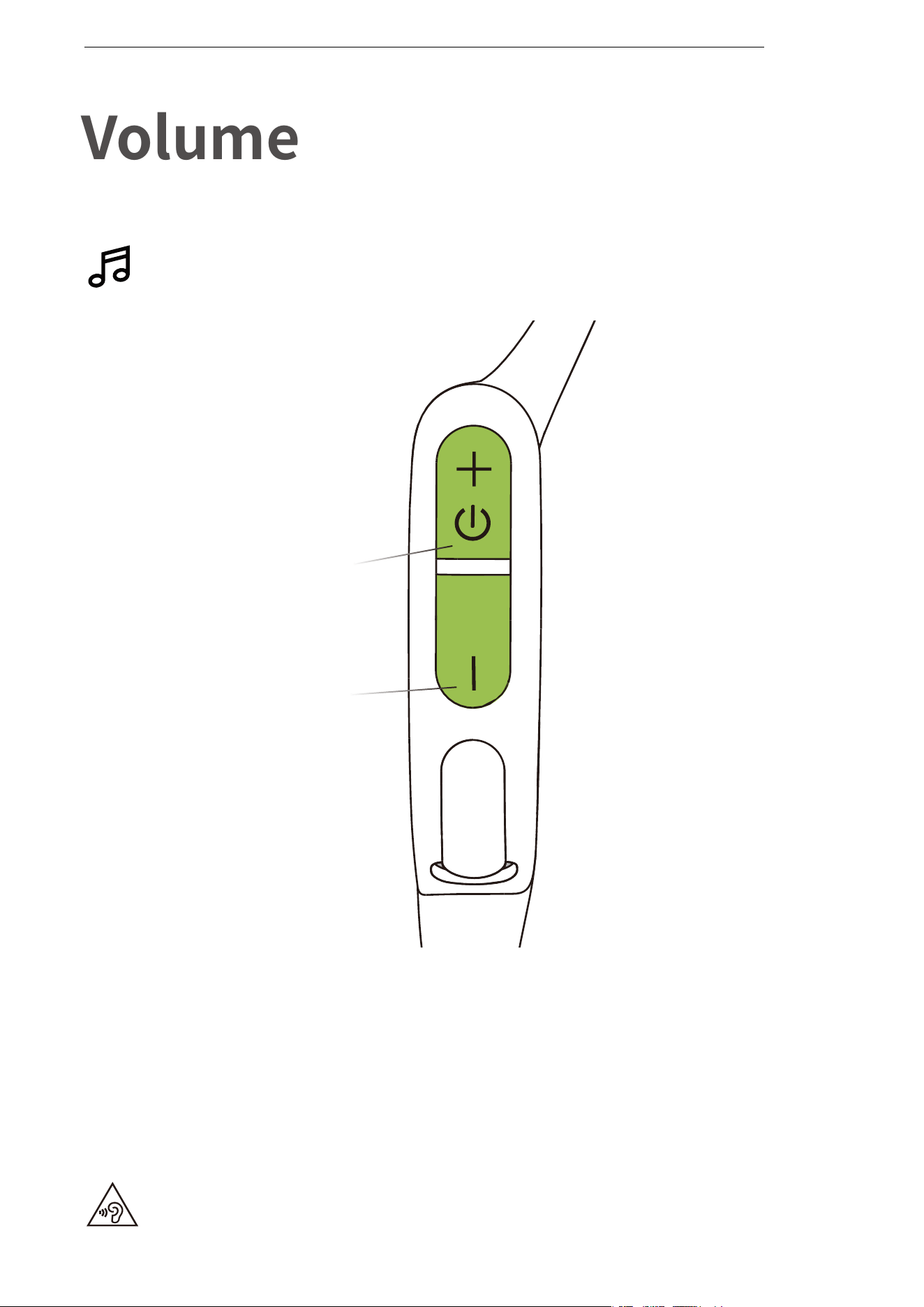
How to change volume:
While your audio is playing, adjust headphone volume by
pushing either the Volume + or Volume ‒ buttons.
Operate volume controls
while audio is playing.
Volume
*Listening with headphones at high volume may affect your hearing
and the audio will be distorted.
*A “beep” will sound when the volume is at its max.
Power/Volume + Button
Volume - Button
VOLUME
09
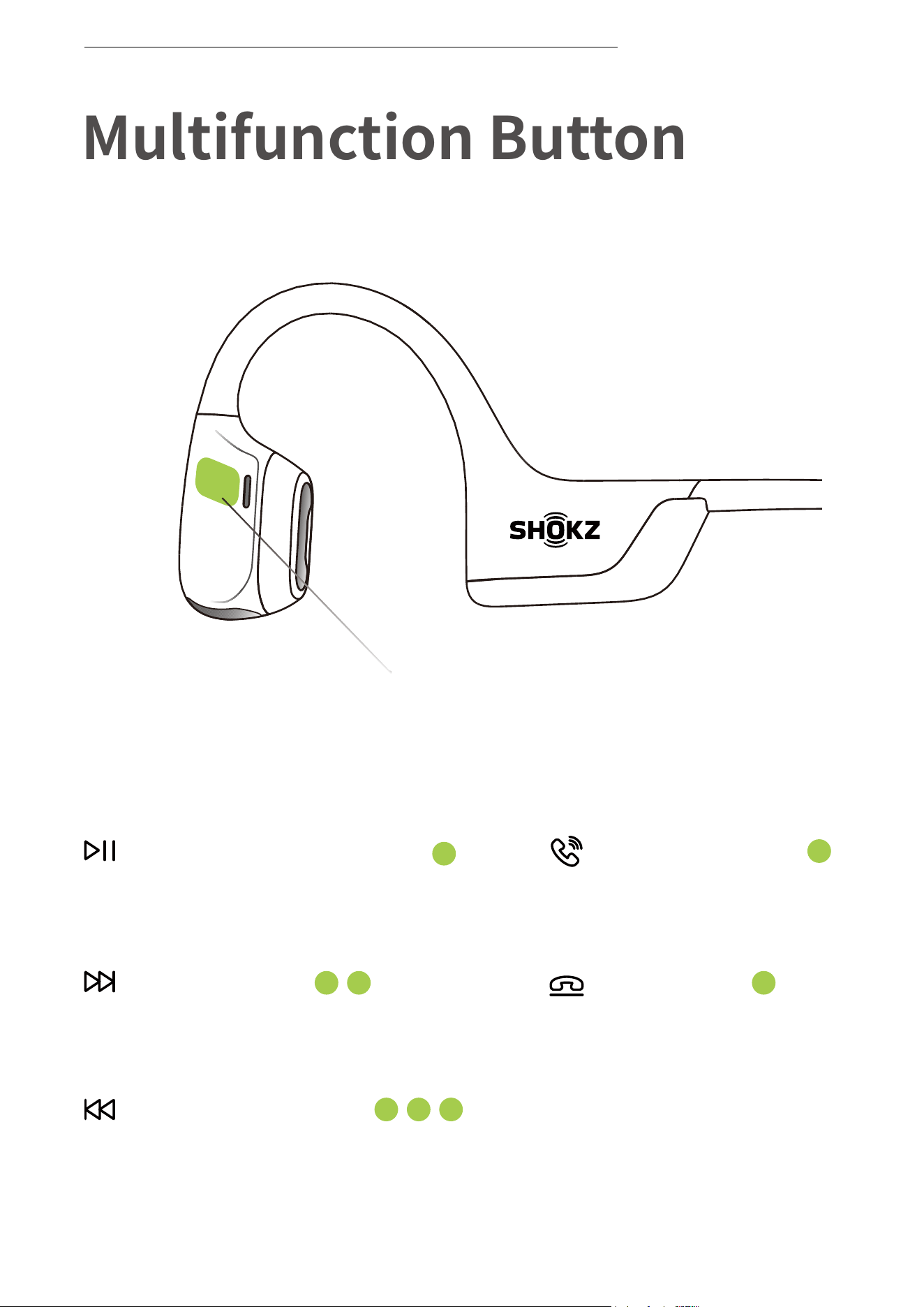
Multifunction Button
Multifunction Button
Click once
End call
Click once
Answer call
Click once
Play/pause music
Double-click while music is playing
Next song
Triple-click while music is playing
Previous song
MULTIFUNCTION BUTTON
10

Multifunction Button
Press and hold for 2 seconds
while a second incoming call is
ringing.
Click once while a second
incoming call is ringing.
Press and hold for 2 seconds while
two calls are active
Click once while two calls are
active.
Click once
Click once
Play music
Pause music
Next song
Previous song
Click once
Click once
Double-click while music is playing
Triple-click while music is playing
Press and hold for 2 secondsPrompt device’s voice assistant
Press and hold for 2 seconds
Answer call
End call
Reject a call
Answer a second call and decline
th current call
Change the language
Answer a second incoming call and
put the current call on hold
Switch between two calls
Hanging up on a multiparty call is
the current call
*Only applicable for phone calls, not online calls
Double click while in pairing
status (red and blue lights flash
alternately)
MULTIFUNCTION BUTTON
11
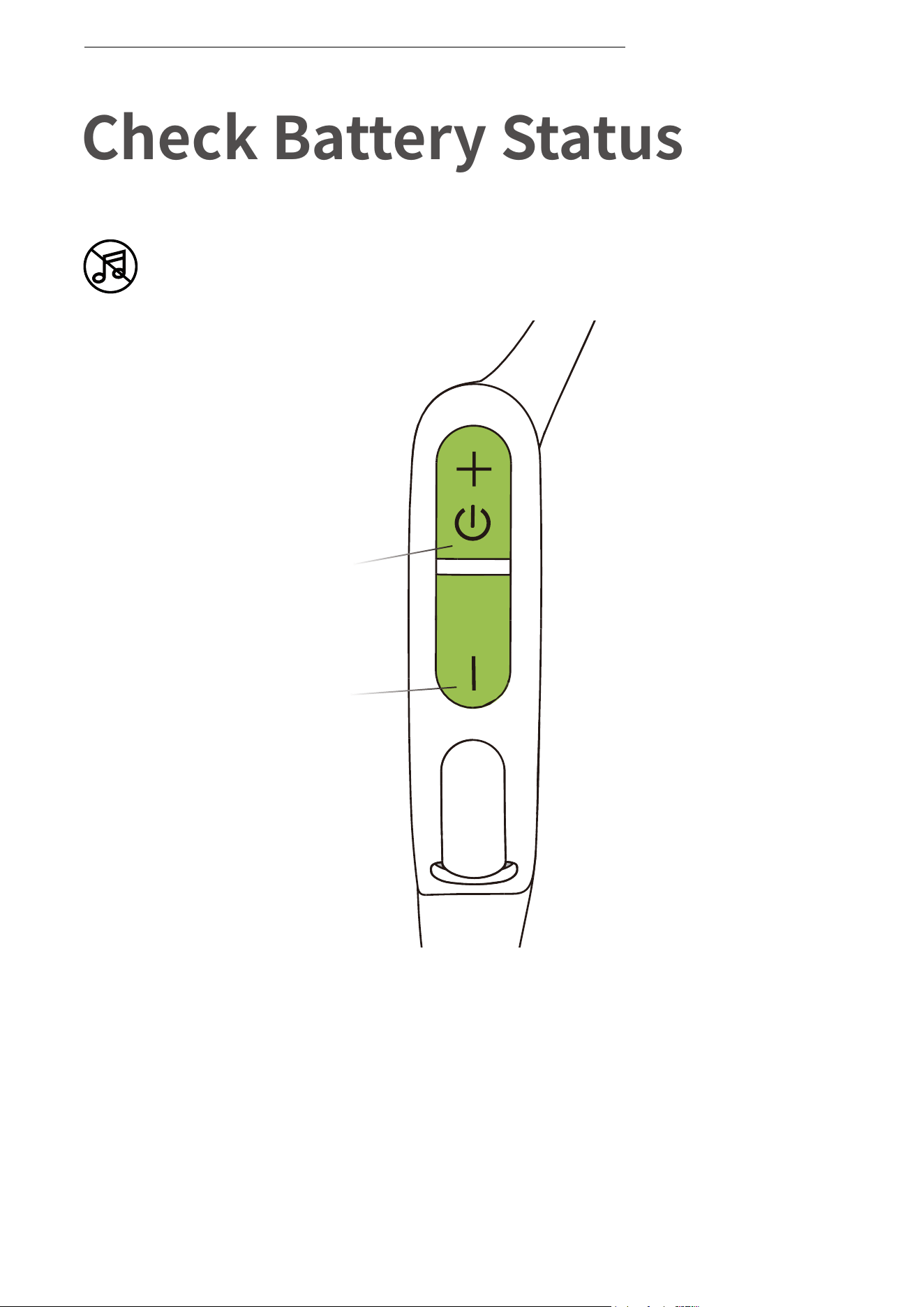
Operate controls while
audio is not playing
Check Battery Status
Power/Volume + Button
Volume - Button
How to check battery status:
Click the Volume + or Volume - button while music is paused,
Audrey will tell you the battery status:
* "Battery high/Battery medium/Battery low/Charge me"
CHECK BATTERY STATUS
12

13
Extra Features
EQ Modes
EQ MODES
14
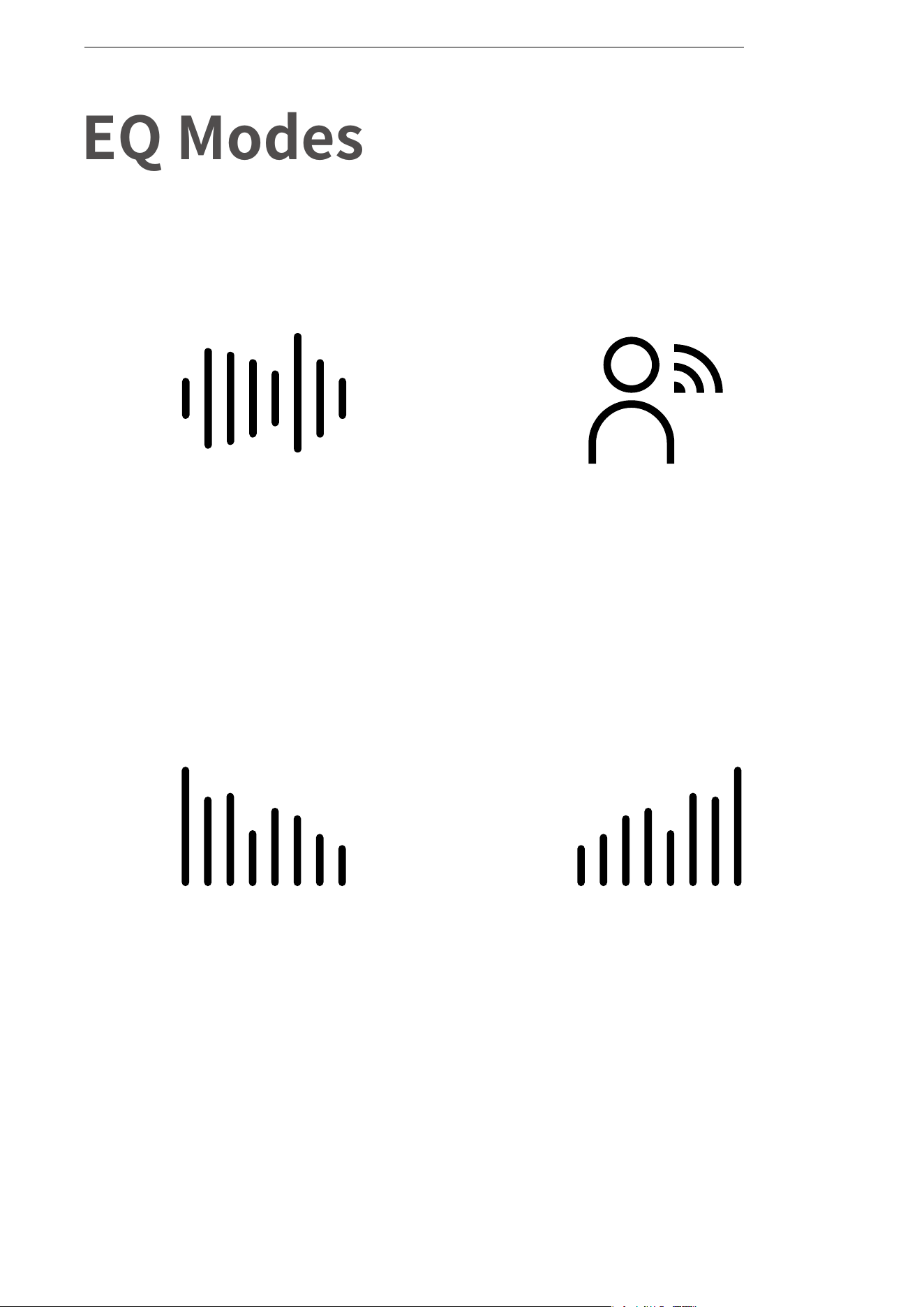
Standard Mode:
Balanced frequency,
suitable for listening to
music on a daily basis
Vocal Mode:
Enhance the mid frequency,
suitable for listening to
music while reading e-books
and attending online courses
Increase Bass:
Enhance the low frequency,
suitable for listening to
music with a strong rhythm
in a sports setting
Increase Treble:
Enhance the high frequency,
suitable for listening to
elegant, light music while resting
Operate controls while music
is playing
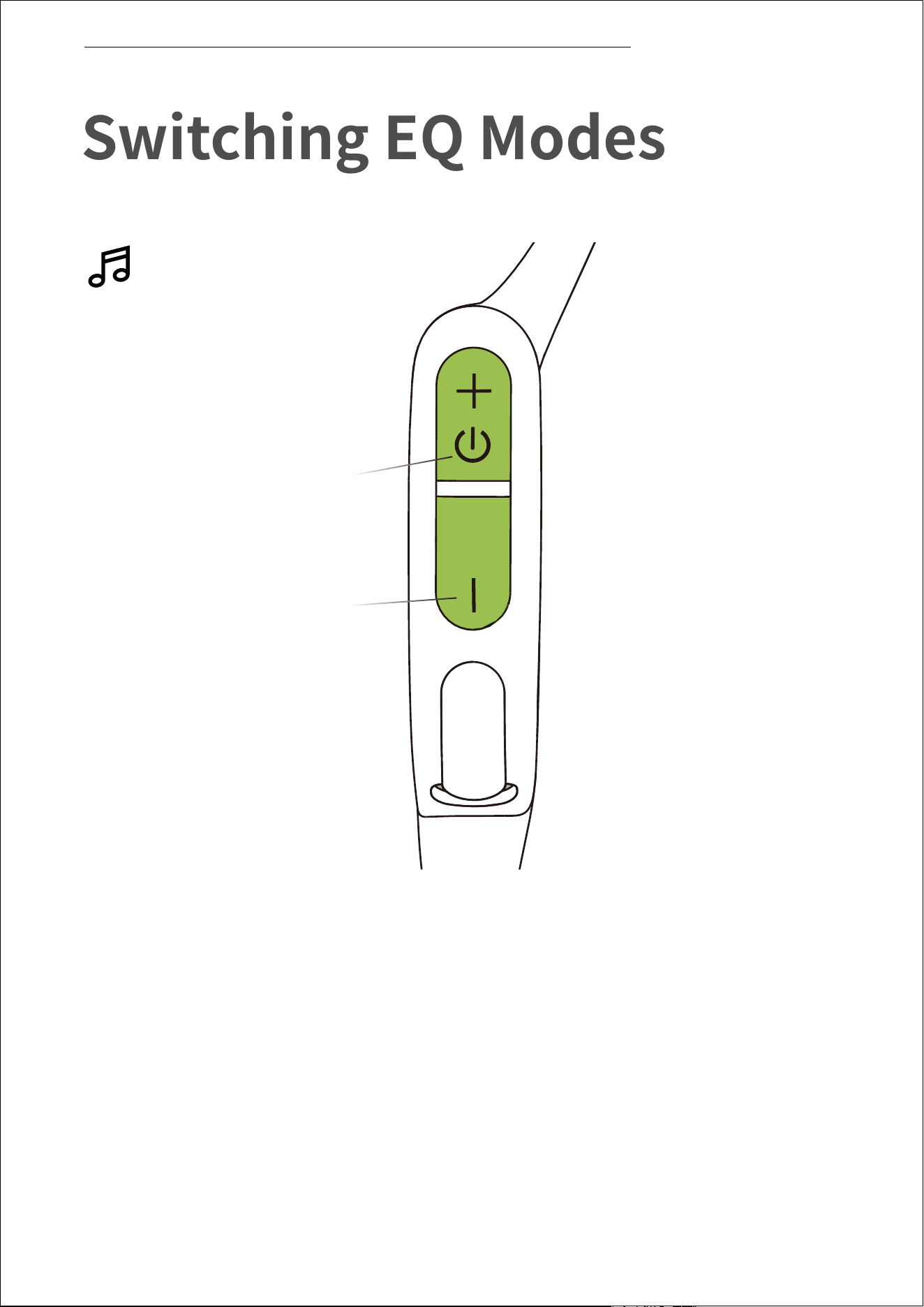
How to switch EQ mode:
Press and hold both buttons (Power/Volume + Button and Volume -
Button)while music is playing until you hear a beep.
*You can also use the Shokz App to change the EQ mode
15
Switching EQ Modes
SWITCHING EQ MODES
Power/Volume + Button
Volume - Button
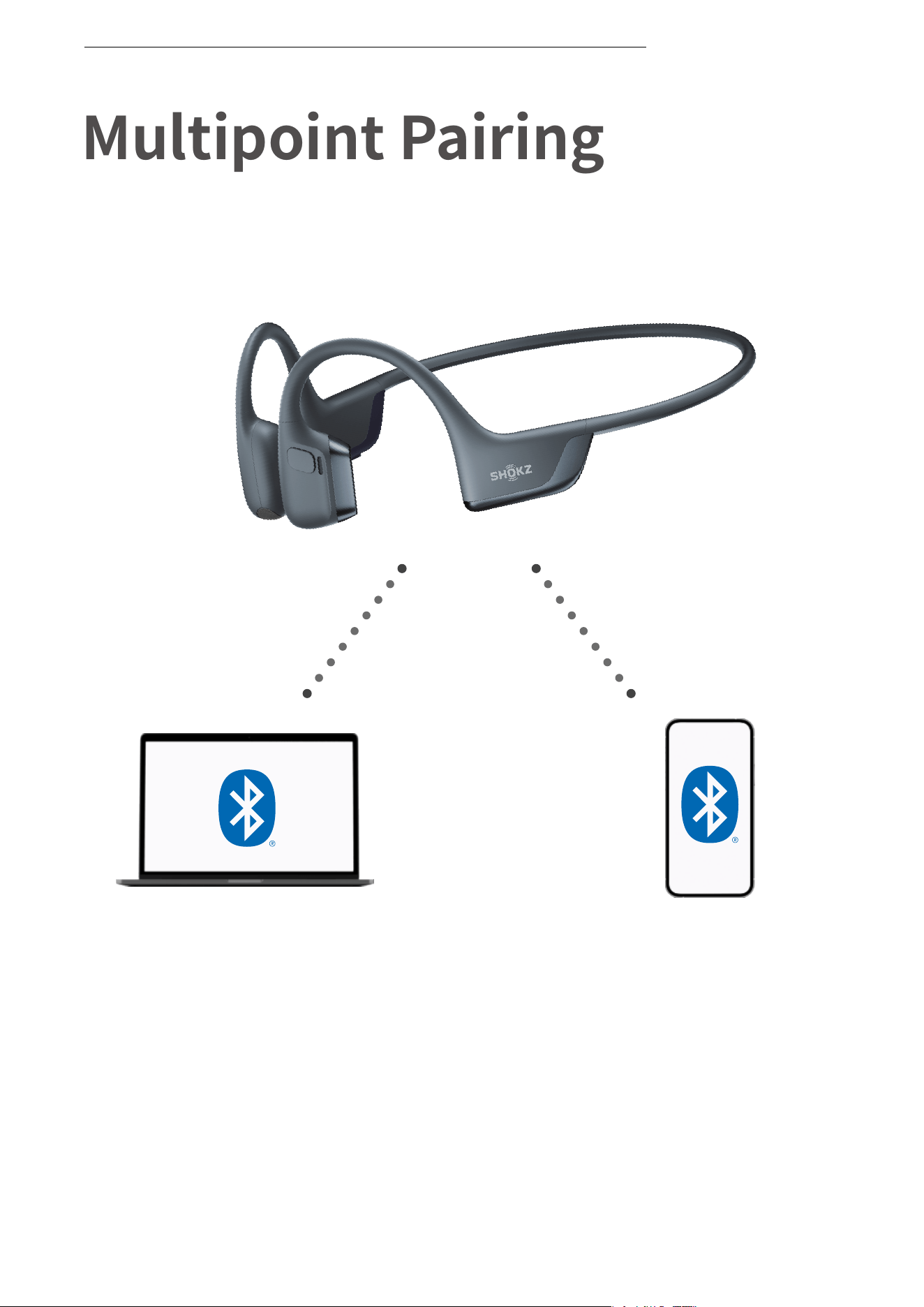
Switch between two devices
seamlessly with multipoint pairing
Multipoint Pairing
MULTIPOINT PAIRING
16
Multipoint Pairing
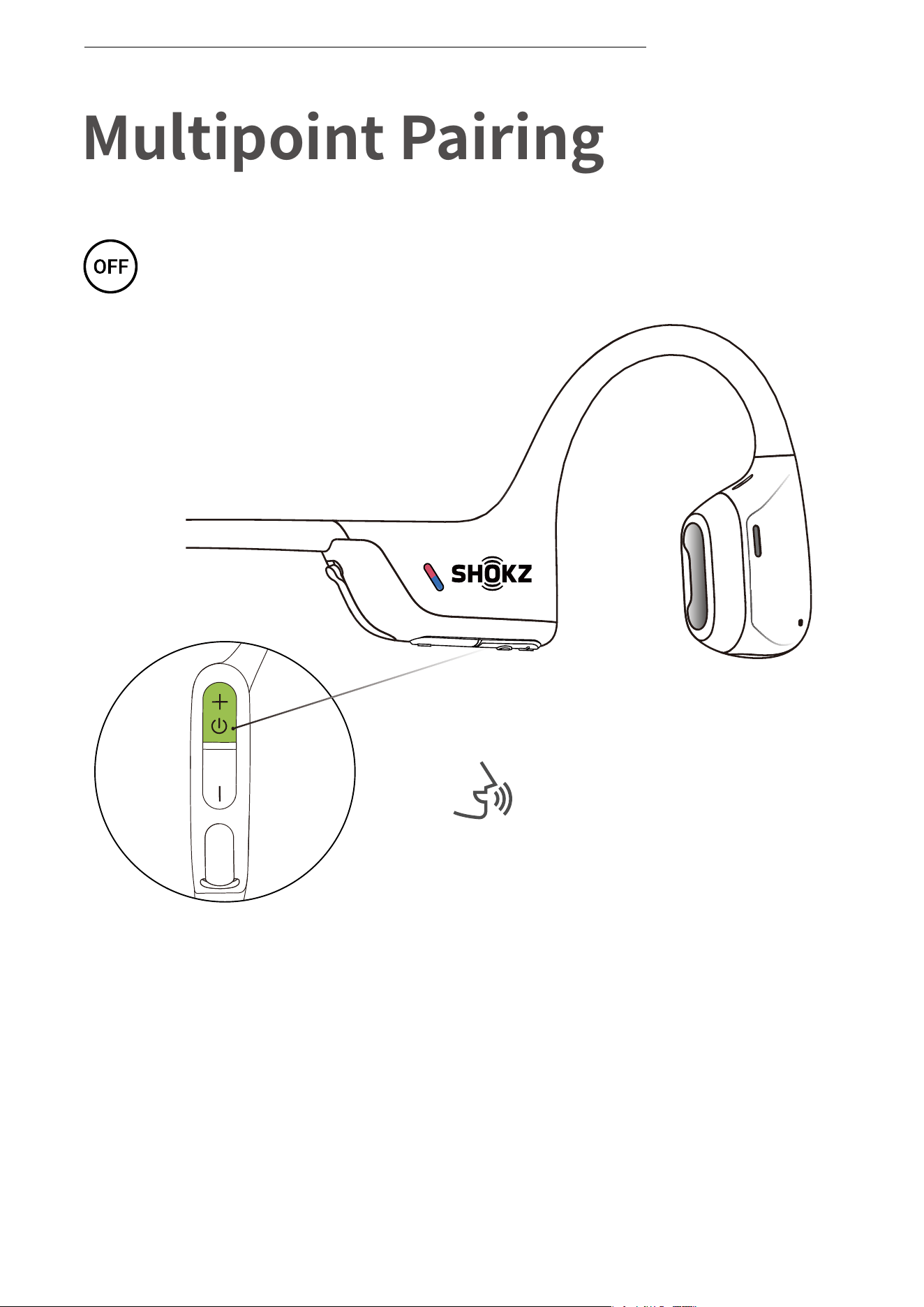
Operate controls with
headphones powered off
1. Start with your headphones powered off.
2. Press and hold Volume + until Audrey will say “pairing” and the
LED indicator flashes red and blue alternately.
*You can also use the Shokz App for easy switching between devices
Audrey will say “pairing”
MULTIPOINT PAIRING
17
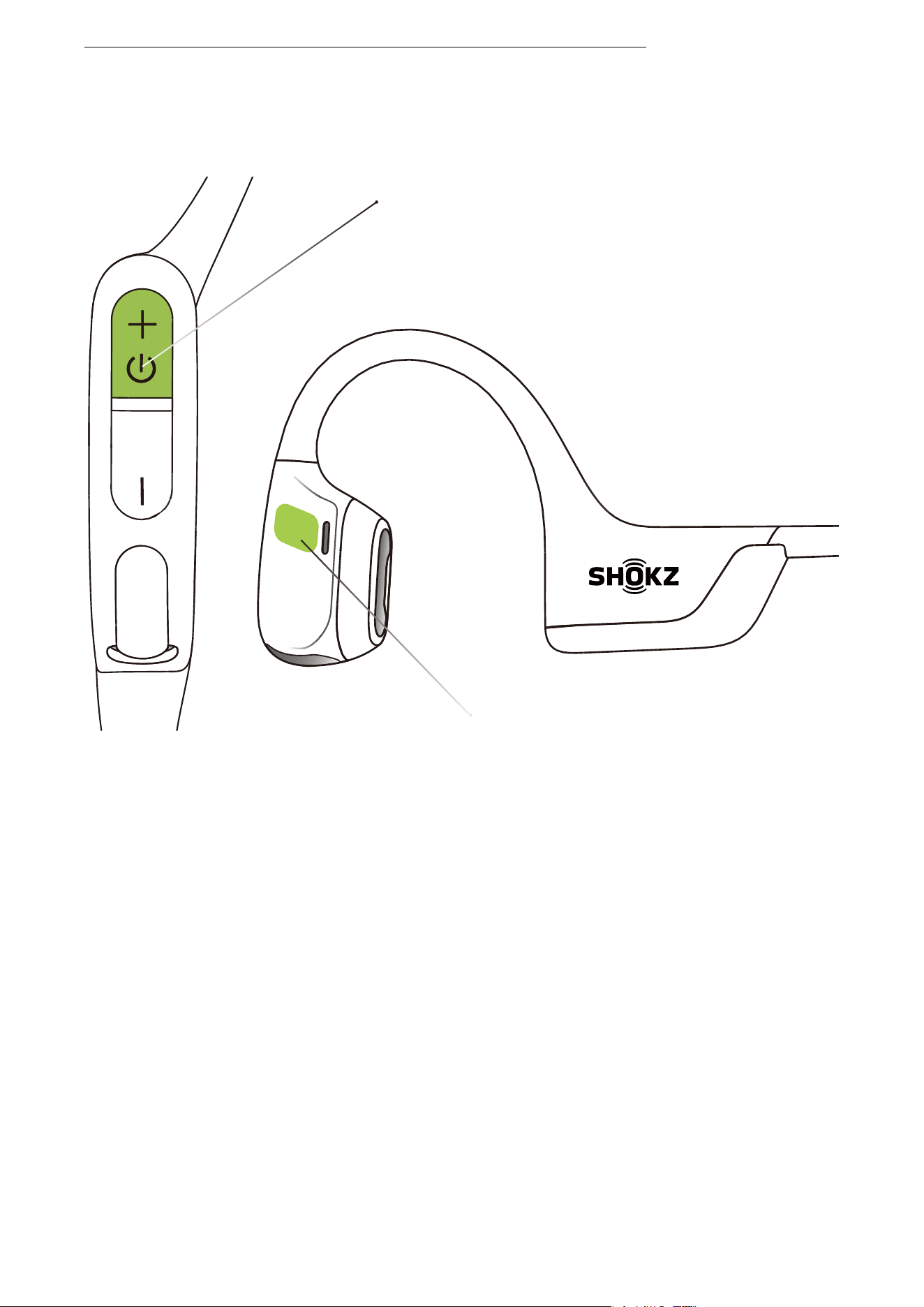
Power/Volume + Button
3.Press and hold the multifunction button and Volume + button
until the headphones emit a prompt sound.
Multifunction Button
MULTIPOINT PAIRING
18
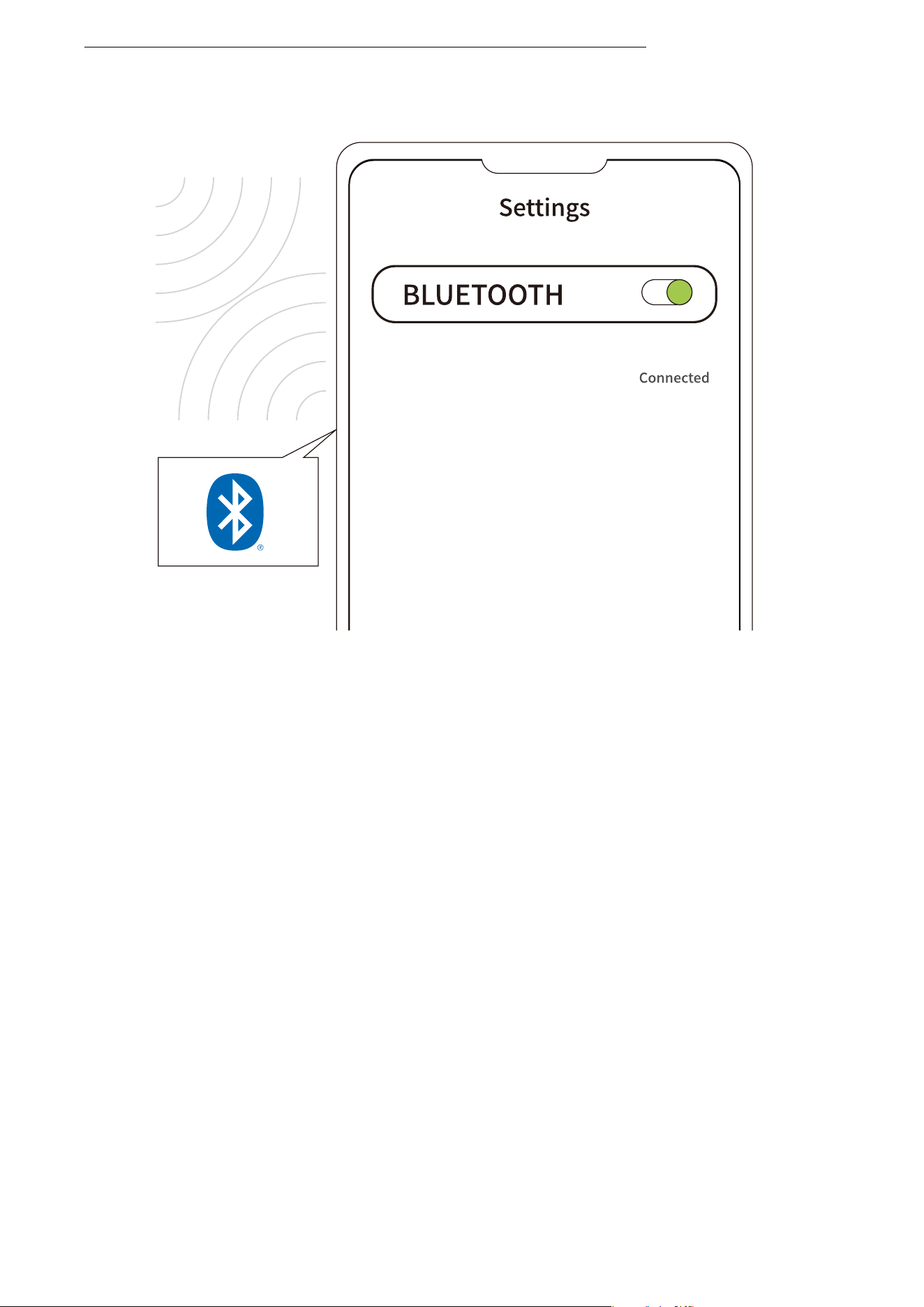
First Device
MULTIPOINT PAIRING
19
OpenRun Pro 2 by Shokz
4.Open first device's Bluetooth® menu and select "OpenRun Pro 2
by Shokz.
5.Turn your headphones off.
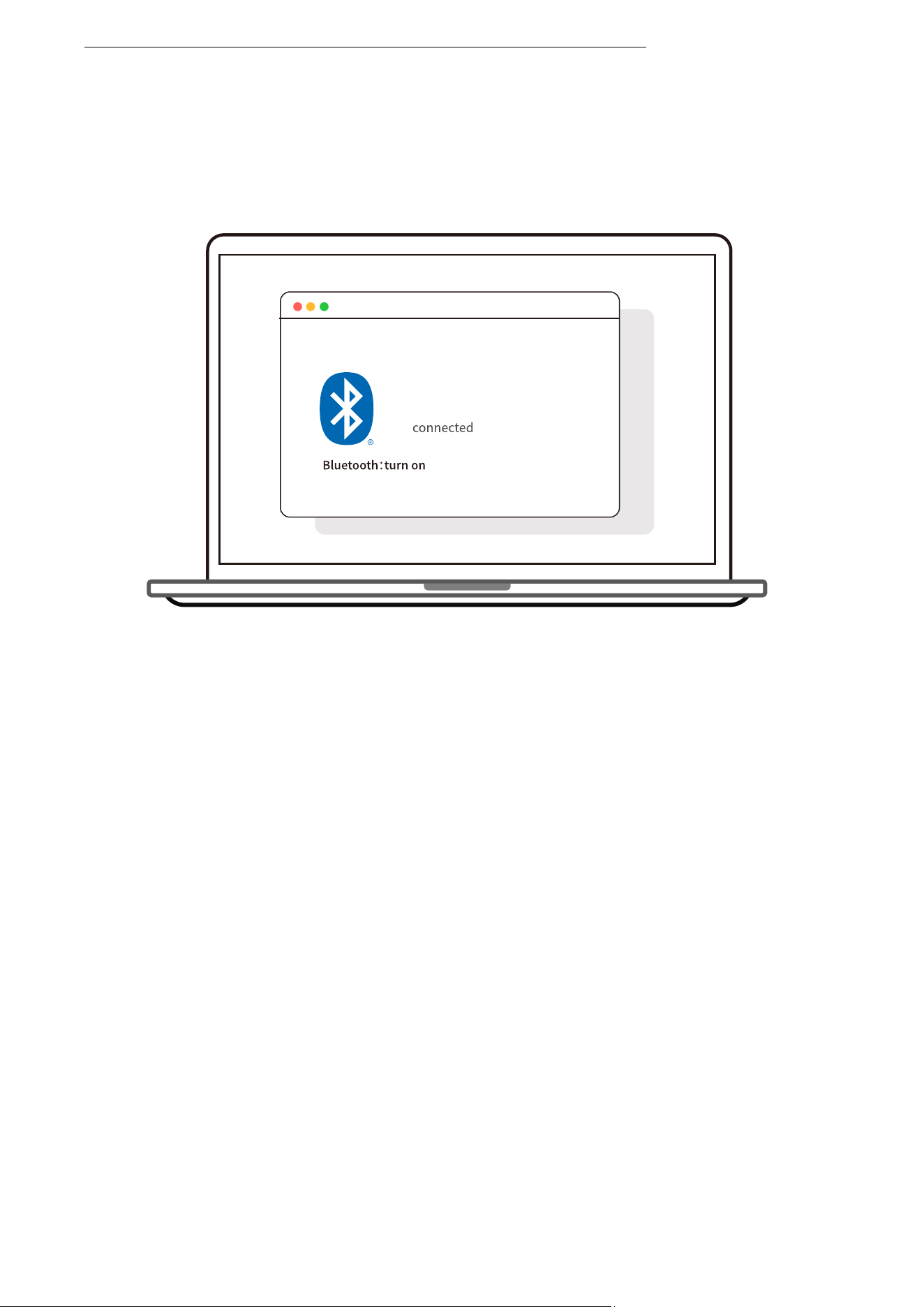
Second Device
MULTIPOINT PAIRING
20
OpenRun Pro 2 by Shokz
6.Re-enter pairing mode by pressing and holding Volume + until
Audrey says “pairing”and the LED indicator flashes red and blue
alternately.
7.Open second device's Bluetooth® menu and select "OpenRun Pro 2
by Shokz."
8.Turn your headphones off.
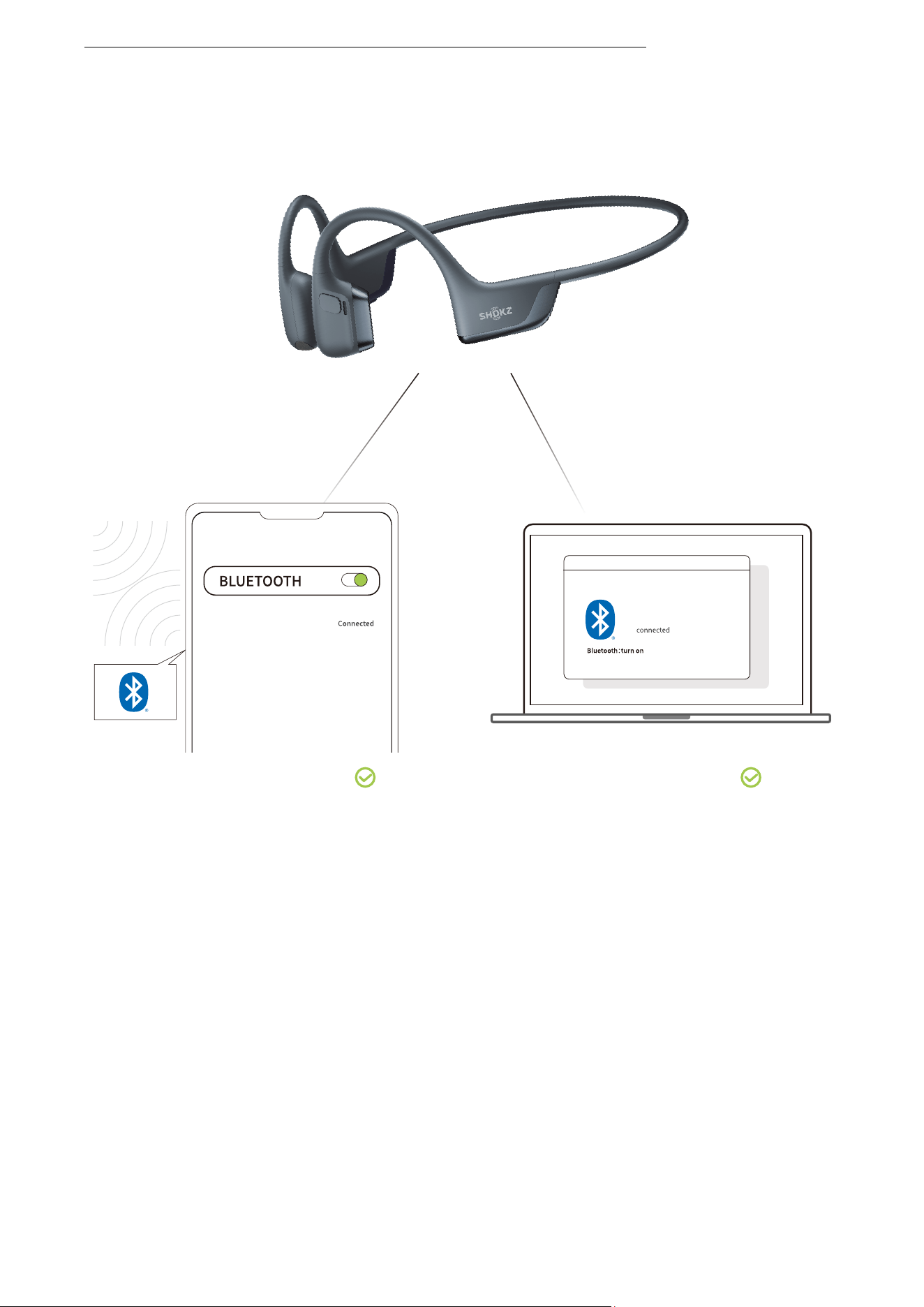
Second Device
First Device
9.Turn your headphones on. Your headphones are now connected
to both devices.
MULTIPOINT PAIRING
21
OpenRun Pro 2 by Shokz
OpenRun Pro 2 by Shokz
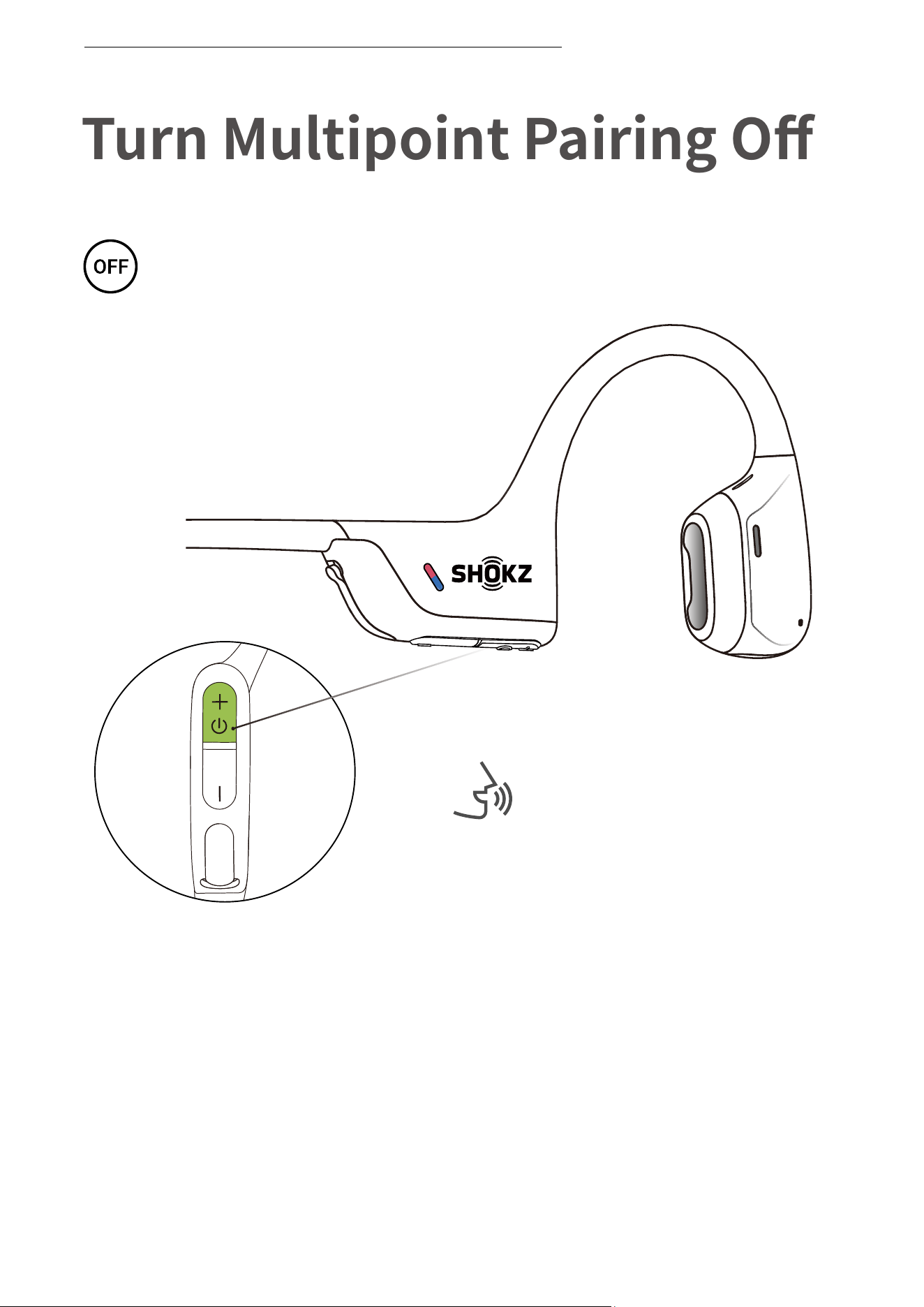
Turn Multipoint Pairing Off
Operate controls with
headphones powered off.
*You can also use the Shokz App for easy switching between devices
1. Start with your headphones powered off.
2. Press and hold Volume + until Audrey will say “pairing”
and the LED indicator flashes red and blue alternately.
Audrey will say “pairing.”
TURN MULTIPOINT PAIRING OFF
22
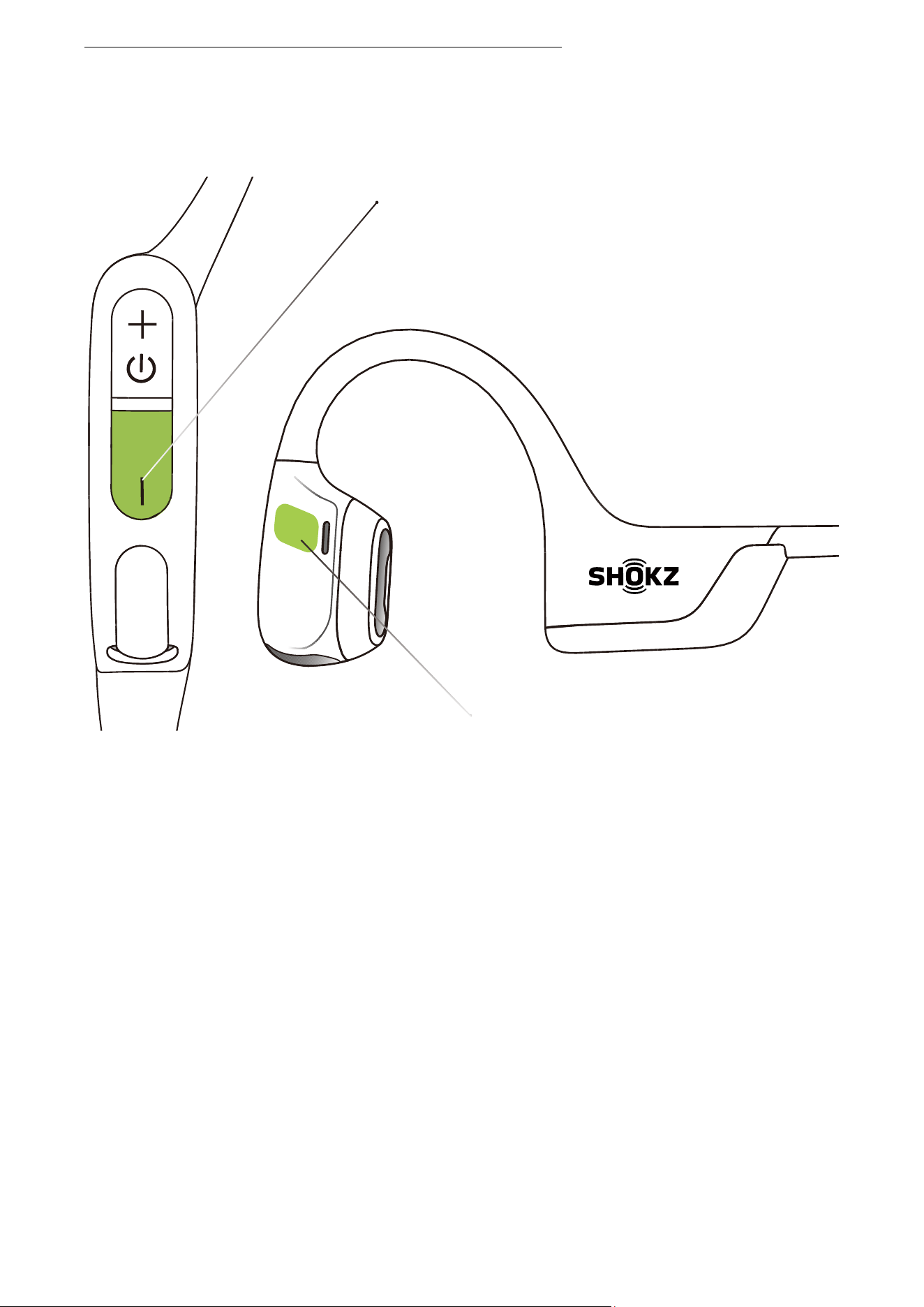
Volume - Button
Multifunction Button
3. Press and hold the multifunction button and Volume - button
until the headphones emit a prompt sound.
TURN MULTIPOINT PAIRING OFF
23
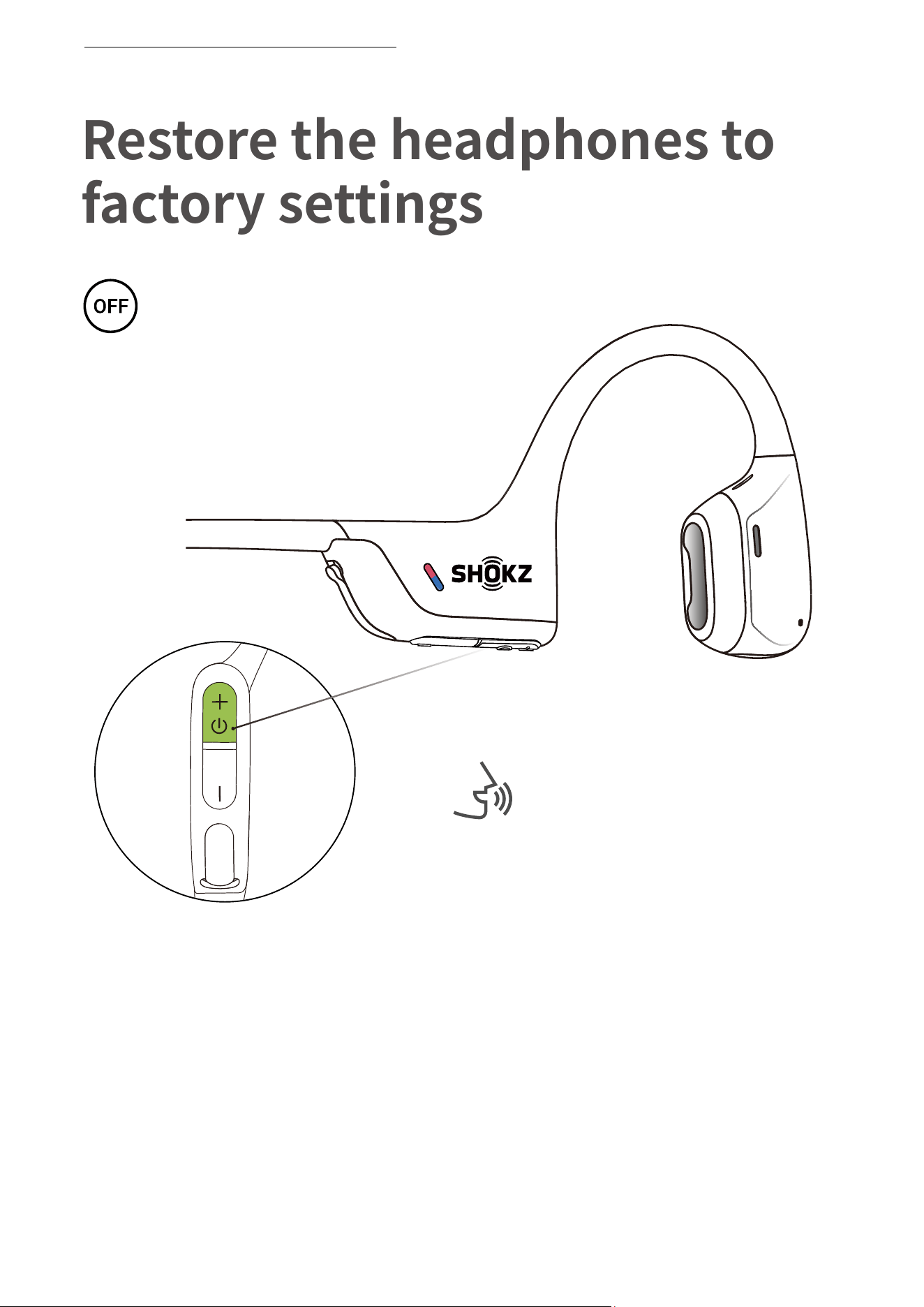
Restore the headphones to
factory settings
Operate controls with
headphones powered off.
1. Start with your headphones powered off.
2. Press and hold Volume + until Audrey will say “pairing”
and the LED indicator flashes red and blue alternately.
Audrey will say “pairing.”
RESTORE THE HEADPHONES TO FACTORY SETTINGS
24
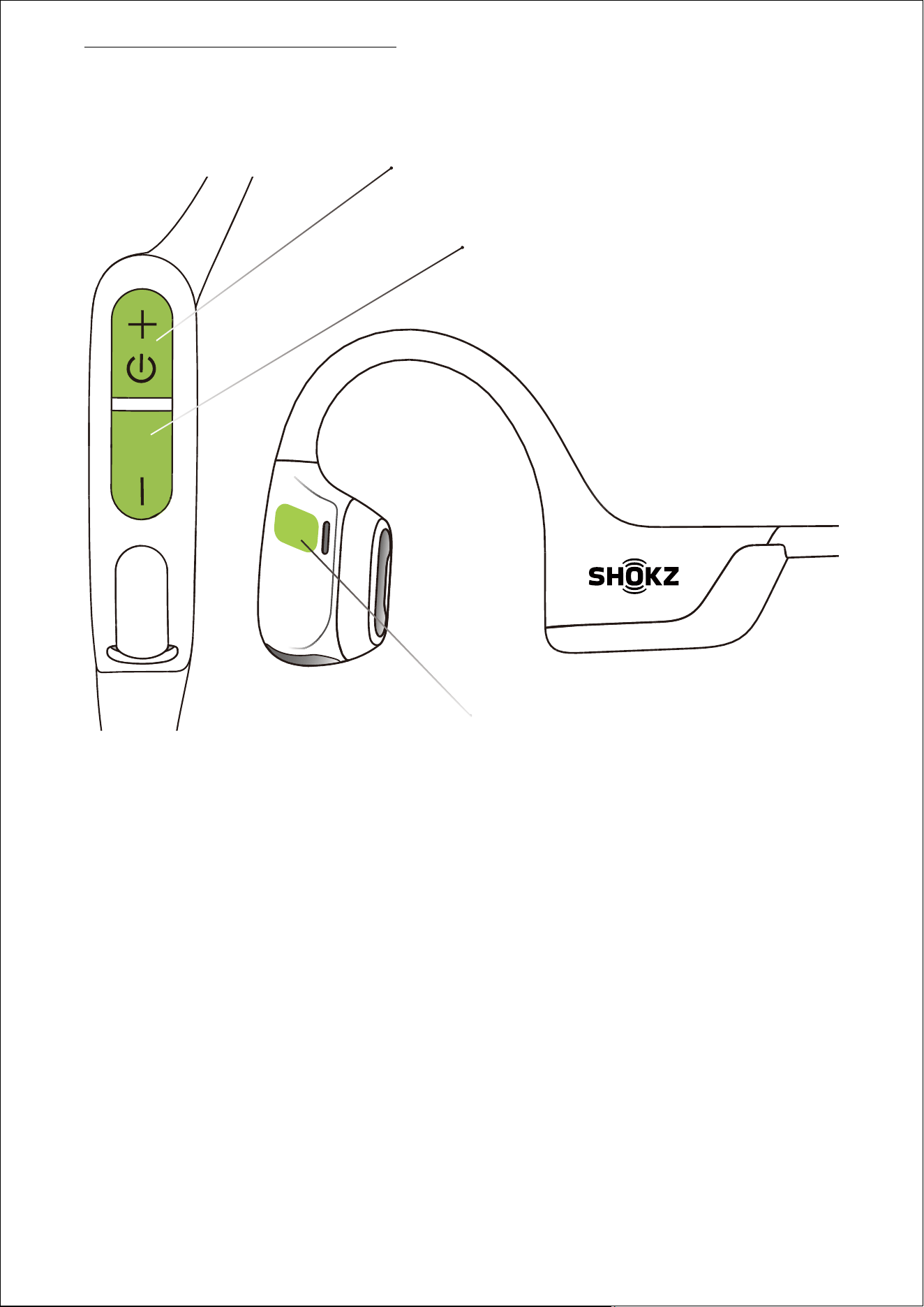
Volume - Button
Volume + Button
Multifunction Button
3. Press and hold the multifunction button / Volume + button /
Volume - button until the headphones emit a prompt sound
RESTORE THE HEADPHONES TO FACTORY SETTINGS
25
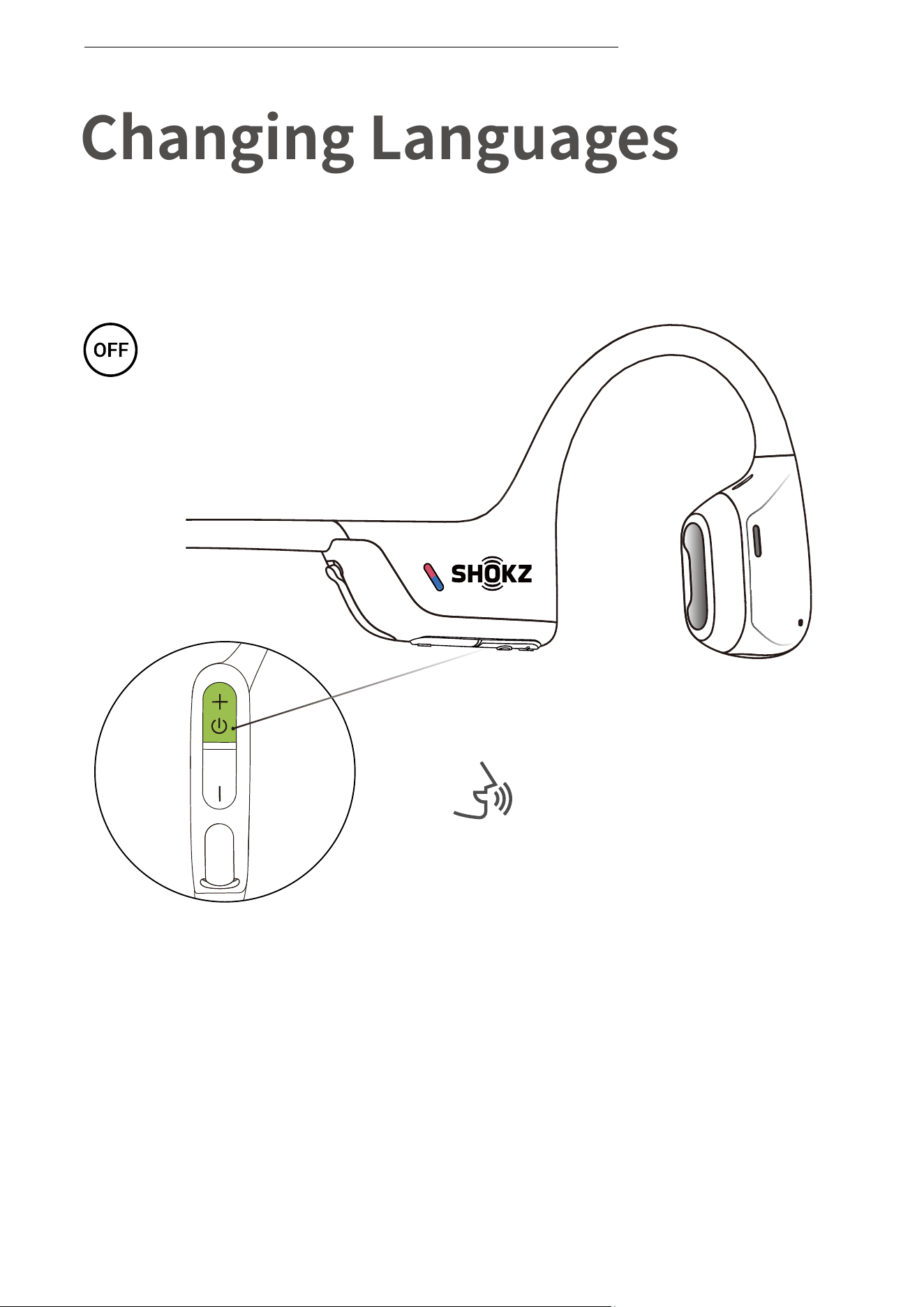
Follow the instruction when
headphones powered off
1. Start with your headphones powered off.
2. Press and hold Volume + until Audrey will say “pairing”
and the LED indicator flashes red and blue alternately.
*You can also use the Shokz App to change the language.
Audrey will say “pairing”
26
Changing Languages
Your headphones have four built-in languages:
Chinese, English, Japanese and Korean.
CHANGING LANGUAGES
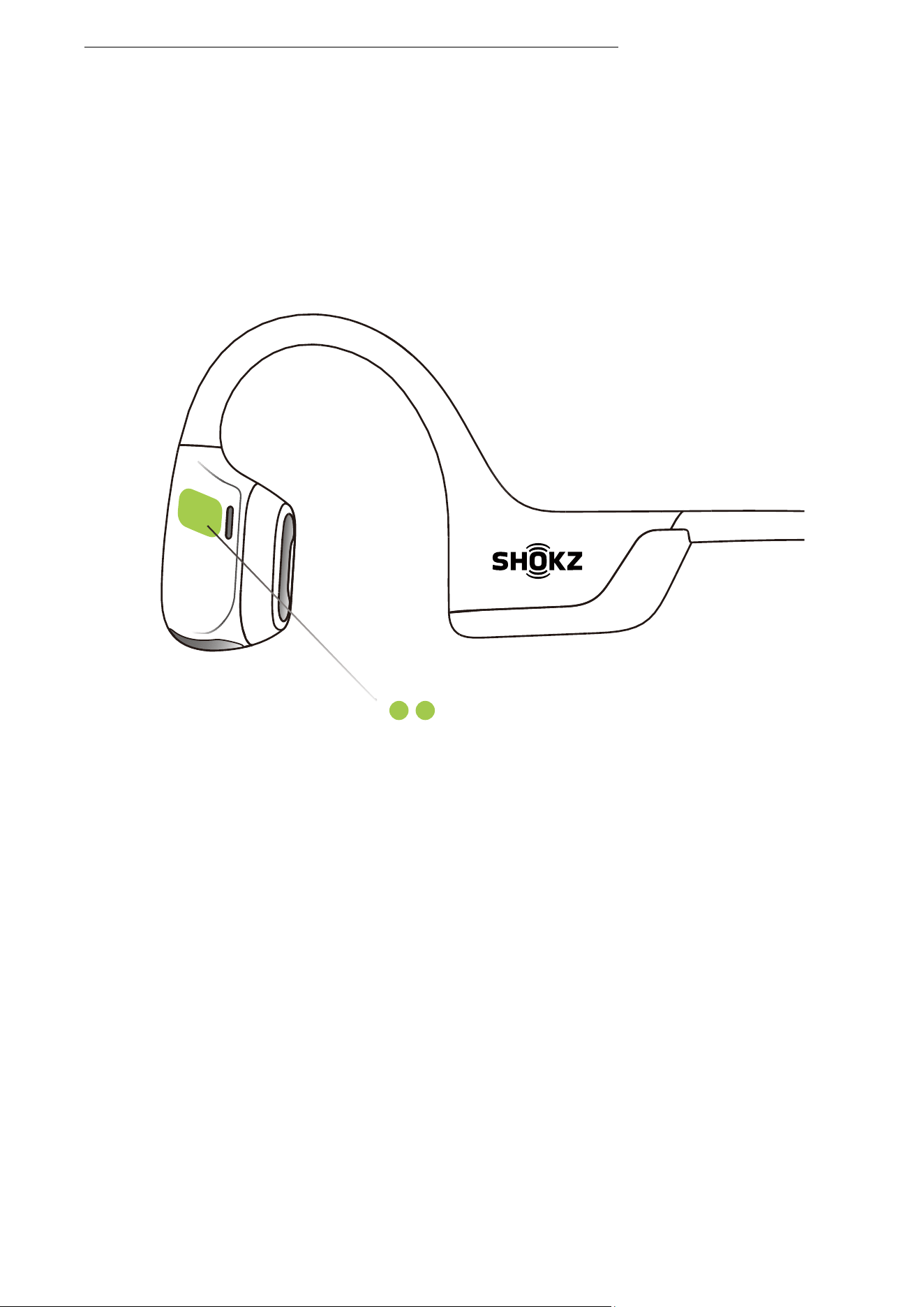
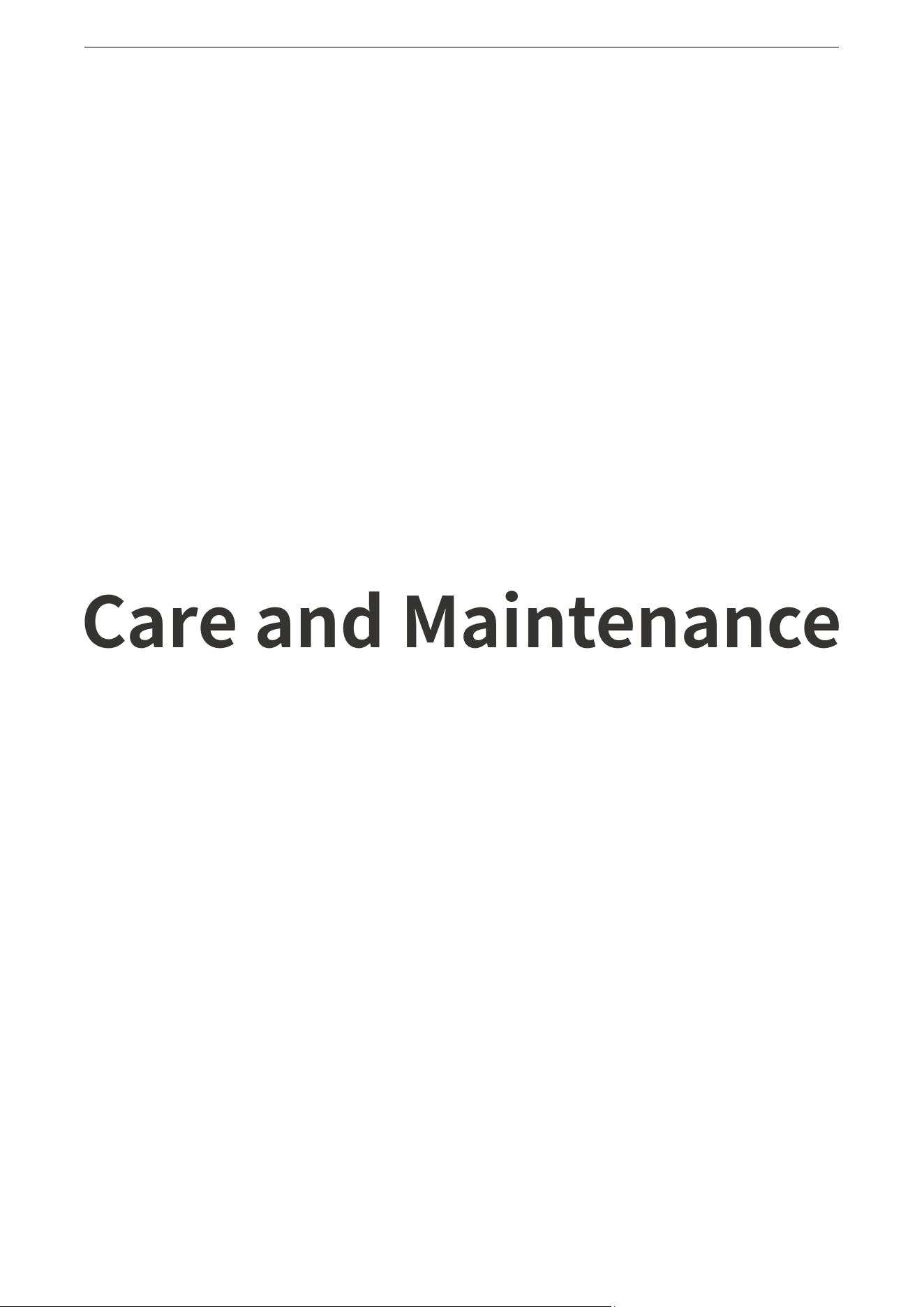
3. Double-click the multifunction button,then single-click the
volume + button. Languages have been switched when you hear
the corresponding language.
Multifunction Button
27
CHANGE THE LANGUAGE
28
Care and Maintenance
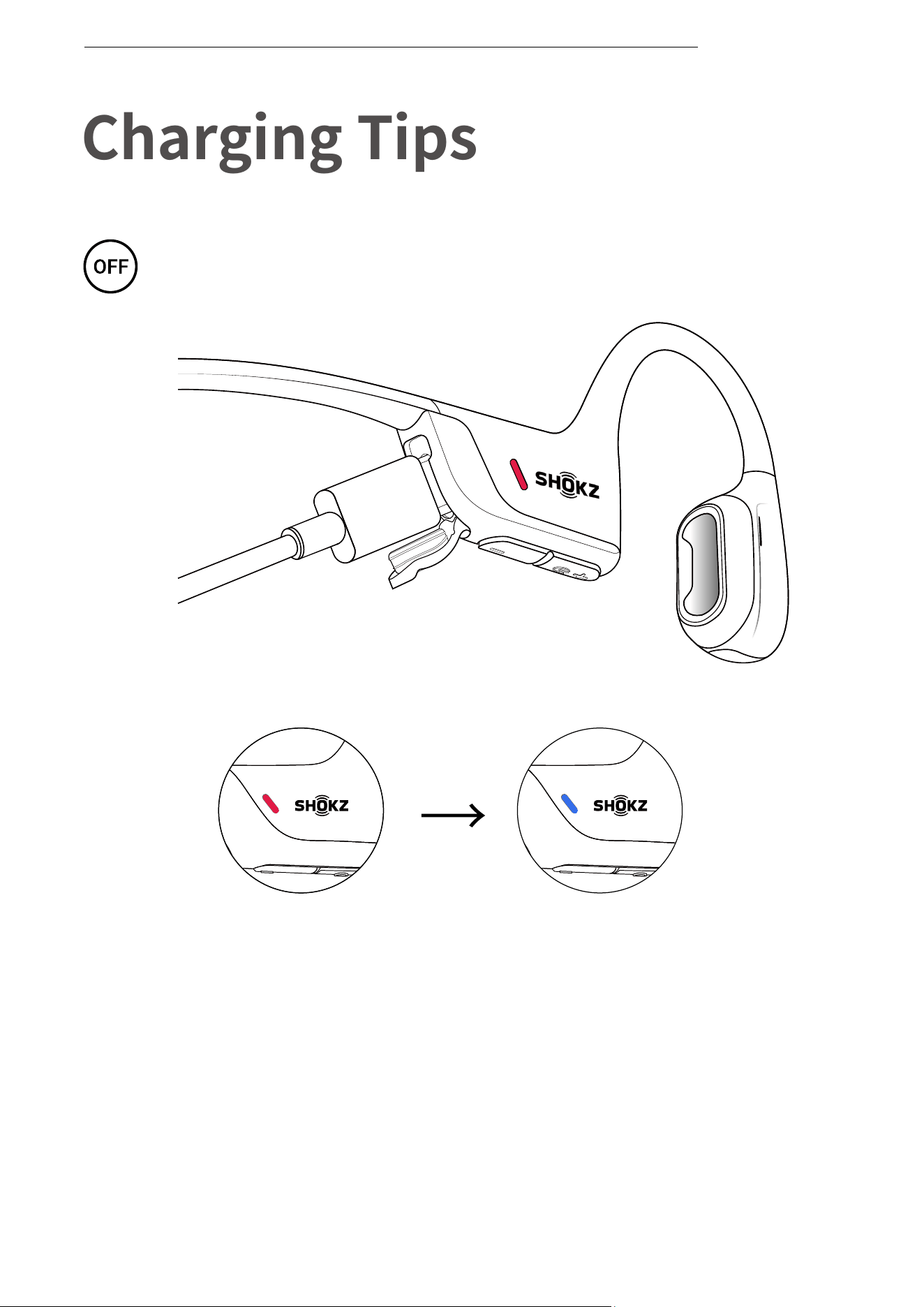
Charging Completed
Charging
Charging Tips
The headset will automatically
shut down when charging
29
CHARGING TIPS
When the headphones are at low battery, there will be a “charge
me” prompt and the red light will flash intermittently. Use the
corresponding USB-C charging cable for charging.
The LED indicator will turn red during the charging process and
the headphones will automatically turn off. The LED indicator will
turn from red to blue when charging is complete.
USB-C Charging Cable
Storage and Maintenance
Hearing Loss
Listening with headphones at high volume may affect your hearing
and the audio will be distorted.
Please do not listen with headphones at high volume for a long time.
Battery
30
STORAGE AND MAINTENANCE
· Store the headphones in a cool, dry place. The working temperature
should be 0~40°C (32-102℉).
· Keep the headphones away from heat sources, combustible gas or
other clean/corrosive liquids, keep the headphones away from a
long time of direct sunlight, using or placing in hot places.
· Stop using the headphones immediately if any parts are damaged,
smoking, hot, or have a burning smell.
· The headphones' liquid and dust resistance level is IP55. It can be
used in non-water sports and exercises and is not fully waterproof.
Do not place the headphones in water. IP55 is not a permanent
protection rating and may be reduced by normal wear and tear.
· Clean the headphones with a soft dry cloth.
· After storage for a long period, please charge the headphones
before using again.
CAUTION
· Replacement of a battery with an incorrect type that can defeat a
safeguard.
· Disposal of a battery into fire or a hot oven, or mechanically crushing
or cutting of a battery, that can result in an explosion.
· Leaving a battery in an extremely high temperature surrounding
environment that can result in an explosion or the leakage of
flammable liquid or gas.
· A battery subjected to extremely low air pressure that may result in
an explosion or the leakage of flammable liquid or gas.
· Do not use the battery if it is noticeably expanded.

Dangers of Driving
Please note that in some countries or regions, it may be illegal to use
the headphones while operating any type of vehicle. Please check
and comply with the traffic rules or relevant laws and regulations in
your area or consult your local regulatory authority.
Notice
Design and specification are subject to change without notice. For
the most up-to-date product information, please visit www.shokz.com.
Charge
· Always confirm that the charging port is dry before connecting the
device to the charging cable. Failure to do so could result in
increased possibility of short circuit issues, fire or explosion danger.
· Do not charge right after exercising in case there's sweat inside the
charging port, which could lead to circuit burning while charging.
· Keep the headphones away from heat sources when charging.
· Only power supplies that have been approved by relevant
departments and meet local regulatory requirements (such as UL,
CSA, VDE and CCC) shall be used.
Skin irritation
· Although rare, some users may experience skin allergies or skin
sensitivity when coming into long-term contact with the
headphones' outer materials.
· To avoid the risk of an allergic reaction, please do not wear the
headphones if you are experiencing skin injuries or irritations on or
around the neck, ears, and/or head.
· If you experience any redness of the skin, swelling, or itchiness while
wearing the headphones, discontinue use of the headphones
immediately and consult a physician.
31
STORAGE AND MAINTENANCE

Electromagnetic Interference
· Do not use this product in places where wireless devices are
prohibited (such as in airports and local medical facilities, etc.), as it
may interfere with other electronic devices or cause other hazards.
· Some electronic devices may fail due to radio interference from this
product (e.g., some automotive electronic equipment). Please
contact the manufacturer of such electronic devices for more
information.
· Radio waves generated by this product may affect the regular
operation of some medical devices, such as pacemakers,
defibrillators, cochlear implants, hearing aids, etc. If you use any of
these medical devices, consult your physician and medical device
manufacturer about restrictions on using this product, and keep
this product within a safe distance from medical devices. Stop using
this product if you suspect interference with your medical devices.
32
STORAGE AND MAINTENANCE

Your headphones are covered by a warranty.
Visit our website at https://shokz.com/pages/warranty-landing
for details of the limited warranty.
To register your product, download the Shokz App.
*Failure to register will not affect your limited warranty rights.
Warranty
33
WARRANTY
If you have any trouble or problems,please visit
https://shokz.com/pages/faq
for more support!
Troubleshooting
34
TROUBLESHOOTING
What’s in the Box
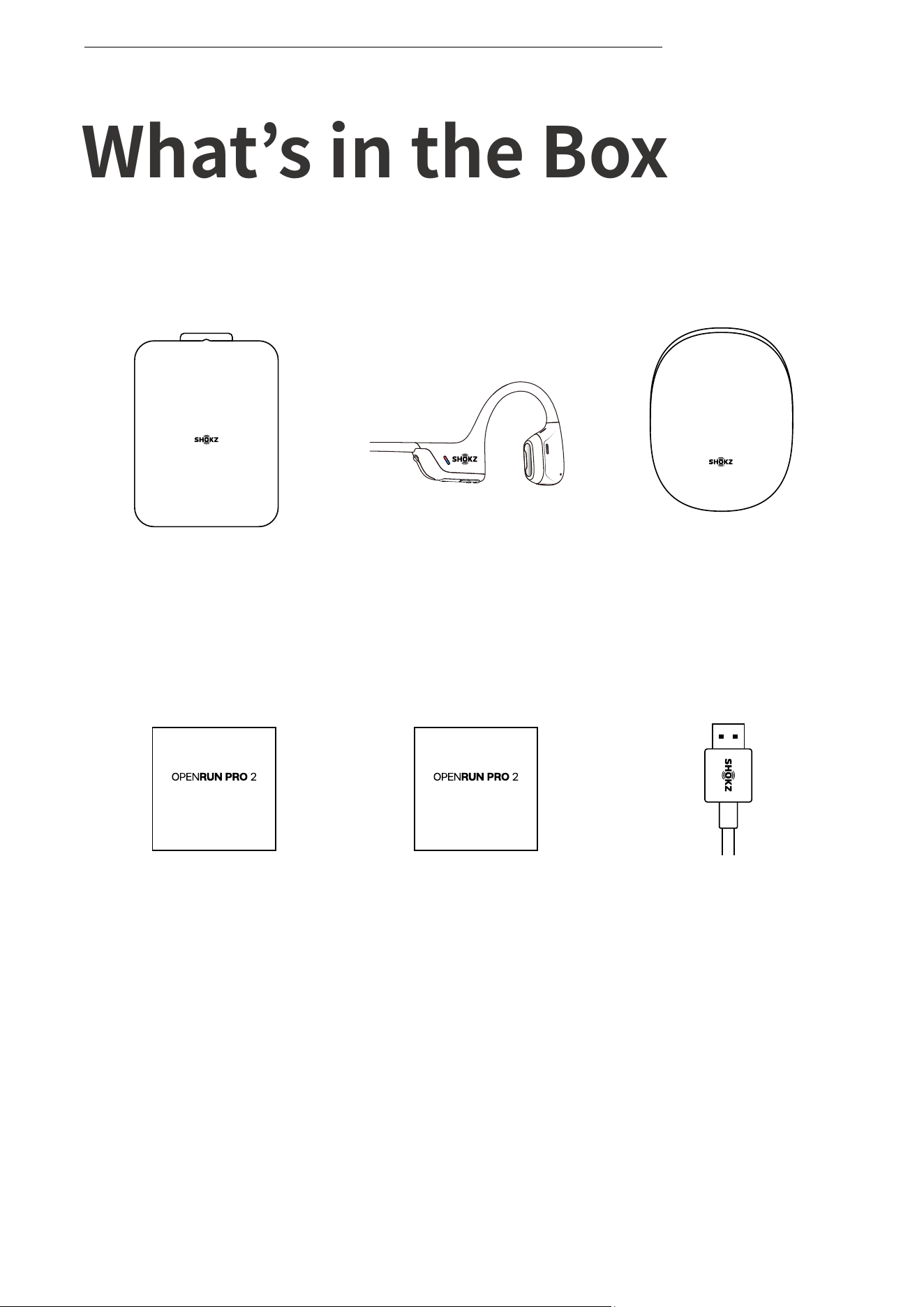
If any part of your product is damaged or missing, do not use it.
Contact authorized Shokz dealer or Shokz customer service.
*Please note that the packaging envelope may vary depending on
the sales region.
35
WHAT’S IN THE BOX
OpenRun Pro 2
headphones*1
OpenRun Pro 2
Package*1
OpenRun Pro 2
Box*1
OpenRun Pro 2
User Guide*1
OpenRun Pro 2
Legal Statement*1
USB-C
Charging Cable*1
User Guide Legal