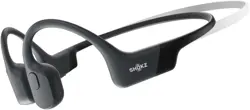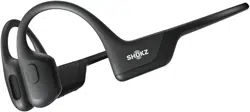

User Guide
OPENRUN
SHOKZ S805-S806
04
05
06
07
08
09
11
13
14
15
21
23
25
28
29
01
Contents
HOW IT WORKS
How to Wear
Volume
Multifunction Button
Check Battery Status
Headphone Controls
ON/OFF
Pairing
Changing languages
Restore Factory Settings
Multipoint Pairing
EQ Modes
Turn Multipoint Pairing Off
EXTRA FEATURES
Charging Tips
Warranty
CARE AND MAINTENANCE
Switching EQ modes
CONTENTS

30
31
02
WHAT’S IN THE BOX
TROUBLESHOOTING
CONTENTS

03
How It Works
04
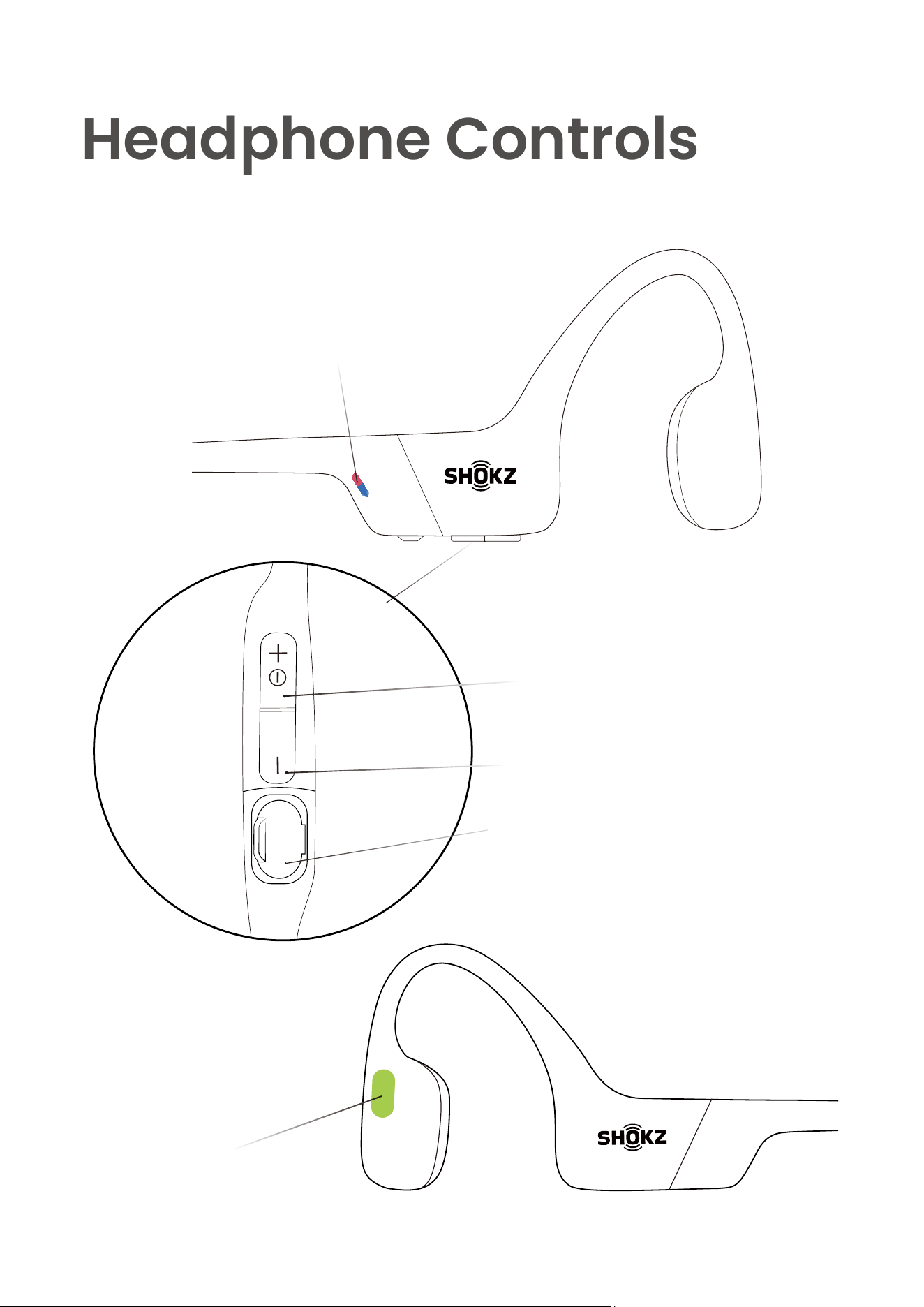
Power/Volume + Button
USB-C Charging Port
LED Indicator
Volume - Button
Multifunction Button
Headphone Controls
HEADPHONE CONTROLS
05
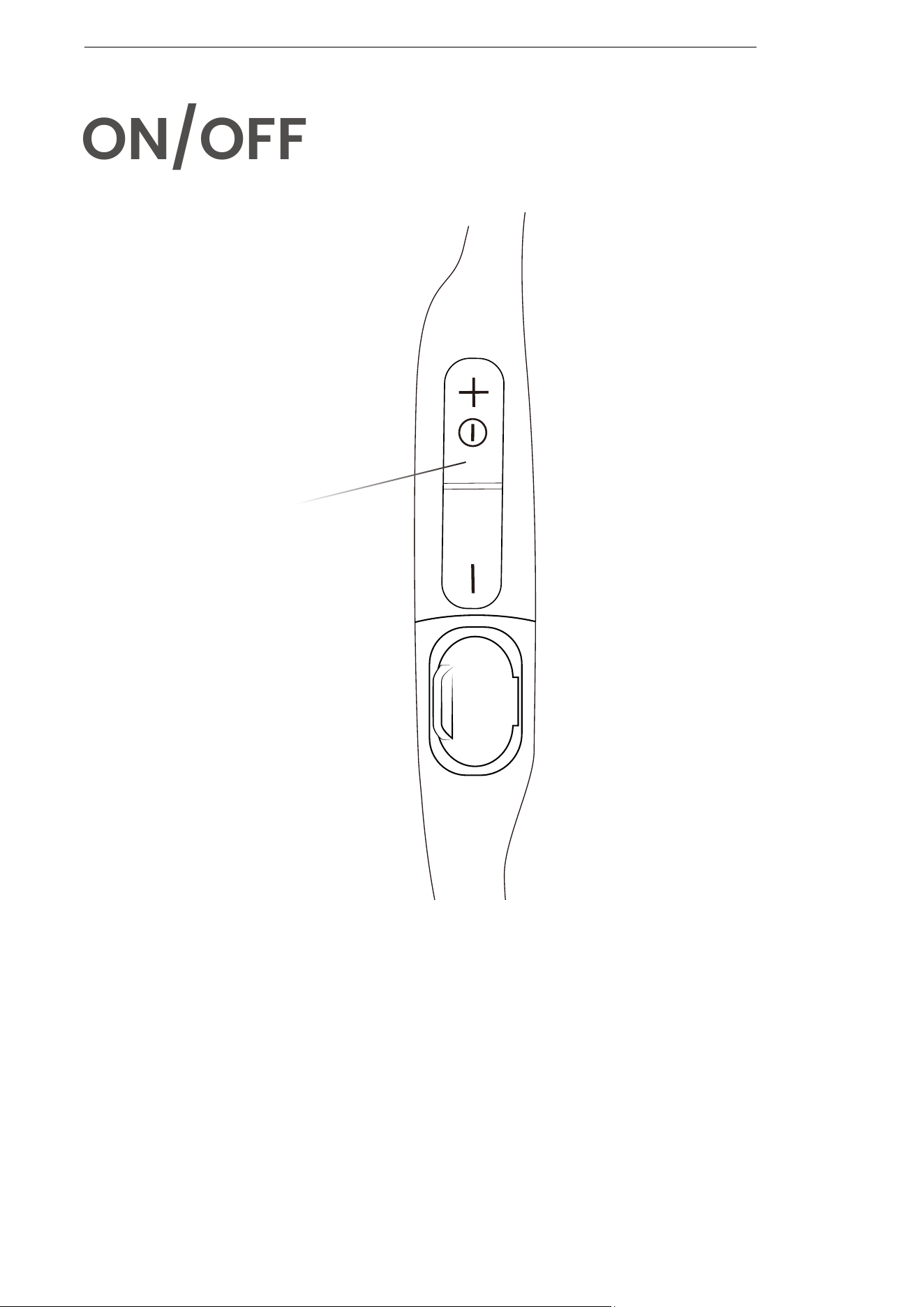
ON/OFF
Turn on the headphones :
Press and hold the Power/Volume + Button until the LED
Indicator flashes blue.
*Audrey will say : “Welcome to Shokz”.
Turn off the headphones :
Press and hold the Power/Volume + Button until the LED
Indicator flashes red.
*Audrey will say : “Power off”.
Power/Volume + Button
ON/OFF
06
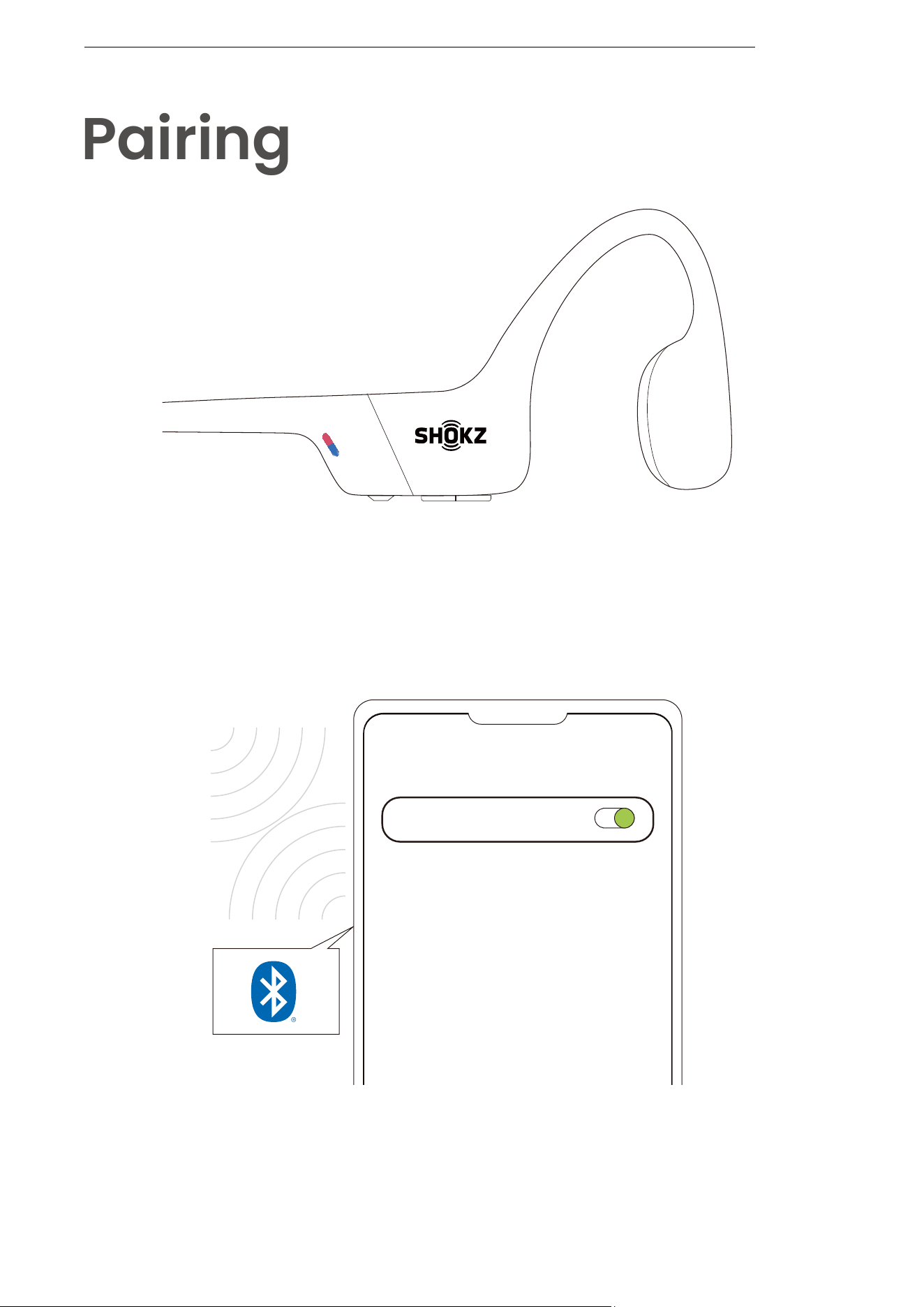
1. Start with OpenRun turned off.
2. Press and hold the Volume + Button until the LED Indicator
flashes red and blue alternately.
3.Open your device's Bluetooth settings and select " OpenRun
by Shokz." Audrey will say "connected."
Settings
BLUETOOTH
OpenRun by Shokz
Connected
Pairing
PAIRING
07
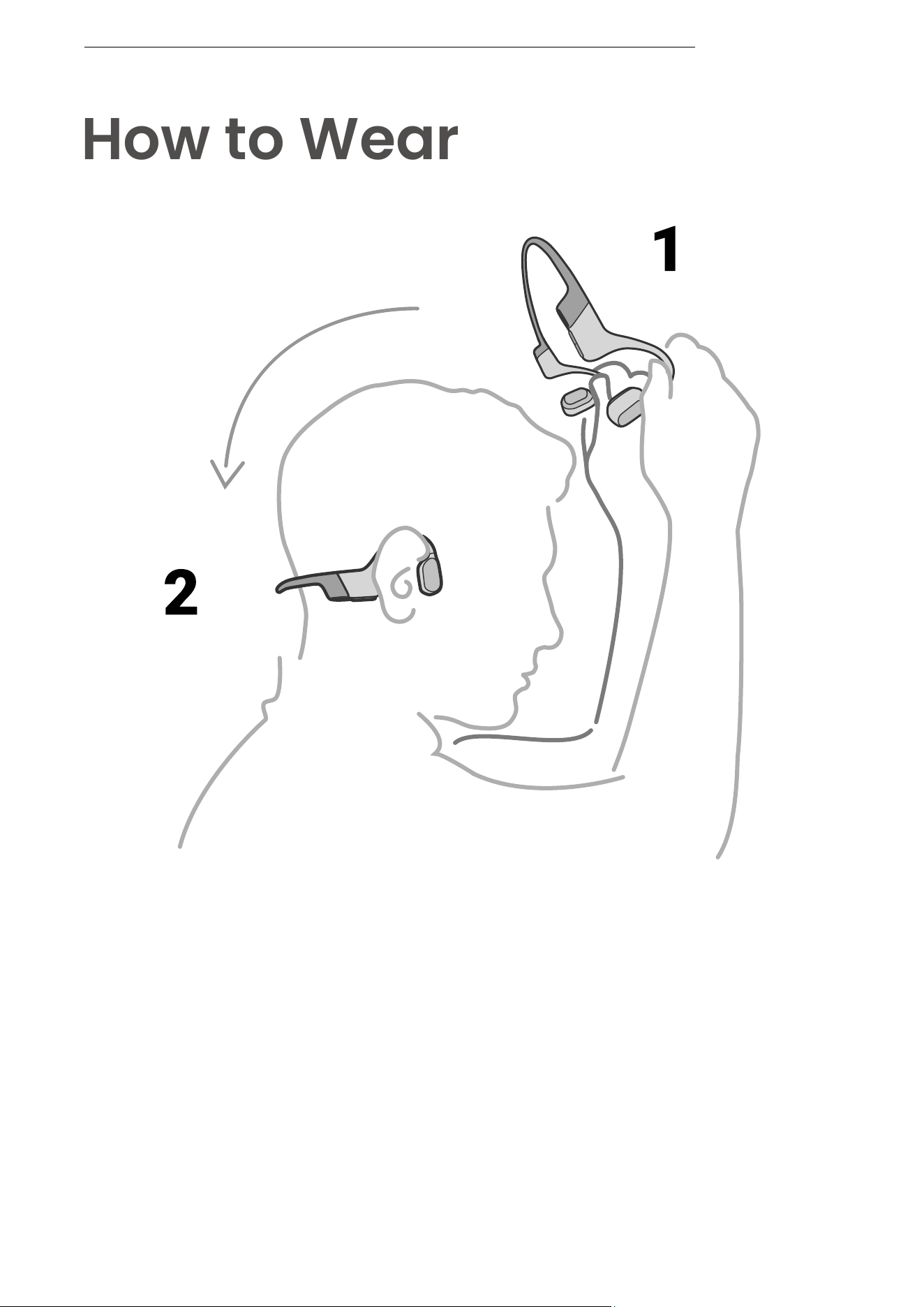
*Wearing your headphones the wrong way could cause
discomfort. The transducers should rest in front of your
ears.
Pick up the headphones, bring them
behind the back of the base of your neck,
position the earhooks on your ears, then
enjoy your music!
How to Wear
HOW TO WEAR
08
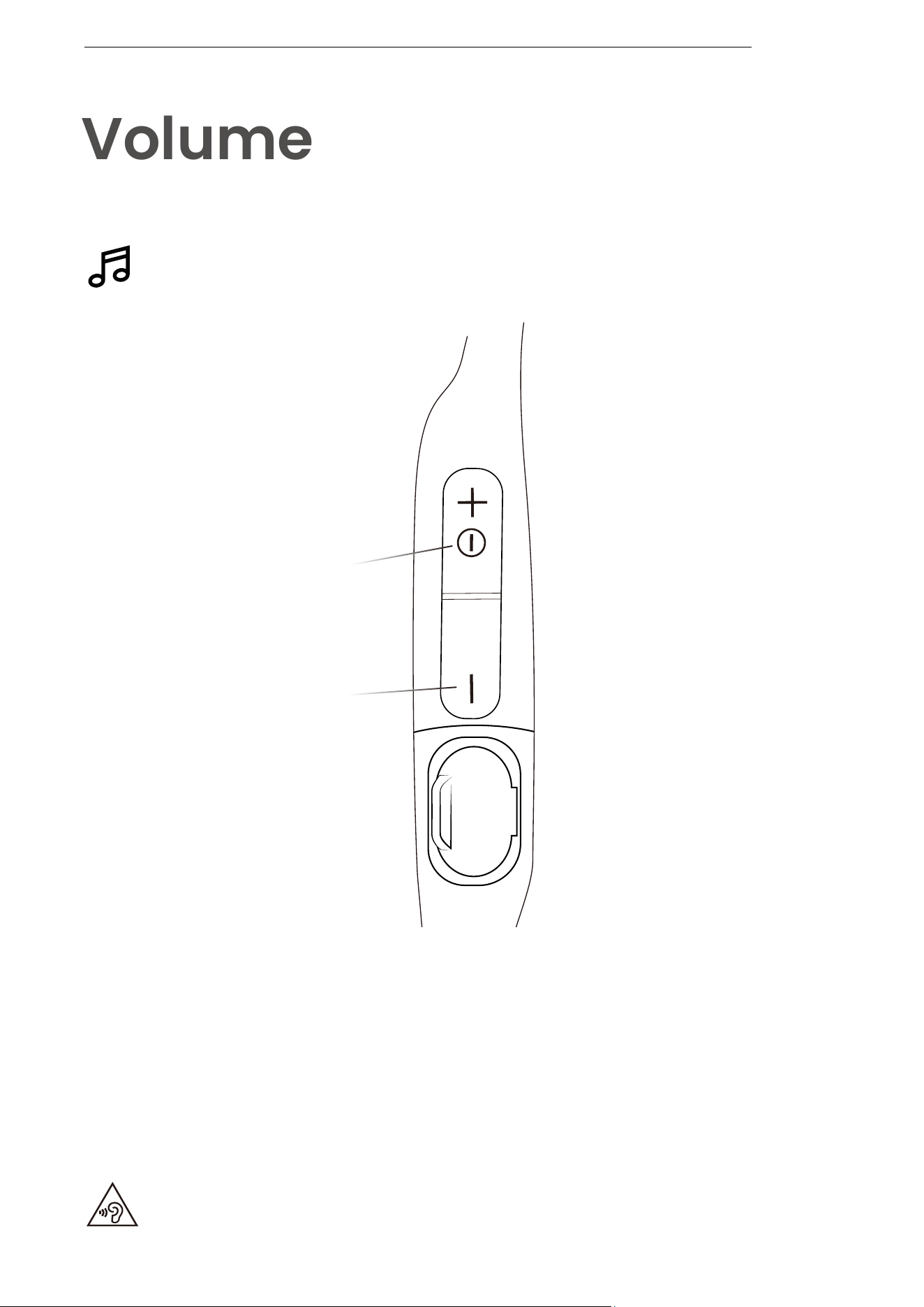
How to change volume :
While your audio is playing, adjust headphone volume by
pushing either the Volume + or Volume - buttons.
Operate volume controls
while audio is playing.
Volume
*Listening with headphones at high volume may affect your hearing
and the audio will be distorted.
*A “beep” will sound when the volume is at its max.
Power/Volume + Button
Volume - Button
VOLUME
09
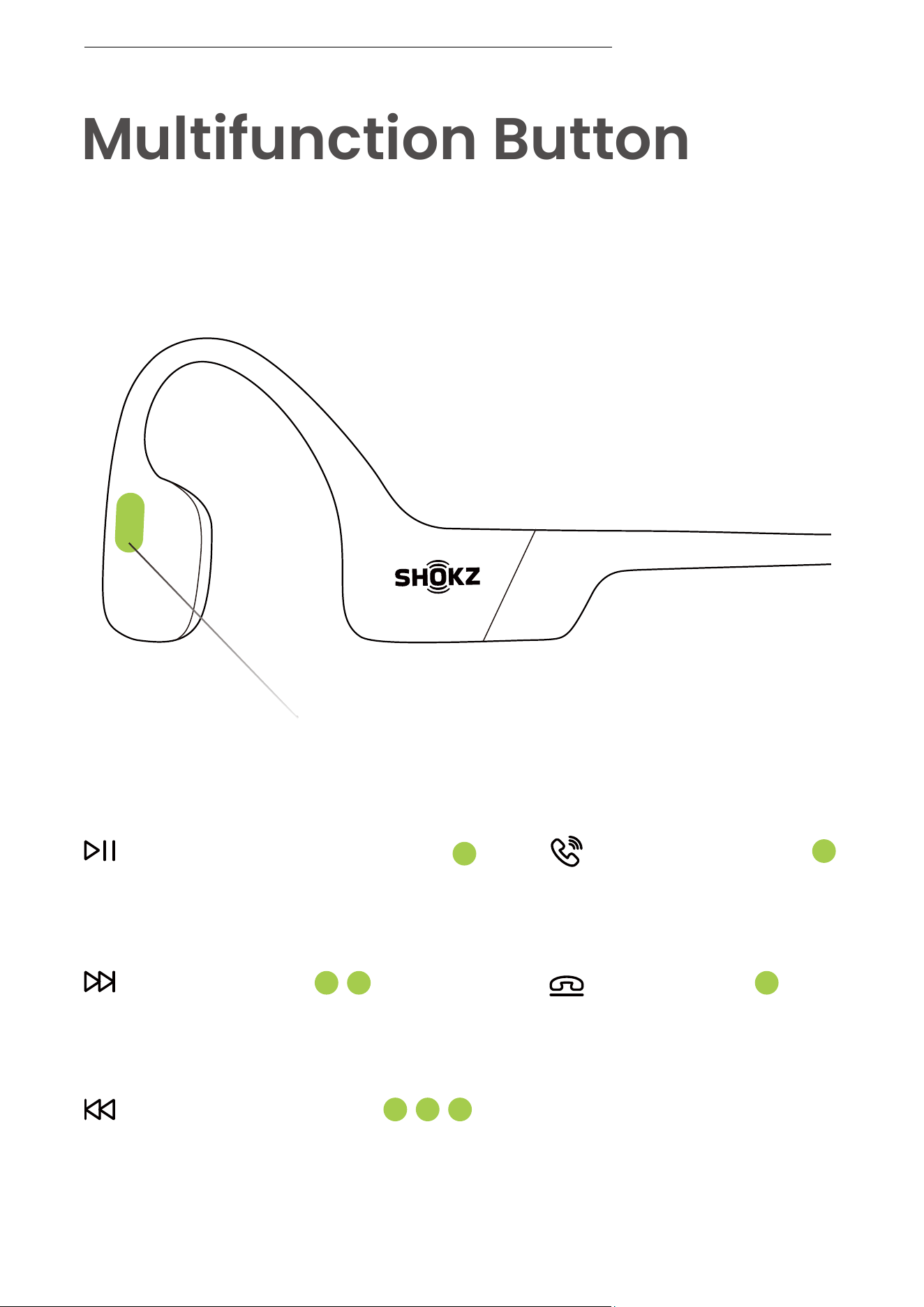
Multifunction Button
Multifunction Button
Click once
End call
Click once
Answer call
Click once
Play/pause music
Double-click while music is playing
Next song
Triple-click while music is playing
Previous song
MULTIFUNCTION BUTTON

10
Multifunction Button
Press and hold for 2 seconds
when device is on standby
Double-click on standby
Activate voice assistant
Ignore a call
Redial last number
*Only applicable for phone calls, not online calls
Press and hold for 2 seconds
during an incoming call
Press and hold for 2 seconds
when receiving a second call
Answer call waiting and
end current call
MULTIFUNCTION BUTTON
Click once
Click once
Play music
Pause music
Next song
Previous song
Click once
Click once during a call
Double-click while music is playing
Triple-click while music is playing
Double-click while on pairingSwitch language
Answer call
End call
11
Operate controls while
audio is not playing
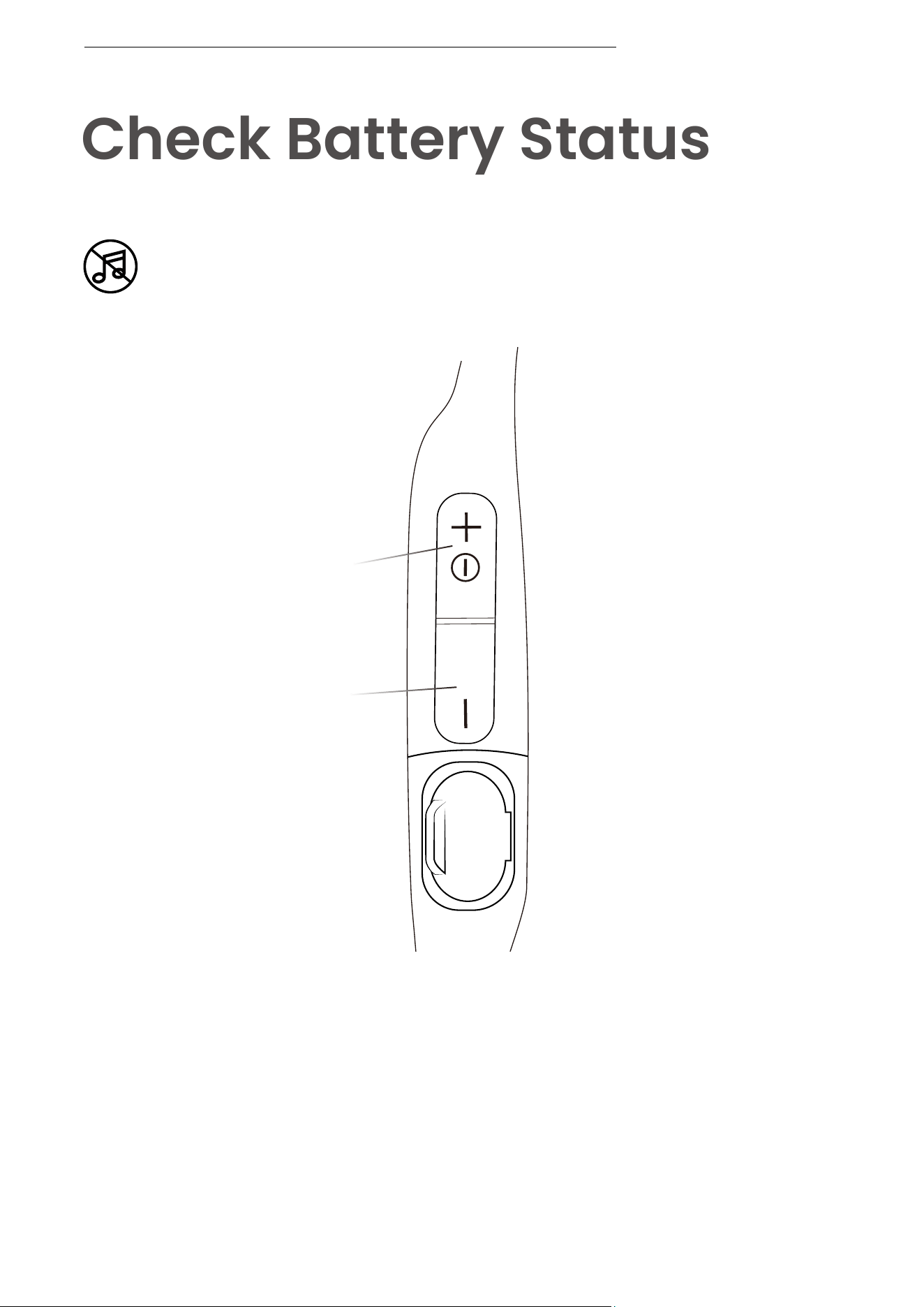
Check Battery Status
Power/Volume + Button
Volume - Button
How to check battery status :
Click the Volume + or Volume - button while music is paused,
Audrey will tell you the battery status:
* "Battery high/Battery medium/Battery low/Charge me"
CHECK BATTERY STATUS

12
Extra Features
13
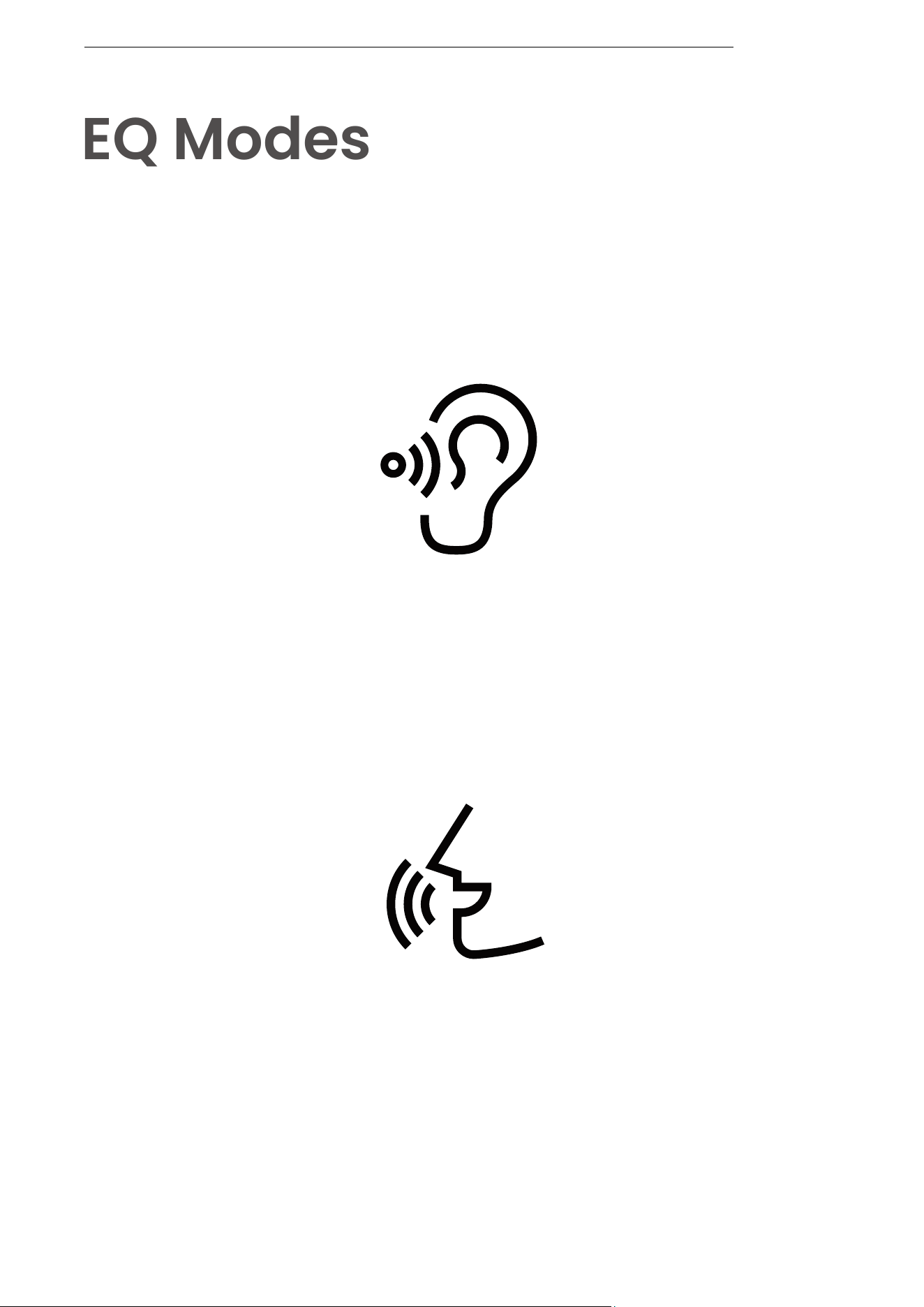
EQ Modes
EQ MODES
Vocal Booster Mode :
Enhanced intermediate frequencies
for audiobooks, podcasts, etc.
Standard Mode :
Balanced frequency for listening to music
14
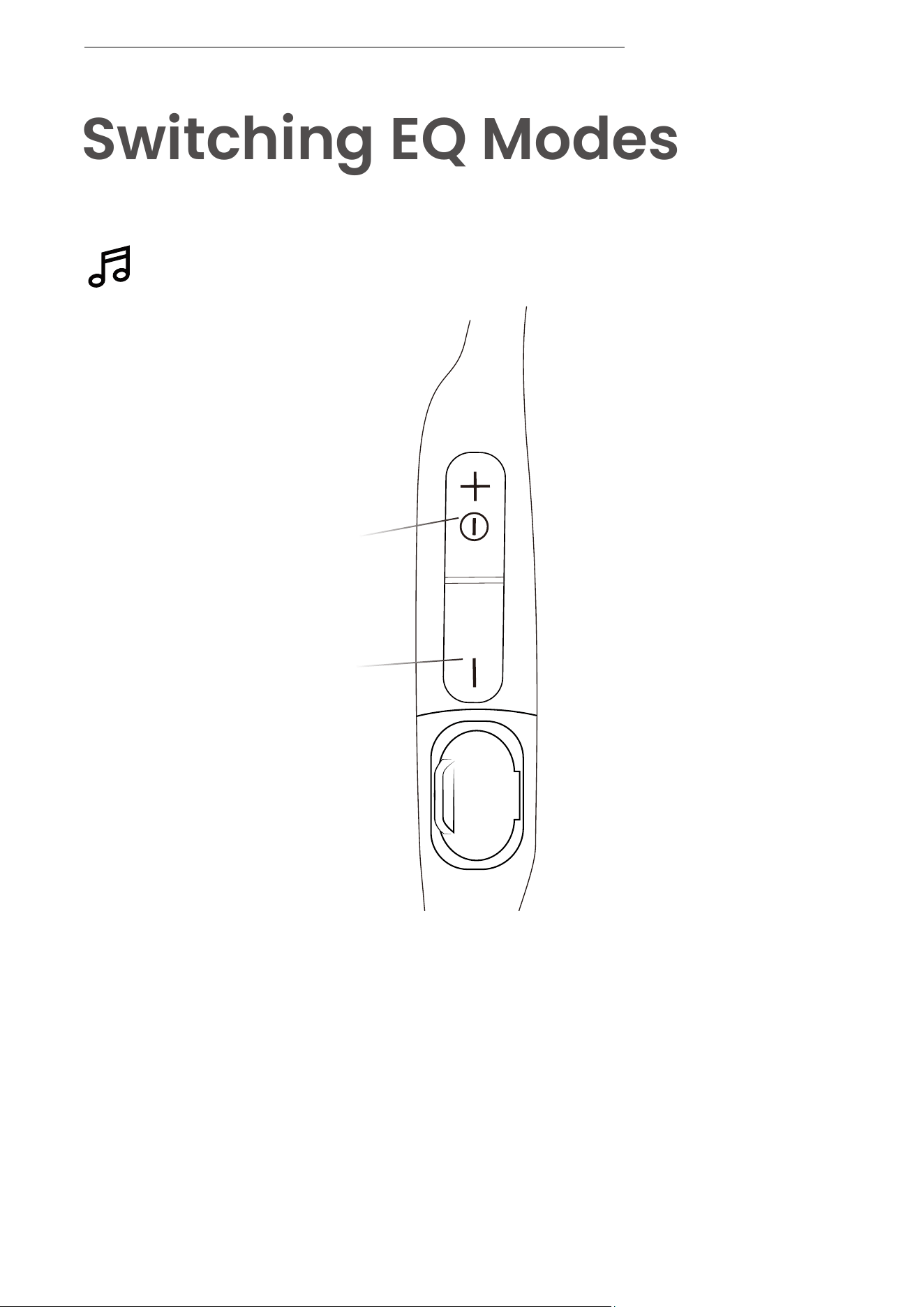
Switching EQ Modes
Operate controls while music
is playing
How to switch EQ mode :
Press and hold both buttons (Power/Volume + Button and
Volume - Button) while music is playing until you hear a beep.
*Audrey will say : “EQ changed”.
SWITCHING EQ MODES
Power/Volume + Button
Volume - Button
15
Switch between two devices
seamlessly with multipoint pairing
Pair Two Devices
Multipoint Pairing
MULTIPOINT PAIRING
16
Multipoint Pairing
Operate controls with
headphones powered off
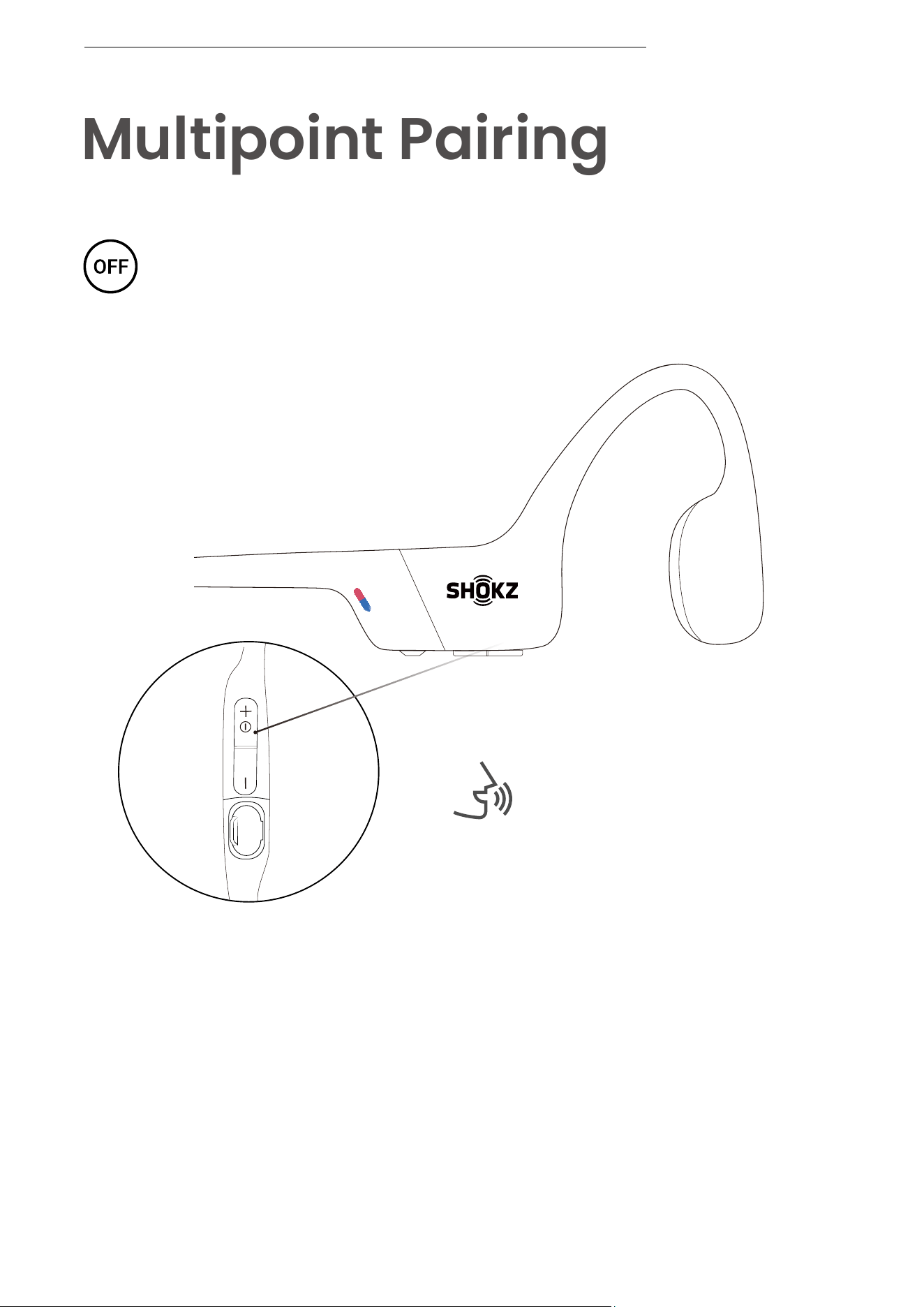
1. Start with your headphones powered off.
2. Press and hold Volume + until Audrey will say “pairing” and
the LED indicator flashes red and blue alternately.
Audrey will say “pairing”
MULTIPOINT PAIRING
17
Power/Volume + Button
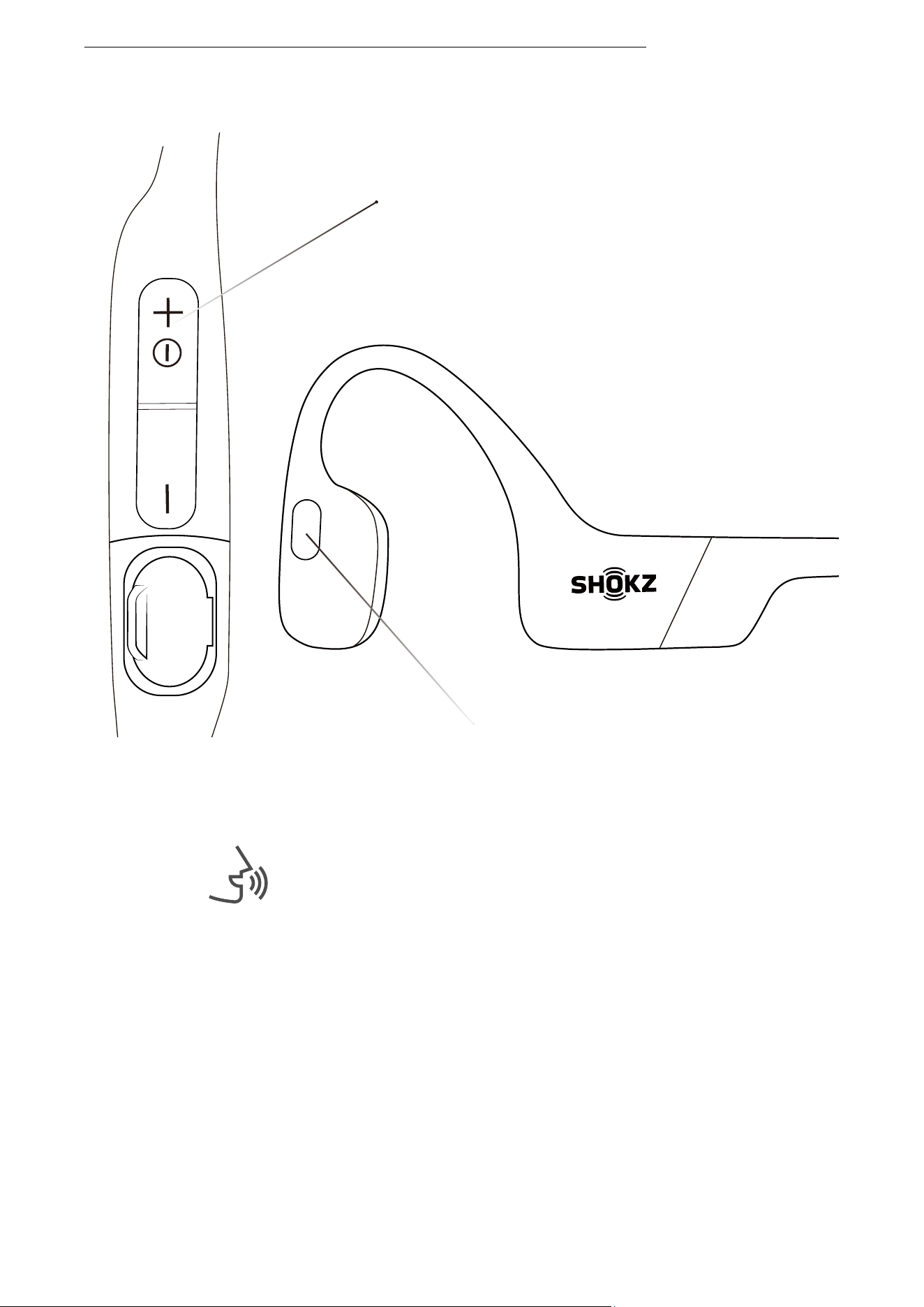
3.Press and hold the multifunction button and Volume + button
until Audrey says, "multipoint enabled."
Multifunction Button
Audrey will say, "multipoint enabled."
MULTIPOINT PAIRING
18
First Device
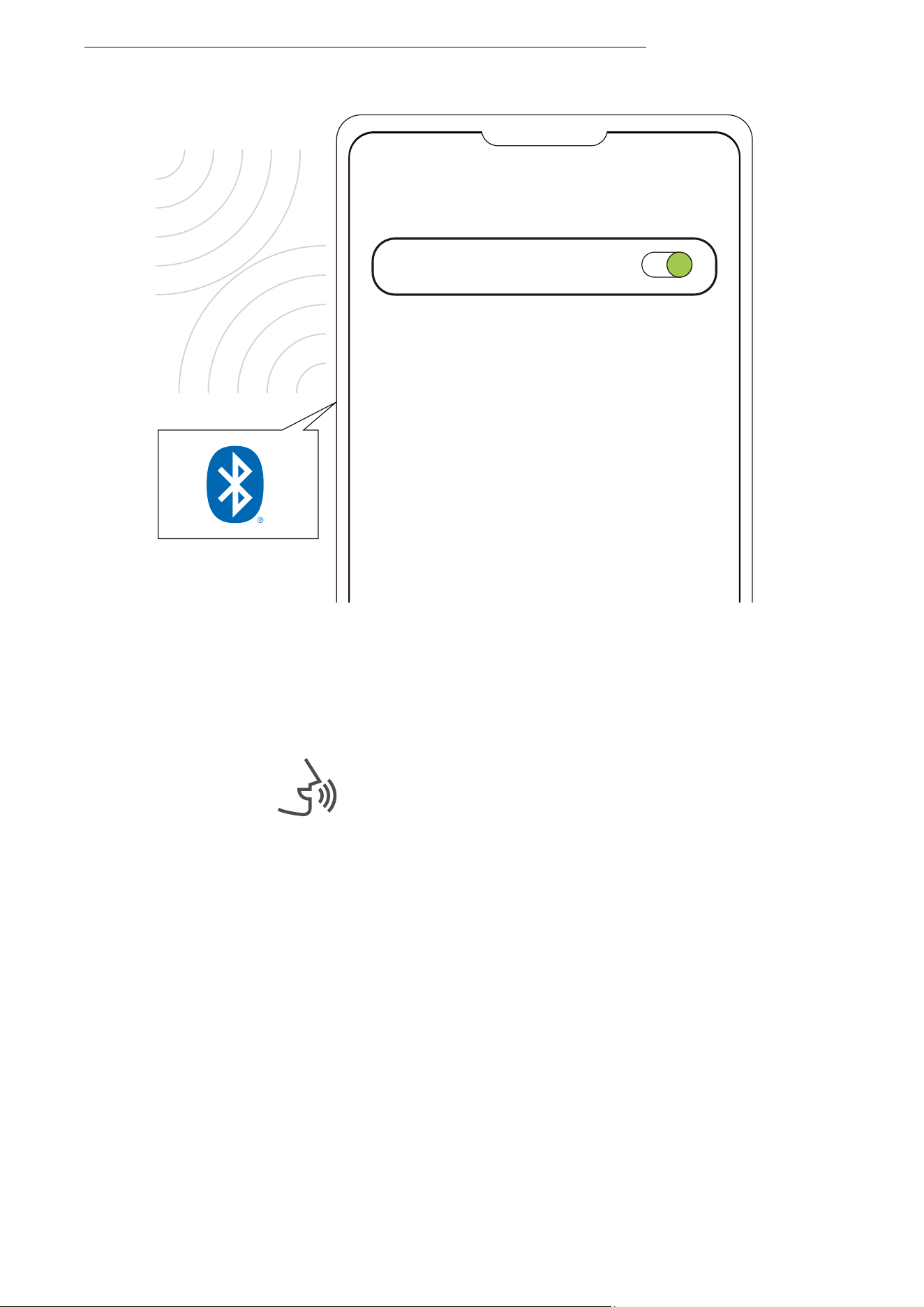
4.Open first device's Bluetooth® menu and select "OpenRun
by Shokz."Audrey will say, "connected".
5.Turn your headphones off.
Settings
BLUETOOTH
OpenRun by Shokz
Connected
Audrey will say "connected".
MULTIPOINT PAIRING
19
Second Device
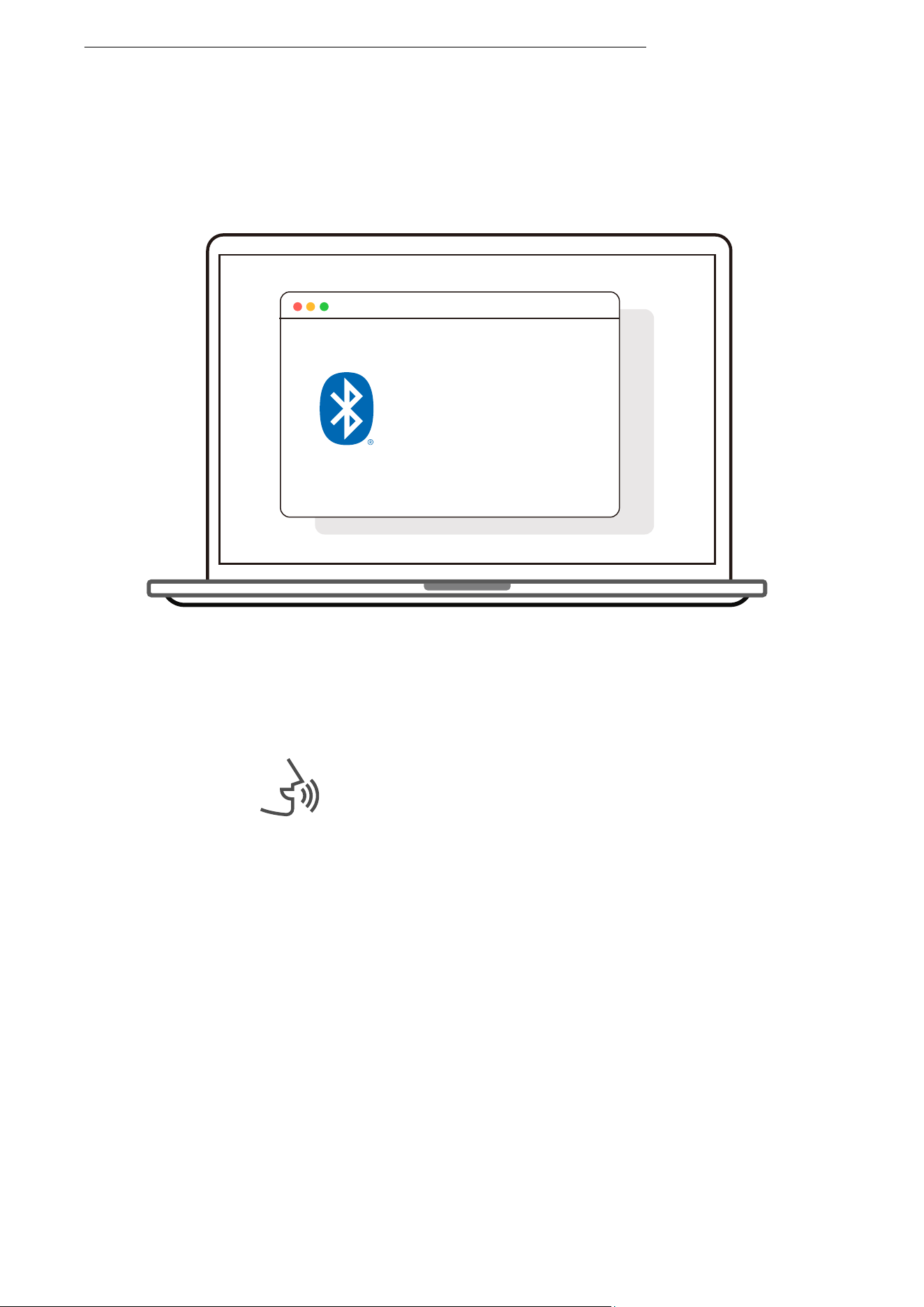
Bluetooth : turn on
OpenRun by Shokz
connected
6.Re-enter pairing mode by pressing and holding Volume +
untilAudrey says “pairing”and the LED indicator flashes red
and blue alternately.
7.Open second device's Bluetooth® menu and select "OpenRun
by Shokz."Audrey will say, "connected."
8.Turn your headphones off.
Audrey will say, "connected".
MULTIPOINT PAIRING
20
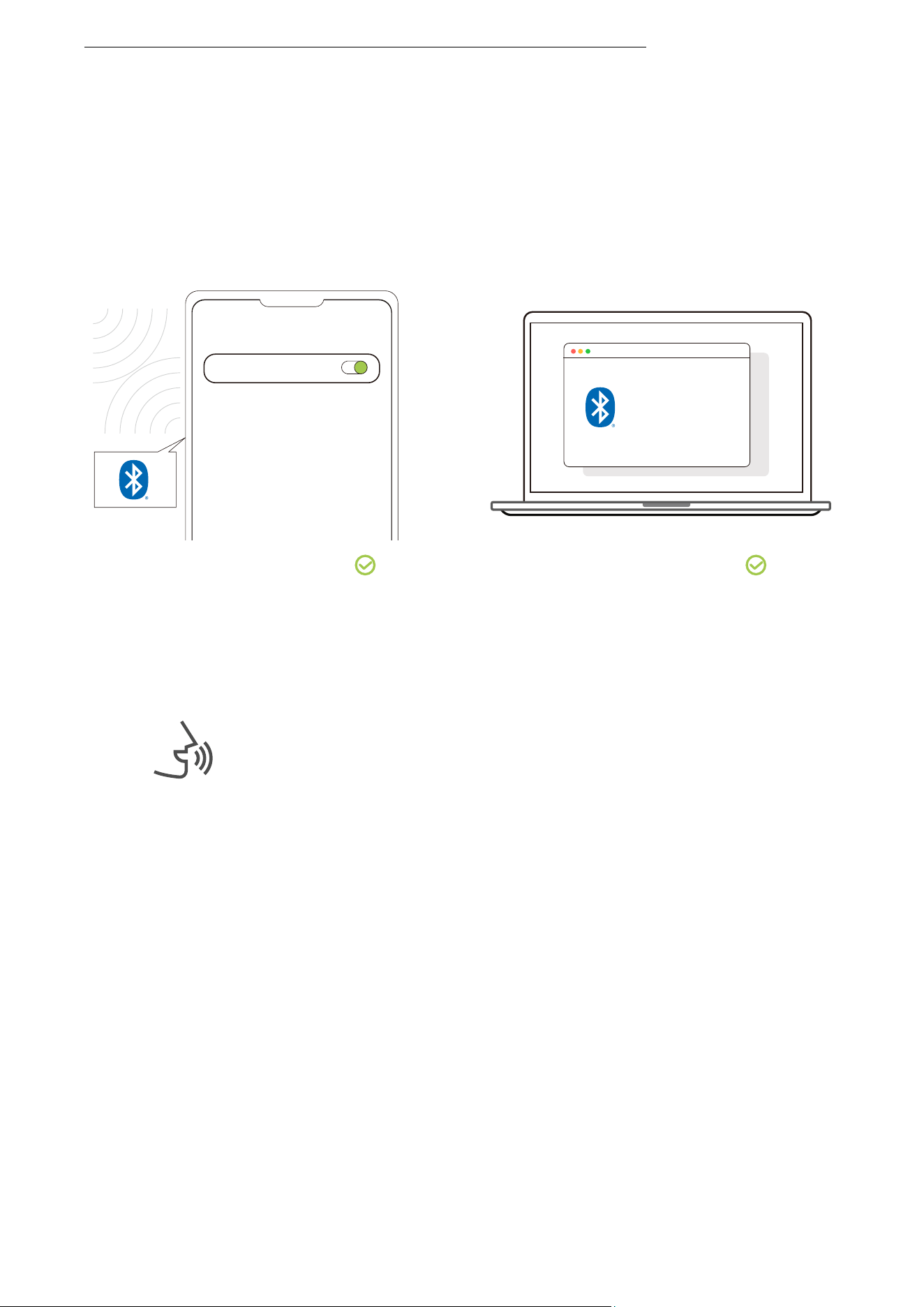
Second Device
First Device
9.Turn your headphones on. Your headphones are now
connected to both devices.
You will hear a beep, then Audrey will say
“Welcome to Shokz, connected. Second
device connected.”
Settings
BLUETOOTH
OpenRun by Shokz
Connected
Bluetooth : turn on
OpenRun by Shokz
connected
MULTIPOINT PAIRING
21
Turn Multipoint Pairing Off
Operate controls with
headphones powered off.
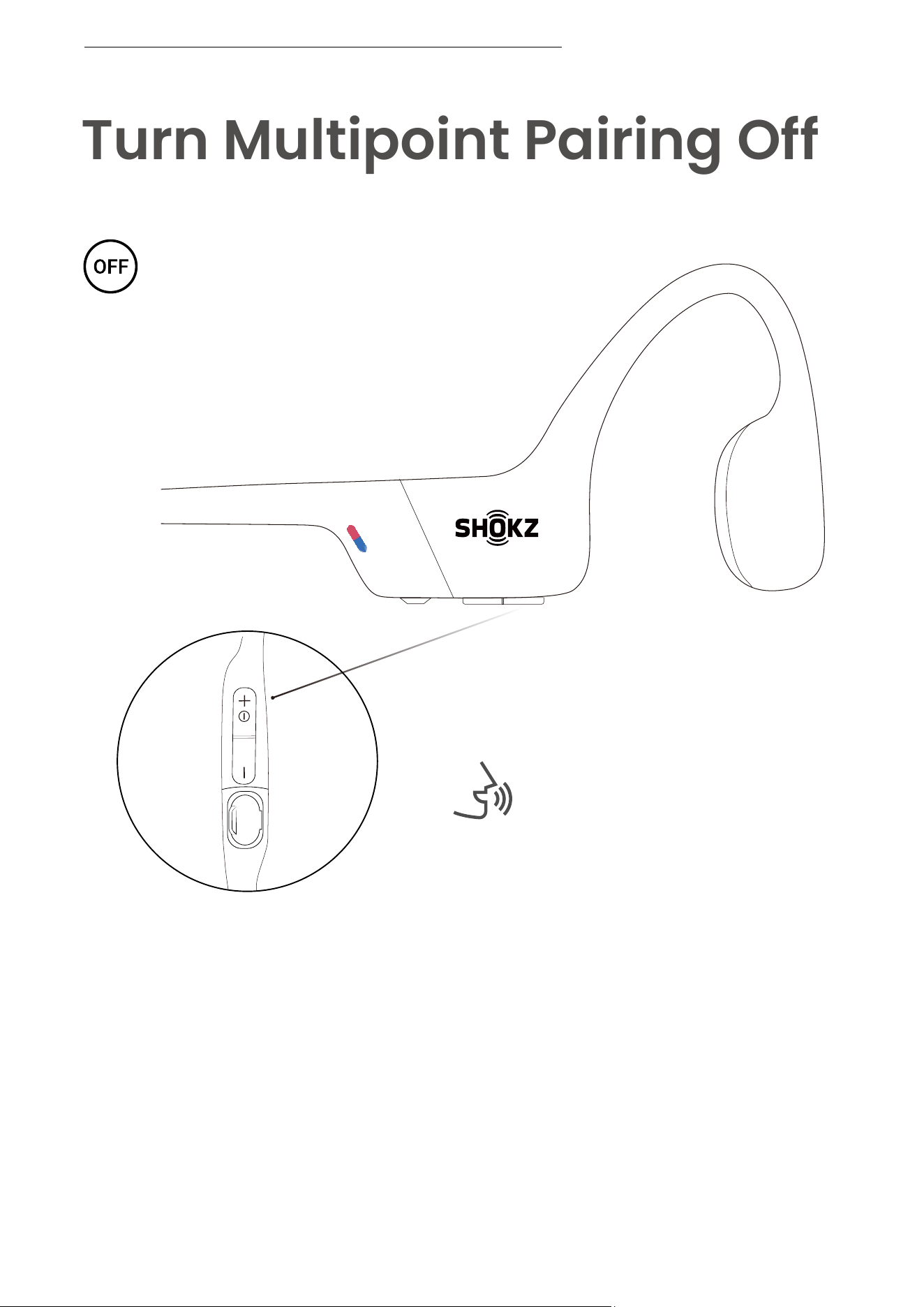
1. Start with your headphones powered off.
2. Press and hold Volume + until Audrey will say “pairing”
and the LED indicator flashes red and blue alternately.
TURN MULTIPOINT PAIRING OFF
Audrey will say “pairing”
22
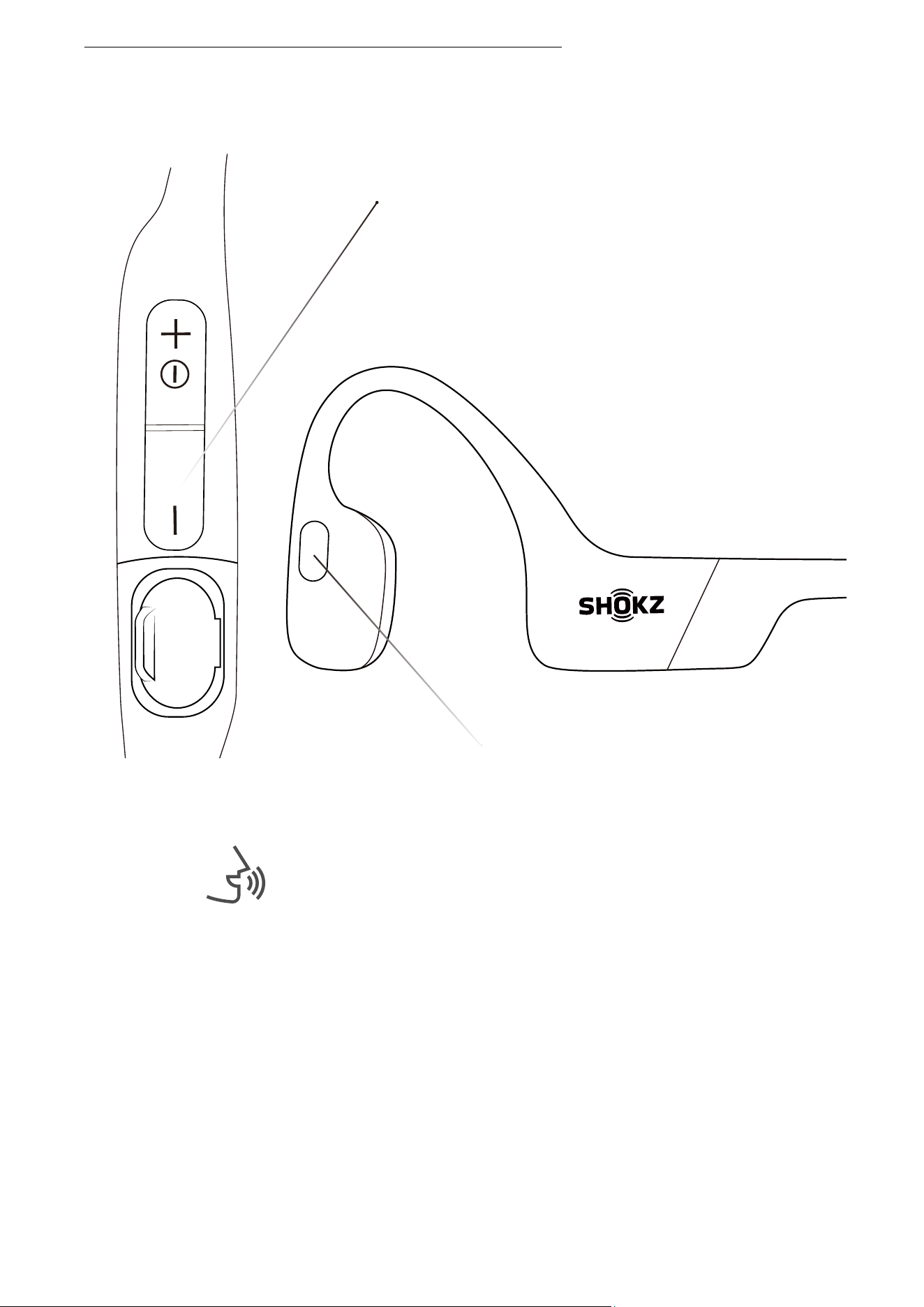
Multifunction Button
Volume - Button
Audrey will say, "Multipoint disabled."
3. Press and hold the multifunction button and Volume - button
until Audrey will say, "Multipoint disabled."
TURN MULTIPOINT PAIRING OFF
23
Audrey will say “pairing”
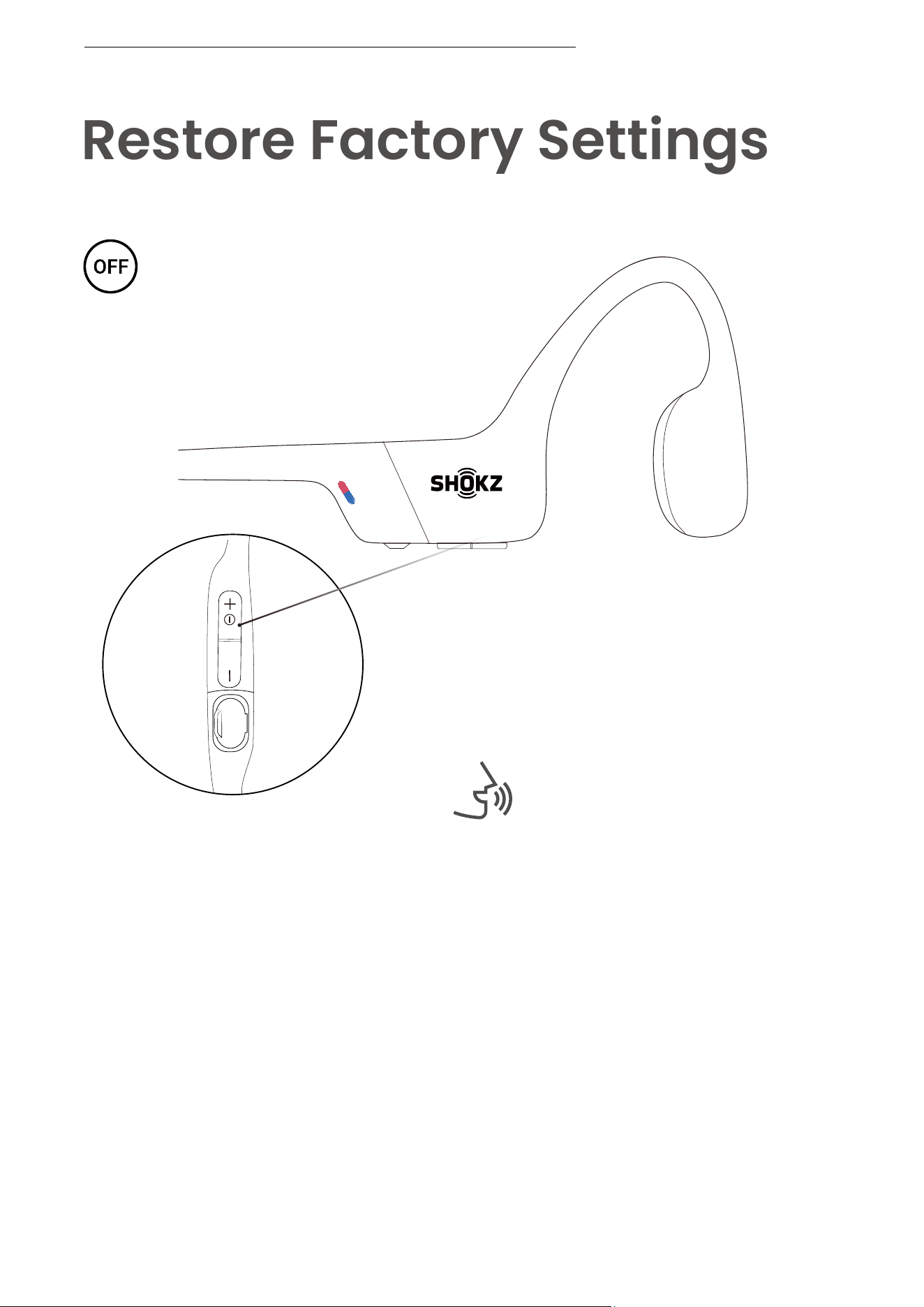
Restore Factory Settings
Operate controls with
headphones powered off.
1. Start with your headphones powered off.
2. Press and hold Volume + until Audrey will say “pairing”
and the LED indicator flashes red and blue alternately.
RESTORE FACTORY SETTINGS
24
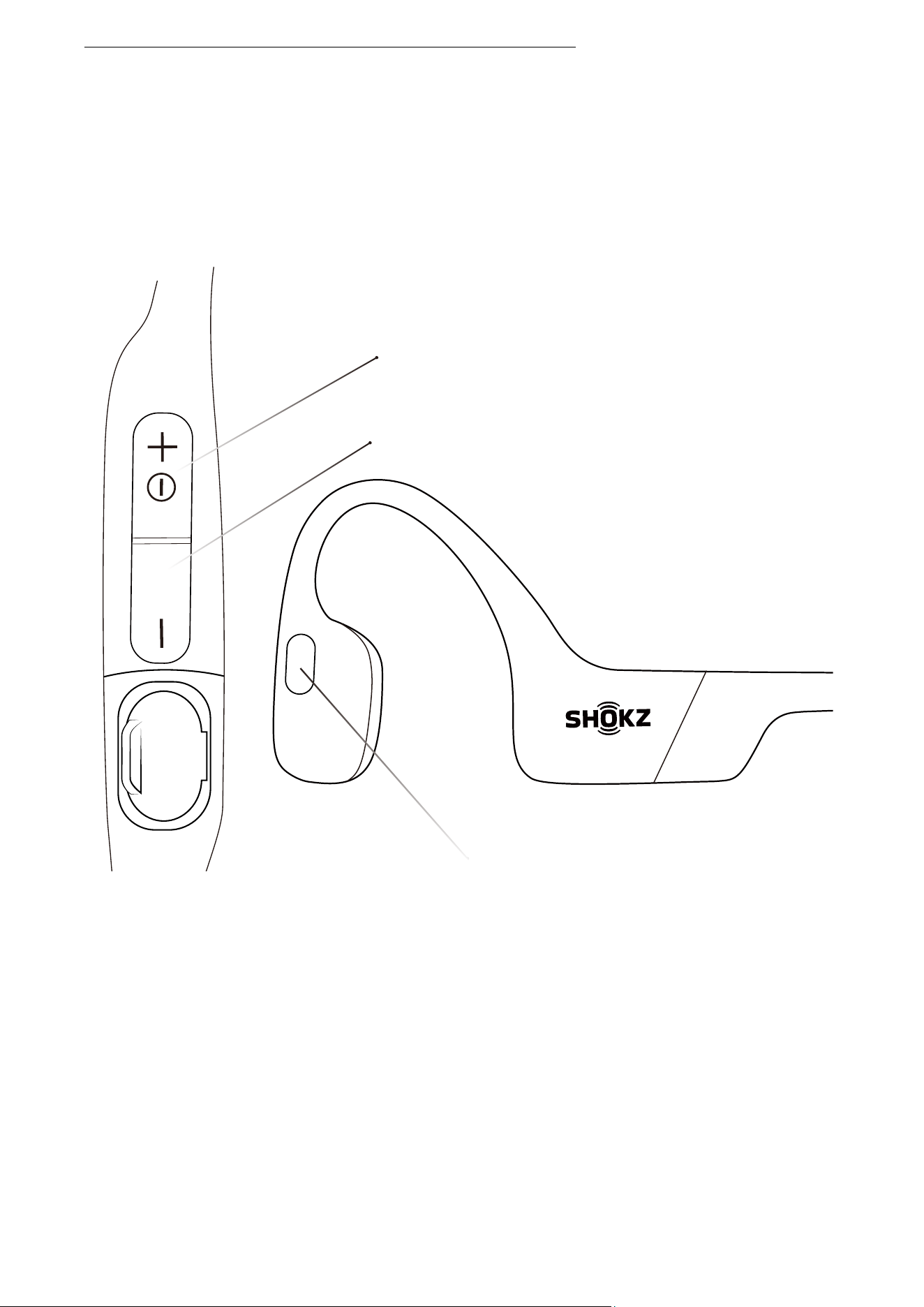
Multifunction Button
RESTORE FACTORY SETTINGS
3.Press and hold the multifunction button, Volume – button
and Volume + button until hear two beeps and feel the
vibration.
4.Turn your headphones off. OpenRun is now reset and can
be re-paired to your device.
Volume - Button
Power/Volume + Button
25
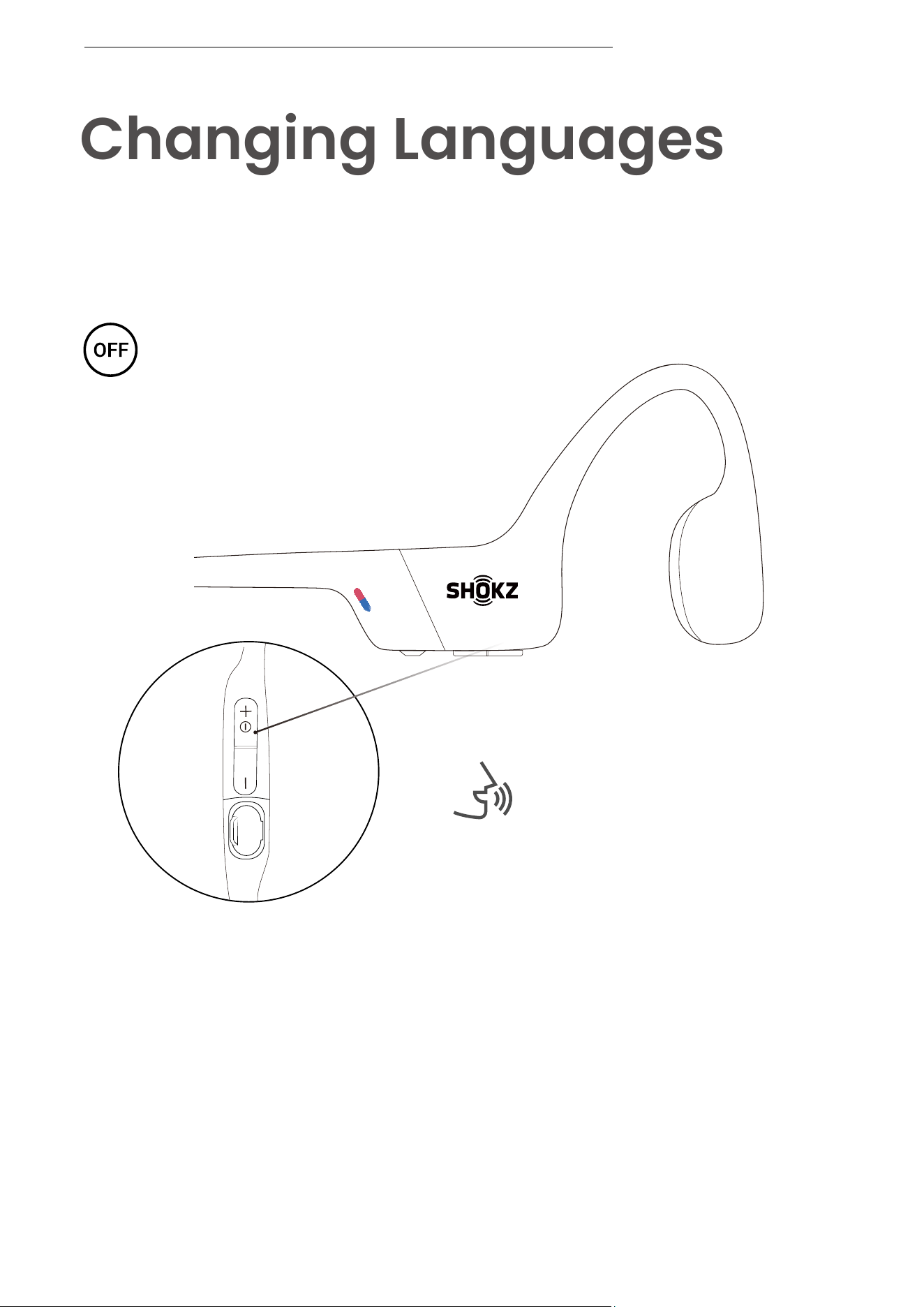
Changing Languages
Follow the instruction when
headphones powered off
Your headphones have four built-in languages:
Chinese, English, Japanese and Korean.
1. Start with your headphones powered off.
2. Press and hold Volume + until Audrey will say “pairing”
and the LED indicator flashes red and blue alternately.
Audrey will say “pairing”
CHANGE THE LANGUAGE
26
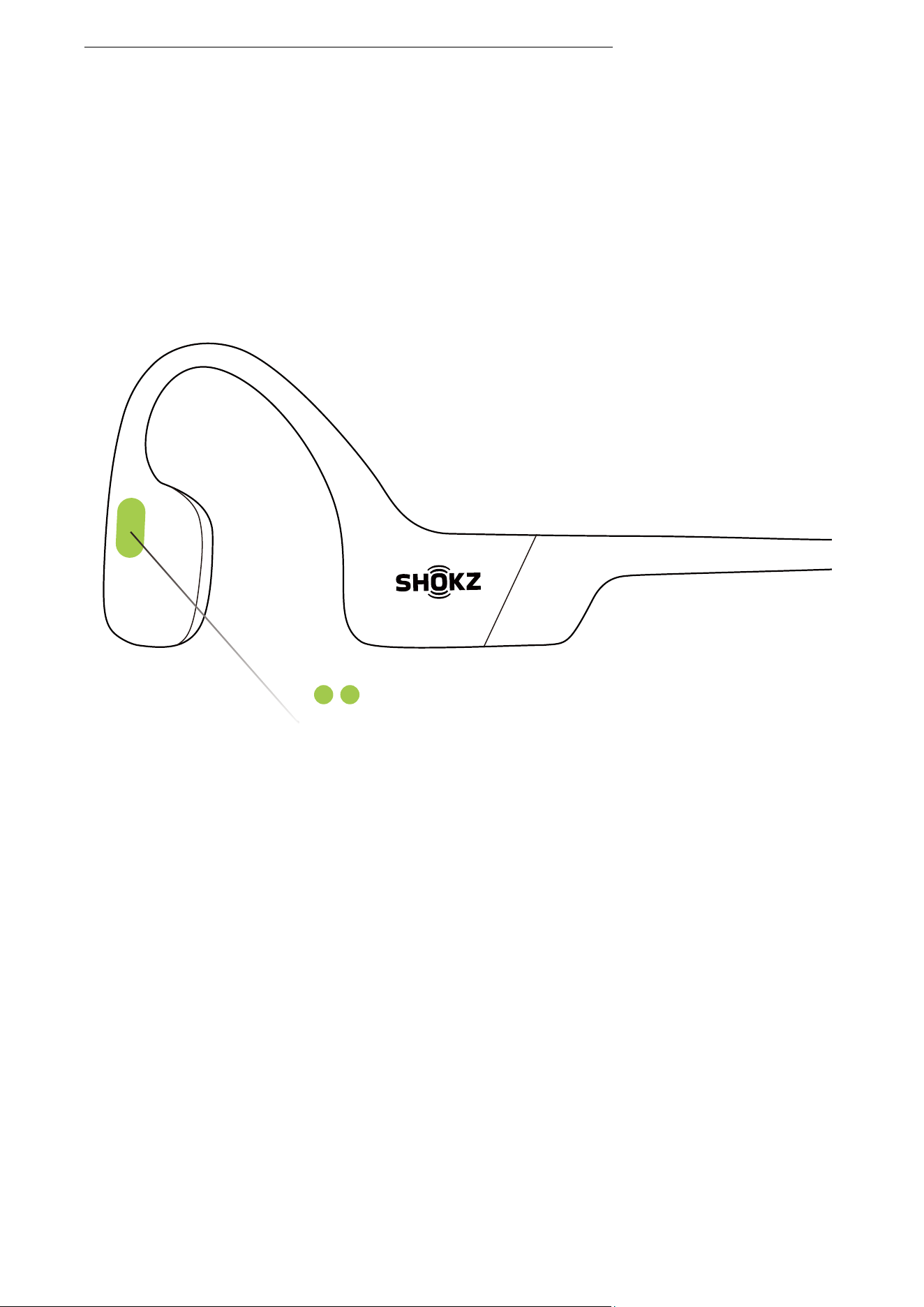
3. Double-press the multifunction button. Languages have
been switched when you hear the corresponding language.
Multifunction Button
CHANGE THE LANGUAGE
27
Care and
Maintenance
28
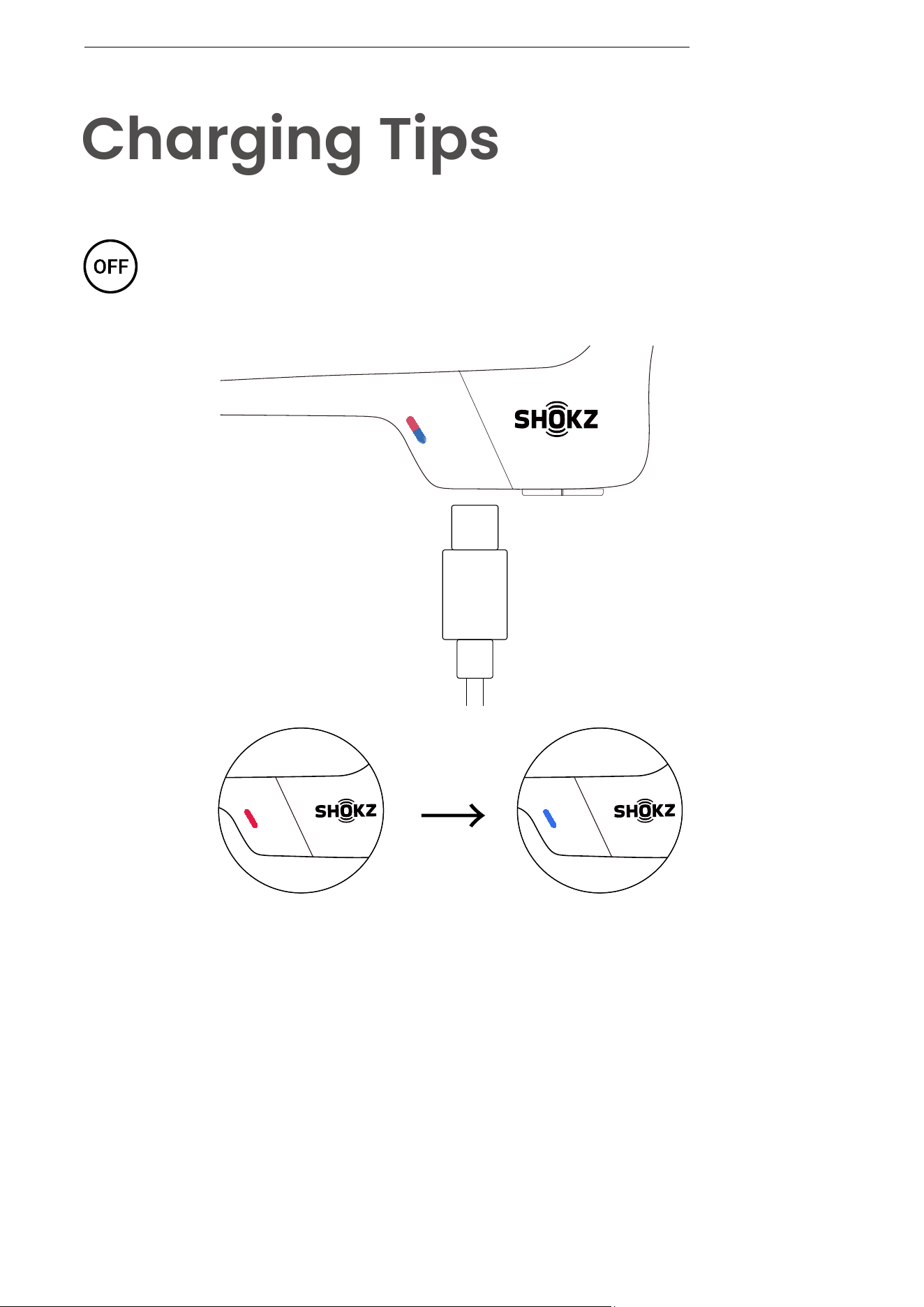
When the headphones are at low battery, there will be a
“charge me” prompt and the red light will flash intermittently.
Use the corresponding USB-C charging cable for charging.
The LED indicator will turn red during the charging process
and the headphones will automatically turn off. The LED
indicator will turn from red to blue when charging is complete.
Charging Completed
Charging
Charging Tips
The headset will automatically
shut down when charging
CHARGING TIPS

29
Your headphones are covered by a warranty.
Visit our website at https://shokz.com/pages/warranty-landing
for details of the limited warranty.
*Failure to register will not affect your limited warranty rights.
Warranty
WARRANTY
30
If you have any trouble or problems,please visit
https://shokz.com/pages/faq
for more support!
Troubleshooting
TROUBLESHOOTING
31
What’s in the Box
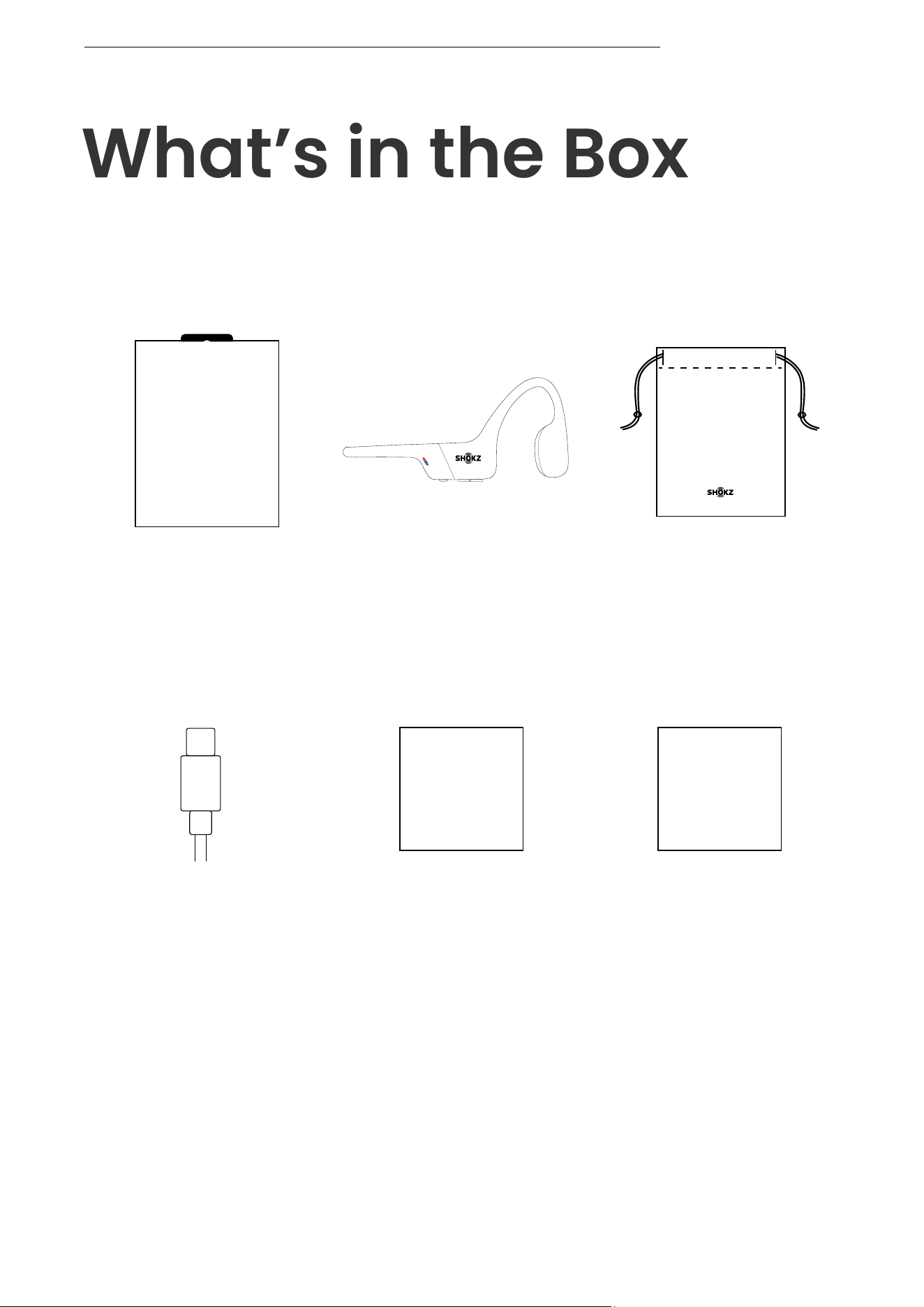
If any part of your product is damaged or missing, do not use
it.Contact authorized Shokz dealer or Shokz customer service.
*Please note that the packaging envelope may vary
depending on the sales region.
WHAT’S IN THE BOX
OPENRUN
OpenRun
headphone*1
OpenRun
Package*1
OpenRun
Box*1
OpenRun
Legal Statement*1
LegalUser Guide
USB-C
Charging Cable*1
OpenRun
User Guide*1