
Technical Support and E-Warranty Certificate
www.vevor.com/support
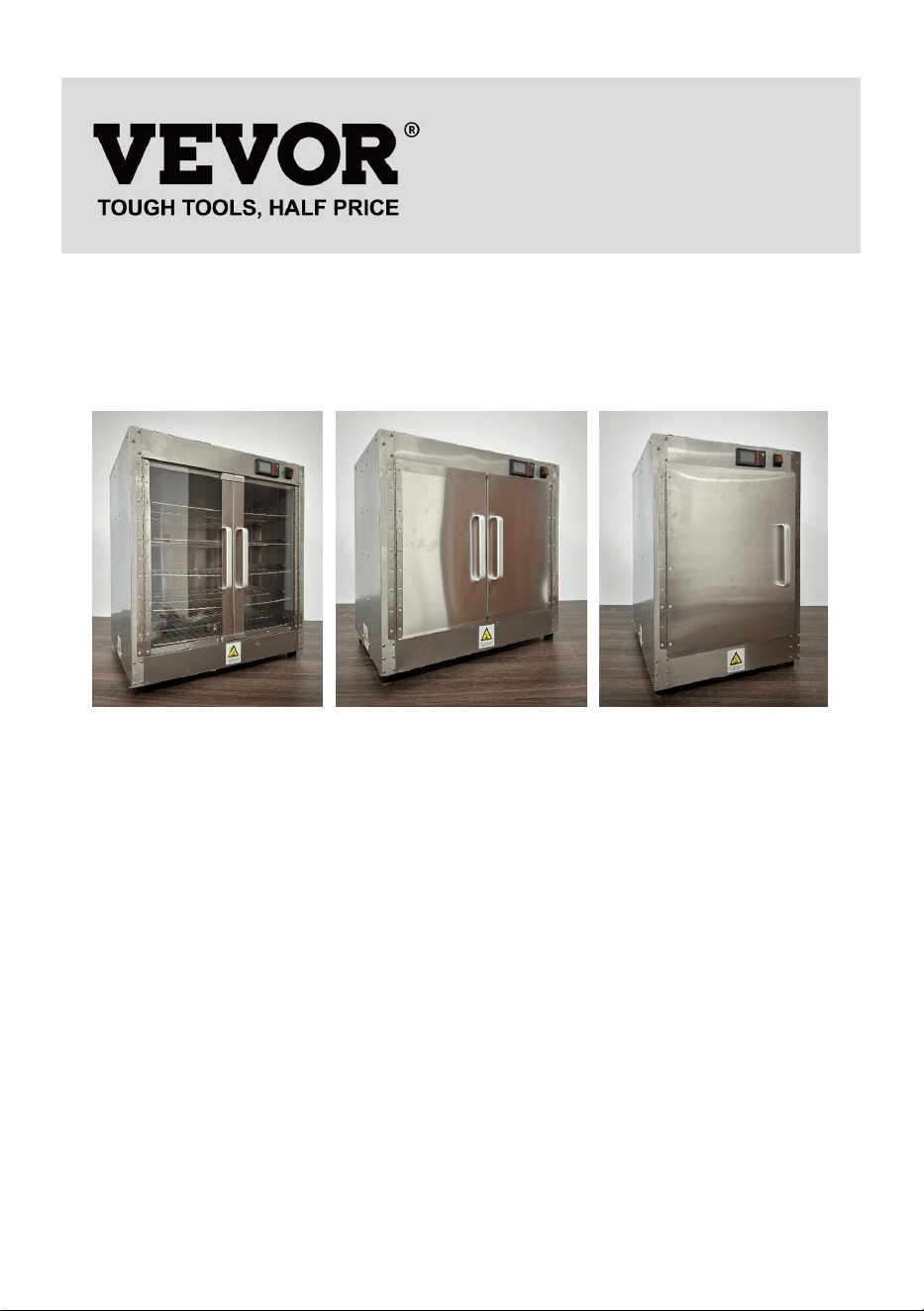
FOOD STORAGE CABINETS
MODEL:FWHB-162224/FWHB-251524/FWHB-251524-KS/
FWHB-191929/FWHB-400*600-5
We continue to be committed to provide you tools with competitive price.
"Save Half", "Half Price" or any other similar expressions used by us only
represents an estimate of savings you might benefit from buying certain tools
with us compared to the major top brands and does not necessarily mean to cover
all categories of tools offered by us. You are kindly reminded to verify carefully
when you are placing an order with us if you are actually Saving
Half in comparison with the top major brands.

- 1 -
MODEL: FWHB-162224/FWHB-251524/FWHB-251524-KS/
FWHB-191929/FWHB-400*600-5
NEED HELP? CONTACT US!
Have product questions? Need technical support? Please feel free to
contact us:
Technical Support and E-Warranty Certificate
www.vevor.com/support
This is the original instruction, please read all manual instructions
carefully before operating. VEVOR reserves a clear interpretation of our
user manual. The appearance of the product shall be subject to the
product you received. Please forgive us that we won't inform you again if
there are any technology or software updates on our product.
FOOD STORAGE
CABINETS

- 2 -
IMPORTANT SAFEGUARDS
When using electrical appliances, basic safety precautions should
always be followed including the following:
Please read this manual carefully before using this product.
Make sure you are familiar with all safety and usage instructions.
Keep this manual in a safe place for future reference.
FOR YOUR SAFETY!
Follow these precautions all the time to avoid personal injury to yourself or
others.
Do not spray with water or cleaning products.
Do not use the unit with a damaged or modified electric cord.
To reduce the risk of equipment damage and personal injury:
1.Only use grounded power outlets that match the rated voltage on the
nameplate.
2.Only use in a horizontal position.
3.Do not use a power strip, surge protector or extension cord with the
equipment.
4.Unplug the equipment before cleaning or moving.
5.Do not use cleaning agents or liquids on the outside of the unit.Keep
away from open flames and other heat sources.
6.Do not operate damaged or malfunctioning equipment.
7.Do not leave equipment ON unattended.
8.Do not let children or minors touch or use this product.Please be careful
during use.
9.Do not put non food into the product for heating.
10.Please use purified water.
11.This appliance is not intended for use by persons (including children)
with reduced physical, sensory or mental capabilities, or lack of experience
and knowledge, unless they have been given supervision or instruction
concerning use of the appliance by a person responsible for their safety.
Children should be supervised to ensure that they do not play with the
appliance.
- 3 -
12.If the supply cord is damaged, it must be replaced by the manufacturer,
its service agent or similarly qualified persons in order to avoid a hazard.
SAVE THESE INSTRUCTIONS
OPERATING INSTRUCTIONS
Includes the following accessories: power cord, anti-scald glovestin foil box,
aluminum alloy handle, handle screws, cabinet feet, cabinetfoot screws,
small wrench, water box, manual. shelf.
Step 1: Attention:Tear of the white protective film on the surface Mode of
operation :Use hair dryer to heat the protective film, heat it for a periodof
time, and then tear it off by hand.
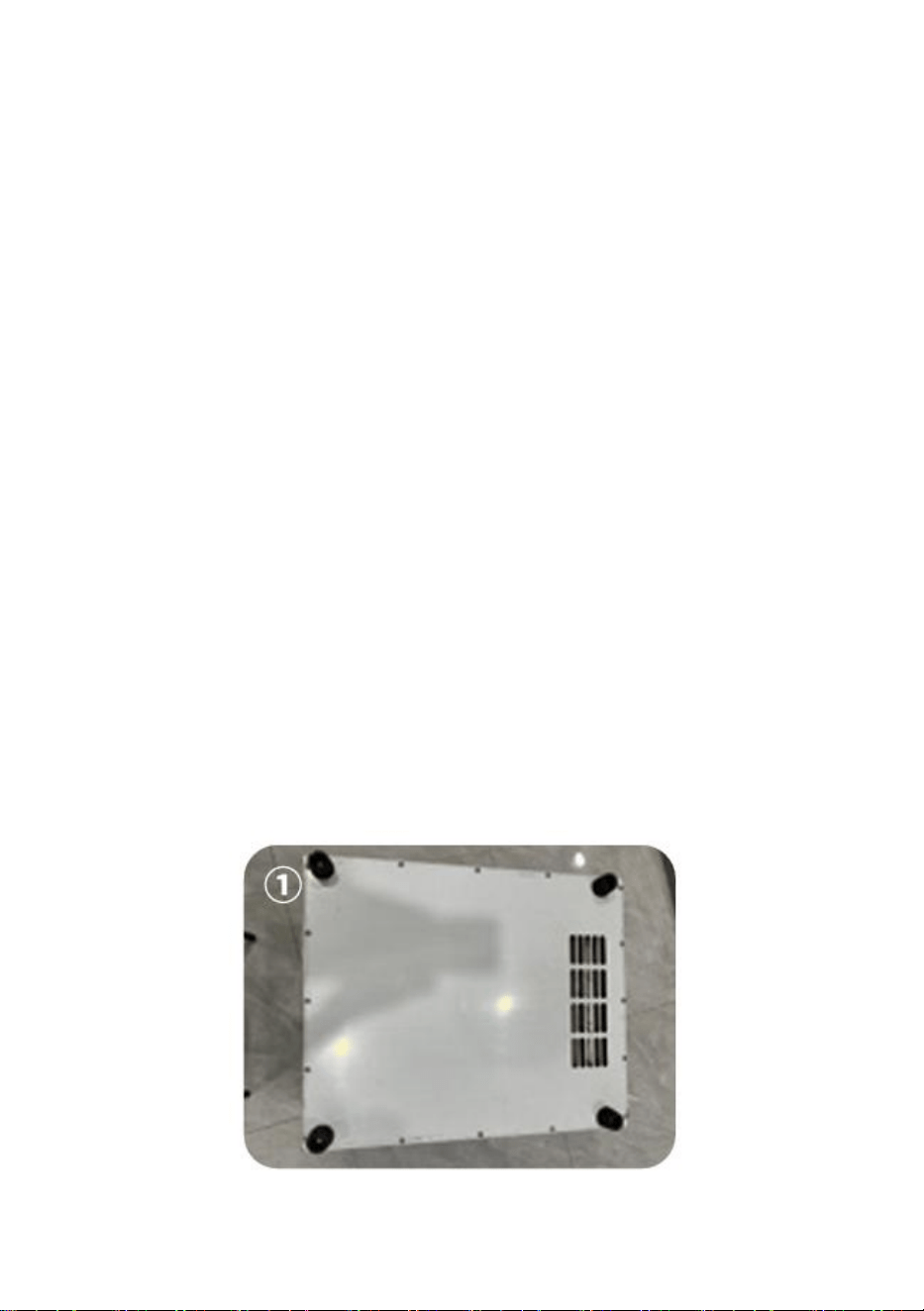
Step 2:Turn the cabinet upside down so that its bottom is facing up,
takeout the bag with the cabinet legs, and install the long screws and
awrench with four cabinet legs inside, pass the screws of the cabinetfeet
through the holes in the middle of the cabinet feet, and theninstall them on
the nuts on the four corners of the bottom of thecabinet, which is fixed
firmly with a wrench.As shown in Figure①.
- 4 -
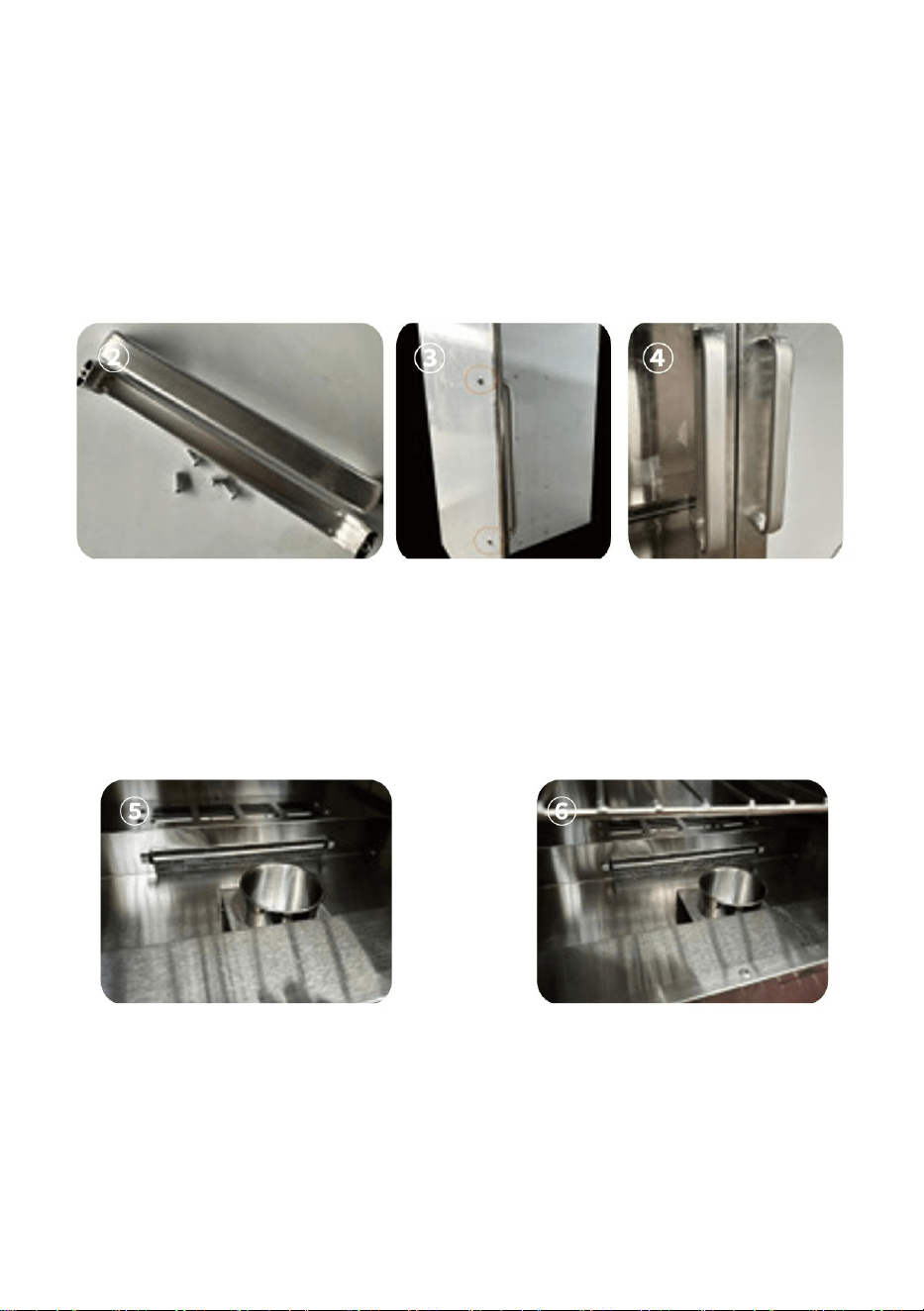
Step 3:
Install the aluminum alloy handle of the cabinet on the cabinet doorthere
are two screw holes on the top and bottom of the aluminumalloy handle,
take out the matching screws used to install the aluminum alloy handle in
the accessories, pass the screws through the two holes on the cabinet door,
and then align the screw holes of the aluminum alloy handle with the screw
and tighten it with awrench.As shown in Figure②③④
Step 4:Place the water box in the lowest space of the cabinet, and the
water box needs to be placed close to the side of the cabinet door to avoid
blocking the air outlet and affecting the heating effect.As shown in
Figure⑤⑥.
Step 5:Take out the shelves and place them on top of the shelves.As
shown in Figure ⑦
- 5 -
Step 6:
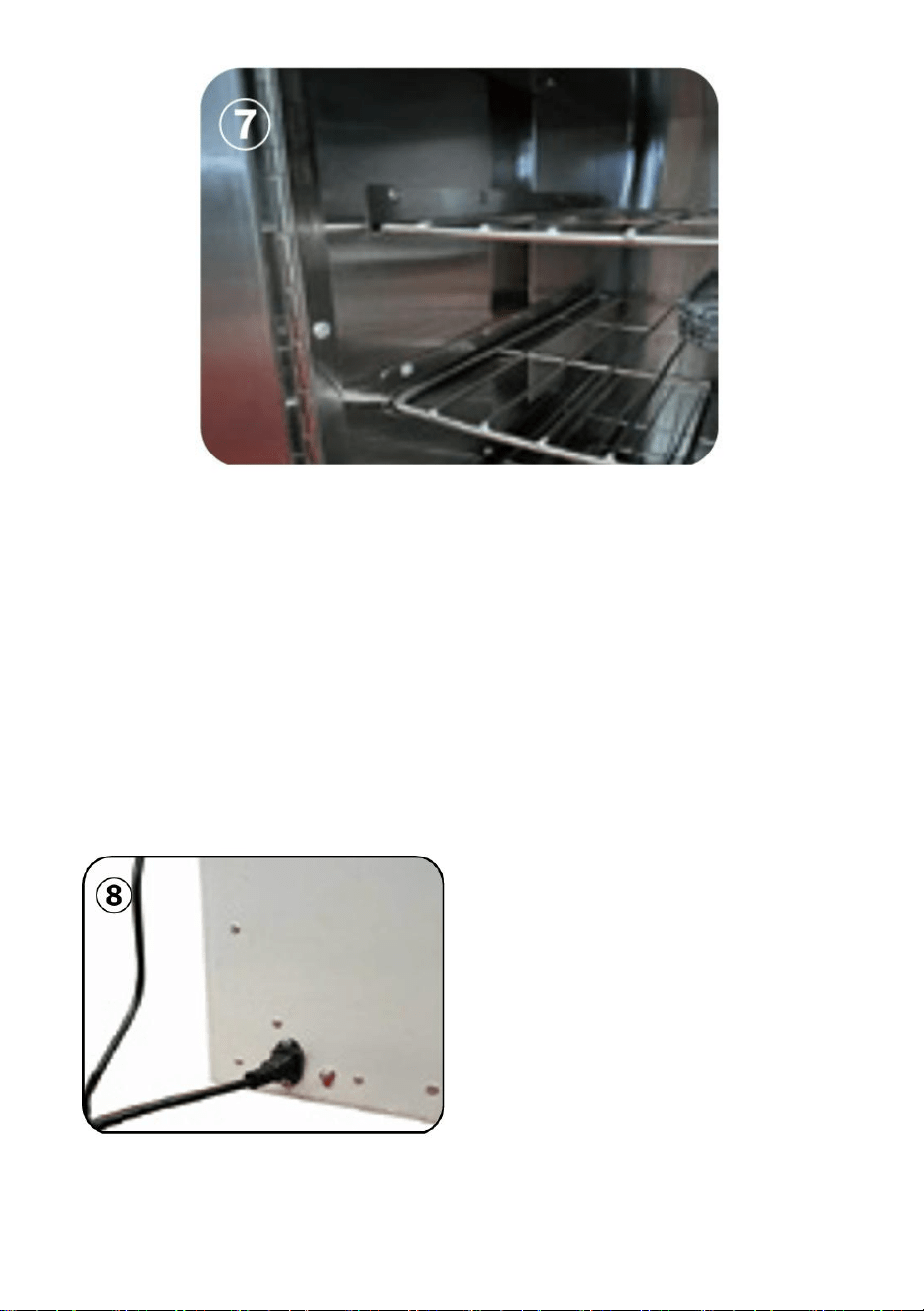
1.At the position of the power plug, connect the ground wire (the
connection ground wire must be effectively grounded).
2. Plug the power cord into the power socket behind the cabinet.power on,
press the red switch on the front of the cabinet, the cabinet is energized,
the display screen is lit, press the set button to adjust to the required
temperature when the temperature value flashes press the up and down
keys to adjust to the required temperature again, and then press the set
again to confirm that the cabinet starts to work normally.As shown in
Figure(8)
- 6 -
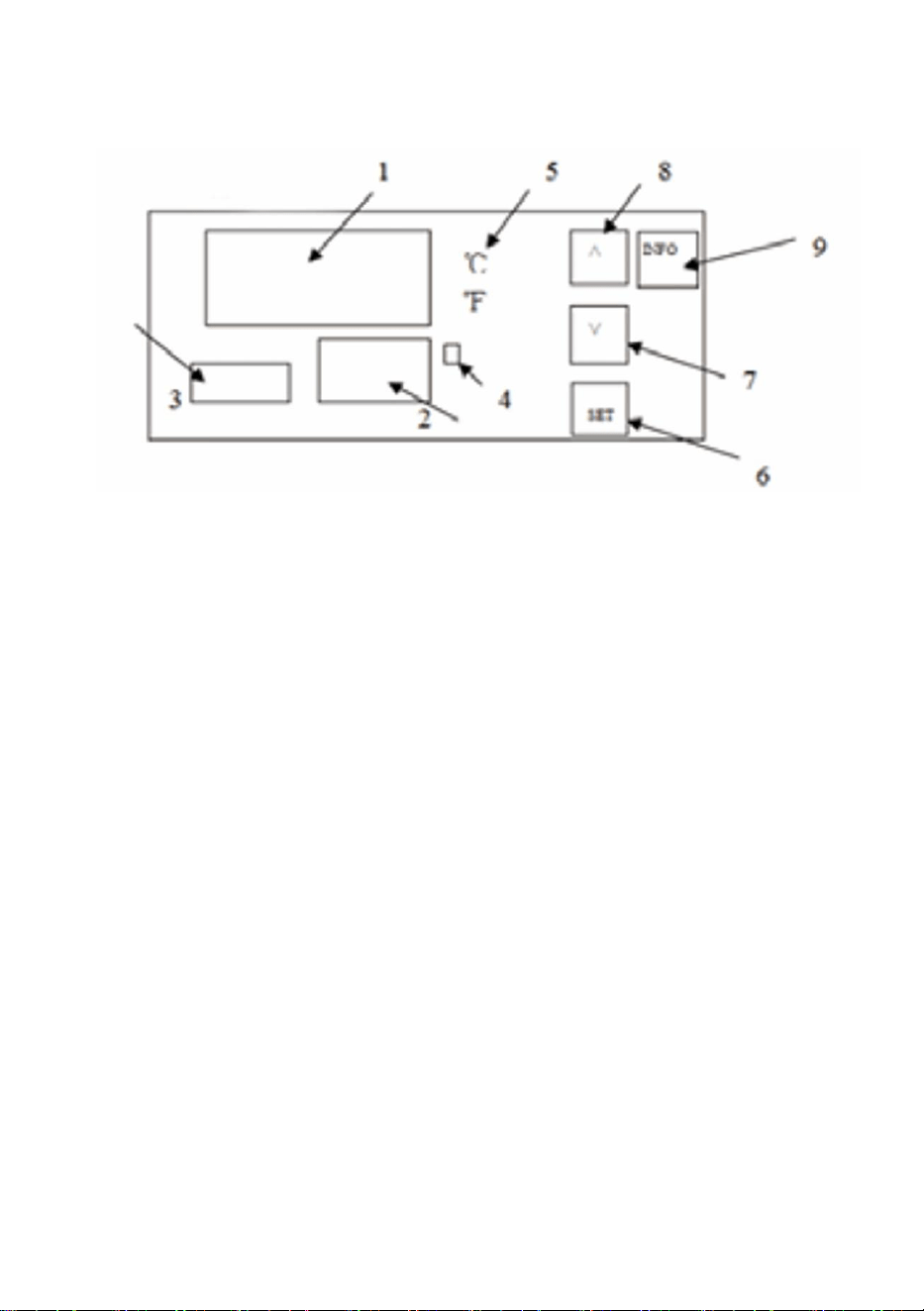
Step 7:Temperature setting Description of the function of the thermostat
operation panel
1. Display the measured value.
2. Display the set value.
3.Timekeeping time.
4. Heating indicator light, heating when it is on.5. Degree Celsius
indication.6.SET key:
Function 1: click this key, the upper row will display SV, the lower row will
flash, press the upper or lower key to set the temperature.and then click
the lower key to set it to completion.Function 2: Press and hold this button
for 3 seconds to enter the interna parameters.
7. Subtract key: Press this key to decrease the value.8. Add button:
1. Press this button to increase the value when setting.2. When on the
measurement and control page, press and hold this button for 3 seconds to
switch Fahrenheit.9.INFO button:Function 1: Press and hold this button for
3 seconds to power off or on.Function 2: When you are in an internal
parameter, click this key to rewind the previous parameter
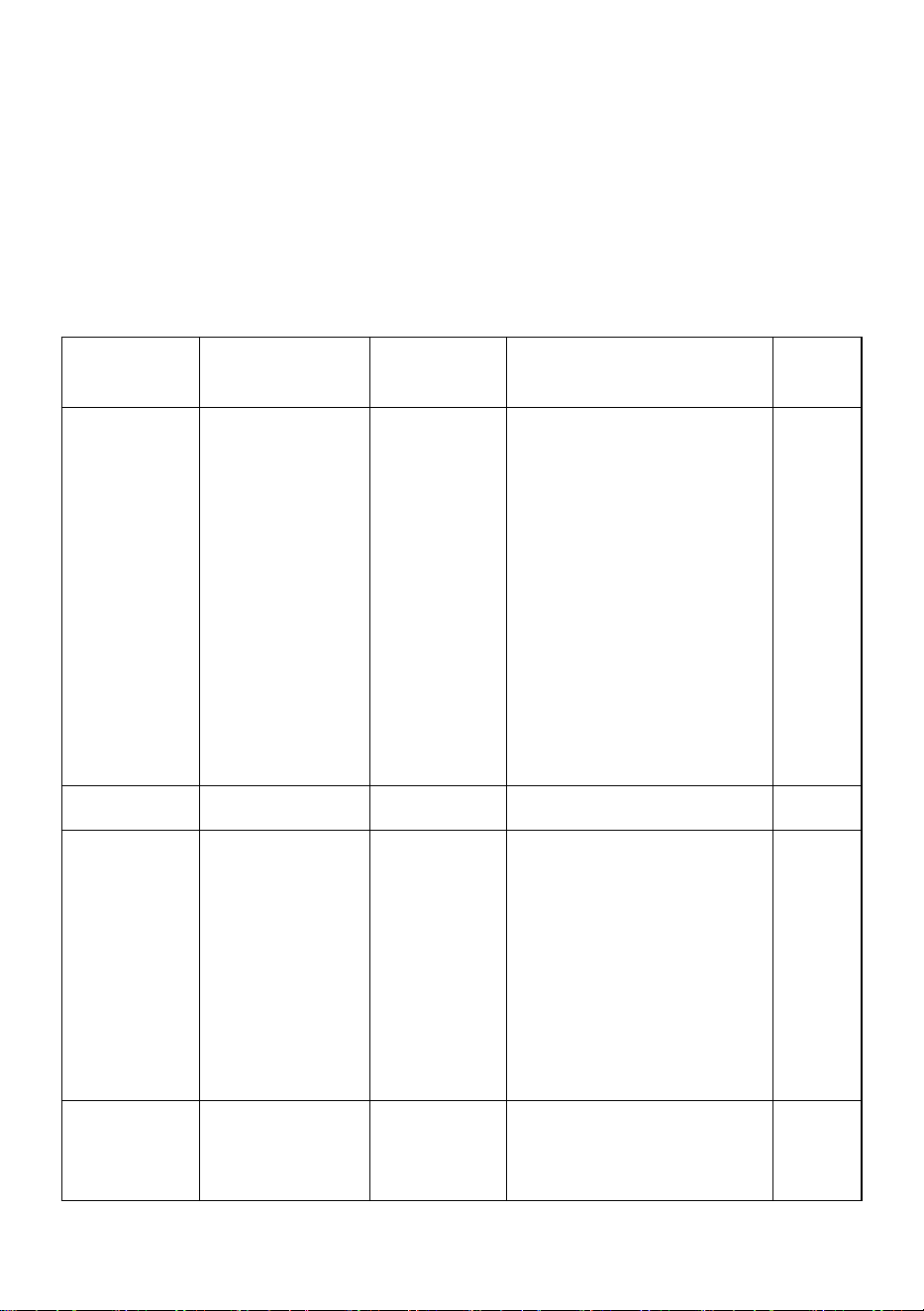
PARAMETER TYPE
Note: When measuring the control page, press and hold the SET button
for 3 seconds, the parameter code P00 (parameter lock) appear safter
- 7 -
changing to "8", click the SET key to appear other parameter codes, adjust
the required value, press and hold the SET button fol3 seconds to exit to
the measurement and control page, and the parameters will be
automatically stored (if you need to go back to the previous code, click the
"lNFO" button once, no matter which code you stop at, you can press and
hold the SET button for 3seconds to exit). The following table describes the
meaning of the parameter code.
Parameter
Name
Set
Description
Initial
Value
P00
Parameter
locks
8、110
8:When the
permission is
unlocked the following
parameter
codes(P01,P04, P06,
and P07)appear and if
this value is a different
value no other
parameter code
appears.110:Factory
reset
0
P01
Return
0-10
Modify as needed
2
P04
Temperature
correction
-20~20
It is used for
temperature
correction when there
is a problem with the
position of the sensor
or other factors that
affect the temperature.
0
P06
℃
°F
switching
℃
°F
0:celsius 1:degree
Fahrenheit
1
- 8 -
P07
Keep warm
at are qular
time
0~999unit
minutes
Infinite heat at 0;Start
the timer after 1
o'clock and turnoff the
heating after 1
minute;The timer
starts after 10 o'clock
and turns off the
heating after 10
minutes;And so on.
0
Note: This product has the function of food heat preservation andconstant
temperature drying, with a maximum setting temperatureof177'F and
80'C.The access voltage is required to be 120V+10%and the device power
is 850W.
CORRECT DISPOSAL
This product is subject to the provision of European Directive
2012/19/EC. The symbol showing a wheelie bin crossed
through indicates that the product requires separate refuse
collection in the European Union. This applies to the product
and all accessories marked with this symbol. Products marked
as such may not be discarded with normal domestic waste, but
must be taken to a collection point for recycling electrical and
electronic devices