1 69-0190—2J. H. • Rev. 12-92 • ©Honeywell Inc. 1992 • Form Number 69-0190—2
4074EHG
Terminal Board Repair Kit
for FC37A and B
Application
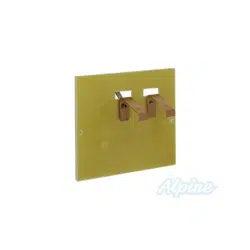
The 4074EHG Terminal Board Repair Kit is used to
replace a damaged terminal board in the FC37A and B
Electronic Cells. The kit contains:
Quantity Description
1 Terminal board
2 Interface clips
4 1/8 in. [3 mm] diameter by
5/16 in. [3 mm] long aluminum
pop rivets
1 Cell handle
The installation also requires:
• no. 29 or 1/8 in. [3 mm] diameter drill bit,
• variable speed electric drill, and
• pop rivet tool.
Installation
WHEN INSTALLING THIS PRODUCT…
1. Read these instructions carefully. Failure to fol-
low them could damage the product or cause a hazardous
condition.
2. Installer must be a trained, experienced service
technician.
3. After installation is complete, check out air cleaner
as provided in air cleaner instructions.
CAUTION
1. Do not bend any of the collector or ionizer
plates in the cell.
2. The edges of the plates are sharp. Handle care-
fully to avoid cutting yourself.
3. Be sure no metal chips or spare parts remain in
the cell following installation. These can cause
sustained arcing.
The replacement terminal board and clips are mounted
on the opposite end from the existing terminal board. This
mounting avoids the damaged plate edges at the old termi-
nal board location. To install, proceed as follows:
1. Remove the cell from the air cleaner and place on floor
or bench so existing red terminal board is on the bottom.
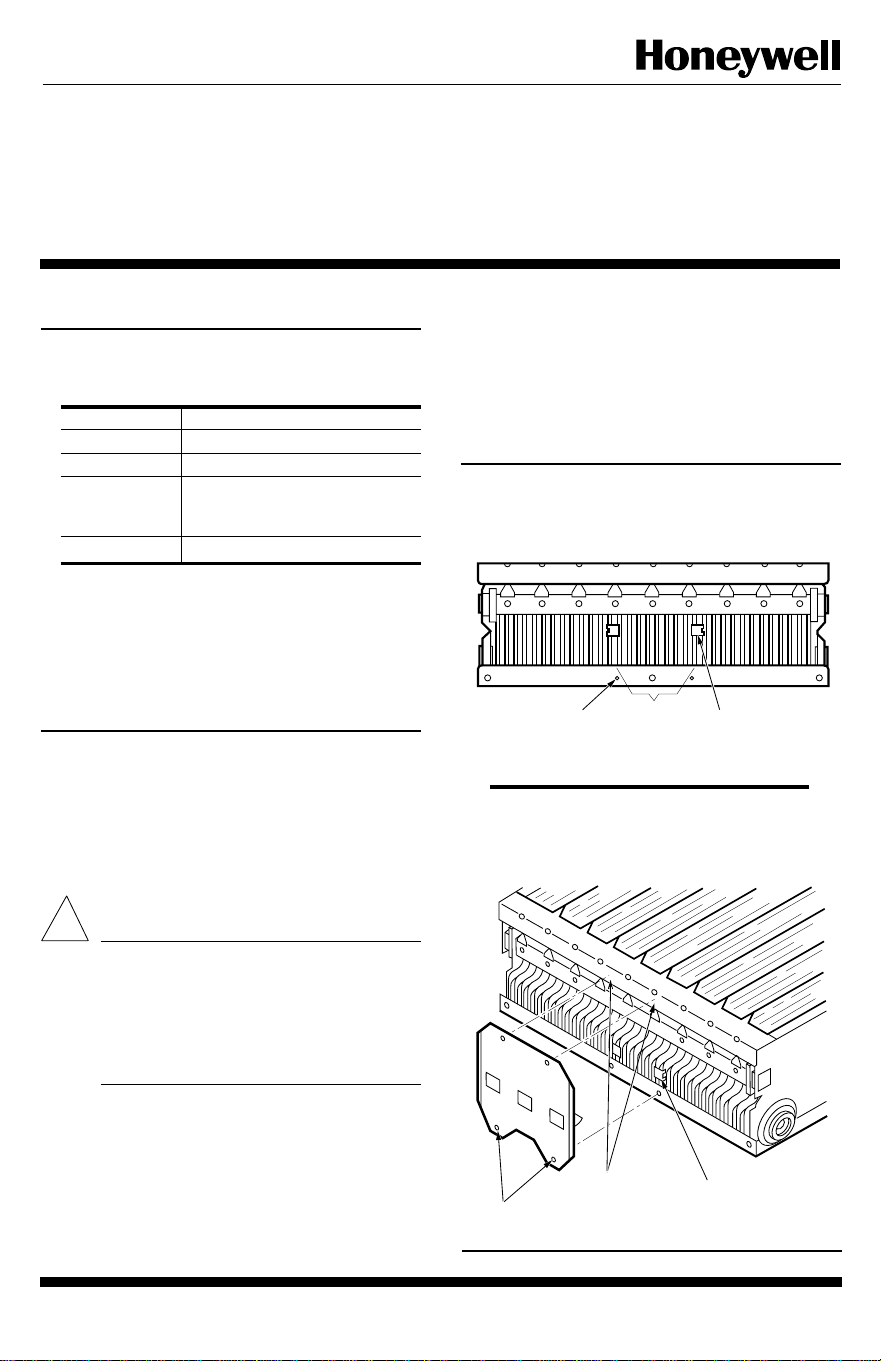
2. Locate the two 0.132 in. [3.4 mm] holes in the frame
rail on the top of the cell. See Fig. 1. These holes will be
used to position the interface clips and attach the terminal
board.
3. Position each of the two interface clips on a collector
hot plate as shown in Fig. 1, and push down until seated.
4. Line up the two mounting holes in the terminal board
with the matching holes in the cell frame rail, making sure
the terminal board contacts cover most of the surface of the
interface clips. See Fig. 2.
Fig. 1—Position the interface clips so the center
of the clip is just outside the center line of the
mounting holes.
!
Fig. 2—Completed terminal board installation
showing proper alignment of contacts on
interface clips.
INTERFACE CLIP (2)
AT POINT WHERE
CONTACT MATES
WITH BLADE
TERMINAL BOARD
MOUNTING HOLE (2)
DISTANCE
OF 8 PAIRS
OF BLADES
M2778
DRILL
HOLES
CONTACT (2)
RETROFIT
HOLES
M2779
2
Home and Building Control Home and Building Control Helping You Control Your World
Honeywell Inc. Honeywell Limited—Honeywell Limitée
1985 Douglas Drive North 740 Ellesmere Road
Golden Valley, MN 55422 Scarborough, Ontario
M1P 2V9
Printed in U.S.A.
QUALITY IS KEY
5. Fasten the terminal board to the cell using a pop
riveter and two 1/8 in. [3 mm] diameter by 5/16 in. [8 mm]
long aluminum pop rivets through the mounting holes.
6. Using the third and fourth holes in the terminal board
as guides, drill two holes in the cell frame rail with a no. 29
or 1.8 in. [3 mm] diameter drill bit.
IMPORTANT: Stop the drill as soon as it goes through
the rail or it can penetrate too far and damage a
collector plate.
7. Rivet the terminal board to the cell with the third and
fourth 1/8 in. [3 mm] diameter by 5/16 in. [8 mm] long
aluminum rivets.
8. Turn the cell over, drill out the rivets holding the old
terminal board in place, and discard old terminal board.
9. Make sure no metal filings or chips remain in the cell.
10. Remove and throw away the cell handle.
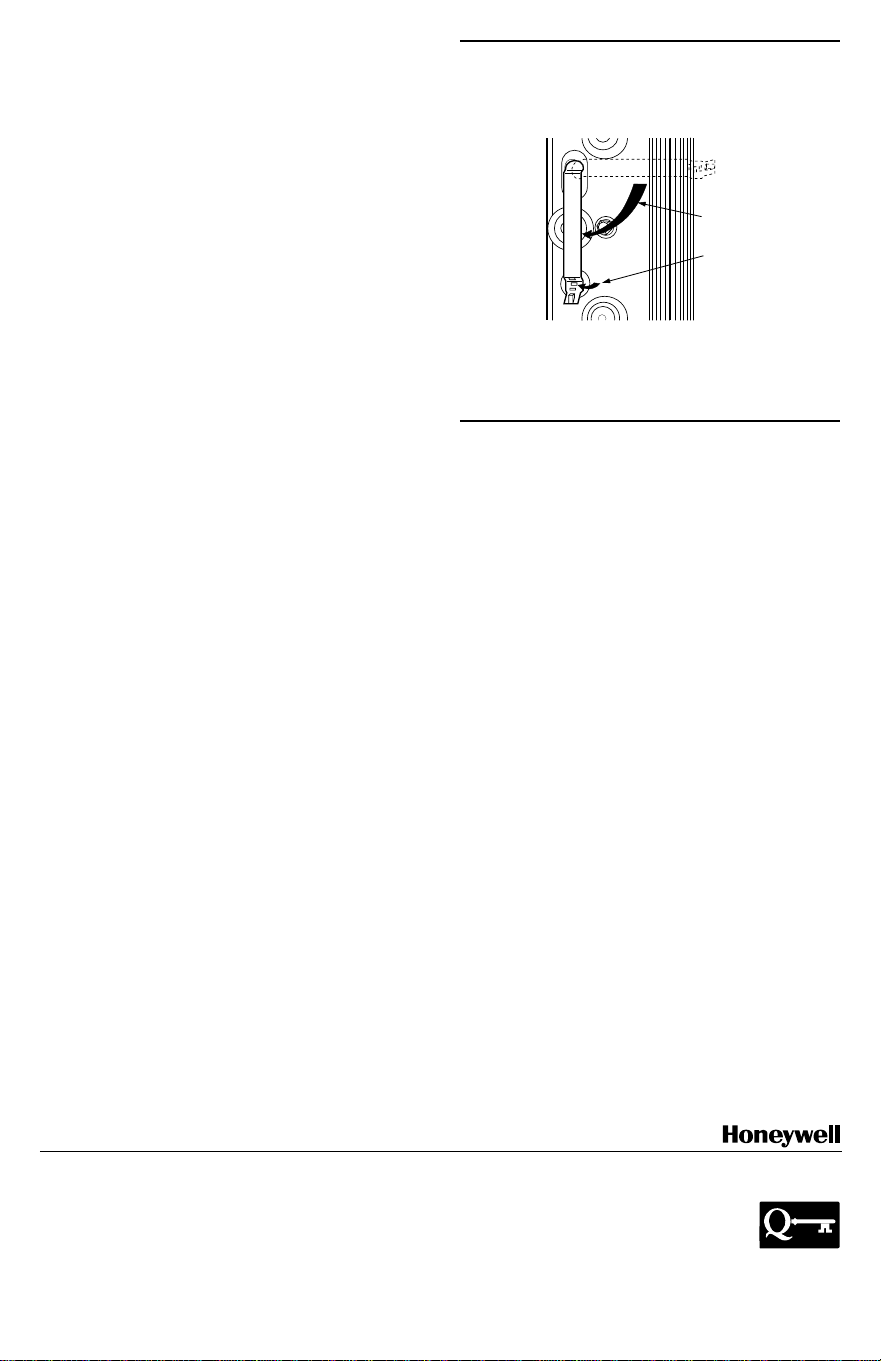
11. Install new cell handle on opposite side. See Fig. 3.
12. Reinstall cell in air cleaner cabinet and check out
operation as outlined in air cleaner instructions.
Fig. 3—Installing cell handle.
M6047
ROTATE 90
DEGREES
FOLD TAB
TO LOCK
HANDLE
IN PLACE
