INSTRUCTIONS
OF SMART
CAT LITTER BOX-GLB
INSTRUCTIONS OF SMART
CAT LITTER BOX
01
The copyright of this specification belongs to Hangzhou
Huanyu Technology Co., Ltd.
The final authority for the interpretation of this manual rests
with the Company.
HMPET ™ is registered trademark of Hangzhou Huanyu
Technology Co., Ltd.
The product rendering diagram, effect diagram, schematic
diagram in this description do not represent the final product,
please refer to the physical object.
Subsequent content updates, failure to update the specifica-
tion in time, no further notice. If necessary, please download it
on the official website.
Declaration
INSTRUCTIONS OF SMART
CAT LITTER BOX
02/03
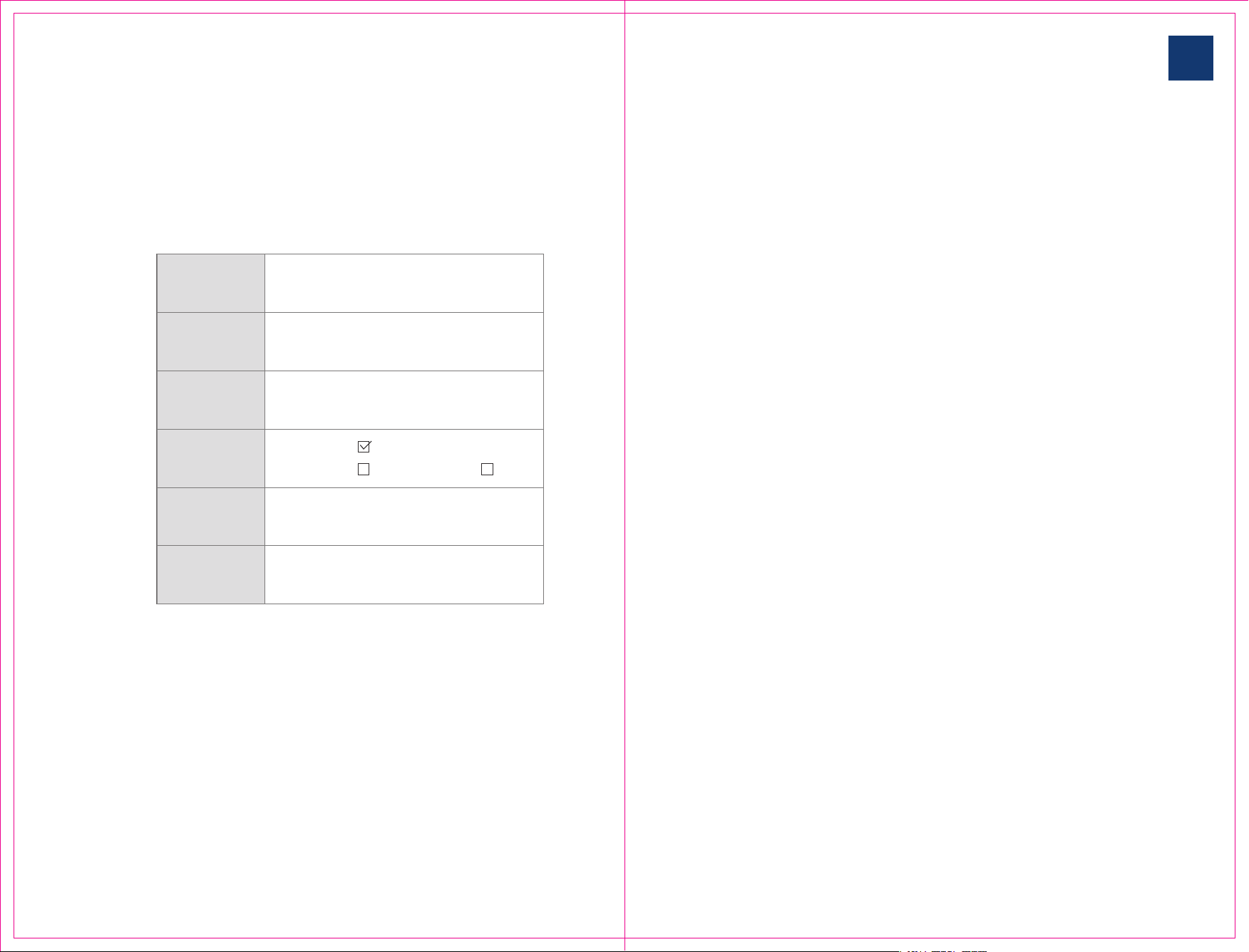
Document
name
Document
version
Document
number
Document
status
Completion
time
HM-CATBOX Smart Litter Box Operating
Instruction
CATBOX-USM-V2-0
20220708
V2.0
Thank you for purchasing the HM-CATBOX Smart Litter Box. We
hope to provide you with technology and service to make your
pet's life easier and more enjoyable. Before using the product,
please read the instruction manual carefully to ensure the
proper operation and safety of the product and operate the
device in accordance with the instruction manual.
I wish you good health and a happy life!
Version information
Introduction
Published
Revised First Draft

INSTRUCTIONS OF SMART
CAT LITTER BOX
04/05
1
2
3
4
4.1
4.2
4.3
27
30
31
32
32
37
38
38
39
39
40
41
41
42
44
Product Function Introduction
Instructions (Required)
Quick start
Operation Introduction
5 Troubleshooting
Connection APP
Add cat litter
Mode of operation
4.4
4.5
4.6
4.7
Clearance function
Protection mechanisms
Skills
Spare parts removal
4.3.1
4.3.2
automatic mode
manual mode
1
Product Function Introduction
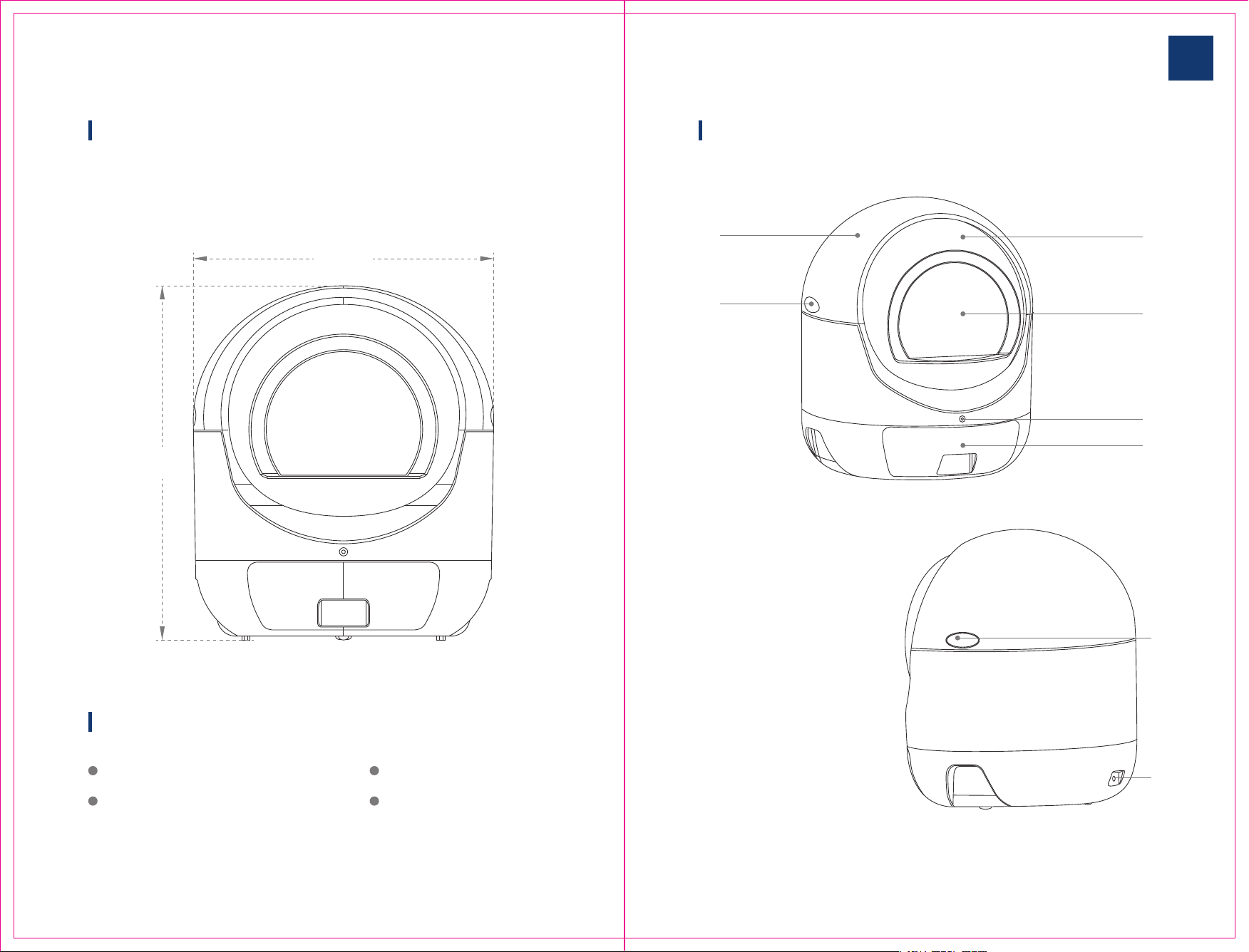
This is a fully automatic smart litter box that automatically cleans up the cat's
litter. It automatically cleans up the cat's litter after it has finished using the
toilet.
You can download the HMPET App, connect the device and set the device to
fully automatic, manual and night time modes. You can also check the remain-
ing litter level, the status of the device, the current mode and the device notifi-
cations. If you do not want to connect to the app, the device will run in full
automatic mode by default.
The device has multiple safety guarantees during operation, such as anti-pinch-
ing and automatic stop when the cat enters during operation. Automatic stop
and protection in the event of an abnormality to ensure no harm is caused to
adapter power
Machine power
Rated power consumption
WiFi support
Working altitude
Working humidity
Total weight
Machine size
(length, width and height)
220VAC-50Hz-0.1A
12VDC-1A
10W
2.4 G/5G b/g/n/a/c
Below 3000 metres
10%-90%
Main
parameters
Specifications
Directory
565×565×660 mm
11KG
INSTRUCTIONS OF SMART
CAT LITTER BOX
06/07
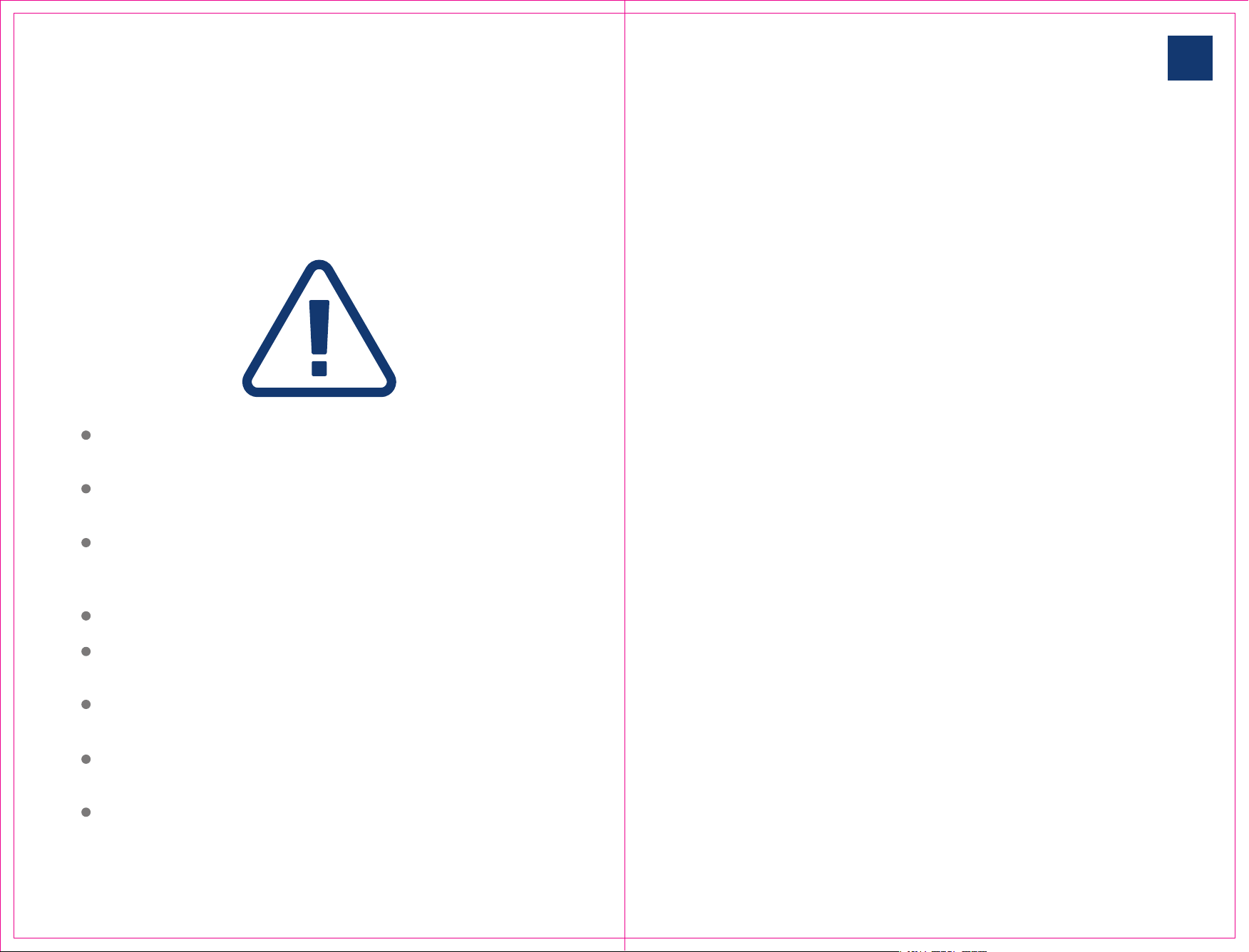
ComponentsThe size of the machine is as follows
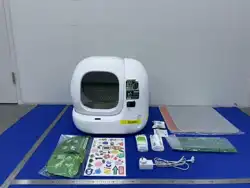
Packing list
Machine height 660 mm, width/diameter 565 mm.
HM-CATBOX smart cat litter ×1
Power adapter ×1
①
②
③
④
⑤
⑥
⑦
Removable roller
Removable curtain(optional)
Button
Storage drawer
Removable cover
Top cover bayonet
Power socket
Description ×1
Cleaning brush ×1
565mm
660mm
①
⑤
⑥
⑥
⑦
②
③
④
INSTRUCTIONS OF SMART
CAT LITTER BOX
08/09
2
Instructions (Required)
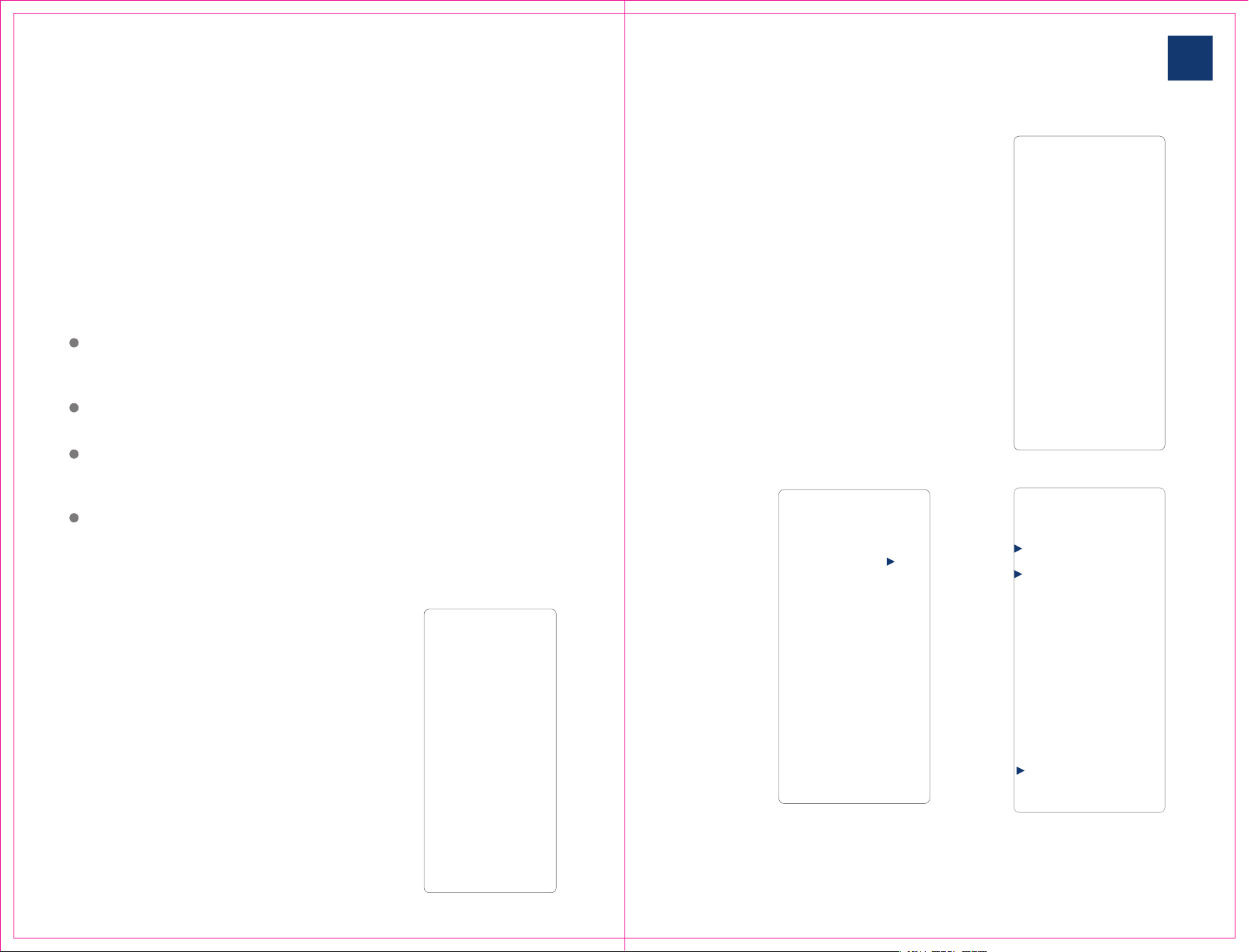
Please strictly abide by the following regulations during use to ensure the
normal operation of the machine. It is also to ensure the safety of you and pet.
The HM-CATBOX Smart Litter Box is only suitable for cats weighing 1KG and
above, and it is also recommended that cats weigh up to 10KG.
Please use the original power adapter, otherwise there is a risk of damage
to the unit and fire.
Please place the machine on a dry, flat and sturdy surface for operation. Do
not place on soft surfaces such as carpets, yoga mats, etc. as this may
prevent the machine from working properly.
Do not dismantle or tip the machine while it is in operation.
Disconnect the machine from the power supply before dismantling any
removable parts.
Do not stack any objects on the machine as this may affect the normal
operation of the machine.
Do not put your hands into the drum mechanism while the machine is in
operation.
Do not switch between cleaning and emptying tasks at will, you must wait
until the current task is completed.
3
Quick Start
You can quickly connect and use HM-CATBOX smart cat litter basin according to
the tips on this page.
(If you don't want to connect to the network, the device is in full automatic
mode by default. )
Before starting, ensure the installation of the
equipment is complete. Place the equipment
on a solid plane to make the equipment in
good contact with the ground, and there are no
other sundries on the shell of the equipment.
First of all, you need to download a favorite
APP. You can search for "Smart Life" through
the app store in your phone, or scan the right
QR code to download the installation.
After installation, open the APP, registration
account and login, click on the home page to
add equipment, according to the instructions
to complete the binding operation.
After the equipment binding is completed,
pour the cat litter (maximum 6 L) into the
equipment drum bin and re-power (unplug
the power for 15 seconds and re-power).
After completing the above operation, you
can enter the device control page by APP the
bound device in the home page.
At this point, you can start using smart cat
litter in automatic mode.
If you can't complete the configuration or
want to know more, please refer to the details
below.
INSTRUCTIONS OF SMART
CAT LITTER BOX
10/11
4
Operation Introduction
4.1 Connection APP
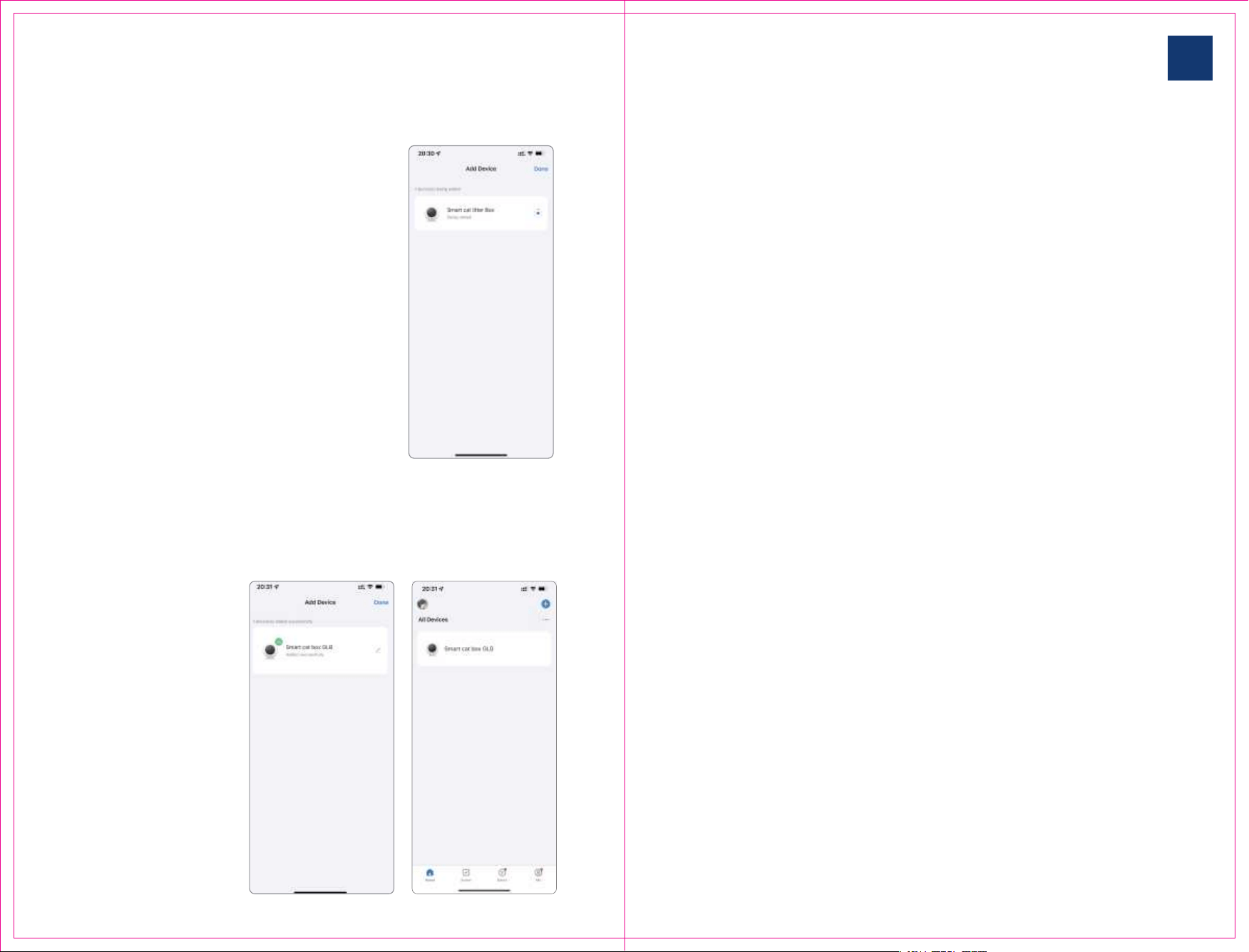
① Open "Smart Life" APP registration
account and login completed. Go to Home,
Click on the top right corner"+" to add
equipment
②Then enter the device scan page.
At this point, plug the device into the
power supply first. Wait until the device
start-up bell rings, and the startup is
complete. Wait for the device reset to
complete.
Then, press and hold the front button of
the device for more than 10 seconds until you
hear the device restart ringtone, and the
device enters the network configuration
mode.
Scan the right QR code or search for "Smart Life" APP,
through the phone's built-in app store for download. After
the download is complete, you can start to prepare the
distribution network work.
After
scanning to
the device,
click Add and
enter the
WIFI
password at
home.
Click next
WIFI name
WiFi password
(password must be correct)
First, place the equipment smoothly on a flat and solid ground, and ensure
that the four support feet (including sensors) at the bottom of the equip-
ment are in effective contact with the ground.
Can not be placed on the carpet, yoga mat and other soft plane, otherwise
the equipment may not work properly.
Before starting operation, make sure the equipment is out of power, and
the top cover and drawer of the machine are installed on the machine
completely, and there is no sundries inside the machine.
Follow the following steps after preparation.
Click Add
INSTRUCTIONS OF SMART
CAT LITTER BOX
12/13
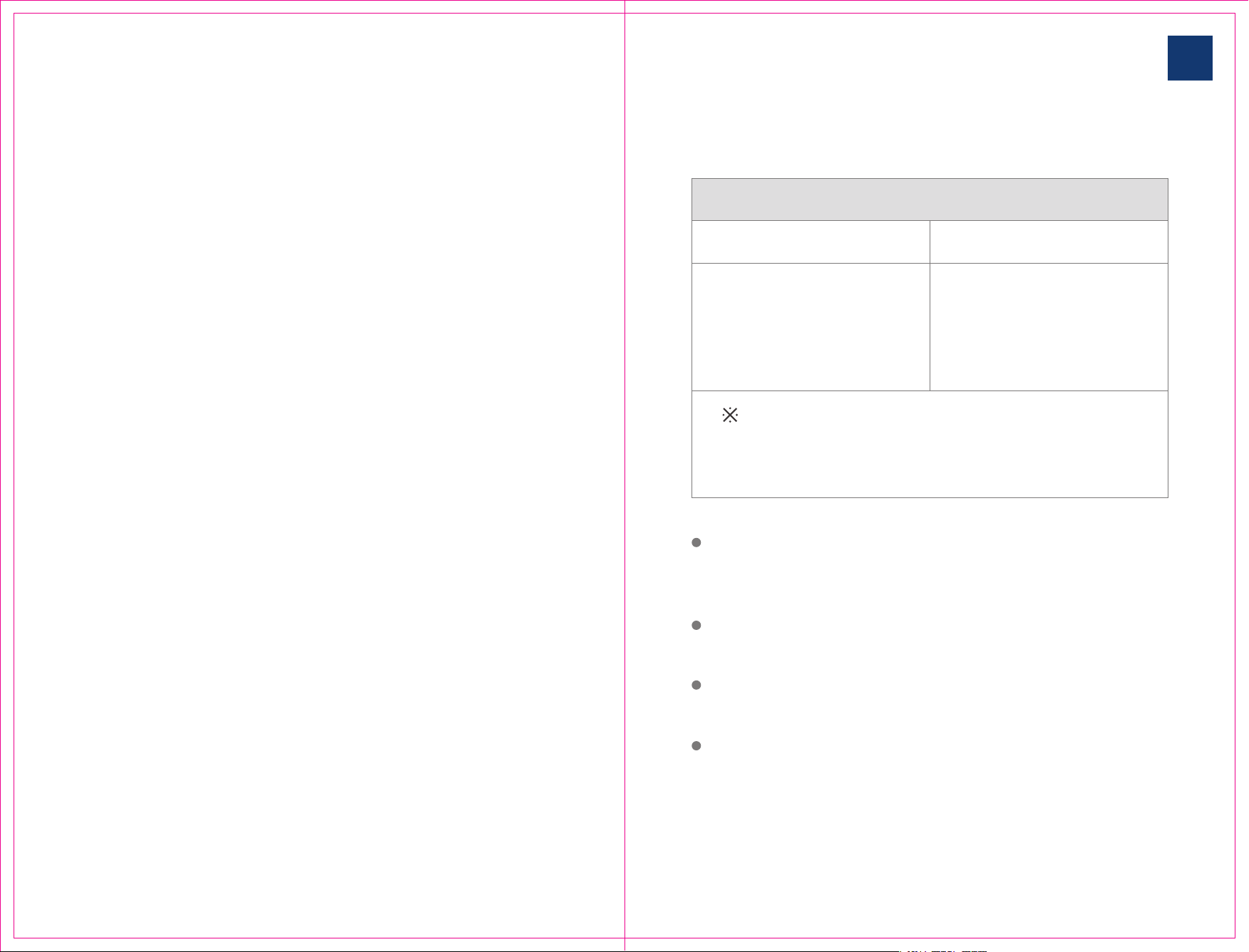
⑤ The connection is
successful.
(1) You can click on the
right side of the name to
customize the device
name.
(2) Click Done in the
upper right corner.
Return to the home
page to see the added
devices.
⑥Enter the device control page
The three status areas represent:
Litter: Equipment cat litter situation
Dustbin: Trash can usage.
Status: Indicates the current working status of
the device, standby, cleaning, cleaning
pause, resetting,Reset pause, clearing, and
clearing pause several states.
The functions of the four buttons are as follow-
ing:
Reset: When the drum is not in the initial
position, you can click Reset to reset the drum.
After adding the cat litter, you can also click the
reset button to reset the device to prevent it can
not automatic cleaning in some time (before
clicking the reset button and within the next 5
seconds, make sure that There is no cat around
the device, otherwise the cat may be harmed).
Clean up: Click on clean up to separate the feces
and cat litter in the drum.
Clearance: Click Clearance to clear all the feces
and cat litter in the drum to the drawer, which is
generally used when replacing the cat litter.
Deodorize: Click to deodorize to deodorize the
litter box immediately.
Click the message icon in the upper right corner
to enter the notification and log messages
pushed by the device.
④Wait for the connection to be successful.
If the connection fails, please close the APP
and reopen it,
Or restart your phone and try again.
INSTRUCTIONS OF SMART
CAT LITTER BOX
14/15
You can add cat litter to the cat litter basin at any other time except when
the equipment is running and cleaning. Pour the cat litter directly from the
drum door.
HM-CATBOX the maximum allowable cat litter capacity of the smart cat
litter basin is 6 L( liters), exceeding that capacity will affect the use effect.
After each litter addition, please restart the power for 15 seconds, plug in or
click the reset button on the app control page.
If you do not restart the device after adding the litter or click the reset
button, the litter data will be updated after a period of time. Meanwhile, the
automatic cleanup function does not run until the litter volume is updated.
4.2 Add cat litter
Cat litter type supported by equipment
Bean curd sand compatibility Non-compatible
support strip pure bean curd
sand, mixed bean curd sand, and
all granular sand such as benton-
ite, millet sand, etc.
only supports granular cat litter,
such as bentonite, millet sand and
so on.
⑦ Function setting
(1) Whether the automatic mode switch
setting is automatically cleaned, if the switch
is turned off, it can only be cleaned by the
machine button or APP control button.
(2) Deodorization switch, this setting deter-
mines whether the cat litter box will automat-
ically deodorize after each cleaning.
(3) Waiting time: how long does it take to
clean up after the cat goes to the toilet. The
minimum time is 0. The device will start
cleaning 30 seconds after the cat leaves.V

INSTRUCTIONS OF SMART
CAT LITTER BOX
16/17
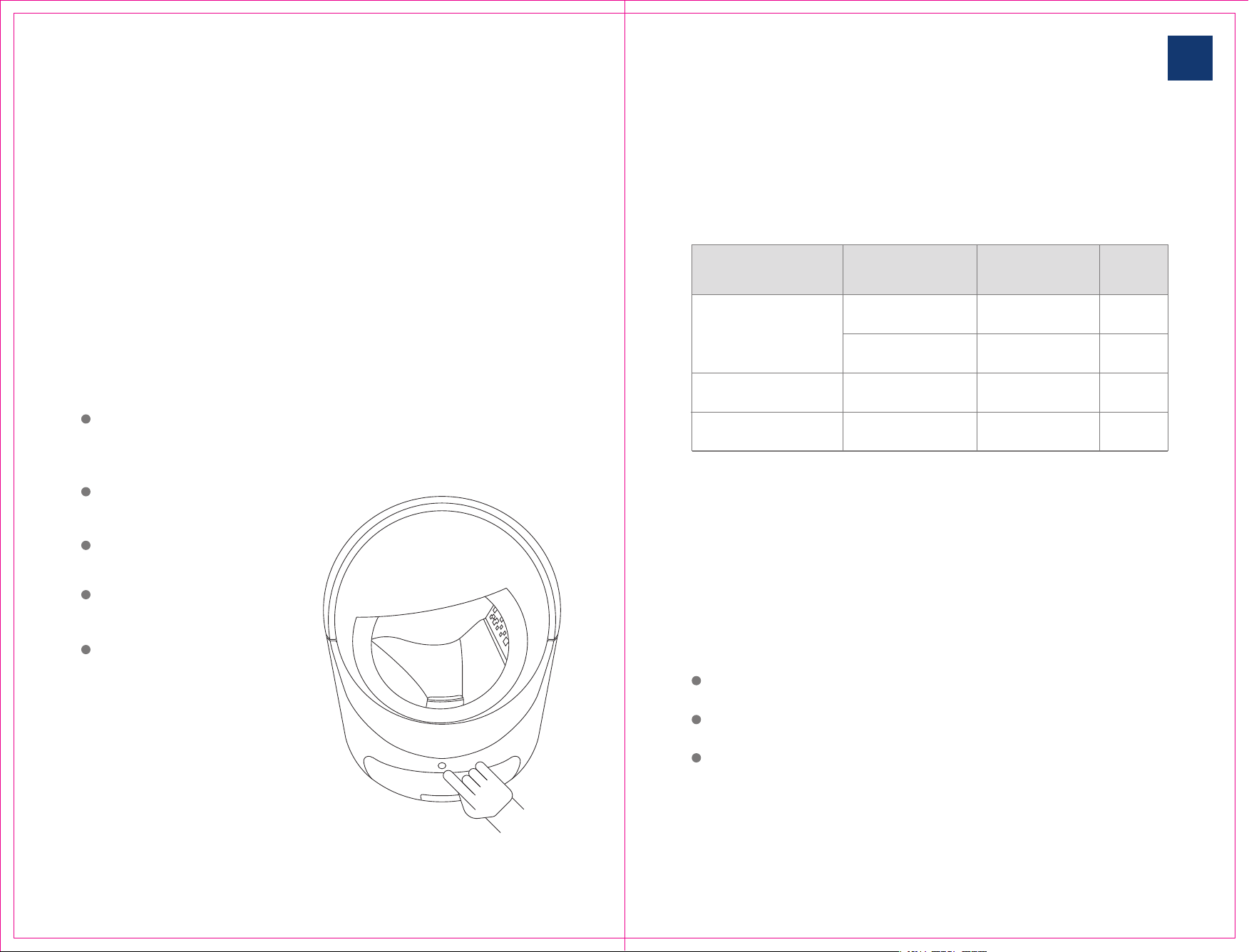
You can switch to manual mode by APP.
In manual mode, the device is no longer automatically detected and
cleaned. You can only manually clean by pressing the device button for 3~5
seconds and through the cleaning button in the APP.
Manual mode is suitable for users who want to clean up according to their
own needs and manually operate on the spot.
4.3.2 manual mode
The smart litter basin is in automatic mode by default (even if no network is
configured).
When the device is in automatic mode, the device has all-weather automatic
cleaning and automatic identification protection functions.
When the device detects that the cat has finished going to the toilet, the device
will automatically clean up after waiting for the delay time set on the setting
page. It is recommended to set the delay time to about 6 minutes to make the
feces and cat litter fully clump together.
In automatic mode, you can also press the front button of the device for 3~5
seconds or manually through the cleanup button in app.
In automatic mode, you can also press the front button of the device for 3~5
seconds or manually through the cleanup button in app.
When the cat litter is too less, the storage compartment drawer space is insuffi-
cient, or the device is abnormal, the device will send you reminders and notifica-
tions through the APP
4.3 Mode of operation
4.3.1 automatic mode
The HM-CATBOX smart cat litter box currently has
two operating modes. There are Automatic Mode and
Manual Mode. Set by the automatic mode switch on
the APP device setting page.
No matter what mode the device is in, or under any
circumstances, you can use the button on the front of
the device and the "Clean " button in the APP device
control page to manually clean it up.
INSTRUCTIONS OF SMART
CAT LITTER BOX
18/19
4.5 Protection mechanisms
HM-CATBOX intelligent cat litter basin has automatic protection function.
But the protection function is different in different modes. See the table
below for details:
4.6 Skills
The following will show you some tips in the operation of the device for
your quick use.
At any time, you can press the device button for 3~5 seconds to clean up.
At any time, you can press the device button for 6~10 seconds to perform
the clearance task.
During cleaning or clearing, you can pause by pressing the device button.
After pause, you can manually trigger the task again, and the device will
continue to run. If no operation is carried out, the device will automatically
return to normal position after a period of time.
Automatic detection
Manual cleaning
Manual cleaning
Manual clearance
Automatic
Manual mode
Clearance
Support
Support
support
No support
Support
Support
Support
Support
Mode of operation
Cleaning Trigger Mode
Anti-clam
Cleaning
Trigger Mode
Cleaning kittens in
Automatic stop
4.4 Clearance function
HM-CATBOX intelligent cat litter basin has clearance function. Easy for you to
simply and quickly replace cat sand.
When you feel that the cat litter in the drum bin needs to be cleaned and
replaced at one time, you can use the clearance function to clean all the cat
litter in the bin into the storage drawer below. Then add the cat litter again.
You can press and hold the button for more than 7 seconds and release it after
hearing the device emit a didi, or use the clearing button in the mobile APP to
perform the clearing operation.
Please make sure there is
enough space in the storage
drawer below before clearance.
Do not unplug the power during
clearance.
Do not interrupt the operation at
will during the clearance
process.
Please observe the whole
process during clearance.
You can stop the task by clicking
the device button when the
drum leak is at the bottom
during clearance. Then use the
official small brush to further
clean up the dust. After cleaning,
press the button or continue the
4.7 Spare parts removal
HM-CATBOX the drum bin of the intelligent cat litter basin and the drawer
bin below the storage bin can be removed and cleaned.
Before removing the accessories, please cut off the equipment and clean up
the debris in the parts to be cleaned. After cleaning, please dry the equip-
ment and install it back into the equipment.
Remove and clean the
drawer. After cleaning, be
sure to dry and put it back
into the machine.
Please use clean water
cleaning, can use ordinary
household detergents,
disinfectant, do not allow
the use of strong corrosive
detergents.
During cleaning or clearance, if the cat enters the cat litter basin, the device
automatically stops running. After a period of time to return to normal, the
device will continue the current task or return to its initial position.
During the cleaning of the cat litter basin in automatic mode, if you find an
exception, you can press the button or press the device shell to suspend the
operation of the device. After returning to normal, the device will continue
the current task or return to its initial position.
Storage drawer cleaning:
INSTRUCTIONS OF SMART
CAT LITTER BOX
20/21
After the cleaning is completed. Please dry all accessories and dry the
remaining moisture and install them on the machine.
Before running the equipment, please ensure that all accessories are
fully installed on the equipment, otherwise it will affect the function of
the equipment.
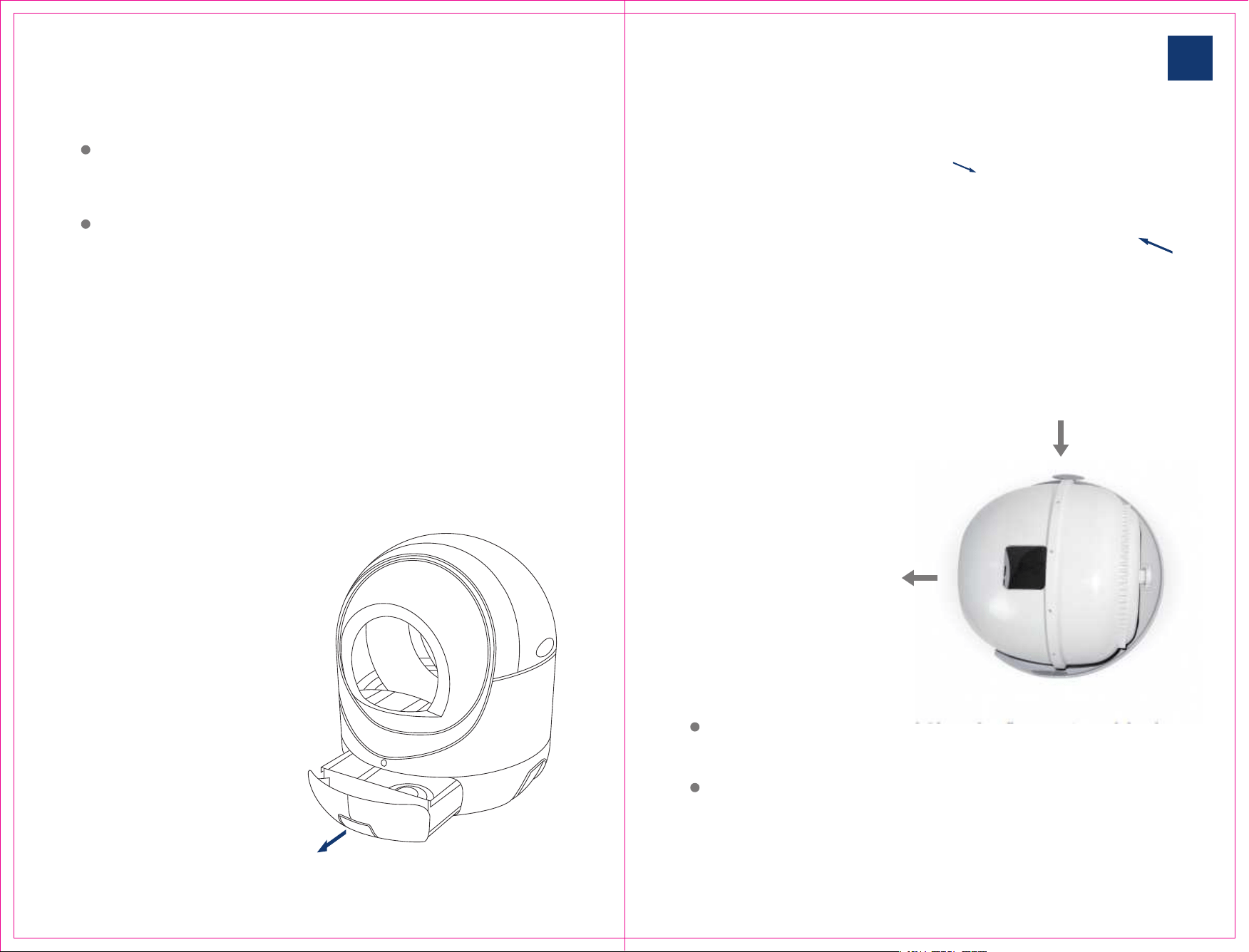
The first step is to press the upper
cover buckle on both sides of the
equipment and remove the upper
cover.
In the second step, lift the drum
forward slightly and remove it
without screws.
Remove the drum bin and clean it.
Please use clean water cleaning, can
use ordinary household detergents,
disinfectant, do not allow the use of
strong corrosive detergents.
Drum cleaning:
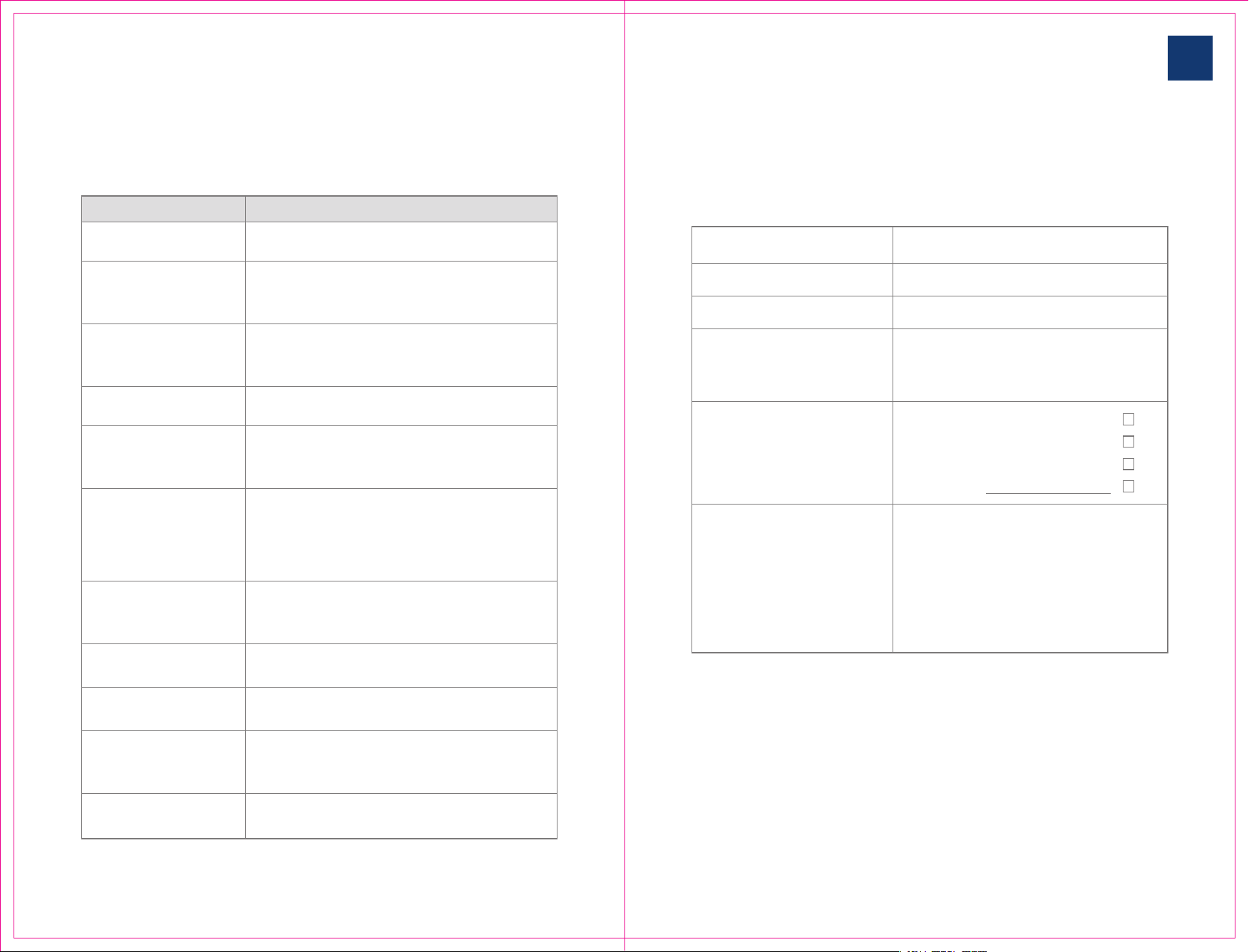
Customer Name
Contact number
Address
maintenance
replacement
return
other:
After-sales service card
Product model
After sale type
Problem description
Thank you for your support, please contact the after-sales phone, describe the
situation, and truthfully fill in your problems in the use of products, we will
serve you wholeheartedly.
5
Troubleshooting
Please check that the plug is normal
No response from
equipment
Network can not be
configured
Configured successful-
ly but not remotely
controlled
Cat litter basin not
automatically cleaned
Cat litter allowance
not updated
Cat litter box does not
automatically return
Frequent pauses
during cat litter bowl
rotation
Equipment notifica-
tion of insufficient
Equipment notifica-
tion storage bin full
Equipment notifica-
tion abnormal
Check that the router is working properly; WiFi the
password correctly when configuring the network;
restart the router and cat litter; reconfigure the network
Check that the router is connected to the external
network properly WIFI that the password input is
incorrect; reconfigure the network
Enter APP to see if it is in automatic mode; check that
the storage bin is full; restart the device
Wait 30 minutes to update automatically; or perform a
clean-up task manually; the device will update immedi-
ately; restart the device
You can click the "reset" button of the mobile app, or
manually press the button on the front of the device to
perform a cleanup. You can also unplug the power
supply and wait for 10 seconds to plug it in. This may
cause the cat litter to fall to the ground
Please check if there is any debris on the shell of the
equipment. Do not touch the equipment while running
Add litter and restart the device
Clean up store drawer
Please see if there is a foreign body stuck in the
equipment, clean up and wait for the equipment to
recover automatically. Or manually perform a cleanup
Issues Solutions
INSTRUCTIONS OF SMART
CAT LITTER BOX
22/23
The drum keeps rotating
and cannot be reset
It may be that the roller is slightly misaligned during
transportation, and it needs to be taken down and
firmly loaded into place