v1.1
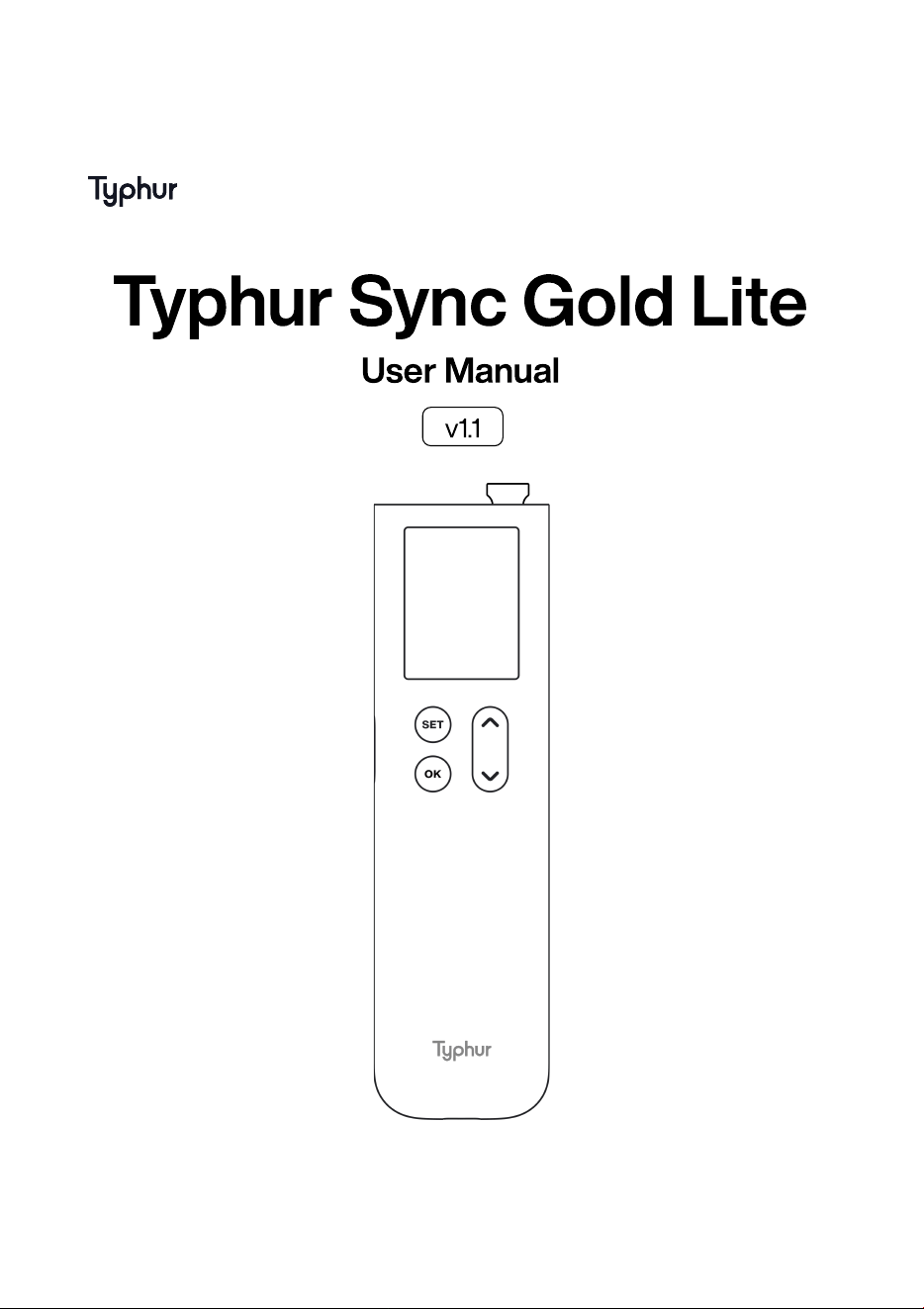
Typhur Sync Gold Lite
User Manual
Important Safeguards
Diagram
Cooking mode
Specifications
Using for the First Time
Troubleshooting
Certifications
Support
01
02
04
05
05
07
08
11
User Manual
Typhur Sync Gold Lite User Manual
01
Copyright © 2024 Typhur. All rights reserved.
IMPORTANT SAFEGUARD
CAUTION: Please read this entire manual before using your Typhur Sync Gold
Lite. Failure to follow these instructions could result in property damage or bodily
injury.
1
2
3
4
5
6
7.
DO NOT use the Probe when cooking at temperatures above 932°F/500°C
for more than 2 minutes
DO NOT place the Device Base unit directly on the grill cover or close to any
hot surface
DO NOT use the Probe in a microwave or pressure cooker
DO NOT use cleaning products containing alcohol, ammonia, benzene, or
abrasives, as could damage the device
DO NOT run the Probe under cold water immediately after cooking. Let the
probe cool down prior to washing
The Probe is IPX8 waterproof, and it can be washed by hand or in a
dishwasher. But the Device Base is NOT waterproof and should not be
submerged in water or placed in the dishwasher
The probe is SHARP! Care should be exercised when handling the probe.
This appliance should NOT be used by or near children or individuals with
certain disabilities
Typhur Sync Gold Lite User Manual
02
Copyright © 2024 Typhur. All rights reserved.
8
9
10.
If the Probe falls into a re or direct heat source, turn off the cooking
appliance and close the lid immediately. Allow the Probe to cool completely
before removing it
Carefully remove the Probe from the cooked meat, taking caution as it may
be hot
The Device Base shall only be supplied with safety extra-low voltage (SELV)
corresponding to the marking on the appliance
SAVE THESE INSTRUCTIONS
Diagram
Copyright © 2024 Typhur. All rights reserved.
Typhur Sync Gold Lite User Manual
03
Copyright © 2024 Typhur. All rights reserved.
Typhur Sync Gold Lite User Manual
04
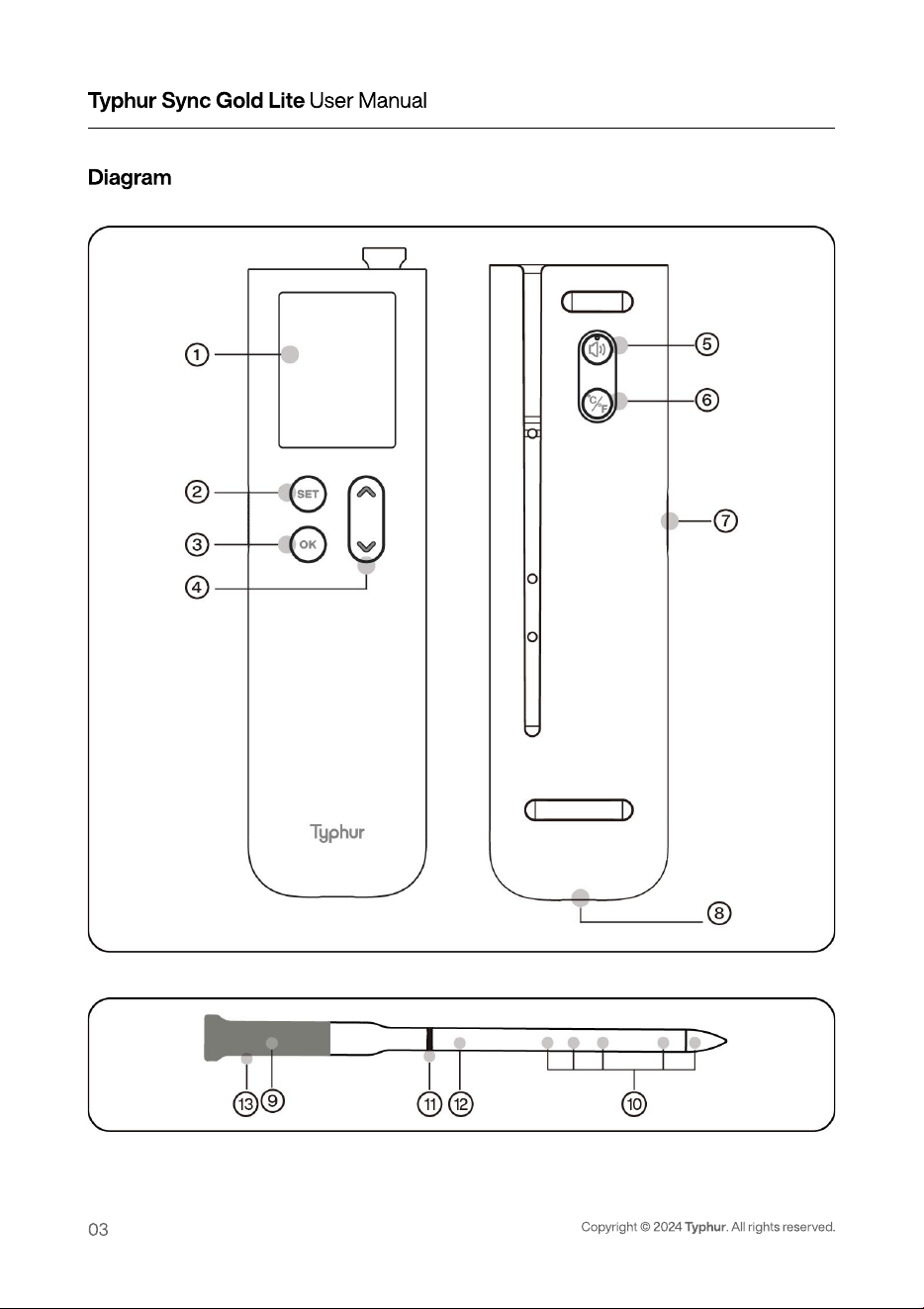
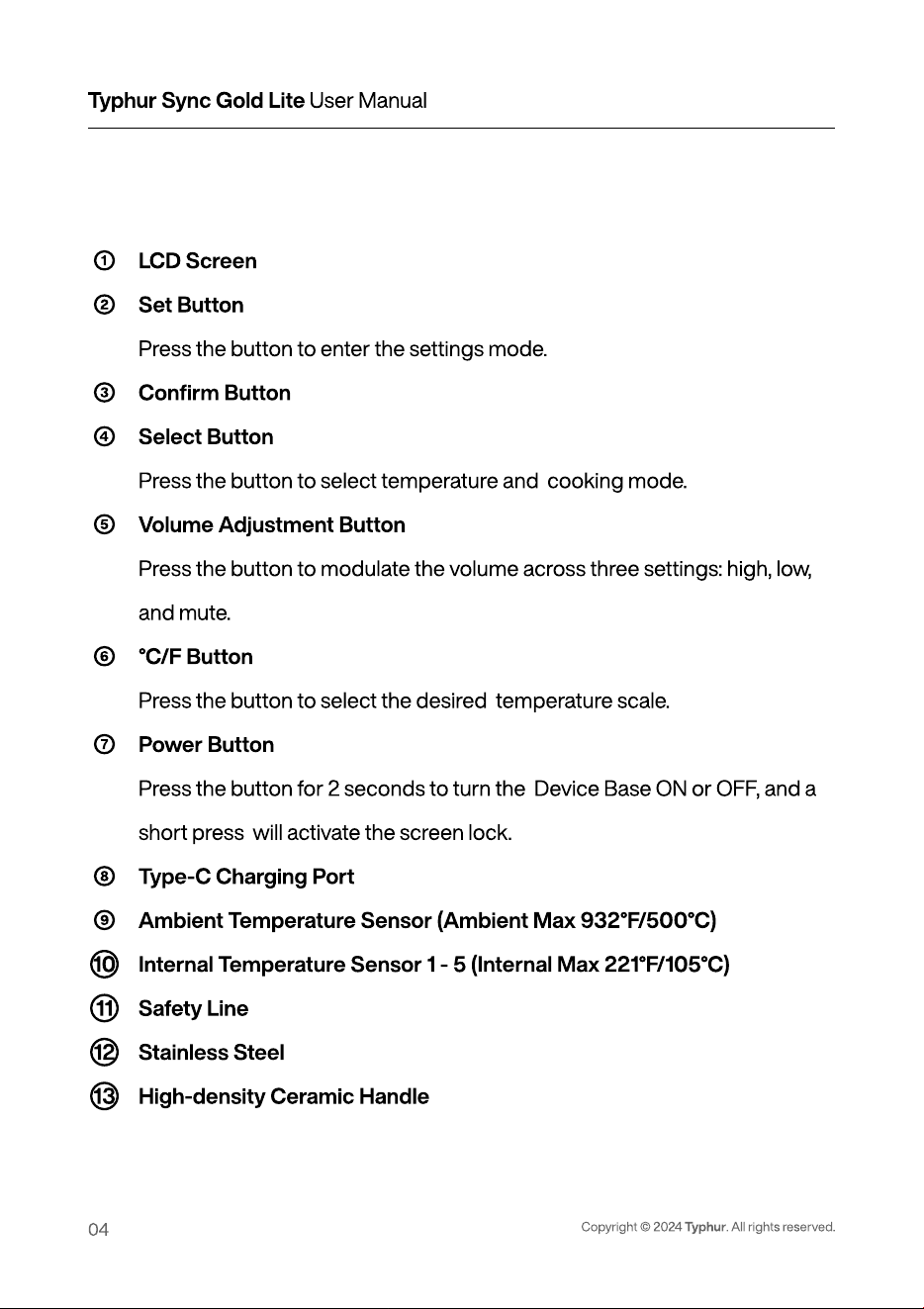
1
1
1
13
LCD Scree
Set Button
Press the button to enter the settings mode
Conrm Butto
Select Button
Press the button to select temperature and cooking mode.
Volume Adjustment Button
Press the button to modulate the volumeacross three settings: high, low,
and mute
°C/F Button
Press the button to select the desired temperature scale
Power Button
Press the button for 2 seconds to turn the Device Base ON or OFF, and a
short press will activate the screen lock
Type-C Charging Por
Ambient Temperature Sensor(Ambient Max 932°F/500°C)
Internal Temperature Sensor 1 - 5(Internal Max 221°F/105°C)
Safety Lin
Stainless Stee
High-density Ceramic Handle
Diagram
Copyright © 2024 Typhur. All rights reserved.
Typhur Sync Gold Lite User Manual
05
③
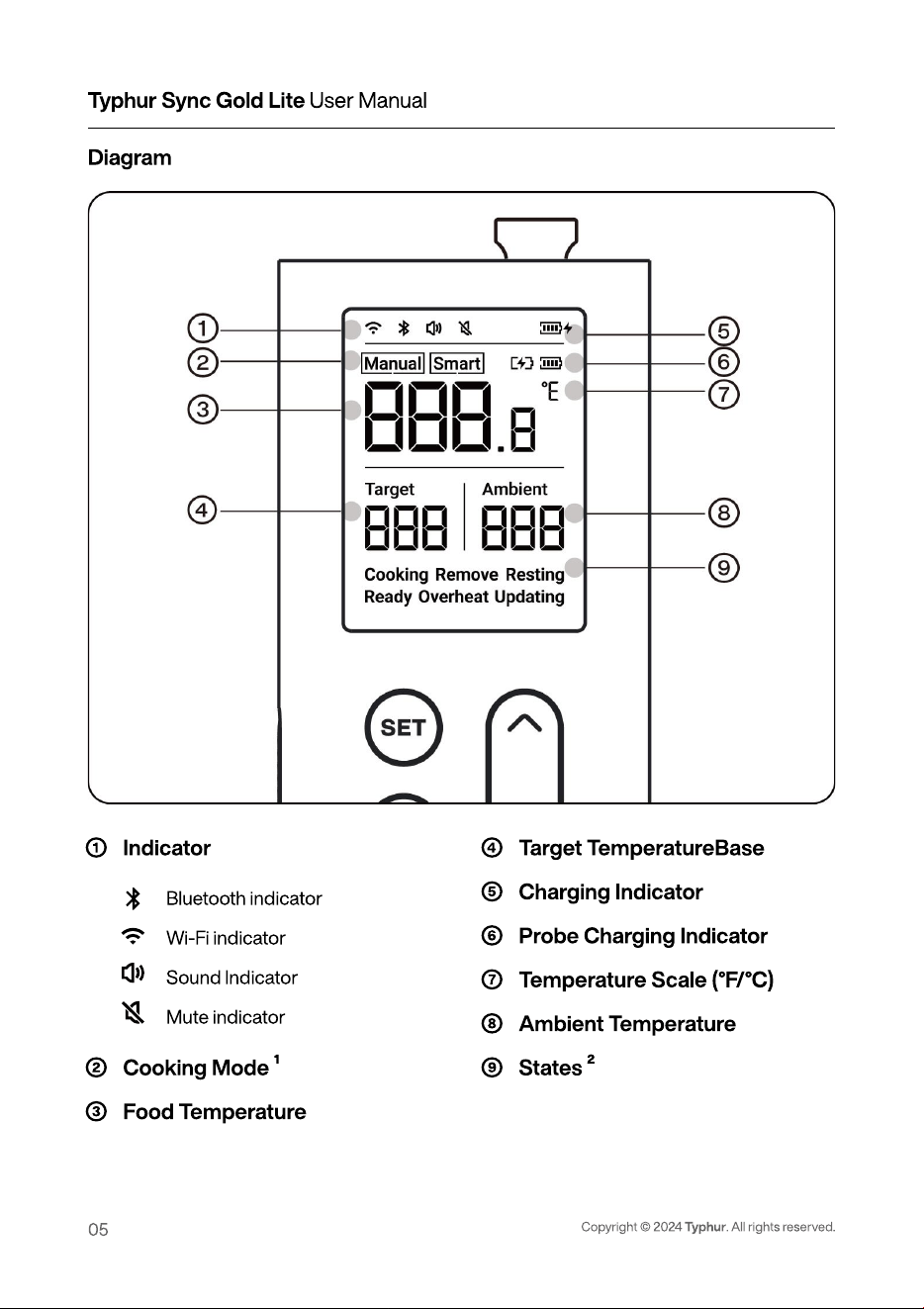
Indicator
Cooking Mode 1
Food Temperature
④
⑤
⑥
Target TemperatureBase
Charging Indicator
Probe Charging Indicator
Temperature Scale (°F/°C)
Ambient Temperatur
States 2
Bluetooth indicato
Wi-Fi indicato
Sound Indicator
Mute indicator
Typhur Sync Gold Lite User Manual
06
Copyright © 2024 Typhur. All rights reserved.
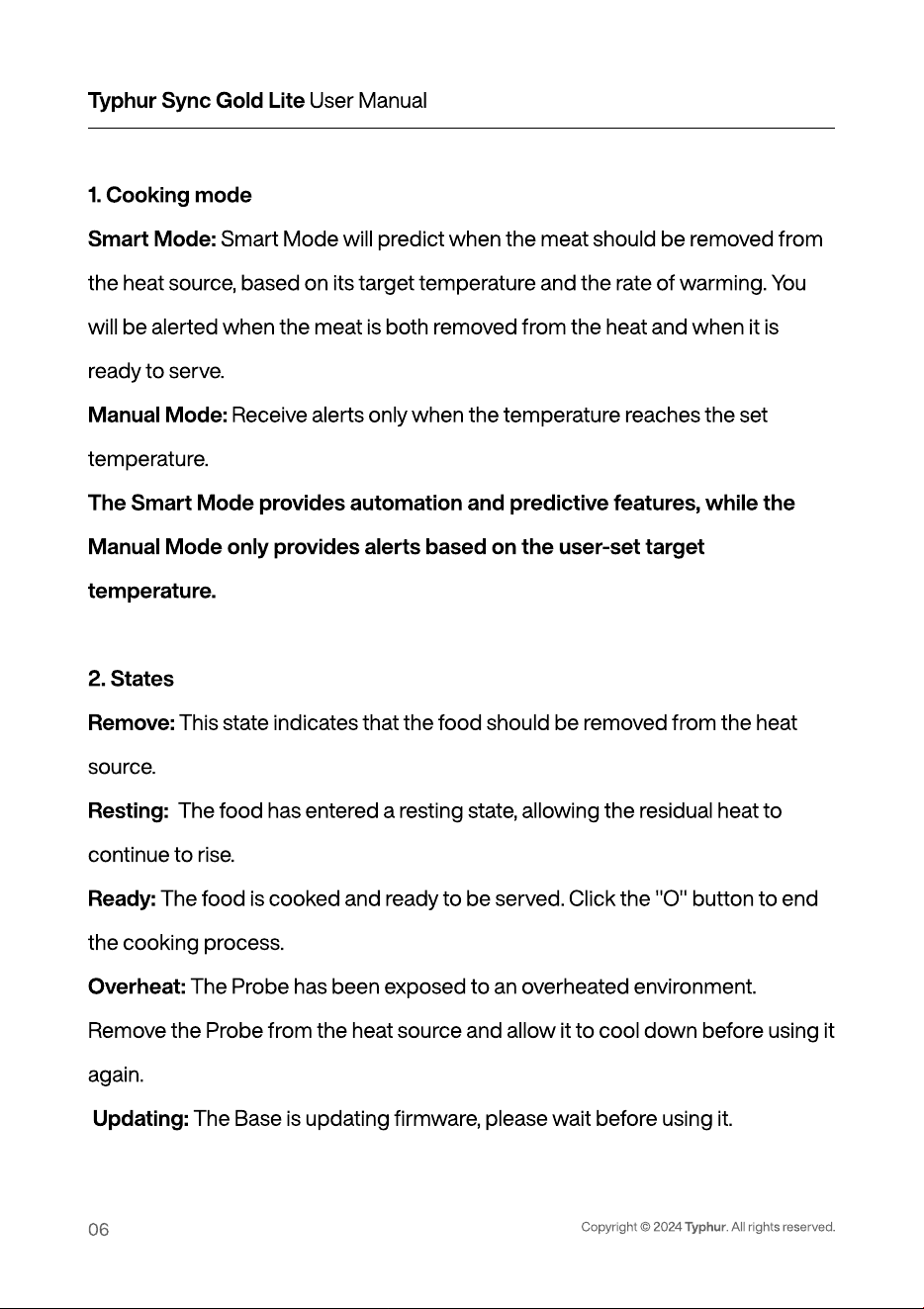
1. Cooking mod
Smart Mode: Smart Mode will predict when the meat should be removed from
the heat source, based on its target temperature and the rate of warming. You
will be alerted when the meat is both removed from the heat and when it is
ready to serve.
Manual Mode: Receive alerts only when the temperature reaches the set
temperature.
The Smart Mode provides automation and predictive features, while the
Manual Mode only provides alerts based on the user-set target
temperature
2. States
Remove: This state indicates that the food should be removed from the heat
source.
Resting: The food has entered a resting state, allowing the residual heat to
continue to rise.
Ready: The food is cooked and ready to be served. Click the "O" button to end
the cooking process.
Overheat: The Probe has been exposed to an overheated environment.
Remove the Probe from the heat source and allow it to cool down before using it
again.
Updating: The Base is updating rmware, please wait before using it.
Typhur Sync Gold Lite User Manual
07
Copyright © 2024 Typhur. All rights reserved.
Specications
Probe: (Model: WTG01)
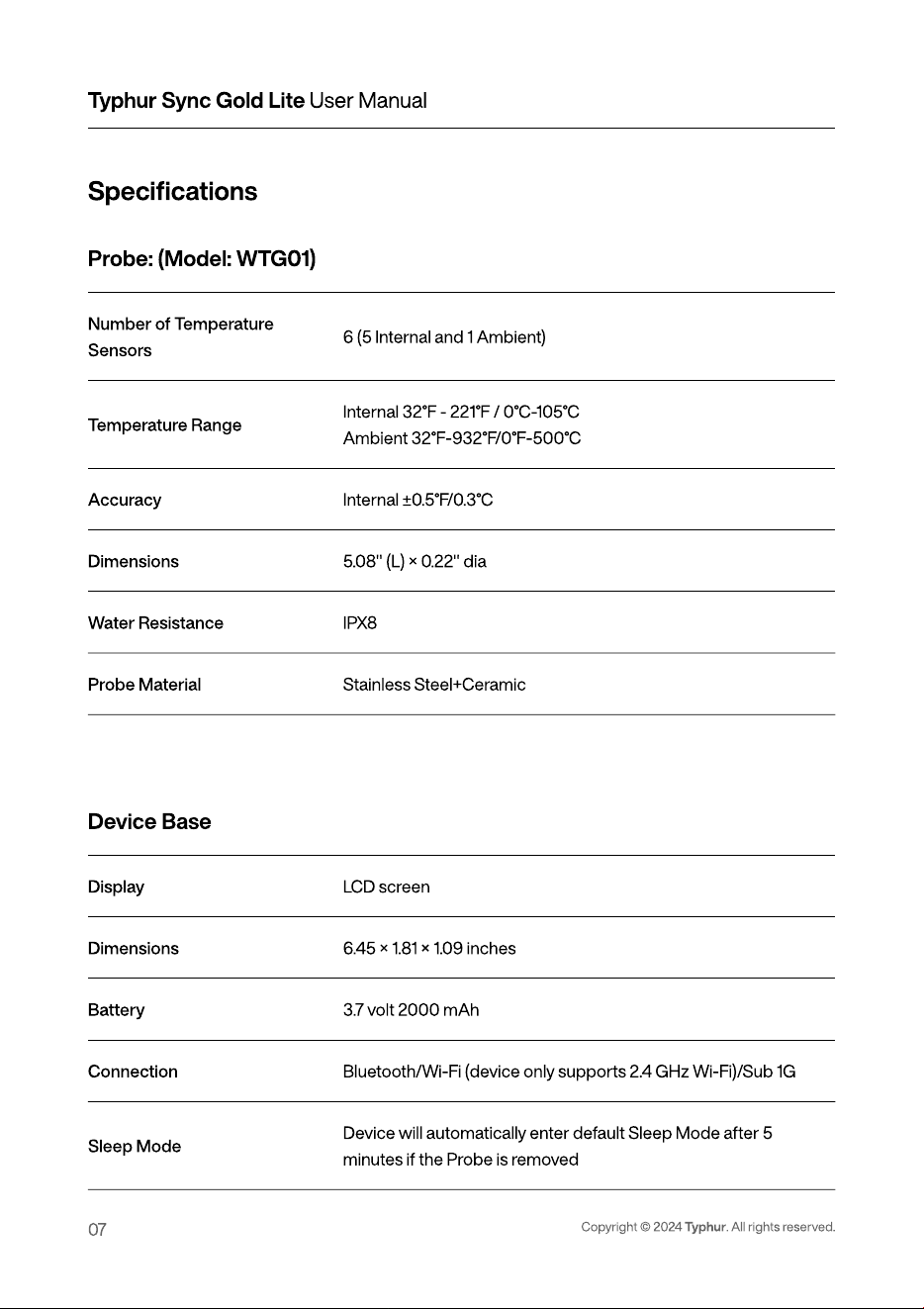
Number of Temperature
Sensors
6 (5 Internal and 1 Ambient)
Temperature Range
Internal 32°F - 221°F / 0°C-105°
Ambient 32°F-932°F/0°F-500°C
Accuracy Internal ±0.5°F/0.3°C
Dimensions 5.08" (L) × 0.22" dia
Water Resistance IPX8
Probe Material Stainless Steel+Ceramic
Device Base
Display LC
D
screen
Dimensions 6.45 × 1.81 × 1.09 inches
B
attery 3.7 volt 2000 mAh
C
onnection
B
l
u
etooth/
W
i-Fi (device only s
u
pports 2.4
GHz
W
i-Fi)/S
u
b 1
G
Sleep Mo
d
e
D
evice
w
ill a
u
tomatically enter de
f
a
u
lt Sleep
M
ode a
f
ter
min
u
tes i
f
the Probe is removed
Copyright © 2024 Typhur. All rights reserved.
Typhur Sync Gold Lite User Manual
08
Before using your Typhur Sync Gold Lite, ensure the product is fully
charged and you have reviewed the important safety information
Download the free Typhur App for iOS or Android
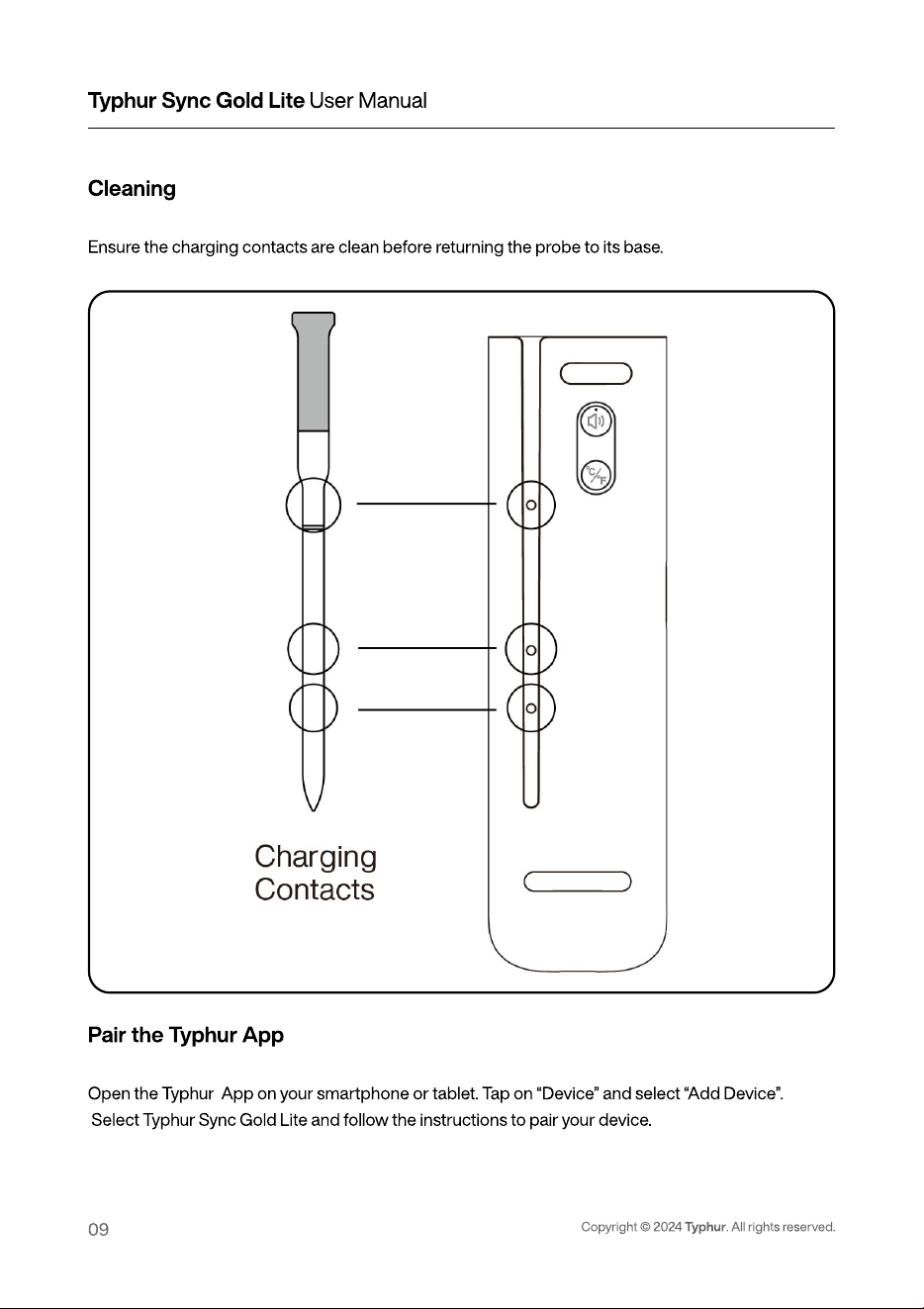
Insert the probe completely into the meat, ensuring that it passes the
safety line but does not exceed the ceramic handle and that the internal
sensors are in the center of the meat.
Using for the First Time
Typhur Sync Gold Lite User Manual
09
Copyright © 2024 Typhur. All rights reserved.
Cleaning
Pair the Typhur App
Open the Typhur App on your smartphone or tablet. Tap on “Device” and select “Add Device”
Select Typhur Sync Gold Lite and follow the instructions to pair your device.
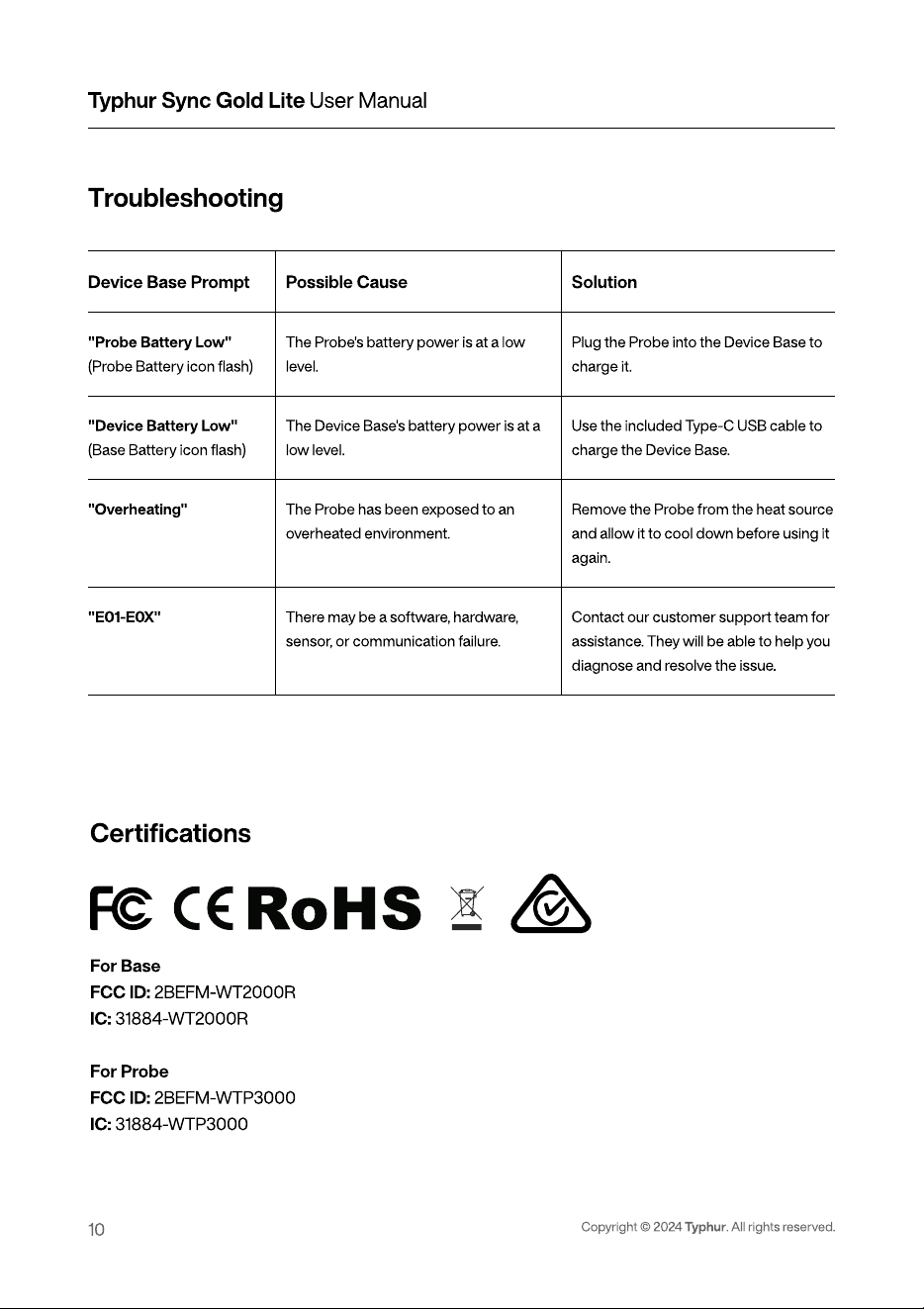
Ensure the charging contacts are clean before returning the probe to its base.
Typhur Sync Gold Lite User Manual
10
Copyright © 2024 Typhur. All rights reserved.
Troubleshooting
Device Base Prompt
"Probe Battery Low
(Probe Battery icon ash)
"Device Battery Low
(Base Battery icon ash)
"Overheating
"E01-E0X"
Possible Cause
The Probe's battery power is at a low
level.
The Device Base's battery power is at a
low level.
The Probe has been exposed to an
overheated environment
There may be a software, hardware,
sensor, or communication failure.
Solution
Plug the Probe into the Device Base to
charge it.
Use the included Type-C USB cable to
charge the Device Base.
R
emove the Probe from the heat source
and allow it to cool down before using it
again.
Contact our customer support team for
assistance. They will be able to help you
diagnose and resolve the issue.
F
or Bas
F
CC
I
D
:
2
B
EFM-WT2000R
I
C
:
31884-WT2000
F
or Prob
F
CC
I
D
:
2
B
EFM-WT
P
300
I
C
:
31884-WT
P
3000
Certi
cations
Typhur Sync Gold Lite User Manual
11
Copyright © 2024 Typhur. All rights reserved.
FCC Statement
This device complies with part 15 of the FCC Rules. Operation is subject to the following two
conditions:
(1) This device may not cause harmful interference
(2) This device must accept any interference received, including interference that may cause
undesired operation.
This equipment has been tested and found to comply with the limits for a Class B digital device,
pursuant to part 15 of the FCC Rules. These limits are designed to provide reasonable protection
against harmful interference in a residential installation. This equipment generates uses ard can
radiate radio frequency energy and, if not installed and used in accordance with thenstructions, may
cause harmful interference to radio communications. However, there is no guarantee that
interference will not occur in a particular installation. If this equipment does cause harmful
interference to radio or television reception, which can be determined by turning the equipment off
and on, the user is encouraged to try to correct the interference by one or more of the following
measures: Reorient or relocate the receiving antenna.
-Increase the separation between the equipment and receiver.
-Connect the equipment into an outlet on a circuit different from that to which the receiver is
connected.
-Consult the dealer or an experienced radio/TV technician for help.
CAUTION: The user is cautloned that changes or modications not expressly approved by the party
responsible for compliance could vold the user's authority to operate the equipment.
FCC Radiation Exposure Statement
The device complles with RF specications when used near your body at a dlstance of 10 mm.
Ensure that the device accessorles, such as a device case and device holster, are not composed of
metal components. Keep the device away from your body to meet the distance requirement.
For Europe
Frequency band of operation is 2400 to 2483.5 MHz.Maximum transmit power less than 20 dBm
EIRP.
[Typhur Inc.] hereby declares that the radio equipment type [WT10] is in compliance with Directive
2014/53/EU. The full text of the EU declaration of conformity is available at the following Internet
address:
explore.typhur.com/ce-declaration.
FCC Supplier's Declaration of Conformity
Product Name: Typhur Sync Gold Lite Wireless Thermometer
Model number: WT10
Suppliers Name: Typhur Inc.
Suppliers Address (USA): 2890 Zanker Rd, Sulte 120, San Jose, CA 95134
Suppliers contact mail: allen.f@typhur.com
ISED Statement
This device contains licence-exempt transmitter(s)/receiver(s) that comply with Innovation, Science
and Economic Development Canada's licence-exempt RSS(s). Operation is subject to the following
two conditions:
(1) This device may not cause interference.
(2) This device must accept any interference,
Including interference that may cause undesired operation of the device. This equipment complies
with Industry Canada radlation exposure limits set forth for an uncontrolled environment.
ISED Radiation Exposure Statement
The device complies with RF specications
when used near your body at a distance of 10 mm. Ensure that the device accessorles, such as a
device case and device holster, are not composed of metal components. Keep the device away
from your body to meet the distance requirement.
This symbol, afxed to the product or its packaging, Indicates that the product must not
be processed with household waste. It must be brought to an electric or electronic waste
collection point for recycling and disposal. By ensuring the Appropriate disposal of this
product you also help in preventing potentlally negative consequences for the
environment and human health. The recycling of materials helps preserve our natural
resources. For further Information regarding the recycling of this product, please contact
your municipality, local waste disposal center, or the store where the product was
purchased.
Typhur Sync Gold Lite User Manual
12
Copyright
©
2024
Typhur
. All rights reserved.
Typhur Sync Gold Lite User Manual
13
Copyright © 2024 Typhur. All rights reserved.
Support
Please contact our Customer Support Team if you have any questions
: 1(888) 838-6563 (USA
: support@typhur.co
: support.typhur.com
Typhur Privacy Statement
We value your privacy and personal data rights, and we, Typhur Inc.are the
entity responsible for the collection,use, and disclosure of information unde
our Privacy Statement. For more details, please visi
https://www.typhur.com/privacy-statement.
Terms of Service
For details about Typhur Terms of Service,
please visi
https://www.typhur.com/terms-of-service
Refund & Return Polic
Typhur has a 30-calendar day hassle-freereturn policy. For more details
please visi
https://www.typhur.com/refund-and-return
W
arrant
Full details are stated in Typhur
'
s warranty policy at https://www.typhur.com/warranty