Operating
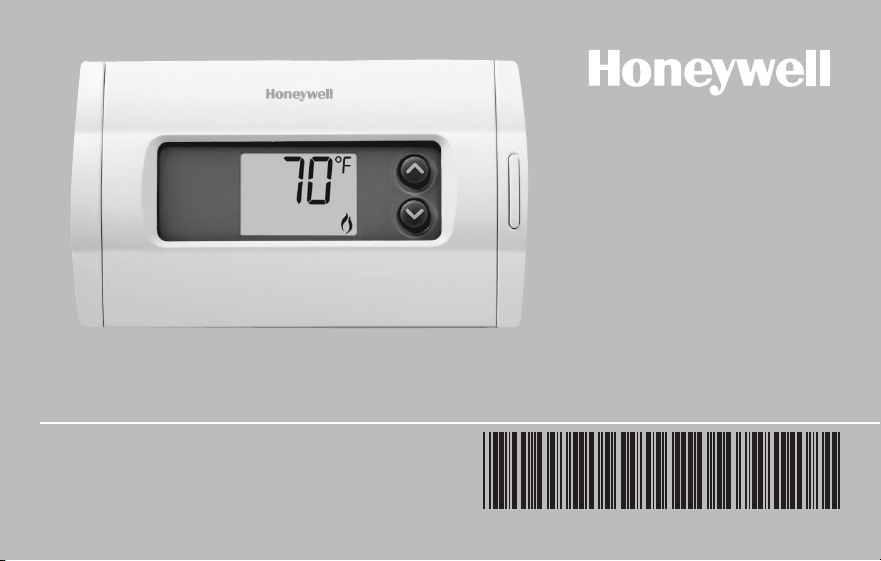
Manual
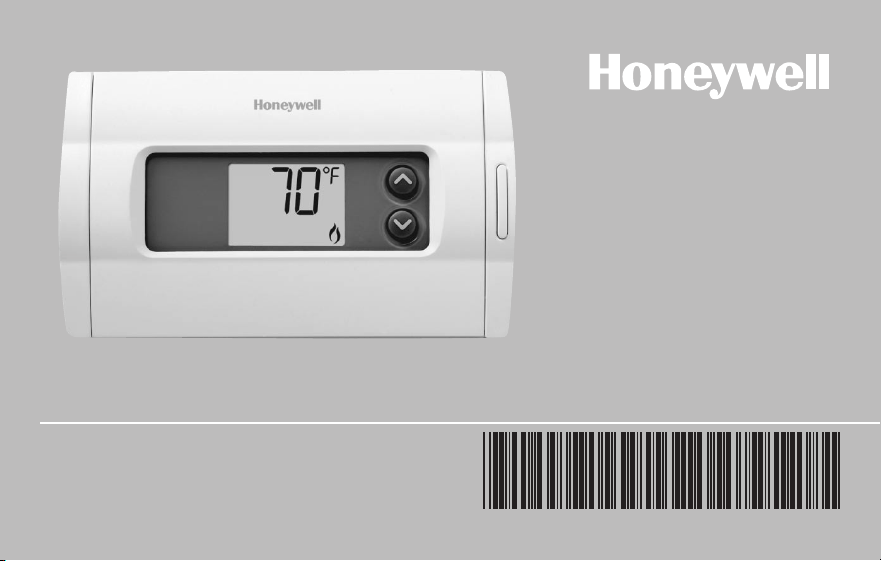
RTH1100 Series
Non-programmable Thermostat
69-2447ES-03
Table of contents
Read and save these instructions.
Need Help?
For assistance with this product please visit http://yourhome.honeywell.com
or call Honeywell Customer Care toll-free at 1-800-468-1502
® U.S. Registered Trademark. Patents pending.
Copyright © 2010 Honeywell International Inc. All rights reserved.
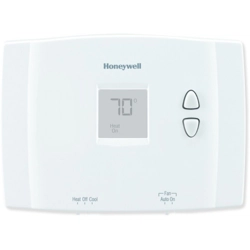
This manual covers the RTH1100 model.
CAUTION: EQUIPMENT DAMAGE HAZARD. To prevent possible compressor damage,
do not operate cooling system when outdoor temperature is below 50°F (10°C).

RTH1100
1 69-2447ES—03
Table of contents
About your new thermostat
Thermostat features ................................... 2
Quick reference to controls ....................... 3
Quick reference to display screen ............ 4
Fan setting.................................................. 5
System setting ........................................... 6
Built-in compressor protection ................. 7
Temperature adjustment ............................ 8
Appendices
Battery replacement .................................. 9
Customer assistance ............................... 10
In case of difficulty...................................11
Warranty ................................................... 12
This thermostat is ready to go!
Your new thermostat is pre-programmed
and ready to go.
See page 4 to check settings.
Operating Manual
69-2447ES—03 2
Table of contents
Congratulations! Your new thermostat has been designed to give you many years of
reliable service and easy-to-use climate control.
Features
• Backlitdisplayiseasytoread.
• Displaysroomtemperatureatalltimes.
• One-touchaccesstosetpointtemperature.
• Built-incompressorprotection.
2
Doyouneedassistance?
We are here to help.
Call 1-800-468-1502.
About your new thermostat
RTH1100
3 69-2447ES—03
Table of contents
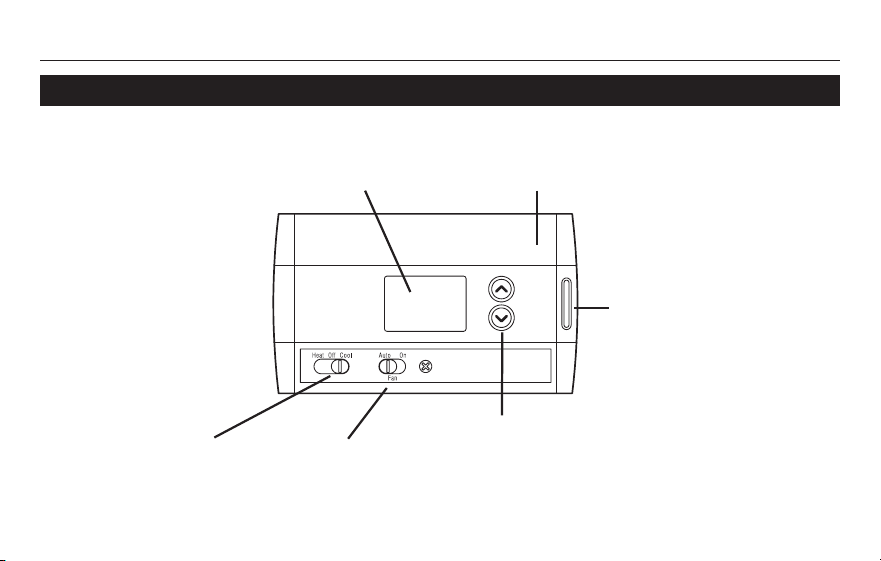
M29995
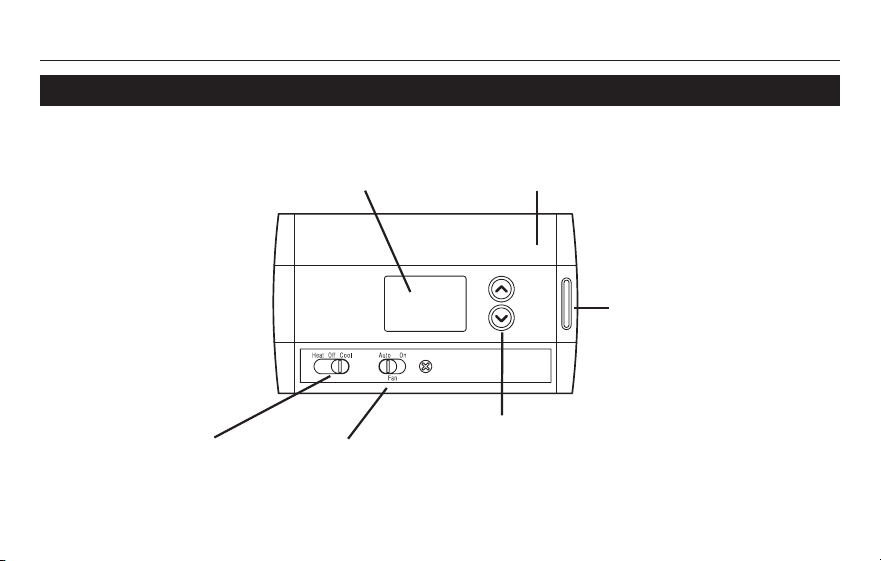
s and t buttons
Press either button once to display the setpoint
temperature for 5 seconds. Press repeatedly to
change the temperature.
System switch
(see page 5)
Fan Switch
(see page 6)
Screen
Lit for 12 seconds when you press the
backlight button, s button or t button
Battery compartment
(for 2 AA batteries)
Backlight
button
Quick reference to controls
Operating Manual
69-2447ES—03 4
Table of contentsQuick reference to display screen
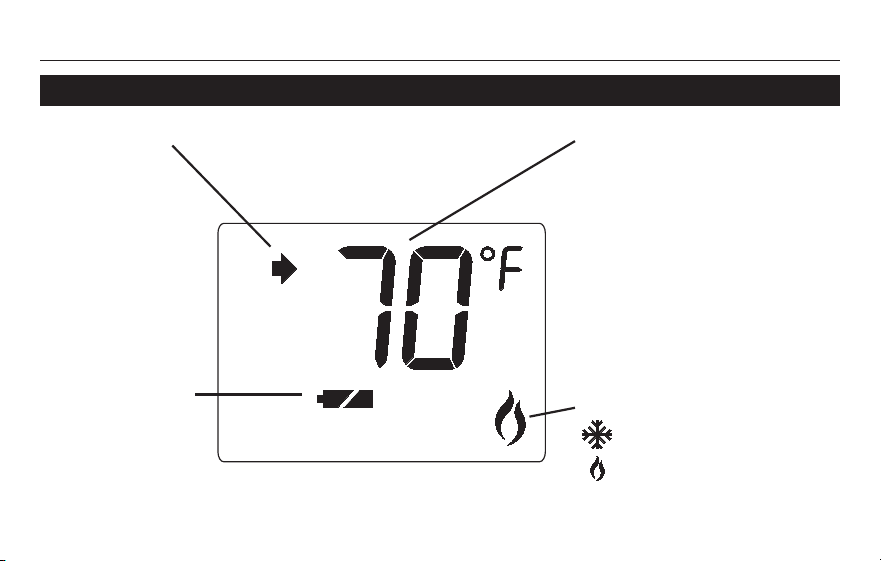
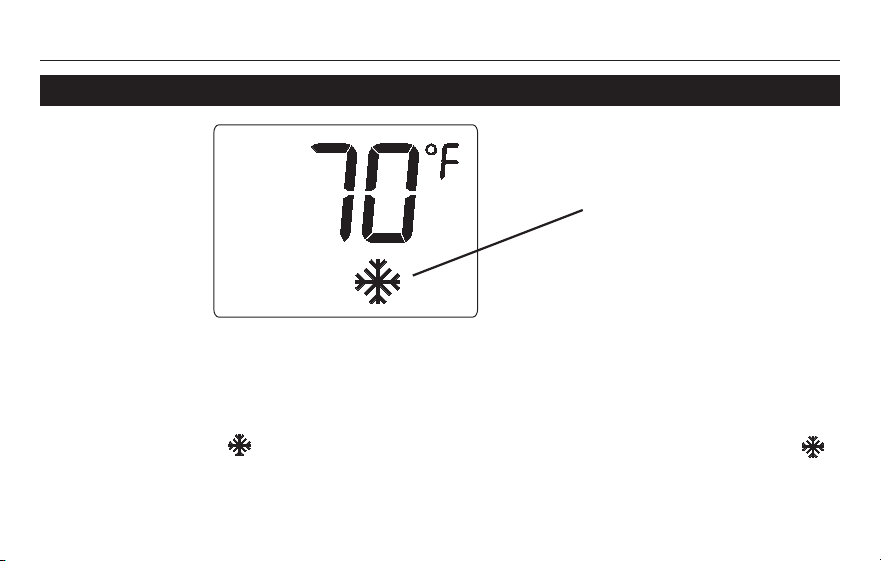
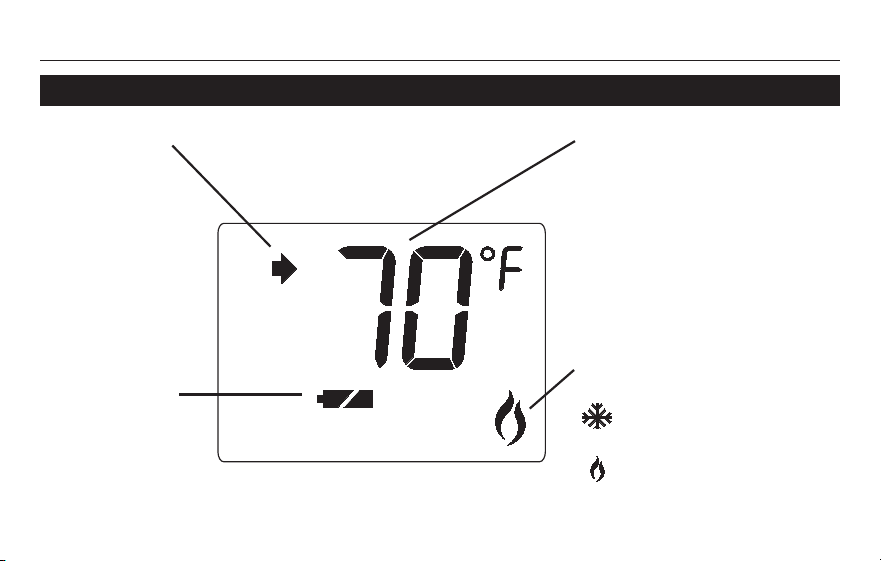
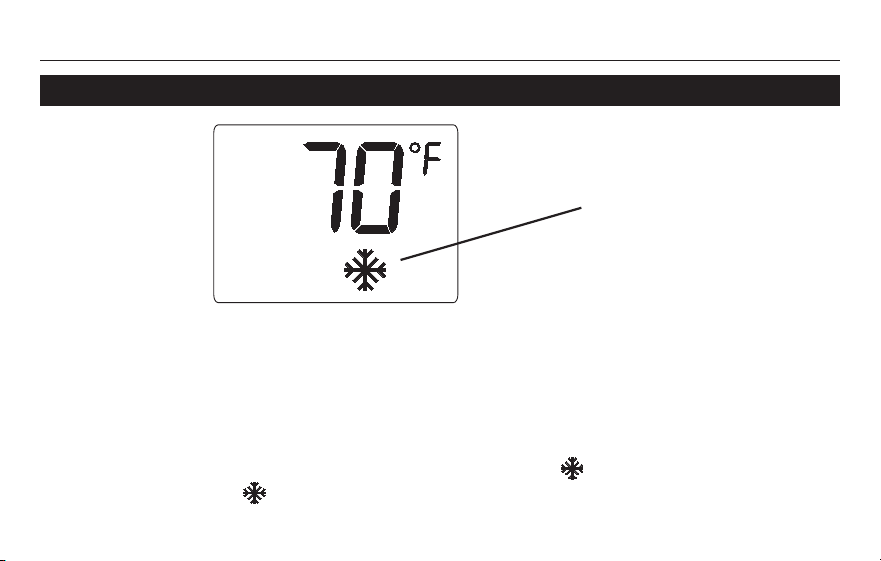
Temperature
The room temperature is normally
displayed. To display the set
temperature, press the s or
t button once. The setpoint
temperature will appear for 5
seconds.
Setpoint indicator
Appears
when the set
temperature
is displayed
Replace batteries
(see page 7)
Other display messages:
Cooling system is activated
Heating system is activated
M32066
RTH1100
5 69-2447ES—03
Table of contents
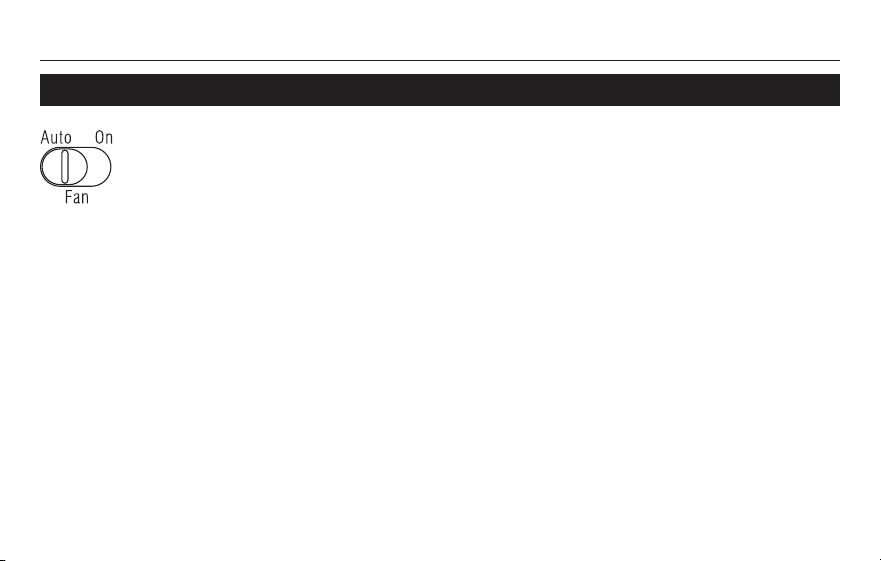
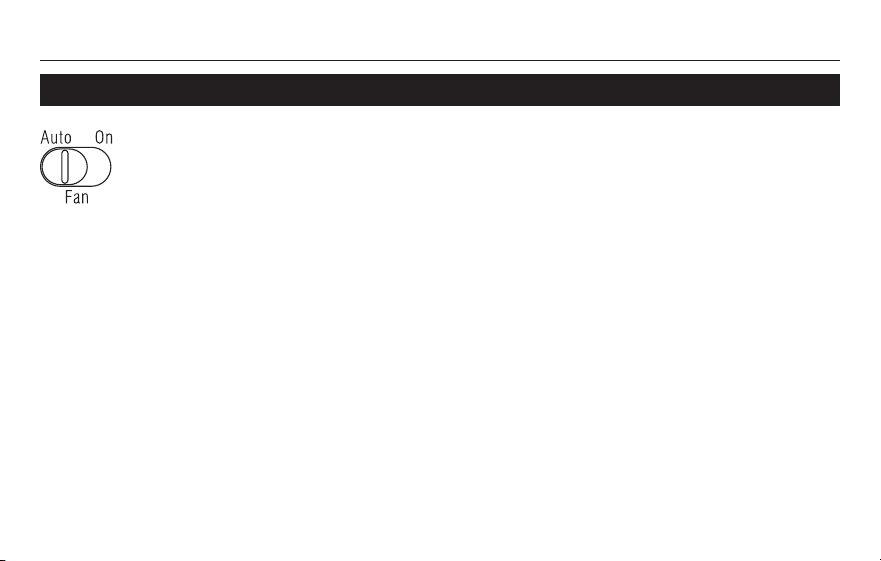
Use the Fan switch to select the fan operation:
• On: Fan is always on.
• Auto: Fan runs only when the heating or
cooling system is on.
M32068
Fan setting
Operating Manual
69-2447ES—03 6
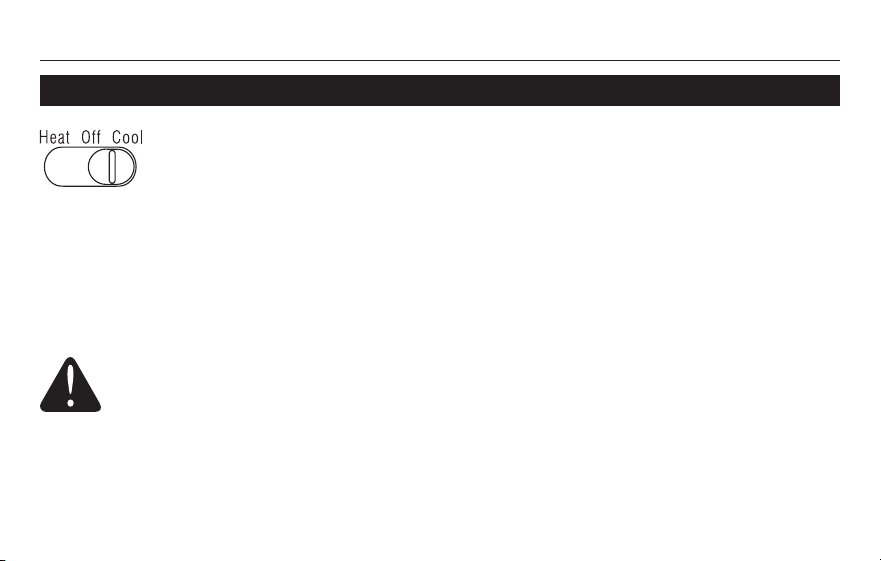
Table of contentsSystem setting
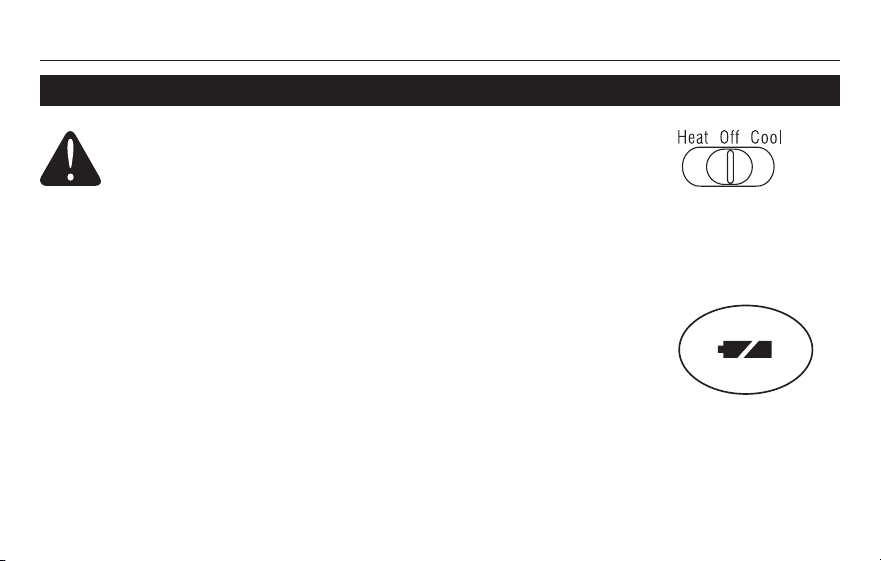
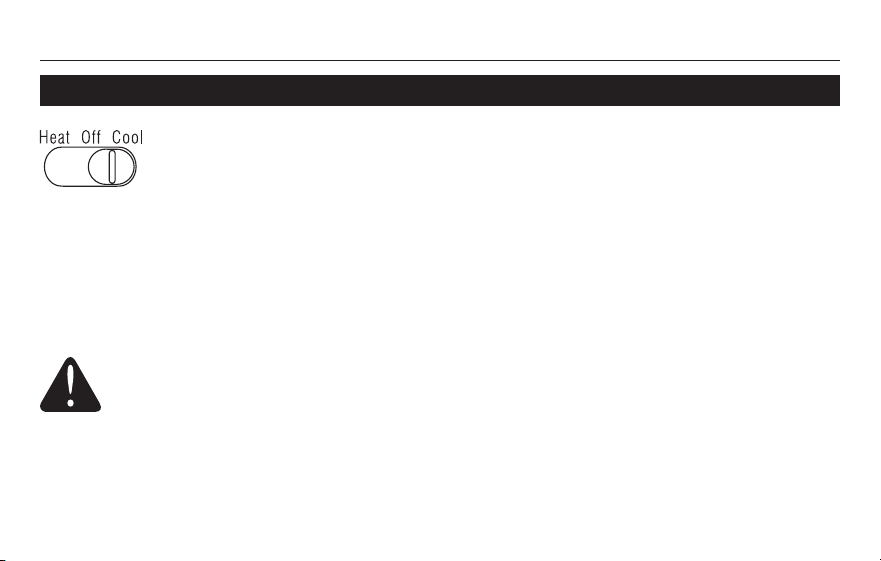
Use the System switch to select the system operation:
• Heat: Thermostat controls only the heating system.
• Off: All systems are off.
• Cool: Thermostat controls only the cooling system.
CAUTION: EQUIPMENT DAMAGE HAZARD.
To prevent possible compressor damage, do not
operate cooling system when outdoor temperature
is below 50°F (10°C).
M32067
RTH1100
7 69-2447ES—03
Table of contents
Flashes when the compressor
protection is engaged.
This feature helps prevent damage to the compressor in your air conditioning or heat
pump system.
Damagecanoccurifthecompressorisre-startedtoosoonaftershutdown.Thisfeature
forces the compressor to wait 5 minutes efore restarting.
Duringthewaittime,willflashonthescreen.Whenthesafewaittimehaselapsed,
stops flashing and the compressor turns on.
M32070
Built-in compressor protection
Operating Manual
69-2447ES—03 8
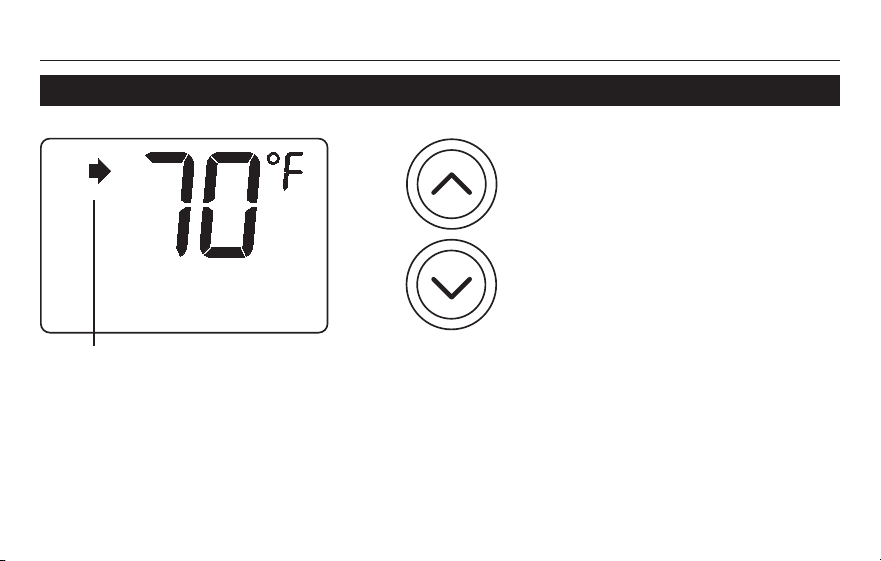
Table of contentsTemperature adjustment
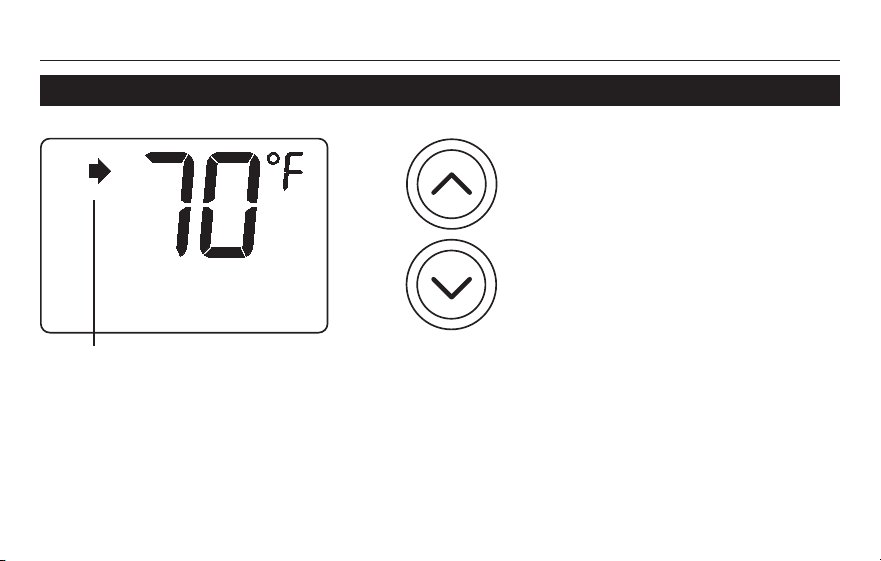
Press the s or t button to adjust
the temperature. The setpoint
temperature is displayed while
you are setting the temperature
and for the next 5 seconds. The
display will then return to the
room temperature.
NOTE: Make sure the thermostat is set to the system you want to control (heat or cool).
Appears when the set
temperature is displayed.
M32069
RTH1100
9 69-2447ES—03
Table of contents
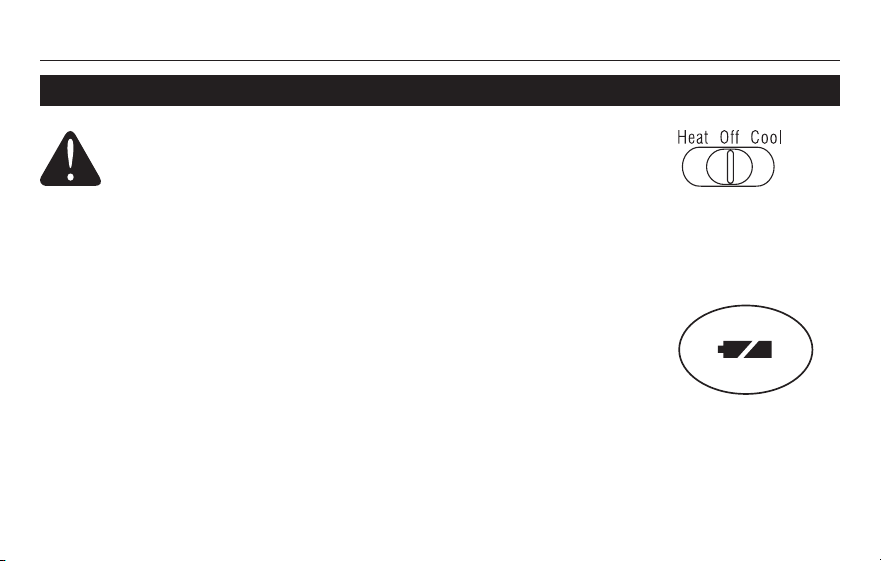
Install two fresh AA batteries when the low-battery icon begins
flashing. The icon appears when the thermostat has detected that
the batteries are low.
Replace batteries once a year or before leaving home for more than
a month.
The settings are stored in permanent memory and are saved even
when batteries are removed.
Set the System switch to Off before removing the batteries.
Battery replacement
M32071
M32072
Operating Manual
69-2447ES—03 10
Table of contents
Customer assistance
For assistance with this product, please visit http://yourhome.honeywell.com.
OrcallHoneywellCustomerCaretoll-freeat1-800-468-1502.
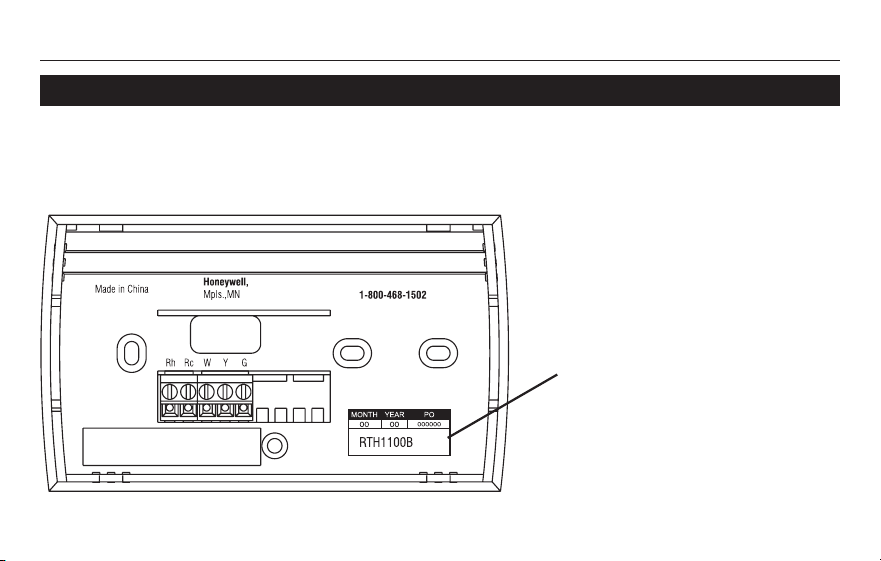
To save time, please note your
model number and date code
before calling.
M32073
XXXX

RTH1100
11 69-2447ES—03
Table of contentsIn case of difficulty
Display is blank • MakesurefreshAAalkalinebatteriesarecorrectlyinstalled(see
page 9).
is flashing • The compressor protection timer is on. Wait 5 minutes for the system
to restart safely without damaging the compressor (see page 7).
HI appears on
the screen.
• Theambient(measured)temperatureisabove122°F(50°C).
LO appears on
the screen
• Theambient(measured)temperatureisbelow23°F(-5°C).
If you have difficulty with your thermostat, please try the following suggestions. Most
problems can be corrected quickly and easily.

Operating Manual
69-2447ES—03 12
Table of contentsWarranty
Honeywell warrants this product, excluding battery, to be free from defects in the workmanship or
materials, under normal use and service, for a period of one (1) year from the date of purchase by
the consumer. If at any time during the warranty period the product is determined to be defective or
malfunctions, Honeywell shall repair or replace it (at Honeywell's option).
If the product is defective,
return it, with a bill of sale or other dated proof of purchase, to the place from which you (i)
purchased it, or
call Honeywell Customer Care at 1-800-468-1502. Customer Care will make the determination (ii)
whether the product should be returned to the following address: Honeywell Return Goods,
Dock4MN10-3860,1885DouglasDrN,GoldenValley,MN55422,orwhetherareplacement
product can be sent to you.
This warranty does not cover removal or reinstallation costs. This warranty shall not apply if it is shown
by Honeywell that the defect or malfunction was caused by damage which occurred while the product
was in the possession of a consumer.

RTH1100
13 69-2447ES—03
Table of contentsWarranty
Honeywell's sole responsibility shall be to repair or replace the product within the terms stated above.
HONEYWELLSHALLNOTBELIABLEFORANYLOSSORDAMAGEOFANYKIND,INCLUDINGANY
INCIDENTALORCONSEQUENTIALDAMAGESRESULTING,DIRECTLYORINDIRECTLY,FROMANY
BREACHOFANYWARRANTY,EXPRESSORIMPLIED,ORANYOTHERFAILUREOFTHISPRODUCT.
Some states do not allow the exclusion or limitation of incidental or consequential damages, so this
limitation may not apply to you.
THISWARRANTYISTHEONLYEXPRESSWARRANTYHONEYWELLMAKESONTHISPRODUCT.THE
DURATIONOFANYIMPLIEDWARRANTIES,INCLUDINGTHEWARRANTIESOFMERCHANTABILITY
ANDFITNESSFORAPARTICULARPURPOSE,ISHEREBYLIMITEDTOTHEONE-YEARDURATIONOF
THIS WARRANTY. Some states do not allow limitations on how long an implied warranty lasts, so the
above limitation may not apply to you.
This warranty gives you specific legal rights, and you may have other rights which vary from state to
state.
If you have any questions concerning this warranty, please write Honeywell Customer Relations, 1985
DouglasDr,GoldenValley,MN55422orcall1-800-468-1502.InCanada,writeRetailProductsON15-
02H,HoneywellLimited/HoneywellLimitée,35DynamicDrive,Toronto,OntarioM1V4Z9.

Automation and Control Solutions
Honeywell International Inc.
1985DouglasDriveNorth
GoldenValley,MN55422
Honeywell Limited-Honeywell Limitée
35DynamicDrive
Toronto,OntarioM1V4Z9
yourhome.honeywell.com
® U.S. Registered Trademark
© 2010 Honeywell International Inc.
69-2447ES—03M.S.Rev.09-10
Printed in U.S.A.
Manual
del usuario
RTH110 0
Termostato no programable
69-2447ES-03
Este manual cubre el modelo RTH1100.
¿Necesita ayuda?
Para recibir asistencia con este producto visite http://yourhome.honeywell.com
o llame gratis al Servicio de Atención al Cliente Honeywell al 1-800-468-1502
Lea y conserve estas instrucciones.
®MarcaregistradaenEE.UU.Patentespendientes.
Copyright © 2010 Honeywell International Inc. Todos los derechos reservados.
PRECAUCIÓN: PELIGRO DE DAÑO DEL EQUIPO. Para impedir un posible daño al
compresor, no haga funcionar el sistema de refrigeración cuando la temperatura exterior
sea inferior a 50° F (10° C).

RTH1100
1 69-2447ES—03
Acerca de su nuevo termostato
Funciones del termostato .......................... 2
Referencia rápida de los controles ........... 3
Referencia rápida para la pantalla .......... 4
Ajustes del ventilador ................................ 5
Ajustes del sistema ....................................6
Protección del compresor incorporada ....7
Ajuste de la temperatura .......................... 8
Apéndices
Instalación de las baterías ........................9
Asistencia al cliente ................................10
Encasodedificultades ........................... 11
Garantía limitada .....................................12
¡Este termostato está listo
para usar!
Elnuevotermostatovienepreprogramado
ylistoparausar.Verpágina4
para verificar los ajustes.
Índice de contenidos
Manual del usuario
Información sobre el termostato
69-2447ES—03 2
¡Felicitaciones! Su nuevo termostato ha sido diseñado para brindarle muchos años de
servicio confiable y control de ambiente fácil de utilizar.
Características
• Pantallaconiluminacióndefondofácildeleer.
• Muestralatemperaturadelahabitaciónentodomomento.
• Unsólobotónpermiteverlatemperaturadelpuntodeajuste.
• Proteccióndelcompresorincorporada.
2
¿Necesitaayuda?
¡Aquí estamos!
Llame al 1-800-468-1502.
Información sobre el termostato
RTH1100
Información sobre el termostato
3 69-2447ES—03
M29995
Botones s y t
Presionar una vez uno de los botones para ver
la temperatura del punto de ajuste durante 5
segundos. Presionar varias veces para cambiar
la temperatura.
Ajuste del sistema
(ver la página 5)
Ajuste del
ventilador
(ver la página 6)
Pantalla
Se ilumina durante 12 segundos cuando se
presiona el botón de iluminación de fondo, el
botón s o el botón t
Compartimiento
para pilas (2 AA)
Botón de iluminación
de fondo
Referencia rápida para los controles
Manual del usuario
Información sobre el termostato
69-2447ES—03 4
Otros mensajes de la pantalla:
Elsistemaderefrigeración
está activado
Elsistemadecalefacción
está activado
Referencia rápida para la pantalla
Temperatura
Normalmente se muestra la
temperatura de la habitación.
Para mostrar la temperatura
preconfigurada, presione el
botón s o el t una vez. La
temperatura del punto de ajuste
aparecerá durante 5 segundos.
Indicador de
punto de ajuste
Aparece cuando
se muestra la
temperatura
configurada
Indicador de
pilas débiles
(ver la página 5)
M32066
RTH1100
Información sobre el termostato
5 69-2447ES—03
Utilice el interruptor del ventilador para elegir el
funcionamiento del ventilador.
• On:Elventiladorestásiempreencendido.
• Auto:Elventiladorfuncionasólocuandoel
sistema de calefacción o de refrigeración está
encendido.
M32068
Ajustes del ventilador
Manual del usuario
Información sobre el termostato
69-2447ES—03 6
Ajustes del sistema
Utilice el interruptor del sistema para elegir el funcionamiento del sistema:
• Heat:Eltermostatocontrolasóloelsistemadecalefacción.
• Off: Los sistemas de calefacción y refrigeración están apagados.
• Cool:Eltermostatocontrolasóloelsistemaderefrigeración.
PRECAUCIÓN: PELIGRO DE DAÑO EN EL EQUIPO.
Para evitar posibles daños en el compresor, no haga
que el termostato funcione cuando la temperatura
exterior sea inferior a 50 ºF (10 ºC).
M32067
RTH1100
Información sobre el termostato
7 69-2447ES—03
Parpadea cuando la protección
del compresor está activada.
Estafunciónprotegeelcompresordelacondicionadordeaireodelsistemadebombade
calor.
Elcompresorpuededañarsesivuelveaencenderseinmediatamentedespuésde
apagarse.Estafunciónlofuerzaaesperar5minutosantesdevolveraentraren
funcionamiento.
Duranteestetiempo,enlapantallaparpadearáelmensaje.Unaveztranscurridoslos5
minutos de seguridad, dejará de parpadear y el compresor se pondrá en marcha.
M32070
Protección del compresor incorporada
Manual del usuario
Información sobre el termostato
69-2447ES—03 8
Ajuste de la temperatura
Presione el botón s o el t para
regular la temperatura. La
temperatura del punto de ajuste
aparece durante 5 segundos
mientras se ajusta la temperatura.
La pantalla regresará a la
temperatura de la habitación.
NOTA: asegurarse de que el termostato esté ajustado según el sistema que se desea hacer
funcionar (calefacción en Heat, aire acondicionado en Cool).
Aparece cuando se muestra
la temperatura configurada
M32069
RTH1100
Información sobre el termostato
9 69-2447ES—03
Coloque dos pilas nuevas AA cuando el icono de batería baja
comienceadestellar.Elíconoaparecerácuandoeltermostato
detecte que las pilas están casi descargadas.
Las pilas deben reemplazarse una vez por año o luego de una
ausencia de más de un mes.
Las configuraciones están almacenadas permanentemente en la
memoria y permanecen allí incluso cuando se retiran las pilas.
ColoqueelinterruptordelsistemaenOFFantesderetirarlas
pilas.
Reemplazo de las pilas
M32071
M32072
Manual del usuario
Información sobre el termostato
69-2447ES—03 10
Asistencia al cliente
Para obtener asistencia con este producto, se recomienda visitar el sitio
http://yourhome.honeywell.com.
ObienllamaralServiciodeAsistenciaalClientedeHoneywellalnúmerosincargo
1-800-468-1502.
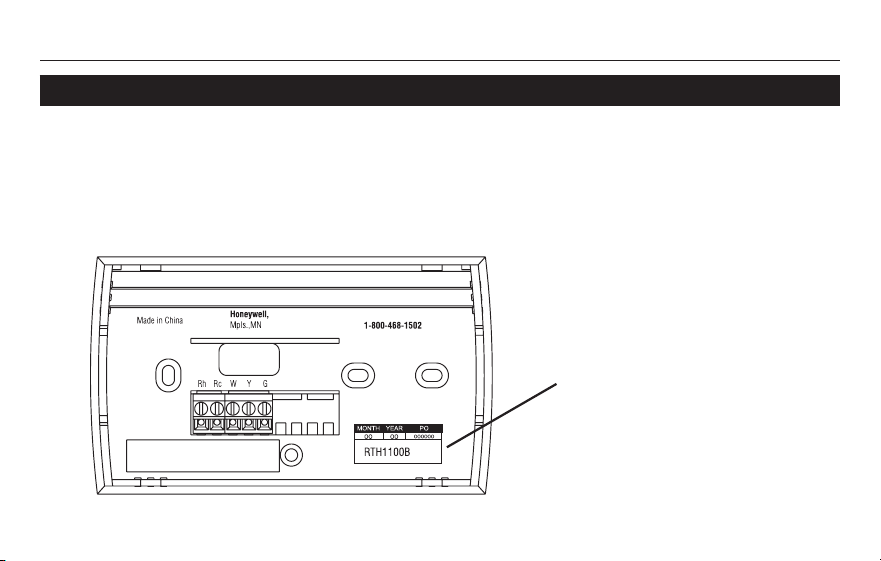
Para ahorrar tiempo, anotar el
número de modelo y el código
de la fecha antes de llamar.
M32073
XXXX
RTH1100
Información sobre el termostato
11 69-2447ES—03
En caso de inconvenientes
La pantalla está
vacía
• AsegúresedequelasbateríasalcalinastipoAAesténinstaladas
correctamente (vea la página 9).
parpadea
en la pantalla
• Eltemporizadordeproteccióndelcompresorestáactivado.Espere
5 minutos para que el sistema se vuelva a iniciar de forma segura,
sin dañar el compresor (refiérase a la página 7).
HI aparece en la
pantalla
• Latemperaturaambiente(medida)essuperiora122°F(50°C).
LO aparece en la
pantalla
• Latemperaturaambiente(medida)esinferiora23°F(-5°C).
Si tiene dificultades con el termostato, intente seguir las sugerencias que se indican a
continuación. La mayoría de los problemas pueden corregirse rápida y fácilmente.

Manual del usuario
Información sobre el termostato
69-2447ES—03 12
Garantía limitada
Honeywell garantiza por un período de un (1) año, a partir de la fecha de compra por el consumidor,
que este producto, sin incluir las baterías, no presentará defectos en los materiales ni en lo referente
a la mano de obra, en condiciones normales de uso y de servicio. Si en cualquier momento, durante
el período de vigencia de la garantía, se determina que el producto es defectuoso o que funciona mal,
Honeywell lo reparará o lo reemplazará (a elección de Honeywell).
Si el producto es defectuoso:
Devuélvaloallugardondelocompró,acompañadoporlafacturadecompraodeotrapruebade(i)
compra que incluya la fecha.
LlamealserviciodeatenciónalclientedeHoneywell,al1-800-468-1502.Elserviciodeatención(ii)
al cliente determinará si el producto debe devolverse a la siguiente dirección: Honeywell Return
Goods,Dock4MN10-3860,1885DouglasDrN,GoldenValley,MN55422;osiseleenviaráun
producto de reemplazo.
Estagarantíanocubreloscostosdedesinstalaciónyreinstalación.Estagarantíanoseráválidasise
demuestra que el defecto o el mal funcionamiento se deben a un daño que ocurrió cuando el producto
estaba en posesión del consumidor.
La única responsabilidad de Honeywell será la de reparar o reemplazar el producto de acuerdo con
lostérminosaquíestablecidos.HONEYWELLNOSERARESPONSABLEDENINGUNAPERDIDANI
DENINGUNDAÑODENINGUNTIPO,INCLUIDOSLOSDAÑOSIMPREVISTOSODERIVADOSQUE
RESULTEN,DIRECTAOINDIRECTAMENTE,DELINCUMPLIMIENTODECUALQUIERGARANTIA,

RTH1100
Información sobre el termostato
13 69-2447ES—03
Garantía limitada
EXPRESAOIMPLICITA,ODECUALQUIEROTRAFALLADEESTEPRODUCTO.Algunosestadosno
permiten la exclusión o la limitación de los daños imprevistos o derivados, por lo que es posible que la
limitación no se aplique.
ESTAESLAUNICAGARANTIAEXPRESAQUEHONEYWELLHACESOBREESTEPRODUCTO.LA
DURACIONDECUALQUIERGARANTIAIMPLICITA,INCLUIDASLASGARANTIASDEAPTITUDE
IDONEIDADPARAUNFINDETERMINADO,QUEDA,PORELPRESENTE,LIMITADAALADURACION
DEUNAÑODEESTAGARANTIA.Algunosestadosnopermitenlimitacionesencuantoaladuraciónde
las garantías implícitas. Por lo tanto, es posible que la limitación anterior no se aplique en su caso.
Estagarantíalebrindaderechoslegalesespecíficos,yustedpuedetenerotrosderechosquevarían
para cada estado.
Sitienepreguntasacercadeestagarantía,escribaaHoneywellCustomerRelations,1985DouglasDr,
GoldenValley,MN55422,ollameal1-800-468-1502.EnCanadá,escribaaRetailProductsON15-02H,
HoneywellLimited/HoneywellLimitée,35DynamicDrive,Toronto,OntarioM1V4Z9.

Honeywell International Inc.
1985DouglasDriveNorth
GoldenValley,MN55422
Honeywell Limited-Honeywell Limitée
35,DynamicDrive
Toronto,OntarioM1V4Z9
yourhome.honeywell.com
®MarcaRegistradaenlosEE.UU.
© 2010 Honeywell International Inc.
69-2447ES—03M.S.Rev.09-10
ImpresoenEE.UU.
Automatización y control desenlace