Quick Start
Guide
Outdoor
Camera SE
For the best
experience
Charge your camera
before setup
To charge camera: First, plug your
base station into power. Using the
base station’s USB port, connect the
charging cable to the micro USB port
on the back of your camera.
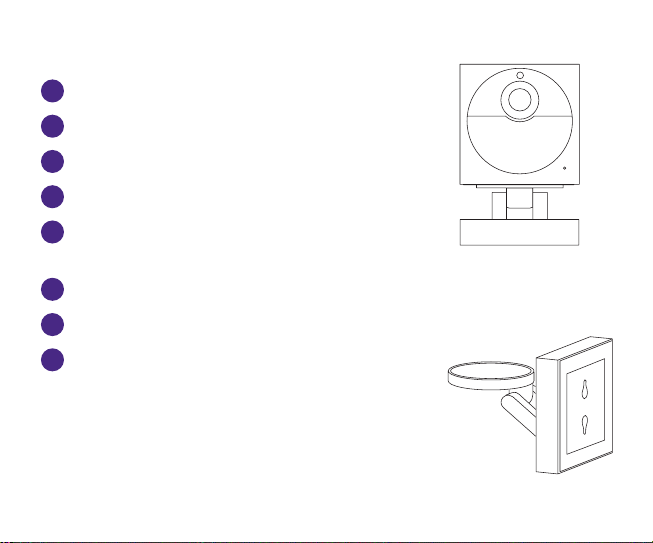
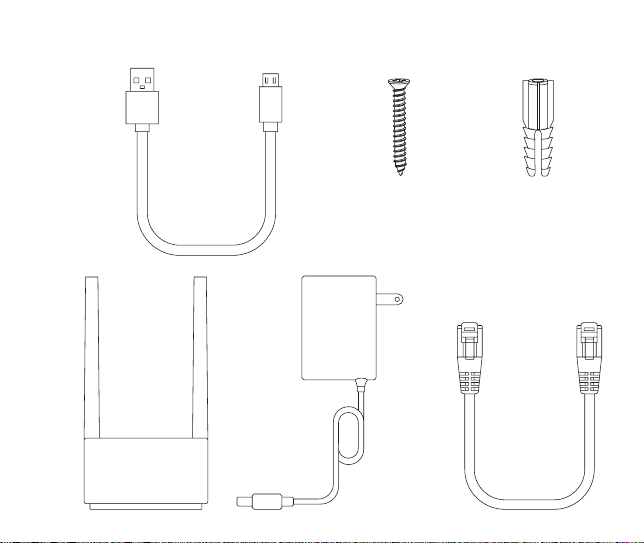
What’s included
What you’ll need
• Phillips screwdriver
• Your smartphone
A
Roku Outdoor Camera SE
D
Drywall anchors (x2)
E
Removable magnetic
mounting base
F
Base station
G
Base station power adaptor
H
Base station ethernet cable
B
Camera charging USB cable
C
24mm M3 screws (x2)
A
E
C D
H
G
F
B
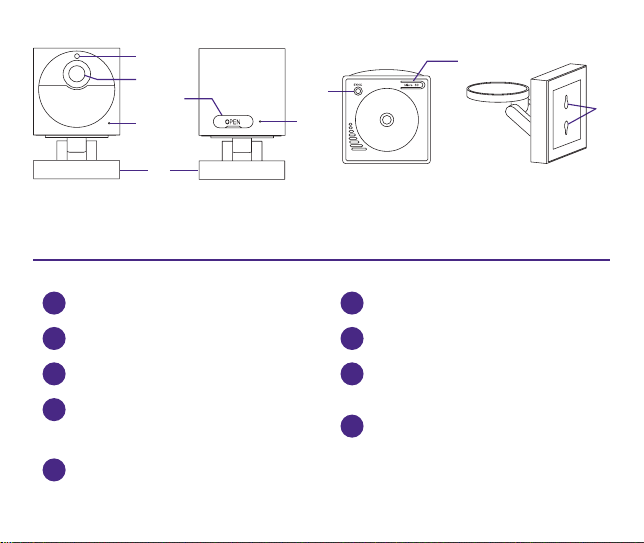
1
Light sensor
5
On/o switch &
USB charging port
4
Removable magnetic
mounting base
2
Lens
6
Status light
3
Microphone
7
Sync button
9
Mounting holes
BOTTOMFRONT BACK MOUNTING BASE
1
2
3
6
7
5
8
9
4
8
MicroSD slot
(Card sold separately)
Let’s get started
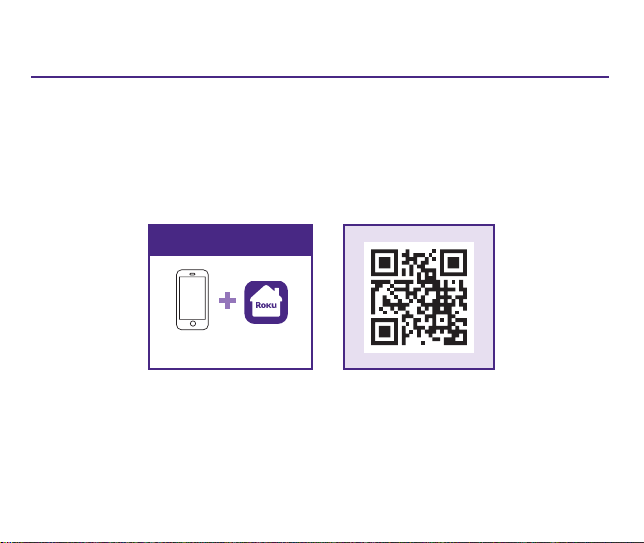
STEP 1: Download the Roku Smart Home app
Scan the QR code below to download the Roku Smart
Home app on your smartphone. Sign in with your Roku
account or create one.
STEP 2: Install your camera
In the Roku Smart Home app, tap the “+” button, then
“Add Device” to find “Outdoor Camera.” Follow the
instructions to finish setup.
Message & data rates may apply.
You’ll need
Smartphone & app
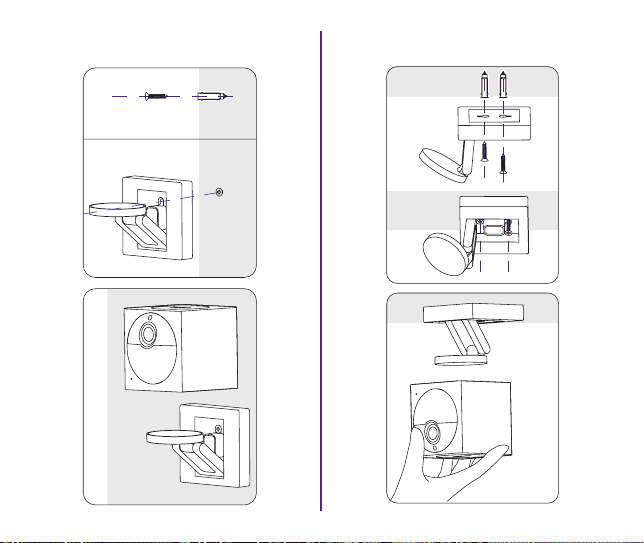
WALL MOUNT
1
2
3
CEILING MOUNT
4
1
2
3
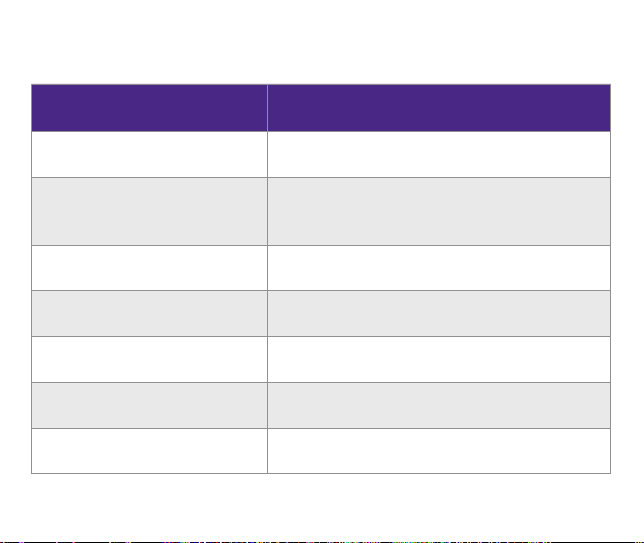
What’s that light mean?
Status Light Status
YELLOW - Solid Powered on and beginning setup
YELLOW and BLUE -
Flashing
Pairing to base station
BLUE - Flashing Connecting to Wi-Fi®
BLUE - Solid Connected and working
RED - Flashing Charging
RED - Solid Fully charged
NO LIGHT Powered o or sleeping
Status lights are located on the camera and base station.
More features are waiting
Unlock the full potential
of your camera with a
Roku Smart Home Subscription.
Learn more at go.roku.com/rokusmarthome

PRECAUTIONS
1. Prolonged direct sunlight can heat the inside of your
camera past its maximum operating temperature of 122°F
(50°C). Avoid directly sunlight where possible and only use
your camera in environments within its operating temperature
range: -4° to 122°F (-20° to 50°C).
2. To charge your camera, plug the included micro USB cable
into the USB port on your base station and connect it to your
camera. Or use a power adapter and cable that will provide
5V/2A power.
FCC WARNING
Any changes or modifications not expressly approved by the
party responsible for compliance could void the user’s authority
to operate the equipment. This device complies with part 15
of the FCC Rules. Operation is subject to the following two
conditions: (1) This device may not cause harmful interference,
and (2) this device must accept any interference received,
including interference that may cause undesired operation.
Unlock the full potential
of your camera with a
Roku Smart Home Subscription.
Learn more at go.roku.com/rokusmarthome

FCC RADIATION EXPOSURE STATEMENT
This equipment complies with FCC radiation exposure limits
set forth for an uncontrolled environment. This equipment
should be installed and operated with minimum distance 20 cm
between the radiator & your body. This transmitter must not
be co-located or operating in conjunction with any other
antenna or transmitter.
CONTAINS A LITHIUM ION BATTERY
Always dispose of batteries following local recycling guidelines.
Do not dispose of batteries in household waste or open fire. For
more information about recycling and the battery included, see:
https://support.roku.com/article/208755678
Visit go.roku.com/cameras
Setup
videos
Common
questions
Tips and
tricks
Need help?
© 2022 Roku, Inc. All rights reserved. Roku, the Roku
logo, Roku Smart Home, and the Roku Smart Home logo
are the trademarks or registered trademarks of Roku, Inc. 4100000864_02
