Operating
M
anual
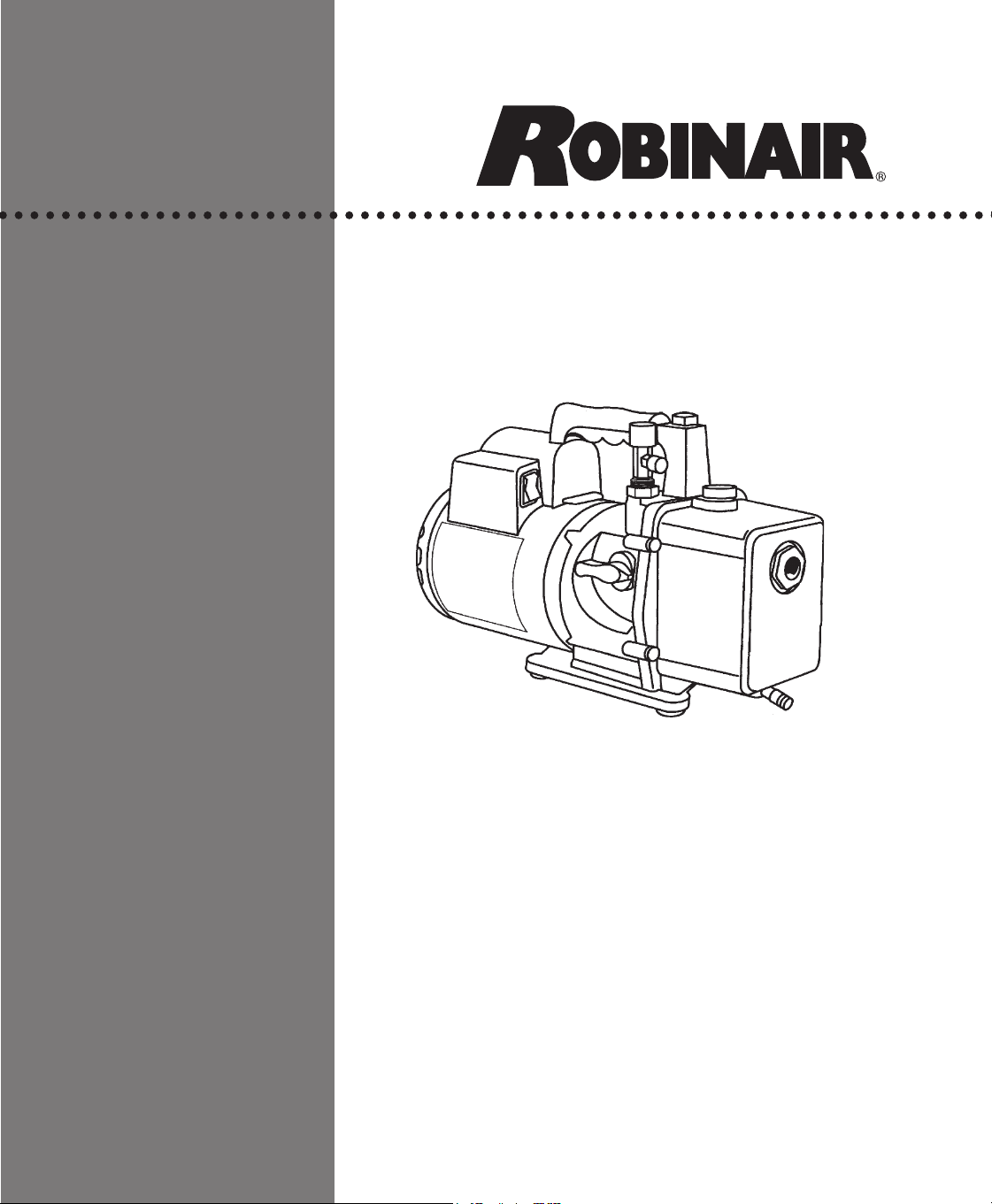
High Performance Vacuum Pump
Model 15434
For use with refrigerants
R-12, R-22, R-500, R-502, or R-134a


1
Robinair High Performance Vacuum Pumps
Congratulations on purchasing one of Robinair’s top quality vacuum
pumps. Your pump has been engineered specically for air conditioning
and refrigeration service, and is built with Robinair’s proven offset rotary
vane for fast, thorough evacuation.
You’ll appreciate these key features...
Iso-Valve
TM
Allows the pump to be shut off while still connected to the A/C-R
system, which is handy for checking rate of rise. With the valve handle in
the OPEN position, the pump is open to the system being evacuated. In
the CLOSED position, the pump is isolated from the system.
High The two-stage, offset rotary vane design provides powerful, quiet, high
Vacuum vacuum capability and ensures moisture removal, while the high
Rating pumping capacity reduces evacuation time.
Multiple The 15434 can be used for R-12, R-22, R-500, and R-502, as well as
Refrigerant R-134a. The inlet “tee” has both
1
/4" SAE external are and
1
/2" Acme
Capability ttings to accommodate hoses from either type of manifold.
Directed Exhaust is expelled through the handle to direct it away from the
Exhaust service technician.
Gas A precise amount of atmospheric air is introduced into the pump,
Ballast preventing condensation of moisture vapor and helping maintain the
purity of the pump oil. By using the gas ballast, the pump operates more
efciently and pump life is extended.
Sure-Grip The one-piece, molded handle makes it easy to carry the pump to and
Handle from job sites, and the handle stays cool to the touch during operation.
Compact The pump measures approximately 15" long, while aluminum housing
Design and offset rotary vanes keep the pump weight low, making it easy to
carry.
2
Pump Components
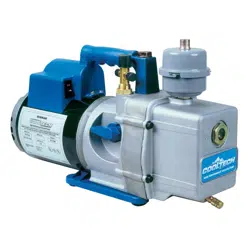
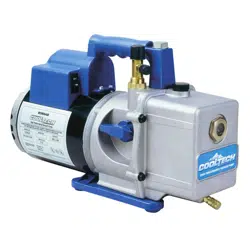
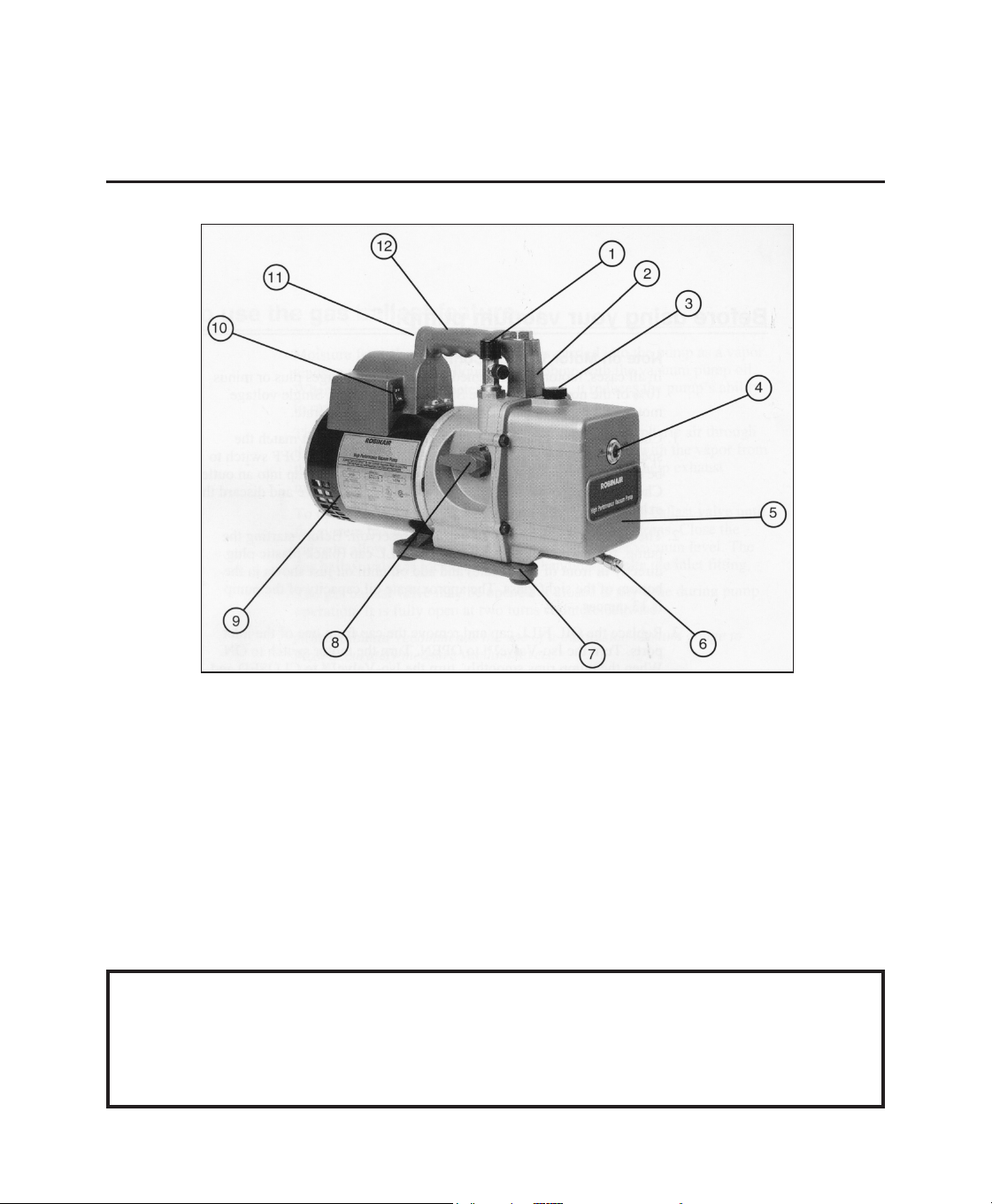
1. Intake Fitting (upper tting is
1
/2"
Acme, side tting is
1
/4" SAE)
2. Gas Ballast Valve (located beside
handle base)
3. Oil Fill Port
4. Sight Glass
5. Die-Cast Aluminum Housing
6. Oil Drain
7. Molded Polycarbonate Base
8. Iso-Valve
TM
— Isolates the pump from
the system
9. Powerful, High Torque Motor
10. Power Switch
11. Through-The-Handle Exhaust
12. Sure-Grip Handle
For use on A/C-R systems using CFCs, HCFCs, and HFCs in
conjunction with mineral oil, ester oil, alkylbenzene oil and
PAG oil as lubricants. Not for use with ammonia or lithium
bromide systems. Not for use with ammable refrigerants.
3
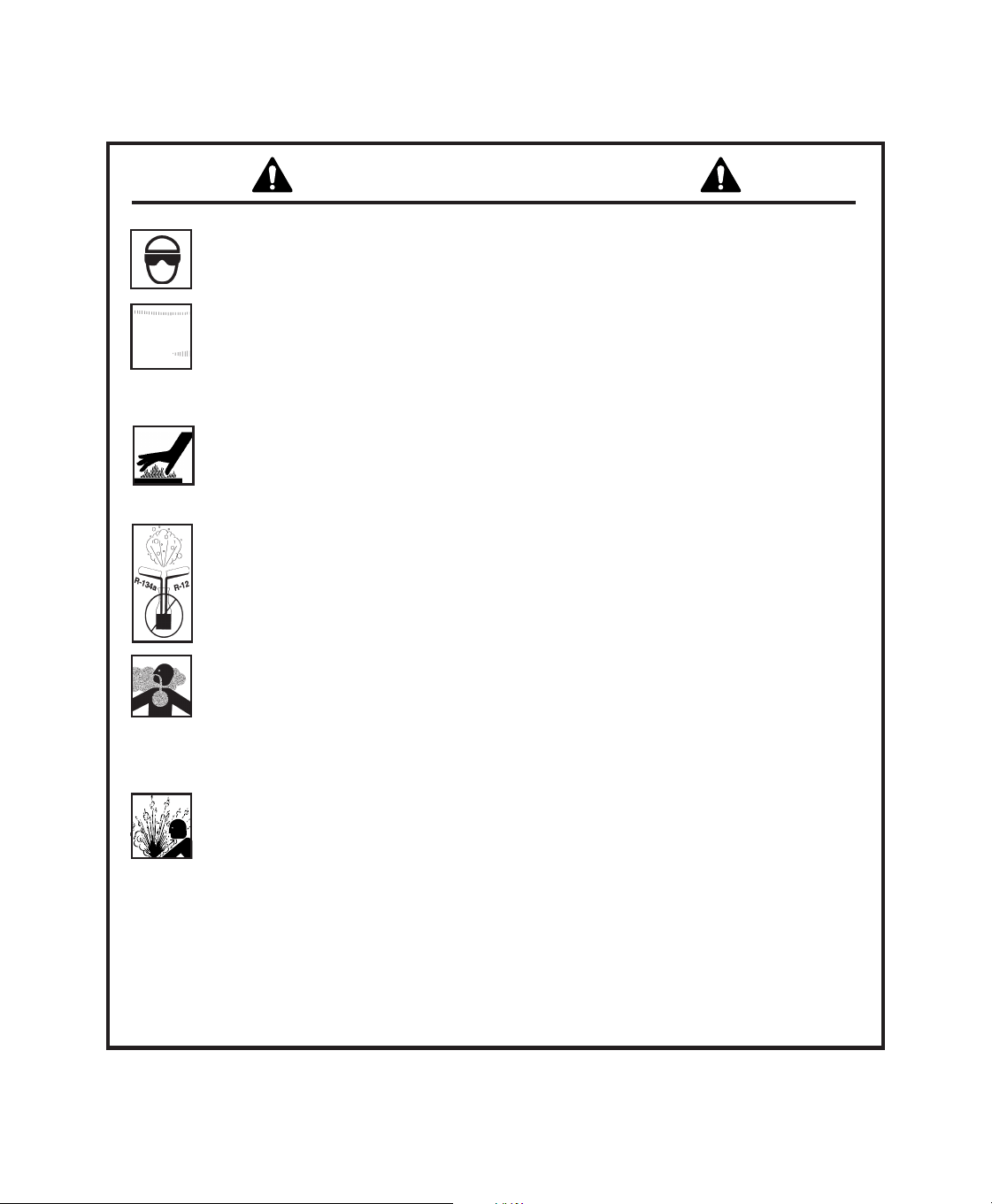
Wear goggles when working with refrigerant. Contact with refrigerant
may cause injury.
Incorrect use or connections may cause electrical shock hazards.
Read and follow instructions carefully and take precautions to avoid
electrical shock hazards. Verify all associated devices are correctly
grounded before energizing circuits.
The normal operating temperature will cause certain external
portions of the pump to be hot to the touch. Do not touch the pump
housing or motor during operation.
Use separate manifolds and hoses for R-134a systems. Cross-
contamination with other refrigerant types will cause severe damage
to the A/C system and to service tools and equipment. Do not mix
refrigerant types through a system or in the same container!
Avoid breathing refrigerant and lubricant vapor or mist. Exposure
may irritate eyes, nose, and throat. To remove R-134a from the A/C
system, use service equipment certied to meet the requirements
of SAE J2210 (R-134a recycling equipment). If accidental system
discharge occurs, ventilate the work area before resuming service.
HFC-134a service equipment or vehicle A/C systems should not be
pressure tested or leak tested using compressed air. Some mixtures
of air/HFC-134a have been shown to be combustible at elevated
pressures. These mixtures are potentially dangerous and may result
in re or explosion causing injury or property damage.
Additional health and safety information may be obtained from
refrigerant and lubricant manufacturers.
WARNINGS

4
Note on Motor Voltage Connections:
In all cases, motors are designed for operating voltages plus or minus
10% of the normal rating (see SPECIFICATIONS). Single voltage
motors are supplied fully connected and ready to operate.
1. Verify the voltage and frequency at the outlet match the specications
on the pump motor decal. Check the ON-OFF switch to be sure it is
in the OFF position before you plug the pump into an outlet. Verify
the gas ballast valve is closed. Remove and discard the exhaust plug
from the end of the pump’s handle.
2. The pump is shipped without oil in the reservoir. Before starting the
pump, ll it with oil. Remove the OIL FILL cap (black plastic plug
directly in front of the handle), and add oil until oil just shows in the
bottom of the sight glass. Approximate oil capacity of pump:
13 ounces.
3. Replace the OIL FILL cap, and remove the cap from one of the
inlet ports. Turn the Iso-Valve to OPEN. Turn the motor switch to
ON. When the pump runs smoothly, turn the Iso-Valve to CLOSED
and replace the cap on the inlet port. This may take from two to 30
seconds depending on the ambient temperature. After the pump runs
for approximately one minute, check the sight glass for correct oil
level — oil should be even with the sight glass OIL LEVEL line. Add
oil if necessary.
NOTE: When the pump is running, the oil level should be even with
the line on the sight glass. Underlling will result in poor vacuum
performance. Overlling can result in oil blowing from the exhaust.
Before using your vacuum pump...

5
To use the gas ballast feature...
Moisture from the A/C-R system that is carried into the pump as a vapor
tends to condense into a liquid and combine with the vacuum pump oil.
When moisture contaminates pump oil, it reduces the pump’s ability to
reach its ultimate deep vacuum level.
The gas ballast valve purges a small amount of atmospheric air through
the exhaust chamber. This extra volume of air mixes with the vapor
from the refrigerant system to prevent condensation and to help exhaust
moisture in the form of vapor from the pump.
To use the gas ballast, start the pump and open the gas ballast valve until
the system has reached approximately 1000–3000 microns. Close the
valve to allow the pump to pull down to its ultimate vacuum level. The
gas ballast valve is located beside the handle, opposite the inlet tting.
The gas ballast valve may be opened or closed at any time during pump
operation. It is fully open at two turns counterclockwise.
NOTE: Robinair recommends the use of a thermistor vacuum gauge to
most accurately measure vacuum levels.
The pump is now ready to evacuate air conditioning and refrigeration
systems. Follow normal service procedures and the A/C-R
manufacturer’s instructions for connections to the system.
CAUTION Before connecting your vacuum pump to an A/C-R system,
remove refrigerant from the system in an accepted manner
using an approved recovery unit. Damage to the pump may
occur if evacuation is started while the system is under high
pressure.

6
To shut down your pump after use...
To prolong pump life and promote easy starting, follow these procedures
for shutdown:
1. Close the manifold valve between the pump and the system.
2. Turn the Iso-Valve to the CLOSED position.
3. Remove the hose from the pump inlet.
4. Turn the pump power switch to OFF. Return the Iso-Valve to the
OPEN position for a few seconds to relieve any vacuum inside the
pump.
5. Cap the inlet port to prevent any contamination or loose particles
from entering the port.

7
To maintain your high vacuum pump...
For maximum performance, Robinair recommends changing vacuum
pump oil after each use.
Vacuum The condition and type of oil used in any high vacuum pump are
Pump Oil extremely important in determining the ultimate attainable vacuum.
Robinair recommends the use of our Premium High Vacuum Pump Oil.
This oil has been specically blended to maintain maximum viscosity at
normal running temperatures and to improve cold weather starts.
Robinair Premium High Vacuum Pump Oil is available in handy quart
containers or in convenient gallon containers. Order by part number:
13203 — Quart (shipped 12 quarts per case)
13204 — Gallon (shipped 4 gallons per case)
Oil Change
Procedure 1. Verify the pump is warmed up.
2. Remove the OIL DRAIN cap. Drain contaminated oil into a
suitable container and dispose of it according to regulations in your
jurisdiction. Oil can be forced from the pump by opening the inlet and
partially blocking the exhaust with a cloth while the pump is running.
Do not operate the pump for more than 20 seconds using this method.
3. When the ow of oil has stopped, tilt the pump forward to drain
residual oil.
4. Replace the OIL DRAIN cap. Remove the OIL FILL cap, and ll the
reservoir with new vacuum pump oil until the oil just shows at the
bottom of the sight glass. The approximate oil capacity of the pump is
13 ounces.

8
5. Verify the inlet ports are capped, and turn ON the pump. Allow it to
run for one minute, then check the oil level. If the oil is below the
sight glass OIL LEVEL line, add oil slowly (with the pump running)
until the oil reaches the OIL LEVEL line. Replace the OIL FILL cap,
making sure the inlet is capped and the drain cap is tight.
6. If the oil is severely contaminated with sludge that forms when
water is allowed to collect in the oil, drain the oil from the pump and
remove the six screws holding the reservoir cover. Lift the cover off
the pump and wipe out the inside of the reservoir.
Repeat this procedure as required until the contamination is removed.
Replace the OIL DRAIN cap, and rell the reservoir to the correct level
with fresh pump oil (see Step 4).
To Clean Clean the pump with soap and water only. Do not use commercial
The Pump cleaners that contain degreasing agents that can damage polycarbonates.
The pump handle and base are made of Lexan
®
, one of the toughest
polycarbonate plastics available. However, it is sensitive to degreasing
agents.
*Lexan is a registered trademark of General Electric

9
Troubleshooting Guide
This Robinair pump has been designed for dependable use and long life.
If something should go wrong, however, the following guide will help
you get the pump back into service as quickly as possible.
If disassembly of the pump is required, please check your warranty. The
warranty may be voided by misuse or customer tampering that results in
the pump being inoperable.
Failure Check line voltage. Robinair pumps are designed to start at +10%
To Start line voltage (loaded) at 32
o
F. At extremes, however, switching between
the start and run windings may occur. When starting the pump in cold
temperatures, be sure the Iso-Valve and inlet port are open to free air.
Oil
Leakage 1. Verify the oil is not a residual accumulation from spillage, etc.
2. If leakage exists, the module cover gasket or the shaft seal may need
replacing. Follow the instructions supplied with seal replacement kit,
part number 15367. If leakage exists in the area of the oil drain plug,
reseal the plug using a commercial pipe thread sealer.
Failure To 1. Verify the Iso-Valve on the pump is in the OPEN position and the
Pull A Good gas ballast knob is tightly sealed.
Vacuum
2. Conrm the vacuum gauge and all connections are in good conditon
and leak-free. You can conrm leakage by monitoring the vacuum
with a thermistor gauge while applying vacuum pump oil at
connections or suspected leak points. The vacuum will improve
briey while the oil is sealing the leak.
3. Conrm the pump oil is clean. A severely contaminated pump may
require several oil ushes. See OIL CHANGE PROCEDURE.
NOTE: Use only high vacuum pump oil. Other oils will prevent pull-
down to a deep vacuum.
10
4. Conrm the gas ballast knob is tightly closed.
5. Verify the oil is at the correct level. For maximum pump operation,
the oil must be even with the OIL LEVEL line on the sight glass
when the pump is running. See OIL CHANGE PROCEDURE. Do
not overll — operating temperatures will cause the oil to expand so
it will appear at a higher level than when the pump is not running. To
check the oil level, start the pump with the inlet capped. Check the oil
level in the sight glass. Add oil if necessary.
When You If these procedures do not correct the problem,
Need Help contact your nearest Robinair distributor. The
distributor may recommend an additional
replacement part (this manual contains a
replacement parts list) or suggest you send your
pump to the nearest authorized service center.
Call Robinair’s toll-free Technical Support
Line for further information. You may also visit
our website at www.robinair.com for technical
support.
Warranty Coverage
Robinair vacuum pumps are warranted against defects in material and
workmanship for one year of normal use from the date of purchase. See
your distributor for warranty details.
Out of A pump which is no longer covered by the one-year warranty period
Warranty and which fails to operate correctly should be returned to the distributor
or an authorized Robinair Service Center with a complete, written
explanation of the problem. Before returning an out-of-warranty pump,
review all maintenance procedures to avoid an unnecessary return.
Replacement parts are available for doing your own service.
800-822-5561
11
Replacement Parts
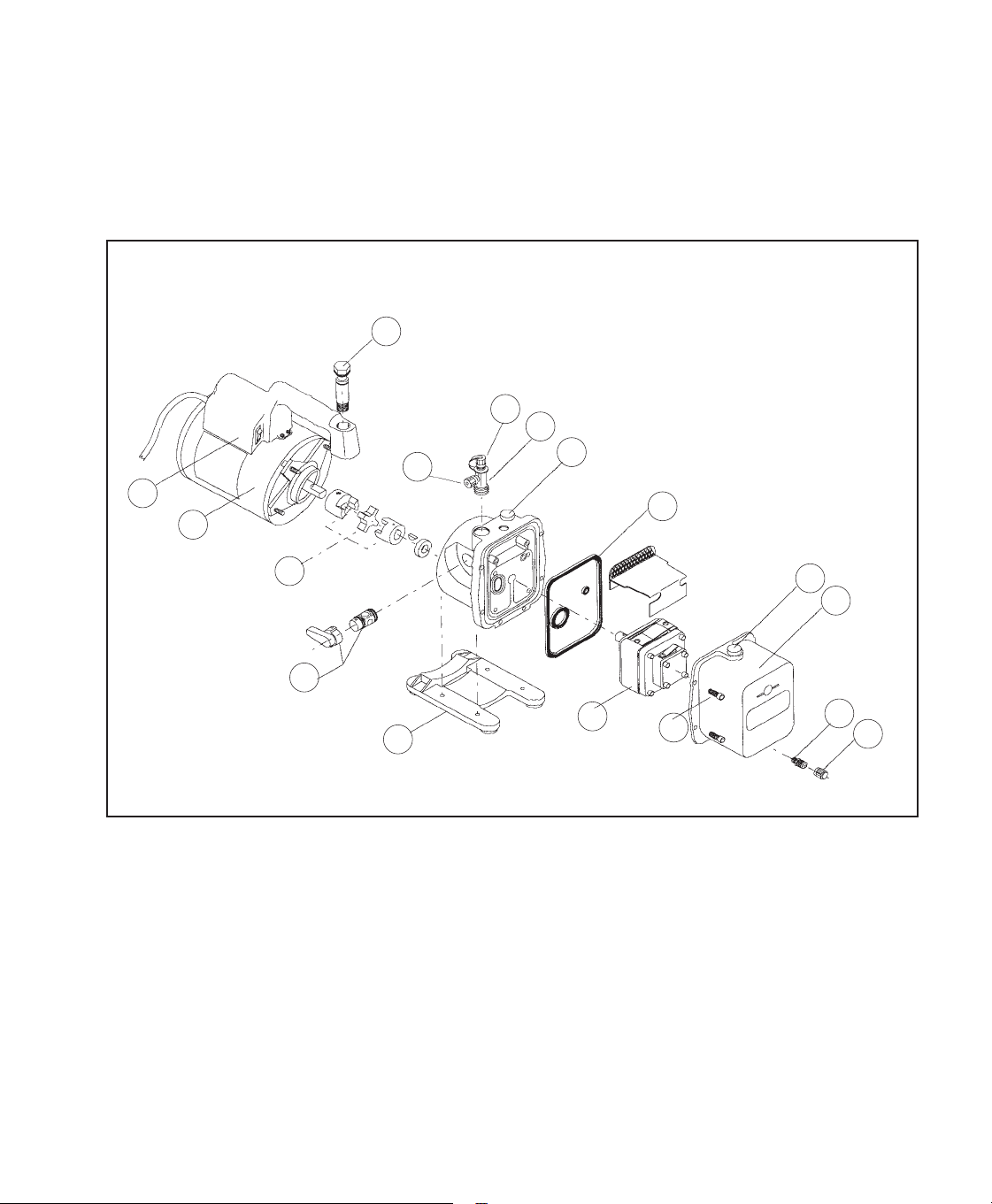
Figure numbers refer to the graphic on the next page.
Part Figure Part No.
Oil Drain Cap (brass; qty. 6) 1 40572
Oil Drain (includes cap) 2 48116
Cover Kit (includes items 1, 2, 4, 5, 16) 3 15337
Oil Fill Cap (includes gas ballast valve #6) 4 15371
Inlet “Tee” Fitting (includes caps) 7 15495
Inlet Cap,
1
/2" Acme (qty. 2) 8 15330
Inlet Cap,
1
/4" are nylon (qty. 6) 9 41139
Vent Bolt (includes o-rings) 10 15338
Handle, Power Cord, Switch Assembly 11 15366
Motor 12 15344
Coupling 13 48103
Iso-Valve
TM
Assembly 14 15368
Base and Foot Assembly 15 15369
Module Assembly (includes items 1– 9 & 14) 16 15547
Replacement Seal Kit (not shown) 17 15367
12
1
2
3
4
5
9
8
7
6
10
11
12
13
14
15
16
17

Pump Specications
Free Air Displacement 4 CFM
Stages 2
Motor Speed 1725 RPM
Voltage +10% 115V 60 HZ
Factory Micron Rating 15 microns
Approximate Oil Capacity 13 oz.
Weight 29 lbs.
Width 5
5
/8 in.
Height 9
3
/4 in.
Length 15 in.
Intake
1
/2 in. Acme;
1
/4 in. are
Min. Starting Temperature (at 90% Voltage) 32
°
F
Motor Size
1
/3 hp; capacitor start
Operating Temperature 155
°
F
Note: 1. Motors are internally protected (automatic reset).
2. Operating temperatures are typical for normal operating conditions.
115247 Rev. C May 8, 2013 © Service Solutions U.S. LLC
Due to ongoing product improvements, Robinair reserves the right
to change design, specications, and materials without notice.
655 EISENHOWER DRIVE
OWATONNA, MN 55060 USA
TECH SERVICES 800 822 5561
FAX 866 259 1241
CUSTOMER SERVICE 800 533 6127
FAX 800 322 2890
www.robinair.com