Step 3
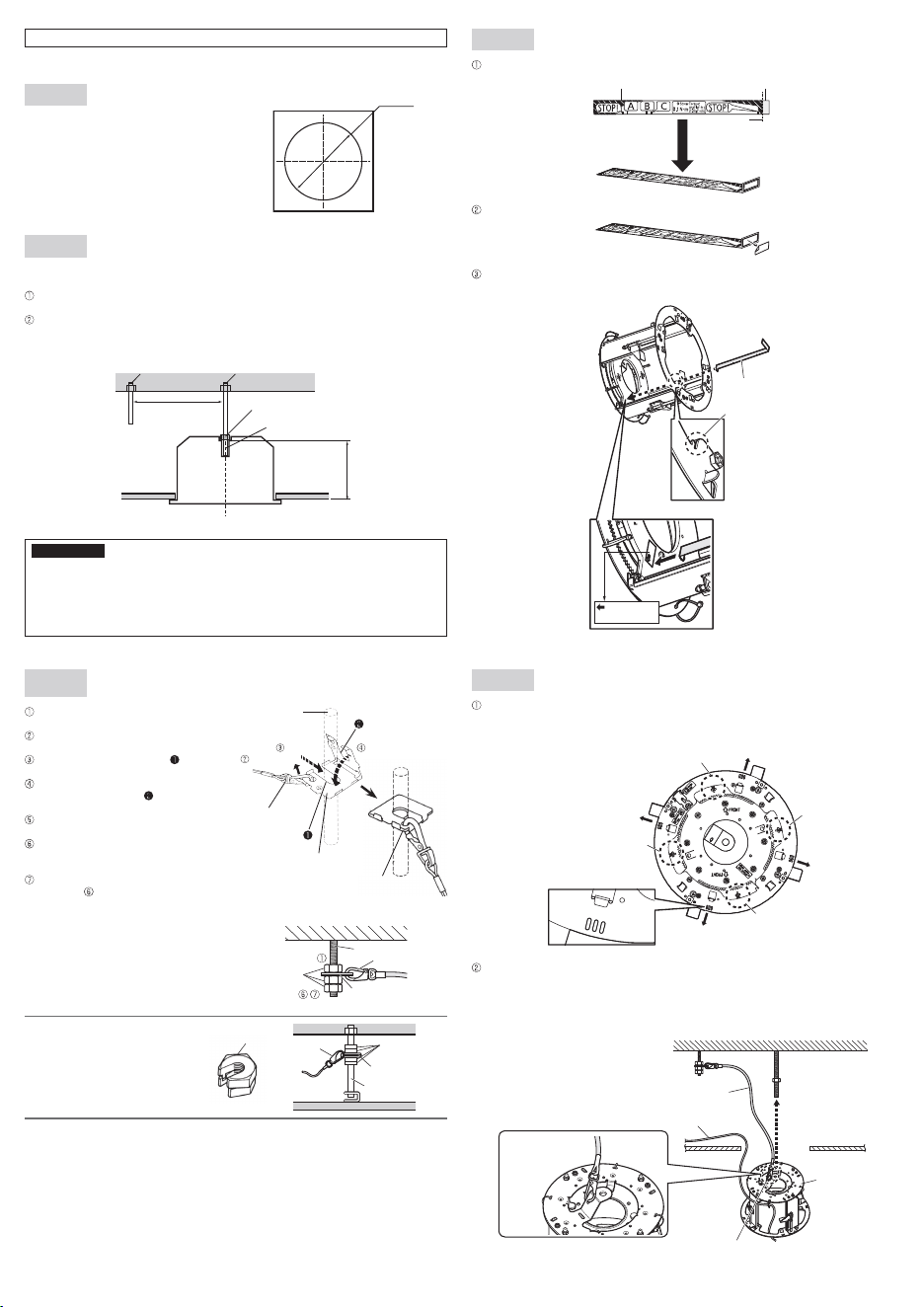
Secure the safety wire angle (accessory) to the anchor bolt (for con-
necting the safety wire), and connect the safety wire (accessory).
Mount a nut so that the safety wire angle
is secured on the anchor bolt.
Disconnect the safety wire from the safety
wire angle.
Insert the groove of the portion of the
safety wire angle into the anchor bolt.
Close the safety wire angle while inserting
the groove of the portion of the safety
wire angle into the anchor bolt.
Connect the safety wire to the safety wire
angle again.
Engage the nut from beneath, and secure
the safety wire angle with top and bottom
nuts.
Secure the nut that was engaged from
beneath in in a double nut fashion.
Note:
• When the existing anchor bolt that
has been installed is used for con-
necting the safety wire, the use of 2
spacer nuts is helpful.
Spacer nuts
Spacer nuts
Safety wire angle
Existing anchor bolt
Safety wire
Upper side
Lower
side
Safety wire
Insert
Disconnect
Bend
t Connect
Safety wire angle
Anchor bolt
Other items that are needed (not included)
*
One anchor is used for securing the mounting chassis, and the other anchor is used for connecting
the safety wire. (See Step2)
IMPORTANT
• Prepare anchor bolts according to the material and strength of the area where the product is to
be installed. The pull-out strength of the anchor bolt shall be more than 5 times of the total
weight of the installed devices (including the camera body, ceiling mount bracket, anchor bolts,
and all other parts).
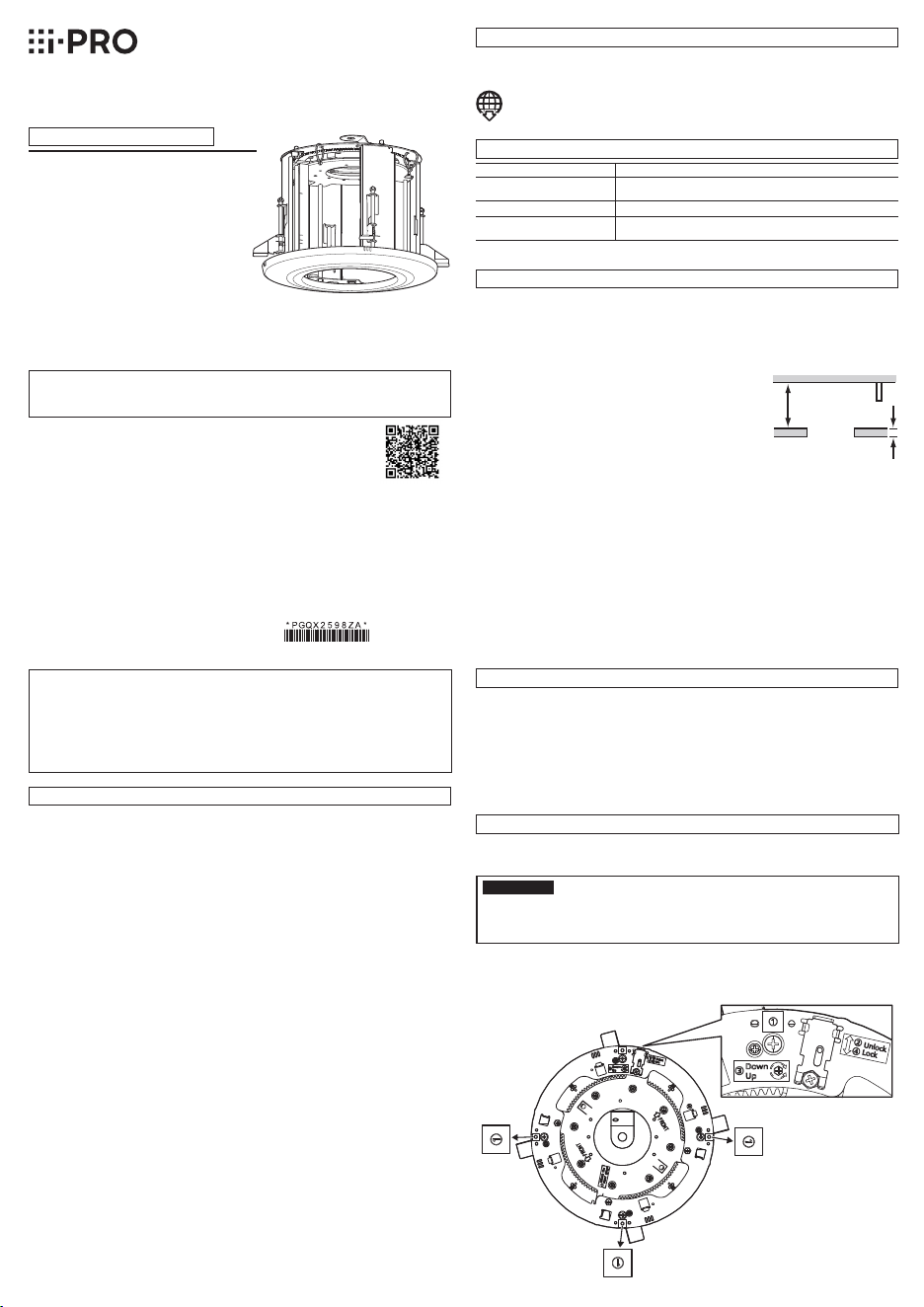
The mounting chassis of this product has the label used for the adjustment
procedure as shown below.
Ns0522-0
Printed in China
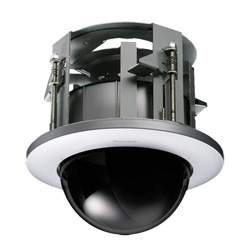
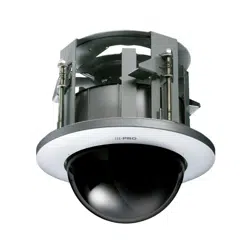
Ceiling Mount Bracket
Model No. WV-QEM101
Operating Instructions
• Before attempting to connect or install this product, please read these instructions carefully and
save this manual for future use.
• The external appearance and other parts shown in this manual may differ from the actual product
within the scope that will not interfere with normal use due to improvement of the product.
Preface
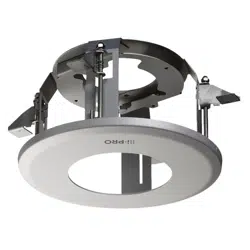
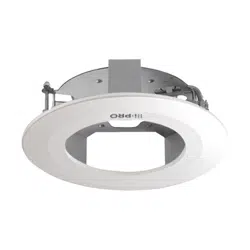
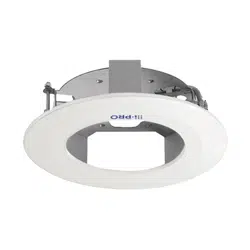
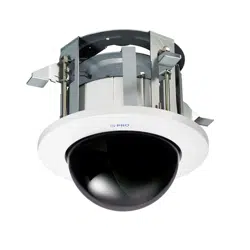
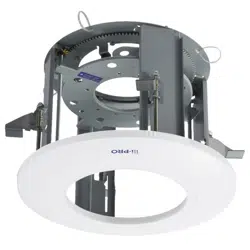
This product is a ceiling embedded bracket that is designed to mount the network camera on a ceil-
ing. This bracket can be used for an area with weak pull-out strength such as plasterboard in a dou-
ble ceiling, and the embedded type makes the visible part of the camera smaller.
The latest information about the supported cameras
<Control No.:C0501>
Do not use this bracket except with suitable cameras.
Failure to observe this may cause a drop resulting in injury or accidents.
Refer installation work to the dealer.
Installation work requires technique and experience. Failure to observe this may cause fire, electric
shock, injury, or damage to the product.
Be sure to consult the dealer.
The measures of protection against a fall of this product shall be taken.
Failure to observe this may cause a drop resulting in injury or accidents. Be sure to install the safety
wire.
Thescrewsandboltsmustbetightenedtothespeci�edtorque.
Failure to observe this may cause a drop resulting in injury or accidents.
Install the product securely on a ceiling in accordance with the installation instructions.
Failure to observe this may cause injury or accidents.
Do not rub the edges of metal parts with your hand.
Failure to observe this may cause injury.
When using this product, also read the “Precautions” described in the operating
instructions for the camera to be attached.
Precautions
Installation
i-PRO Co., Ltd. assumes no responsibility for injuries or property damage resulting
from failures arising out of improper installation or operation inconsistent with this
documentation.
Caution:
• Before attempting to connect or operate this
product, please read these instructions care-
fully.
Notice:
• This product is not suitable for use in loca-
tions where children are likely to be present.
• Do not install this product in locations where
ordinary persons can easily reach.
• For information about screws and other parts
required for installation, refer to the corre-
sponding section of this document.
Included Installation Instructions
Specifications
In order to prevent injury, the product must be securely mounted to the ceiling
according to the Installation Guide of this product.
This product is designed to be used indoors.
This product is not operable outdoors. Do not expose this product to direct sunlight for hours and
do not install the product near a heater or an air conditioner. Otherwise, it may cause deformation,
discoloration and malfunction. Keep this product away from water and moisture.
Installation area for this product
Make sure that the installation area is strong enough to hold the total
weight of the camera assembly before installation.
Theinstallationareashallhave210mm{8-9/32inches}ormore
space behind the ceiling.
The thickness of the ceiling board for installation can range between
9mm{11/32inches}and40mm{1-9/16inches}.
Make sure to remove this product if it will no longer be used.
Precautions for installation
210mm
{8-9/32inches}
or more
Ceiling board: between
9mm{11/32inches}and
40mm{1-9/16inches}
Standard Accessories
Operating Instructions (this document) ....... 1 pc.
The following are for installation
Safety wire* ............................................... 1 pc.
Safety wire angle* ...................................... 1 pc.
Template A .............................................1 sheet
Template B .............................................1 sheet
Decorative covers (sub and main), i-PRO white
.....................................................1 pc. for each
Screw(M4×8mm) ..................................5 pcs.
(of them, 1 for spare)
Paper gauge ...........................................1 sheet
Refer to the operating instructions of the camera for details on the camera installation
(including the camera mounting, cable connection and adjustment).
Step 1
Put Template A (accessory) against the ceiling
andmaketheø220mm{8-21/32inches}hole.
Step 2
Install two anchor bolts (M10 recommended) into the ceiling.
One anchor is used for securing the mounting chassis, and the other anchor is used for connecting
the safety wire.
Determine the anchor bolt (for securing the mounting chassis) length by use of Template B
(accessory).
Position the nut by use of Template B (accessory) and mount the nut. (The distance between the
bottomsurfacesoftheceilingboardandnutshallbe183mm{7-7/32inches}.)
IMPORTANT:
• The pull-out strength of the anchor bolt shall be more than 5 times of the total weight of the
installed devices (including the camera body, ceiling mount bracket, anchor bolts, and all
other parts).
• When the existing anchor bolt is used as an anchor bolt for connecting the safety wire,
make sure that the distance between the anchor bolt and camera mounting position is 1 m
{3.28feet}orless.
Anchor bolt (M10)* ....................................2 pcs. Nut (M10) ................................................6pcs.
Ambient operating temperature: –10°Cto+55°C{14°Fto131°F}
Dimensions: ø245mm×203mm(H){ø9-21/32inchesx8inches(H)}
(including the decorative cover)
Mass:
Approx.1.3kg{2.87lbs}
Finish: Main body: Surface treatment steel sheet
Decorative cover: ABS resin i-PRO white
Step 4
Attach the paper gauge (accessory) to the camera mounting stage.
Fold the double-sided tape side of the paper gauge at a right angle as shown in the drawing.
Paper gauge
Folding line
Double-sided tape
Peel off the backing from the double-sided tape of the paper gauge.
Turn this bracket sideways as shown in the following drawing, and attach the paper gauge to the
camera mounting stage. Attach the paper gauge so that it passes through the slit shown in the
following drawing.
Paper gauge
Paper gauge attaching position
Slit
Attach the
paper gauge
Step 5
Passthecablesfromtheceilingthroughtheloopofthecableties(4places:A-D)attachedtothe
mount bracket in advance. Cable ties used for passing the cables vary with the models. Select
the cable tie according to the direction of the wiring connection of the camera to be installed.
“<Control No.: C****>” used in these documents should be used to search for
informationonourtechnicalinformationwebsite(https://i-pro.com/global/en/
surveillance/training-support/support/technical-information)andwillguideyouto
the right information.
© i-PRO Co., Ltd. 2022
i-PRO Co., Ltd.
https://www.i-pro.com/
Template A
Ceiling face
ø220 mm
{8-21/32inches}
Anchor bolt (for connecting
the safety wire)
w Mount a nut
q Determine the anchor bolt length
Install the anchor bolt in the center of the hole
183mm{7-7/32inches}
Template B
Ceiling board
Anchor bolt (for securing
the mounting chassis)
<Image of safety wire connection>
Existing anchor bolt
Safety wire
Safety wire angle
Nut
(locally procured)
* The product is shipped in a state where the safety wire is attached to the safety wire angle.
Less than 1 m
{3.28feet}
Attach the safety wire to the mounting chassis as shown in the following drawing. Insert the
mounting chassis into the hole made in Step 1, and put them into the roof space.
At this moment, the logo direction at mounting the decorative cover finally can be aligned with the
III direction of the mounting chassis.
Therefore, if you care about the brand logo direction, determine the direction using the III direction.
Direction of brand logo
Direction of
brand logo
Direction of
brand logo
Direction of
brand logo
Cable tie A
Cable tie B
Cable tie D
Cable tie C
Roof space
Ceiling board
Safety wire
(accessory)
Mounting
chassis
Cables
Pass the loop through the
tip of the safety wire.
Fix the hook of the
safety wire to this
product.
Step 3
Secure the safety wire angle (accessory) to the anchor bolt (for con-
necting the safety wire), and connect the safety wire (accessory).
Mount a nut so that the safety wire angle
is secured on the anchor bolt.
Disconnect the safety wire from the safety
wire angle.
Insert the groove of the portion of the
safety wire angle into the anchor bolt.
Close the safety wire angle while inserting
the groove of the portion of the safety
wire angle into the anchor bolt.
Connect the safety wire to the safety wire
angle again.
Engage the nut from beneath, and secure
the safety wire angle with top and bottom
nuts.
Secure the nut that was engaged from
beneath in in a double nut fashion.
Note:
• When the existing anchor bolt that
has been installed is used for con-
necting the safety wire, the use of 2
spacer nuts is helpful.
Spacer nuts
Spacer nuts
Safety wire angle
Existing anchor bolt
Safety wire
Upper side
Lower
side
Safety wire
Insert
Disconnect
Bend
t Connect
Safety wire angle
Anchor bolt
Other items that are needed (not included)
*
One anchor is used for securing the mounting chassis, and the other anchor is used for connecting
the safety wire. (See Step2)
IMPORTANT
• Prepare anchor bolts according to the material and strength of the area where the product is to
be installed. The pull-out strength of the anchor bolt shall be more than 5 times of the total
weight of the installed devices (including the camera body, ceiling mount bracket, anchor bolts,
and all other parts).
The mounting chassis of this product has the label used for the adjustment
procedure as shown below.
Ns0522-0
Printed in China
Ceiling Mount Bracket
Model No. WV-QEM101
Operating Instructions
• Before attempting to connect or install this product, please read these instructions carefully and
save this manual for future use.
• The external appearance and other parts shown in this manual may differ from the actual product
within the scope that will not interfere with normal use due to improvement of the product.
Preface
This product is a ceiling embedded bracket that is designed to mount the network camera on a ceil-
ing. This bracket can be used for an area with weak pull-out strength such as plasterboard in a dou-
ble ceiling, and the embedded type makes the visible part of the camera smaller.
The latest information about the supported cameras
<Control No.:C0501>
Do not use this bracket except with suitable cameras.
Failure to observe this may cause a drop resulting in injury or accidents.
Refer installation work to the dealer.
Installation work requires technique and experience. Failure to observe this may cause fire, electric
shock, injury, or damage to the product.
Be sure to consult the dealer.
The measures of protection against a fall of this product shall be taken.
Failure to observe this may cause a drop resulting in injury or accidents. Be sure to install the safety
wire.
Thescrewsandboltsmustbetightenedtothespeci�edtorque.
Failure to observe this may cause a drop resulting in injury or accidents.
Install the product securely on a ceiling in accordance with the installation instructions.
Failure to observe this may cause injury or accidents.
Do not rub the edges of metal parts with your hand.
Failure to observe this may cause injury.
When using this product, also read the “Precautions” described in the operating
instructions for the camera to be attached.
Precautions
Installation
i-PRO Co., Ltd. assumes no responsibility for injuries or property damage resulting
from failures arising out of improper installation or operation inconsistent with this
documentation.
Caution:
• Before attempting to connect or operate this
product, please read these instructions care-
fully.
Notice:
• This product is not suitable for use in loca-
tions where children are likely to be present.
• Do not install this product in locations where
ordinary persons can easily reach.
• For information about screws and other parts
required for installation, refer to the corre-
sponding section of this document.
Included Installation Instructions
Specifications
In order to prevent injury, the product must be securely mounted to the ceiling
according to the Installation Guide of this product.
This product is designed to be used indoors.
This product is not operable outdoors. Do not expose this product to direct sunlight for hours and
do not install the product near a heater or an air conditioner. Otherwise, it may cause deformation,
discoloration and malfunction. Keep this product away from water and moisture.
Installation area for this product
Make sure that the installation area is strong enough to hold the total
weight of the camera assembly before installation.
Theinstallationareashallhave210mm{8-9/32inches}ormore
space behind the ceiling.
The thickness of the ceiling board for installation can range between
9mm{11/32inches}and40mm{1-9/16inches}.
Make sure to remove this product if it will no longer be used.
Precautions for installation
210mm
{8-9/32inches}
or more
Ceiling board: between
9mm{11/32inches}and
40mm{1-9/16inches}
Standard Accessories
Operating Instructions (this document) ....... 1 pc.
The following are for installation
Safety wire* ............................................... 1 pc.
Safety wire angle* ...................................... 1 pc.
Template A .............................................1 sheet
Template B .............................................1 sheet
Decorative covers (sub and main), i-PRO white
.....................................................1 pc. for each
Screw(M4×8mm) ..................................5 pcs.
(of them, 1 for spare)
Paper gauge ...........................................1 sheet
Refer to the operating instructions of the camera for details on the camera installation
(including the camera mounting, cable connection and adjustment).
Step 1
Put Template A (accessory) against the ceiling
andmaketheø220mm{8-21/32inches}hole.
Step 2
Install two anchor bolts (M10 recommended) into the ceiling.
One anchor is used for securing the mounting chassis, and the other anchor is used for connecting
the safety wire.
Determine the anchor bolt (for securing the mounting chassis) length by use of Template B
(accessory).
Position the nut by use of Template B (accessory) and mount the nut. (The distance between the
bottomsurfacesoftheceilingboardandnutshallbe183mm{7-7/32inches}.)
IMPORTANT:
• The pull-out strength of the anchor bolt shall be more than 5 times of the total weight of the
installed devices (including the camera body, ceiling mount bracket, anchor bolts, and all
other parts).
• When the existing anchor bolt is used as an anchor bolt for connecting the safety wire,
make sure that the distance between the anchor bolt and camera mounting position is 1 m
{3.28feet}orless.
Anchor bolt (M10)* ....................................2 pcs. Nut (M10) ................................................6pcs.
Ambient operating temperature: –10°Cto+55°C{14°Fto131°F}
Dimensions: ø245mm×203mm(H){ø9-21/32inchesx8inches(H)}
(including the decorative cover)
Mass:
Approx.1.3kg{2.87lbs}
Finish: Main body: Surface treatment steel sheet
Decorative cover: ABS resin i-PRO white
Step 4
Attach the paper gauge (accessory) to the camera mounting stage.
Fold the double-sided tape side of the paper gauge at a right angle as shown in the drawing.
Paper gauge
Folding line
Double-sided tape
Peel off the backing from the double-sided tape of the paper gauge.
Turn this bracket sideways as shown in the following drawing, and attach the paper gauge to the
camera mounting stage. Attach the paper gauge so that it passes through the slit shown in the
following drawing.
Paper gauge
Paper gauge attaching position
Slit
Attach the
paper gauge
Step 5
Passthecablesfromtheceilingthroughtheloopofthecableties(4places:A-D)attachedtothe
mount bracket in advance. Cable ties used for passing the cables vary with the models. Select
the cable tie according to the direction of the wiring connection of the camera to be installed.
“<Control No.: C****>” used in these documents should be used to search for
informationonourtechnicalinformationwebsite(https://i-pro.com/global/en/
surveillance/training-support/support/technical-information)andwillguideyouto
the right information.
© i-PRO Co., Ltd. 2022
i-PRO Co., Ltd.
https://www.i-pro.com/
Template A
Ceiling face
ø220 mm
{8-21/32inches}
Anchor bolt (for connecting
the safety wire)
w Mount a nut
q Determine the anchor bolt length
Install the anchor bolt in the center of the hole
183mm{7-7/32inches}
Template B
Ceiling board
Anchor bolt (for securing
the mounting chassis)
<Image of safety wire connection>
Existing anchor bolt
Safety wire
Safety wire angle
Nut
(locally procured)
* The product is shipped in a state where the safety wire is attached to the safety wire angle.
Less than 1 m
{3.28feet}
Attach the safety wire to the mounting chassis as shown in the following drawing. Insert the
mounting chassis into the hole made in Step 1, and put them into the roof space.
At this moment, the logo direction at mounting the decorative cover finally can be aligned with the
III direction of the mounting chassis.
Therefore, if you care about the brand logo direction, determine the direction using the III direction.
Direction of brand logo
Direction of
brand logo
Direction of
brand logo
Direction of
brand logo
Cable tie A
Cable tie B
Cable tie D
Cable tie C
Roof space
Ceiling board
Safety wire
(accessory)
Mounting
chassis
Cables
Pass the loop through the
tip of the safety wire.
Fix the hook of the
safety wire to this
product.
Step 9
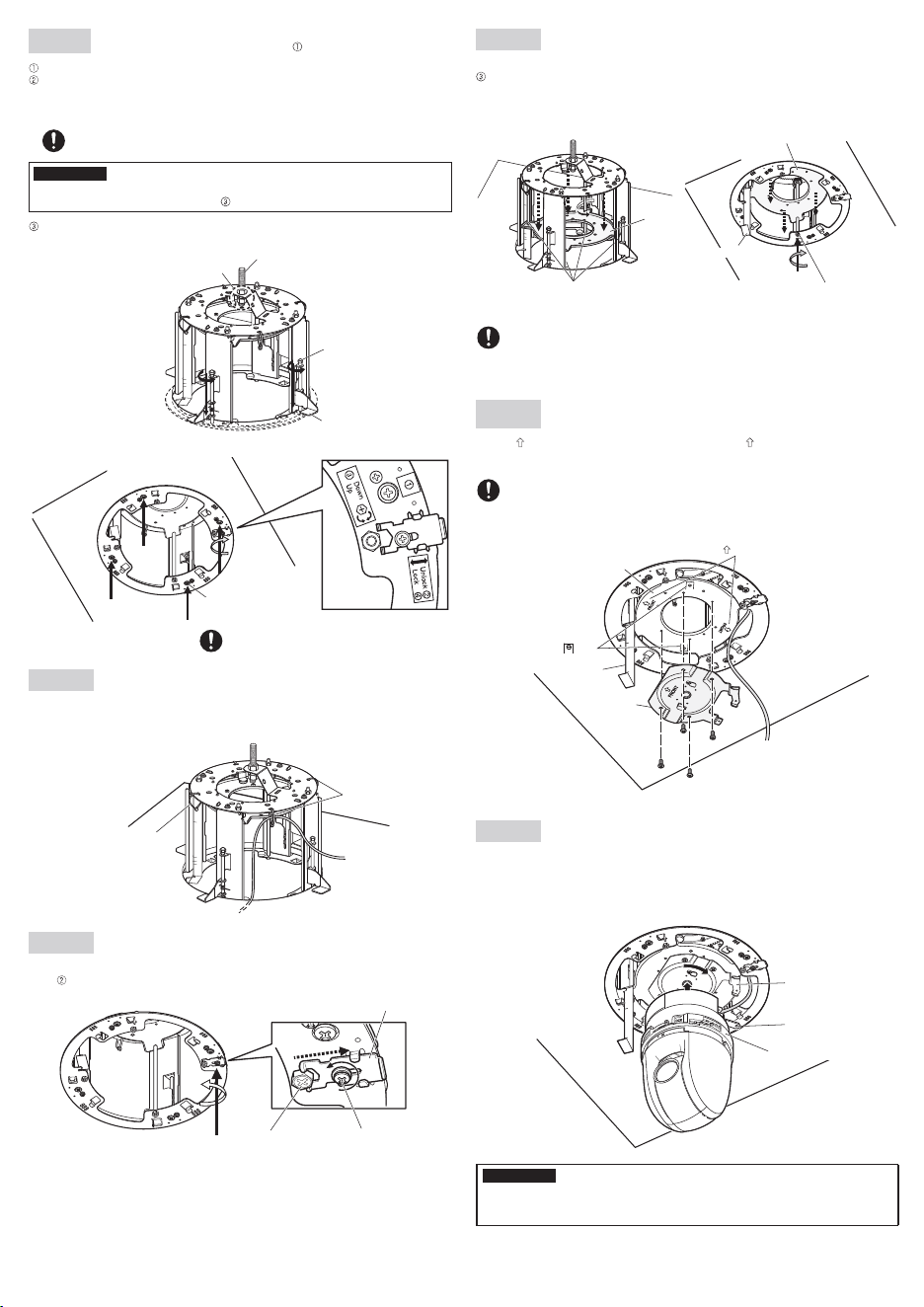
Rotatetheheightadjustingscrew(oneof4points)clockwisewhenviewingitfrombeneath(inthe
down direction of the label), and move the camera mounting stage from the back to the front
side. At this moment, the paper gauge attached to the camera mounting stage descends together.
Be careful to prevent the cables from being caught between the mounting chassis and camera
mounting stage.
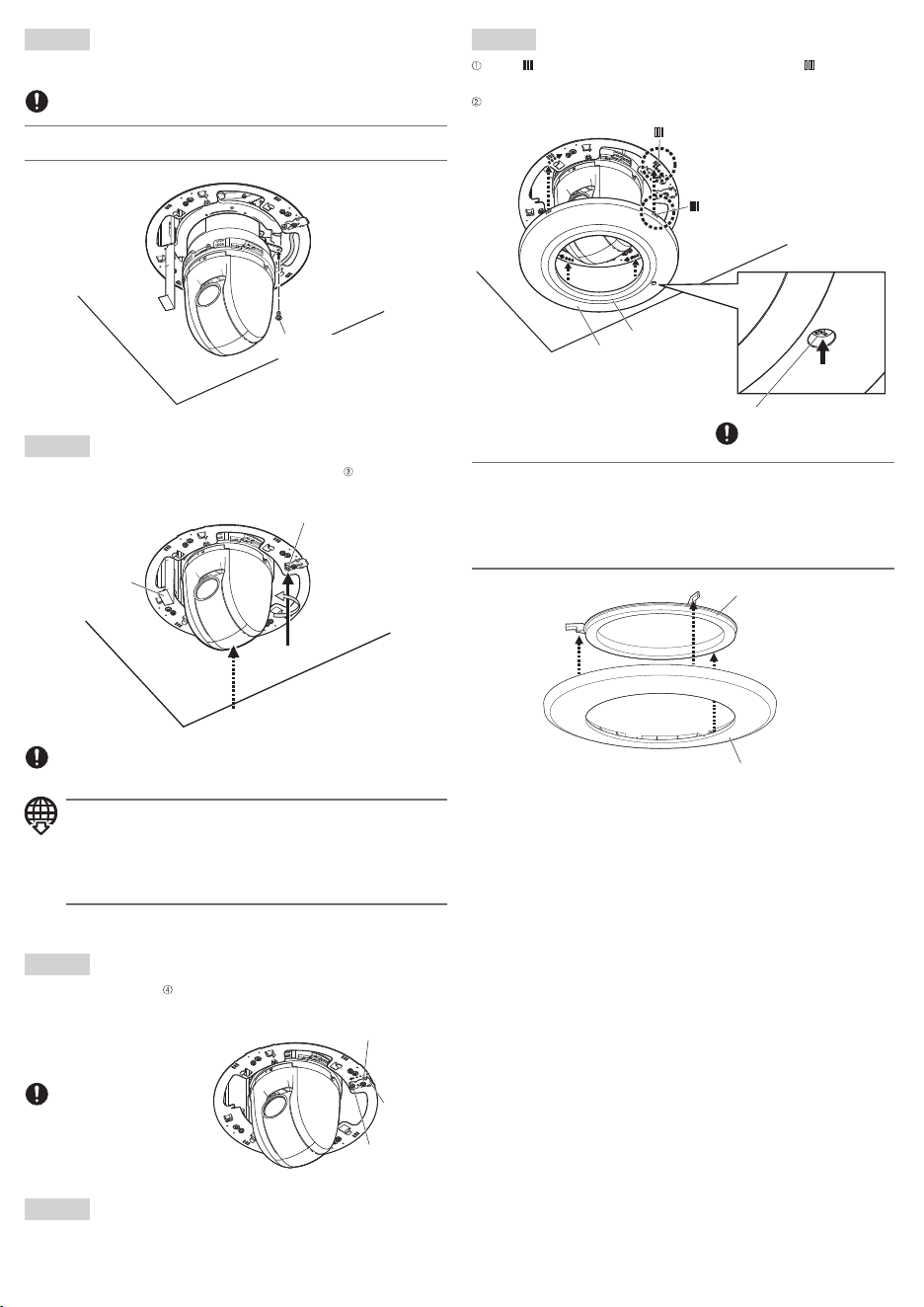
Step 12
Secure the camera to the camera mount bracket (camera accessory) using a piece of the camera
fixingscrew(M3:cameraaccessory).
Recommended tightening torque:
0.68N·m{0.50lbf·ft}
Note:
• When using the WV-QDC100 (dome cover), attach it after fixing the camera.
Camera fixing screw
(M3:cameraaccessory)
Step 13
Rotatetheheightadjustingscrew(oneof4points)counterclockwise(inthe up direction of the
label) when viewing it from beneath, and raise the camera mounting stage to the position of A to C
displayed on the paper gauge.
Heightadjustingscrew
Paper gauge
Tighteningtorque:0.1N·m{0.07lbf·ft}
*Donotapplyequaltoormorethan0.29N·m{0.21lbf·ft}oftorque.Failuretoobservethis
may cause damage.
Note:
• A to C displayed on the paper gauge refer to the heights to be set when installing the
following models.
For the compatible models, refer to the latest information about the supported cam-
eras on our technical information website <Control No.: C0501>.
A: When using the camera with an optional dome cover attached
B: When installing a single camera
C: Auxiliary
After adjusting the camera height, remove the paper gauge from this bracket, and discard it.
Step 14
Push the stopper bracket (in the Lock direction of the label), and lock the height adjusting screw.
Secure the stopper bracket with the stopper bracket fixing screw.
Step 16
Align the mark of the decorative cover supplied with this bracket with the mark of the
mounting chassis, press the decorative cover against the ceiling, and rotate the decorative cover
clockwise when viewing it from beneath to fix it temporarily.
Tighten the cover fall prevention screw to fix it.
Tighteningtorque:0.1N·m{0.07lbf·ft}
*Donotapplyequaltoormorethan0.29N·m{0.21lbf·ft}oftorque.Failuretoobservethis
may cause damage.
<Image of the roof space>
Anchor bolt (for securing the
mounting chassis)
Ceiling board fixing bracket
(4places)
Ceiling board fixing screw
(4places)
Double nuts
(locally procured)
Ceiling board
fixingscrew(4places)
(mounting chassis outside)
Recommended tightening torque:
0.78N·m{0.58lbf·ft}
Step 6
Secure the mounting chassis to the ceiling board with the ceiling board
fixing screws (4 places, screws with label ).
Engage the top of the mounting chassis with the anchor bolt (for securing the mounting chassis).
Secure the mounting chassis by turning the ceiling board fixing screws clockwise when viewing it
from beneath. Turning the ceiling board fixing screws clockwise provides ceiling board tightening
between the bottom of the mounting chassis and ceiling board fixing bracket resulting in mount-
ing chassis securing.
IMPORTANT:
• Whensecuringthemountingchassisontheceiling,makesurethatthe4ceilingboardfixing
brackets are open as shown in the figure .
Secure the top of the mounting chassis with double nuts (locally procured).
Recommended tightening torque:
0.78N·m{0.58lbf·ft}
Step 7
Prepare the cables.
Run the cables from the space of the mounting chassis. The wiring image with the bracket mounted
on the ceiling is described below. Be careful to prevent the cables from being caught on the ceiling
board fixing bracket or others.
Step 8
Loosen the stopper bracket fixing screw, slide the stopper bracket toward the outside of this bracket
(in the unlock direction of the label), and unlock the height adjusting screw.
Stopper bracket
Heightadjusting
screw
Stopper bracket
fixing screw
Camera
mounting
stage
Heightadjustingscrew
Camera mounting stage
Paper gauge
Heightadjustingscrew(mountingchassisinside)
Adjustment can be performed with the height
adjusting screw at 1 point.
Step 10
Mount the camera mount bracket (camera accessory) on the
camera mounting stage.
Align the FRONT mark of the camera mount bracket with the FRONT mark in the direction in
which the cables are not passed of the camera mounting stage.
UseM4screws(accessories)tosecurethecameramountbracketat4places.
Recommended tightening torque:
1.57N·m{1.16lbf·ft}
Lay the cables between the mounting chassis and camera mounting stage, and leave the cables
hanging down.
Step 11
Connect the cables to the camera, engage the camera with the camera mount bracket so that the
bottom center of the camera is aligned with the center of the camera mount bracket as shown in
the drawing below, align the lock plate with the guide, and rotate the camera clockwise by approx.
20 degrees when viewing it from beneath to temporarily secure the camera.
* Refer to the installation guide of the camera for details on how to install the camera.
Base part of the camera
Guide
Lock plate
IMPORTANT:
• Do not let the cables be caught during installation work.
• Be sure to mount it with holding the base part of the camera. Mounting the camera while
holding the dome part may result in malfunction.
<Image from below>
Cable tie
Cable tie
Camera mount
bracket
Paper gauge
mark
FRONT mark
M4Screws(4pcs.)(accessory)
Camera mounting stage
Step 15
Remove the protective sheet from the camera lens.
Stopper bracket
fixing screw
Stopper bracket
Heightadjusting
screw
Note:
• When the camera is embedded into the ceiling with use of this bracket, the decorative cover
supplied with the camera is not used.
• When this bracket is installed with the
WV-QDC100 (dome cover)
mountedonWV-S61302-Z4,
remove the decorative cover (sub) from the decorative cover (main) included in the package of the
bracket.
For other cases, use this bracket with the decorative cover (sub) being attached to the
decorative cover (main).
Decorative cover (sub)
Decorative cover (main)
Decorative cover (sub)
mark of mounting chassis
mark of decorative cover
Decorative cover (main)
Cover fall prevention screw
Recommended tightening torque:
0.69N·m{0.51lbf·ft}
Recommended tightening torque:
1.6N·m{1.18lbf·ft}
Step 9
Rotatetheheightadjustingscrew(oneof4points)clockwisewhenviewingitfrombeneath(inthe
down direction of the label), and move the camera mounting stage from the back to the front
side. At this moment, the paper gauge attached to the camera mounting stage descends together.
Be careful to prevent the cables from being caught between the mounting chassis and camera
mounting stage.
Step 12
Secure the camera to the camera mount bracket (camera accessory) using a piece of the camera
fixingscrew(M3:cameraaccessory).
Recommended tightening torque:
0.68N·m{0.50lbf·ft}
Note:
• When using the WV-QDC100 (dome cover), attach it after fixing the camera.
Camera fixing screw
(M3:cameraaccessory)
Step 13
Rotatetheheightadjustingscrew(oneof4points)counterclockwise(inthe up direction of the
label) when viewing it from beneath, and raise the camera mounting stage to the position of A to C
displayed on the paper gauge.
Heightadjustingscrew
Paper gauge
Tighteningtorque:0.1N·m{0.07lbf·ft}
*Donotapplyequaltoormorethan0.29N·m{0.21lbf·ft}oftorque.Failuretoobservethis
may cause damage.
Note:
• A to C displayed on the paper gauge refer to the heights to be set when installing the
following models.
For the compatible models, refer to the latest information about the supported cam-
eras on our technical information website <Control No.: C0501>.
A: When using the camera with an optional dome cover attached
B: When installing a single camera
C: Auxiliary
After adjusting the camera height, remove the paper gauge from this bracket, and discard it.
Step 14
Push the stopper bracket (in the Lock direction of the label), and lock the height adjusting screw.
Secure the stopper bracket with the stopper bracket fixing screw.
Step 16
Align the mark of the decorative cover supplied with this bracket with the mark of the
mounting chassis, press the decorative cover against the ceiling, and rotate the decorative cover
clockwise when viewing it from beneath to fix it temporarily.
Tighten the cover fall prevention screw to fix it.
Tighteningtorque:0.1N·m{0.07lbf·ft}
*Donotapplyequaltoormorethan0.29N·m{0.21lbf·ft}oftorque.Failuretoobservethis
may cause damage.
<Image of the roof space>
Anchor bolt (for securing the
mounting chassis)
Ceiling board fixing bracket
(4places)
Ceiling board fixing screw
(4places)
Double nuts
(locally procured)
Ceiling board
fixingscrew(4places)
(mounting chassis outside)
Recommended tightening torque:
0.78N·m{0.58lbf·ft}
Step 6
Secure the mounting chassis to the ceiling board with the ceiling board
fixing screws (4 places, screws with label ).
Engage the top of the mounting chassis with the anchor bolt (for securing the mounting chassis).
Secure the mounting chassis by turning the ceiling board fixing screws clockwise when viewing it
from beneath. Turning the ceiling board fixing screws clockwise provides ceiling board tightening
between the bottom of the mounting chassis and ceiling board fixing bracket resulting in mount-
ing chassis securing.
IMPORTANT:
• Whensecuringthemountingchassisontheceiling,makesurethatthe4ceilingboardfixing
brackets are open as shown in the figure .
Secure the top of the mounting chassis with double nuts (locally procured).
Recommended tightening torque:
0.78N·m{0.58lbf·ft}
Step 7
Prepare the cables.
Run the cables from the space of the mounting chassis. The wiring image with the bracket mounted
on the ceiling is described below. Be careful to prevent the cables from being caught on the ceiling
board fixing bracket or others.
Step 8
Loosen the stopper bracket fixing screw, slide the stopper bracket toward the outside of this bracket
(in the unlock direction of the label), and unlock the height adjusting screw.
Stopper bracket
Heightadjusting
screw
Stopper bracket
fixing screw
Camera
mounting
stage
Heightadjustingscrew
Camera mounting stage
Paper gauge
Heightadjustingscrew(mountingchassisinside)
Adjustment can be performed with the height
adjusting screw at 1 point.
Step 10
Mount the camera mount bracket (camera accessory) on the
camera mounting stage.
Align the FRONT mark of the camera mount bracket with the FRONT mark in the direction in
which the cables are not passed of the camera mounting stage.
UseM4screws(accessories)tosecurethecameramountbracketat4places.
Recommended tightening torque:
1.57N·m{1.16lbf·ft}
Lay the cables between the mounting chassis and camera mounting stage, and leave the cables
hanging down.
Step 11
Connect the cables to the camera, engage the camera with the camera mount bracket so that the
bottom center of the camera is aligned with the center of the camera mount bracket as shown in
the drawing below, align the lock plate with the guide, and rotate the camera clockwise by approx.
20 degrees when viewing it from beneath to temporarily secure the camera.
* Refer to the installation guide of the camera for details on how to install the camera.
Base part of the camera
Guide
Lock plate
IMPORTANT:
• Do not let the cables be caught during installation work.
• Be sure to mount it with holding the base part of the camera. Mounting the camera while
holding the dome part may result in malfunction.
<Image from below>
Cable tie
Cable tie
Camera mount
bracket
Paper gauge
mark
FRONT mark
M4Screws(4pcs.)(accessory)
Camera mounting stage
Step 15
Remove the protective sheet from the camera lens.
Stopper bracket
fixing screw
Stopper bracket
Heightadjusting
screw
Note:
• When the camera is embedded into the ceiling with use of this bracket, the decorative cover
supplied with the camera is not used.
• When this bracket is installed with the
WV-QDC100 (dome cover)
mountedonWV-S61302-Z4,
remove the decorative cover (sub) from the decorative cover (main) included in the package of the
bracket.
For other cases, use this bracket with the decorative cover (sub) being attached to the
decorative cover (main).
Decorative cover (sub)
Decorative cover (main)
Decorative cover (sub)
mark of mounting chassis
mark of decorative cover
Decorative cover (main)
Cover fall prevention screw
Recommended tightening torque:
0.69N·m{0.51lbf·ft}
Recommended tightening torque:
1.6N·m{1.18lbf·ft}