
UHF Card Issuer
User Manual

UHF Card Issuer User Manual
Copyright © Hangzhou Hikvision Digital Technology Co., Ltd. 2019. All rights reserved.
Any part of this manual, including text, pictures, graphics, etc., belongs to Hangzhou Hikvision
Digital Technology Co., Ltd. or its subsidiaries (hereinafter referred to as "the Company" or
"Hikvision"). Without written permission, no unit or individual may excerpt, copy, translate, or
modify all or part of this manual in any way. Unless otherwise agreed, our company does not
provide any express or implied representations or warranties in this manual.
About this manual
The products described in this manual are intended for sale and use in Chinese mainland only.
This manual is used as a guide. The photos, graphics, charts and illustrations provided in the manual
are for explanation and illustration purposes only and may differ from the specific product. Due to
product version upgrade or other needs, the company may update this manual, if you need the
latest version of the manual, please log on to the company's official website to check
(www.hikvision.com).
Hikvision recommends that you use this manual under the guidance of a professional.
Trademark Notice
is a registered trademark of Hikvision. Other trademarks mentioned in this manual
are the property of their respective owners.
Disclaimer
To the fullest extent permitted by law, the products described in this manual (including their
hardware, software, firmware, etc.) are provided "as is" and may be defective, wrong or
malfunctional, and the Company does not provide any form of express or implied warranties,
including but not limited to warranties of merchantability, satisfactory quality, fitness for a
particular purpose, non-infringement of third party rights, etc., and shall not compensate for
any special, incidental, incidental or consequential damages arising from the use of this manual
or the use of the Company's products, including but not limited to loss of business profits,
Losses arising from loss of data or documents.
If you access the product to the Internet at your own risk, including but not limited to the
product may be subject to network attacks, hacker attacks, virus infection, etc., the company will
not be responsible for the abnormal operation of the product, information leakage and other
problems caused by this, but the company will provide you with product-related technical
support in a timely manner.
When using this product, please strictly follow the applicable laws. The Company shall not be
liable if the Product is used for infringement of the rights of third parties or other improper uses.
In the event of a conflict between the contents of this manual and applicable laws, the
provisions of the law shall prevail.
UHF Card Issuer User Manual
Symbol Conventions
The symbols that may be found in this document are defined as follows.
Symbol
Description
Danger
Indicates a hazardous situation which, if not avoided, will or could
result in death or serious injury.
Caution
Indicates a potentially hazardous situation which, if not avoided,
could result in equipment damage, data loss, performance
degradation, or unexpected results.
Note
Provides additional information to emphasize or supplement
important points of the main text.

UHF Card Issuer User Manual
Contents
Chapter 1 Introduction ................................................................................................................................ 1
1.1 Product Introduction ......................................................................................................................... 1
1.2 Packing List ........................................................................................................................................ 2
Chapter 2 Wiring ......................................................................................................................................... 3
2.1 USB connection ................................................................................................................................. 3
Chapter 3 Configuration .............................................................................................................................. 4
3.1 USB driver installation ....................................................................................................................... 4
3.2 iSmartTool Test Tool Description ....................................................................................................... 6
3.2.1 Device connection ...................................................................................................................... 6
3.2.2 Inventory .................................................................................................................................... 9
3.2.3 Read/Write ................................................................................................................................13
3.2.4 Select Read/Write .....................................................................................................................15
3.2.5 Frequency ..................................................................................................................................16
UHF Card Issuer User Manual
1
Chapter 1 Introduction
1.1 Product Introduction
This product has the characteristics of high receiving sensitivity, fast reading rate, multi-label
reading, high cost performance, etc., and is widely used in tag data initialization, data query and
modification, and label function test applications of RFID integrated system applications such as
tobacco logistics, access control management system, production line management, product anti-
counterfeiting detection, etc.
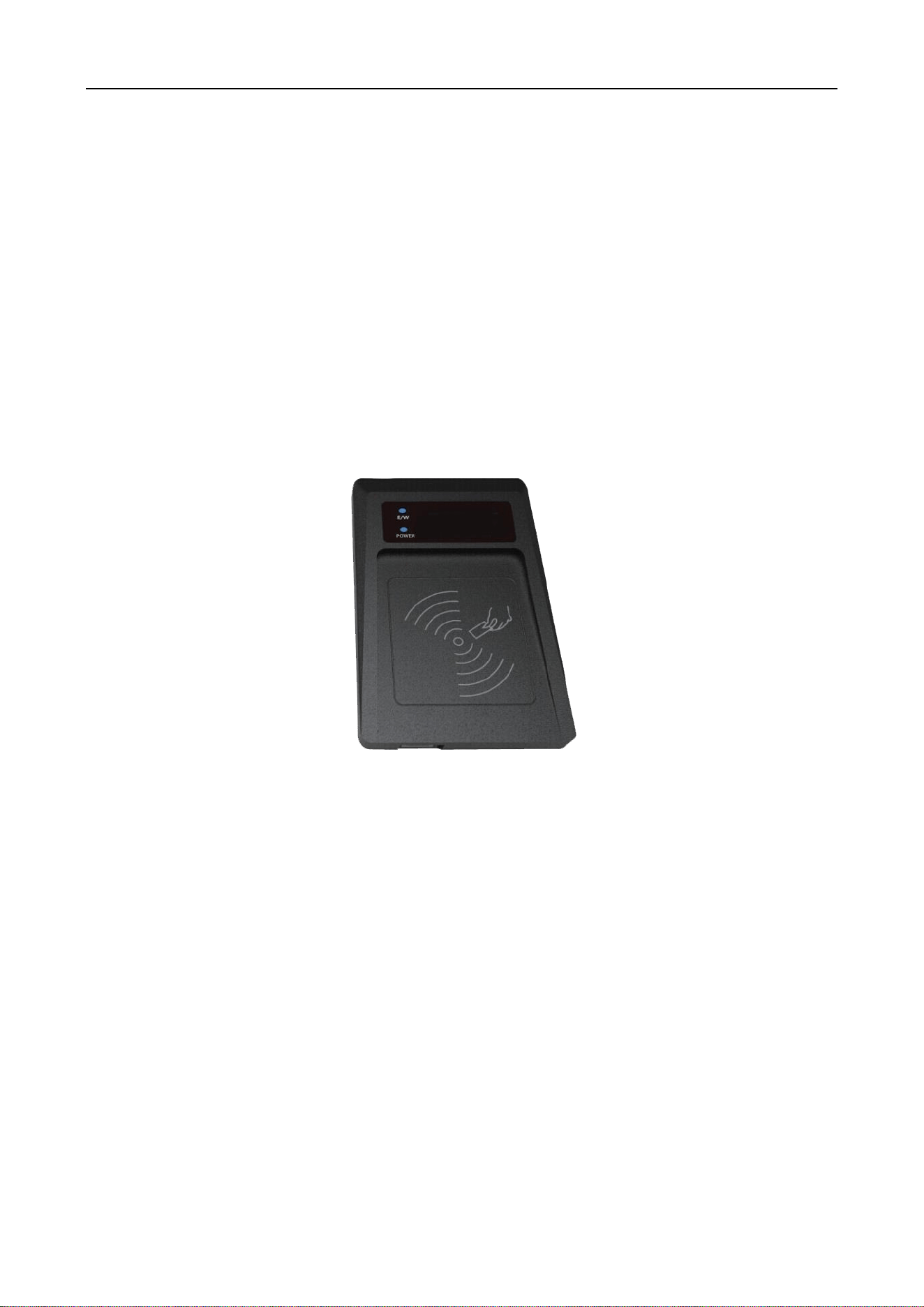
Figure 1-1 DS-TRD902-1 Issuer appearance
UHF Card Issuer User Manual
2
1.2 Packing List
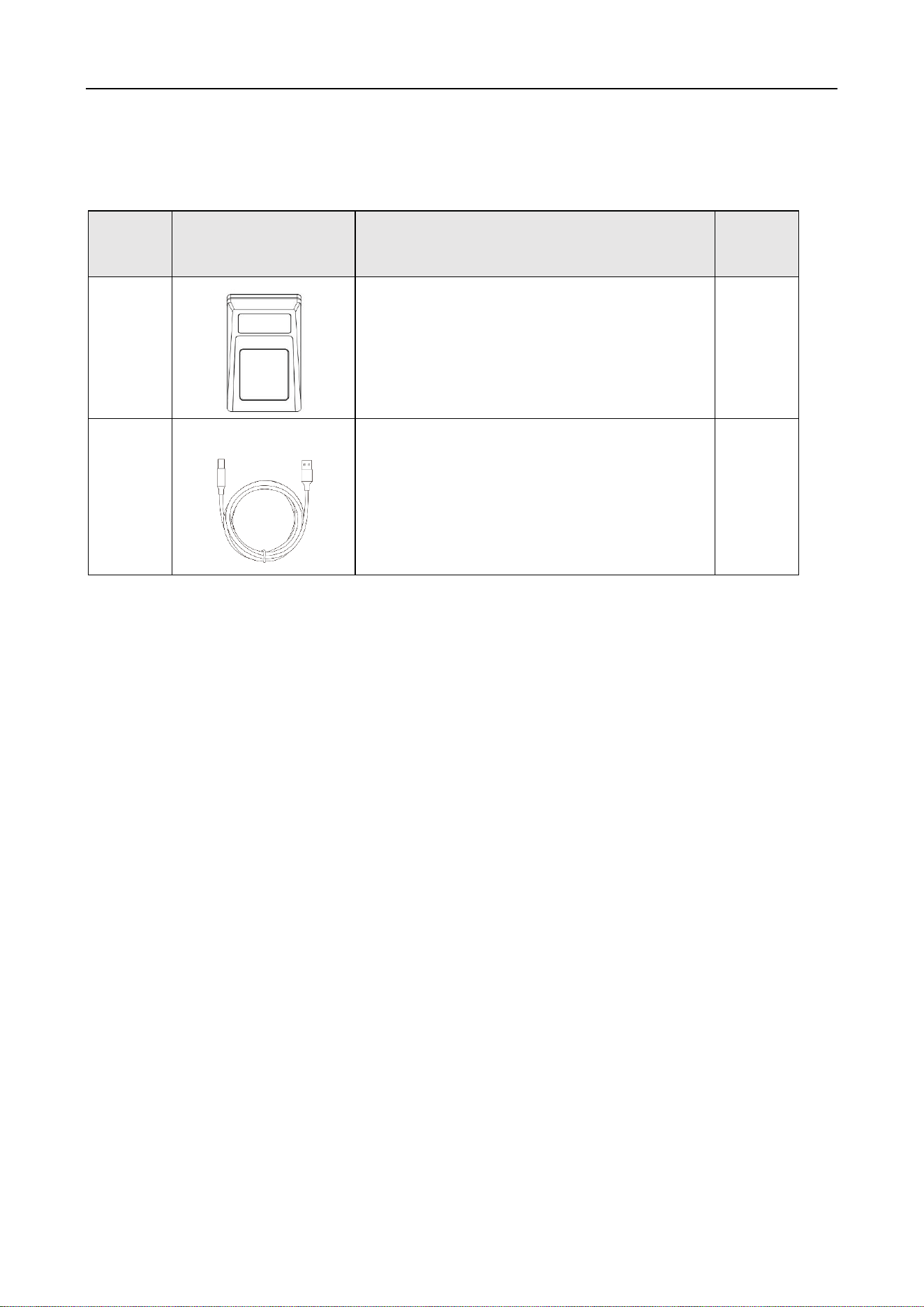
Table 1-1 Packing List
No.
Diagram
Name
Quantity
1
UHF Desktop Card Issuer
1
1
USB2.0 Square Print Wire
1
UHF Card Issuer User Manual
3
Chapter 2 Wiring
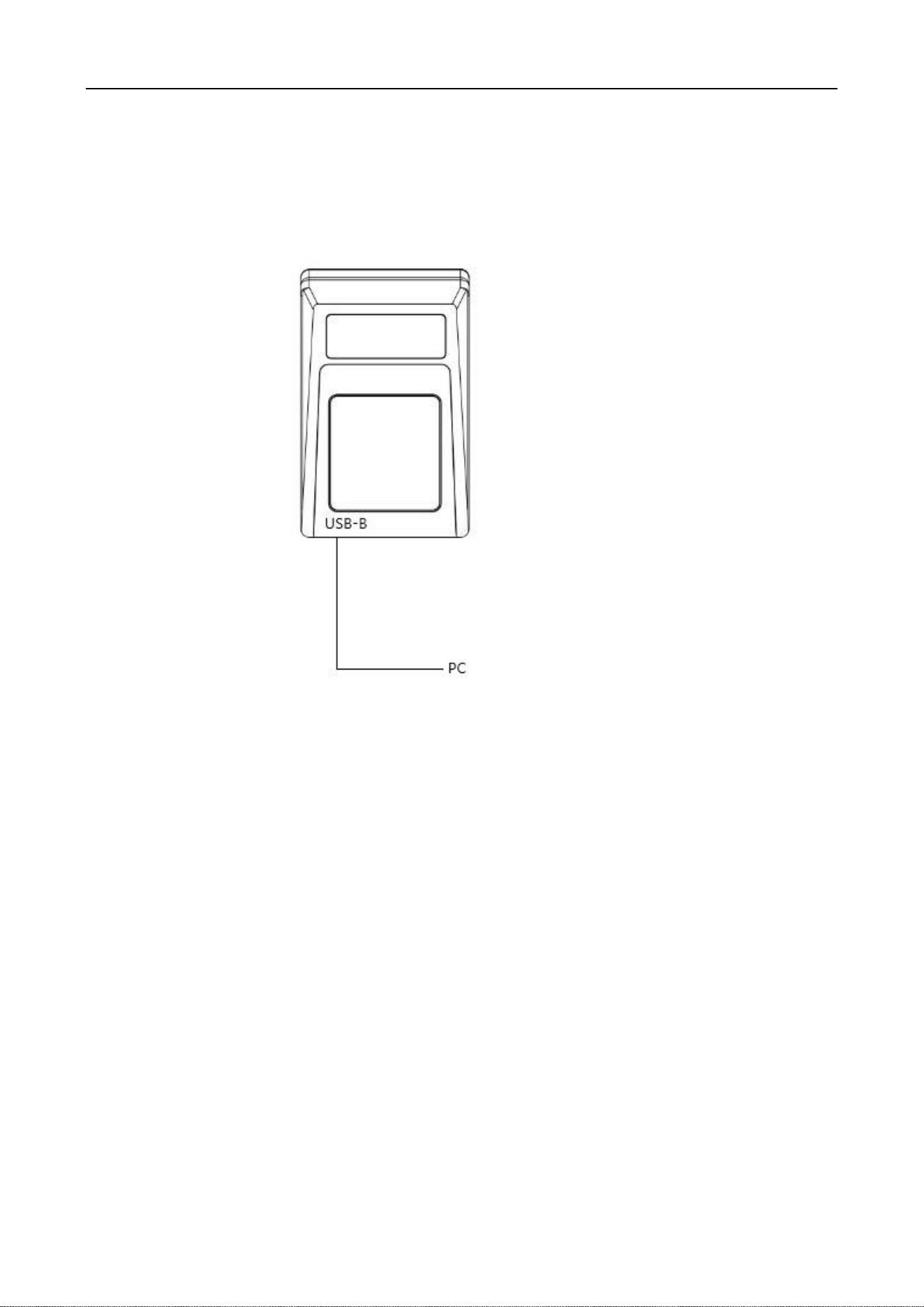
2.1 USB connection
Figure 2-1 Connect to PC
UHF Card Issuer User Manual
4
Chapter 3 Configuration
3.1 USB driver installation
link: https://drive.ticklink.com/hcs/controller/hik-manage/fileDownload?link=xhsijLsN&
code: Elxg
Insert the square port (USB Type-B) of the USB cable into the reader, and the flat port (USB Type-
A) into the USB port on the rear of the computer, and the power indicator of the reader will light
up.
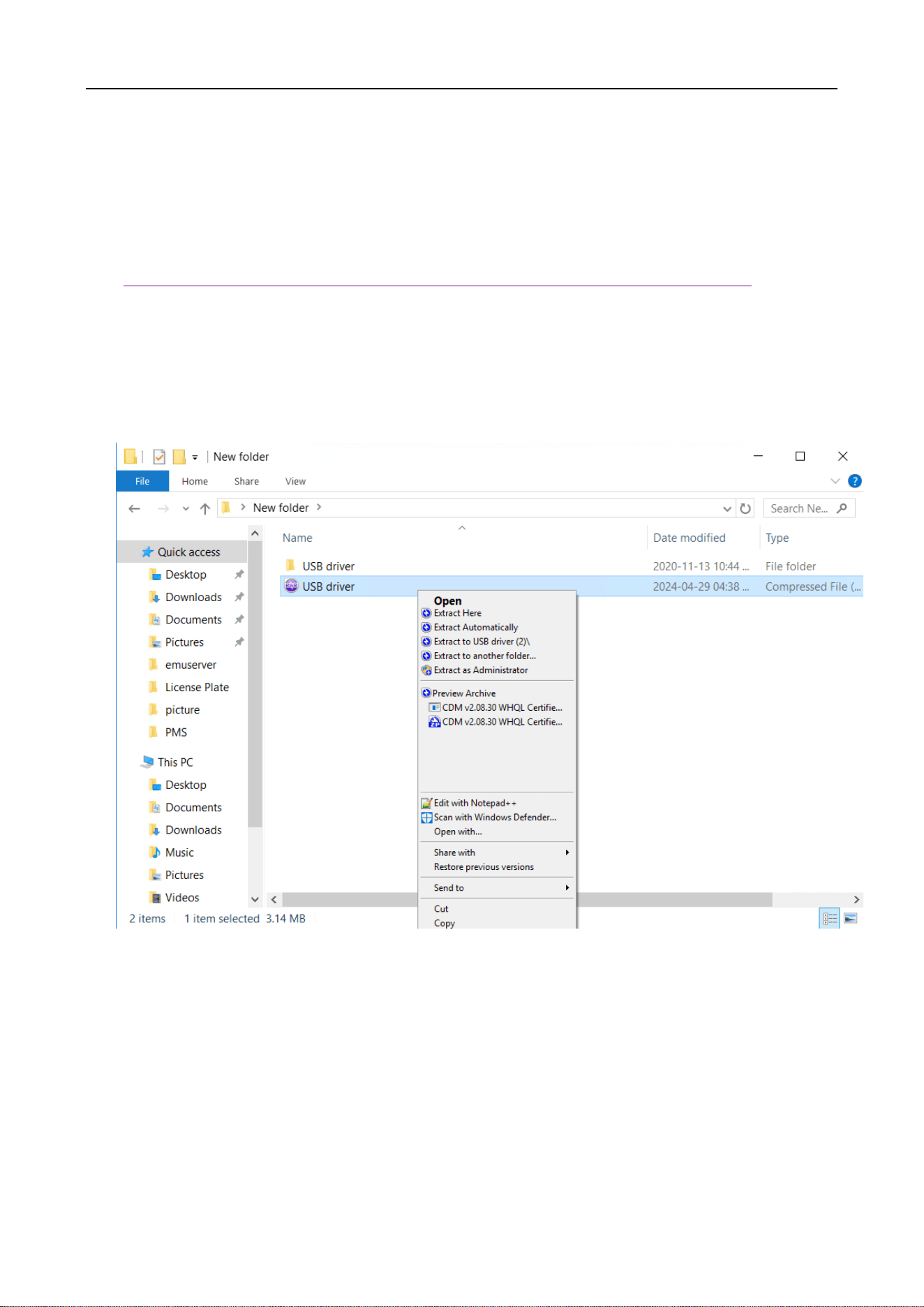
Figure 3-1 Extract the driver package
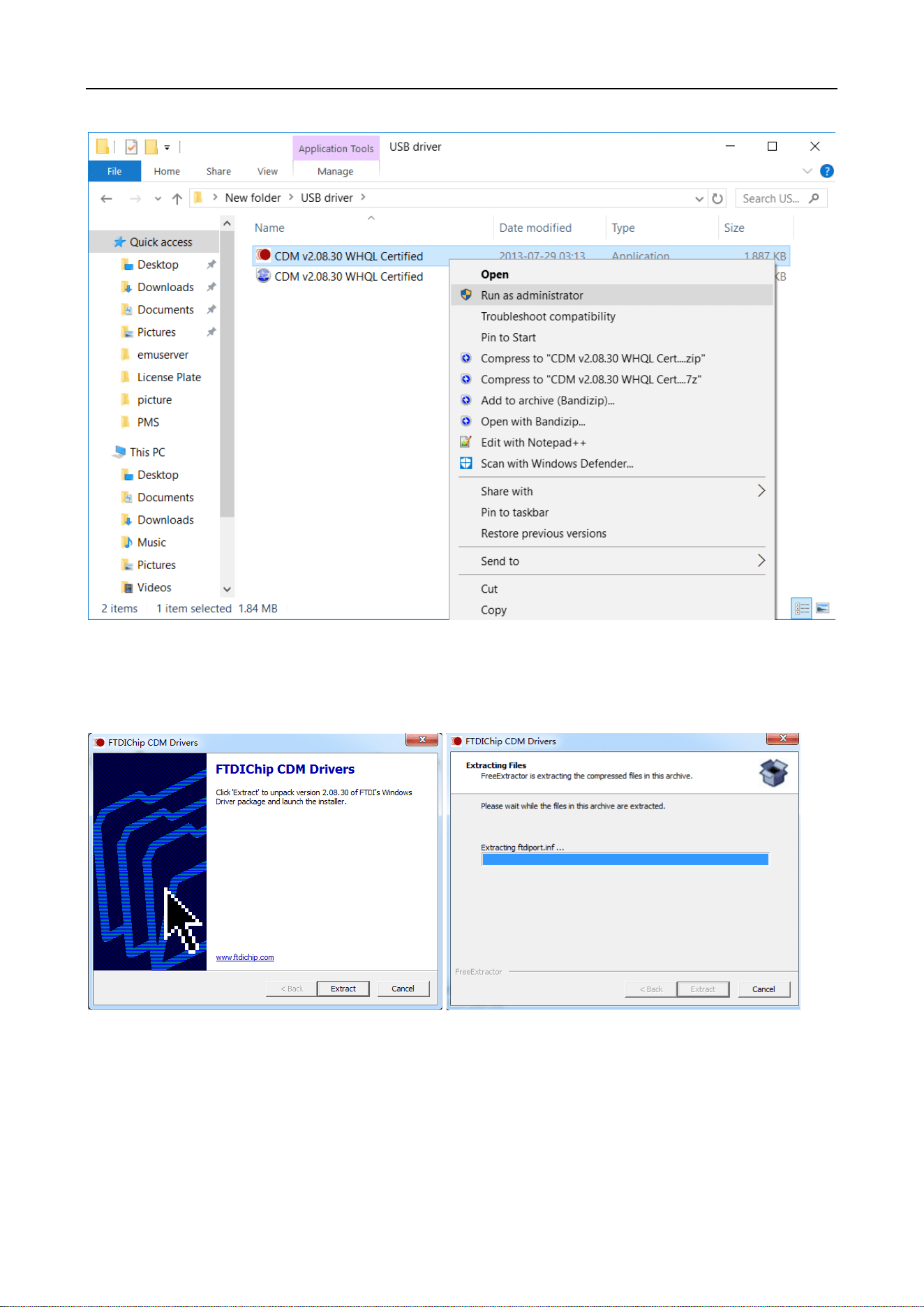
Right-click the CDM v2.08.30 WHQL Certified .exe program in the driver package directory, and
select Run as Administrator (A) in the pop-up right-click menu.
UHF Card Issuer User Manual
5
Figure 3-2 Run as administrator
Click [Extract] and wait for the progress bar to complete and the next installation window will pop
up.
Figure 3-3 Install the driver
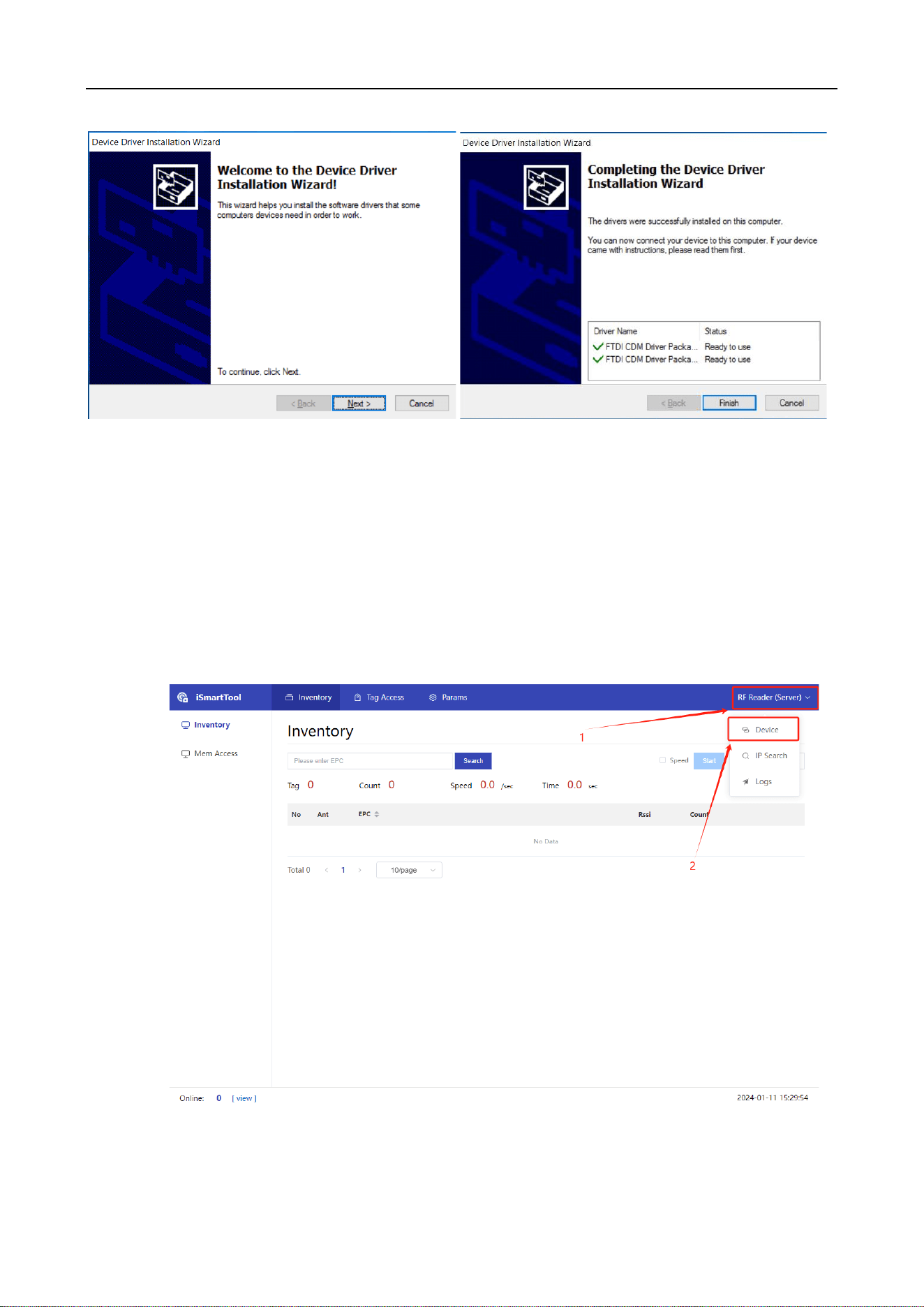
Click Next, and click Finish when the installation is complete
UHF Card Issuer User Manual
6
Figure 3-4 Finish the installation
3.2 iSmartTool Test Tool Description
3.2.1 Device connection
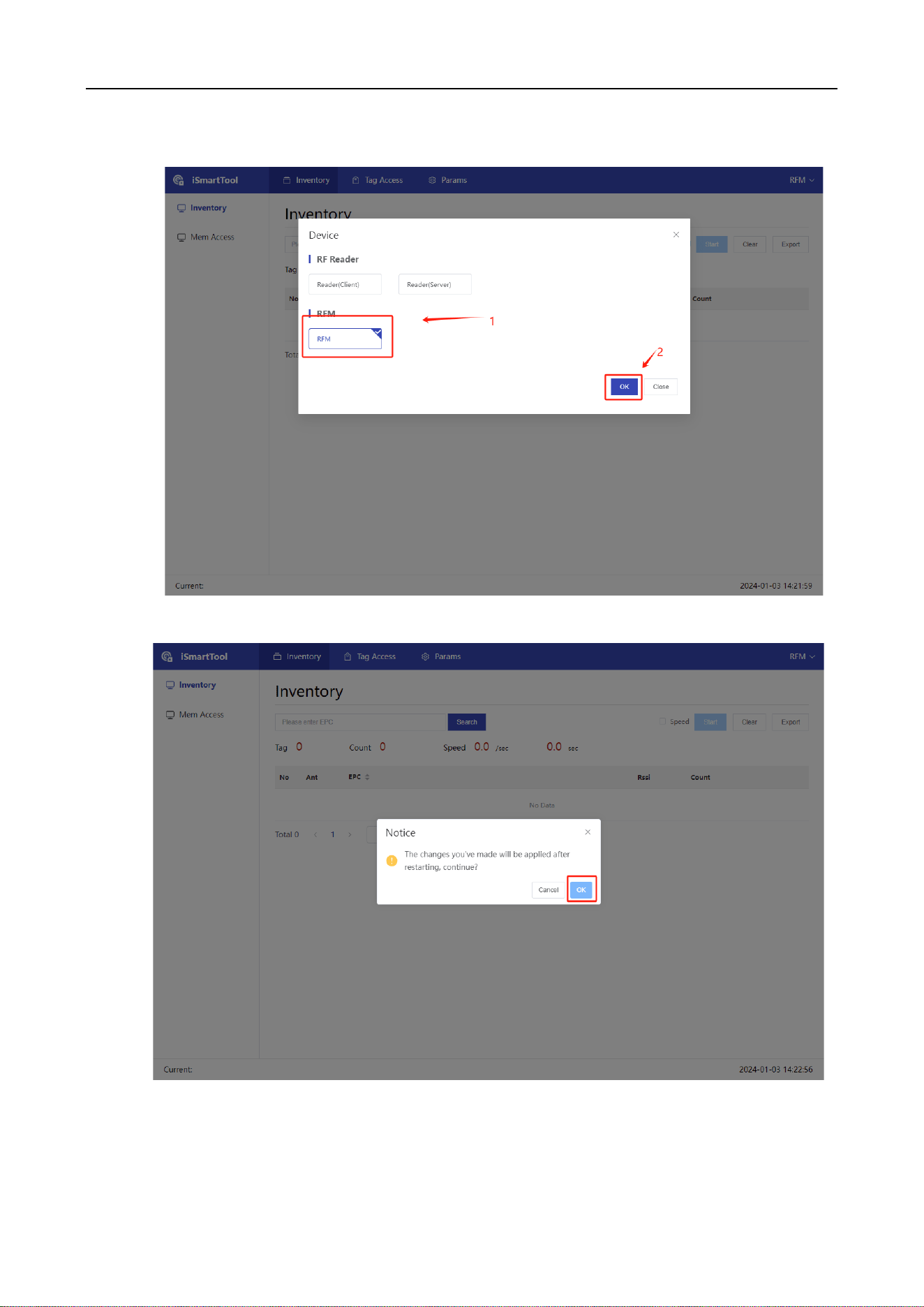
Click RF Reader (Server) in the upper right corner, and then click Device to switch to RFM. If the
device mode is already RFM, there is no need to switch again.
Figure 3-5 Add the device
UHF Card Issuer User Manual
7
Figure 3-6 Choose the RFM mode
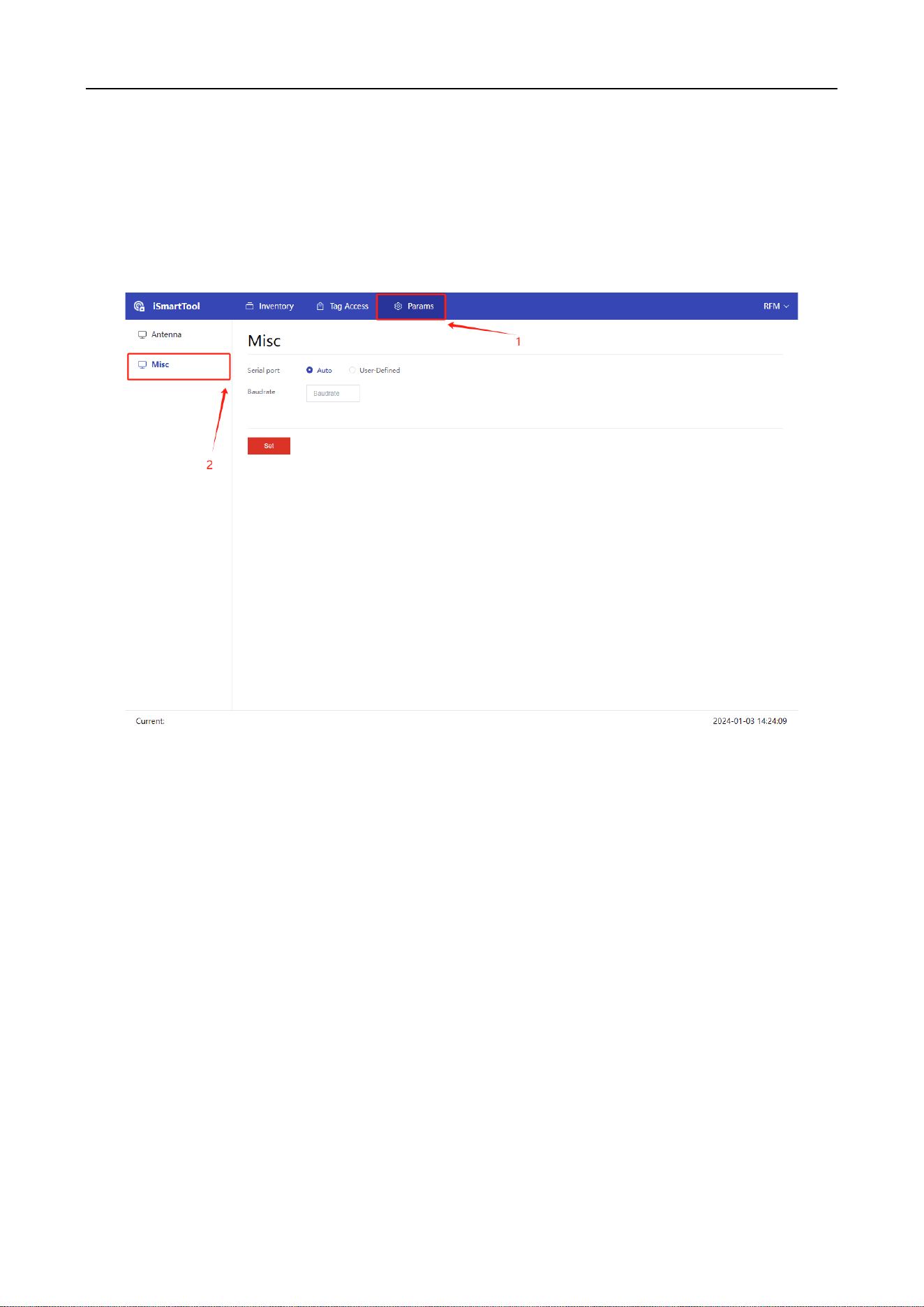
Figure 3-7 apply the changes
UHF Card Issuer User Manual
8
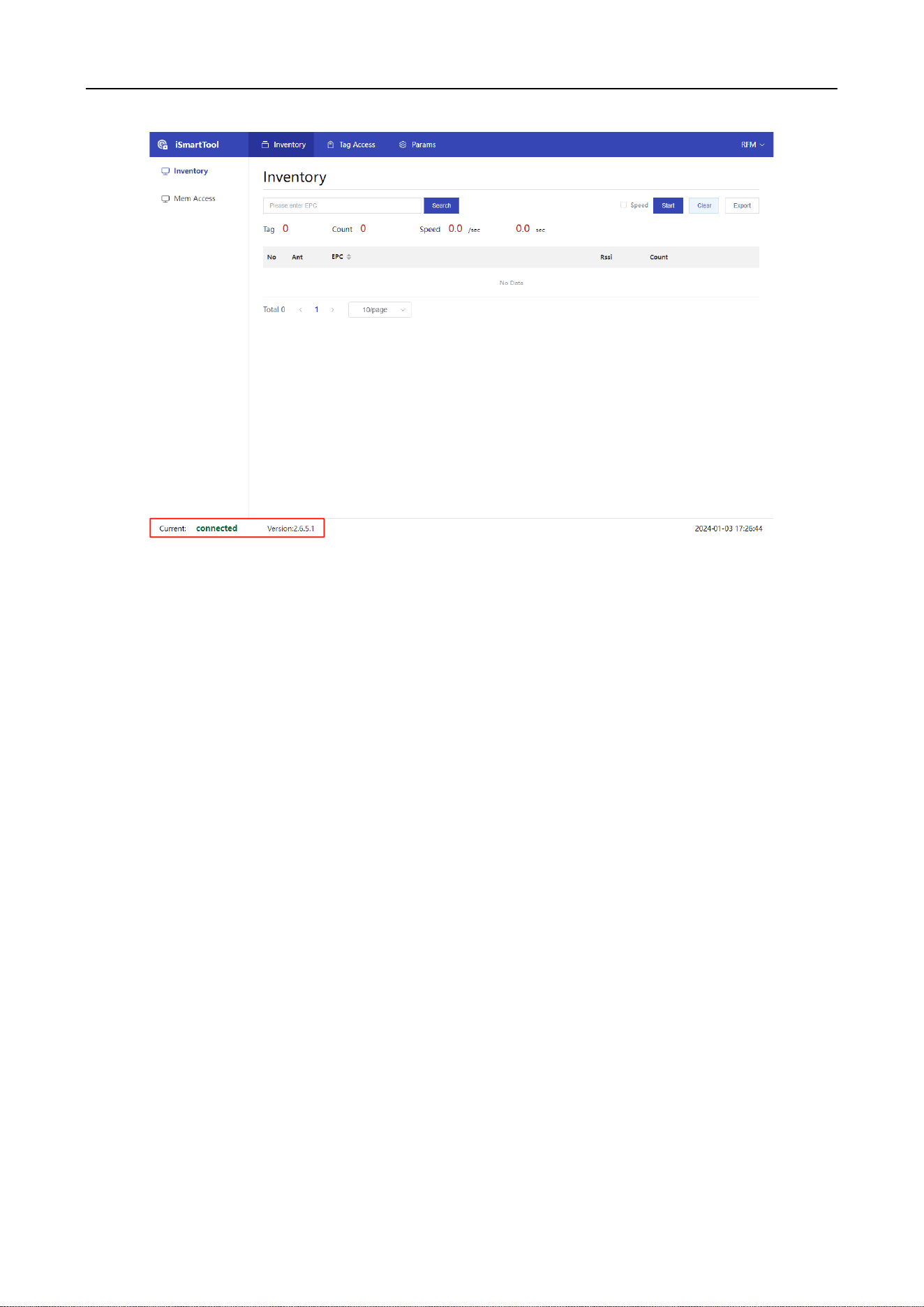
After clicking OK, iSmartTool will restart automatically, if the connection and version number
are displayed in the bottom left corner, it means the connection is successful. If it is not
connected, click Params→Misc, select the serial port as automatic (if the computer has several
serial ports connected at the same time, it is not recommended to use automatic, please enter
the specified serial port, and the baud rate is 115200)
Figure 3-8 Configure the Misc
UHF Card Issuer User Manual
9
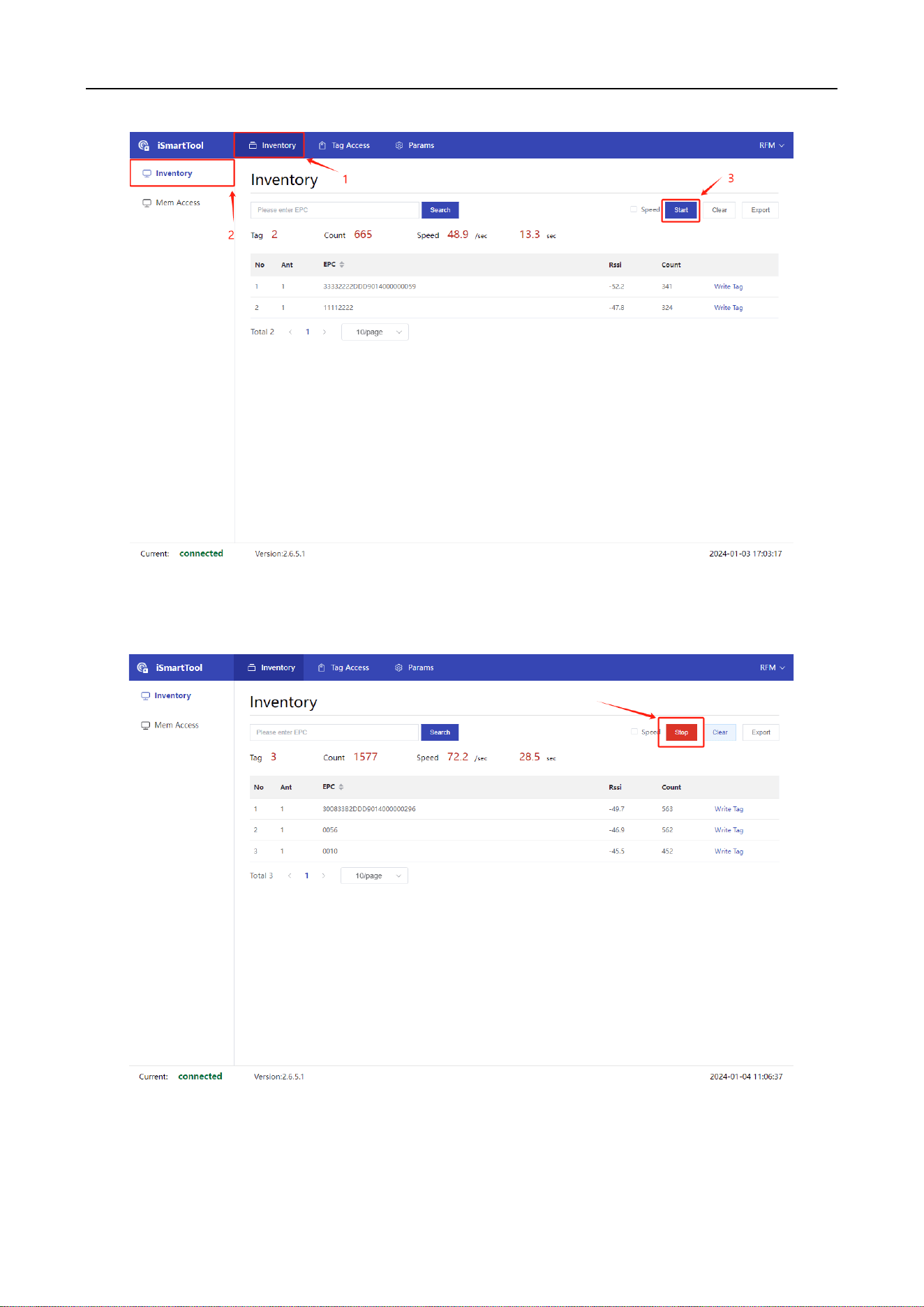
Figure 3-9 Device connected
3.2.2 Inventory
Click Start, and the RFM will start the inventory and report the labels.
UHF Card Issuer User Manual
10
Figure 3-10 Inventory
Click Stop to stop counting data.
Figure 3-11 Stop counting
UHF Card Issuer User Manual
11
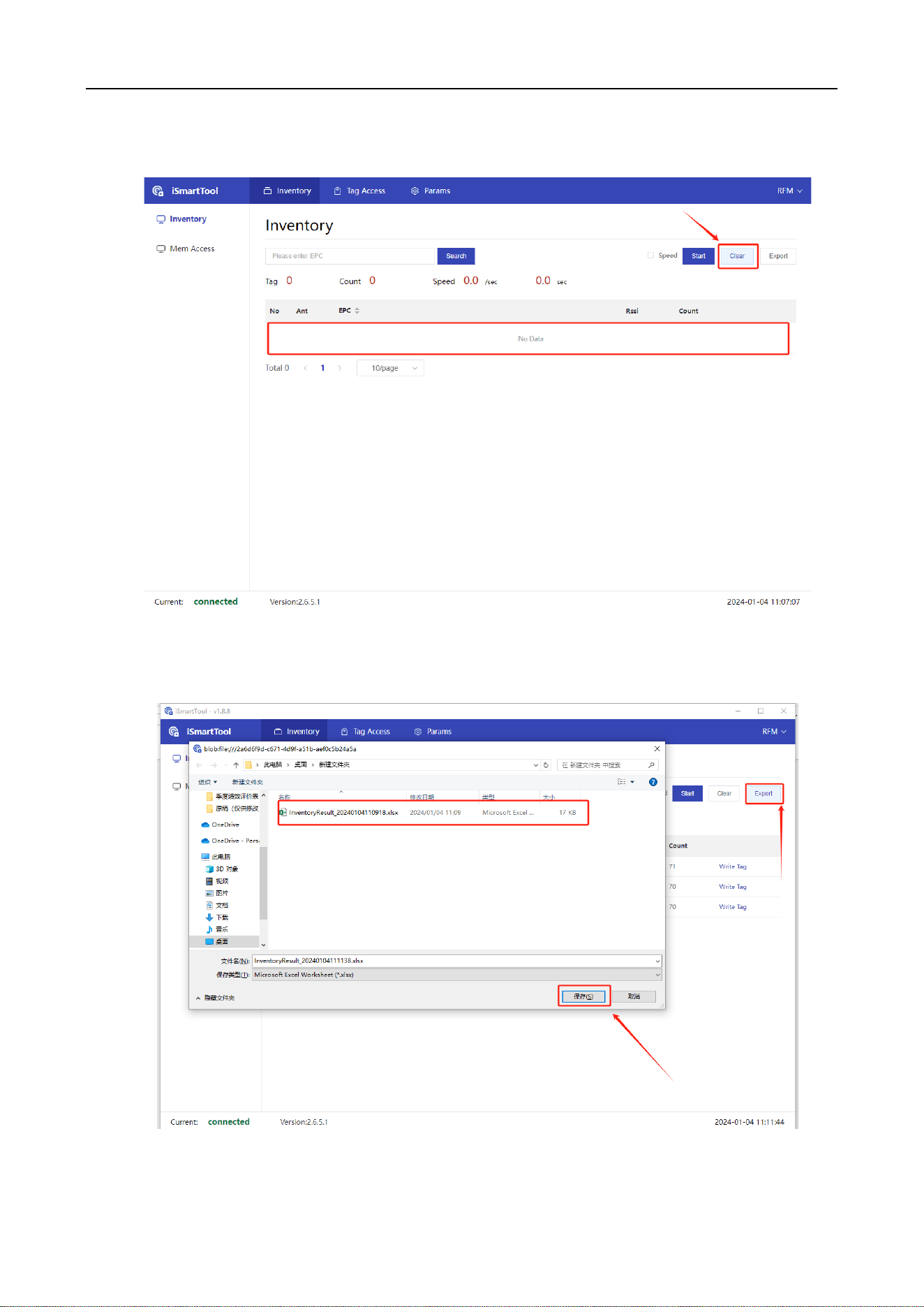
Click Clear to clear the inventory data.
Figure 3-12 Clear data
Click Export to export the inventory data.
UHF Card Issuer User Manual
12
Figure 3-12 Export data
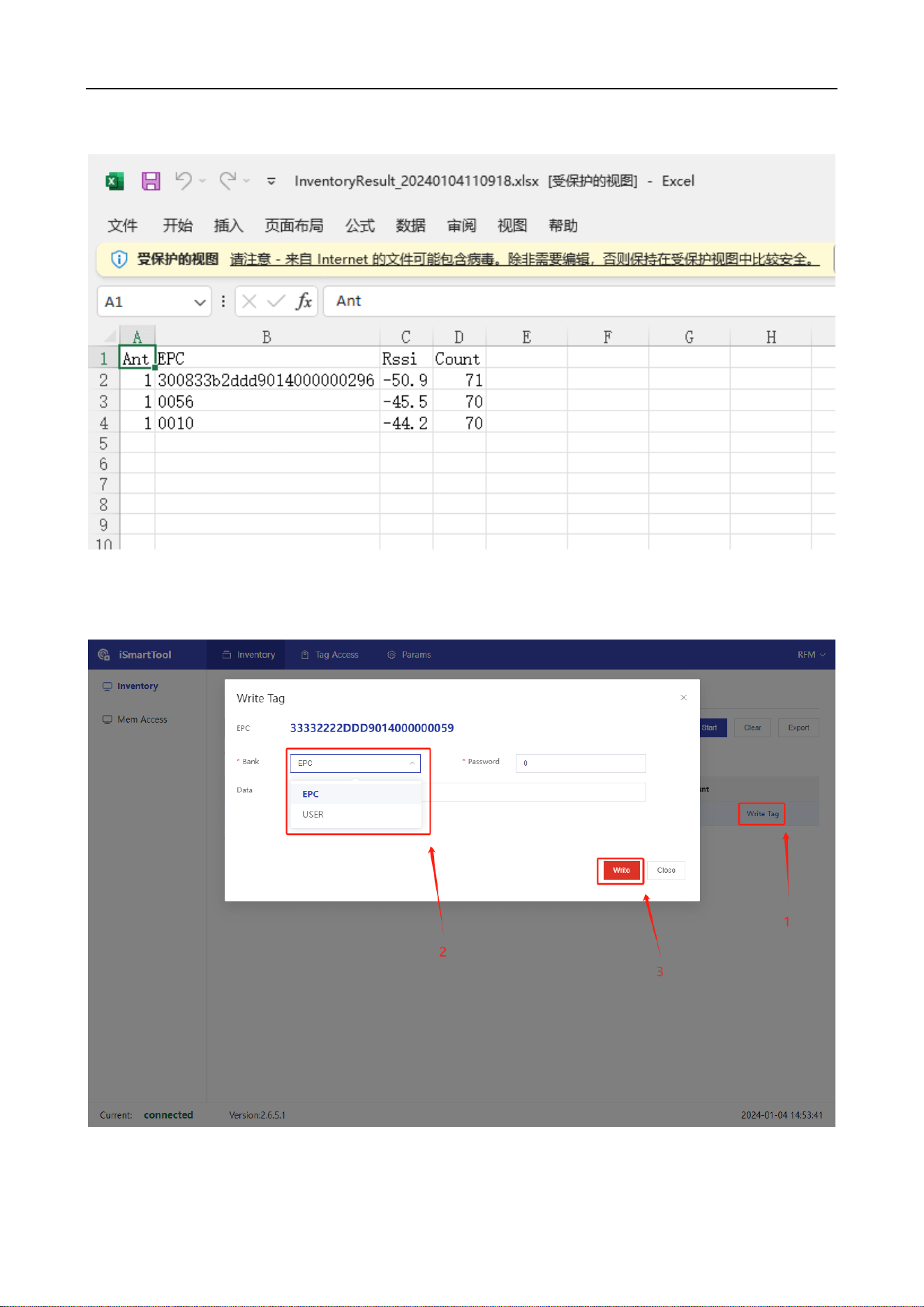
Figure 3-13 Data in Excel
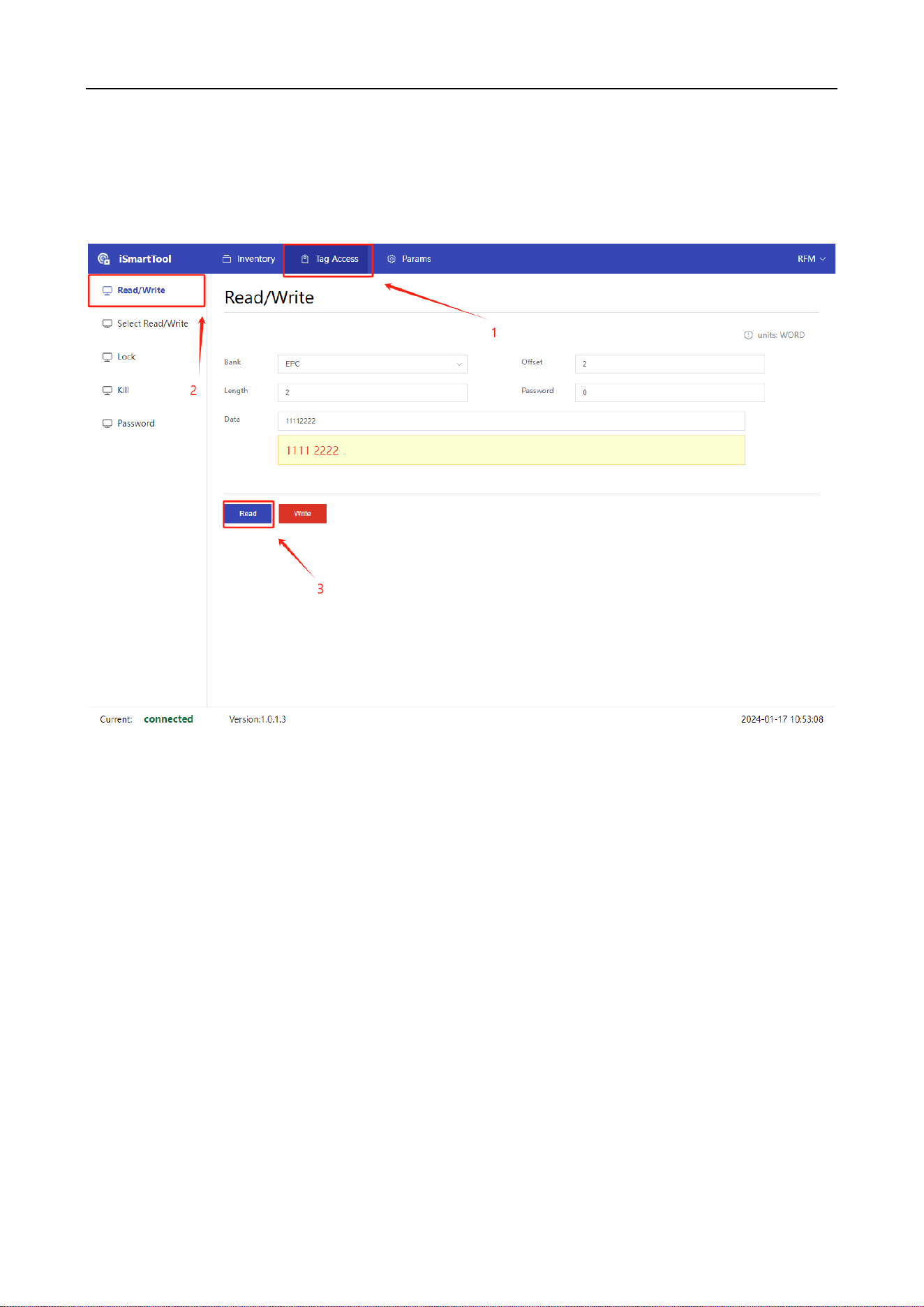
Optional EPC and USER zones for filtered writing of inventoried labels.
Figure 3-14 Filtering Write Operations
UHF Card Issuer User Manual
13
3.2.3 Read/Write
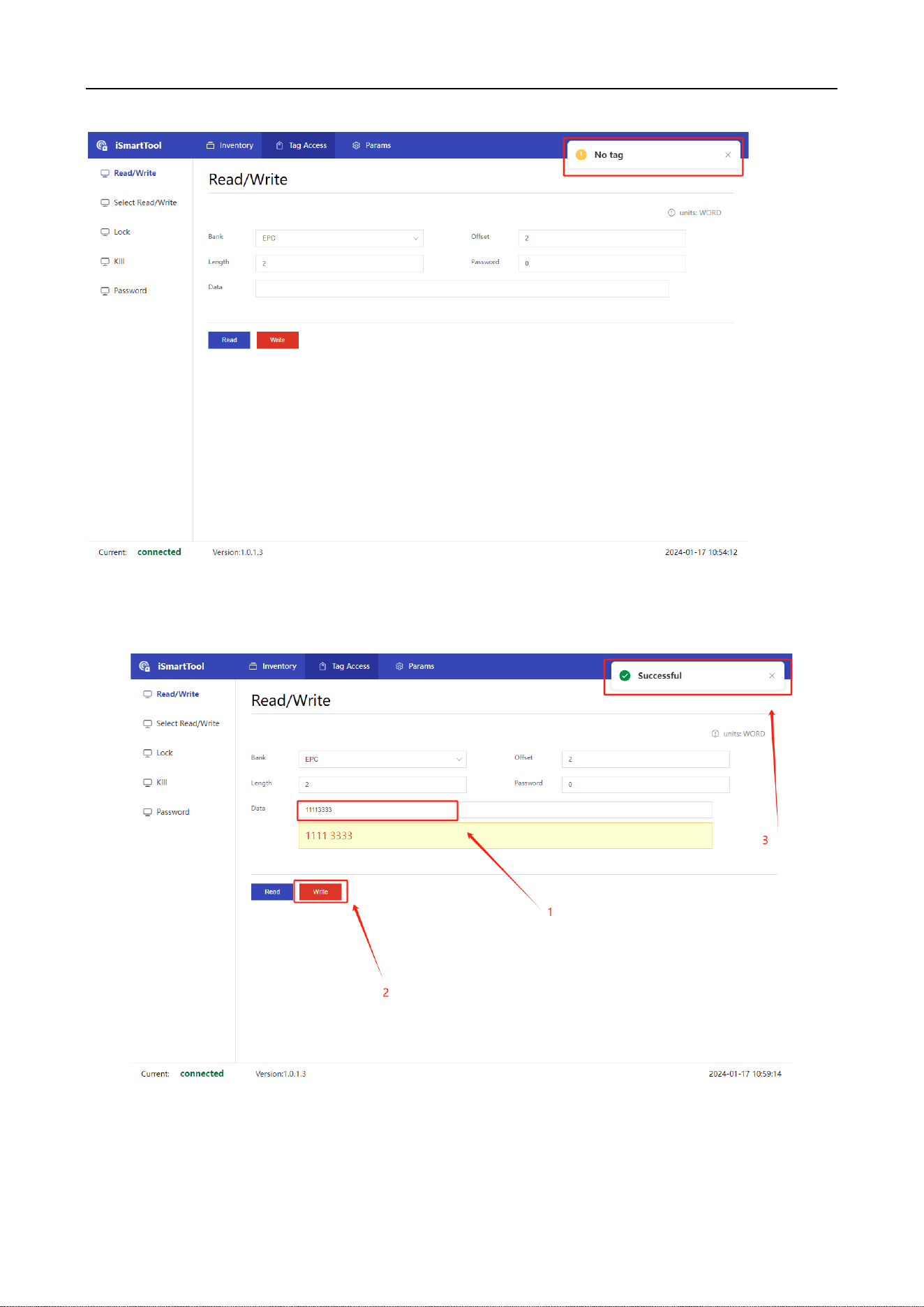
Read operation, the data is displayed in the Data area.
Figure 3-15 Read data
It will show “No tag” if the Card reading failure
UHF Card Issuer User Manual
14
Figure 3-16 Read fails
Write operation, it will show “Successful” when the write is successful.
Figure 3-17 Write data
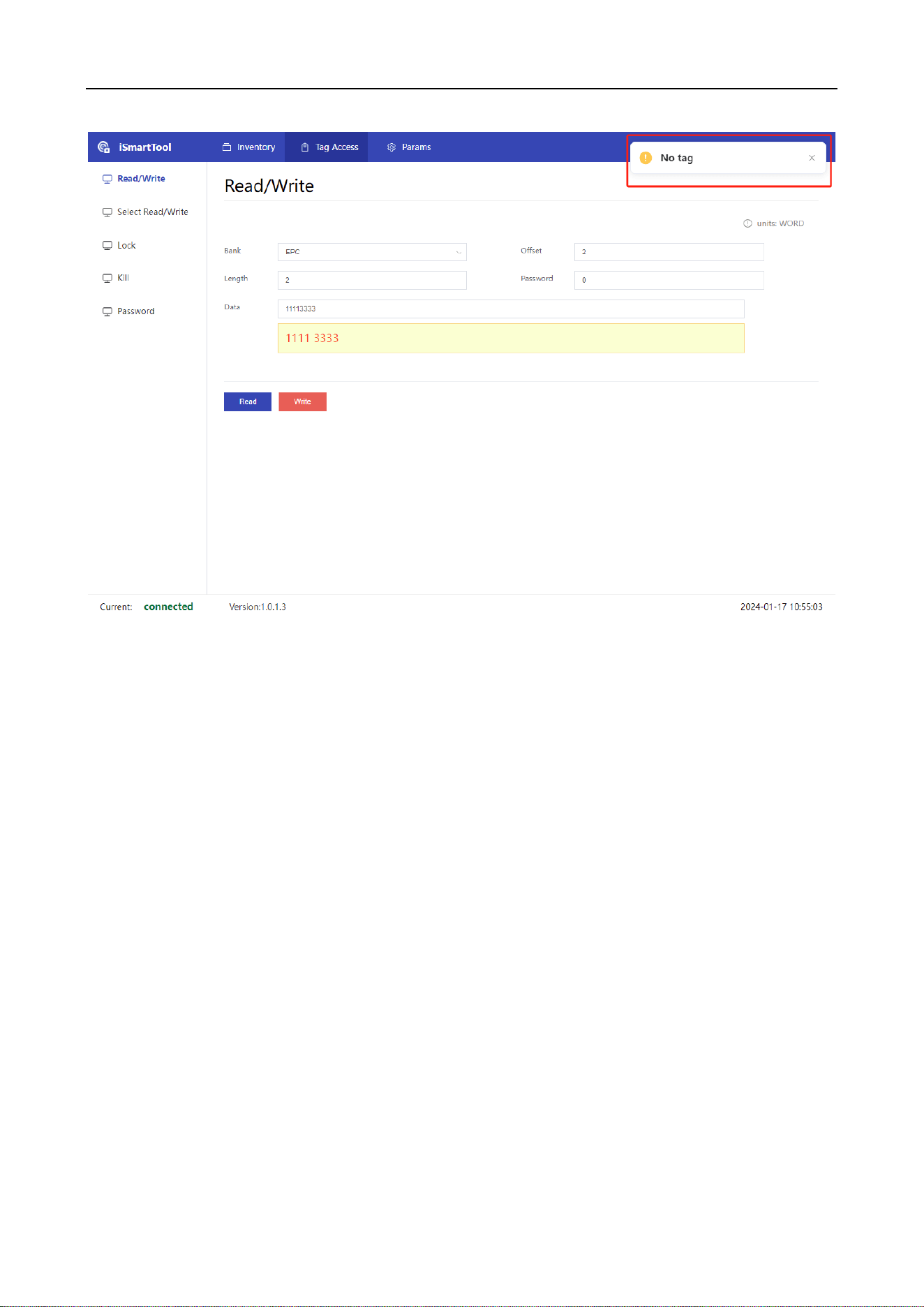
It will show “No tag” if the Card writing failure.
UHF Card Issuer User Manual
15
Figure 3-18 Write fails
3.2.4 Select Read/Write
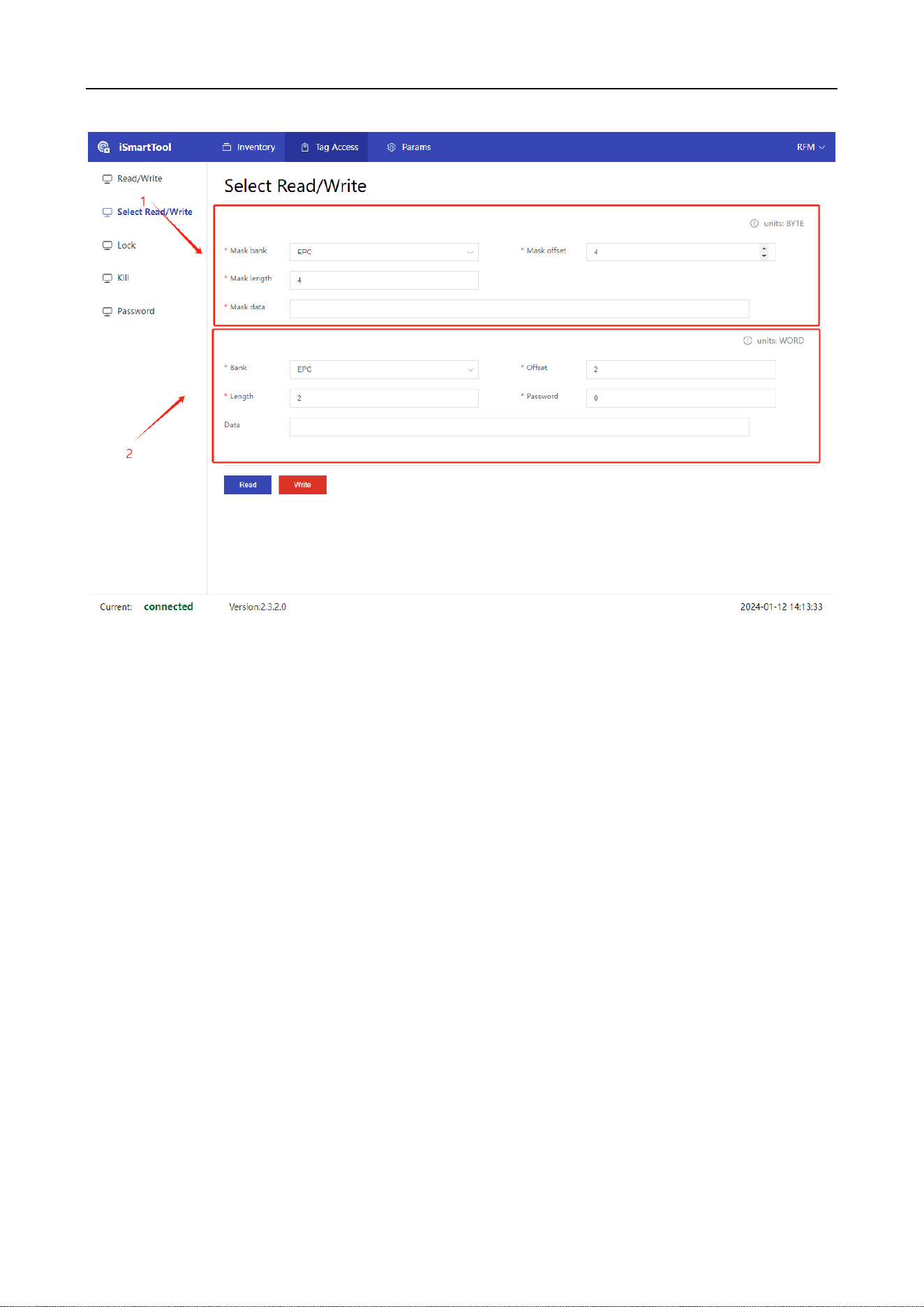
Enter the filtering parameters in Zone 1, and then configure the operation area, start address, and
data length in Zone 2 for read and write operations.
UHF Card Issuer User Manual
16
Figure 3-19 Configure data parameters
3.2.5 Frequency
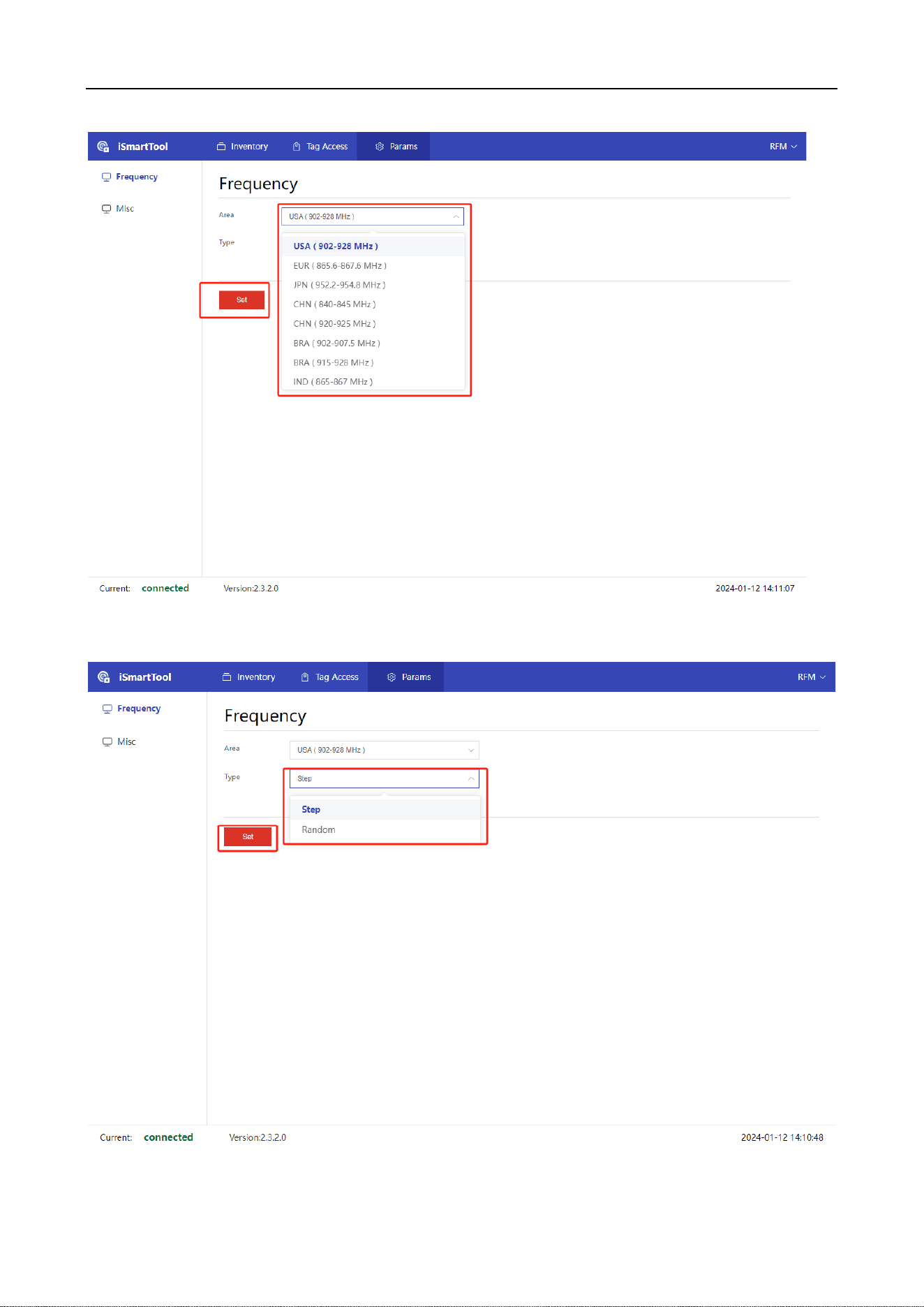
You can choose how the bands and frequencies are distributed in different regions.
UHF Card Issuer User Manual
17
Figure 3-20 Set frequency
Figure 3-21 Set type

UHF Card Issuer User Manual
