ENG
02 PRODUCT OVERVIEW
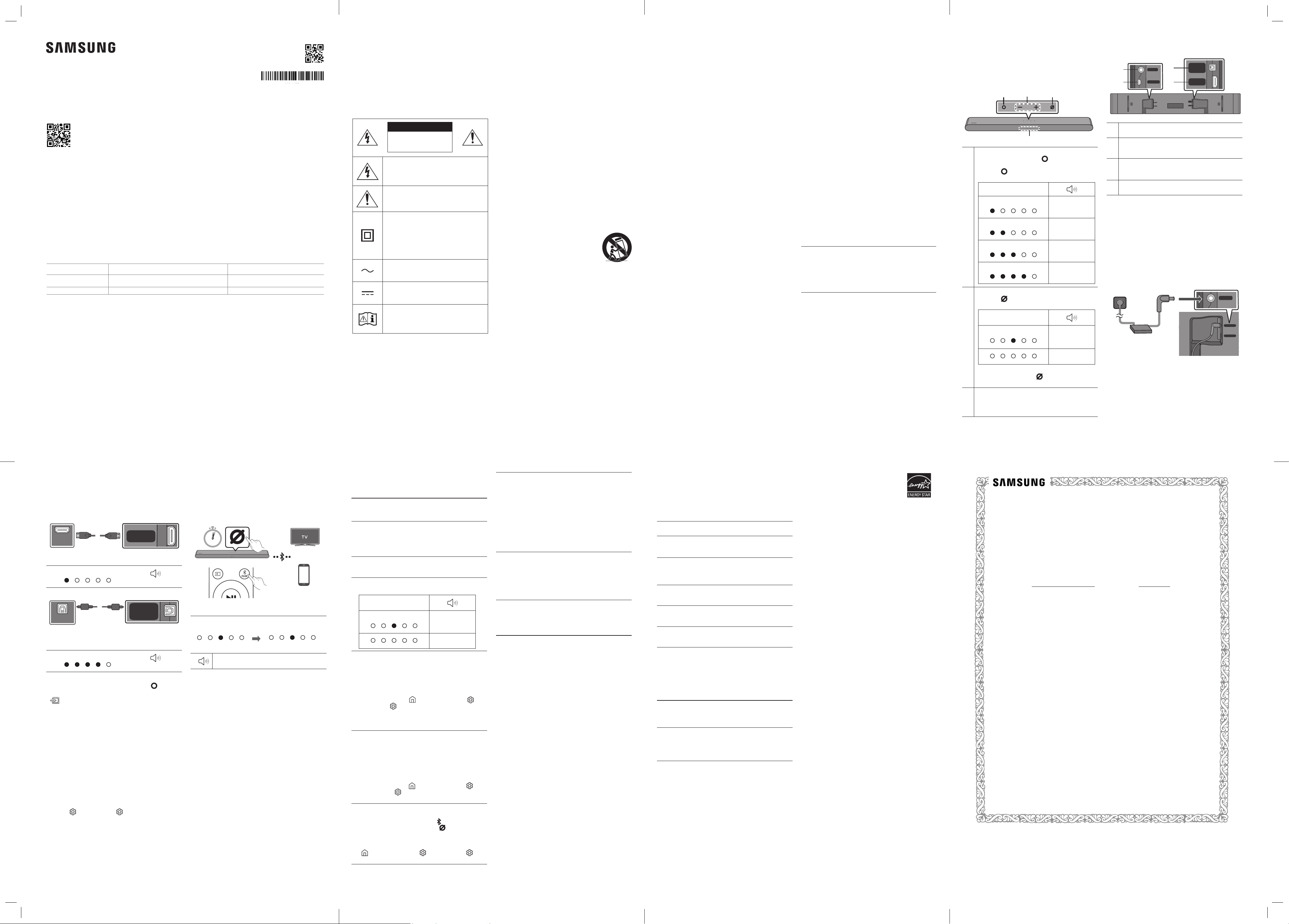
Front Panel / Top Panel of the
Soundbar
Volume
Multi Function Button
In standby mode, press the (Multi Function)
button to turn on the Soundbar.
Press the (Multi Function) button to change
the mode.
LED Indicator
White On -> Off
“TV ARC” or
“eARC”
White On -> Off
“Wi-Fi”
White On -> Off
“Bluetooth”
White On -> Off
“Digital Audio In”
Mic On/Off Button
Press the (Mic On/Off) button to turn on or off
the microphone.
LED Indicator
Red On
“Mic Off”
“Mic On”
To switch to Bluetooth Pairing state in “Bluetooth”
mode, press and hold the (Mic On/Off) button
on the top of the Soundbar for more than 5 seconds.
LED indicator
The LED Indicator ashes, glows, or changes color
depending on the Soundbar's current mode or
status.
Bottom Panel of the Soundbar
SERVICE
DC 19V
DIGITAL
AUDIO IN
(OPTICAL)
HDMI
(eARC)
SERVICE
DC 19V
DIGITAL
AUDIO IN
(OPTICAL)
HDMI
(eARC)
SERVICE
DC 19V
DIGITAL
AUDIO IN
(OPTICAL)
HDMI
(eARC)
DC 19V (Power Supply In)
Connect the AC/DC power adapter.
SERVICE
Connect a USB storage device to upgrade the
product's software.
DIGITAL AUDIO IN (OPTICAL)
Connect to the digital (optical) output of an
external device.
HDMI (eARC)
Connect to the HDMI (eARC) port on a TV.
03 CONNECTING THE
SOUNDBAR
Connecting Electrical Power
• For more information about the required electrical
power and power consumption, refer to the label
attached to the product. (Label: Bottom of the Soundbar
Main Unit)
SERVICE
DC 19V
Bottom of the Soundbar
Main Unit
SERVICE
DC 19V
DIGITAL
AUDIO IN
(OPTICAL)
HDMI
(eARC)
04 CONNECTING WITH A
CABLE
Connecting using an HDMI Cable
Bottom of the
Soundbar
HDMI Cable
TV
HDMI IN
(eARC)
HDMI OUT
OPTICAL OUT
HDMI 입력
(eARC)
HDMI 출력
OPTICAL 출력
SERVICE
DC 19V
DIGITAL
AUDIO IN
(OPTICAL)
HDMI
(eARC)
White On -> Off
“TV ARC” or “eARC”
Connecting using an Optical Cable (D.IN)
SERVICE
DC 19V
DIGITAL
AUDIO IN
(OPTICAL)
HDMI
(eARC)
TV / BD / DVD player
/ Set-top box / Game
console
Bottom of the
Soundbar
Optical Cable
(not supplied)
HDMI IN
(eARC)
HDMI OUT
OPTICAL OUT
HDMI 입력
(eARC)
HDMI 출력
OPTICAL 출력
White On -> Off
“Digital Audio In”
NOTES
• When the TV sound is not output, press the (Multi
Function) button at the top of the Soundbar or the
(Source) button on the remote control to select the
“TV ARC” or “eARC” mode.
• The recommended cable is an HDMI cable certied by
HDMI.org.
• When you use an optical cable and the terminals have
covers, be sure to remove the covers.
Using the Q-Symphony Function
When the Soundbar connects to a Samsung TV that
supports the Q-Symphony function, you can play the
sound simultaneously through the Soundbar and the TV.
If you use the Q-Symphony function, the surround sound
played on the TV allows you to enjoy a richer, more three-
dimensional surround sound effect.
When the Soundbar is connected, “Q-Symphony” menu
appears on the TV. (The message displayed may differ
with the TV model.)
Settings ( ) → All Settings ( )→ Sound → Sound
Output
05 USING A WIRELESS
CONNECTION
Connecting via Bluetooth
OR
OR
When in “Bluetooth” mode
5 Sec
SOUND
MODE
WOOFER
TONE
CONTROL
CH LEVEL
• Search for the Bluetooth device on your TV or mobile
device.
Red → Green →
Blue Blinks
Cyan Blinks X3
Pairing
Connection is complete
“Ready to connect via Bluetooth.”
NOTE
• If asked for a PIN code when connecting a Bluetooth
device, enter <0000>.
Connecting via Wi-Fi (Wireless
Network)
To connect a Soundbar to a mobile device via a wireless
network (Wi-Fi), the SmartThings app is required.
1. Connect your mobile device (smartphone, tablet, etc.)
to the Wi-Fi network the TV is connected to.
2. Install and launch the SmartThings app on your mobile
device (smartphone, tablet, etc.).
3. Follow the instructions in the app screen on the mobile
device to connect the Soundbar to your Wi-Fi network.
06 TROUBLESHOOTING
Before seeking assistance, check the following.
Soundbar does not turn on.
• Check whether the power cord of the Soundbar is
correctly inserted into the outlet.
Soundbar works erratically.
• After removing the power cord, insert it again.
• Power cycle the external device and try again.
• If there is no signal, the Soundbar automatically turns
off after a certain period of time. Turn on the power.
Remote control does not work.
• Point the remote directly at the Soundbar.
• Replace the batteries with new ones.
The red LED indicator light on the soundbar stays on.
• The microphone is turned off. Turn on the microphone.
LED Indicator
Red On
“Mic Off”
“Mic On”
The Soundbar does not output any sound.
• The volume of the Soundbar is too low or muted.
Adjust the volume.
• When any external device (STB, Bluetooth device,
mobile device, etc.) is connected, adjust the volume of
the external device.
• For sound output of the TV, select Soundbar.
(Samsung TV: Home ( ) → Menu → Settings ( ) →
All Settings ( )→ Sound → Sound Output → Select
Soundbar)
• Remove the cable from the Soundbar and then
reconnect it.
If the TV is not connected via HDMI (eARC).
• Check whether the HDMI cable is correctly connected
to the eARC terminal.
• Connection may not be possible due to the connected
external device (set-top box, game console, etc.).
Directly connect the Soundbar.
• HDMI-CEC may not be activated on the TV. Turn on the
CEC on the TV menu.
(Samsung TV: Home ( ) → Menu → Settings ( )
→ All Settings ( ) → Connection → External Device
Manager → Anynet+ (HDMI-CEC) ON)
The Soundbar will not connect via Bluetooth.
• When connecting a new device, switch to Bluetooth
Pairing for connection. (Press the PAIR button
on the remote control or press the (Mic On/Off)
button on the body for at least 5 seconds.)
• Reconnect it after removing the Bluetooth speaker
list on the device to connect. (Samsung TV: Home
( ) → Menu → Settings ( ) → All Settings ( ) →
Sound → Sound Output → Bluetooth Speaker List)
The sound drops out when connected via Bluetooth.
• Some devices can cause radio interference if they are
located too close to the Soundbar. e. g. microwaves,
wireless routers, etc.
• If your device that is connected via Bluetooth moves
too far away from the Soundbar, it may cause the
sound to drop out. Move the device closer to the
Soundbar.
• If a part of your body is in contact with the Bluetooth
transceiver or the product is installed on metal
furniture, the sound may drop out. Check the
installation environment and conditions for use.
Unable to connect to Wi-Fi.
• Make sure the wireless router is turned on and then
reconnect the wireless router after rebooting.
• The Soundbar will not connect if the wireless signal
is too weak. Try moving the router closer to the
Soundbar, or eliminating any obstacles that are
between the Soundbar and the router, if possible.
The Soundbar does not turn on automatically with the
TV.
• When you turn off the Soundbar while watching TV,
power synchronization with the TV is disabled. First
turn off the TV.
07 IMPORTANT NOTES
ABOUT SERVICE
Figures and illustrations in this User Manual are provided
for reference only and may differ from actual product
appearance.
08 SPECIFICATIONS AND
GUIDE
Specications
Model Name
HW-S60D / HW-S61D
Weight
6.0 lbs (2.7 kg)
Dimensions (W x H x D)
26.4 x 2.4 x 4.1 inches
(670.0 x 62.0 x 105.0 mm)
Operating Temperature
Range
+50 °F to +104 °F
(+10 °C to +40 °C)
Operating Humidity
Range
10 % to 80 %,
non-condensing
Storage Temperature Range
-4 °F to +113 °F
(-20 °C to +45 °C)
Storage Humidity Range
5 % to 95 %,
non-condensing
AMPLIFIER
Rated Output power
200W
Supported play formats
Dolby 5.1ch / Dolby Digital Plus / Dolby TRUE HD /
Dolby ATMOS / DTS 5.1ch / LPCM 8ch
NOTES
• Samsung Electronics Co., Ltd reserves the right to
change the specications without notice.
• Weight and dimensions are approximate.
Precaution : The Soundbar will restart automatically
if you turn on/turn off Wi-Fi or Bluetooth.
Wi-Fi
Port deactivation method
Press the CH LEVEL button on the remote control of the
Soundbar for 30 seconds to turn Wi-Fi On / Off.
Bluetooth
Port deactivation method
Press the TONE CONTROL button on the remote control
of the Soundbar for 30 seconds to turn Bluetooth On
/ Off.
[ENERGY STAR]
ENERGY STAR qualied model only
– Your Samsung product is ENERGY STAR
qualied in its factory default setting.
Change to certain features, settings
and functionality in this product can
change the power consumption, possibly beyond the
limits required for ENERGY STAR qualication.
– Environmental Protection Agency and Department
of Energy. ENERGY STAR is a joint program of the
Government agencies, designed to promote energy
efcient products and practices.
Refer to www.energystar.gov for more information of the
ENERGY STAR Program.
ENERGY STAR qualied model only (The other models)
– As an ENERGY STAR Partner, Samsung has determined
that this product or product models meets the ENERGY
STAR guideline for energy efciency.
© 2024 Samsung Electronics Co., Ltd. All rights reserved.
Contact SAMSUNG WORLD WIDE
If you have any questions or comments relating to Samsung products, please contact the SAMSUNG customer care
Center.
HEADQUARTERS
Samsung Electronics Canada Inc. 2050 Derry Road West, Mississauga, Ontario L5N 0B9 Canada
TEL: 1-800-SAMSUNG (1-800-726-7864)
www.samsung.com/ca/support
Country/Region Samsung Service Center
Web Site
CANADA 1-800-SAMSUNG (726-7864)
www.samsung.com/ca/support (English)
www.samsung.com/ca_fr/support (French)
U.S.A 1-800-SAMSUNG (726-7864) www.samsung.com/us/support
PRECAUTIONS
1. Make sure to rest the AC/DC Adapter at on a table or
the oor. If you place the AC/DC Adapter so that it is
hanging with the AC cord input facing upwards, water
or other foreign substances could enter the Adapter
and cause the Adapter to malfunction.
2. Ensure that the AC power supply in your house
complies with the power requirements listed on
the identication sticker located on the bottom of
your product. Install your product horizontally, on a
suitable base (furniture), with enough space around it
for ventilation (3~4 inches). Make sure the ventilation
slots are not covered. Do not place the unit on
ampliers or other equipment which may become hot.
This unit is designed for continuous use.
To fully turn off the unit, disconnect the AC plug from
the wall outlet. Unplug the unit if you intend to leave it
unused for a long period of time.
3. During thunderstorms, disconnect the AC plug from
the wall outlet. Voltage peaks due to lightning could
damage the unit.
4. Do not expose the unit to direct sunlight or other heat
sources. This could lead to overheating and cause the
unit to malfunction.
5. Protect the product from moisture (i.e. vases), and
excess heat (e.g. a replace) or equipment creating
strong magnetic or electric elds. Unplug the power
cable from the AC wall socket if the unit malfunctions.
Your product is not intended for industrial use. It
is for personal use only. Condensation may occur if
your product has been stored in cold temperatures.
If transporting the unit during the winter, wait
approximately 2 hours or until the unit has reached
room temperature before using.
6. The battery used with this product contains chemicals
that are harmful to the environment. Do not dispose
of the battery in the general household trash. Do not
expose the battery to excess heat, direct sunlight, or
re. Do not short circuit, disassemble, or overheat the
battery. CAUTION : Danger of explosion if the battery
is replaced incorrectly. Replace only with the same or
equivalent type.
CAUTION (for Canada)
This device contains licence-exempt transmitter(s)/
receiver(s) that comply with Innovation, Science and
Economic Development Canada’s licence-exempt RSS(s).
Operation is subject to the following two conditions:
(1) This device may not cause interference.
(2) This device must accept any interference, including
interference that may cause undesired operation of
the device. This device and its antenna(s) must not be
co-located or operation in conjunction with any other
antenna or transmitter. This device may automatically
discontinue transmission if there is no information to
transmit, or an operational failure. Note that this is
not intended to prohibit the transmission of control or
signaling information or the use of repetitive codes where
required by the technology.
This Class B digital apparatus complies with Canadian
ICES-003.
Radiation Exposure Statement
This equipment complies with IC RSS-102 radiation
exposure limits set forth for an uncontrolled environment.
This equipment should be installed and operated with
minimum distance 20 cm between the radiator & your
body.
01 CHECKING THE
COMPONENTS
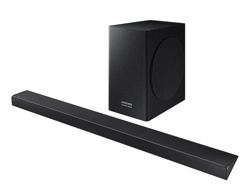
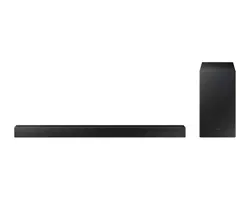
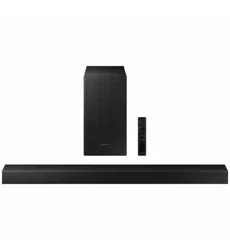
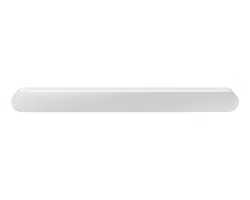
• Soundbar Main Unit
• Soundbar Remote
Control
• Batteries
• Power Cord
• AC/DC Adapter
• HDMI Cable
• Wall Mount Guide
• Holder-Screw X 2
• Bracket-Wall Mount X 2
• Screw (M4 x L10) X 2
NOTES
• For more information about the power supply and power
consumption, refer to the label attached to the product.
(Label: Bottom of the Soundbar Main Unit)
• To purchase additional components or optional cables,
contact a Samsung Service Center or Samsung Customer
Care.
• Design, specications, and App screen are subject to
change without prior notice.
LIMITED WARRANTY TO ORIGINAL PURCHASER
Samsung Electronics Canada Inc.(SECA), warrants that this product is free from
defective material and workmanship.
SECA further warrants that if this product falls to operate properly within the speci ed
warranty period and the failure is due to improper workmanship or defective
materials, SECA will repair or replace the product at its option.
All warranty repairs must be performed by a SECA Authorized Service Center. (The name and
address of the location nearest you can be obtained by calling toll free: 1- 800- SAMSUNG)
LABOR
One year (Carry- in)
PARTS
One year
On carry-in models, transportation to and from the service center is the customer’s
responsibility.
The original dated sales receipt must be retained by the customer and is the only
acceptable proof of purchase. It must be presented to the authorized service center at
the time service is requested.
EXCLUSIONS (WHAT IS NOT COVERED)
This warranty does not cover damage due to accident, re, ood and/ or other acts of
God; misuse, incorrect line voltage, improper installation, improper or unauthorized
repairs, commercial use or damage that occurs in shipping. Exterior and interior nish,
lamps, glass are not covered under this warranty. Customer adjustments which are
explained in the instruction manual are not covered under the terms of this warranty.
This warranty will automatically be voided for any unit found with a missing or altered
serial number. This warranty is valid only on products purchased and used in Canada.
Samsung Electronics Canada Inc
2050 Derry Rd West
Mississauga, On. L5N 0B9
Tel: 1-800-SAMSUNG (726-7864)
Fax: (905) 542- 1199
Website: www.samsung.com/ca
Simple User Guide
HW-S60D / HW-S61D
You can access the User guide on Samsung’s on-line customer support center by scanning the QR code on
the left. To see the manual on your PC or mobile device, download the manual in document format from
Samsung’s website. (http://www.samsung.com/support)
AH81-17430B-00
SAFETY INFORMATION
SAFETY WARNINGS
TO REDUCE THE RISK OF ELECTRIC SHOCK, DO NOT
REMOVE THE COVER (OR BACK).
NO USER-SERVICEABLE PARTS ARE INSIDE. REFER
SERVICING TO QUALIFIED SERVICE PERSONNEL.
Refer to the table below for an explanation of symbols
which may be on your Samsung product.
CAUTION
RISK OF ELECTRIC
SHOCK.
DO NOT OPEN.
This symbol indicates that high voltage is
present inside. It is dangerous to make any
kind of contact with any internal part of
this product.
This symbol indicates that this product has
included important literature concerning
operation and maintenance.
Class II product : This symbol indicates
that it does not require a safety
connection to electrical earth (ground).
If this symbol is not present on a product
with a power cord, the product MUST have
a reliable connection to protective earth
(ground).
AC voltage : This symbol indicates that the
rated voltage marked with the symbol is
AC voltage.
DC voltage : This symbol indicates that the
rated voltage marked with the symbol is
DC voltage.
Caution, Consult instructions for use : This
symbol instructs the user to consult the
user manual for further safety related
information.
WARNING
• To reduce the risk of re or electric shock, do not expose
this appliance to rain or moisture.
• To prevent injury, this apparatus must be securely set on
a solid surface or attached to a wall in accordance with
the installation instructions.
CAUTION
• Do not expose this apparatus to dripping or splashing.
Do not put objects lled with liquids, such as vases, on
the apparatus.
• To turn this apparatus off completely, you must pull the
power plug out of the wall socket. Consequently, the
power plug must be easily and readily accessible at all
times.
Important Safety Instructions
Read these operating instructions carefully before using
the unit. Follow all the safety instructions listed below.
Keep these operating instructions handy for future
reference.
1. Read these instructions.
2. Keep these Instructions.
3. Heed all warnings.
4. Follow all instructions.
5. Do not use this apparatus near water.
6. Clean only with dry cloth.
7. Do not block any ventilation openings.
Install in accordance with the manufacturer’s
instructions.
8. Do not install near any heat sources such as radiators,
heat registers, stoves, or other apparatus (including
ampliers) that produce heat.
9. Do not hinder in any way the safety purpose of the
polarized or grounding-type plug.
A polarized plug has two blades with one wider than
the other. A grounding type plug has two blades and
a third grounding prong. The wide blade or the third
prong are provided for your safety. If the provided plug
does not t into your outlet, consult an electrician for
replacement of the obsolete outlet.
10. Protect the power cord from being walked on or
pinched particularly at plugs, convenience receptacles,
and the point where they exit from the apparatus.
11. Only use attachments/accessories specied by the
manufacturer.
12. Use only with the cart, stand,
tripod, bracket, or table specied
by the manufacturer, or sold with
the apparatus. When a cart is used,
use caution when moving the cart/
apparatus combination to avoid injury
from tip-over.
13. Unplug this apparatus during lightning storms or
when unused for long periods of time.
14. Refer all servicing to qualied service personnel.
Servicing is required when the apparatus has been
damaged in any way, such as power-supply cord or
plug is damaged, liquid has been spilled or objects
have fallen into the apparatus, the apparatus has
been exposed to rain or moisture, does not operate
normally, or has been dropped.
FRC
INFORMATIONS RELATIVES À
LA SÉCURITÉ
AVERTISSEMENTS
POUR ÉVITER LES RISQUES DE CHOC ÉLECTRIQUE, NE
DÉMONTEZ PAS LE CAPOT.
L’APPAREIL NE CONTIENT PAS DE PIÈCES RÉPARABLES
PAR L’UTILISATEUR. S’ADRESSER À UN SERVICE APRÈS-
VENTE QUALIFIÉ.
Reportez-vous au tableau ci-dessous pour comprendre les
symboles pouvant gurer sur votre produit Samsung.
MISE EN GARDE
RISQUE DE CHOC
ÉLECTRIQUE NE PAS
OUVRIR
Ce symbole indique la présence d'une
haute tension à l'intérieur. Tout contact
avec une pièce interne de l'appareil
présente un danger.
Ce symbole vous informe qu'une
documentation importante relative au
fonctionnement et à l'entretien est fournie
avec le produit.
Produit de catégorie II: Ce symbole
indique qu'il ne nécessite pas une
connextion de sécurité à la terre (masse).
Si ce symbole n'est pas présent sur un
produit équipé d'un cordon d'alimentation,
le produit DOIT être raccordé à la terre de
manière able à des ns de protection.
Tension CA: Ce symbole indique que la
tension nominale est la tension CA.
Tension CC : Ce symbole indique que la
tension nominale est la tension CC.
Attention, consultez les instructions aux
ns d'utilisation : Ce symbole indique à
l'utilisateur qu'il doit consulter le guide
d'utilisation pour avoir de l'information au
sujet de la sécurité.
AVERTISSEMENT
• An de diminuer les risques d’incendie ou de choc
électrique, n’exposez pas cet appareil à la pluie ou à
l’humidité.
• Pour éviter des blessures, cet appareil doit être
solidement xé au plancher/au mur conformément aux
directives d’installation.
MISE EN GARDE
• Veillez à éviter toute projection sur l’appareil. Ne placez
jamais de récipients contenant un liquide (ex. : vase)
dessus.
• La prise d’alimentation fait ofce de système de
déconnexion. Elle doit donc rester disponible en
permanence.
Consignes de sécurité importantes
Lisez attentivement ces consignes avant d’utiliser
l’appareil. Veillez à respecter toutes les consignes
répertoriées ci-après. Conservez ces instructions à portée
de main pour vous y référer ultérieurement.
1. Lisez attentivement ces consignes.
2. Conservez-les précieusement.
3. Tenez compte de tous les avertissements mentionnés.
4. Respectez toutes les instructions sans exception.
5. N’utilisez pas cet appareil à proximité de l’eau.
6. Nettoyez-le à l’aide d’un tissu sec.
7. Ne bloquez pas les ouvertures de ventilation. Installez
l’appareil conformément aux instructions du fabricant.
8. N’installez pas le lecteur à proximité d’une source
de chaleur de type radiateur, registre de chaleur,
cuisinière ou tout autre appareil (y compris les
récepteurs AV) générateur de chaleur.
9. Ne désactivez pas le dispositif de sécurité de la che
de mise à la terre ou de la che polarisée. Une che
polarisée comporte deux lames dont l’une est plus
large que l’autre. Une che de mise à la terre comporte
deux lames et une troisième broche de mise à la terre.
La lame la plus large et la troisième broche sont
destinées à assurer votre sécurité. Si la che fournie
ne s’insère pas dans la prise utilisée, faites appel à un
électricien pour faire remplacer celle-ci.
10. Placez le cordon d’alimentation de sorte qu’il ne puisse
être ni piétiné ni pincé, particulièrement au niveau de
la che, de la prise de courant et du point de sortie de
l’appareil.
11. Utilisez exclusivement les xations/ accessoires
spéciés par le fabricant.
12. Utilisez exclusivement le meuble
à roulettes, le socle, le trépied, le
support ou la table recommandés par le
fabricant ou vendus avec l’appareil.
Si l’appareil est posé sur un meuble à
roulettes, déplacez l’ensemble avec précaution pour
éviter de faire tomber le lecteur et de vous blesser.
13. Débranchez l’appareil en cas d’orage ou lorsqu’il est
inutilisé pendant une période prolongée.
14. Conez toutes les réparations à un technicien qualié.
Votre appareil doit impérativement être réparé
lorsqu’il a été endommagé de quelque manière
que ce soit : détérioration du cordon ou de la che
d’alimentation, projection de liquide sur l’appareil,
chute d’objets à l’intérieur de l’appareil, exposition à la
pluie ou à l’humidité, dysfonctionnement, chute.
02 PRÉSENTATION DU
PRODUIT
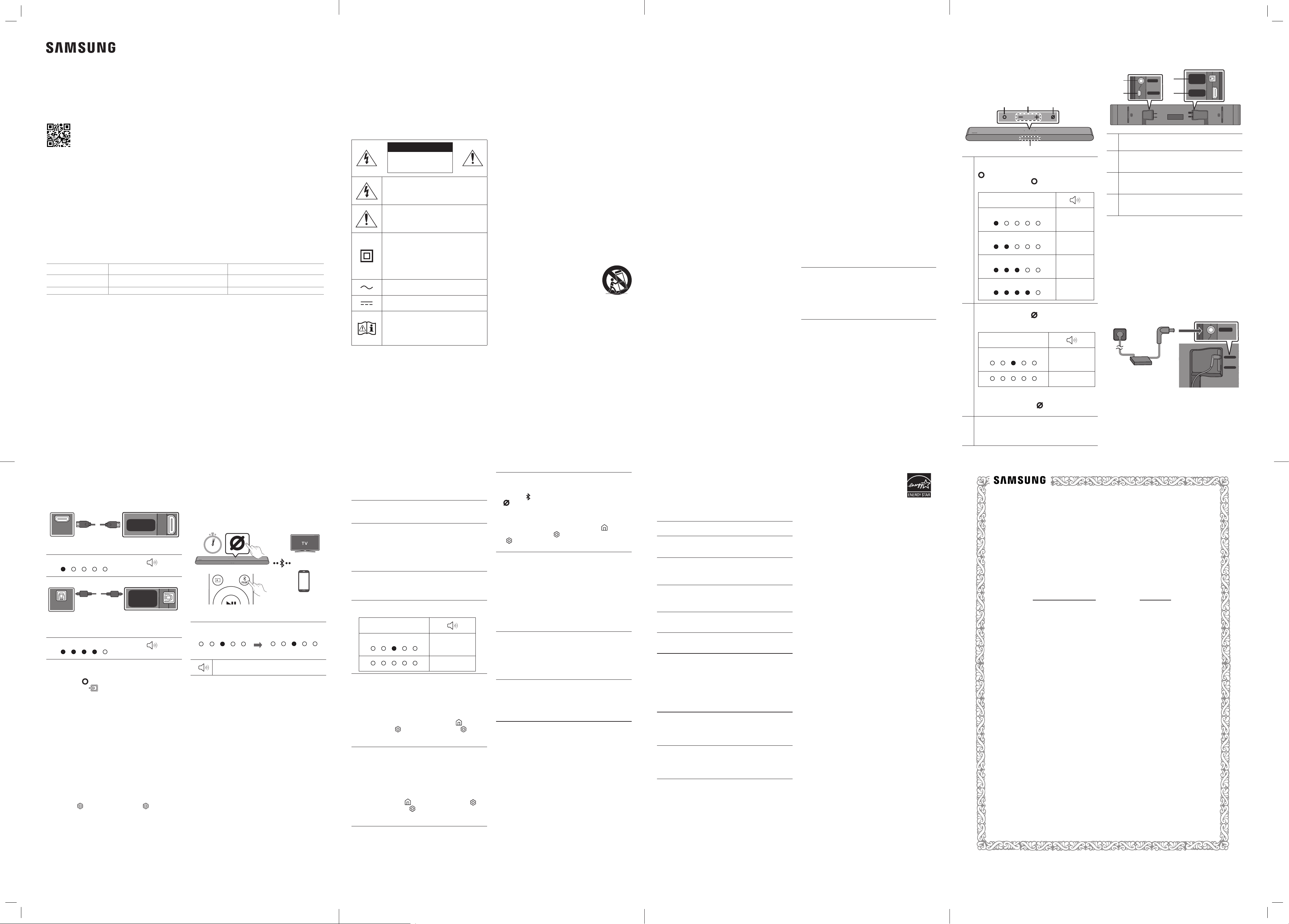
Panneau avant/Panneau supérieur
du Soundbar
Volume
Bouton multifonction
En mode veille, appuyez sur le bouton
(Multifonction) pour allumer le Soundbar.
Appuyez sur le bouton (Multifonction) pour
changer le mode.
Voyant DEL
Voyant blanc allumé -> éteint
«TV ARC» ou
«eARC»
Voyant blanc allumé -> éteint
«Wi-Fi»
Voyant blanc allumé -> éteint
«Bluetooth»
Voyant blanc allumé -> éteint
“Digital
Audio In”
Bouton Marche/Arrêt microphone
Appuyez sur le bouton (Marche/Arrêt
microphone) pour activer ou désactiver le
microphone.
Voyant DEL
Voyant rouge allumé
«Mic Off»
«Mic On»
Pour passer à l’état de jumelage Bluetooth en
mode «
Bluetooth
», appuyez pendant plus de
5secondes sur le bouton (Marche/Arrêt
microphone) situé en haut du Soundbar.
Voyant DEL
Le voyant DEL clignote, s’allume ou change de
couleur en fonction du statut ou du mode en cours
du Soundbar.
Partie inférieure du panneau du
Soundbar
SERVICE
DC 19V
DIGITAL
AUDIO IN
(OPTICAL)
HDMI
(eARC)
SERVICE
DC 19V
DIGITAL
AUDIO IN
(OPTICAL)
HDMI
(eARC)
SERVICE
DC 19V
DIGITAL
AUDIO IN
(OPTICAL)
HDMI
(eARC)
DC 19V (Entrée d'alimentation)
Se branche à l'adaptateur d'alimentation CA/CC.
SERVICE
Connectez un périphérique de stockage USB pour
mettre à niveau le logiciel du produit.
DIGITAL AUDIO IN (OPTICAL)
Se branche à la sortie numérique (optique) d'un
périphérique externe.
HDMI (eARC)
Se branche au raccord HDMI (eARC) d'un
téléviseur.
03 BRANCHEMENT DU
SOUNDBAR
Connexion de l’alimentation
électrique
• Pour obtenir de l’information sur la source
d’alimentation et la consommation électrique, veuillez
vous reporter à l’étiquette apposée sur le produit.
(Étiquette : Partie inférieure de l’unité principale du
Soundbar)
SERVICE
DC 19V
Partie inférieure de l’unité
principale du Soundbar
SERVICE
DC 19V
DIGITAL
AUDIO IN
(OPTICAL)
HDMI
(eARC)
04 BRANCHEMENT PAR
CÂBLE
Connexion à l’aide d’un câble HDMI
Partie inférieure du
panneau du Soundbar
Câble HDMI
TV
HDMI IN
(eARC)
HDMI OUT
OPTICAL OUT
HDMI 입력
(eARC)
HDMI 출력
OPTICAL 출력
SERVICE
DC 19V
DIGITAL
AUDIO IN
(OPTICAL)
HDMI
(eARC)
Voyant blanc allumé -> éteint
«TV ARC» ou «eARC»
Connexion à l’aide d’un câble optique (D.IN)
SERVICE
DC 19V
DIGITAL
AUDIO IN
(OPTICAL)
HDMI
(eARC)
TV / Lecteur BD/DVD
/ Décodeur / Console
de jeu
Partie inférieure du
panneau du Soundbar
Câble optique
(non fourni)
HDMI IN
(eARC)
HDMI OUT
OPTICAL OUT
HDMI 입력
(eARC)
HDMI 출력
OPTICAL 출력
Voyant blanc allumé -> éteint
«Digital Audio In»
REMARQUES
• Lorsque le son du téléviseur n’est pas restitué, appuyez
sur le bouton (Multifonction) en haut du Soundbar
ou sur le bouton (Source) de la télécommande pour
sélectionner le mode «TV ARC» ou «eARC».
• Le câble recommandé est un câble HDMI certié par HDMI.
org.
• Lorsque vous utilisez un câble optique et que les bornes
ont leurs caches, assurez-vous de retirer les caches.
Utilisation de la fonction Q-Symphony
Quand le Soundbar se connecte à un téléviseur Samsung
qui prend en charge la fonction Q-Symphony, vous
pouvez lire le son simultanément via le Soundbar et le
téléviseur. Si vous utilisez la fonction Q-Symphony, le son
ambiophonique émis par le téléviseur vous permet de
proter d’un effet de son tridimensionnel ambiophonique
plus puissant et plus riche.
Quand le Soundbar est connecté, le menu
«Q-Symphony» s’afche sur le téléviseur. (Le message
qui s’afche peut varier selon le modèle de téléviseur.)
Paramètres ( ) → Tous les paramètres ( ) → Son →
Sortie audio
05 UTILISATION D’UNE
CONNEXION SANS FIL
Connexion par Bluetooth
OU
OU
En mode « Bluetooth »
5 Sec
SOUND
MODE
WOOFER
TONE
CONTROL
CH LEVEL
• Recherchez l’appareil Bluetooth sur votre téléviseur
ou appareil mobile.
Les voyants Rouge →
Vert → Bleu clignotent
Le voyant cyan
clignote 3 fois
Appairage
Connexion établie
«Ready to connect via Bluetooth.»
REMARQUE
• Si vous êtes invité à saisir un code PIN lors de la
connexion à un périphérique Bluetooth, entrez <0000>.
Connexion par Wi-Fi (réseau sans l)
Pour connecter un Soundbar à un appareil mobile via
un réseau sans l (Wi-Fi), l’application SmartThings est
requise.
1. Connectez votre appareil mobile (téléphone
intelligent, tablette, etc.) au réseau Wi-Fi auquel le
téléviseur est connecté.
2. Installez et lancez l’application SmartThings sur votre
appareil mobile (téléphone intelligent, tablette, etc.).
3. Suivez les instructions de l’écran de l’application sur
l’appareil mobile pour connecter le Soundbar à votre
réseau Wi-Fi.
06 DÉPANNAGE
Avant de contacter l’assistance, effectuez les vérications
suivantes.
Le Soundbar ne s’allume pas.
• Vériez si le cordon d'alimentation du Soundbar est
correctement inséré dans la prise.
Le Soundbar fonctionne par intermittence.
• Après avoir retiré le cordon d'alimentation, réinsérez-
le.
• Mettez l’appareil externe sous tension et réessayez.
• S'il n'y a pas de signal, le Soundbar s'éteint
automatiquement après un certain temps. Allumez
le produit.
La télécommande ne fonctionne pas.
• Pointez la télécommande directement sur le
Soundbar.
• Remplacez les piles.
Le voyant DEL rouge du Soundbar reste allumé.
• Le microphone est éteint. Allumez le microphone.
Voyant DEL
Voyant rouge allumé
«Mic Off»
«Mic On»
Le Soundbar n’émet aucun son.
• Le volume du Soundbar est trop faible ou coupé. Réglez
le volume.
• Lorsqu'un appareil externe (STB, appareil Bluetooth,
appareil mobile, etc.) est connecté, réglez le volume de
l'appareil externe.
• Pour la sortie audio du téléviseur, sélectionnez
Soundbar. (Téléviseur Samsung: Accueil ( ) → Menu
→ Paramètres ( ) → Tous les paramètres ( ) →
Son → Sortie audio → Sélectionnez le Soundbar)
• Retirez le câble du Soundbar, puis rebranchez-le.
Si le téléviseur n’est pas connecté par HDMI (
eARC
).
• Vériez que le câble HDMI est correctement connecté à la
borne eARC.
• La connexion peut ne pas être possible en raison de
l'appareil externe connecté (décodeur, machine de
jeux, etc.). Connectez directement le Soundbar.
• HDMI-CEC peut ne pas être activé sur le téléviseur.
Activez le CEC dans le menu du téléviseur. (Téléviseur
Samsung: Accueil ( ) → Menu → Paramètres ( ) →
Tous les paramètres ( ) →
Connexion
→ Gestionnaire
de périphérique externe → Anynet+ (HDMI-CEC)
ACTIVÉ)
Le Soundbar ne se connecte pas par Bluetooth.
• Lors de la connexion d’un nouvel appareil, passez à
l’appairage Bluetooth pour la connexion. (Appuyez sur
le bouton PAIR de la télécommande ou sur le bouton
(Marche/Arrêt microphone) de l’unité pendant au
moins 5secondes.)
• Reconnectez l'appareil après avoir supprimé la
liste des haut-parleurs Bluetooth sur l'appareil à
connecter. (Téléviseur Samsung: Accueil ( ) →
Menu → Paramètres ( ) → Tous les paramètres
( ) → Son → Sortie audio → Liste des haut-parleurs
Bluetooth)
Le son se coupe lors d’une connexion par Bluetooth.
• Certains appareils peuvent créer des interférences radio
s’ils sont trop proches du Soundbar (p. ex. fours à micro-
ondes, routeurs sans l, etc.).
• Si votre appareil connecté par Bluetooth est trop éloigné du
Soundbar, il est possible que le son soit coupé. Rapprochez
l’appareil du Soundbar.
• Si une partie de votre corps est en contact avec l’émetteur-
récepteur Bluetooth ou que le produit est installé sur un
meuble en métal, une coupure du son peut se produire.
Vériez l’environnement d’installation et les conditions
d’utilisation.
Connexion impossible au Wi-Fi.
• Assurez-vous que le routeur sans l est sous tension,
puis reconnectez-le après l’avoir redémarré.
• Le Soundbar ne peut pas se connecter si le signal
sans l est trop faible. Placez le routeur plus près du
Soundbar ou éliminez tout obstacle entre le Soundbar
et le routeur, dans la mesure du possible.
Le Soundbar ne s’allume pas automatiquement avec le
téléviseur.
• Lorsque vous éteignez le Soundbar tout en regardant
la télévision, la synchronisation de l'alimentation
avec le téléviseur est désactivée. Éteignez d'abord le
téléviseur.
07 REMARQUE
IMPORTANTE
CONCERNANT LE
SERVICE
Les chiffres et les illustrations contenus dans ce Guide
d’utilisation sont fournis à titre de référence uniquement
et pourraient ne pas représenter exactement le produit.
08 CARACTÉRISTIQUES ET
GUIDE
Spécications
Nom de modèle
HW-S60D / HW-S61D
Poids
6,0 lbs (2,7 kg)
Dimensions (L x H x P)
26,4 x 2,4 x 4,1 inches
(670,0 x 62,0 x 105,0 mm)
Plage de températures en
fonctionnement
+50°F à +104°F
(+10°C à +40°C)
Plage d’humidité en
fonctionnement
10 % à 80 %, sans
condensation
Plage de températures
d’entreposage
-4°F à +113°F
(-20°C à +45°C)
Plage d’humidité
d’entreposage
5 % à 95 %, sans
condensation
AMPLIFICATEUR
Puissance de sortie nominale
200W
Formats de lecture pris en charge
Dolby 5.1ch / Dolby Digital Plus / Dolby TRUE HD /
Dolby ATMOS / DTS 5.1ch / LPCM 8ch
REMARQUES
• Samsung Electronics Co., Ltd se réserve le droit de
modier les caractéristiques sans préavis.
• Le poids et les dimensions sont approximatifs.
Précaution :
Le Soundbar redémarrera
automatiquement si vous activez/désactivez le
Wi-Fi ou le Bluetooth.
Wi-Fi
Méthode de désactivation du port
Appuyez sur le bouton CH LEVEL de la télécommande du
Soundbar pendant 30secondes pour activer/désactiver
le Wi-Fi.
Bluetooth
Méthode de désactivation du port
Appuyez sur le bouton TONE CONTROL de la
télécommande du Soundbar pendant 30secondes pour
activer/désactiver le Wi-Bluetooth.
[ENERGY STAR]
ENERGY STAR qualied model only
– Your Samsung product is ENERGY STAR
qualied in its factory default setting.
Change to certain features, settings
and functionality in this product can
change the power consumption, possibly beyond the
limits required for ENERGY STAR qualication.
– Environmental Protection Agency and Department
of Energy. ENERGY STAR is a joint program of the
Government agencies, designed to promote energy
efcient products and practices.
Refer to www.energystar.gov for more information of the
ENERGY STAR Program.
ENERGY STAR qualied model only (The other models)
– As an ENERGY STAR Partner, Samsung has determined
that this product or product models meets the ENERGY
STAR guideline for energy efciency.
PRÉCAUTIONS
1. Veillez à bien poser à plat l’adaptateur CA/CC sur une
table ou au sol. Si l’adaptateur CA/CC est suspendu,
avec l’entrée du câble d’alimentation CA vers le
haut, de l’eau ou d’autres substances étrangères
peuvent pénétrer dans l’adaptateur et provoquer son
dysfonctionnement.
2. Assurez-vous que le bloc d’alimentation CA chez
vous est conforme aux exigences de puissance
gurant sur la plaque d’identication située à en
dessous de votre produit. Installez votre produit
horizontalement, sur un socle approprié (meuble), en
laissant un espace sufsant pour la ventilation sur le
pourtour 3~4 po. Faites attention à ne pas obstruer
les orices de ventilation. Ne posez pas l’ensemble sur
un amplicateur ou un autre appareil susceptible de
chauffer. Cet ensemble est conçu pour une utilisation
en continu.
Pour éteindre totalement l’appareil, débranchez la
che c.a. de la prise murale. Débranchez l’appareil si
vous prévoyez une longue période d’inactivité.
3. En cas d’orage, débranchez la che de l’appareil de la
prise murale. Les surtensions occasionnées par l’orage
pourraient endommager votre appareil.
4. N’exposez pas l’ensemble aux rayons directs du
soleil ou à toute autre source de chaleur. Cela
pourrait causer une surchauffe du l et causer un
dysfonctionnement de l’unité.
5. Protégez le produit de l’humidité (comme les vases)
et d’une chaleur excessive (comme une cheminée)
ou de tout équipement capable de créer des champs
magnétiques ou électriques. Débranchez le câble
d’alimentation en cas de dysfonctionnement. Votre
produit n’est pas prévu pour un usage industriel. Ce
produit ne peut être utilisé qu’à des ns personnelles.
Une condensation peut se former si le produit ou
un disque a été stocké à basse température. Si
vous devez transporter l’ensemble pendant l’hiver,
attendez environ 2 heures que l’appareil ait atteint la
température de la pièce avant de l’utiliser.
6. Les piles utilisées dans ce produit peuvent contenir des
produits chimiques dangereux pour l’environnement.
Ne jetez pas les piles dans votre poubelle habituelle.
Ne vous débarrassez pas des piles en les faisant
brûler. Les piles ne doivent pas être court-circuitées,
démontées ou subir de surchauffe.
MISE EN GARDE : Le remplacement incorrect des piles
peut entraîner un danger d’explosion. Remplacez-les
uniquement par des produits similaires ou équivalents.
ATTENTION (Pour le Canada)
L’émetteur/récepteur exempt de licence contenu dans
le présent appareil est conforme aux CNR d’Innovation,
Sciences et Développement économique Canada
applicables aux appareils radio exempts de licence.
L’exploitation est autorisée aux deux conditions suivantes :
1) L’appareil ne doit pas produire de brouillage;
2) L’appareil doit accepter tout brouillage radioélectrique
subi, même si le brouillage est susceptible d’en
compromettre le fonctionnement.
Cet appareil et son ou ses antennes ne doivent pas etre
installés a proximité ou etre utilisés conjointement avec
une autre antenne ou un autre émetteur.
Le dispositif pourrait automatiquement cesser d’émettre
en cas d’absence d’informations à transmettre, ou
une défaillance opérationnelle. Notez que ce n’est pas
l’intention d’interdire la transmission des informations
de contrôle ou de signalisation ou l’utilisation de codes
répétitifs lorsque requis par la technologie.
Cet appareil numerique de la classe B est conforme a la
norme NMB-003 du Canada.
Declaration d’exposition aux radiations:
Cet equipement est conforme aux limites d’exposition aux
rayonnements IC RSS-102 etablies pour un environnement
non controle.
Cet equipement doit etre installe et utilise avec un
minimum de 20cm de distance entre la source de
rayonnement et votre corps.
01 VÉRIFICATION DES
COMPOSANTS
• Unité principale du
Soundbar
• Télécommande du
Soundbar
• Piles
• Cordon d’alimentation
• Adaptateur CA/CC
• Câble HDMI
• Guide de montage
mural
• Vis de xation X 2
• Support de montage
mural X 2
• Vis (M4 x L10) X 2
REMARQUES
• Pour obtenir de l’information sur la source
d’alimentation et la consommation électrique, veuillez
vous reporter à l’étiquette apposée sur le produit.
(Étiquette : Partie inférieure de l’unité principale du
Soundbar)
• Pour acheter des composants supplémentaires ou des
câbles en option, veuillez contacter un centre de service
Samsung ou le service clientèle Samsung.
• La conception, les spécications et l’écran de
l’application peuvent faire l’objet d’une modication
sans préavis.
GARANTIE LIMITÉE À L’ACHETEUR INITIAL
Samsung Electronics Canada Inc. (SECA) garantit ce produit contre tout défaut de fabrication.
SECA garantit aussi que si cet appareil ne fonctionne pas convenablement durant la
période de garantie SECA se réservera le droit de réparer ou de remplacer l’appareil
défectueux.
Toutes les réparations sous garantie doivent être effectuées par un Centre de service
autorisé SECA. Le nom et l’adresse du Centre de service le plus près de chez vous peut
être obtenu en composant sans frais le 1- 800- SAMSUNG ou en visitant notre site web
au www.samsung.ca
MAIN-D’OEUVRE
UN (1) AN (AU COMPTOIR)
PIÈCES
UN (1) AN
Pour tous les modèles portatifs, le transport de l’appareil sera la responsabilité du client.
Le reçu de vente original doit être conservé par le client car cela constitue la seule preuve
d’achat acceptée. Le client doit le présenter au Centre de service agréé au moment où il
fait la demande d’une réparation sous garantie.
EXCLUSIONS (CE QUI N’EST PAS COUVERT)
Cette garantie ne couvre pas les dommages causés par un accident, un incendie, une
inondation, un cas de force majeure, un mauvais usage ou une tension incorrecte.
La garantie ne couvre pas une mauvaise installation, une mauvaise réparation, une
réparation non autorisée et tout usage commercial ou dommages survenus durant le
transport. Le ni extérieur et intérieur de même que les lampes ne sont pas couverts par
cette garantie. Les ajustements par le client qui sont expliqués dans le guide de l’utilisateur
ne sont pas couverts en vertu de cette garantie. Cette garantie sera automatiquement
annulée pour tout appareil qui aurait un numéro de série manquant ou modi é. Cette
garantie est valable seulement sur les appareils achetés et utilisés au Canada.
Samsung Electronics Canada Inc
2050 Derry Rd West
Mississauga, On. L5N 0B9
Tel: 1-800-SAMSUNG (726-7864)
Fax: (905) 542- 1199
Website: http://www.samsung.com/ca_fr
© 2024 Samsung Electronics Co., Ltd. Tous droits réservés.
Comment contacter Samsung dans le monde
Si vous avez des suggestions ou des questions concernant les produits Samsung, veuillez contacter le Service
Consommateurs Samsung.
SIÈGE SOCIAL
Samsung Electronics Canada Inc. 2050 Derry Road West, Mississauga, Ontario L5N 0B9 Canada
TEL: 1-800-SAMSUNG (1-800-726-7864)
www.samsung.com/ca_fr/support
Pays/Région Centre de service Samsung
Site Web
CANADA 1-800-SAMSUNG (726-7864)
www.samsung.com/ca/support (English)
www.samsung.com/ca_fr/support (French)
U.S.A 1-800-SAMSUNG (726-7864) www.samsung.com/us/support
Guide d’utilisation simple
HW-S60D / HW-S61D
Vous pouvez accéder au Guide d’utilisation sur le centre d’assistance à la clientèle en ligne de Samsung
en scannant le code QR sur la gauche. Pour visualiser le manuel sur votre ordinateur ou appareil mobile,
téléchargez-le au format document depuis le site Web de Samsung. (http://www.samsung.com/support)