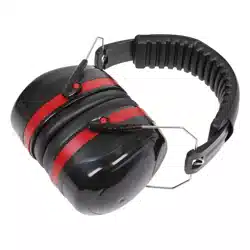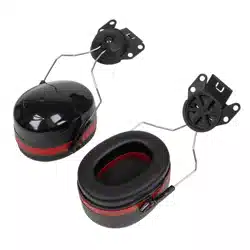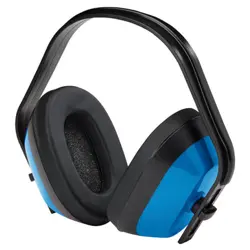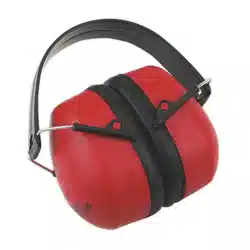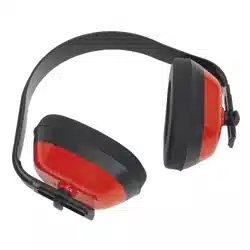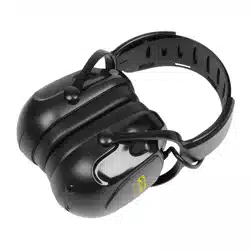
WIRELESS ELECTRONIC EAR DEFENDERS
MODEL NO: 9420
1. INTRODUCTION
Built-in digital wireless technology including microphone allows you to take hands-free calls or listen to music via your ear defenders.
Easy-access controls enable you to take calls and adjust the volume level. Includes AUX input to allow connection with non-wireless
compatible devices. Fitted with adjustable headband for comfort. Supplied with charging cable and AUX cable. Lightweight, yet rugged
construction, certied to BS EN 352-1:2020 standard. Hearing protection level in excess of the standard, with an SNR of 29dB.
SNR (Signal-to-Noise Ratio) indicates an attenuation value averaged over the relevant frequencies. An SNR value of 34 dB for
example, in a 100 dB noise level environment, reduces it to 66 dB.
Notied Body: 2777
Type Examination Reference: 2777/13076-05/E00-00
Carried Out By: SATRA Technology Europe Ltd, Bracetown Business Park, Clonee, Co. Meath, D15 F8PH
2. SAFETY
2.1. GENERAL SAFETY
WARNING! Put the ear defenders on before exposing yourself to noise and wear them during the whole noise exposure.
Be warned that failure to adhere to these recommendations will cause the protection aorded by the product to be severely impaired.
9 Regularly check for serviceability.
9 Ear defenders and in particular the cushions, may deteriorate with use and should be examined at frequent intervals for cracking and
deterioration. Replace after 2 to 3 years of normal use or sooner if there are any signs of deterioration.
8 DO NOT replace any parts. There are no replacement parts.
9 The tting of hygiene covers to the cushions may aect the acoustic performance of the ear defenders.
9 Ear protection will be reduced if the defenders are not well tted and not regularly checked.
9 If the recommendations given in the instructions are not followed, the protection provided by the ear defenders will be signicantly
reduced.
9 Ensure the unit is fully charged before initial use.
8 DO NOT turn the unit on when it is being charged.
8 DO NOT use the unit if you suspect that the battery or the casing is damaged.
8 DO NOT leave battery in a discharged state, recharge battery immediately. Before storage, fully recharge the battery, subsequently
recharge the battery at least once every six months of non-use.
2.2. BATTERY SAFETY
WARNING! To reduce the risk of burns or re:
8 DO NOT attempt to open, disassemble, modify or service the unit.
8 DO NOT crush, puncture, or dispose of in re or water.
8 DO NOT expose to temperatures above 60°C (140°F).
9 Recycle or dispose of unit as stipulated by local regulation.
WARNING! These ear-defenders are of universal size range. Ear-defenders complying with EN 352-1 are of universal size range.
Universal ear-defenders include small, medium and large size and are thus designed to t the majority of wearers including for those
whom medium size does not t.
3. SPECIFICATION
Model No:................................................................9420
Transmission Range: .............................................≥10m
Battery: .....................................3.7V 0.75Ah Lithium-ion
Battery Life: ..............................................................≥8hr
Charging Time: ........................................................3.5hr
Storage Temperature: .................................-20 to +60°C
Storage Humidity: ..................................................<30%
Operating Temperature: ...................................0 to 40°C
Working Humidity: .................................................. <80%
IMPORTANT WARRANTY INFORMATION
The battery tted within these ear defenders is considered to be a consumable item and its ability to accept a charge will reduce
over time. We will provide warranty against mechanical and electrical defect for a period of one year - this DOES NOT cover fair
wear and tear. If the battery is not properly charged before rst use, or regularly conditioned, its capacity will diminish. Under these
circumstances we will not replace the battery regardless of whether it is less than one year old.
Thank you for purchasing a Sealey product. Manufactured to a high standard, this product will, if used according to these
instructions, and properly maintained, give you years of trouble free performance.
IMPORTANT: PLEASE READ THESE INSTRUCTIONS CAREFULLY. NOTE THE SAFE OPERATIONAL REQUIREMENTS,
WARNINGS & CAUTIONS. USE THE PRODUCT CORRECTLY AND WITH CARE FOR THE PURPOSE FOR WHICH IT
IS INTENDED. FAILURE TO DO SO MAY CAUSE DAMAGE AND/OR PERSONAL INJURY AND WILL INVALIDATE THE
WARRANTY. KEEP THESE INSTRUCTIONS SAFE FOR FUTURE USE.
Original Language Version
© Jack Sealey Limited
9420 Issue 5 (H,1,F) 06/10/23
4. ATTENUATION VALUES
Frequency (Hz): 125 250 500 1000 2000 4000 8000
Average (dB): 15.2 19.3 27.7 34.7 32.8 35.5 39
Standard Deviation (dB): 2.7 3.2 2.9 2.2 3.3 3.7 3.9
Minimum Requirements
(dB):
5 8 10 12 12 12 12
APV (dB): 12.4 16.1 24.8 32.5 29.6 31.7 35.1
H = 32dB, M = 26dB, L = 19dB, SNR = 29dB
5. OPERATION
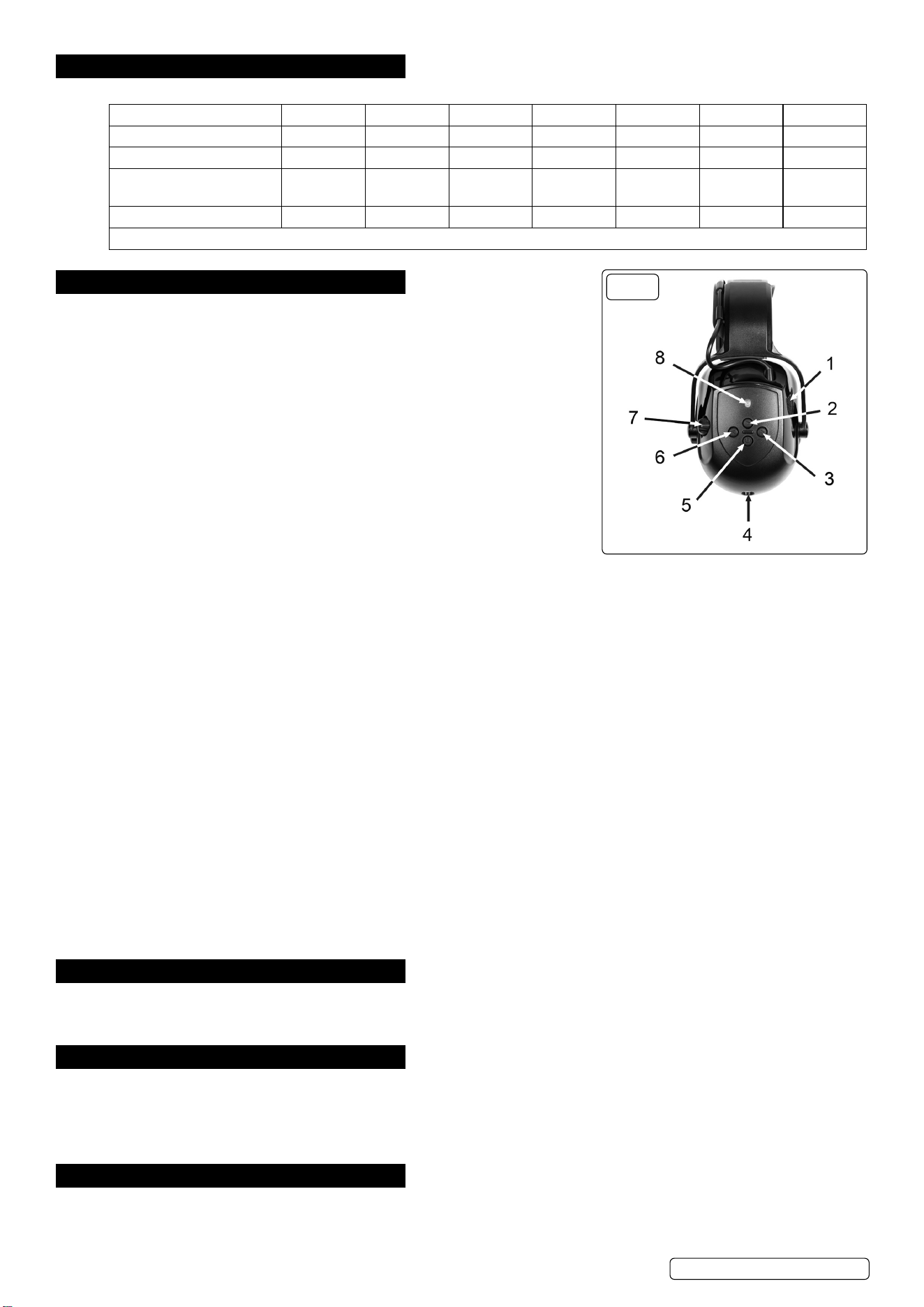
5.1. CHARGING THE UNIT (g.1.4)
5.1.1. Connect the USB lead to the socket on the underside of the ear piece. Plug USB lead
into a power supply and turn on.
5.1.2. While charging, the battery level indicator LED alongside the USB socket, will be lit
red. When the battery has been fully charged it will be lit green.
5.1.3. To turn the unit on, hold down the power button (g.1.5) for approximately 3 seconds.
Similarly, to turn the unit o, hold down the power key for approximately 3 seconds.
5.1.4. When battery power is low, the LED (g.1.8) ashes red every 10 seconds and the
unit ‘beeps’ every two minutes.
5.2. OPERATING THE WIRELESS CONNECTION
NOTE: If the unit is left on but unconnected to either a wireless or auxiliary device, it
will switch o after 5 minutes of inactivity.
NOTE: Please note that the wireless function cannot be used when the unit is being
charged.
5.2.1. With the unit turned o, the wireless function is activated by holding down the On/O
button (g.1.5) for approximately 6 seconds.
5.2.2. The LED will ash red initially and then ash blue rapidly to indicate that the unit is searching for a device. The unit device name is
“Sealey 9420”.
5.2.3. Once paired to a device. the LED (g.1.8) will ash blue once every 10 seconds approximately.
5.2.4. To adjust the call volume click the relevant button (g.1.3 for louder, g.1.6 for quieter).
5.2.5. To switch between using the units microphones (g.1.1) and that of the phone double click the ‘Play’ button (g.1.2).
5.2.6. To clear the paired list, with the unit in the pair-able state, press and hold the volume control buttons (g.1.3, g.1.6) for 5 seconds at
the same time. The LED (g.1.8) will light red for 2 seconds.
5.2.7. If the unit is not operating the wireless function, the LED (g.1.8) will ash red every 5 seconds.
5.2.8. If there is a device in the pairing list, the unit will actively seek to connect and the LED (g.1.8) will ash blue rapidly.
5.3. AUXILIARY INPUT
5.3.1. Use the supplied 3.5mm audio cable to connect to your playback device (g.1.4).
5.3.2. The unit will automatically detect the cable, turn the wireless function o and will start working with the attached device.
5.3.3. Volume control in this mode is achieved by use of the rotary knob (g.1.7).
8 DO NOT leave the cable connected when you are nished as this will drain the battery.
5.4. PLAY MUSIC - WIRELESS CONNECTION
5.4.1. When connected wirelessly to a device / application, click the ‘Play’ button (g.1.2) to start playing music. The process can be paused
by pressing ‘Play’.
5.4.2. To adjust the volume click the relevant button (g.1.3 for louder, g.1.6 for quieter).
5.4.3. To skip the current track press and hold the right button (g.1.3). To repeat the last track press and hold the left button (g.1.6).
5.5. PHONE CALL CONTROL - WIRELESS CONNECTION
5.5.1. To answer an incoming call press the ‘Play’ button (g.1.2) or to refuse the call, press and hold the ‘Play’ button (g.1.2).
5.5.2. During a call, double click the ‘Play’ button to switch between using the units’ microphones (g.1.1) or the phone handset microphone.
5.5.3. The call volume can be adjusted using the relevant button (g.1.3, g.1.6) (right for louder, left for quieter).
5.5.4. Double click the ‘Play’ button to redial the last called number.
6. FITTING
6.1. Place cups over the ears, adjust the height for optimum comfort by sliding the cups up or down whilst holding the headband in place.
Ensure the headband rests on the top of the head to support the ear defenders.
6.2. Make sure the cushions form a snug seal around the ears and reduce noise eectively.
7. CLEANING
7.1. Clean with warm soapy water, DO NOT use organic solvents or alcohol for cleaning.
7.2. DISINFECTION
7.2.1. Any part of the ear defender which is in contact with the wearer, shall be disinfected with a product suitable for use on plastics,
(materials used: Polycarbonate/Polyoxymethylene headband, Acrylonitrile Butadiene Styrene/High Impact Polystyrene cup and soft
Polyvinyl Chloride leather) and not known to be harmful to the wearer.
8. STORAGE
8.1. When not in use store in original packaging, in a cool, dry location and away from excessive heat and sunlight.
FIG.1
Original Language Version
© Jack Sealey Limited
9420 Issue 5 (H,1,F) 06/10/23
WEEE REGULATIONS
Dispose of this product at the end of its working life in compliance with the EU Directive on Waste Electrical and Electronic Equipment
(WEEE). When the product is no longer required, it must be disposed of in an environmentally protective way. Contact your local solid
waste authority for recycling information.
BATTERY REMOVAL
Under the Waste Batteries and Accumulators Regulations 2009, Jack Sealey Ltd are required to inform potential purchasers of products
containing batteries (as defined within these regulations), that they are registered with Valpak’s registered compliance scheme. Jack
Sealey Ltd’s Batteries Producer Registration Number (BPRN) is BPRN00705.
Original Language Version
© Jack Sealey Limited
9420 Issue 5 (H,1,F) 06/10/23
EU | Sealey EU Ltd, Farney Street, Carrickmacross, Co. Monaghan, A81 PK68 Ireland
UK | Sealey Group, Kempson Way, Suffolk Business Park, Bury St Edmunds, Suffolk. IP32 7AR
01284 757500 sales@sealey.co.uk www.sealey.co.uk
Note: It is our policy to continually improve products and as such we reserve the right to alter data, specifications and component parts without prior notice.
Important: No Liability is accepted for incorrect use of this product.
Warranty: Guarantee is 12 months from purchase date, proof of which is required for any claim.
ENVIRONMENT PROTECTION
Recycle unwanted materials instead of disposing of them as waste. All tools, accessories and packaging should be sorted,
taken to a recycling centre and disposed of in a manner which is compatible with the environment. When the product
becomes completely unserviceable and requires disposal, drain any fluids (if applicable) into approved containers and
dispose of the product and fluids according to local regulations.
REGISTER YOUR
PURCHASE HERE
This document has been drawn up according to Regulation (EU) 2016/425 as amended to apply to GB for Personal Protective
Equipment. The declaration of conformity can be accessed at www.sealey.co.uk.