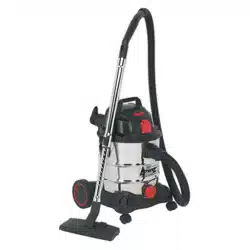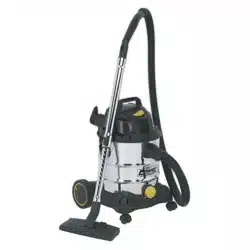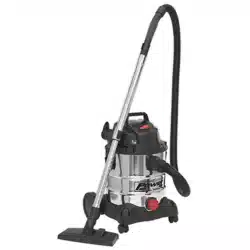
30L WET & DRY INDUSTRIAL VACUUM
CLEANER 1400W STAINLESS DRUM
MODEL NO: PC300SD.V3
Thank you for purchasing a Sealey product. Manufactured to a high standard, this product will, if used according to these instructions,
and properly maintained, give you years of trouble free performance.
IMPORTANT: PLEASE READ THESE INSTRUCTIONS CAREFULLY. NOTE THE SAFE OPERATIONAL REQUIREMENTS, WARNINGS & CAUTIONS. USE
THE PRODUCT CORRECTLY AND WITH CARE FOR THE PURPOSE FOR WHICH IT IS INTENDED. FAILURE TO DO SO MAY CAUSE DAMAGE AND/OR
PERSONAL INJURY AND WILL INVALIDATE THE WARRANTY. KEEP THESE INSTRUCTIONS SAFE FOR FUTURE USE.
1. SAFETY
1.1. ELECTRICAL SAFETY
WARNING! It is the user’s responsibility to check the following:
Check all electrical equipment and appliances to ensure that they are safe before using. Inspect power supply leads, plugs and all
electrical connections for wear and damage. Sealey recommend that an RCD (Residual Current Device) is used with all electrical
products. You may obtain an RCD by contacting your local Sealey stockist.
If the product is used in the course of business duties, it must be maintained in a safe condition and routinely PAT (Portable Appliance
Test) tested.
Electrical safety information, it is important that the following information is read and understood.
1.1.1. Ensure that the insulation on all cables and on the appliance is safe before connecting it to the power supply.
1.1.2. Regularly inspect power supply cables and plugs for wear or damage and check all connections to ensure that they are secure.
1.1.3. Important: Ensure that the voltage rating on the appliance suits the power supply to be used and that the plug is tted with the correct
fuse - see fuse rating in these instructions.
8 DO NOT pull or carry the appliance by the power cable.
8 DO NOT pull the plug from the socket by the cable. Remove the plug from the socket by maintaining a rm grip on the plug.
8 DO NOT use worn or damaged cables, plugs or connectors. Ensure that any faulty item is repaired or replaced immediately by a
qualied electrician.
1.2. This product is tted with a BS1363/A 13 Amp 3 pin plug.
If the cable or plug is damaged during use, switch the electricity supply and remove from use.
Replace a damaged plug with a BS1363/A 13 Amp 3 pin plug. If in doubt contact a qualied electrician.
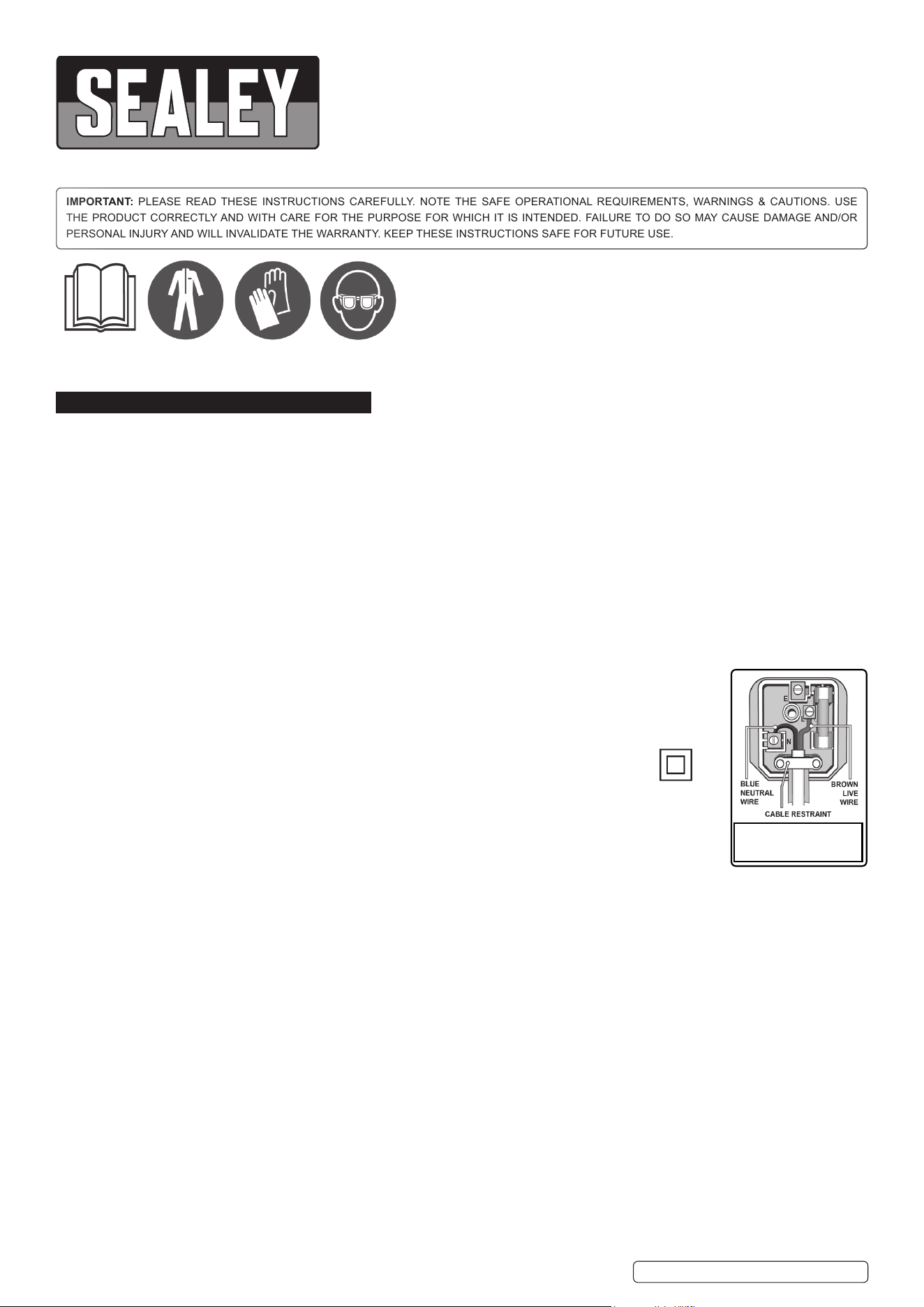
Class II products are wired with live (brown) and neutral (blue) only are marked with the Class II symbol;
A) Connect the BROWN live wire to the live terminal ‘L’.
B) Connect the BLUE neutral wire to the neutral terminal ‘N’.
C) After wiring, check that there are no bare wires and ensure that all wires have been correctly
connected.
Ensure that the cable outer sheath extends inside the cable restraint and that the restraint is tight.
8 DO NOT connect either wire to the earth terminal.
Sealey recommend that repairs are carried out by a qualied electrician.
1.2.1. If an extension reel is used it should be fully unwound before connection. A reel with an RCD fitted is preferred
since any appliance plugged into it will be protected. The cable core section is important and should be at least 1.5mm
²,
but to be
absolutely sure that the capacity of the reel is suitable for this product and for others which may be used in the other output sockets, we
recommend the use of 2.5mm
²
section cable.
1.3. GENERAL SAFETY
9 Disconnect the cleaner from the power supply before servicing, changing accessories, or performing any maintenance.
9 Use only genuine parts and accessories. Unauthorised parts and accessories may be dangerous and will invalidate your warranty.
9 Maintain the cleaner in good condition. Use an authorised agent for servicing. Keep machine clean, but DO NOT use solvents.
9 For dry vacuuming ensure the cartridge filter is firmly in place before operating the cleaner.
8 DO NOT operate the unit without the cartridge filter in place (except when wet vacuuming). USING THE CLEANER WITHOUT A
CARTRIDGE FILTER WILL CAUSE MACHINE FAULTS AND WILL INVALIDATE YOUR WARRANTY.
9 Wear protective clothing and gloves.
8 DO NOT allow children or untrained persons to operate the cleaner.
8 DO NOT place attachments close to your face (especially eyes, ears, etc). DO NOT point the hose end at other persons or animals.
▲ DANGER! DO NOT vacuum hot or glowing ash, cigarette ends, inflammable, explosive, corrosive or other dangerous substances.
8 DO NOT operate the unit without the dust bag or optional cartridge filter (except when wet vacuuming).
8 DO NOT leave machine running unattended. Turn power supply OFF, and DO NOT leave the vicinity until motor has come to a complete
stop.
8 DO NOT operate the cleaner while under the influence of drugs, alcohol or impairing medication, or if you are tired.
8 DO NOT use the cleaner in the rain or in very damp conditions.
8 DO NOT use the cleaner for a task it is not designed to perform.
9 When not in use, store the cleaner in a safe, dry, childproof location.
Original Language Version
© Jack Sealey Limited
Read before
first use
Wear
protective
clothing
Wear
protective
gloves
Wear
eye
protection
Recommended fuse rating
13 Amp
PC300SD.V3 Issue:4 (F) 19/08/20
Original Language Version
© Jack Sealey Limited
2. iINTRODUCTION
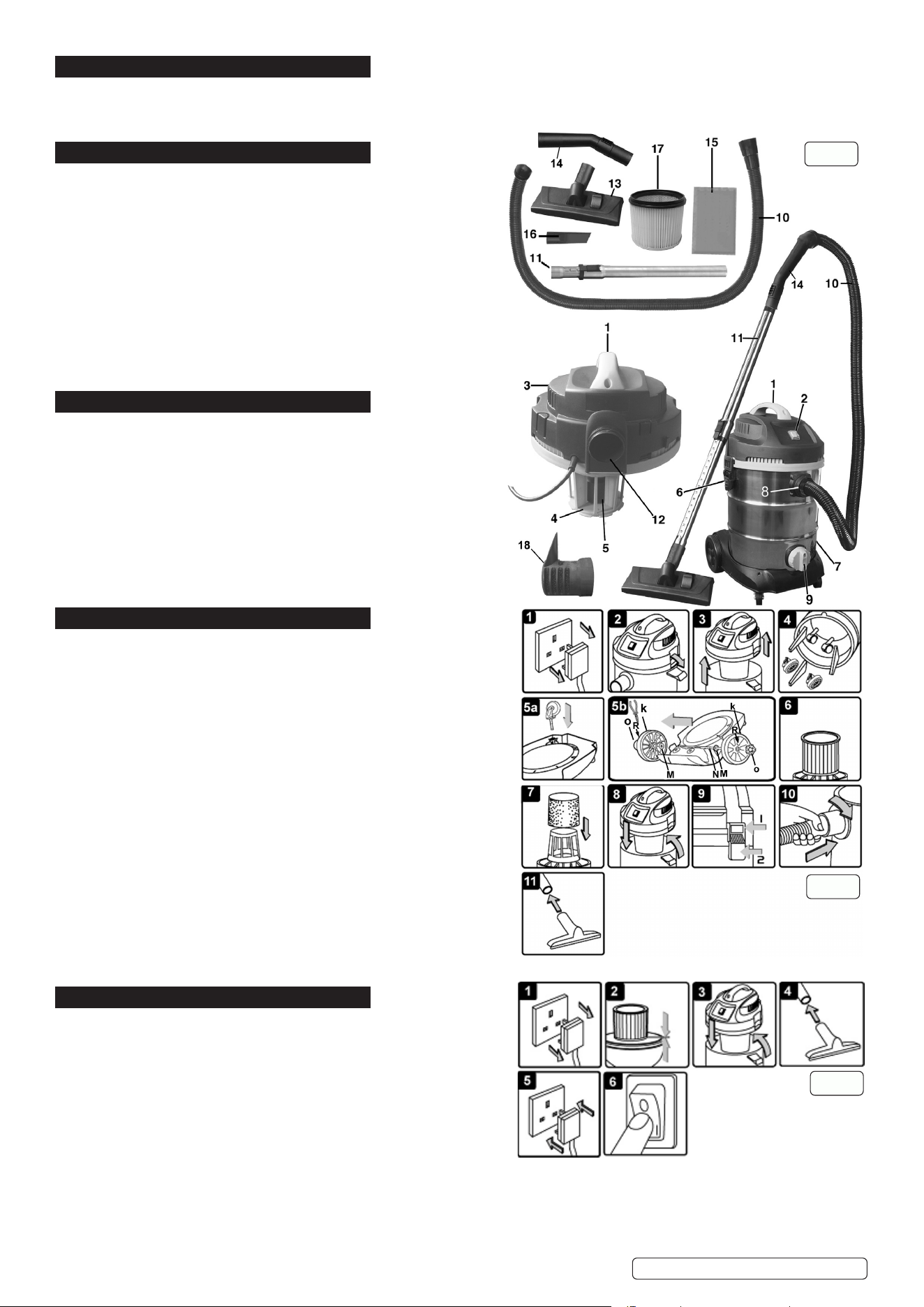
High powered, lightweight industrial unit with blower facility. Constructed from stainless steel, the drum unit is mounted on two castor and two
xed wheels. Tool storage points on head and base. Supplied with 4.5m cable with 3-pin plug, deluxe tool kit, including stainless steel telescopic
rigid extension tube, cartridge lter and wet-use foam lter.
3. SPECIFICATION
Model no ........................................................... PC300SD.V3
Airow ....................................................................... 120m³/h
Drum size ......................................................................... 30L
Filter type ................................................................ Cartridge
Max. vacuum pressure ............................................. 160mbar
Motor power ................................................................ 1400W
Optional accessories
PC300PB5 .............................. optional dust bags (pack of 5)
Replacement parts
PC200CFL .................................................... Cartridge Filter
PC200FF10 ................................... Foam Filters (Pack of 10)
Supply .......................................................................... 230V~
Vacuum accessories diameter ..................................... 35mm
4. CONTENTS
Item Description Item Description
1 Handle 11 Telescopic suction tube
2 ON/OFF switch 12 Blow connection
3 Top section 13 Combination nozzle
4 Filter basket 14 air regulator handle
5 Safety float valve 15 Foam filter
6 Clasp 16 Crevice nozzle
7 Container 17 Cartridge filter (fitted as
8 Vacuum hose connection standard)
9 Drain Plug 18 Noise Diffuse muffler
10 Flexible vacuum hose
5. ASSEMBLY
5.1. Ensure the mains plug is disconnected. (fig.2.1)
5.2. Undo clasps. (fig.2.2)
5.3. Lift off the top section assembly. (fig.2.3)
5.4. Remove contents from inside the container. (fig.2.4)
5.5. Turn the container upside down and insert the castors ensuring they
are pushed all the way in. (fig.2.5a)
5.6. Insert the rear wheel shaft (N) into the rear support block. Insert washer
(M) on the shaft, then insert rear wheel (K) on the shaft. Insert the lock
pin (R) into the hole on the end of the shaft to lock the wheel.
5.7. Snap the hub cap (O) on to the wheel. Repeat the same steps at the
other end of the shaft. (fig.2.5b)
5.8. For wet vacuum cleaning fit the supplied foam filter. (fig.2.7)
5.9. For dry vacuum cleaning use the cartridge filter supplied. (fig.2.6)
NOTE: DO NOT operate the cleaner without a cartridge filter fitted
as this will damage the machine and invalidate your warranty.
5.10. Replace the top section onto the container. (fig.2.8)
5.11. Align up the top section with the clasps and snap into place, by applying
pressure at the mid point of the clasps. (fig.2.9)
5.12. Insert the large end of the hose into the front inlet of the container and
lock in place by turning clockwise a quarter turn. (fig.2.10)
5.13. Choose the desired nozzle and push it onto the telescopic suction tube.
6. DRY VACUUM CLEANING
WARNING! Ensure you read, understand and apply Section 1 ‘
Safety Instructions’.
Reminder: DO NOT vacuum hazardous substances. Use of an
incorrect cartridge filter will invalidate your warranty.
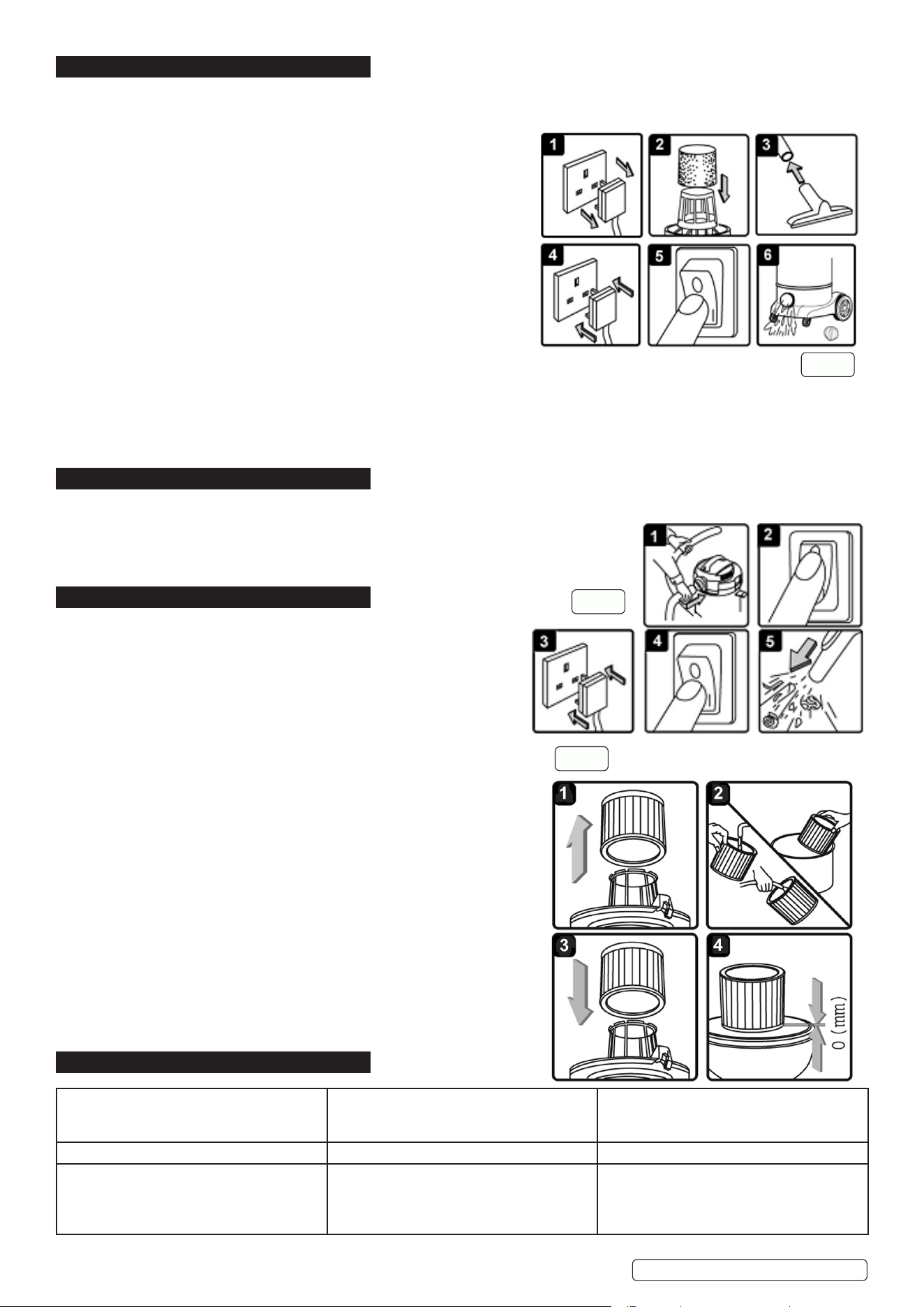
6.1. Ensure the machine is unplugged from the power supply. (fig.3.1)
6.2. Remove the top section and fit the cartridge filter down over the
6.3. filter basket and push fully home. (fig.3.2)
6.4. Reposition the head onto the drum body, and clip in place. (fig.3.3)
6.5. Insert the larger end of the flexible hose into the front inlet on the container and lock in place. Push the required
attachment onto the free end of the hose. (fig.3.4)
6.6. Plug in the power supply. (fig.3.5)
6.7. Switch to the ‘On’ (position ‘I’). (fig.3.6)
6.8. When you have completed vacuuming, press the switch to ‘Off’.
g.1
g.2
g.3
PC300SD.V3 Issue:4 (F) 19/08/20
Original Language Version
© Jack Sealey Limited
7. WET VACUUM CLEANING
WARNING! Ensure you read, understand and apply Section 1 ‘Safety Instructions’. Reminder: Remove plug from power supply
before opening unit. DO NOT vacuum solvents, explosives, inflammable and/or hazardous liquids such as petrol, oil, spirits,
paint, thinners, acids etc.
7.1. Ensure the machine is unplugged from the power supply. (fig.4.1) Make
sure the tank is clean and free from dust and dirt.
7.2. Remove the cartridge filter and fit a foam filter over the filter basket.
(fig.4.2) Replace the top section onto the container.
7.3. To the same flexible hose used in dry cleaning fit the desired nozzle
(fig.4.3)
7.4. Ensure the switch is ‘Off’ (position ‘0’) before plugging into the power
supply.
7.5. Press the switch to ‘On’ (position ‘I’). (fig.4.5)
Note: To vacuum large quantities of liquid, from a sink or tank etc, do
not immerse the nozzle completely in the liquid, leave a gap at the top
of the nozzle opening to allow an air inflow. The machine is fitted with a
float valve which stops the suction action when the tank has reached
its maximum capacity. The user will notice an increase in motor speed.
When this happens, turn off the machine, disconnect from power supply,
remove the head from the container and empty the liquid into a suitable receptacle or drain. (fig.4.6).
7.6. To continue vacuuming, refit the head and proceed. After wet vacuuming, turn the machine off and unplug from power supply. Empty the
container and clean and dry the inside and outside before storage.
Remember! After wet vacuuming the foam filter must be removed and a cartridge filter must be fitted before dry vacuuming again.
WARNING! Not designed for liquid storage. Always empty liquids after use and before storing.
8. BLOWING
8.1. Push the large end of the flexible hose into the blow connection in the top section. (fig.5.1)
8.2. Ensure the power switch is turned off (fig.5.2) and plug in the power supply. (fig.5.3)
8.3. Switch on the power (position ‘I’). (fig.5.4)
8.4. The unit will now blow through the hose and can be used to clear obstructions within the pipe. (fig.5.5)
WARNING! If after a few seconds the hose is still blocked turn of the unit and clear the hose manually.
9. MAINTENANCE
9.1. GENERAL MAINTENANCE.
9.1.1. Ensure the machine is unplugged from the power supply.
9.1.2. Disconnect the hose from the container.
9.1.3. Undo the clasps and remove motor head from the container.
9.1.4. Clear out any dirt or debris from the container and hose.
9.1.5. Clean the foam filter by washing it in a mild soapy solution.
9.1.6. Check that the telescopic suction tube operates smoothly and check the
power cable to make sure it has not received any damage.
9.2. CARTRIDGE FILTER MAINTENANCE.
9.2.1. Handle the filter carefully when cleaning or installing.
9.2.2. Carefully remove the cartridge filter (fig.6.1) and inspect it for damage.
9.2.3. A filter that has small holes or tears in it will not perform efficiently and should
be replaced.
9.2.4. To clean a dry filter, tap it inside a waste bin. (fig.6.2)
8 DO NOT use the filter if it becomes wet as the filter will clog quickly and be
very difficult to clean. (The cartridge filter is designed for dry
vacuuming only.) Should the filter be inadvertently wetted it should be
rinsed from the inside (fig.6.2) and allowed to air dry for 24 hours.
9.2.5. To fit a new/cleaned filter slide it over the filter basket (fig.6.3) and push
it fully home (fig.6.4).
10. TROUBLESHOOTING
g.4
g.5
g.6
PC300SD.V3 Issue:4 (F) 19/08/20
Cleaner will not operate No power supply
Faulty power cable
Container full of liquid
Check supply
Check and repair or replace faulty item
Empty container
Dust comes from motor cover Cartridge lter missing or damaged Fit or replace cartridge lter
Reduced eciency and increased motor
speed/vibration
Dust container full
Filter clogged
Nozzle, hose or container inlet blocked
Empty container
Clean or replace cartridge lter
Check nozzle, hose and container inlet for
blockage
Sealey Group, Kempson Way, Suffolk Business Park, Bury St Edmunds, Suffolk. IP32 7AR
01284 757500 01284 703534 sales@sealey.co.uk www.sealey.co.uk
ENVIRONMENT PROTECTION
Recycle unwanted materials instead of disposing of them as waste. All tools, accessories and packaging should be sorted, taken to
a recycling centre and disposed of in a manner which is compatible with the environment. When the product becomes completely
unserviceable and requires disposal, drain any fluids (if applicable) into approved containers and dispose of the product and fluids
according to local regulations.
Note: It is our policy to continually improve products and as such we reserve the right to alter data, specifications and component parts without prior
notice. Please note that other versions of this product are available. If you require documentation for alternative versions, please email or call
our technical team on technical@sealey.co.uk or 01284 757505.
Important: No Liability is accepted for incorrect use of this product.
Warranty: Guarantee is 12 months from purchase date, proof of which is required for any claim.
WEEE REGULATIONS
Dispose of this product at the end of its working life in compliance with the EU Directive on Waste Electrical and Electronic Equipment
(WEEE). When the product is no longer required, it must be disposed of in an environmentally protective way. Contact your local solid
waste authority for recycling information.
PC300SD.V3 Issue:4 (F) 19/08/20
Original Language Version
© Jack Sealey Limited