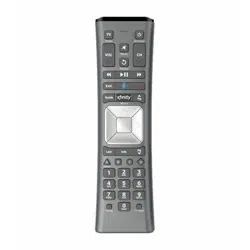
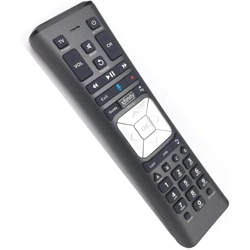
Getting Started Guide xfinity Remote Control
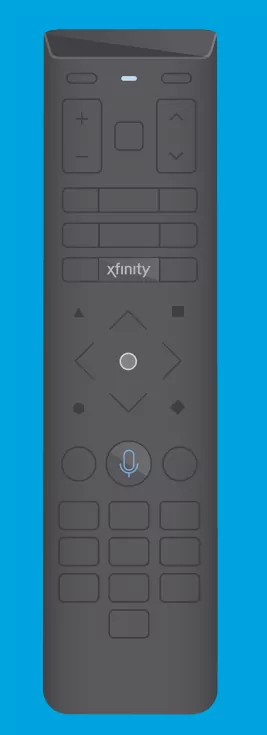
How it works
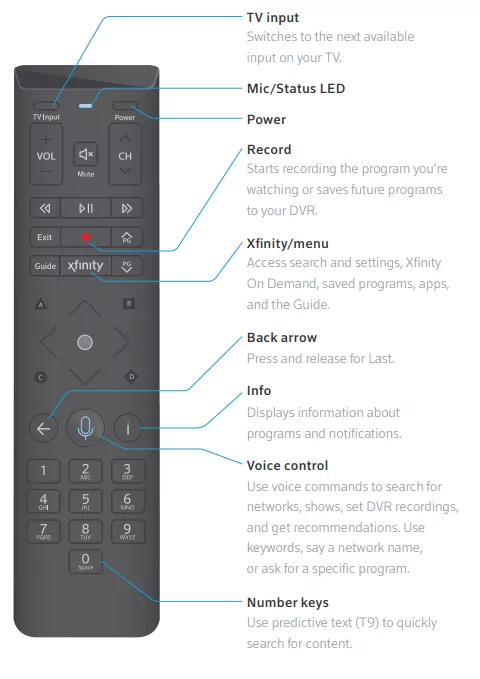
TV input
Switches to the next available input on your TV.
Mic/Status LED
Power
Record
Starts recording the program you’re watching or saves future programs to your DVR.
Xfinityy/menu
Access search andsettings, XŜnityOn Demand, saved programs, apps, and the Guide.
Back arrow
Press and release for Last.
Info
Displays information about programs and notifications.
Voice control
Use voice commands to search for networks, shows, set DVR recordings, and get recommendations. Use keywords, say a network name, or ask for a specific program.
Number keys
Use predictive text (T9) to quickly search for content.
Setting it up
- Set up your TV
Turn on your TV and TV box.
- Activate your remote
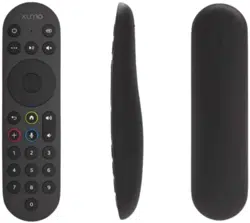
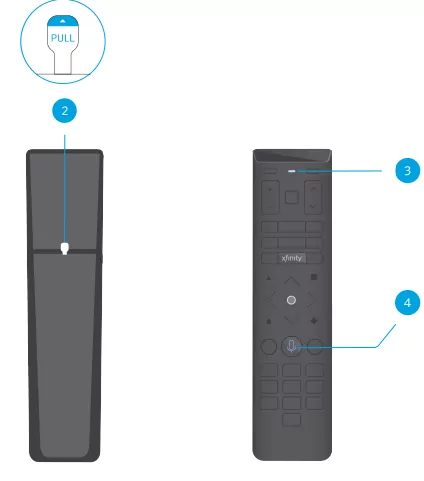
Your voice remote arrives with 2 AA batteries installed. Activate the remote by removing the "Pull" tab on the back.
- Wait for the LED light
The status LED light will blink blue 3 times as your voice remote powers up. This should take about 5 seconds.
- Select the voice button
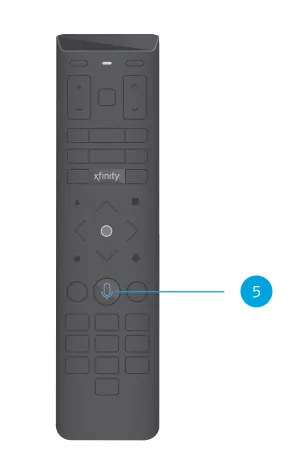
Press the voice button while pointing at the TV Box. Follow the on-screen prompts to complete setup.
- Try a voice command
Now, let’s program your remote
You’ll need to program your voice remote to control your TV and/or audio receiver’s power, volume, and input. To do this, go to Remote Settings on X1.
Need to pair with another TV Box?
No problem. Press and hold the A and D buttons until the status LED changes from red to green. Then press 9-8-1. Now repeat step 4 while pointing the remote at the new TV Box.
FCC Compliance Statement
This equipment has been tested and found to comply with the limits for a Class B digital device, pursuant to part 15 of the FCC rules. These limits are designed to provide reasonable protection against harmful interference in a residential installation. This equipment generates, uses, and can radiate radio frequency energy and, if not used in accordance with the instructions, may cause harmful interference to radio communications.
There is no guarantee that interference will not occur in a particular installation. If this equipment does cause harmful interference to radio or television reception, the user is encouraged to try to correct the interference by one or more of the following measures:
- Reorient or relocate the receiving antenna.
- Increase or decrease the separation between the equipment and receiver.
- Connect the equipment into an outlet on a circuit different from that which the receiver is connected.
- Consult the place of purchase or an experienced remote control/TV technician for help. It is strongly recommended that the TV be plugged into a separate wall outlet.
The user is cautioned that changes and modifications made to this equipment without the approval of the manufacturer could void the user's authority to operate this equipment. This device complies with part 15 of the FCC rules. Operation is subject to the following two conditions: (1) This device may not cause harmful interference, and (2) this device must accept any interference received, including interference that may cause undesired operation.