Quick Start
Guide
Select Series
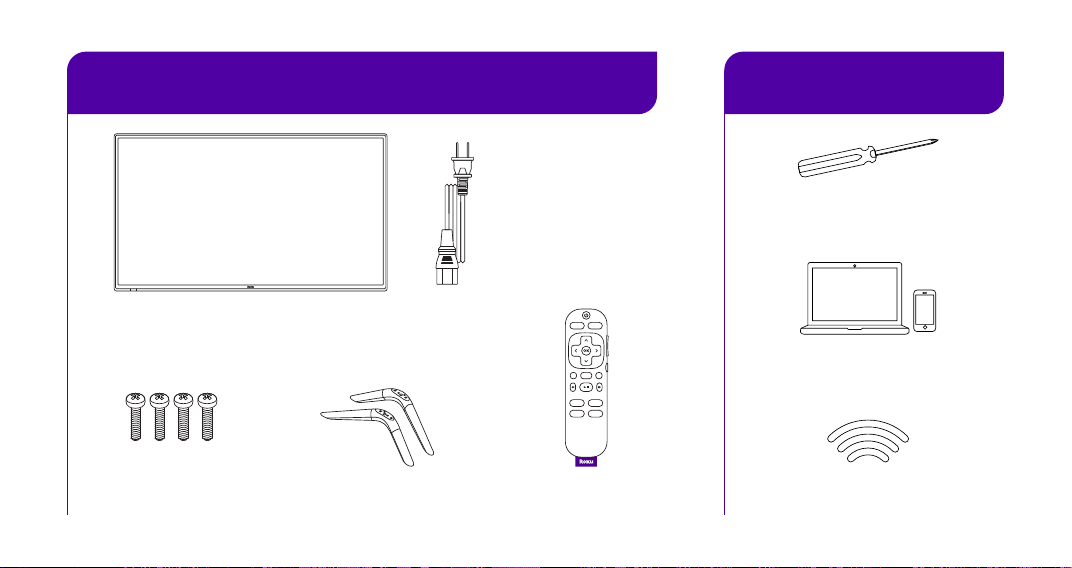
What you need
What’s included
Internet connection
Laptop or mobile
phone for activation
Phillips head
screwdriver
TV stands
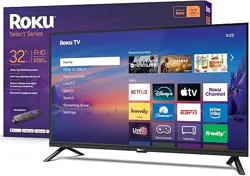
Roku Select Series TV
Roku TV RemoteStand screws
x 4 screws
TV power cord
included for 50"- 85"
models only
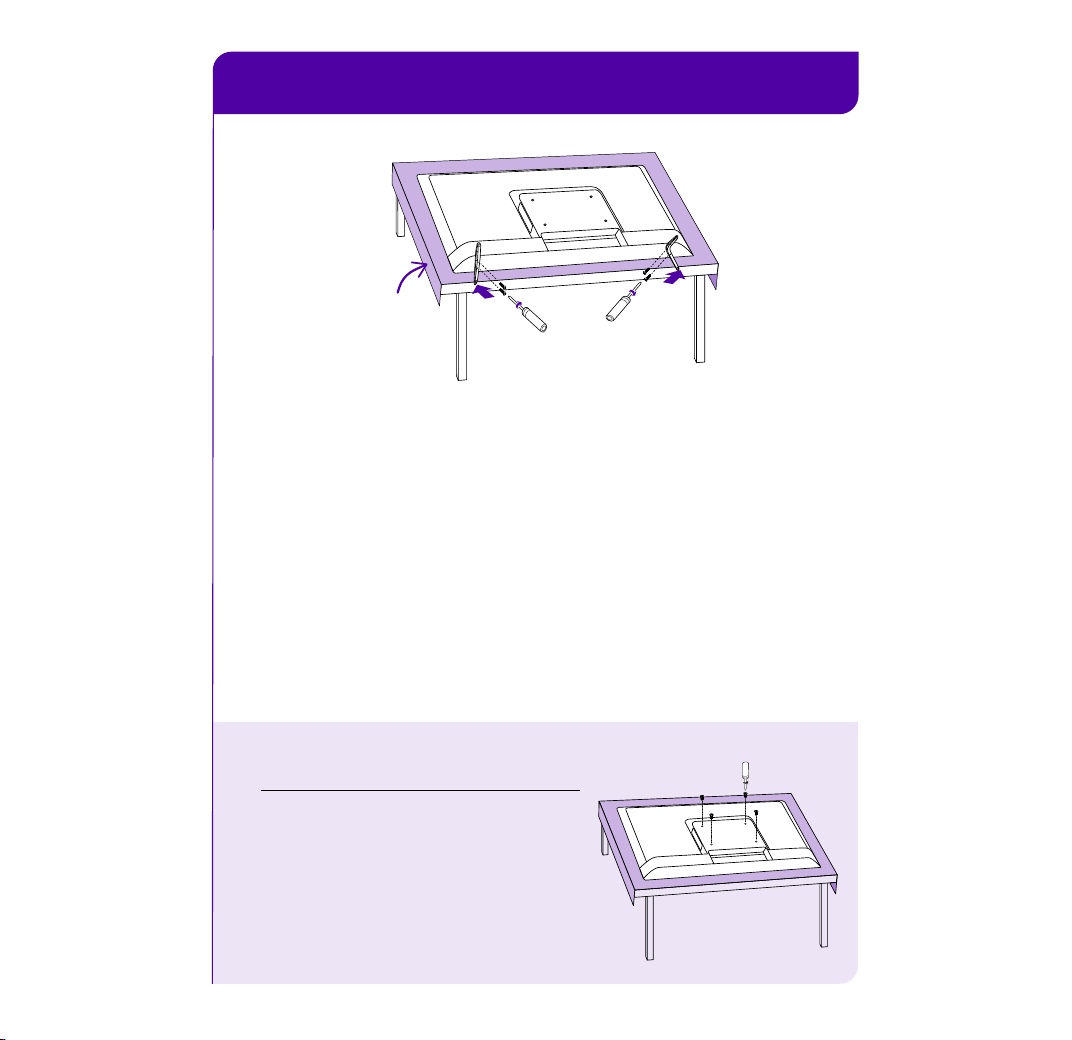
STEP 1˸ Set up your TV
A
Prepare a surface
Put a soft covering like a blanket down onto a clean,
flat surface (make sure it’s larger than the TV) and place
the TV on it.
B
Attach the stands
Use a screwdriver and included screws to attach the stands.
C
Set TV upright
Place your TV on a stable, flat surface.
Mounting your TV?
For instructions, skip these steps
and visit go.roku.com/tvmount
Blanket
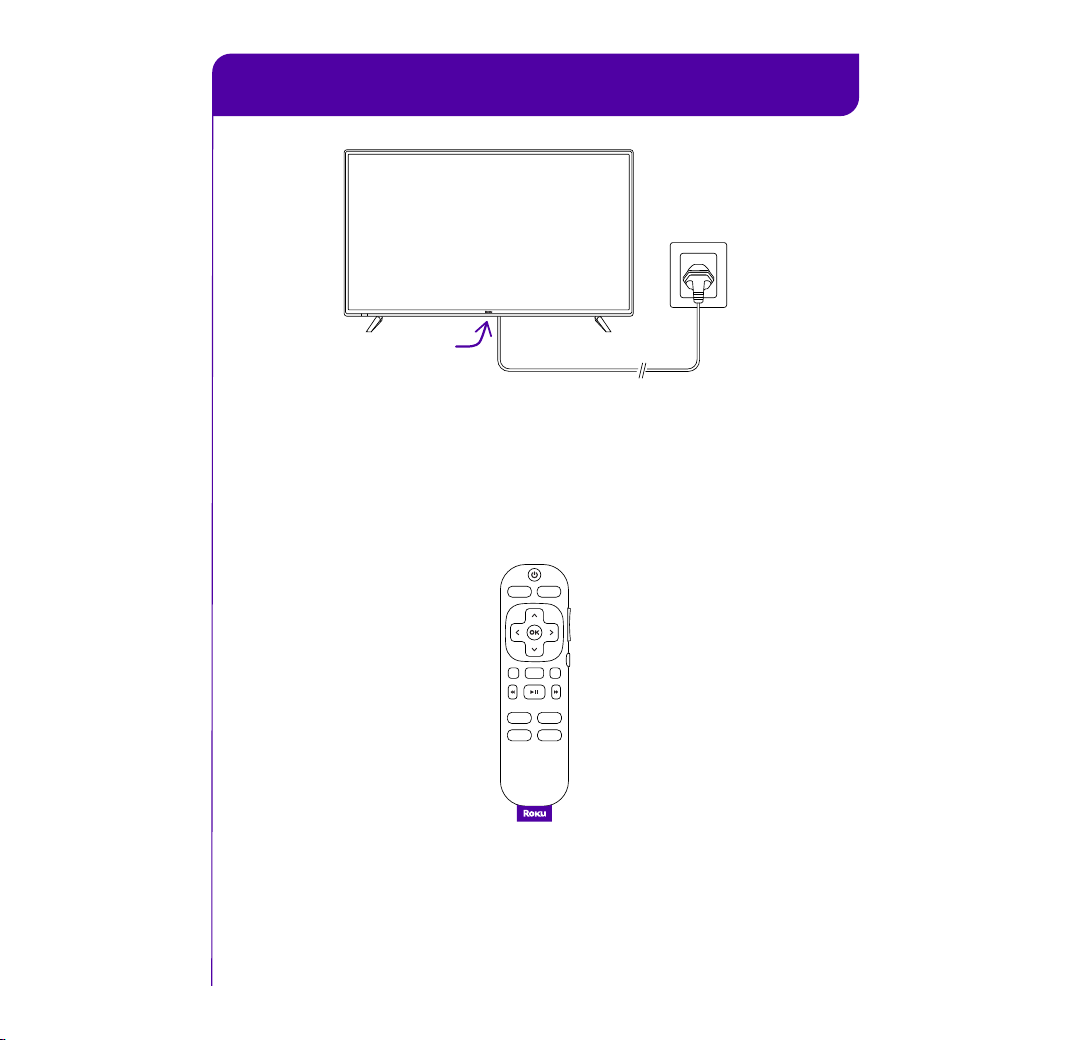
STEP 2˸ Plug TV in and power your remote
A
Connect your TV
Plug your TV into a power outlet. It should turn on
automatically. If it doesn’t, press the power button.
B
Power your remote
See the remote features card on how to use your
Roku TV remote.
Power
button
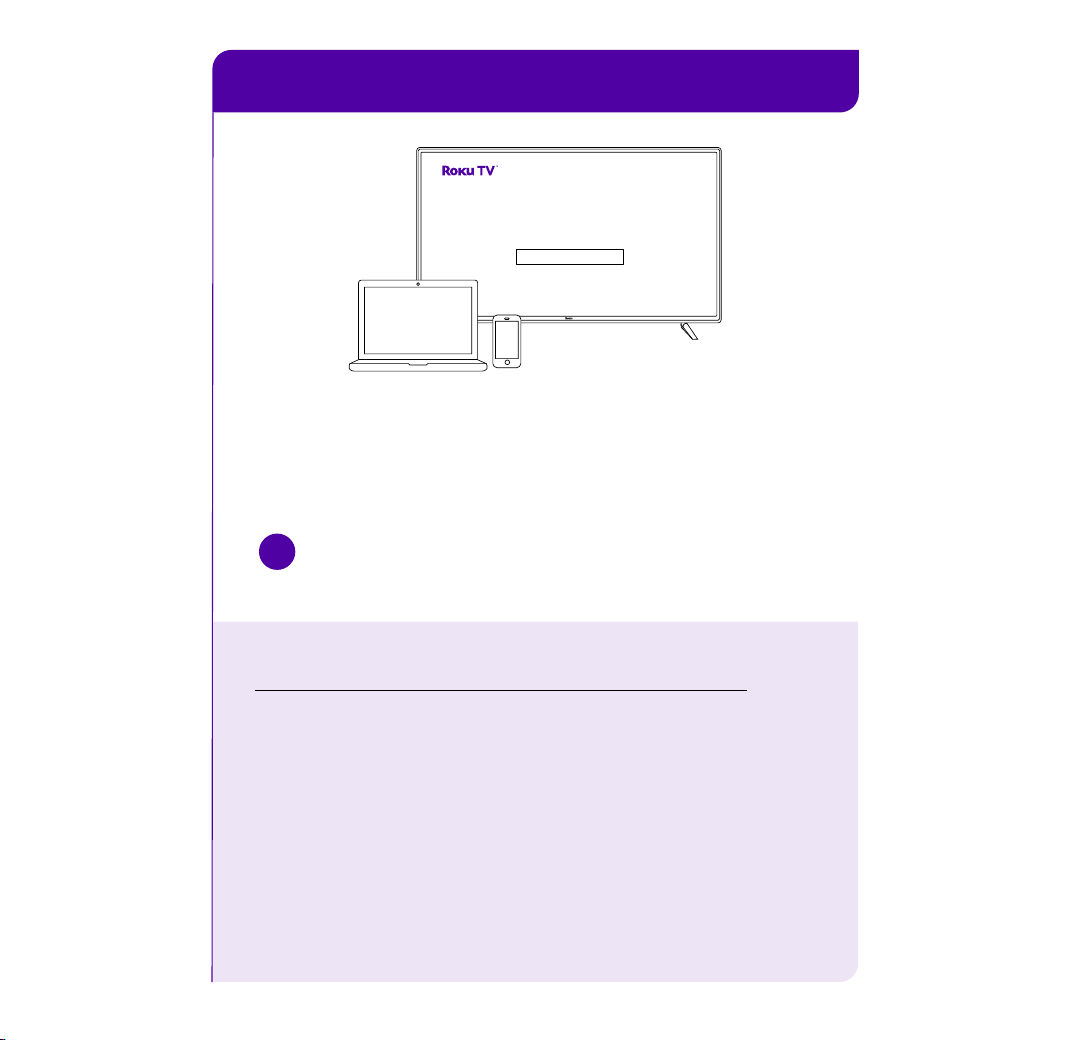
STEP 3˸ Activate your TV
Frequently asked questions
Why do I need an internet connection?
You’ll need an internet connection to set up your TV, stream
your favorite channels and for automatic software updates.
Why should I enter a payment method?
Saving a payment method makes it easy to rent or buy movies,
subscribe to popular channels, and start free trials in just a
click. No charges will be made without your authorization.
!
IMPORTANT
Roku never charges for activation support.
Connect your TV
Follow the instructions on your TV screen. Activate your TV by
using your computer or smartphone to link a Roku account.
Let’s get started
>
English
Deutsch
Español
Français
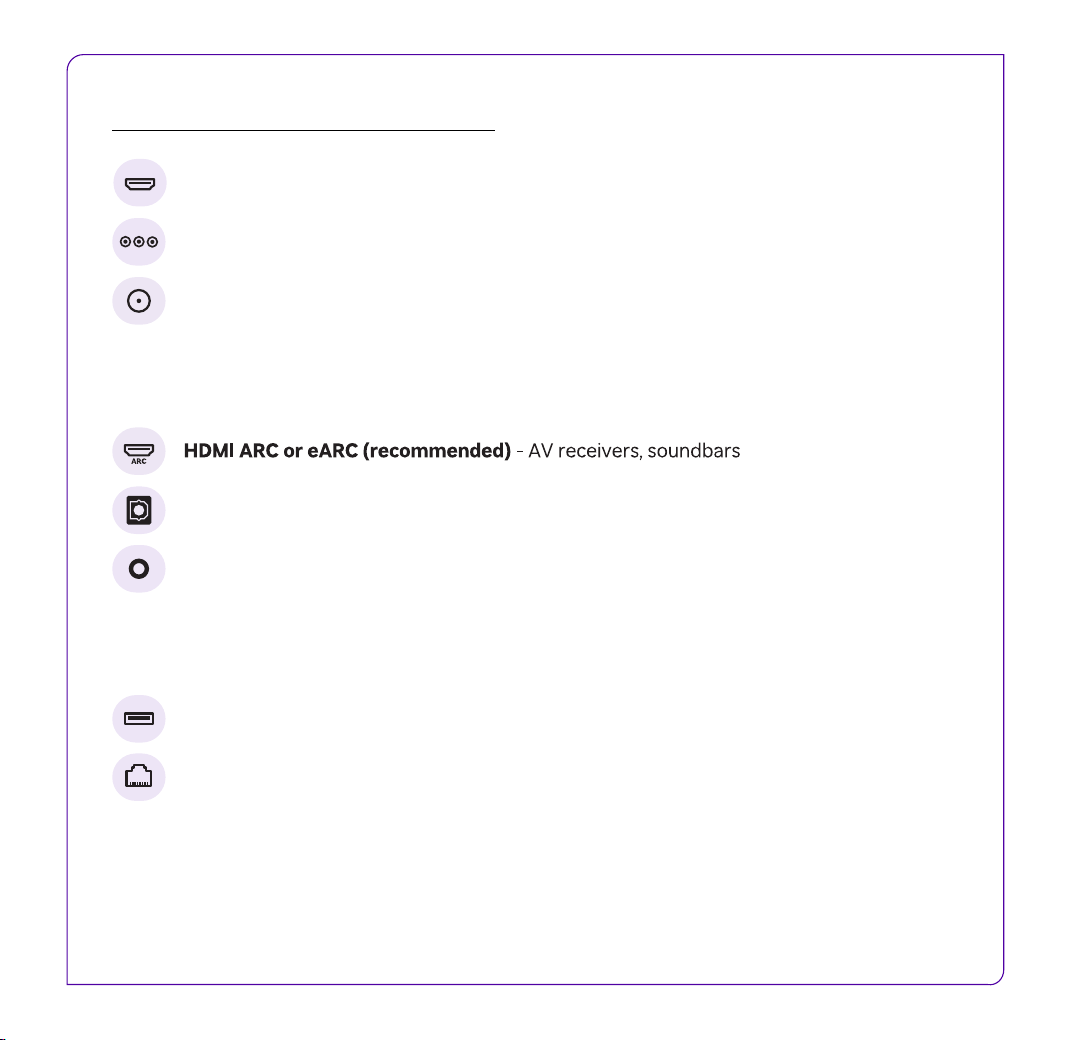
HDMI - Game consoles, DVD players
Composite (available on some models) - Analog devices, older game consoles
Audio connections
Antenna/Cable - Digital antenna, cable connection
Optical (S/PDIF) - AV receivers, soundbars
Headphone Jack (available on some models) - Wired headphones
Other connections
USB - Flash drive for media playback
Ethernet (available on some models) - Wired internet connection
Get to know your TV
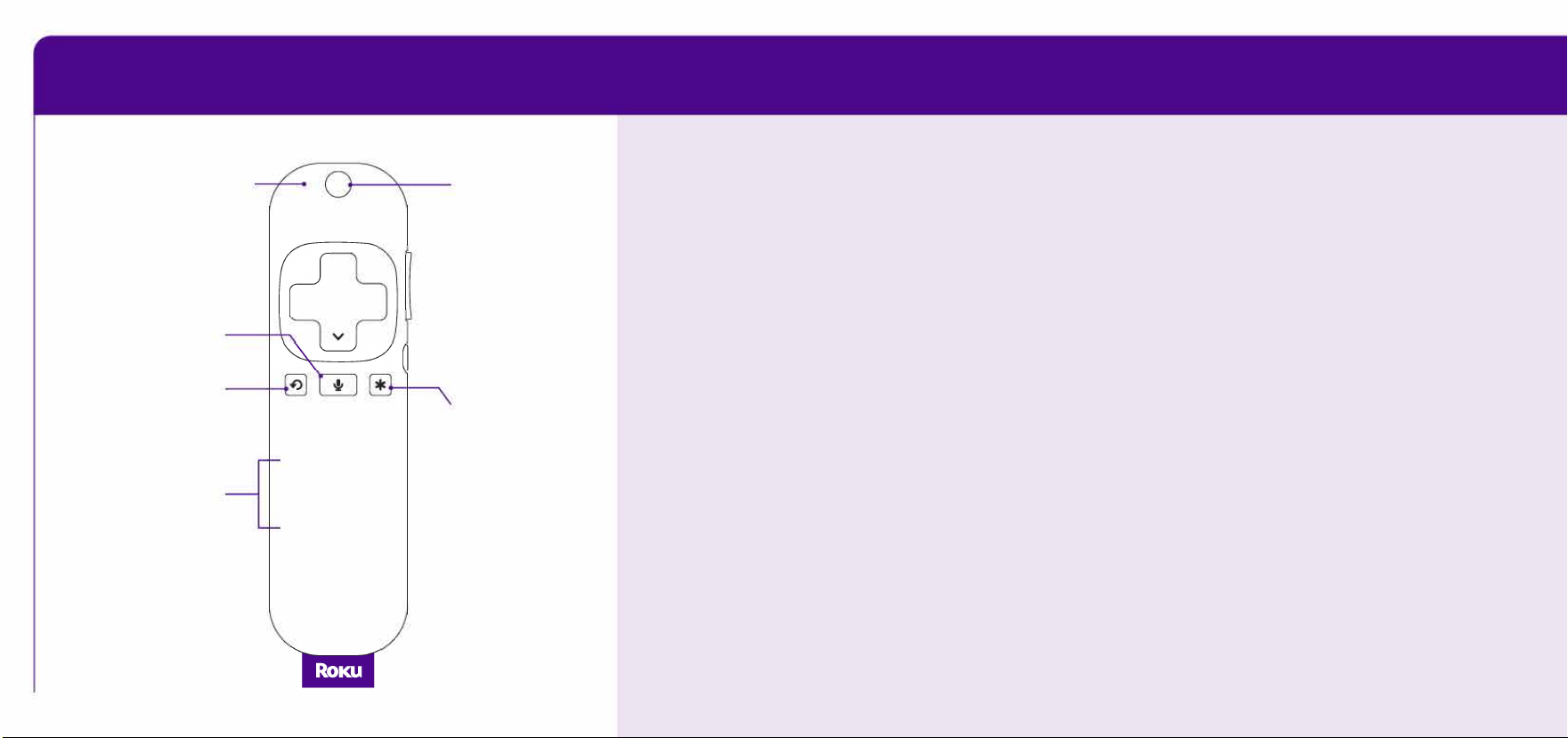
' Remote features
Microphone
0
Power
��
A
< 8 >
-Volume
Voice
-Mute
Instant
replay
GB
Options
App
shortcuts
�
0
Power your remote
Includes pre-installed batteries. Pull out the tab on the back of
your remote. It will pair to your TV automatically.
Voice search & control
Quickly search across thousands of apps, play entertainment,
control your streaming, and more with your voice.
Pre-set app shortcuts
Launch popular streaming apps in just a press.
Options button
On the home screen:
While streaming:
Opens the app Opens sound and
settings menu.
picture settings.
© 2026 Roku, Inc. All Rights Reserved. Roku, the Roku logo, and the purple d-pad and
purple fabric tag designs are trademarks or registered trademarks of Roku, Inc.
© 2026 Roku, Inc. All Rights Reserved. Roku,
the Roku logo, and the purple d-pad and
purple fabric tag designs are trademarks or
registered trademarks of Roku, Inc.
Manufactured under license from Dolby Laboratories.
Dolby, Dolby Audio, and the double-D symbol are registered
trademarks of Dolby Laboratories Licensing Corporation.
Confidential unpublished works. Copyright 1992-2019 Dolby
Laboratories. All rights reserved.
Need help?
go.roku.com/TV
For setup help or
support, visit or call
1-816-272-8106
4˸00 am – 10˸00 pm PT