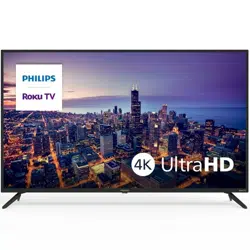

User manual
To obtain assistance, contact Philips customer care center;
In the U.S.A., Canada, Puerto Rico, or the U.S. Virgin Islands
www.philips.com/support
1-833-978-3323
Call us:
Register your product and get support at
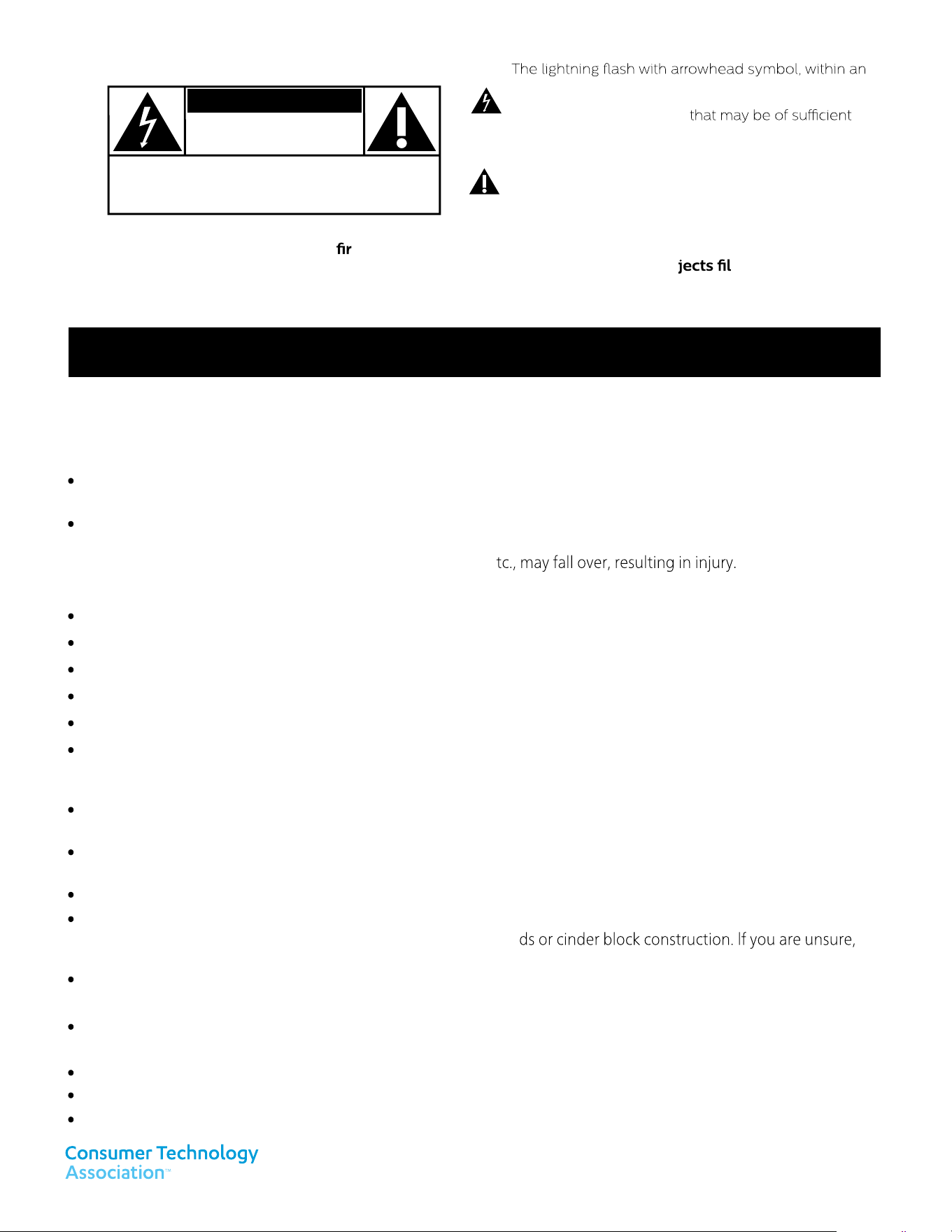
equilateral triangle, is intended to alert the user to the
presence of uninsulated “dangerous voltage” within
the apparatus’s enclosure
magnitude to constitute a risk of electric shock to
persons.
The exclamation point within an equilateral triangle
is
intended to alert the user to the presence of important
operating and maintenance (servicing) instructions in
the literature accompanying the apparatus.
CAUTION: TO REDUCE THE RISK OF ELECTRIC SHOCK, DO NOT
REMOVE COVER (OR BACK). NO USER-SERVICEABLE PARTS ARE
INSIDE. REFER SERVICING TO QUALIFIED SERVICE PERSONNEL.
RISK OF ELECTRIC SHOCK
DO NOT OPEN
The caution marking is located on the rear or bottom of the cabinet.
CAUTION
WARNING: To reduce the risk of e or electric shock, do not expose this apparatus to rain or moisture.
Apparatus shall not be exposed to dripping or splashing and no ob
led with liquids,
such as vases, shall be placed on the apparatus.
CAUTION: To prevent electric shock, match wide blade of plug to wide slot, fully insert.
CHILD SAFETY:
PROPER TELEVISION PLACEMENT MATTERS
THE CONSUMER ELECTRONICS INDUSTRY CARES
Manufacturers, retailers and the rest of the consumer technology industry are committed to making home
entertainment safe and enjoyable.
TUNE IN TO SAFETY
ALWAYS follow the manufacturer’s recommendations for the safe installation of your television.
ALWAYS read and follow all instructions for proper use of your television.
NEVER allow children to climb on or play on the television or the furniture on which the television is placed.
NEVER place the television on furniture that can easily be used as steps, such as a chest of drawers.
ALWAYS install the television where it cannot be pushed, pulled over or knocked down.
ALWAYS route cords and cables connected to the television so that they cannot be tripped over, pulled or grabbed.
WALL OR CEILING MOUNT YOUR TELEVISION
ALWAYS contact your retailer about professional installation if you have any doubts about your ability to safely
mount your television.
ALWAYS follow all instructions supplied by the television and mount manufacturers.
Televisions can be heavy. A minimum of two people is required for a wall or ceiling mount installation.
MOVING AN OLDER TELEVISION TO A NEW PLACE IN YOUR HOME
ALWAYS place your older CRT television on furniture that is sturdy and appropriate for its size and weight.
NEVER place your older CRT television on a dresser where children may be tempted to use the drawers to climb.
ALWAYS make sure your older CRT television does not hang over the edge of your furniture.
As you enjoy your television, please note that all televisions - new and old- must be supported on proper stands or
installed according to the manufacturer's recommendations. Televisions that are inappropriately situated on
dressers, bookcases, shelves, desks, speakers, chests, carts, e
ALWAYS use a mount that has been recommended by the television manufacturer and has a safety certication by
a Nationally Recognized Testing Laboratory (NRTL).
ALWAYS make sure that the wall or ceiling where you are mounting the television is appropriate. Some mounts are
not designed to be mounted to walls and ceilings with steel stu
contact a professional installer.
Many new television buyers move their older CRT televisions into a secondary room after the purchase of a
at-panel television. Special care should be made in the placement of older CRT televisions.
Know these safety symbols
For fastest support visit us online for chat and self service solutions at
www.philips.com/support
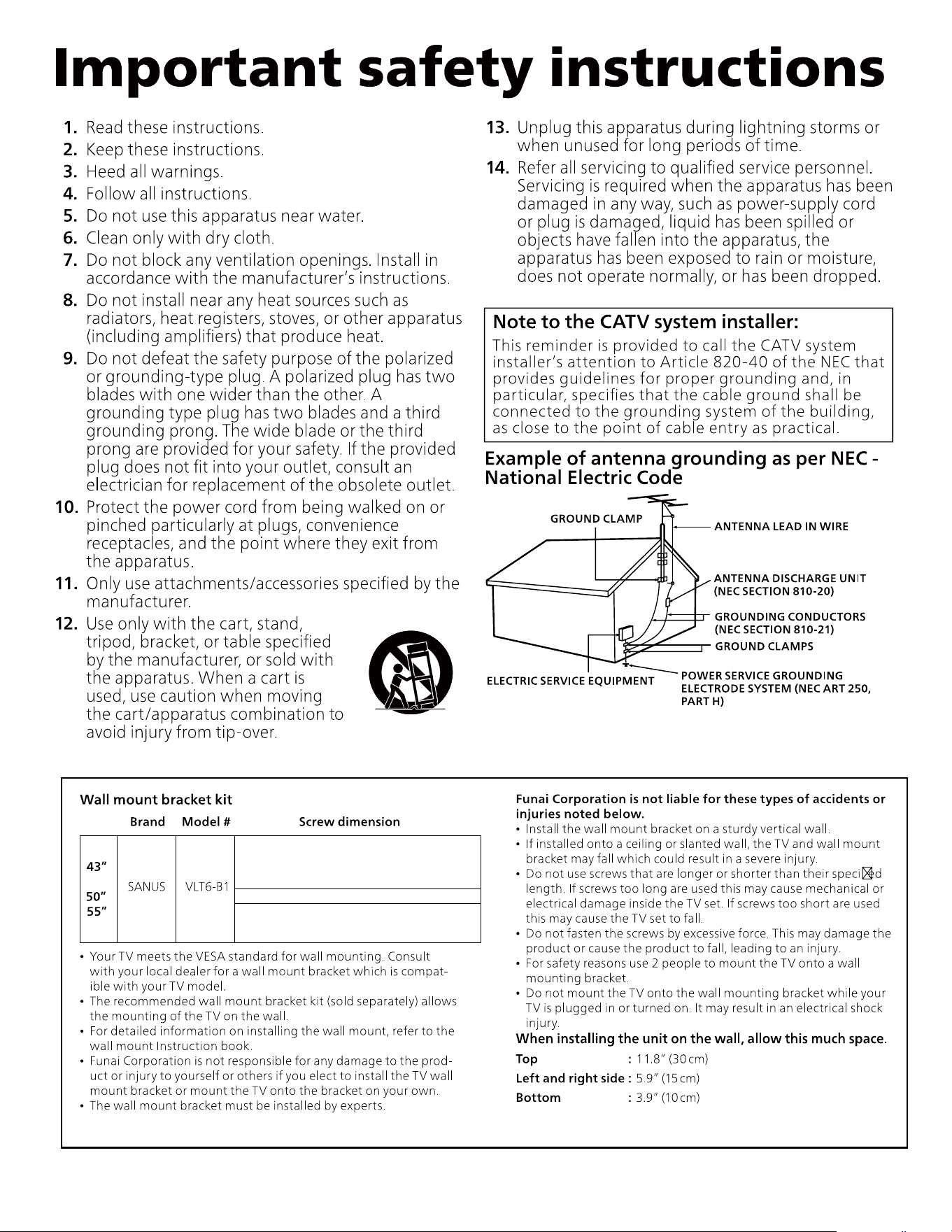
43”: M6 x 0.630” (16 mm) 1pcs(Top-left)
M6 x 0.472” (12 mm) 3pcs
50”: M6 x 0.394” (10 mm) 4pcs
55”: M6 x 0.394” (10 mm) 4pcs
Notice
Trademarks are the property of Koninklijke Philips N.V. or their respective
owners.
Funai Corporation reserves the right to change products at any time with-
out being obliged to adjust earlier supplies accordingly.
The material in this Owner’s manual is believed adequate for the intended
use of the system. If the product or its individual modules or procedures
are used for purposes other than those specified herein, confirmation of
their validity and suitability must be obtained. Funai Corporation warrants
that the material itself does not infringe any United States patents. No
further warranty is expressed or implied.
Funai Corporation cannot be held responsible neither for any errors in the
content of this document nor for any problems as a result of the content in
this document. Errors reported to Funai Corporation will be adapted and
published on the Funai Corporation support website as soon as possible.
Pixel characteristics
This LCD product has a high number of color pixels. Although it has effec-
tive pixels of 99.999% or more, black dots or bright points of light (red,
green or blue) may appear constantly on the screen. This is a structural
property of the display (within common industry standards) and is not a
malfunction.
Warranty
No components are user serviceable. Do not open or remove covers to
the inside of the product. Repairs may only be done by service centers
and official repair shops. Failure to do so shall void any warranty, stated or
implied.
Any operation expressly prohibited in this manual, any adjustments or
assembly procedures not recommended or authorized in this manual shall
void the warranty.
Federal communications commission notice
This equipment has been tested and found to comply with the limits
for a Class B digital device, pursuant to part 15 of the FCC Rules.
These limits are designed to provide reasonable protection against
harmful interference in a residential installation. This equipment
generates, uses and can radiate radio frequency energy and, if not
installed and used in accordance with the instructions, may cause
harmful interference to radio communications. However, there is no
guarantee that interference will not occur in a particular installation.
If this equipment does cause harmful interference to radio or
television reception, which can be determined by turning the
equipment off and on, the user is encouraged to try to correct the
interference by one or more of the following measures:
●
Reorient or relocate the receiving antenna.
●
Increase the separation between the equipment and the receiver.
●
Connect the equipment into an outlet on a circuit different from that to
which the receiver is connected.
●
Consult the dealer or an experienced radio or television technician for
help.
Modifications
This apparatus may generate or use radio frequency energy. Changes or
modifications to this apparatus may cause harmful interference.
Any modifications to the apparatus must be approved by Funai Corpora-
tion.
The user could lose the authority to operate this apparatus if an unauthor-
ized change or modification is made.
Cables
Connections to this device must be made with shielded cables with metal-
lic RFI/EMI connector hoods to maintain compliance with FCC Rules and
regulations.
Canadian notice
CAN ICES-3 (B)/NMB-3 (B)
Analog and digital television receiving apparatus, Canada BETS-7/
NTMR-7.
The following FCC/IC RSS applies to the wireless LAN
adapter included in this product.
FCC caution: Any changes or modifications not expressly ap-
proved by the party responsible for compliance could void the
user’s authority to operate this equipment.
This transmitter must not be co-located or operated in conjunction
with any other antenna or transmitter.
FCC/IC RF Exposure Compliance
This equipment complies with FCC/IC radiation exposure limits set
forth for an uncontrolled environment and meets the FCC radio
frequency (RF) Exposure Guidelines and RSS-102 of the IC radio
frequency (RF) Exposure rules.
This equipment should be installed and operated keeping the radia-
tor at least 20cm or more away from your body.
This device complies with Part 15 of FCC Rules and Industry Can-
ada licence-exempt RSS standard(s). Operation is subject to the
following two conditions: (1) this device may not cause interfer-
ence, and (2) this device must accept any interference, including
interference that may cause undesired operation of this device.
5150-5250 MHz band is restricted to indoor operations only.
High-power radars are allocated as primary users (i.e. priority us-
ers) of the bands 5250-5350 MHz and 5650-5850 MHz and that
these radars could cause interference and/or damage to LE-LAN
devices.
Compliance with FCC requirement 15.407(c) and IC
requirement RSS-210 A9.4.4
Data transmission is always initiated by software, which is the
passed down through the MAC, through the digital and analog
baseband, and finally to the RF chip. Several special packets are
initiated by the MAC. These are the only ways the digital baseband
portion will turn on the RF transmitter, which it then turns off at
the end of the packet. Therefore, the transmitter will be on only
while one of the aforementioned packets is being transmitted. In
other words, this device automatically discontinue transmission in
case of either absence of information to transmit or operational
failure.
VT eht gninoitisoP
●
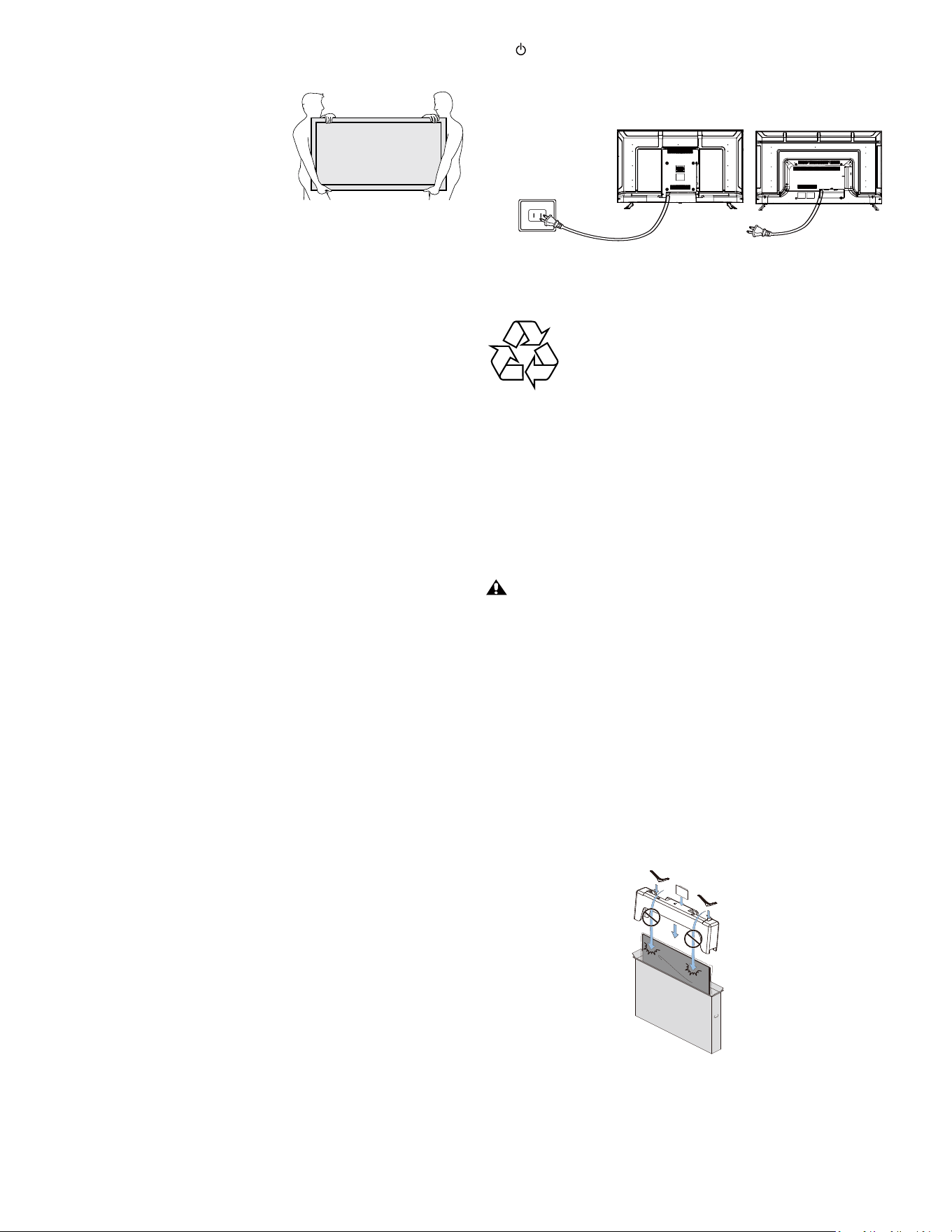
Large screen TVs are heavy. 2 people are required to carry and handle a
large screen TV.
●
Make sure to hold the upper and
bottom frames of the unit rmly as il-
lustrated.
●
Install the unit in a horizontal and
stable position.
●
Do not install the unit in direct sunlight
or in a place subject to dust or strong
vibration.
●
Depending on the environment, the temperature of this unit may in-
crease slightly. This is not a malfunction.
●
When installing this unit in a temperate environment, avoid a place with
rapid temperature changes.
–
Operating temperature: 41°F (5°C) to 104°F (40°C)
●
This unit should not be used in a tropical environment as it has not been
evaluated under such conditions.
●
No objects should be placed directly on or under this unit, especially
lighted candles or other aming objects.
●
Depending on your external devices, noise or disturbance of the picture
and/or sound may be generated if the unit is placed too close to them.
In this case, please ensure enough space between the external devices
and the unit.
●
Do not insert the AC power cord into the power socket outlet before all
the connections are made.
●
Ensure that you always have easy access to the AC power cord and out-
let to disconnect the TV from the AC outlet.
●
Before you move the TV, disconnect attached cables to prevent damage
to connectors, especially the TV tuner.
●
Be sure to unplug the AC power plug from the AC outlet before moving
or carrying the unit.
●
When moving the TV and then setting it down, please be careful not to
pinch the AC power cord under the unit.
●
Do not place this unit in an area where it may be exposed to water, oil or
grease such as:
near a bathtub, basin, kitchen sink, washing tub, swimming pool, kitchen
exhaust fan, etc., or in a damp basement.
seciton yrotalugeR
: GNINRAW To prevent injury, this apparatus must be securely attached
to the furniture/wall in accordance with the instructions.
Tipping, shaking or rocking the unit may cause injury/death.
: GNINRAW Never place a TV in an unstable l
ocation. A TV may fall, caus-
ing serious personal injury or death. Many injuries, particu-
larly to children, can be avoided by taking simple precautions
such as:
–
Using cabinets or stands recommended by the manufac-
turer of the TV.
–
Only using furniture that can safely support the TV.
–
Ensuring the TV is not overhanging the edge of the sup-
porting furniture.
–
Not placing the TV on tall furniture (for example, cup-
boards or bookcases) without anchoring both the furniture
and the TV to a suitable support.
–
Not placing the TV on cloth or other materials that may be
located between the TV and supporting furniture.
–
Educating the children about the dangers of climbing on
furniture to reach the TV or its controls.
snoitaredisnoc emas eht ,detacoler dna deniater gnieb si VT gnitsixe ruoy fI
as above should be applied.
yb detlit gnieb fo elbapac si taht erutinruf eht no tinu eht ecalp ton oD
a child and an adult leaning, pulling, standing or climbing on it. A falling
unit can cause serious injury or even death.
decalp eb ton dluohs tinu siht ,noitalitnev fo noitpurretni diova ot redro nI
in built-in equipment such as a book cabinet, rack, etc., and the vents
of this unit should not be covered with anything such as a tablecloth,
curtain, newspaper, etc. Make sure that there is enough ventilation space
(4 ”/10 cm or more) around this unit.
sserP to turn the unit on and go into standby mode. To completely turn
off the unit, you must unplug the AC power plug from the AC power out-
let.
Disconnect the AC power plug to shut the unit off when trouble is found
or not in use. The AC plug shall remain readily available.
.VT siht no retsud sag a esu reveN
The gas trapped inside of this unit may cause ignition and explosion.
erac latnemnorivnE
.delcycer eb ot dednetni si tcudorp siht fo gnigakcap ehT
Contact your local authorities for information about how to recycle the
packaging.
- tisiv esaelp ,noitamrofni gnilcycer tcudorp roF www.recycle.philips.com
sevitcerid efil fo dnE
stcudorp yldneirf-latnemnorivne ecudorp ot noitnetta fo tol a syap spilihP
in green focal areas. Your new TV contains materials which can be recycled
and reused. At the end of its life, specialized companies can dismantle the
discarded TV to concentrate the reusable materials and to minimize the
amount of materials to be disposed of. Please ensure you dispose of your
old TV according to local regulations.
Batteries usage
: NOITUAC Danger of explosion if battery is incorrectly replaced. Replace
only with the same or equivalent type.
: GNINRAW Batteries (battery pack or battery installed) should not be
exposed to excessive heat such as sunshine, re
or the like.
●
Do not mix old and new batteries.
●
Do not mix alkaline, standard (carbon-zinc) or rechargeable (ni-cad,
nimh, Li-ion, etc.) batteries.
seirettab desu fo lasopsiD
yrucrem slatem yvaeh eht niatnoc ton od dedulcni seirettab ehT
and cadmium, however in certain localities, disposing batteries with
household waste is not permitted. Please ensure you dispose of bat-
teries according to local regulations.
tinu eht pihs/evom ot gniraperP
sa( notrac eht no margaid eht gniwollof yb ylreporp tinu eht kcap esaelP
noted below).
●
To avoid damage to the screen, do not pack the stand on the same side
as the TV screen, refer to the illustration above.
gulp rewop CA
(43”) (50”& 55”)
thgirypoC
rieht fo ytreporp eht era skramedart deretsigernu dna deretsiger rehto llA
respective owners.
Manufactured under license from
Dolby Laboratories. Dolby, Dolby
Audio, and the double-D symbol are
trademarks of Dolby Laboratories
Licensing Corporation.
tcejorP epyTeerF ehT © thgirypoc era erawtfos siht fo snoitroP
(www.freetype.org).
gniweiv noisivelet segaruocsid scirtaideP fo ymedacA naciremA ehT
for children younger than two years of age.
rof deriuqer si noitcennoc tenretni ,dellatsni-erp ton era sppa emoS
download.
-noc tenretni dnabdaorb no-syawla na eriuqer yam serutaef emoS
nection, �rmware update and/or a minimum bandwidth. Internet
services vary
by location.
ro latrop eht ot ssecca tnarraw ton seod .cnI noitaroproC ianuF
to any of the services, content, software and advertising. Funai
Corporation Inc. may, in its sole discretion, add or remove access to
any speci�c services, content, software and advertising at any time.
Although Funai Corporation Inc.
will strive to provide a good selection of services, content or soft-
ware, Funai Corporation Inc. does not warrant continued access to
any speci�c services, and content or software.
Funai Corporation Inc. does not warrant Wireless Screencasting
compatibility with all source devices such as smartphones, tablets,
laptops, etc. due to large variability in hardware, �rmware, drivers,
software and implementation of wireless casting applications on
these source devices. Although Funai Corporation Inc. will strive to
enhance compatibility and performance across a range of source
devices, Funai Corporation Inc. does not warrant compatibility with
speci�c source devices.
noitacificepS lennahC
Channel coverage Antenna DTV (ATSC)
Antenna Analog (NTSC)
Cable DTV (QAM)
Cable Analog (NTSC)
VHF: 2-13
UHF: 14-69
VHF: 2-13
UHF: 14-69
2-135
2-135
Tuning system Channel frequency synthesized tuning system
Manufactured under license from Dolby
Laboratories. Dolby, Dolby Vision, Dolby
Atmos, and the double-D symbol are
trademarks of Dolby Laboratories
Licensing Corporation.
The terms HDMI, HDMI High-De�nition
Multimedia Interface, HDMI Trade dress
and the HDMI Logos are trademarks or
registered trademarks of HDMI Licensing
Administrator, Inc.
Trademark and copyright statement
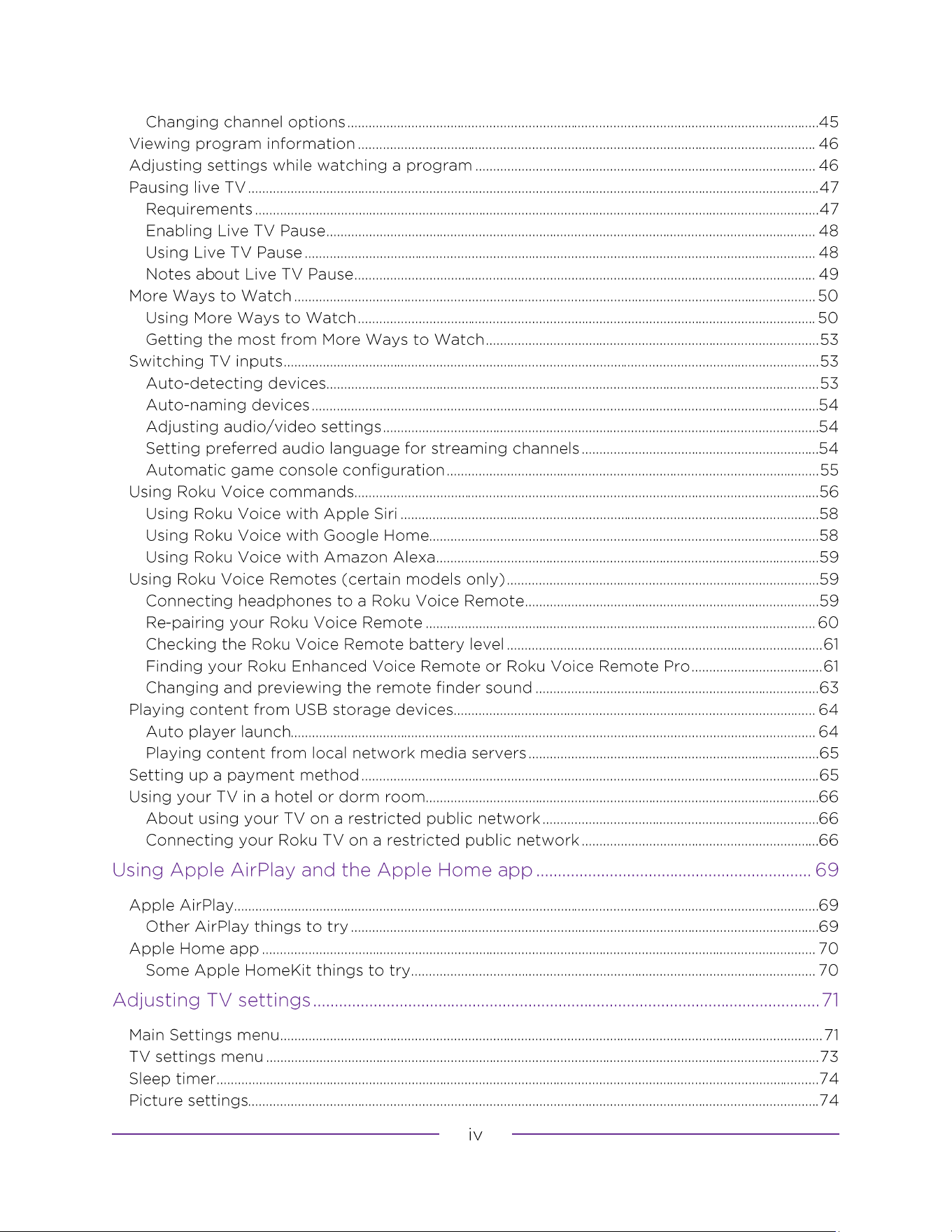

The new standard in Smart TVs
Connecting brings out your TV’s full potential
Make any night a movie night
Check out The Roku Channel
Get in the groove
Explore your passions
Take advantage of awesome features
What is streaming?
Connecting an antenna, cable, or satellite box
Roku TV remote
BUTTON
FUNCTION
DESCRIPTION
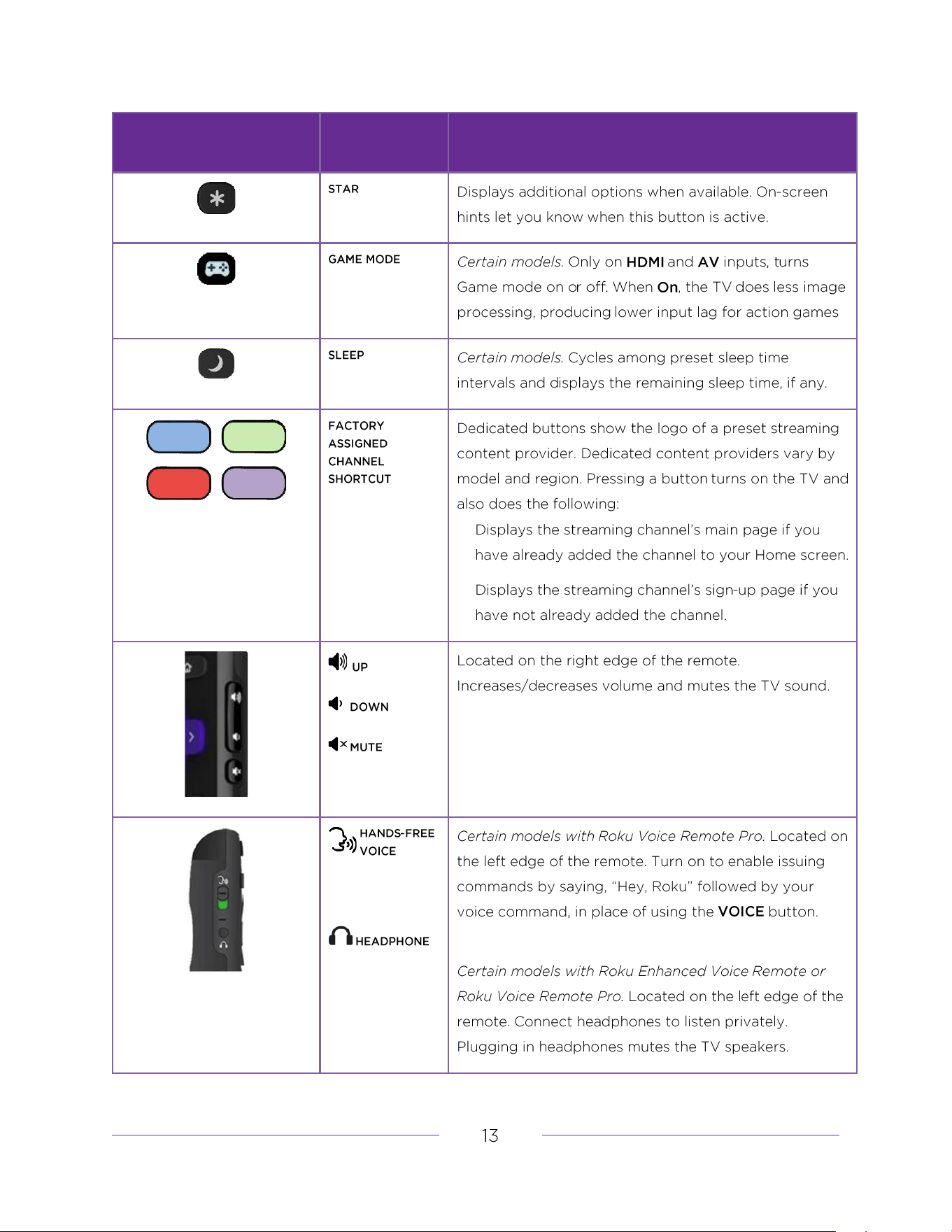
BUTTON
FUNCTION
DESCRIPTION
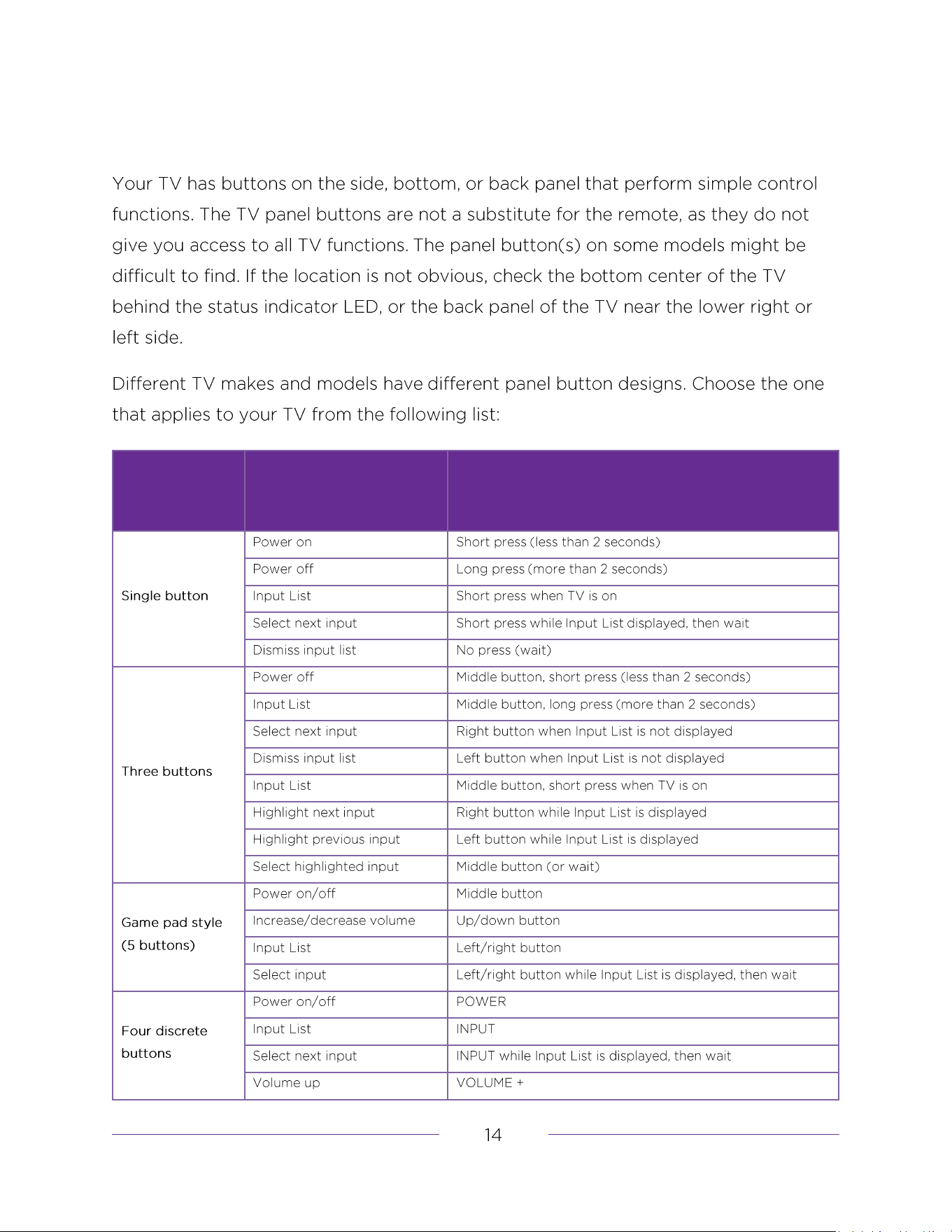
Panel buttons
BUTTON
DESIGN
FUNCTION
OPERATION
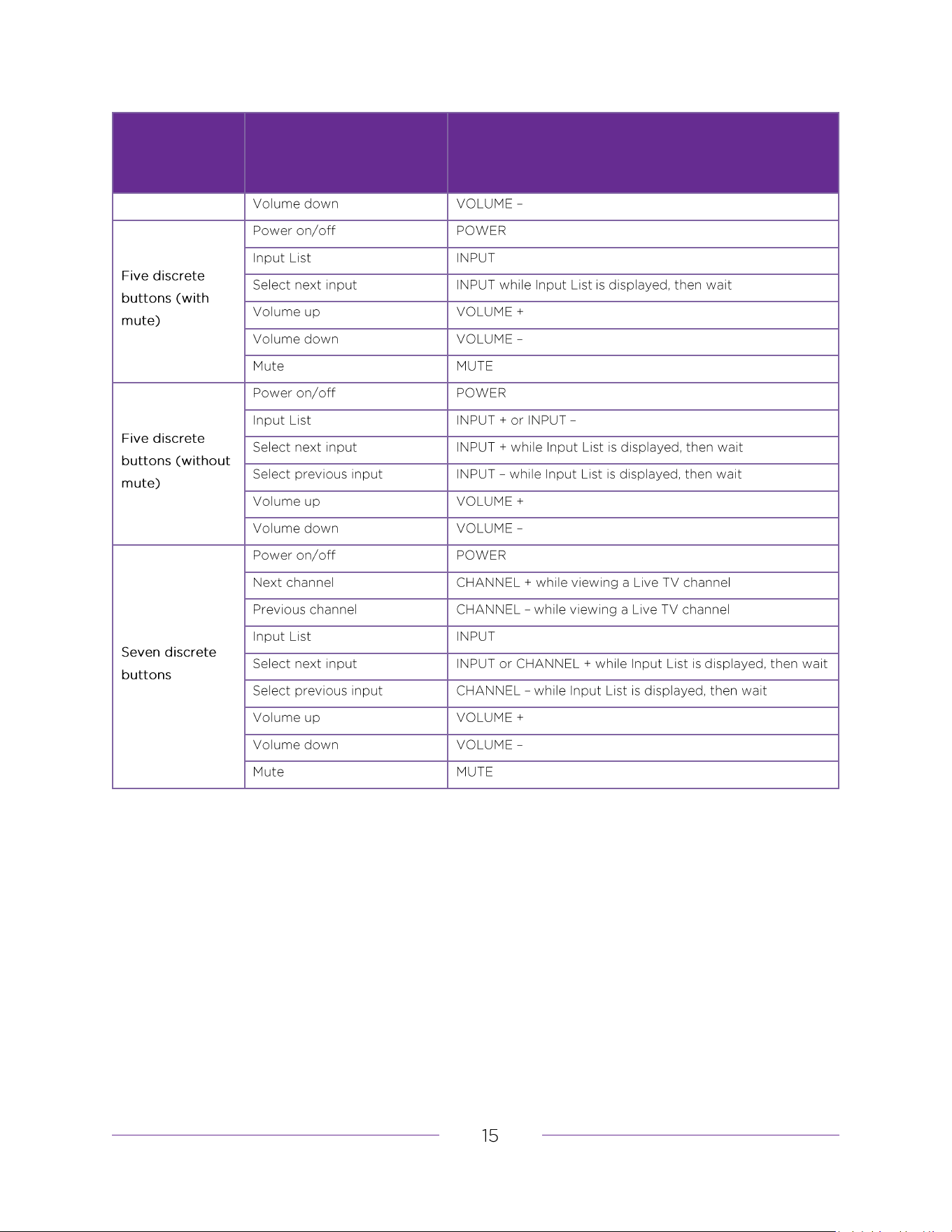
BUTTON
DESIGN
FUNCTION
OPERATION
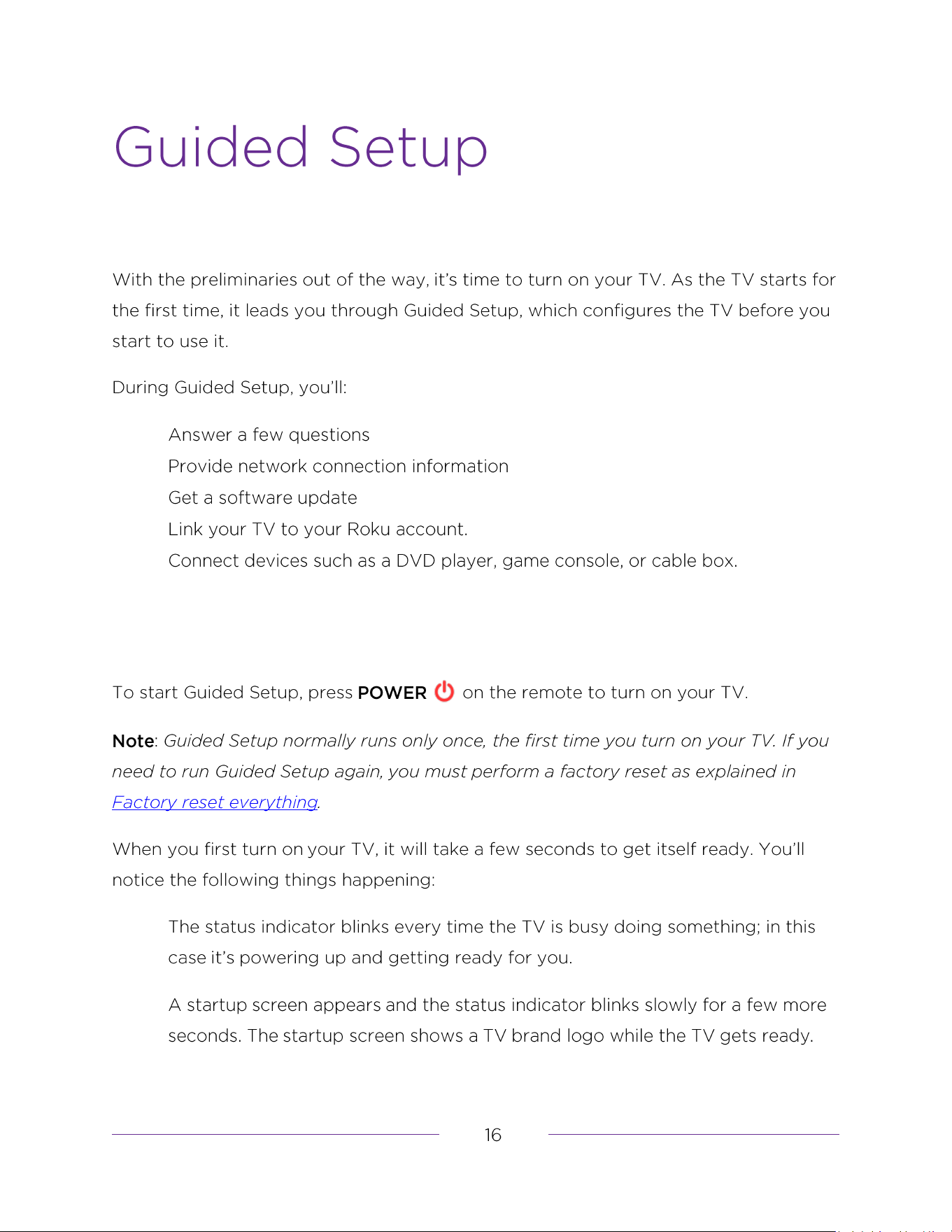
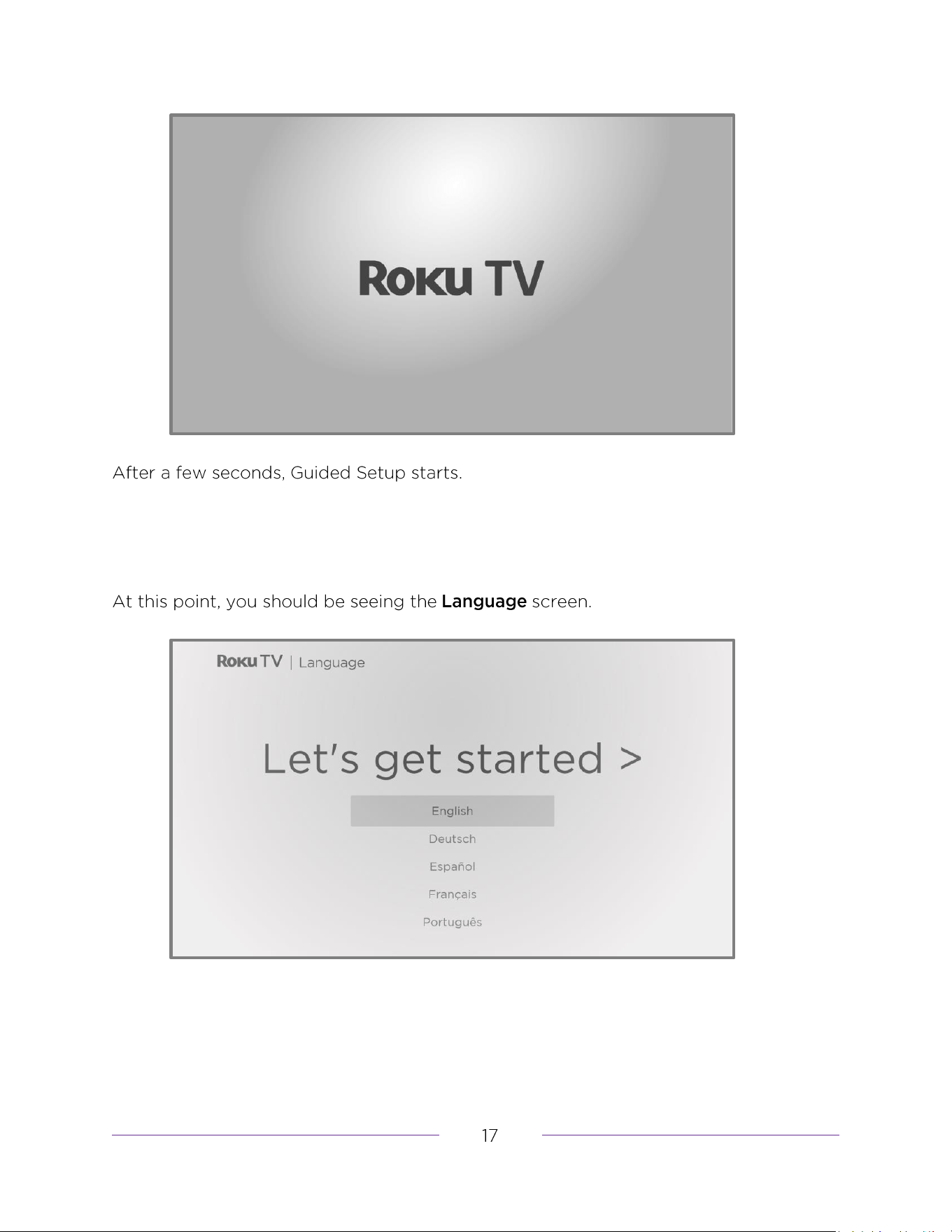
Guided Setup
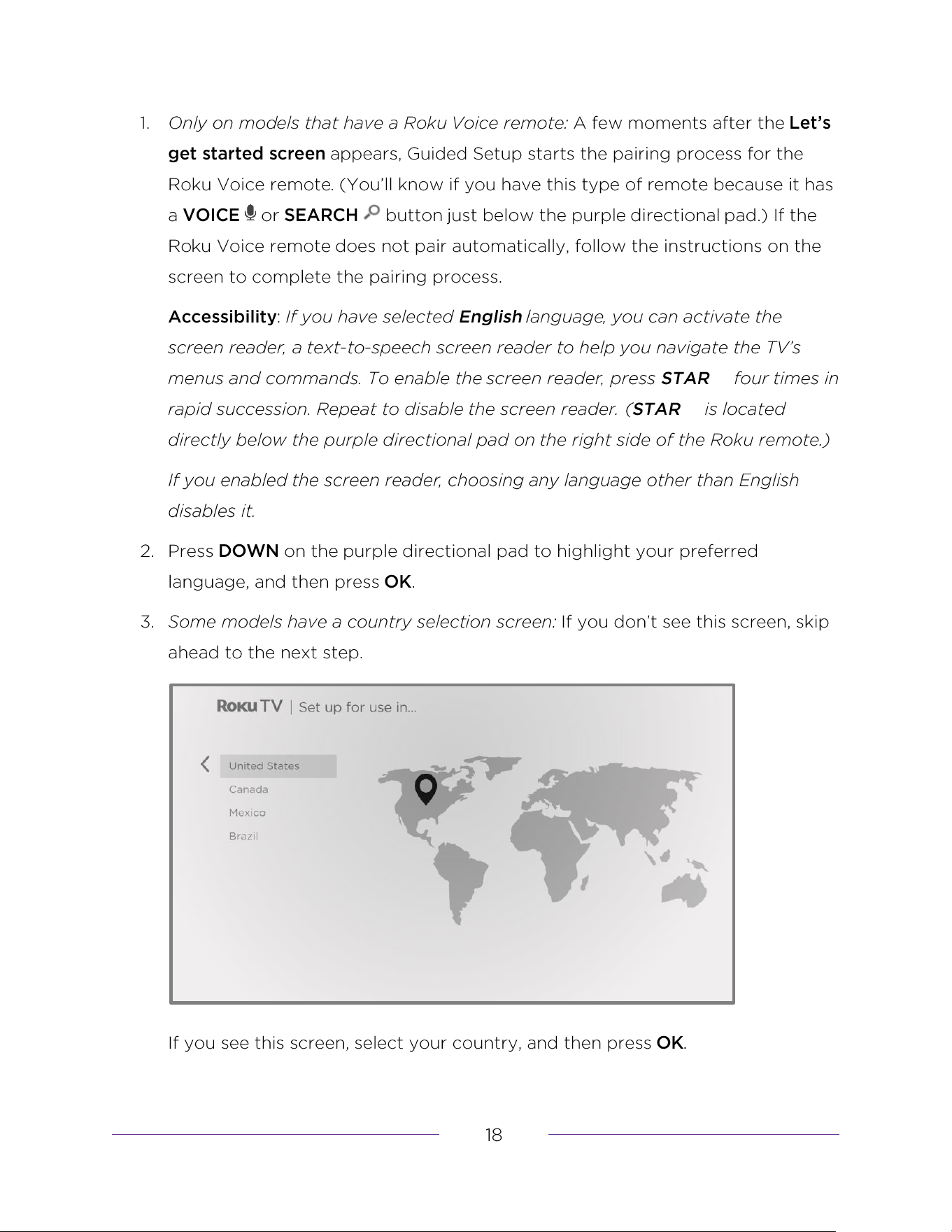
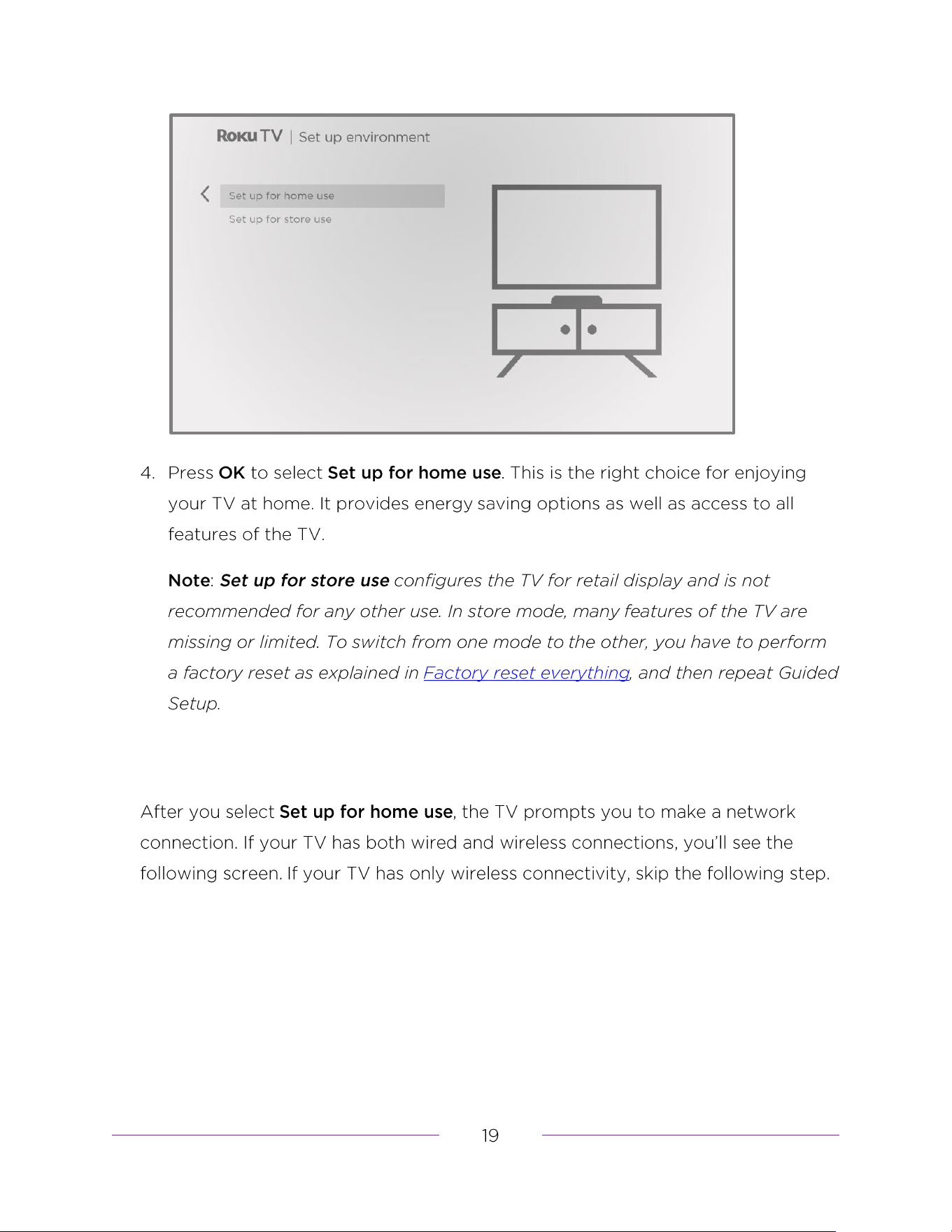
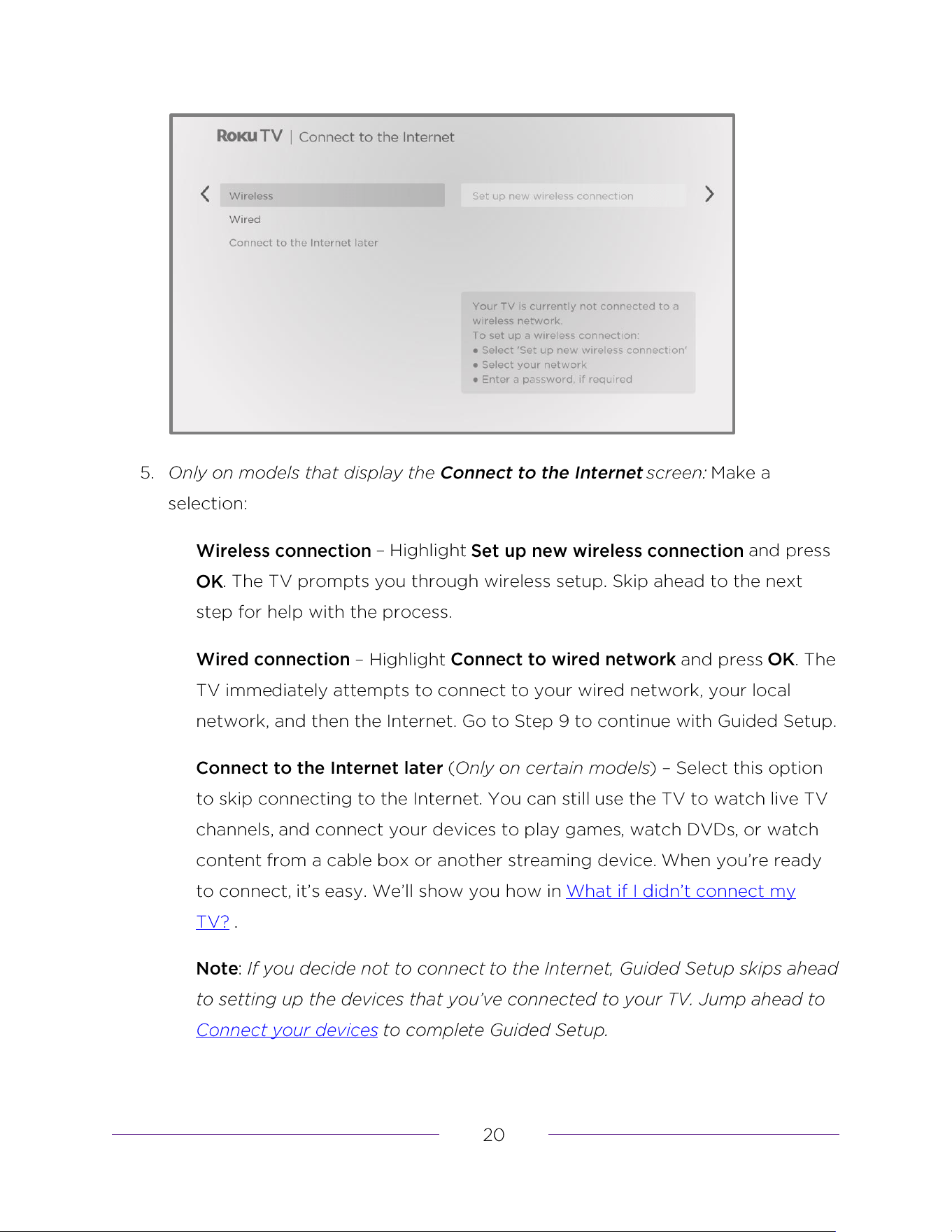
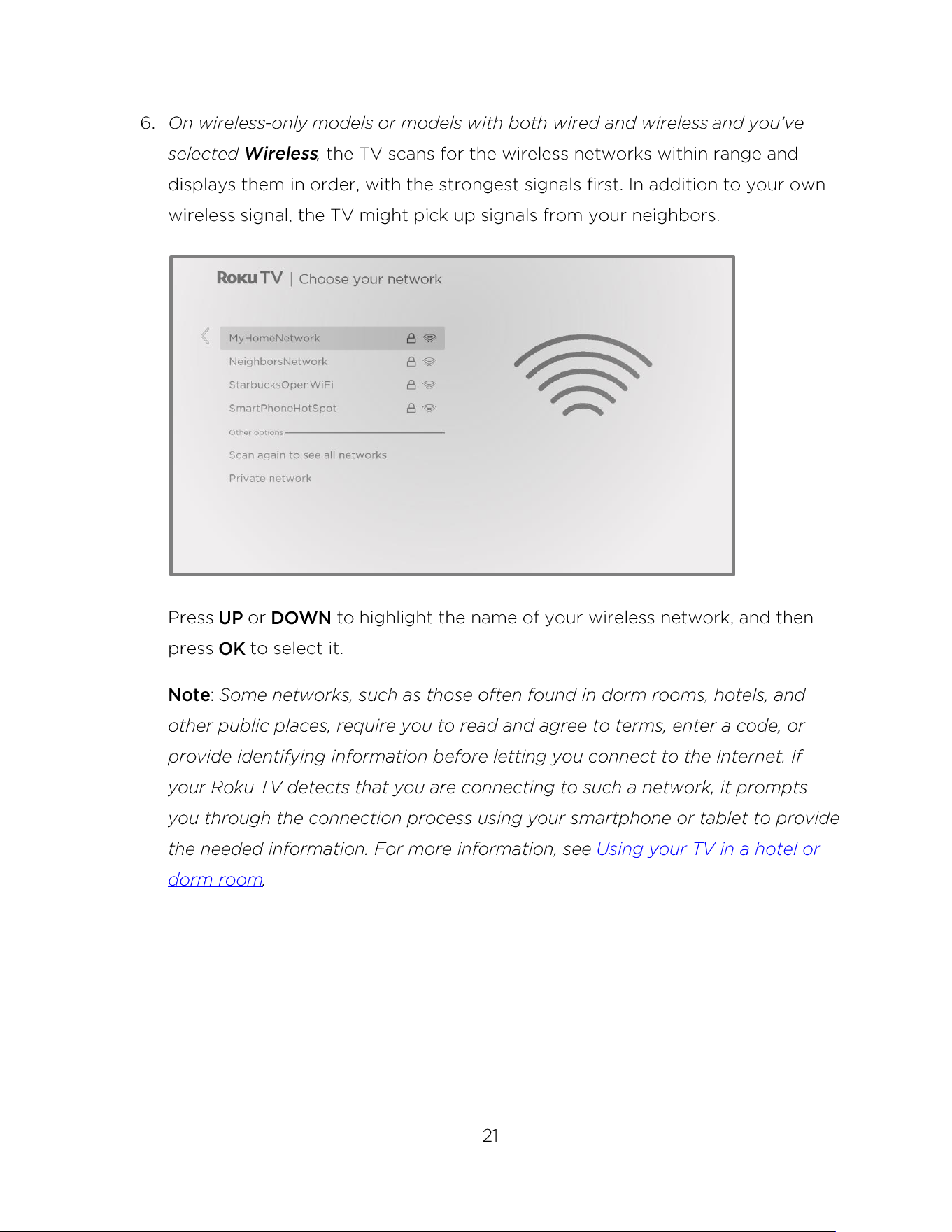
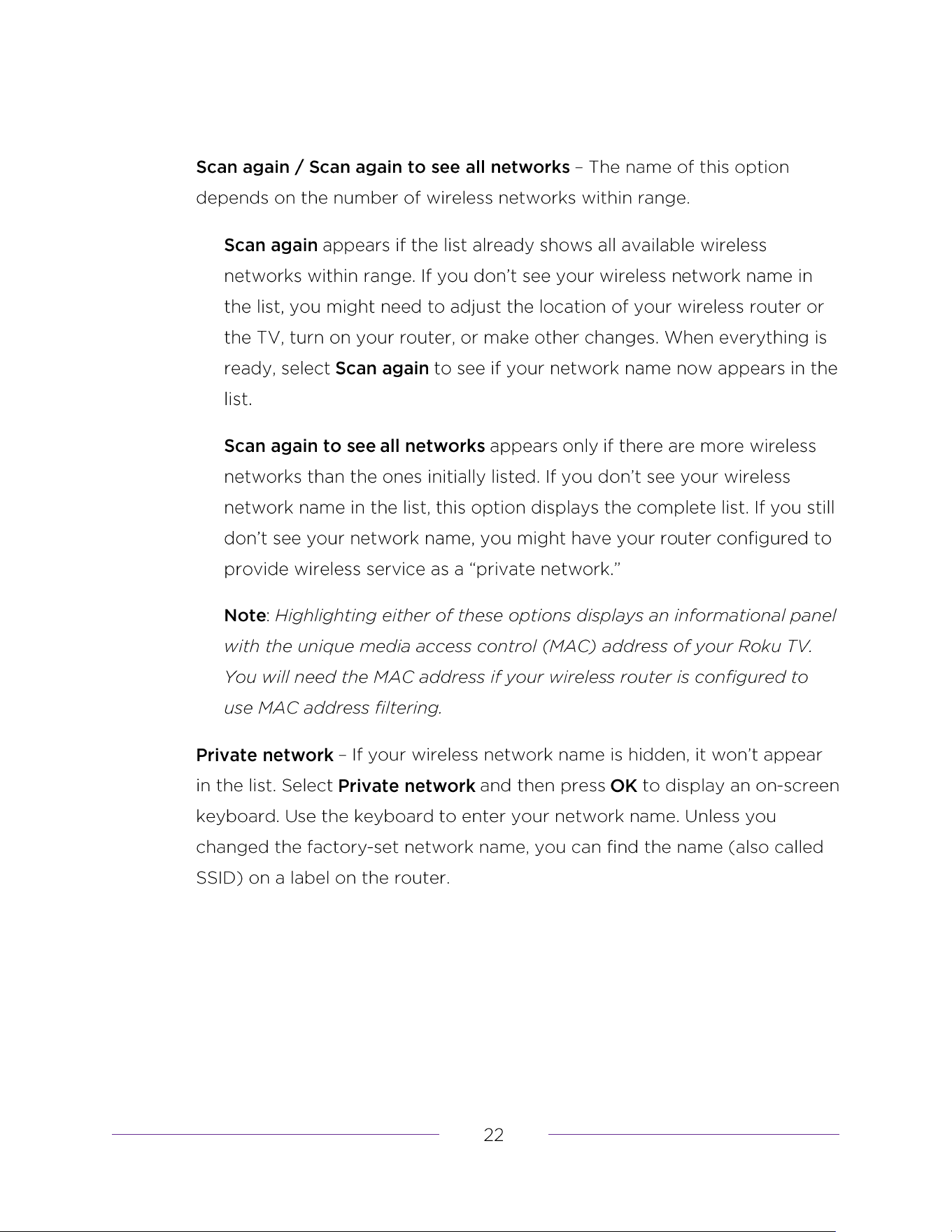
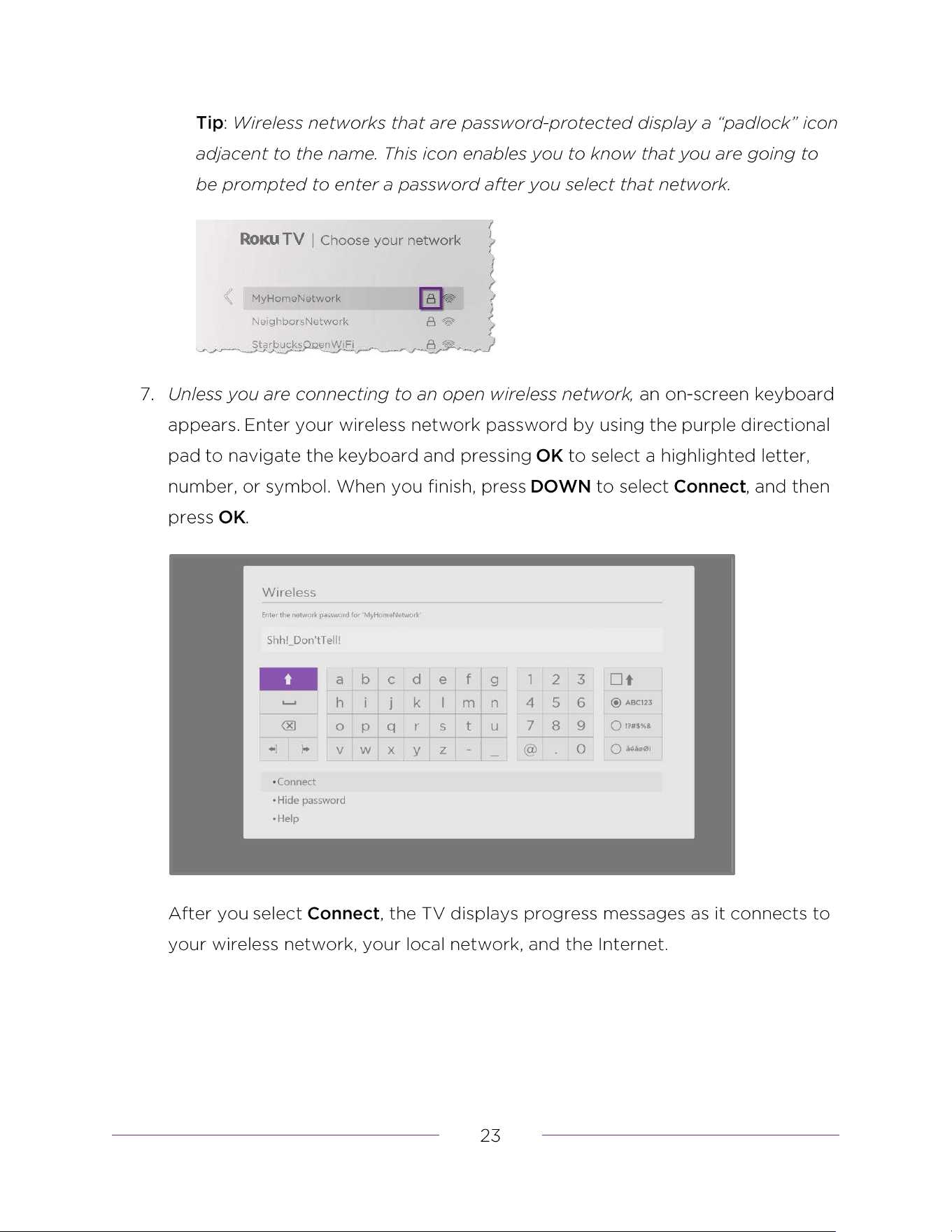
Other options
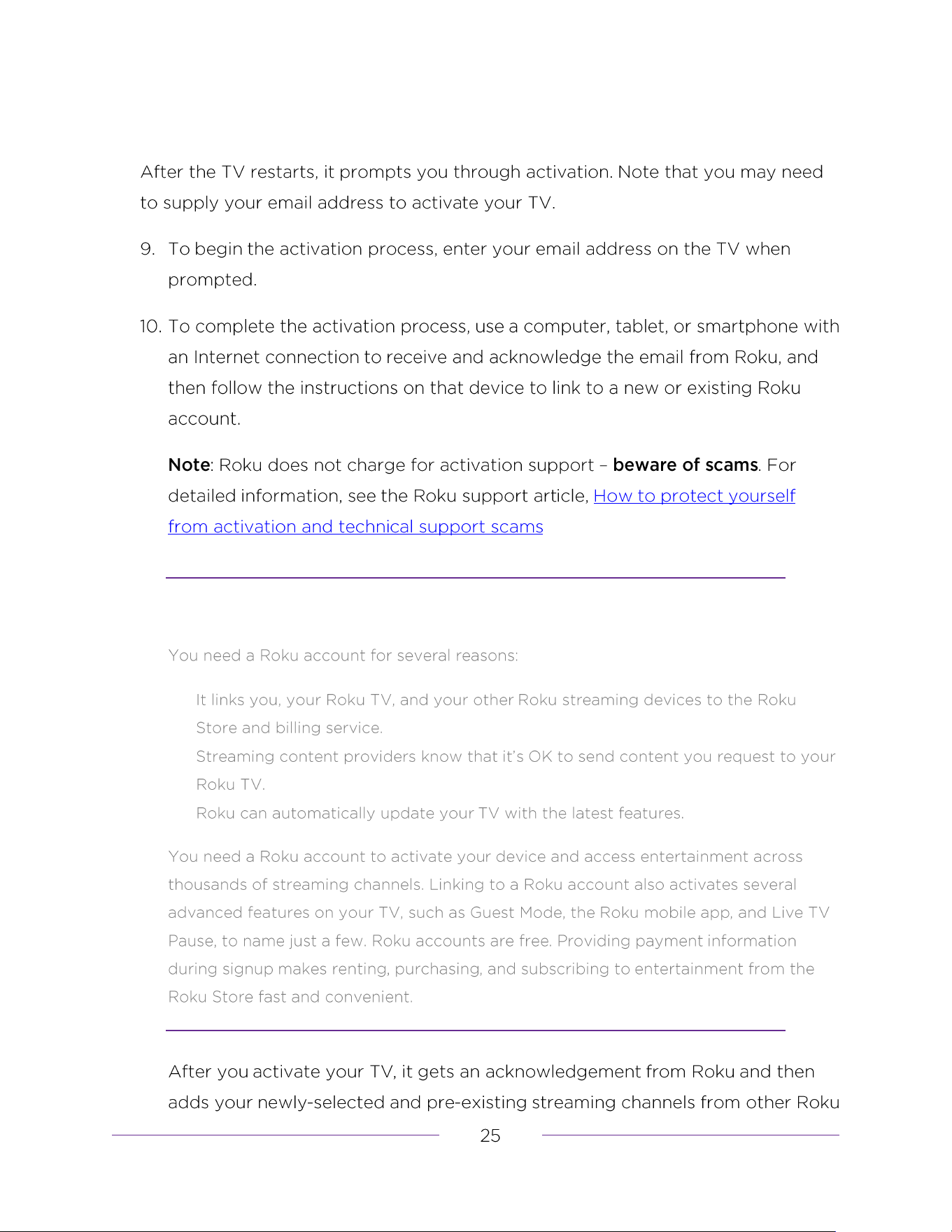
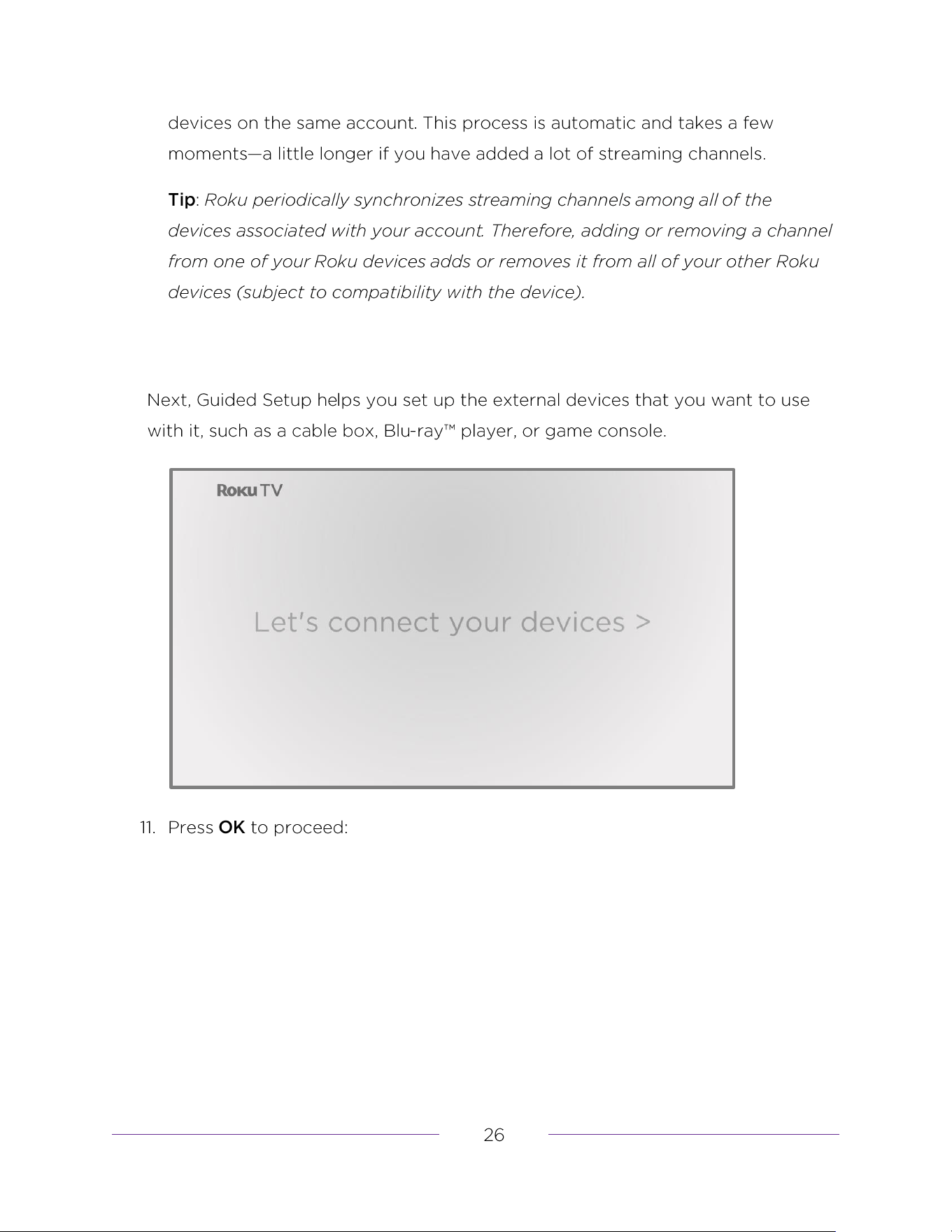
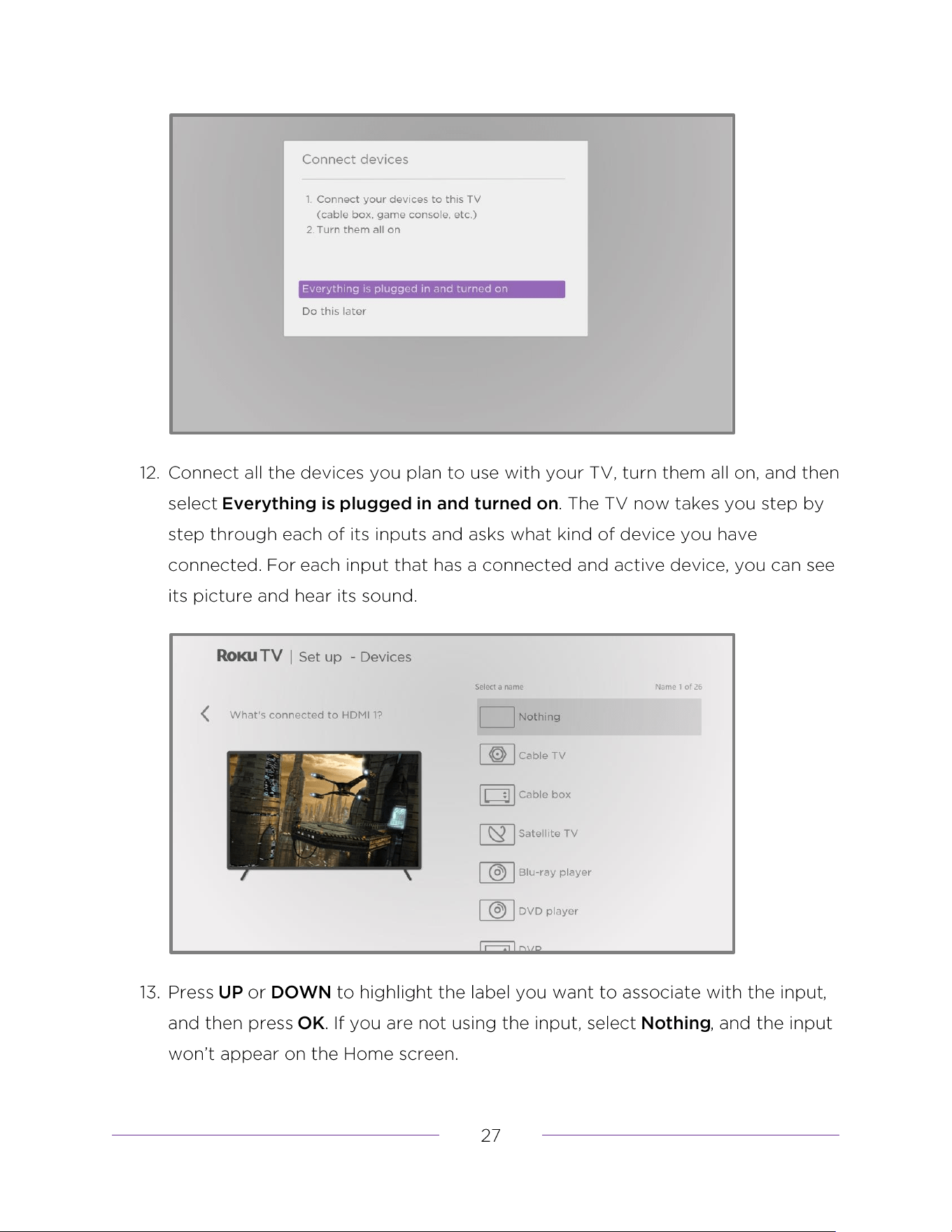
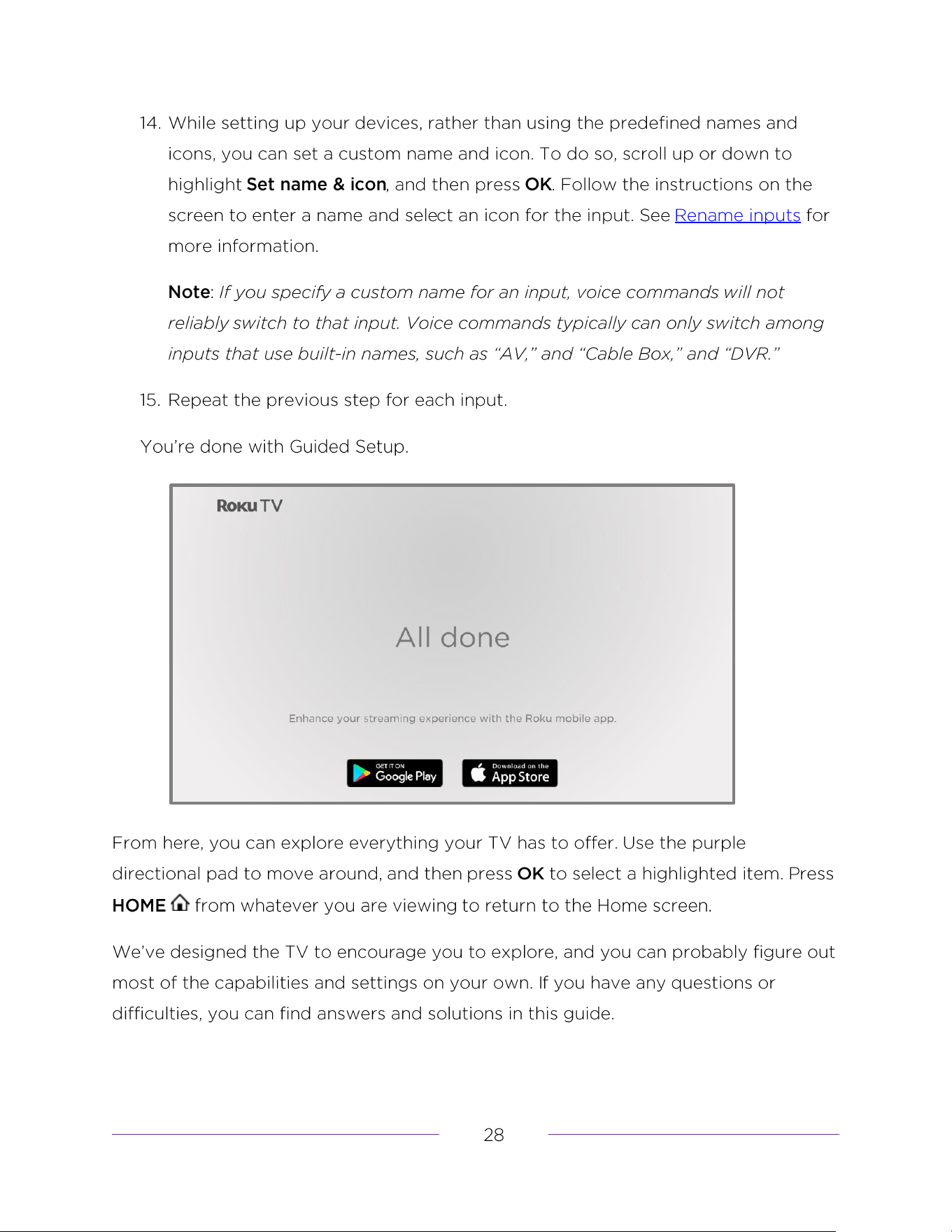
Connect your devices
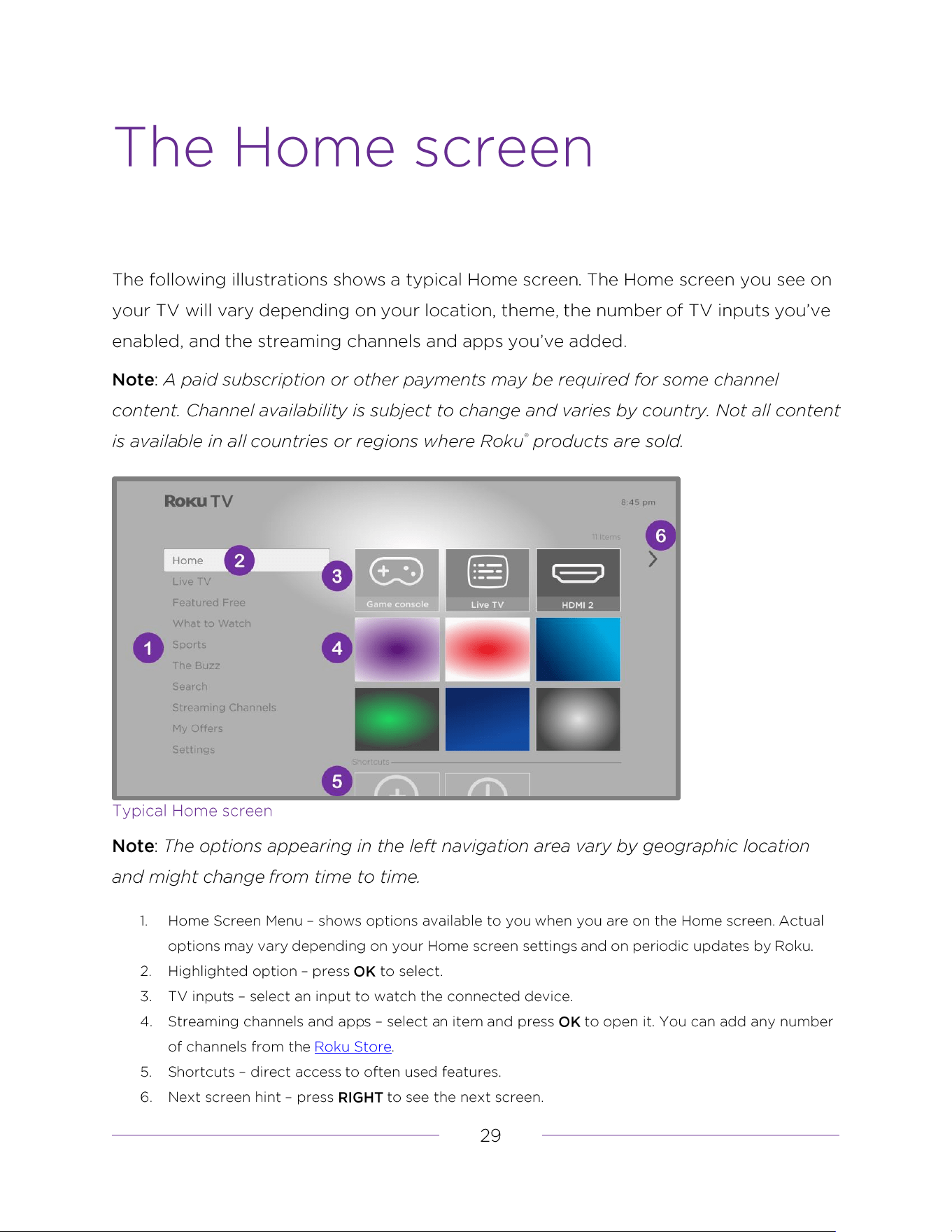
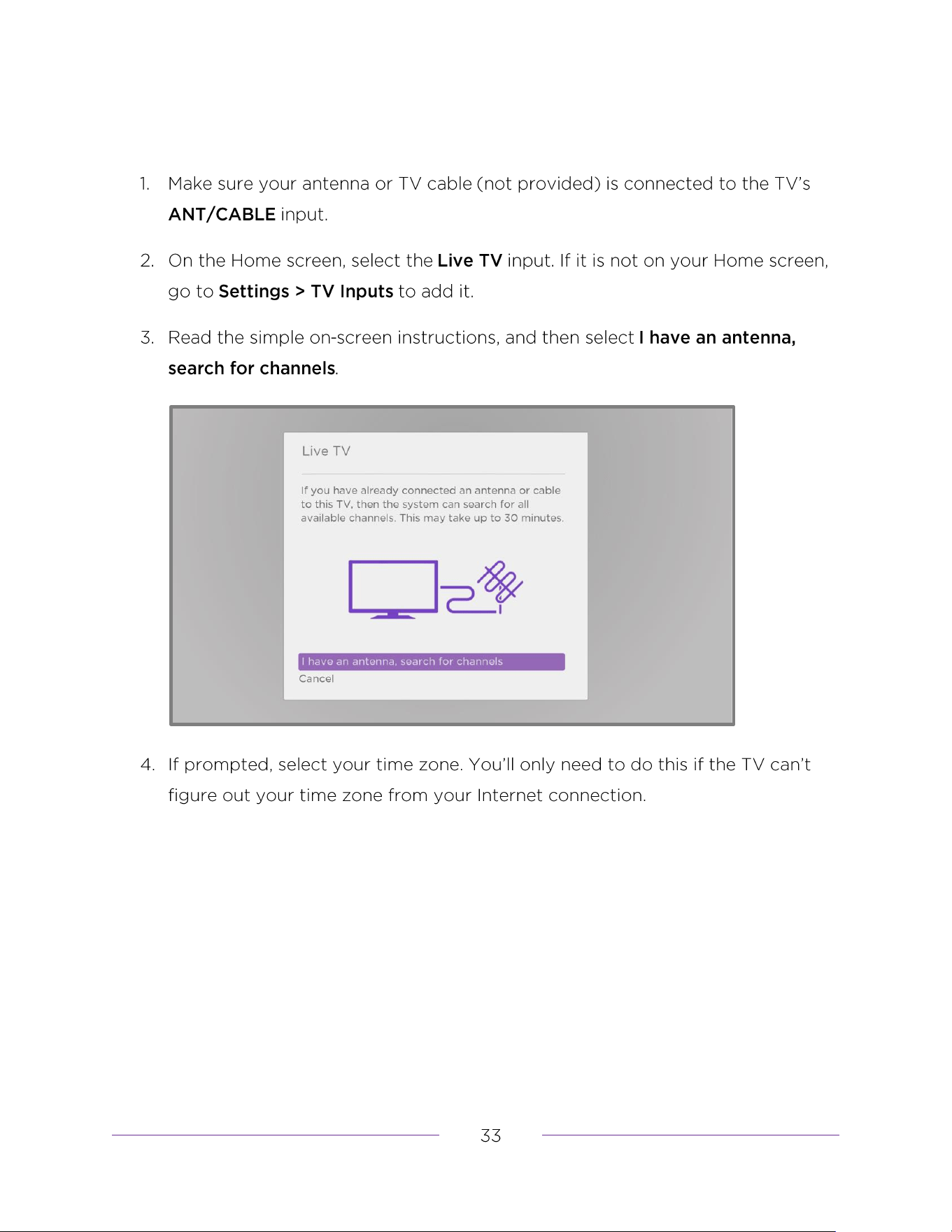
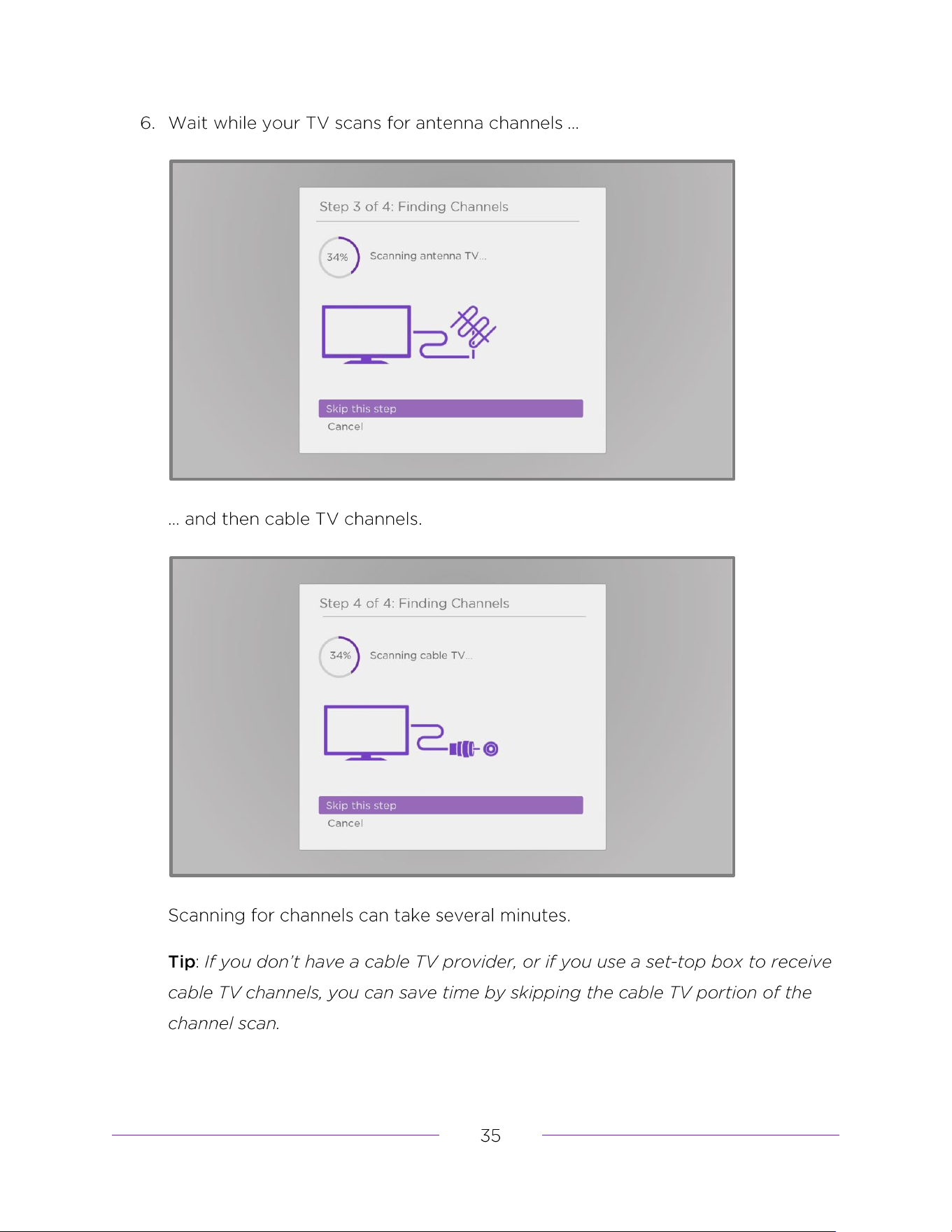
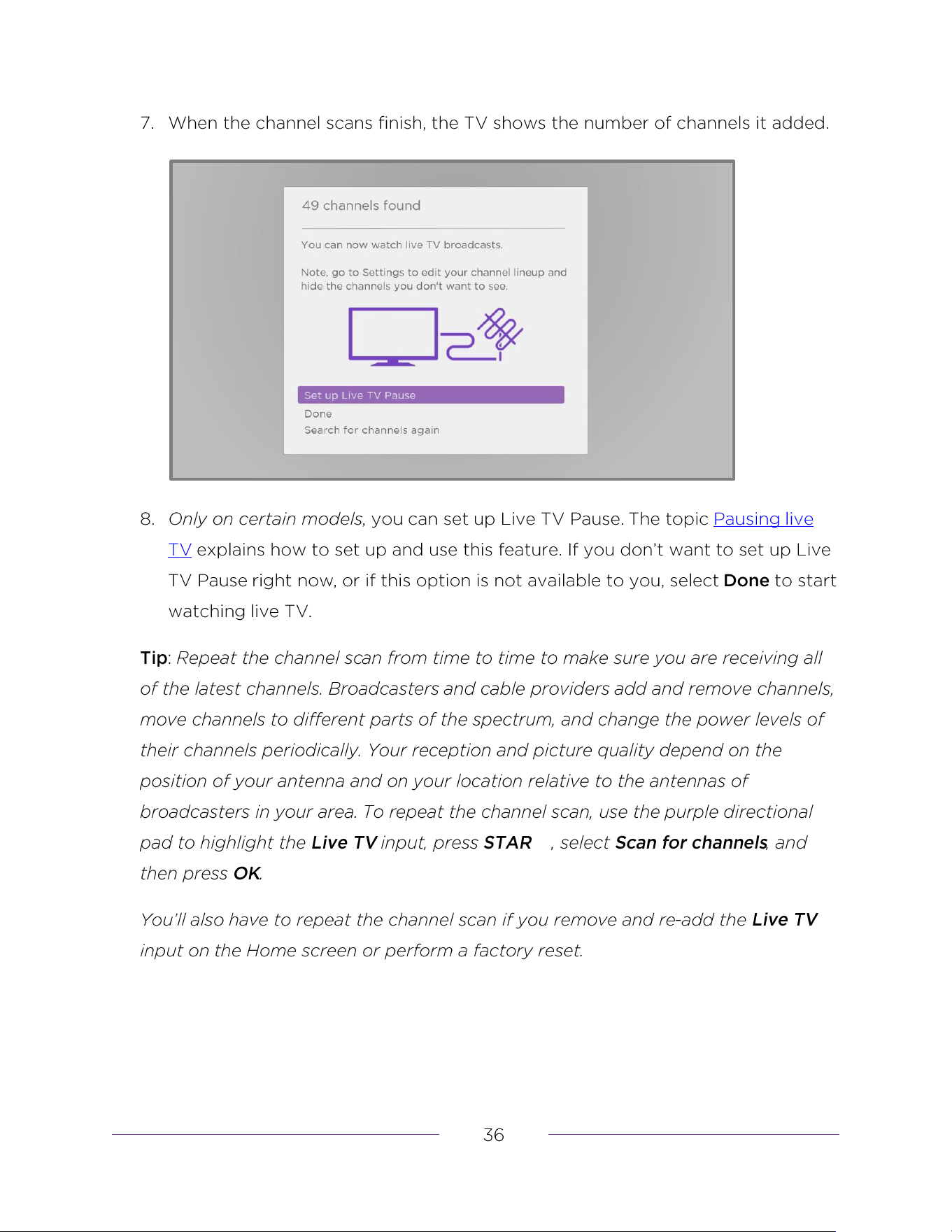
How do I set up the TV tuner?
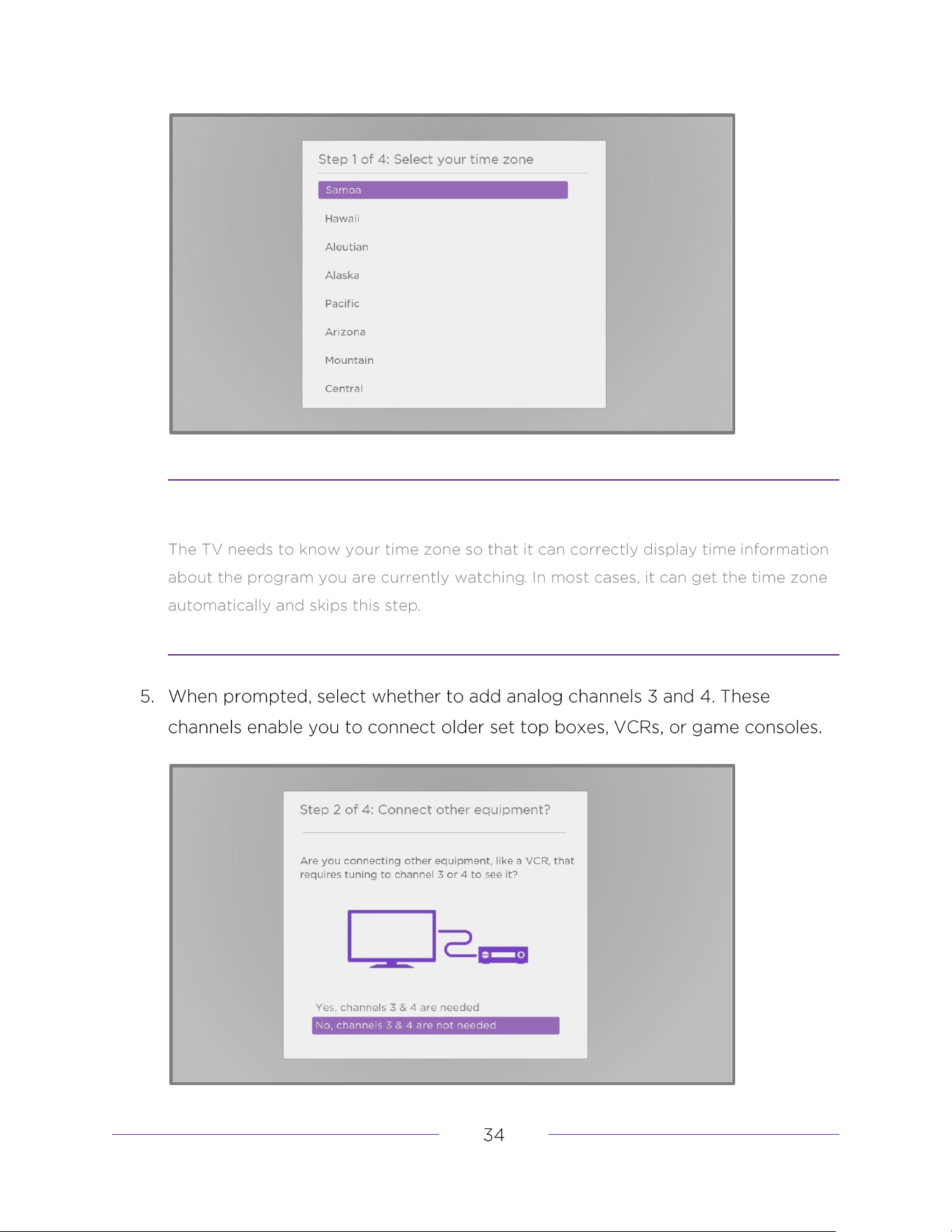
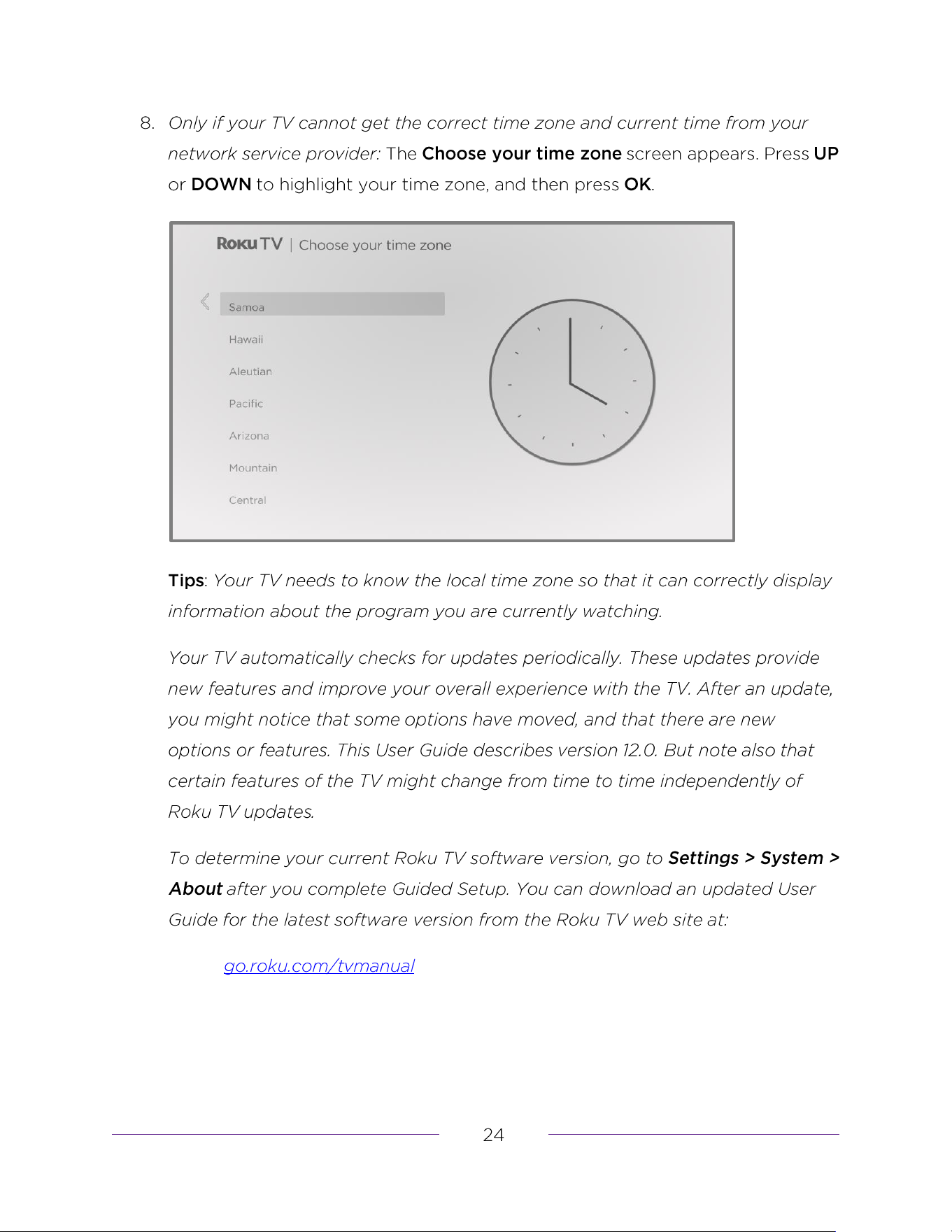
Why does the TV need my time zone?
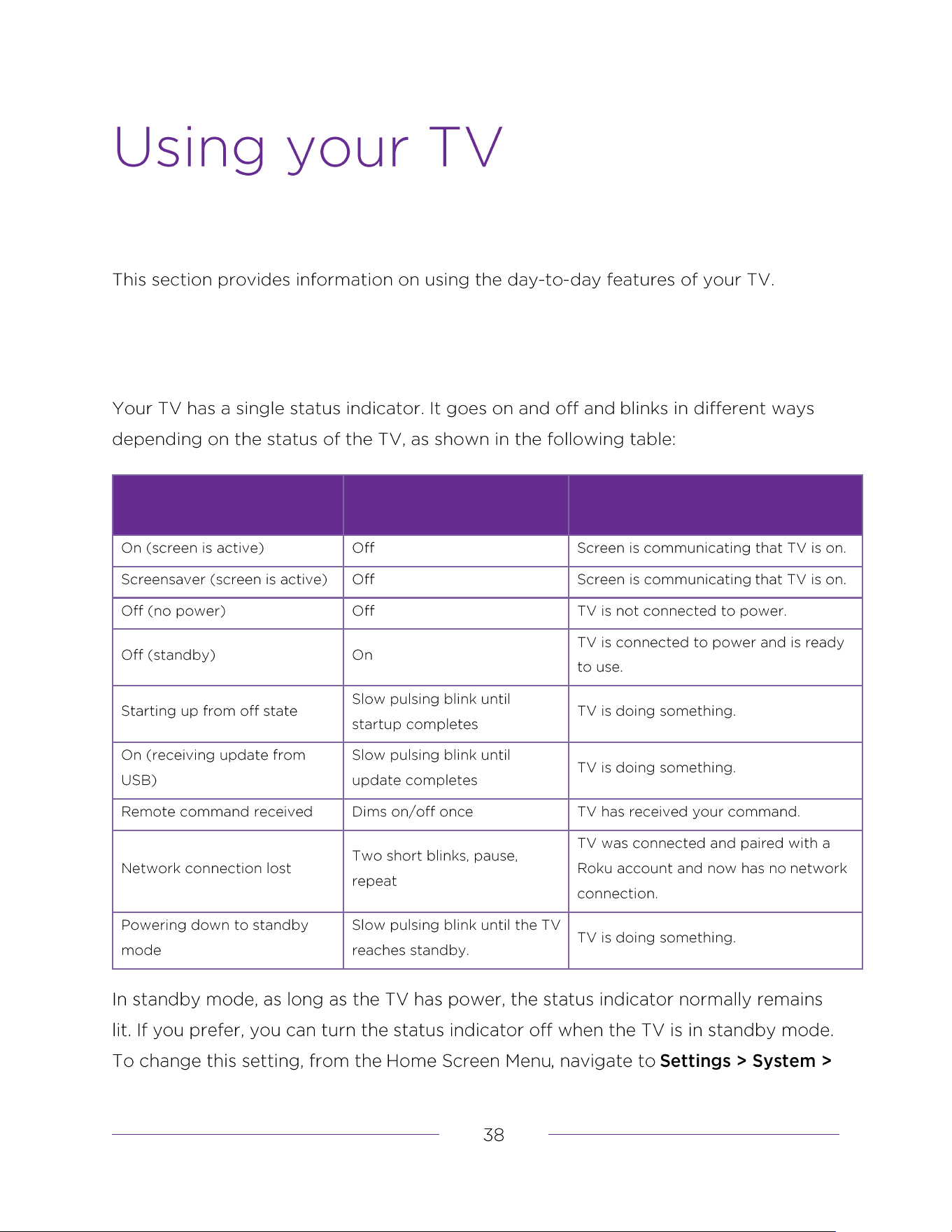
Status indicator
TV CONDITION
STATUS INDICATOR
MEANING
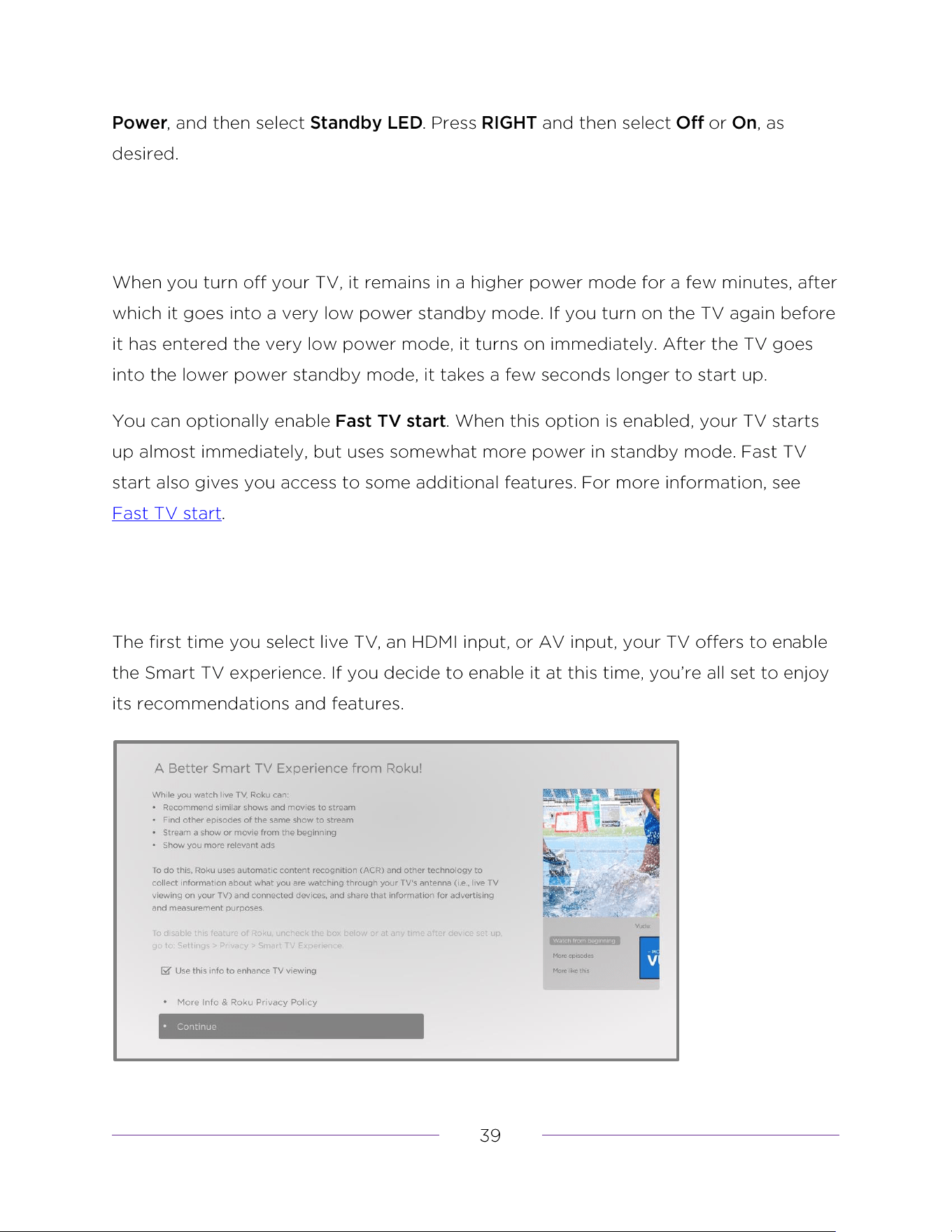
Opting out of the Smart TV experience
Disabling Auto Notifications
Watching live TV channels
Changing channels
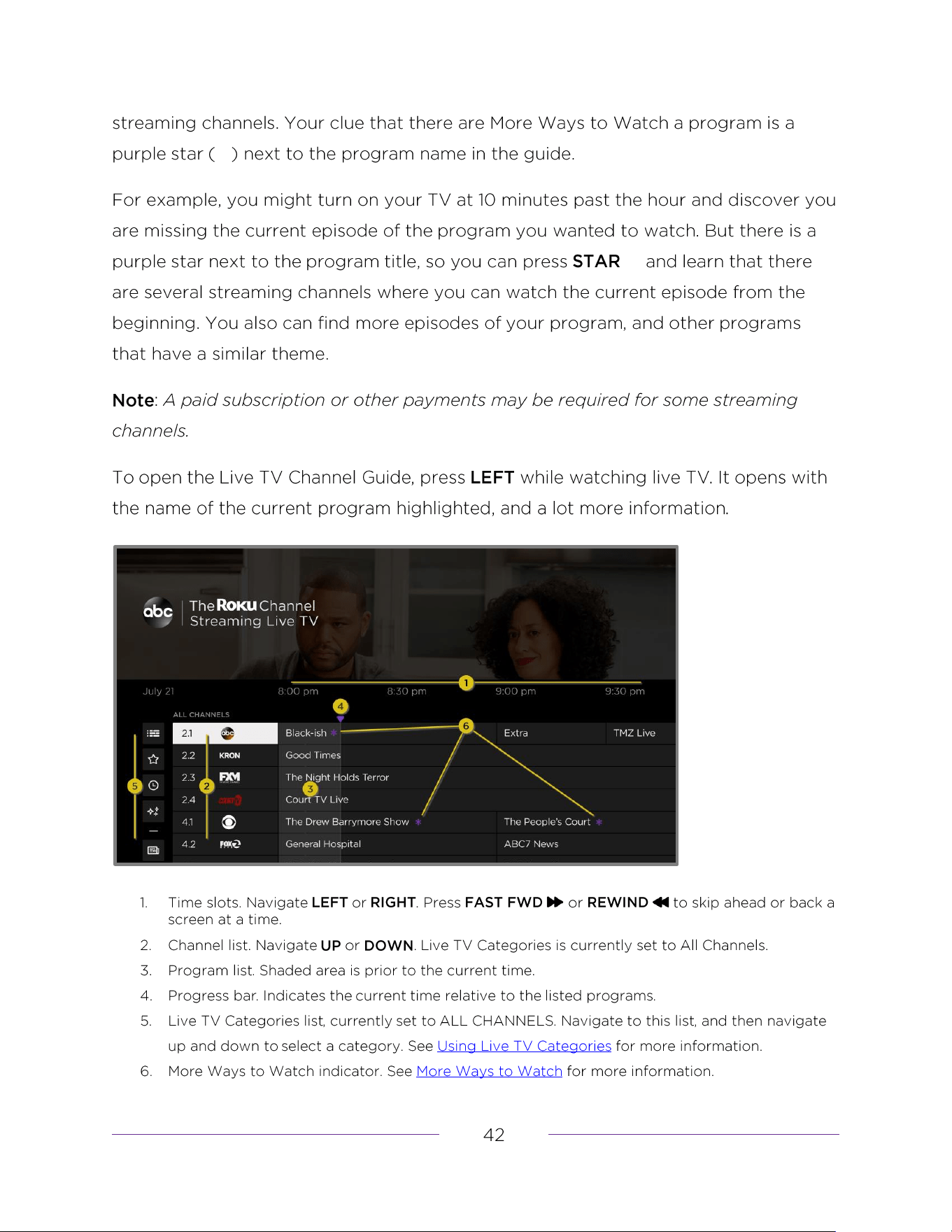
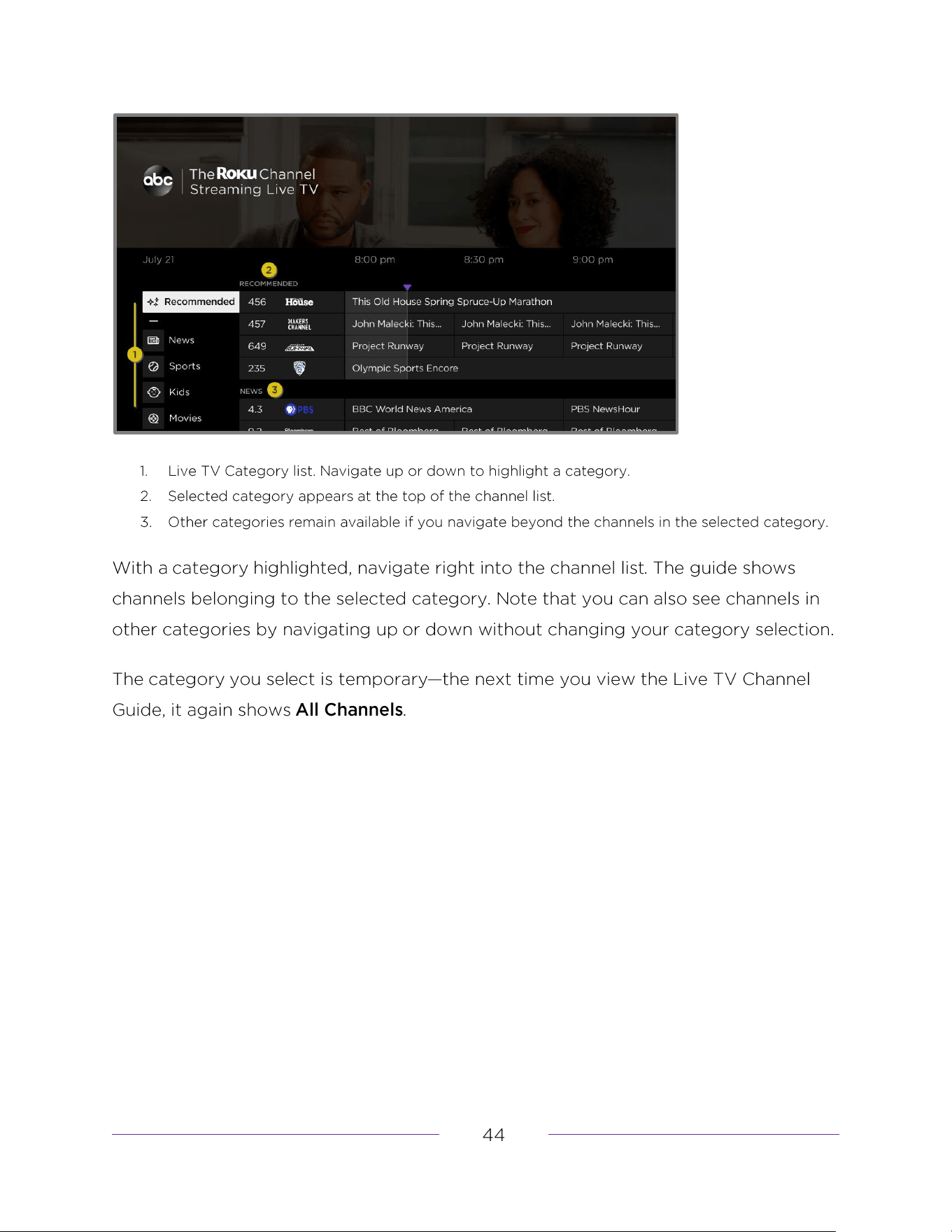
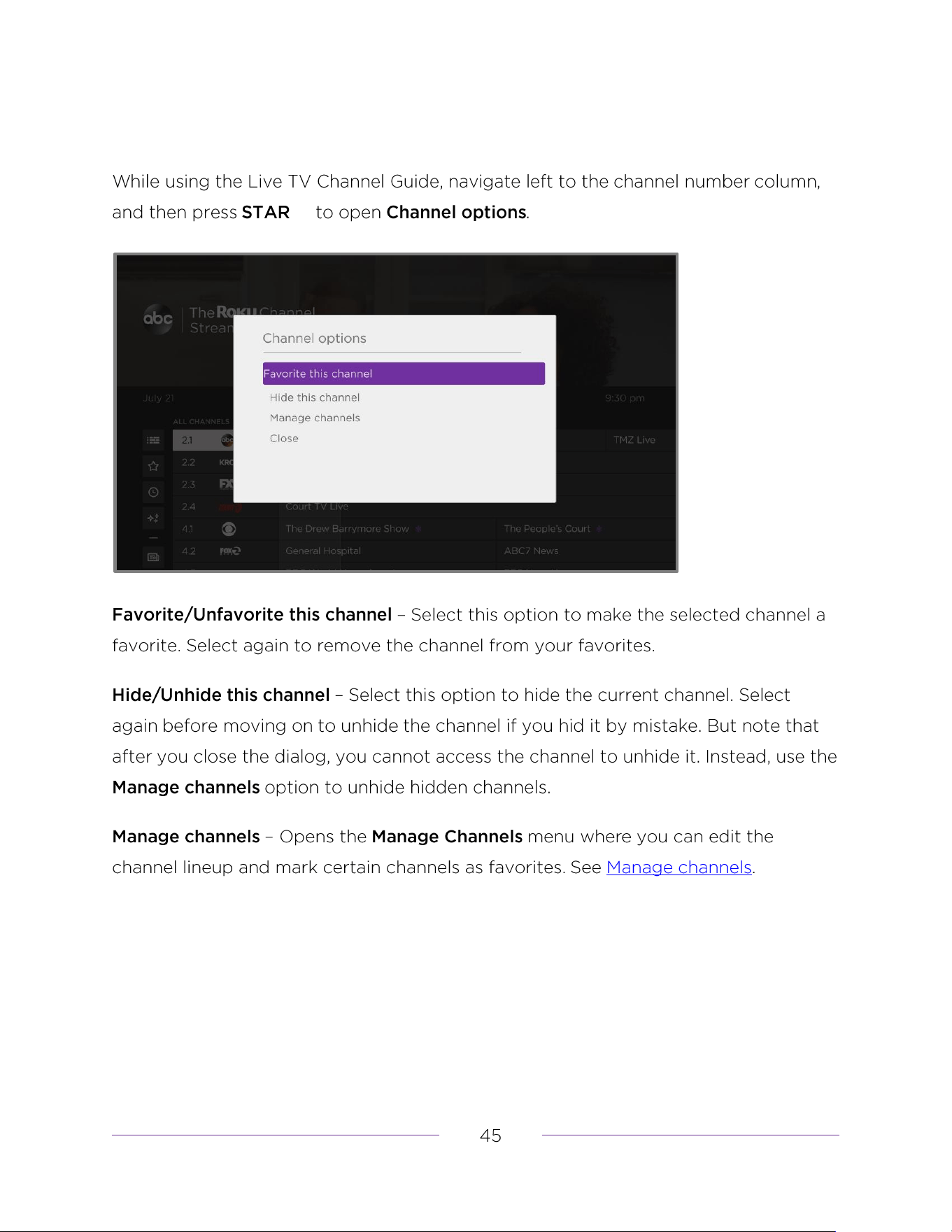
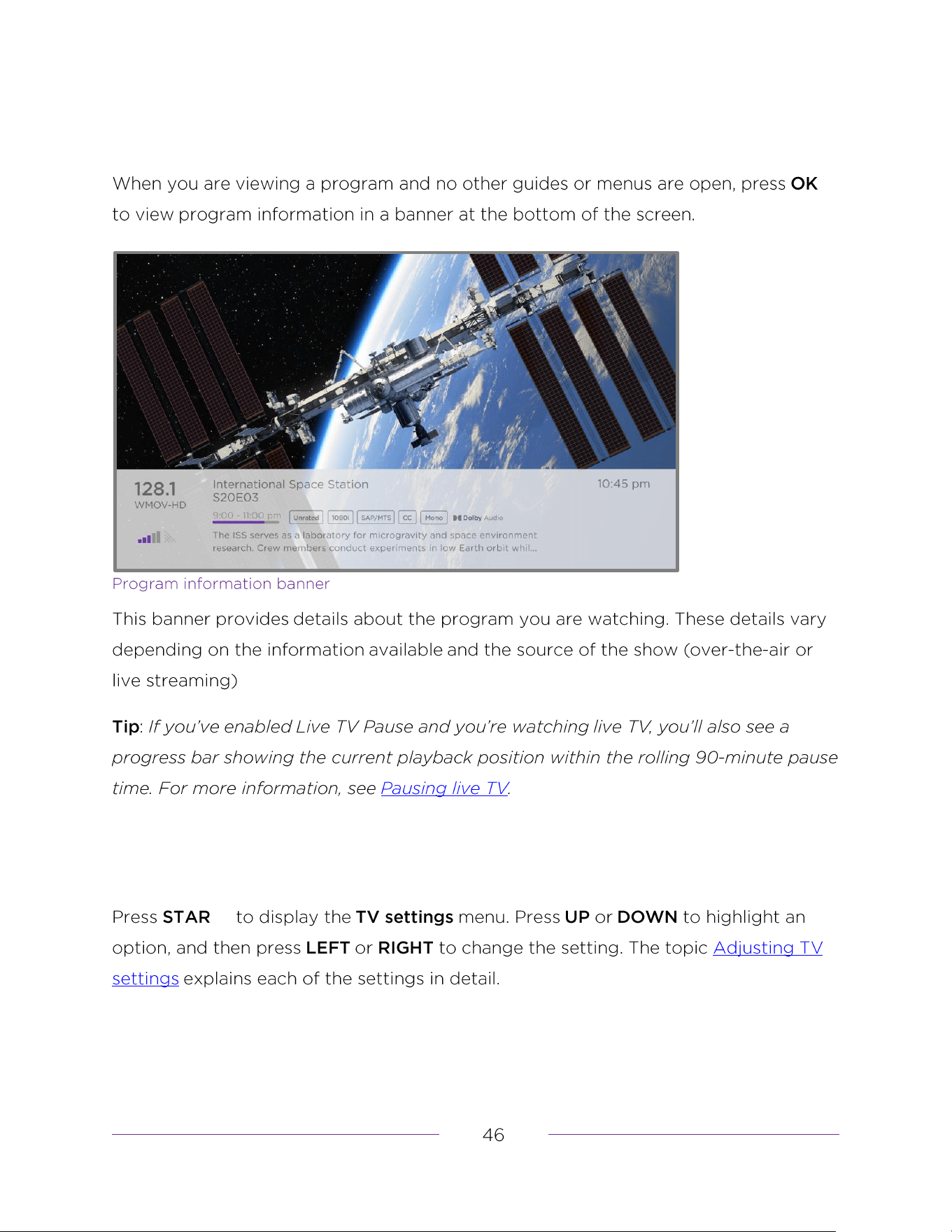
Using the Live TV Channel Guide
Enabling Live TV Pause
Using Live TV Pause
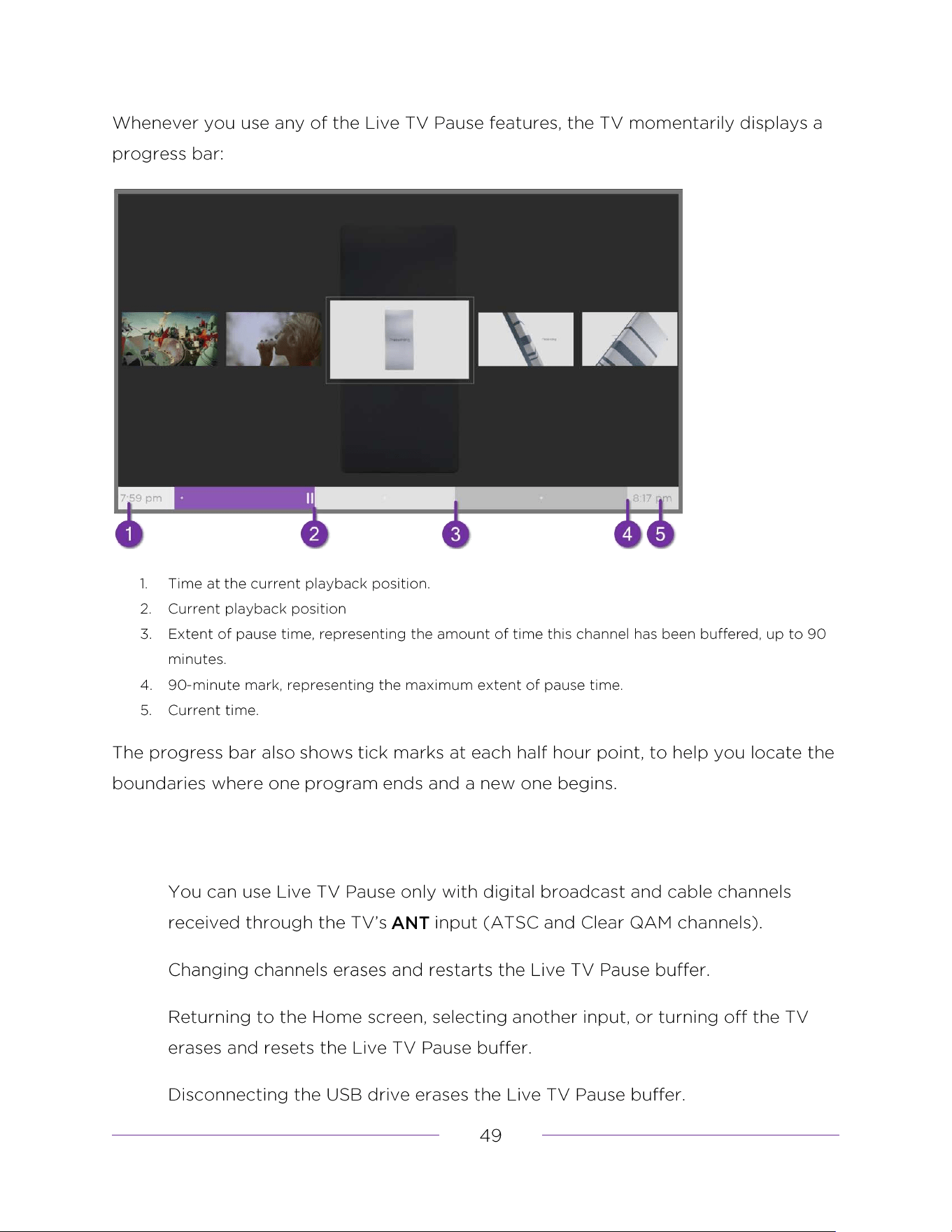
Notes about Live TV Pause
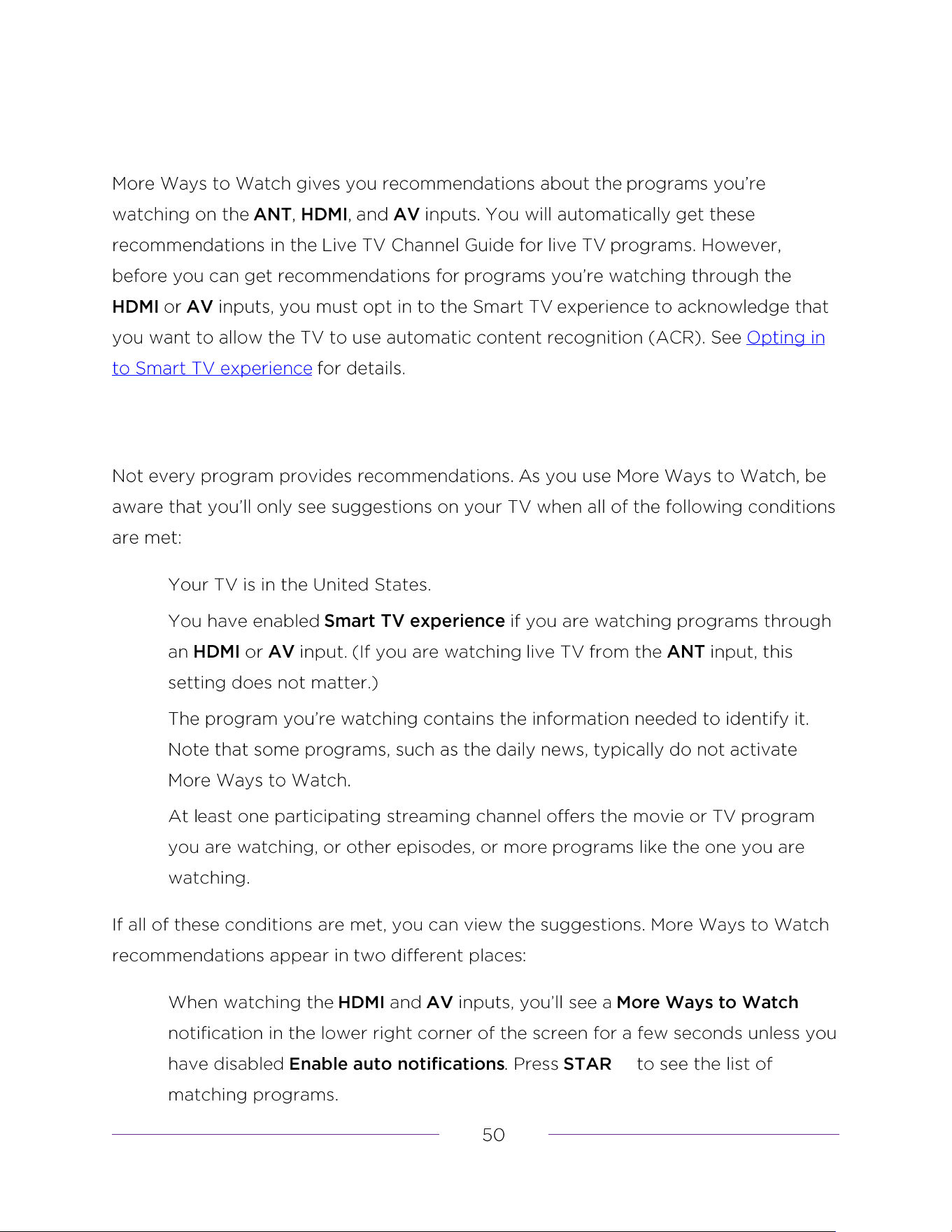
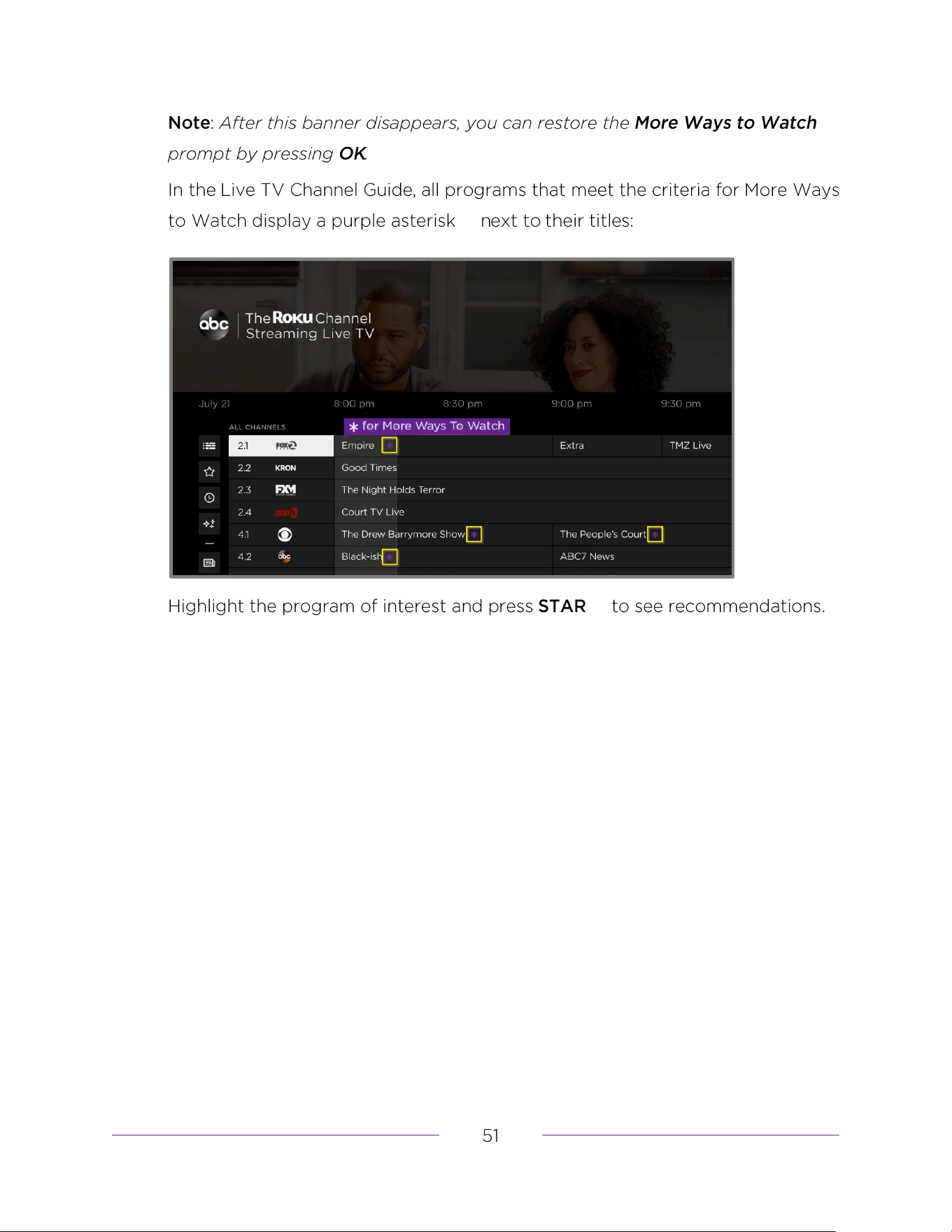
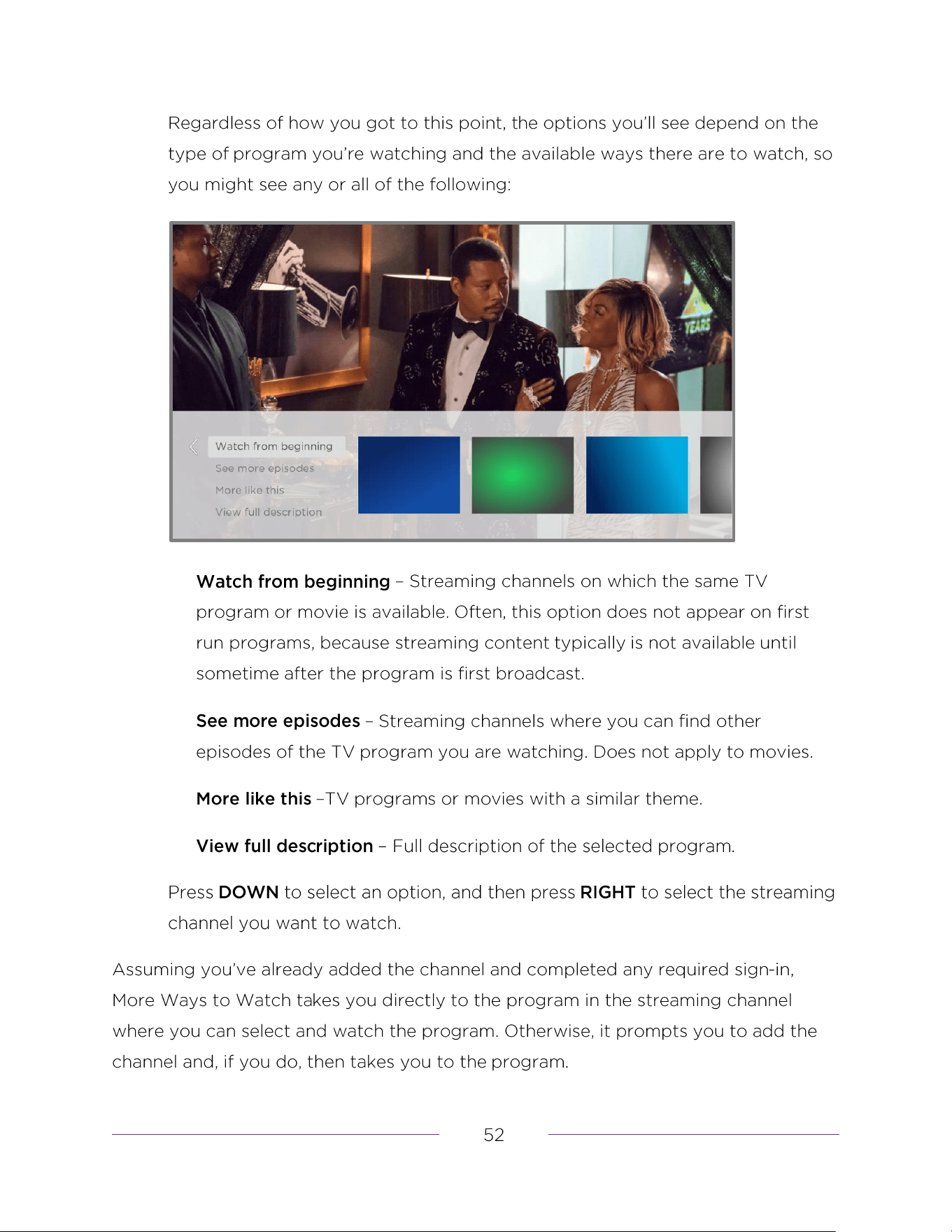
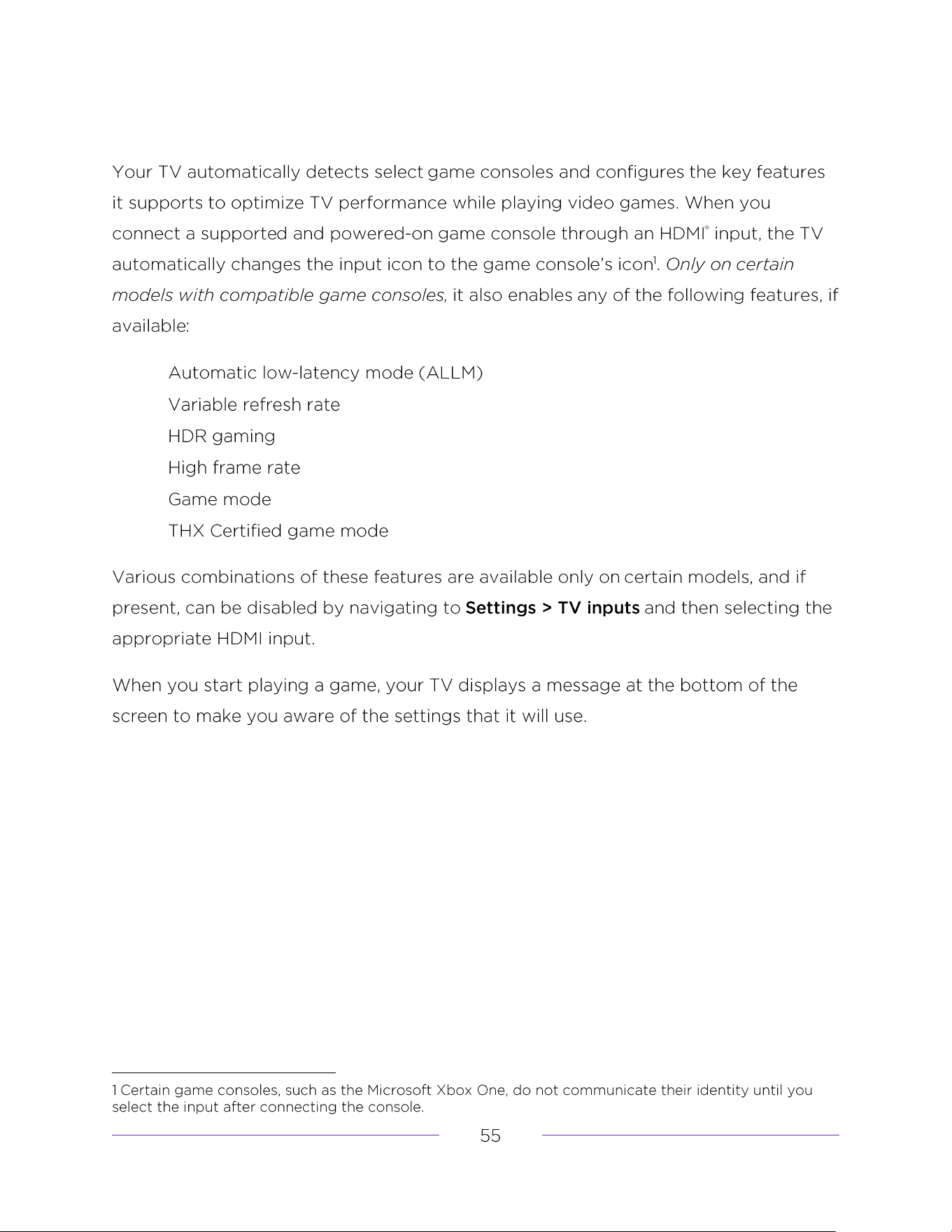
Automatic game console configuration
Using Roku Voice commands
Re-pairing your Roku Voice Remote
Checking the Roku Voice Remote battery level
Finding your Roku Enhanced Voice Remote or Roku Voice Remote Pro
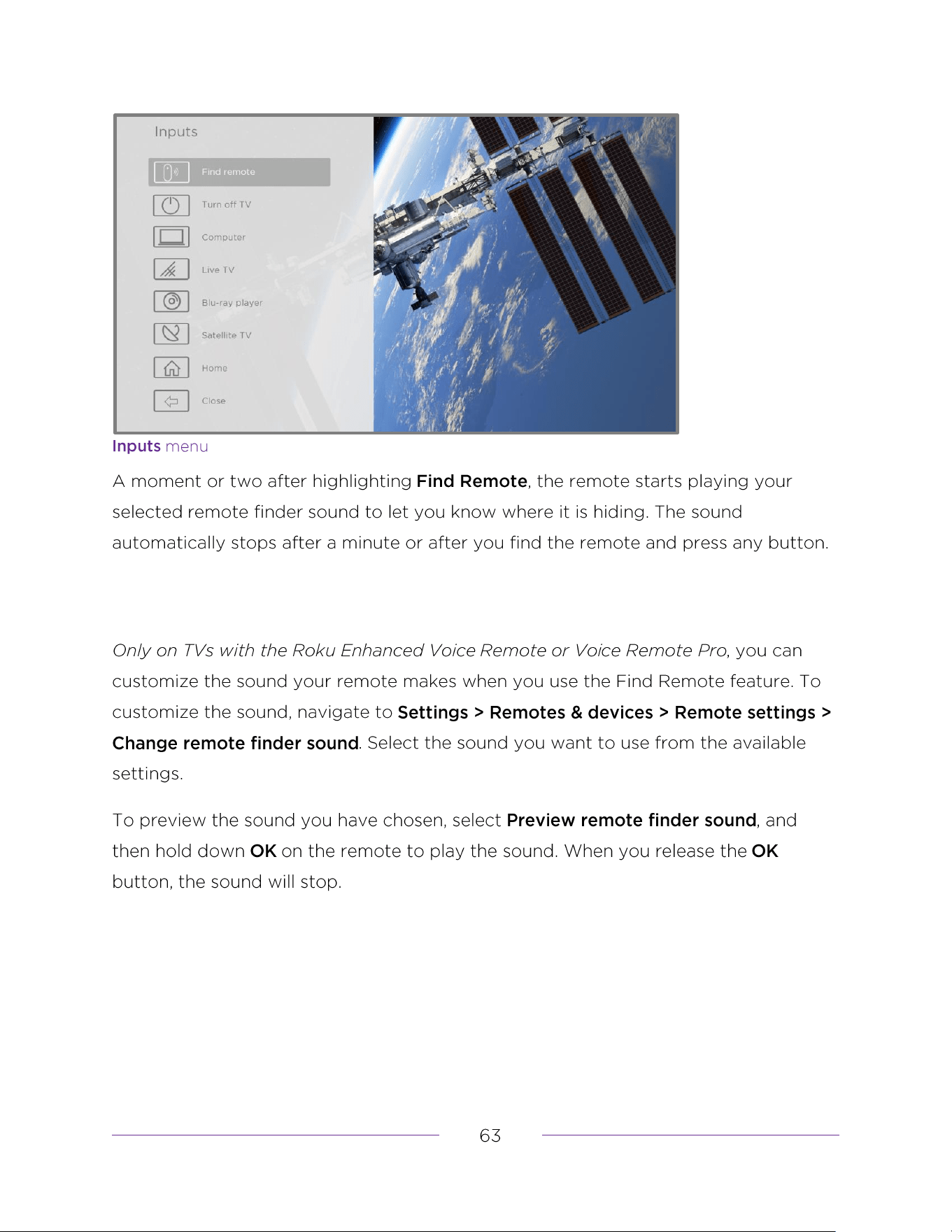
Changing and previewing the remote finder sound
Playing content from local network media servers
Setting up a payment method
Apple AirPlay
Other AirPlay things to try
Main Settings menu
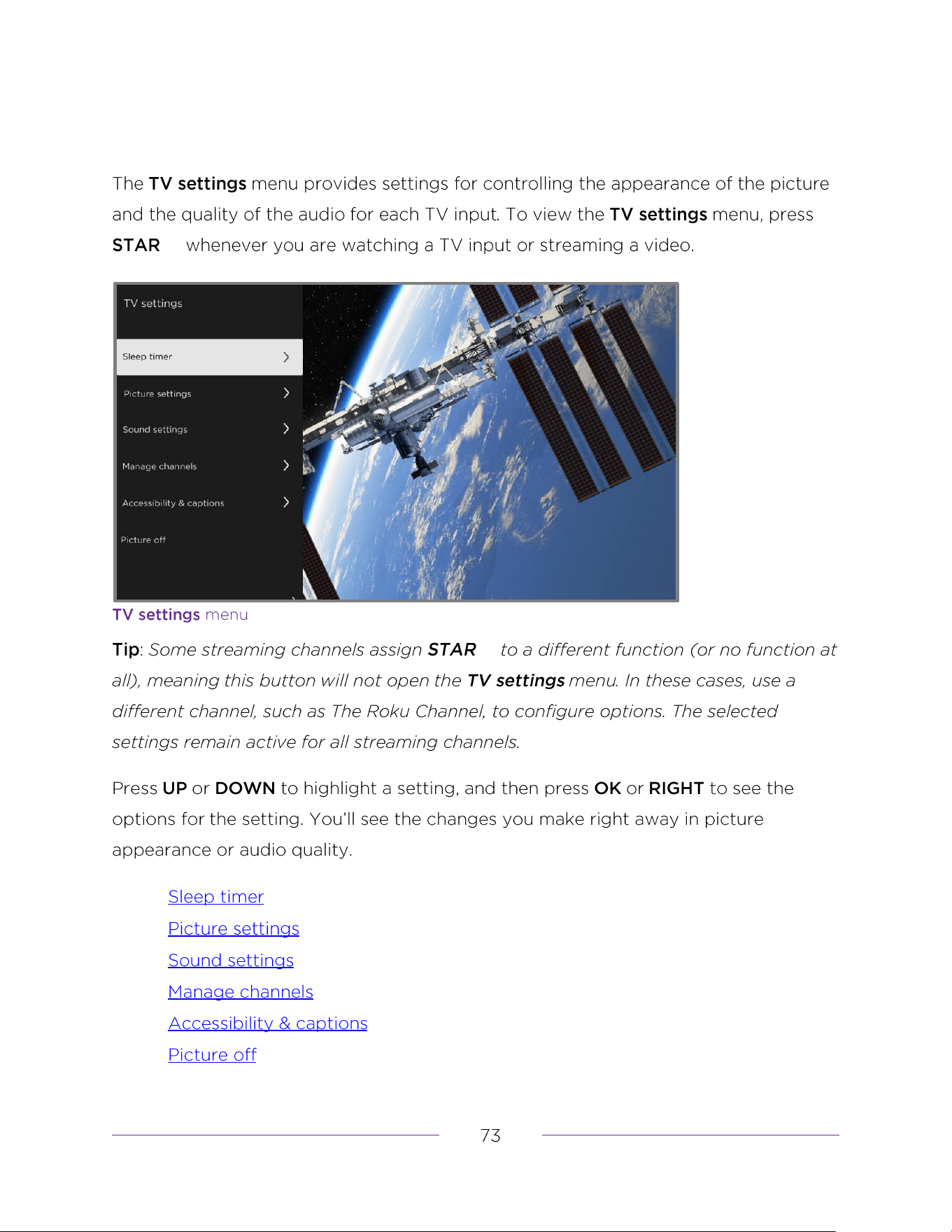
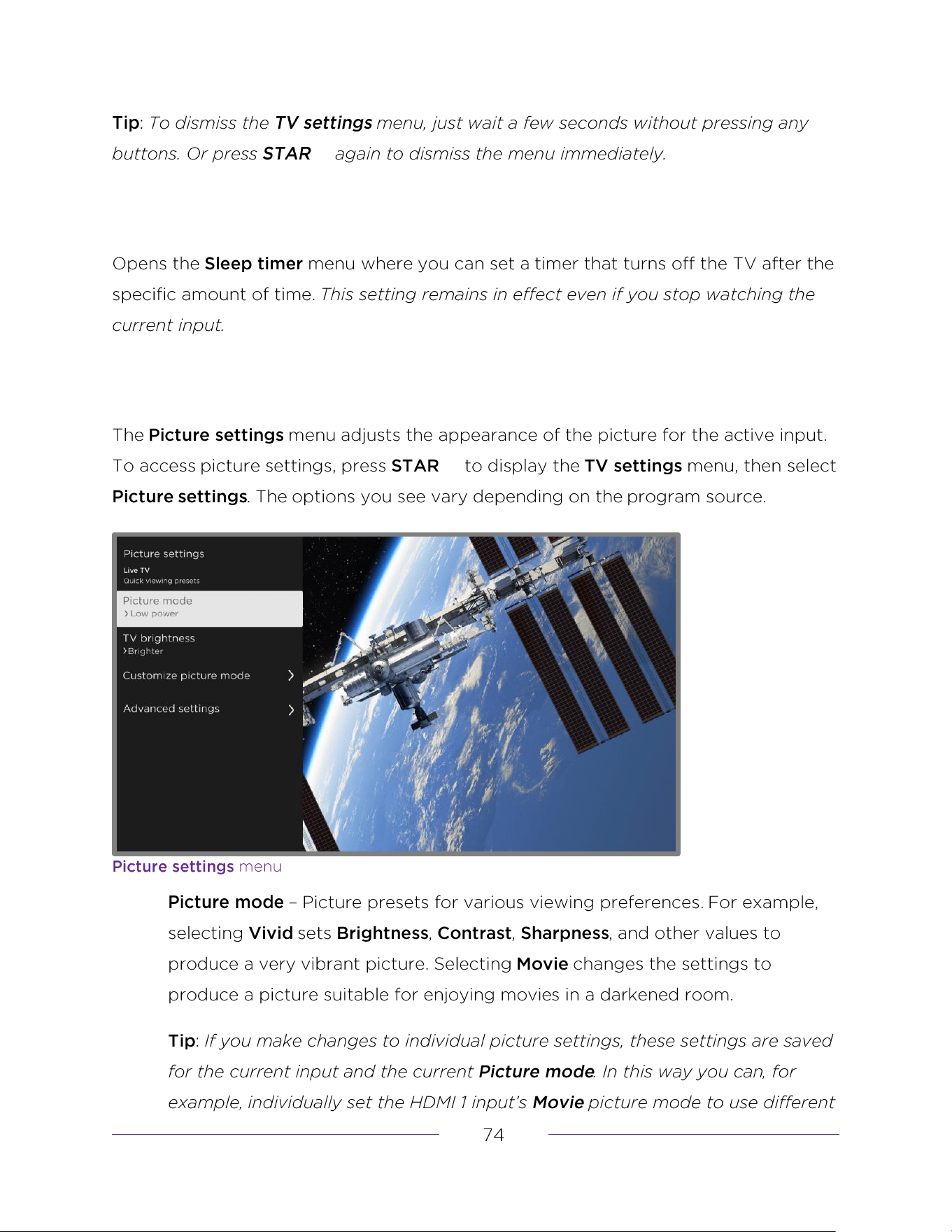
Sleep timer
Picture settings
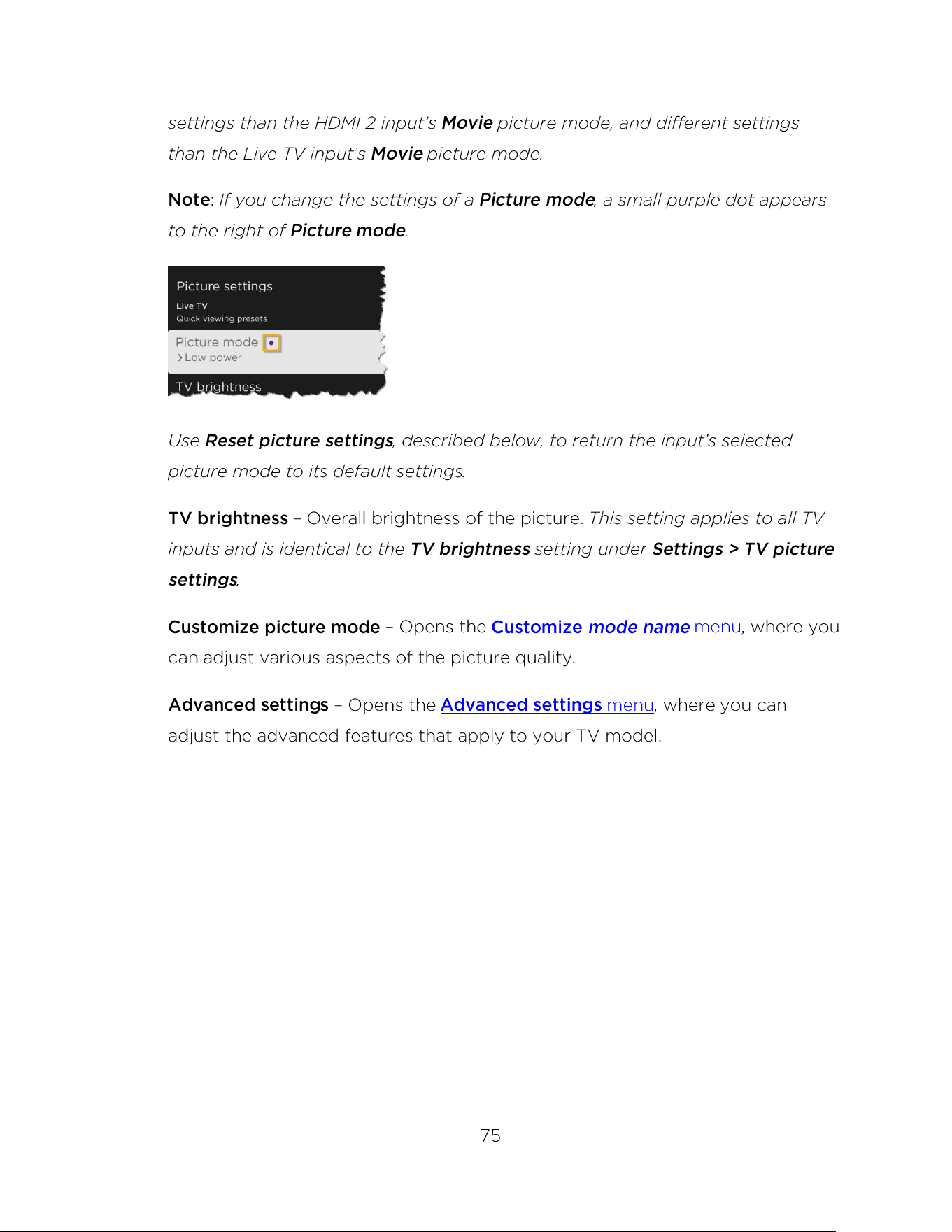
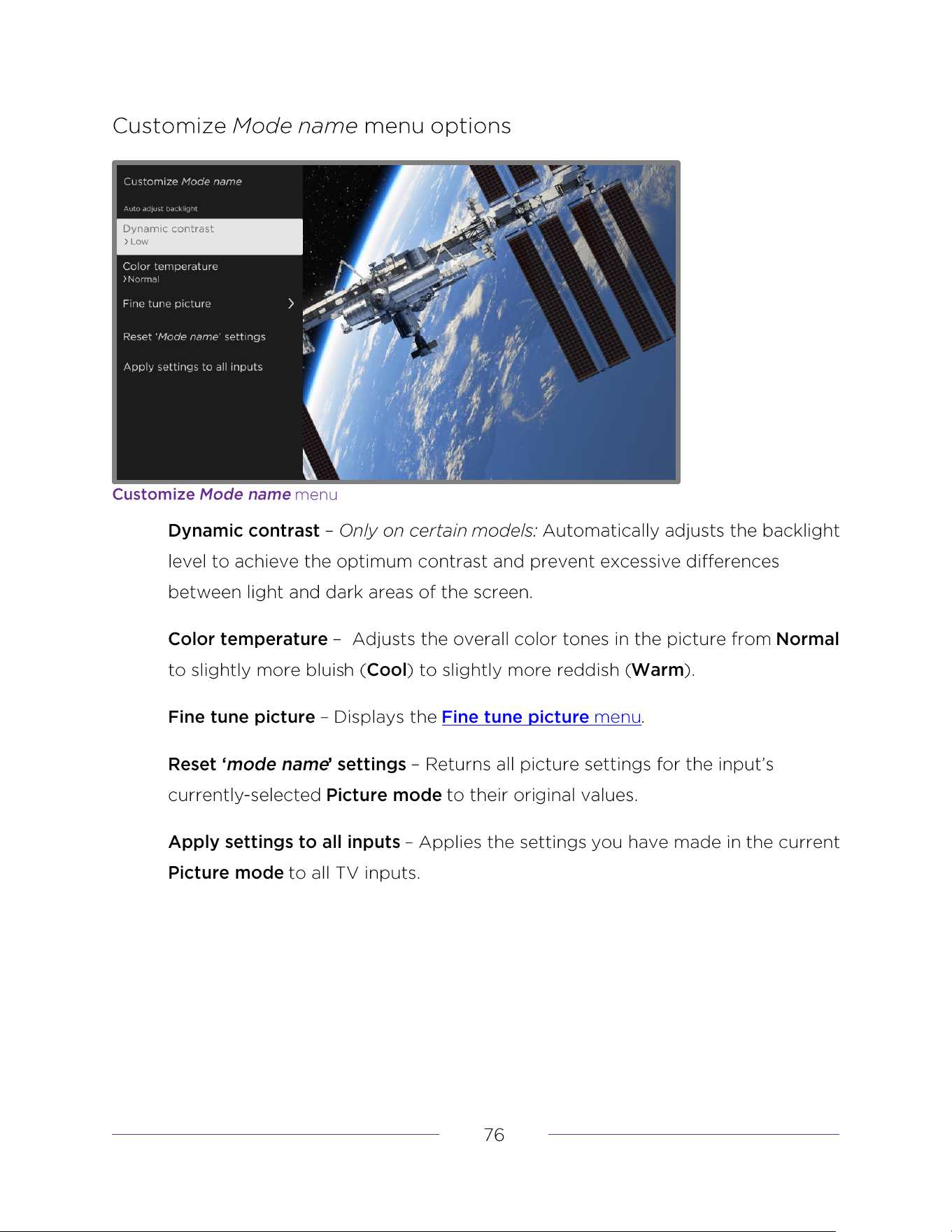
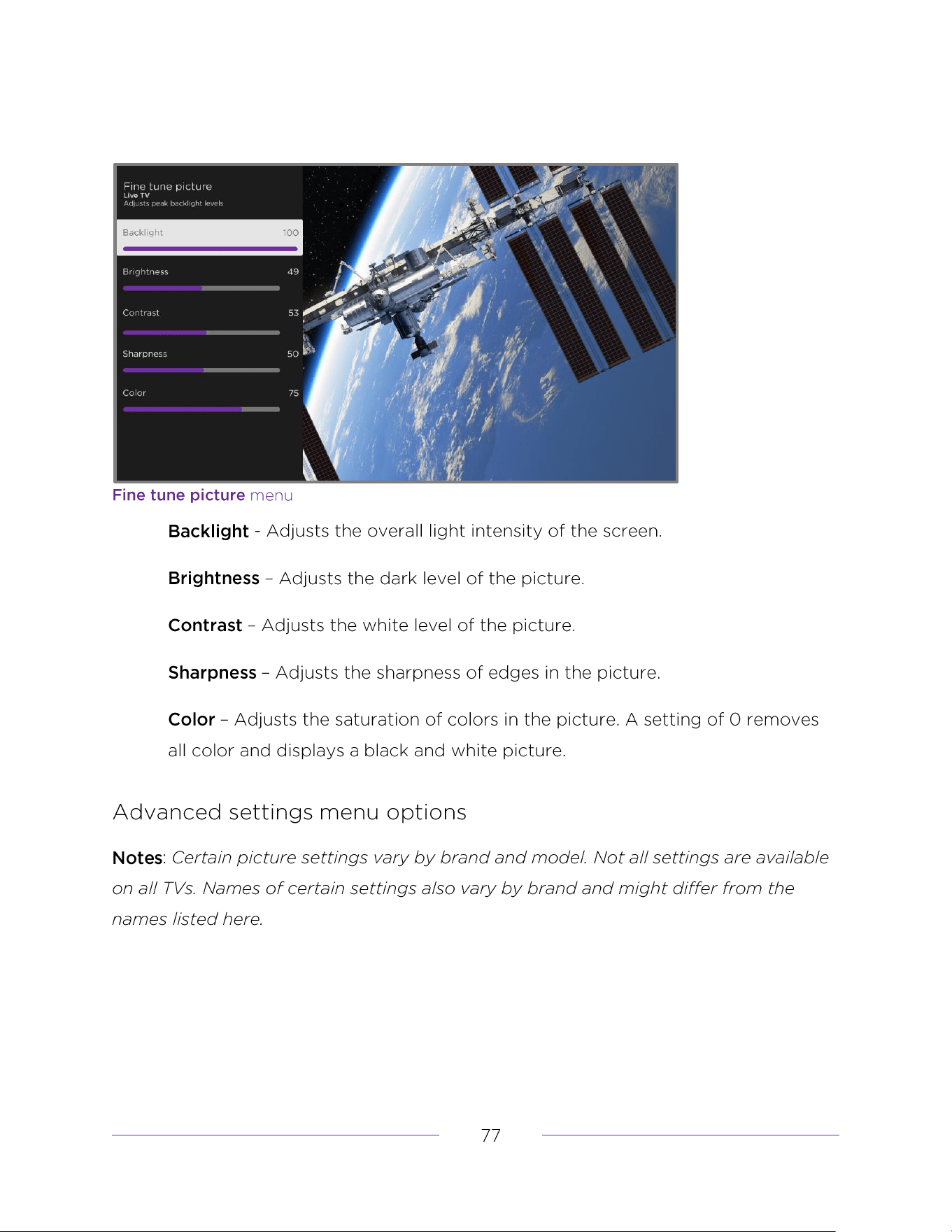
Fine tune picture menu options
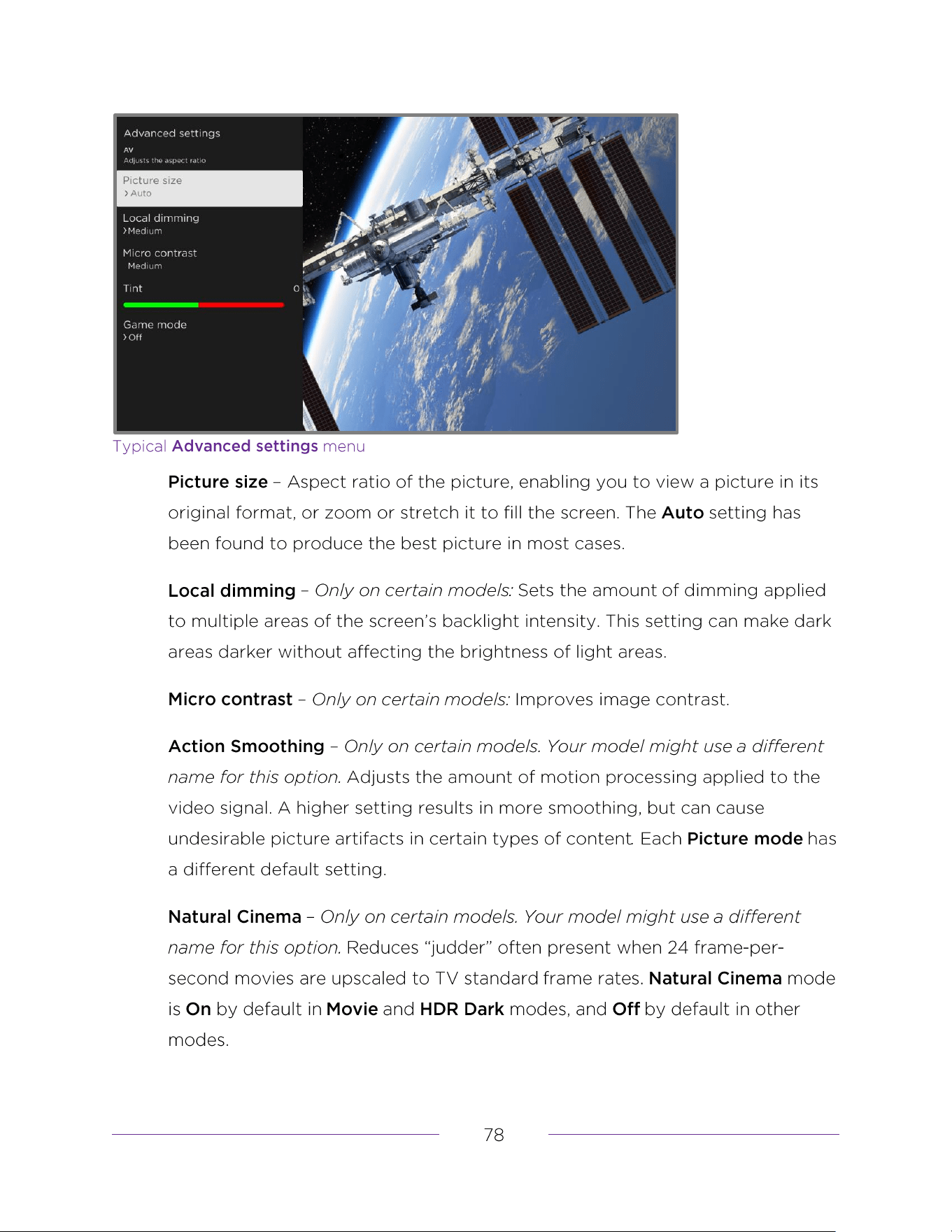
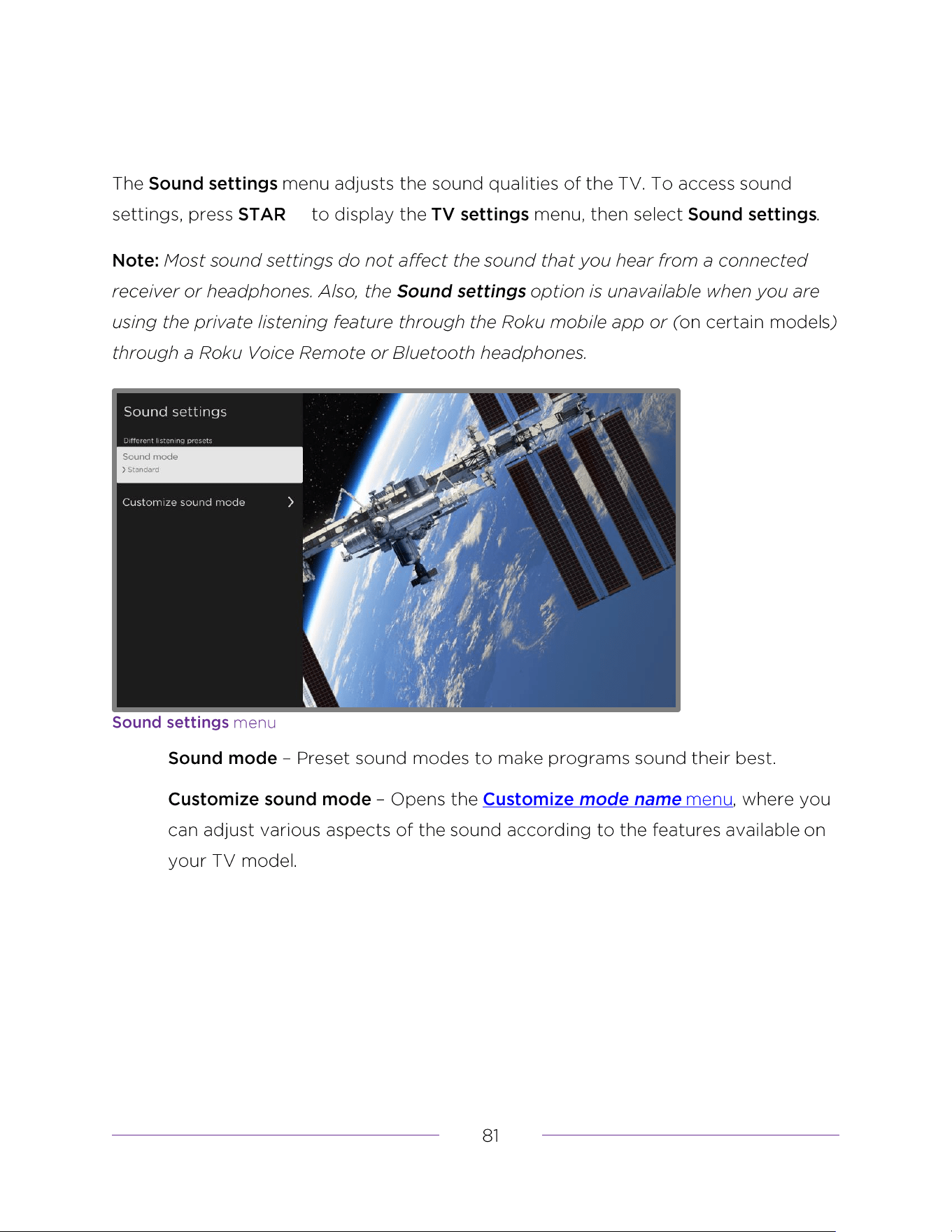
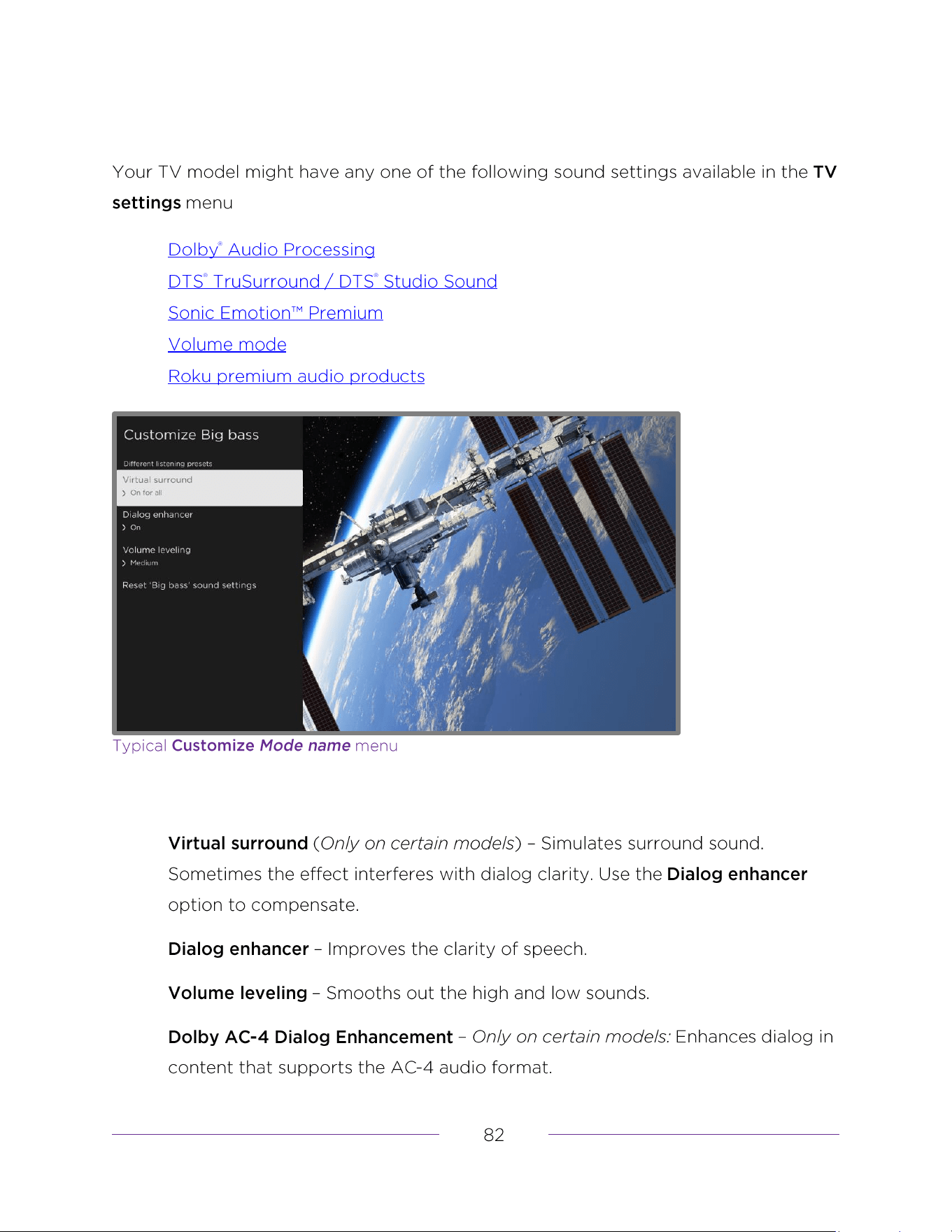
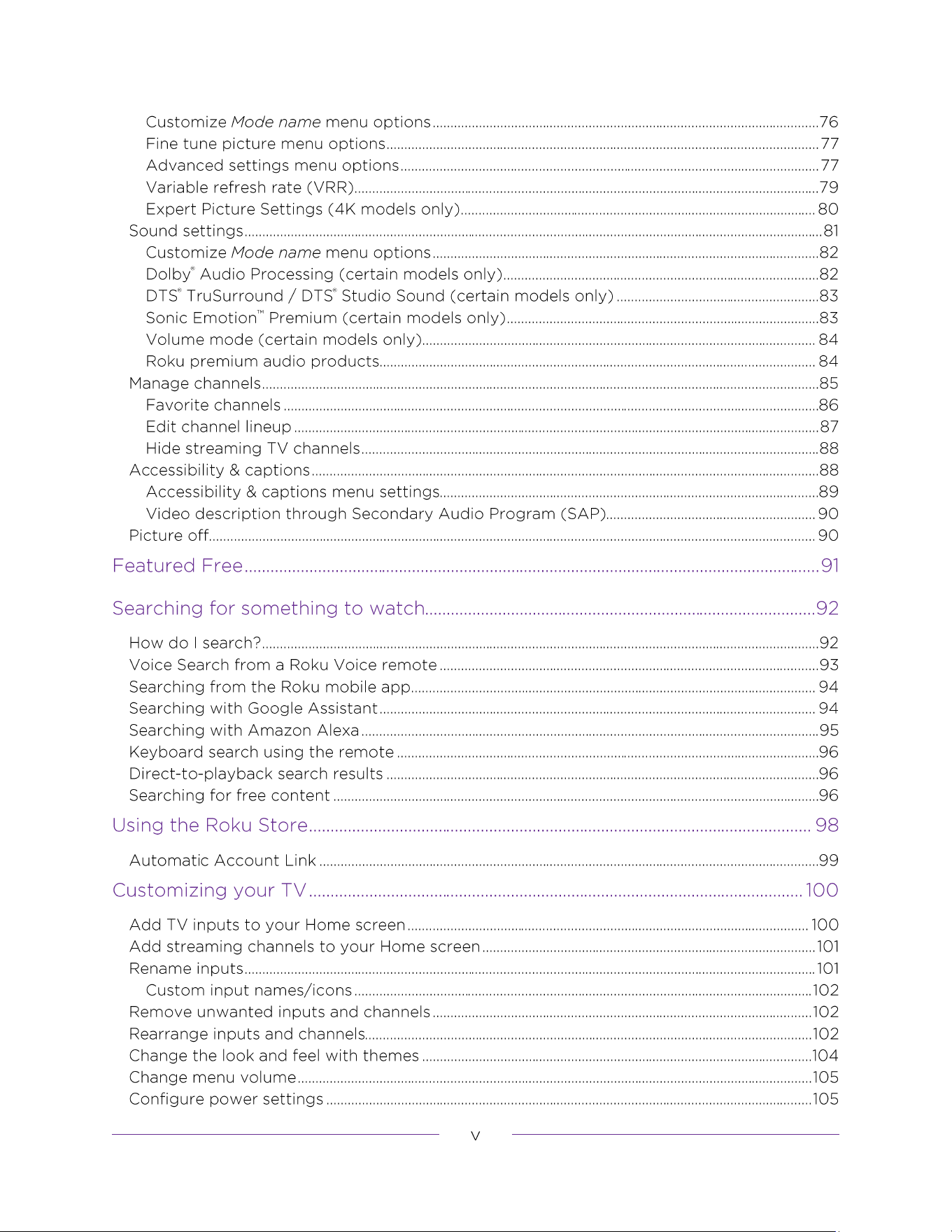
DTS
®
TruSurround / DTS
®
Studio Sound (certain models only)
Sonic Emotion
™
Premium (certain models only)
o
o
o
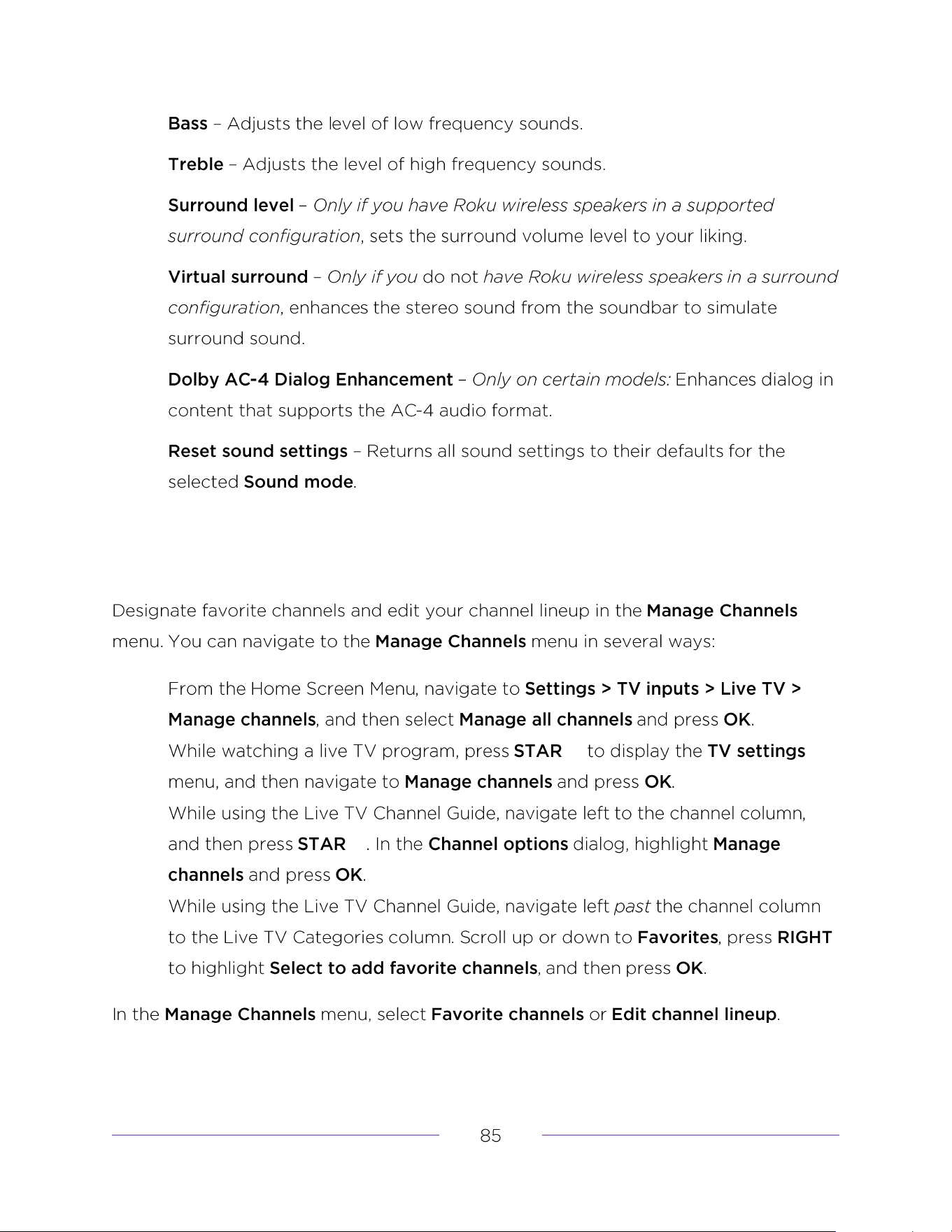
Manage channels
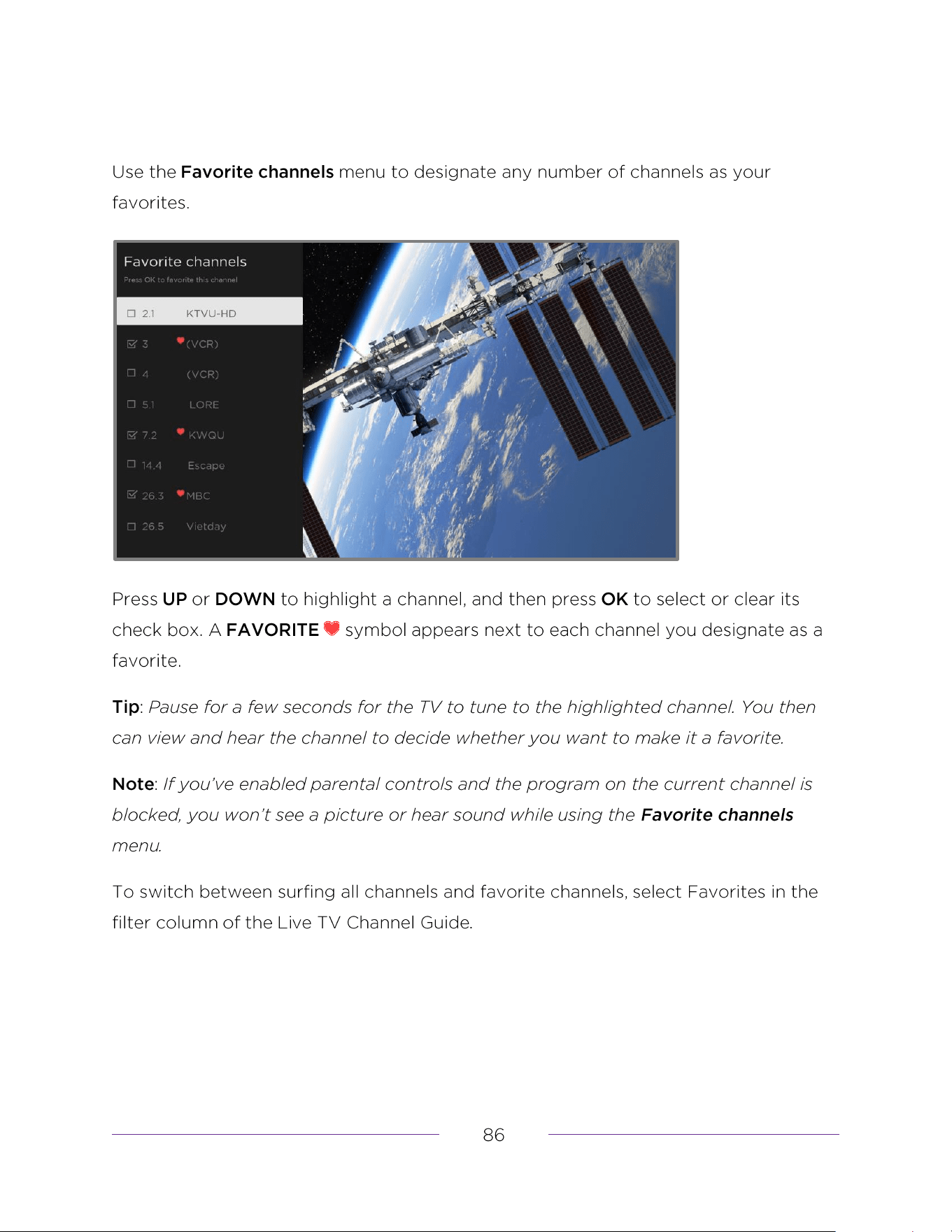
Favorite channels
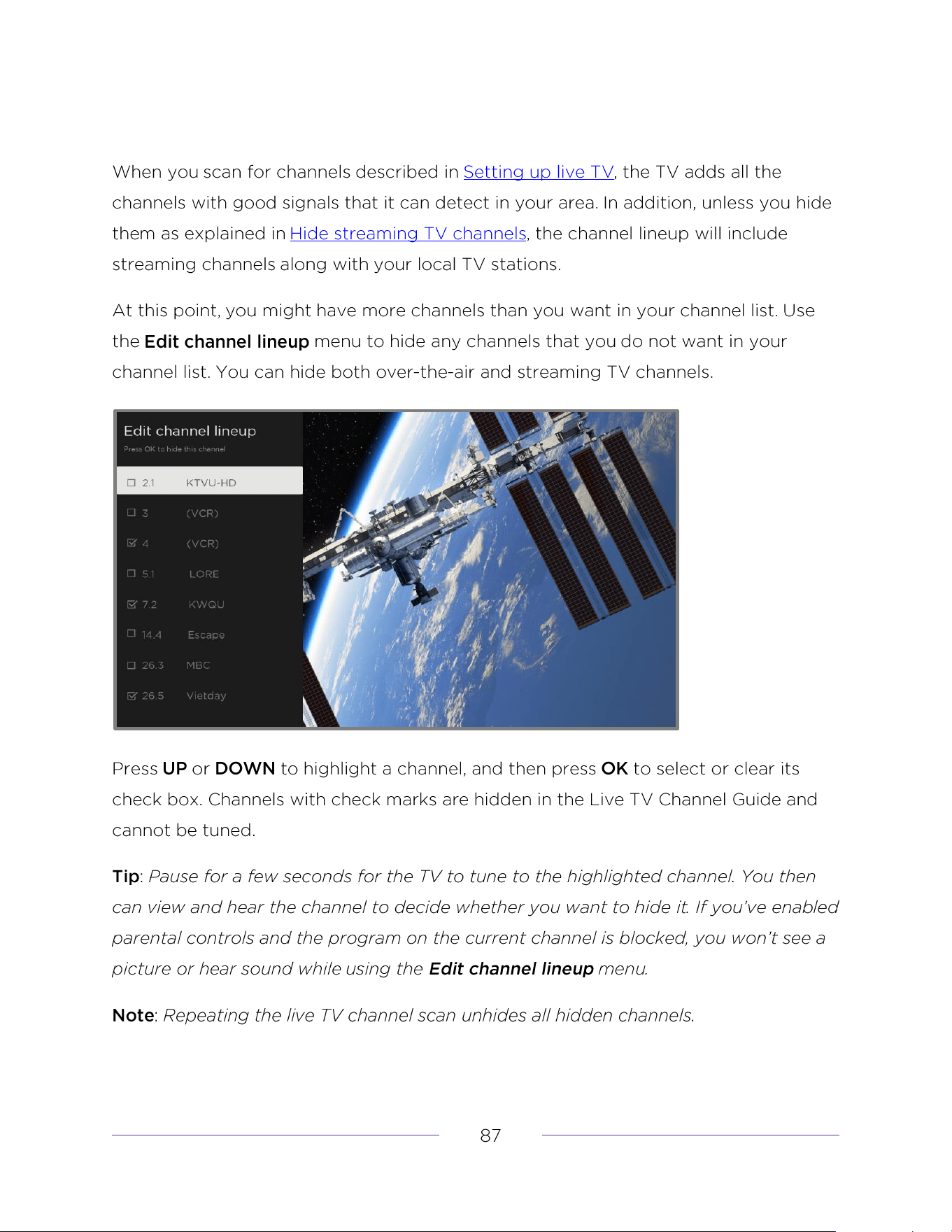
Hide streaming TV channels
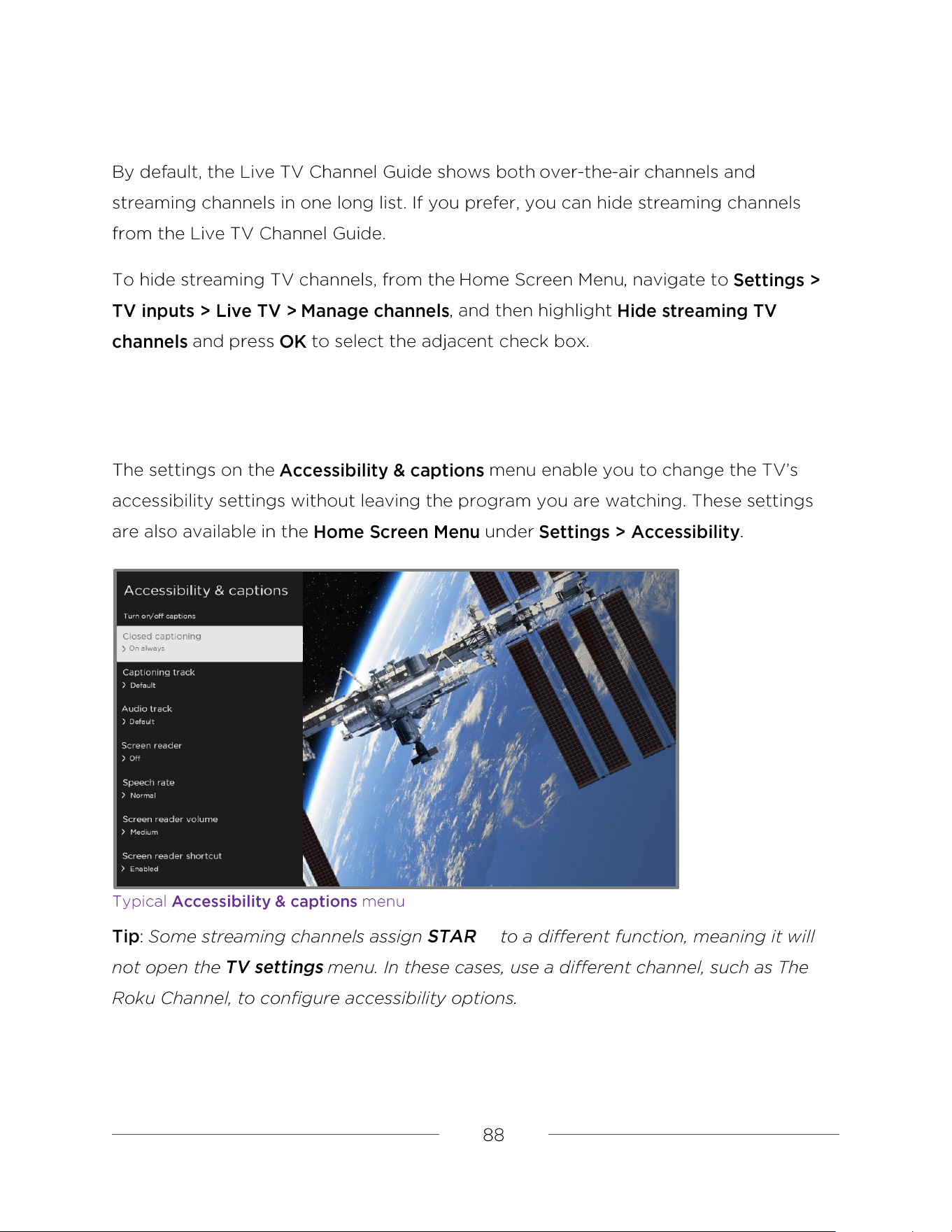
Accessibility & captions
How do I search?
Keyboard search using the remote
Direct-to-playback search results
Searching for free content
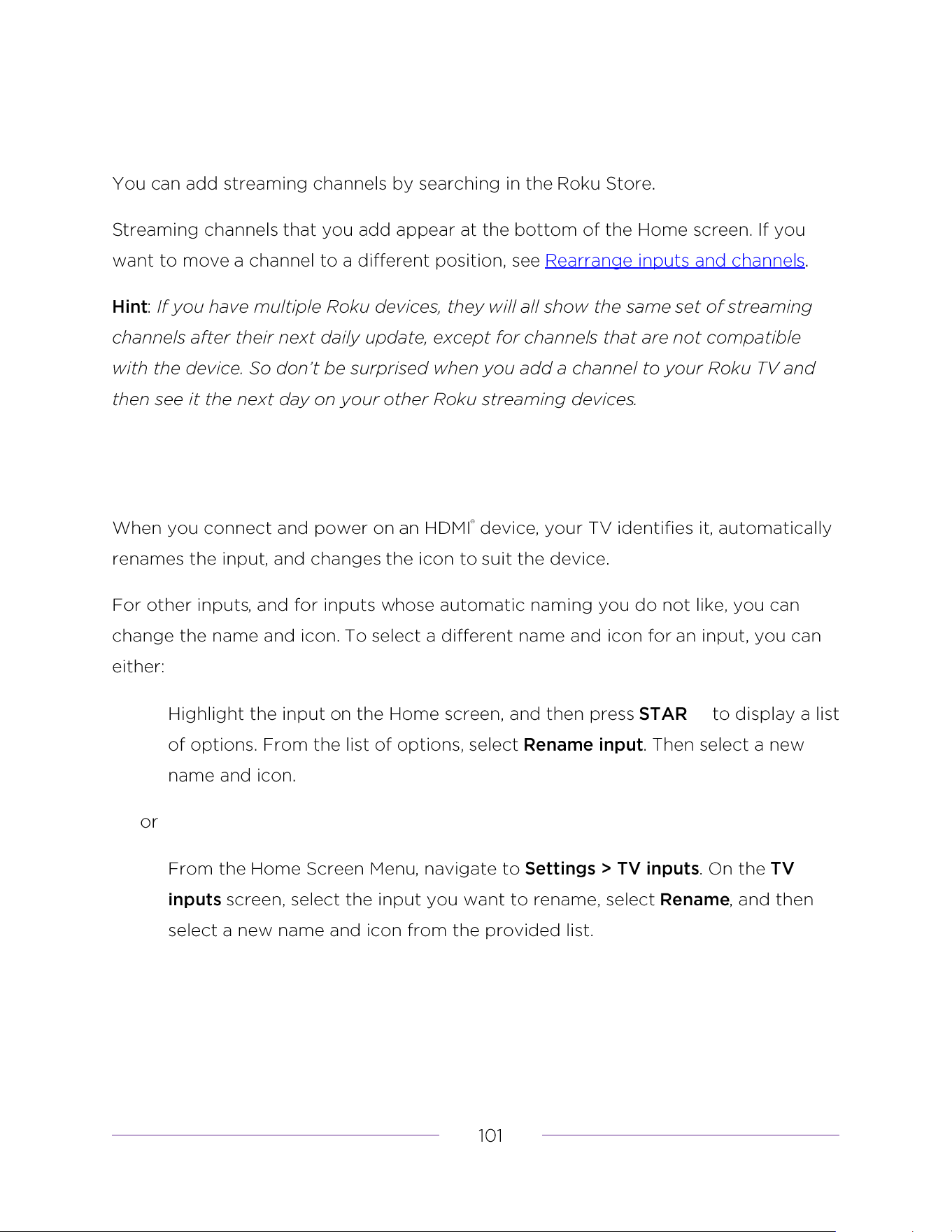
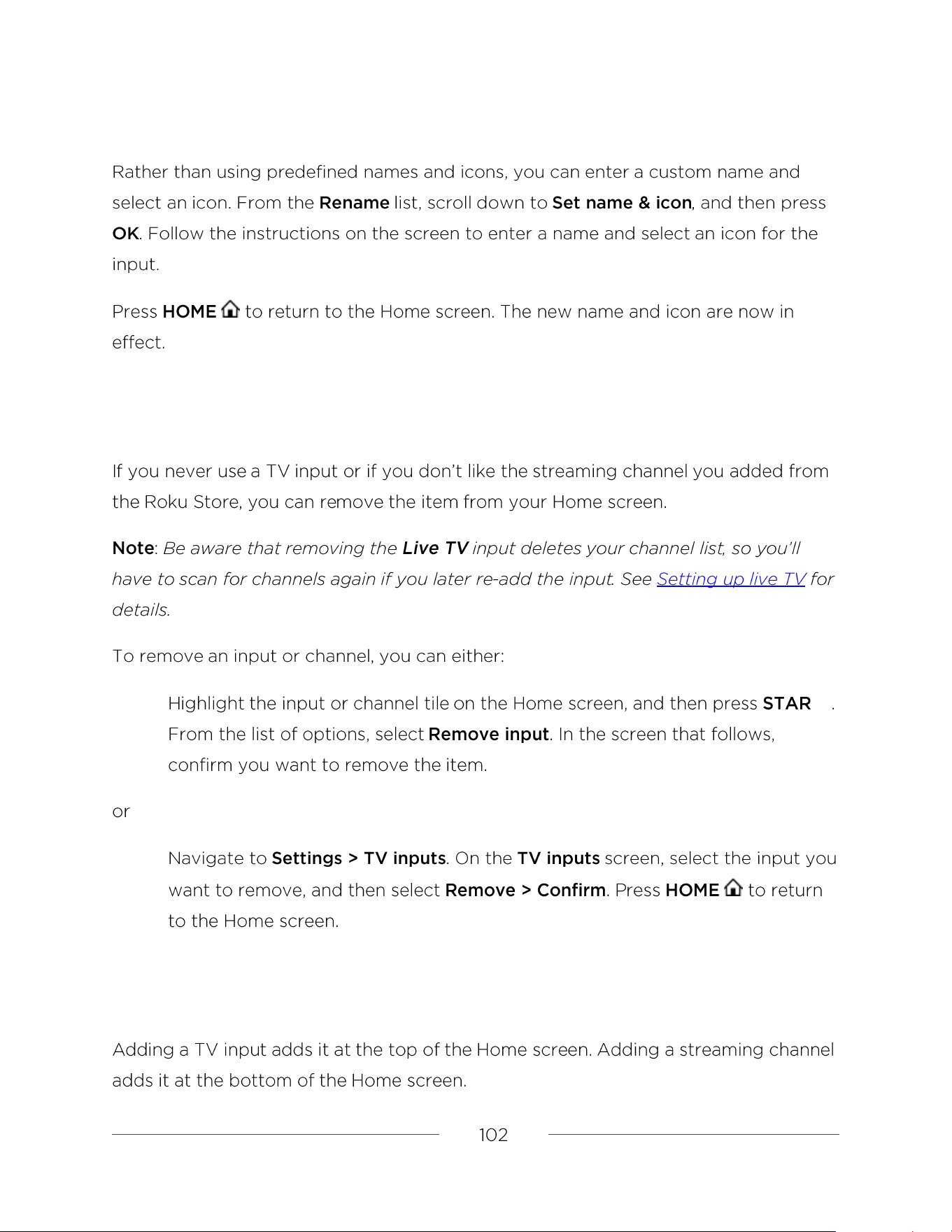
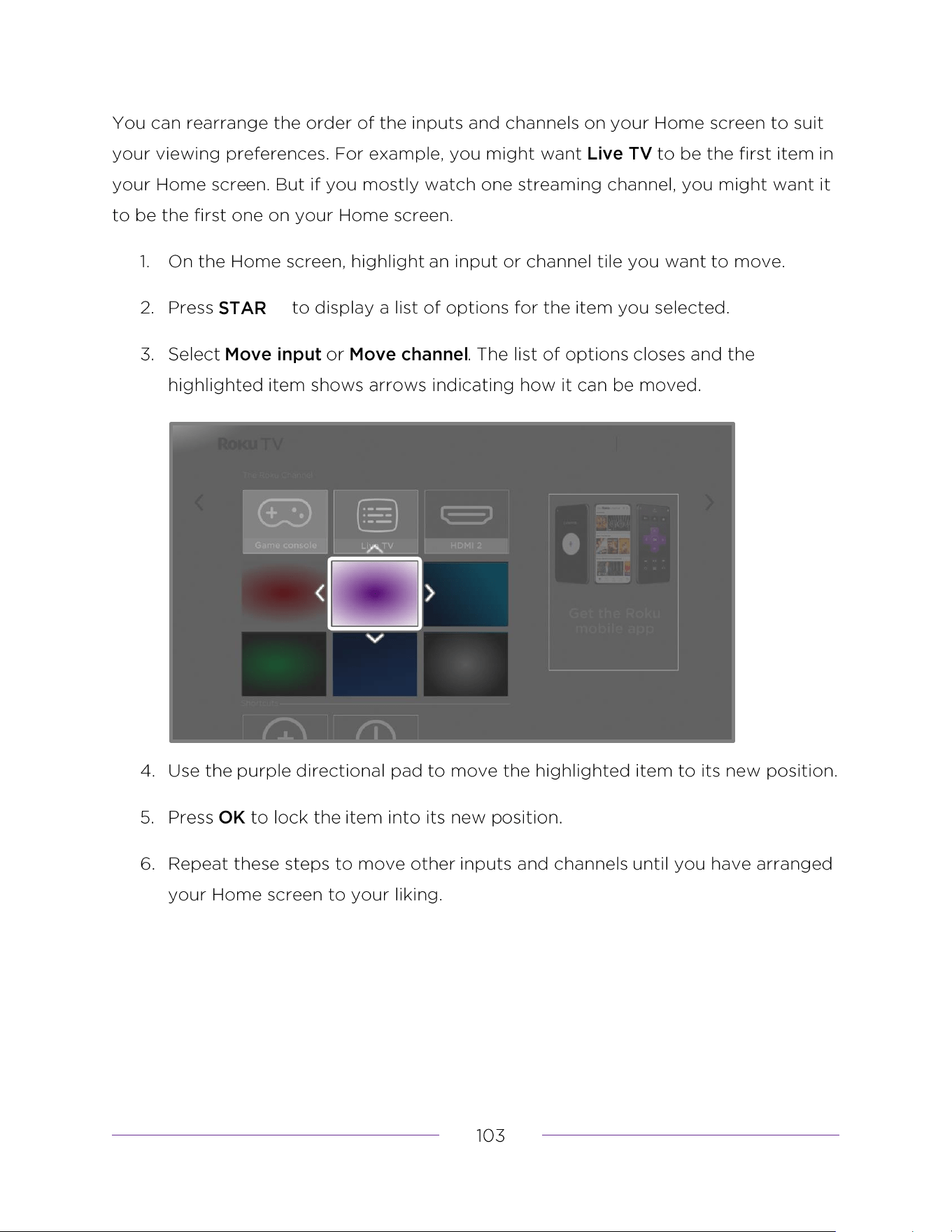
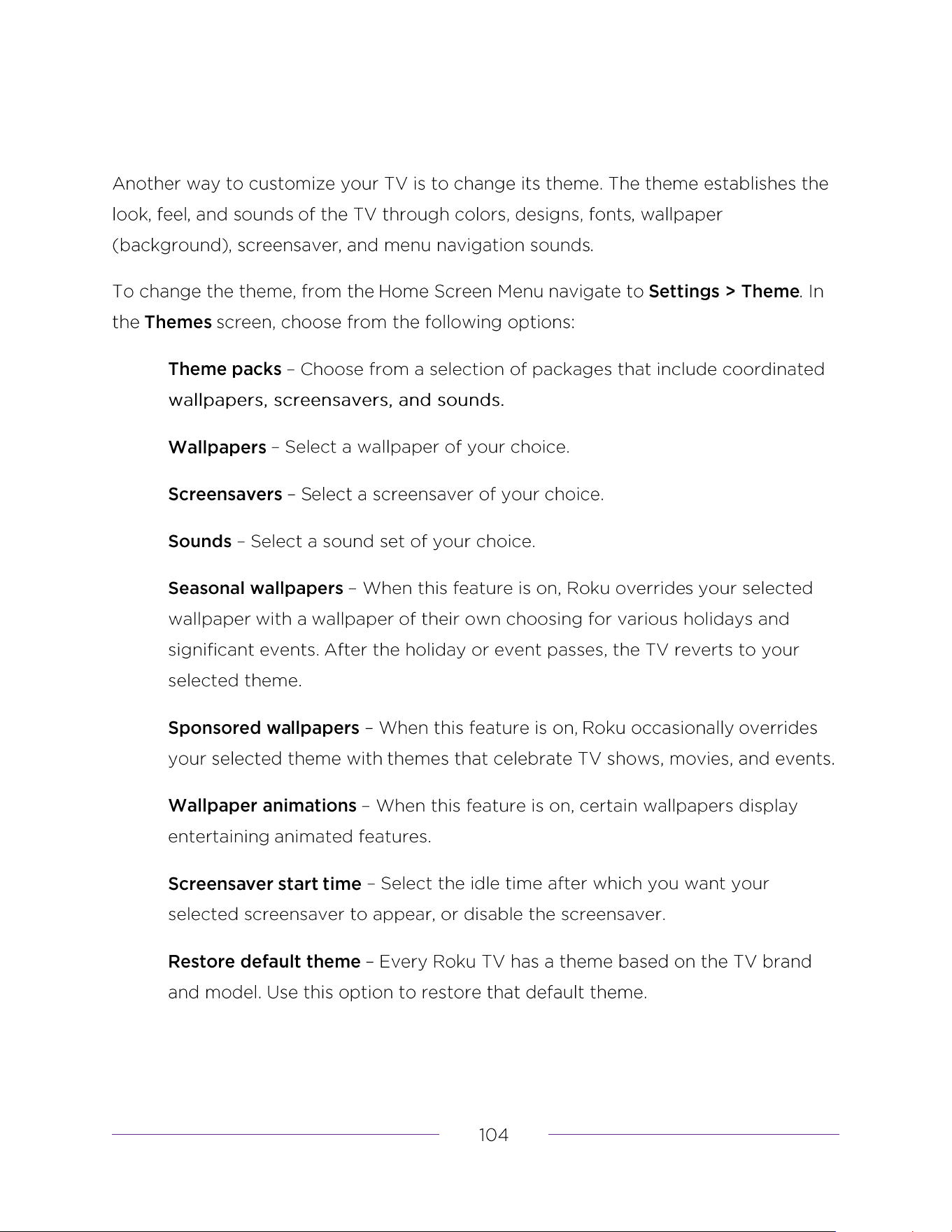
Change the look and feel with themes
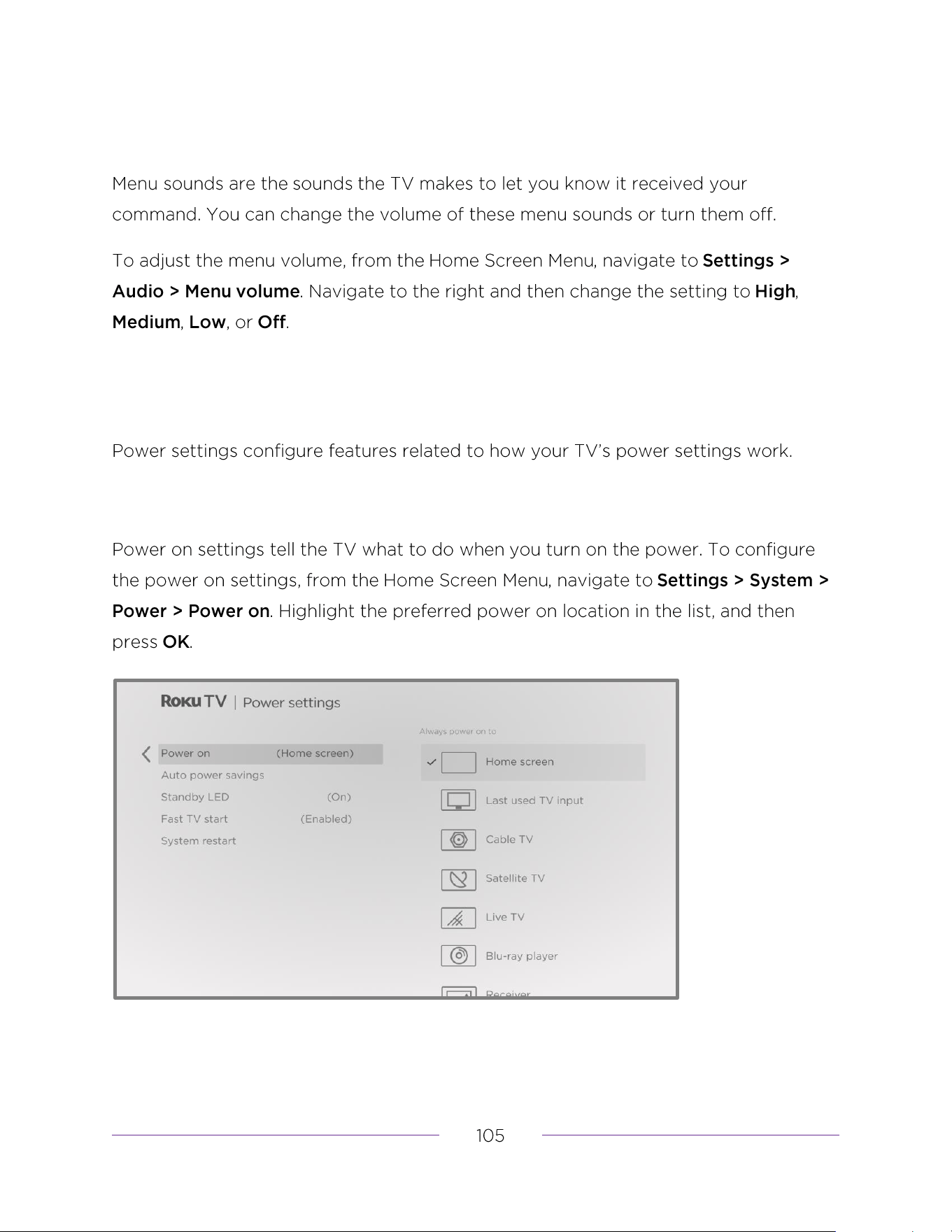
Change menu volume
Configure power settings
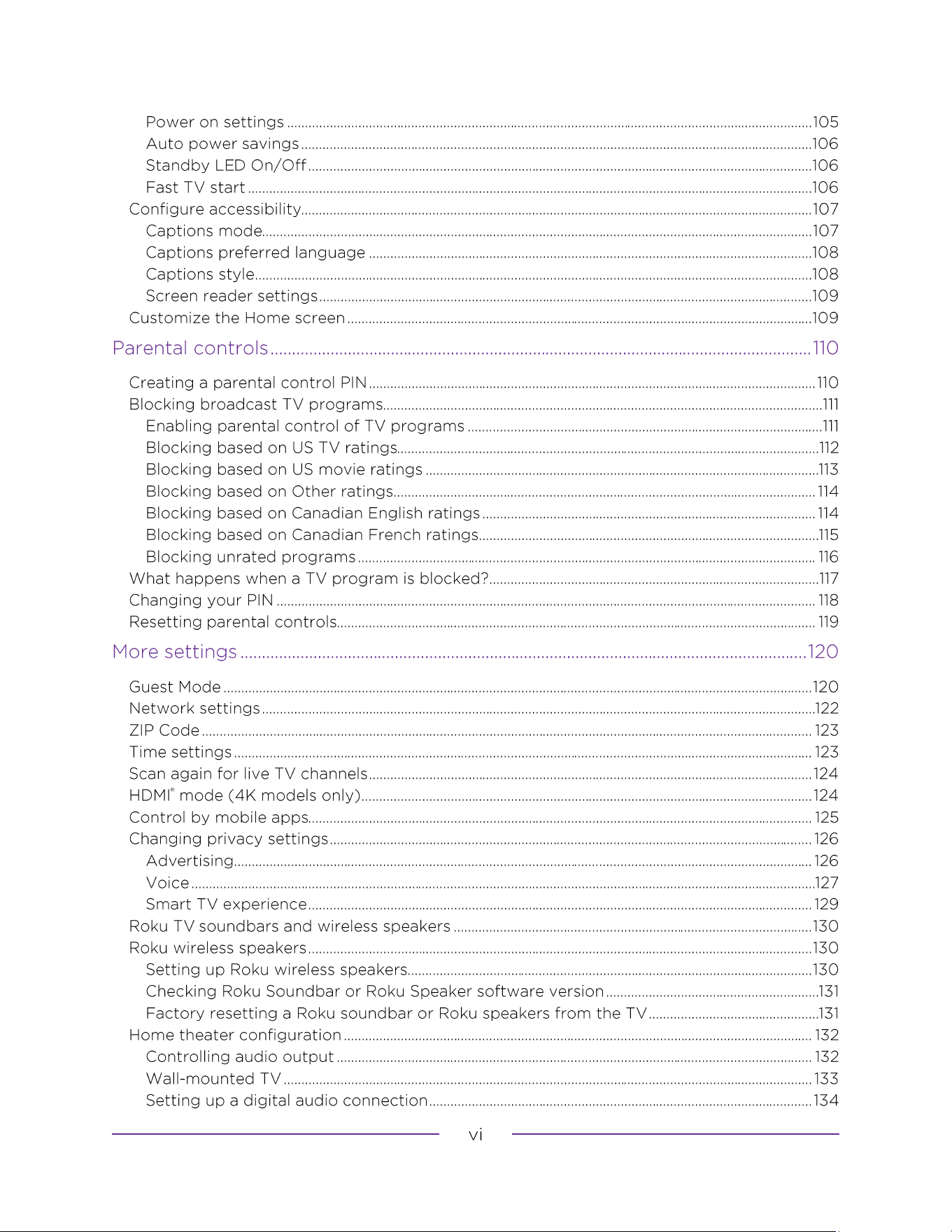
Power on settings
Auto power savings
Standby LED On/Off
Fast TV start
Configure accessibility
Captions mode
Captions preferred language
Captions style
Screen reader settings
Customize the Home screen
Creating a parental control PIN
Blocking broadcast TV programs
Enabling parental control of TV programs
Blocking based on US TV ratings
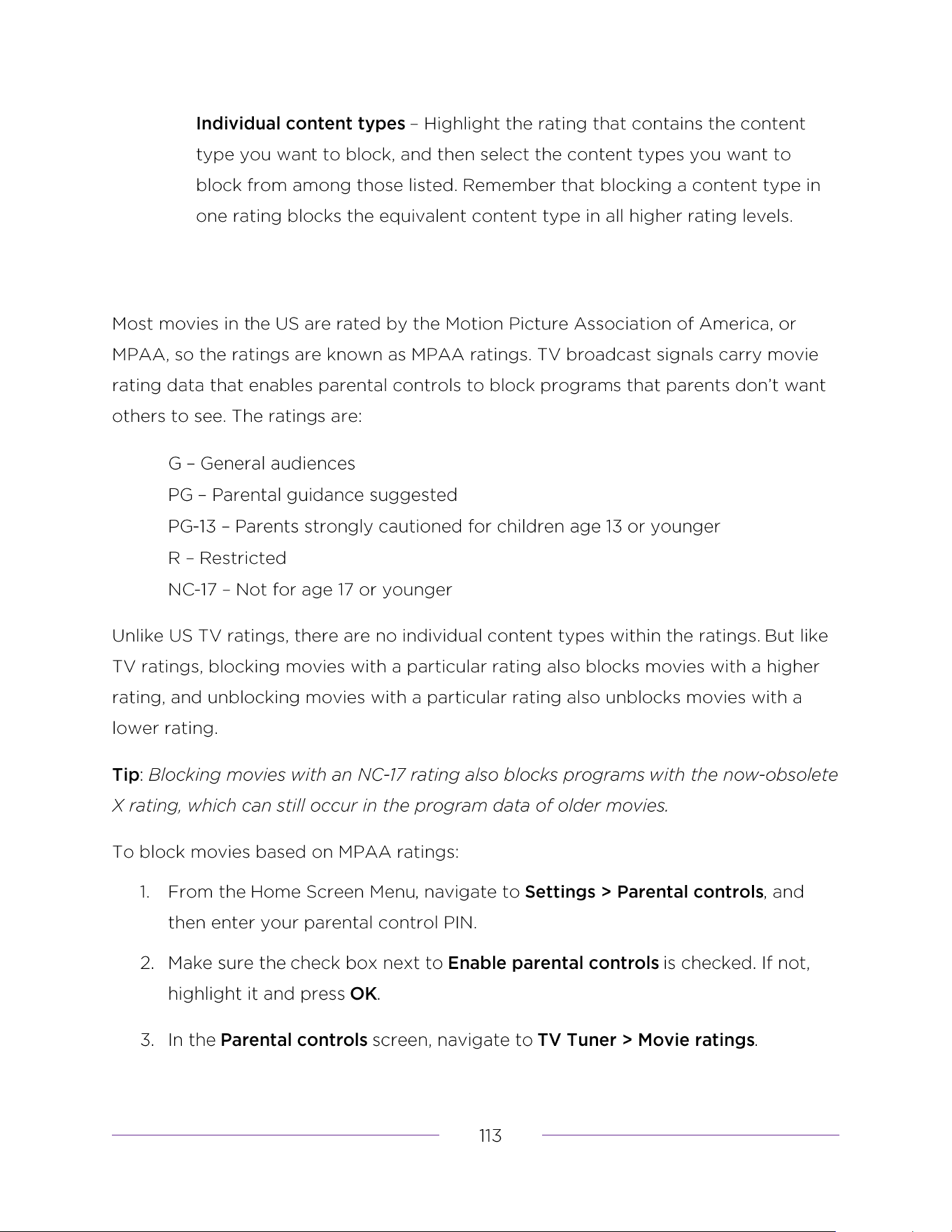
Blocking based on US movie ratings
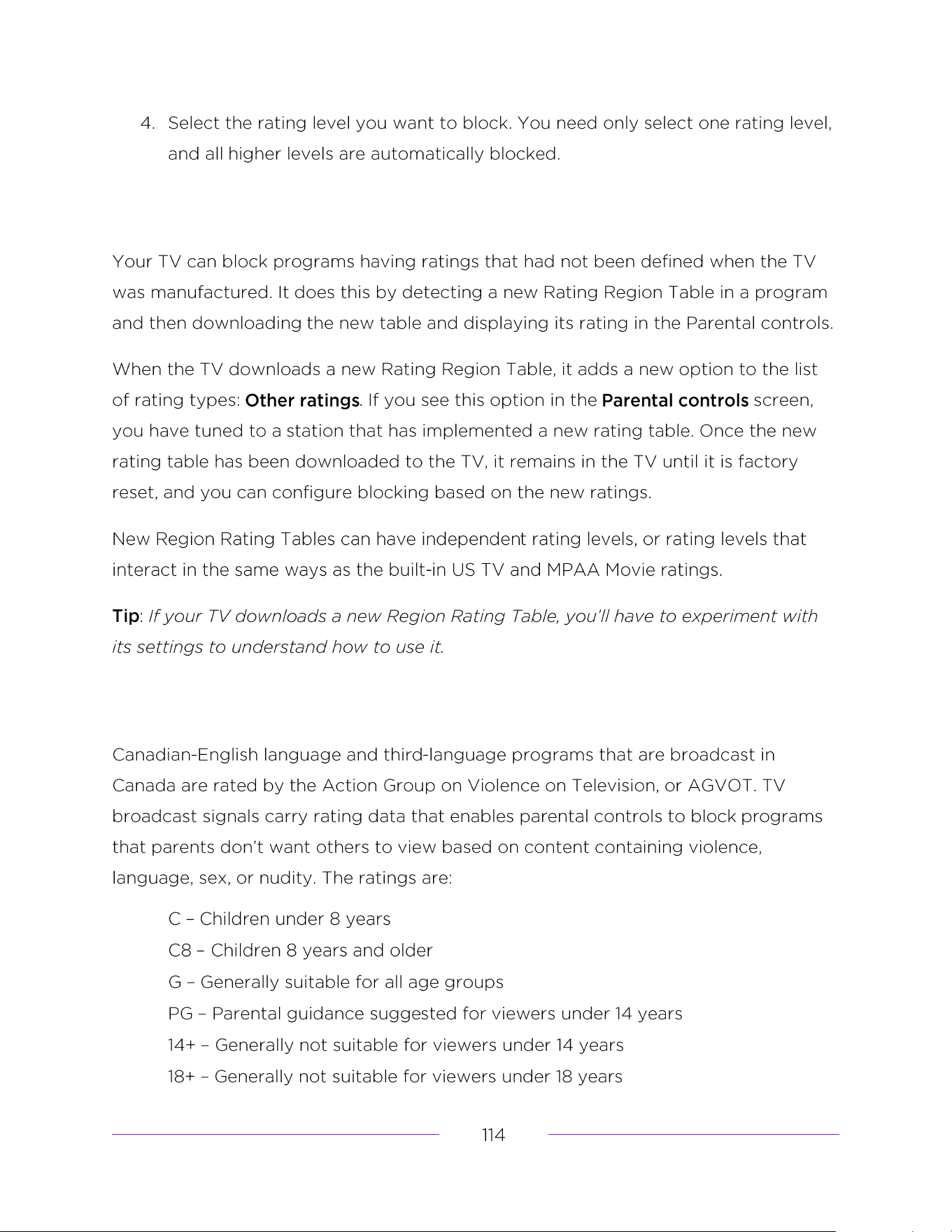
Blocking based on Other ratings
Blocking based on Canadian English ratings
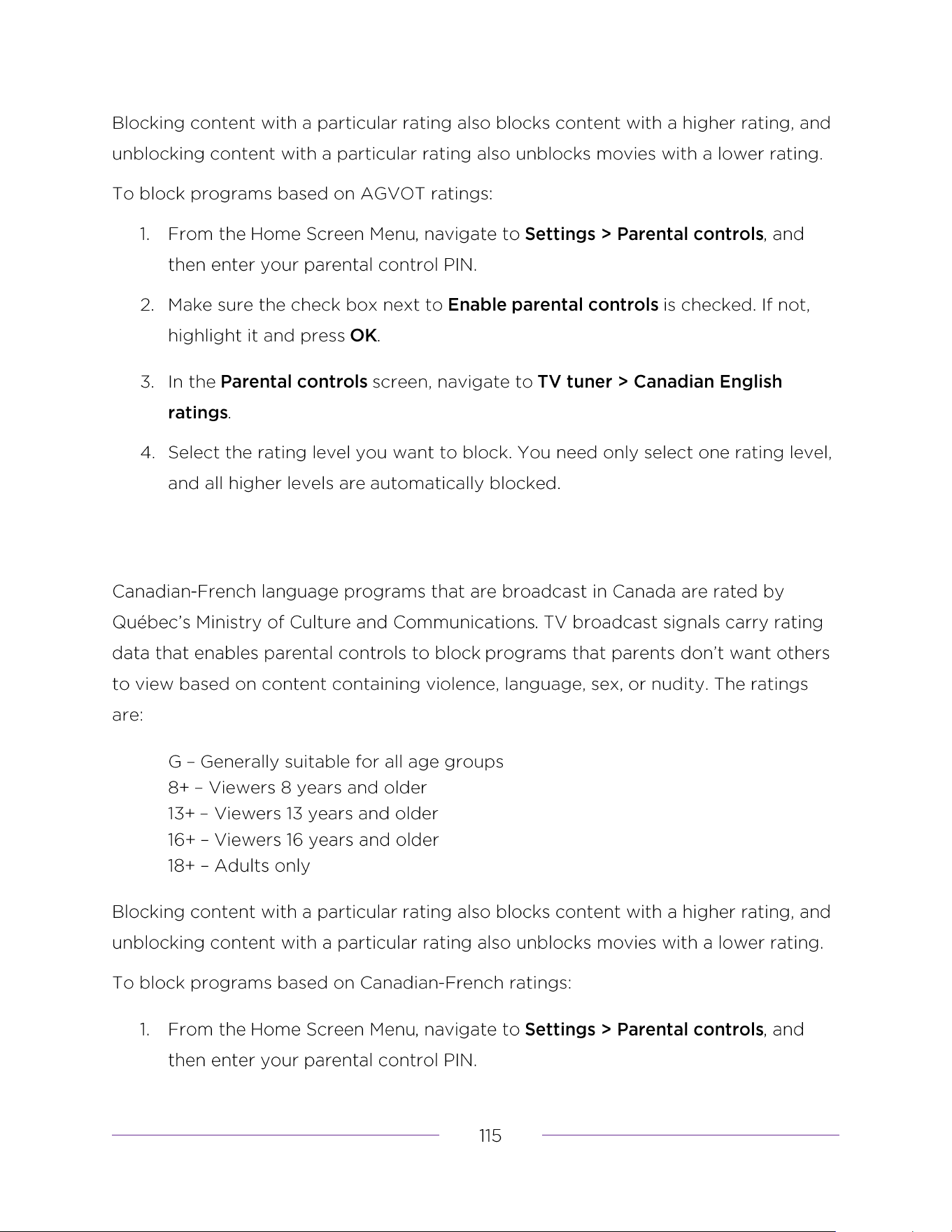
Blocking based on Canadian French ratings
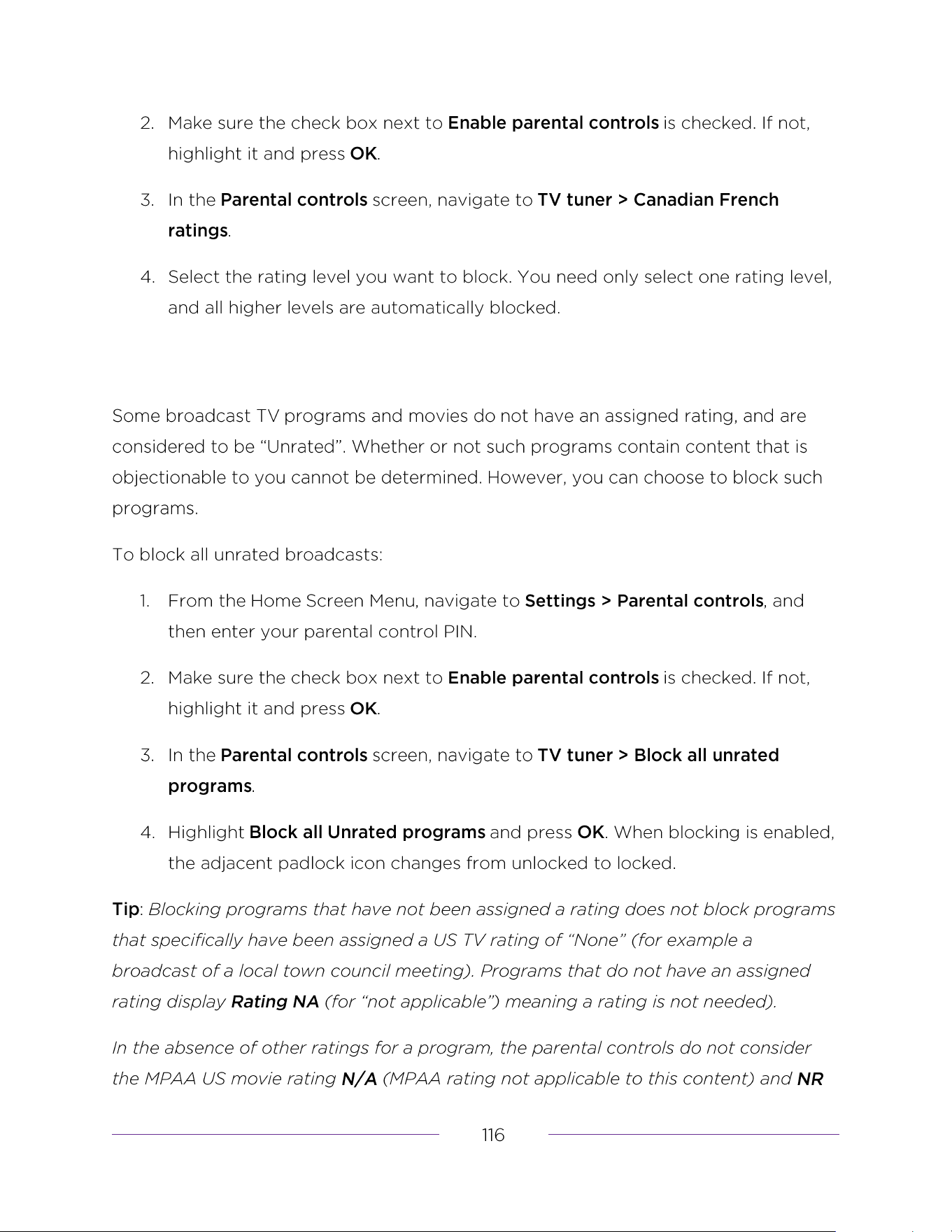
Blocking unrated programs
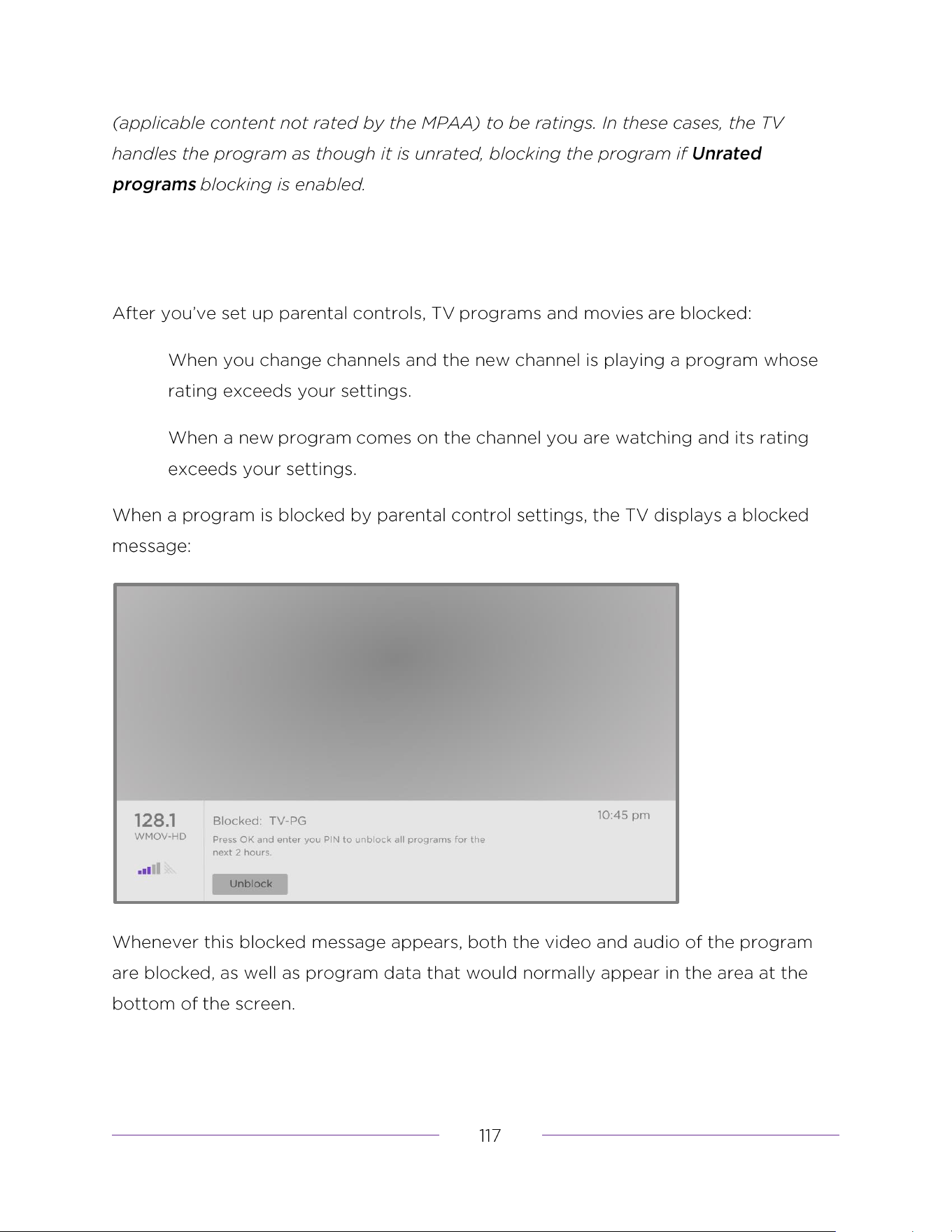
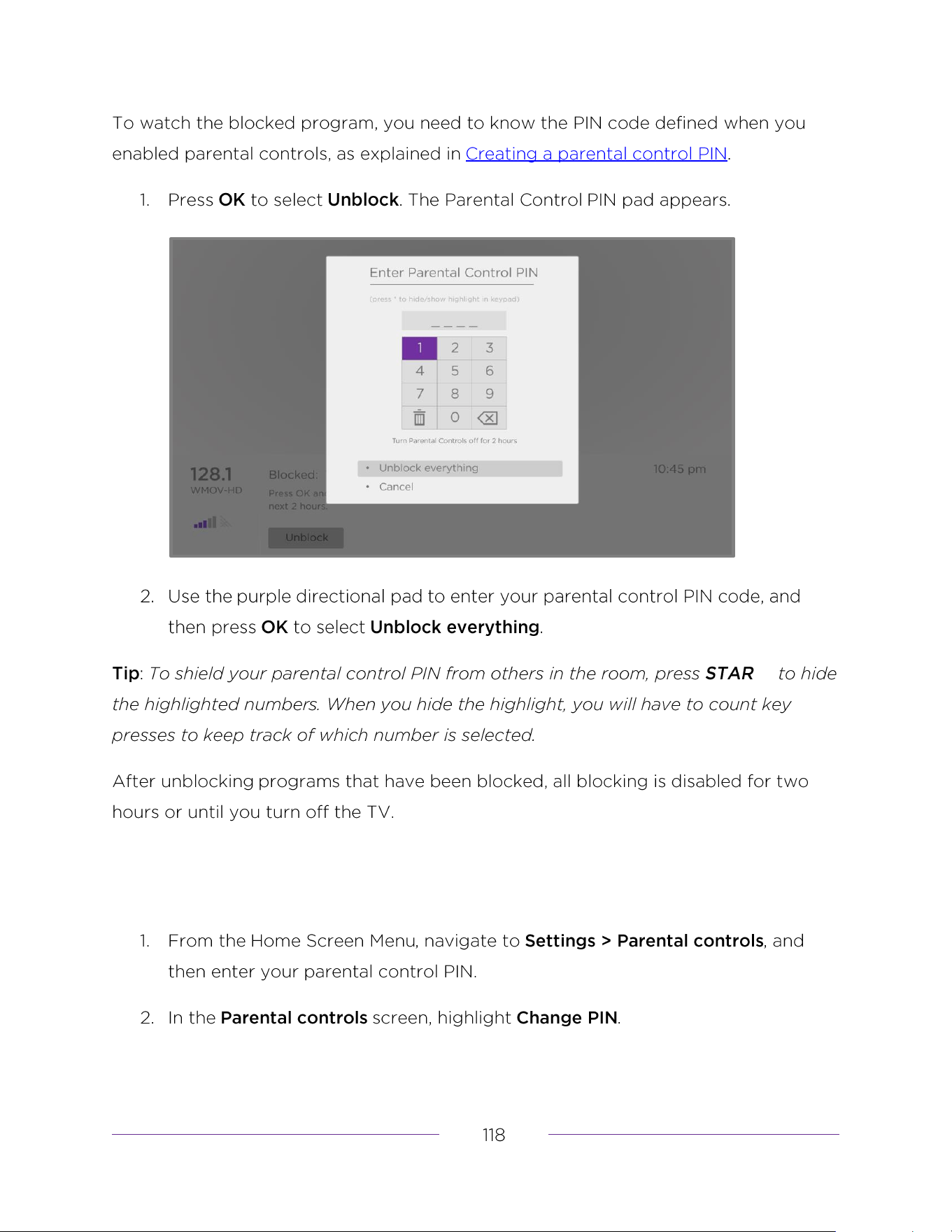
What happens when a TV program is blocked?
Resetting parental controls
Control by mobile apps
Personalized ads
Voice
Microphone access
Wall-mounted TV
Setting up a digital audio connection
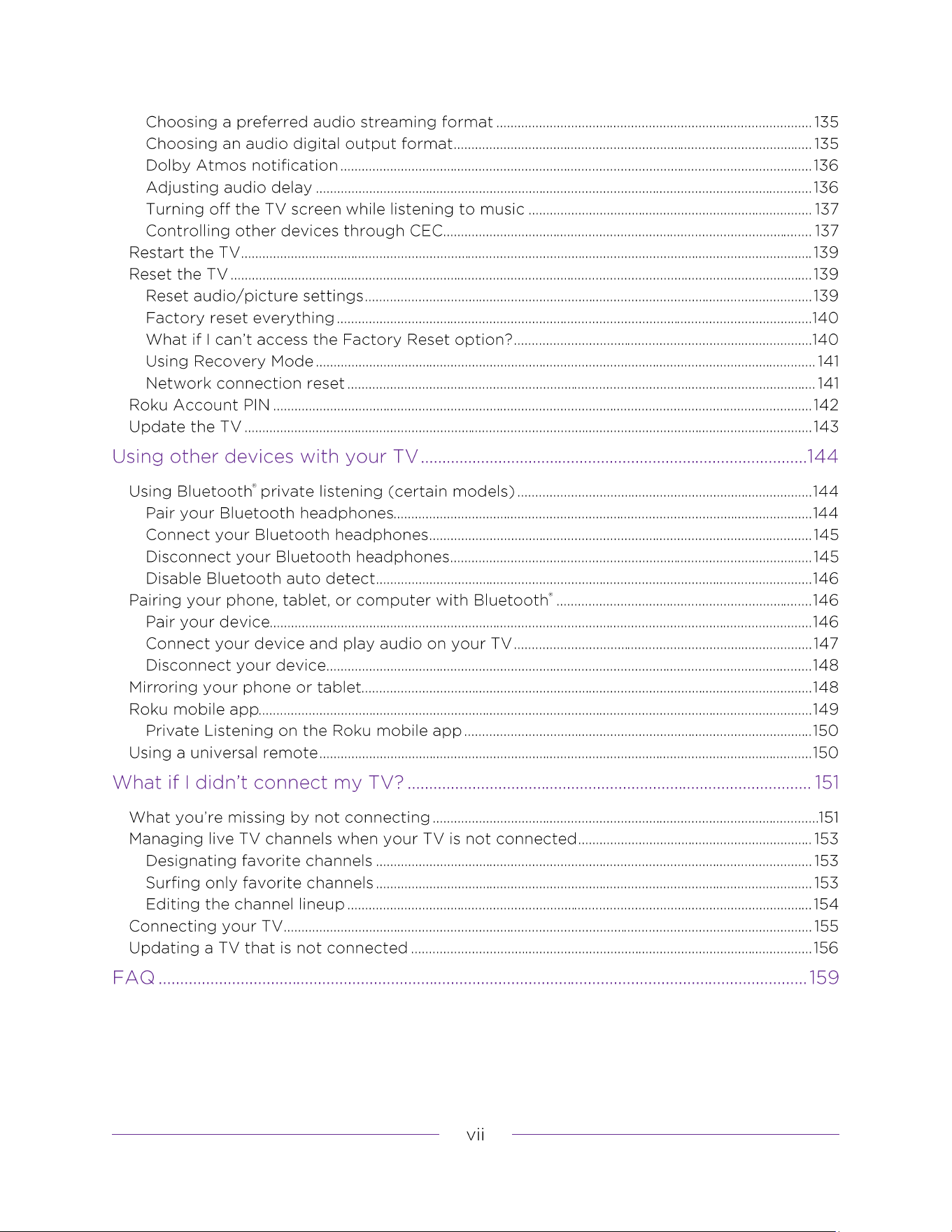
Choosing a preferred audio streaming format
Choosing an audio digital output format
Dolby Atmos notification
Adjusting audio delay
Turning off the TV screen while listening to music
Controlling other devices through CEC
Discover connected CEC devices
Enable 1-touch play
Using Bluetooth
®
private listening (certain models)
Pair your Bluetooth headphones
Connect your Bluetooth headphones
Disconnect your Bluetooth headphones
Disable Bluetooth auto detect
Pairing your phone, tablet, or computer with Bluetooth
®
Pair your device
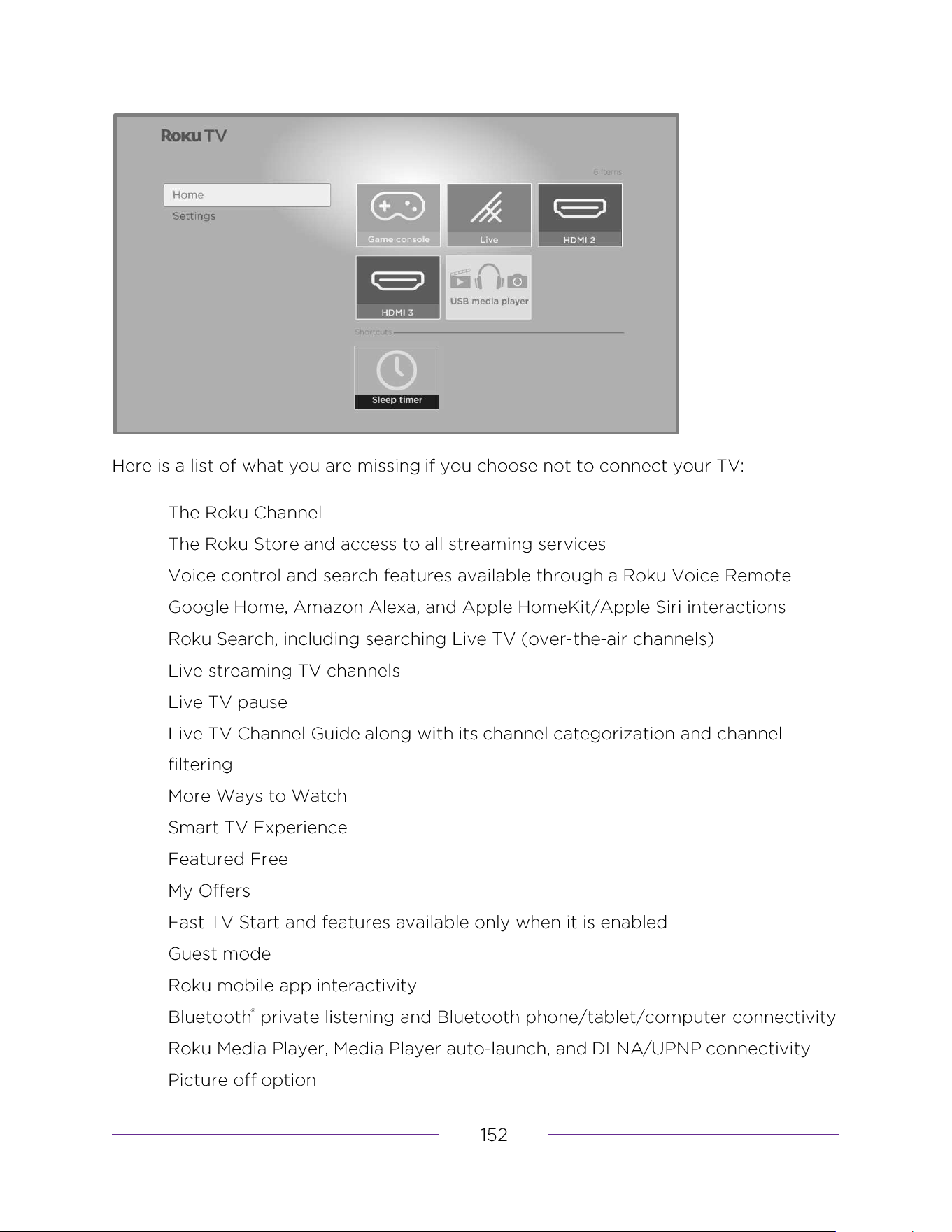
What you’re missing by not connecting
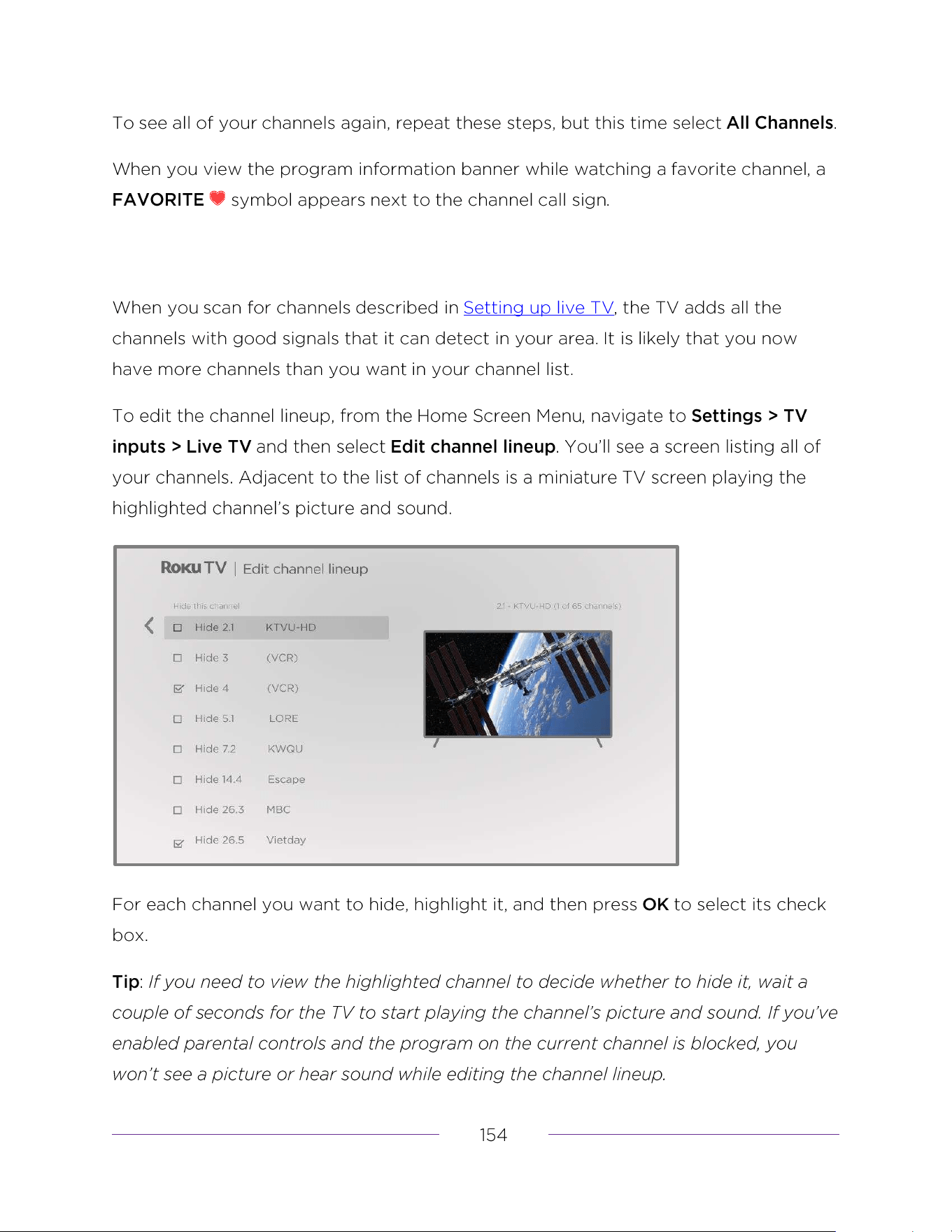
Managing live TV channels when your TV is not connected
Designating favorite channels
Surfing only favorite channels
Connecting your TV
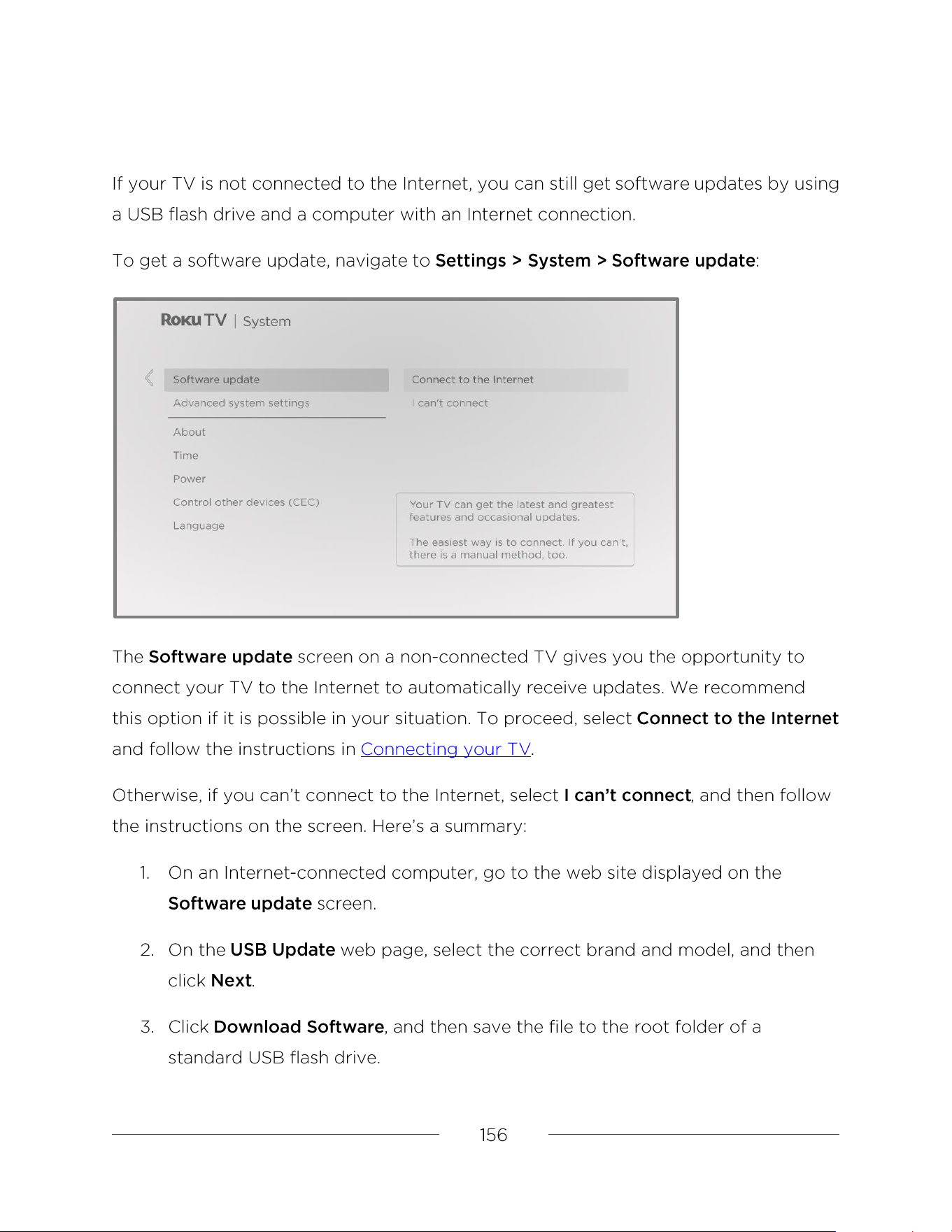
USB flash drive
12- and 6-digit codes
Legal statement
Dolby Audio™
Dolby Vision
®
and Dolby Atmos
®
DTS
®
HDMI
®
Roku
The terms HDMI, HDMI High-Denition Multimedia Interface, HDMI trade dress and the HDMI Logos
are trademarks or registered trademarks of HDMI Licensing Administrator, Inc.
ROKU, ROKU TV and the ROKU logo are the trademarks or registered trademarks of Roku, Inc.
All other trademarks and logos herein are the property of their respective owners.
DTS, the Symbol, and DTS and the Symbol together are registered trademarks of DTS, Inc.
Copyright © 2023 DTS, Inc. All rights reserved.
Dolby, Dolby Vision, Dolby Atmos, and the double-D symbol are registered trademarks of Dolby
Laboratories. Manufactured under license from Dolby Laboratories Licensing Corporation.
Condential unpublished works. Copyright © 2013-2023 Dolby Laboratories.
All rights reserved.
Manufactured under license from Dolby Laboratories. Dolby, Dolby Audio, and the double-D symbol
are registered trademarks of Dolby Laboratories Licensing Corporation. Copyright 1992-2023 Dolby
Laboratories. All rights reserved.
Your use of the Roku TV is subject to the Roku TV Terms of Use. Your Roku account and other features and functionality offered
by Roku may be subject to additional terms. To learn more visit roku.com/legal/docs.

Warranty
This warranty gives you speci�c legal rights. You may have other rights which vary from state/province to state/province.
LIMITED WARRANTY
ONE (1) YEAR
Funai Service Corporation, 2425 Spiegel Drive, Groveport, OH 43125, USA
WARRANTY COVERAGE:
This warranty obligation is limited to the terms as set forth below.
WHO IS COVERED:
This product warranty is issued to the original purchaser or the
person receiving the product as a gift against defects in materials
and workmanship as based on the date of original purchase
(“Warranty Period”) from an Authorized Dealer. The original sales
receipt showing the product name and the purchase date from an
authorized retailer is considered such proof.
WHAT IS COVERED:
This warranty covers new products if a defect in material or
workmanship occurs and a valid claim is received within the
Warranty Period. At its option, the company will either (1) repair the
product at no charge, using new or refurbished replacement parts,
or (2) exchange the product with a product that is new or which has
been manufactured from new, or serviceable used parts and is at
least functionally equivalent or most comparable to the original
product in current inventory, or (3) refund the original purchase
price of the product.
Replacement products or parts provided under this warranty are
covered against defects in materials and workmanship from the
date of the replacement or repair for ninety (90) days or for the
remaining portion of the original product’s warranty, whichever
provides longer coverage for you. When a product or part is
exchanged, any replacement item becomes your property and the
replaced item becomes company property. When a refund is given,
your product becomes company property.
Note: Any product sold and identi�ed as refurbished or renewed
carries a ninety (90) day limited warranty.
Replacement product can only be sent if all warranty requirements
are met. Failure to follow all requirements can result in delay.
WHAT IS NOT COVERED - EXCLUSIONS AND LIMITATIONS:
This Limited Warranty applies only to new company manufactured
products that can be identi�ed by the trademark, trade name, or
logo affixed to it. This Limited Warranty does not apply to any
hardware product or any software, even if packaged or sold with the
product, as manufacturers, suppliers, or publishers may provide a
separate warranty for their own products packaged with the
bundled product.
The company is not liable for any damage to or loss of any programs,
data, or other information stored on any media contained within the
product, or other additional product or part not covered by this
warranty. Recovery or reinstallation of programs, data or other
information is not covered under this Limited Warranty.
This warranty does not apply (a) to damage caused by accident,
abuse, misuse, neglect, misapplication, or non-supplied product, (b)
to damage caused by service performed by anyone other than
company approved Authorized Service Location, (c) to a product or a
part that has been modi�ed without written company permission,
or (d) if any serial number has been removed or
defaced, or (e)
product, accessories or consumables sold “AS IS” without warranty of
any kind by including refurbished product sold “AS IS” by some
retailers.
This Limited Warranty does not cover:
• Shipping charges to return defective product.
• Labor charges for installation or setup of the product, adjustment
of customer controls on the product, and installation or repair of
antenna/signal source systems outside of the product.
• Product repair and/or part replacement because of improper
installation or maintenance, connections to improper voltage
supply, power line surge, lightning damage, retained images or
screen markings resulting from viewing �xed stationary content
for extended periods, product cosmetic appearance items due to
normal wear and tear, unauthorized repair or other cause not
within the control of the company.
• Damage or claims for products not being available for use, or for
lost data or lost software.
• Damage from mishandled shipments or transit accidents when
returning product.
• A product that requires modi�cation or adaptation to enable it to
operate in any country other than the country for which it was
designed, manufactured, approved and/or authorized, or repair
of products damaged by these modi�cations.
• A product used for commercial or institutional purposes
(including but not limited to rental purposes).
• Product lost in shipment and no signature veri�cation receipt can
be provided.
• Failure to operate per User manual.
TO OBTAIN ASSISTANCE…
Contact the Customer Care Center at:
1-833-978-3323
or chat with us via the Philips website...
REPAIR OR REPLACEMENT AS PROVIDED UNDER THIS WARRANTY IS
THE EXCLUSIVE REMEDY FOR THE CONSUMER, WITH THE ISSUING
COMPANY NOT LIABLE FOR ANY INCIDENTAL OR CONSEQUENTIAL
DAMAGES FOR BREACH OF ANY EXPRESS OR IMPLIED WARRANTY
ON THIS PRODUCT. EXCEPT TO THE EXTENT PROHIBITED BY
APPLICABLE LAW, ANY IMPLIED WARRANTY OF MERCHANTABILITY
OR FITNESS FOR A PARTICULAR PURPOSE ON THIS PRODUCT IS
LIMITED IN DURATION TO THE DURATION OF THIS WARRANTY.
Some states do not allow the exclusions or limitation of incidental or
consequential damages, or allow limitations on how long an implied
warranty lasts, so the above limitations or exclusions may not apply
to you.

License
Funai Corporation, Inc. hereby offers to deliver, upon request, a copy of
the complete corresponding source code for the copyrighted open source
code packages, on an “AS IS” basis, used in this product for which such
offer is requested by the respective licenses. This offer is valid up to three
years after the product purchase to anyone in receipt of this information.
To obtain source code, please contact Funai Corporation, Inc. You should
write to Funai Service Corporation OSS Request,
2425 Spiegel Drive, Groveport, OH 43125, USA
Funai Corporation, Inc. disclaims any and all warranties and representa-
tions with respect to such software and related source code including
quality, reliability, usability, and accuracy, and further disclaim all express,
implied, statutory or otherwise, including without limitation, any implied
warranties of title, non-infringement, merchantability, or fitness for a
particular purpose. Funai Corporation, Inc. shall not be liable to make any
corrections to the open source software or source code or to provide any
support or assistance with respect to it. Funai Corporation, Inc. disclaims
any and all liability arising out of or in connection with the use of this soft-
ware and/or source code.

This product has been manufactured by and is sold
under the responsibility of Funai Corporation, Inc.,
and Funai Corporation, Inc. is the warrantor in relation
to this product.
The Philips trademark and the Philips Shield Emblem
are registered trademarks of Koninklijke Philips N.V.
used under license.
Funai Corporation, Inc.
12489 Lakeland Road, Santa Fe Springs, CA 90670, USA
★★★★★
