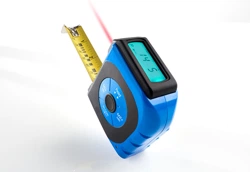

Item No. 206987
User Guide
2-IN-1 DIGITAL LASER TAPE MEASURE
Thank you for purchasing the Sharper Image 2-in-1 Digital
Laser Tape Measure. Please take a moment to read this guide
and store it for future reference.
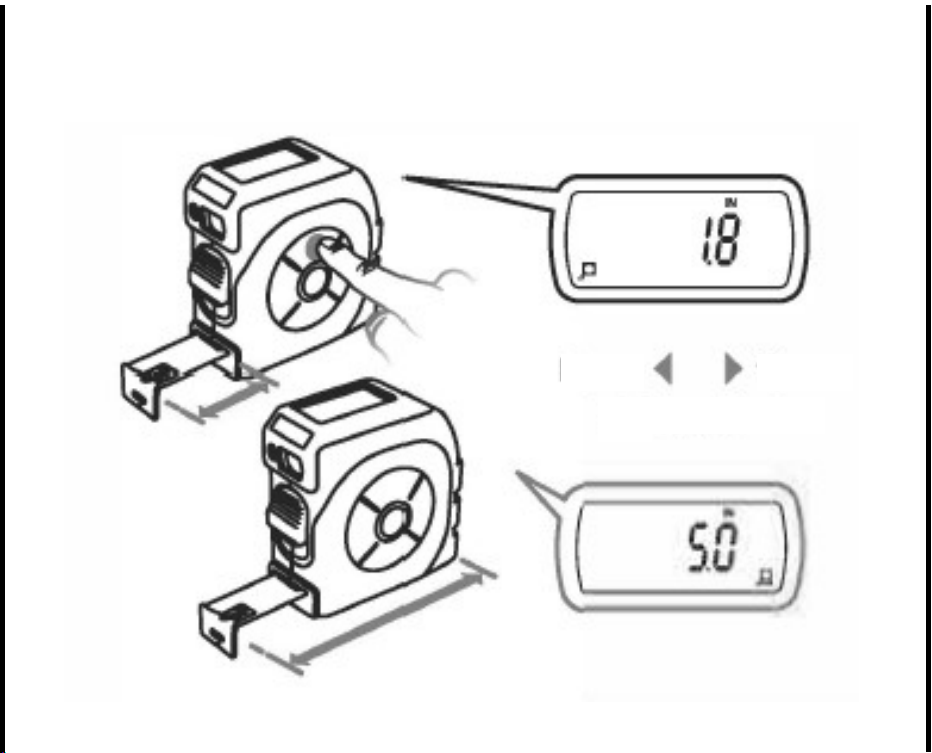
SELECT INSIDE / OUTSIDE MEASUREMENT
PRESS FOR
1 SECOND
Item No. 206987
User Guide
2-IN-1 DIGITAL LASER TAPE MEASURE
Thank you for purchasing the Sharper Image 2-in-1 Digital
Laser Tape Measure. Please take a moment to read this guide
and store it for future reference.
SELECT INSIDE / OUTSIDE MEASUREMENT
PRESS FOR
1 SECOND

AUTO SHUT-OFF
The 2-in-1 Digital Laser Tape Measure will shut off after 5 minutes
of non-use. To turn the device back on, simply pull out the tape
blade a few times to activate.
BACKLIGHT ON LCD
The backlight on the LCD screen will activate for 30 seconds when
the tape is pulled out or when a button is pressed.
DIGITAL FUNCTION
All digital functions are applied to laser mode as well as
tape measure mode.
CHANGE TO TAPE MEASURE MODE FROM LASER MODE
Simply pull the tape out and select tape mode.
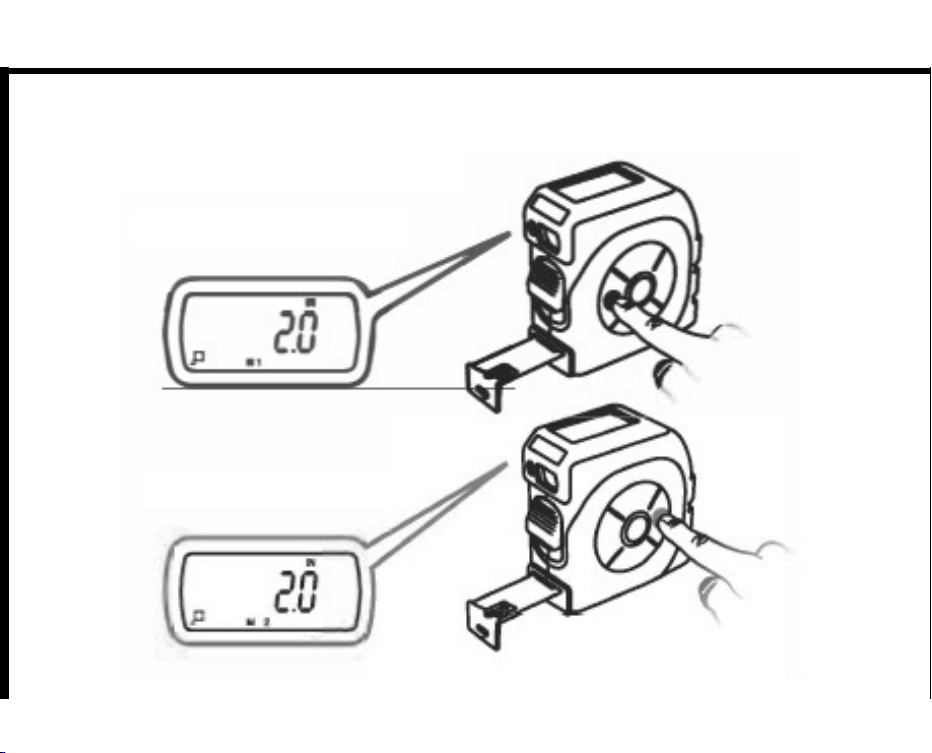
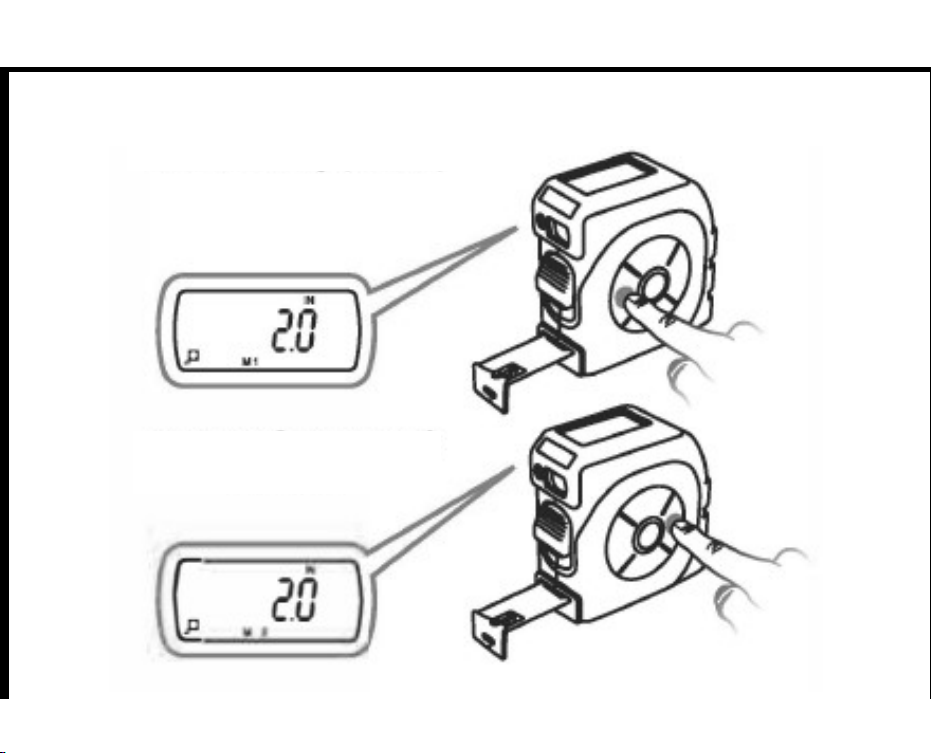
DUAL MEMORY
(
RECORD
)
CLICK M1+ TO RETAIN
CLICK M2+ TO RETAIN
AUTO SHUT-OFF
The 2-in-1 Digital Laser Tape Measure will shut off after 5 minutes
of non-use. To turn the device back on, simply pull out the tape
blade a few times to activate.
BACKLIGHT ON LCD
The backlight on the LCD screen will activate for 30 seconds when
the tape is pulled out or when a button is pressed.
DIGITAL FUNCTION
All digital functions are applied to laser mode as well as
tape measure mode.
CHANGE TO TAPE MEASURE MODE FROM LASER MODE
Simply pull the tape out and select tape mode.
DUAL MEMORY
(
RECORD
)
CLICK M1+ TO RETAIN
CLICK M2+ TO RETAIN
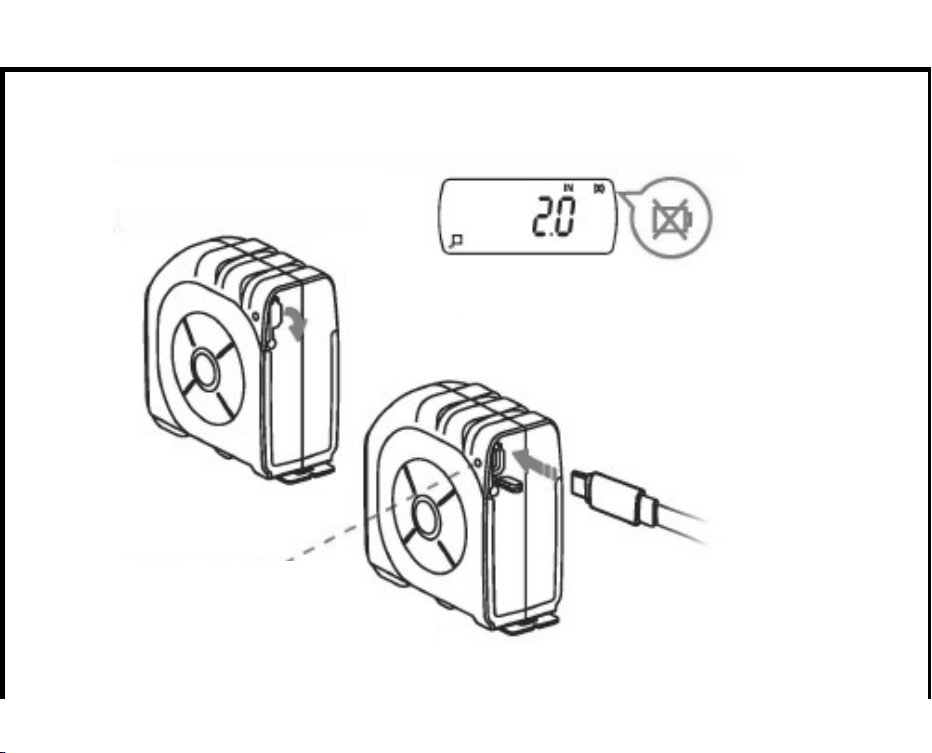
BATTERY CHARGING
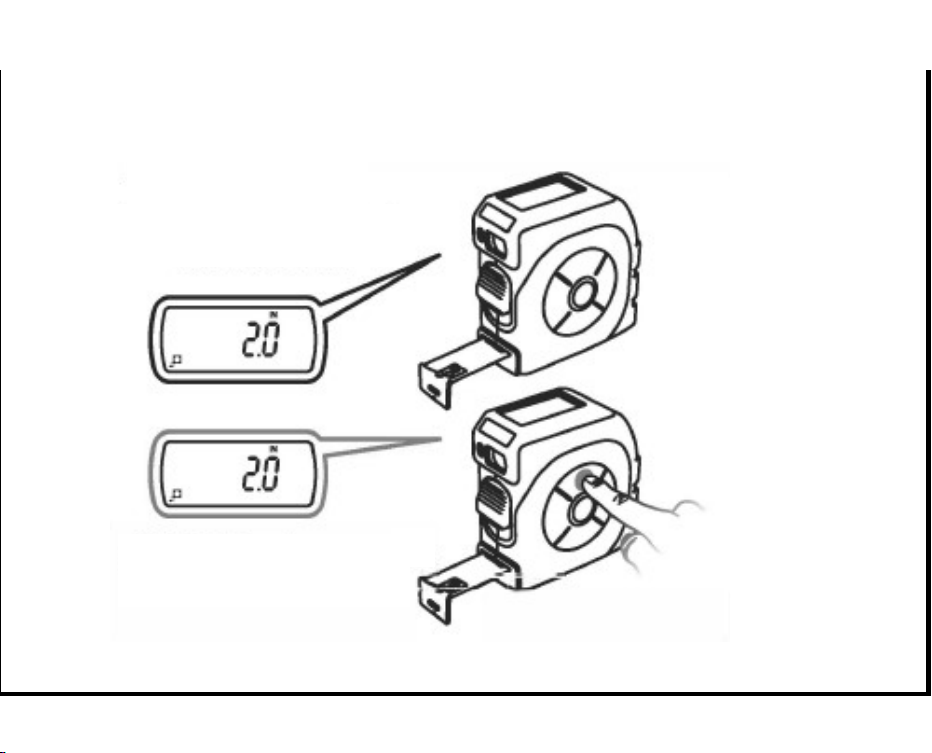
DUAL MEMORY
(
RECALL
)
OPEN
CHARGE PORT COVER
CHARGE
WITH USB
(
MICRO 5-PIN
)
LED INDICATOR
RED: CHARGING
GREEN: FULLY CHARGED
PRESS MR FOR 1 SECOND
TO RECALL
BATTERY CHARGING
DUAL MEMORY
(
RECALL
)
OPEN
CHARGE PORT COVER
CHARGE
WITH USB
(
MICRO 5-PIN
)
LED INDICATOR
RED: CHARGING
GREEN: FULLY CHARGED
PRESS MR FOR 1 SECOND
TO RECALL
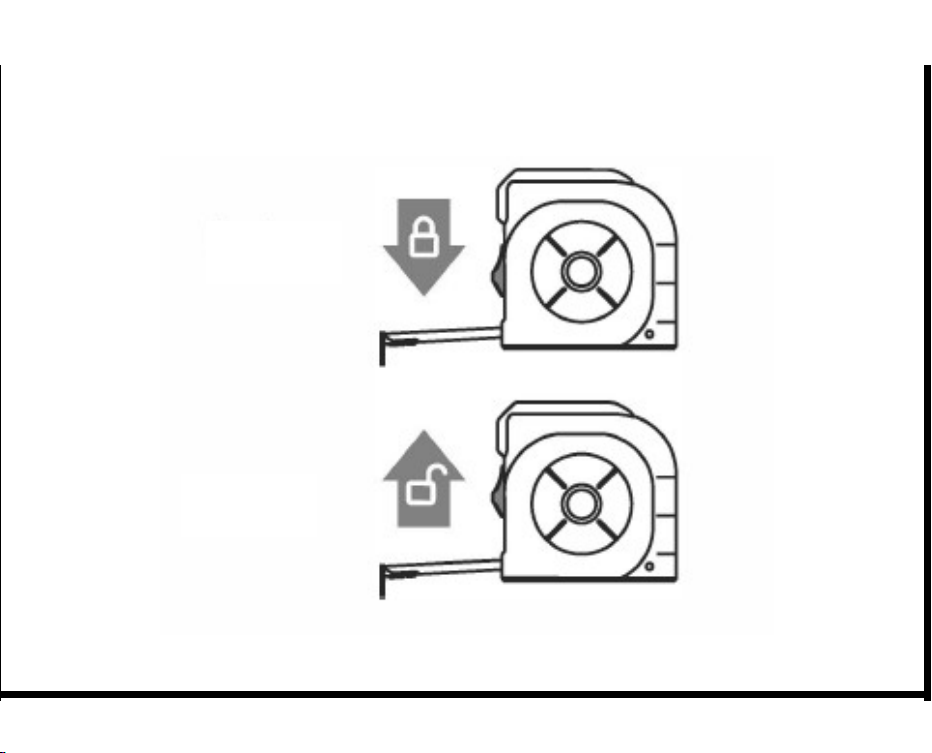
BLADE LOCK
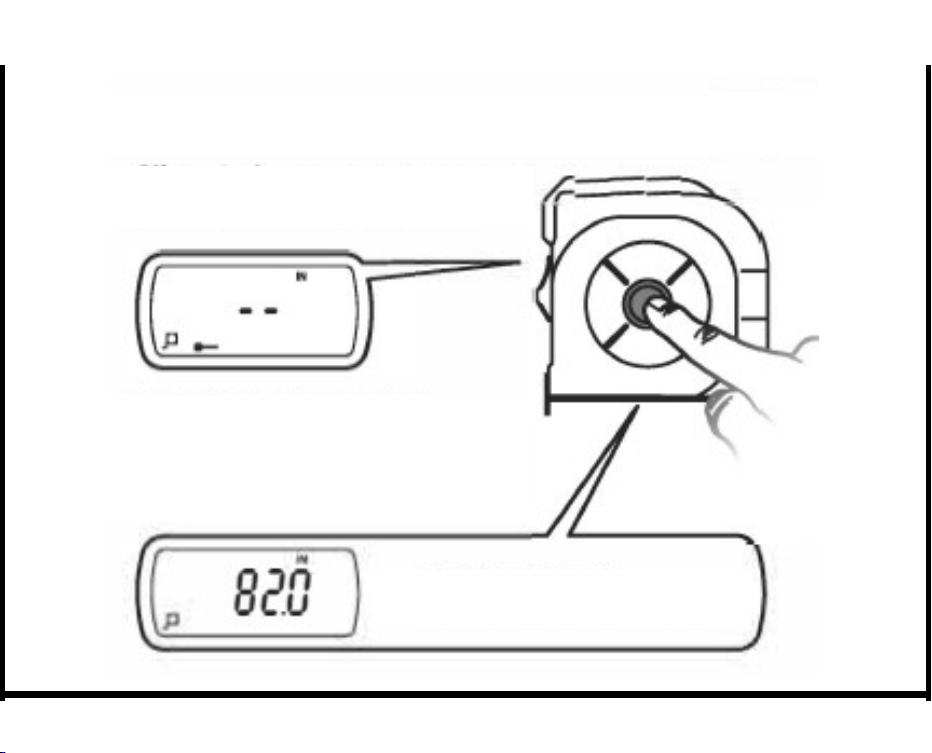
LASER DISTANCE METER MODE
(
SINGLE MEASUREMENT
)
LOCK
RELEASE
CLICK MODE BUTTON TO CHANGE TO
LASER DISTANCE METER MODE.
CLICK MODE BUTTON AGAIN,
LASER DOT APPEARS ON THE OBJECT
AND LASER IS READY FOR SINGLE
MEASUREMENT.
CLICK MODE BUTTON TO
CAPTURE MEASUREMENT
BLADE LOCK
LASER DISTANCE METER MODE
(
SINGLE MEASUREMENT
)
LOCK
RELEASE
CLICK MODE BUTTON TO CHANGE TO
LASER DISTANCE METER MODE.
CLICK MODE BUTTON AGAIN,
LASER DOT APPEARS ON THE OBJECT
AND LASER IS READY FOR SINGLE
MEASUREMENT.
CLICK MODE BUTTON TO
CAPTURE MEASUREMENT
HOLD FUNCTION
LASER DISTANCE MEASUREMENT
(
CONTINUED
)
CLICK HOLD TO RETAIN
LAST MEASUREMENT.
CLICK HOLD AGAIN TO
RESUME MEASURING.
PRESS MODE BUTTON FOR 1 SECOND
DURI NG SINGLE LASER METER MODE TO
CHANGE TO CONTINUOUS METER MODE.
CLICK MODE BUTTON AGAIN,
LASER DOT APPEARS ON THE OBJECT
AND LASER IS READY FOR CONTINUOUS
MEASUREMENT.
CLICK MODE BUTTON TO CAPTURE
MEASUREMENT. USE CONTINUOUS
MEASUREMENT BY MOVING THE
LAS ER BACK AND FORTH.
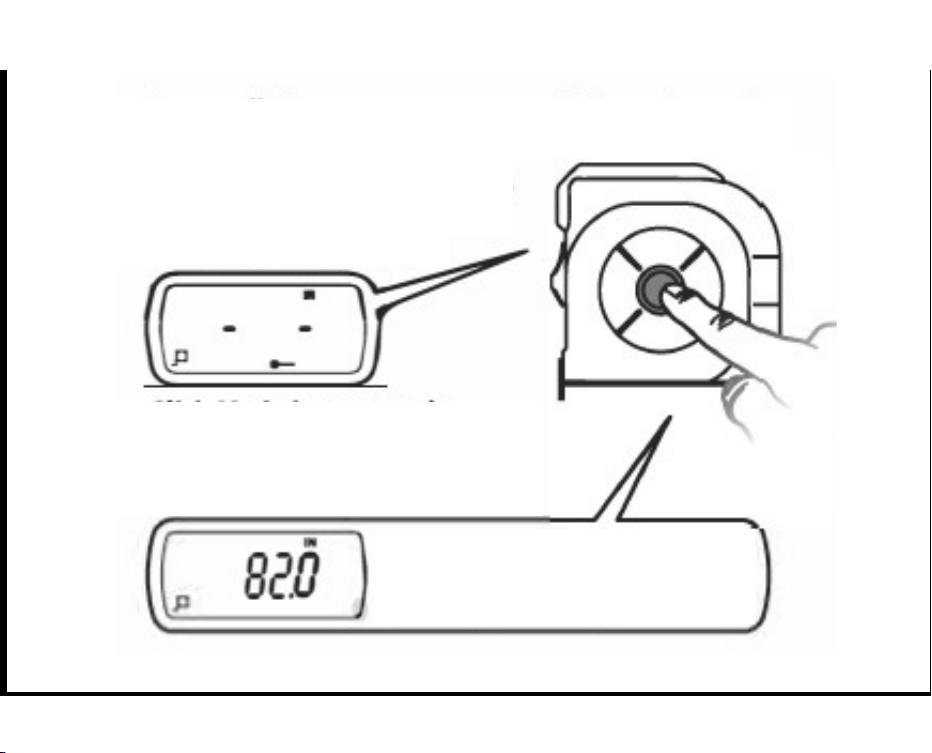
HOLD FUNCTION
LASER DISTANCE MEASUREMENT
(
CONTINUED
)
CLICK HOLD TO RETAIN
LAST MEASUREMENT.
CLICK HOLD AGAIN TO
RESUME MEASURING.
PRESS MODE BUTTON FOR 1 SECOND
DURI NG SINGLE LASER METER MODE TO
CHANGE TO CONTINUOUS METER MODE.
CLICK MODE BUTTON AGAIN,
LASER DOT APPEARS ON THE OBJECT
AND LASER IS READY FOR CONTINUOUS
MEASUREMENT.
CLICK MODE BUTTON TO CAPTURE
MEASUREMENT. USE CONTINUOUS
MEASUREMENT BY MOVING THE
LAS ER BACK AND FORTH.
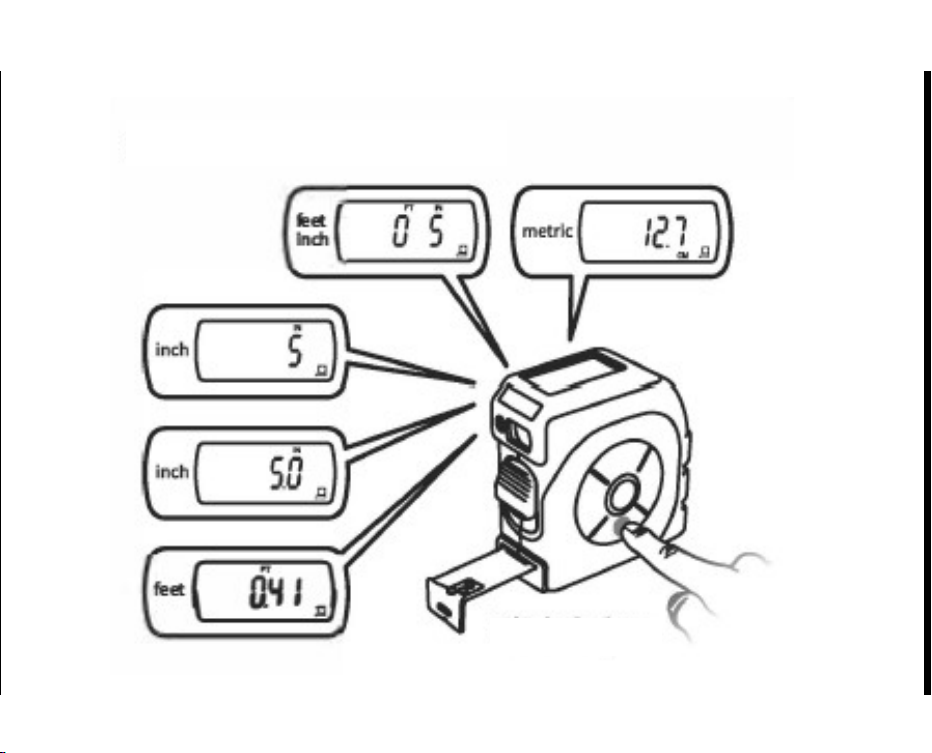
SELECT / CONVERT UNITS
CLICK IN/CM
SELECT / CONVERT UNITS
CLICK IN/CM
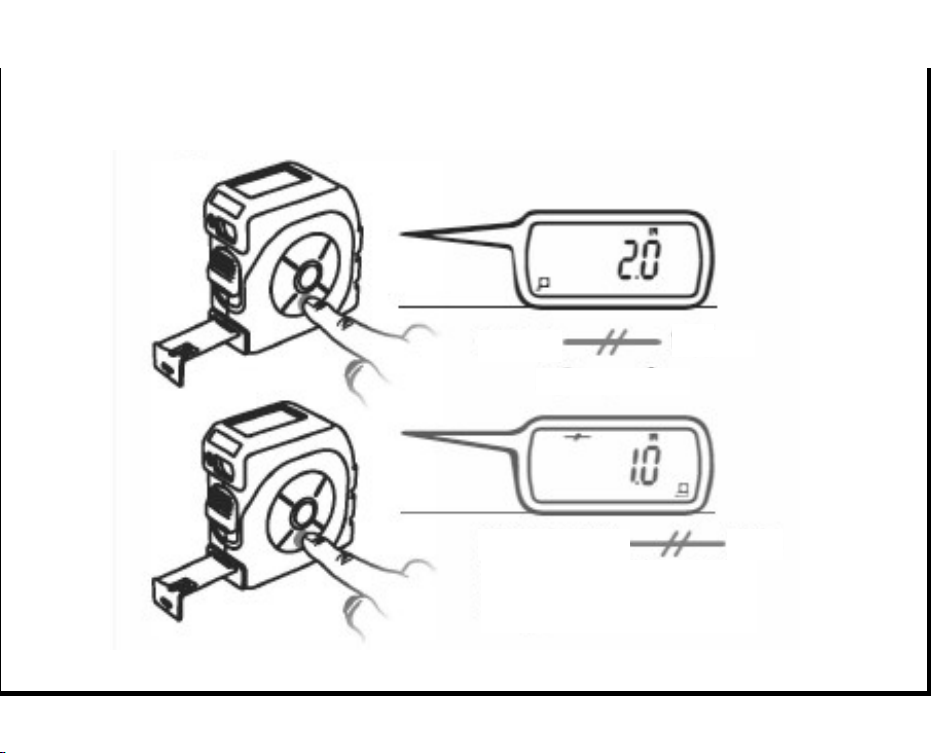
MIDPOINT
WARRANTY / CUSTOMER SERVICE
Sharper Image branded items purchased from SharperImage.
com include a 1-year limited replacement warranty. If you have any
questions not covered in this guide, please call our Customer Service
department at 1 (877) 210-3449. Customer Service agents are
available Monday through Friday, 9:00 a.m. to 6:00 p.m. ET.
The SHARPER IMAGE® name and logo are registered trademarks.
©Sharper Image. All Rights Reserved.
PRESS FOR
1 SECOND
CLICK AGAIN FOR
1 SECOND TO RELEASE
MIDPOINT

MIDPOINT
WARRANTY / CUSTOMER SERVICE
Sharper Image branded items purchased from SharperImage.
com include a 1-year limited replacement warranty. If you have any
questions not covered in this guide, please call our Customer Service
department at 1 (877) 210-3449. Customer Service agents are
available Monday through Friday, 9:00 a.m. to 6:00 p.m. ET.
The SHARPER IMAGE® name and logo are registered trademarks.
©Sharper Image. All Rights Reserved.
PRESS FOR
1 SECOND
CLICK AGAIN FOR
1 SECOND TO RELEASE
MIDPOINT
