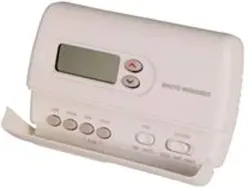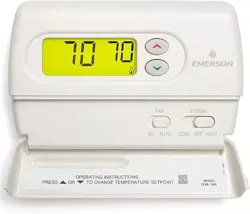
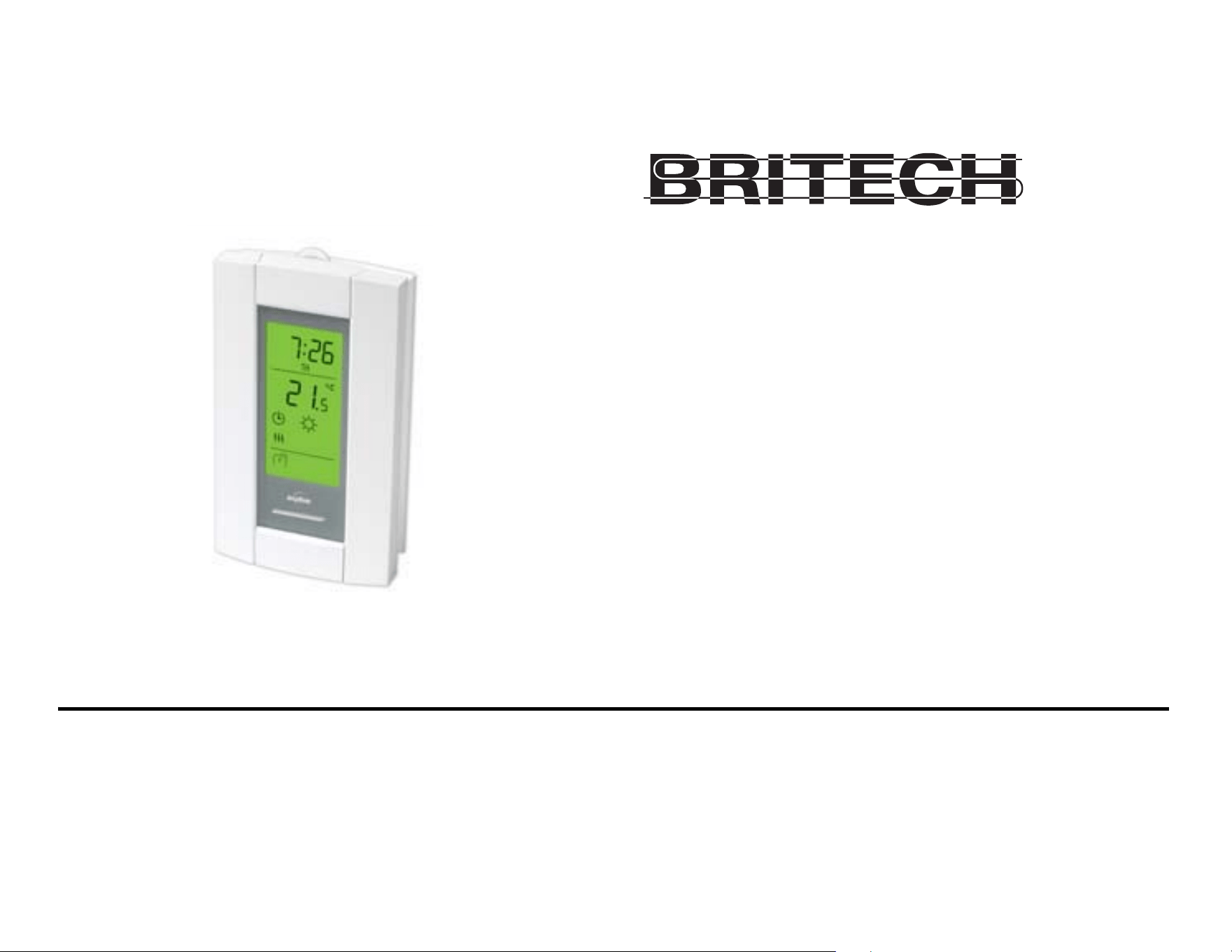
Owner’s Guide
Guide du propriétaire
Guía para el usuario
TH115-AF-GB-10
Programmable thermostat
Thermostat programmable
Termostato programable

Read and save these instructions.
Veuillez lire le mode d’emploi et le conserver en lieu sûr.
Estas instrucciones deben leerse y conservarse.
Operating Manual 400-115-050-EFS
ENGLISH
Overview
Before you start ..................................................2
About your thermostat........................................3
Quick reference to controls ................................4
Quick reference to display..................................5
Installation
Installing the thermostat .....................................6
Wiring diagram ...................................................7
Floor sensor / remote control connections .........8
Configuration switches .......................................9
Setup
Clock and day ..................................................10
Daylight Saving Time .......................................11
Floor temperature limits....................................12
Preset temperatures.........................................13
Default schedule (Energy Star settings)...........14
Modifying the schedule ....................................15
Operation
Running the schedule (automatic mode) .........16
Temporary override of schedule.......................16
Permanent override (manual mode) ...............17
Going on vacation (vacation mode) .................17
Ground fault protection (GFCI).........................18
Appendices
Error messages................................................20
Technical specifications....................................21
Customer assistance........................................22
Warranty...........................................................23
Table of contents
Operating Manual 400-115-050-EFS
2
ENGLISH
Read the entire document
CAUTION:
• Installation must be carried out by an electrician and must comply with national and
local electrical codes.
• Use this thermostat only for resistive load.
• Do NOT install the thermostat in an area where it can be exposed to water or rain.
• To prevent severe shock or electrocution, always turn the power OFF at the service
panel before working with wiring.
• Install the thermostat onto an electrical box.
• Use special CO/ALR solderless connectors if you connect the thermostat to aluminum
wires.
• Keep the thermostat's top and bottom air vents (openings) clean and unobstructed at
all times.
Before you start
TH115-AF-GB-10
3
ENGLISH
The TH115 programmable thermostat has three temperature control modes:
See page 9 on how to change the temperature control mode setting.
Supplied Parts
• One (1) power base
• Two (2) mounting screws
• Four (4) solderless connectors for copper wires
• One (1) floor sensor
• One (1) flat-tip screwdriver
About your thermostat
A mode: controls the ambient air temperature
F mode: controls the floor temperature using an external temperature sensor
AF mode: controls the ambient air temperature
maintains the floor temperature within desired limits using an external temperature
sensor
Operating Manual 400-115-050-EFS
4
ENGLISH
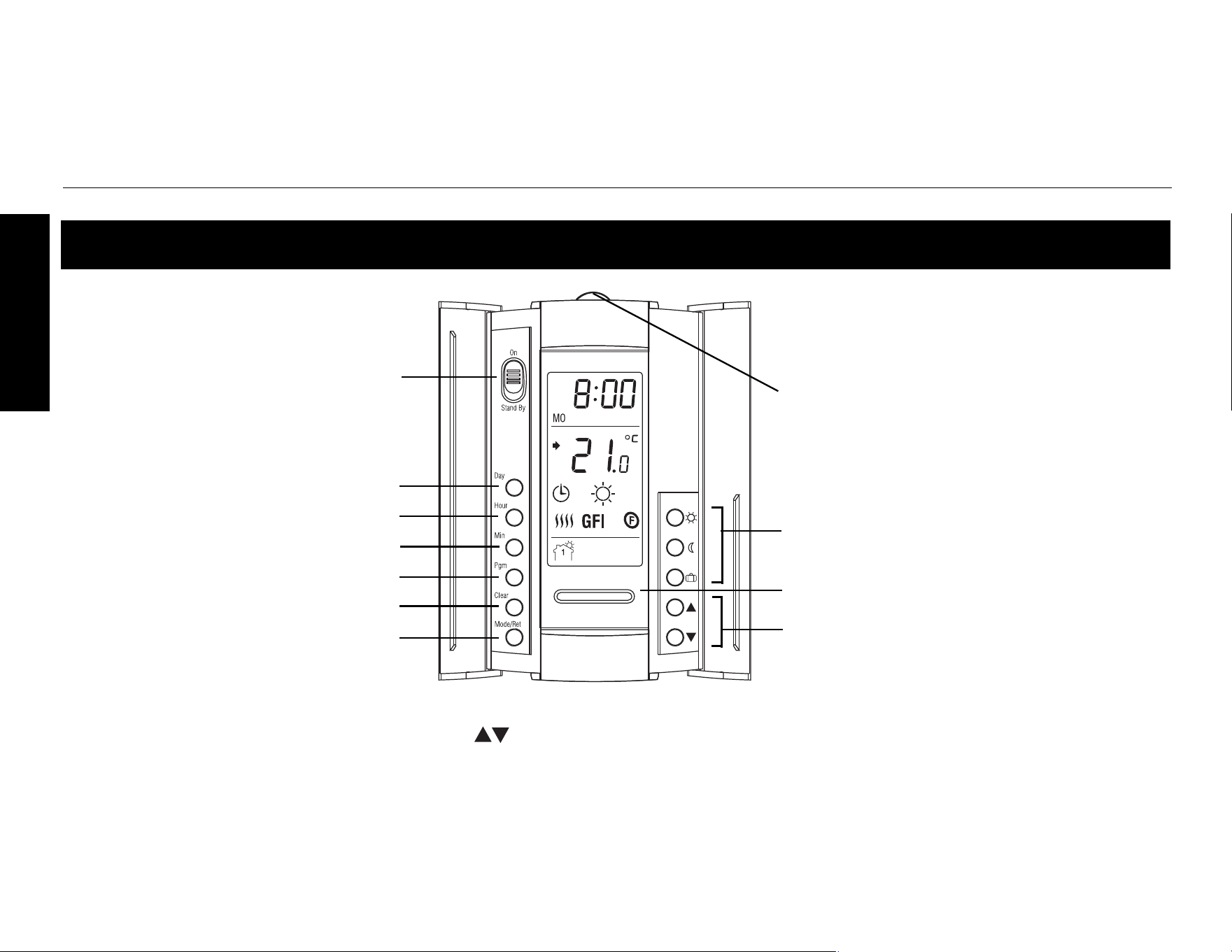
Quick reference to controls
On/Standby switch
1
Day button
Up/Down buttons
2
Program button
Mode selection /program exit
Preset temperature buttons
Backlight button
2
Program clear button
Hour button
Minutes button
1
Place on Standby to cut power to the heater (e.g., in the summer). This will not affect the time and temperature settings.
2
When the backlight button or either of the (Up/Down) buttons is pressed, the display illuminates for 12 seconds.
TEST light /button for ground
fault protection (see page 18)
TH115-AF-GB-10
5
ENGLISH
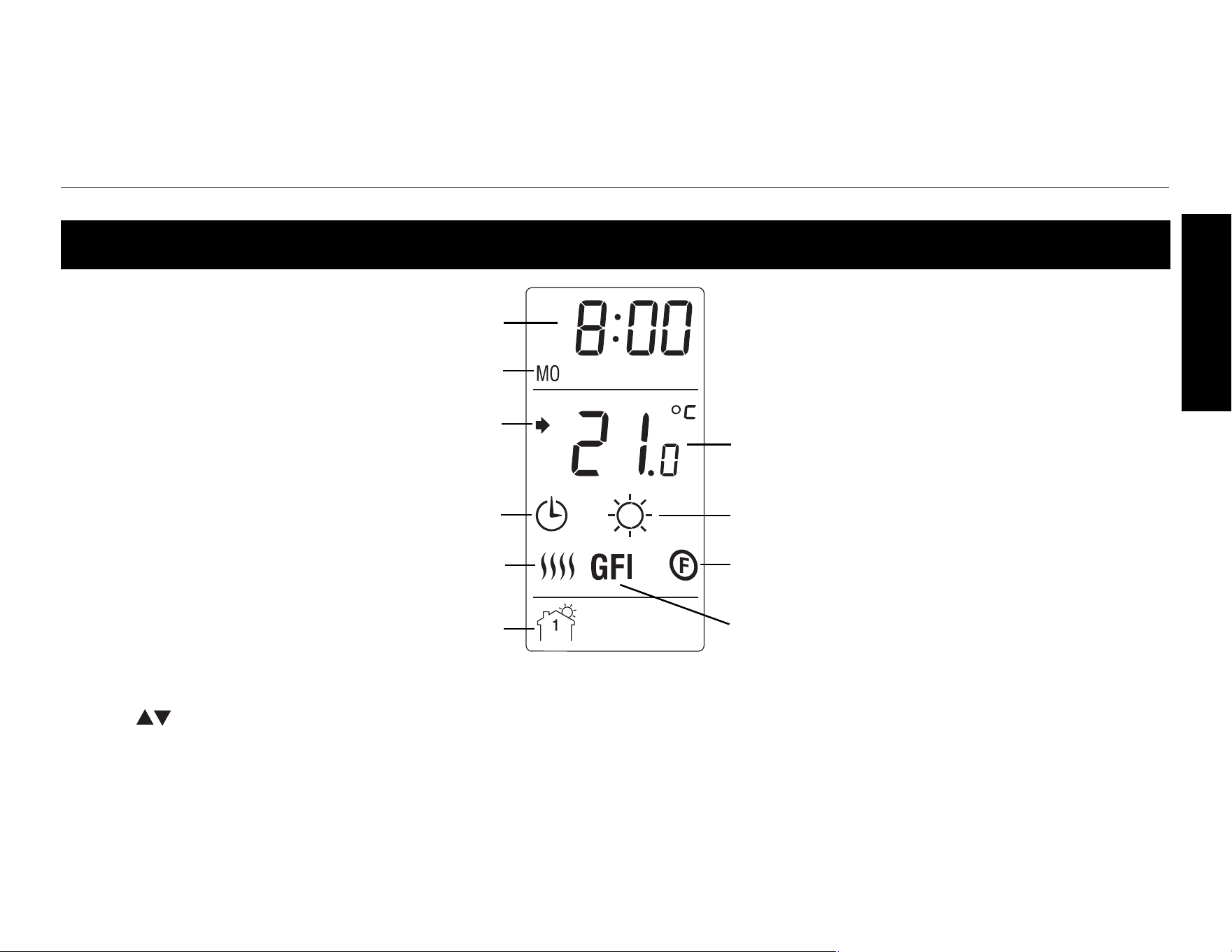
Quick reference to display
Temperature*
Mode
Period
Time
Heating intensity indicator
Preset temperature icon (see page 13)
Appears when the setpoint is displayed*
Temperature control mode (see page 3)
Ground fault indicator (see page 18)
Day
* The thermostat normally displays the actual (measured) temperature. To view the setpoint, press either
of the buttons once. The setpoint will appear for the next 5 seconds. To change the setpoint, press
one of the buttons until the desired temperature is displayed. To scroll faster, press and hold the button.
Operating Manual 400-115-050-EFS
6
ENGLISH
n
Turn off power to the heating system at the service panel.
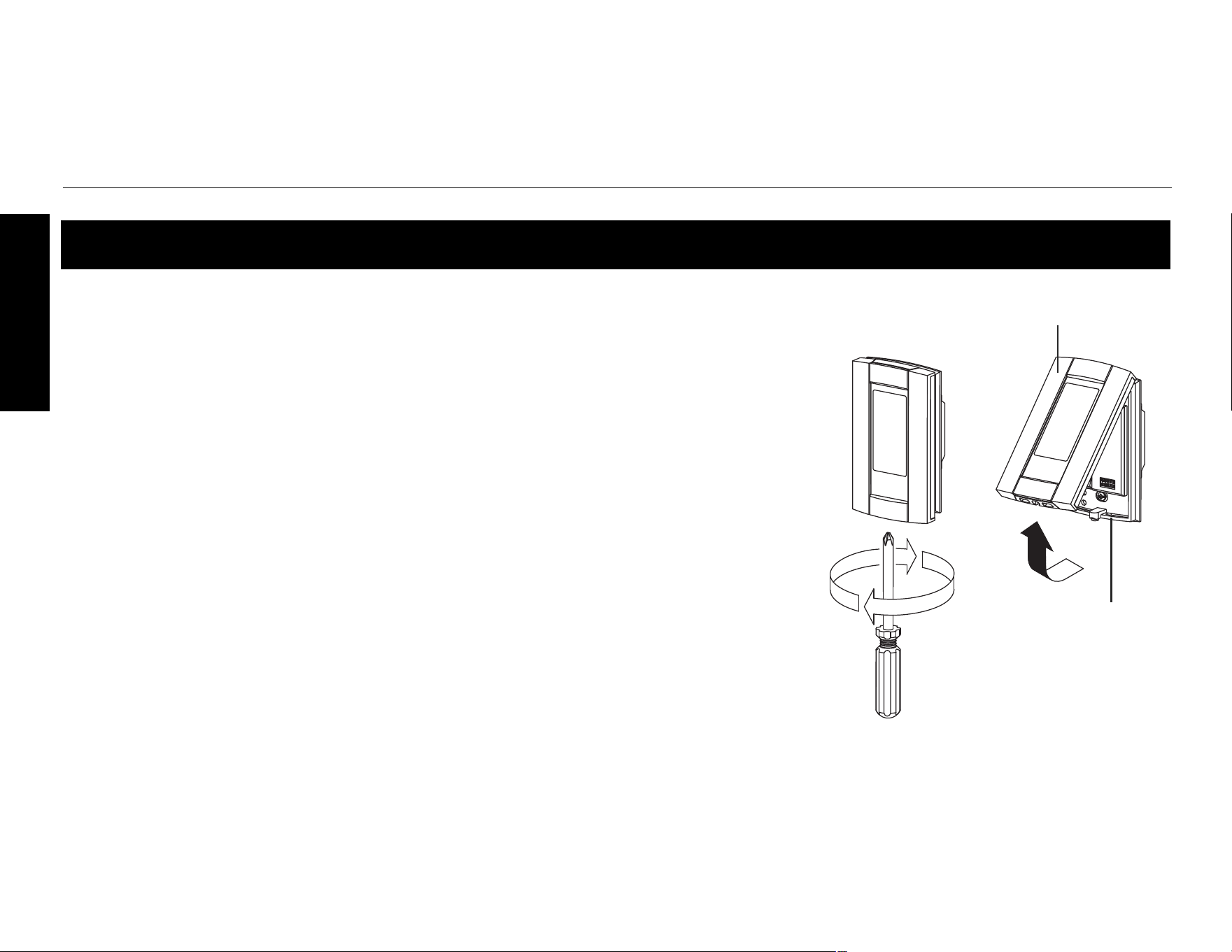
o Loosen the captive screw and remove the thermostat faceplate from the
wallplate. (The screw remains captive and cannot be completely removed.)
p Connect the thermostat to the power supply and to the load (see page 7).
q Connect the floor sensor (see page 8).
r If you wish to connect a remote control device, see page 8.
s Install the wallplate to the electrical box using the provided screws.
t Set the configuration switches on the back of the faceplate (see page 9).
u Install the faceplate on the wall plate and tighten the captive screw.
v Apply power to the heating system.
w Test the ground fault protection (see page 19).
Installing the thermostat
Wallplate
Faceplate
TH115-AF-GB-10
7
ENGLISH
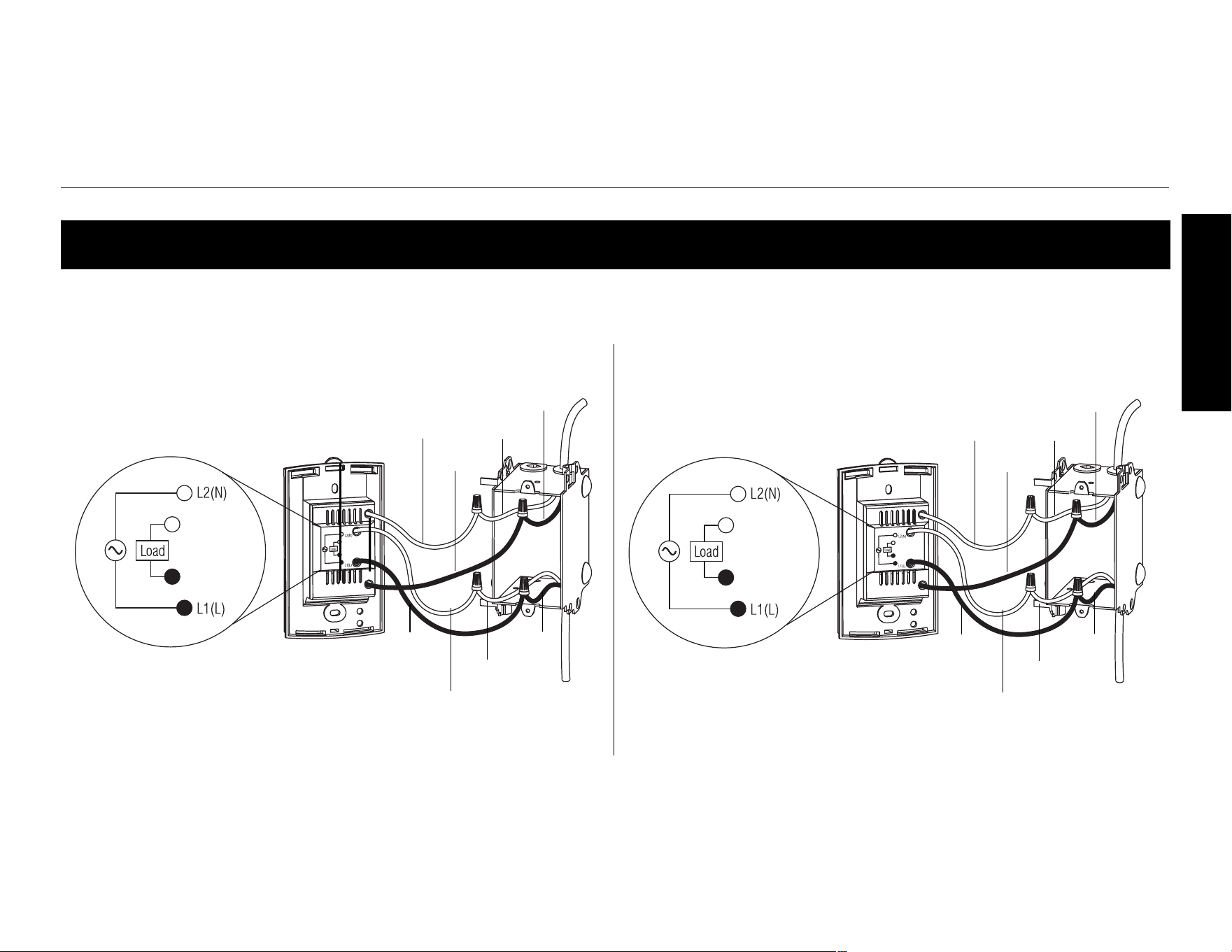
NOTE: Connect the wires using the provided solderless connectors for copper wires:
Wiring diagram
White
120 V
Load
Power
supply
Red
Black
Red
Red
Black
Black
Red
Black
240 V
Load
Power
supply
Red
Black
Red
Black
Black
Black
White
Operating Manual 400-115-050-EFS
8
ENGLISH
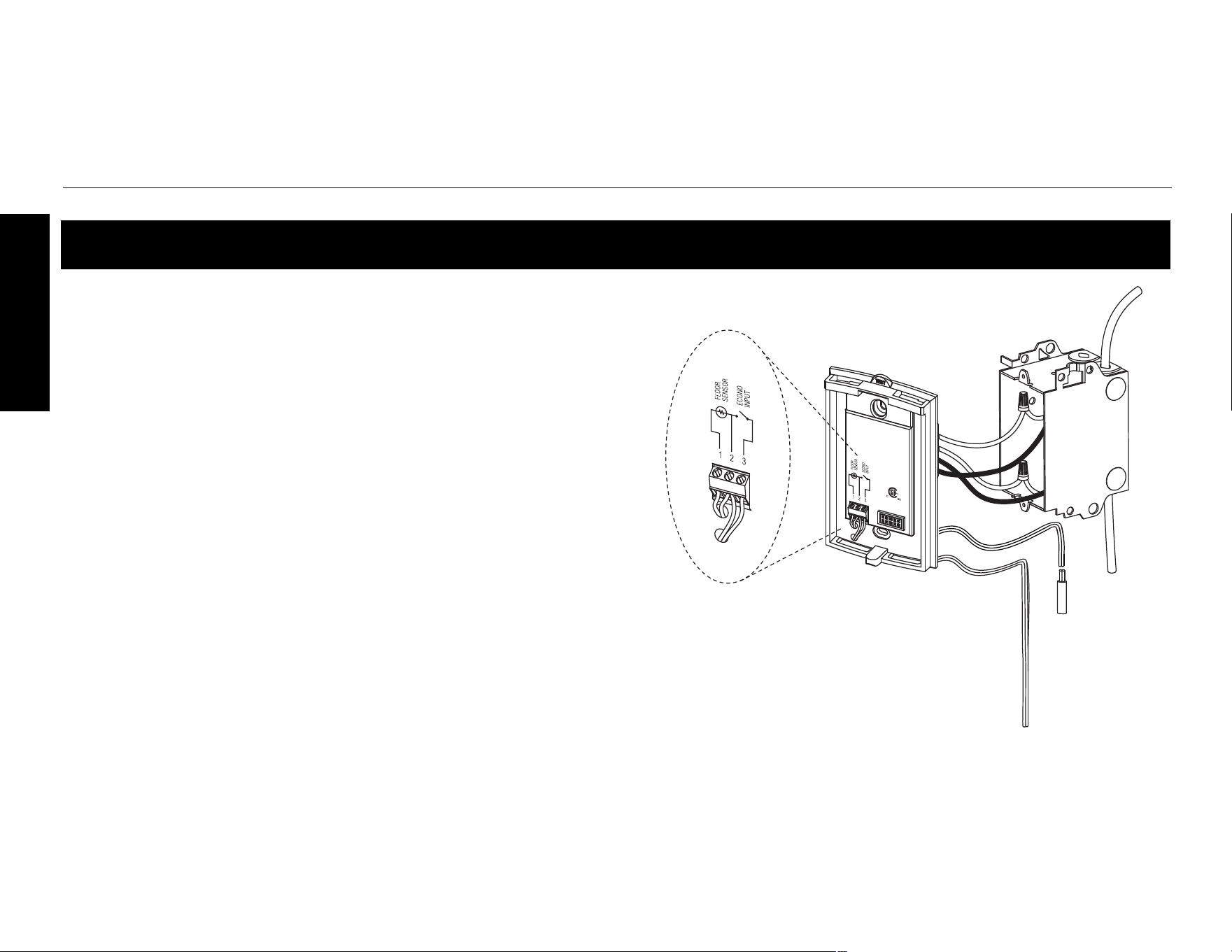
n Insert the floor sensor cable through one of the two
openings on the wallplate and connect the sensor
wires to terminals 1 and 2 (no polarity).
• The sensor cable must pass outside the electrical
box and follow the wall down to the floor.
• Position the sensor cable such that it does not
come in contact with the floor heating wires. The
sensor must be centered between two floor heating
wires for best temperature control.
• Do NOT staple the sensor head (the plastic end) to
the floor. Doing so might damage the sensor. Any
damages might not be noticeable during testing but
can become apparent several days later.
o If you wish to connect a remote control device, insert
the wires (use 18- to 22-gauge flexible wires) through
one of the two openings on the wallplate and connect
them to terminals 2 and 3 (no polarity). Connecting a
remote device enables you to place the thermostat on
vacation mode from a remote location. See page 17.
Floor sensor / remote control connections
Floor
temperature
sensor
Remote control device
TH115-AF-GB-10
9
ENGLISH
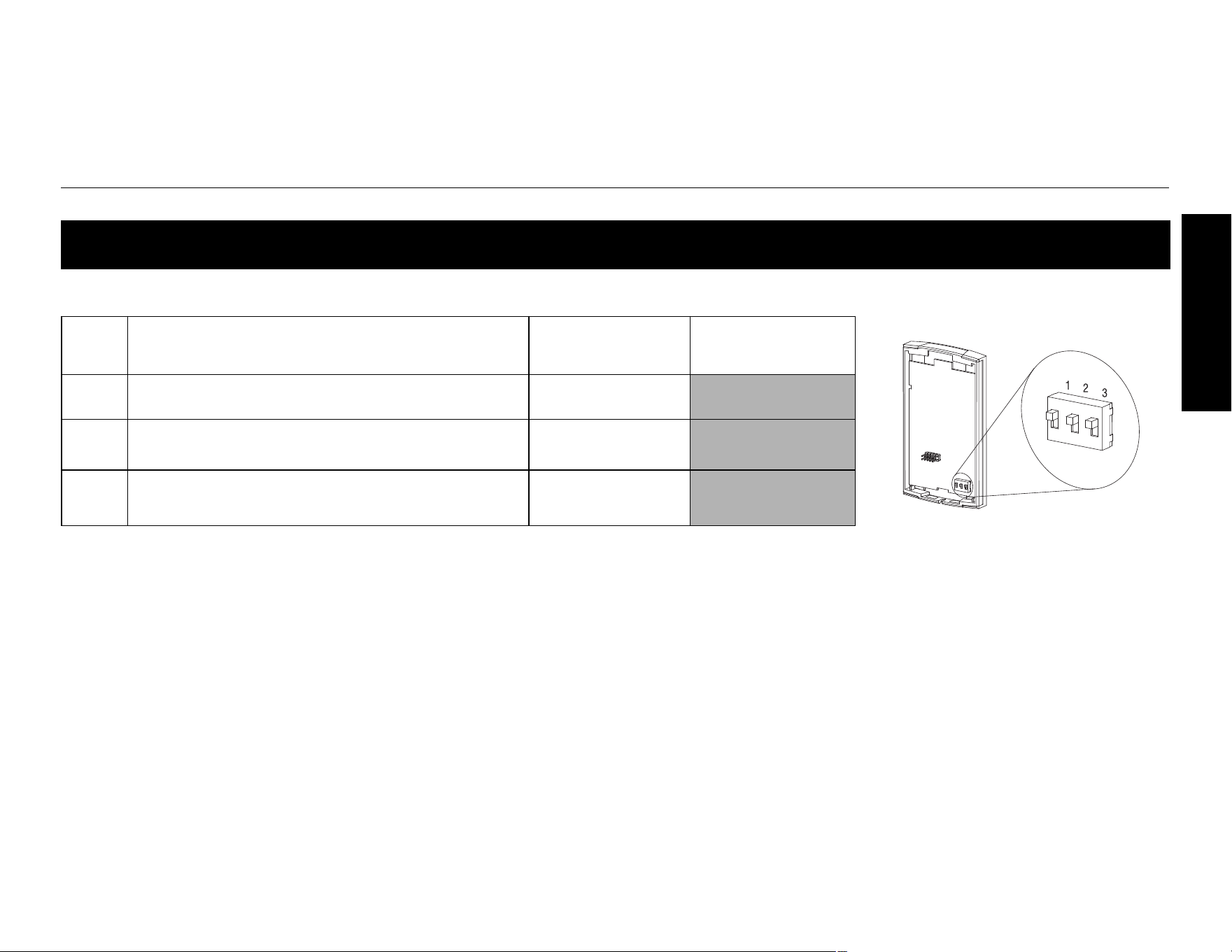
Configuration switches are on the back of the faceplate. Factory settings are shown inside gray cells.
Configuration switches
# Configurations Up Down
1 Display format °F / 12 h
°C / 24 h
2
Early Start
1
1. Early Start can be used in Automatic mode only. When this function is enabled, the thermostat
calculates the optimal time to start heating in order to obtain the desired temperature by the set time.
The thermostat re-assesses the start time daily based on the previous day’s results.
Enable
Disable
3
Temperature control mode
2
2. See temperature control mode display on page 3. To select the F Mode, place the switch in the F
position. To select the AF Mode, place the switch in the AF position and ensure that the remote
temperature sensor is connected to the thermostat. To select the A Mode, place the switch in the AF
position and ensure that the remote temperature sensor is NOT connected to the thermostat.
F
AF
Operating Manual 400-115-050-EFS
10
ENGLISH
To set the clock and the day:
n Press the Hour button to set the hour.
o Press the Min button to set the minutes.
p Press the Day button to set the day.
q Press the Mode/Ret button to exit.
Clock and day
TH115-AF-GB-10
11
ENGLISH
When Daylight Savings Time function is enabled (On), the thermostat automatically switches to Daylight
Savings Time on the second Sunday of March and to normal time on the first Sunday of November.
NOTE: The function is disabled (default setting) when the clock loses its setting.
To change the
Daylight Savings Time setting or to set the date:
n Press the Day button (3 seconds) until DLS appears on the screen.
o Press either of the buttons to toggle between On (enabled) and Off (disabled).
p Press the Day button briefly. The year setting is displayed.
q Press either of the buttons to set the current year.
r Press the Day button briefly. The month setting is displayed.
s Press either of the buttons to set the current month.
t Press the Day button briefly. The date setting is displayed.
u Press either of the buttons to set the current date.
v Press the Mode/Ret button to exit.
Daylight Savings Time
Operating Manual 400-115-050-EFS
12
ENGLISH
NOTE: To avoid damaging your floor, follow your floor supplier’s recommendations regarding floor tem-
perature limits.
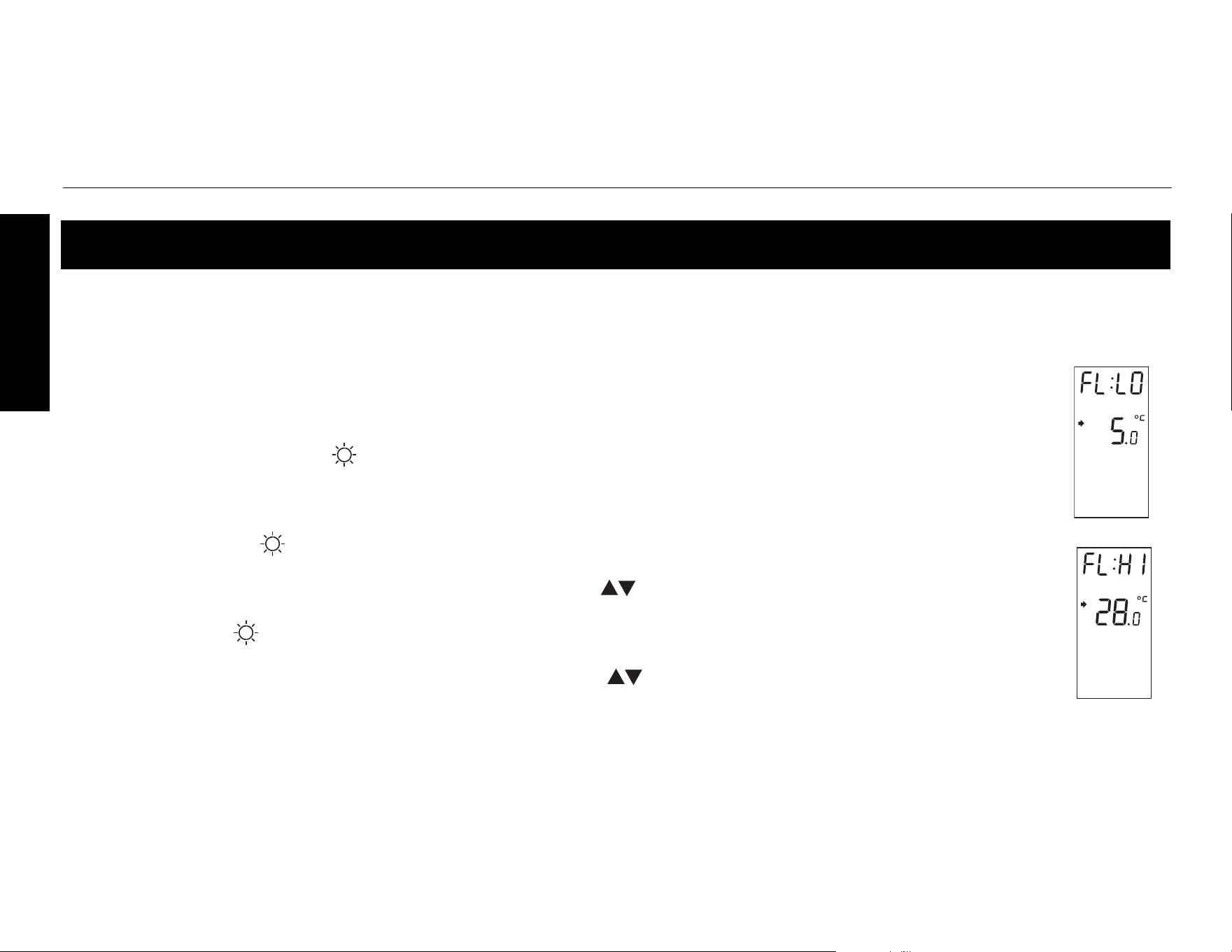
The minimum and maximum floor temperature limits are 5.0°C (41°F) and 28.0°C (82°F) by
default. To modify these limits, proceed as follows:
n Switch the thermostat to Standby.
o Press and hold the button.
p Switch the thermostat back to On.
q Release the button when the minimum temperature limit (FL:LO) appears.
r Set the minimum temperature limit using the buttons.
s Press the button to display the maximum temperature limit (FL:HI).
t Set the maximum temperature limit using the buttons.
u Press Mode/Ret to exit.
Floor temperature limits (AF mode only)
TH115-AF-GB-10
13
ENGLISH
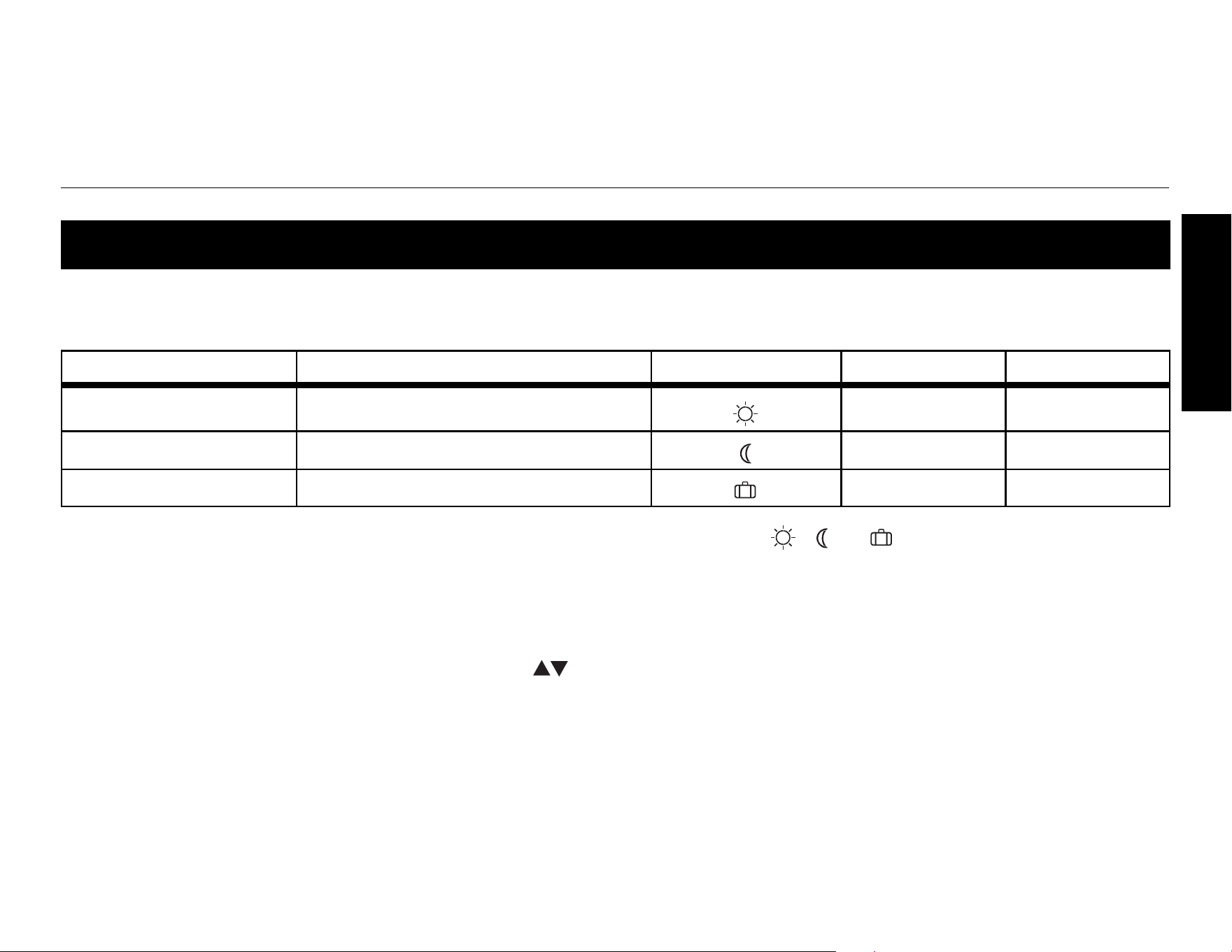
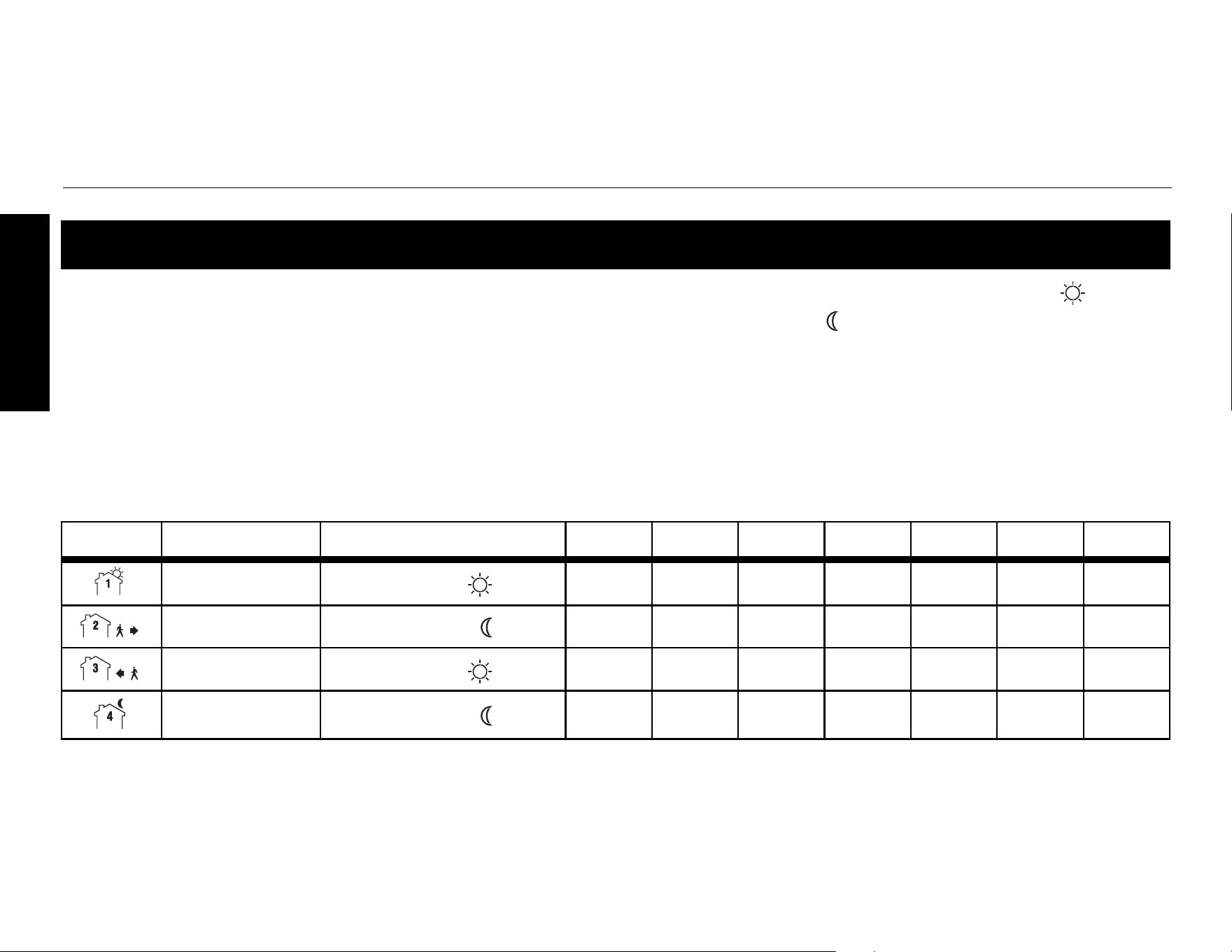
The thermostat has 3 preset temperatures. The following table shows the intended use and the default
setting of each of the preset temperatures.
To use a preset temperature, briefly press the appropriate button ( , or ). The preset temperature
becomes the current setpoint and its icon will appear on the screen.
To modify a preset temperature:
n Set the desired temperature using the buttons.
o Press and hold the appropriate preset temperature button until its icon appears on the screen.
Preset temperatures
Preset temperature Intended use Displayed icon A/AF modes F mode
Comfort When at home 21.0°C (70°F) 28.0°C (82°F)
Economy When asleep or away from home 17.0°C (63°F) 20.0°C (68°F)
Vacation During prolonged absence 10.0°C (50°F) 10.0°C (50°F)
Operating Manual 400-115-050-EFS
14
ENGLISH
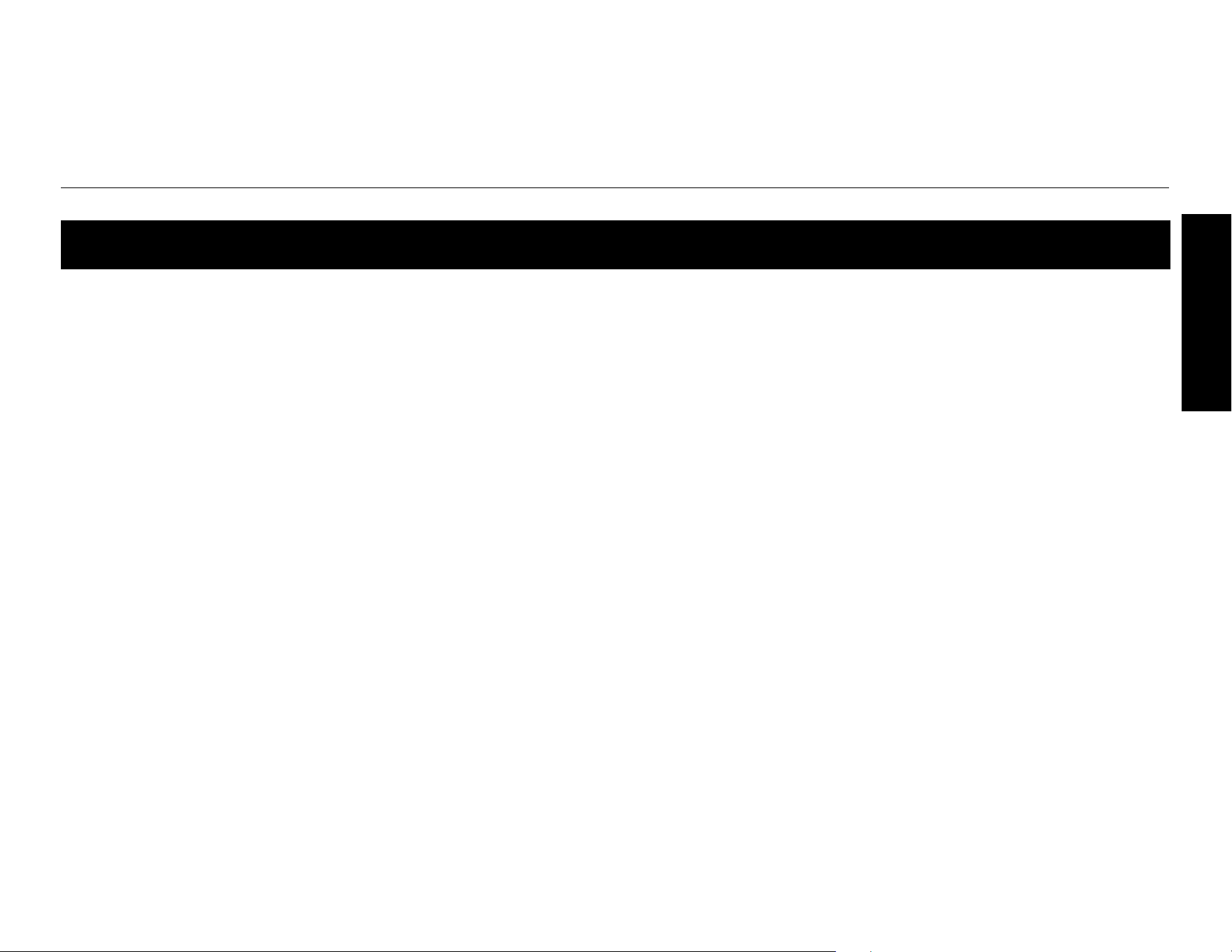
The schedule consists of 4 periods per day, which represents a typical work day. The Comfort ( ) preset
temperature is automatically used in Periods 1 and 3 and the Economy ( ) preset temperature in Periods
2 and 4. You can program the thermostat to skip the periods that do not apply to your situation. For exam-
ple, you can skip periods 2 and 3 for the weekend.
NOTE: If you wish to use only 2 periods, set periods “1 and 4” or periods “2 and 3”. The “Early Start” func-
tion (see page 9) will not work if you set periods “1 and 2” or periods “3 and 4” .
You can have a different program for each day of the week; i.e., each period can start at different time for
each day of the week. The thermostat has been programmed with the following schedule.
Default schedule (Energy-Star settings)
Period Description Preset temperature MO TU WE TH FR SA SU
Wake
Comfort
6:00 6:00 6:00 6:00 6:00 6:00 6:00
Leave
Economy
8:30 8:30 8:30 8:30 8:30 --:-- --:--
Return
Comfort
17:00 17:00 17:00 17:00 17:00 --:-- --:--
Sleep
Economy
23:00 23:00 23:00 23:00 23:00 23:00 23:00
TH115-AF-GB-10
15
ENGLISH
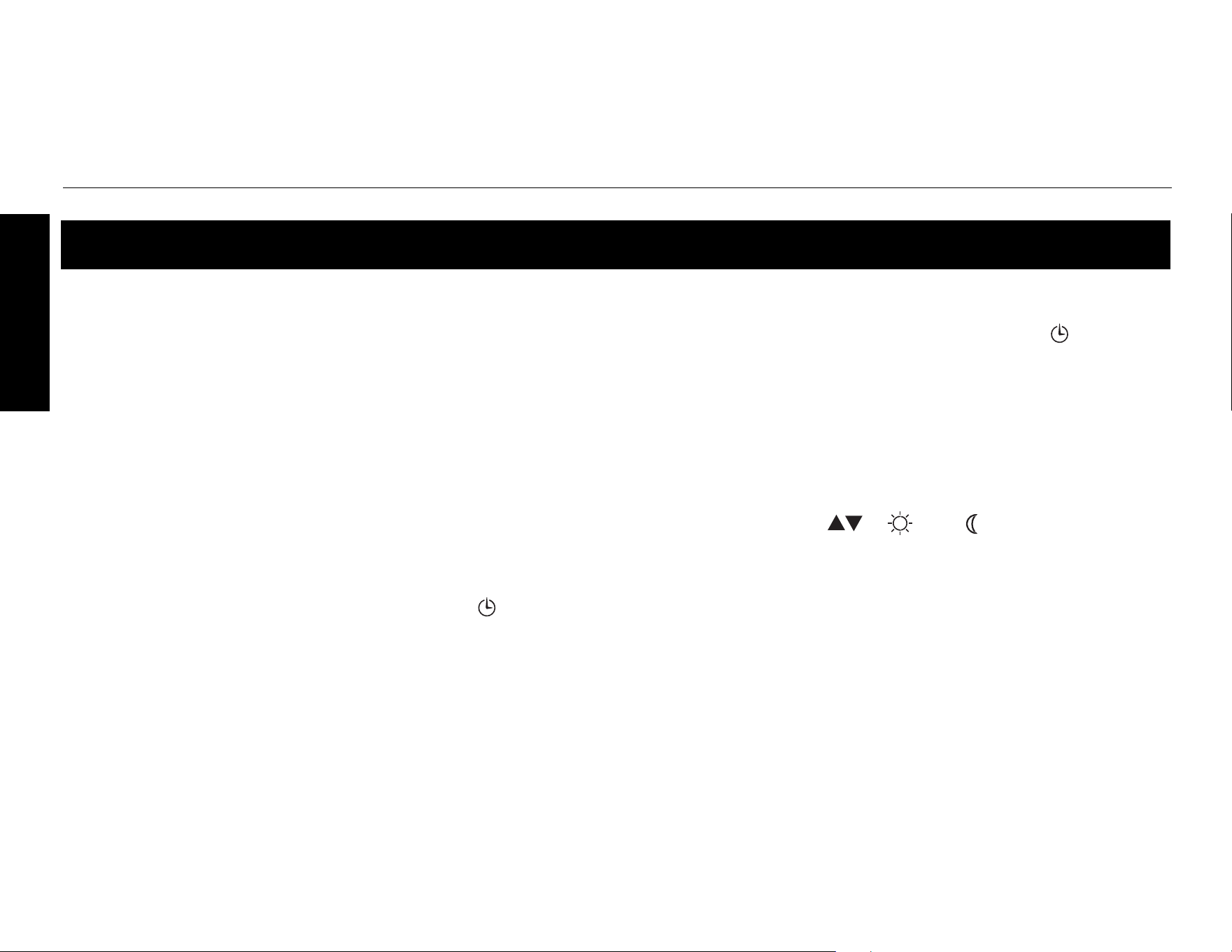
n Press Pgm to access the programming mode. Period 1 is selected.
o Press Day to select the day to program (hold for 3 seconds to select the
entire week).
p Press Hour and Min to set the start time of the selected period, or press
Clear if you want to skip the period (--:-- is displayed).
q Press Pgm to select another period, or press Day to select another day. Then
repeat step 3.
r Press Mode/Ret to exit the programming mode.
NOTE: The thermostat will also automatically exit the programming mode if no
button is pressed for 60 seconds.
Modifying the schedule
Operating Manual 400-115-050-EFS
16
ENGLISH
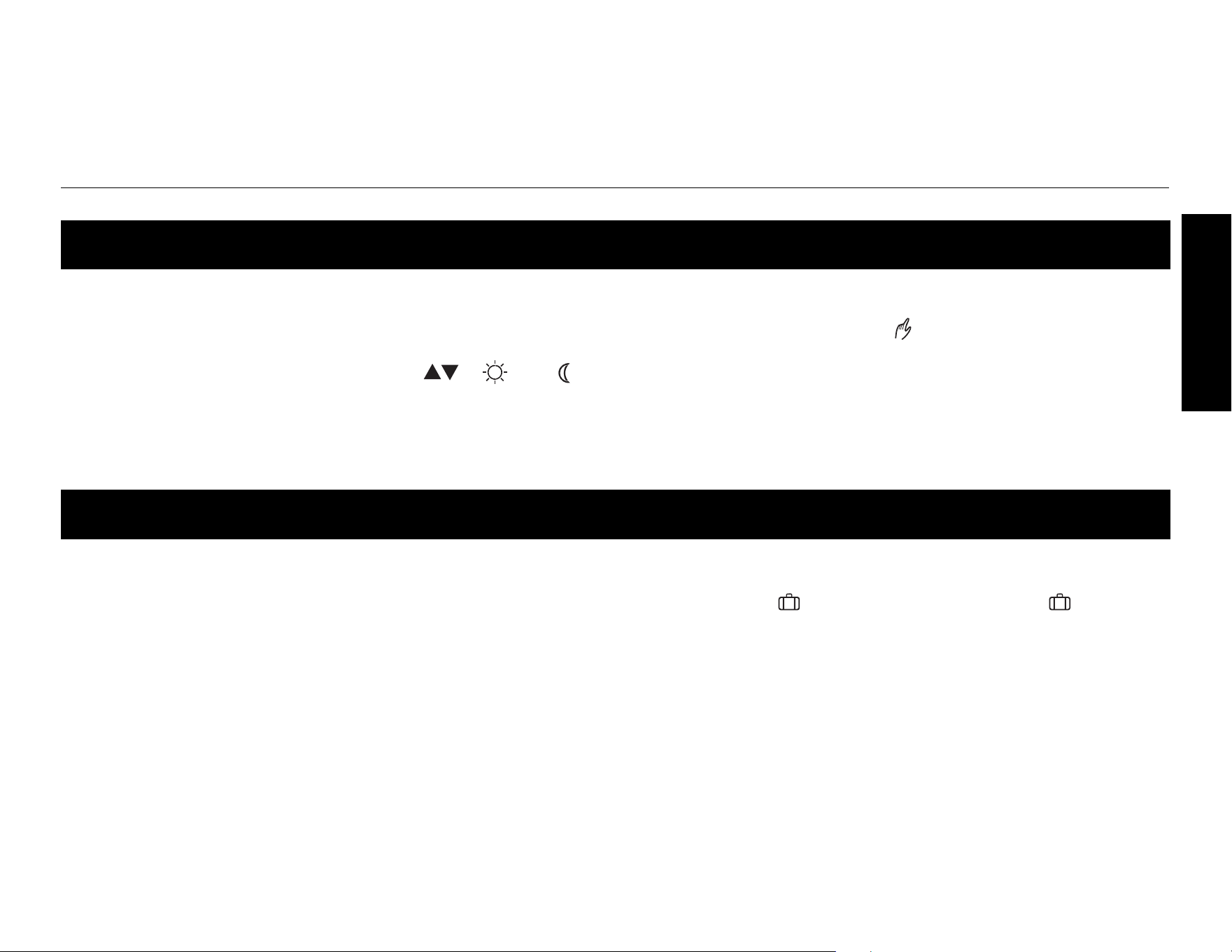
In automatic mode, the thermostat follows the programmed schedule (see
page 14). To place the thermostat in this mode, press Mode/Ret until is dis-
played.
Temporary override of schedule
If you modify the setpoint temperature (by pressing the , or button) when
the thermostat is in Automatic Mode, the new temperature will be used until the
beginning of the next period. flashes during the temporary override. You can
cancel the temporary override by pressing Mode/Ret.
Running the schedule (automatic mode)
TH115-AF-GB-10
17
ENGLISH
In manual mode, the thermostat does not follow the programmed schedule. To
place the thermostat in this mode, press Mode/Ret to display on the screen. Set
the temperature using the , or button.
In this mode, the thermostat uses the vacation preset temperature (see page 13).
To place the thermostat in vacation mode, press the button to display on the
screen.
Permanent override of schedule (manual mode)
When you go on vacation (vacation mode)
Operating Manual 400-115-050-EFS
18
ENGLISH
This ground fault protection thermostat is different from conventional thermostats. In the
event of a ground fault, the ground fault protection mechanism on the thermostat will trip and
quickly stop the flow of electricity to prevent serious injury.
Definition of a ground fault
Instead of following its normal safe path, electricity passes through a person’s body to reach
the ground. For example, a defective floor heating mat can cause a ground fault.
A ground fault protection thermostat does not protect against circuit overloads, short
circuits, or electrical shocks. For example, you can still receive an electrical shock if you
touch bare wires while standing on a non-conducting surface such as a wood floor.
Ground fault protection reset
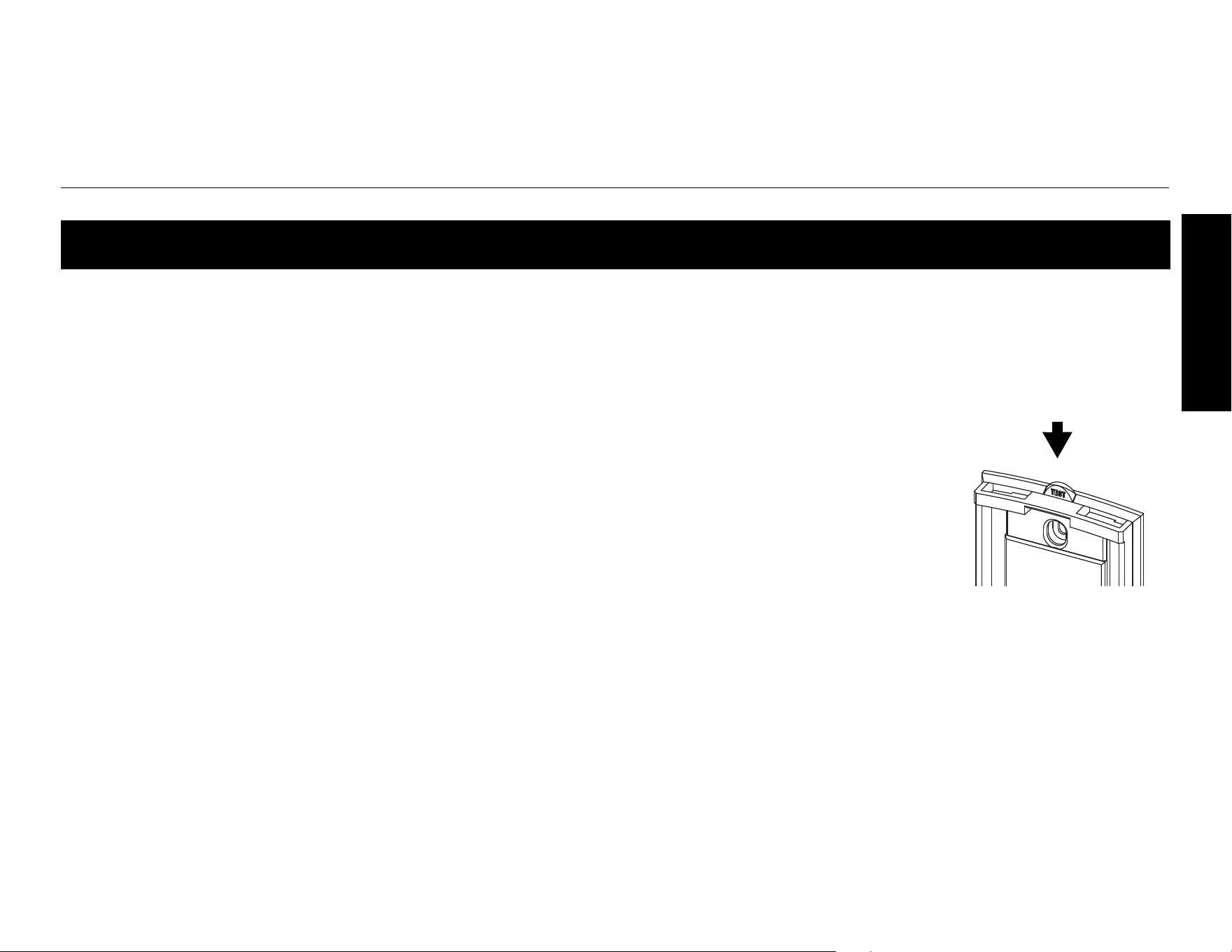
When the ground fault protection mechanism trips, the TEST light is On (red). To reset the
ground fault protection, switch the thermostat to Standby and back to On. The TEST light will
go off.
Ground fault protection (GFCI)
TH115-AF-GB-10
19
ENGLISH
Testing the ground fault protection
To ensure the ground fault protection is always in working order, test it once the thermostat is installed
and on a monthly basis thereafter.
n Increase the setpoint temperature above the measured temperature in order
to activate the heating system.
o Press the TEST button.
• If the TEST light does NOT come on, the test has failed. Cut power to
the heating system at the main electrical panel, have an electrician verify
the installation and, if necessary, replace the thermostat.
• If the TEST light comes on, continue the test.
p Switch the thermostat to Standby then back to On.
• If the TEST light goes off, the test has passed. Set the thermostat back to the desired tempera-
ture. The test is now completed.
• If the TEST light remains on, the test has failed. Continue with the rest of the procedure.
q Switch the circuit breaker (at the service panel) of the heating system to off then back to on.
r Repeat the test. If the test fails again, cut power to the heating system at the main electrical panel,
have an electrician verify the installation and, if necessary, replace the thermostat.
Ground fault protection (con’d)
TEST button/light
Operating Manual 400-115-050-EFS
20
ENGLISH
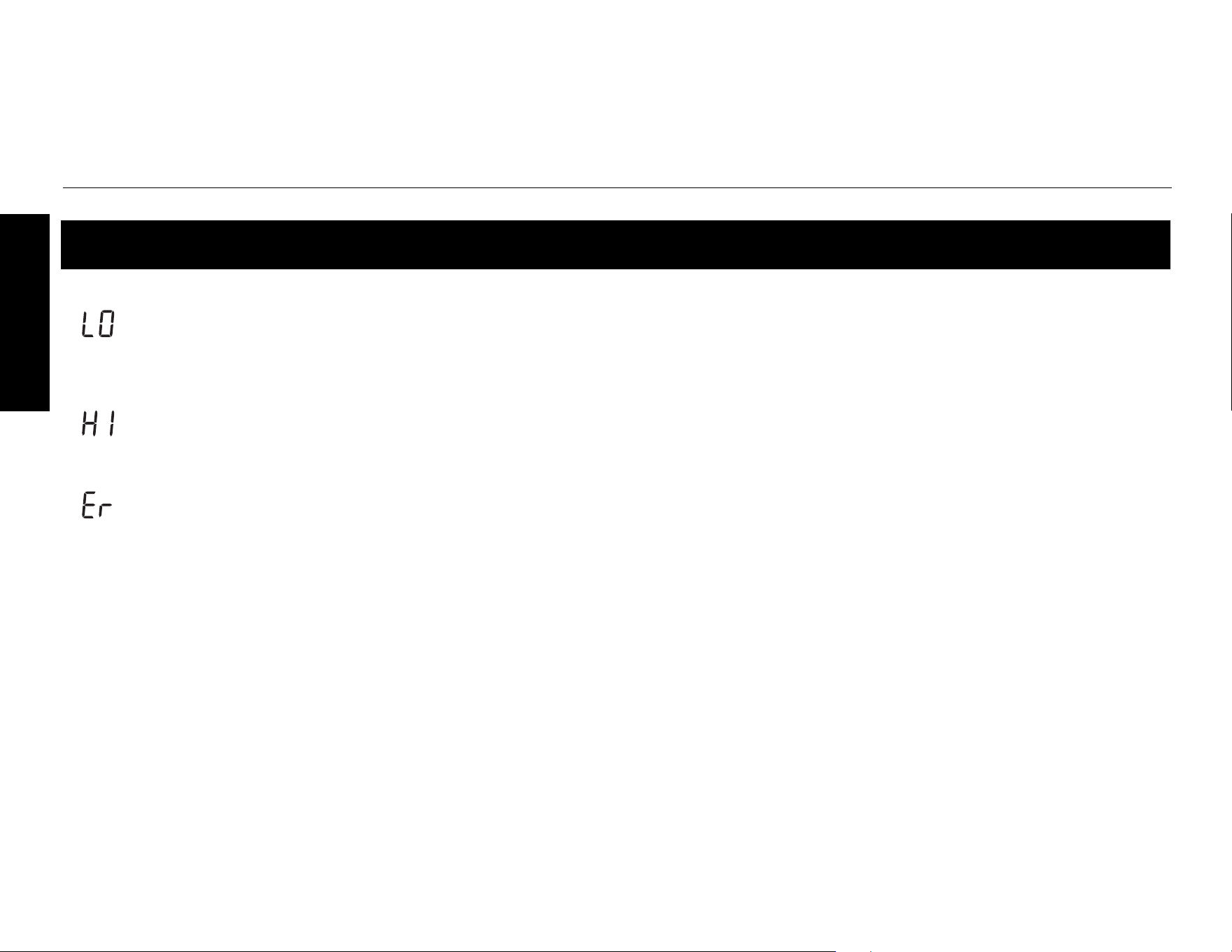
The measured temperature is below the thermostat’s display range.
Heating is activated.
The measured temperature is above the thermostat’s display range.
Heating is deactivated.
Verify the thermostat connection and sensor connection.
Error Messages
TH115-AF-GB-10
21
ENGLISH
Display range: 0°C to 70.0°C (32°F to 158°F)
Ambient setpoint range (A/AF modes): 5.0°C to 30.0°C (40°F - 86°F)
Floor setpoint range (F mode): 5.0°C to 40.0°C (40°F - 104°F)
Floor limit range (AF mode): 5.0°C to 40.0°C (40°F - 104°F)
Resolution: 0.5°C (1°F)
GFCI: 15 mA
Heating cycle length: 15 minutes
Data protection: In the event of a power failure, most settings are saved. Only the time and Daylight
Saving Time must be set if the power failure lasts more than 6 hours. The thermostat will return to the
mode that was active prior to the power failure.
Certification: c CSA us
Technical Specifications
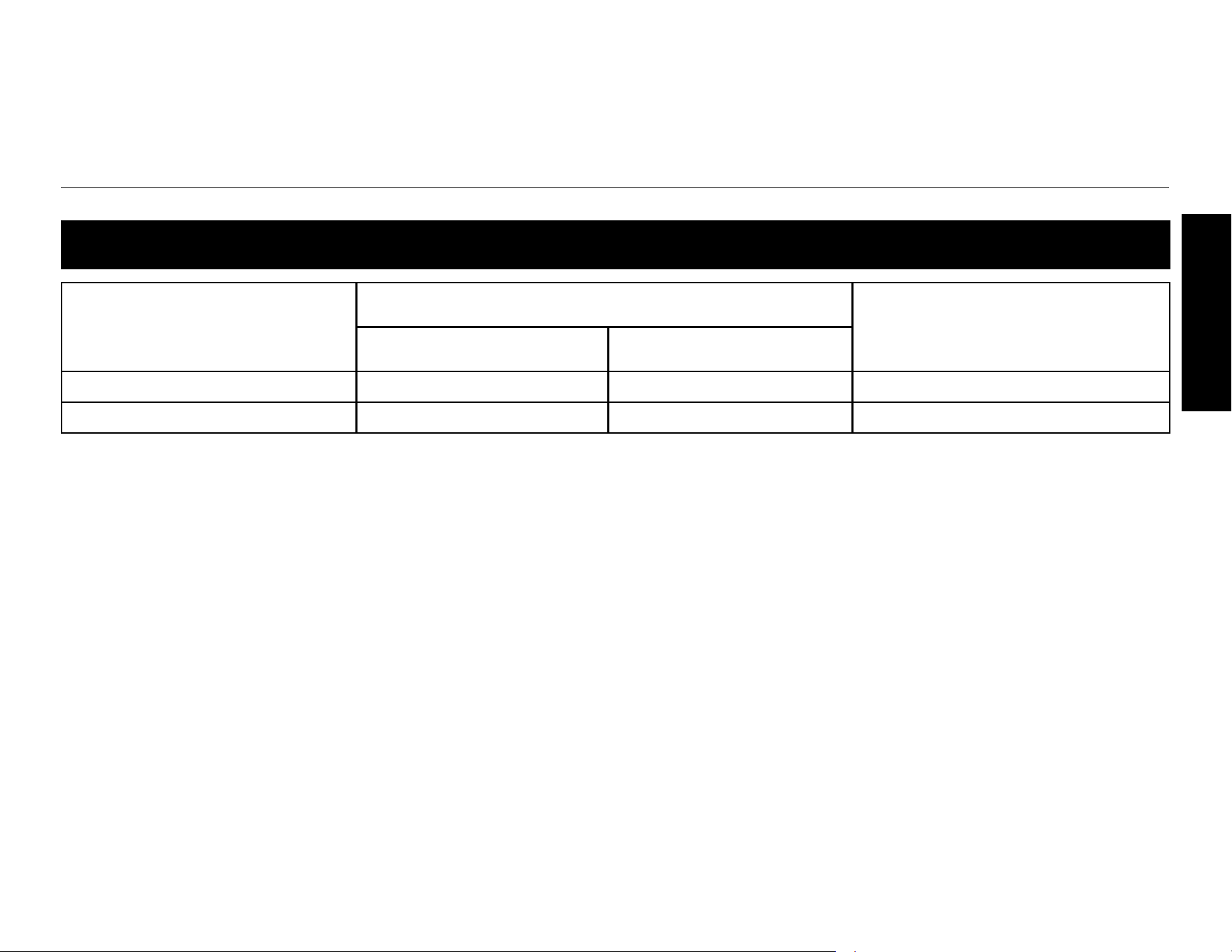
Supply
Maximum Load (resistive only)
Wiring
Current Power
120 VAC, 60Hz 15 A 1800 W 4 wires, double pole
240 VAC, 60Hz 15 A 3600 W 4 wires, double pole
Operating Manual 400-115-050-EFS
22
ENGLISH
Customer Assistance
TH115-AF-GB-10
23
ENGLISH
Warranty

Operating Manual 400-115-050-EFS
24
ENGLISH