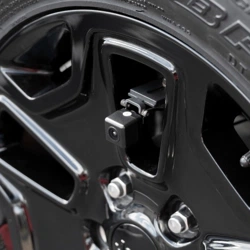
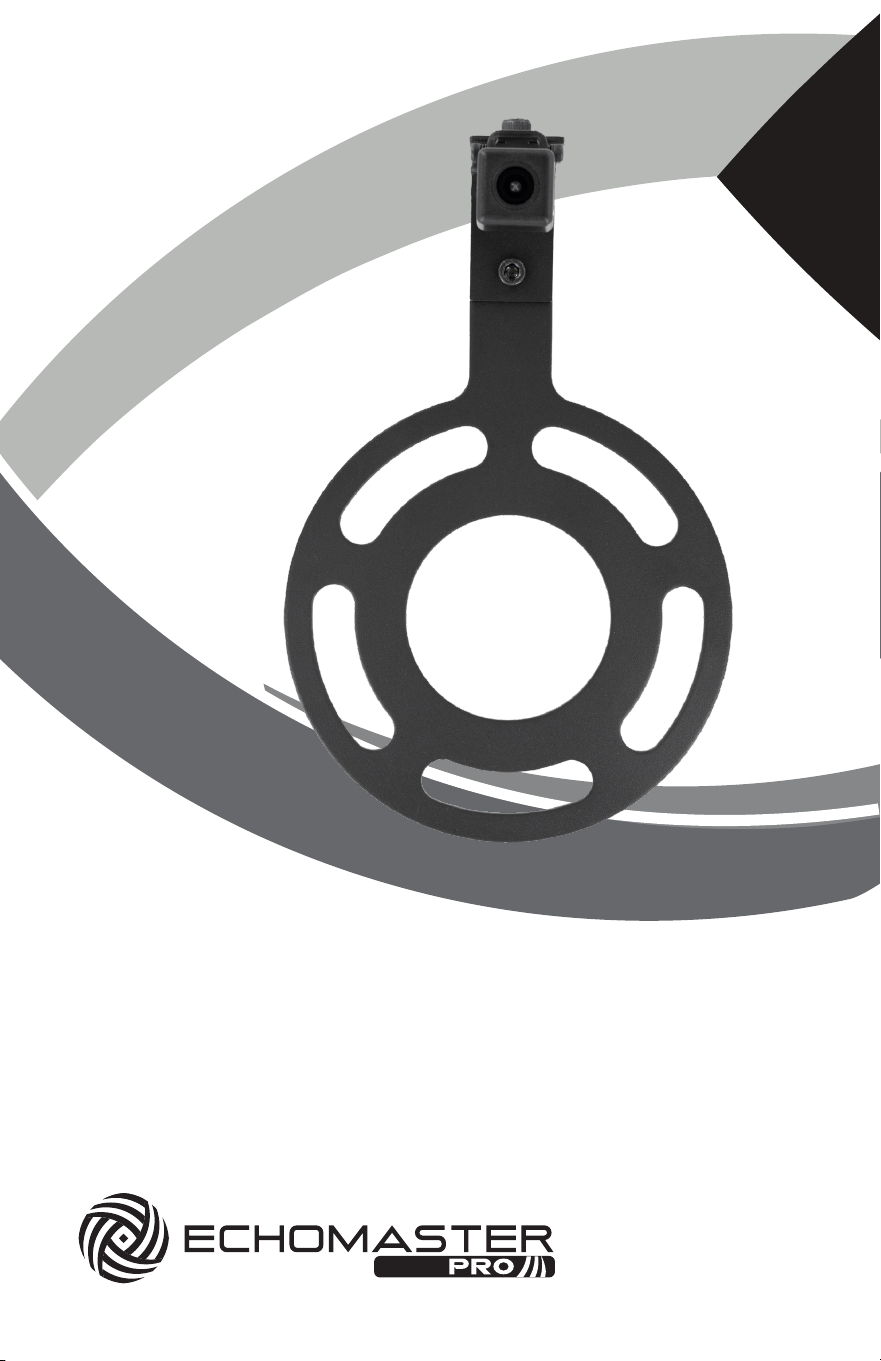
for 2007-2018 Jeep Wrangler JK
Spare Tire Mount Camera
Installation Guide
PCAM-JP3
2
Installation Guide
Assembly
2
1
1
3A
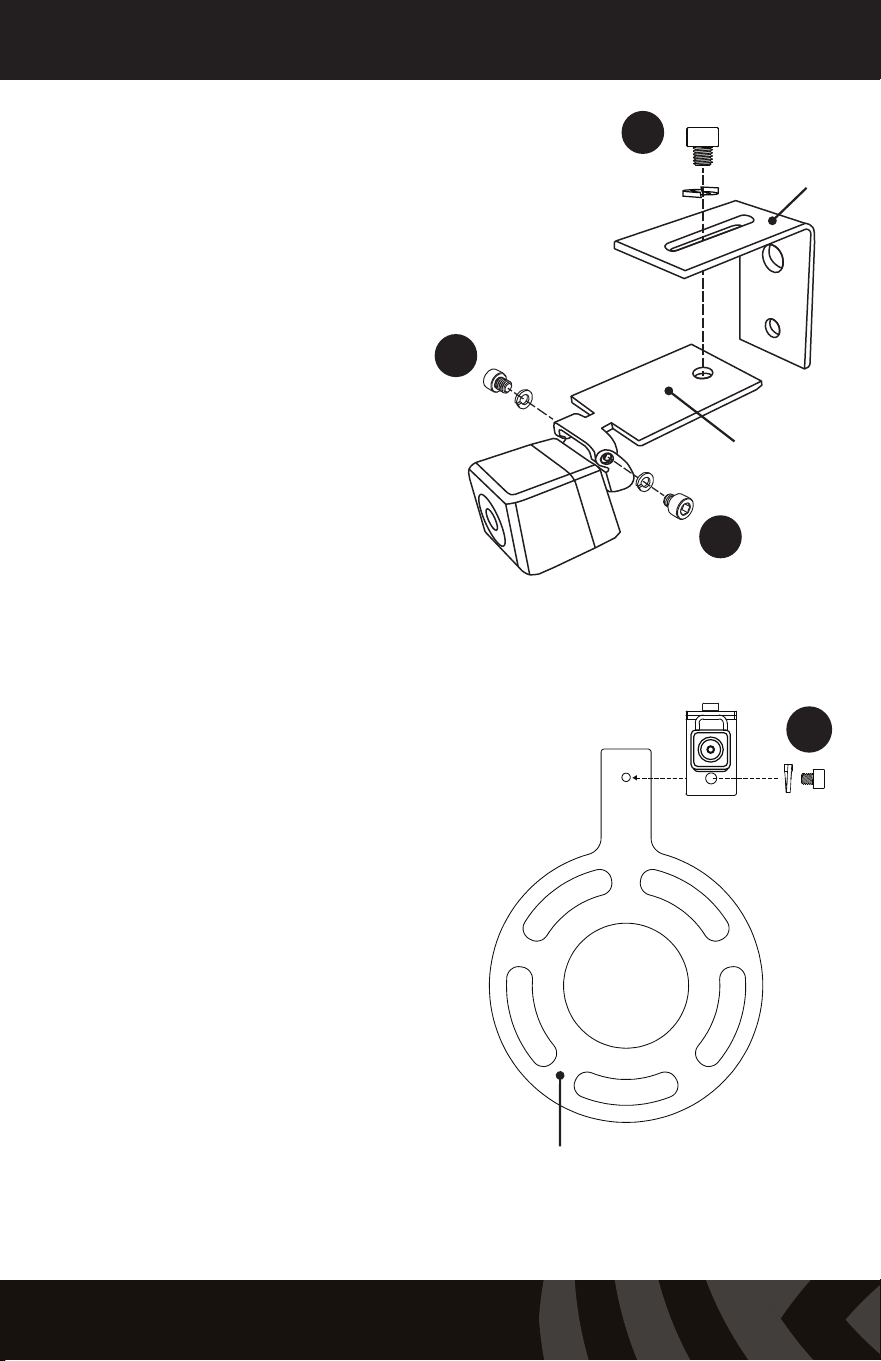
1. Using two M3 x .50
screws and lock washers,
attach the camera to the
Camera Mounting Plate.
2. Using a M6 x 1 screw
and lock washer, attach the
Camera Mounting Plate to
the Right Angle Bracket as
shown.
3A. For most applications with
stock/standard wheels, attach
the camera bracket assembly
to the Wheel Bracket using a
M6 x 1 screw and lock washer.
For applications with larger
wheels and/or off-center
wheel openings, see step
3B.
Wheel Bracket
Camera
Mounting Plate
Right Angle
Bracket
3
PCAM-JP3
Spare Tire Mount Camera
Assembly
Assembly
3B
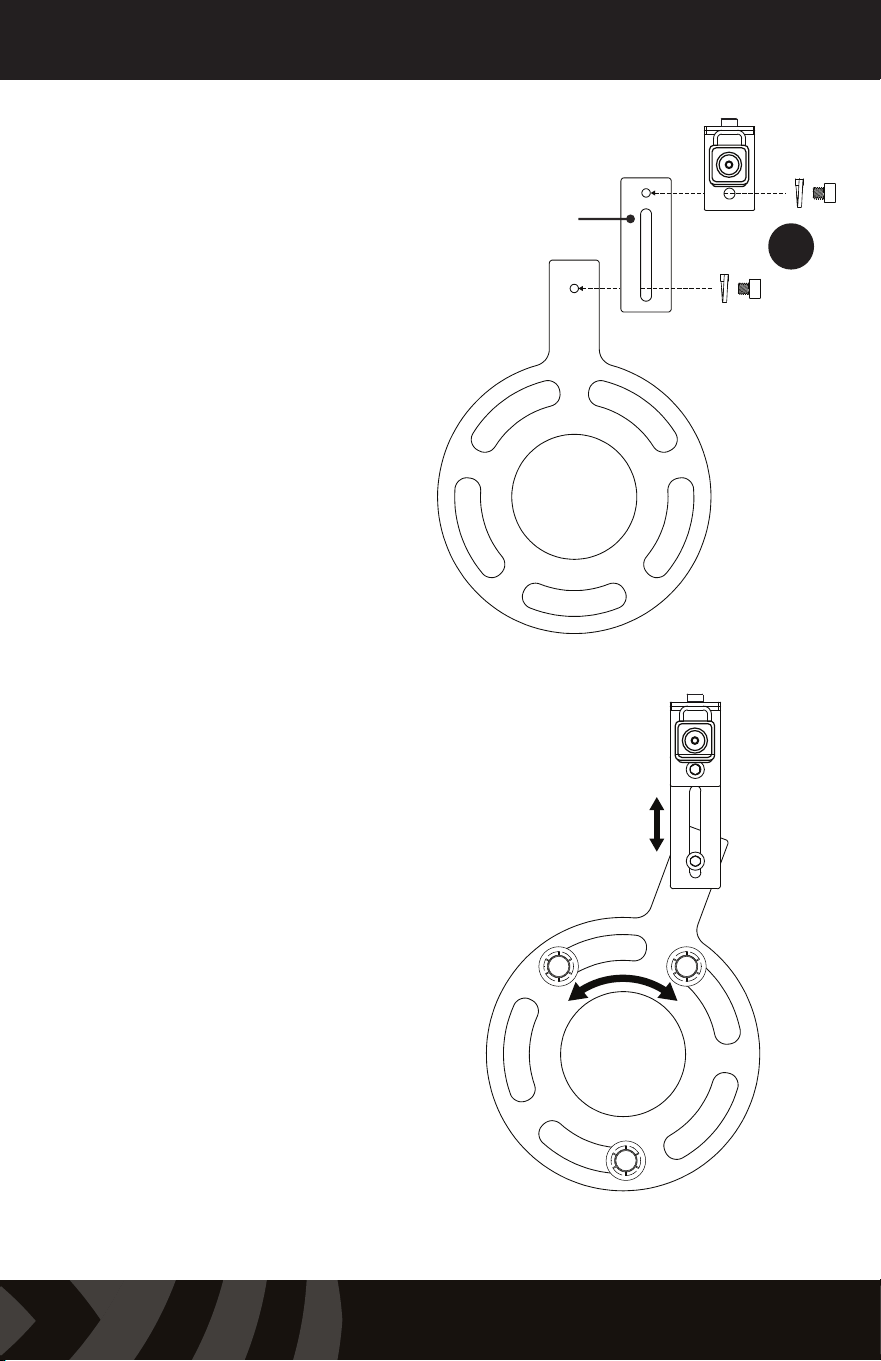
3B. For larger wheels,
attach the Riser Plate to the
Wheel Bracket and attach
the camera assembly to the
Riser plate using M6 x 1
screws and lock washers.
4. Place the completed
assembly on the tire carrier
wheel studs and install the
supplied push nut retainers
on the wheel studs.
Replace the spare tire.
Position the camera as close
to center as possible. This
may require removing and
rotating the wheel until a
usable opening in the wheel
is located at or near center
and adjusting the pieces of
the mount to achieve the
desired view.
Camera
Mounting Plate
Right Angle
Bracket
Riser Plate
Once positioned, tighten all camera bracket hardware and lug nuts.
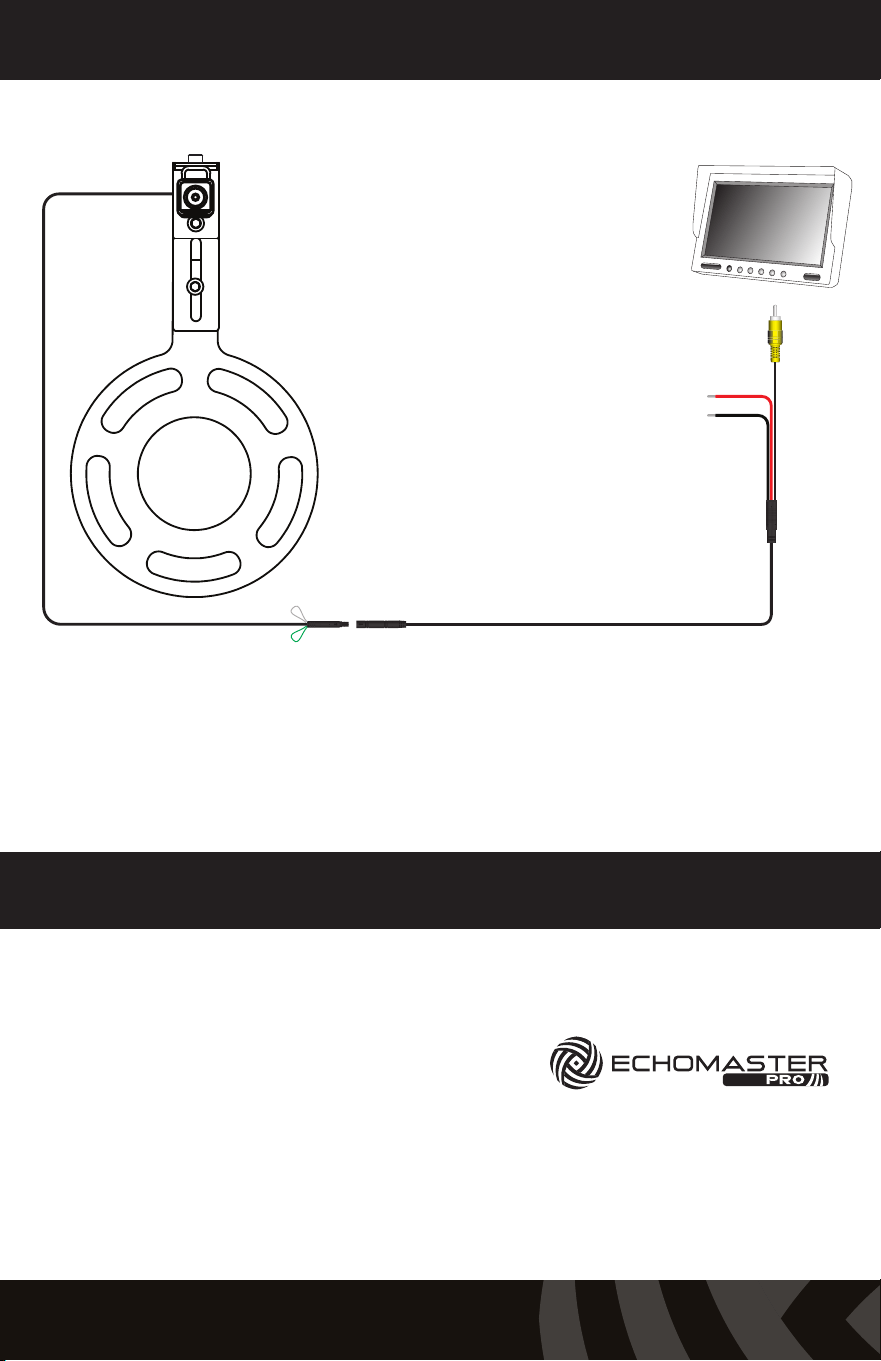
Wiring Diagram
Contact
Parking Lines (Green) On - Joined (Default)
Ground (Black)
Switched +12V (Red)
Video Signal
Off - Cut
Technical Support:
email - [email protected]
tel - 1-800-477-2267
web - EchoMaster.com
15500 Lightwave Drive, Suite 202, Clearwater, Florida 33760
EchoMaster is a Power Brand of AAMP Global.
IG-PCAM-JP3 REV. 022321
