1 / 5
W5 operating instructions
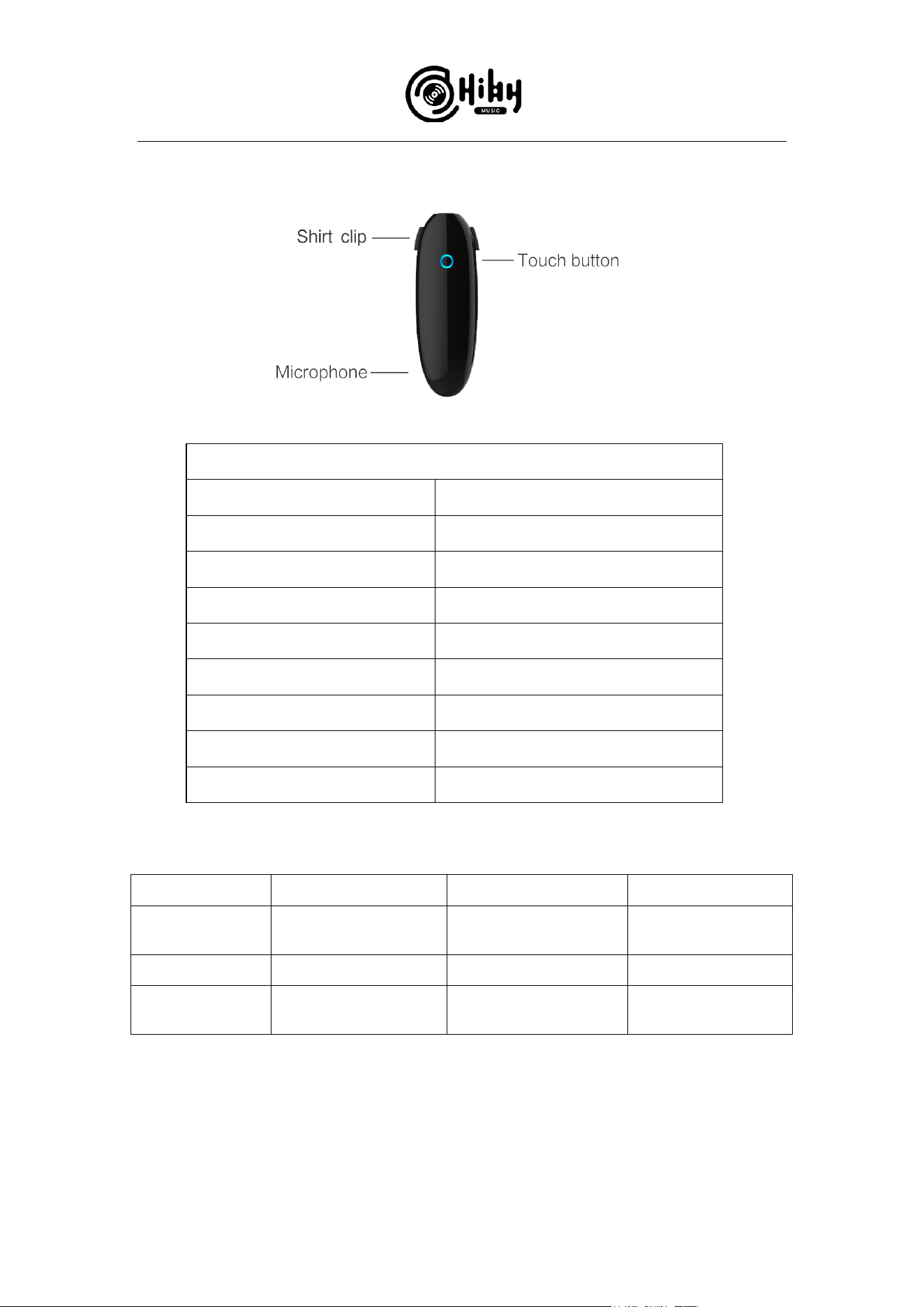
Touch button operation
Function
Operation
Turn on
Hold for 2 sec.
Pair
Hold for 5 sec.
Turn off
Tap then hold
Play / pause music
Tap
Next track
Double-tap
Previous track
Triple-tap
Accept call / end call
Tap
Clear pairings
Double tap then hold for 2 sec.
W5 status light
Steadily on
Blinking slowly
Blinking quickly
Blue
Waiting for connection
with paired device
Connection successful
Waiting for new
pairing
Red
Charge completed
Less than 30% battery
Charging
Purple
Firmware update in
progress
N/A
N/A
2 / 5
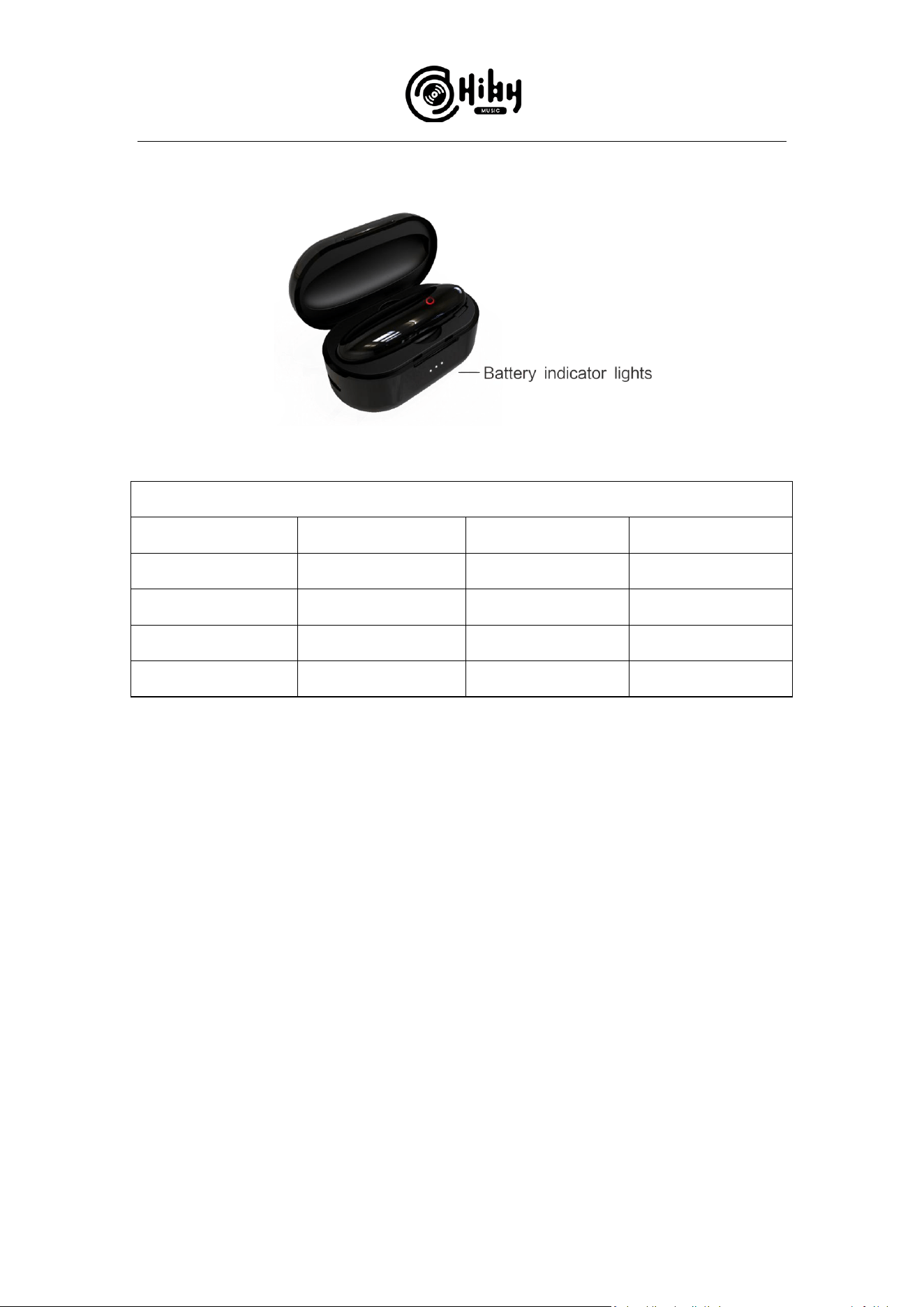
W5 charging box
Charge indication of charging box LEDs
Charge level
LED1
LED2
LED3
100%
Lit
Lit
Lit
>66%
Lit
Lit
Off
>3%
Lit
Off
Off
<3%
Blinking
Off
Off
How to pair the W5 with smartphones
Method 1:
1. Turn on Bluetooth on the smartphone, enter Bluetooth connection menu;
Connect earphones to the W5 and wear them; hold touch button for 5 seconds to
enter pairing mode, you will hear the prompt “pairing” and the touch button will
blink in blue quickly.
2. Now search for Bluetooth devices on the smartphone (e.g. it may be searching
and updating the list of nearby Bluetooth devices automatically. Or tap a button
called e.g. “Refresh”.)
3. Find and tap on “HiBy W5” in the list of “new devices” or “available devices” to
pair with it.

3 / 5
*After first successful pairing, the HiBy W5 will be shown in list of “Paired devices”.
It will connect automatically with your smartphone when on and in range, or you
may tap on its name on your smartphone to connect with it again manually.
Method 2:
1. Turn on Bluetooth on the smartphone, enter Bluetooth connection menu;
2. Connect earphones to the W5 and wear them; hold touch button for 5 seconds
to enter pairing mode, you will hear the prompt “pairing” and the touch button
will blink in blue quickly.
3. Now search for Bluetooth devices on the smartphone (e.g. it may be searching
and updating the list of nearby Bluetooth devices automatically. Or tap a button
called e.g. “Refresh”.)
4. Find and tap on “HiBy W5” in the list of “new devices” or “available devices” to
pair with it.
*After first successful pairing, the HiBy W5 will be shown in list of “Paired devices”.
It will connect automatically with your smartphone when on and in range, or you
may tap on its name on your smartphone to connect with it again manually.
How to use UAT codec with the W5?
A. Use the HiBy Music App on a regular Android smartphone to use UAT with the W5:
1. Tap the avatar on the upper left of the app to open the left pane, tap Settings to
enter Settings menu;
2. Find the setting called HiBy UAT and turn it on;
3. Now music played in HiByMusic will be passed to the W5 via the UAT codec.
*When using UAT codec, the music volume is adjustable using the volume buttons
only with the HiByMusic app.
4 / 5
B. Use the W5 with a HiBy OS device to use UAT:
1. All HiBy OS devices support UAT output;
2. HiBy OS devices include:
HiBy
R6, R6 Pro, R3
Cayin
N8, N6ii
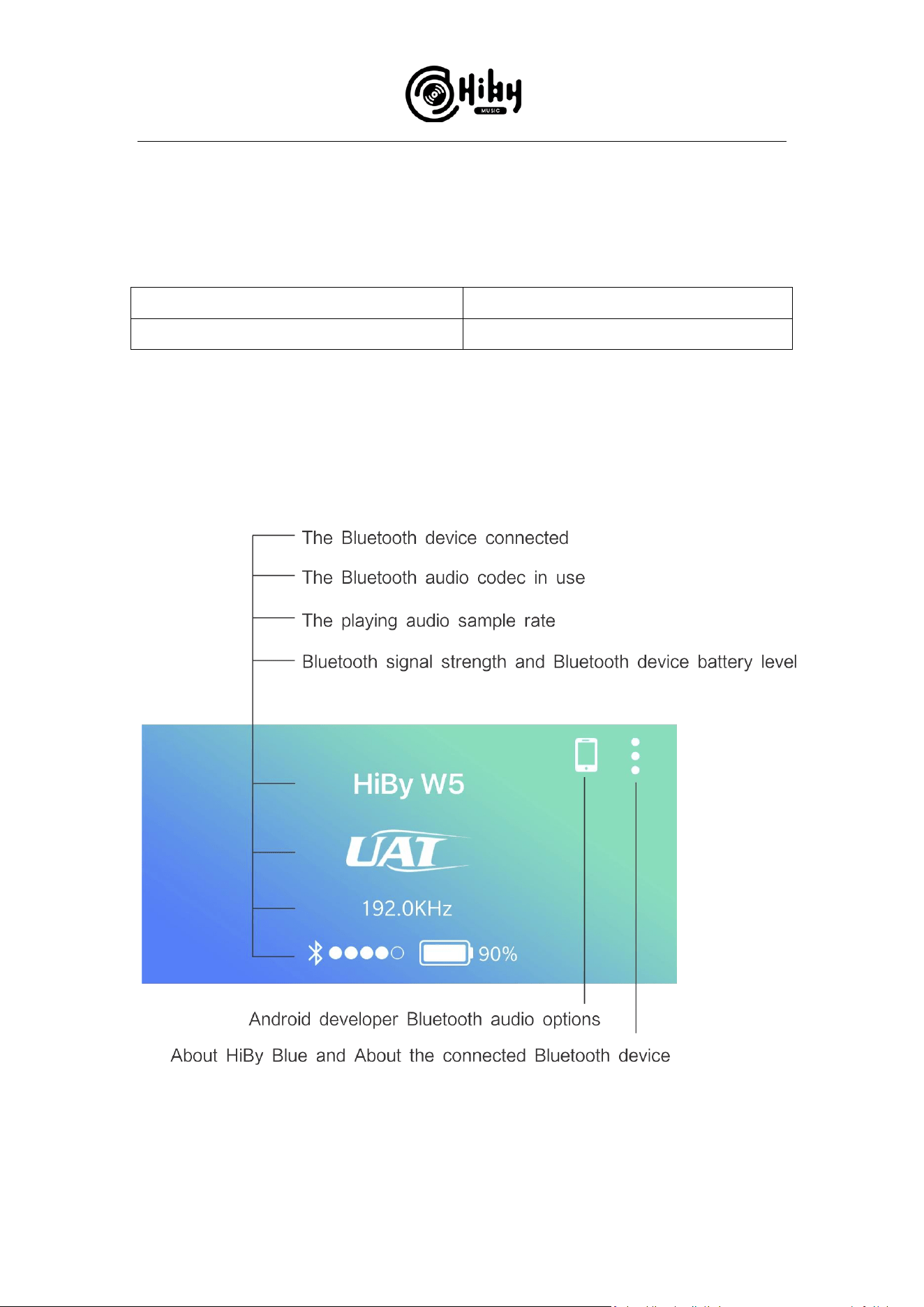
Introduction to the HiBy Blue app UI

5 / 5
Q&A
About the W5
Does the W5 support earphones with in-line microphones?
No, but it sports its own microphone for communication purposes.
What’s the recommended headphone impedance?
16-150Ω.
How long does the W5’s battery (without charging box) last?
3~4 hours.
* The above data test conditions are continuous playback of SBC format, and the
headphone impedance is 32 ohms.
What about the charging box?
The charging box may itself be fully charged in 1.5 hours and can fully recharge the
W5’s battery 5 times on a full charge.
Usage questions
Can’t change Bluetooth codec?
If UAT is the currently indicated codec, turn off UAT from within HiByMusic app’s
Settings, and play a new song to change the codec.
UAT sample rate and bitrate cannot be controlled?
On regular Android devices, only auto-adaptive UAT sample rate and bitrate is
available.
Why is the sample rate shown as 88.2kHz when playing DSD files?
DSD audio is resampled to 88.2kHz for more efficient use of limited data bandwidth
for hi-fidelity audio transmission.
