Specification
*Measure range: 0.00-14.00pH
*Resolution: 0.01 pH
*Accuracy: ±0.01PH(at25℃)
*Power supply: 2×1.5V ( LR44 )
*Operating temperature: 0℃ -60℃
*Automatic calibration:
two points or three points
*Dimension: 155×31×18 mm
*Weight: 50g/(1.70z)
Warranty:
The instrument is warranted to the
purchaser for a year from the date of
purchase.
If during these periods, repair or
replacement of the instrument is
required,
please return the instrument to either
your dealer or to our office .The repair
will be effected free of
charge. ( damage is not due to
negligence or erroneous operation by
the user)
Note :Please provide purchase invoice
or proof before returning your
instruments back.
Battery replacement
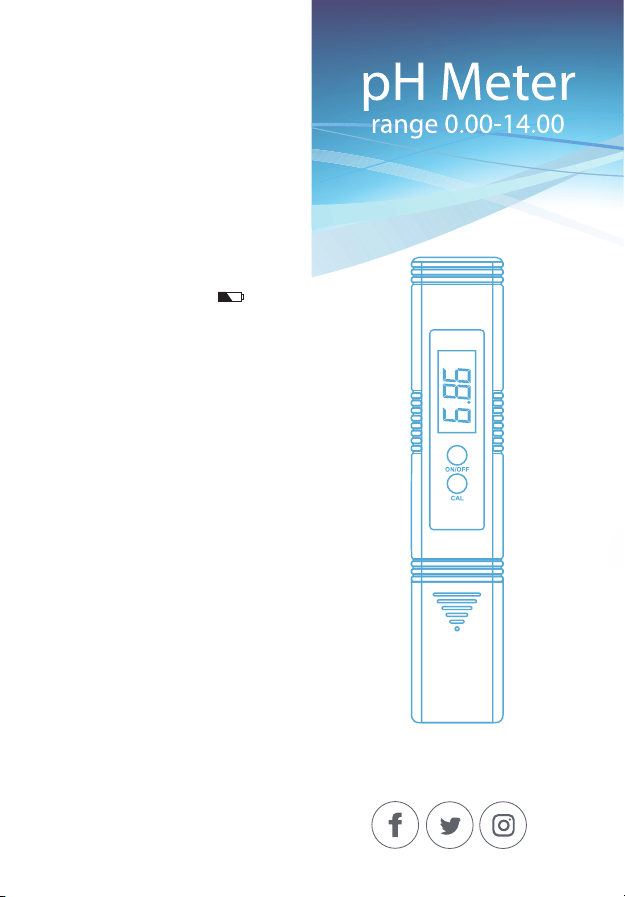
When the battery symbol ” “
appears on the display.
When the meter cannot be switched
on or the display fades, pull out the
battery compartment and replace all
two 1.5V batteries, while paying
attention to their polarity.
pH
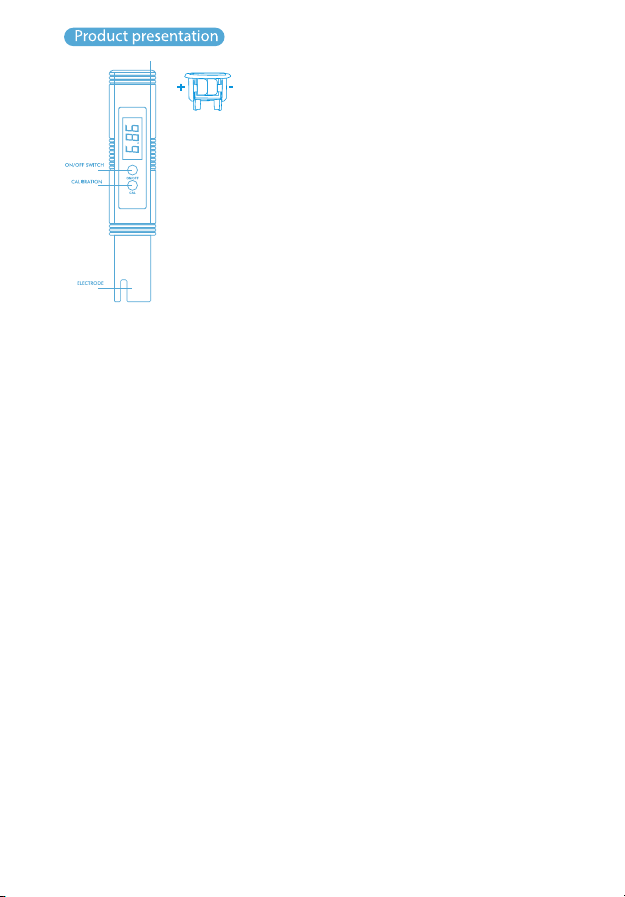
OPERATION
1. Remove the protective cap. Do not be
alarmed if white crystals appear
around the cap. This is normal with
pH electrodes and they dissolve
when rinsed with water.
2. Turn the meter on by pressing the
"ON/OFF" key.
3. Immerse the pH meter electrode in
the solution to be tested (can not be
over the immersion line )
4. Stir gently and wait around 30
seconds till the reading stabilized.
5. After use, ,turn the meter off by
pressing the "ON/OFF" key. use the
water clean the electrode and replace
the protective cap.
? Large fluctuations in readings could
be due to lack of calibration, dry
electrode or rundown batteries.
4. Press the "CAL" (calibration) key for 2
seconds and release 。The meter can
automatically identify the buffer solu-
tion
-Display will start flashing 6.86 (or 4.00
and 9.18)
-Wait until the display stops flashing
and display "end" .
-Rinse and dry the electrode with dis-
tilled water as before.
5. Repeat steps 2-4 to correct the 4.00
or 9.18 buffer solution.
6.Place the meter back to the buffer
solution to test calibration .1f incor-
rect , please repeat the calibration
7 If the electrode is cracked or damaged
or the correction fluid is wrong, the
correction cannot be made and the
meter will display "---”
Calibration :
1 . Turn on pH meter
2. Immerse the electrode into the pH
6.86 solution(or 4.00 and 9.18).
temperature of 25℃.
3. Stir gently and wait until the display
stabilizes.
Note:
Recalibration is required in the
following conditions:
- Lengthy periods of inactivity
- Very frequent use
- The testing accuracy requirement is
very high.
- The "cal" (calibration) key was
pushed and electrode exposed to air
for extended period of time
BATTERY COMPARTME NT
pH
Maintenance:
Always replace protective cap after
using digital meter to keep electrode
from drying out due to prolonged
exposure to air, which leads to slow
/or unstable readings.
If electrode has been dried out
immerse it into 6.86 buffer solu-
tion(or 3.3M KCL solution) for a few
hours.